


Add a hosted agent to a Vercel app with one script in your root layout, one public env var and one CSP allowance, then redeploy and test on a preview. The snippet takes five minutes. The deployment layer is what breaks: env var changes only reach new deployments, previews only see Preview-scoped vars, and a strict CSP blocks unknown script hosts. eesel's chat bubble fits that path because it is one async script from cdn.eesel.ai and answers from your docs and help center.
Should you embed an AI support agent or build one on Vercel?
I'm Rama, a software engineer at eesel, and I ship the integrations and APIs that sit between a customer's repo and the agent. So I spend my time on what happens between git push, the Vercel build and the browser, which is where "just paste a script" quietly fails. If you hand this job to a coding agent, the eesel CLI can help: npx @eesel/cli init chat-bubble --site https://your-app.com prints the embed snippet, an agent like Claude Code or Cursor can drop it into your layout, and the CLI can also upload documents and ask test questions before go-live. Connecting a helpdesk for handoff still needs someone with admin access to approve it.
Before any code, decide what the chat is for. If chat is your product, build it. If it is a support channel that answers from your docs, embed one, because retrieval, handoff and testing are the expensive parts.
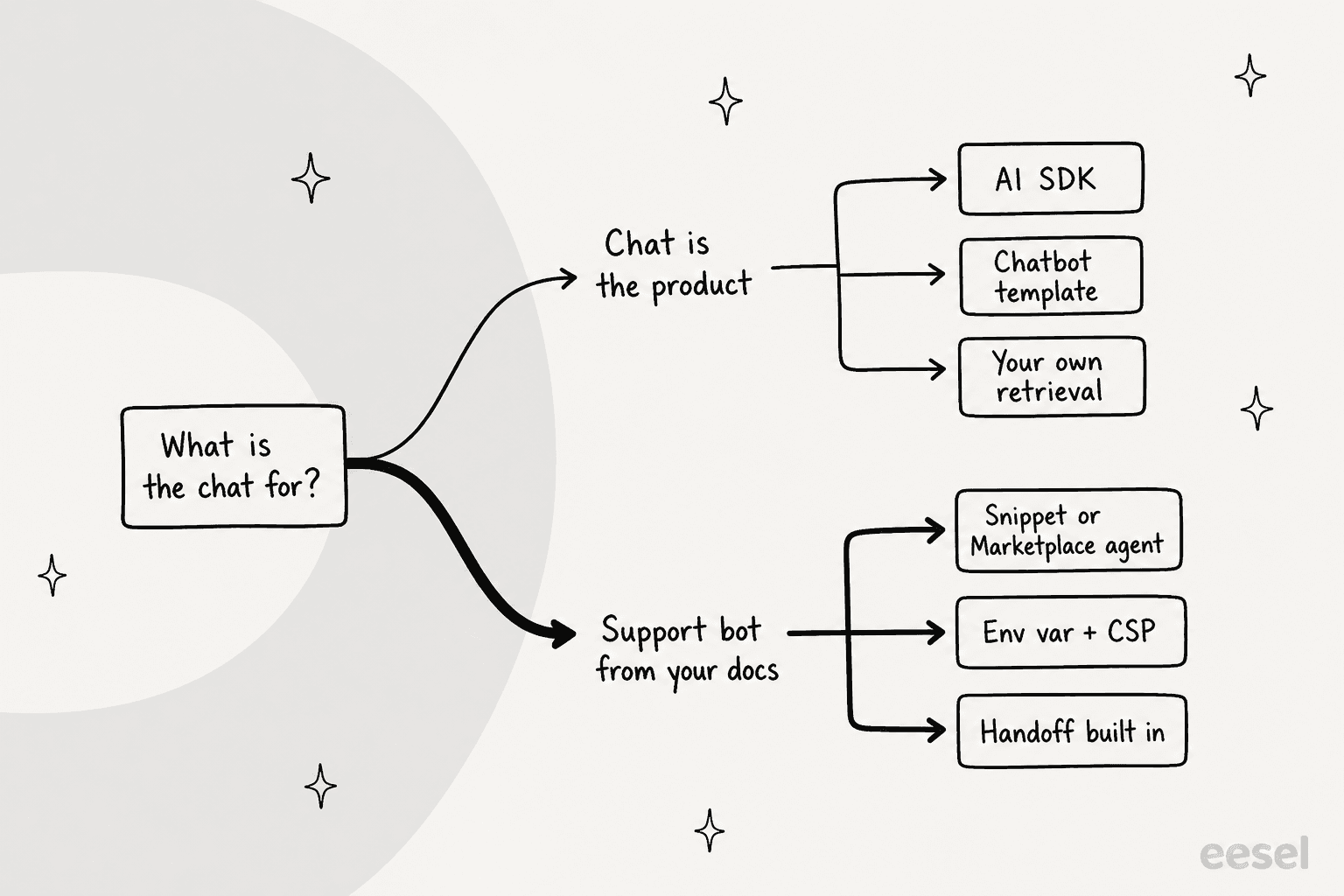
Here is how the three routes on Vercel compare. For the full tool-by-tool comparison, see my AI chatbot for Next.js roundup.
| Route | Setup time feel | Who hosts the model | Trains on your docs out of the box | Human handoff | Vercel function cost | Best for |
|---|---|---|---|---|---|---|
| Hosted agent via snippet (eesel, Crisp, tawk.to, Tidio) | Short: copy a script, add an env var | The vendor | Varies; eesel crawls your site and connects help centers | Yes, via helpdesk ticket, email or a second live widget (eesel) | None for the chat itself | A support bot that answers from your docs |
| Vercel Marketplace agent (Chatbase, AssistLoop) | Short: install, env var is injected for you | The vendor | Chatbase is trained on your site, docs, files and help center | AssistLoop escalates to humans; Chatbase has escalation actions | None for the chat itself | Teams that want billing and env vars managed inside Vercel |
| Build with AI SDK and the Chatbot template | Longest: you write routes, retrieval and handoff | You, through AI Gateway or a provider key | No, you build ingestion | Not in the template README | Yes: Active CPU, memory, invocations | Products where chat is the feature |
If you only want a primer on the concept first, my guides to AI live chat and AI agents versus chatbots cover it.
What do you need before you start?
Run through this list first, because each missing item costs a redeploy.
- A Vercel project you can edit, with the Git repo connected, so a push creates a Preview deployment.
- An agent set up with knowledge: your docs, help center and site. A bot with no knowledge answers from nothing.
- The public trigger id or agent id from your vendor. It is public by design, since it ends up in the browser.
- Access to Project Settings > Environment Variables, or the Vercel CLI (
--environmentneeds CLI 64.6.0 or later). - Your CSP, if you set one, so you know where to add the vendor domain.
- A helpdesk or an email address for handoff, if you want visitors to reach a person.
How do you add an AI support agent to a Vercel app step by step?
The steps below use eesel's chat bubble because its docs show a Next.js snippet, but steps 3 to 8 apply to any hosted agent. I marked the two spots where I see this break most often.
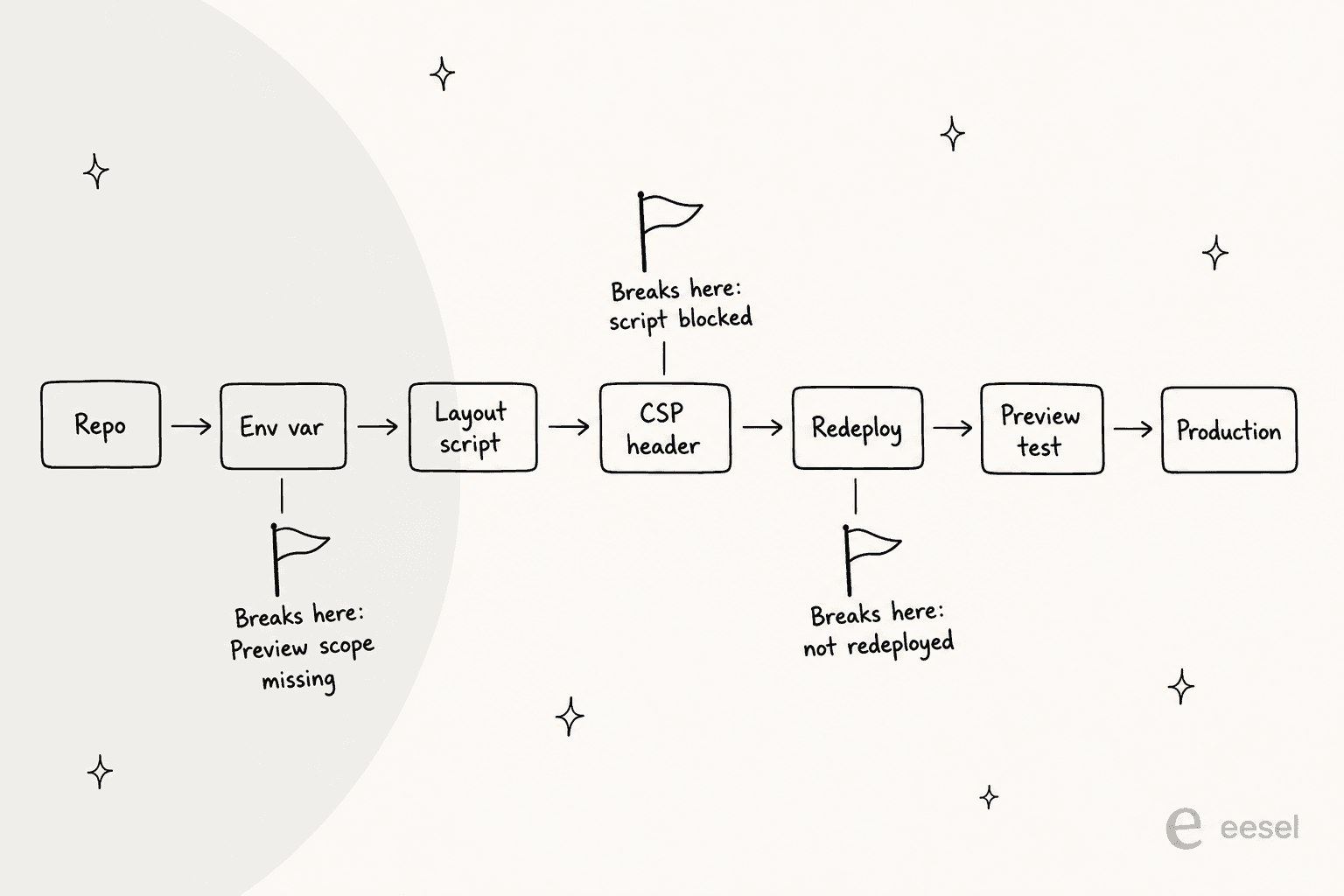
Step 1: Set up the agent and its knowledge
Connect what the agent should answer from before you touch the repo. In eesel that means your public website, your help center, and any docs you add. Then tell it when to hand off, in plain words, such as "if someone asks about a refund, create a ticket". Handoff either opens a second live widget you already run, Zendesk Messenger or Freshchat, or follows rules you give it, such as creating a helpdesk ticket with the visitor's name and email. My guide to human handoff in chat explains which rules to start with.
Step 2: Get the snippet and the trigger id
Open the Chat Bubble settings and copy the snippet, or run the CLI. The settings page has a Copy code button and an Open preview link, so you can see the bubble before it touches your site.
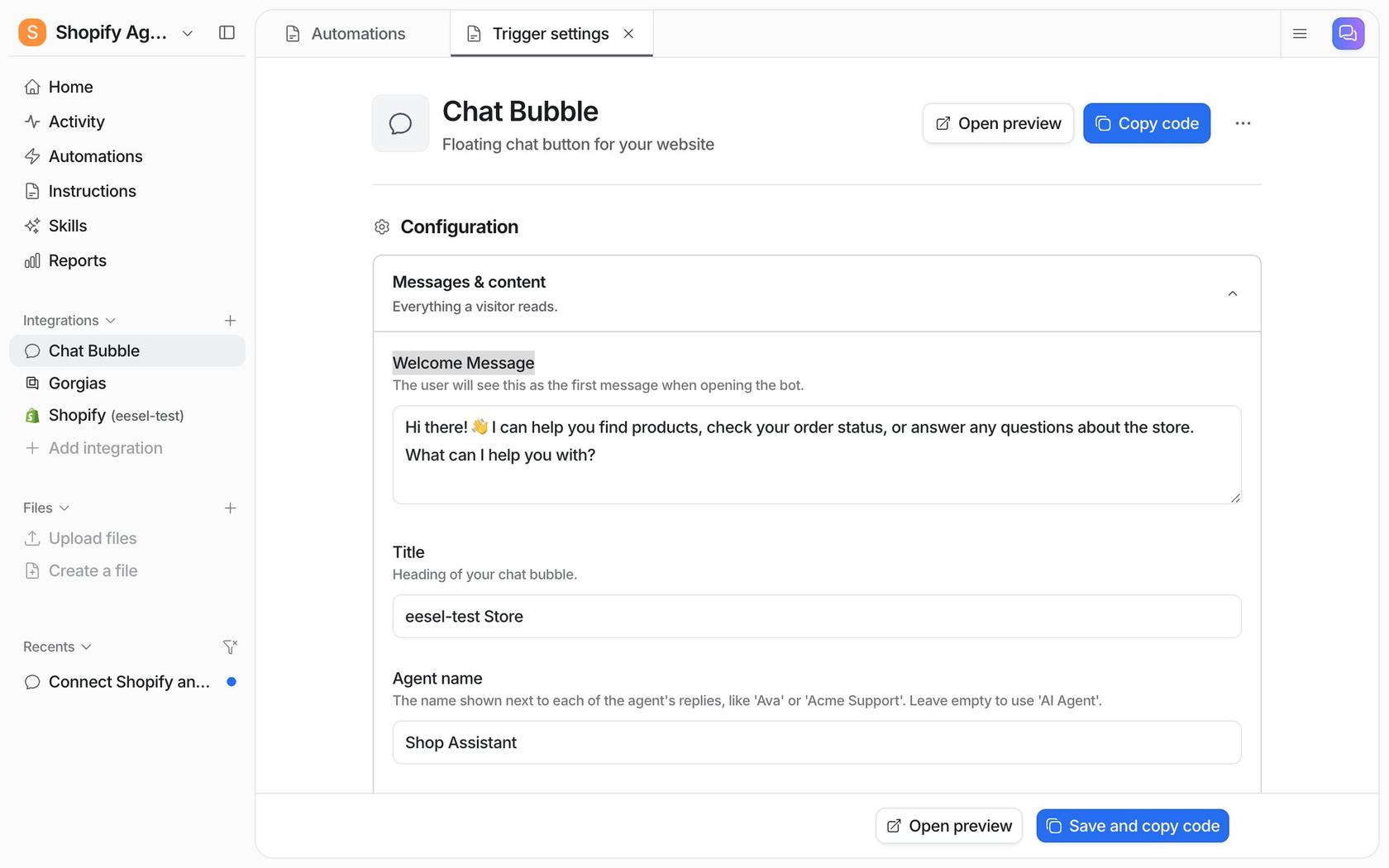
From the terminal, with Node.js 18.17 or newer:
npx @eesel/cli init chat-bubble --site https://your-app.com
It picks or creates an agent, adds the chat bubble channel, prints the embed snippet, and starts a chat asking eesel to connect and crawl the site. With no stored login it starts an anonymous trial with $5 of usage that lasts 7 days. The snippet is one async loader from https://cdn.eesel.ai/loader.js, and per eesel's docs it reads nothing else from your site's code and the snippet never changes when updates ship.
Step 3: Add the env var in Vercel
Put the trigger id in an environment variable so previews, branches and production can differ. In the dashboard open Project Settings > Environment Variables, or use the CLI:
# add for Production and Preview in one go
vercel env add NEXT_PUBLIC_EESEL_TRIGGER_ID --environment production,preview

# pull the Development values into .env.local for local runs
vercel env pull
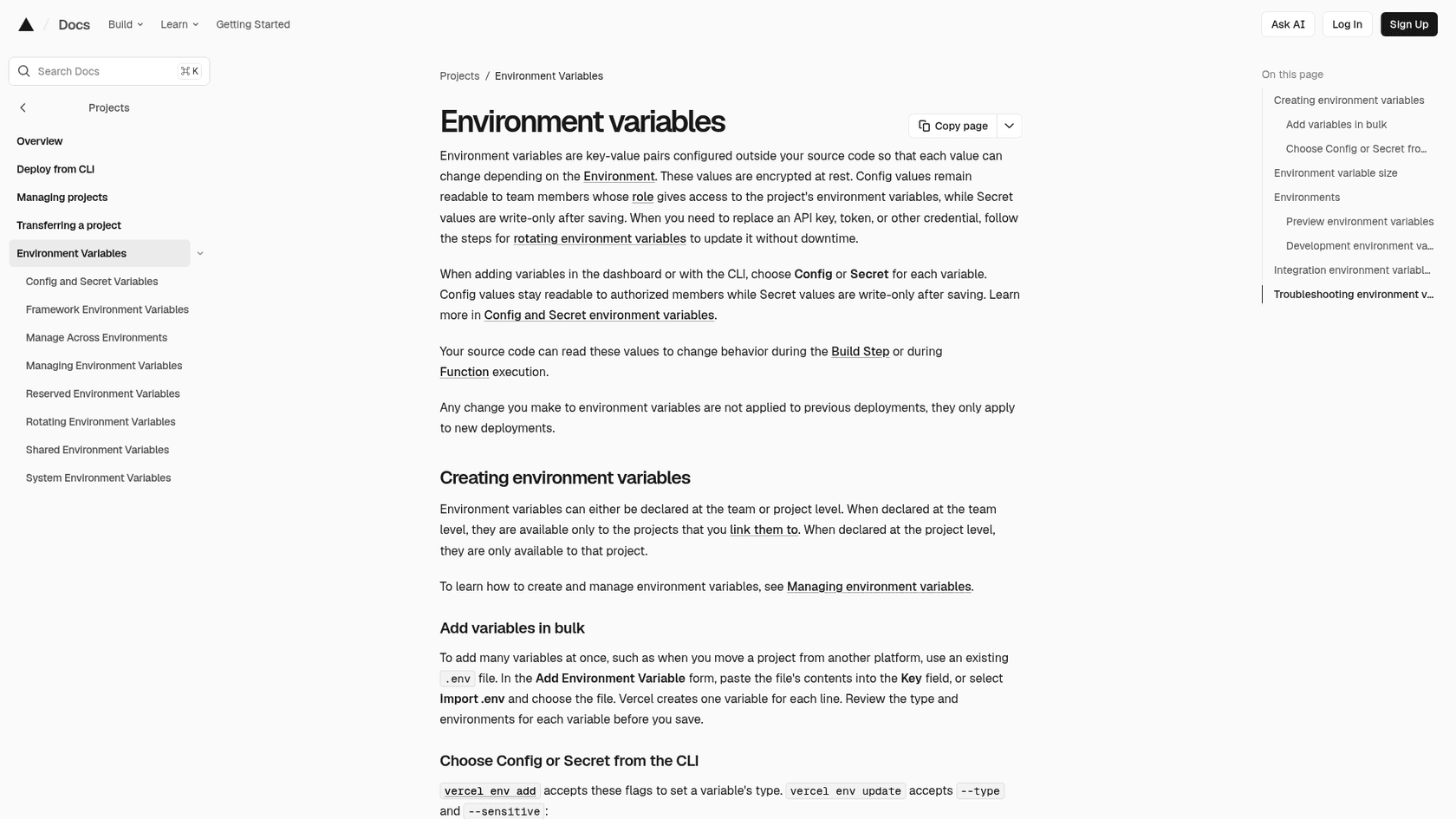
Two rules from Vercel's docs decide whether the bubble appears. First, "Any change you make to environment variables are not applied to previous deployments, they only apply to new deployments." Second, Next.js inlines NEXT_PUBLIC_ variables into the client bundle at build time, so the value must exist for the environment you build. A Preview deployment uses the variables you scoped to Preview, which is why I always tick both boxes. The one exception is a new project's first deployment, which is always a production build and uses your Production variables.
Do not put a secret behind NEXT_PUBLIC_. A trigger id is public, but an identity-signing secret or an API key for a self-built bot is not. Mark those as Secret, or pass --sensitive in the CLI. Vercel's April 2026 incident bulletin told customers to rotate any environment variables that were not marked sensitive, and one commenter's reaction was blunt:
"The advice should be to IMMEDIATELY rotate all passwords, access tokens, and any sensitive information shared with Vercel."

Step 4: Add the script site-wide
Where "site-wide" lives depends on the framework, and Vercel supports many. In the Next.js App Router, render the loader once in app/layout.tsx with strategy="lazyOnload" so it survives client-side navigation. Next.js's own docs name chat support plugins as the use for that strategy, and my Next.js chatbot guide has the full strategy comparison.
// app/layout.tsx
import Script from "next/script";

const triggerId = process.env.NEXT_PUBLIC_EESEL_TRIGGER_ID;

export default function RootLayout({ children }: { children: React.ReactNode }) {
  return (
    <html lang="en">
      <body>
        {children}
        {triggerId && (
          <Script id="eesel-chat-bubble" strategy="lazyOnload">{`
            var s = document.createElement('script');
            s.src = 'https://cdn.eesel.ai/loader.js';
            s.async = true;
            s.onload = function () {
              window.EeselWidgetWithTrigger({ triggerId: '${triggerId}' });
            };
            document.head.appendChild(s);
          `}</Script>
        )}
      </body>
    </html>
  );
}
I shortened the loader's fallback branch, so copy the exact snippet from your dashboard. The triggerId && guard is my own habit: eesel's docs say a build with the variable unset shows no bubble, and the guard makes that explicit.
For the other frameworks Vercel detects, the table below shows the file each one wants.
| Framework | Where the script goes | Note |
|---|---|---|
| SvelteKit | src/app.html, the page template | The docs call it the template, so placing a chat script there is my inference. It also offers %sveltekit.nonce% for CSP |
| Nuxt | app.head.script in nuxt.config | Docs: sets defaults for <head> on every page |
| Astro | Your shared layout, with is:inline | Astro skips processing any script with attributes other than src, so inline loaders need the directive |
| Vite and plain React | index.html in the project root | Put it before the closing </body> |
<!-- SvelteKit src/app.html, Astro layout (add is:inline), or Vite index.html -->
<script is:inline>
  var s = document.createElement('script');
  s.src = 'https://cdn.eesel.ai/loader.js';
  s.async = true;
  s.onload = function () {
    window.EeselWidgetWithTrigger({ triggerId: 'YOUR_TRIGGER_ID' });
  };
  document.head.appendChild(s);
</script>
Drop is:inline outside Astro. Outside Next.js the public-variable prefix is framework specific, so use your framework's own public env var convention instead of hardcoding the id. In Nuxt the same loader goes into the config:
// nuxt.config.ts
export default defineNuxtConfig({
  app: {
    head: {
      script: [{ src: 'https://cdn.eesel.ai/loader.js', async: true }],
    },
  },
});
That form only loads the file. You still need the EeselWidgetWithTrigger call, so use the full dashboard snippet there as well.
Step 5: Allow the vendor in your CSP
If you ship a Content Security Policy, a third-party script is blocked until you list it. eesel's docs say: "For a strict Content Security Policy, allow https://cdn.eesel.ai for scripts and connections," which means script-src and connect-src. They say nothing about frame-src or img-src, so watch your browser console and add only what it reports. One commenter described the cost of a different widget:
"It was annoying to allow in my content security policy - It slowed down my site"
Vercel's CSP guide advises starting with Content-Security-Policy-Report-Only before you enforce. This works on any framework through vercel.json:
{
  "headers": [
    {
      "source": "/(.*)",
      "headers": [
        {
          "key": "Content-Security-Policy-Report-Only",
          "value": "default-src 'self'; script-src 'self' 'unsafe-inline' https://cdn.eesel.ai; connect-src 'self' https://cdn.eesel.ai"
        }
      ]
    }
  ]
}
On Next.js you can set the same header from next.config.js:
// next.config.js
module.exports = {
  async headers() {
    return [
      {
        source: "/(.*)",
        headers: [
          {
            key: "Content-Security-Policy",
            value:
              "default-src 'self'; script-src 'self' 'unsafe-inline' https://cdn.eesel.ai; connect-src 'self' https://cdn.eesel.ai",
          },
        ],
      },
    ];
  },
};
That example keeps 'unsafe-inline', which Vercel's own page tells you to avoid. The stricter route is a nonce, set in proxy.ts (older docs call it middleware). Next.js attaches the nonce to <Script> components automatically, but a nonce needs a dynamically rendered page, because static pages are generated at build time when no request headers exist. Weigh that against the cost of losing static rendering on every page.
Step 6: Redeploy and test on a preview
Push a branch and let Vercel build a Preview. Then open it and look for the bubble. This is where people get stuck, because new projects start with Standard Protection and Vercel Authentication, so visitors to a preview must log in with a Vercel account that has access to the project. Production domains stay public.
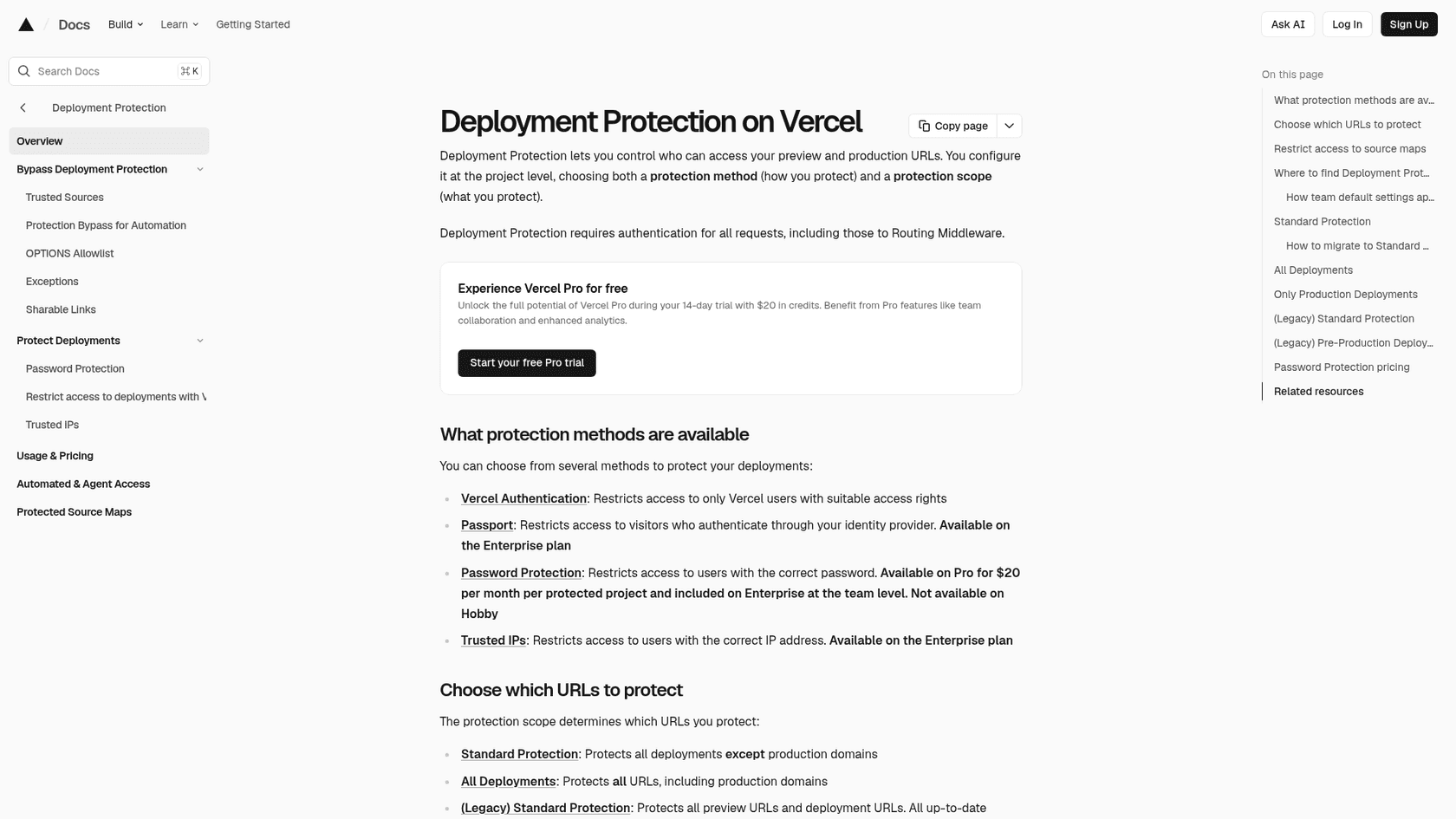
Log in as a teammate, or use a Shareable Link for someone outside the team. Then run the checklist: env var scoped to Preview, redeploy after the change, CSP allows the vendor. One more check is my inference, not a documented rule. Every preview gets its own *.vercel.app hostname, so a vendor that keeps a domain allow-list limited to your production domain would refuse the widget there. Chatbase has such a setting, and I would add the preview domains if you turn it on. eesel's docs document no allow-list, and say one snippet also works on several sites.
Use the CLI as well. eesel chat "what does this site do?" asks the agent a test question, and eesel widget returns the real preview URLs. Check that crawling has finished and that answers are right before you call setup done.
Step 7: Handle logged-in users carefully
If visitors sign in to your app, you will want the agent to know who they are. How safe that is depends on the vendor. Chatbase takes a JWT you sign on your server. tawk.to uses Secure Mode with an HMAC hash. Tidio's tidioIdentify is set in the browser with no signature step, so treat it as a hint, not proof. eesel's docs do not describe a signed identity for the floating bubble, and say only that its Inline Chat and Public Chat take meta.-prefixed query parameters. An optional setting asks visitors for an email before they can chat. Until a vendor offers a signed identity, do not let an agent expose account data based on a client-side claim.
Step 8: Set handoff rules and promote to production
Before you merge, decide what the agent does when it cannot answer: a helpdesk ticket with the visitor's name and email, an email, or a second live widget. Test a handoff on the preview, including asking for a person. Then merge, confirm the Production env var is set, and check the live site, since the first deploy after a variable change is the one that picks it up. My AI agent handoff guide lists the cases worth routing to a person.
Is there an AI support agent in the Vercel Marketplace?
Yes. The Marketplace has an Agents category, and two entries are support agents: AssistLoop, which "handles support and escalates to humans when needed", and Chatbase, "for improved customer service and satisfaction". The rest of the category is developer tooling such as Mem0, Exa and Browserbase. I did not find eesel in the Agents listing I checked, so for eesel you use the snippet route above.
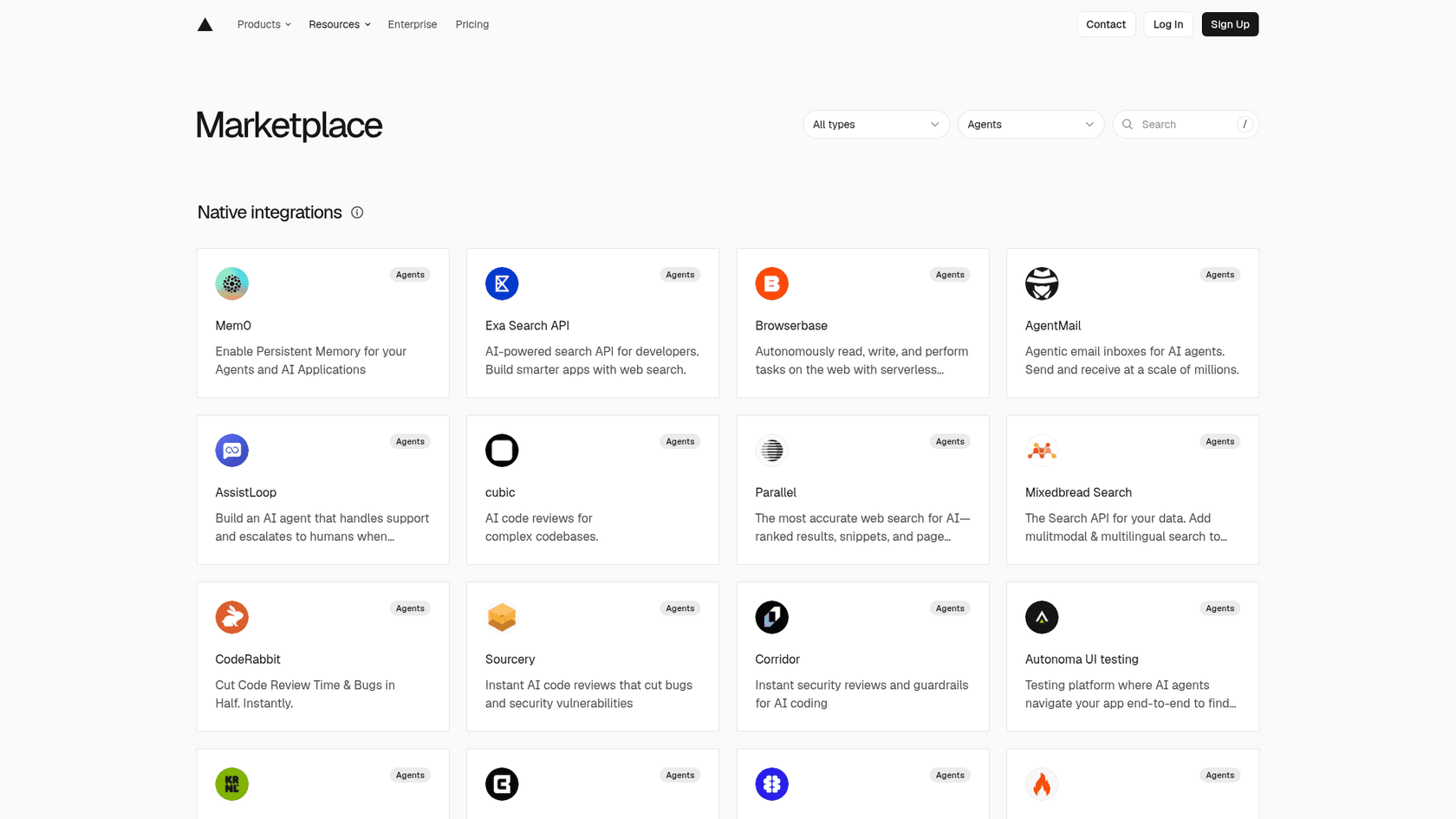
What the Marketplace changes is the wiring, not the deployment rules:
- Chatbase is "a platform for building AI agents trained on your own data: your website, docs, files and help center." Installing it adds
NEXT_PUBLIC_CHATBOT_IDto your project automatically, and the listing gives a<Script>snippet that reads it. The listing shows a free trial. Vercel also lists a Nest.js Chatbase template. - AssistLoop injects
NEXT_PUBLIC_ASSISTLOOP_AGENT_IDand loads a widget fromassistloop.ai. You choose Free, Basic, Pro or Max, and "billing immediately appears on your Vercel invoice once the plan is active". I did not read AssistLoop's own pricing page, so I won't quote prices. There is also a Next.js AssistLoop template where you add your Agent ID and deploy.
Chatbase's own pricing page shows Basic at $150 a month ($120 a month billed yearly) with 4,000 message credits and one agent, and Business at $500 ($400 yearly) with 15,000 credits. There is no free plan, only a 7-day trial. Credits are billed per model request, so an agent that uses Actions can spend more than one credit on a reply. My Chatbase review and Chatbase pricing breakdown go deeper. If you are comparing it with other chat tools, see my posts on Crisp's AI chatbot and Tidio's AI chatbot.
One thing the Marketplace does well is billing. A team that wants one invoice and automatic env vars gets both. What it does not remove is the redeploy rule, the Preview scope or your CSP, since the widget is still a third-party script.
What does building your own support agent on Vercel actually take?
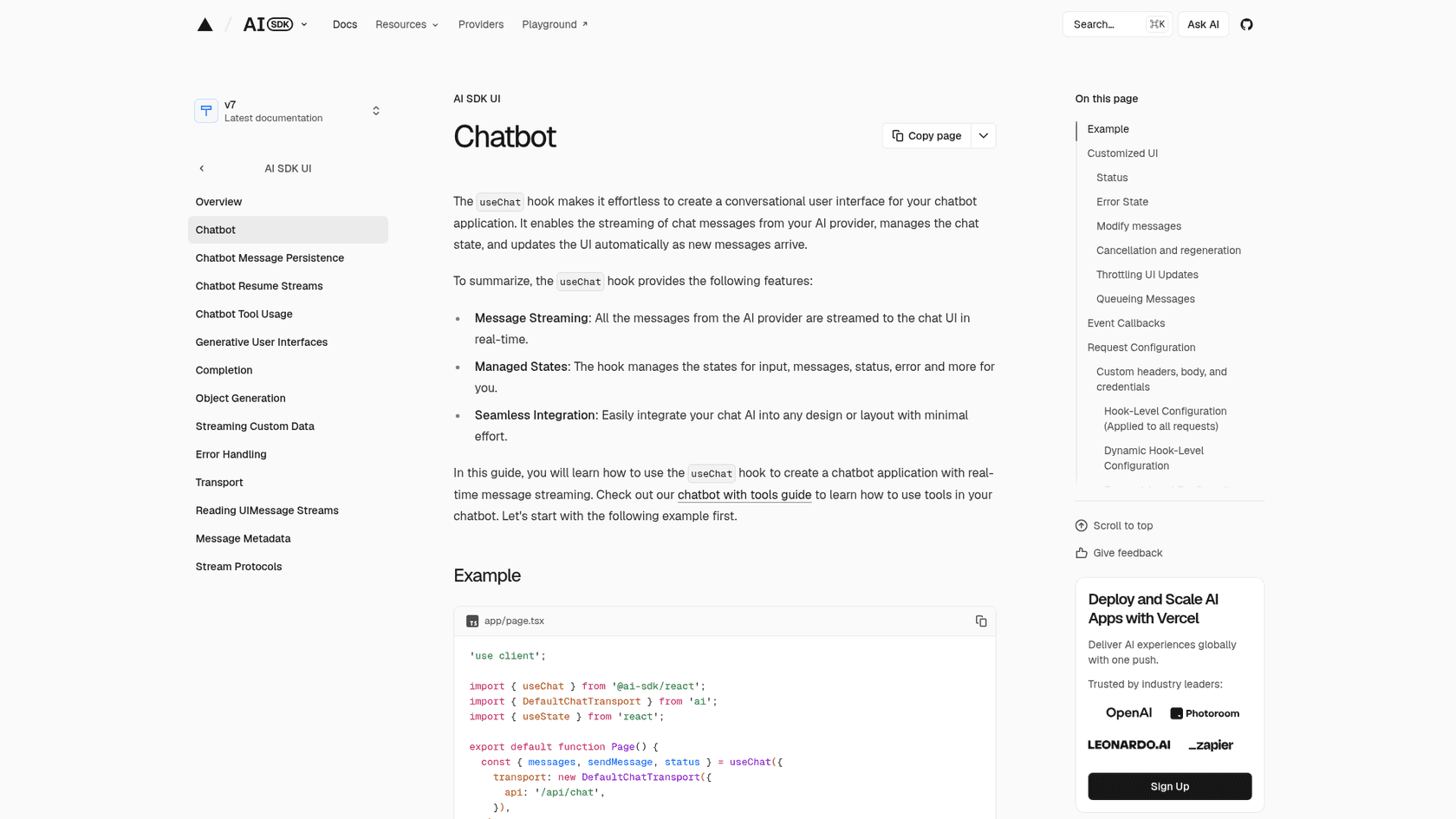
If chat is the product, Vercel gives you good parts. The AI SDK's useChat hook streams messages into your UI, manages the input and status state, and POSTs to /api/chat by default. The server side is a route handler calling streamText. Models route through AI Gateway by a model string, or you install provider packages.
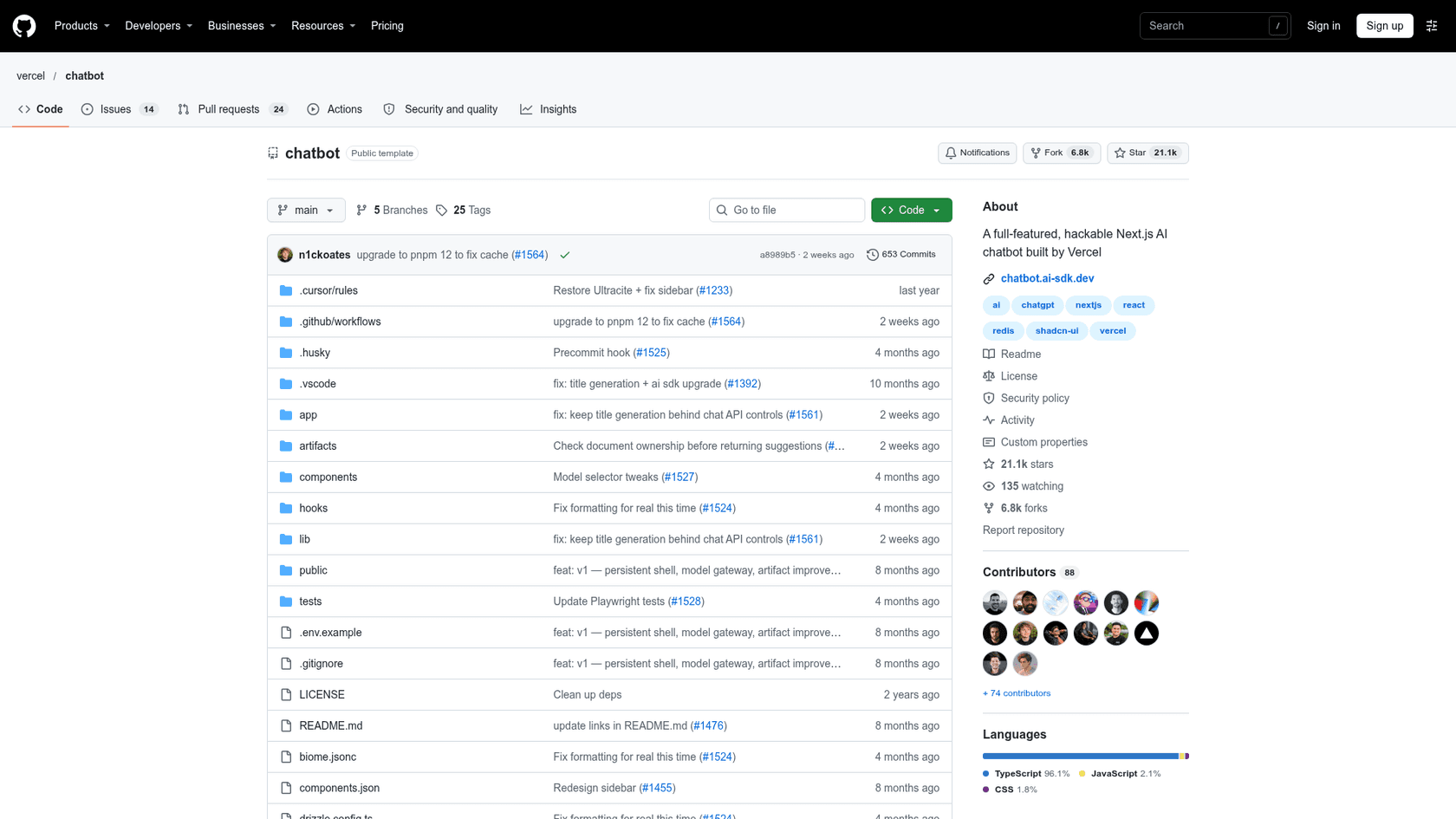
The Vercel Chatbot template is the fastest start. Its README describes a free, open-source template built with Next.js and the AI SDK, with Auth.js, Neon Serverless Postgres for chat history and Vercel Blob for files. The repo shows 21.1k stars. The README feature list does not mention help-center ingestion, a knowledge-base sync, helpdesk integration or human handoff. That is an absence from the README, not proof it cannot be built. One developer's experience captures the shape of it:
"I had to swap out the auth provider to Google, add a Postgres database for permanent storage, and write an initial prompt, but other than that - the fastest I ever built and deployed something useful."
Retrieval is the next piece. The AI SDK's RAG guide uses Postgres with pgvector and Drizzle, starts from a starter repo, and has you write the chunking, embeddings and retrieval yourself. My walkthrough of a support RAG pipeline shows what that looks like end to end. Even with retrieval, it needs ongoing tuning:
"One of the sources of information we used was RAG built from the same support articles that users can themselves browse on our website. Sometimes LLMs get hung up on the wrong details."
Then there are the Vercel limits to design around. With fluid compute on by default, a Hobby function has a 300s default and max duration. Pro also defaults to 300s, with a max of 800s. Older complaints about 10-second timeouts predate those numbers. Streaming helps because users see chunks as they arrive, and Vercel recommends the AI SDK for it. The Hobby plan is another limit: Vercel's Terms say you "shall only use the Services under a Hobby plan for your personal or non-commercial use".
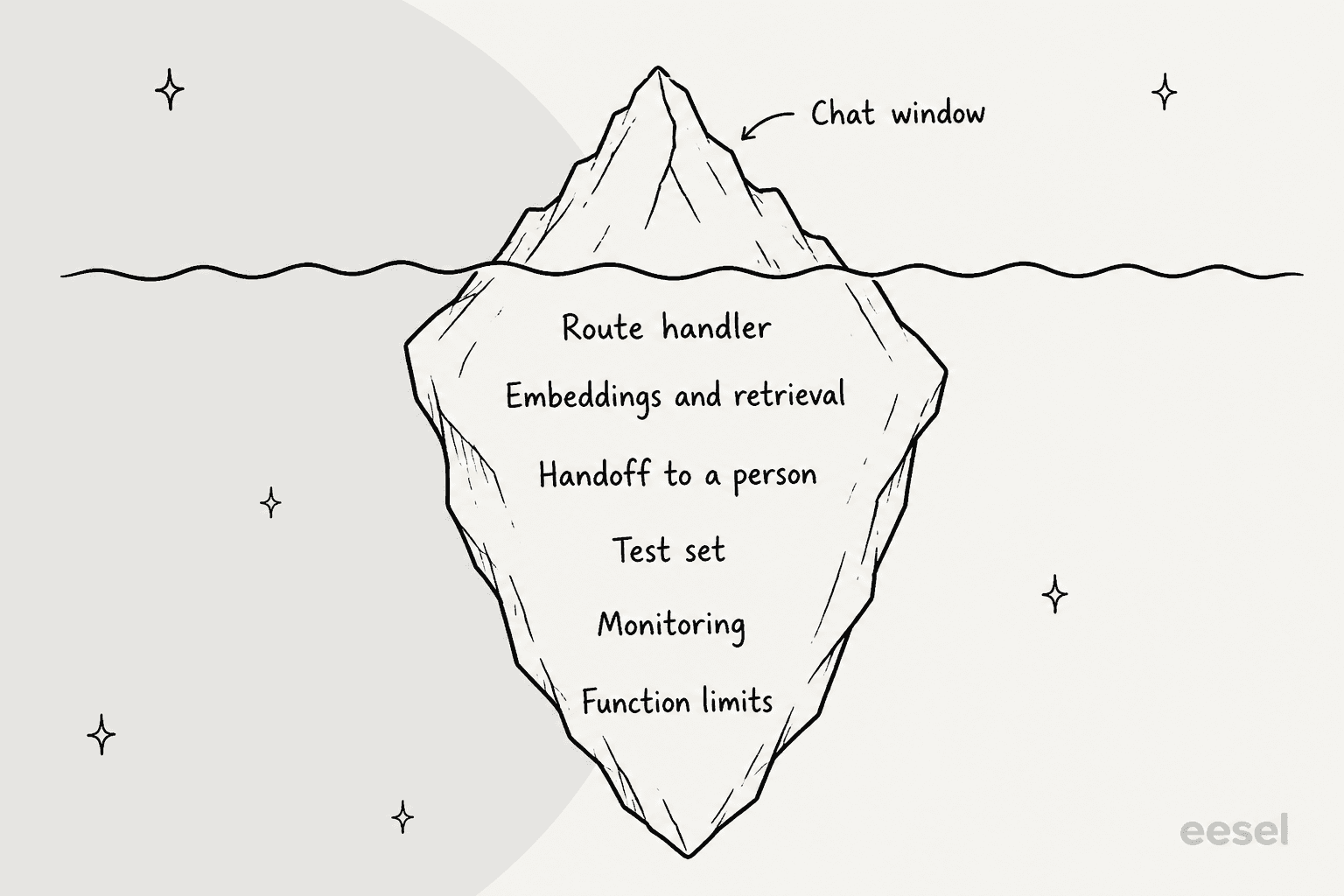
My rule of thumb: build when chat is the feature your customers pay for, embed when it is how they reach support. Everything under the waterline is yours to own, and the AI for developer support and API-first agent platform pieces explain where a platform route saves that work. If you want a custom UI on a hosted agent, the eesel CLI and MCP server posts show the programmable side.
What does it cost to run an AI support agent on Vercel?
There are two bills: Vercel and the agent. Vercel's pricing page shows Hobby at $0 a month and Pro at $20 a month with $20 of included usage credit. Hobby accounts cannot buy extra usage and, per the Terms, are for non-commercial use.
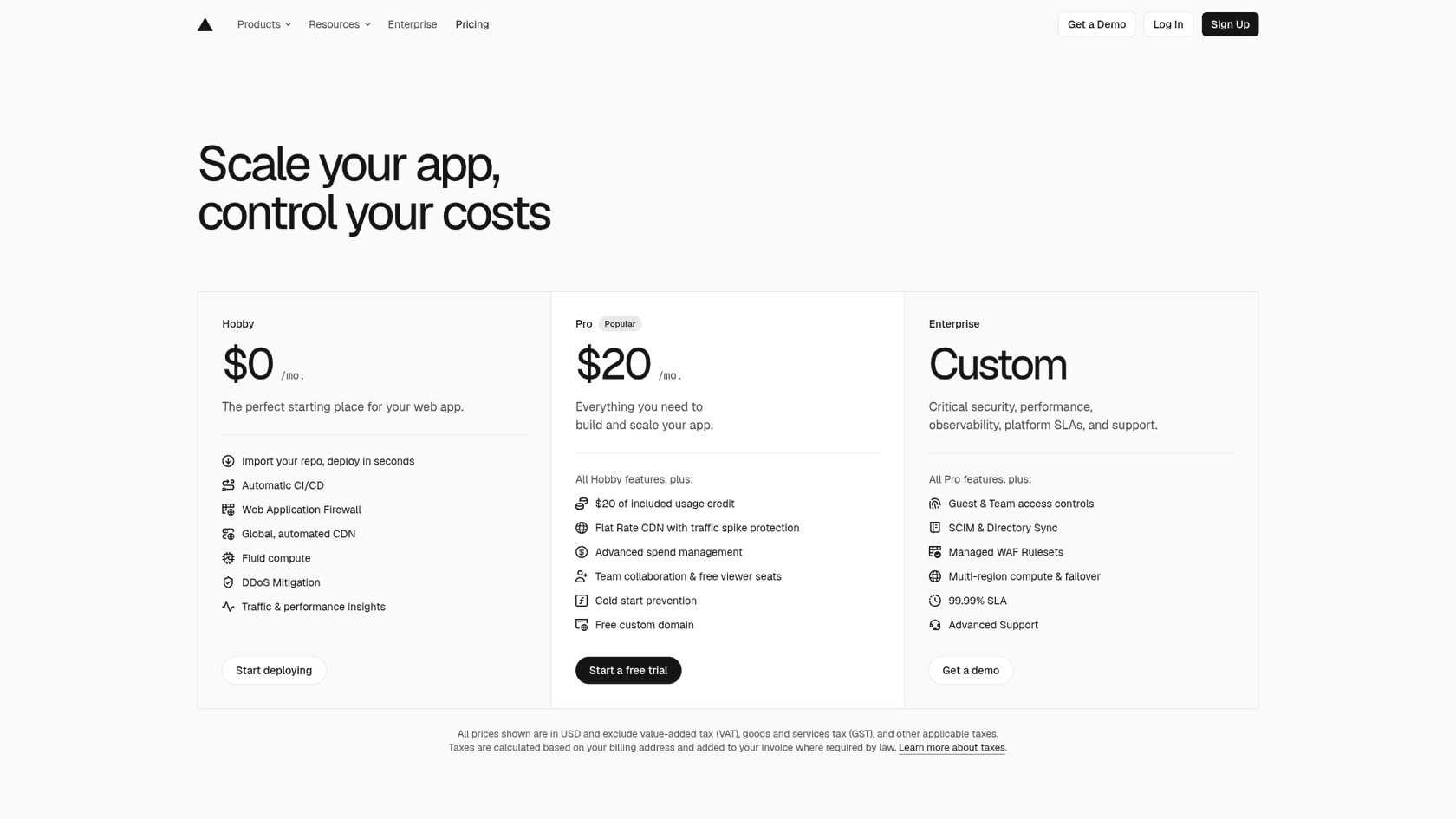
| Item | Price | What it covers |
|---|---|---|
| Vercel Hobby | $0 a month | Personal and non-commercial use only |
| Vercel Pro | $20 a month, with $20 usage credit | Commercial use; Developer seat is $20 a month |
| eesel Free | $0, 100 credits for 7 days | Every feature, no card; a trial, not an ongoing plan |
| eesel Teammate | From $299 a month for 500 credits | A chat is 1 credit; no per-seat price |
| Chatbase Basic | $150 a month ($120 billed yearly) | 4,000 message credits, 1 agent |
| Chatbase Business | $500 a month ($400 billed yearly) | 15,000 message credits, 1 agent |
| Build your own, Vercel meters | Active CPU from $0.128/hour; memory from $0.0106/GB-hr; invocations from $0.60 per 1M | Your function runs |
| Build your own, models | AI Gateway has no markup on tokens; $5 monthly free credit with limits | Model usage |
Pricing for eesel comes from its pricing page, where a chat is one credit however long. A hosted agent adds nothing to your Vercel functions, because the chat runs on the vendor's side. A self-built bot adds Active CPU, memory, invocations and tokens. My guide to AI support agent cost compares the models in detail.
What are the common mistakes?
These are the failures I see most when a widget "works locally" and nowhere else.
- Forgetting to redeploy. The env var is saved, but the live deployment still has the old build. Redeploy.
- Setting the var only in Production. Previews load no bubble, and you conclude the install is broken.
- Putting the script in a page, not the layout. The bubble then appears on one route only. In Next.js it belongs in
app/layout.tsx. - Using
beforeInteractivefor chat. Next.js docs reserve it for bot detectors and consent managers, and chat support plugins fitlazyOnload. - A CSP that blocks the loader. Allow
https://cdn.eesel.aifor scripts and connections, then check the console. - An allow-list without preview domains. If your vendor keeps one, include your
*.vercel.apphostnames. - A secret in
NEXT_PUBLIC_. Public prefix means public value. Use a Secret variable and a server route. - Trusting client-asserted identity for account data. A hint from the browser is not proof of who someone is.
How do eesel customers run this in production?
The same embed-and-test pattern shows up in live deployments. SamCart runs one agent on its Freshdesk tickets and another on its website chat bubble, answering from 280 help center articles. The chat asks for a name and email before it answers, so the team can follow up, and when a seller asks for a person the ticket is tagged for handoff and the agent stops.
SE Ranking runs an agent for each of its three products. In the month from 8 August to 8 September 2026, eesel answered first on about 2,100 live chats, from roughly 16,800 pages of knowledge, with refunds and requests for a person handed to the team with the customer's name and email. Neither is a Vercel deployment, but both rely on the same two things: good knowledge and a handoff rule someone tested before it went live.
Try eesel on your Vercel app
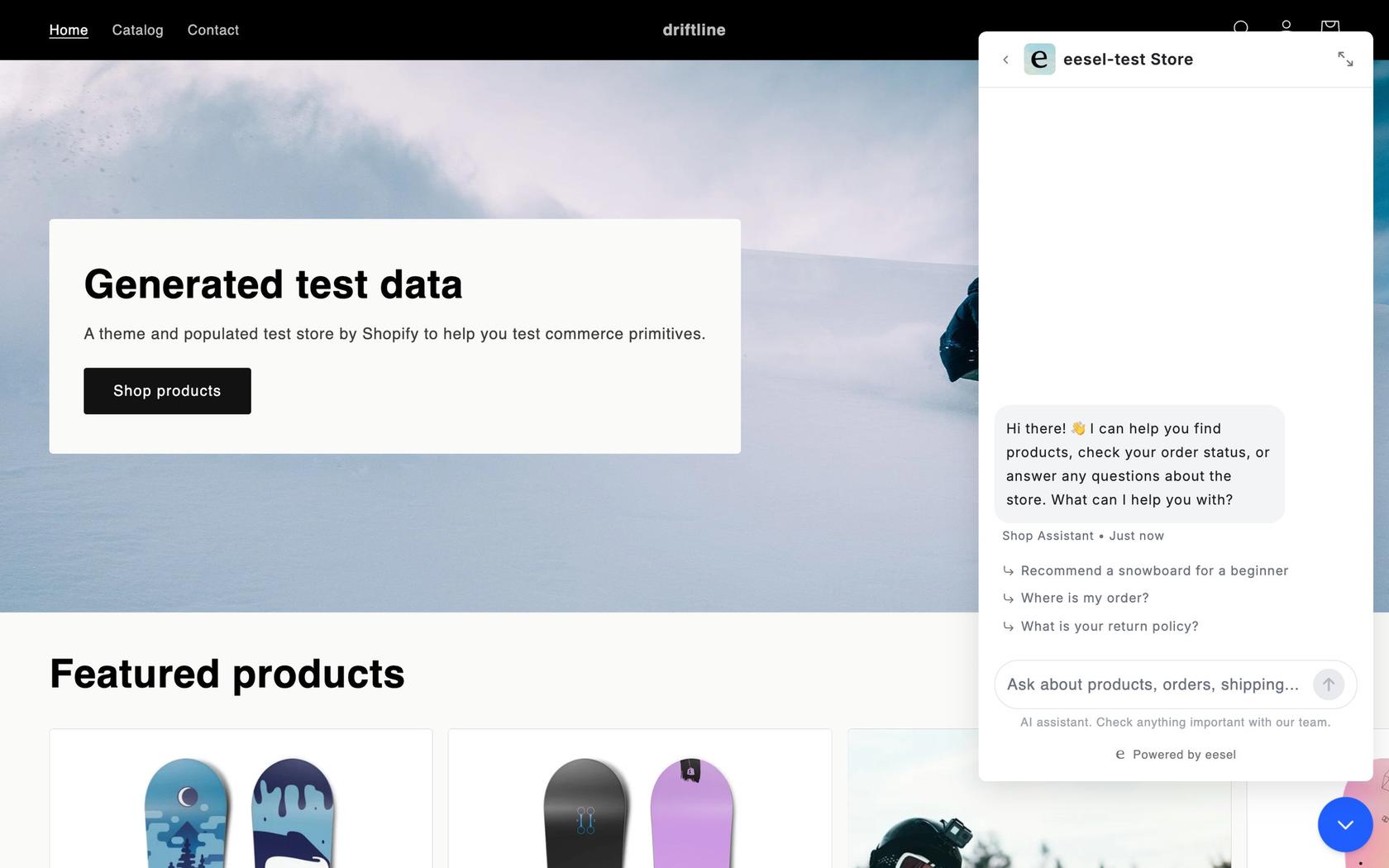
If your app is on Vercel and customers ask the same questions twice a day, Try eesel. Add the trigger id as an env var, render one script in your root layout, redeploy, and check the bubble on a preview before you merge. It answers from your docs and help center, and hands off by ticket or email when it cannot.
Frequently Asked Questions
How do I add an AI support agent to a Vercel app?
Pick a hosted agent, copy its embed snippet, store the public id in a Vercel environment variable for Production and Preview, render the script once in your root layout, allow the vendor's domain in your CSP, then redeploy. Vercel only applies env var changes to new deployments, so the redeploy is not optional. My guide to an AI chatbot for your website covers the choice of agent.
Where do I put a chat widget script on a Vercel-hosted site?
Vercel hosts many frameworks, so the spot depends on yours. In Next.js it is a next/script tag in app/layout.tsx. In SvelteKit it is src/app.html, in Nuxt it is app.head.script in the config, in Astro it is your shared layout with is:inline, and in Vite it is index.html. My AI chatbot for Next.js guide goes deeper on the Next.js case.
Why doesn't my chat widget show up on a Vercel preview deployment?
Check three things in order. Is the env var scoped to Preview, not only Production? Does your CSP allow the vendor domain? Does the vendor keep a domain allow-list that omits your *.vercel.app preview hostname? The third is my inference from how previews are named, not a documented rule, and eesel documents no allow-list at all. A chat bubble with no trigger id shows nothing by design.
Do I need to redeploy after adding an environment variable on Vercel?
Yes. Vercel's docs say changes to environment variables are not applied to previous deployments and only apply to new ones. For a NEXT_PUBLIC_ variable the value is also inlined into the client bundle at build time, so the old build keeps the old value. My notes on AI agent API integration cover the rest of the wiring.
Can I build my own AI support agent with the Vercel AI SDK?
Yes. useChat streams messages into your UI and a route handler calls the model. The Vercel chatbot template adds Auth.js, Neon Postgres history and file storage. Its README does not list help-center ingestion or human handoff, so those stay your job. My explainer on RAG versus a plain LLM shows why retrieval matters for support, and the support RAG pipeline walkthrough shows the build.
Is there an AI support agent in the Vercel Marketplace?
Yes. The Marketplace Agents category lists AssistLoop, described as an agent that handles support and escalates to humans, and Chatbase, described as a platform for AI agents trained on your own data. Both inject a public env var into your project. I did not find eesel in the Agents listing I checked. See my Chatbase review and Chatbase pricing breakdown.
Can I run a support agent on Vercel's Hobby plan?
Technically yes, but Vercel's Terms say the Hobby plan is for personal or non-commercial use, so a company support site belongs on Pro at $20 a month. An embedded hosted agent adds no function cost to your side. If you want one for a company site, my guide to AI chatbots for customer service is a good start.