

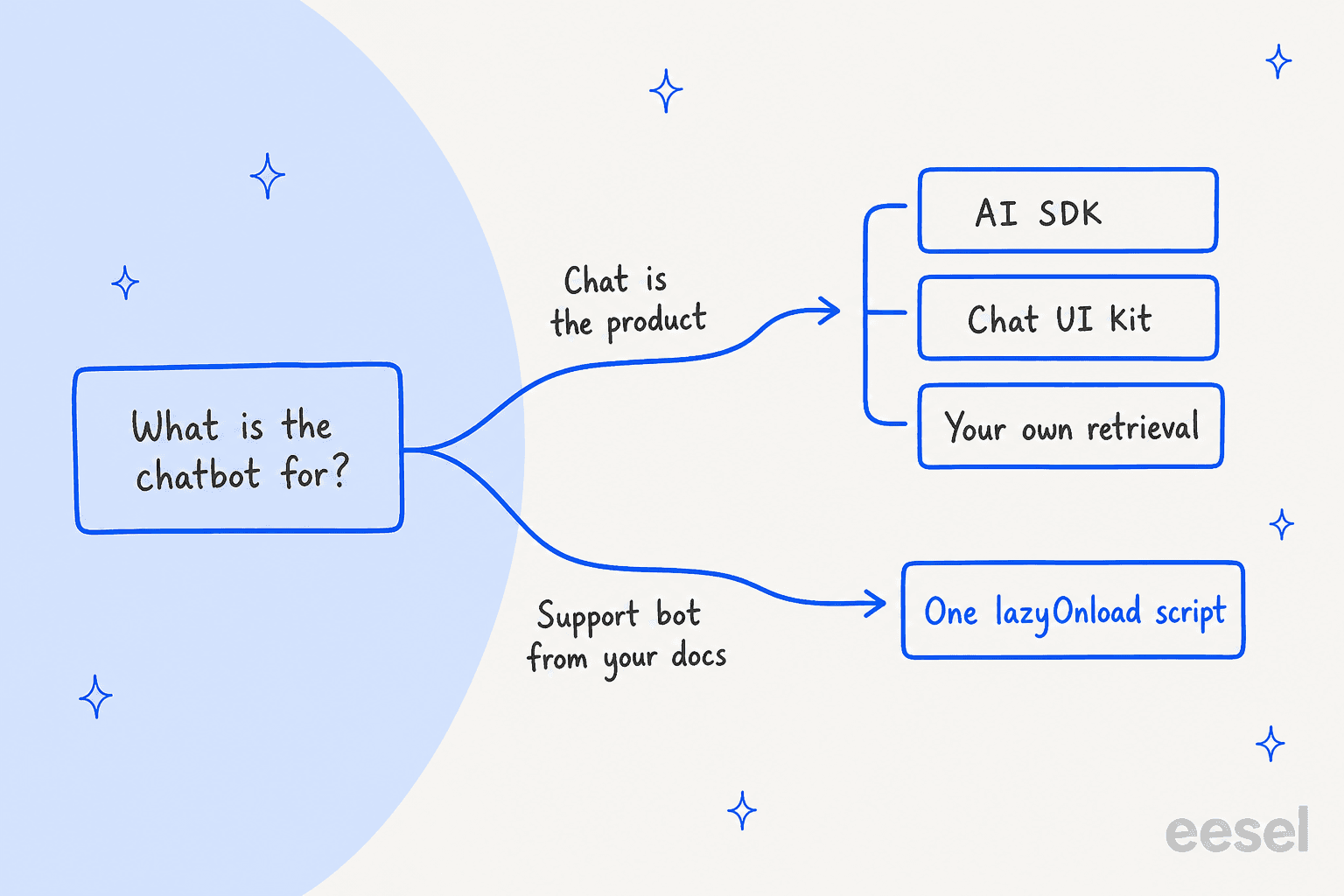
Pick by the job. If the chatbot is your product, build it with the Vercel AI SDK and a chat UI kit. If you want a support bot that answers customers from your docs, embed a hosted widget with one lazyOnload Script in app/layout.tsx, which is the use Next.js's own docs name for chat support plugins. The AI SDK gives you streaming, not retrieval or human handoff, so those stay your job. eesel ships exactly that App Router snippet and answers from your help center and site.
Build or embed: which AI chatbot does your Next.js app need?
I'm Alicia, a software engineer at eesel. I build the product's features and AI agents, so I spend my time on the part of a chatbot a demo never shows: what streaming, retrieval and handoff actually take once real users arrive. Most Next.js posts say "install a library and you're done." That is true for the chat window and false for almost everything behind it. With the eesel CLI, a coding agent like Claude Code or Cursor can run npx @eesel/cli init chat-bubble --site https://your-app.com, take the embed snippet it prints and drop it into app/layout.tsx, upload your docs and ask test questions before go-live. Connecting a helpdesk for handoff still needs an admin to approve it.
Two very different jobs hide behind the same search. The first is an AI feature that lives inside your product: a copilot, a document Q&A screen, an assistant that reads the user's own records. The second is a support bot that answers customers from your docs and passes the hard ones to a person. The first is a build. The second is almost always an embed.
The reason is where the work sits. A chat window is the small part. A bot that is allowed to speak for your company needs knowledge it can retrieve, a way to stop and call a person, and a way to check it before customers see it. Developers who build one say the same thing:
"I tried to add a simple chatbot widget to a few Next.js projects and ended up surprised by how much work it took with OpenAI ChatKit for something that, from the outside, feels like 'just a chat bubble'."

That quote comes from the founder of a competing product, so I read it as a builder's claim, not neutral evidence. The Vercel template story is more balanced. One developer built a screening chatbot for a job posting in a few hours, then listed what was left:
"I had to swap out the auth provider to Google, add a Postgres database for permanent storage, and write an initial prompt, but other than that - the fastest I ever built and deployed something useful."
Hours to a working bot is real. It was also a narrow internal use case, not a public support queue. My rule: build when the chat is the product, embed when the chat is the support desk. The rest of this post follows that split. The sections below cover the embed mechanics, what building a support bot takes, eight options side by side, and what each one costs.
How do you add a chat widget script in the Next.js App Router?
Next.js has a first-party answer, and it is short. The Script component takes a src or inline code and a strategy. The docs name chat support plugins as the example for lazyOnload, which loads during browser idle time. Render the component in app/layout.tsx and, per the Optimizing Scripts guide, it loads for every route and "will only load once" across navigations.
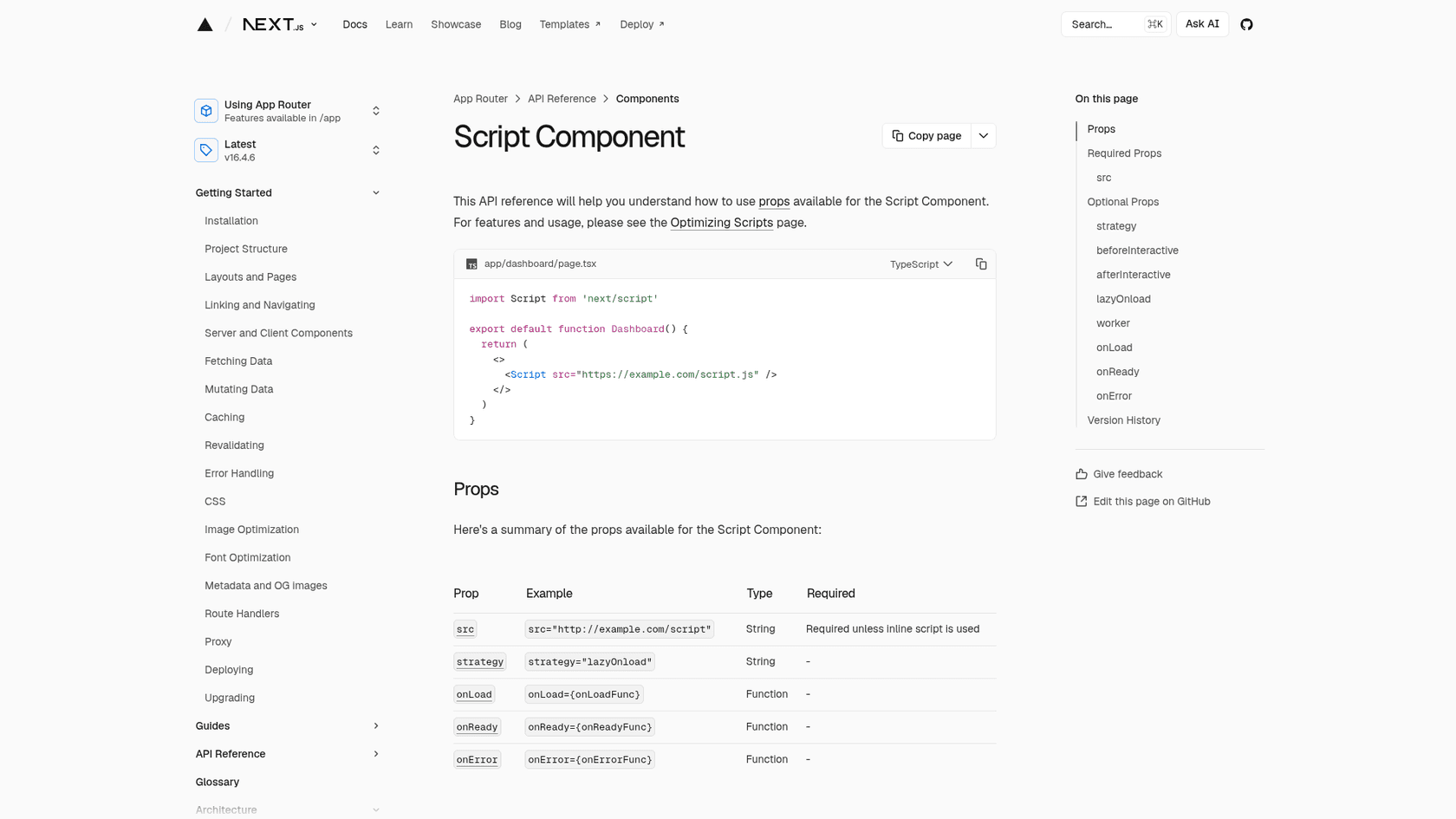
Here is the pattern. The vendor's own snippet goes inside the tag, and the key comes from an environment variable.
// app/layout.tsx
import Script from "next/script";

export default function RootLayout({ children }: { children: React.ReactNode }) {
  return (
    <html lang="en">
      <body>
        {children}
        <Script id="chat-widget" strategy="lazyOnload">
          {`/* paste the vendor's snippet here, reading its id from process.env.NEXT_PUBLIC_CHAT_ID */`}
        </Script>
      </body>
    </html>
  );
}
eesel's chat bubble docs show this same shape for the App Router: an eesel-chat-bubble Script with lazyOnload in app/layout.tsx, the trigger id read from NEXT_PUBLIC_EESEL_TRIGGER_ID, and a note that preview and local builds can leave it unset and simply show no bubble. For a strict Content Security Policy, the docs say to allow https://cdn.eesel.ai for scripts and connections.
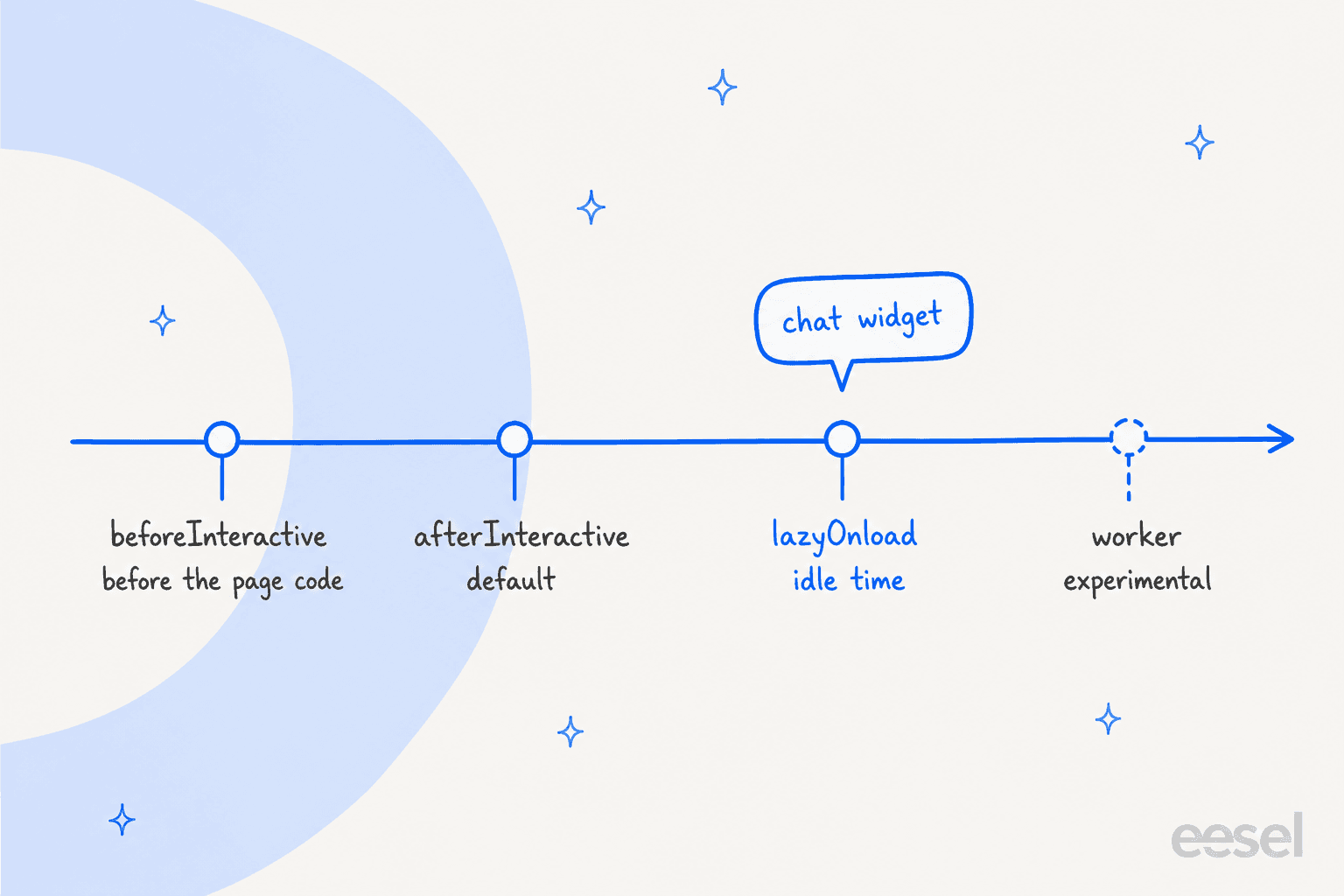
Which strategy you pick matters more than people expect. The four options differ in when they run:
| Strategy | When it loads | What Next.js says it is for | Chat widget? |
|---|---|---|---|
beforeInteractive | Before page code, root layout only | Bot detectors and cookie consent managers | No |
afterInteractive | After some hydration, the default | Tag managers and analytics | Works, but competes with your page |
lazyOnload | During browser idle time | Chat support plugins and social widgets | Yes |
worker | Off the main thread, experimental | Not stable, pages/ only, needs the nextScriptWorkers flag | No |
Two details trip people up. onLoad and onReady only work in Client Components, so if you need a callback when the widget is ready, move the Script into a small "use client" file. And the Optimizing Scripts guide recommends scoping third-party scripts to the pages or layouts that need them, so if the bot only belongs on your marketing and docs routes, put the Script in that route group's layout instead of the root.
Why bother with lazyOnload at all? Because widgets get heavy. One developer posted about a Microsoft chat widget that was a "staggering 6MB of pure javascript code," and another one's advice on speed was blunt:
"Use 'facade' icons instead of loading the 3rd-party chat widget at page load, etc. Delay loading tracking widgets if possible."
Idle-time loading is the built-in version of that advice. The same pattern shows up on other platforms, and I wrote it up for Webflow, Framer and Wix if you also ship marketing pages there.
What does building your own support chatbot in Next.js actually take?
Start with what the building blocks give you, because they are good. The Vercel AI SDK (28.0k GitHub stars, current docs at v7) gives you useChat for the browser and streamText for the server. vercel/chatbot (21.1k stars) wraps that in a full app. Both are free to use. What they do not include is the middle layer a support bot lives on.
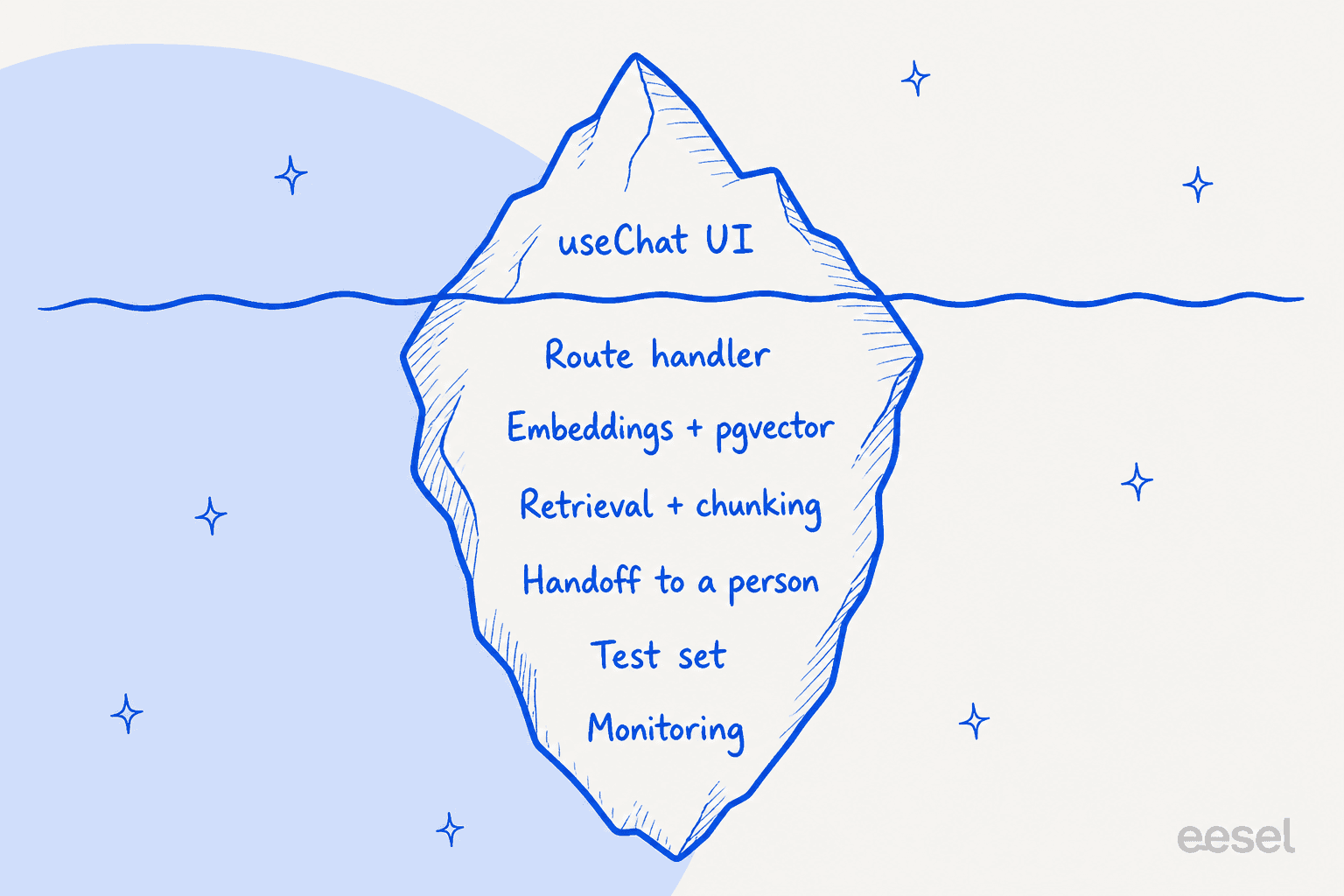
Here is the list, with what the sources actually say:
- Retrieval over your docs. Vercel's RAG Agent guide uses Postgres with pgvector, Drizzle ORM and a starter repo with a
resourcestable. You then write the chunking (by sentence), the embeddings and the retrieval yourself. It also needs a Postgres database. My notes on a support RAG pipeline and on vector databases cover the same decisions. - Keeping that knowledge fresh. The template README lists Next.js, AI Gateway models, shadcn/ui, Neon Postgres for history, Vercel Blob for files and Auth.js. It does not list help-center ingestion, knowledge-base sync or helpdesk integration. That is an absence in the README, not a statement that it can't be built.
- Handoff to a person. The same README does not list human handoff. You decide the trigger, the ticket or email that gets created, and what context travels with it. My piece on human handoff in chat lists what a person needs to see.
- Evaluation. Retrieval bots give odd answers in specific ways, and you only learn which by testing. A practitioner on Hacker News who worked on a big company's support chatbot described it this way:
"One of the sources of information we used was RAG built from the same support articles that users can themselves browse on our website. Sometimes LLMs get hung up on the wrong details."
That is why eesel's rollouts are simulated against historical tickets before they go live, and why I'd build an equivalent test set before launching anything customer-facing. See also my notes on preventing hallucinations in support bots.
Then there is the meter. On Vercel, the Pro plan is $20 a month with $20 of included usage credit. Functions on Fluid compute bill Active CPU from $0.128 per hour, provisioned memory from $0.0106 per GB-hour and invocations from $0.60 per million, per the Vercel pricing page. Model tokens go through AI Gateway at provider list price with "no markup and no platform fee on tokens," per its pricing docs. None of that is a bill per chat. The per-chat model cost depends on the model and the length of the conversation, and Vercel's page does not state it, so you have to measure it.
None of this is a reason not to build. It is a reason to be clear about what you are signing up for.
The 8 options at a glance
| Option | Type | Next.js install route | Official Next.js or React guide? | Open source | Free plan | Starting paid price | Trains on your docs out of the box? | Human handoff | Signed user identity |
|---|---|---|---|---|---|---|---|---|---|
| Vercel AI SDK + chatbot template | Framework | npm install ai, route handler at app/api/chat/route.ts | Yes, Vercel's own docs | Yes, 28.0k and 21.1k stars | Library free; Vercel Hobby $0 | Vercel Pro $20/mo, plus model tokens | No, you build retrieval | Not in the template README | Auth.js in the template |
| assistant-ui | Chat UI kit | npx assistant-ui@latest init, shadcn components | Yes, docs recommend Next.js or Vite | Yes, MIT | Library free; Cloud Free $0 | Cloud Pro $50/mo | No, bring your backend | Not listed | Yours; Cloud adds user-scoped storage |
| CopilotKit | UI kit and runtime | @copilotkit/react-core, route at app/api/copilotkit | Yes, quickstart uses Next.js | Yes, MIT | Library free; hosted 1,000 interactions/mo | $49/mo pay as you go | No, quickstart has no knowledge base | Not in quickstart | Yours |
| eesel chat bubble | Hosted widget | next/script in app/layout.tsx | Yes, App Router snippet in docs | Hosted service | 7-day trial, 100 credits | $299/mo for 500 credits | Yes: site, help center, Drive, Notion, Confluence, helpdesk | Helpdesk ticket, email or live widget | Not documented for the bubble |
| Chatbase | Hosted widget | Embed script, next/script (my inference) | No Next.js page | Hosted service | No, 7-day trial | $120/mo yearly, $150 monthly | Yes: site, files, Notion, tickets | Escalation ticket or live chat | Server-signed JWT |
| Crisp | Hosted widget | crisp-sdk-web in a client component | React guide; Next.js named in SPA guide | Hosted service; SDK on GitHub | Free plan, no AI | Mini $45/mo | Yes: snippets, knowledge base, crawl, files | Escalates to operators | Token id plus client-set email |
| tawk.to | Hosted widget | @tawk.to/tawk-messenger-react | React guide, Next.js not named | Hosted service; React package on GitHub | Chat free; AI Assist Hobby 100 credits | AI Assist Growth $29/mo | Yes: knowledge base, docs, crawled pages | Escalation, even on free | Secure Mode HMAC |
| Botpress webchat | React library plus hosted bot | @botpress/webchat | React guide, Next.js not named | Not checked | Free, 100 conversations | Plus $150/mo billed annually | Knowledge base set up in Studio | Built in Studio, not checked | Not checked |
1. Vercel AI SDK + Chatbot template
Best for: teams for whom chat is the product and who are happy to own retrieval, history and handoff.
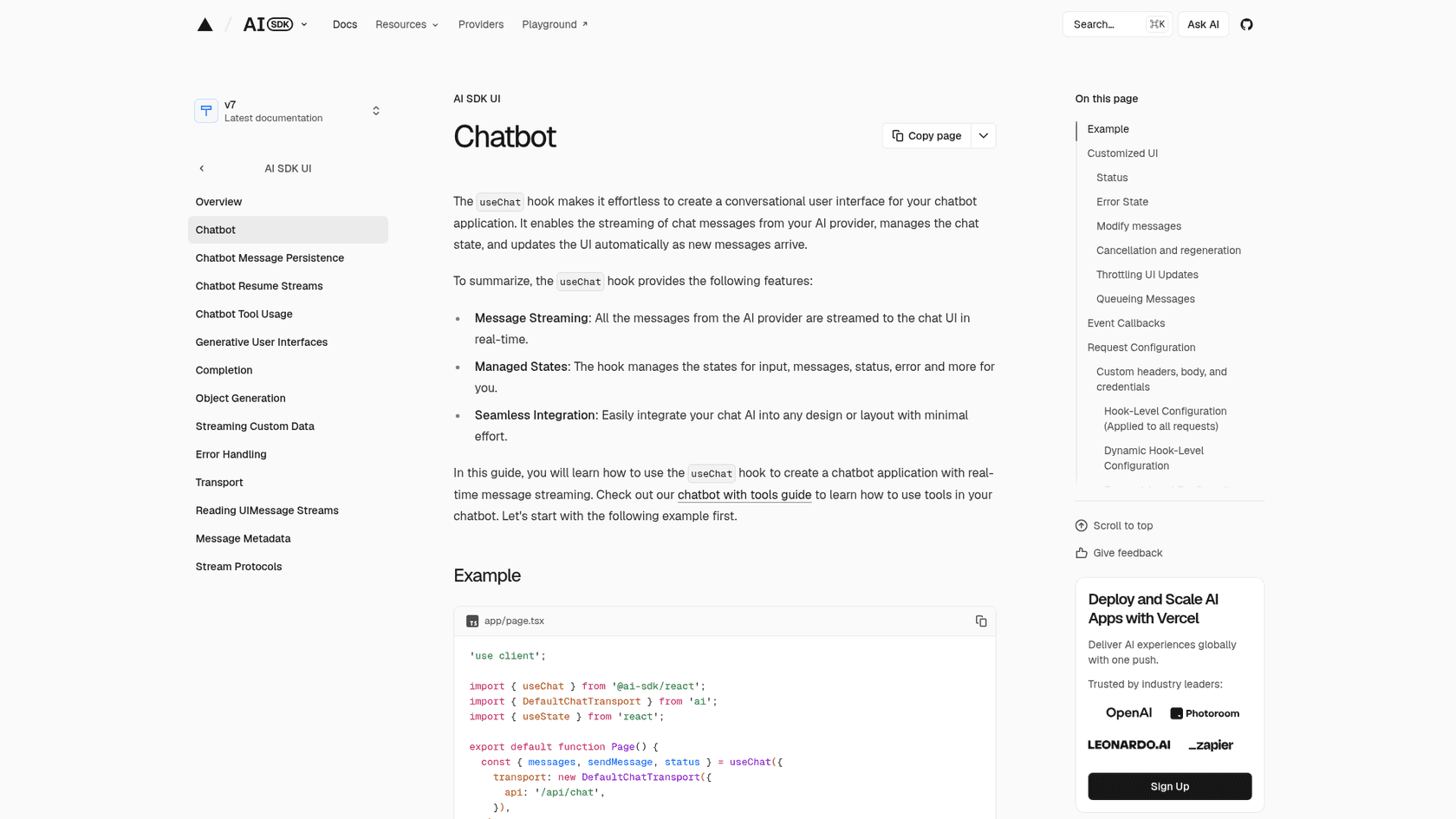
How it works in Next.js
npm install ai, then a client component with useChat from @ai-sdk/react. Its default transport posts to /api/chat, where a route handler calls streamText and returns a UI message stream response. Models go through AI Gateway by a model string like 'anthropic/claude-opus-5.5', or you install a provider package.
// app/page.tsx (shape taken from the AI SDK docs example)
"use client";
import { useChat } from "@ai-sdk/react";
import { DefaultChatTransport } from "ai";
import { useState } from "react";

export default function Page() {
  const [input, setInput] = useState("");
  const { messages, sendMessage, status } = useChat({
    transport: new DefaultChatTransport({ api: "/api/chat" }),
  });
  // render messages, call sendMessage({ text: input }) on submit
}
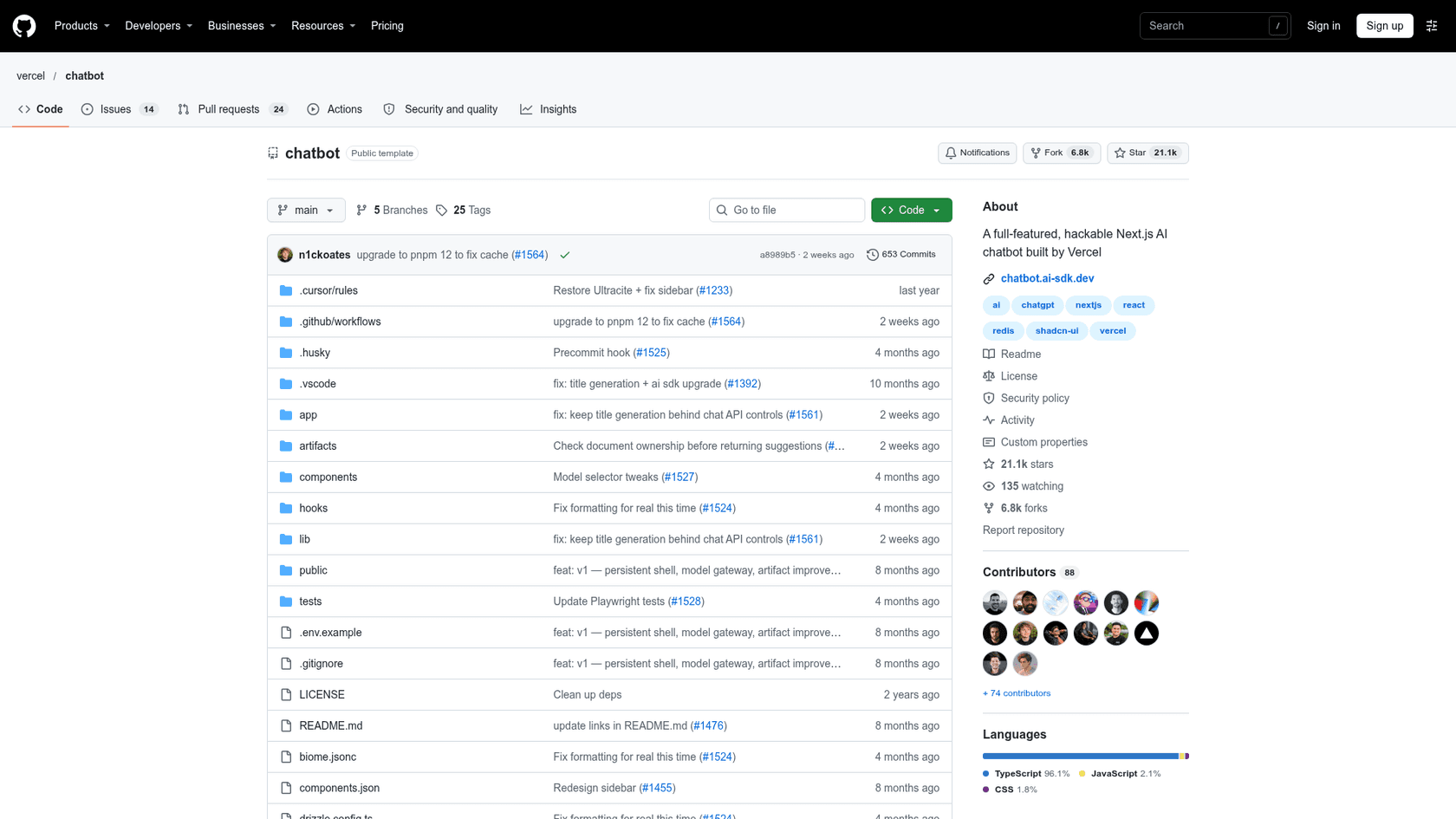
If you'd rather start from a finished app, vercel/chatbot is a free open-source template with the App Router, shadcn/ui and Tailwind, Auth.js, Neon Postgres for chat history and Vercel Blob for files.
What I liked
It is the most direct route for an in-app AI feature, and the project is very much alive: the repo's last commit was Nov 3, 2026, and a developer on Hacker News called the AI SDK the middle ground between raw provider APIs and heavy frameworks. One of the first things I'd check on any library is how often it ships, and 88 contributors is a good sign.
Watch out for
The support-bot parts are yours. The README feature list has no help-center ingestion or human handoff, and the RAG guide leaves chunking, embeddings and retrieval to you. You also pick up the Vercel bill described earlier, on top of model tokens.
Pricing
| Item | Price |
|---|---|
| AI SDK and template | Free, open source |
| Vercel Hobby | $0, usage caps, cannot buy more |
| Vercel Pro | $20/mo with $20 usage credit |
| Active CPU | From $0.128/hour |
| AI Gateway tokens | Provider list price, no markup; free tier $5/month credit |
Verdict: build with it when chat is the product. For a support bot, you are signing up to build the part that matters.
2. assistant-ui
Best for: teams who want a polished, customizable chat UI and already have, or will build, their own backend.
How it works in Next.js
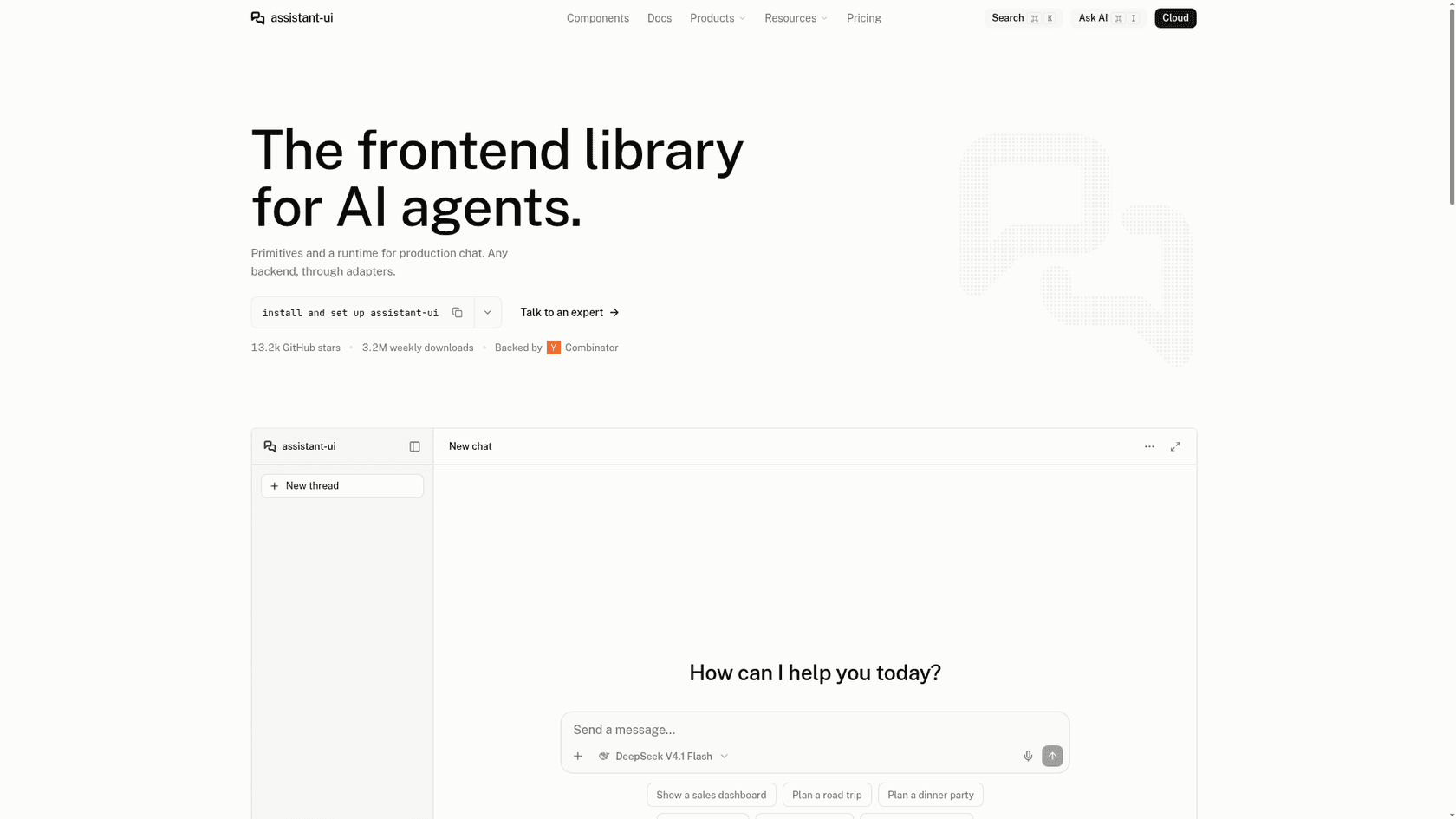
Run npx assistant-ui@latest init, add an OPENAI_API_KEY to .env, and npm run dev. Components install through the shadcn CLI (npx shadcn@latest add @assistant-ui/thread @assistant-ui/thread-list) and the package is @assistant-ui/react. The docs recommend Next.js or Vite, with shadcn/ui and Tailwind. It plugs into the Vercel AI SDK, LangGraph, LangChain, Google ADK and a few other backends, or your own server.
What I liked
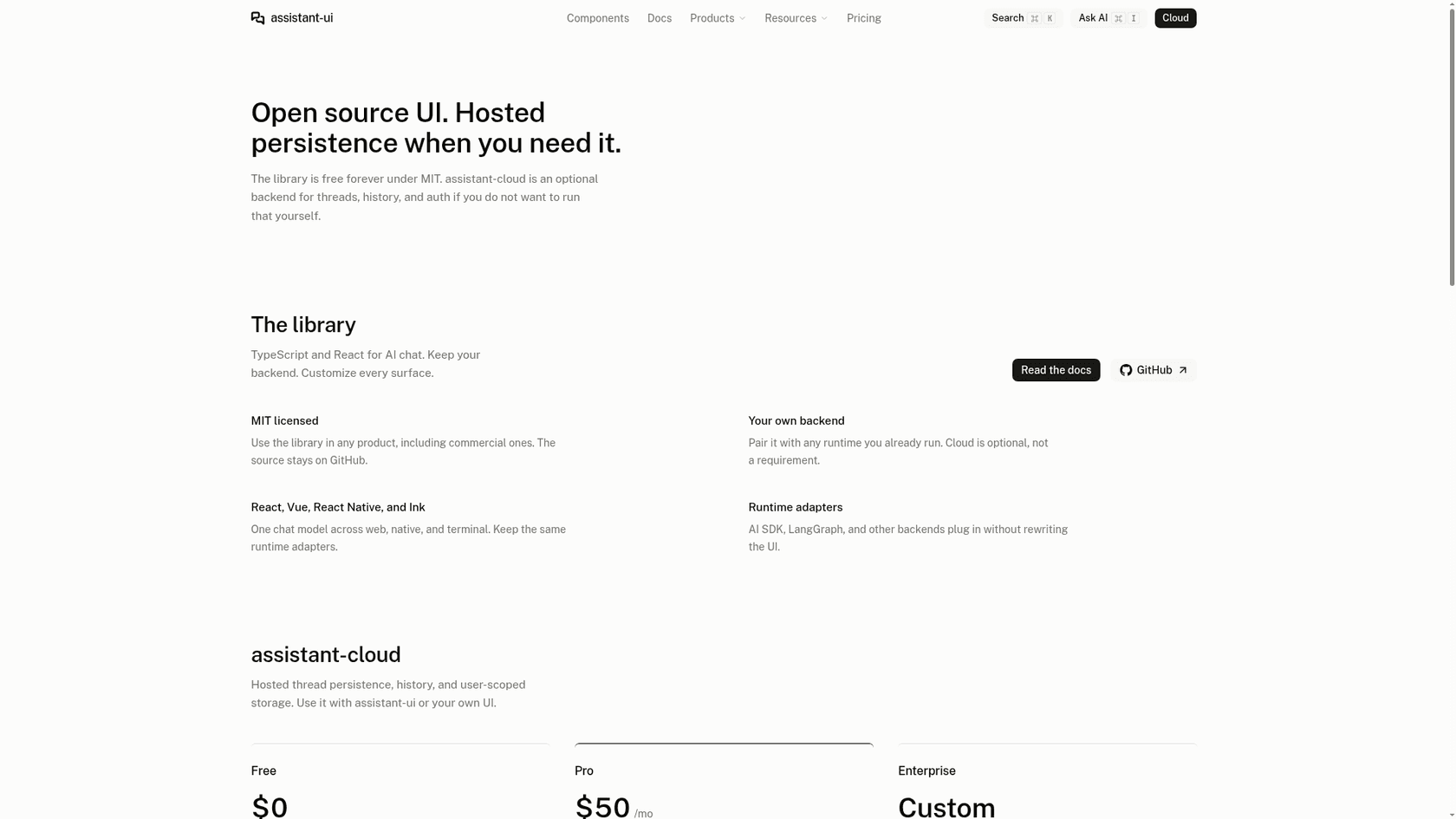
MIT license, 13,244 GitHub stars with a push on the day I checked, and a homepage that shows 3.2M weekly downloads. It keeps the backend question separate from the UI question, which is the right split.
Watch out for
The docs and pricing pages I read list no built-in knowledge base, retrieval or human handoff. That is my reading of what is absent, not a vendor statement. Thread persistence is yours unless you buy the hosted tier, and the hosted tier stores conversations; it is not an answer engine or a support inbox.
Pricing
| Plan | Price | Included |
|---|---|---|
| Library | Free, MIT | Use in any product |
| assistant-cloud Free | $0 | 200 MAU, thread persistence, history |
| assistant-cloud Pro | $50/mo | 500 MAU, then $0.10 per extra MAU |
| Enterprise | Custom | SLA, on-premises option |
A MAU here is a monthly active user who sends at least one message.
Verdict: the best-looking route to a chat window you fully control. It solves the interface, not the answers.
3. CopilotKit
Best for: teams building an agent that acts inside the app, such as filling forms or calling tools, rather than a Q&A bot.
How it works in Next.js
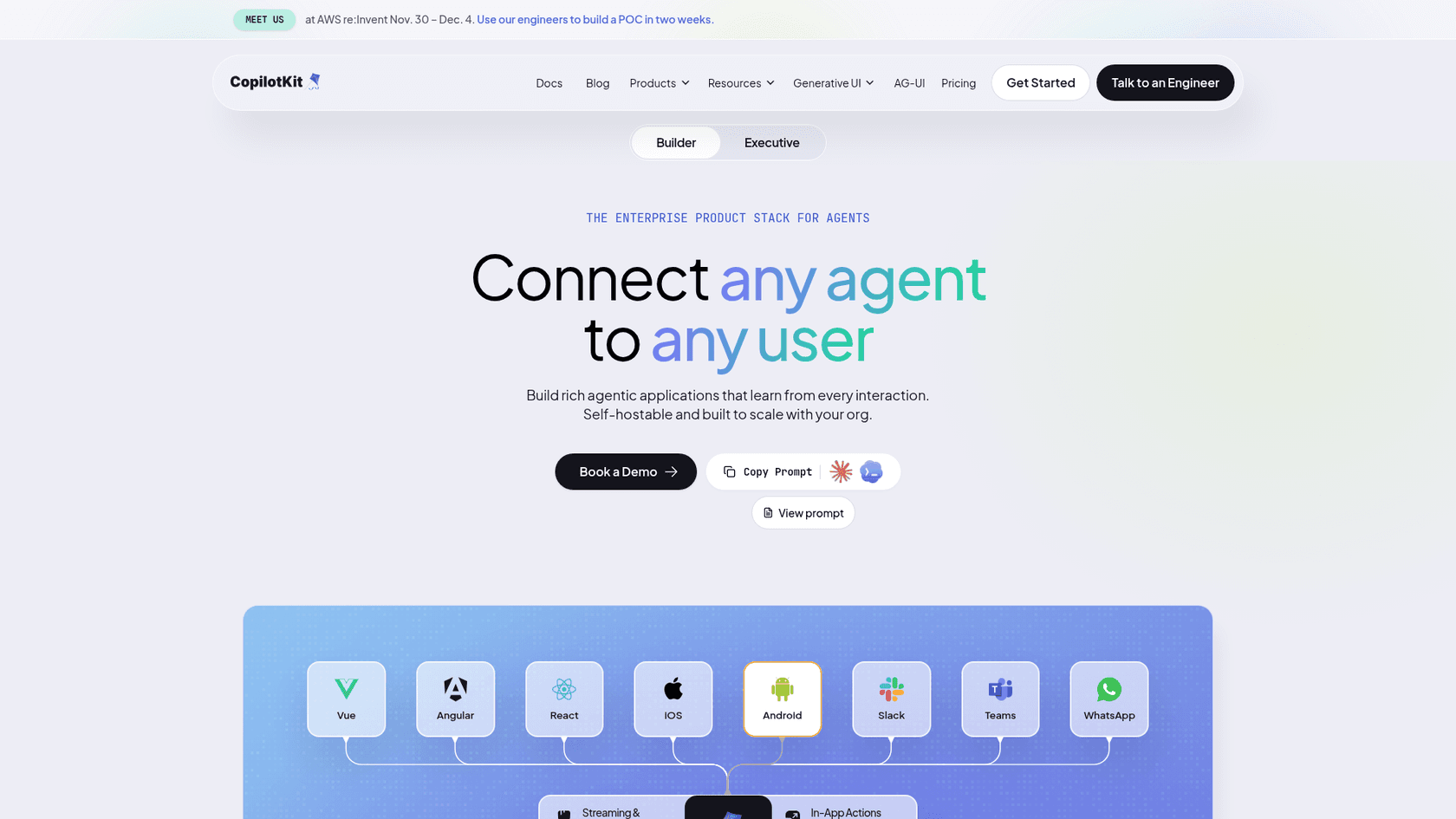
The quickstart is written for Next.js because it can host the frontend and runtime in one project. You install @copilotkit/react-core and @copilotkit/runtime, add an API route at app/api/copilotkit/[[...slug]]/route.ts with a CopilotRuntime and a BuiltInAgent, wrap the app in CopilotKitProvider and render CopilotSidebar. It needs Node.js 20 or newer and "moduleResolution": "bundler" in tsconfig.
What I liked
38,717 GitHub stars, MIT, and a clear way to plug in an agent you already have in LangGraph, CrewAI, Mastra, ADK or Pydantic AI. Development, staging and test usage on the hosted tier "is free," which is rare.
Watch out for
BuiltInAgent "calls the model directly," and knowledge, RAG and helpdesk handoff are not in the quickstart. The company now positions the product as an enterprise agent stack, and the hosted tier is called Intelligence on the pricing page. The free chat-UI path is the open-source library with your own runtime.
Pricing
| Plan | Price | Included |
|---|---|---|
| Library | Free, MIT | Self-hosted runtime |
| Free hosted | $0 | 1,000 interactions per organization each month |
| Pay as you go | $49/mo | First 10,000 interactions, then graduated rates |
| Annual | Custom | Yearly commitment |
An interaction is one request the agent completes successfully.
Verdict: pick it for in-app agents. For a customer support bot, it is a toolkit, not the bot.
4. eesel chat bubble
Best for: a Next.js SaaS that wants a support bot answering from its docs, help center and site, with no retrieval pipeline to build.
How it works in Next.js
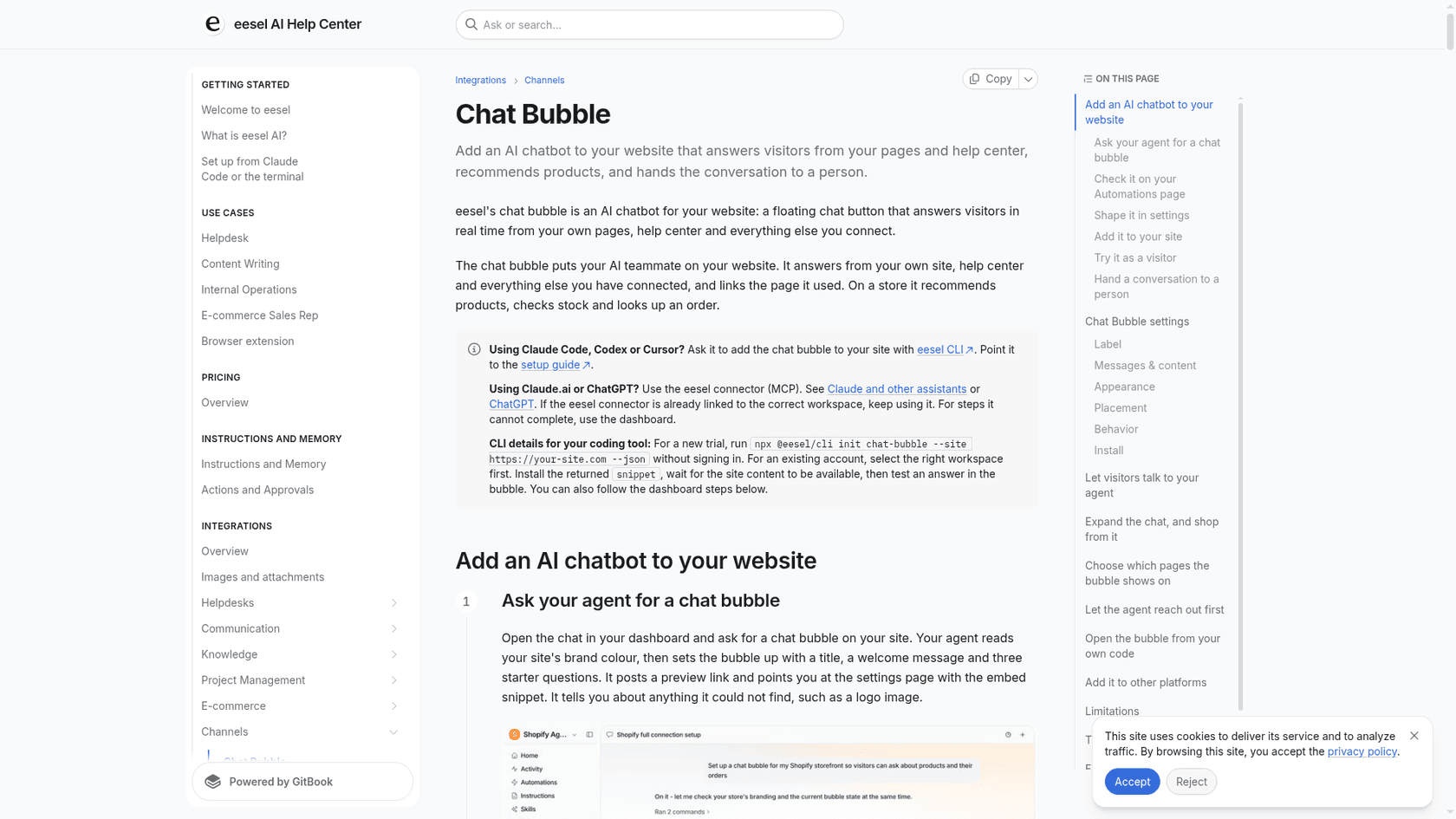
This is the one option with an App Router snippet in the vendor's own docs. Render the loader once in app/layout.tsx with next/script and strategy="lazyOnload", so it survives a client-side page change, and read the trigger id from NEXT_PUBLIC_EESEL_TRIGGER_ID. Underneath it is one async script that loads https://cdn.eesel.ai/loader.js; the docs say it reads nothing else from your site's code and that updates ship through the loader so the snippet never changes. From your own code, window.eesel.open() opens the bubble and window.eesel.open({ message }) starts a fresh chat with your text as the first line, which is handy for a "Ask about this page" button.
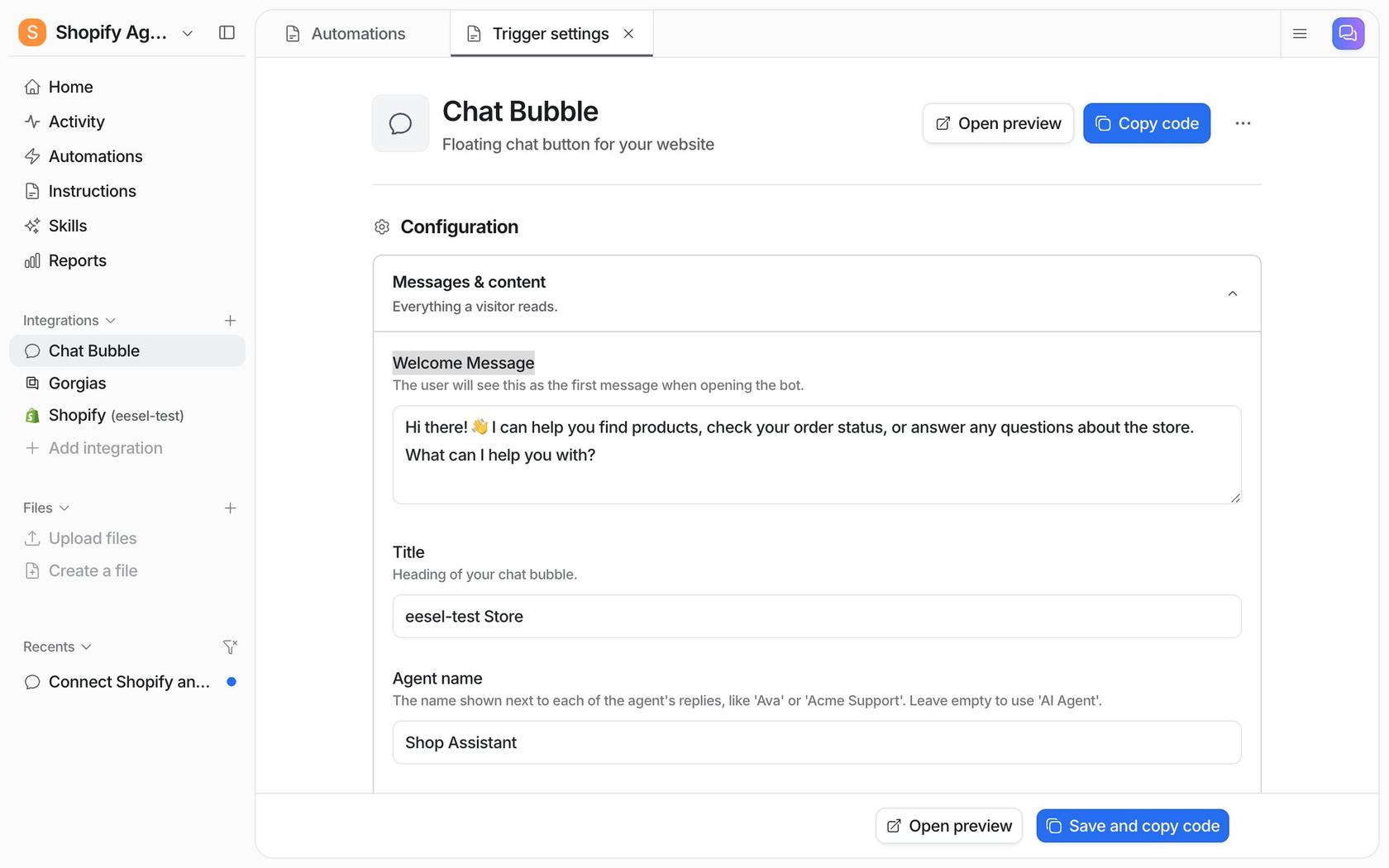
The knowledge side is the part you'd otherwise build. eesel trains on a website crawl, a help center, Google Drive, Notion, Confluence, Zendesk and Freshdesk articles, uploaded files and more, and answers only from the sources you connect. For handoff, it either opens a live widget (Zendesk Messenger or Freshchat once connected) or follows rules you set, such as creating a helpdesk ticket with the visitor's name and email, or sending an email.
What I liked
A real example of the setup is SamCart: one eesel agent works Freshdesk tickets and another runs the website chat bubble, answering from 280 help center articles. The chat asks for a name and email before it answers, so the team can follow up. The bigger-scale example is SE Ranking, where eesel answered first on about 2,100 live chats in a month (8 Aug to 8 Sep 2026) on Zendesk Messenger, drawing on about 14,100 help center pages and 2,700 site pages. Refunds, requests for a person and harder questions go to the team with the customer's details.
Watch out for
There is no React component or npm widget package; it is a script. The bubble docs describe no signed identity for logged-in users, so I would not use it to answer account-specific questions from the browser alone. The docs also name no domain allow-list, so I wouldn't rely on one. Ticket handoff needs a connected helpdesk. And there is no always-free tier: the free plan is a 7-day trial. eesel is not SOC 2 certified; the Type II audit is in progress.
Pricing
| Plan | Price | Credits |
|---|---|---|
| Free | $0 | 100 credits, 7 days, no card |
| Teammate | $299/mo | 500 |
| Teammate | $499/mo | 1,000 |
| Teammate | $1,749/mo | 5,000 |
A chat is 1 credit however long it runs. There is no per-seat price, overage is optional at $0.80 per extra credit up to a cap you set, and credits do not roll over. Pricing is on the eesel pricing page.
Verdict: my pick when the bot is for customer questions. The deciding factor is that retrieval, handoff and testing are already built.
5. Chatbase
Best for: teams that want a trained support bot and need a vendor-documented route for signing in the logged-in user.
How it works in Next.js
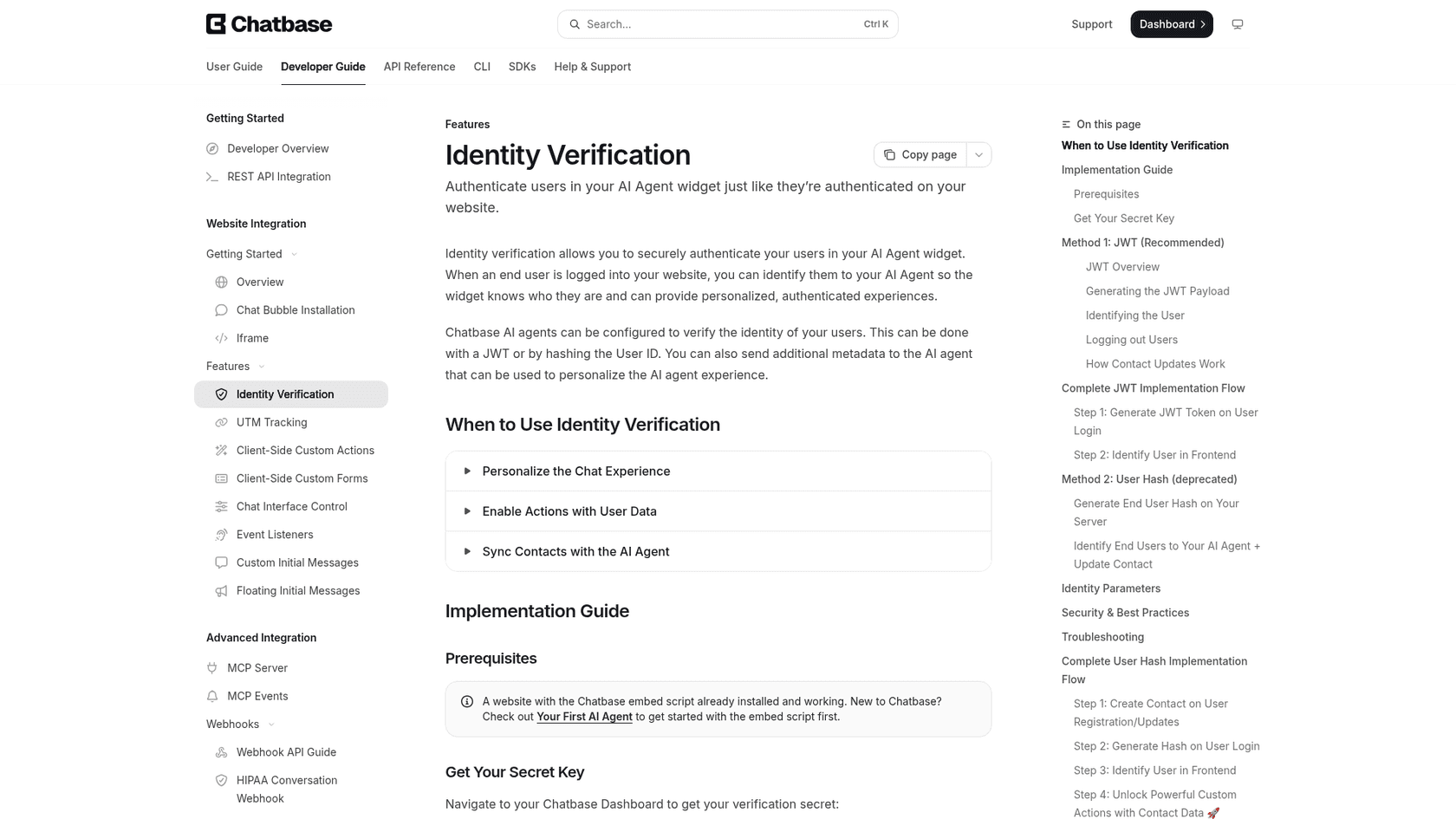
Chatbase has no Next.js or React guide; its docs index lists guides for Webflow, WordPress, Wix, Framer and Bubble and no React package. The install is an embed script from Channels > Chat Bubble > Deploy > Website widget. On Next.js that maps to a next/script in the root layout, which is my inference, not a Chatbase instruction. The docs say the embed "loads asynchronously."
Identity is the detail that stands out. A JWT is signed on your server with the agent's secret key, only user_id or sub is required, and you call window.chatbase("identify", { token, name, ... }) in the browser. In Next.js I'd sign the token in a route handler or server action and keep the secret in an environment variable. Identity verification only works with the website widget, not the iframe embed.
What I liked
Server-signed identity means the bot can safely use account data, and Chatbase trains on website pages, files, Notion and closed tickets. Handoff has two routes: an escalation ticket in a connected helpdesk, or live chat in Chatbase's inbox.
Watch out for
If you turn on "Only allow embedding the agent on specific domains," remember localhost and your Vercel preview domains, or the bot won't show up in testing (my inference). Credits are billed per model request, not per conversation, so an agent with Actions uses more than one credit unit per reply. There is no free plan, only a 7-day trial.
Pricing
| Plan | Monthly | Billed yearly | Credits/mo |
|---|---|---|---|
| Basic | $150 | $120/mo | 4,000 |
| Business | $500 | $400/mo | 15,000 |
| Enterprise | Custom | Custom | Custom |
Add-ons include removing "Powered by Chatbase" for $99/month. Details are in my Chatbase pricing breakdown.
Verdict: pick it if signed identity is a hard requirement and the budget fits. Skip it if you need a free tier.
6. Crisp
Best for: teams that want an official React package and a shared inbox, with an AI agent on a paid plan.
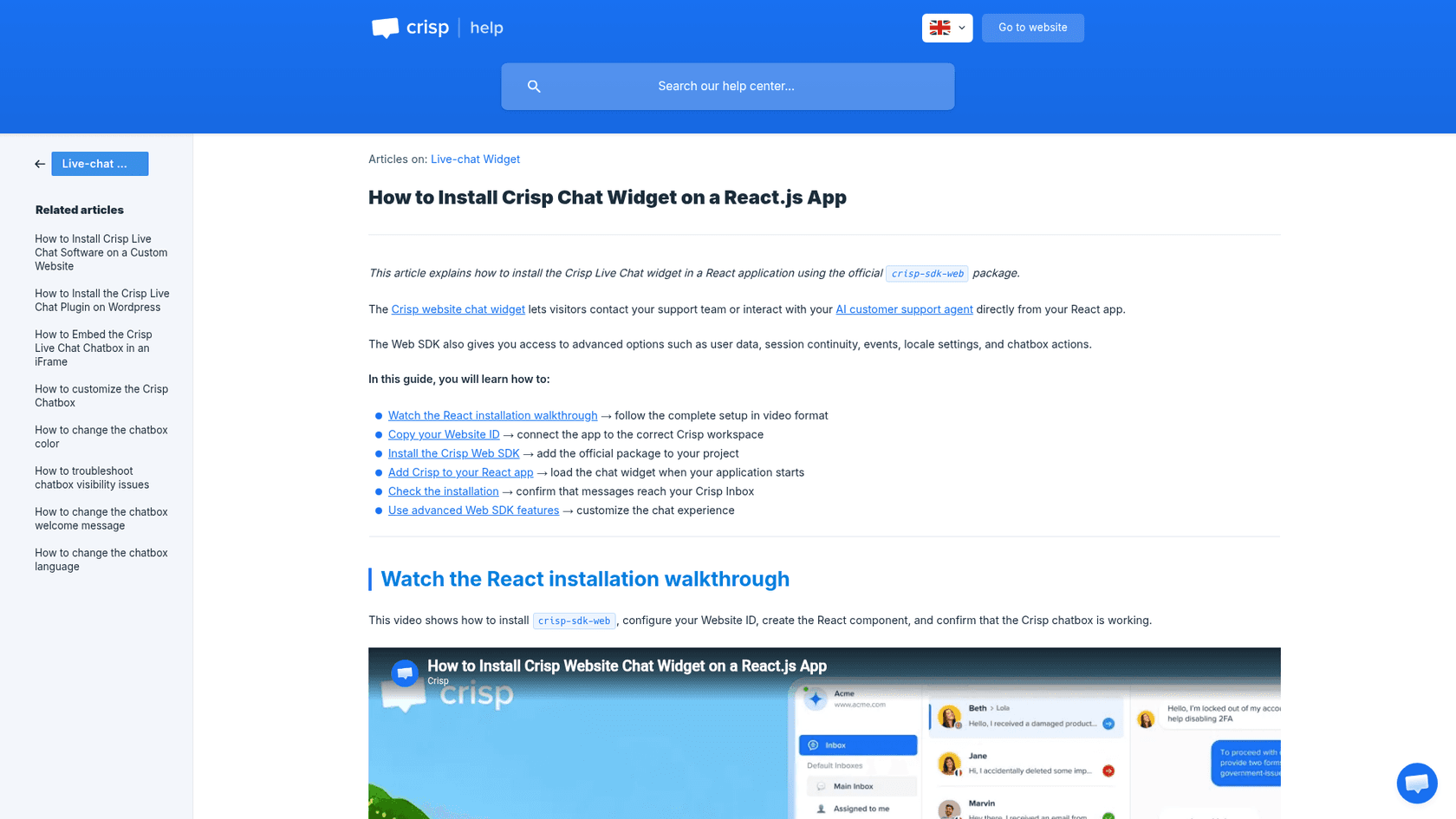
How it works in Next.js
Crisp's React guide uses the official crisp-sdk-web package, and its SPA guide names Next.js as a recommended case. The package had 207,044 weekly downloads for 2026-11-08 to 2026-11-14, per the npm API. The guide's component calls Crisp.configure("MY_CRISP_WEBSITE_ID") in a useEffect and returns null.
// components/crisp-chat.tsx
"use client"; // my addition: the guide doesn't mention it, but hooks need a client component
import { useEffect } from "react";
import { Crisp } from "crisp-sdk-web";

export default function CrispChat() {
  useEffect(() => {
    Crisp.configure(process.env.NEXT_PUBLIC_CRISP_WEBSITE_ID!);
  }, []);
  return null;
}
Mount it once near the root. If you need to wait for login or a consent banner, Crisp.configure("ID", { autoload: false }) followed by Crisp.load() defers the chatbox.
What I liked
The package is by far the most used of the two widget SDKs I checked, and the deferred-load option fits consent flows. Hugo, Crisp's AI agent, trains on snippets, the knowledge base, a site crawl, conversation history and uploaded files.
Watch out for
Identity is mostly client-set: Crisp.user.setEmail, Crisp.session.setData, with Crisp warning not to put secrets or private identifiers in frontend session data. Cross-device continuity uses a private CRISP_TOKEN_ID your backend generates, and it must be passed at injection time. Hugo is not on the Free plan, and it stops answering when credits run out unless Pay-As-You-Go is on. See my Crisp pricing notes.
Pricing
| Plan | Price | Hugo credits included |
|---|---|---|
| Free | $0 | None |
| Mini | $45/mo | $5, about 90 conversations |
| Essentials | $95/mo | $25, about 450 conversations |
| Plus | $295/mo | $75, about 1,350 conversations |
Crisp estimates a full Hugo conversation at around $0.05 to $0.10.
Verdict: a good fit if you want a mature inbox and an official SDK. The AI is an add-on to a chat product, not the center of it.
7. tawk.to
Best for: teams that want free live chat and a small, cheap AI tier, and are comfortable with a React component.
How it works in Next.js
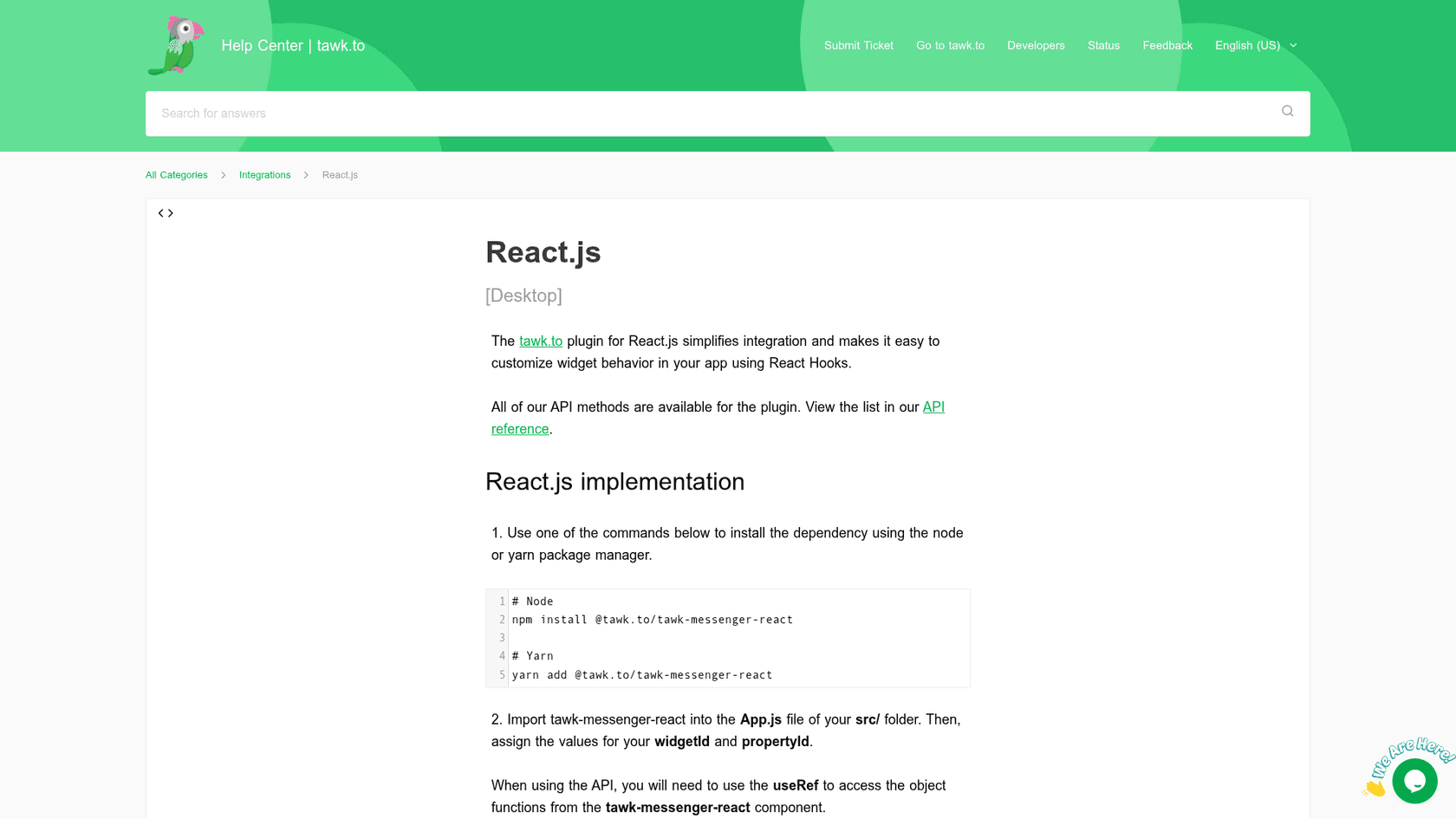
There is an official React package and help article, but no Next.js page. Install @tawk.to/tawk-messenger-react, version 2.0.2, which had 13,784 weekly downloads in the same week, about 15 times fewer than Crisp's. The snippet is <TawkMessengerReact propertyId="property_id" widgetId="default" />. The component uses React hooks, so in the App Router it needs a client component (my inference).
What I liked
The core product is free with unlimited team members, and the free AI Assist Hobby tier includes escalation to human agents. For identity, Secure Mode with an HMAC hash is the strongest of the widget routes after Chatbase's.
Watch out for
The tawk.to guide's example computes the hash client-side with the secret key in the browser. In a Next.js app, compute it on the server so the key is never shipped to the client; that's my advice, not theirs. Credits are billed per reply by model, with the default Auto model at 3 credits per reply, so 1,000 credits is roughly 333 replies (my arithmetic). A bad experience from the Hacker News thread is worth knowing about: one developer said including the tawk.to widget made their page flash white while rendering. That is a single anecdote from 2022, so test your own pages.
Pricing
| Item | Price | Included |
|---|---|---|
| Live chat, inbox, ticketing, knowledge base | $0 | Unlimited team members |
| AI Assist Hobby | $0 | 100 credits, 1 AI agent, 100 crawled pages |
| AI Assist Growth | $29/mo | 1,000 credits, 3 AI agents |
| AI Assist Business | $99/mo | 5,000 credits, 5 AI agents |
| AI Assist Enterprise | $399/mo | 20,000 credits, 10 AI agents |
Extra credits are $30 per 1,000, and removing the "Powered by tawk.to" branding is a separate $29/month.
Verdict: the cheapest way to get a real inbox plus a little AI. Expect to tune credits as chats get longer.
8. Botpress webchat
Best for: teams who want a React chat component for a bot they design in a visual studio.
How it works in Next.js
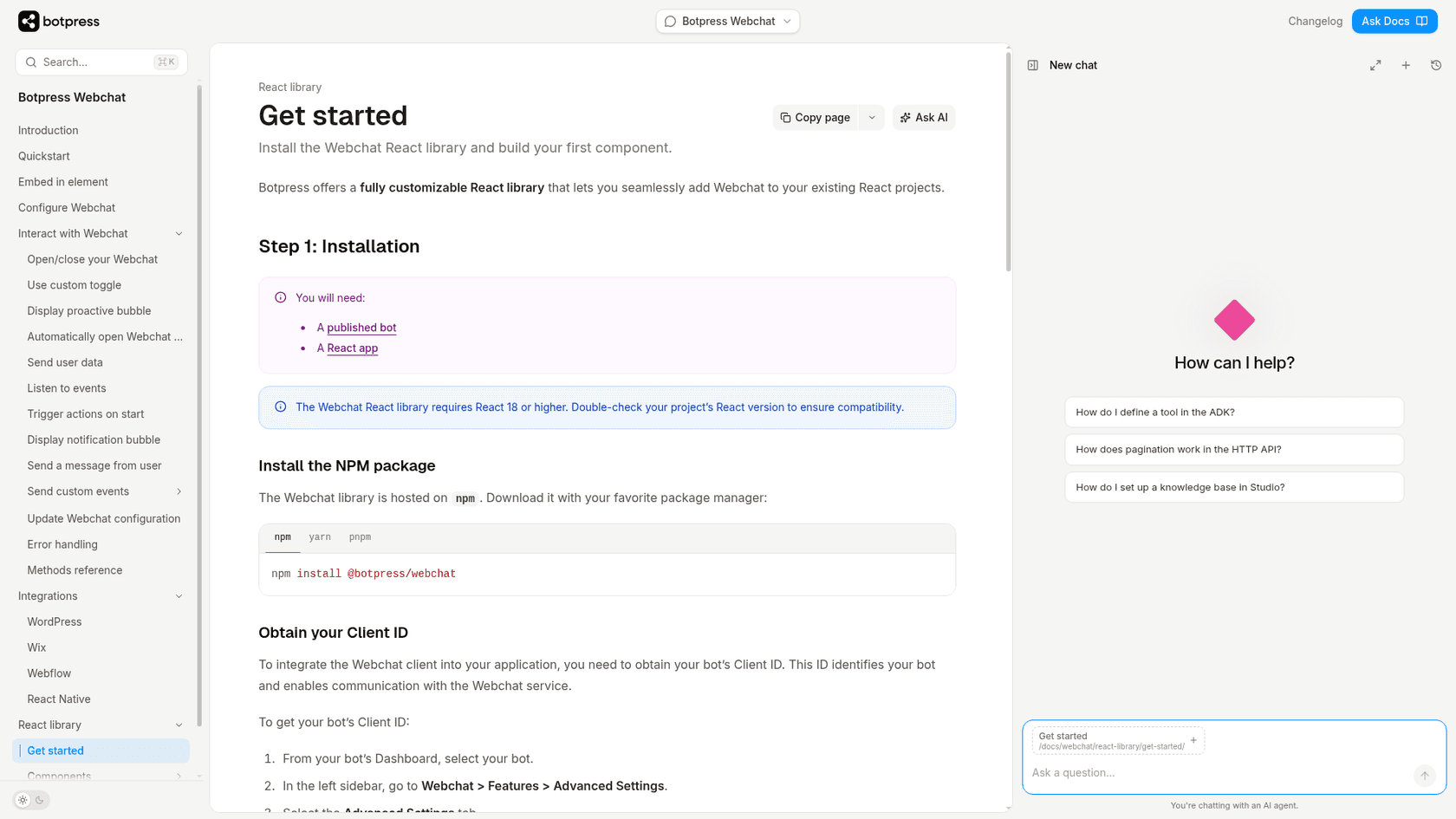
npm install @botpress/webchat, which needs React 18 or higher, a published bot and its Client ID from the dashboard's Advanced Settings. You get batteries-included Webchat and Fab components, or you build manually with the component library. There is also a script path: a window.botpress.init({...}) snippet with botId and clientId. The docs say "React app" and do not discuss the App Router or "use client", so treat that part as yours.
What I liked
The React library is "fully customizable," and the conversation-based billing is easy to reason about. The bot itself, with flows, knowledge base and handoff, lives in Botpress Studio, so you aren't hand-building it in route handlers.
Watch out for
The library is only the frontend; you still build and maintain the bot in Studio. A conversation is "any exchange with at least two messages from the end user in the billing month." At 95% of quota, a pack of 100 conversations is added automatically and auto-recharge cannot be turned off. See my Botpress pricing notes.
Pricing
| Plan | Price | Conversations/mo |
|---|---|---|
| Free | $0 | 100, no overages |
| Plus | $150/mo billed annually | 250, packs of 100 for $65 |
| Team | $750/mo billed annually | 1,500, packs of 100 for $50 |
| Enterprise | Custom | Custom |
Verdict: a fit if you want to design the bot visually and keep the frontend in React. Check the pack billing before you size a plan.
Also worth knowing
-
Tidio is script-only on Next.js; its developer docs cover a REST API, webhooks and a widget SDK, with no React or Next.js page. Identity is client-asserted: you set
document.tidioIdentify = { distinct_id, email, name, phone }before the chat code loads, and the guide has no signature step. Free plan: 50 conversations, with the Lyro AI add-on from $39/month for 50 conversations. See my Tidio AI chatbot review and the Tidio pricing page.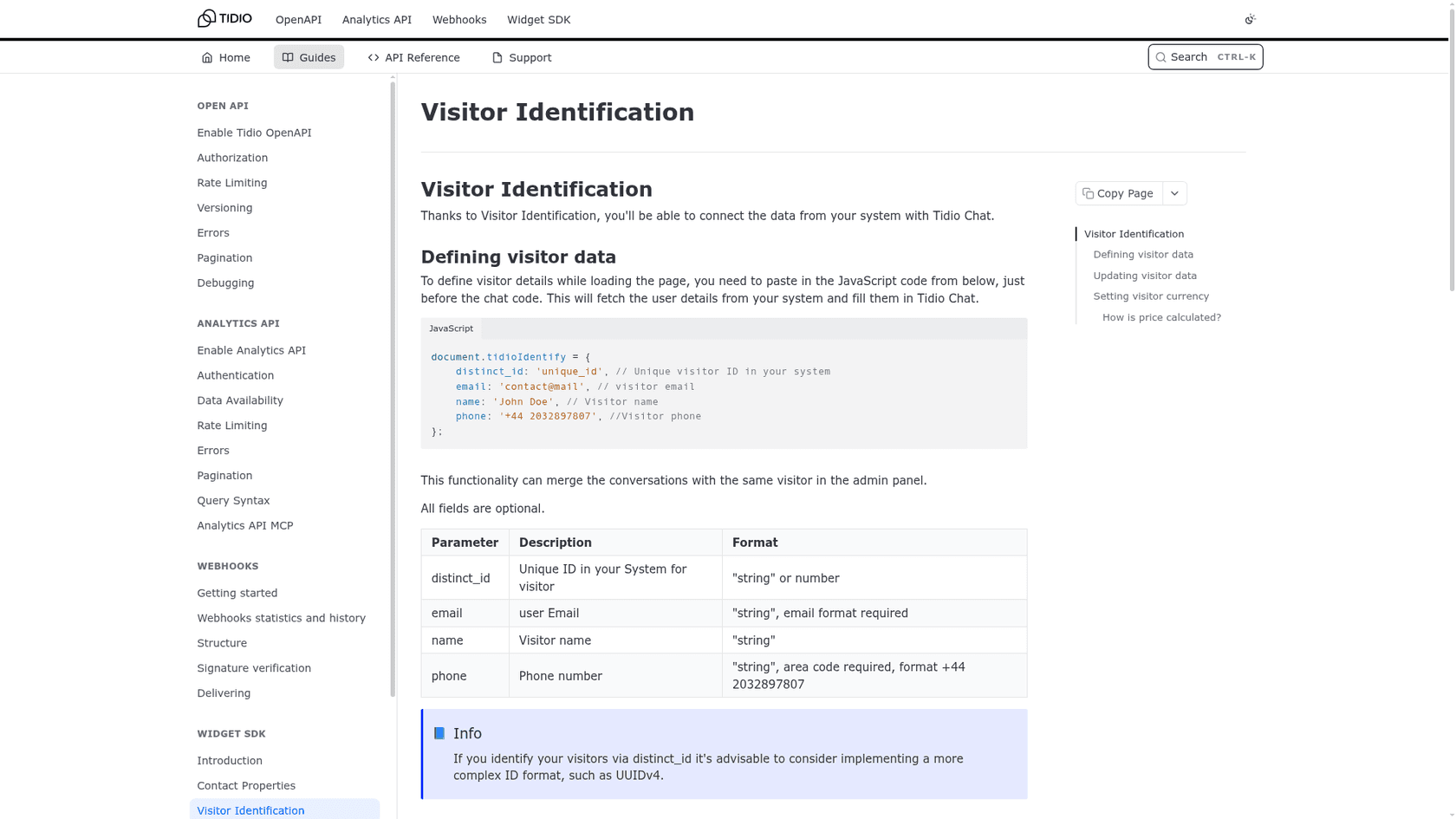
Tidio's Visitor Identification developer guide showing the document.tidioIdentify snippet with distinct_id, email, name and phone fields, as taken from Tidio's developer docs -
Voiceflow archived its
react-chatrepository on Aug 5, 2025 and says it should not be used as an example going forward. The current path is a widget script from the Widget tab. Pricing shows no dollar figures: a free trial for agencies and a demo request for businesses. See Voiceflow. -
Chatbot UI (mckaywrigley) has 33,305 stars and an MIT license, but its last push was 2024-08-03. Good as a reference, risky as a production base.
-
LangChain Next.js template has 2,551 stars and was pushed on 2026-11-10. It is a template, not a UI kit, so you own the backend, retrieval and handoff. My notes on LangChain cover the library.
What does an AI chatbot cost on a Next.js site?
Numbers mean little without a buyer, so here is one: a SaaS app on Vercel Pro that handles about 500 support chats a month. All prices come from each vendor's own pricing page, checked 2026-11-16. For the hosted widgets I show the arithmetic.
| Option | Monthly cost for ~500 chats | How I got it |
|---|---|---|
| eesel | $299 | 1 credit per chat, so 500 chats fit the 500-credit Teammate plan exactly |
| Chatbase | $150 | Basic plan, 4,000 message credits; fits if a chat averages 8 credits or fewer (my arithmetic), since credits are per model request |
| tawk.to | $99 | Business plan, 5,000 credits; at 3 credits per Auto reply that is about 1,666 replies, roughly 3 per chat (my arithmetic). Growth at $29 covers only about 333 replies |
| Crisp | $65 to $90 | Mini $45 includes $5 of Hugo credits; 500 chats at Crisp's own $0.05 to $0.10 estimate is $25 to $50, so $20 to $45 more with Pay-As-You-Go on (my arithmetic) |
| Tidio | $350 | Lyro add-on, 500 conversations tier |
| Botpress | $345 | Plus $150 for 250 conversations, plus three packs of 100 at $65 for the other 250 (my arithmetic) |
For the build route, the meters are Vercel Pro at $20 a month, Active CPU and memory, a Postgres database for retrieval, and model tokens at provider list price with no Gateway markup. The per-chat model cost depends on the model and how long each chat runs, and Vercel's page does not say, so I won't invent a number. Measure a week of real traffic first. My chatbot cost guide and the OpenAI API pricing post cover the token side.
Two cautions. These units are not interchangeable: eesel counts a chat, Chatbase counts model requests, tawk.to counts replies, Botpress counts conversations with at least two user messages. And the cheapest line is not the one that includes a human handoff and tested answers, which is what you are really buying.
How do you add an AI support chatbot to Next.js step by step?
Here is the embed route end to end. It takes about 20 minutes if your docs are already public.
- Get the snippet. Create the agent in your vendor of choice, connect your docs or help center, and copy the embed code. With eesel,
npx @eesel/cli init chat-bubble --site https://your-app.comcreates the bubble and prints the snippet, or you can copy it from the dashboard's Chat Bubble settings. - Put the id in an environment variable. Add it to
.env.localasNEXT_PUBLIC_...and to your Vercel project settings. Leaving it unset in preview builds is fine; for eesel's snippet that just shows no bubble. - Add the Script to
app/layout.tsx. Usestrategy="lazyOnload", once, in the root layout. If you only want the bot on some routes, put it in that route group's layout instead. - Allow the vendor in your CSP. For eesel the docs say to allow
https://cdn.eesel.aifor scripts and connections. For any other vendor, check which domains it loads from; I only verified eesel's. - Test on a preview deploy. Open a Vercel preview URL, ask the five questions your support team gets most, and read the answers critically. If you use Chatbase's domain allow-list, add the preview domain first.
- Decide on identity. If logged-in users chat, use a signed route (Chatbase JWT, tawk.to Secure Mode) and compute the signature on the server. If the widget only supports client-set data, don't let it answer questions about a specific account.
- Set handoff rules. Decide when the bot stops, what ticket or email it creates and what the visitor sees. See my guide to chatbot escalation.
Common mistakes
- Using
beforeInteractivefor a chat widget. Next.js documents it for bot detectors and consent managers, and it only works in a root layout. - Putting the Script in a page that remounts, so the widget reloads on navigation. Use the root layout.
- Using
onLoadin a Server Component. It needs a Client Component, and it cannot be combined withbeforeInteractive. - Forgetting the CSP. One Hacker News commenter described a chat widget as annoying to allow in their content security policy and slow, and removed it after trying it.
"It was annoying to allow in my content security policy - It slowed down my site"
- Forgetting Chatbase's domain allow-list for
localhostand preview URLs. - Trusting client-asserted identity for account data. If the browser can claim to be anyone, so can a visitor.
Try eesel on your Next.js app
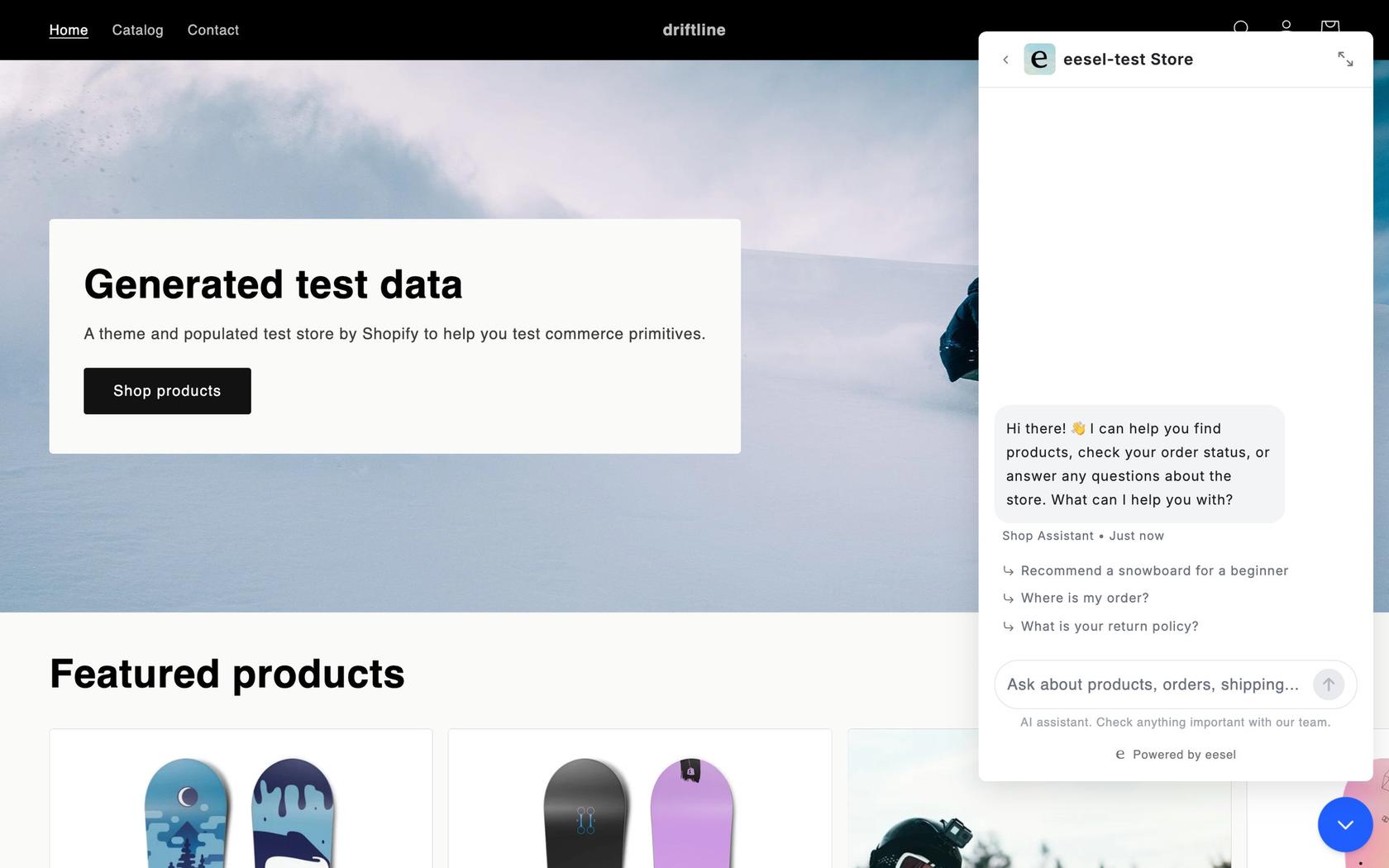
If you want a support bot, not a project, Try eesel. It is one lazyOnload Script in app/layout.tsx, it answers from your docs, help center and site, and it hands off by helpdesk ticket or email. A chat costs 1 credit however long it runs. The free plan is 100 credits for 7 days, and the Teammate plan starts at $299 a month for 500 credits.
Frequently Asked Questions
What is the best way to add an AI chatbot to Next.js?
It depends on the job. If the chatbot is a feature of your product, build it with the Vercel AI SDK (useChat plus a route handler) and a chat UI kit. If you want a support bot that answers customers from your docs, embed a hosted widget with one next/script tag instead of building retrieval and handoff yourself. My guide to an AI chatbot for your website covers the second route in more detail.
How do I add a chat widget script in the Next.js App Router?
Import Script from next/script and render it once in app/layout.tsx with strategy="lazyOnload". Next.js loads it once and keeps it across client-side navigations. Put the vendor's key in a NEXT_PUBLIC_ environment variable and allow the vendor's domain in your Content Security Policy. My explainer on the AI chat bubble shows what a working widget looks like.
Which next/script strategy should a chatbot use?
lazyOnload. Next.js's own Script docs list chat support plugins as the example for it, because it loads during browser idle time instead of competing with your page. afterInteractive is the default and fits analytics, beforeInteractive is for bot detectors and consent managers, and worker is experimental and does not work with the App Router. If you are comparing vendors, my roundup of AI chatbots for customer service is a good start.
Can I build a ChatGPT-style chatbot with the Vercel AI SDK?
Yes. useChat streams messages into your React UI and a route handler calls streamText on the server. The Vercel chatbot template adds Auth.js, Neon Postgres history and file storage. What it does not give you is retrieval over your help docs or a handoff to a person, which you write yourself. My explainer on RAG versus a plain LLM shows why that matters for a support bot.
Does a chat widget slow down my Next.js site?
It can. Developers on Hacker News report widgets as the largest script on a page, and one team measured a Microsoft chat widget at 6MB of JavaScript. Loading it with lazyOnload moves the cost to idle time, and a small loader that fetches the rest on demand helps more. Check your own bundle and Lighthouse numbers before and after. My guide to adding live chat to a website has more on placement.
Is there a free AI chatbot for Next.js?
The libraries are free: the AI SDK, assistant-ui (MIT) and CopilotKit (MIT) cost nothing, but you pay for the model and for hosting. Among hosted widgets, tawk.to has a free AI Assist tier of 100 credits a month, Crisp's free plan has no AI, and eesel's free plan is a 7-day trial of 100 credits. My list of free AI chatbots covers the usual limits.
How do I pass the logged-in user to a chatbot in Next.js?
Sign the identity on your server and hand the widget only the signed result. Chatbase takes a JWT you sign in a route handler, and tawk.to uses Secure Mode with an HMAC hash. Tidio's tidioIdentify is set in the browser with no signature step, so treat it as a hint, not proof. eesel's chat bubble docs do not describe signed identity for the floating bubble. For account data, my notes on AI agent handoff explain what a person needs to see.