


WordPress has no visitor chatbot of its own, so every option is a plugin or a pasted script, and the real choice is where the AI runs and who bills you for it. Pick Tidio for AI plus live chat, AI Engine if you will pay your own model provider and keep everything in wp-admin, and HubSpot if chats should feed a CRM. eesel fits when answers live in docs or a helpdesk: one footer script, 1 credit per chat, and a free plugin that connects WooCommerce orders.
I build AI agents at eesel, so I look at a chatbot plugin by what happens on the server when a visitor types. Some plugins call a model with your own API key from your WordPress install. Some only drop a script, and the bot, its knowledge and its AI meter live in the vendor's dashboard. Those are different products with different bills, and a plugin's star rating tells you almost nothing about which one you're getting.
If you'd rather hand setup to a coding agent, the eesel CLI can create the chat bubble, print its embed snippet, upload approved knowledge like a refund policy PDF, and ask test questions so you can check the answers before going live. Pasting the snippet into WordPress with WPCode or your theme footer is still a manual step, and connecting WooCommerce is approved by a person in WordPress admin.
Does WordPress have a built-in AI chatbot?
No, not one that talks to your visitors. The WordPress features list has no chat or chatbot entry. WordPress.com's AI tools let you "connect ChatGPT or Claude" to create and edit pages and posts, and the WordPress Agent is built into every paid plan, but that is for building the site. Jetpack AI "writes drafts, fixes grammar and makes images while you write," with 20 free requests to try it. The WordPress AI team's notes discuss developer building blocks like an Abilities API, not a visitor chat.
All of that helps you, the owner. None of it answers a visitor's question. That's my read of those pages, not a statement from WordPress, but the practical result is clear: every option below is a plugin or a script. My WordPress AI post covers the builder side, and best AI WordPress plugins covers writing and SEO plugins.
One catch applies to WordPress.com and not to self-hosted sites. WordPress.com says "installing plugins is available on all WordPress.com paid plans: Personal, Premium, Business, and Commerce," and any <script> chat embed needs a plugin-enabled plan with hosting features activated, per its custom code article. The pricing page shows Personal at $9 a month ($4 billed yearly), Premium $18 ($8), Business $40 ($25) and Commerce $70 ($45). Self-hosted WordPress.org has no such limit.
Plugin, API key or hosted bot: which kind do you need?
This is the split ChatGPT's answer skips. Its shortlist for this question was Tidio, AI Engine, Chatbase and HubSpot, with notes like "uses your own AI API key, so you pay the AI provider separately" and "installed with plugins and configured without coding." Those are three different architectures:
| Model | Where the AI runs | Who bills the AI | Examples |
|---|---|---|---|
| WordPress plugin with your own API key | In your WordPress install, calling OpenAI, Anthropic or Google | You pay the model provider per token; the plugin licence is separate | AI Engine, WPBot |
| Hosted bot with a connector plugin | In the vendor's cloud; the plugin drops the widget | The vendor, through its own meter | Tidio, Chatbase, HubSpot, tawk.to, Crisp, Elfsight |
| Pasted script | In the vendor's cloud; WPCode or footer.php carries the snippet | The vendor, through its own meter | Botpress, eesel's chat bubble |
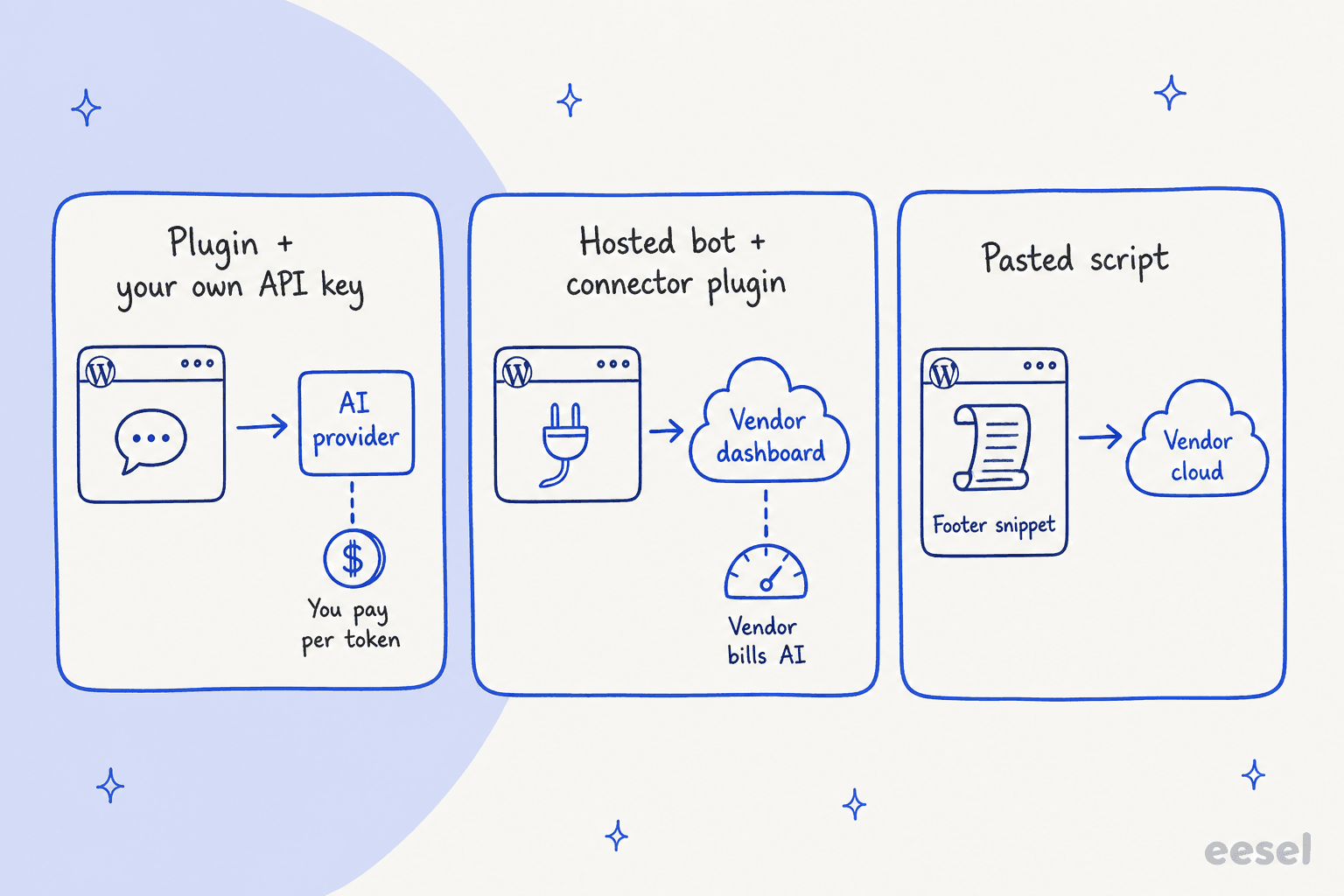
The mechanism matters for two reasons. With your own key, the plugin is cheap but the bot out of the box "knows what the model knows." AI Engine's own how-to says the fix is Knowledge, "a Pro feature," where you point it at posts, pages and PDFs. A hosted bot trained on your pages does that step for you, but its AI meter lives in the vendor's dashboard and not in your WordPress.
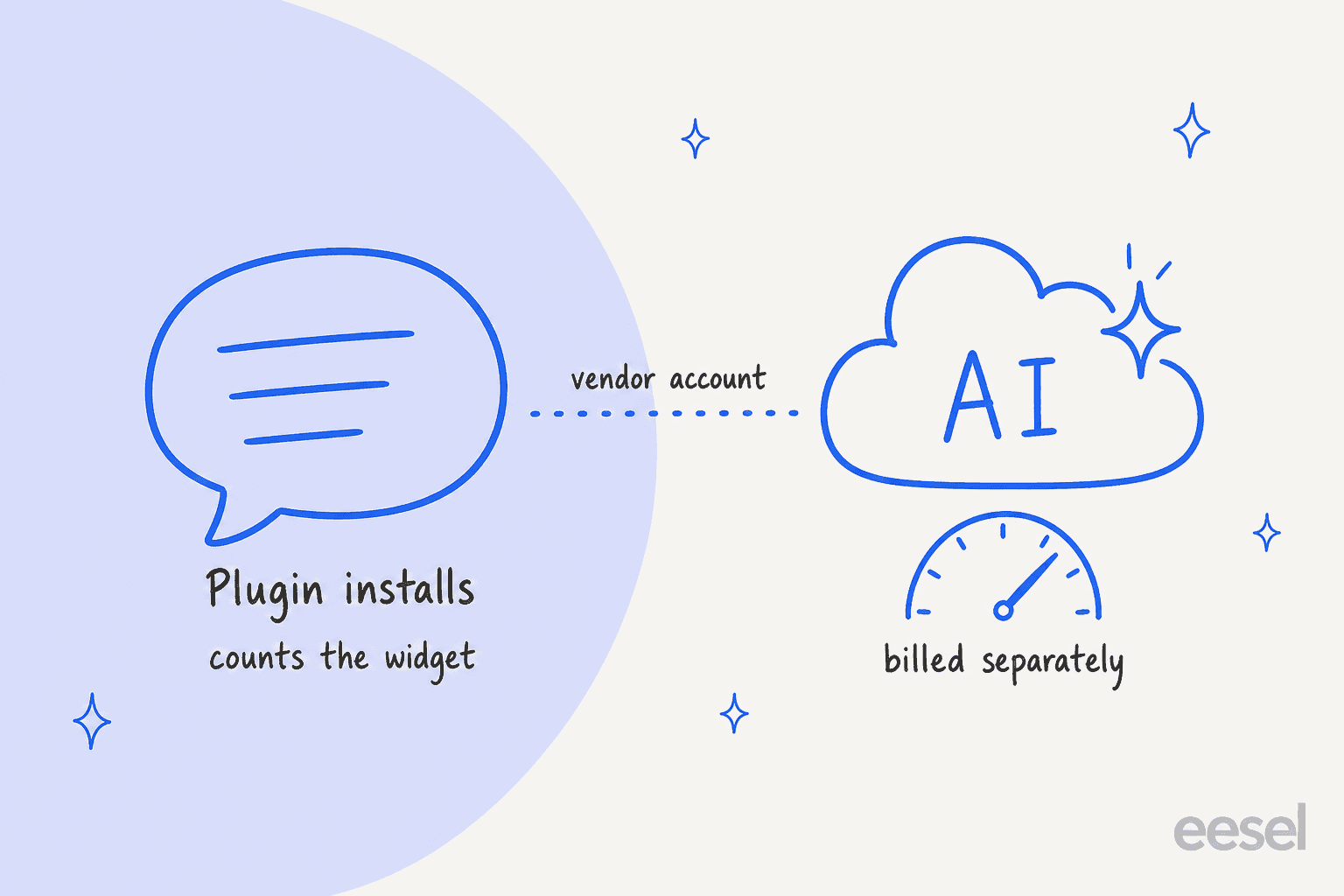
The second reason is the number you see in the plugin directory. Tidio's plugin shows 70,000+ installs, tawk.to 100,000+ and HubSpot 200,000+. Those counts measure how many sites installed the chat widget. They don't tell you how many switched on the AI, which is a separate, separately billed feature in each of those products.
What makes an AI chatbot good on a WordPress site?
WordPress runs everything from a one-page brochure to a WooCommerce store, so the job varies. A buyer on r/Wordpress described the store version well:
"I have a WooCommerce store and I'm trying to build a post-purchase support workflow. What I want is: Customer completes an order."

That's a search snippet from the thread, so I'm quoting only what it shows. The need is clear anyway: answers about orders and policies, not only about pages. I judged each tool on five things:
- Where it learns from. The sources it searches set the ceiling on answer quality. In AI Engine that source is a Pro feature.
- What happens when it doesn't know. A live inbox, a ticket, a callback button and an email card are very different handoffs.
- How it bills for AI. Your own provider key, credits, conversations or resolutions.
- How it installs on WordPress. Plugin, footer script, and what breaks with caching plugins.
- What it does with WooCommerce. Showing your team an order is not the same as the bot answering an order question.
I've seen the first point decide real rollouts. Nordbutiker sells e-bikes and scooters through its own web stores in Sweden, Norway, Denmark and Finland, with one eesel bot per brand and country, each trained on its own store's pages. Its setup lesson is a good warning for any crawler: crawling one brand's site picked up every brand's sitemap on the shared platform, and pointing each bot at its own sitemap fixed it. Read up on training a chatbot before trusting any bot.
How I picked these
I started with what ChatGPT recommends when a business owner asks this question: Tidio, AI Engine, Chatbase and HubSpot. I kept those four and added six that either document WordPress themselves or are common picks for a small business site: eesel, tawk.to, Crisp, WPBot, Botpress and Elfsight.
For each one I read the vendor's pricing page, its WordPress install steps, its AI and handoff docs and its wordpress.org listing, all checked on 2026-11-16. Every price comes from the vendor's own page. I read the docs and listings closely; I did not run each tool in production on a WordPress site for months. Where a vendor doesn't publish something, like a security certificate or a per-model credit cost, I say so. Ordering below is on the merits for a typical small business site, not eesel-first.
The 10 best AI chatbots for WordPress at a glance
| Tool | Best for | wordpress.org plugin | Install path | Free plan | Starting paid price | AI billing unit | Trains on | Human handoff | WooCommerce | Security certs |
|---|---|---|---|---|---|---|---|---|---|---|
| Tidio | AI plus live chat inbox | 70,000+ installs, 4.8 (396) | Plugin | Yes, 50 Lyro chats once | Starter $29/mo; Lyro from $39/mo | Per Lyro conversation | Website, FAQs, Zendesk articles | Live inbox, handoff rules | Team sees carts and order history | SOC 2 report, GDPR, CCPA |
| AI Engine | Your own key, inside wp-admin | 90,000+ installs, 4.9 (about 880) | Plugin | Yes, no site-content knowledge | Pro from $59/yr | Your API key, per token | Pro: posts, pages, PDFs | None described | Pro function calling, you build it | None claimed |
| eesel | Answers from docs and helpdesk | Fewer than 10 installs, no ratings | Footer script (plugin connects WooCommerce only) | 7-day trial, 100 credits | $299/mo for 500 credits | 1 credit per chat | Website, help center, Drive, Notion, Confluence, Zendesk, files | Helpdesk ticket or email | Order lookups; refunds held for approval | SOC 2 Type II audit in progress, GDPR |
| Chatbase | Custom agent, model choice | 4,000+ installs, 3.4 (13), last updated 2025-03 | Plugin with Agent ID | No, 7-day trial | Basic $150/mo ($120 yearly) | Credits per model request | Website, files, Notion, Q&A, closed tickets | Live chat in Helpdesk, or ticket | None found | SOC 2 Type II, GDPR |
| HubSpot | Chats that feed a CRM | 200,000+ installs, 4.3 (207) | Plugin plus HubSpot account | Yes, rule-based chatflows | Service Pro $90/seat/mo for the AI agent | Credits per resolved conversation | HubSpot content and synced pages | Native, into HubSpot inbox | Separate HubSpot for WooCommerce plugin | SOC 2 Type 2 and SOC 3 reports |
| tawk.to | Free live chat, light AI | 100,000+ installs, 4.6 (142) | Plugin | Yes, chat free + 100 AI credits | AI Assist Growth $29/mo | Credits per AI reply | Knowledge base, FAQs, docs, crawled pages | Escalation, even on free | Widget visibility options only | Not verified |
| Crisp | Cheap AI per conversation | 10,000+ installs, 4.6 (73) | Plugin | Yes, no AI | Mini $45/mo | Token credits per Hugo conversation | Snippets, knowledge base, crawl, history, files | Escalates to operators | Team sees orders and carts | None stated |
| WPBot | Your own key, broad suite | 5,000+ installs, 4.7 (124) | Plugin | Yes, Lite with your key | Pro Starter $39/yr | Your API key, per token | Pages, posts, products, PDF, CSV | Free: message, email, callback; Master: live chat | Free: products in knowledge; Professional: shopping assistant | None claimed |
| Botpress | Building flows and actions | No plugin | Paste with WPCode | Yes, 100 conversations | Plus $150/mo billed yearly | Per conversation + AI spend | Websites, documents, tables, web search | Botpress Desk or HITL (Plus) | Custom work only | SOC 2 Type 2, GDPR, HIPAA |
| Elfsight AI Chatbot | Lowest cost, light traffic | About 20 installs, no ratings | Plugin with embed code | Yes, 50 AI messages/mo | Basic $6/mo ($5 yearly) | AI messages per month | Website pages, files, Q&A | Contact card (email, call, WhatsApp) | None found | Not published |
Install counts and ratings are from each plugin's wordpress.org listing. They count the plugin, which in most rows is the widget, not the AI.
Why does the AI meter matter more than the plugin price?
Line these ten up and there are five meters:
- Your own provider key: AI Engine and WPBot add no AI fee. You pay OpenAI, Anthropic, Google or another provider per token. WPBot shows the cost of every reply and limits guests to 60 AI answers a day by default.
- Per model request: Chatbase spends message credits on every call to the model, and an agent using actions can make several calls for one reply.
- Per AI conversation: Tidio sells Lyro conversation quotas, Crisp bills token credits per Hugo conversation, and Botpress counts conversations with $0.10 of AI usage included in each.
- Per reply or message: tawk.to's default Auto model costs 3 credits per reply, and Elfsight counts visitor messages.
- Per resolved conversation: HubSpot's Customer Agent. Per HubSpot's announcement, it's $0.50 per resolved conversation, "paid via HubSpot Credits at a cost of 50 credits per resolution."
- Per chat, any length: eesel charges 1 credit per chat, however long, on fixed monthly plans.
A per-reply meter rewards short answers. A per-resolution meter only charges when the bot closed the chat. A flat per-chat meter makes long back-and-forth chats cheaper and quick ones pricier. I priced all ten for one buyer further down.
1. Tidio
Best for: a small team that wants an AI agent and its own live replies in one inbox, with clear handoff rules.
Tidio is a live chat, helpdesk and Flows platform with an AI agent called Lyro. If your plan is "the bot handles the easy ones and I jump in on the rest," Tidio is built around that, and it's the first name ChatGPT gives for this question.
How it installs on WordPress
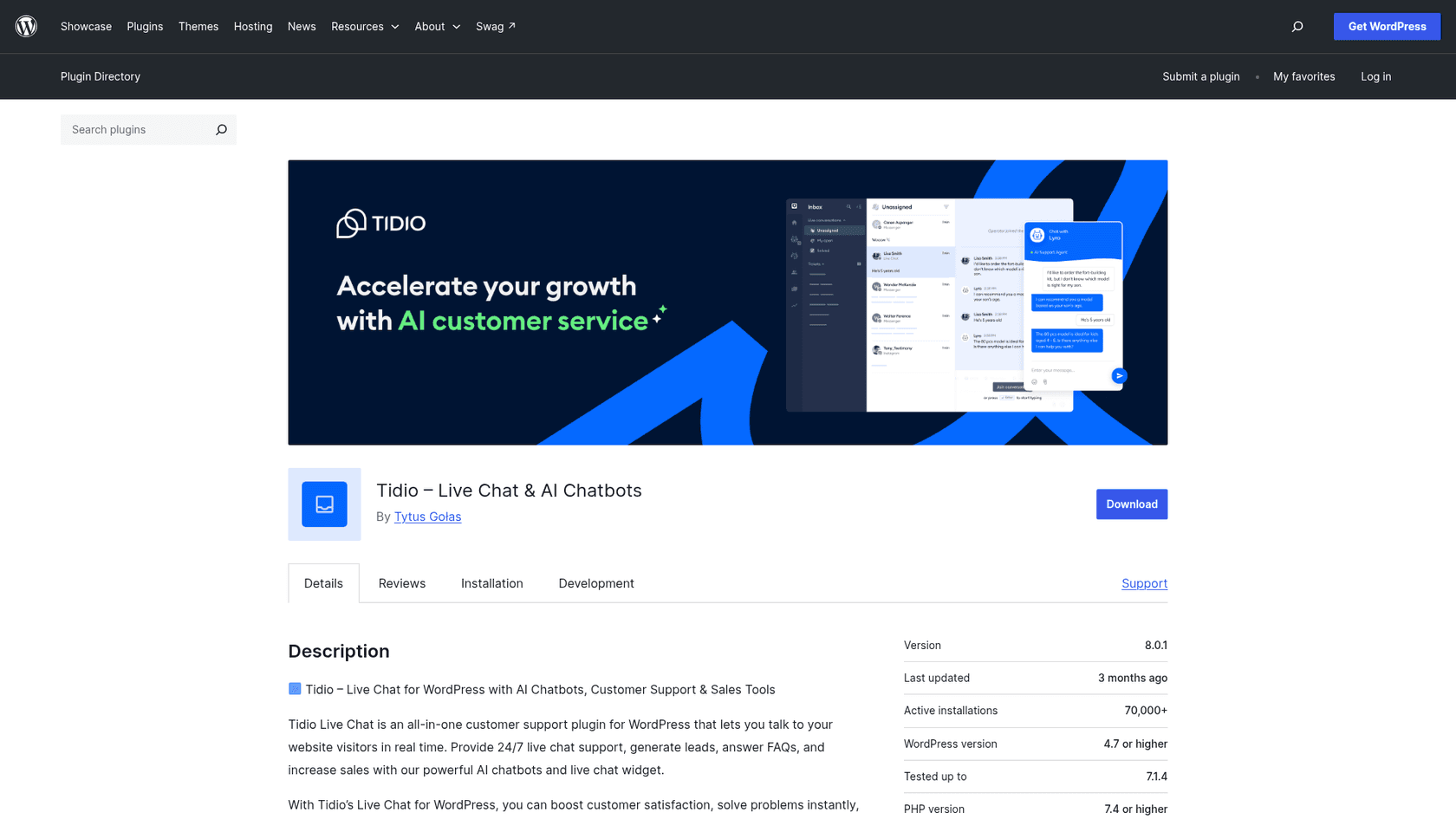
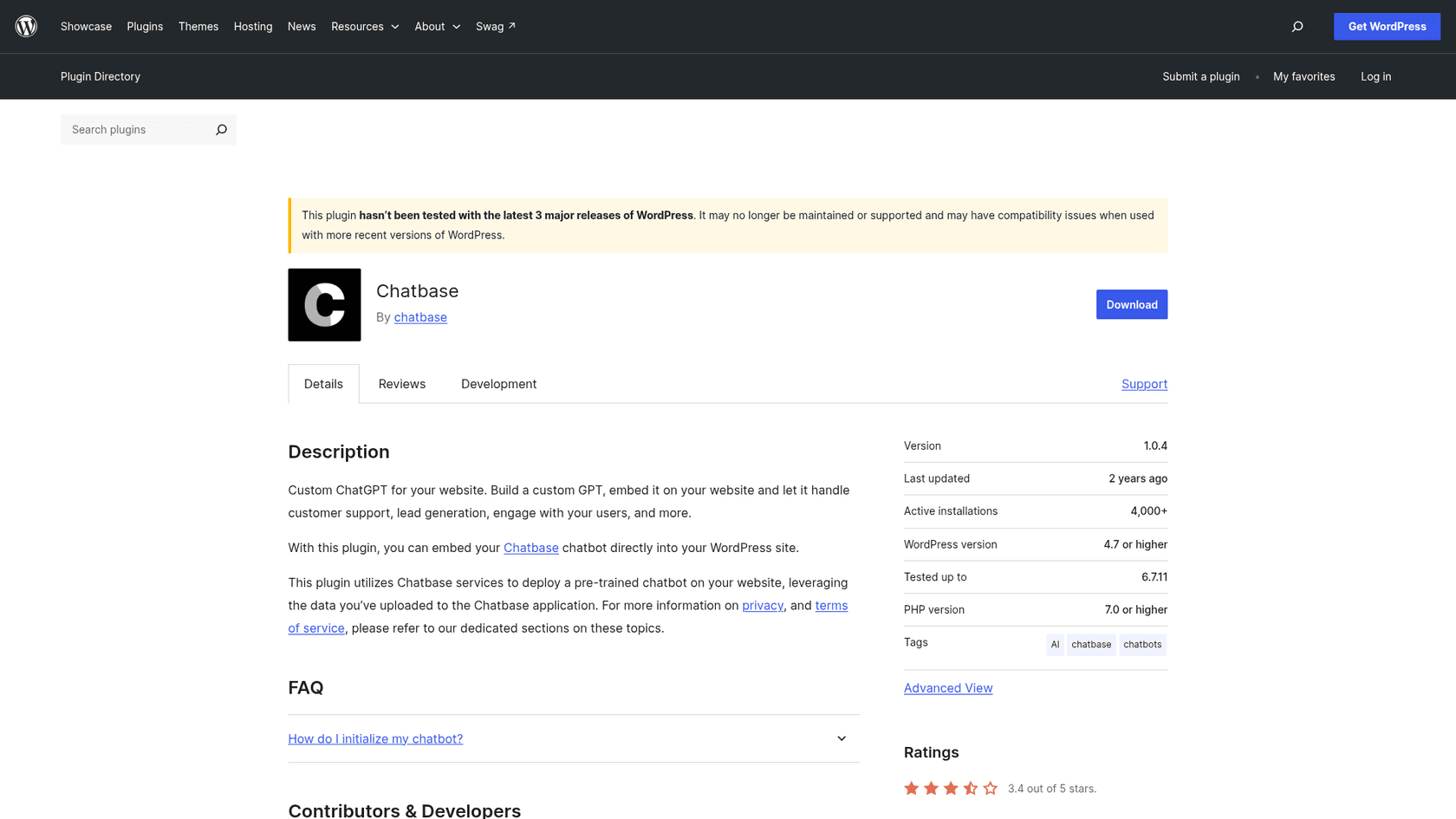
Plugins, Add New, search "Tidio," Install Now, Activate. A registration page then creates a free Tidio account and the widget appears bottom-right. Tidio's guide also offers a manual JavaScript route into the theme footer, with one warning: use one method only, the plugin or the code, not both. The plugin is "Tidio - Live Chat & AI Chatbots," with 70,000+ active installs and 4.8 out of 5 from 396 reviews, last updated 2026-09-01. Lyro, flows and the inbox run in Tidio's cloud, not in WordPress.
What I liked
- Lyro learns from your support content by scraping your site and FAQs, and can import Zendesk articles. When it can't answer, it forwards to a human "and learns from their response."
- Handoff is first-class: escalation rules, live monitoring, and you can jump in any time. Lyro runs on Claude plus Tidio's own models.
- The plugin lists a WooCommerce integration that shows visitor carts and order history and sends product cards in chat. Tidio's WooCommerce page says availability depends on your plan.
- Tidio publishes a completed SOC 2 report plus GDPR and CCPA compliance (security page).
On Reddit, an unnamed commenter gave the common view of Tidio in the WooCommerce community:
"Tidio is probably worth a look. It's pretty popular in the WordPress space, and it lets an agent take over the conversation without the customer ..."
Watch out for
- The free plan's 50 Lyro conversations are one-time, not monthly. A monthly quota starts at $39.
- The pages I read don't say Lyro itself looks up WooCommerce orders; the WooCommerce feature is described for your team.
- Human conversations are billed separately from Lyro conversations, so a handed-off chat can touch both meters.
- Tidio's plugin changelog moved the widget's footer priority to 1000 for compatibility with consent and caching plugins, so check those if the bubble goes missing.
Pricing
From Tidio's pricing page:
| Plan | Monthly | Billed yearly (per month) | Included |
|---|---|---|---|
| Free | $0 | $0 | 50 billable conversations/mo, 50 Lyro conversations once, up to 10 seats |
| Starter | $29 | $24.17 | 100 billable conversations |
| Growth | from $59 (250) to $349 (2,000) | from $49.17 | 250 to 2,000 billable conversations |
| Plus | from $300 + usage | same | Custom, Lyro from 300 conversations |
| Premium | Contact sales | Custom |
| Lyro AI Agent quota | Monthly price |
|---|---|
| 50 conversations | $39 |
| 100 | $75 |
| 200 | $140 |
| 300 | $210 |
| 500 | $350 |
| 1,000 | $700 |
That ladder works out to about $0.70 to $0.78 per Lyro conversation. More in my Tidio pricing breakdown.
Verdict: pick Tidio if you want the bot and your own live replies in one place. Skip it if your volume is high and mostly simple, because the Lyro price climbs fast past a few hundred chats. The deciding factor is the Lyro ladder at your volume; my Lyro alternatives list has other options.
2. AI Engine
Best for: an owner who is comfortable paying an AI provider directly and wants the chatbot, content tools and forms inside wp-admin.
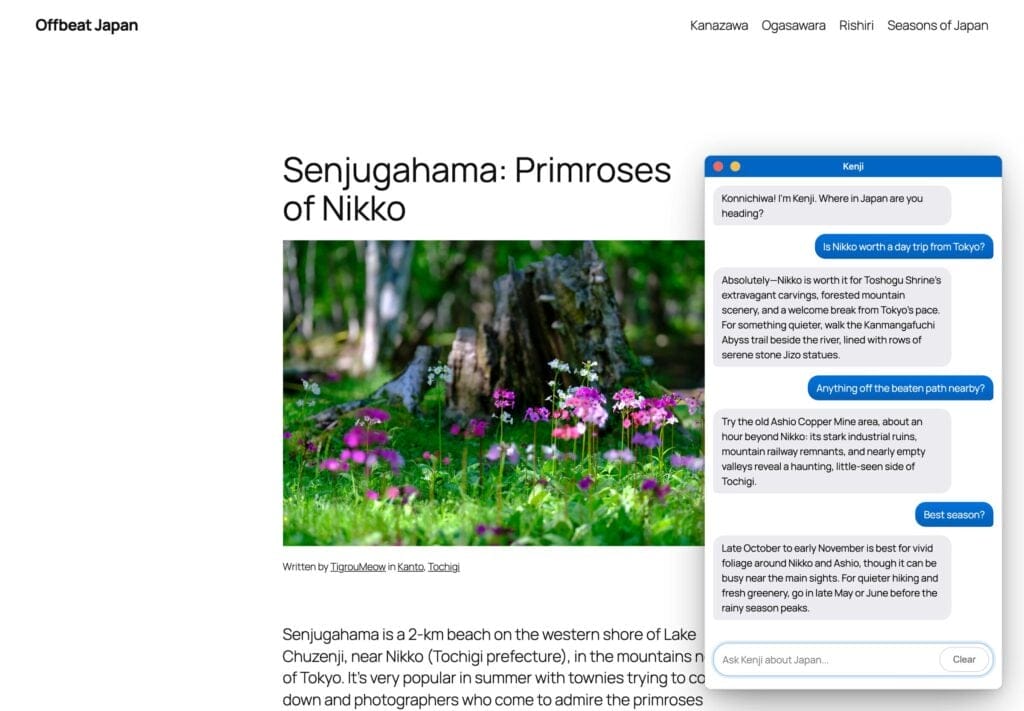
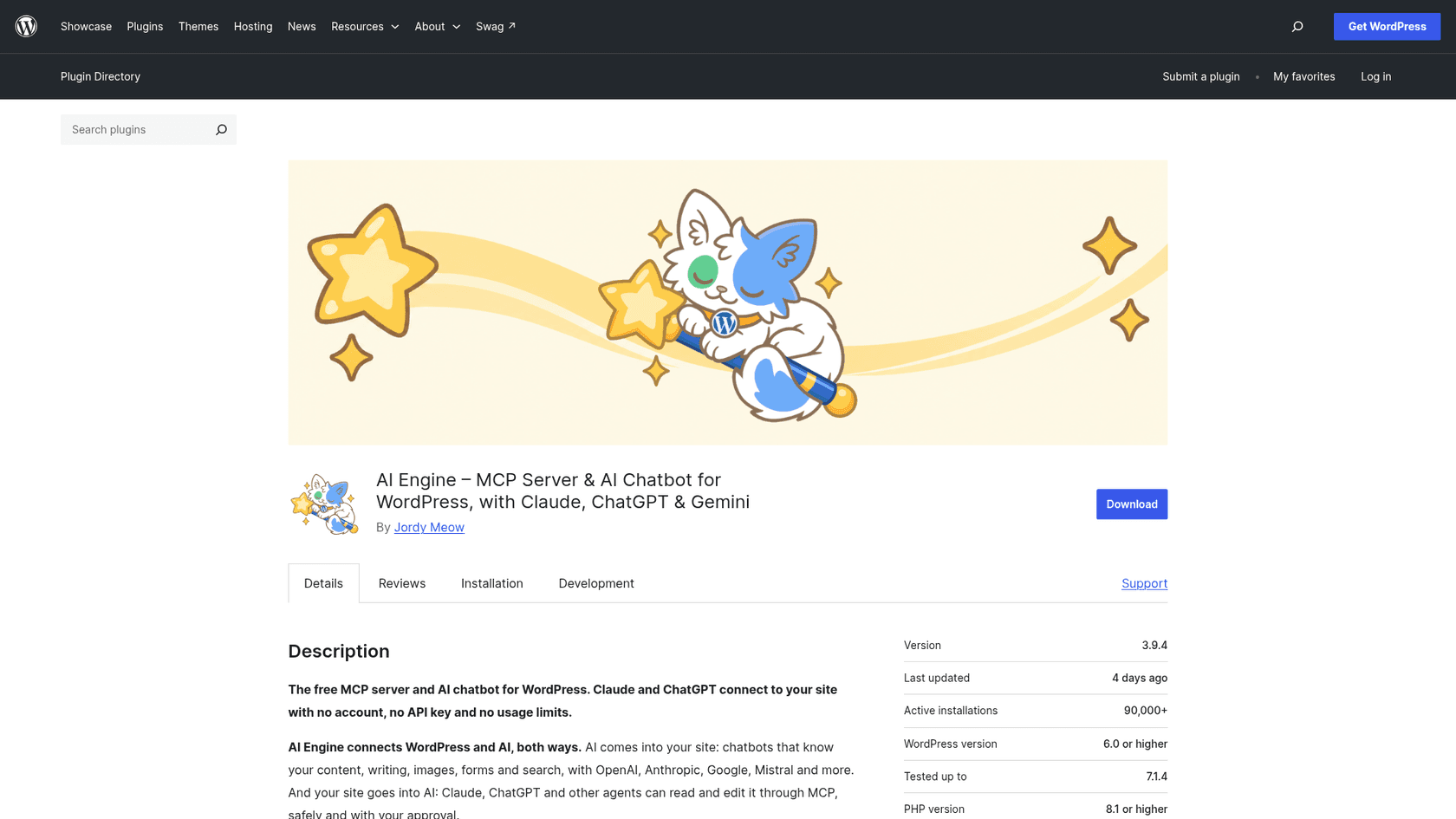
AI Engine by Meow Apps is the clearest example of the first model: a free plugin that runs inside WordPress, with "OpenAI, Anthropic, Google, Mistral, Perplexity and OpenRouter, switchable at any time, with no markup on tokens." It has 90,000+ active installs and a 4.9 average, and it is the flexibility pick in ChatGPT's answer.
How it installs on WordPress
Install it from the plugin directory and activate. Then, per Meow Apps' install guide, go to Meow Apps, AI Engine, Settings, paste your provider's API key and pick a model. The Chatbots tab has a default bot where you set a name, avatar and personality, and you place it as a sitewide popup or with a shortcode on one page. The vendor is upfront that it needs WordPress 6.0+, PHP 8.1+ and "an API key from your AI provider," and that you pay the provider directly.
What I liked
- No AI markup and no lock-in: switch between providers, and the vendor says "nobody takes a cut." It frames the trade this way: with your own key you pay for what's used, "which for a small site is usually a few cents a month." That's the vendor's estimate, not a price.
- Free chatbots with full customization, popup, inline or full-screen display, five themes, voice chat and file uploads.
- Pro adds usage controls, tracking token spend per user and per query with limits.
- Self-hosted: conversations go from your site to the provider you chose "and nowhere else."
Watch out for
- Answering from your own content is a Pro feature. The vendor's how-to says a free bot "knows what the model knows," and the fix is Knowledge, which turns posts, pages and PDFs into embeddings. That starts at $59 a year.
- The model can still wander. The plugin's FAQ says "you can't completely block the model's built-in knowledge, but you can use smart prompts and embeddings to steer conversations." A Reddit user hit this:
"i'm using ai engine by meow apps and want the bot to answer only from my knowledge base and refuse if the info isn't there. even with a ..."
- I found no human handoff described. It's an AI chat, not a helpdesk.
- WooCommerce is a build-it-yourself feature: Pro Function Calling connects AI to WooCommerce functions, but the plugin doesn't ship an order-lookup bot. Its WooCommerce MCP tools are for store admin, not shoppers.
- No security certifications are claimed, and you inherit your AI provider's terms.
Pricing
From AI Engine Pro pricing. Every licence comes with a year of updates and a 14-day refund window:
| Plan | Price | Sites |
|---|---|---|
| Yearly Starter | $59/year | 1 |
| Yearly Standard | $79/year | 5 |
| Yearly Professional | $149/year | 20 |
| Lifetime Standard | $299 once | 1-5 |
| Lifetime Professional | $449 once | 20 |
The free plugin is $0, and AI costs are whatever your provider charges. My AI Engine pricing and AI Engine review posts go deeper.
Verdict: pick AI Engine if you want control, have a developer's mindset and don't need a helpdesk. Skip it if a visitor needs a person on the other end. The deciding factor is whether you're happy owning the prompts and the provider bill; see AI Engine alternatives otherwise.
3. eesel
Best for: a WordPress or WooCommerce business whose answers live in docs, a help center or a helpdesk, and that wants a fixed price per chat.
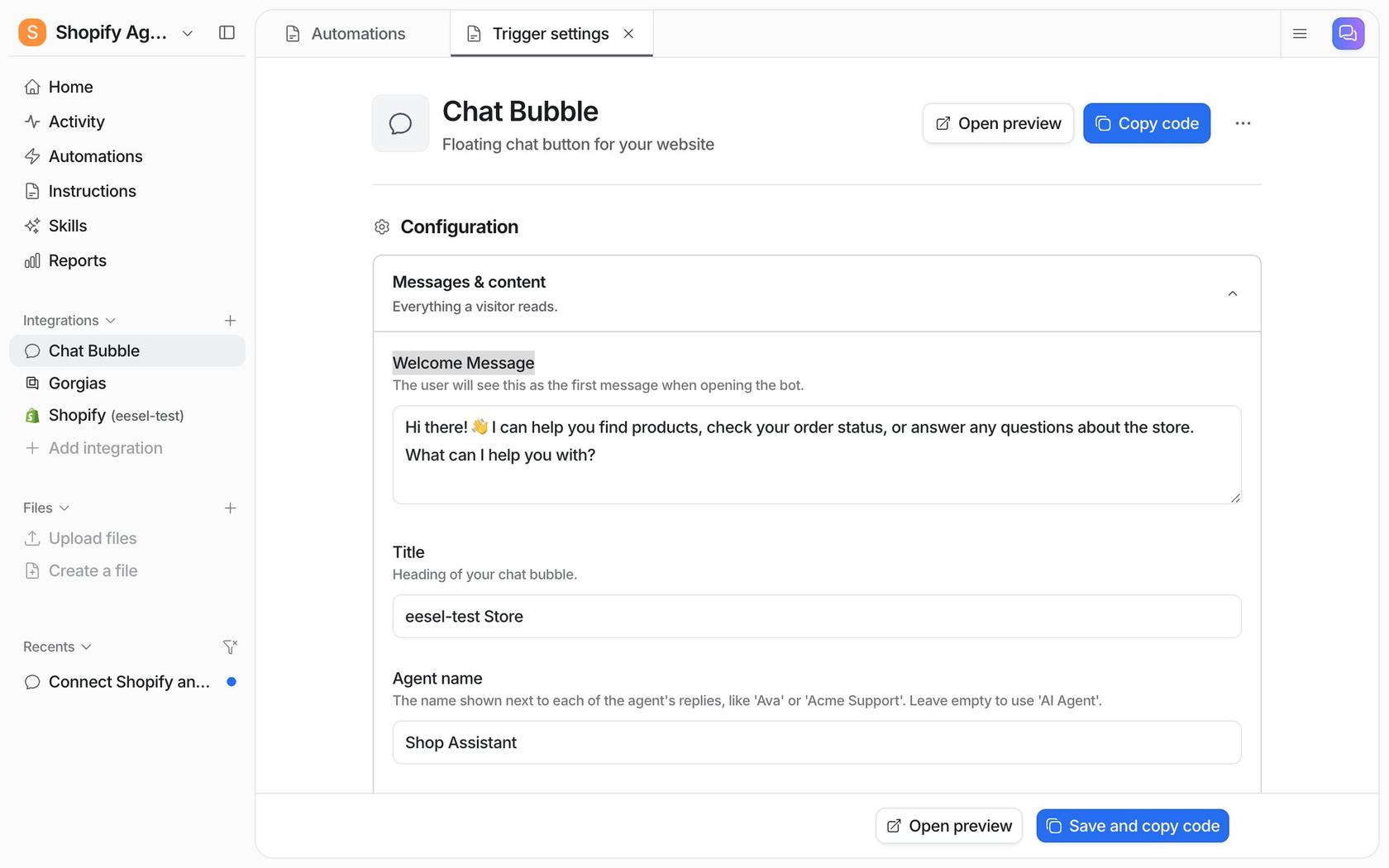
This is the product I work on. eesel is an AI teammate you hire for a job, and on a website that job is the chat bubble: a floating widget that answers visitors from the sources you connect. The same teammate can also work your helpdesk queue, so the bubble and your inbox share one set of knowledge and instructions.
How it installs on WordPress
There are two separate pieces, and I want to be exact about them. The bubble is one async <script> tag that loads a small file from cdn.eesel.ai, pasted before the closing </body> tag on every page. eesel's chat bubble docs have no WordPress-specific step, so on WordPress that means WPCode's footer box or your theme's footer. The loader is async, so it doesn't hold up your page.
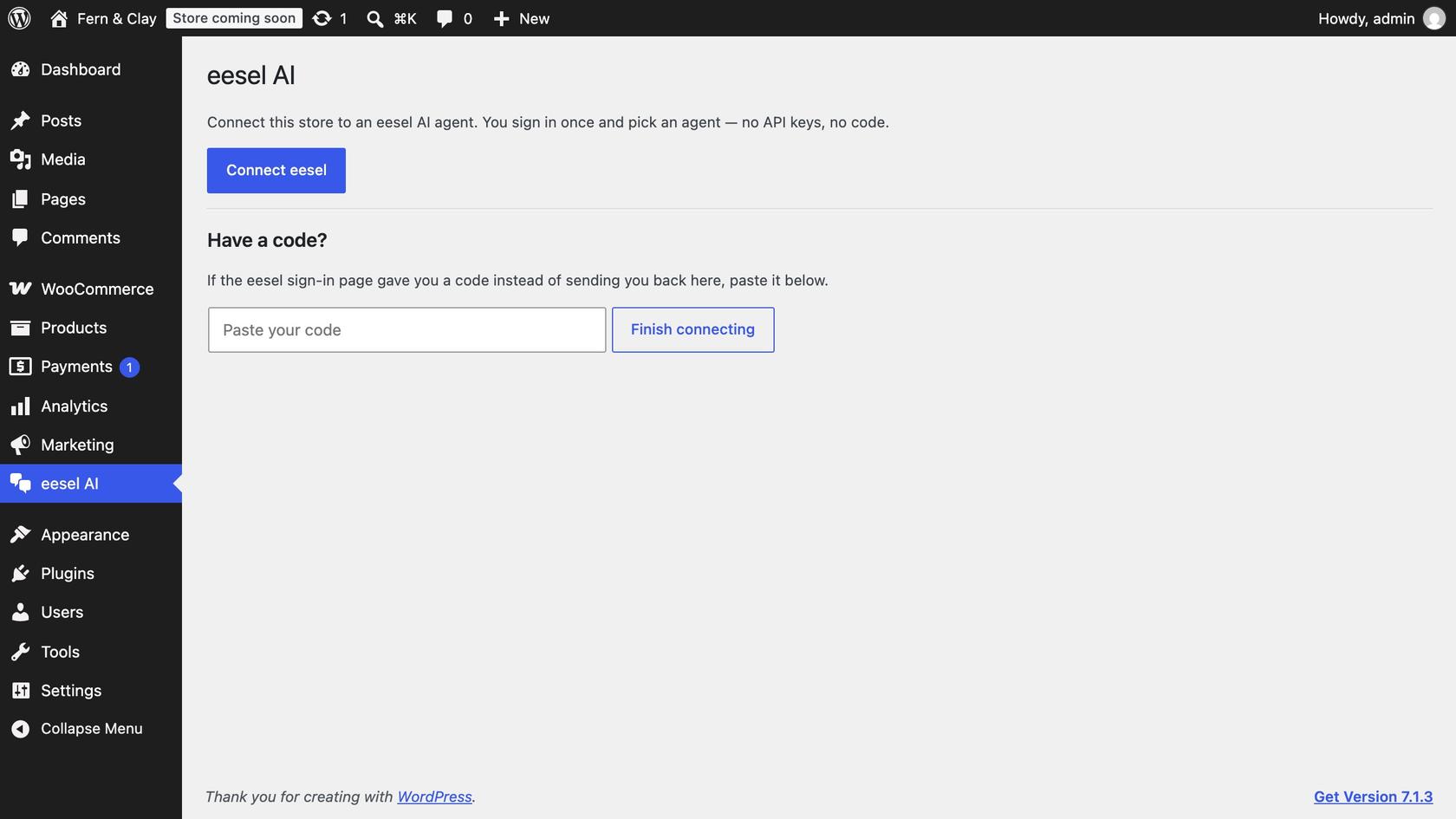
The second piece is the free eesel AI plugin, which connects a WooCommerce store: install it, sign in to eesel, and approve on WooCommerce's own screen, with no API keys. It requires WooCommerce 7.0+, HTTPS and pretty permalinks. The plugin does not add the chat bubble. Its listing says a storefront bubble is "coming soon," and it's at version 0.1.3 with fewer than 10 installs and no ratings yet. So treat it as a connector, not a track record.
What I liked
- It learns from far more than your WordPress pages: a website crawl, help center, Google Drive, Notion, Confluence, Zendesk and Freshdesk articles and uploaded files. It only answers from what you connect; nothing a visitor types becomes knowledge.
- With WooCommerce connected, the agent knows products, orders and customers, so it can tell a shopper where an order is. Per the plugin listing, "refunds and order status changes are held for your approval before they run."
- Handoff is rule-based. It can create a helpdesk ticket with the visitor's name and email, or send you an email, which suits a site with no helpdesk.
- With WooCommerce connected, the bubble can show product cards with Add to cart and a cart panel.
Beautek runs eesel as the KI-Chat bubble on beautek.de, answering product and order questions in German and turning serious buyers into a Zendesk ticket for the sales team. It answered 77 website chats in a month and created 20 Zendesk tickets from chat, mostly sales leads. Beautek runs an online shop, not WooCommerce, and none of eesel's published customer stories is a WordPress site, so read that as proof of the chat job and not the platform.
Watch out for
- The entry price is $299 a month for 500 credits. For a brochure site with a few dozen chats a month, a cheaper widget makes more sense.
- The free tier is a 7-day trial with 100 credits, not an ongoing free plan.
- A ticket handover needs a connected helpdesk; without one, handoff is an email.
- eesel's SOC 2 Type II audit is in progress, with the report expected in 2027 (Trust Center). GDPR is covered on every plan, and HIPAA BAAs are on Enterprise.
Pricing
From eesel's pricing page: "A ticket or a chat is 1 credit, however long." No seat fees, no platform fee.
| Plan | Price | Credits per month |
|---|---|---|
| Free trial | $0 | 100 credits for 7 days |
| Teammate | $299/mo | 500 |
| Teammate | $499/mo | 1,000 |
| Teammate | $699/mo | 1,500 |
| Teammate | $849/mo | 2,000 |
| Teammate | $1,749/mo | 5,000 |
Extra credits are $0.80 each up to a monthly cap you set, and two months are free on yearly billing.
Verdict: pick eesel if visitors ask questions answered in your docs or helpdesk, or if you want WooCommerce order lookups behind the chat. Skip it for a small brochure site. The deciding factor is whether your answers live beyond the pages; the WooCommerce integration page shows the store side.
4. Chatbase
Best for: a WordPress site that wants a customizable AI agent with model choice, actions and a helpdesk inbox included.
Chatbase builds AI agents trained on your own data and deploys them to a website chat bubble, messaging apps, email and phone, with a built-in helpdesk inbox. It's the knowledge pick in ChatGPT's answer.
How it installs on WordPress
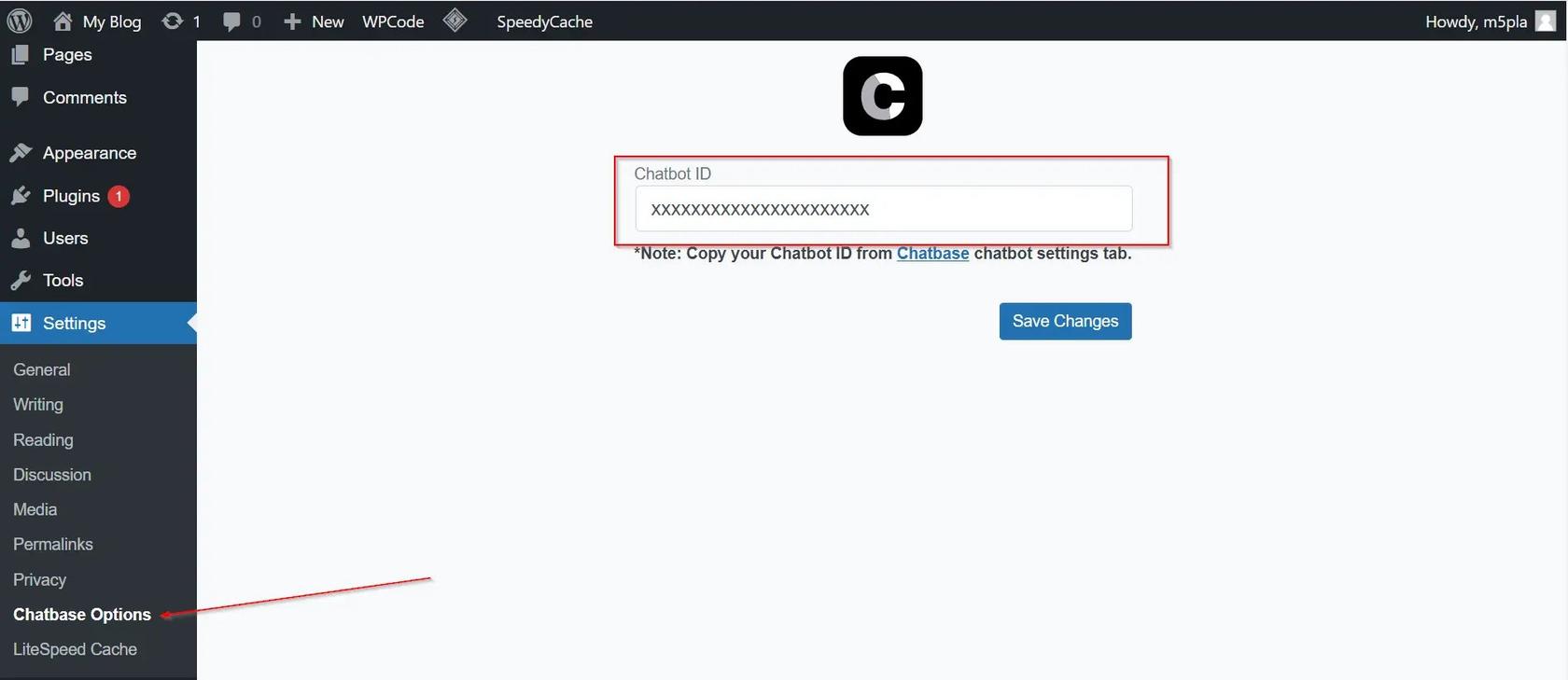
The Chatbase WordPress guide says the official plugin "adds your AI agent to a WordPress site as a floating Chat Bubble. Instead of pasting an embed script into your theme, you install the plugin and give it your Agent ID." Plugins, Add New, search "Chatbase," Install Now, Activate, paste the ID in the plugin's settings and save. WordPress is included on every Chatbase plan. The screenshot above shows the older "Chatbot ID" wording; the current guide says Agent ID.
What I liked
- Broad training sources: website crawl or sitemap, PDFs and Word files, text, Q&A pairs, Notion and closed Zendesk or Salesforce tickets. Changes go live in about a minute.
- Two handoff routes: a live chat action that passes the visitor to a person in the Chatbase Helpdesk inbox, or an escalation ticket into Zendesk, Freshdesk, HubSpot and others.
- You pick the model from OpenAI, Anthropic, Gemini, DeepSeek, Mistral and more.
- SOC 2 Type II and a plain statement that customer data isn't used to train any model.
A G2 reviewer who ran a municipal rollout made a point that applies to every tool here:
"The agent is only as good as its source information, and thus the rollout took more work on the content cleanup side than some stakeholders anticipated."

Watch out for
- The plugin was last updated in March 2025: 4,000+ installs, 3.4 out of 5 from 13 reviews, tested up to WordPress 6.7.11. I'd say "last updated March 2025," not "actively maintained," and test it on your version.
- Caching: the bubble loads from a short inline script that fetches
embed.min.jsfrom chatbase.co. If a caching plugin delays, defers, combines, minifies or hosts scripts locally, exclude both. The guide says a copy served from your own domain "won't load the chat correctly." - If you use the "only allow specific domains" setting, list every host your site runs on, including staging.
- No WooCommerce connection on the pages I read; its listed commerce integration is Shopify.
- No free plan, only a 7-day trial, and credits are per model request, not per conversation.
Pricing
From Chatbase's pricing page:
| Plan | Monthly | Billed yearly (per month) | Message credits/mo | Seats | Notes |
|---|---|---|---|---|---|
| Basic | $150 | $120 | 4,000 (+500 test) | 3 | 1 agent, 8 actions, 40 MB |
| Business | $500 | $400 | 15,000 (+1,000 test) | 5 | Advanced analytics, tickets as sources |
| Enterprise | Custom | Custom | Custom | Unlimited | SSO, HIPAA-eligible, white-labeling |
Add-ons: $40 per 1,000 extra credits, $99 a month to remove Chatbase branding, $25 a month per extra agent. My Chatbase pricing post works through the credit maths.
Verdict: pick Chatbase if you want fine control over the model and actions. Skip it if you only need FAQ answers on a small site, because $150 a month is a lot for that. The deciding factor is how much control you need; see Chatbase alternatives if it's more than you want.
5. HubSpot
Best for: a site whose chats should feed a CRM, with forms, lead capture and tickets in one place.
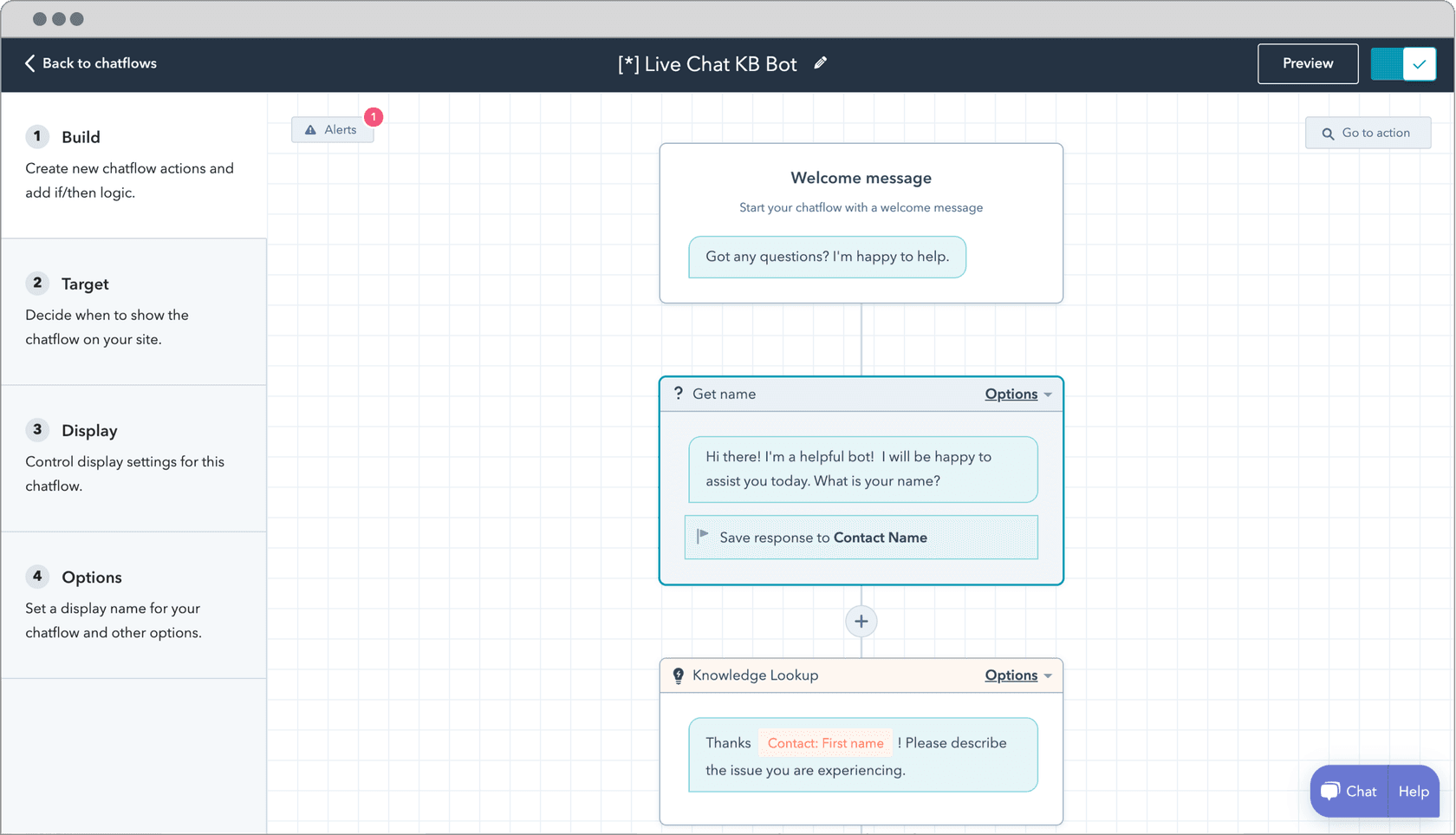
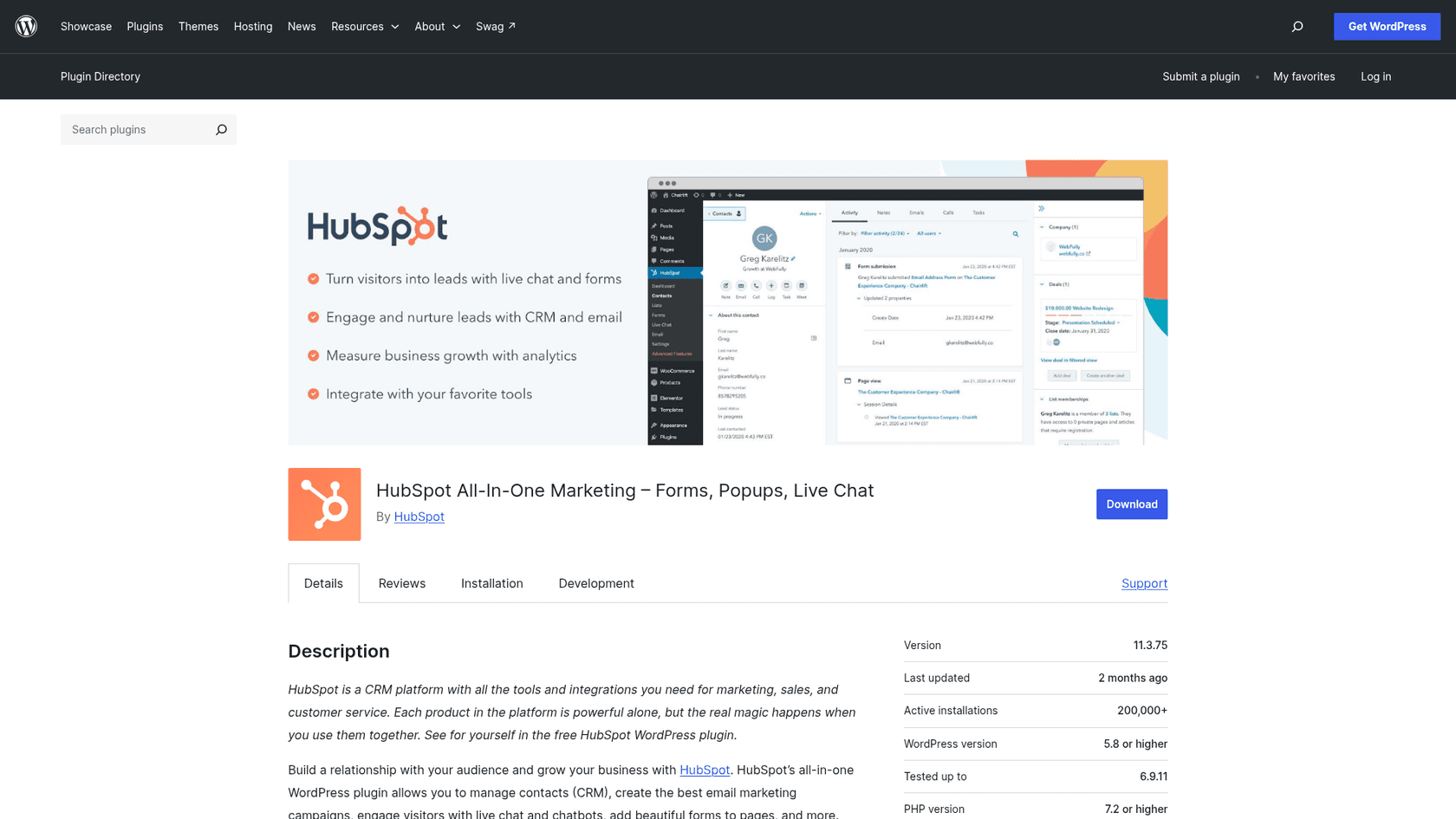
"HubSpot chatbot" means two different things, and the post has to keep them apart. The free live chat and chatbot builder is rule-based chatflows with no AI answers, stored in HubSpot's free CRM. The Customer Agent is HubSpot's AI agent, and it needs a paid Service Hub seat plus credits. HubSpot's plugin has 200,000+ installs, the biggest number here, and most of those installs predate the AI agent.
How it installs on WordPress
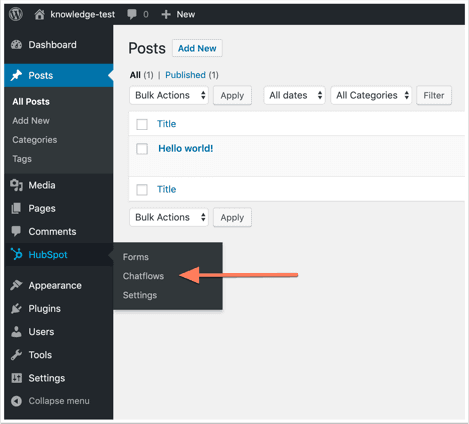
Install HubSpot's free plugin (it needs a HubSpot account). Per HubSpot's article, go to HubSpot, Chatflows, Create chatflow in WordPress admin, which opens the builder; on the Target tab enter the WordPress page URL, finish and toggle it on. The chat appears bottom-right of that page. The plugin installs HubSpot's tracking code; the chatflows and chat data live in HubSpot, not in WordPress.
What I liked
- The free tier is real: live chat, a chatbot builder and a CRM at $0 for up to 2 users, with HubSpot branding on the widget.
- The Customer Agent trains on your HubSpot knowledge base and synced website pages (up to 5,000 URLs), and cites sources when it answers.
- Handoff is native into HubSpot's inbox or help desk, and credits are charged only when the agent resolves a conversation.
- SOC 2 Type 2 and SOC 3 reports are available from HubSpot's security page.
Watch out for
- The AI agent is not in the free tier. The Customer Agent is on Service Hub Professional and Enterprise, from $90 per seat per month, plus credits.
- Per HubSpot's announcement, 50 credits per resolved conversation. By my arithmetic from HubSpot's credit counts, Professional's 3,000 included credits cover about 60 resolved conversations a month.
- If credits run out, HubSpot says the agent "will temporarily stop being assigned to new conversations" until your next reset or until you buy more.
- The plugin's reviews are mixed: 4.3 out of 5 from 207, with reviewers reporting disconnects and spam contacts. The listing points WooCommerce shops to a separate HubSpot for WooCommerce plugin, and I found no order-lookup connection for the Customer Agent.
Pricing
From HubSpot's Service Hub pricing, per seat:
| Tier | Price | Included HubSpot Credits | Notes |
|---|---|---|---|
| Free | $0, up to 2 users | None listed | Live chat with branding, chatbot builder, CRM |
| Starter | From $7/mo/seat | 500 | Removes branding |
| Professional | From $90/mo/seat | 3,000 | Customer Agent, help desk, knowledge base |
| Enterprise | $150/mo/seat | 5,000 | 25 knowledge bases; $3,500 one-time onboarding |
HubSpot also offers 14 days of free Customer Agent access when you buy a Professional or Enterprise seat. See my posts on HubSpot chatbot pricing and the HubSpot AI customer service agent.
Verdict: pick HubSpot if you already live in its CRM and want chats to become contacts and tickets. Skip it if you just want an AI answering visitors, because the seat price comes first. The deciding factor is whether the CRM is the point.
6. tawk.to
Best for: a team that answers most chats itself and wants a free inbox with light AI help.
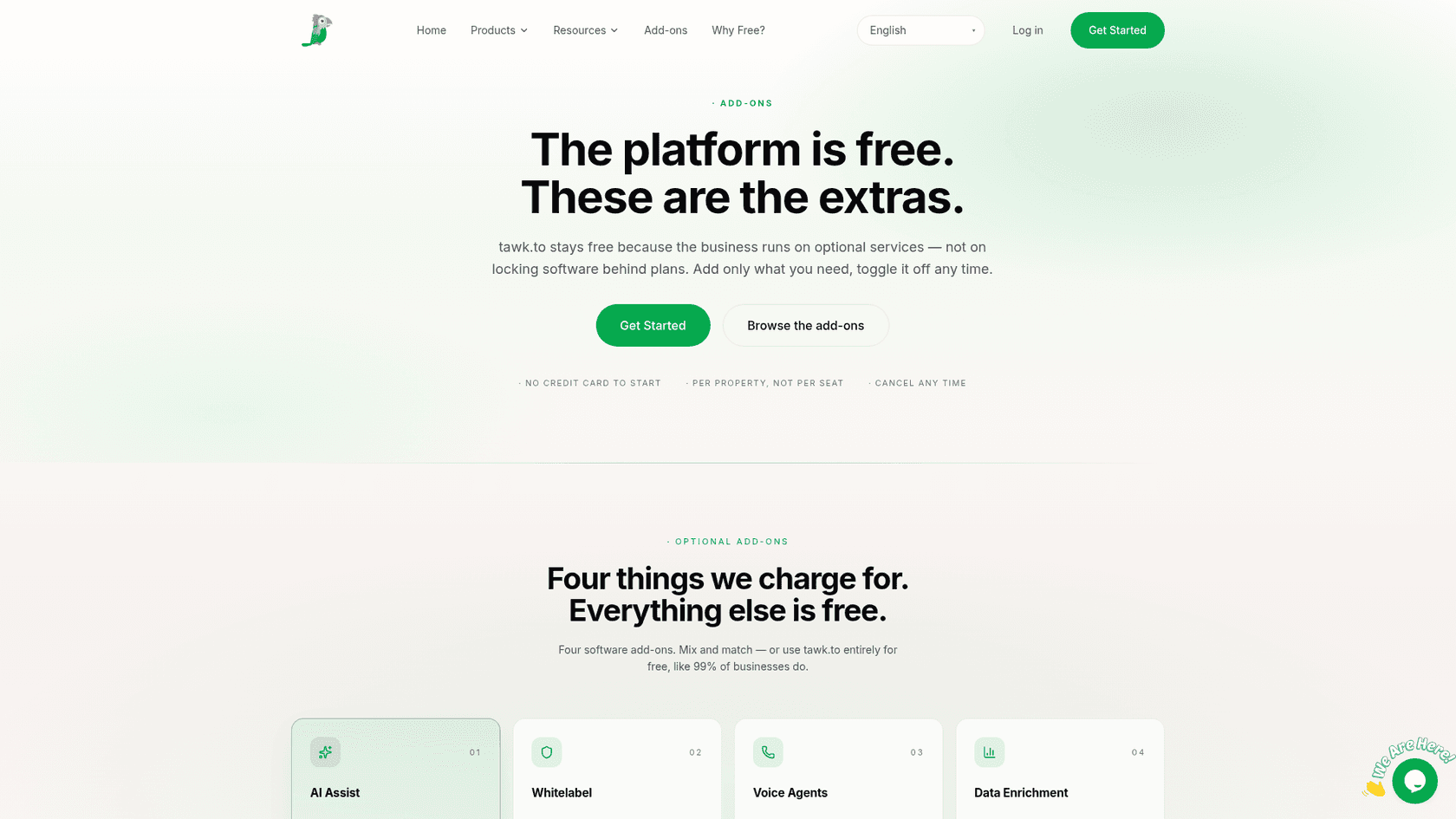
tawk.to is a free live chat, shared inbox, ticketing and knowledge base platform funded by optional add-ons priced "per property, not per seat." Its AI product is AI Assist. The plugin has 100,000+ installs, and that number predates the paid AI, so read it as the widget count.
How it installs on WordPress
Per tawk.to's WordPress help: Plugins, Add New, search "Tawk.To Live Chat," Install Now, Activate, then Settings, tawk.to, log in, select your property and widget, and click Use Selected Widget. The widget appears on all pages. The alternative is pasting the widget code manually. The plugin is at version 0.9.3, last updated 2026-01-14, with 4.6 out of 5 from 142 reviews.
What I liked
- The core product is free with no seat limit, and the add-ons page says use it "entirely for free, like 99% of businesses do."
- AI Assist has a free Hobby tier, human escalation included on every tier, and "update an article and the answers update with it."
- Testing in AI Assist settings doesn't consume credits.
On Capterra, a reviewer summed up the draw:
"What I like most about tawk.to is the incredible value it offers, especially considering that we use the free version."

Watch out for
- The free AI tier is small: 100 message credits a month, one AI agent and 100 crawled pages.
- Credits are per reply by model, not per conversation. The default Auto model costs 3 credits per reply, so 1,000 credits is roughly 333 Auto replies by my arithmetic.
- The plugin's WooCommerce options control where the widget shows; I found no AI order lookup. I didn't re-check its security pages today.
Pricing
From the add-ons page and AI billing help:
| Item | Monthly | Yearly | Included |
|---|---|---|---|
| Live chat, inbox, ticketing, knowledge base | $0 | $0 | Free, unlimited team members |
| AI Assist Hobby | $0 | $0 | 100 credits/mo, 1 AI agent, 100 pages |
| AI Assist Growth | $29 | $290 | 1,000 credits, 3 AI agents, 500 pages |
| AI Assist Business | $99 | $990 | 5,000 credits, 5 AI agents, 2,000 pages |
| AI Assist Enterprise | $399 | $3,990 | 20,000 credits, 10 AI agents, 10,000 pages |
| Extra credits | $30 per 1,000 | Never expire |
Verdict: pick tawk.to if you answer most chats yourself and want a free inbox. Skip it if the AI should carry most of the volume, because per-reply credits add up with long chats. The deciding factor is how chatty your visitors are; my tawk.to alternatives post covers what free chat trades away.
7. Crisp
Best for: a small team that wants a flat workspace price and AI billed per conversation.
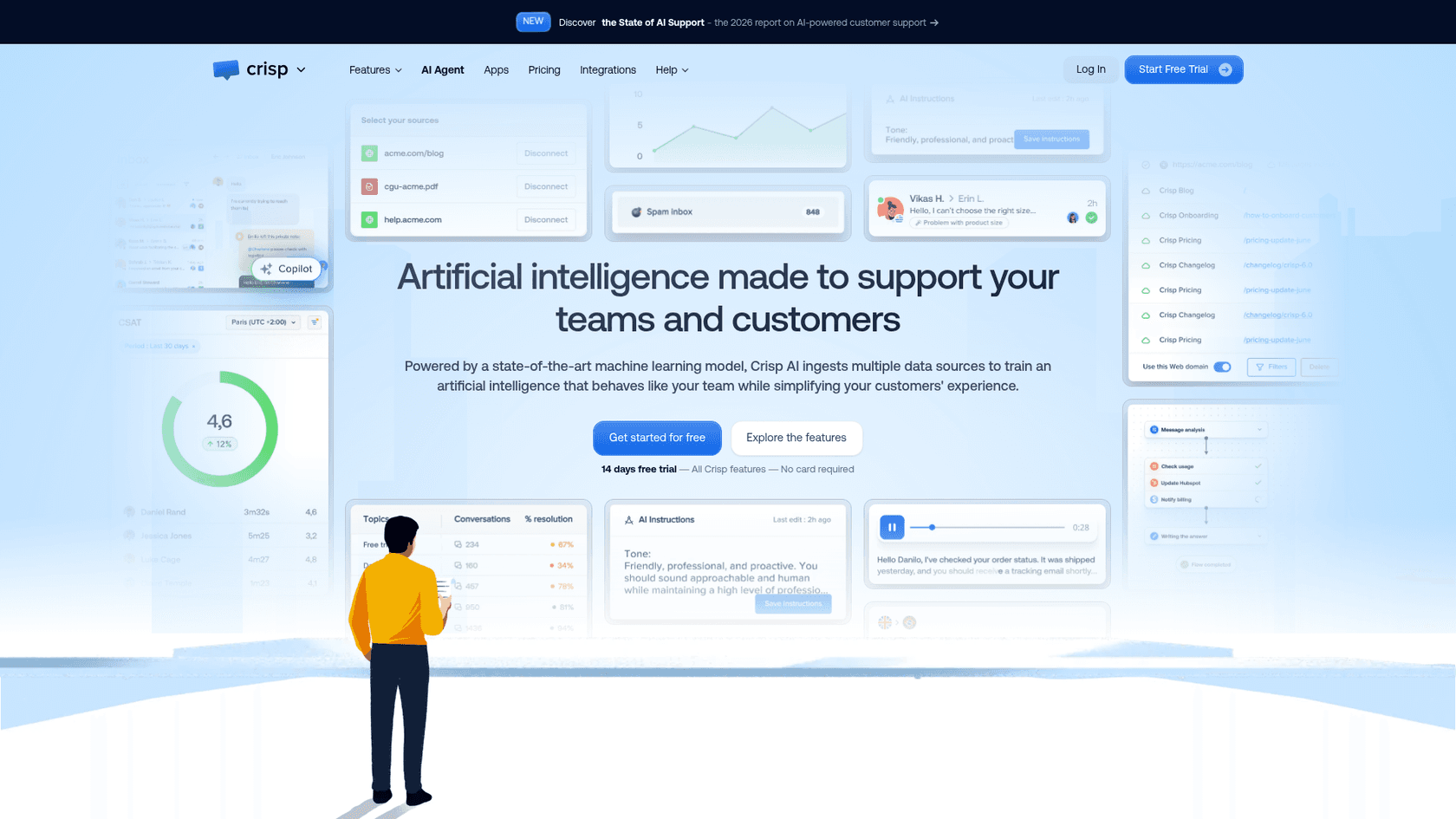
Crisp is a shared-inbox and live-chat platform with an AI agent called Hugo, sold as a flat per-workspace plan, not per seat. Hugo is "included by default starting from the Mini plan."
How it installs on WordPress
Crisp's plugin page promises a chat plugin "in two clicks," free for 2 agents. The "Crisp Live Chat" plugin has 10,000+ installs, 4.6 out of 5 from 73 reviews, last updated 2026-10-21. Install it from the directory and connect via Crisp's app. The manual route is to paste the chatbox script into your site. Its changelog notes a fix for conflicts with Cloudflare.
What I liked
- Hugo trains on answer snippets, the Crisp knowledge base (re-indexed after each article update), a website crawl, conversation history and uploaded files.
- A full Hugo-handled conversation costs "around $0.05 to $0.10," which is Crisp's own estimate, not a price list.
- The listing's WooCommerce block shows order history and cart context to your agents, and AI handover gives agents context when they take over from Hugo.
Watch out for
- Hugo isn't on the Free plan, and it stops answering when included credits run out unless Pay-As-You-Go is on.
- Order history and cart context are for your team. The listing doesn't describe Hugo answering order questions itself.
- A G2 reviewer rated Crisp 2.5 out of 5 and wrote that Hugo "can produce hallucinated responses, reply in a different language than the user's message, and route conversations to the wrong inboxes" (G2). One review is anecdote, not a rate.
- No security certifications on the pricing page.
Pricing
From Crisp's pricing page, per workspace per month:
| Plan | Monthly | Seats | Included Hugo credits |
|---|---|---|---|
| Free | $0 | 2 | None |
| Mini | $45 | 4 | $5 (about 90 conversations) |
| Essentials | $95 | 10 | $25 (about 450) |
| Plus | $295 | 20+ | $75 (about 1,350) |
No yearly price is published; you enable yearly payment in the app after subscribing. See my Crisp AI and Crisp pricing posts.
Verdict: pick Crisp if you want a shared inbox with AI at a few cents per conversation. Skip it if you need certifications on paper. The deciding factor is Hugo's behavior on your content, so test it on the 14-day trial.
8. WPBot
Best for: an owner who wants an in-WordPress bot with their own key, a free tier that does real work and a broader suite.
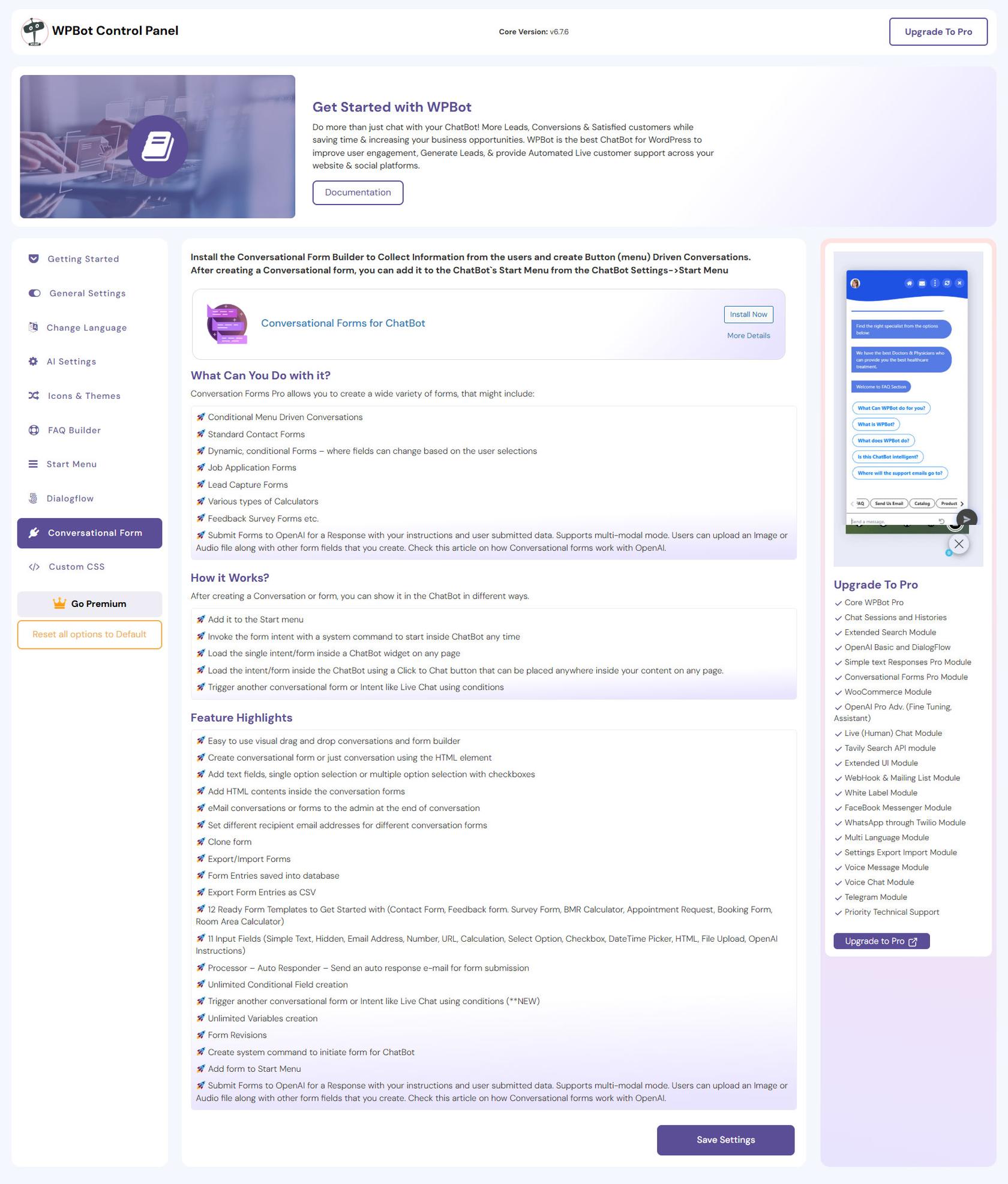
WPBot by QuantumCloud is a WordPress chatbot plugin now positioned as an "AI Growth Suite," with an AI writer, SEO and email tools beside the chatbot. It answers "from your own website content" and chats are "stored in your own WordPress database, not on someone else's servers."
How it installs on WordPress
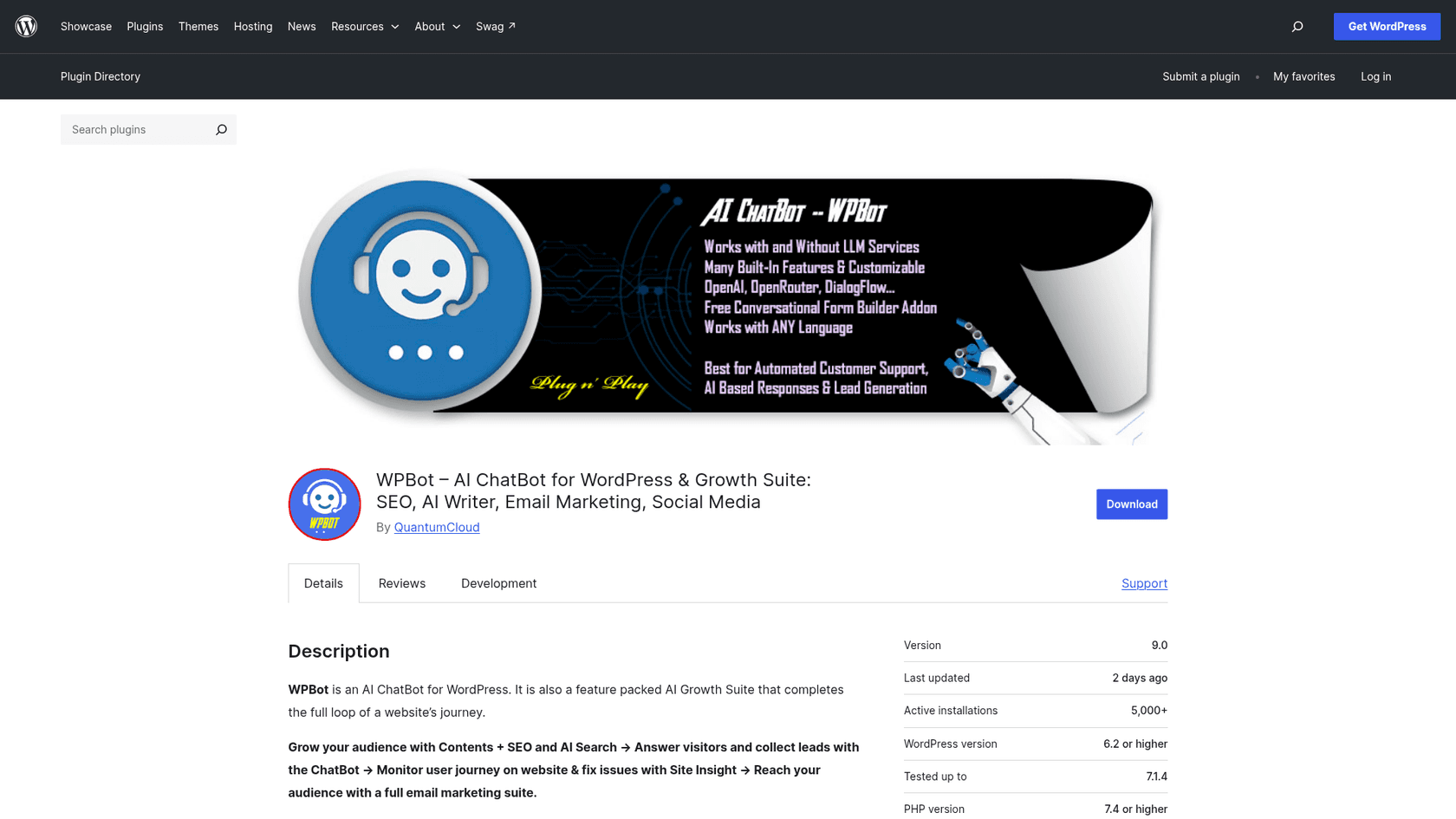
It's a standard directory plugin: Plugins, Add New, install, activate. For AI answers you add your own key, and the listing says it works with OpenAI, Anthropic Claude, Google Gemini, xAI Grok, Mistral, DeepSeek and OpenRouter. The plugin has 5,000+ installs, 4.7 out of 5 from 124 reviews, version 9.0, updated 2026-11-14.
What I liked
- Free-tier knowledge from your own content: pages, posts, products and custom post types sync when you save, plus PDF, CSV and XML files. That's the part AI Engine charges for.
- Cost visibility: it shows the cost of every reply, limits guests to 60 AI answers a day by default, and a monthly dollar budget can pause a feature's AI.
- Unanswered questions are grouped and ranked by how often they come up.
- Personal data is removed from text before it goes to an AI provider, and conversations are included in WordPress's data export and erase tools.
Watch out for
- You need your own AI key for AI answers.
- Free handoff is message, email and callback buttons. Live human chat, multi-language and WhatsApp need the Master licence, and the WooCommerce module needs Professional.
- It's broad (SEO, social, email), so the chatbot is one module among many. One Reddit commenter wanted the opposite:
"I looked at the AI ChatBot - WPBot but even that is too "smart", I am really struggling to find a 0-AI implementation. This should just be a ..."
- Install base is small (5,000+) next to Tidio or tawk.to, and no certifications are claimed.
Pricing
From WPBot's pricing page, USD excluding tax:
| Plan | Yearly | Lifetime | Sites (yearly / lifetime) | Notable |
|---|---|---|---|---|
| Starter | $39/year | $149 | 1 / 5 | Core Pro, LLM AIs, basic vector database |
| Professional | $99/year | $279 | 2 / 10 | WooCommerce module, advanced knowledge base |
| Master | $189/year | $369 | 5 / 50 | Live human chat, WhatsApp, Messenger, multi-language |
There's no free trial of Pro; the free plugin is the trial, plus a 14-day money-back guarantee. My WPBot pricing and WPBot review posts have more.
Verdict: pick WPBot if you want your own key, a capable free tier and a path to a WooCommerce shopping assistant. Skip it if you want a focused helpdesk. The deciding factor is whether you want a suite or only a chat.
9. Botpress
Best for: an agency or developer building custom flows and actions, not a one-hour install.
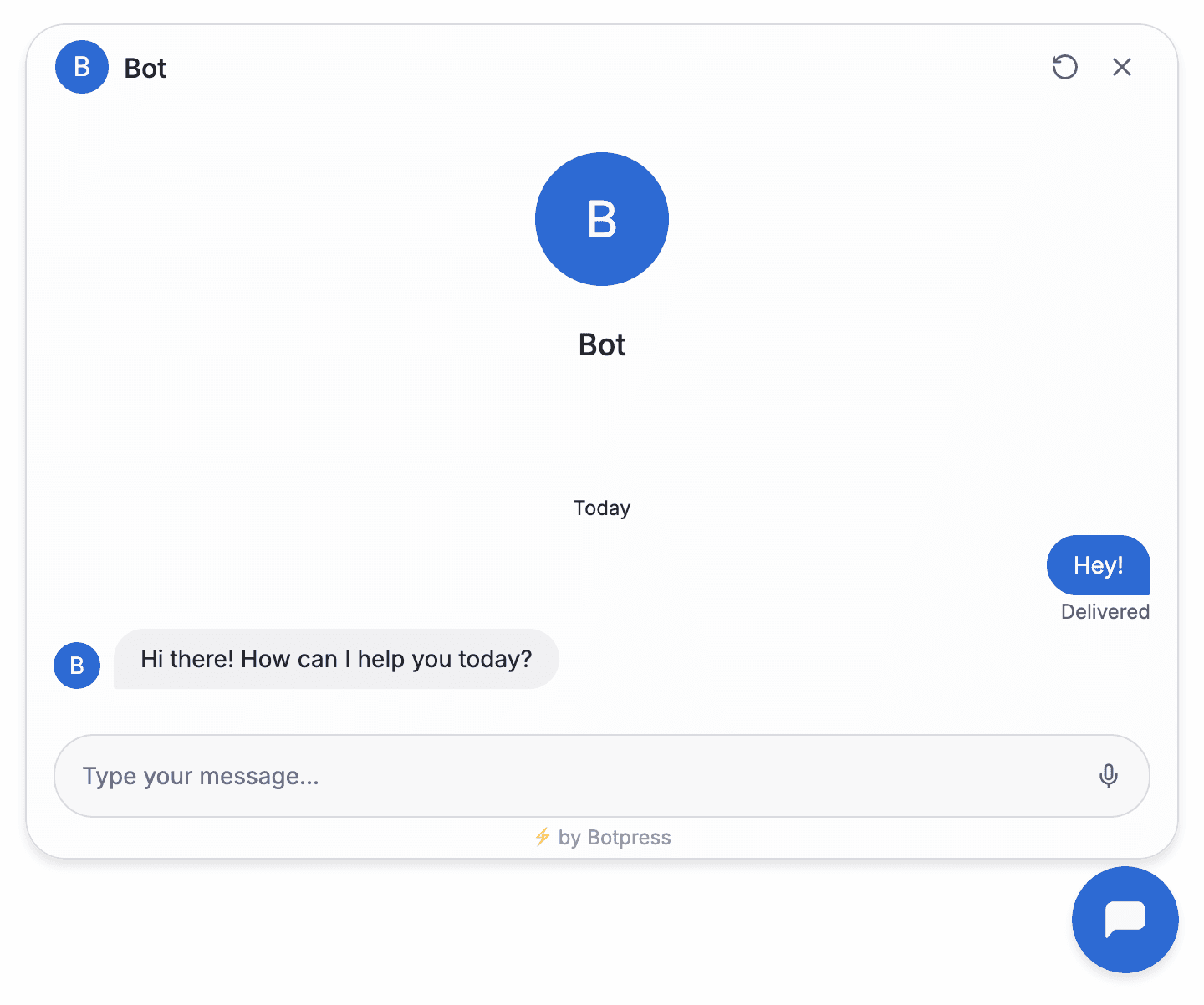
Botpress is an AI agent builder with a visual Studio, a TypeScript library and a helpdesk called Botpress Desk. It has no plugin on wordpress.org; a directory search for "botpress" returned only unrelated plugins.
How it installs on WordPress
Botpress documents a Webchat embed: copy the embed code from the Webchat deploy settings, install WPCode, add an HTML snippet, paste the code, set its location to site-wide body, set it active and save. The embed is two script tags. One note on accuracy: that doc labels WordPress.org as "managed" and WordPress.com as "self-hosted," which is reversed. The correct path is that self-hosted WordPress.org has no plugin limit, and WordPress.com needs a paid plugin-enabled plan.

What I liked
- Knowledge sources include websites (with optional scheduled recrawl), documents up to 50 MB, tables and web search.
- A real free plan: $0 with 100 conversations, though with no top-ups or overages.
- Trust Center lists SOC 2 Type 2, GDPR, HIPAA and more, and G2 shows 4.5 out of 5 from 516 reviews.
Watch out for
- It's a builder. There's no WooCommerce connector; wiring the REST API is custom work.
- The legacy human-handoff integration needs Plus, and new workspaces are pointed to Botpress Desk.
- Past the included conversations, packs cost $65 per 100 on Plus and auto-recharge can't be switched off. A G2 reviewer wrote: "I would also like more transparency and easier control over AI usage and costs" (G2).
Pricing
From Botpress's pricing page, billed-annually prices:
| Plan | Price | Conversations/mo | Extra conversations | AI usage included |
|---|---|---|---|---|
| Free | $0 | 100 | None | Hard-capped |
| Plus | $150/mo | 250 | Packs of 100 for $65 | $25 |
| Team | $750/mo | 1,500 | Packs of 100 for $50 | $150 |
| Enterprise | Custom | Custom | Custom | Custom |
A conversation is "any exchange with at least two messages from the end user in the billing month." See my Botpress pricing and Botpress alternatives posts.
Verdict: pick Botpress if you're building multi-step agents for clients. Skip it for a simple FAQ bot on one site. The deciding factor is whether you want to design the agent or hire one.
10. Elfsight AI Chatbot
Best for: a small site with light traffic that wants the lowest price and a copy-paste setup.
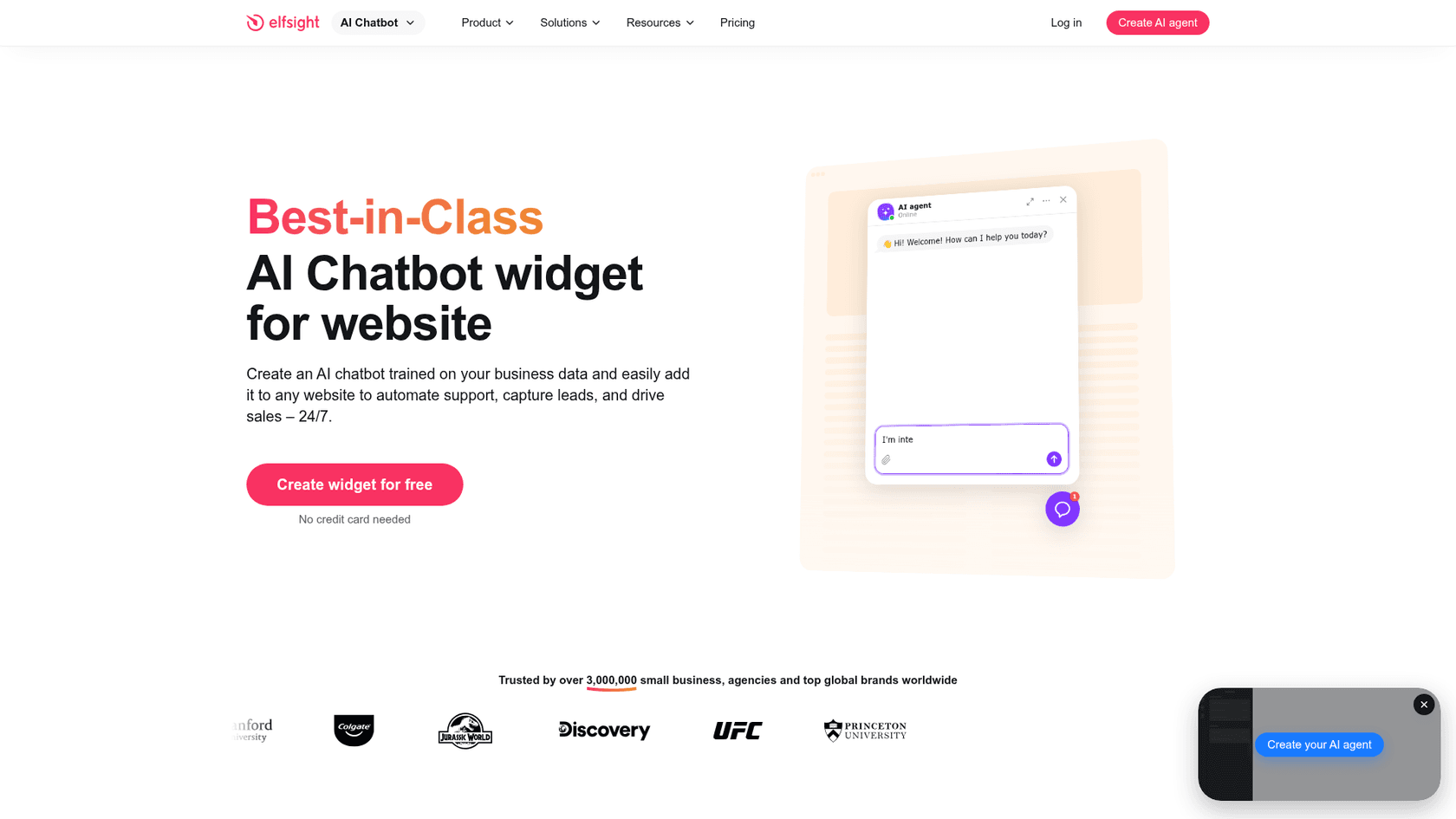
Elfsight AI Chatbot is a no-code widget that builds an agent from your website URL, part of a 90+ widget platform. The widget runs from Elfsight's cloud.
How it installs on WordPress
Elfsight has a WordPress page and a plugin, "Elfsight AI Chatbot." Per the listing: install the plugin, sign in to Elfsight, pick a template, build the knowledge base, copy the embed code Elfsight generates, paste it into the plugin's embed field, choose pages and publish. The plugin is brand new: version 1.1.1, last updated 2026-08-21, about 20 active installs and no reviews, so it has no track record yet.
What I liked
- It trains on your WordPress pages and accepts PDF, DOCX, TXT, JSON, PPTX, HTML and MD files.
- A free plan with 50 AI messages and 200 views a month, no card.
- A G2 reviewer wrote:
"We were able to deploy the AI Chatbot widget across our site via a simple copy-paste code snippet without touching a line of backend infrastructure."
Watch out for
- The same G2 review flags usage limits on lower tiers, and the guide says the widget pauses at the message limit until reset or upgrade. Exceeding the views limit also deactivates the widget.
- Handoff is a card with email, call or WhatsApp, not a shared inbox for live replies.
- No WooCommerce connection, security certifications or integration counts were published on the pages I checked.
Pricing
From Elfsight's AI Chatbot pricing:
| Plan | Yearly /mo | Monthly | AI messages/mo | Views/mo |
|---|---|---|---|---|
| Free | $0 | $0 | 50 | 200 |
| Basic | $5 | $6 | 300 | 5,000 |
| Pro | $10 | $12 | 1,000 | 50,000 |
| Premium | $20 | $24 | 3,000 | 150,000 |
| Enterprise T1 | $30 | $42 | 6,000 | 300,000 |
Branding removal is on Enterprise tiers only. My Elfsight AI chatbot review has more.
Verdict: pick Elfsight if you're on a tight budget with light traffic. Skip it if traffic can spike, because the views cap can switch the widget off. The deciding factor is your monthly visitors; compare pricing before committing.
What does an AI chatbot for WordPress cost?
Here's one buyer, priced the same way across all ten: a self-hosted WordPress site with about 300 chats a month, one or two people answering, and roughly 4 bot replies per chat. Where a tool bills per reply or request I used the cheapest credit cost the vendor publishes. For the bring-your-own-key tools I assumed $0.01 per chat in AI cost; that is my placeholder, not a provider price, so replace it with your own.
| Tool | The maths | Per month |
|---|---|---|
| WPBot | Pro Starter $39/yr = $3.25, plus 300 x $0.01 | About $6 |
| AI Engine | Pro Starter $59/yr = $4.92, plus 300 x $0.01 | About $8 |
| Elfsight | 300 x 4 = 1,200 visitor messages, over Pro's 1,000, so Premium | $24 ($20 yearly) |
| Crisp | Mini $45 + 300 x $0.05 to $0.10, minus $5 included | $55 to $70 |
| tawk.to | 300 x 4 x 3 credits = 3,600 credits, so Business (5,000) | $99 |
| Chatbase | 1,200 credits at 1 per reply, inside Basic's 4,000 | $150 ($120 yearly) |
| HubSpot | One Professional seat $90, plus resolved chats at $0.50 beyond the 60 covered by included credits | $150 at 60% resolved, $210 at 100% |
| Tidio | Lyro 300-conversation tier | $210, plus Starter $29 if handoffs pass 50 |
| Botpress | Plus (250 included) + one pack of 100 at $65 | $215, billed yearly |
| eesel | 300 chats = 300 credits, Teammate 500 | $299 |
Two caveats. The two bring-your-own-key rows look cheapest because the plugin licence is small and the AI cost is your own placeholder, but you also own the prompts, the monitoring and the provider bill. AI Engine's content-aware knowledge is the Pro licence I priced. And eesel is the most expensive at this volume; the 200 spare credits only pay off if chats grow or you also point it at a helpdesk queue.
Seasonality changes the picture. Norden-Frisia, a ferry company on the North Sea coast, moved from a fixed monthly allowance to a plan of 10,000 interactions a month for high season, with the agreement that it scales back down from October to March. That seasonal shape, not a flat seat count, is what made the numbers work for them. Drag the sliders for your own volume:
At 1,000 chats with 4 replies each, per-reply tools climb fast while eesel's flat per-chat price moves up one tier. At 100 chats the free tiers and the bring-your-own-key plugins win easily.
How do you add an AI chatbot to a WordPress site?
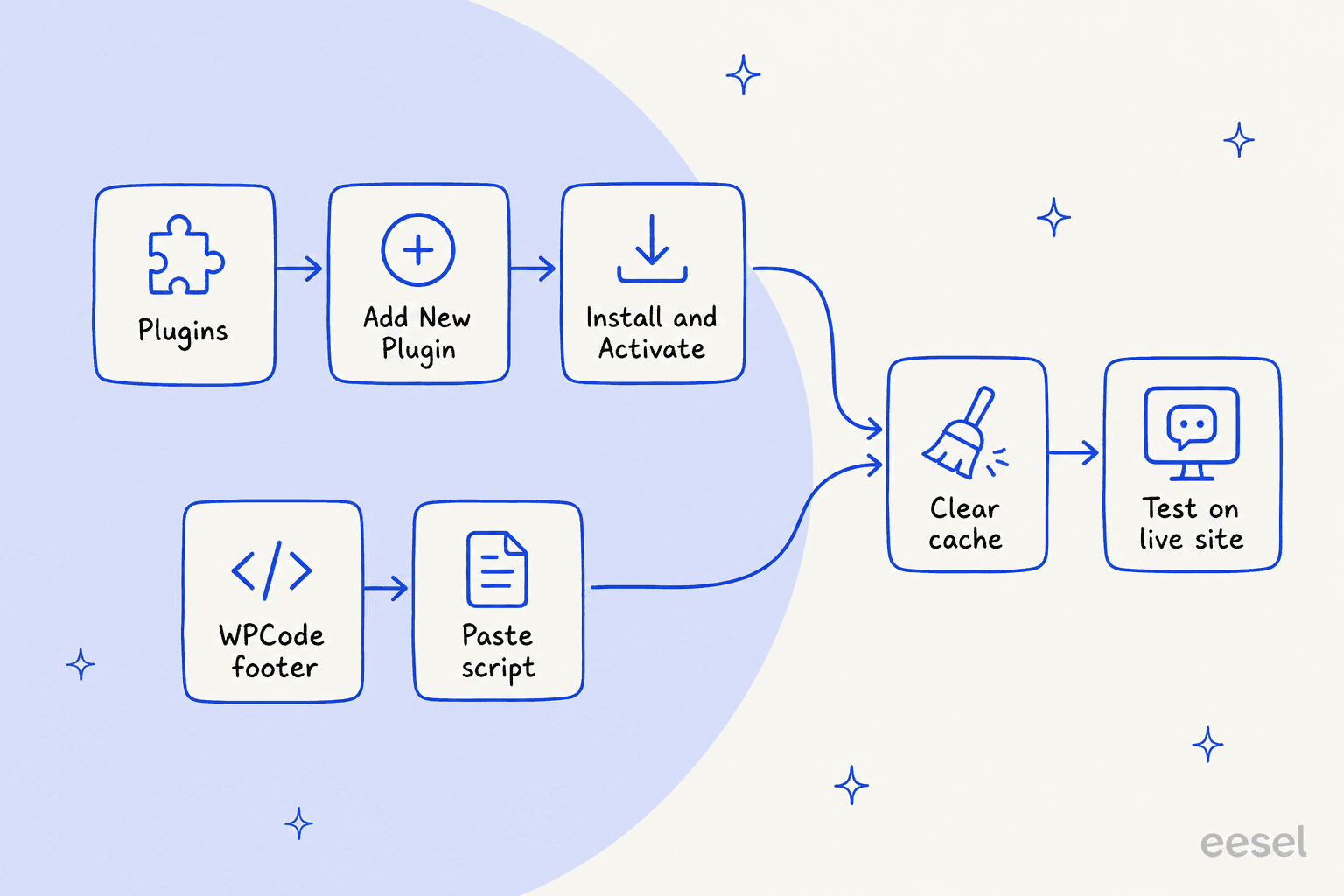
There are two routes, and which one you use depends on the tool. Whichever you choose, finish with the same two steps: clear your cache and test on the live site.
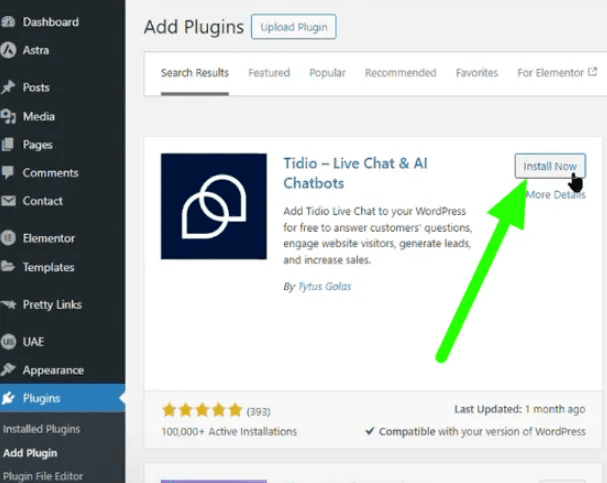
Route A: the vendor's plugin (Tidio, AI Engine, Chatbase, HubSpot, tawk.to, Crisp, WPBot, Elfsight):
- In WordPress admin, go to Plugins, Add New Plugin.
- Search for the vendor's plugin name.
- Click Install Now, then Activate.
- Connect your account: an Agent ID, a vendor login, or an API key, depending on the tool.
- Clear your cache and test on the live site.
Route B: paste a script (Botpress, eesel's bubble, or any vendor's embed):
- Copy the script from the vendor's dashboard.
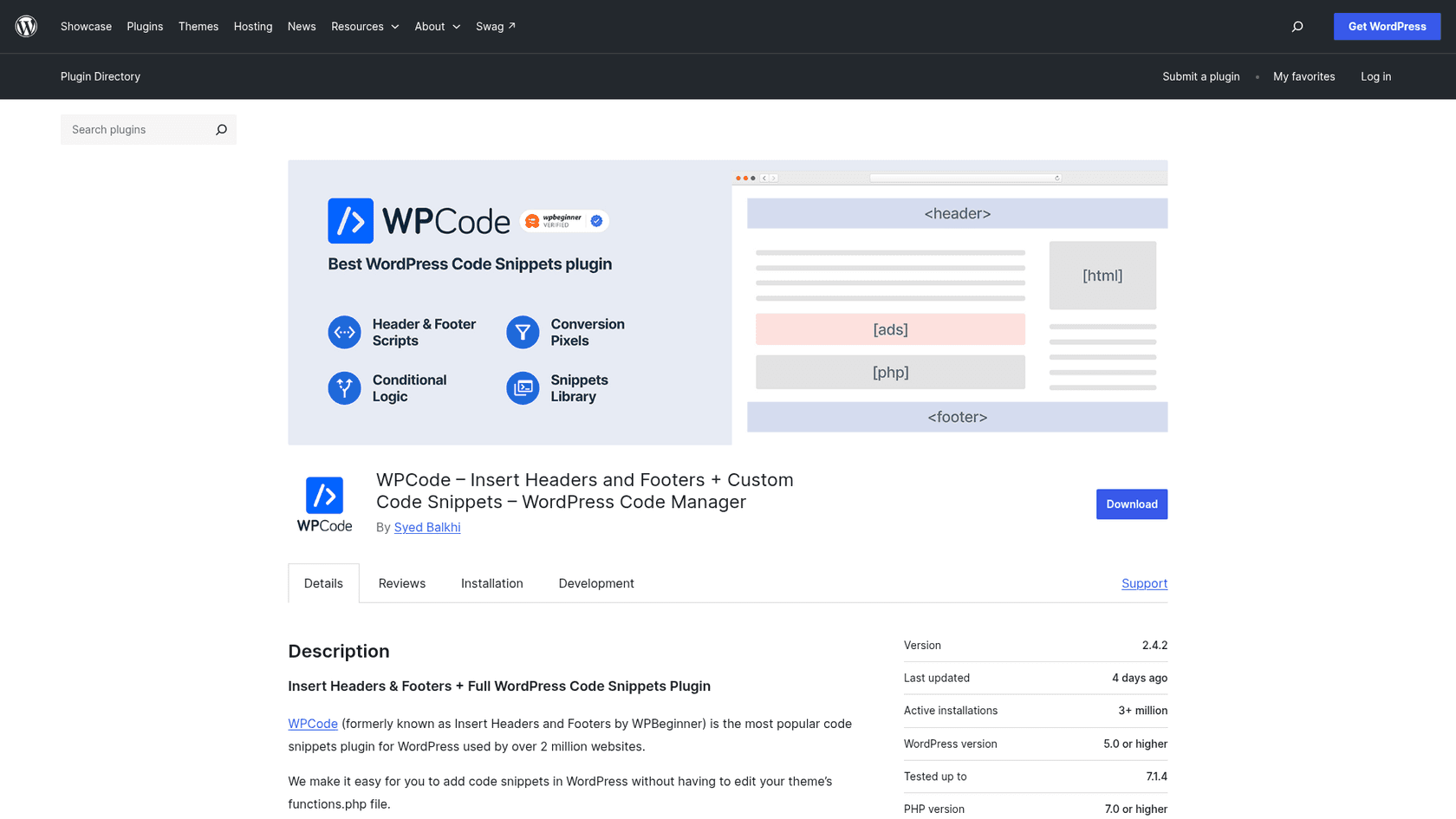
- Install WPCode, which has 3+ million active installs and is tested to WordPress 7.1.4.
- Open Code Snippets, Header & Footer and paste the script into Footer, then save. WPCode's changelog says it will "attempt to automatically clear page cache for popular caching plugins" when you change the global header and footer.
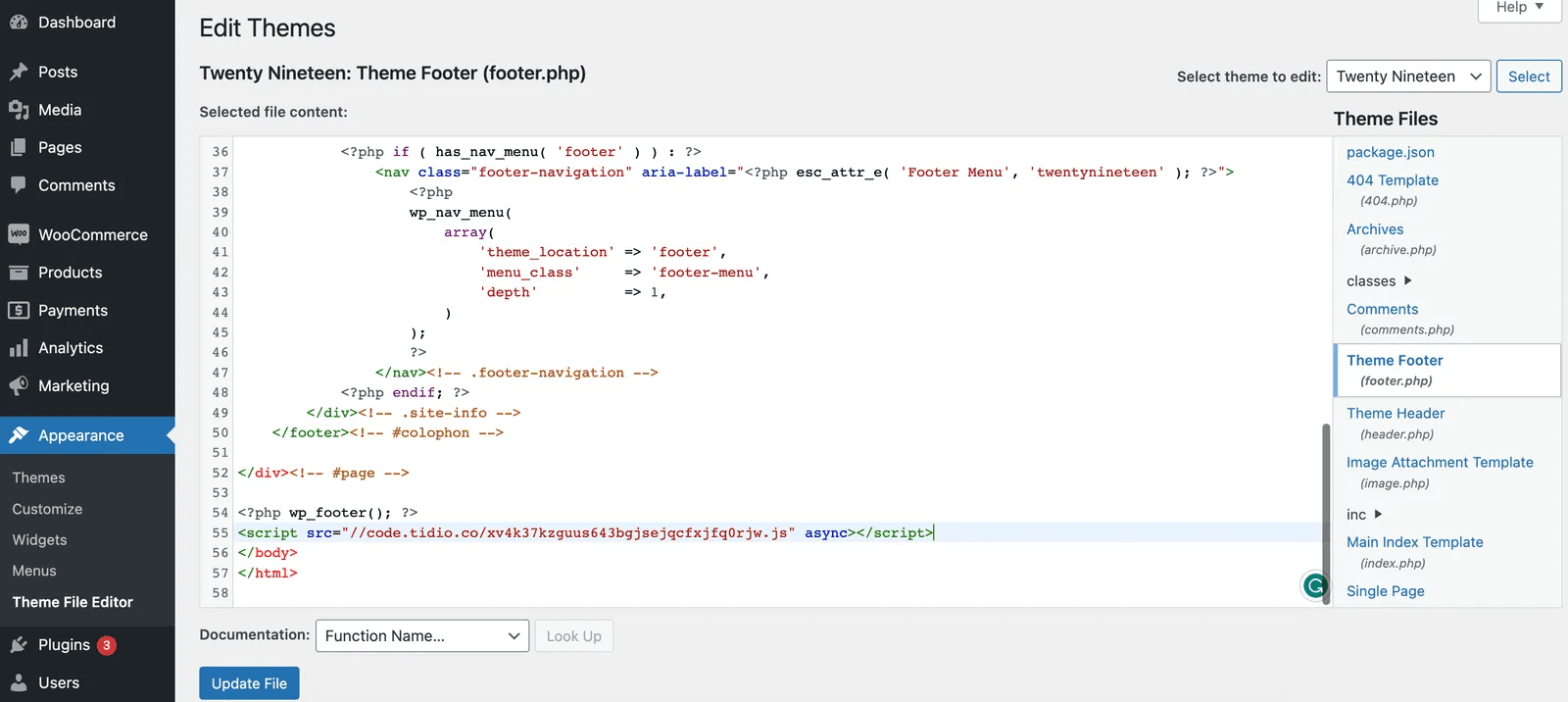
- Or, on a classic theme, open Appearance, Theme File Editor, choose Theme Footer (footer.php), paste the script above the closing
</body>tag and click Update file. - Clear your cache and test on the live site.
The gotchas that catch people:
- Install by one method only. Tidio's guide warns against using the plugin and the JavaScript code together. The same logic applies to any tool.
- Caching and optimization plugins. Chatbase says to exclude its inline script and
embed.min.jsfrom delay, defer, combine and minify settings. Tidio changed its footer priority for consent and caching plugin compatibility. Clear the cache after any change. - Leftover widgets. A Reddit thread titled "Two chatbots I thought I removed are still stuck on my site" is a fair reminder to deactivate and remove one bot's plugin before trying the next.
- Domain allow-lists. If the tool restricts which domains it runs on, as Chatbase can, add your staging host as well.
- WordPress.com. Plugins and custom JavaScript need a paid plan, per the section near the top. A free WordPress.com site can't run any of these.
Once it's live, the setup work moves to the bot itself: greetings, hours and when to hand off to a human. On another builder too? My roundups for Webflow and Wix run the same tests, and the WooCommerce support post covers the store side.
Try eesel on your WordPress site
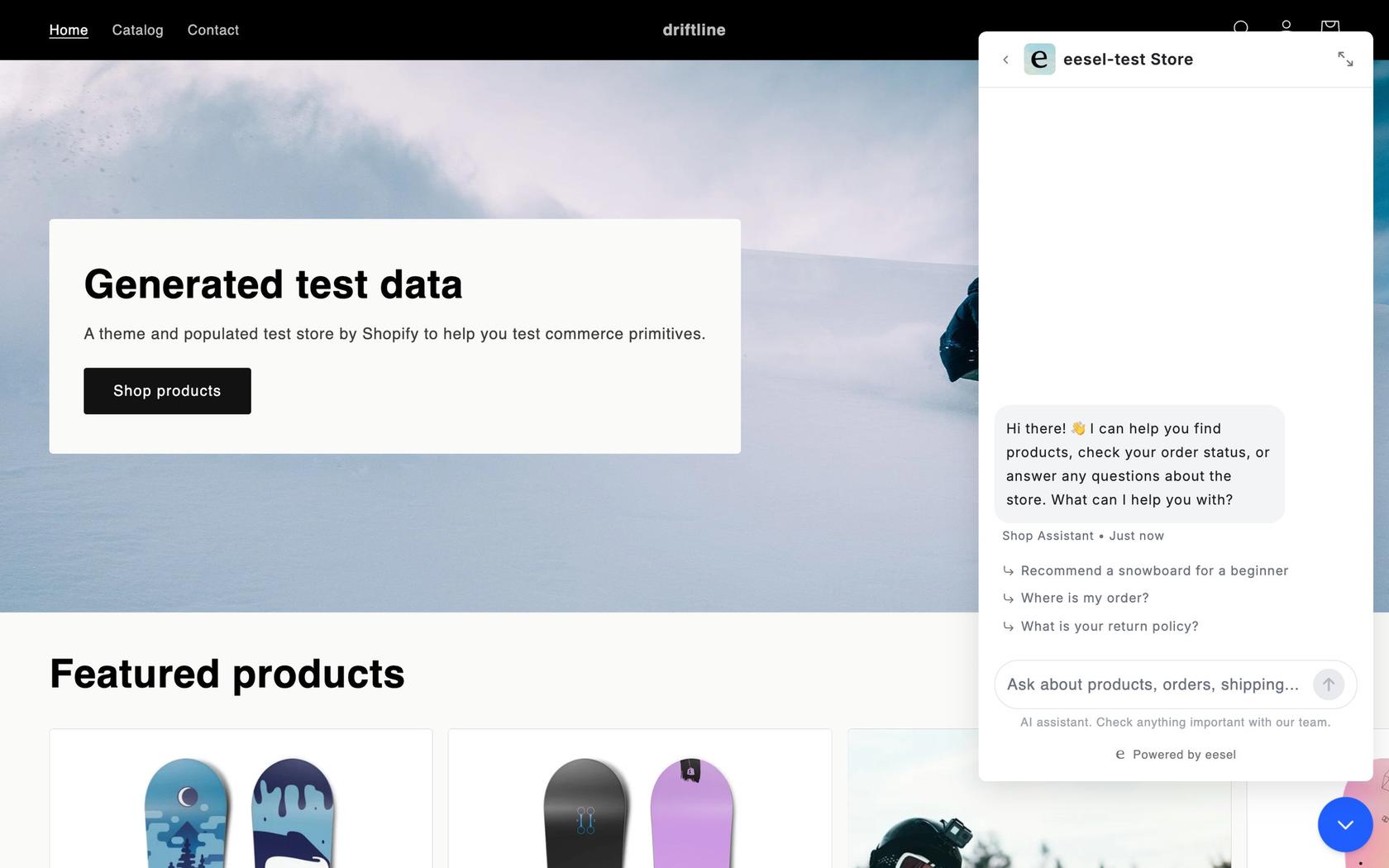
If your WordPress visitors ask questions whose answers sit in a help center, a Notion page or your helpdesk, eesel's chat bubble answers from all of it and turns anything it can't close into a helpdesk ticket or an email to you. It's one footer script through WPCode or your theme, the free plugin connects WooCommerce for order lookups, and it costs 1 credit per chat however long, with a free 7-day trial of 100 credits and Teammate plans from $299 for 500 credits on the pricing page.
Frequently Asked Questions
What is the best AI chatbot for WordPress?
It depends on where you want the AI to run. Tidio is the easiest pick if you want AI and live chat in one inbox, AI Engine suits owners who will pay OpenAI, Anthropic or Google directly, and HubSpot fits sites that feed a CRM. eesel fits when your answers live in docs or a helpdesk. My customer service chatbot roundup covers tools beyond WordPress.
Does WordPress have a built-in AI chatbot?
Not one that talks to your visitors. WordPress.com AI and Jetpack AI help the site owner write and build. A visitor-facing bot is always a plugin or a pasted script. My WordPress AI post covers the builder-side tools.
Is there a free AI chatbot plugin for WordPress?
Yes, with limits. The AI Engine and WPBot plugins are free, but you pay your own AI provider per token, and in AI Engine answering from your own content is a Pro feature. tawk.to has a free AI tier of 100 credits a month, and Elfsight gives 50 AI messages. See my website chatbot guide for what free plans leave out.
How do I add an AI chatbot to a WordPress site?
Either install the vendor's plugin (Plugins, Add New Plugin, Install Now, Activate, then connect your account) or paste its script into the footer with WPCode or your theme's footer.php. Then clear your cache and test on the live site. My guide to adding an AI agent covers other builders too.
Can I add a chatbot on WordPress.com?
Only on a paid plan. WordPress.com says installing plugins is available on Personal, Premium, Business and Commerce plans, and custom JavaScript needs a plugin-enabled plan with hosting features activated. Self-hosted WordPress.org has no such limit. My live chat setup guide covers the script route.
Can a WordPress chatbot answer WooCommerce order questions?
Few do out of the box. Crisp and Tidio show order history and carts to your team, and AI Engine Pro lets a developer wire functions to WooCommerce. eesel's free plugin connects a store so the agent can look up orders, with refunds held for your approval. See my WooCommerce chatbot post.
Can I use ChatGPT as a chatbot on WordPress?
Yes, through a plugin that takes your own API key, such as AI Engine or WPBot, which connect to OpenAI, Anthropic and Google models. Out of the box the bot only knows what the model knows, so point it at your own content first, as my ChatGPT website widget post explains.