


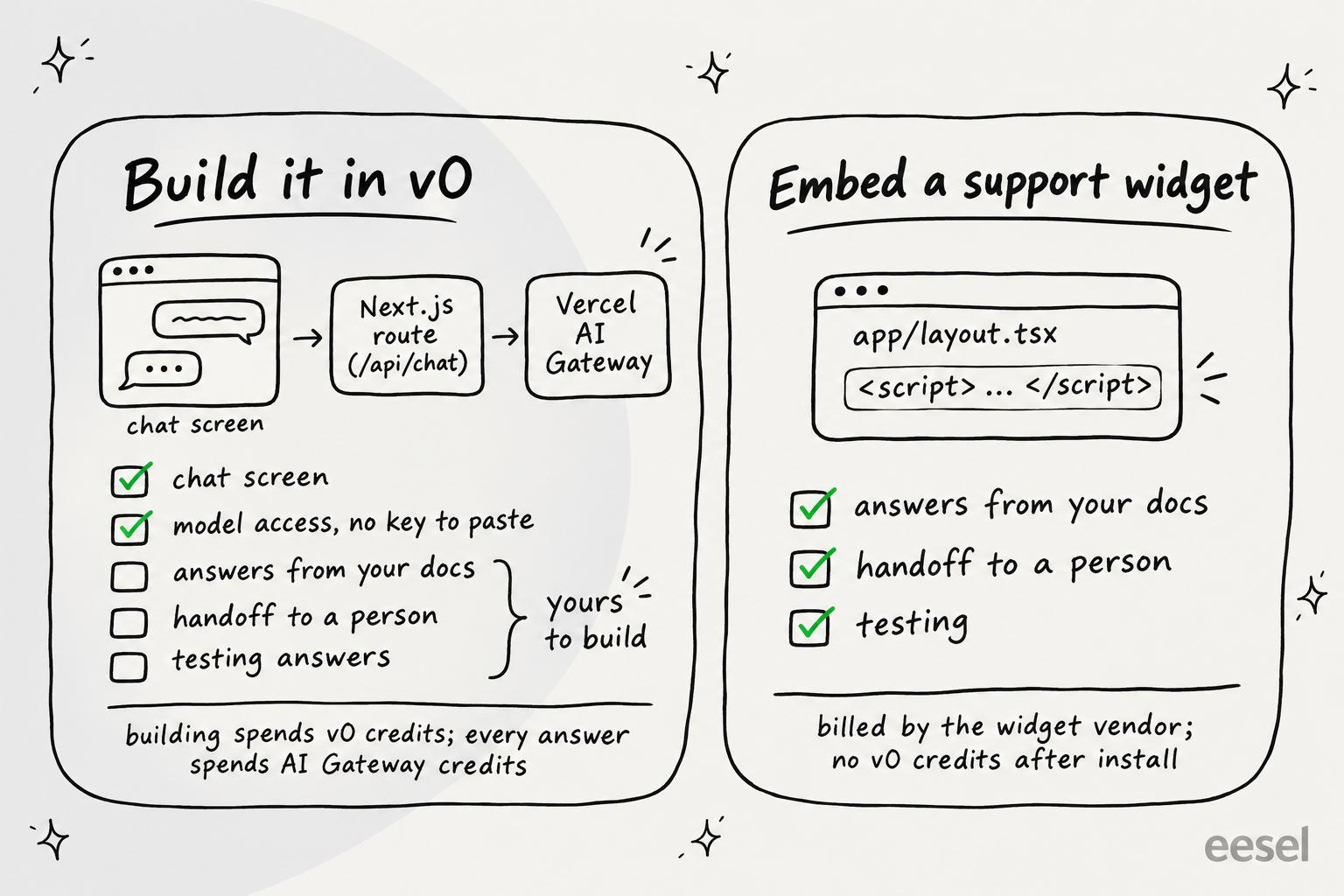
If you want a support bot on a v0 app, don't build one: ask v0 to load a hosted widget's script once in app/layout.tsx with next/script, then Publish, or Publish Changes if the site is already live. Build your own only when chat is a feature of your product. v0 makes that route easy, since it calls models through Vercel AI Gateway with no key to paste, but every answer then spends your team's AI Gateway credits, there's no spending cap until you set a budget, and the docs answers and handoff are yours to make. eesel's chat bubble is that one script: it answers from your site and help docs and hands the hard ones to you.
Build or embed: which AI chatbot does your v0 app need?
I'm Riell, and I work on eesel's support team. My days start where a chatbot's launch ends: the questions it couldn't answer, the visitor who wanted a person, the answer that went stale after a pricing change. v0 will give you a good-looking chat window from one prompt. Whether people trust it is decided by everything behind the window.
"AI chatbot for v0" covers two different jobs. One is an AI feature in your product, like an assistant that reads a signed-in user's own data. That is a build, and v0 is built for it: its FAQ says it has "best-in-class expertise in Next.js, React, Tailwind CSS, shadcn/ui, and the AI SDK." The other is a support bot that answers visitors from your docs and passes what it can't answer to you.
If a coding agent does your building, it can take the widget route too: the eesel CLI creates the chat bubble and prints its snippet from a terminal, and connecting a helpdesk for handoff still needs an admin to approve it.
How do you build an AI chatbot in v0?
You describe it, and v0 writes the chat screen and the server code that calls a model. v0's AI models docs say that by default it "uses the Vercel AI Gateway to connect to various AI models," and that "no additional setup is required." Its FAQ adds that v0 "uses AI SDK version 6 by default" and follows its patterns "for chat, streaming, tool calling, and structured data generation."
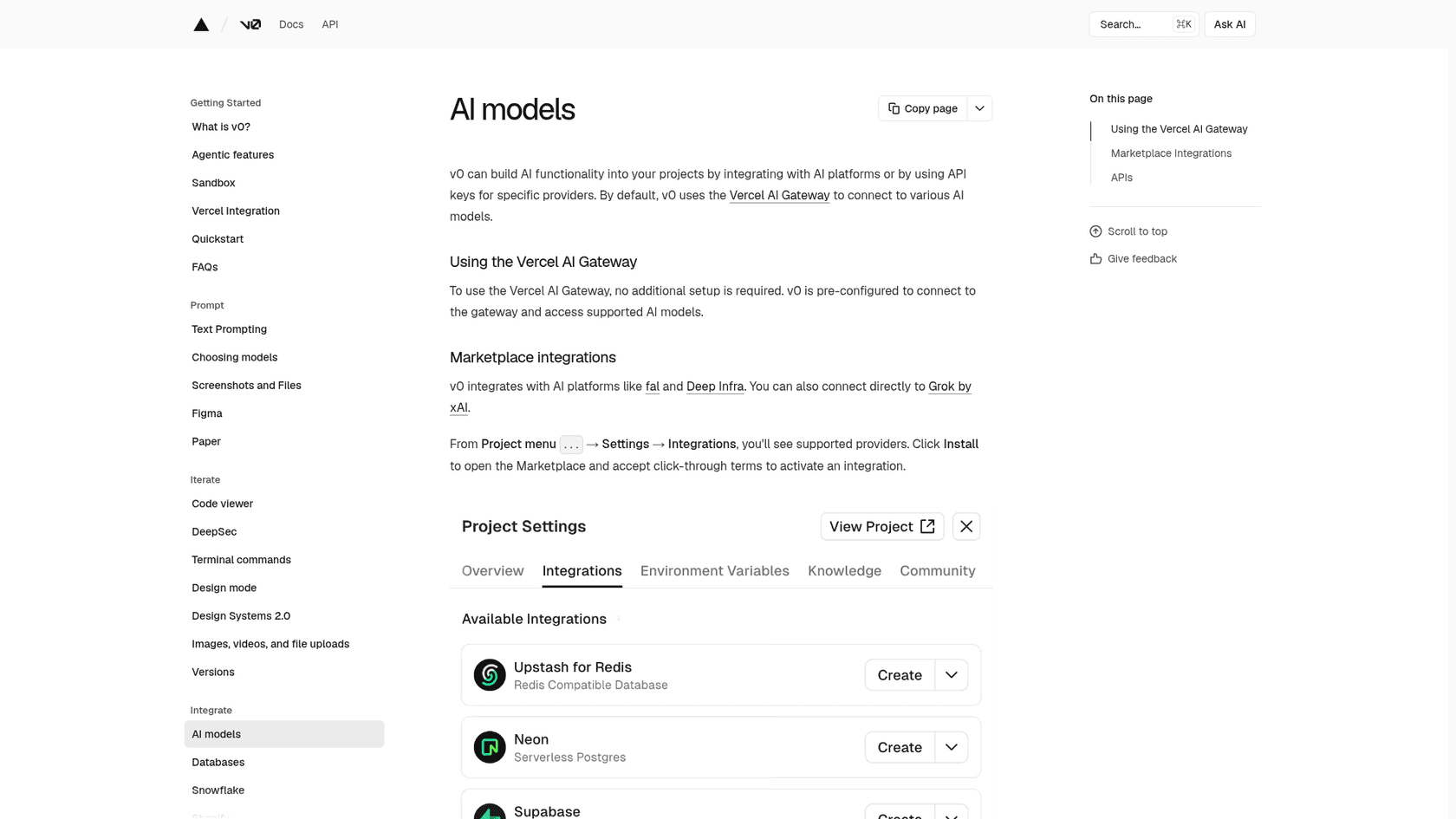
That is the big difference from builders like Bolt, where you bring the model key yourself. On v0 nothing stops you at a missing-key screen. That's convenient, and it also means it's easy to ship a chatbot without ever deciding what it may spend.
Three things to know before you build:
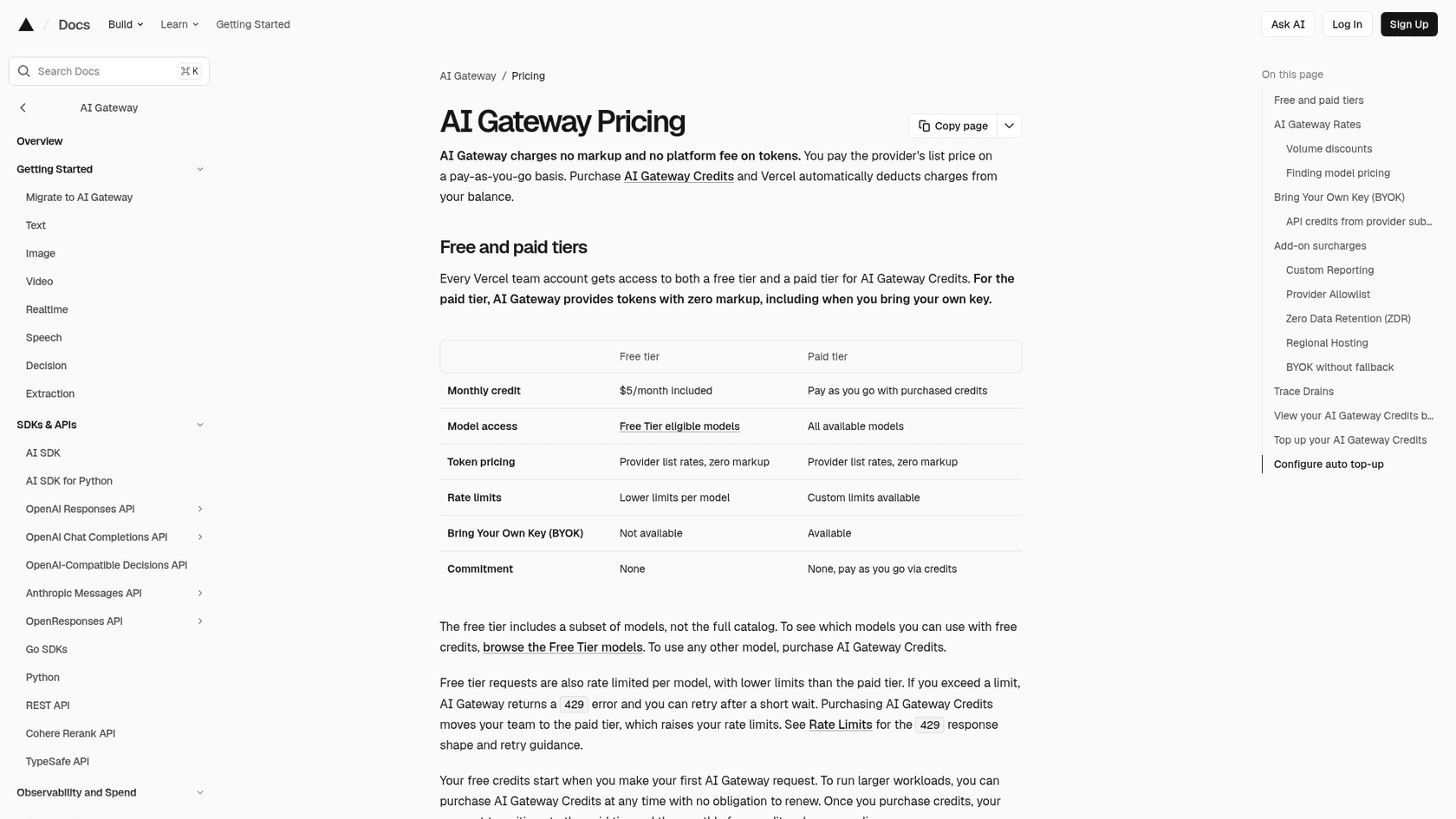
- You pay twice, on two meters. v0 spends credits while it writes and fixes the code, and its pricing docs say chat history and source files count as input, so a bigger project costs more per prompt. Once the bot is live, every answer is charged to your Vercel team's AI Gateway credits. Vercel's AI Gateway pricing says it "charges no markup and no platform fee on tokens. You pay the provider's list price on a pay-as-you-go basis."
- The free AI allowance is small and changes when you pay. Every Vercel team gets $5 a month of AI Gateway credit, limited to Free Tier models and lower rate limits; past a limit, the gateway "returns a
429error," which a visitor sees as a chatbot that stops answering. Once you buy credits, "the monthly free credit no longer applies." And Vercel's budgets page says a team or project "without one has unlimited spend." - Docs answers, handoff and testing are yours. A model call answers from what the model already knows. Answering from your help center means building retrieval and keeping the content current, which my explainer on RAG for customer service walks through. Who gets the chat the bot shouldn't answer, and with what context, is logic you design too; my piece on human handoff in chat lists what the person picking it up needs.
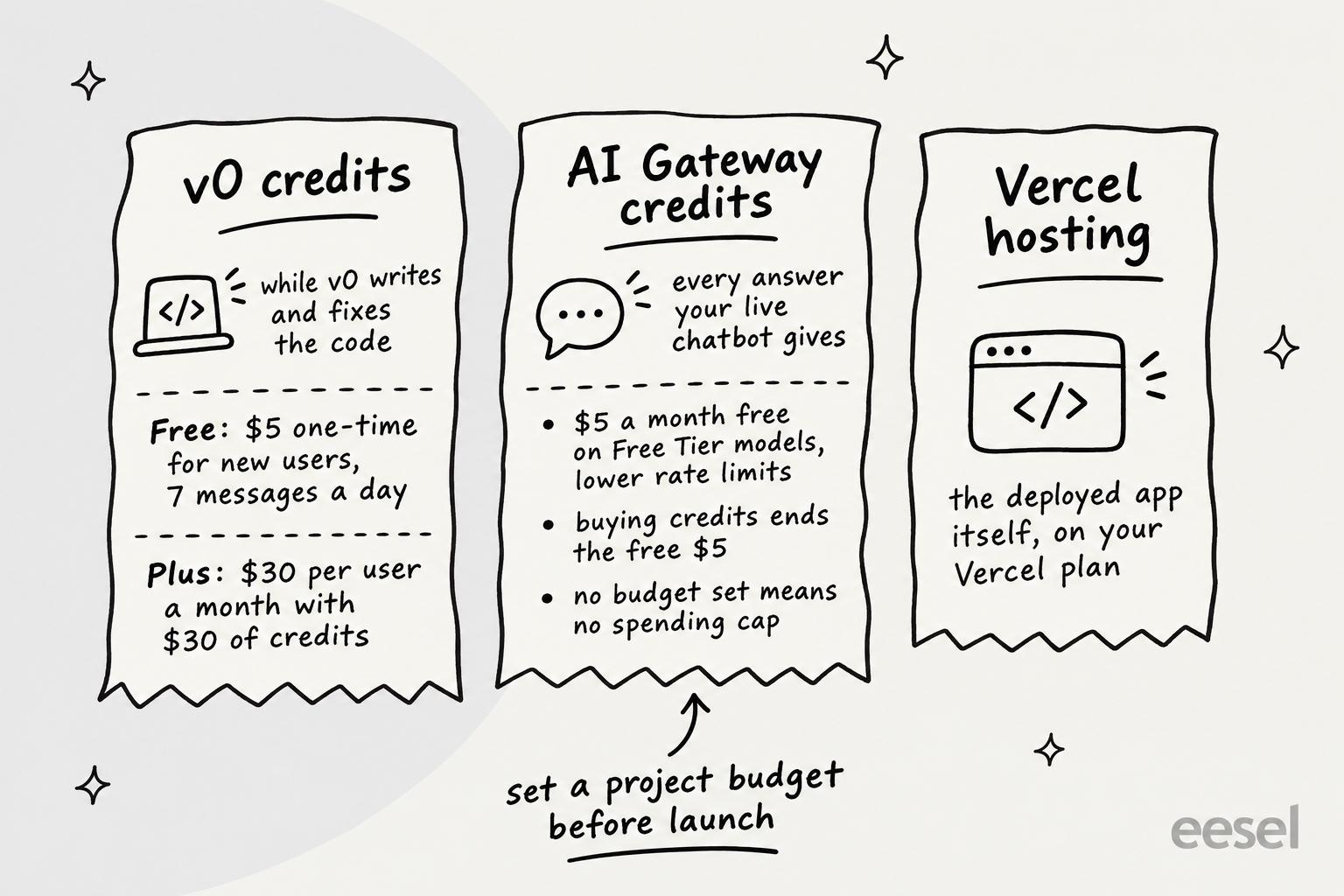
If you prefer a provider you already pay, v0's docs say you can use OpenAI or Anthropic "by prompting v0 and adding your API keys in Vars," or under Project menu → Settings → Environment Variables. Either way, set a limit before launch: an AI Gateway budget on the project, or a usage limit with your provider.
How do you add a chatbot widget to a v0 app?
You ask v0 to load the vendor's script once in the root layout, then publish. Tidio's v0 guide, updated 20 November 2026, is the most complete v0 install guide I found from any chat vendor, and it explains why the layout is the place: "v0 defaults to Next.js, so this guide uses a Next.js root layout rather than adding the script to individual pages."
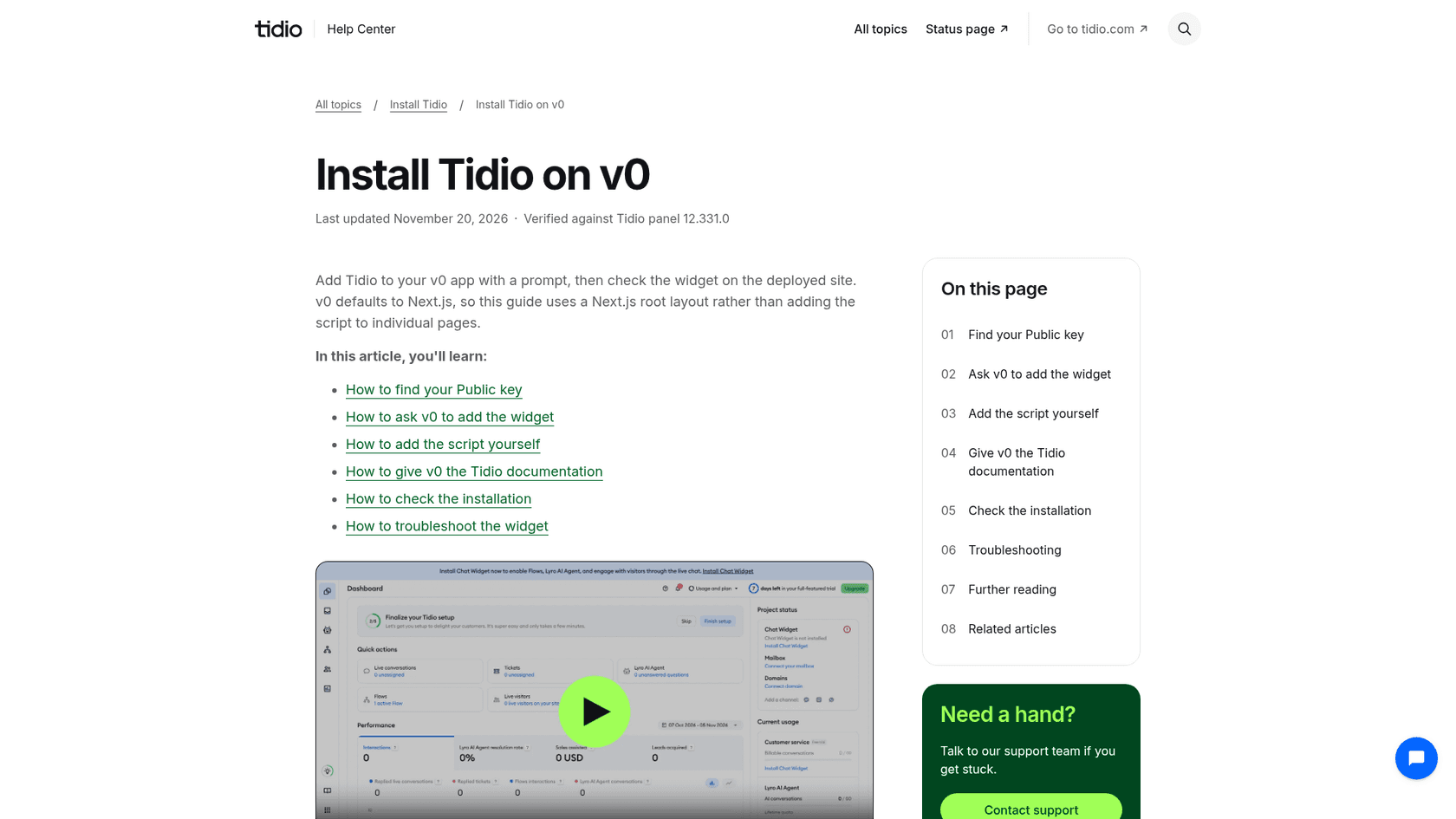
Its rule works for any vendor's script: put it "in the root layout app/layout.tsx with next/script, so it loads once and stays loaded during client-side navigation. Do not add it to single pages or to a component that mounts more than once." For a chat widget I'd also ask for strategy="lazyOnload", the option the Next.js docs use chat support plugins to illustrate; my Next.js chatbot guide explains the four strategies. Here's the prompt I'd paste, with your vendor's snippet under it:
Add this chat widget script once in the root layout, app/layout.tsx,
using next/script with strategy="lazyOnload". Make sure the script
actually executes (not inserted as an HTML string) and loads only in
the browser. Do not add it to any page or component, keep one copy only,
and do not install an npm package for it. Change nothing else, then
tell me which file you edited.
If you'd rather save credits, especially on the Free plan's 7 messages a day, add it yourself. v0's code viewer docs say you can edit any text file in the Code tab and use Save in the Unsaved Changes bar to keep it; manual editing pauses while the agent is working.
Then make it stick. v0 has no project-level file of standing rules; its Instructions are saved "to your account" and apply only while they're checked in the prompt bar's + menu. Tidio suggests saving one anyway, and I'd do the same: something like "Keep one chat widget script in app/layout.tsx. Do not move it into a page or component." Check it whenever you work on this app.
The things that go wrong, in the order I'd check them:
- You tested the preview, or production is behind. v0's deployment docs say working branches get preview deployments that "do not change the project's production URL." After a change, open Publish and select Publish Changes. On a GitHub-backed project, that "creates or reuses a pull request, merges it into the chat's base branch," and branch protection still applies.
- The id is missing in one environment. Widgets that read their id from a
NEXT_PUBLIC_variable show nothing where it's unset, and v0's Vercel integration docs say "the v0 preview window can only access variables from the Development environment." Set the variable for Development as well as Production. - The script never ran. If v0 pastes the vendor's HTML into a component as a string, the container can appear while the script tag never executes.
next/scriptin the layout avoids that. - Two widgets. The script landed in a page that mounts on its own, or you added it by hand after v0 already had. Ask v0 to find every copy and keep the one in
app/layout.tsx. - A Content Security Policy blocks it. Allow the vendor's script host. For eesel that is
https://cdn.eesel.aifor scripts and connections; for Tidio,code.tidio.coplus the hosts on its CSP host list. - You checked in an automated browser. Tidio's guide warns that "headless and automated browsers may not show the widget," so open the live site in a normal browser window.
The options at a glance
I've limited this to the two routes above: building in v0 on AI Gateway, and hosted widgets that go in as one script. v0's and Vercel's prices are from their pricing pages on 24 Nov 2026; the widgets' are from their pricing pages on 23 Nov 2026.
| Option | How it goes in | Answers from your docs | Handoff to a person | Entry price |
|---|---|---|---|---|
| Build in v0 | Chat screen plus AI SDK server code, models through AI Gateway | You build it | You build it | v0 Plus $30/user/mo with $30 of credits, plus AI Gateway usage at provider list price ($5/mo free on Free Tier models) |
| eesel chat bubble | One next/script tag in app/layout.tsx | Yes: site, help center, Drive, Notion, helpdesk and more | Helpdesk ticket, email, or Zendesk Messenger or Freshchat | 7-day trial with 100 credits, then $299/mo for 500 |
| Tidio | One script, v0 guide from Tidio | Yes (Lyro) | Live chat in Tidio's inbox | Starter $33/mo billed yearly, 50 conversations |
| Chatbase | One script | Yes | Chatbase's helpdesk inbox | $150/mo, or $120/mo billed yearly |
| Crisp | One script | Yes, on paid plans | Crisp's own inbox | Mini $45/mo with $5 of AI credits |
Read the units before comparing prices. eesel counts a chat as 1 credit however many messages go back and forth, Tidio counts conversations handled by Lyro and your team together, Chatbase counts message credits, Crisp counts AI credits by usage, and a chatbot you build is billed per token through AI Gateway on top of the v0 credits spent building it. My chatbot cost guide works through what each unit means at real volumes.
Build it in v0
Best for: an AI feature inside your product. Nothing else here sits as close to your own data and UI, and with AI Gateway you can switch models without new keys. The cost is that everything a support bot needs beyond the window (retrieval, handoff, testing, keeping answers current) is yours too, and you watch two meters: v0 credits to build it and AI Gateway credits to run it.
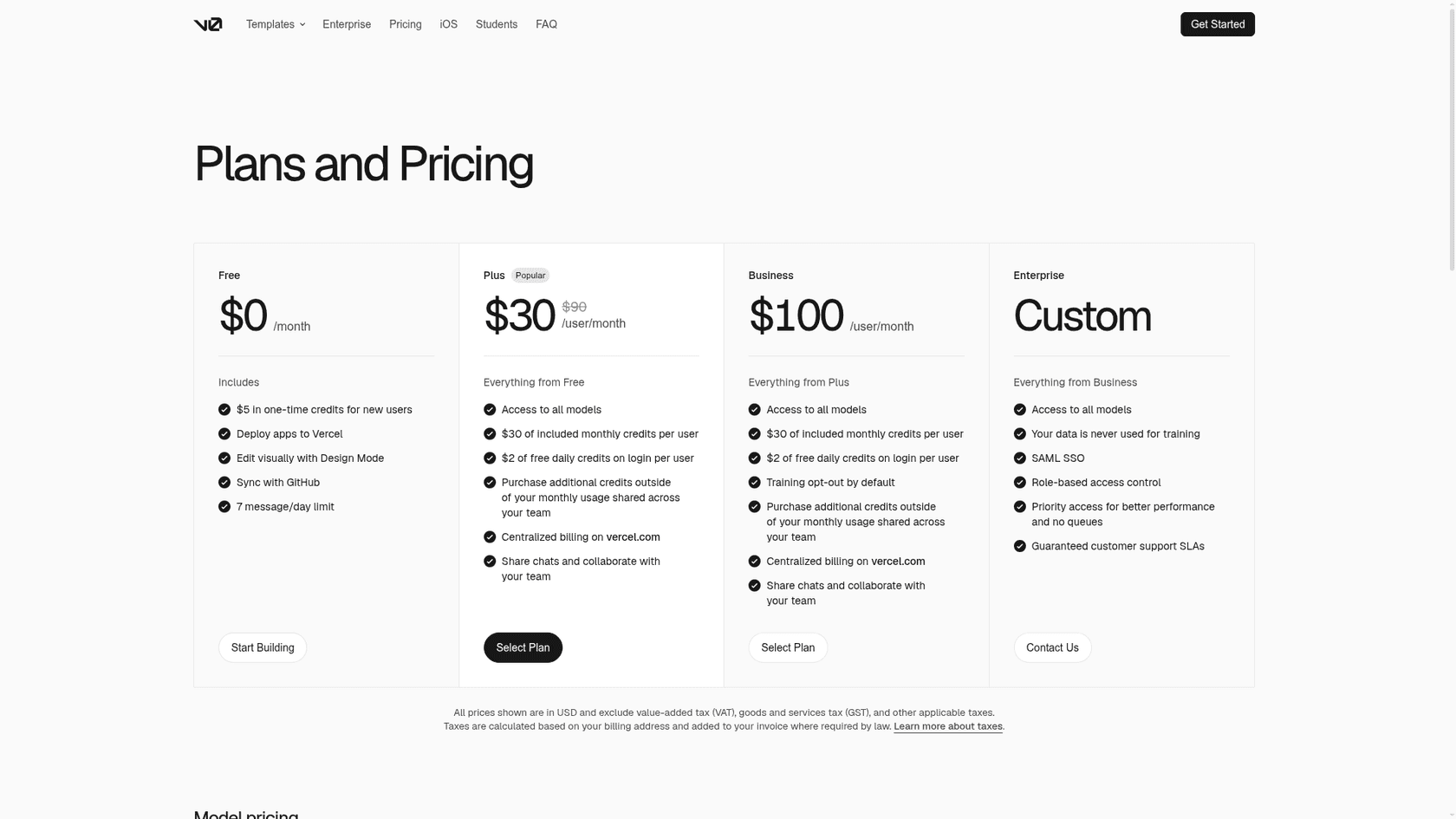
My take: build it when the chatbot is the product. Before launch, set an AI Gateway budget on the project. Without one, a busy day or a bot hammering your chat endpoint has no ceiling.
eesel chat bubble
Best for: a support bot that answers from what you already wrote and hands off to you. The chat bubble is one async script from cdn.eesel.ai, and eesel's chat bubble docs give the exact App Router version: a next/script tag with lazyOnload in app/layout.tsx, with the trigger id in NEXT_PUBLIC_EESEL_TRIGGER_ID. It answers from your website, help center and whatever else you connect (Google Drive, Notion, your helpdesk), and passes what it shouldn't answer to you as a helpdesk ticket or an email.
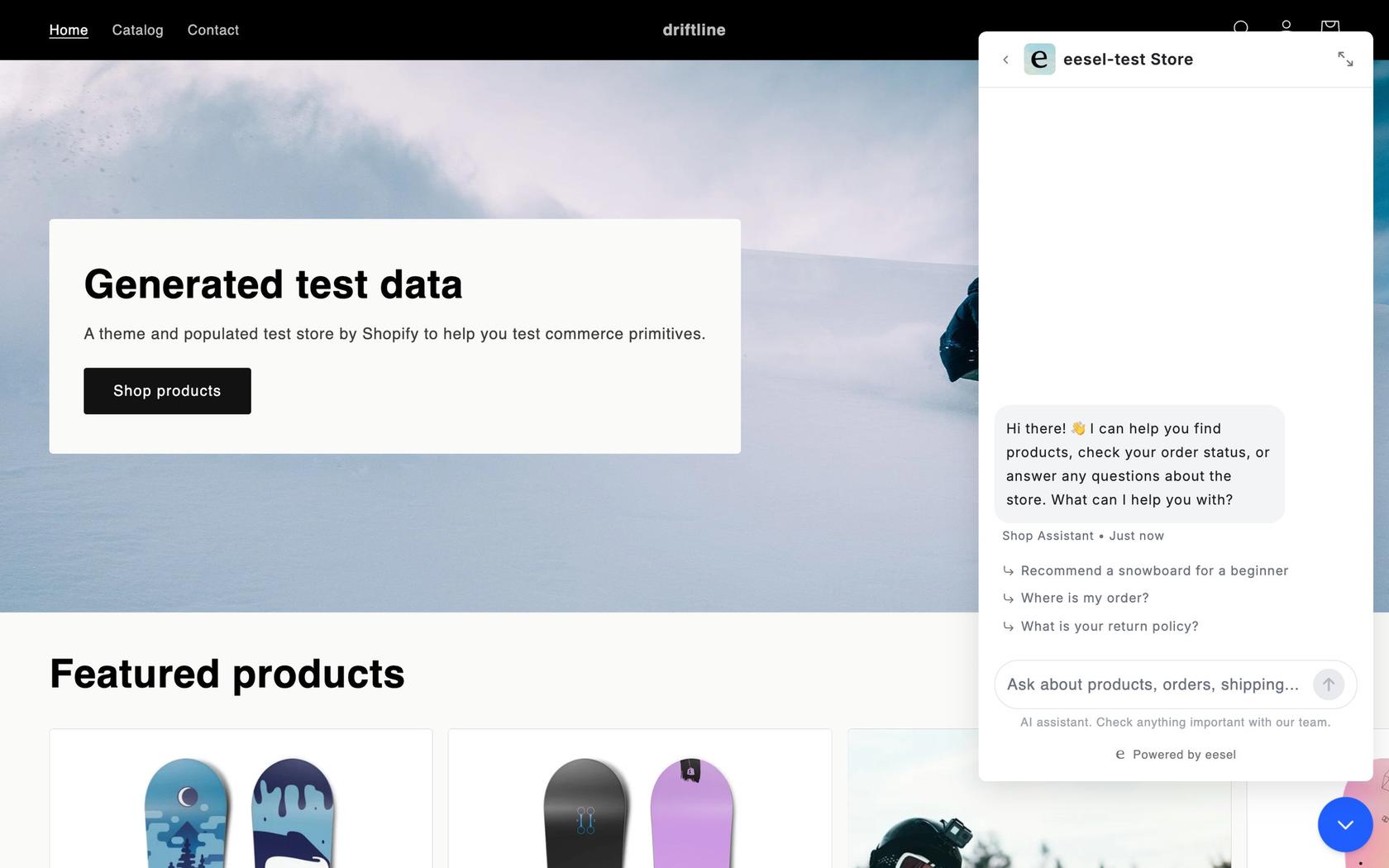
Two things suit a v0 builder. You say where the bubble shows in plain words in its instructions ("Show the chat bubble only on /help/* and product pages."), so there's nothing to code per page and no v0 credits spent changing it. And you can set it up from a coding agent: npx @eesel/cli init chat-bubble --site https://your-app.vercel.app creates the bubble and prints the snippet, per the eesel CLI docs.
My take: the right pick when the job is support and you want it tested and answering this week. Skip it for a bot that answers account-specific questions from the browser alone: the bubble treats a visitor's name or email passed from your page as unverified unless your site signs it, and signed visitors are set up by asking eesel. There's no always-free tier: the free plan is a 7-day trial.
Tidio
Best for: a small team that wants live chat and an AI agent in one inbox, with a v0 install guide that goes as far as a documentation MCP server you can connect in v0 so it reads Tidio's help center before editing. Lyro answers from your knowledge base, and your team picks up in the same place. The Tidio pricing page puts Starter at $33 a month billed yearly for 50 conversations.
My take: easy to install and easy to outgrow. Lyro's conversations and your team's count toward the same plan limit, so check the next tier's price before a busy month. My Tidio alternatives list covers the step up.
Chatbase
Best for: a bot trained on your own content, embedded by script, with its own helpdesk inbox for the chats it hands off. Chatbase pricing starts at $150 a month ($120 billed yearly) for 4,000 message credits, and removing "Powered by Chatbase" is another $99 a month.
My take: the entry price is high for a side project, and branding removal is an add-on. There's no v0-specific guide, so use the prompt above. More in my Chatbase pricing breakdown.
Crisp
Best for: free live chat now, with AI when you pay. Crisp's free plan has no AI; Crisp pricing puts Mini at $45 a month with $5 of AI credits, which Crisp estimates at around 90 automated conversations, and Essentials at $95 with $25 (around 450).
My take: flat per-workspace pricing is easy to plan around, but the AI allowance on Mini is small. See my Crisp pricing notes.
Which chatbot route fits your v0 app?
Pick the job your chatbot has and see where it lands.
Pick the job your chatbot has to do to see which route fits and why.
How do you add an AI support chatbot to v0, step by step?
- Get the snippet. Create the bot with your vendor, connect your docs or help center, and copy the embed code. With eesel,
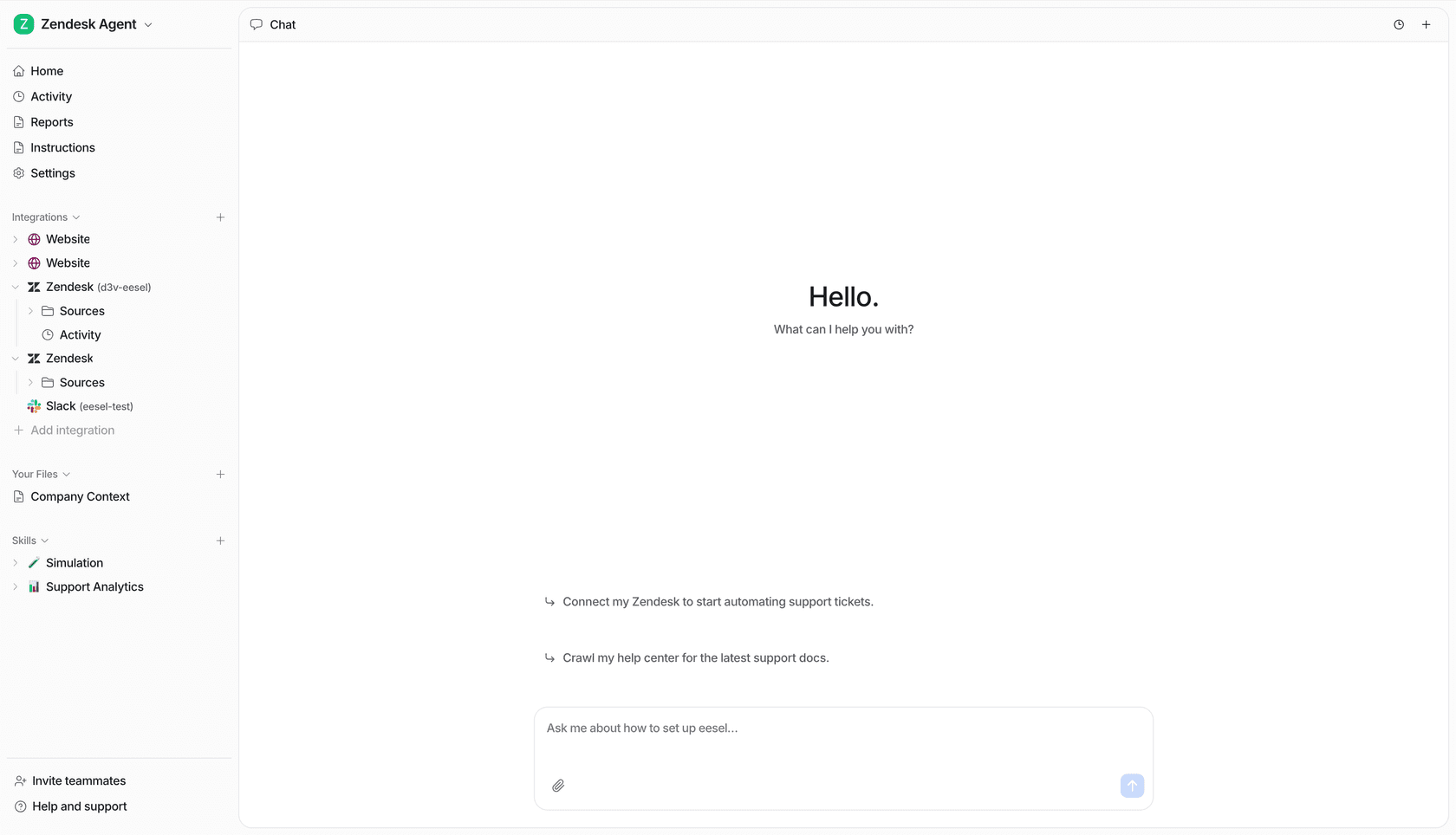
npx @eesel/cli init chat-bubble --site https://your-app.vercel.appcreates the bubble and prints the snippet, or copy it from the Chat Bubble settings in the dashboard. - Ask v0 to add it to the root layout, with the prompt above and your snippet, or paste it into
app/layout.tsxyourself in the Code tab and Save. Check the file: one copy, in the layout, not in a page. - Set any
NEXT_PUBLIC_variable for Development and Production under Project menu → Settings → Environment Variables, so the preview and the live site both show it. - Save an Instruction saying where the script lives and that there is one copy, and check it when you work on this app.
- Allow it in your Content Security Policy, if your app sets one.
- Publish, or Publish Changes if the site is already live, then test the production URL as a visitor in a normal browser. Ask the three questions your customers ask most, then one it shouldn't answer, and check where that one goes. My guide to chatbot escalation covers the handoff rules worth writing down.
Common mistakes
- Launching a built chatbot with no budget. AI Gateway has no spending cap until you set one. Add a project budget before the URL goes public.
- Putting a model key where users can see it. A key in a front-end file or the chat prompt is public. Keys go in Environment Variables or Vars, read by server code.
- Launching without a test set. Before visitors see it, check the bot's answers against real questions. My notes on preventing hallucinations cover what to test.
- Forgetting your other builders. If part of your product lives elsewhere, the same one-script approach works on Lovable, Replit and Bolt.
Try eesel on your v0 app
If your v0 app needs a support bot rather than a chat feature, Try eesel. You decide what it may do for an anonymous visitor versus your own team, and anything set to ask first waits for a yes. The chat bubble is one next/script tag in your app/layout.tsx, it answers visitors from your site, help center and the docs you connect, and it hands the questions it shouldn't answer to you as a helpdesk ticket or an email, with no AI Gateway meter to watch and no v0 credits spent after the install. A chat is 1 credit however many messages go back and forth, the free plan is 100 credits for 7 days, and plans start at $299 a month for 500 credits.
Frequently Asked Questions
Can v0 build an AI chatbot?
Yes. v0 builds AI features with the AI SDK and connects them to models through Vercel AI Gateway, which its docs say needs no additional setup. You don't paste a model key, but every answer is charged to your team's AI Gateway credits. Answering from your help docs and handing a chat to a person are parts you still design. My guide to an AI chatbot for your website covers what those parts involve.
How do I add a chat widget to my v0 app?
Ask v0 to load the vendor's script once in the root layout, app/layout.tsx, with next/script, and to tell you which file it edited. Then use Publish, or Publish Changes for a site that is already live, and test the production URL rather than the v0 preview. My notes on AI chat bubbles show what a working widget looks like.
Why does my chatbot work in the v0 preview but not on the live site?
Usually because production hasn't been updated: the live URL only changes when you open Publish and select Publish Changes. The reverse also happens. v0's preview can only read environment variables from the Development environment, so a widget id or key saved only for Production shows nothing in the preview. My guide to chatbot escalation covers what to test once it answers.
How much does an AI chatbot on v0 cost?
Two bills if you build it: v0 credits while v0 writes the code (Plus is $30 per user a month with $30 of credits), and AI Gateway credits for every answer once it is live, at the model provider's list price. Every Vercel team gets $5 a month of AI Gateway credit on Free Tier models. A hosted widget bills on its own: eesel is $299 a month for 500 credits at 1 credit a chat. My chatbot cost breakdown compares the units.
Can I add an AI chatbot on v0's free plan?
Yes. A hosted widget is one script, so it works on any plan. v0's Free plan gives new users $5 of credits once and a limit of 7 messages a day, so a one-line change by hand in the Code tab is a good use of it. A chatbot you build also gets $5 a month of AI Gateway credit, limited to Free Tier models and lower rate limits. My list of free AI chatbots has more options.
Do I need an OpenAI API key for a v0 chatbot?
No. By default v0 routes model calls through Vercel AI Gateway, which uses your Vercel account. You can still use OpenAI or Anthropic directly: v0's docs say to add the key under Project menu, Settings, Environment Variables, or in Vars. Never paste a key into the chat prompt or a front-end file. My piece on preventing hallucinations covers what to test before launch.
Should I build a chatbot in v0 or use a support widget?
Build it when chat is a feature of your product, such as an assistant over the user's own data. Use a support widget when the job is answering visitors from your docs and passing hard questions to a person, because retrieval, handoff and testing come with it and it spends no v0 or AI Gateway credits. My roundup of AI chatbots for customer service compares the widgets.