


AI for nonprofit support works best as a sorter, not a stand-in for your team: let it answer the receipt, volunteer and event questions from your own pages and donor portal, draft recurring gift changes and cancellations for a person to send, and keep program eligibility, complaints and donors in distress with staff.
The part most advice skips is the record. Your donation platform or CRM owns the gift, the receipt and the recurring plan, and the helpdesk AI should read it, never edit it. Bloomerang, Givebutter and Donorbox already let donors download receipts and change or cancel recurring gifts in a portal, so the fastest win is often a reply with the right link, not a new automation.
I work the support queue at eesel every day, and the AI teammate I'd put on a supporter inbox works inside the helpdesk you already run. XAP uses it to draft referrals for questions another body decides, and Original Bootcamp sends anything about a booking or a payment to a person. That's the shape a nonprofit inbox needs.
Why is a nonprofit inbox full of the same five questions?
A mid-size nonprofit's supporter inbox fills up with five kinds of email: receipt requests, recurring gift changes, volunteer questions, event registration problems, and "do I qualify?" None of them is hard on its own. The pile is the problem, because the same two or three people answer all of them between grant reports and event prep.
Receipts are the clearest example. The tax letter went out, and people still write in, especially when the calendar flips:
"We send a letter immediately after the donation with the tax info at the bottom, so it should suffice, but we get so many immediate requests from folks on January 1 wondering where their tax receipt is that we also send a January tax receipt listing all the donations for the year."

Volunteers are the second pile, and the one where tools alone don't fix it. A coordinator running 200 active volunteers put it this way:
"I have volunteers who will over the phone straight up tell me they wont even click links! How do you tow the line of requiring a system be used and losing volunteers because of it? Alot of our older volunteers are also donors who have a sense of ownership."
That last line matters for anything you automate. The person asking about a Saturday shift may also be a monthly donor, so a cold, wrong, or obviously robotic answer costs more than one email. It's the same reason a seasonal spike around year-end giving hurts more here than in a store: the people writing in are your supporters, not just customers.
What should AI answer, draft, or hand to a person?
The split I'd use has three lanes. AI answers when the reply comes from a published page or a portal link. AI drafts when the reply depends on the donor record. A person handles anything that decides something about someone.
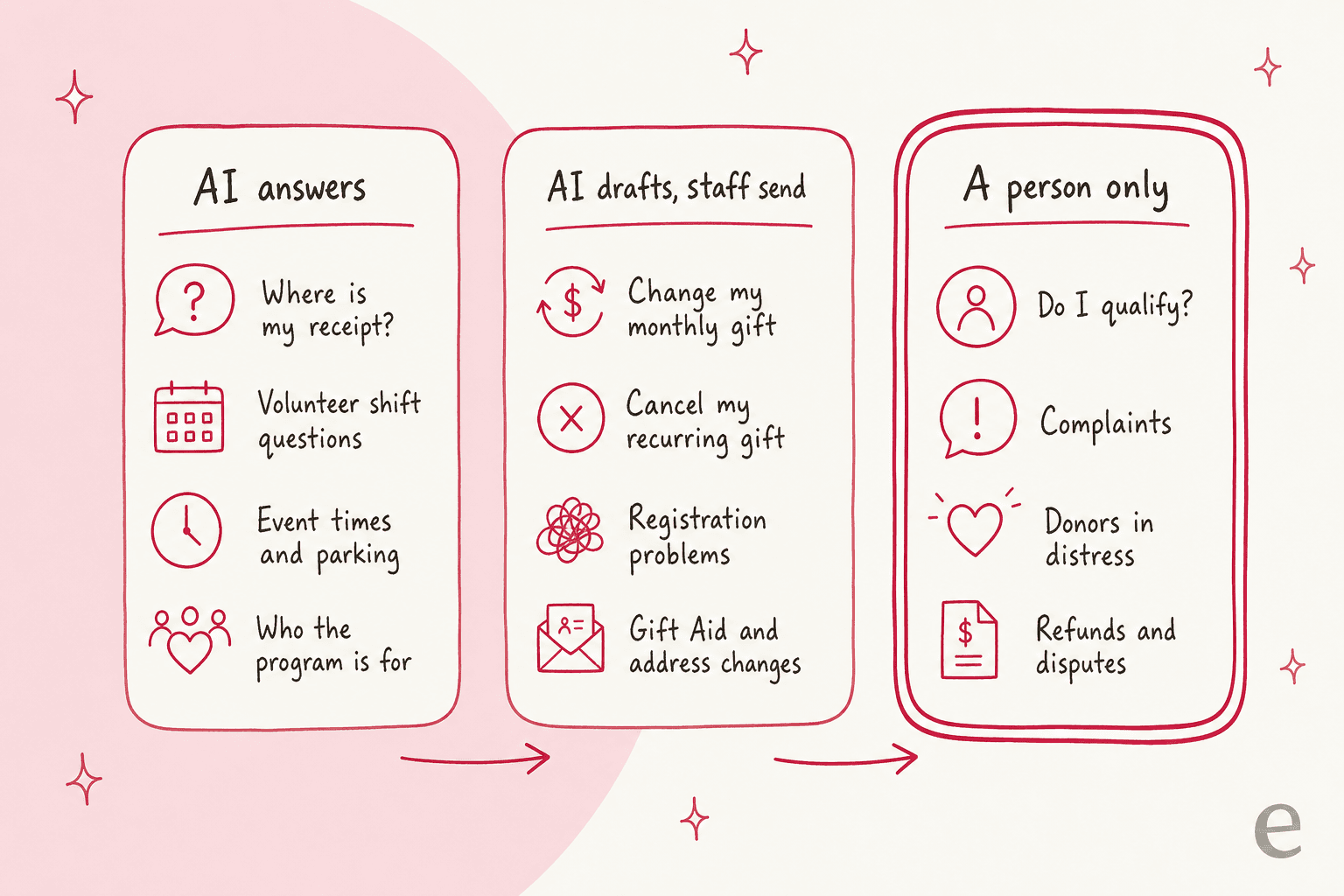
Pick a request below to see which lane it belongs in and what the AI should read before it replies.
Two rules make the split hold up in practice. First, the AI answers only from sources you'd be happy to quote: your FAQ, your volunteer page, your donor portal help, and the help center you already maintain. Second, anything outside those sources becomes a draft or a handoff, never a guess.
That second rule comes from experience. I've seen it happen on a paying eesel customer's queue: the knowledge base had nothing on a question, and the bot made up subscription terms and sent them to real customers. That's why I'd treat every money question as "read the record or hand over", and why preventing hallucinations starts with what you let the AI answer at all.
Who owns the donor record: the helpdesk or the donation platform?
The donation platform does. Your CRM or giving platform is the record of every gift, receipt and recurring plan, and the helpdesk AI is a reader of that record, not a second copy of it. If the AI ever changes a gift amount on its own, you now have two versions of the truth, and the donor's bank statement will side with neither.
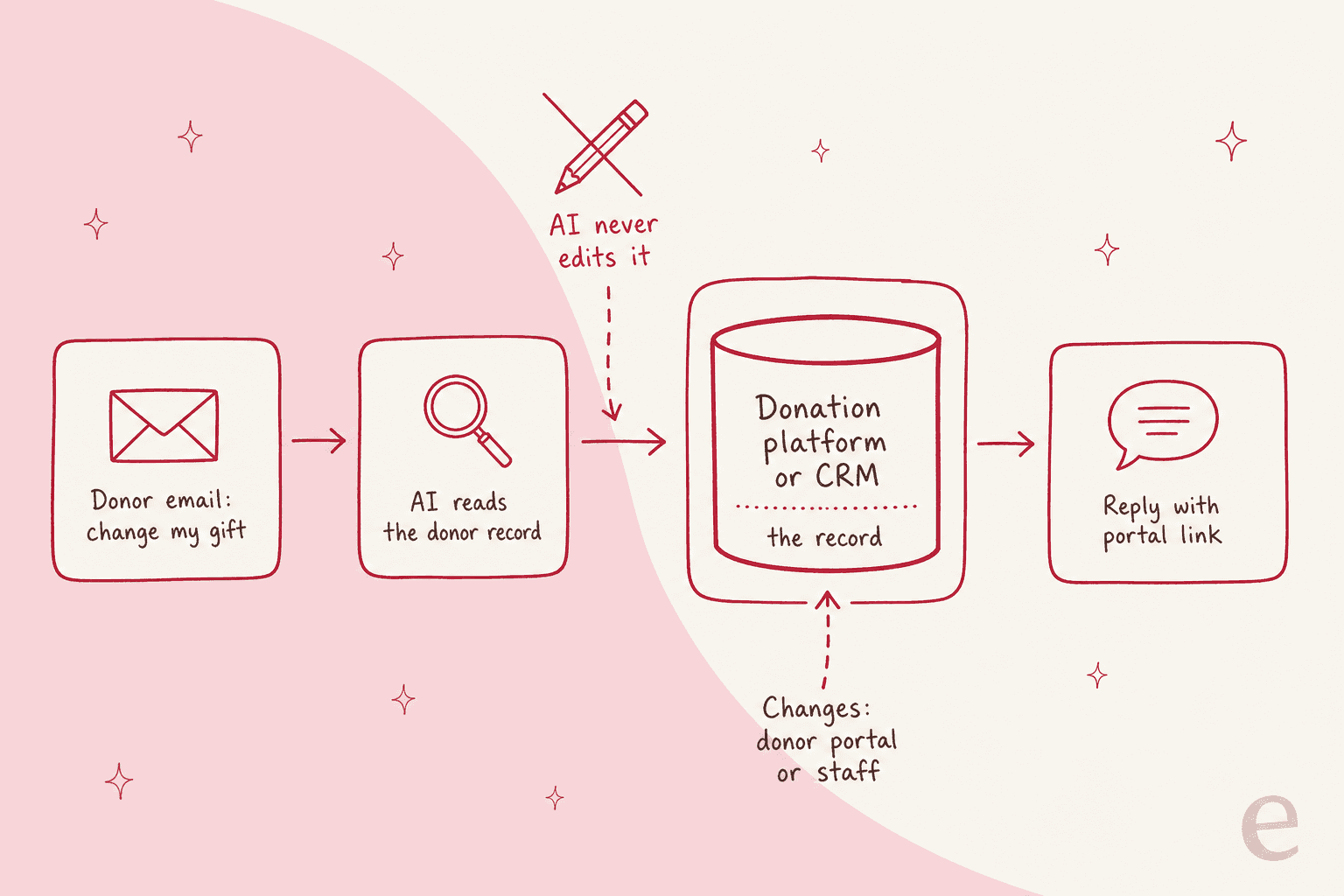
The good news is that most donation platforms already let donors serve themselves:
| Platform | What donors can do themselves | Source |
|---|---|---|
| Givebutter | Change the amount, update the card, pause or cancel a recurring plan, download receipts as PDFs | Givebutter help center |
| Bloomerang | Update the frequency, next payment date, amount or fund on recurring gifts, and email a PDF of tax summaries from the last three years | Bloomerang donor portal |
| Donorbox | View transactions, download receipts, and pause, cancel or change recurring plans | Donorbox donor portal |
| Salesforce NPSP | A donor portal built on an Experience Cloud site, with donation history components; needs an Experience Cloud license | Salesforce Help |
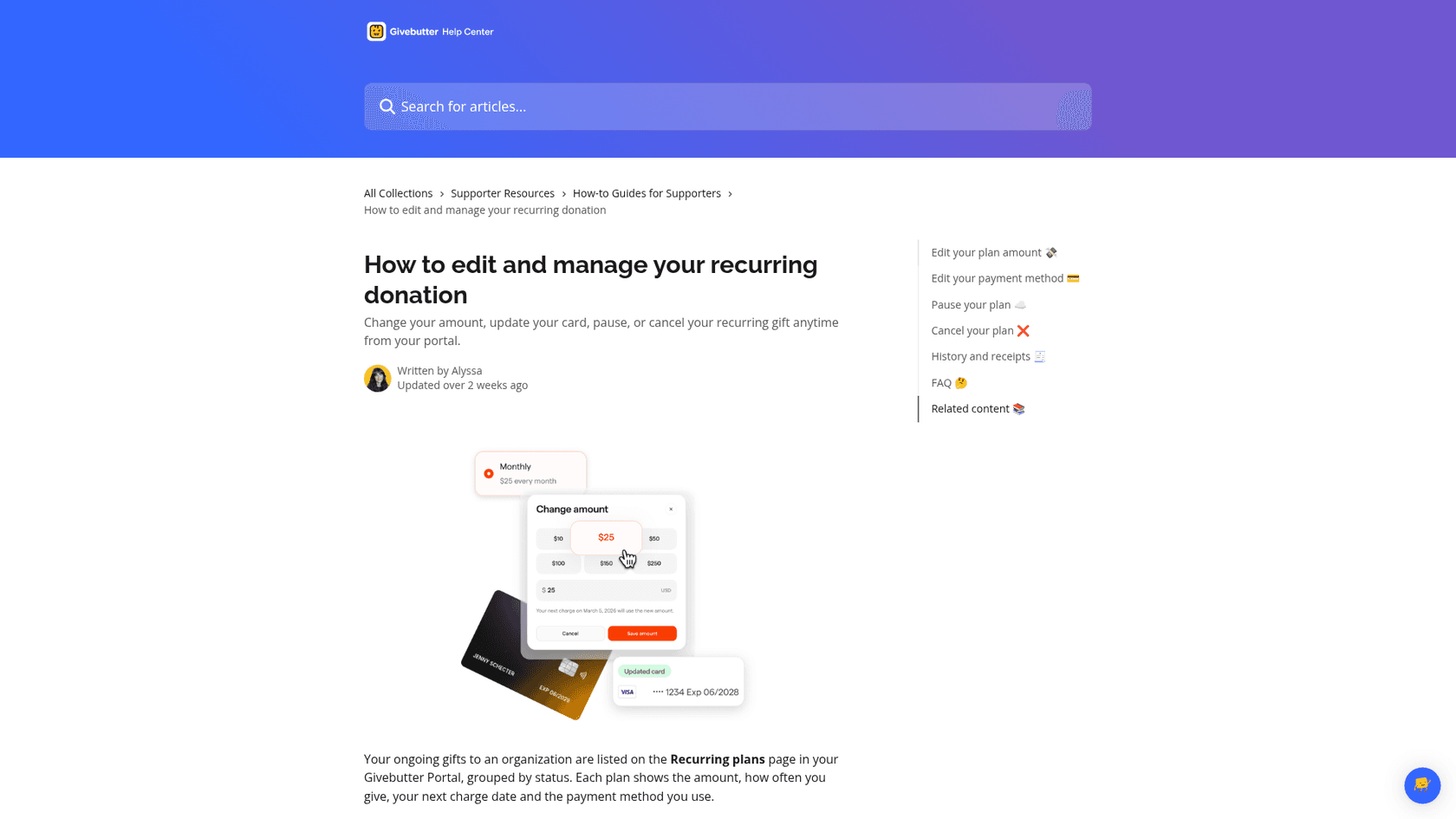
Some platforms also limit what staff can do, on purpose. Givebutter's help page says admins can cancel a recurring plan for a donor, but "admins cannot manage other details (such as donation amount) on behalf of a donor." Supporter care teams see the same thing on other systems:
"We’ve had donors ask us similar things but are understanding when we say that to protect their information we can only cancel a recurring donation for them. Our system lets them set up an account where they can login and make changes though, so explaining that also usually makes it easy for them to do it on their own."
So the AI's job on a "lower my gift" email is the explanation that team gives by hand: the portal link, the exact steps, and a warm line. That's a first response a donor can act on in two minutes.
Swiftreg, a UK number plate seller, runs the same principle on eesel at a much bigger scale: a live lookup beats the knowledge base, past tickets and anything the customer says, order details only go to the verified account holder, and the AI never reports a refund or a status a lookup hasn't confirmed. Swap "order" for "recurring plan" and you have the rule for a donor inbox.
How should AI handle each supporter lane?
Here's how I'd set up each of the five lanes, with the line it shouldn't cross.
Receipt requests
This is the lane AI clears fastest, because the answer is almost always "it's here". The AI checks your receipt FAQ, finds whether the donor has a portal account, and replies with the download steps or the date your year-end summary goes out. Donors want exactly that:
"As a donor, I like them "promptly". 48 hours to 2 weeks (via email or letter). I do not want to be tracking them down at tax time."
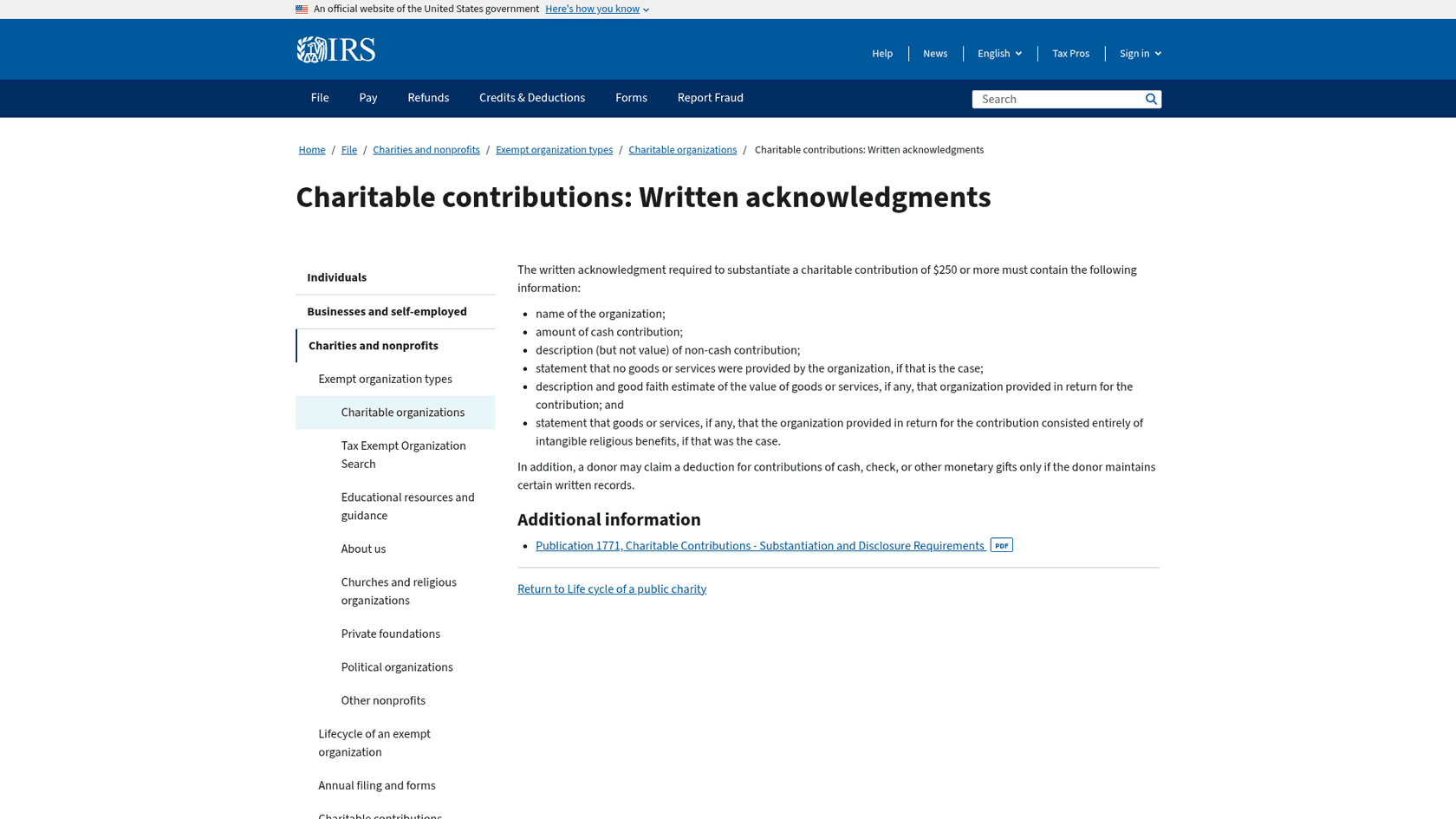
What the AI should not do is write the receipt. In the US, the IRS written acknowledgment for a gift of $250 or more must include the organization's name, the cash amount, and a statement that no goods or services were provided (or a good faith estimate of their value). That wording belongs in a template your donation platform sends, not in a reply an AI writes from scratch.
Recurring gift changes and cancellations
These are drafts, not answers. The AI reads the plan, writes the reply, and a person sends it once the change is real in the record. For cancellations, I'd keep the tone simple: confirm, thank, and say when the last charge was. A retention offer can be fine once, but a loop of "are you sure?" emails is how a supporter becomes a complaint. My guide on cancellation requests covers the same balance for subscriptions, and the refund requests guide covers money going the other way.
Card details are a hard line. If a donor pastes a card number into an email, the AI should not repeat it, store it in a note, or ask for the rest of it. It should point to the portal's "update payment method" page and flag the ticket so staff can redact it. The same thinking runs through my fraud-related support guide.
Volunteer questions
Most volunteer emails are answered on one page: how to sign up, what training is required, where to park, what to bring. The AI can answer those directly. The coordinator keeps placement, background checks and anything about a specific person's shift history. And for the volunteers who won't click links, the AI's reply should include a phone number, not just a form.
Event registration
General event questions (start time, venue, dress code, accessibility) are AI answers. Registration problems ("my ticket never arrived", "I registered twice") are drafts, because they need a look at the registration record. Transfers and refunds go to a person.
There's a tax wrinkle here too. If a gala ticket costs more than $75 and part of it buys dinner, the IRS treats it as a quid pro quo contribution, and the charity must give a written disclosure with a good faith estimate of what the donor received. The penalty is $10 per contribution, up to $5,000 per event. So "how much of my ticket is deductible?" is a question the AI answers from your published event page, not one it works out.
Program eligibility
This is the lane where AI should never decide. It can explain your published criteria in plain words and send the application link. A yes or a no is a decision about a person, and it often depends on documents or another agency's rules.
XAP, which builds college and career software, faces the same shape of question. When a student asks about scholarship eligibility that the Georgia Student Finance Commission decides, eesel drafts the full referral as an internal note, and nothing goes to a student without a person sending it. If it can't tell which portal a student means, it drafts a clarifying question instead. That's the pattern I'd copy for "do I qualify?" emails.
Complaints and donors in distress
Every complaint, every upset caller, every email that mentions hardship or a bereavement goes to a person first. The AI's only job is to tag it and make sure it doesn't sit. Original Bootcamp wrote the same rule into its setup: if a message mentions an injury or illness, it goes to a person even when the booking question could have been answered.
What do the rules say about AI with donors?
The rules are lighter than in healthcare or finance, but they exist, and they mostly point the same way: a person checks what the AI says, and donors are told when AI is involved.
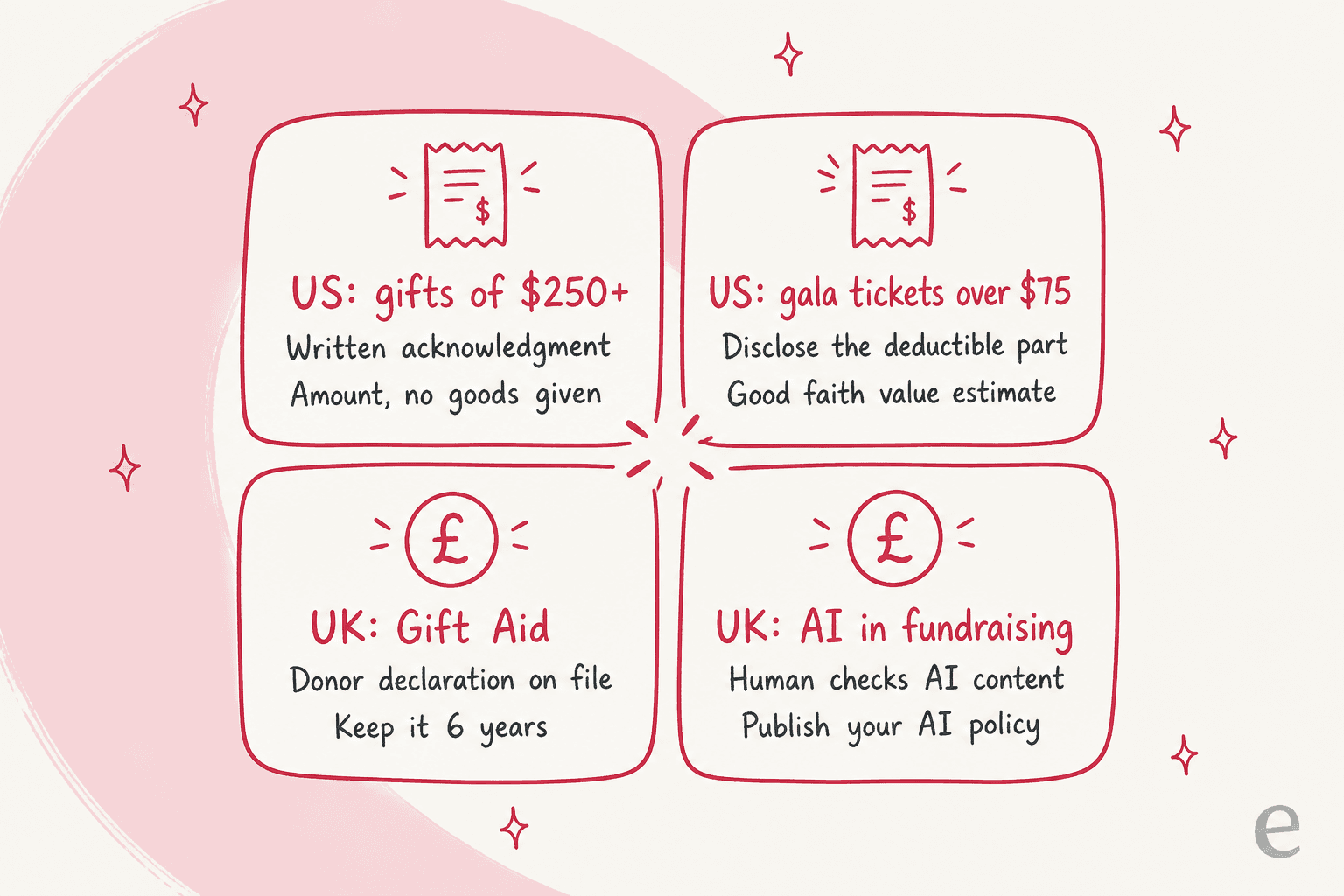
UK: the Fundraising Regulator's AI guidance
The UK Fundraising Regulator published its AI fundraising guidance, last updated 8 December 2025. The parts that apply to a supporter inbox:
- You stay accountable for anything AI writes, including content from a third-party tool.
- Run a risk assessment before using any AI tool, and test or pilot it in a closed setting first.
- Publish an AI policy on your website, which the guidance says matters most when you use chatbots.
- Keep a human checking AI content, and monitor AI that runs with no immediate human oversight, such as chatbots.
- Don't put non-public information into publicly available AI tools, and don't let AI make automated fundraising decisions without adequate human oversight.
UK: Gift Aid declarations
Gift Aid emails are a common supporter question in the UK, and they touch the record. To claim Gift Aid, a charity needs a Gift Aid declaration with the donor's full name and home address, and it must keep declarations for 6 years after the most recent donation claimed. On the donor side, Gift Aid adds 25p for every £1, and donors must tell the charity if they stop paying enough tax. So "I've moved house" and "I no longer pay tax" are drafts for staff, because both change what you can claim.
US: receipts and disclosures
The IRS rules above ($250 written acknowledgments, $75 quid pro quo disclosures) mostly live in your donation platform's templates. The support job is making sure the AI points to the real receipt and never improvises tax wording. If you take payments by email or chat, card data rules matter too, which is why "never in a ticket" is a rule worth writing into the AI's instructions.
Donors notice when nobody checked. One nonprofit staffer, who is also a donor, said:
"As a donor when I see AI-created materials that are outward-facing it is an instant turnoff. It is obvious and looks cheap. And it does raise concern that the org is relying on bad outputs and not having a human verify the stuff their AI tools are putting out."
A funder made the same point from the other side: the receipt can be a form letter, the thank-you can't.
"The nonprofits I work with, I tell them the tax receipt can be a form letter, but ALWAYS send either a handwritten note or a typed letter explaining the impact the donation made. The ones that do are often repeat grantees."
That's the line I'd draw. AI clears the logistics so your team has time for the thank-yous that keep donors giving. For a wider view of AI under rules like these, see my guides on regulated industries and GDPR requests.
How do you set up AI for nonprofit support without a new system?
You don't need a new platform. The AI teammate works inside the existing helpdesk or shared inbox you already use. Here's the order I'd do it in.
- Pull 90 days of supporter email and tag each one by lane: receipt, recurring gift, volunteer, event, eligibility, complaint. You'll usually find two or three lanes carry most of the volume.
- Fix the sources first. Update the receipt FAQ, the volunteer page and the event pages, and make sure your donor portal link is easy to find. The AI is only as good as the knowledge base behind it.
- Connect the helpdesk you already use, such as Zendesk, Freshdesk or Help Scout, and let it learn from past staff replies, so it writes the way your team writes.
- Start with drafts on every lane. Staff send them, and you see where the AI is right before it talks to anyone directly. That's how draft replies earn trust.
- Write the handoff rules down: eligibility, complaints, refunds, distress, and card data always go to a person, with a short note to the supporter that someone will reply.
- Test on past emails before anything goes live. Run the AI against a few hundred real supporter emails and compare its answers with what staff sent. My guide to simulation testing covers sample sizes per topic.
- Turn on direct answers lane by lane, starting with receipts and volunteer questions, with an AI label on every reply.

Original Bootcamp is a good model for step 5. It runs one agent on Freshdesk with one filter that lets through only the tickets answerable from the website and past tickets, and anything about cancelling, rebooking, payments or invoices goes to the customer service team, with eesel telling the member that's what it is doing. It answers from about 2,800 documents, and it never claims to have changed a booking.
If year-end giving season buries your team, the same setup covers the weekend gaps too, since receipt and volunteer questions don't wait for Monday. And if your supporters write in more than one language, a multilingual support agent replies in the language they used.
What does AI for nonprofit support cost?
It depends on the helpdesk you start from. Several helpdesks have nonprofit programs, and the AI layer is priced per unit of work. All figures below come from each vendor's own page.
| Option | Nonprofit offer | AI billing unit | AI price |
|---|---|---|---|
| Help Scout | 10% lifetime discount for nonprofits; up to 100% off for organizations working on issues it supports | Not compared here | See my Help Scout pricing breakdown |
| Zendesk | Tech for Good gives free software, grants and pro bono support to selected nonprofits; applications currently closed | Automated resolution | $1.50 each committed, $2.00 pay-as-you-go |
| Freshdesk | None listed on its pricing page | Session | $49 per 100 sessions after the first 500 included |
| eesel | None; free plan with 100 credits | Credit (one ticket or chat) | From $299 a month for 500 credits |
A worked example: a nonprofit gets 1,000 repeat supporter emails a month.
- eesel: 1,000 credits is $499 a month, covering drafts and direct answers alike, with no per-seat fee.
- Freshdesk: 1,000 Freddy sessions is $490 a month once the 500 included sessions are used, on top of Freshdesk seats.
- Zendesk: if 500 of those are fully resolved by AI, that's $750 at the committed rate before included resolutions, on top of seats.
For a small team, the bigger cost is usually the hours, not the invoice. My support staffing guide shows how to count them, and my list of the best helpdesks for nonprofits compares the base tools.
For per-vendor detail, see my Zendesk AI pricing and Freshdesk AI pricing breakdowns.
Try eesel for your supporter care inbox
If your team answers "where's my receipt?" and "how do I volunteer?" all week, eesel works like a new hire that joins the helpdesk you already use. It learns from your website, your donor portal help pages and your past replies, answers the receipt, volunteer and event questions with an AI label on every reply, drafts gift changes and cancellations for staff to send, and hands eligibility, complaints and refunds to the right person.
That's close to how XAP runs its referral tickets on Freshdesk and how Swiftreg answers about 2,100 Zendesk tickets a month from live lookups. You can run it against your own past supporter emails before a single donor sees a reply.
Try eesel free with 100 credits on real supporter emails, or book a demo to walk through your top 20 questions.