


The best WordPress helpdesk plugin for most teams is Fluent Support: $129 a year for one site, every Pro feature in one license, email piping included, and AI drafts through OpenAI, Gemini or Anthropic. SupportCandy is the best free start (4.9 stars from 289 reviews on wordpress.org, with an AI chatbot in the free version), JS Help Desk has the most careful AI agent, Heroic Inbox fits an email-first team, and Awesome Support suits sites that need one of its niche add-ons, though it is rated 3.5.
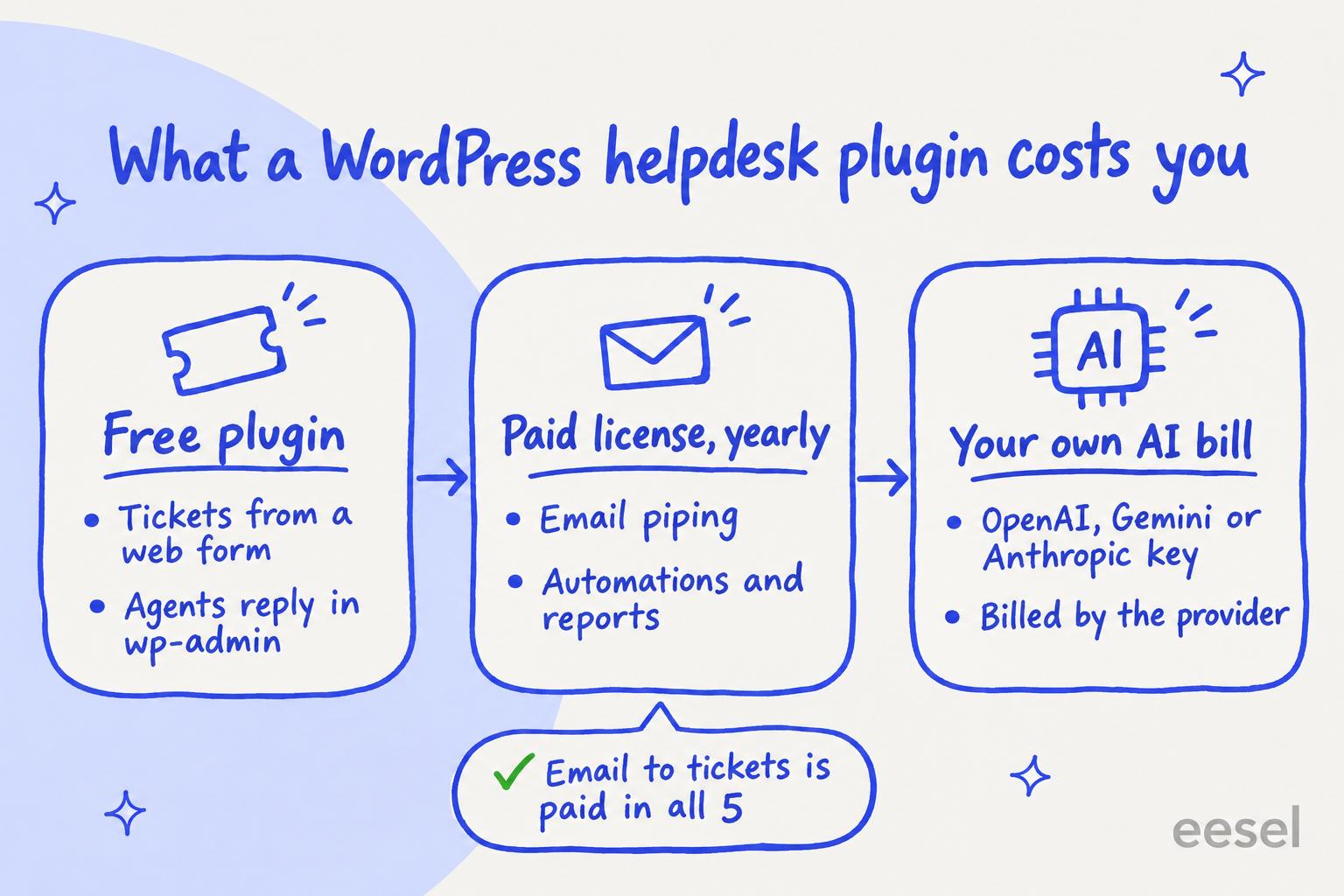
What the pricing pages bury: turning customer emails into tickets is a paid feature in all five, and AI that runs on a hosted model is billed by use, by your provider or in credits. So the real price is a yearly license plus your model bill, and the free version takes tickets only from your site.
If you want customers answered before they ever file a help desk ticket, eesel's chat bubble sits on your WordPress site in front of any of these plugins. A coding agent can set it up with the eesel CLI: create the bubble, upload your approved refund policy and ask it test questions before it goes live. Pasting the script into WordPress is still yours to do.
What is a WordPress helpdesk plugin, and when does it beat a hosted helpdesk?
A WordPress helpdesk plugin is a ticketing system that installs like any other plugin and stores tickets in your site's own database. Agents work in wp-admin or a front-end help desk portal, and customers open and follow tickets on your site. A hosted helpdesk such as Zendesk or Help Scout keeps all of that on the vendor's servers and bills per agent.
I build integrations at eesel, so I read these plugins by what actually runs where. Three things decide whether a plugin beats a hosted tool:
- The bill. Every plugin here charges a flat yearly license per site, with unlimited agents. Fluent Support's wordpress.org page puts it plainly: "Pay a fixed price and avail all features without any hidden costs or paid add-ons." A team of eight pays the same as a team of two. If you've read my Zendesk pricing or Help Scout pricing breakdowns, that is the whole appeal.
- The data. Tickets sit in your WordPress database next to your users and WooCommerce orders. SupportCandy's listing calls itself "self-hosted" with "No external ticketing service is required."
- The upkeep. That database, the mail settings and the plugin updates are now yours. Every hour your web server is down, so is your helpdesk.
How I picked these five
I started from the plugins that keep coming up when a WordPress owner asks for a support ticket system (hosted picks are in my best ticketing system guide), then cut any that are no longer maintained or can no longer be downloaded. For each one I read the vendor's pricing page, its wordpress.org listing and changelog, its email piping docs and its AI documentation, all on 27 November 2026. Every price below is the vendor's list price for one year; Fluent Support, SupportCandy and HeroThemes were running Black Friday discounts that week, which I left out because they end. I read the docs and listings closely; I did not run each plugin on a live store for months.
KB Support used to make these lists. It doesn't now, and the reason gets its own section below.
The five at a glance
| Plugin | Free version | One site with email piping, per year | AI | wordpress.org rating | WooCommerce orders in the ticket |
|---|---|---|---|---|---|
| Fluent Support | Yes | $129 (Pro) | Drafts, summaries, tone (Pro), your choice of OpenAI, Gemini or Anthropic | 4.6 from 69 reviews | Yes |
| SupportCandy | Yes | $79 (Personal) | AI chatbot and assistant in the free version, your OpenAI or Gemini key | 4.9 from 289 reviews | Yes (paid) |
| JS Help Desk | Yes | $99 (Pro) | Copilot and suggested replies free; AI Agent that auto-answers is paid | 3.7 from 74 reviews | Yes (Commerce pack) |
| Awesome Support | Yes | $149 (Standard bundle) | Smart Replies add-on, not in the $149 bundle | 3.5 from 194 reviews | Yes (premium add-on) |
| Heroic Inbox | No | $199 (Essential) | None listed for the inbox | No wordpress.org listing | Pro plan only ($749) |
The 5 best WordPress helpdesk plugins
Every one of these has unlimited tickets and agents. The differences are in what the license adds, how email reaches the plugin, and what the AI does.
1. Fluent Support
Best for: a team that wants one license with nothing else to buy, and AI drafts without a second subscription.
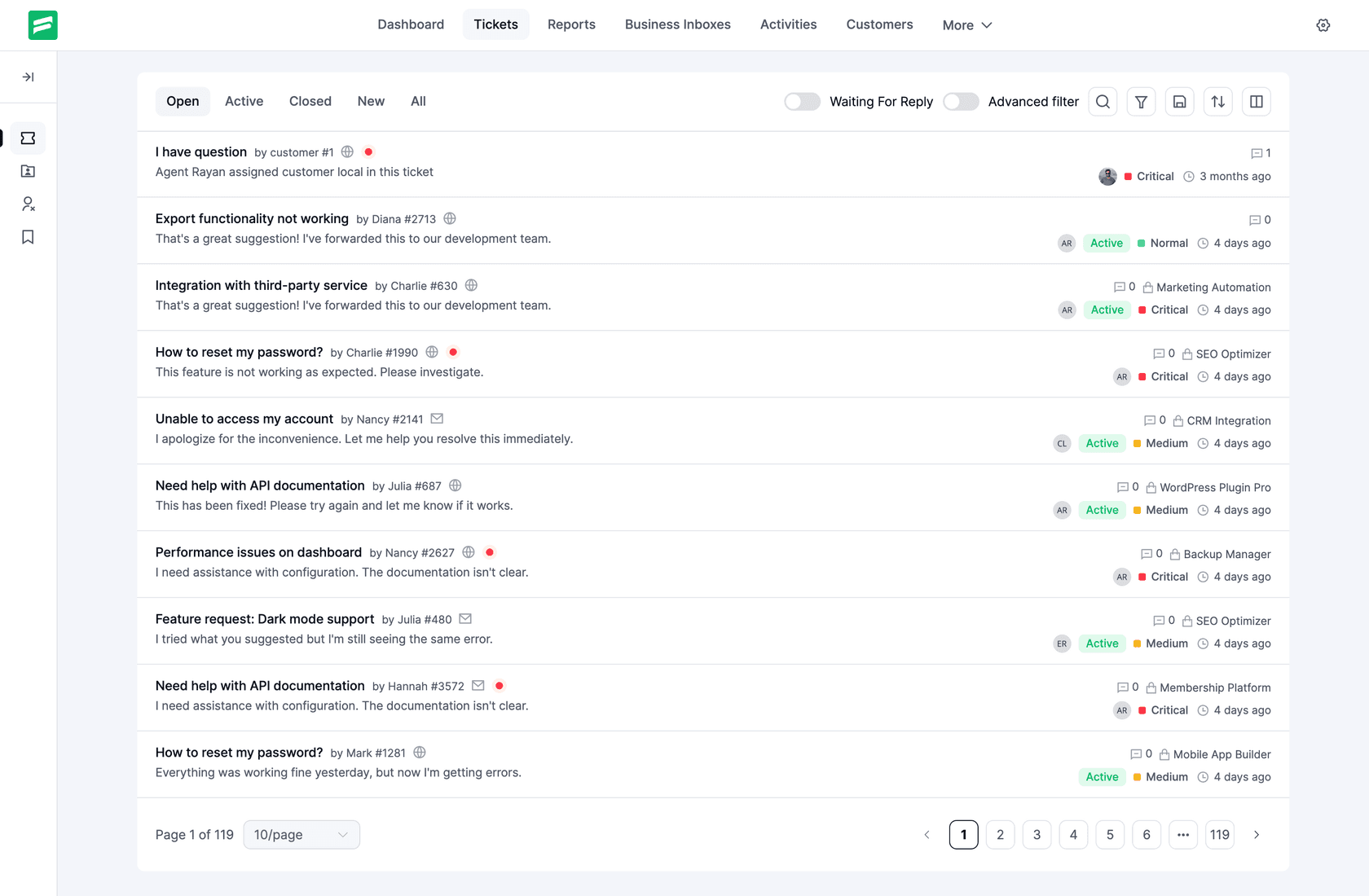
What it does well. Fluent Support is a fast single-page app inside wp-admin, built on VueJS and the REST API, so moving between tickets doesn't reload the page. The free version already has unlimited tickets, agents, internal notes and reports. Pro adds workflows, saved replies (Fluent's name for a canned response), collision detection, merge tickets, time tracking and 20+ integrations. For stores, customers can open a ticket against a WooCommerce or EDD order, and agents see the order history in the ticket view.
Email. Email piping is a Pro feature. Fluent gives you a mailbox address and you set your support address to forward to it, so every new email becomes a ticket. The Single Site license covers 10 business email inboxes, the Agency license 50.
AI. Pro connects to OpenAI, Gemini or Anthropic, picked on its AI Model Setup page (added in version 2.3.0, July 2026). It drafts replies, does ticket summarization, reads the tone, and its AI Ticket Audit report audits past tickets and filters them by mood. The same release added an MCP server, so an outside AI agent can read and act on Fluent Support tickets through a standard interface; my helpdesk MCP servers post explains why that matters. The AI drafts for an agent; it doesn't answer customers by itself.
Price. Fluent's pricing page lists $129 a year for one site, $249 for five and $399 for 50. The first year was 40% off when I checked.
"Coming from FluentCRM I thought this would be the perfect support solution in terms of the integration there, however it's nothing like it."
That reviewer's complaint was the customer portal's look, not the agent side, and Fluent's reply points to a portal block that restyles it. Test the portal on your theme before you buy.
My take: pick it if you want one price that covers everything, AI from the provider you already pay, and an MCP server for later. Skip it if your customers mostly reach you by live chat; it's a ticket desk first. The deciding factor is that there is nothing else to buy.
2. SupportCandy
Best for: starting free, with an AI chatbot on day one.
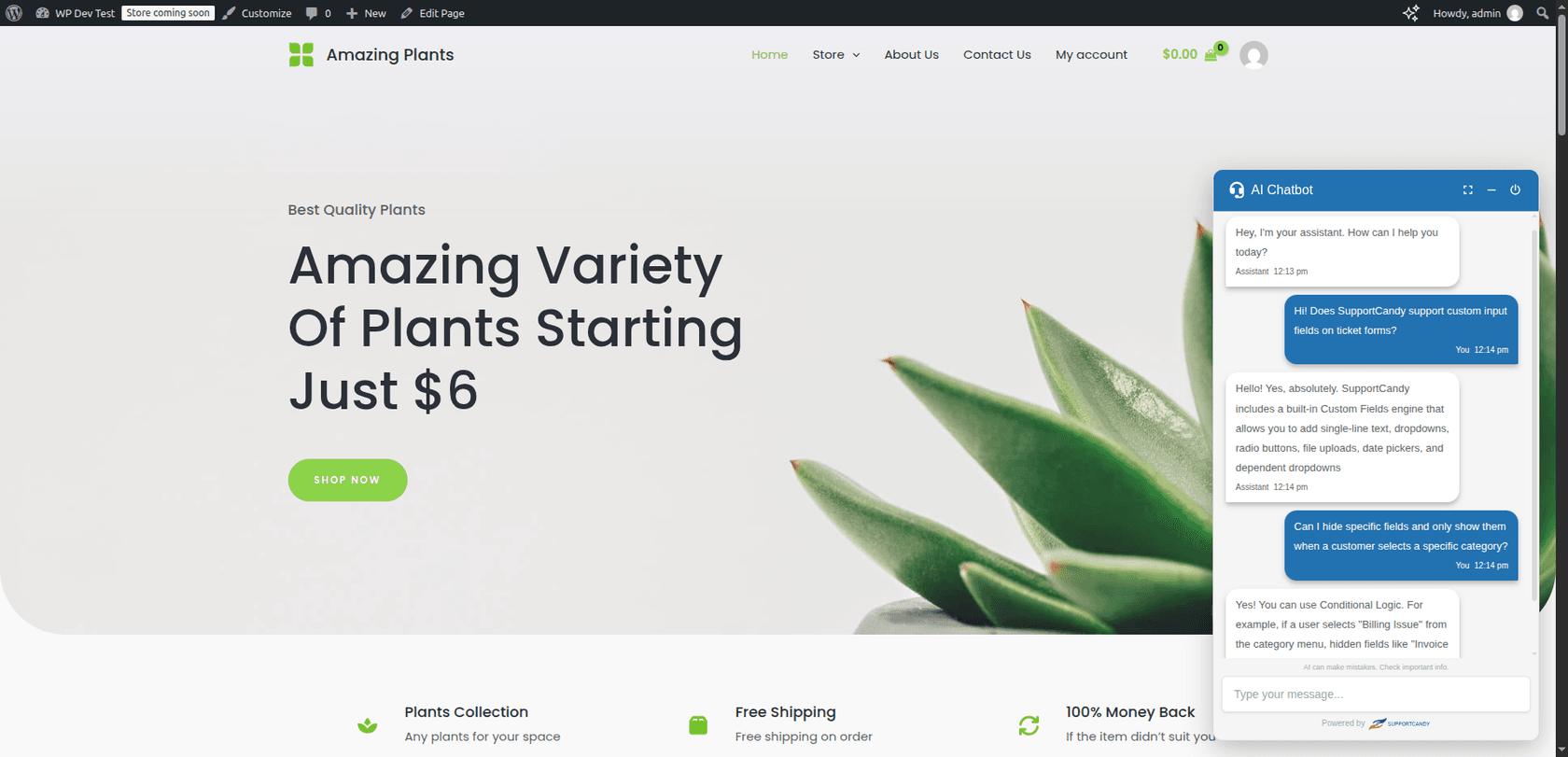
What it does well. SupportCandy has the highest rating here: 4.9 stars from 289 reviews on wordpress.org. The free version has unlimited tickets, agents, customers, tags and statuses, Gutenberg blocks and Elementor widgets, 20+ bundled translations, and it loads its scripts only on pages that use it.
Email. Email Piping is one of 25 paid add-ons, all of which come with any paid plan. It connects by basic IMAP, the Gmail API or the Microsoft Exchange API; SupportCandy notes that Google and Microsoft don't allow basic IMAP sign-in, which is why the two APIs exist. Piping rules can set a field from the sender or a keyword, such as raising priority when the subject says "Urgent".
AI. This is the only plugin here where a customer-facing AI chatbot is in the free version. It answers from what you train it on (posts, pages, URLs and uploaded files, in effect a small AI knowledge base) and creates a ticket when it can't answer. Agents get summaries, auto drafts and a Polish button. All of it uses your own OpenAI or Google Gemini key, and the provider bills you directly.
Price. SupportCandy's pricing page lists Personal at $79 a year for one site, Professional at $149 for five and Agency at $299 for 20. Lifetime licenses start at $249.
"The UI is mostly ancient Bootstrap or < tables >, which is hilarious and barely tweakable. Everything gets overridden: your fonts and their size, button/table styles, widgets don't use existing classes."
That review is from 2020, and the current screenshots show a newer interface, but styling on a custom theme is still the thing to check first.
My take: pick it to start free and get AI answers in front of the ticket form for the price of your API usage. Skip it if you need more than 20 sites on one license. The deciding factor is the free chatbot.
3. JS Help Desk
Best for: a team that wants AI answering customers, with hard limits on when it may.
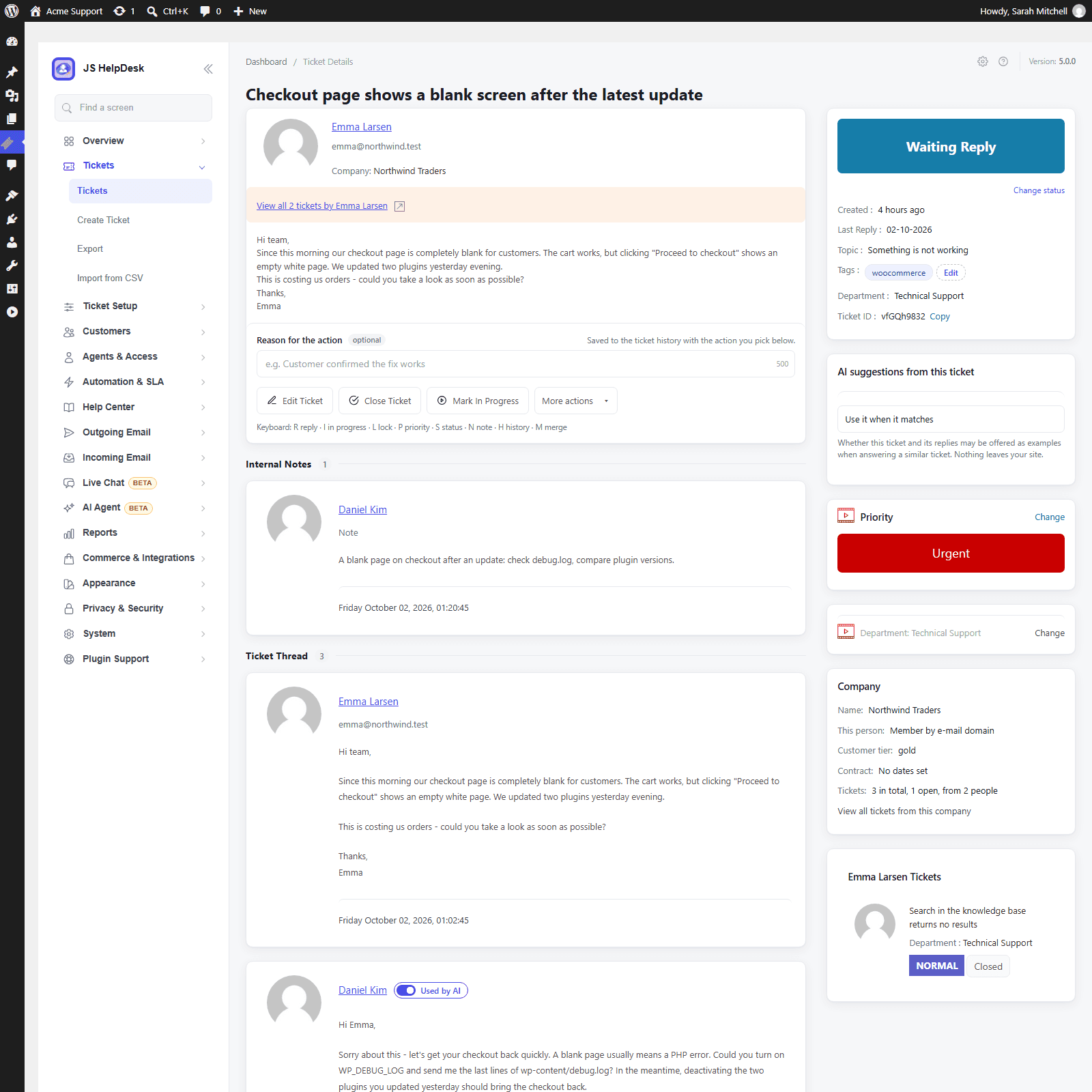
What it does well. JS Help Desk recently moved 12 paid features into the free plugin, including ticket history, internal notes, canned responses and AI Powered Reply. The free plugin has unlimited tickets, agents and departments, guest tickets, custom fields, reports and GDPR erasure. One license covers all nine add-on packs, and the plans differ only by number of sites.
Email. Customers can reply by email only with the paid Email pack, which pipes from Gmail, Microsoft 365 or any IMAP mailbox, per its wordpress.org listing. The free version sends notifications and customers reply on your site.
AI. Two tiers. Free: AI Powered Reply suggests answers from replies your team already wrote, with no AI account, and AI Copilot drafts, summarises and translates through a Zywrap key. Paid: the AI Agent answers from your knowledge base, FAQs and past replies. It auto-answers only where you allow it, by department and audience, only above a confidence threshold (85 by default) and only up to a reply cap (two by default), with a review mode that shows a person what it would have sent. It can use Anthropic or OpenAI with your key, or a model on your own server such as Ollama.
Price. Its pricing page lists Pro at $99 a year for one site, Business at $149 for five and Agency at $249 for 25.
"The system is very buggy, I don't want to spend time recoding and i won't buy another level if the free version doesn't work correctly"
18 of its 74 reviews are one star, which is why it sits third despite the best-designed AI here.
My take: pick it if you want an AI agent that may answer customers and you want the rules written down: where, how sure, how many times. Skip it if the free version misbehaves on your theme in a staging test. The deciding factor is the AI Agent's limits.
4. Heroic Inbox
Best for: a team whose support is almost all email, and that wants a shared inbox rather than a ticket portal.
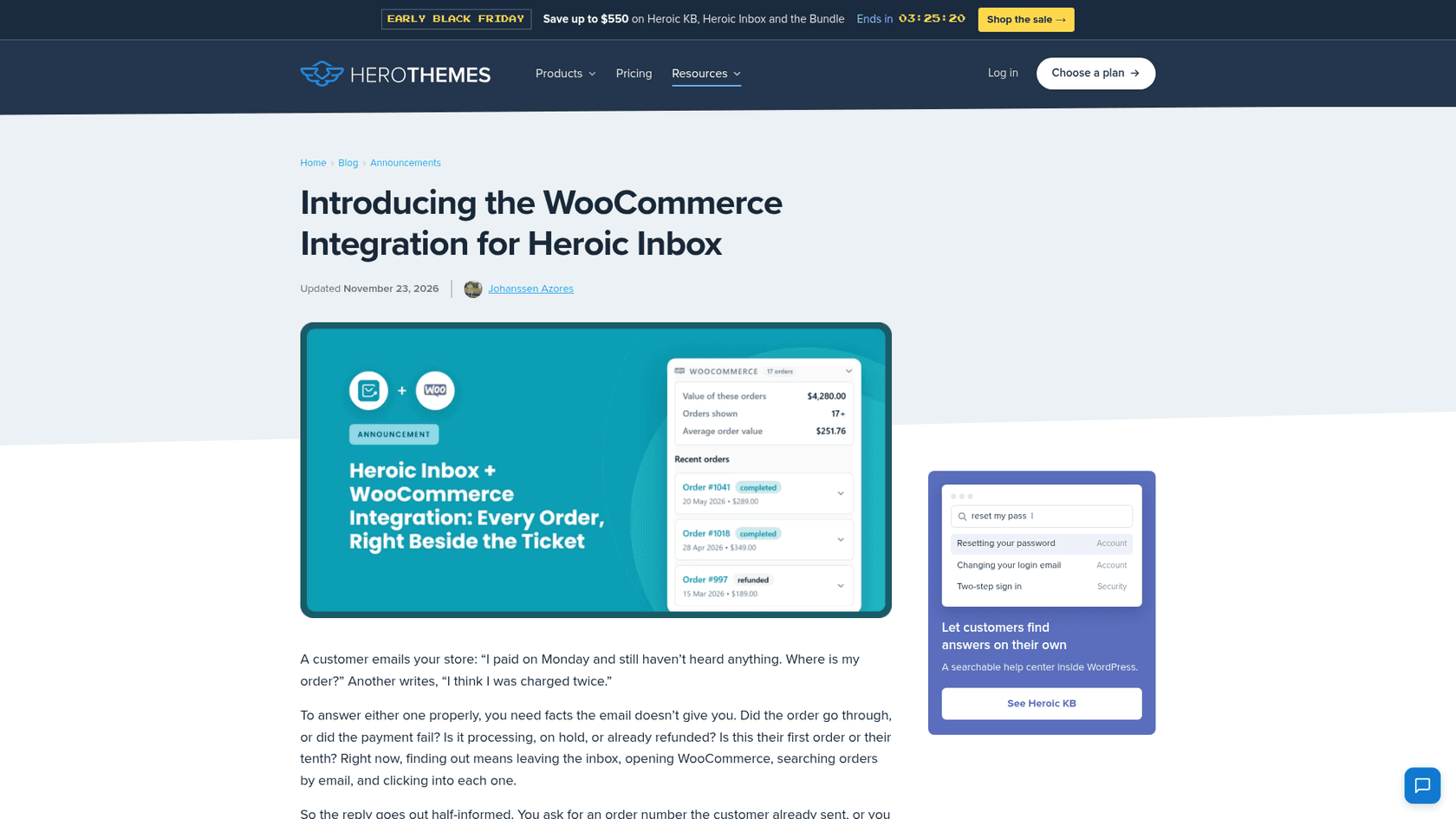
What it does well. Heroic Inbox is a shared inbox inside WordPress (the shared inbox vs ticketing trade-off applies): Gmail, Outlook and IMAP/SMTP mailboxes, assignments, internal notes, collision detection and tags on every plan. Since November 2026 its Pro plan shows a WooCommerce customer's lifetime value, order count and ten most recent orders beside the email, and, per the launch post, workflows can route on order data, such as tagging customers who have spent over $500 as VIPs.
Email. It's built on email, so connecting a mailbox is the product rather than an add-on. The plan sets how many: two on Essential, five on Plus, ten on Pro.
AI. Its pricing table lists no AI feature for the inbox. HeroThemes' AI chatbot, HelpJet, comes with its separate Heroic KB Pro plan.
Price. No free version. HeroThemes' pricing page lists Essential at $199 a year for one site, Plus at $499 for three and Pro at $749 for five, and canned responses, workflows and reports start at Plus.
My take: pick it if your team lives in a shared support mailbox and wants order history beside each email. Skip it on a budget: canned responses alone need the $499 plan, and the WooCommerce panel needs $749. The deciding factor is whether you want an inbox or a ticket portal.
5. Awesome Support
Best for: a site that already runs it and needs one of its niche add-ons, such as paid support or Envato purchase codes.
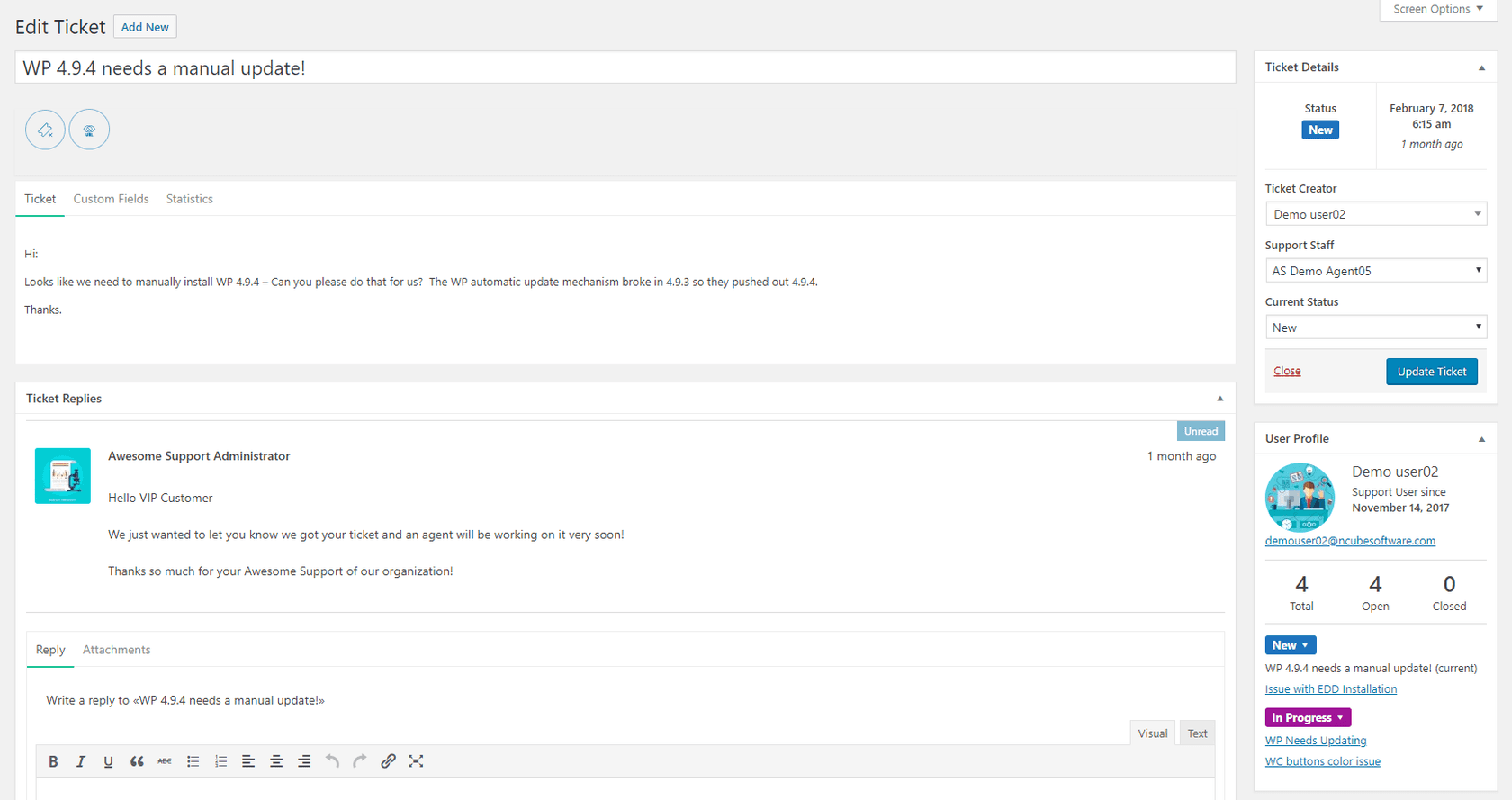
What it does well. Awesome Support has the longest feature list here: departments, products synced from WooCommerce and EDD, a Zendesk, Help Scout and Ticksy importer, and add-ons for SLAs, a rules engine with Zapier, satisfaction surveys, issue tracking, remote tickets and paid support. It uses the standard wp-admin interface, so there is little to learn.
Email. E-Mail Piping is a premium add-on, included in the Standard bundle. The WooCommerce order view in the ticket is a separate premium add-on.
AI. Its wordpress.org listing describes the Smart Replies add-on as able to "Automatically respond to messages received from Facebook Messenger, Custom Site Chat and New Tickets." It isn't one of the eight add-ons in the $149 Standard bundle, and the docs I read don't say which model it uses, so ask for a demo before you count on it the way you would on AI canned responses elsewhere. Canned responses themselves are in the bundle.
Price. The Standard bundle is $149 a year for one site, $199 for two to five sites and $249 unlimited. PRO is $229 a year.
"The free version of the plugin literally caused our main product category, to become a "critical error" page instead of showing the range of products in that category."
60 of its 194 reviews are one star, and its directory screenshots still show a ticket from February 2018.
My take: pick it only if one of its add-ons does a job nobody else here does. Skip it for a new helpdesk. The deciding factor is the 3.5 rating against three wordpress.org-listed alternatives rated higher.
What does each plugin cost once email comes in?
For one site with email piping, the list prices run from $79 to $199 a year. Past one site the tiers stop lining up: SupportCandy jumps at 5 and 20 sites, Heroic Inbox at 3 and 5, and Fluent Support's next tier after 5 is 50. Agencies running a desk per client site should price the tier they'll be on next year, not this one. For the per-seat comparison, see my Freshdesk pricing breakdown.
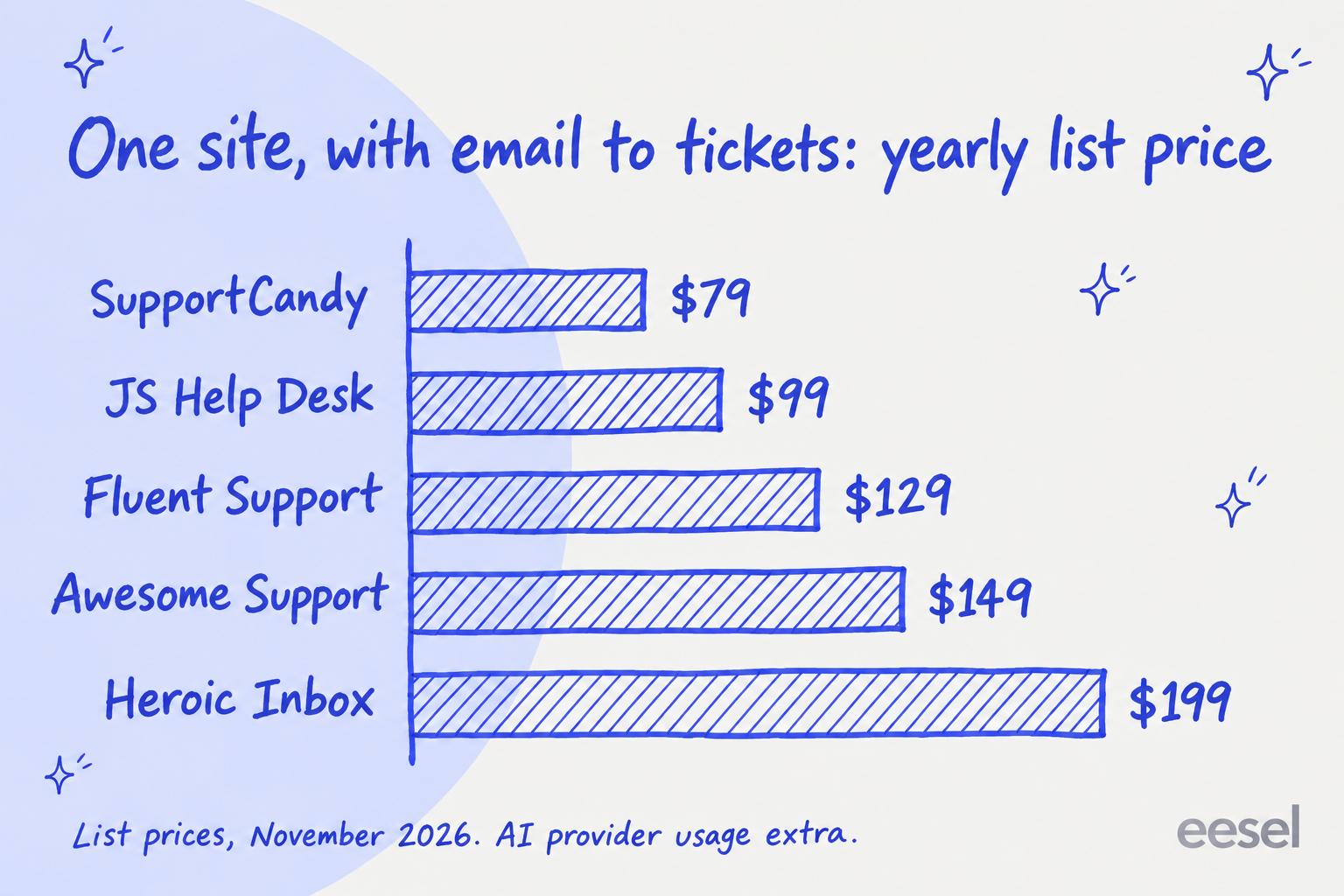
Slide to your number of sites and say whether email has to become tickets, to see each plugin's yearly list price.
Two costs aren't in that widget. The first is your AI usage: SupportCandy calls OpenAI or Gemini with your own key, Fluent Support runs on the provider you set up in its settings, and JS Help Desk uses your Anthropic or OpenAI key or Zywrap credits, of which a paid license includes a monthly allowance (a local model costs nothing per token). The second is your time keeping the plugin, the mail connection and WordPress updated, which a hosted helpdesk does for you.
Check a plugin's wordpress.org page before you buy
Here is the step that would have saved some teams a migration. KB Support, a helpdesk and knowledge base plugin that used to appear in most of these roundups, now shows this on its wordpress.org page: "This plugin has been closed as of April 3, 2025 and is not available for download. Reason: Security Issue." Its vendor's site was still selling premium licenses when I checked.
A helpdesk plugin holds your customers' names, emails and order questions on the same server as your store, so its upkeep is your security. Before you buy any of these, open its wordpress.org page and check three things: that it is still listed and downloadable, when the last version shipped (Fluent Support's 2.5.1 and SupportCandy's 3.5.6 both shipped in November 2026), and what the one-star reviews say. Then install it on a staging copy of your site with your real theme before customers see it, since the most common complaints above are a broken page or a portal that clashes with the theme.
How much can the AI in these plugins do alone?
Less than the plugin names suggest. "AI-powered" on these listings mostly means help for the agent, not answers for the customer:
| Plugin | Answers customers by itself | Helps agents | Whose model |
|---|---|---|---|
| Fluent Support | No | Drafts, summaries, tone, ticket audit | OpenAI, Gemini or Anthropic, chosen in settings |
| SupportCandy | Yes, chatbot answers from trained content, files a ticket otherwise | Summaries, drafts, polish | Your OpenAI or Gemini key |
| JS Help Desk | Yes with the paid AI Agent, within confidence and reply limits | Copilot drafts, suggested replies | Your Anthropic or OpenAI key, Zywrap credits (a license includes a monthly allowance), or a local model |
| Awesome Support | Its Smart Replies add-on says it auto-responds to new tickets and site chat | Canned responses (bundle) | Not stated |
| Heroic Inbox | No | None listed | n/a |
None of them looks up a WooCommerce order and acts on it for the customer: the order panels are for the agent reading the ticket. That is the difference between a helpdesk copilot and an AI agent, and it matters most for the WooCommerce AI questions that fill a store's queue, like where an order is or whether an address can still change (AI for WooCommerce support covers the tools that can). My AI ticketing system guide covers what a fully automated desk looks like, and ticket deflection explains why the answer before the ticket is worth more than the draft after it.
Try eesel in front of your WordPress helpdesk
The cheapest ticket is the one a customer never has to file. Like the other AI chatbots for WordPress, eesel's chat bubble is one script in your WordPress footer that answers from your pages, docs and help center, and with the free eesel plugin for WooCommerce it can look up a customer's order and its tracking notes. Every action it can take, such as a refund or a status change, is set to run on its own, ask a person first, or stay off, and that can differ for your team and for an anonymous visitor (Actions and approvals). When a visitor needs a person, you tell it in plain words what to do, and sending an email to your support address is one of the usual handovers. With piping on, that email becomes a ticket in your plugin; ask eesel to put the visitor's name, email address and a summary of the chat in it.
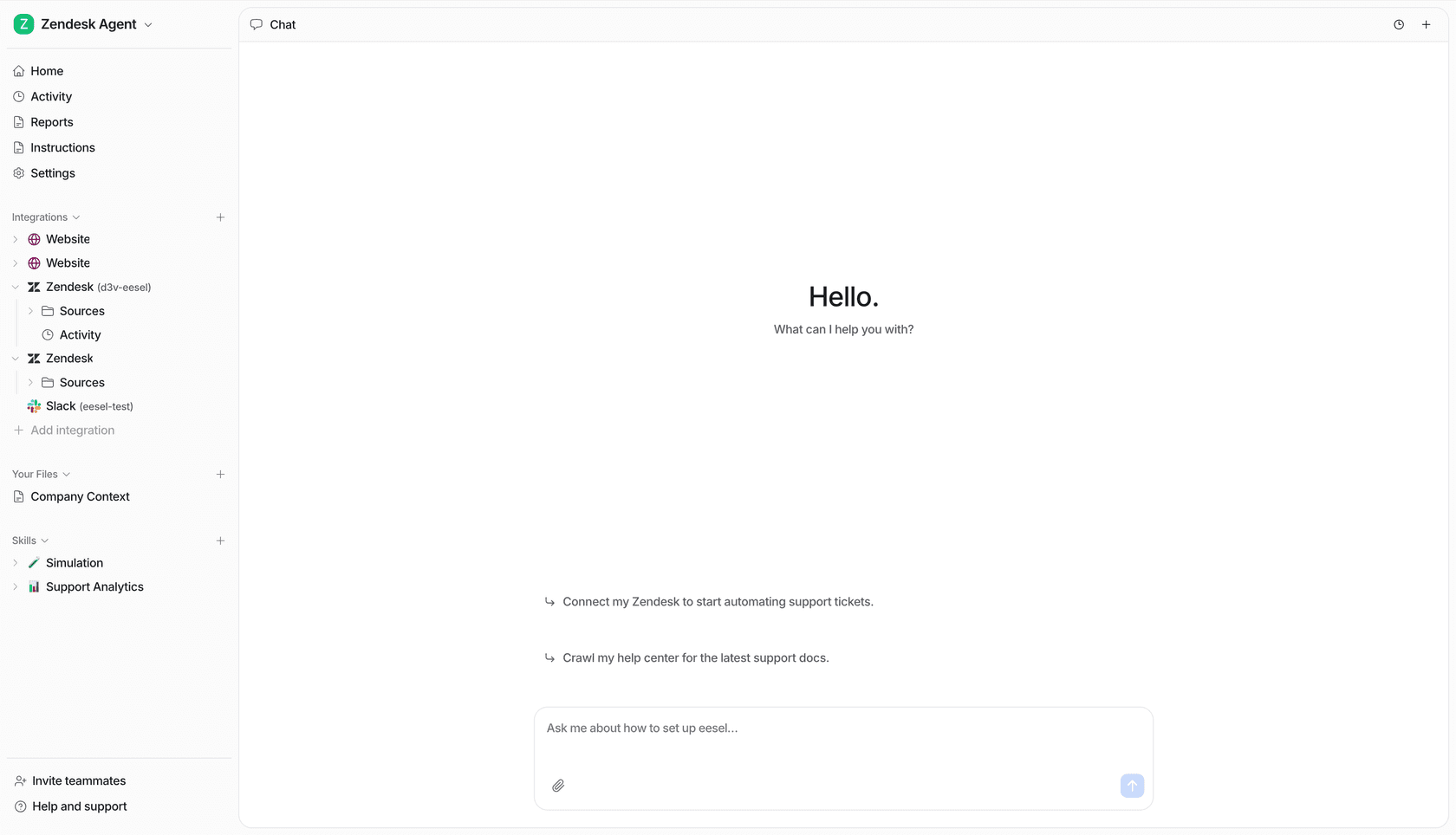
That keeps your plugin as the place your team works and puts the first answer on the page where the question starts. koffer.ch, a luggage store in Zug, Switzerland, runs eesel the cautious way on its Freshdesk queue: it drafts from the team's own macros first, in German, French, English or Italian, and a person sends every reply. If your team lives in Fluent Support, its new MCP server is the other route worth watching: eesel can link a tool's own MCP server over https with a key and gets that tool's actions: read-only ones run on their own and the rest ask a person first until you change that. I haven't run that pairing with Fluent's server, so try it on a staging site.
eesel starts at $299 a month for 500 credits, one credit per conversation however long it runs, with no per-seat fee. Try eesel on your site with your own pages before you decide.