

Teams Phone Agent is Microsoft's AI receptionist for Teams Phone lines, generally available since September 30, 2026. It answers common questions from your FAQ files, books appointments and hands callers to a person with AI notes. You need a Teams Phone license ($10 per user a month) plus usage-based Copilot Credits, and Microsoft publishes no per-minute rate. eesel covers the gaps: an AI phone agent of its own, and Teams chat answers for staff. With the eesel CLI, a coding agent can upload approved knowledge and test answers first.
What is Teams Phone Agent?
I read through Microsoft's Learn pages and its Teams blog to untangle this one, because "agent" now means four different things in Teams calling. Teams Phone Agent is the one Microsoft describes as an AI-powered calling receptionist: it extends auto attendants with conversational AI that screens calls, answers questions, manages appointments and routes callers without fixed menus.
The other three are easy to confuse with it. A Copilot Studio voice agent is a custom agent you build yourself. A third-party voice agent comes from a partner. The Queues app is not an agent at all: it is the supervisor view for call queues. Microsoft's rollout notes date Frontier public preview to June 15, 2026 and general availability to September 30, 2026.
What can Teams Phone Agent do on a call?
Three jobs are generally available: answering questions, booking appointments and routing with context. Microsoft's GA announcement adds multilingual calls across more than 60 languages and after-hours coverage, which is classic tier 1 deflection moved to the phone, and the supported configurations page counts 63 languages and locales.
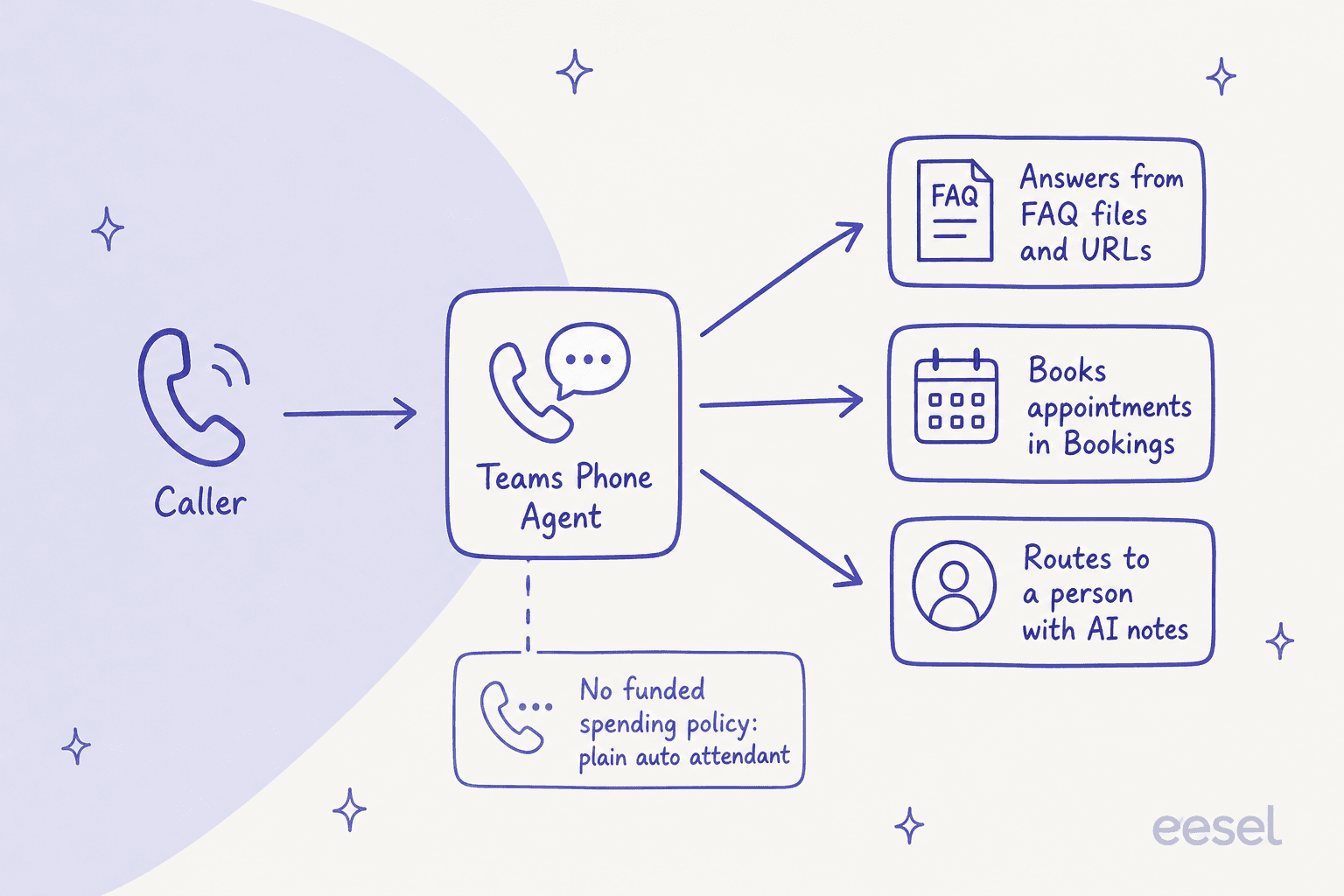
The handoff is the part I would test first. When a caller needs a person, the agent picks a specialist or department and passes AI-generated conversation notes to whoever answers, so the caller does not repeat themselves. That matters for AI handoff quality and your escalation rules, and it is where a call center project usually wins or loses.
What do you need to run Teams Phone Agent?
Less than a full contact center, more than a toggle. Microsoft's licensing reference lists the requirements below.
| Requirement | What Microsoft says | Needed when |
|---|---|---|
| Teams Phone license | At least one, to enable Teams Phone Agent, auto attendants and call queues | Always |
| Resource account license | A free Teams Phone Resource Account license per resource account | Always |
| Copilot Credits and spending policy | Copilot credits and spending policies | Always, for the agent |
| Microsoft Bookings | Needed for the Bookings appointments option | Appointment booking via Bookings |
| Copilot Studio licenses | Tenant license plus user license | Custom voice agents |
| Pay-as-you-go, Communications credits or voice routing | Extra setup on the resource account | Transfers to external numbers or callback |
| Teams Premium | Required for every Queues app user | Supervisor dashboard |
If you are still sorting out the base platform, my Teams pricing breakdown covers the plans underneath, and the Queues app guide from Microsoft covers the Premium dashboard.
How much does Teams Phone Agent cost?
The honest answer is a number and a blank. Microsoft lists Teams Phone Standard at $10.00 per user a month, paid yearly. The agent itself is charged through usage-based billing in Copilot Credits, and consumption varies with call duration and the capabilities invoked. I found no per-minute credit rate for it on any Microsoft page.
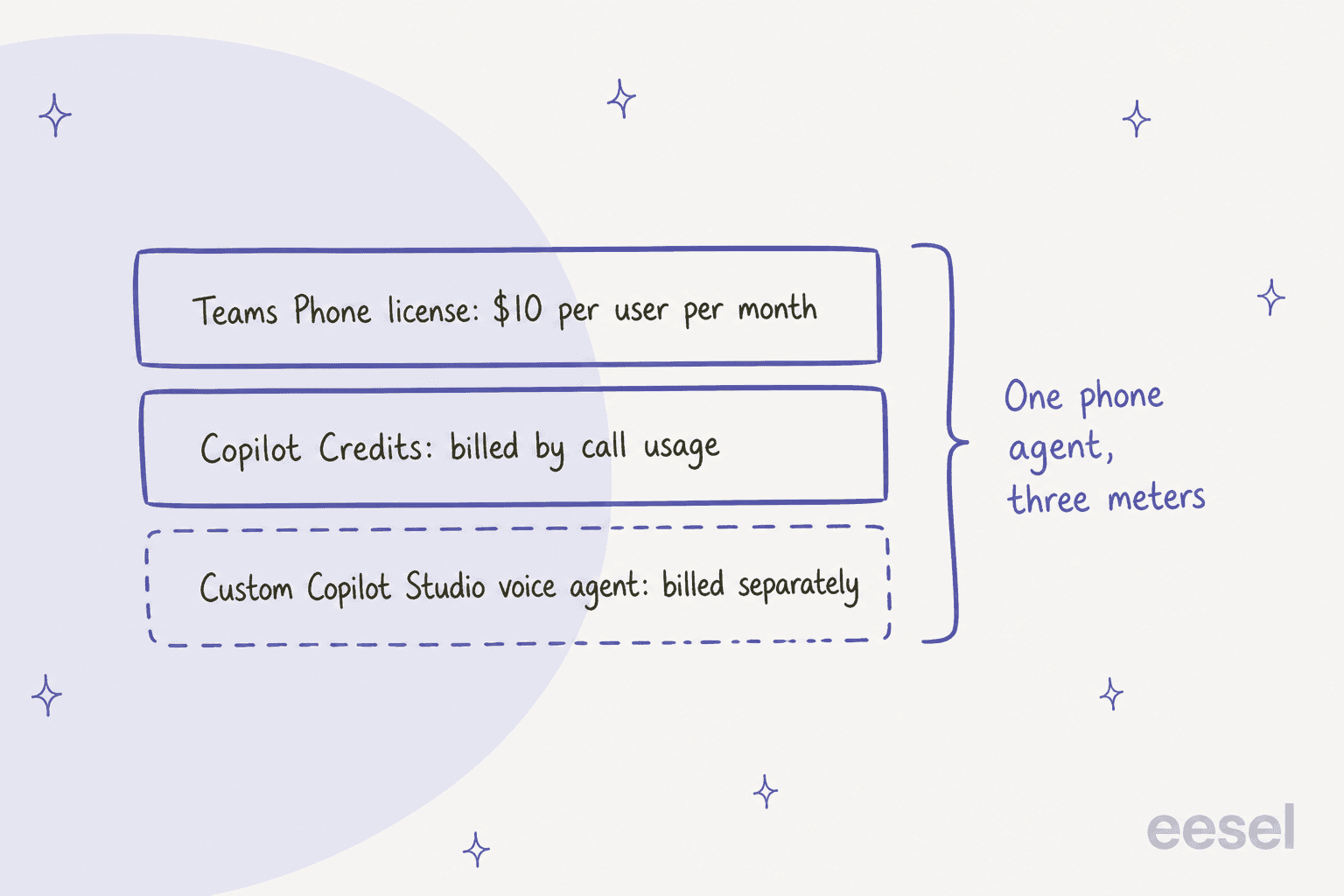
What Microsoft does publish is a rate for the custom agents you can hand callers to. Its billing rates page lists Copilot Studio voice at 10 credits a minute for classic voice, 35 for GenAI voice and 75 for premium GenAI voice. Since October 19, 2026 the Copilot Credit Estimator also supports Teams Phone Agent, so build your estimate there, not from a rule of thumb. For a sanity check, line it up against human agent cost.
How do you set up Teams Phone Agent?
You build it in the Teams admin center, but most of the work happens before you open it. Microsoft's setup guide assumes your tools already exist.
- Fund the agent. Create a security group, add your Teams Phone Agent resource accounts, then create a spending policy that selects only Teams Phone Agent.
- Build a Questions and Answers tool. One tool can hold up to ten files totaling 5 MB (Word, PDF, PowerPoint, Excel, text and ZIP are supported) plus public web pages.
- Add an appointments tool. Point it at a Microsoft Bookings shared page, or build the four required API endpoints for your own system.
- Create the agent. In the admin center expand Voice, select Auto attendants, then Add, then Teams Phone Agent, and pick a resource account and language.
- Call it. Listen to the disclaimer, ask three questions your callers really ask, and try a transfer.
The knowledge step decides whether callers trust it. Microsoft's Q&A guidance says generic articles give generic answers, conflicting articles can produce wrong ones, and URLs must be public single pages that are refreshed daily and not crawled. That is a knowledge base job, and an audit before launch is cheap.
Which voice agent should you pick for Teams Phone?
Microsoft gives you three doors into the same call flow, and they are not interchangeable.
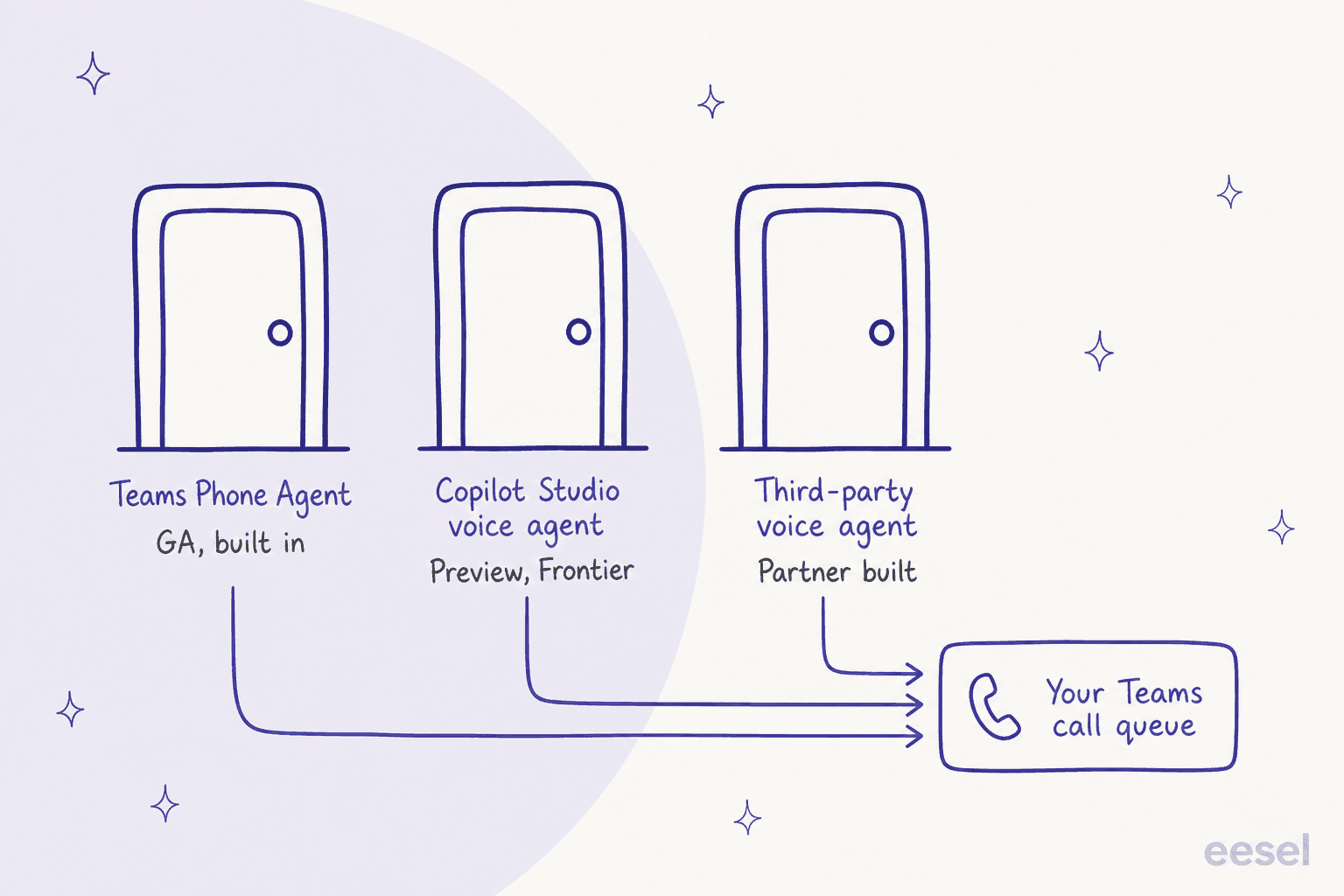
Teams Phone Agent fits front-desk work: hours, locations, policies, appointments. A Copilot Studio voice agent fits workflows such as an invoice balance, and it can be dialed directly or reached by handoff, though it is in preview. Third-party voice agents plug in through Teams Phone extensibility and pass caller identity, intent and a summary on to the next person. If you are weighing outside tools, my notes on voice AI for customer support show the field.
Where does Teams Phone Agent fall short?
I would plan around six limits, all from Microsoft's own pages.
- Region. Microsoft's known issues say it is not supported for use in India.
- Knowledge size. Ten files and 5 MB per tool, with public single pages only and no authenticated or intranet sources.
- Cost visibility. No published per-minute rate, so budgets are estimates until real calls arrive.
- Silent fallback. An unfunded policy turns it into an auto attendant without any caller-facing error.
- Preview edges. Copilot Studio voice agents and the Teams Phone Agent dashboard in the Queues app are both preview.
- Agent-to-agent transfers. Microsoft says to use resource account transfers, not voice app transfers, when moving calls between agents, auto attendants and queues.
None of this is a flaw so much as a young product. For many small offices, an after-hours receptionist that books appointments is the whole job. Hotels and clinics are the natural early users, and I cover both in AI for hospitality and AI for healthcare.
Who answers the questions behind the phone?
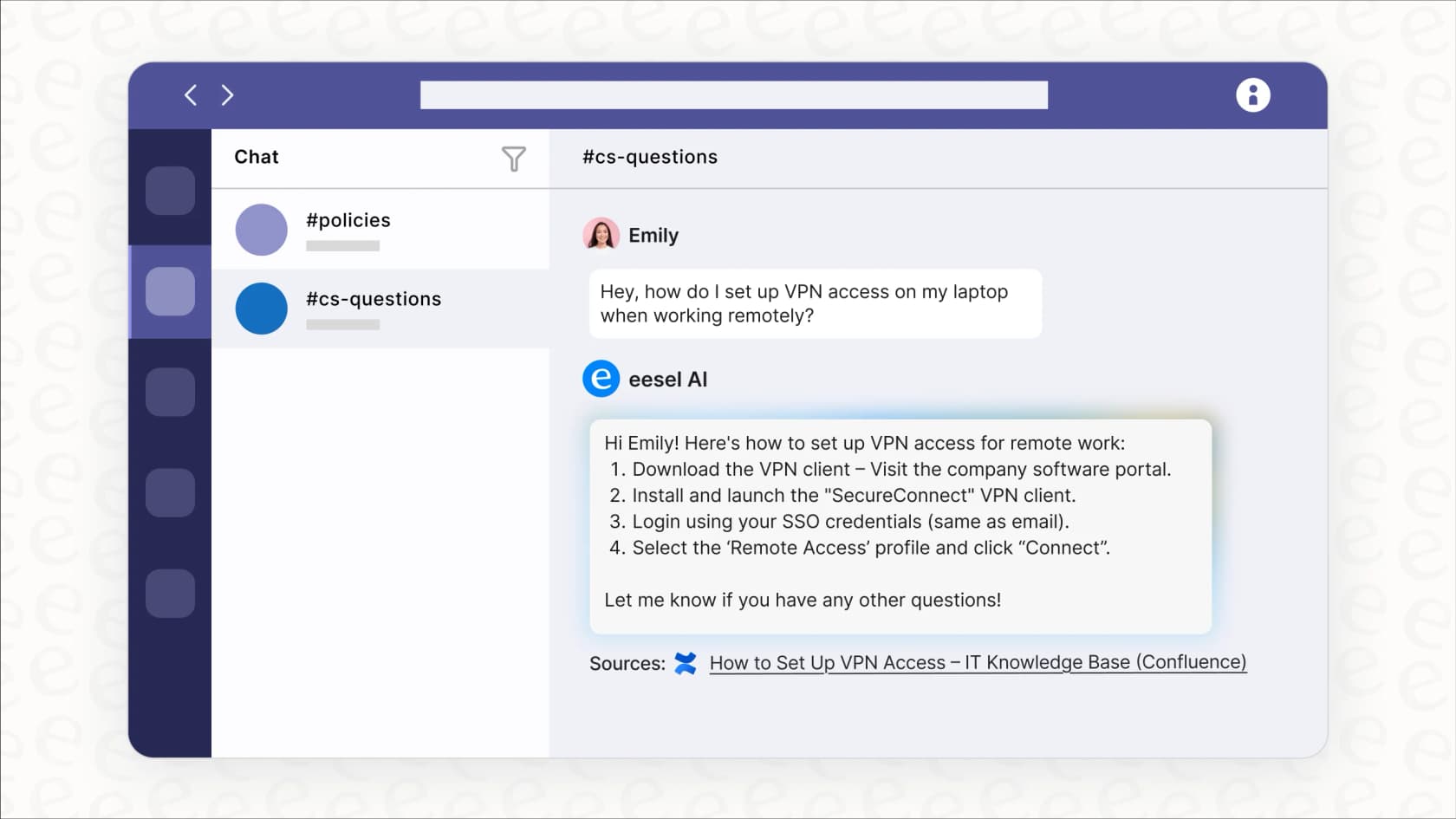
Teams Phone Agent ends at the handoff. The person who picks up still needs the right answer in seconds, and that is a chat problem inside Teams. The eesel Teams integration lets staff mention eesel in a channel and get an answer from connected knowledge with the source linked, and it also reads the thread before it answers. I cover the wider pattern in my guides to AI in Microsoft Teams and automating Teams support.
An industrial automation company shows why the grounding rule matters. Its documentation team loaded its technical library into agents that answer only from the documents, link the source section and say plainly when they have nothing, because a wrong detail is worse than no answer there. Weekly volume roughly doubled in the first months and stayed there. OroSoft runs a similar loop for support staff, who mention eesel on a Freshdesk ticket and get a draft grounded in past tickets.
If you want the AI on the line itself, eesel has a separate phone channel. The eesel team turns it on, you forward your existing support line, and it answers in the caller's language, looks things up while it talks and transfers to your team when it cannot help. It only reads data, so refunds and order changes stay with a person. That is a different route from Teams Phone Agent, so pick one per line. My comparisons of AI for phone support and AI answering support calls lay out the trade-offs.
Try eesel for your Teams phone team
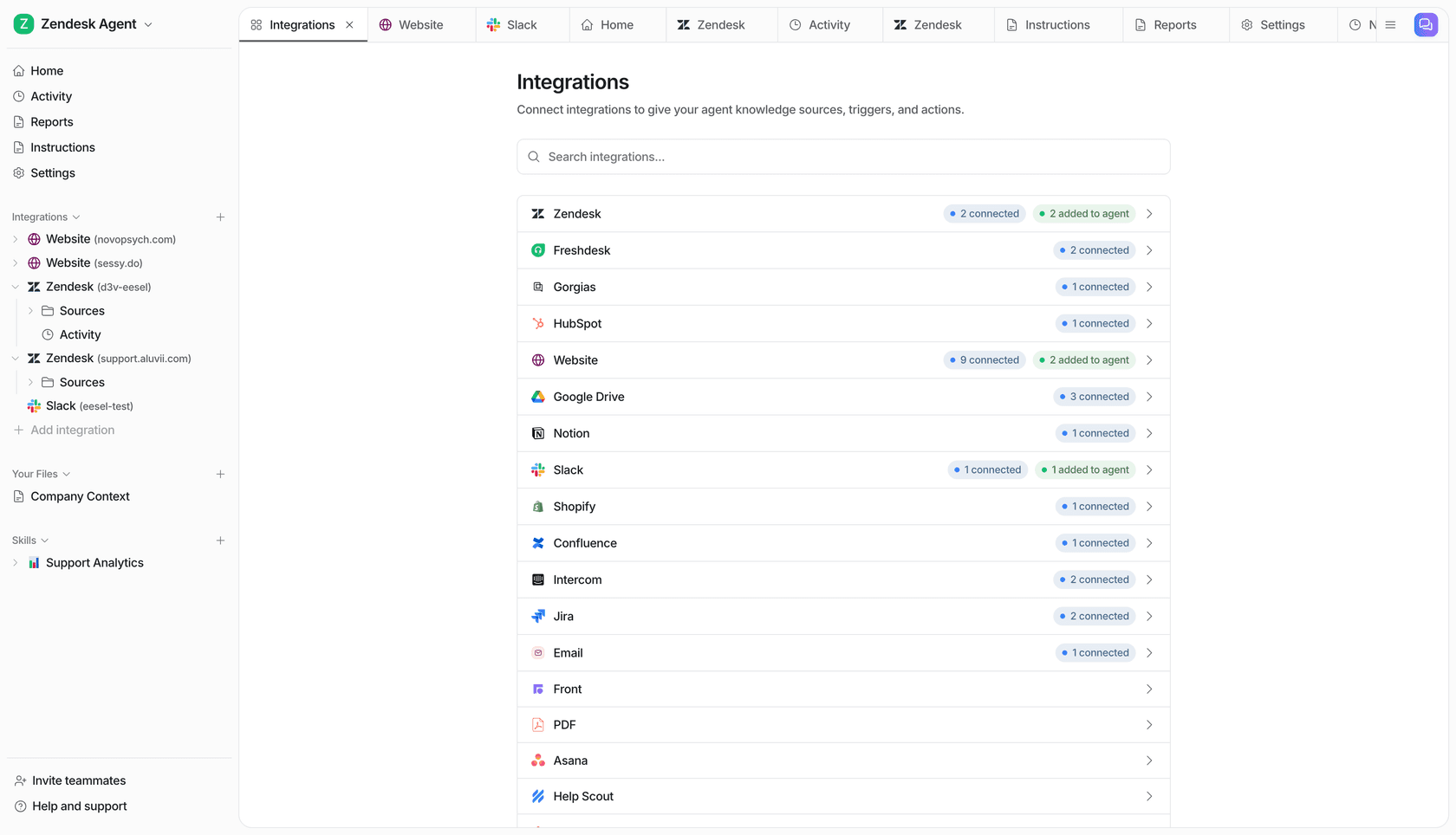
If your support or front-desk team lives in Teams, the practical next step is to put eesel behind the people who take the handoffs. It answers from your approved policies inside the chat they already have open, and the AI helpdesk agent can do the same on a ticket queue. Use the Teams guide to see the setup, which a Teams admin approves. The same team can pair it with agent assist.
Try eesel free, or read how contact center management fits an AI layer in.
Frequently Asked Questions
What is Teams Phone Agent?
It is an AI receptionist that answers calls on a Teams Phone line, handles common questions and appointments, and routes callers to a person with AI-generated notes, per Microsoft's planning overview. It extends the auto attendant you already run, and it sits in the same family as other AI phone receptionists.
Is Teams Phone Agent generally available?
Yes. Microsoft's Teams blog announced the general availability rollout on September 30, 2026. The Copilot Studio voice agent extension and the Queues app dashboard for it are still in preview, so check them before you promise them to a support lead.
How much does Teams Phone Agent cost?
You pay for a Teams Phone license ($10.00 per user a month, paid yearly) plus usage-based Copilot Credits for the agent itself. Microsoft publishes no per-minute credit rate for it, so use its Copilot Credit Estimator, then compare against your current AI customer service cost.
Can Teams Phone Agent book appointments?
Yes, through a Microsoft Bookings shared page or your own booking system over API endpoints, according to Microsoft's appointments guide. A custom system needs authentication, availability, booking and upcoming-appointment endpoints. Teams like dental practices are the obvious fit.
Can I connect a Copilot Studio voice agent to Teams Phone Agent?
Yes, in preview. Microsoft's Copilot Studio guide covers handing a caller to a custom voice agent for work like order status, and that usage is billed separately. For a wider look at the market, see my guide to the best AI for voice support.
What happens if my spending policy is not funded?
Teams Phone Agent checks the policy at the start of each call, and usage-based billing needs a funded policy, and without one the agent acts as a plain auto attendant. That means callers hear your menu instead of the AI. It is a quiet failure, so watch your AI customer service metrics after launch.
Can eesel answer phone calls for a Teams Phone line?
eesel has its own phone calls channel, turned on by the eesel team, where you forward your existing line to a number it sets up. It is a separate route from Teams Phone Agent, and the docs do not describe a Teams Phone call queue integration. The eesel Teams integration answers staff questions in chat instead.