

An AI receptionist for dentists is worth paying for when it books into your practice software during the call, not when it takes a message for your team to return tomorrow. Dentina (from $299/mo per location) and Viva AI (from $349/mo) book straight into Dentrix, Eaglesoft and Open Dental, while Weave's AI books directly into only four systems and takes requests everywhere else. Start it on lunch and after-hours calls, insist on a signed BAA, and route anything clinical to a person. For the patient emails and chats that pile up beside the phones, eesel answers the routine ones and hands bookings to your desk.
What does an AI receptionist actually do for a dental office?
An AI receptionist answers your practice's phone when no one at the front desk can, talks to the patient in a natural voice, and then either books the visit, answers the question, or passes the call to a person. The good ones run 24/7, answer several calls at once, and send a text confirmation when the call ends. If you're new to the idea, the explainer on whether AI can answer support calls covers the basics.
I build integrations at eesel, so the first thing I check on any tool like this is where the data lands when the call is over. For a dental office, that answer decides almost everything. A call that ends with an appointment sitting in Open Dental is a booked patient. A call that ends with a note in someone's inbox is a callback that has to beat the practice down the road.
Most calls to a dental front desk fall into three groups, and a good setup treats them differently:
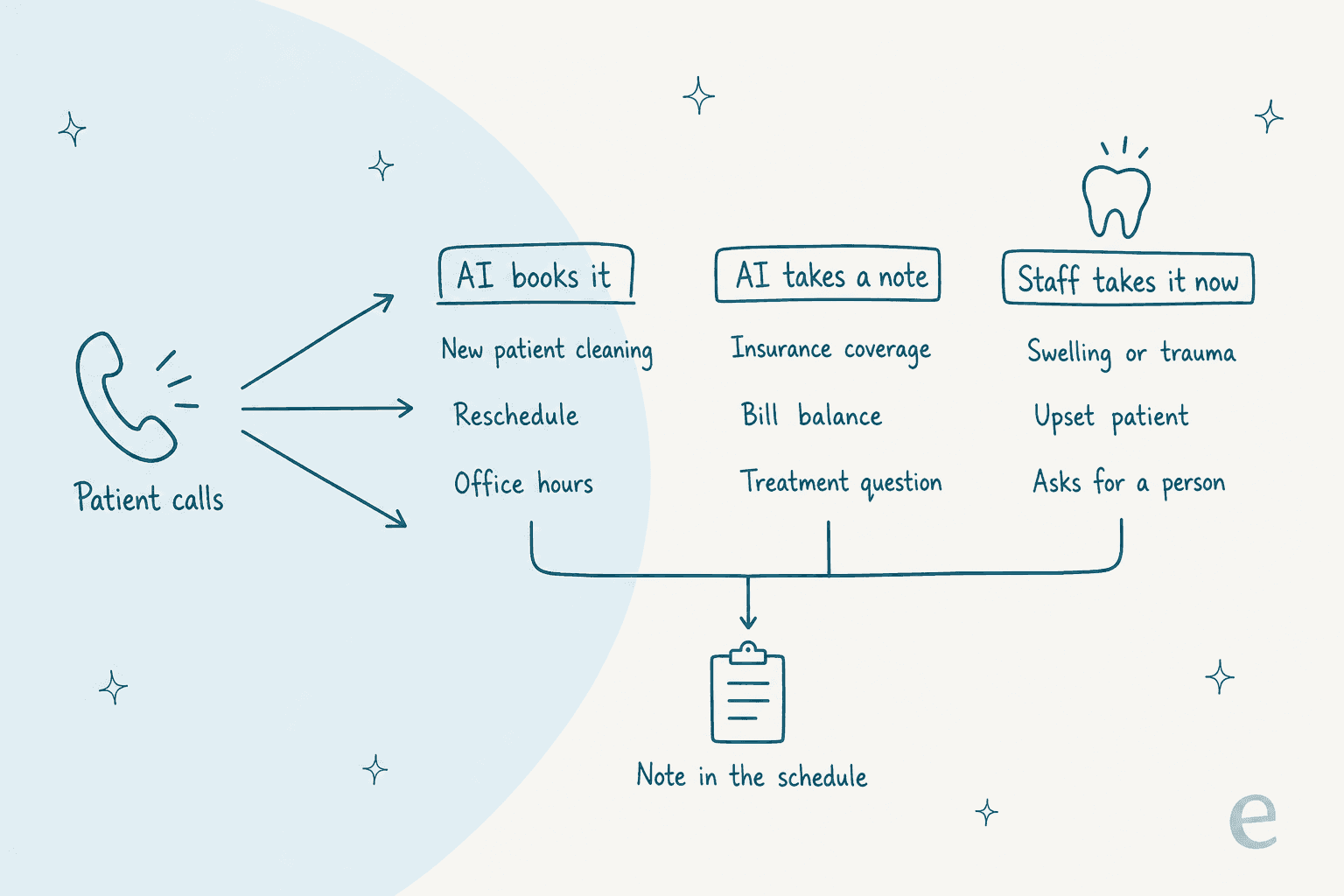
- The AI books it. New patient cleanings, recall visits, reschedules, and simple questions like hours, parking and whether you see kids. This is where the money is.
- The AI takes a note. Coverage details for a specific plan, a balance on a bill, or "do I need a crown or a filling?" These need a person with the chart open, so the AI collects the details and creates a task.
- Staff take it now. Facial swelling, a knocked-out tooth, heavy bleeding, an upset patient, or anyone who asks for a human. These go to a live transfer or your emergency line, every time, the same way a good AI call center agent escalates.
If you're coming at this from the wider receptionist category, the AI phone receptionist guide covers the general-purpose tools. The best AI for phone support list is broader still. Dental practices have one need those tools mostly skip: booking into a practice management system (PMS) with its operatories, providers and appointment types.
Is an AI receptionist worth it for a dental practice?
Yes, when calls are going unanswered and the tool can book. The case for one is not cutting front desk hours. The case is the new patient who calls at 12:30, gets voicemail, and books with whoever picks up next.
The vendors publish their own numbers here, and they are worth reading as vendor claims rather than benchmarks. Dentina's case study for Navy Yard Dental, a one-provider office in Washington DC, reports 330 new-patient appointments over 12 months from after-hours and overflow calls. Arini says Unified Dental Care, a 12-location group in Michigan, booked 18,000+ appointments from 250,000+ calls in its first year.
Your own practice is the only number that matters, so plug it in below. Count missed calls for a normal week from your phone system's report, not from memory. If your system flags them, the note on missed call notifications shows the kind of report to pull.
If the estimate comes out under 1x, the problem may not be missed calls. Plenty of practices miss very few calls and lose patients somewhere else, like slow replies to website chat or email, which is a cheaper fix.
Does the AI receptionist book into your practice software?
This is the question to ask before price, voice quality or anything in the demo. "Takes a message" and "books the appointment" sound similar on a sales call and produce very different Mondays.
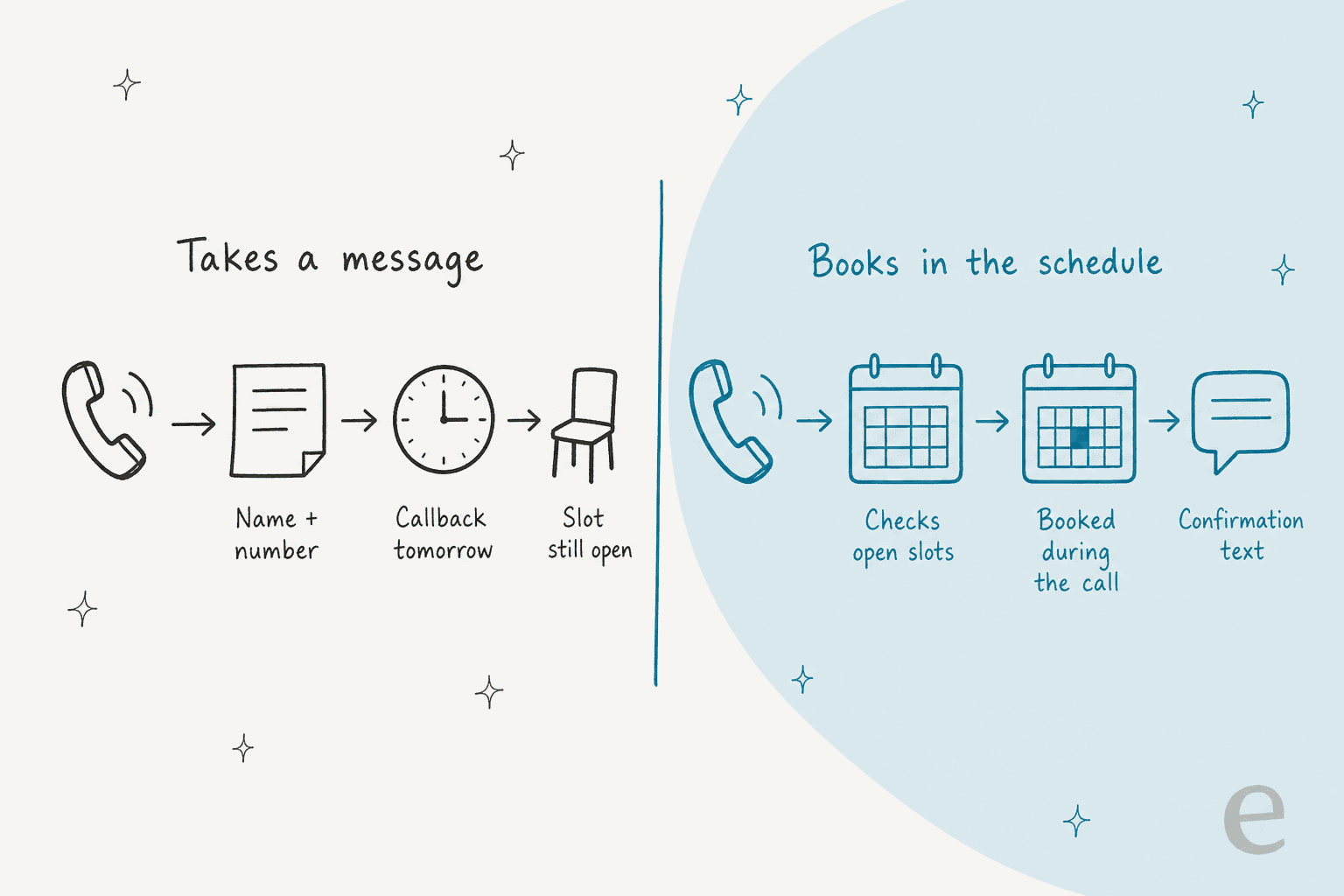
When the AI only captures a request, your team still has to read it, open the schedule, call the patient back, and hope they pick up. Dentina makes this point on its own FAQ, contrasting itself with tools that "draft a task or text a booking link". That is fine for an overflow safety net, and a call summary is better than a garbled voicemail. It is not what most practices are picturing when they buy an AI receptionist.
Weave is the clearest example of why you have to check your exact system. Its scheduling setup guide says direct booking is "currently available exclusively for qualifying Dental practices" on Open Dental, Eaglesoft v18+, Dentrix G6.2+ and Denticon. On every other system, the AI collects the request into a view called Schedule Pulse and a person books it.
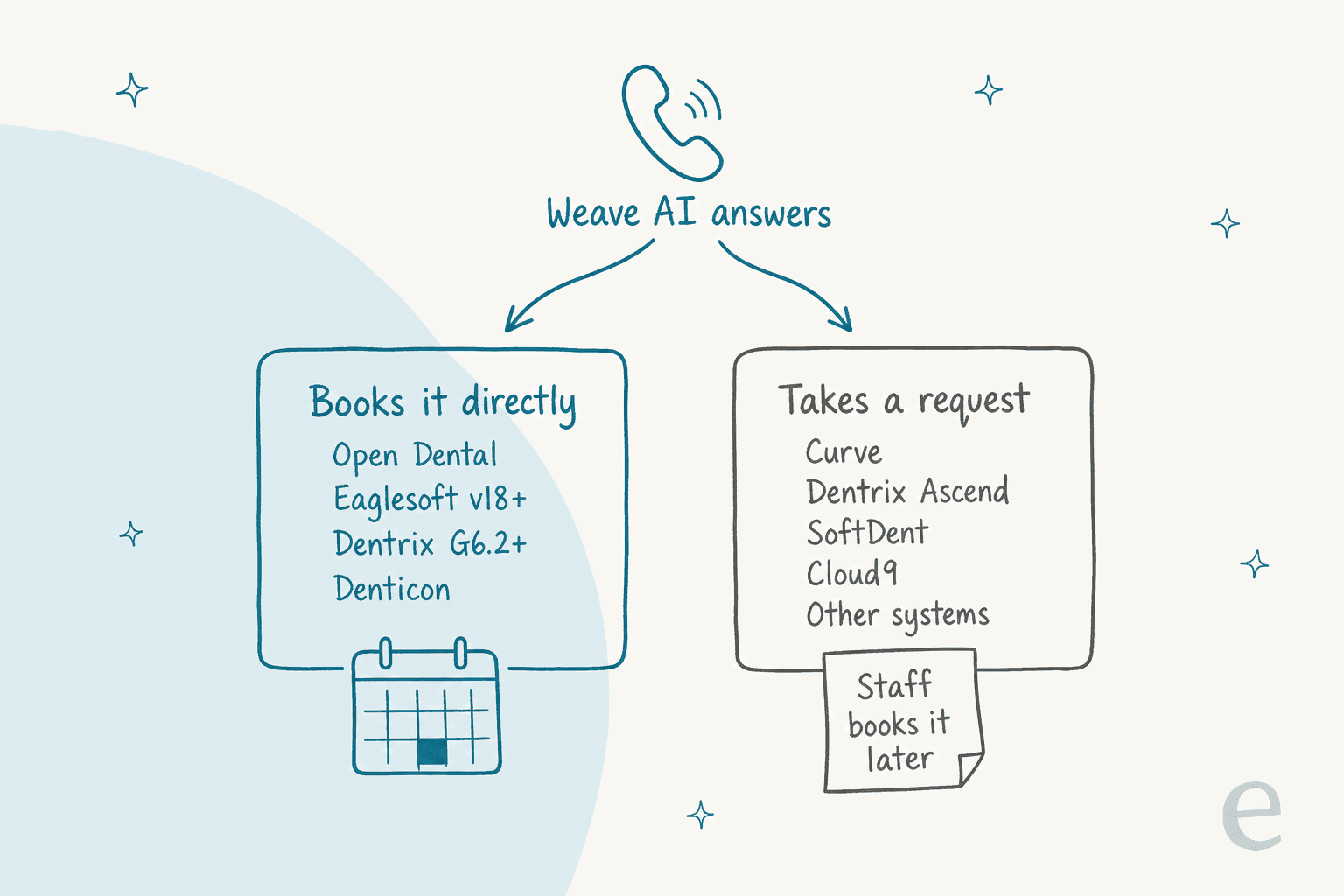
Here's how the five tools in this guide line up on the most common dental systems, from each vendor's own integration pages:
| Practice software | Dentina | Viva AI | Arini | Weave AI | Smith.ai |
|---|---|---|---|---|---|
| Open Dental | Books | Books | Books | Books | Not listed |
| Dentrix (on-premise) | Books | Books | Not shown | Books (G6.2+) | Not listed |
| Dentrix Ascend | Books | Books | Books | Request only | Not listed |
| Eaglesoft | Books | Books | Books | Books (v18+) | Not listed |
| Curve Dental | Books | Books | Books | Request only | Not listed |
| Denticon | Books | Not listed | Not shown | Books (setup guide) | Not listed |
| Cloud9 | Books | Books | Books | Request only | Not listed |
| CareStack | Not listed | Books | Books | Not listed | Not listed |
| Where I checked | FAQ | Integrations | Product page | Setup guide | Pricing |
Direct booking cuts both ways, though. An AI that writes into your schedule without your rules can do real damage, as one dentist found after a short trial:
"youd have multiple crowns stacked at the same time as emergency patients and denture adjustments. even while the ai was trying to learn it messed up so much that i scrapped the whole thing ... it was a huge pain, a waste of money"

That's why the rules matter as much as the integration. Dentina, Viva and Arini all say they follow provider and appointment-type rules before booking; ask each to show you a booking that respects yours.
Two caveats on that table. Arini shows its integrations only as logos, so "Books" there is my reading of its copy ("books appointments" with availability kept in sync), not a written list. Weave's own help pages disagree slightly on Denticon: the setup guide includes it, the overview lists only Open Dental, Dentrix and Eaglesoft. Ask for a live test booking in your own schedule before you sign anything.
The same "check the write-back" rule applies to any AI scheduling assistant. It holds for every AI appointment setter too. An integration logo on a homepage is not the same thing as the AI writing a procedure-coded appointment into the right operatory.
Which AI receptionists for dentists actually work?
I looked at the five tools that come up most when a dental office manager asks this question, and checked each one against its own pricing, integration and help pages on 2026-11-04. Each section below follows the same order: who it suits, what it does on a call, where it books, pricing, and HIPAA. I haven't run any of them on a live practice line, so the takes are about fit, not call quality. Book a demo and call each vendor's demo line yourself before deciding.
Quick summary first:
| Dentina | Viva AI | Arini | Weave AI Receptionist | Smith.ai | |
|---|---|---|---|---|---|
| Best for | Single offices that want a flat price | Practices that also want texting, chat and outreach | Groups and DSOs | Practices already on Weave | Practices that want a human backup |
| Starting price | $299/mo per location, billed annually | $349/mo (Gold) | Quote only | Weave from $199/mo; AI priced on quote | $0 (25 calls), Pro $150/mo |
| Billing unit | Flat, unlimited calls | Credits: 10 per AI call-minute | Not published | Call credits in blocks of 100 | Per call |
| Books into dental PMS | Yes, 11 systems | Yes, 8 named systems | Yes (logos) | 4 systems; requests elsewhere | No dental PMS named |
| Live transfer to staff | Premium only | Platinum and up | Yes | Yes, to your fallback | Yes, to live receptionists |
| Languages | English + Spanish; 57 on Premium | 100+ | Multilingual, no count | English only for now | Not stated for AI |
| BAA | Referenced in privacy policy | "BAA signed for every practice" | Not stated on site | Yes | Not stated on pages checked |
| Setup time | "Live in ~3 days" | "Live in about a week" | "can be deployed in days" | 3-call guided onboarding | Self-serve to full service |
1. Dentina
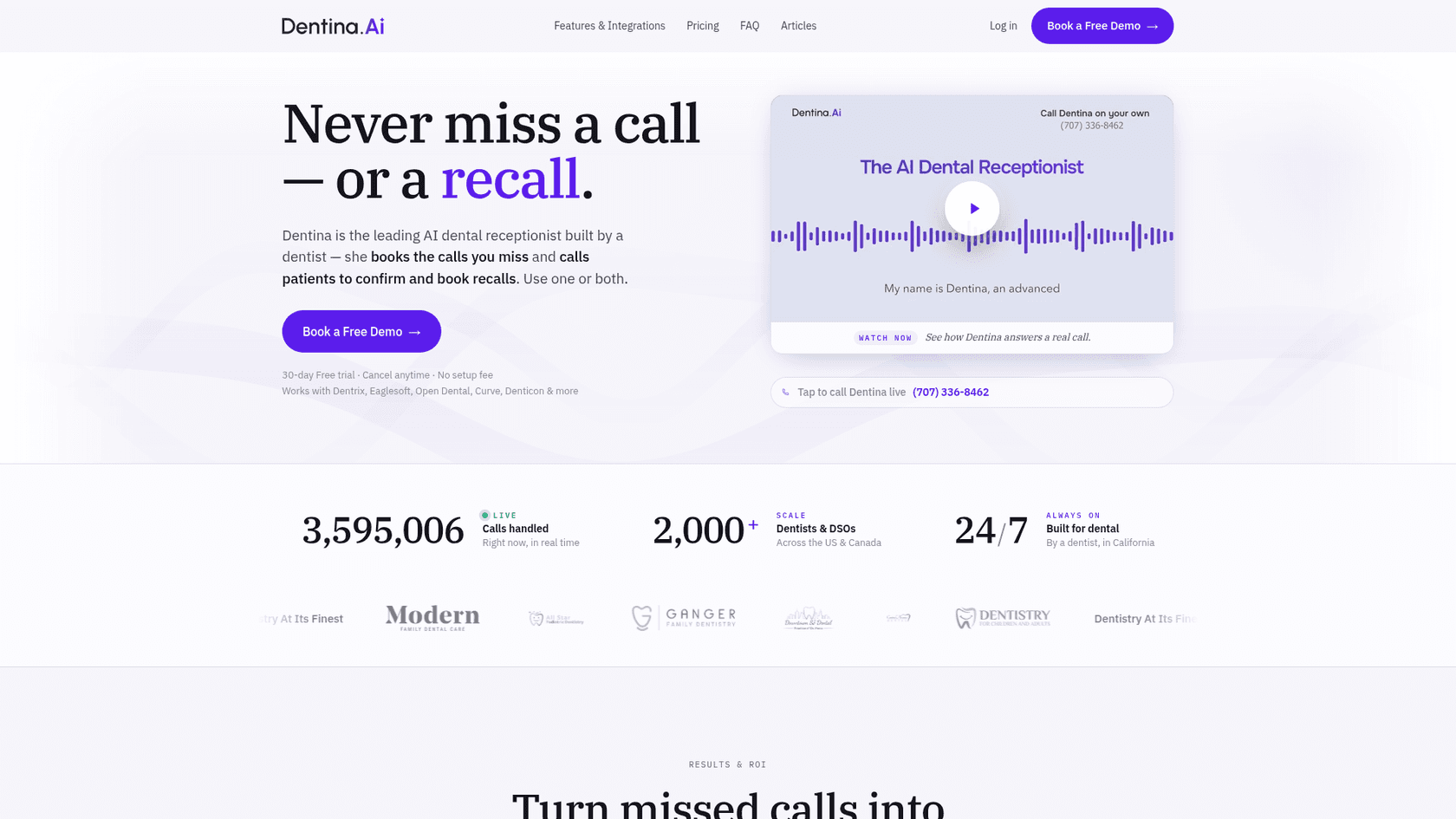
Best for: single-location practices that want a published, flat price and the widest list of dental systems.
What it does on a call. Dentina answers after hours, during overflow and at lunch, takes unlimited simultaneous calls, and texts back when a call drops. It reads your scheduling rules before booking: provider restrictions, operatory constraints, appointment types, lunches and same-provider reschedules. It can book a whole family in one call. On the Standard plan it takes a detailed message when someone needs a person; warm transfer, where it calls your staff first with a briefing and then bridges the patient in, is a Premium feature.
Where it books. Directly into Open Dental, Dentrix, Dentrix Ascend, Dentrix Enterprise, Eaglesoft, Curve, Denticon, Cloud9, Dolphin, OrthoTrac and PracticeWorks, per its FAQ. You keep your phone carrier and set a forwarding rule.
Pricing. From its pricing section, billed annually, per location, up to 3 providers:
| Plan | Price | What's included |
|---|---|---|
| Standard | $299/mo | Unlimited calls, English and Spanish, up to 6 appointment types, one-way SMS |
| Premium | $399/mo | Adds warm transfer, two-way SMS, web chat, emergency forwarding, up to 10 appointment types, 57 languages |
| Outbound add-on | Custom | Recalls, confirmations, reactivations |
| 10+ locations | Demo | Multi-location dashboard, roles, API |
There's a 30-day free trial and no setup fee. The monthly-billed price isn't shown; the toggle says annual saves 20%.
HIPAA. The site says "HIPAA compliant", and its privacy policy says it acts as a business associate "under our contract and business associate agreement". I found no SOC 2 claim.
My take: the easiest one to price and the broadest PMS list. Watch the plan line: emergency forwarding and live transfer are Premium, so I'd budget $399, not $299. Dentina's own Excel Dental case study shows 18% of calls at a group practice still went to staff, which is a healthy sign the handoff gets used.
2. Viva AI
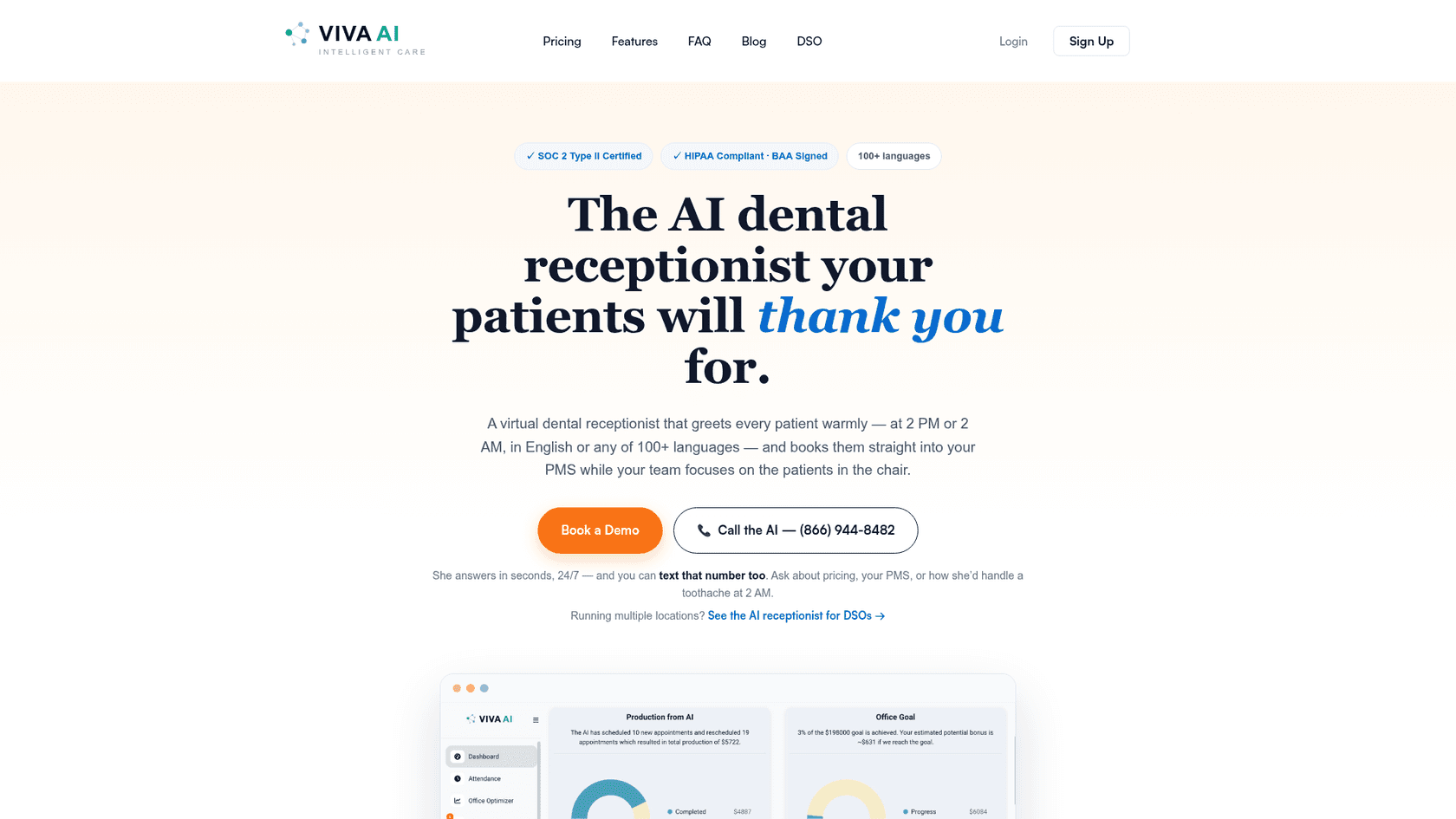
Best for: practices that want calls, texts, web chat and recall campaigns from one dental-only vendor.
What it does on a call. Viva AI answers 24/7 with unlimited simultaneous calls and books while the patient is on the line, creating new-patient charts as it goes. It answers insurance questions from what you teach it, transfers complex cases to staff, and sends what it calls HIPAA-compliant alerts for emergencies. The same assistant answers SMS, website chat and email.
Where it books. Its integrations page names Dentrix and Dentrix Ascend, Open Dental, Eaglesoft, CareStack, Cloud9, SoftDent and Curve. Denticon is not on that list.
Pricing. From its homepage pricing section:
| Plan | Price | Credits a month | Extra credits |
|---|---|---|---|
| Gold | $349/mo | 4,000 | $0.10 each |
| Platinum | $899/mo | 7,000 | $0.09 each |
| Diamond | $1,199/mo | 12,000 | $0.08 each |
| Unlimited | $350/mo first provider, +$150/mo each extra | Unlimited | None |
| Full Platform add-on | $300/location/mo | n/a | n/a |
Credits burn at 10 per minute of AI-answered call and 5 per AI message. So Gold covers roughly 400 AI call-minutes, and overage works out to about $1.00 per AI call-minute. Viva says 95% of offices never exceed their allotment. Live call transfer starts at Platinum. All plans have a 30-day risk-free trial.
HIPAA. Viva says it is "SOC 2 Type II certified and fully HIPAA compliant, with a BAA signed for every practice", with a public Trust Center.
My take: the most complete compliance story of the five, and the Unlimited plan is the one I'd look at first for a one- or two-provider office ($500/mo for two providers, no credit math). The credit plans make sense if you also want the phone system and campaigns. Do the minutes math before picking Gold.
3. Arini
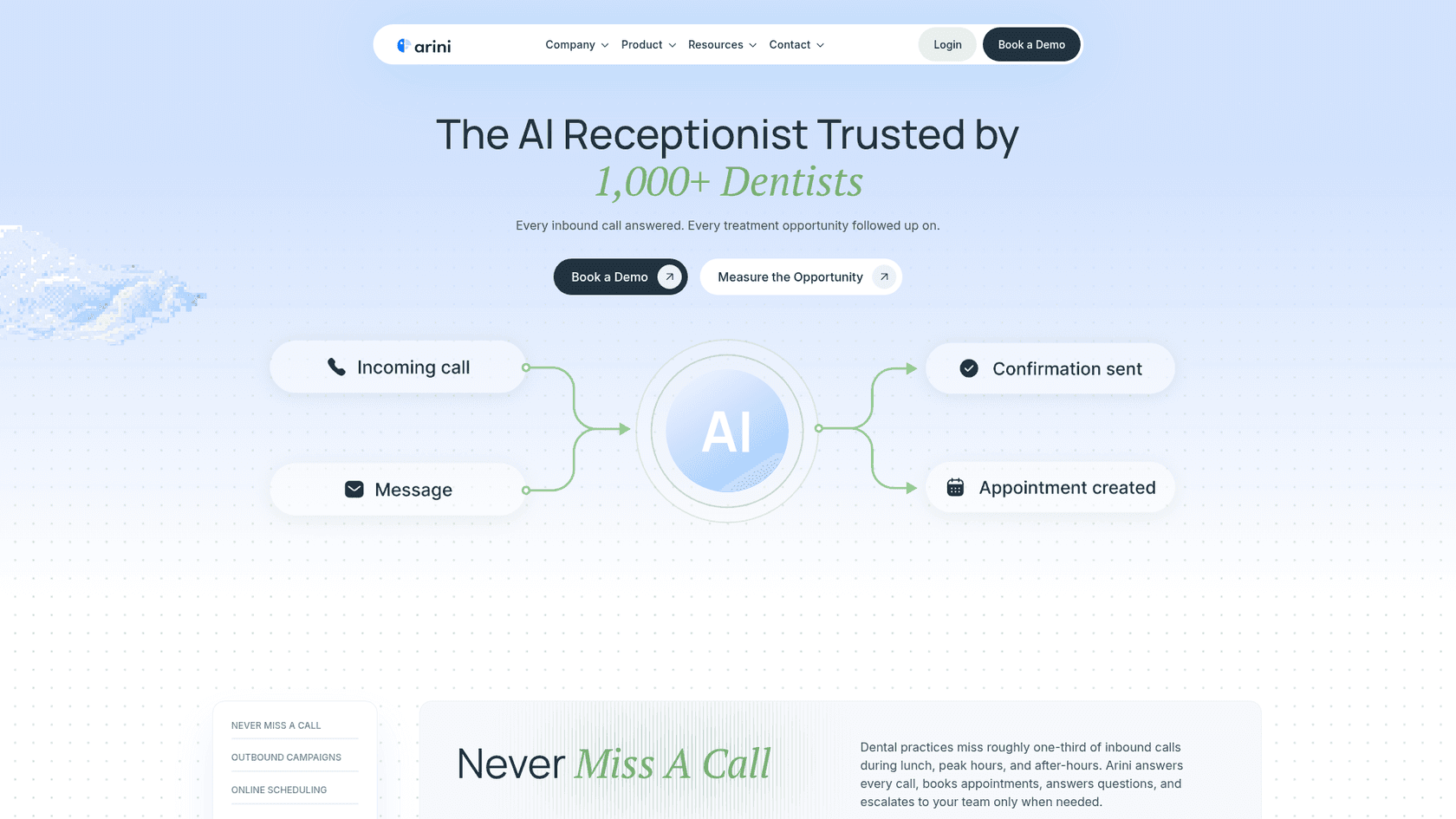
Best for: multi-location groups and DSOs that want a vendor to configure complex scheduling rules for them.
What it does on a call. Arini learns your providers, appointment types, durations, templates and emergency slots, and escalates to your team when something falls outside those rules "instead of guessing". It handles cancellations, insurance questions and after-hours calls, switches language mid-call, and runs outbound campaigns for unscheduled treatment and reactivation. Its Watchtower reporting says QA agents review every call and create follow-up tasks.
Where it books. Its integration strip shows logos for Open Dental, CareStack, Eaglesoft, Curve, Dentrix Ascend and Cloud9. Classic on-premise Dentrix and Denticon aren't shown.
Pricing. Not published. Every button says "Book a Demo". Arini offers a free missed-call audit where its AI calls each location 5 to 7 times over a few days, per its ROI calculator page.
HIPAA. I couldn't find a HIPAA or BAA statement on any page of Arini's site I could reach. That doesn't mean there isn't one; it means you should ask for it in writing on the first call.
My take: Arini leans toward groups (its site segments by 1-20, 20-100 and 100+ locations), and its case studies are the biggest of the five. If you run one office on classic Dentrix, confirm support before you spend time on a demo.
4. Weave AI Receptionist
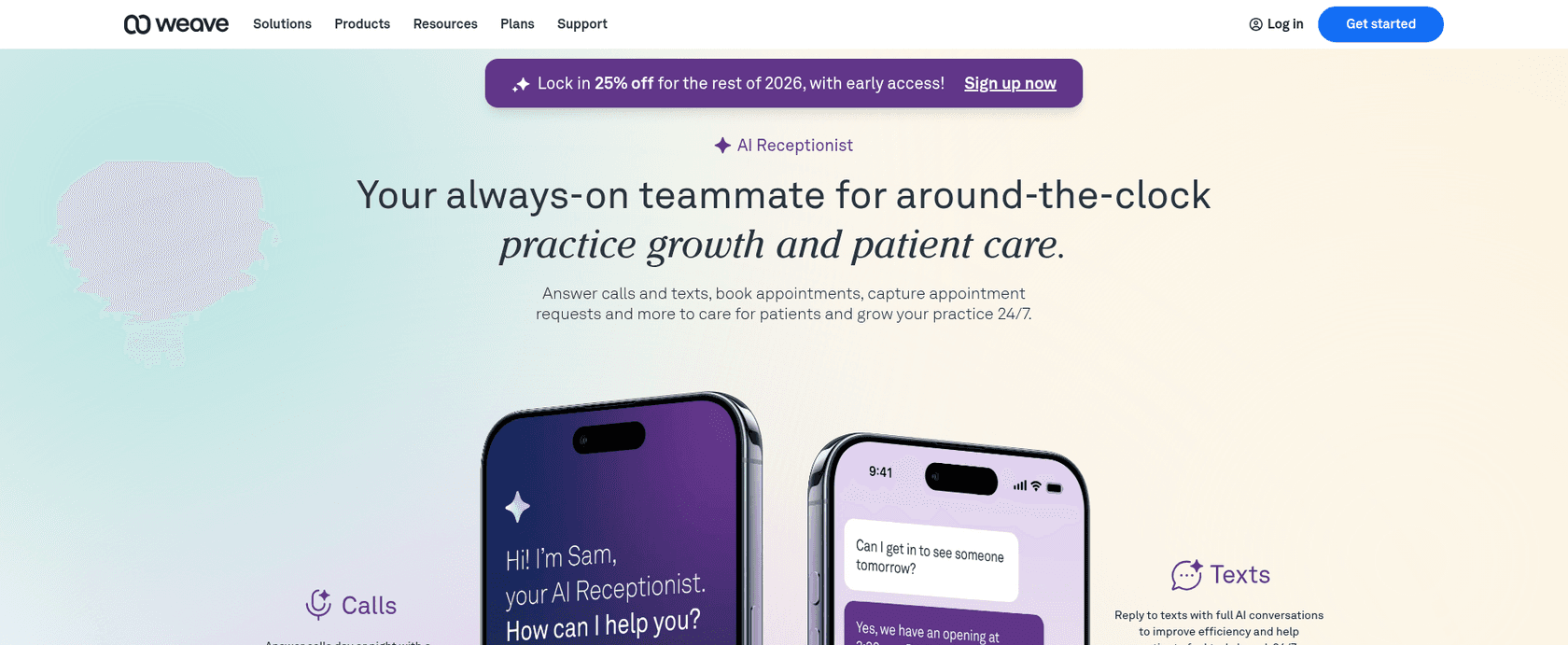
Best for: practices already using Weave for phones and texting, on one of its four direct-booking systems.
What it does on a call. The Weave AI Receptionist, named "Sam", answers calls and texts around the clock, books and reschedules, and answers FAQs about location, hours, parking, insurance and payment options. When a patient asks for a person, it routes to your fallback; unresolved requests become a task in the Weave app. Weave's October 2026 release notes say it's now available to all dental, optometry and medical practices.
Where it books. Directly into Open Dental, Eaglesoft v18+, Dentrix G6.2+ and Denticon. On any other PMS, it captures requests for staff to book.
Pricing. Weave's pricing page starts the platform at $199/mo with quote-based Pro, Elite and Ultimate tiers. The AI isn't priced publicly. Its help overview says it's billed in call credits, sold in blocks of 100 per location, where a credit is a call of at least 20 seconds. When credits run out, the AI stops answering and calls go to your fallback.
HIPAA. Weave signs a BAA and requires one before storing patient data. One clause worth reading in full: its public BAA says Weave may use patient data "within internal and external Artificial Intelligence ('AI') systems and models", and may use de-identified data for any purpose. That's a fair thing for a vendor to state openly, and a fair thing for your compliance lead to review.
My take: if you already run Weave on Open Dental, adding the AI is the shortest path, since the phones and texting are already there. On Curve or Dentrix Ascend, you'd be buying a very good message-taker. Two smaller limits: it's English-only for now, and switching the AI off starts a 30-day pause.
5. Smith.ai
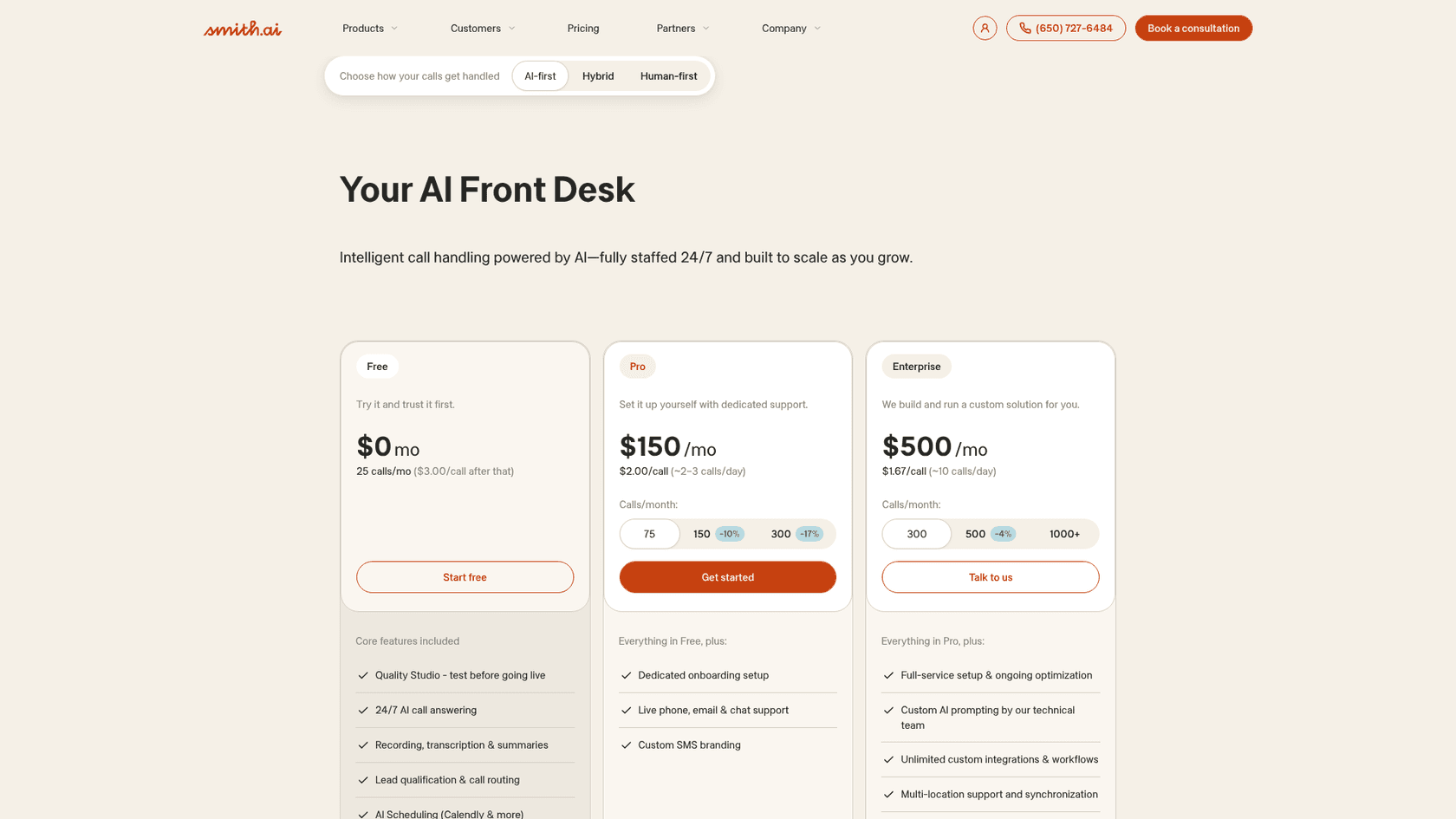
Best for: practices that don't want every caller talking only to a bot and are fine booking through a general calendar tool.
What it does on a call. Smith.ai answers 24/7 with AI first, qualifies and routes callers, and books through scheduling tools like Calendly. Complex calls can transfer to a live receptionist based in North America, day or night. It's a general receptionist service rather than a dental product, closer to the voice agents for support category.
Where it books. No dental PMS is named on its pricing pages. Booking runs through calendar tools, so your team would still move the appointment into the PMS.
Pricing. AI plans are per call: Free covers 25 calls ($3.00 each after), Pro is $150/mo for 75 calls, and Enterprise is $500/mo for 300 calls. Every answered call counts, with an allowance to remove up to 10% as spam. If you want people answering instead, its human receptionist plans start at $300/mo for 30 calls.
HIPAA. I didn't find a HIPAA or BAA statement on the pricing pages I checked. Ask before routing patient calls to it.
My take: the best "human backup" option of the five, and the free tier is a cheap way to test whether patients will talk to an AI at all. It's the weakest fit for the booking job, because its booking runs through calendar tools like Calendly, not your PMS, so operatory rules aren't applied.
How much does an AI dental receptionist cost per month?
Dental-specific published prices run from $299 to $1,199 a month, but the billing units differ, so the sticker price doesn't compare well. Here's one practice priced across all five: one location, two providers, 300 AI-answered calls a month averaging 3 minutes (900 minutes).
| Tool | How it bills | Monthly cost for this practice | Books into the PMS? |
|---|---|---|---|
| Dentina Standard | Flat per location | $299 (billed annually) | Yes |
| Dentina Premium | Flat per location | $399 (billed annually) | Yes |
| Viva AI Unlimited | Per provider | $500 ($350 + $150) | Yes |
| Viva AI Gold | Credits | $849 ($349 + 5,000 extra credits at $0.10) | Yes |
| Smith.ai Enterprise | Per call | $500 for 300 calls | No, calendar tools only |
| Arini | Quote | Not published | Yes |
| Weave AI | Call credits on a Weave plan | Not published | Only on 4 systems |
At this volume, Viva's credit plans cost more than its Unlimited plan, and Dentina is cheapest if you can commit to a year. Volume also changes the picture: at 100 calls a month, Viva Gold stays inside its credits at $349. For contrast, a human answering service like Smith.ai's people-first plan is $300 for 30 calls, about $10 a call. For a wider comparison of voice tools, including builders like Retell AI and Vapi, see the best AI voice agents roundup.
What should an AI receptionist never handle at a dental office?
Anything clinical, anything urgent, and anything where the patient asks for a person. Write those rules down before setup, not after the first bad call. The same limits show up in every healthcare chatbot, and in telehealth support too.
The rule I'd copy comes from one of eesel's customers. Original Bootcamp, a group fitness company running eesel on Freshdesk, sends cancellations, rebookings, payments, and "anything about an injury or health" to its customer service team. Its setup goes further: "Health comes first. If a message mentions an injury or illness, it goes to a person even if the booking question could have been answered." That's the right instinct for a dental line. A patient asking to move a cleaning who mentions their jaw is swollen is not a reschedule.
Here's the short list I'd configure on day one:
- Emergencies go to a person immediately. Swelling, trauma, bleeding, severe pain, or a knocked-out tooth route to your emergency line or on-call dentist. Arini's product page shows exactly this: a question it flags as "medical advice detected" gets transferred to clinical staff.
- No clinical advice. The AI can say what a cleaning visit involves. It should not say whether a symptom is serious or whether someone needs a root canal.
- Coverage specifics go to billing. "Do you take Delta Dental?" is fine. "How much will my crown cost after insurance?" needs a person with the patient's plan open.
- Always a way out. Any caller who asks for a human gets one, or a callback. Weave also recommends telling callers they're speaking with an AI and notes several states require it.
Test the emergency path yourself before go-live. One dentist did exactly that with a tool they were trialling:
"I tried it myself and it just wouldnt let me connect with the doctor (I was pretending to have an emergency). But I have also heard some really good demos."
Then the paperwork. Before any patient data touches the tool, get a signed business associate agreement (BAA). eesel's sales team has watched a US healthcare support team stop a demo cold on exactly this question, and they were right to. It's the first gate in any regulated industry. The HIPAA-compliant AI guide covers what a BAA should and shouldn't cover, and the security review checklist is a good list of questions to send ahead of a demo.
How do you roll out an AI receptionist without losing patients?
Start small, on the calls you're already losing. That way the worst case is no worse than voicemail.
- Pick the hours. Turn it on for lunch and after hours first. That's where calls go to voicemail today, and where every vendor here pitches its first win.
- Map your appointment types. Decide which ones the AI may book (new patient exam, hygiene, recall) and which need a person (consults, emergencies, ortho starts). Dentina's Standard plan caps you at 6 types, so this step also tells you which plan you need.
- Call it yourself. Have three people on your team call the line pretending to be a new patient, a confused existing patient, and someone with a swollen cheek. Check that each booking lands in the right operatory with the right code.
- Read every transcript for two weeks. Look for wrong bookings, missed handoffs and callers who hung up. Most vendors here show transcripts and summaries.
- Then widen it. Move to overflow during the day once the first two weeks are clean, then weekends. The weekend coverage guide covers that step.
The rollout one dentist described on Reddit is the version I'd copy, humans first and AI as the safety net:
"It has worked well at my office - to be clear people answer first and Ai answers only if we don't answer after 3 rings, or after hours. Or if can't help it takes a message just like voicemail. When I explain this to patients we have had almost 0 pushback. Patients just want to know what to expect when they call."
The AI support implementation timeline has more on pacing a rollout like this, and the after-hours support guide covers the same idea for email and chat. For the bigger picture, the guide to automating healthcare support is a good next read.
Where eesel fits for a dental practice
I'll be straight about this: eesel is not a dental scheduler. It doesn't connect to Dentrix, Eaglesoft or Open Dental, and if booking on the phone is your problem, one of the tools above is the better buy.
eesel's phone channel does answer live calls, in the caller's own language, using the same knowledge as chat. But on a call it only looks things up; anything that changes data, like a booking, goes to your team by transfer or callback. The eesel team switches the phone channel on and sets up the number with you, so it's not self-serve.
Where eesel fits a practice, especially a group, is the patient inbox that sits next to the phones: emails about insurance, "what should I do before my cleaning" chats on the website, form questions, and the after-hours messages that wait until Monday. If you're comparing tools for that side, see the healthcare helpdesk software roundup. The AI helpdesk teammate learns from your past replies and help docs, answers the routine ones, and hands anything about a booking or a symptom to your front desk. Beautek, a German equipment supplier for beauty and medical studios, had the same gap: its phones are staffed 8:30 to 16:30 on weekdays, so eesel answered 77 website chats live and created 20 Zendesk tickets for the team in a month. If patient health information is involved, eesel signs a BAA on Enterprise after a review of how you'll use it.
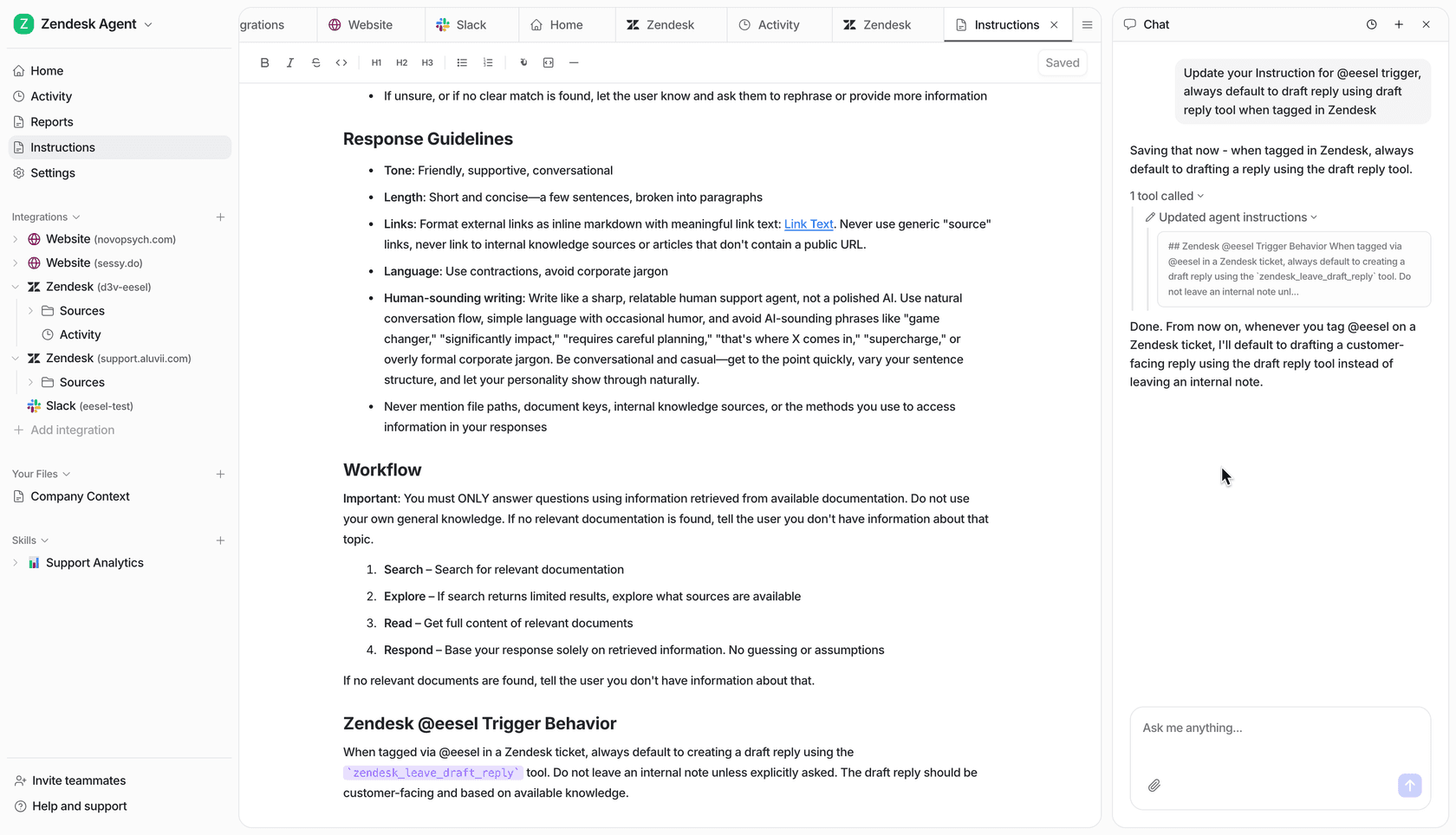
You write those handoff rules the way you'd brief a new hire ("anything mentioning pain or swelling goes to a person, today"). Lesson Pro, a lessons business with a booking team on Zendesk, runs it the same careful way: 560 replies drafted in a month, each one approved by a person before it reaches a customer. Want it on your practice's inbox? eesel plugs into your helpdesk in minutes and learns from the replies your team already wrote, and the free plan needs no card.