

For most small businesses, the best AI receptionist is Reception (built on ElevenLabs): it books, transfers and answers 70+ languages on every plan, from $29 a month. If a person must be able to pick up, choose Smith.ai. If you get lots of repeat callers, Goodcall bills per caller, not per call. At 200 calls a month, real bills run from $105 to $899, and the test that matters is what happens when the AI can't help. For "where's my order?" calls, eesel answers your support line and checks the store; with its CLI, a coding agent can load your policies and test answers before go-live.
What does an AI receptionist actually do?
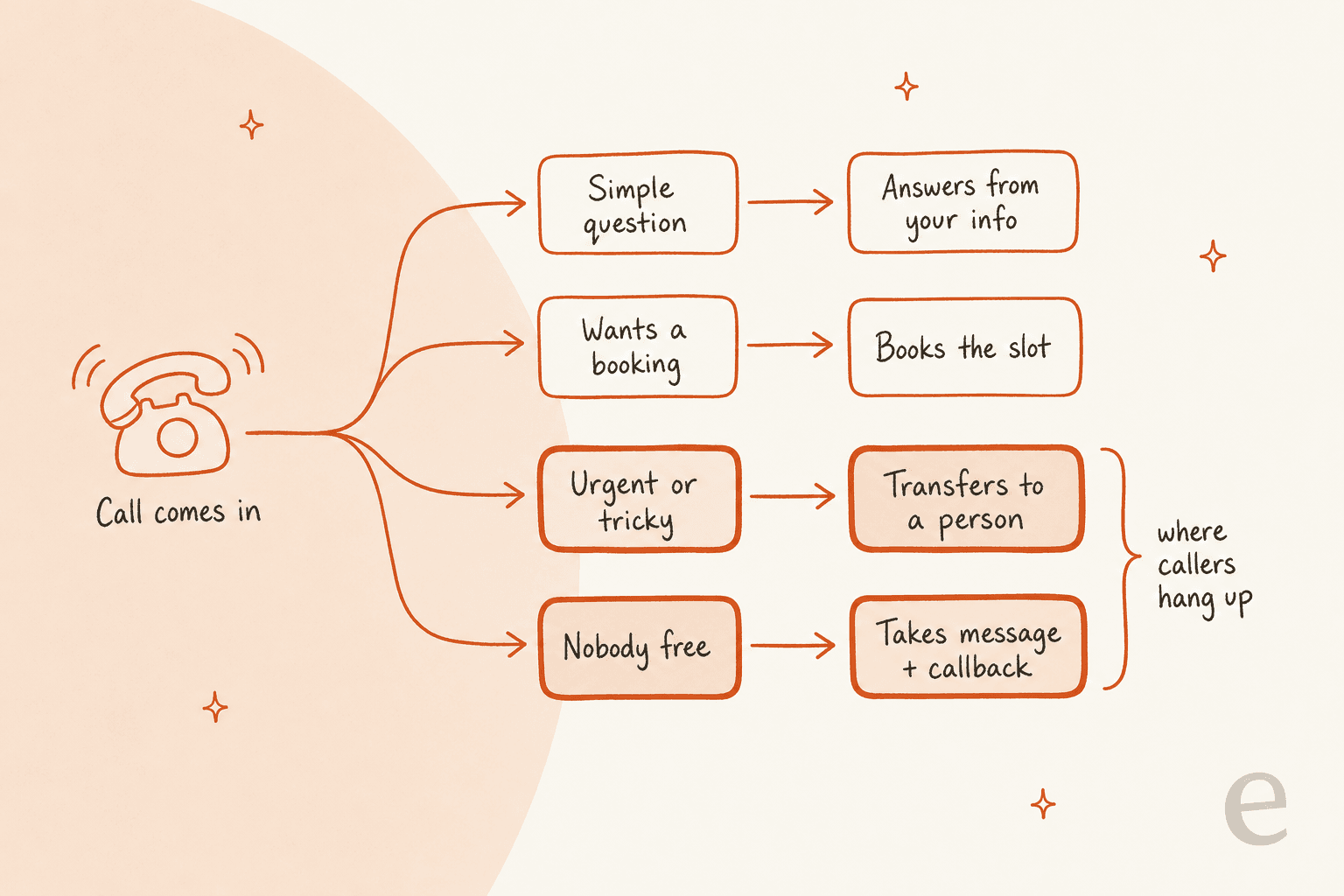
An AI receptionist is a voice agent that answers your business number, talks to callers in plain language, and then does one of four things: answers from your business info, books an appointment, transfers the call to a person, or takes a message for a callback. It replaces voicemail and the old "press 1 for sales" phone tree, not your best staff member.
I'm Kurnia. I write eesel's blog and spend most of my week on what buyers actually type into Google and ChatGPT. So before writing this, I asked ChatGPT the question the way a small business owner would: "we miss a lot of calls when the front desk is busy or after hours, what's the best AI receptionist?" It searched vendor sites for Reception, Zoom, RingCentral, Jodie, Skaala and Abby. A separate run the same morning, for my AI phone receptionist guide, surfaced Rosie, Goodcall, Smith.ai, My AI Front Desk and Upfirst instead. Two runs, two shortlists, almost no overlap. That tells you how young this market is, and why I priced every tool below myself, from the vendor's own pricing page, for the same buyer.
The team I work with has also spent years putting AI agents on live support queues, and the lesson there carries straight over to phones. A bot that answers 80% of calls well and dead-ends the other 20% loses you the 20% that mattered. Callers say the same thing, more bluntly:
"What annoys people usually isn't that it's AI, it's when the AI is a dead end. If it picks up in two rings, says right away it's an assistant, and can actually book the job or get a message to a human, most folks roll with it."

The best AI receptionists at a glance
Here are the 10 tools, compared on the things a small business owner asks about first: what it costs, what it can do on a call, and whether a person can take over. The last column prices one buyer: 200 calls a month, 3 minutes each (600 minutes), with each caller ringing 1.5 times on average.
| Tool | Type | Starting price | Included | Billed by | Overage | Books appointments | Live transfer | Human backup | Languages | HIPAA / BAA | Key integrations | Free trial | Cost at 200 calls |
|---|---|---|---|---|---|---|---|---|---|---|---|---|---|
| Reception | AI-only | $29/mo | 75 min | Minute | $0.40 to $0.22/min | Yes, every plan | Yes, up to 10 rules | No | 70+ | Not stated (DPA on Enterprise) | Google Calendar, Calendly, Zapier, Twilio, MCP | 14 days, 30 min | $183 |
| Smith.ai | AI first, live backup | $0 (Free), Pro $150/mo | 25 or 75 calls | Call | $3.00 to $2.10/call | Yes (Calendly and more) | Yes, incl. live receptionists | Yes, North America-based | English (Spanish line on human plans) | Not stated | Clio, Zapier, Calendly | Free plan | $385 |
| Goodcall | AI-only | $79/mo | 100 unique callers | Unique caller | 79¢ to 15¢ | Yes (Google Calendar) | Yes, up to 3 contacts | No | Not stated | BAA on Scale ($299) only | Google Calendar, Sheets, HighLevel, Zapier, MCP | Free demo agent | $105 |
| Upfirst | AI-only | $24.95/mo | 30 calls | Call | $1.50 to 70¢ | Yes (Google, Outlook, Calendly, Acuity, Square, Clio) | Yes, warm | No | 35+ | Not stated | Any CRM with an API, Zapier | 14 days or 100 calls | $160 |
| Rosie | AI-only | $49/mo | 250 min | Minute bundle | Auto-upgrade to next plan | Scale ($149) and up | Scale ($149) and up | No | English, Spanish | Only by separate agreement | Zapier | 7 days | $149 |
| My AI Front Desk | AI-only, plus CRM | $99/mo ($79 annual) | 200 min | Credits | $0.25/min | Yes | Yes | No | 20+ | "Signed BAAs" (tier not stated) | Zapier, HubSpot | 7 days | $189 |
| RingCentral | Phone-system add-on or standalone | $49/mo | 100 min | Minute | $0.50/min | Yes (Google, Outlook) | Yes, with call summary | No | 6 named | HIPAA and SOC 2 | Salesforce, HubSpot, Zoho, Calendly, Shopify | Yes | $299 |
| Zoom | Phone-system add-on | $25/mo (annual) | 100 min | Minute | Add-on minutes, rate not listed | Yes (Google, Outlook, Zoom Scheduler) | Yes | No | Multi-language | Not checked | Zoom Marketplace | Yes | $150 + Zoom Phone |
| Abby | AI plus human receptionists | $164/mo | 50 Abby Minutes (100 AI min) | Abby Minute | Plan rate | Yes | Yes, to live staff | Yes, US-based | English, Spanish | Human service only | 1,000+ | Every plan | $899 |
| eesel | AI on your support line | Set up by eesel team | Credit plans from $299/mo | Credits (call cost not published) | $0.80/credit | No | Yes, or offers a callback | Your own team | Caller's language | Enterprise, with BAA | Shopify, Magento, WooCommerce, BigCommerce, AfterShip, Recharge | Free plan (100 credits) | Ask eesel |
Prices come from each vendor's pricing page on 4 November 2026. For Zoom, I used the $0.25 per minute "Receptionist for Zoom Phone" option, because the any-phone plan's extra-minute rate isn't on the page.
How I picked these tools
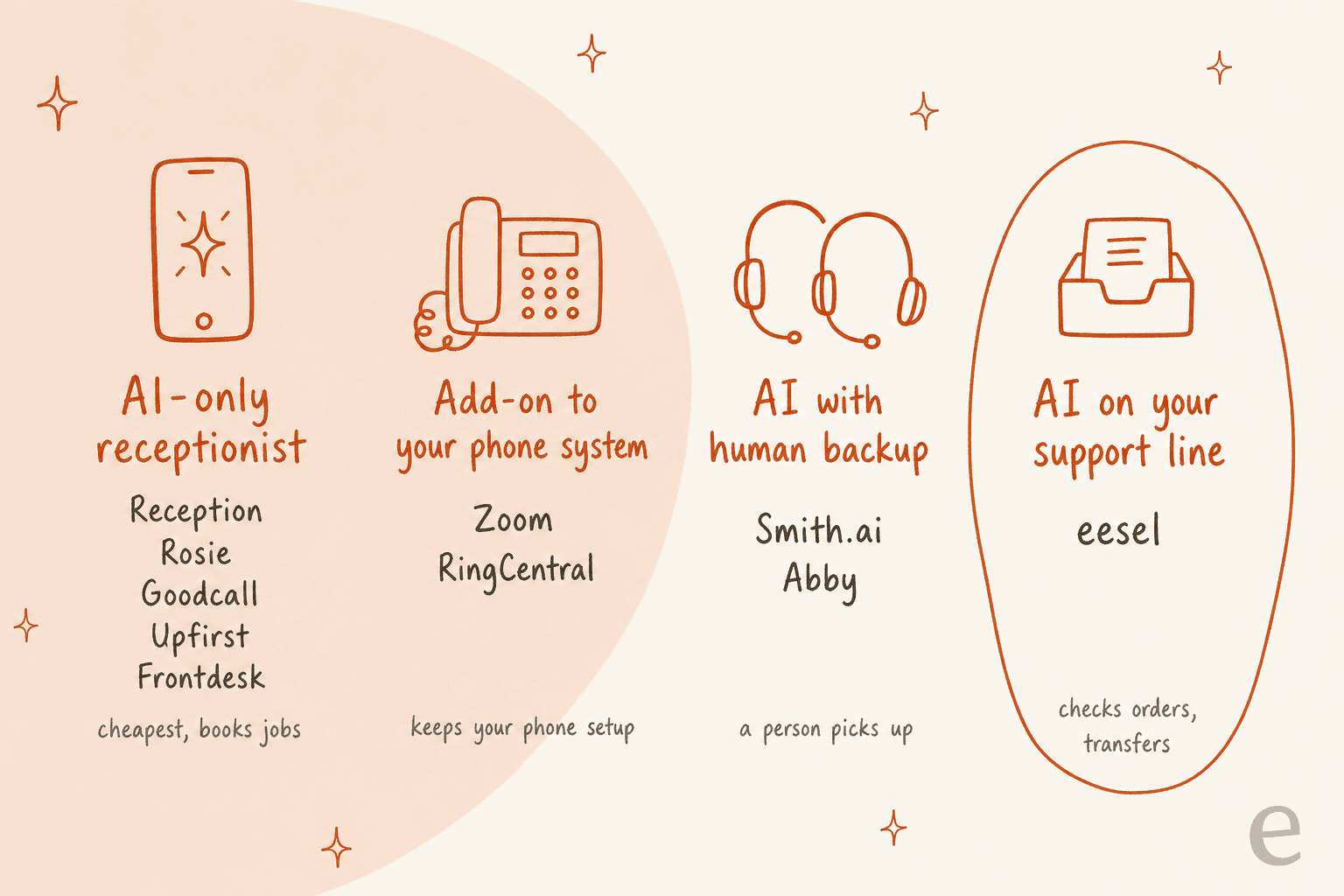
Most roundups sort AI receptionists by price. I'd sort them by lane first, because the lane decides what happens to your existing phone number and who picks up when the AI can't.
- AI-only receptionists (Reception, Rosie, Goodcall, Upfirst, My AI Front Desk) are the cheapest and most of them book jobs. You forward your number or get a new one.
- Phone-system add-ons (Zoom, RingCentral) sit inside a business phone system, so transfers go to your team's existing extensions. They're the pick if you already pay for that phone system.
- AI with human backup (Smith.ai, Abby) cost more, but a real receptionist can take the call. This is the closest thing to a classic answering service.
- AI on your support line (eesel) is for online stores whose calls are about orders, not appointments.
Inside each lane, I checked four things on the vendor's own pages: whether booking and transfers are on the cheapest plan or locked to a higher one, how the bill is counted, what happens when you go over, and whether spam and wrong numbers count. That last one matters more than it sounds. Upfirst doesn't bill spam, calls under 15 seconds or silent calls (source), while Smith.ai's AI plan counts every answered call and lets you remove up to 10% as spam (source).
1. Reception by ElevenLabs
Best for: most small businesses that want booking, transfers and multilingual calls without paying for a higher tier.
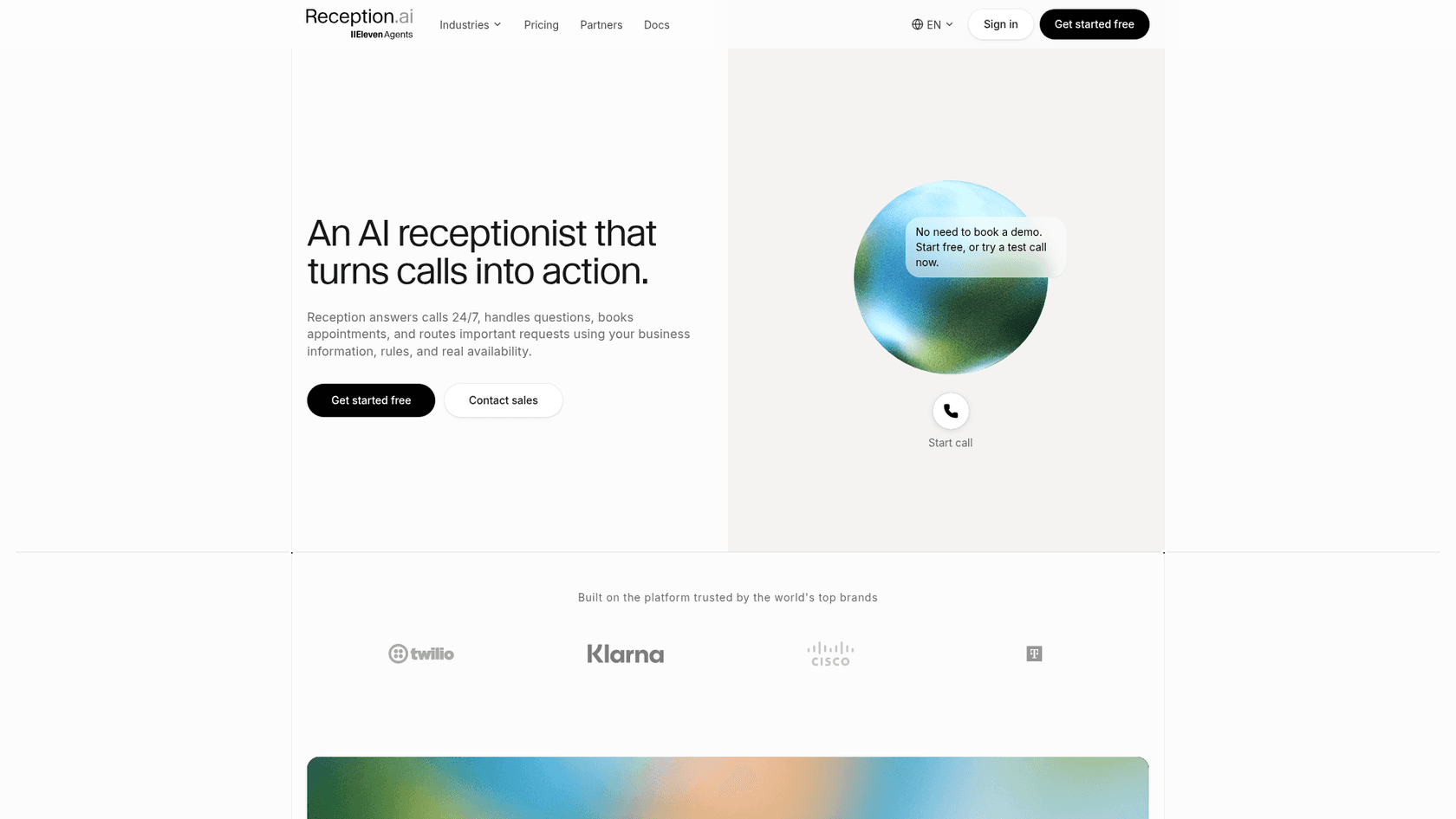
Reception is an AI receptionist product from ElevenLabs, the voice company. That shows (see ElevenLabs pricing for the voice side): it's the only tool here where the homepage lets you start a test call without signing up.
What it does on a call
Every plan, including the $29 one, answers 24/7, books, reschedules and cancels appointments, and transfers calls using up to 10 rules (source). It takes messages tagged emergency, urgent or normal, detects the caller's language and switches mid-call across 70+ languages. You also get a hosted booking page, a confirmation email with a reschedule link, and a dashboard showing revenue, bookings and call-to-booking rate.
Pros
- Booking and transfers are on the entry plan, which is rare in this list.
- Bring your own Twilio or SIP line, plus Zapier, webhooks and an MCP server on every plan.
- Per-minute overage gets cheaper as you move up: $0.40, then $0.32, then $0.22.
Cons
- The $29 Basic plan takes one call at a time. Two callers at once means the second one waits, so busy offices need Plus (3 at once) or Premium (10).
- Credits are one pool shared across phone, web chat and assistant messages, and they don't roll over (source).
- No human backup. Transfers go to your people.
Pricing
| Plan | Price | Phone minutes | Overage | Calls at once | Phone numbers |
|---|---|---|---|---|---|
| Free trial | $0 for 14 days | 30 | n/a | 20 | 1 |
| Basic | $29/mo | 75 | $0.40/min | 1 | 1 |
| Plus | $79/mo | 275 | $0.32/min | 3 | 3 |
| Premium | $199/mo | 1,000 | $0.22/min | 10 | 5 |
| Enterprise | Custom | Custom | Custom | Elevated | Custom |
Annual billing saves two months. At 600 minutes, Plus plus overage comes to $183.
My take
This is where I'd start a trial. Pick it if you book appointments and want everything on the first plan. Skip it if one bad call needs a person to take over live; that's Smith.ai's job.
2. Smith.ai
Best for: businesses where some callers must reach a real person, any time of day.
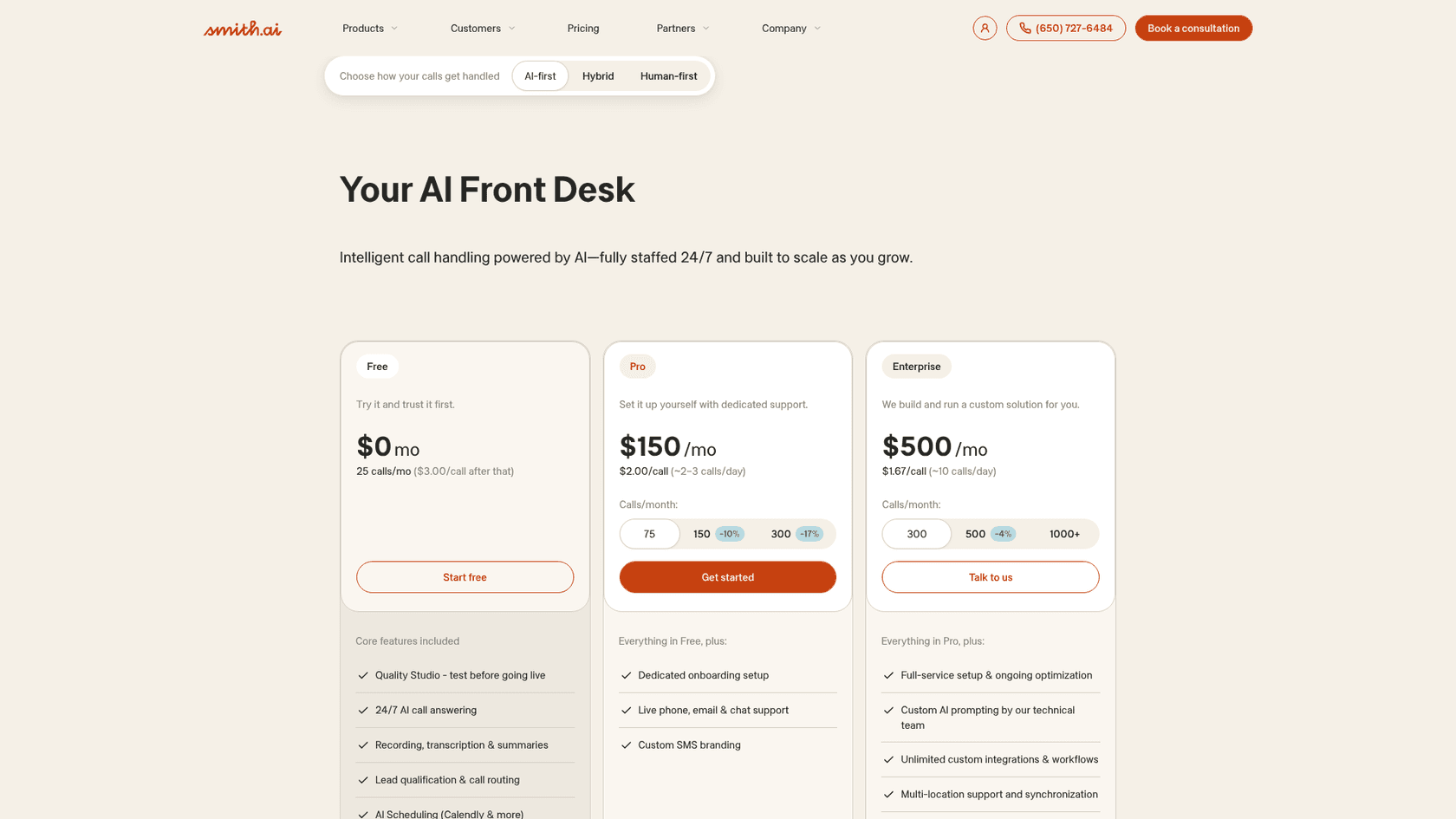
Smith.ai started as a human answering service and now sells three ways to handle calls: AI-first, a hybrid, and human-first. All of it is billed per call, not per minute.
What it does on a call
The AI receptionist answers 24/7, qualifies leads, routes calls, books through Calendly and more, and records, transcribes and summarizes each call. The part that sets it apart: complex calls "can be transferred to a live North America-based receptionist" day or night (source). There's also a Quality Studio on every plan for testing the AI before it goes live.
Pros
- A real human safety net without buying a separate answering service.
- A true free plan: 25 calls a month.
- Per-call billing means a chatty caller doesn't cost more than a quick one.
Cons
- Every answered call counts by default; you can remove up to 10% of calls a month as spam (source).
- Cancelling needs 30 days' notice.
- HIPAA isn't stated on the pricing pages I checked.
Pricing
| Plan | Price | Calls included | Extra call |
|---|---|---|---|
| Free | $0/mo | 25 | $3.00 |
| Pro | $150/mo | 75 | $2.50 |
| Pro (150 calls) | $270/mo | 150 | $2.30 |
| Enterprise | $500/mo | 300 | $2.17 |
| Enterprise (500 calls) | $800/mo | 500 | $2.10 |
The hybrid plans start around $2.50 a call, and the human-only plans start at $300 for 30 calls. That's still far below most outsourced support contracts. At 200 calls, the 150-call Pro plan plus 50 extra calls is $385.
People who pay for Smith.ai tend to say the human layer is the point:
"One of the things that is super important to me, especially in this age of AI voice bots, is the ability to have a real human being answer my calls, whether they're incoming leads for my Law Firm, or existing clients."

My take
Pick Smith.ai if a lost call costs you real money, like legal intake or a big home-services job. Skip it if your calls are simple and price is the main thing; it's about twice the cost of the AI-only tools at the same volume.
3. Goodcall
Best for: businesses with lots of repeat callers, like trades and clinics where customers call back about the same job.
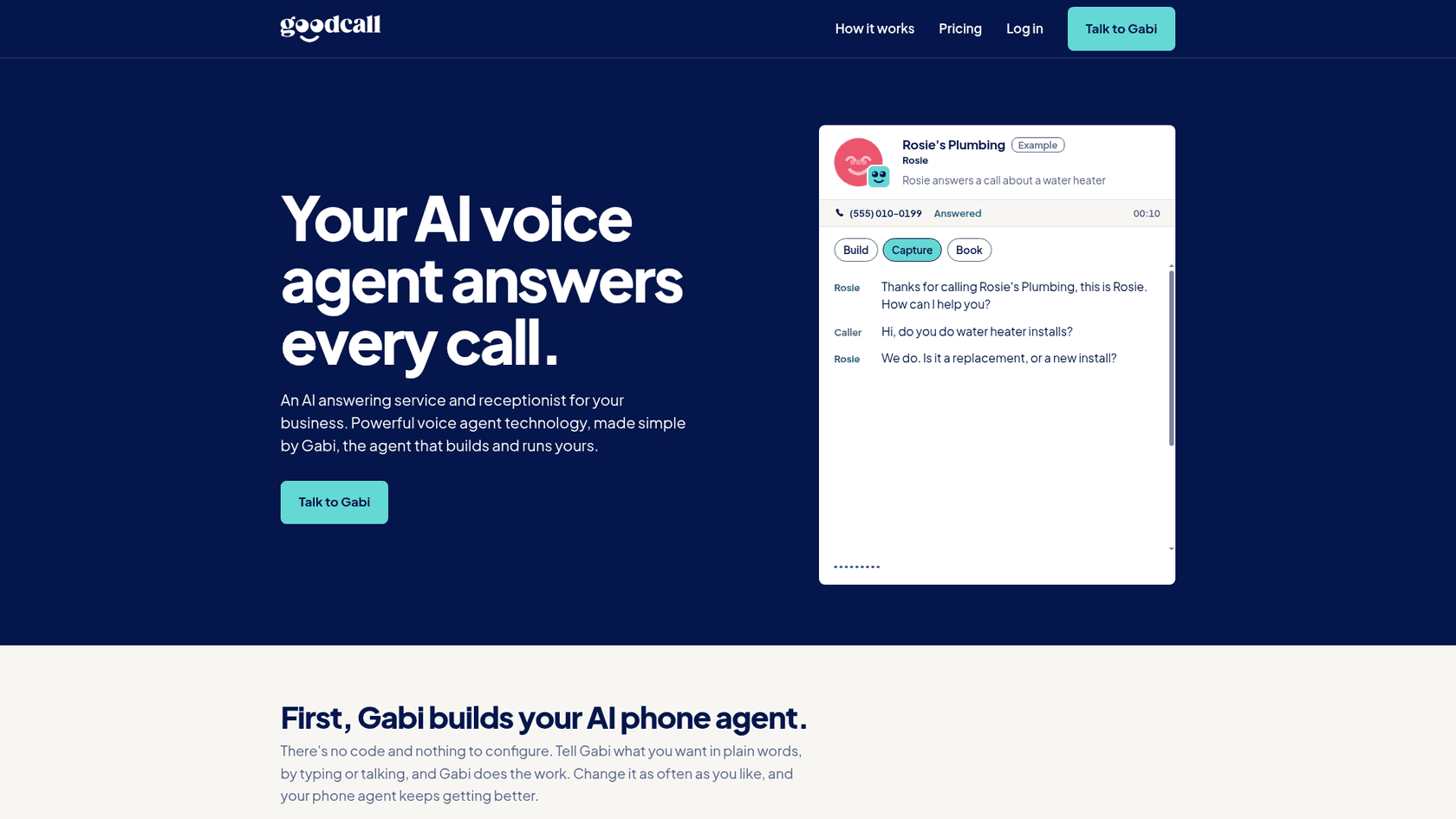
Goodcall bills on something nobody else does: unique customers per month. "One phone number, once a month," so five calls from the same person in March count as one (source).
What it does on a call
It sorts callers into new, existing, urgent or spam, qualifies leads, checks your calendar and books, then texts and emails you the details. Transfers retry busy lines and try the next contact, up to three contacts (source). Setup is done by talking to "Gabi", an assistant that builds the agent for you.
Pros
- Call length and repeat calls don't change the bill; a 30-second wrong number and a nine-minute booking cost the same.
- Spam and wrong numbers don't count at all.
- Cheapest bill in my test at 200 calls.
Cons
- Local US numbers only: no toll-free, Canadian or international numbers yet (source).
- The number can send texts but can't receive replies yet.
- A signed BAA only comes on the $299 Scale plan, which matters if you need HIPAA-compliant AI.
Pricing
| Plan | Price | Unique customers | Extra customer |
|---|---|---|---|
| Starter | $79/mo | 100 (about 150 calls) | 79¢ |
| Growth | $129/mo | 500 (about 750 calls) | 26¢ |
| Scale | $299/mo | 2,000 (about 3,000 calls) | 15¢ |
| Enterprise | Custom | 2,000+ | Volume |
At 200 calls from about 133 callers, Starter plus 33 extras is $105.
My take
The pricing model fits how real customers behave: they call back. Pick it if you're in the US and want the lowest predictable bill. Skip it if you need a toll-free or non-US number.
4. Upfirst
Best for: low-volume businesses that want the cheapest way in.
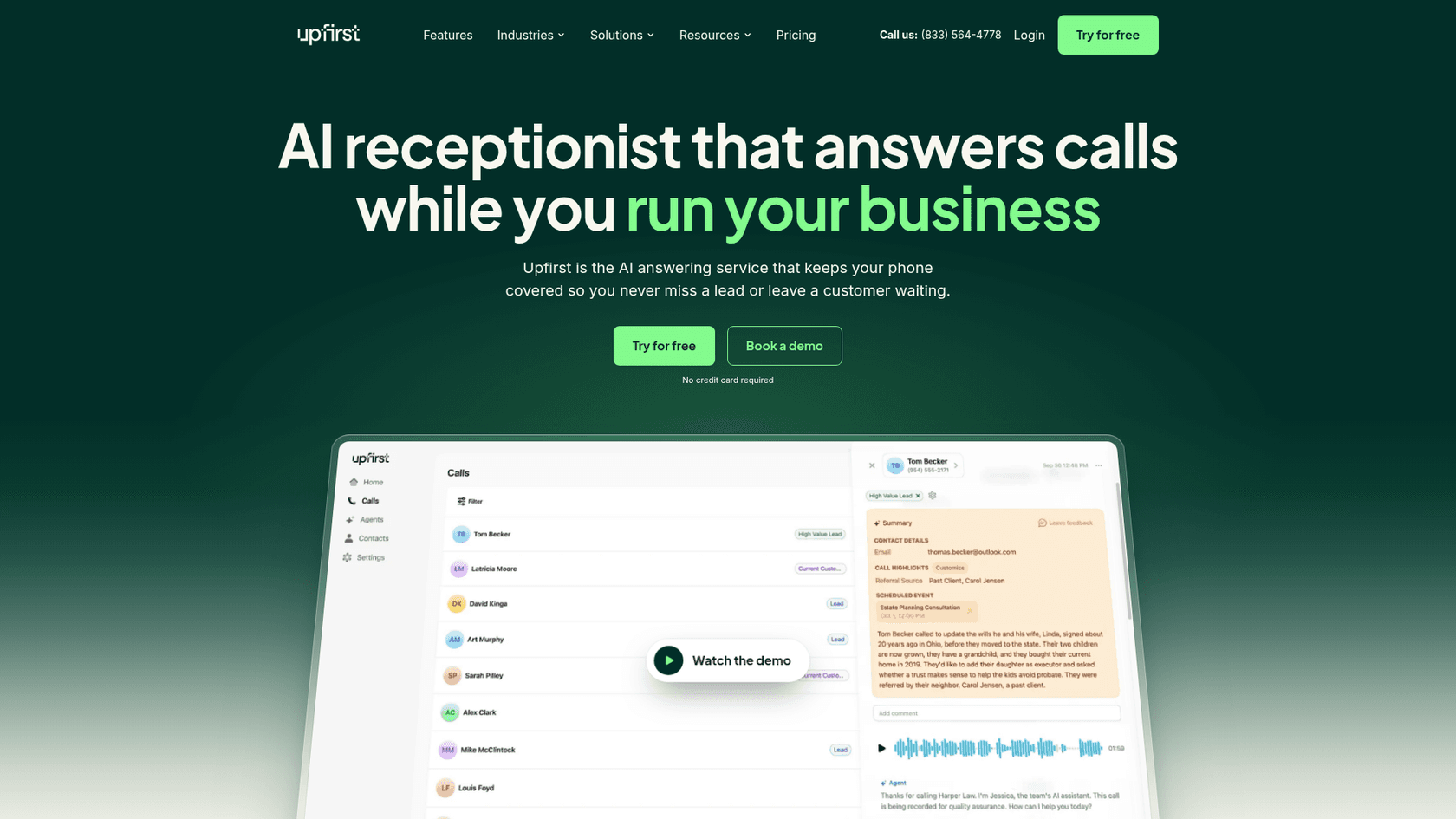
Upfirst is billed per call, starting at $24.95 a month, and it's the most careful in this list about what counts as a call.
What it does on a call
It qualifies leads and sends you the details, checks your calendar live and books an open time, and texts callers links like directions or a booking page. Warm transfers tell you who's calling and why before you accept. If nobody's free, it can say someone will call back (source). It speaks 35+ languages and switches when the caller does.
Pros
- Spam, robocalls, calls under 15 seconds and silent calls aren't billed (source).
- The widest list of named calendars: Google, Outlook, Calendly, Acuity, Square and Clio. It works well as an AI appointment setter.
- A 14-day or 100-call trial with no credit card.
Cons
- Human support is weekdays, 9 a.m. to 6 p.m. Eastern.
- HIPAA isn't stated anywhere I checked.
- Extra locations cost $9.95 a month each.
Pricing
| Plan | Monthly | Annual (per month) | Calls | Extra call |
|---|---|---|---|---|
| Starter | $24.95 | $20 | 30 | $1.50 |
| Premium | $59.95 | $48 | 90 | $1.00 |
| Pro | $159.95 | $128 | 300 | 75¢ |
| Scale | $299 | $240 | 600 | 70¢ |
At 200 calls, the Pro plan covers it: $160.
My take
If you get a handful of calls a day, this is the cheapest good option. Pick it for fair billing and a long calendar list. Skip it if you need help on weekends.
5. Rosie
Best for: solo operators and trades who want a simple app and English or Spanish calls.
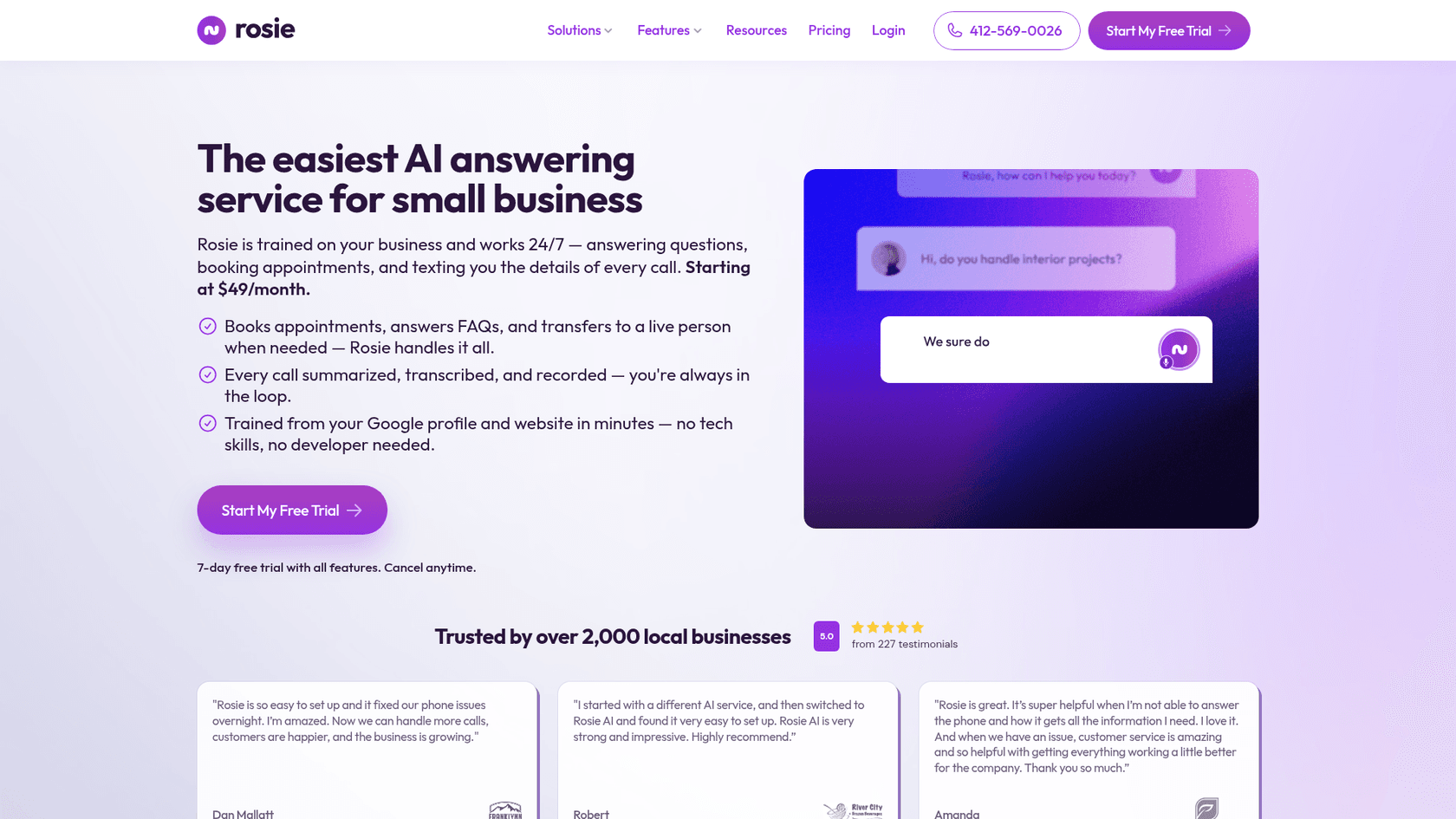
Rosie trains itself from your Google Business Profile and website, and ships native iOS and Android apps on every plan.
What it does on a call
It answers FAQs, takes messages, sends email, text and app notifications, and on Scale and up books directly into your calendar and does warm or live transfers. Every call comes with a summary, transcript and recording (source).
Pros
- Very quick setup from your Google profile.
- English and Spanish on every call.
- Lots of minutes for the price: 250 on the $49 plan.
Cons
- The $49 plan can't book or transfer. It only texts a booking link. Booking and live transfers start on the $149 Scale plan.
- There's no overage rate. Rosie's terms say going over your minutes moves you up to the next plan, and you stay there until you downgrade (source).
- HIPAA data isn't allowed without a separate written agreement.
Pricing
| Plan | Price | Minutes | Adds |
|---|---|---|---|
| Professional | $49/mo | 250 | Message taking, booking links by text, spam detection |
| Scale | $149/mo | 1,000 | Direct calendar booking, warm and live transfers |
| Growth | $299/mo | 2,000 | Waterfall transfers, custom training, white-glove onboarding |
At 600 minutes you need Scale: $149.
My take
The $49 headline is really a $149 product for most businesses that book appointments. Pick Rosie if the app matters to you and Scale fits your volume. Skip the Professional plan if you need calls transferred; a clean handoff is the feature that keeps callers.
6. My AI Front Desk
Best for: businesses that want calls, texts, web chat and a simple CRM in one plan.
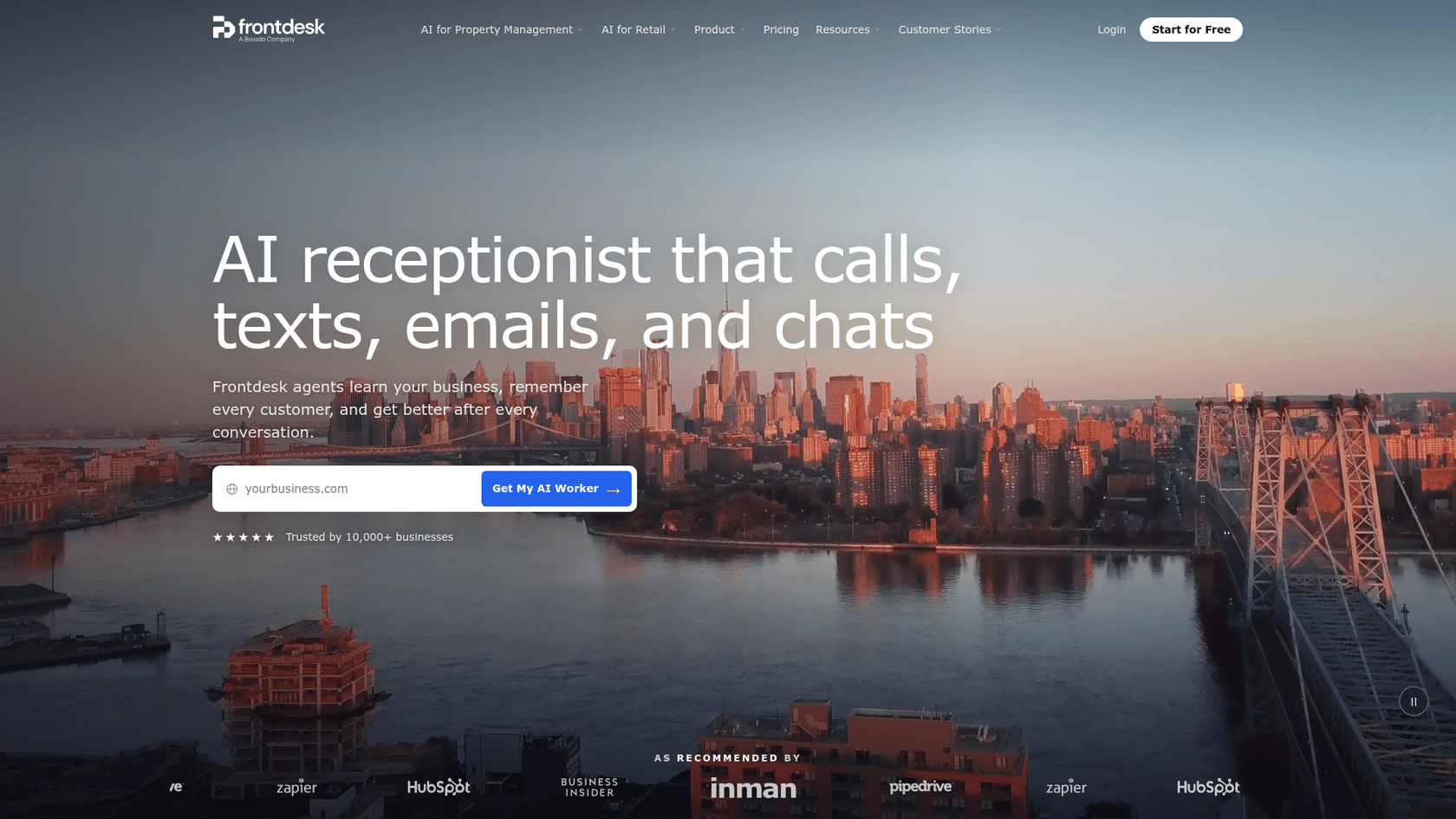
My AI Front Desk (now branded Frontdesk on its site) bundles more than a receptionist: an AI-native CRM, web chat, two-way SMS and follow-up sequences.
What it does on a call
It answers, qualifies, books and writes back to the CRM. Calls, texts, email, chat and WhatsApp share one customer profile, and it hands off to a person when needed (source).
Pros
- One plan covers voice, 100 chatbot conversations and 400 texts.
- 1,000 overage credits included every month (about 40 extra minutes).
- Claims signed BAAs and HIPAA compliance on its homepage.
Cons
- Only "2 of each" agent action (transfer, send text, look up, push data) on the main plan (source).
- Outbound calls cap at 20 a day.
- The plan tier needed for a BAA isn't stated.
Pricing
| Plan | Monthly | Annual | Voice minutes | Overage |
|---|---|---|---|---|
| Business-in-a-Box | $99/mo | $79/mo | 200 | 25 credits ($0.25) per minute |
| Partner / Enterprise | Custom | Custom | Custom | From 7 credits per minute |
At 600 minutes: $99, plus 360 minutes past the included credits at $0.25, is $189.
My take
Good value if you'd otherwise pay for a separate CRM and texting tool, a common setup in AI for small businesses. Skip it if you only want calls answered; Reception does that for less.
7. RingCentral AI Receptionist
Best for: businesses that already use RingCentral, or that route calls across several people and locations.
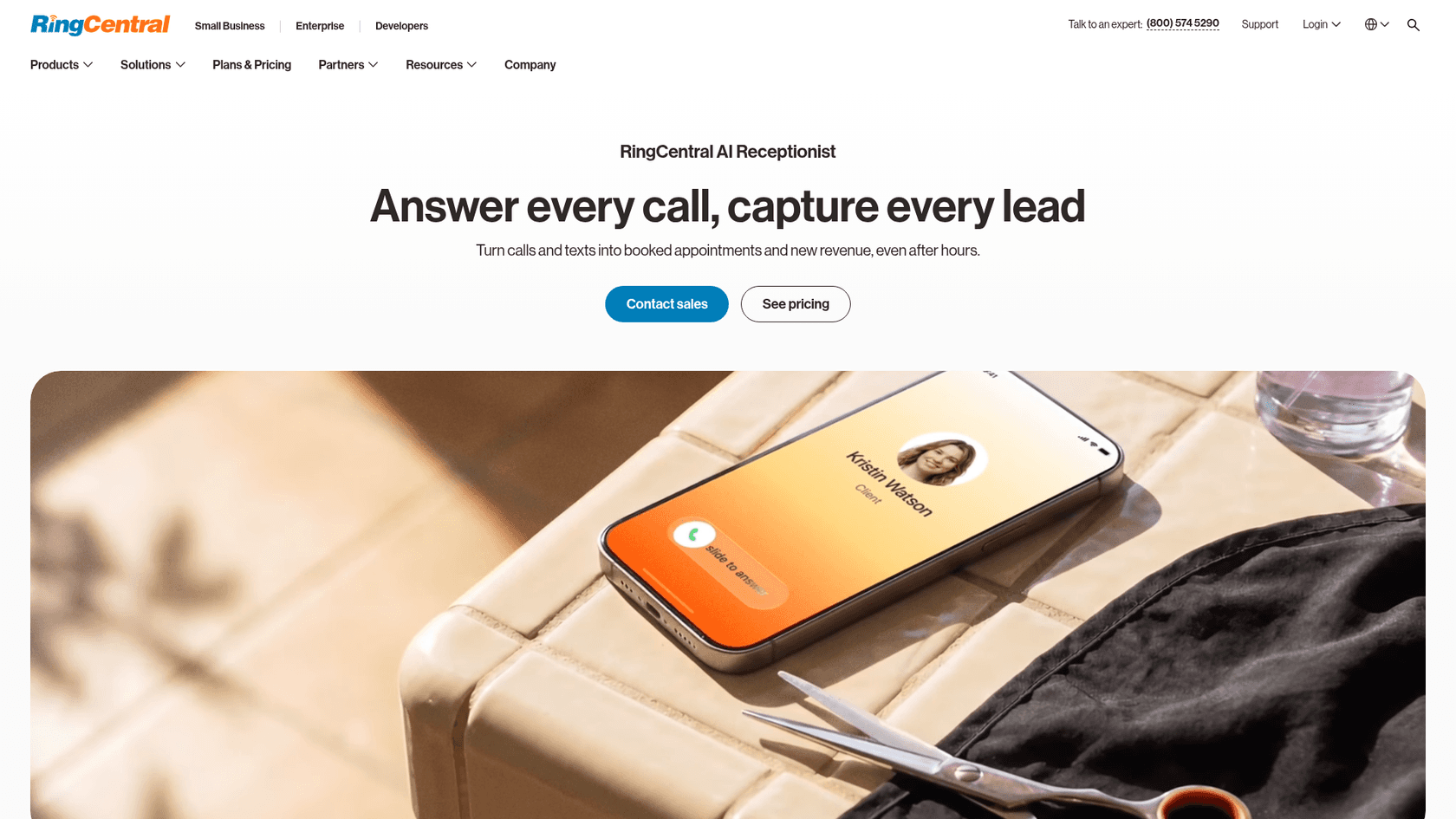
RingCentral sells its AI receptionist standalone, for any phone system, or bundled with its RingEX business phone. For a wider look, see my RingCentral AI roundup.
What it does on a call
It answers questions, captures leads with your own intake questions, books and reschedules through Google or Outlook calendars, and sends confirmation texts. It routes calls by name, department, location or keyword, and passes a call summary on transfer so your staff know why the caller is ringing (source).
Pros
- Works with your existing phone system, with no professional services needed.
- Updates Salesforce, HubSpot and Zoho; WhatsApp, Calendly and Shopify integrations are listed too.
- HIPAA and SOC 2 compliant on the standalone plan (source).
Cons
- 100 minutes included, then $0.50 a minute, the highest per-minute overage in this list.
- Six named languages (English, Spanish, French, Italian, German, Portuguese), far fewer than Reception.
Pricing
| Plan | Price | Included | Overage |
|---|---|---|---|
| AI Receptionist standalone | $49/mo | 100 minutes | $0.50/min, billed in 30-second steps |
| AI Receptionist + RingEX Core | $39 + $30/mo | 100 minutes plus RingEX phone | $0.50/min |
At 600 minutes standalone: $299. Minute bundles are available but not priced on the page.
My take
Pick it if call routing across a team is the hard part, or you're already on RingEX. Skip it at high volume unless you buy a minute bundle; $0.50 a minute adds up fast. If that's you, Aircall's pricing is worth a look too.
8. Zoom AI Receptionist
Best for: teams already on Zoom Phone who want warm transfers to coworkers.
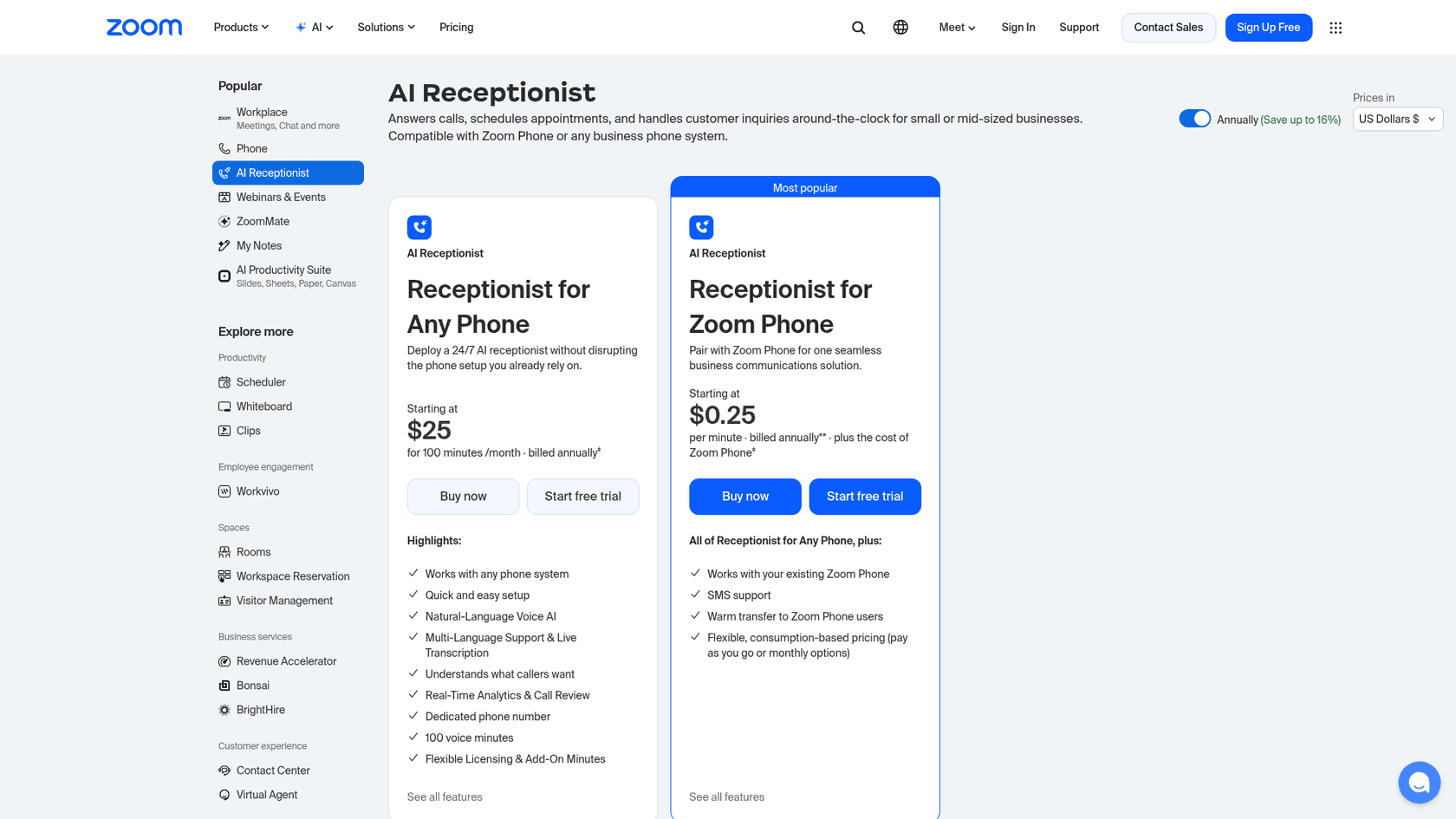
Zoom offers two versions: one that works with any phone system, and one paired with Zoom Phone. If you're weighing the rest of the bill, my Zoom pricing breakdown covers it.
What it does on a call
It handles hours, directions, pricing and booking questions in natural language, schedules into Google Calendar, Outlook or Zoom Scheduler, and can "escalate to a live person with full context" (source). Setup is self-serve through the Zoom portal. It sits alongside the rest of Zoom's AI features.
Pros
- The Zoom Phone version adds SMS and warm transfers to Zoom Phone users.
- Flexible pay-as-you-go billing on the Zoom Phone version.
- Cheap entry: $25 a month for 100 minutes, billed annually.
Cons
- The extra-minute rate for the any-phone plan isn't listed.
- The cheapest per-minute price needs a Zoom Phone subscription on top.
Pricing
| Plan | Price | Included |
|---|---|---|
| Receptionist for Any Phone | $25/mo, billed annually | 100 minutes, dedicated number |
| Receptionist for Zoom Phone | $0.25/min plus Zoom Phone | Pay as you go or monthly |
At 600 minutes on the Zoom Phone version: $150 plus your Zoom Phone plan.
My take
A sensible add-on if you're already in Zoom; I wouldn't switch phone systems to get it. Skip it if you're not on Zoom and expect heavy minutes.
9. Abby
Best for: businesses that want one subscription covering both AI and US-based human receptionists.
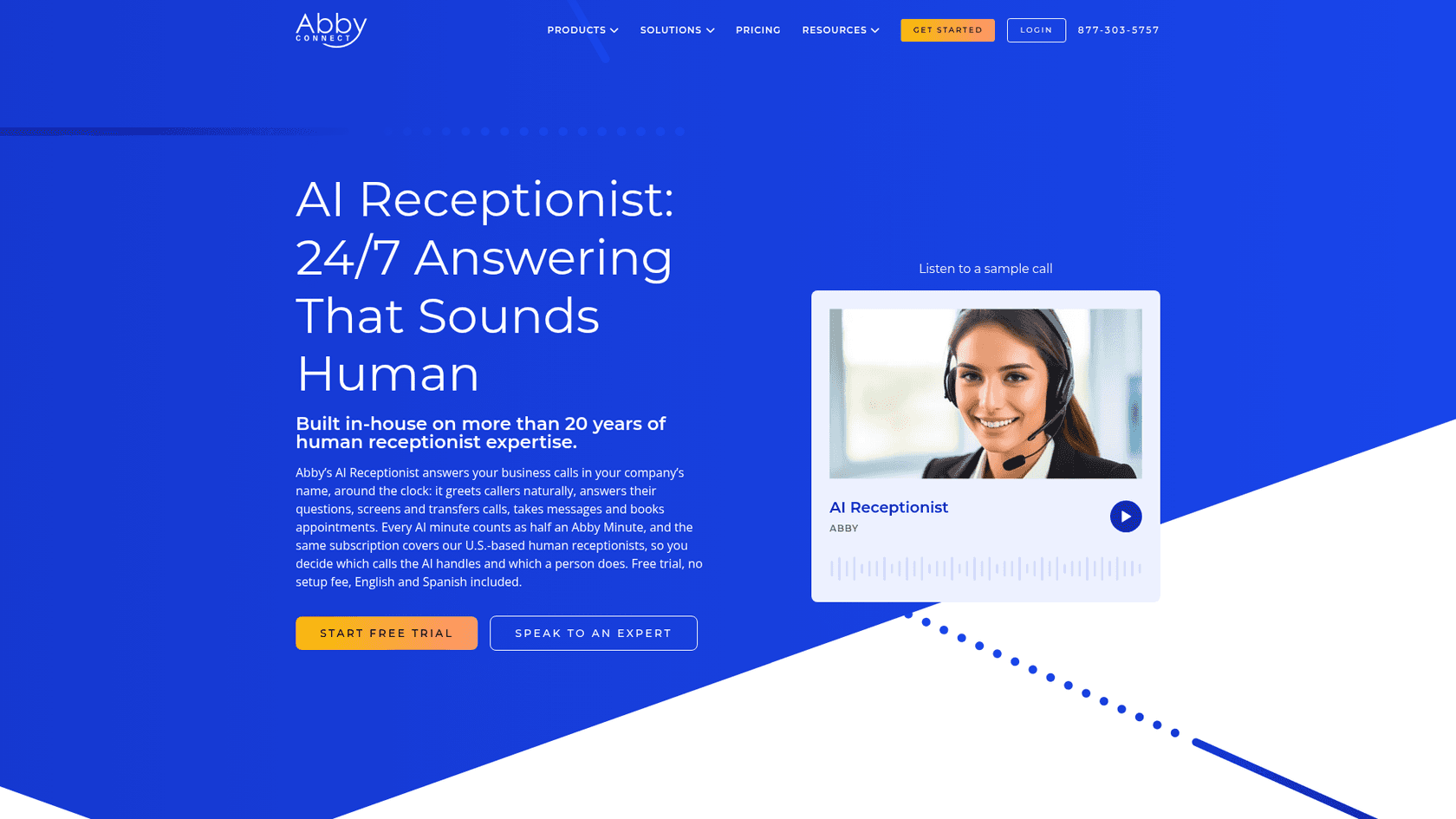
Abby has run a human receptionist service for more than 20 years and added AI on the same plans. You choose which calls the AI takes and which a person takes, and you can change the mix anytime.
What it does on a call
The AI greets callers in your company's name, answers questions, screens and transfers calls, takes messages and books appointments, in English or Spanish (source). The same subscription covers its human receptionists.
Pros
- AI minutes count as half an Abby Minute, so leaning on AI stretches the plan up to twice as far (source).
- Month to month, a free trial on every plan, no setup fee.
- A custom-solutions consultation for CRMs, scheduling and billing systems on every plan.
Cons
- The most expensive option here at the same volume.
- HIPAA compliance options are marked as human-only on the pricing page.
Pricing
| Plan | Price | Abby Minutes | AI-only minutes |
|---|---|---|---|
| Starter | $164/mo | 50 | 100 |
| Essential | $329/mo | 100 | 200 |
| Professional | $599/mo | 200 | 400 |
| Growth | $1,380/mo | 500 | 1,000 |
At 600 AI minutes (300 Abby Minutes), Professional plus overage at its plan rate comes to about $899.
My take
Abby is priced like an answering service that has added AI, not an AI tool that has added people. Pick it if you'd otherwise hire a receptionist service anyway, or you're comparing call center alternatives. Skip it if AI handles most of your calls fine.
10. eesel
Best for: online stores whose phone line gets support calls ("where's my order?", "can I return this?") rather than bookings.
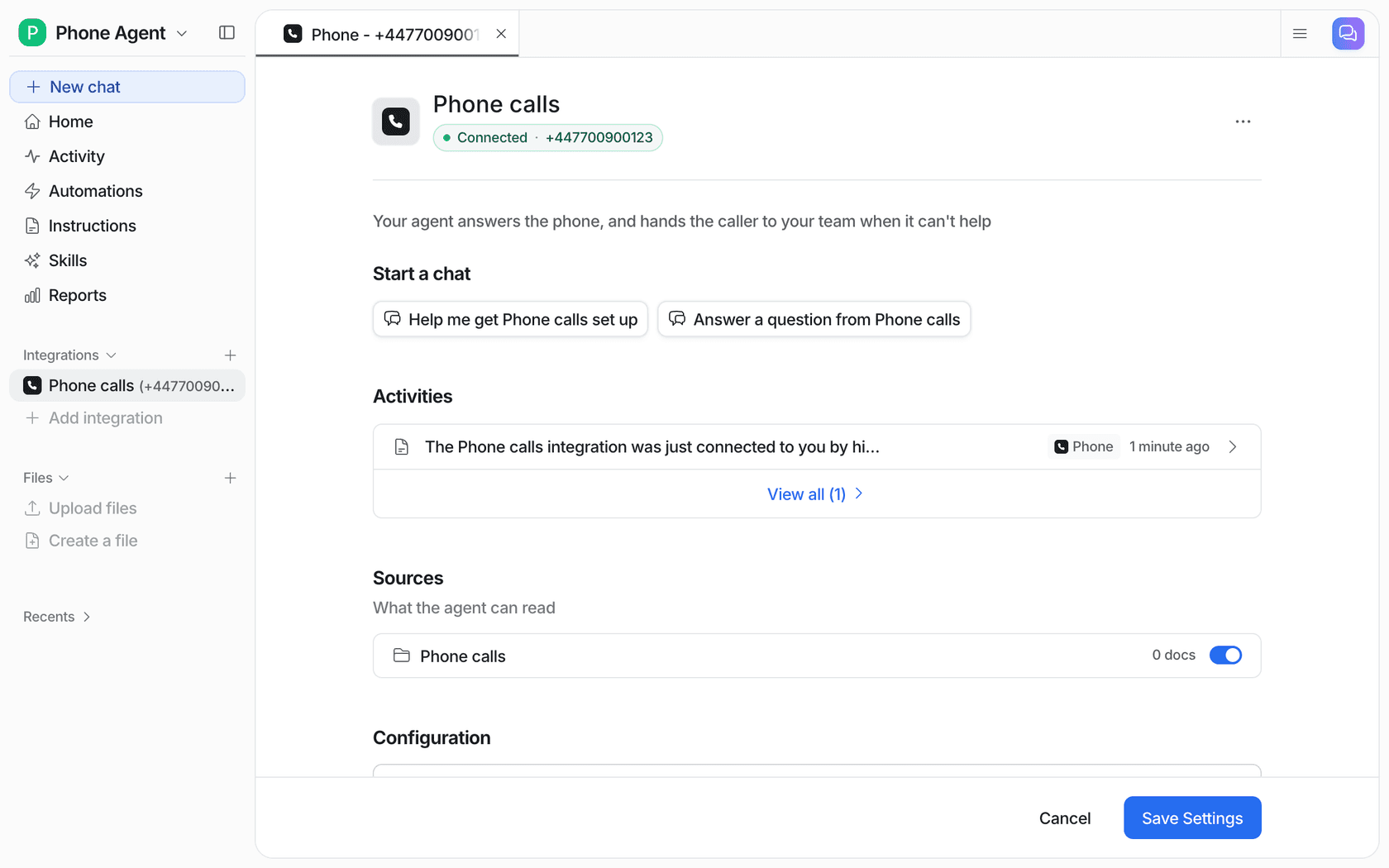
eesel is an AI teammate for your helpdesk, and phone is one more channel on the same teammate that already answers your email, chat and tickets. I'm putting it last on purpose. It's not a booking receptionist, and if you run a salon or a plumbing business, one of the tools above fits you better.
What it does on a call
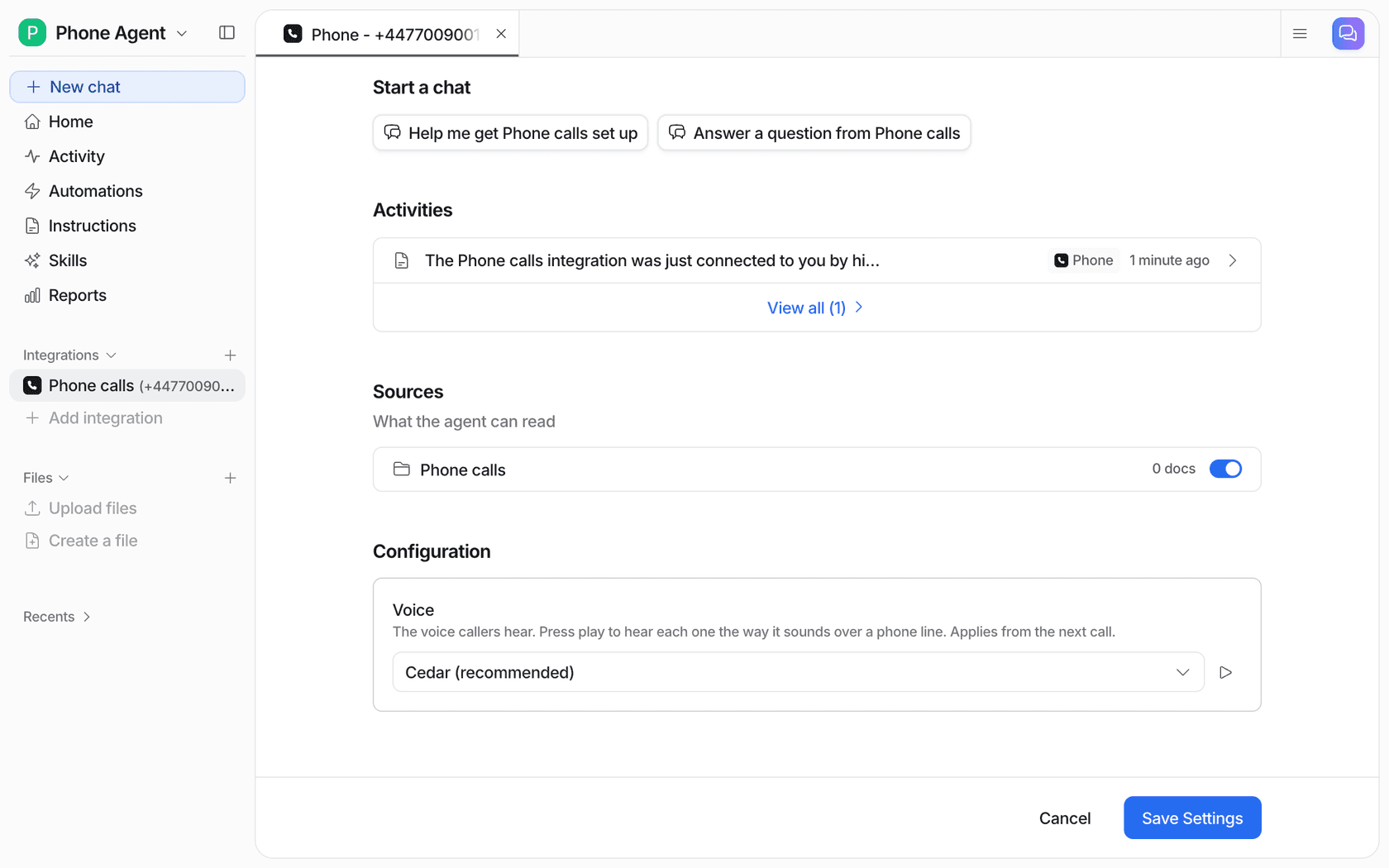
It answers in the caller's language, using the same instructions and knowledge it uses in chat. While it talks, it can check an order's status or a product's details in Shopify, Magento, WooCommerce, BigCommerce, AfterShip or Recharge. When the caller asks for a person, or the question is beyond it, it transfers the call to your team's number, or offers a callback if you haven't set one (source). Every call lands in the agent's Activity with a full transcript, so you're not summarizing calls by hand.
Pros
- One agent and one knowledge base across phone, chat, email and your helpdesk, which works with any helpdesk, or none.
- Real order lookups during the call, not just FAQ answers.
- You can keep your existing support number by forwarding it.
Cons
- Not self-serve yet: the eesel team turns phone calls on and sets up the number with you.
- On a call it only looks things up. Refunds, order changes and anything that changes data stay with your team.
- No appointment booking on calls, and calls end at 30 minutes.
Pricing
eesel's credit plans start at $299 a month for 500 credits, where a ticket or chat is 1 credit. The credit cost of a phone call isn't published, so ask the team. If you'd rather hand over the whole thing, Managed Support covers phone, email, SMS, DMs, WhatsApp and reviews for $5k a month flat.
My take
Pick eesel if you're an online store and most calls are order questions your chat agent already handles; AI phone support for ecommerce goes deeper on that setup. Skip it if you need a receptionist that books appointments.
What does an AI receptionist cost at 200 calls a month?
At 200 calls a month of about 3 minutes each, the same job costs anywhere from $105 to $899. That's because the tools bill four different ways: per minute (Reception, Rosie, RingCentral, Zoom, My AI Front Desk, Abby), per call (Smith.ai, Upfirst), per unique caller (Goodcall), and per resolved conversation in helpdesk tools.
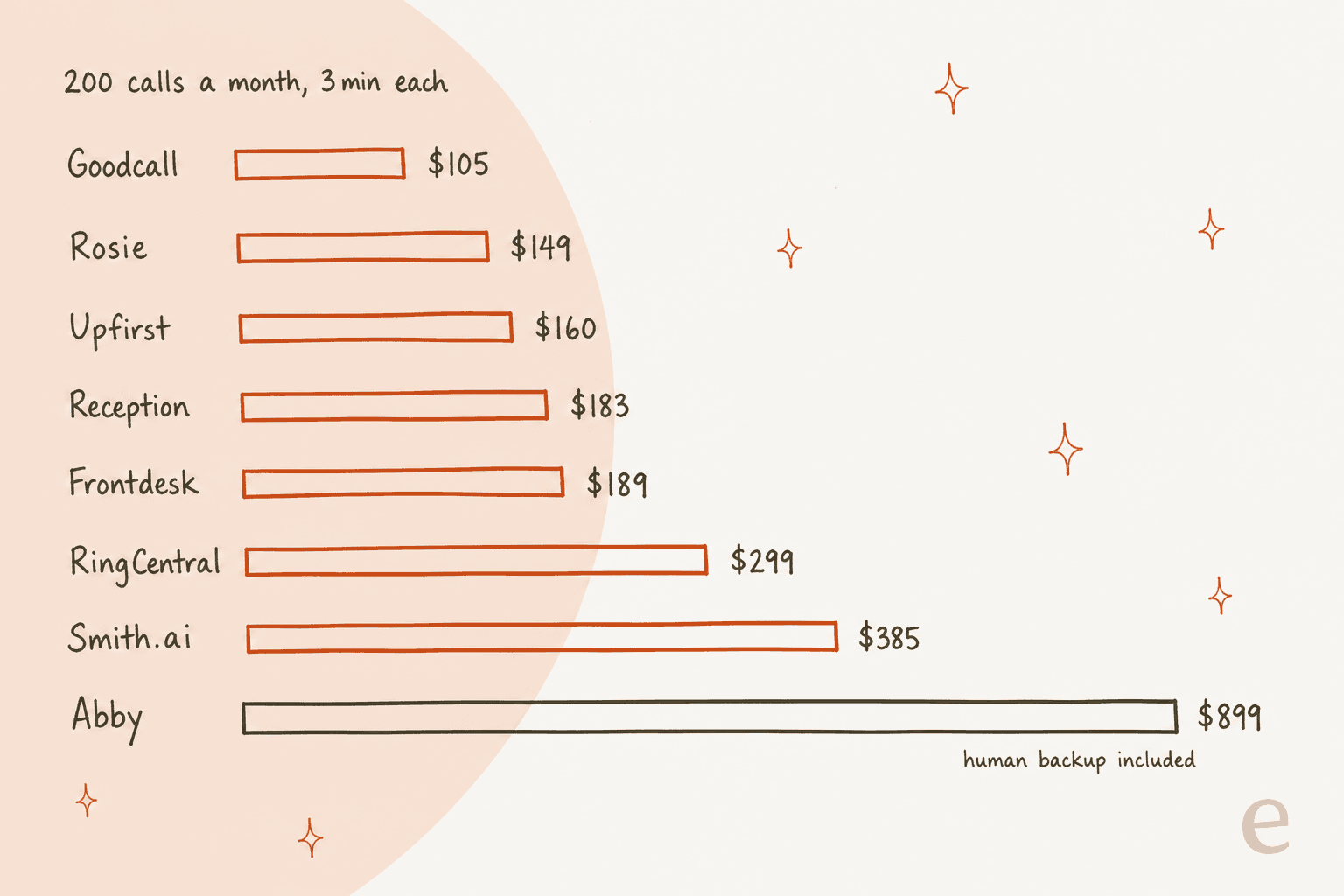
The ranking flips with your call length. Short calls favour per-minute tools; long calls favour per-call or per-caller tools. Here's the maths for your own numbers:
Two things the sticker prices hide. First, the cheapest tier often can't do the job: Rosie's $49 plan can't book or transfer, and Reception's $29 plan takes one call at a time. Second, per-minute billing can be gamed. One Hacker News commenter worked out what a time-waster could cost a business overnight:
"At 17¢ per minute, a 6-minute call will cost just over $1, or about $10 per hour. Assuming the AI receptionist can take calls outside of business hours (which would be a nice thing for a business to offer), then such a malicious/time-wasting caller could start at closing time (5pm) and continue nonstop until opening time the next day (8am), with that 15 hour span costing the business $150 for billable AI time."

If that worries you, per-call (Upfirst, Smith.ai) or per-caller (Goodcall) billing caps it. Contact centers face the same maths at scale, which is why call center automation leans on per-resolution pricing. For comparison, a human-only plan at Smith.ai starts at $300 for 30 calls (source), which is why most small businesses now start with AI and add people only for the calls that need them. The outsourcing cost guide has the full human side.
What should you test before you switch your number over?
Test the calls the AI can't handle, not the ones it can. Every tool here answers "are you open Saturday?" fine in a demo. Callers hang up at the transfer and the callback.
Here's what that failure looks like from the caller's side:
"An AI receptionist answered, got confused during the scheduling flow and could not understand my address, asking me to repeat it over and over. And it couldn't forward to me to human. [...] I found a different contractor and never looked back."
Before you forward your real number, I'd run five test calls during the trial:
- Ask for a person straight away. Does it transfer, and does the person get a summary? This is the handoff that decides whether callers stay.
- Call when nobody can pick up. Does it take a clear message and promise a callback, or just say goodbye?
- Ask something your info doesn't cover. A good receptionist says it doesn't know. A bad one invents a price, usually because of gaps in its knowledge.
- Spell a hard address or name. This is where scheduling flows fall apart.
- Call twice at once. On single-line plans, the second caller may wait or miss.
One more tip from an operator who set one up for a plumber: slow the opening down.
"Had a client set one up for their plumbing business and the biggest dropoff came from asking for info too fast, you need a beat of small talk or at least a slower intro before the first question"
Should the AI answer every call, or only some?
Start with after-hours and overflow, not every call. Some callers will hang up on any AI. One Reddit reply put it in a sentence: "If I call a company and get AI, I hang up and call a competitor" (source). The owners who are happy with it mostly use it as a backup:
"What actually worked for me was not full receptionist replacement. Front desk owns live hours. After hours + overflow when theyre already on a call is where the bot earns its keep. Missed calls and after hours were the only dollars that were obvious."
That's the same pattern I see in support. Beautek, a German supplier of studio equipment on Zendesk, answers its phone 8:30 to 16:30 on weekdays while its shop is open all the time. Its eesel agent covers the gap on chat: it answers product and order questions day and night, gives the team's phone number for anything important, and turns quote requests into Zendesk tickets with a callback number for sales. In one month it drafted 110 Zendesk tickets and created 20 tickets for leads and questions that needed a person. That's a receptionist's job, done outside office hours. Original Bootcamp, a fitness brand on Freshdesk, follows the rule every phone receptionist needs: its agent answers general questions and sends cancelling, rebooking, payments and anything about an injury to the team.
If you want to go further, my guides on after-hours support and weekend coverage walk through the setup.
Industry-specific? There are separate picks for dental offices and real estate agents, where the rules on what the AI may say are stricter.
Which AI receptionist should you pick?
Pick by your situation, not the feature list:
| If you... | Pick | Why |
|---|---|---|
| Book appointments and want it all on one cheap plan | Reception | Booking, transfers and 70+ languages from $29 |
| Can't afford a caller who never reaches a person | Smith.ai | Live North America-based receptionists as backup |
| Get lots of repeat calls about the same job | Goodcall | Billed per unique caller, spam free |
| Get a few calls a day | Upfirst | $24.95 start, spam and short calls not billed |
| Already pay for RingCentral or Zoom Phone | RingCentral or Zoom | Transfers go to your team's extensions |
| Want AI and people on one bill | Abby | AI minutes count half |
| Run an online store with order questions | eesel | Checks orders mid-call, hands off to your team |
For the wider tool picture, see AI agents for small business. If you're still deciding whether you need one at all, this small business guide covers that question.
The best AI voice agents list covers the build-your-own options like ElevenLabs alternatives.
Try eesel on your store's support line
If your phone rings with "where's my order?" more than "can I book Tuesday?", a booking receptionist is the wrong tool. eesel puts the same AI teammate that answers your chat and helpdesk tickets on your support number, checks Shopify and the other stores mid-call, and transfers to your team when a caller needs a refund or a change. The eesel team sets up the number with you, and every call lands with a full transcript. For the full voice picture, see my phone support roundup or AI on support calls.
Try eesel or book a demo and ask about phone calls.