

The closest Kimi K3.1 Pro alternative is Claude Sonnet 5.5: same $2/$10 per million tokens, about three times the output speed, and a near-identical benchmark score. Gemini 4 Argon also sits at $2/$10, but only until November 30, 2026, then doubles.
If your bill is the problem, the cheaper picks are Gemini 3.8 Flash (about $15 per 1,000 typical requests against Kimi's $40) and DeepSeek V4.1 Flash (about $2.70 off-peak). For open weights you can download today, DeepSeek V4.1 Flash and MiMo-V2.6-Pro are both MIT licensed.
The surprise is Claude Opus 5.5: twice the sticker, but cheaper per finished task at High effort ($1.82 against $2.11 on Artificial Analysis). And if the model is meant to answer support tickets, you may not need to pick one at all: an AI helpdesk teammate like eesel already runs on frontier models and gets tested on your past tickets first.
Why look past Kimi K3.1 Pro?
Kimi K3.1 Pro is a very good model, and I want to say that before anything else. It scores 55.1 on the Artificial Analysis Intelligence Index, ranked #4 of 215, at $2 input and $10 output per million tokens on the Kimi API. On Terminal-Bench 4.0 it posted the highest score of any model on that page, 67.2%.
So why are people looking at alternatives a week after launch? From what I read in the launch threads and the numbers, four reasons come up again and again:
- It's slow. Artificial Analysis measured 49.7 output tokens per second against a peer median of 83.1, ranking it #165 of 182 for speed. A user waiting on a chat reply feels that.
- It writes a lot. It used 148M output tokens to run the index against a peer median of about 87M, so the cheap per-token price leaks back into the bill. Its average cost per index task is
$2.11, a little more than Kimi K3's$2.00. - The weights aren't out yet. Moonshot's K3.1 Pro quickstart says they will be released by Nov 4. On the day I checked, there was no K3.1 Pro repo on Hugging Face.
- Fewer ways to buy it. Kimi's Batch API doesn't cover K3.1 Pro, and the consumer plans hit their 5-hour limits fast, as one buyer put it:
"If you are expecting any sort of usable limits on their subscription plan I suggest adjusting your expectations. I subscribed to $99 a month plan and within 47 minutes with one session (not asking for swarms or anything) was limited by 5-hour quota."

None of these is a deal-breaker on its own. But each one points to a different alternative, which is why I sorted this list by the reason you're leaving, not by a single ranking. My Kimi K3.1 Pro review has the full scorecard if you're still deciding whether to leave at all.
How did I compare them?
I build AI agents at eesel, where the team has spent years putting frontier models in front of live support queues. The lesson that stuck: price per token tells you almost nothing about the bill. What matters is cost per successful task, meaning total spend on a batch of real tasks divided by the tasks that came back right. A model that's half the sticker price but writes twice the tokens, or fails one task in four, isn't cheaper.
So for each alternative I looked at three numbers:
- List price, taken only from the vendor's own pricing page or docs.
- Cost per 1,000 requests for a typical call of 10,000 input tokens and 2,000 output tokens, with no caching. This is a floor, because reasoning models usually write far more than 2,000 tokens.
- Cost per task and score on the Artificial Analysis Intelligence Index, which runs every model through the same 10 evaluations. It's the closest public stand-in for cost per successful task.
I grouped the seven picks into three buckets, the same way most buyers frame it: a same-tier challenger at roughly Kimi's price, a cheaper high-volume model, and open weights you can host yourself.
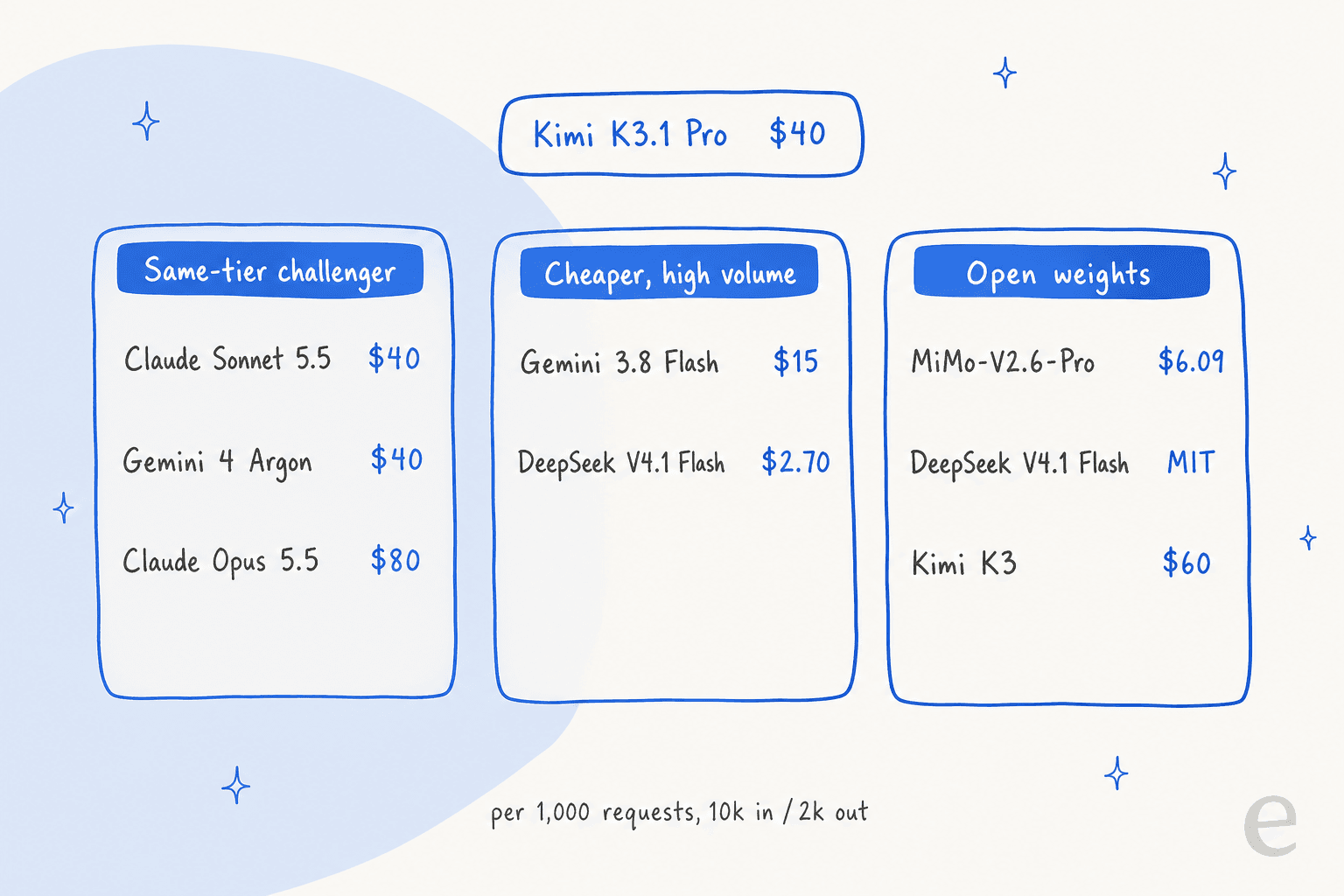
Kimi K3.1 Pro alternatives at a glance
Every price below comes from the vendor's own page. Benchmark, speed and cost-per-task columns come from Artificial Analysis, at the effort level named in brackets.
| Model | Bucket | Input / output per 1M | Cached input per 1M | Context | Max output | Per 1,000 requests (10k in / 2k out) | AA Intelligence Index | AA cost per task | Output speed (t/s) | Weights |
|---|---|---|---|---|---|---|---|---|---|---|
| Kimi K3.1 Pro (baseline) | n/a | $2 / $10 | $0.20 | 1M | 131K default, up to 1M | $40 | 55.1 | $2.11 | 49.7 | Promised by Nov 4 |
| Claude Sonnet 5.5 | Same tier | $2 / $10 | $0.10 | 1M | 128K | $40 | 56.0 (Max), 51.9 (Xhigh) | $5.46 (Max), $2.01 (Xhigh) | 141.3 (Max) | Closed |
| Gemini 4 Argon | Same tier | $2 / $10 to Nov 30, then $4 / $20 | $0.10, then $0.20 | 1M | 65K default, up to 1M | $40, then $80 | 52.6 (High) | $1.62 (High) | 79.7 (High) | Closed |
| Claude Opus 5.5 | Same tier, premium | $4 / $20 | $0.20 | 1M | 128K | $80 | 57.6 (Max), 53.6 (High) | $5.98 (Max), $1.82 (High) | 98.1 (Max) | Closed |
| Gemini 3.8 Flash | Cheaper | $0.75 / $3.75 to Dec 31, then $1.50 / $7.50 | $0.075, then $0.15 | 1M | 65K | $15, then $30 | 41 (High) | n/a | 133.7 (High) | Closed |
| DeepSeek V4.1 Flash | Cheaper, open | $0.15 / $0.60 off-peak, $0.30 / $1.20 peak | $0.003 off-peak | 1M | 384K | $2.70 off-peak, $5.40 peak | 45.1 (Max) | $0.26 (Max) | 169.3 (Max) | MIT |
| MiMo-V2.6-Pro | Open weights | $0.435 / $0.87 | $0.0036 | 1M | Not stated | $6.09 | 46.3 | About $0.14 | 54.7 | MIT |
| Kimi K3 | Open, same family | $3 / $15 | $0.30 | 1M | 131K default, up to 1M | $60 | 43.6 (Max) | $2.00 (Max) | 54.5 (Max) | Kimi K3 licence |
Two things jump out. First, the same-tier column is crowded: three models share Kimi's $40 per 1,000 requests, at least for now. Second, the cost-per-task column reorders the list. Opus 5.5 at High and Gemini 4 Argon at High both finish an average task for less than Kimi K3.1 Pro, even though Opus costs twice as much per token.
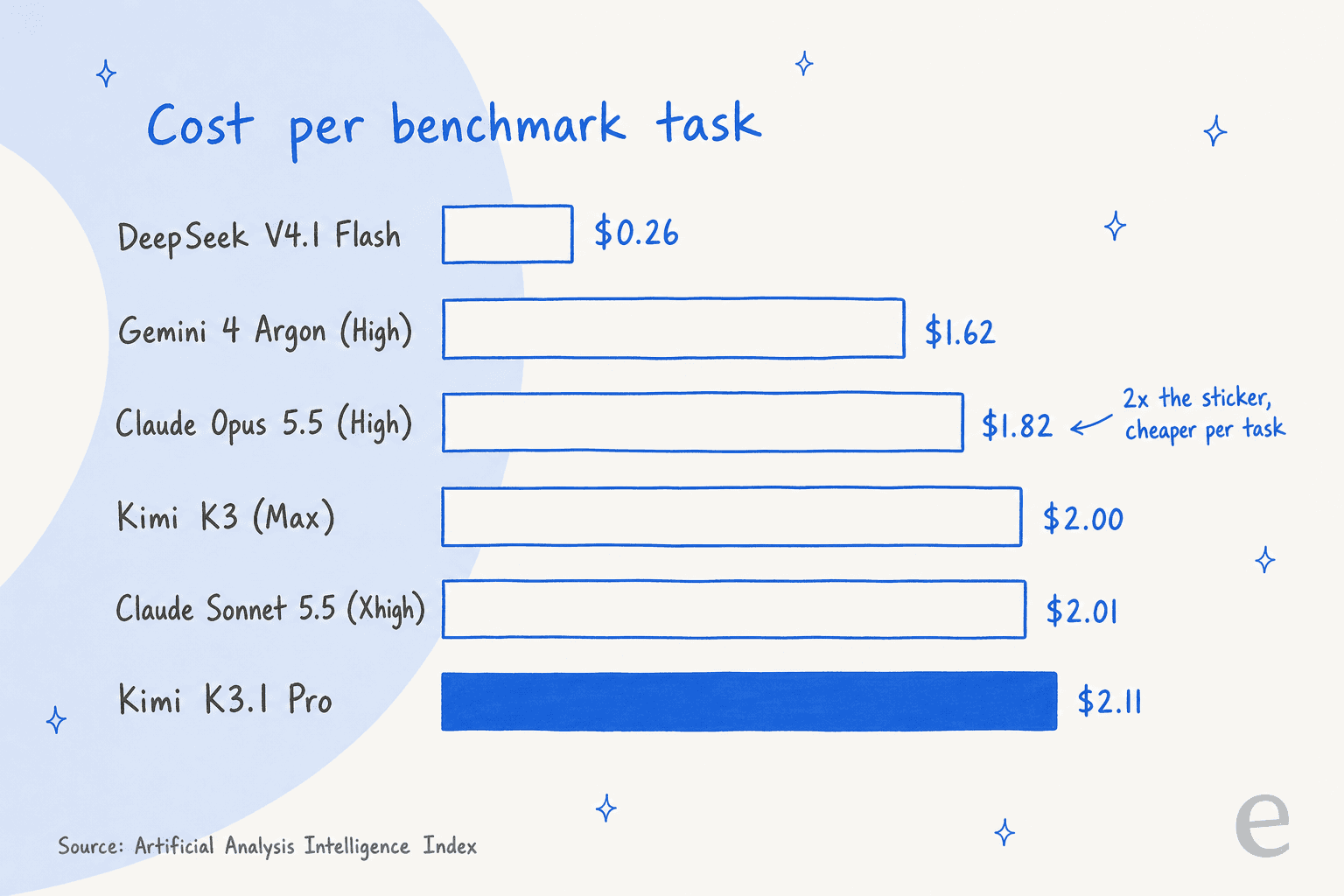
One caveat on that chart: Kimi K3.1 Pro ran at its default max effort, while Opus and Argon ran at High. That's the point, though. Effort is a dial you can set, and the cheapest good answer often comes from a stronger model at a lower setting.
Which alternative fits your product?
Pick the job your product does, and the card shows where I'd start the bake-off.
Pick a job to see the model I'd test first against Kimi K3.1 Pro, with its cost per 1,000 requests of 10k input and 2k output tokens.
1. Claude Sonnet 5.5
Best for: teams that want Kimi's price with faster, steadier output. Same-tier challenger.
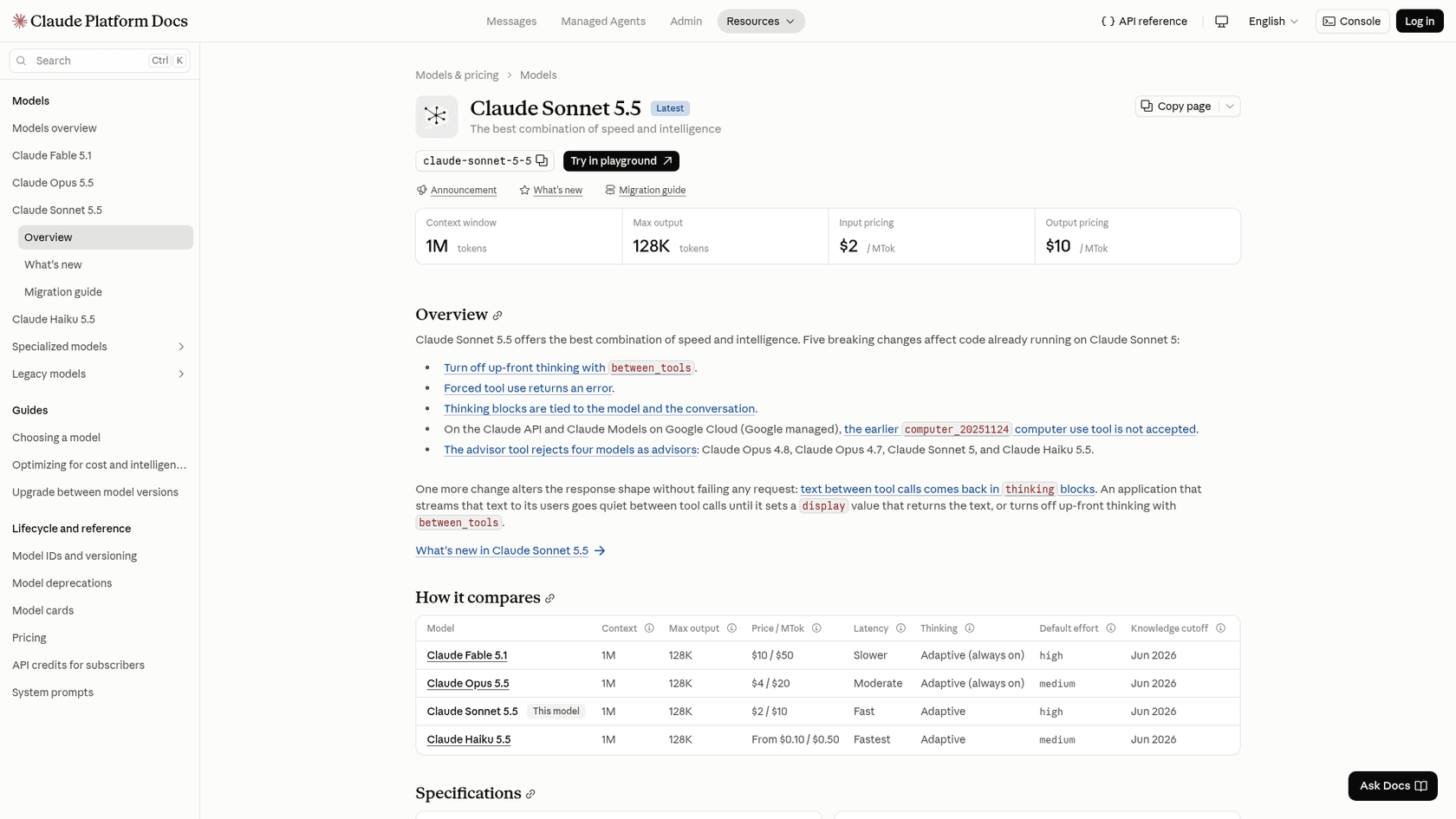
Claude Sonnet 5.5 is the most direct swap on this list. Anthropic prices it at exactly Kimi K3.1 Pro's sticker, $2 in and $10 out per million tokens, with a 1M context window and 128K max output, per its model overview.
Why pick it over Kimi K3.1 Pro
- Speed. Artificial Analysis measured 141.3 tokens per second at max effort, against Kimi's 49.7.
- A slightly higher score. 56.0 on the Intelligence Index at Max, against 55.1.
- Cheaper cache reads. Anthropic's pricing page charges $0.10 per million cached input tokens on Sonnet 5.5, half of Kimi's $0.20. On a support bot with a long, stable system prompt, that adds up.
- Batch. Sonnet 5.5 runs at $1 / $5 on Anthropic's batch API. Kimi's batch API doesn't cover K3.1 Pro.
One commenter on the K3.1 launch thread ran both on their own benchmark and found a tie on quality:
"Kimi K3.1 Pro ties Sonnet 5.5 at 93, for $0.68 and 11 min vs Sonnet's $1.61 and 14 min."
Where it falls short
Sonnet 5.5 writes a lot at max effort. It used 416M output tokens to run the index, so its cost per task at Max is $5.46, more than double Kimi's. At Xhigh the score drops to 51.9 and the cost to $2.01. It also changed five things that break existing code: forced tool use returns an error, and thinking can't be switched off the old way, per the overview page. If your support bot depends on forcing a tool call, check that first.
Pricing
| Line | Price per 1M tokens |
|---|---|
| Input | $2 |
| Output | $10 |
| Cache read | $0.10 |
| 5-minute cache write | $2.50 |
| 1-hour cache write | $4 |
| Batch input / output | $1 / $5 |
The full breakdown is in my Sonnet 5.5 pricing guide.
My take
Pick Sonnet 5.5 if Kimi's speed is the reason you're leaving, and run it below max effort. Skip it if your workload is long agent runs at max effort, where Kimi's lower token count wins on the bill. The Sonnet 5.5 review covers the effort trade-off in detail.
2. Gemini 4 Argon
Best for: long-context and accuracy-sensitive work at Kimi's price, if you move before December. Same-tier challenger.
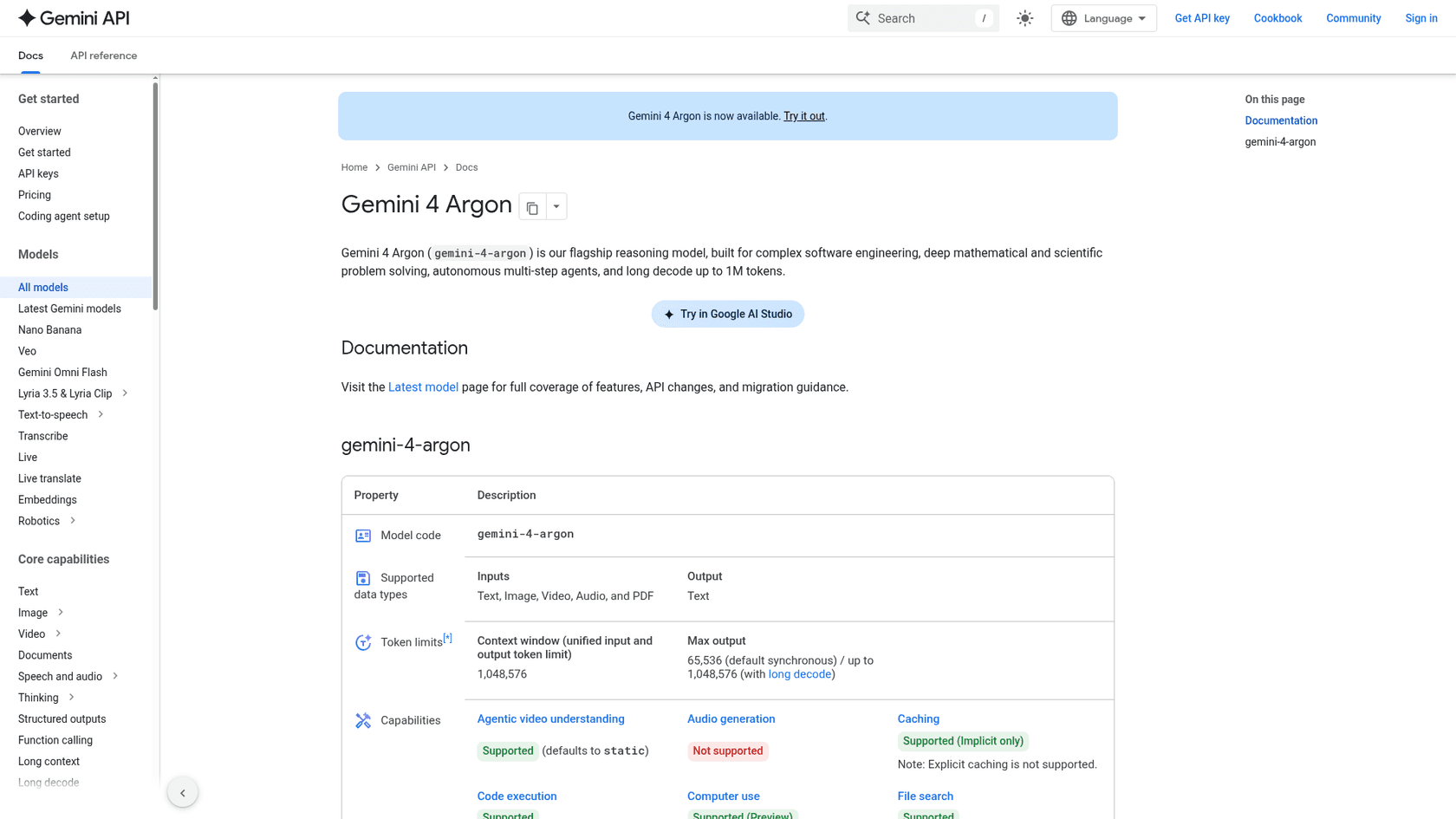
Gemini 4 Argon is Google's flagship reasoning model, and it's now available on the Gemini API. For the next few weeks it costs exactly what Kimi K3.1 Pro costs, which makes it the easiest same-tier test to run.
Why pick it over Kimi K3.1 Pro
- Fewer made-up answers. Artificial Analysis puts its hallucination rate at 15.1%, against 43.9% for Kimi K3.1 Pro. For anything customer-facing, that's the number I'd care about most.
- Cheaper per task. At High effort it averaged
$1.62per index task for a 52.6 score. - Long output. Its model page lists 65,536 output tokens by default and up to 1,048,576 with long decode.
- Your data stays out of training. Google's pricing page says paid-tier usage is not used to improve its products.
Where it falls short
The price is a promotion. Google lists $2 / $10 through November 30, 2026, and $4 / $20 from December 1, which puts it at Opus 5.5's sticker. Explicit caching isn't supported, only implicit caching, and there's no free tier. Its index score, 52.6 at High, is 2.5 points under Kimi's.
Pricing
| Line | Until Nov 30, 2026 | From Dec 1, 2026 |
|---|---|---|
| Input per 1M | $2 | $4 |
| Output per 1M (incl. thinking) | $10 | $20 |
| Cached input per 1M | $0.10 | $0.20 |
| Batch input / output per 1M | $1 / $5 | $2 / $10 |
| Search grounding | 5,000 free per month, then $14 per 1,000 | Same |
More detail in my Gemini 4 Argon pricing post.
My take
Pick Argon if wrong answers are your biggest risk, and price it at the December rate so you're not surprised. Skip it if you need a fixed price for the next year. The Gemini 4 Argon review has more on where it leads and trails.
3. Claude Opus 5.5
Best for: the hardest coding and agent work, where a failed run costs more than the tokens. Premium same-tier challenger.
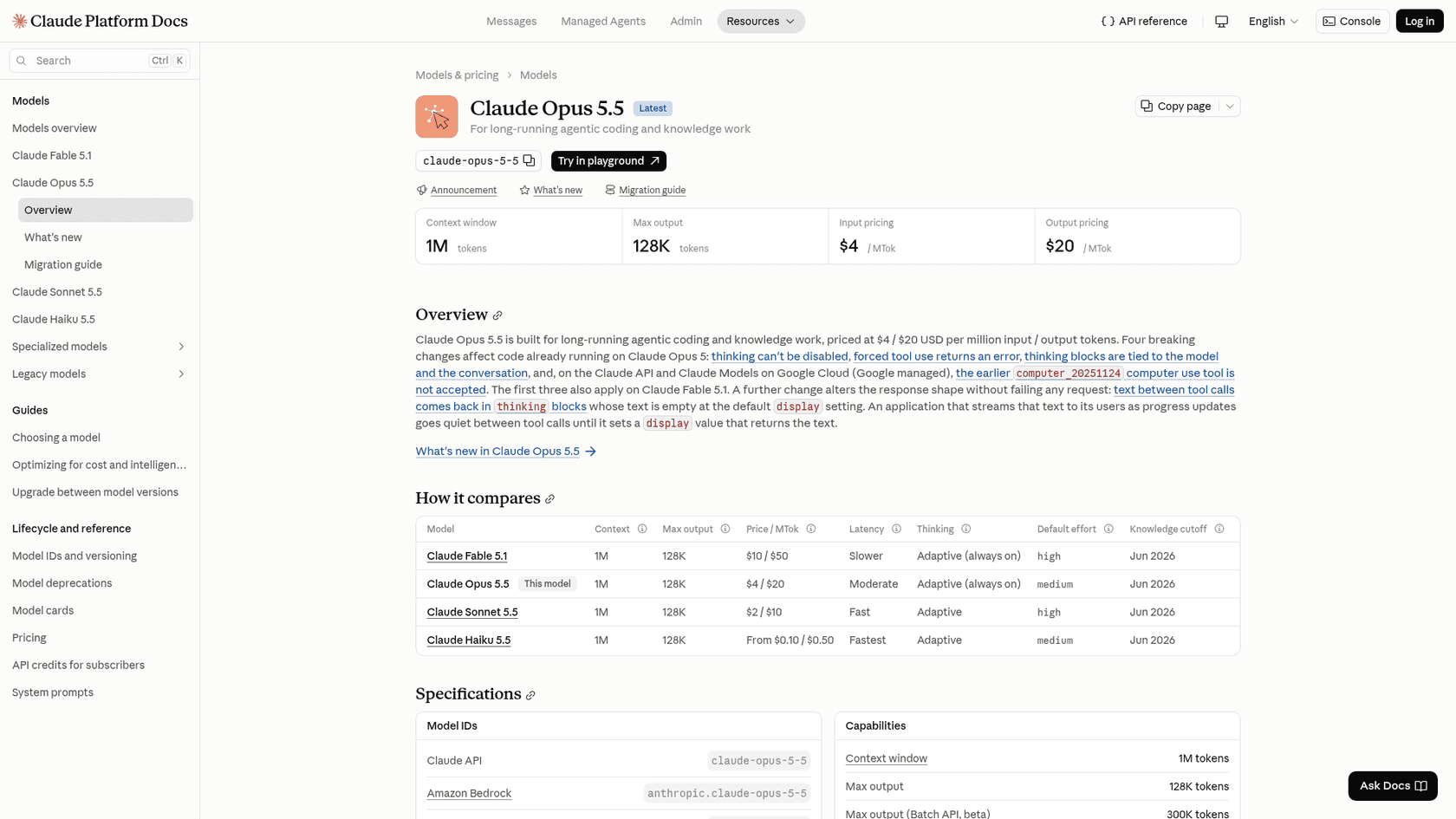
Claude Opus 5.5 is the model Kimi K3.1 Pro measures itself against. Anthropic's own models overview now tells developers to start with it for most workloads, and its default effort is medium.
Why pick it over Kimi K3.1 Pro
- The highest score here. 57.6 on the Intelligence Index at Max, the top of the Artificial Analysis comparison.
- Cheaper per task at High. 53.6 for
$1.82per task, less than Kimi's$2.11. - Daily users still rate it ahead. On X, one tester compared both across 180 code paintings:
"I feel Opus still nails the subtle details better, like in the tractor example below. But I wonder if it matters when you can run Kimi 3x before it costs the same as one Opus?"
Where it falls short
At Max, Opus is the priciest pick: $5.98 per task and $8,708 to run the full index, against Kimi's $3,117. Its hallucination rate at Max is 58.6% on Artificial Analysis, higher than Kimi's 43.9%. And Kimi's own launch numbers have it within a point on Terminal-Bench 4.0 (65.7% against 66.4%).
Pricing
| Line | Price per 1M tokens |
|---|---|
| Input | $4 |
| Output | $20 |
| Cache read | $0.20 |
| 5-minute cache write | $5 |
| 1-hour cache write | $8 |
| Batch input / output | $2 / $10 |
| Fast mode input / output | $8 / $40 |
All from Anthropic's pricing page. The Opus 5.5 pricing post works through real bills.
My take
Pick Opus 5.5 at High when quality per run is the constraint and you can set effort yourself. Skip it if your traffic is high-volume and simple, where you're paying for reasoning you don't use. My Opus 5.5 review goes through each effort level.
4. Gemini 3.8 Flash
Best for: high-volume API traffic where the reply doesn't have to land in two seconds. Cheaper bucket.
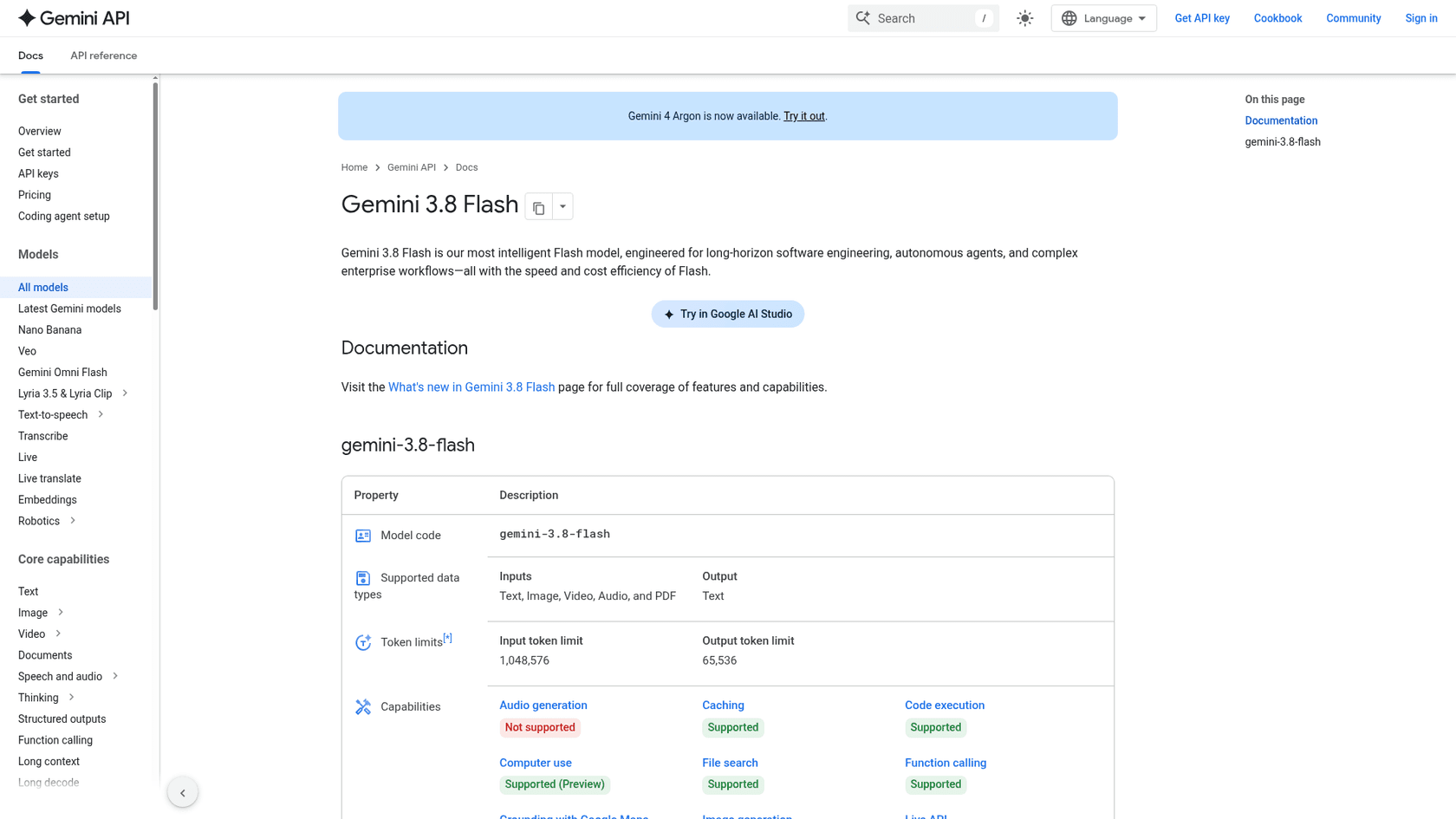
Gemini 3.8 Flash is the cheapest closed model here. On the Gemini API pricing page it costs $0.75 in and $3.75 out per million tokens, thinking tokens included, until December 31, 2026.
Why pick it over Kimi K3.1 Pro
- About a third of the bill. Roughly
$15per 1,000 typical requests against Kimi's$40. - Fast output. 133.7 tokens per second on Artificial Analysis.
- A free tier for testing, and batch at half the paid price.
- Wide input. Text, image, video, audio and PDF in, per its model page.
Where it falls short
It's a step down in brains: 41 on the Intelligence Index at High, against Kimi's 55.1. Artificial Analysis also measured a 28.78-second time to first token, far above the 3.90-second median for its price tier, so a user staring at a chat window will notice. And the price doubles on January 1, 2027, to $1.50 / $7.50.
Pricing
| Line | Until Dec 31, 2026 | From Jan 1, 2027 |
|---|---|---|
| Input per 1M | $0.75 | $1.50 |
| Output per 1M (incl. thinking) | $3.75 | $7.50 |
| Cached input per 1M | $0.075 | $0.15 |
| Batch input / output per 1M | $0.375 / $1.875 | $0.75 / $3.75 |
| Free tier | Yes | Yes |
My Gemini 3.8 Flash pricing post has worked examples.
My take
Pick 3.8 Flash for background jobs: tagging, summaries, overnight agents. Skip it for live chat until you've measured the first-token wait yourself. The Gemini 3.8 Flash review covers the latency issue.
5. DeepSeek V4.1 Flash
Best for: the lowest bill on this list, with open weights as a backup. Cheaper bucket and open weights.
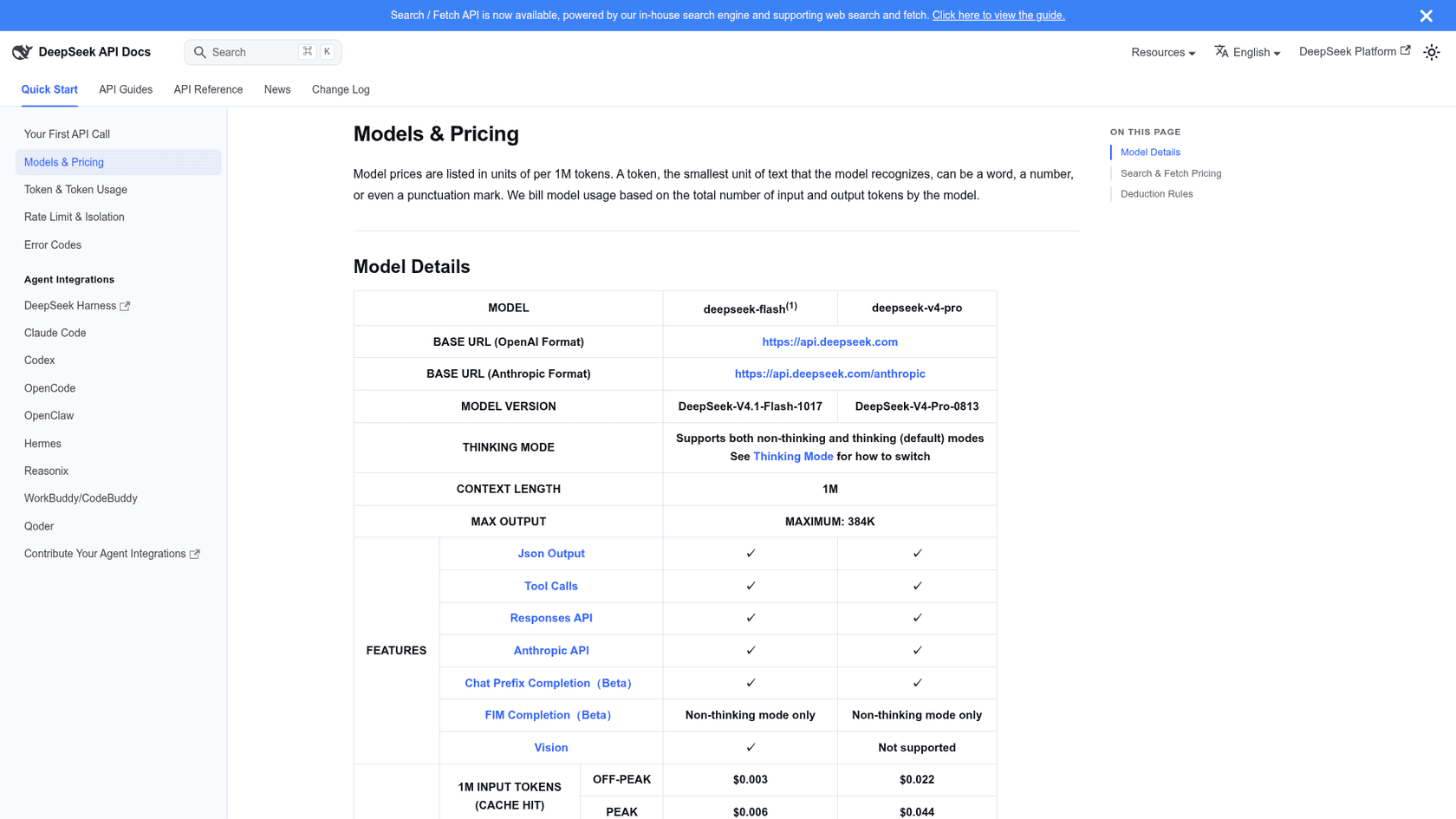
DeepSeek V4.1 Flash is the price floor of this group. On DeepSeek's Models & Pricing page, the deepseek-flash model (now the 1017 build) costs $0.15 in and $0.60 out per million tokens off-peak.
Why pick it over Kimi K3.1 Pro
- About 15x cheaper per request. Roughly
$2.70per 1,000 typical requests off-peak, against$40. - About 8x cheaper per task.
$0.26per Artificial Analysis task, against$2.11, for a 45.1 score. - Fast. 169.3 tokens per second, the quickest here.
- Open weights now. MIT-licensed on Hugging Face, about 763B parameters.
On one tester's real bug-fixing benchmark it even finished ahead:
"So I tested Kimi K3.1 Pro on real work. 2 repos. 105 replanted bugs. Find and fix what you can. The results: DeepSeek V4.1 Flash 1017 (max): 42.7 Muse Wonder Full 1.0 (max): 42 Opus 5.5 (max): 41.7 Kimi K3.1 Pro (max): 36 Muse Spark 1.3 (max): 32.2 I'm sorry. Considering the cost, I see no reason to use this model."
Where it falls short
Its index score is 10 points below Kimi's, so the cheap tasks are cheap partly because they're simpler answers. Prices double during peak hours (01:00 to 04:00 and 06:00 to 10:00 UTC on weekdays). And for customer data, DeepSeek's API terms don't publish a data processing agreement or a zero-retention option, so get a legal read before sending support tickets through it.
Pricing
| Line | Off-peak per 1M | Peak per 1M |
|---|---|---|
| Input, cache hit | $0.003 | $0.006 |
| Input, cache miss | $0.15 | $0.30 |
| Output | $0.60 | $1.20 |
| Search or Fetch API | $0.75 per 1,000 requests | Same |
More in my DeepSeek V4.1 Flash pricing guide and the 1017 update review.
My take
Pick DeepSeek V4.1 Flash for volume work where a 45-point model is good enough, and route the hard tasks elsewhere. Skip it for regulated customer data unless you self-host the weights.
6. MiMo-V2.6-Pro
Best for: open weights from a second vendor, at a very low API price. Open-weights bucket.
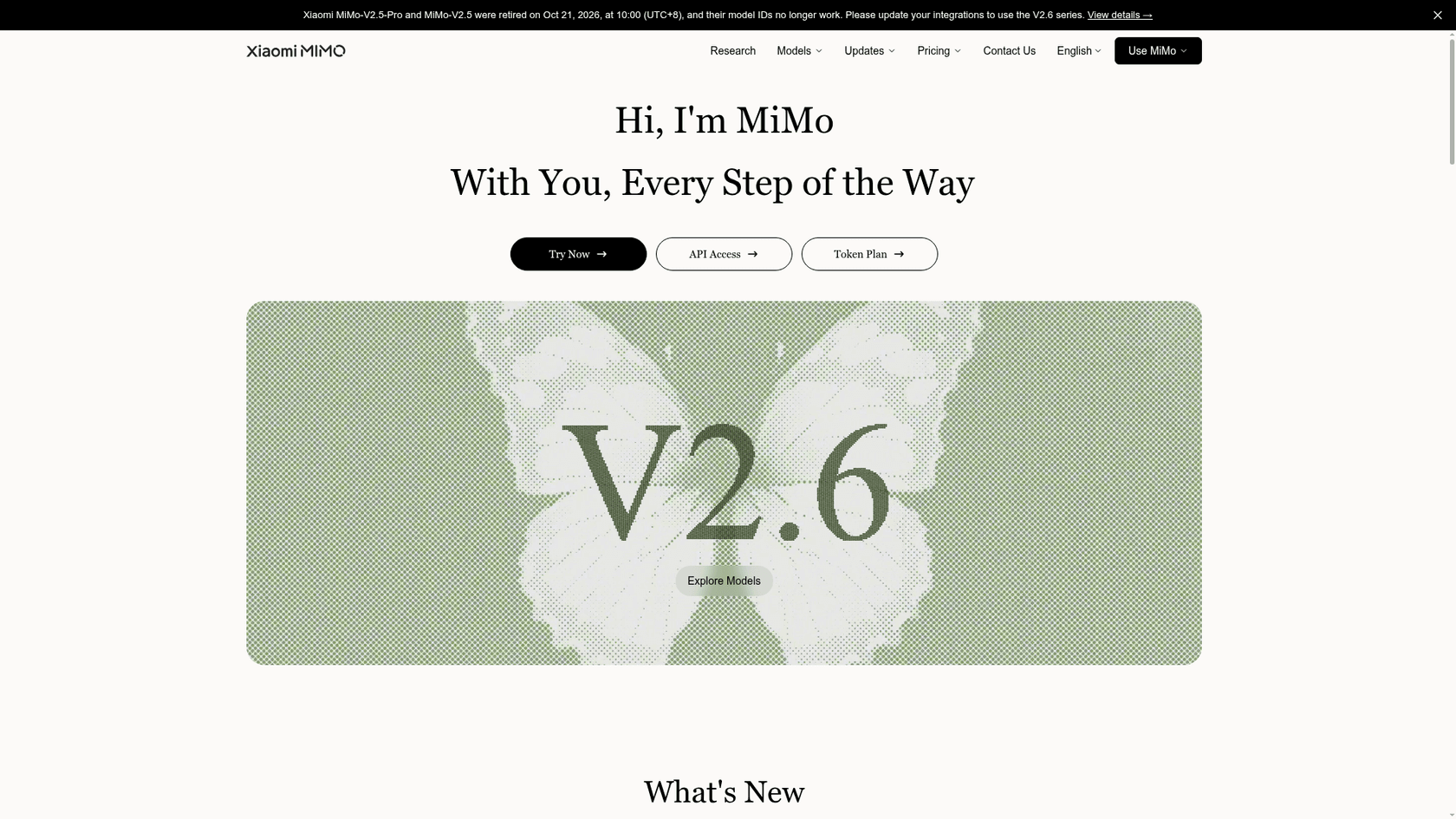
MiMo-V2.6-Pro is Xiaomi's trillion-parameter model, released with MIT-licensed weights in September. Xiaomi's launch post calls it the most powerful open-source model available at release, scoring 46 on the Artificial Analysis index.
Why pick it over Kimi K3.1 Pro
- About a sixth of the price per request. $0.435 in and $0.87 out per million tokens on Xiaomi's overseas pricing, or about
$6.09per 1,000 typical requests. - A tiny full-index bill. Artificial Analysis spent about
$207to run its whole index on MiMo-V2.6-Pro, against$3,117on Kimi K3.1 Pro. - Weights you can download today, MIT licensed, on Hugging Face.
- A batch API at half price, which Kimi doesn't offer for K3.1 Pro.
Where it falls short
It scores 46.3, nine points under Kimi. It's just as slow (54.7 tokens per second), with a 3.29-second time to first token. Xiaomi sells an UltraSpeed mode with up to 20x faster output, but at 10x the price ($4.35 / $8.70). And at about 1.02T parameters, self-hosting still means a multi-GPU cluster.
Pricing
| Line | Real-time per 1M | Batch per 1M |
|---|---|---|
| Input, cache hit | $0.0036 | $0.0018 |
| Input, cache miss | $0.435 | $0.2175 |
| Output | $0.87 | $0.435 |
| UltraSpeed input / output | $4.35 / $8.70 | Not offered |
More in my MiMo V2.6 pricing breakdown.
My take
Pick MiMo-V2.6-Pro if you want open weights and a cheap hosted API from the same vendor, and your tasks don't need Kimi-level reasoning. Skip it for anything latency-sensitive unless you pay for UltraSpeed. The MiMo V2.6 review has the benchmarks.
7. Kimi K3
Best for: staying with Moonshot while using weights that are already public. Open weights, same family.
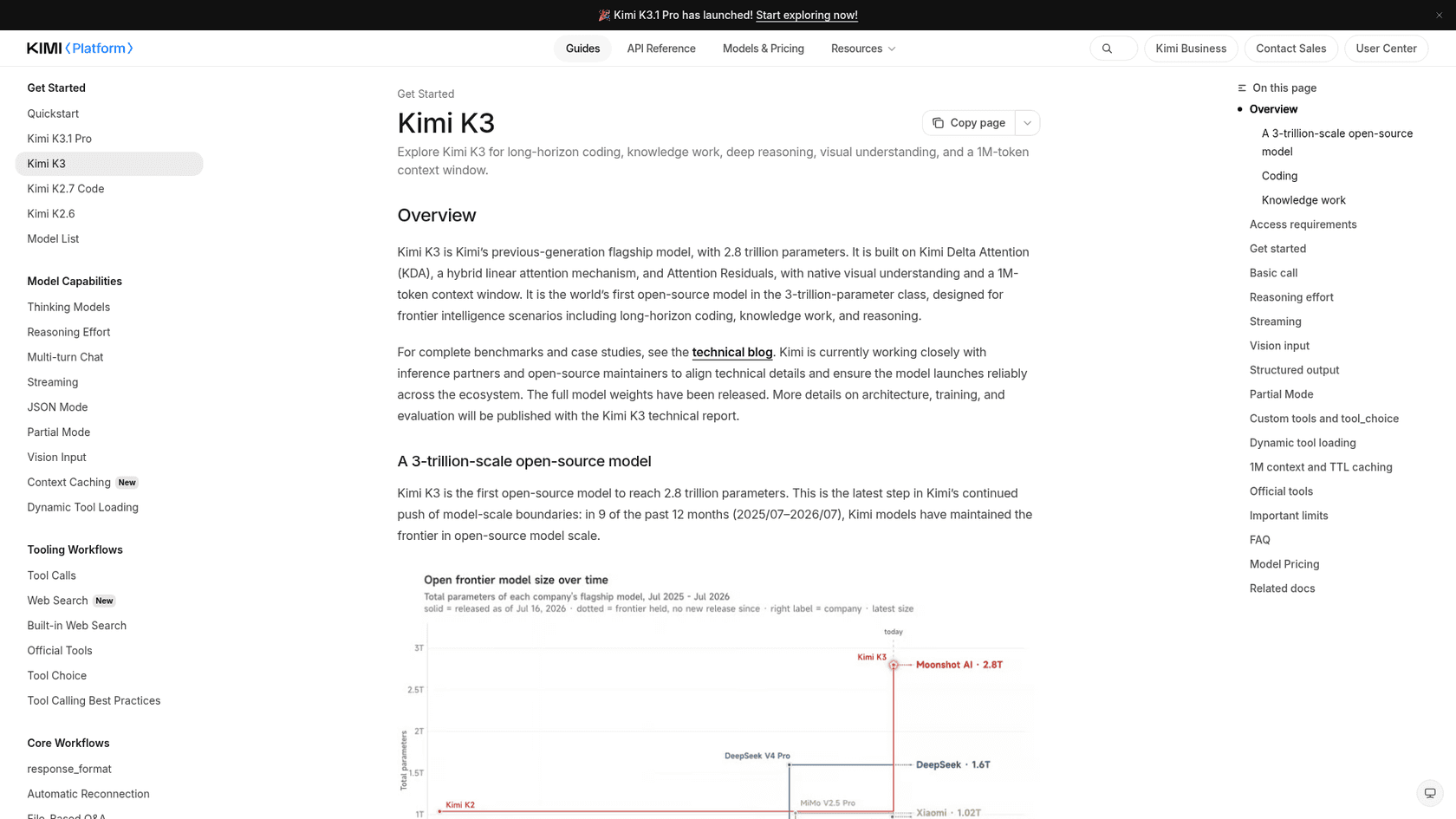
Kimi K3 is K3.1 Pro's base model. Moonshot's quickstart now calls it the "previous-generation flagship", and its weights are already on Hugging Face.
Why pick it over Kimi K3.1 Pro
- Weights today, not by November 4. About 2.78T parameters in the public repo.
- Same API, same tools. If you've built on the Kimi API, switching the model ID is the whole migration.
- Same cost per task.
$2.00per Artificial Analysis task, against$2.11for K3.1 Pro.
Where it falls short
Honestly, not much reason to pick it for new hosted work. It costs more per token ($3 / $15), scores 43.6 against 55.1, and managed only 12.6% on Terminal-Bench 4.0 against K3.1 Pro's 67.2%. Its licence also adds conditions for very large products and model-hosting businesses. If you only need K3.1 Pro's weights, waiting a week or two is likely the better move.
Pricing
| Line | Price per 1M tokens |
|---|---|
| Input, cache miss | $3 |
| Input, cache hit | $0.30 |
| Output | $15 |
| 5-minute cache write | $3 |
| 1-hour cache write | $6 |
From the Kimi pricing page. My Kimi K3 pricing post has the history.
My take
Pick K3 only if you need open Kimi weights this week. Otherwise, stay on K3.1 Pro or pick from the six above. The Kimi K3 review and my DeepSeek vs Kimi K3 comparison cover it in more depth.
What do 1,000 requests cost on each?
Here is the same typical request, 10,000 tokens in and 2,000 out with no caching, priced on each vendor's list rate. It's the number most cost estimates start from.
| Model | Input / output per 1M | Cost per request | Cost per 1,000 requests |
|---|---|---|---|
| DeepSeek V4.1 Flash (off-peak) | $0.15 / $0.60 | $0.0027 | $2.70 |
| DeepSeek V4.1 Flash (peak) | $0.30 / $1.20 | $0.0054 | $5.40 |
| MiMo-V2.6-Pro | $0.435 / $0.87 | $0.0061 | $6.09 |
| Gemini 3.8 Flash (until Dec 31) | $0.75 / $3.75 | $0.015 | $15 |
| Gemini 3.8 Flash (from Jan 1, 2027) | $1.50 / $7.50 | $0.030 | $30 |
| Kimi K3.1 Pro | $2 / $10 | $0.040 | $40 |
| Claude Sonnet 5.5 | $2 / $10 | $0.040 | $40 |
| Gemini 4 Argon (until Nov 30) | $2 / $10 | $0.040 | $40 |
| Kimi K3 | $3 / $15 | $0.060 | $60 |
| Claude Opus 5.5 | $4 / $20 | $0.080 | $80 |
| Gemini 4 Argon (from Dec 1) | $4 / $20 | $0.080 | $80 |
| Kimi K3.1 Pro Highspeed | $4 / $20 | $0.080 | $80 |
Now the warning. Reasoning models rarely stop at 2,000 output tokens. On the Artificial Analysis index, Kimi K3.1 Pro wrote 55,195 output tokens per task, most of it reasoning. That's why the per-task column in the summary table matters more than this one, and why you should rerun this math on your own traffic before you switch.
The way I'd do it: take 100 real requests from your product, run them through two or three of these models, and score the answers. Then divide each model's spend by the answers you'd actually ship. That's your cost per successful task, and it's the only number that settles the choice. My Kimi K3.1 Pro pricing guide walks through the same math for Kimi alone.
Should a support team pick a model at all?
If your product is a support bot, this whole list is one layer too low. A model is infrastructure. What answers your customers is everything built around it: which past tickets it reads, which rules it follows, when it hands over to a person, and how you check it before it goes live.
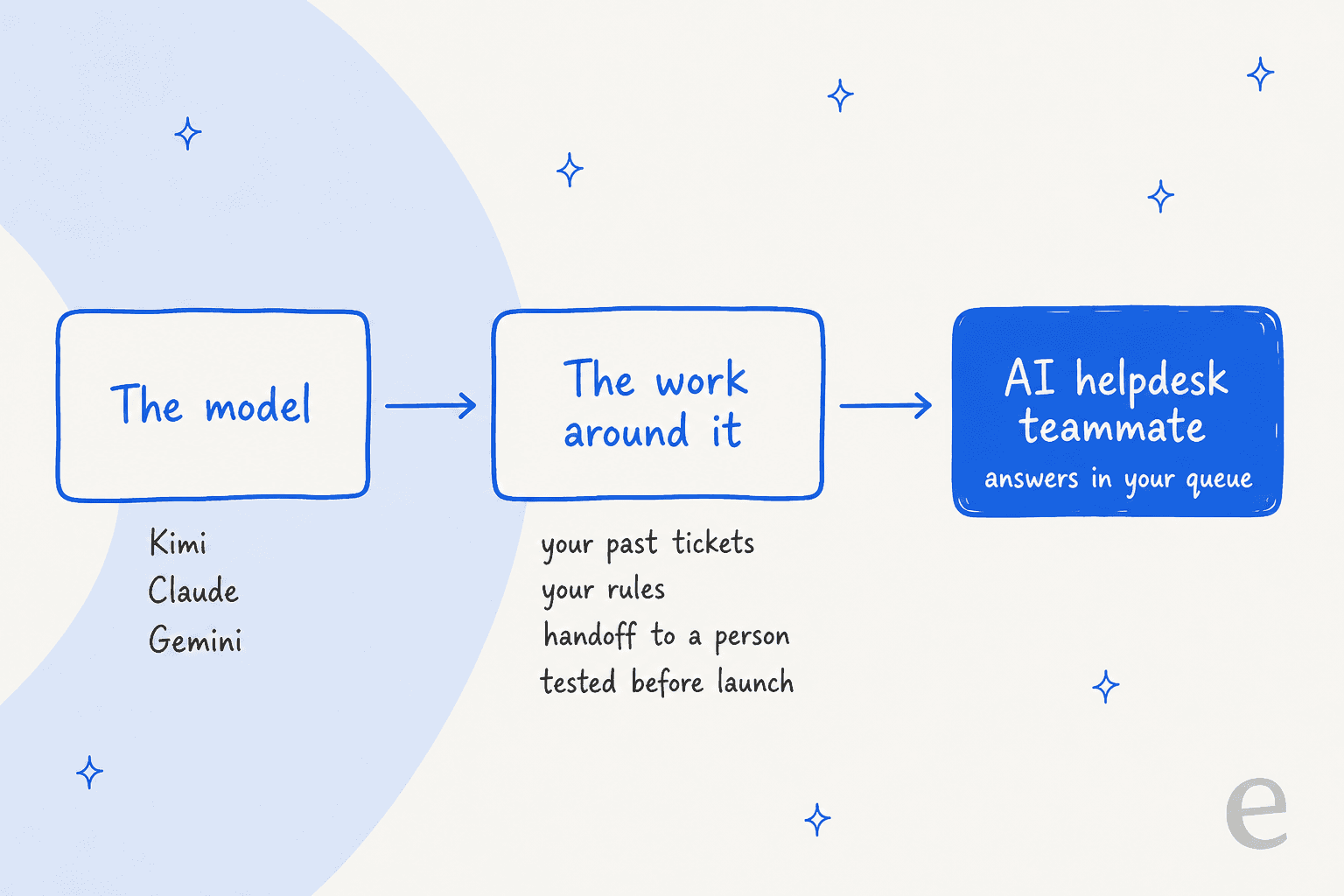
That's the part I spend my days on at eesel. I've watched a confident model give smooth, wrong answers on a real queue, which is why every eesel rollout now replays hundreds of past tickets first and scores the drafts against what the team actually sent. The model choice still matters. It's just not the decision that makes or breaks a support bot.
Qontro, a New Zealand ERP company, is a good example. It connected Freshdesk to eesel in July 2026 and loaded about 9,800 past tickets and help articles. Between August 8 and September 8, eesel drafted replies on about 190 tickets, running about 400 knowledge searches along the way. Outages, data loss and billing go straight to a person. The team compares each draft with what they sent and uses the gaps to fix the help center. Nobody at Qontro had to run a model bake-off to get there.
For developers who'd rather stay in a terminal, the eesel CLI drives the same teammate. npx @eesel/cli init chat-bubble --site https://your-site.com sets up an agent with a website chat bubble that reads your pages, and eesel chat lets you test it from the command line. Every command prints JSON, so a coding agent such as Claude Code or Cursor can run the setup for you. My post on AI agent CLIs explains why that matters.
Try eesel for your support queue
If you were weighing Kimi K3.1 Pro or one of these models to answer customer tickets, try the other route first. eesel is an AI helpdesk teammate that joins your existing helpdesk, learns from your past tickets and help center, and gets tested on your history before it replies to anyone. It works with Freshdesk, Zendesk and others, and the free plan includes 100 credits, where one ticket or chat is one credit (see pricing).
Try eesel free, or read how teams use it in SaaS support. For a wider look at the category, my roundup of the best AI helpdesk software compares the main options.
Frequently Asked Questions
What is the best alternative to Kimi K3.1 Pro?
For most teams it is Claude Sonnet 5.5: the same $2 input and $10 output per million tokens, about three times the output speed on Artificial Analysis, and a slightly higher index score at max effort. If cost per finished task matters more than the sticker, test Claude Opus 5.5 at High effort, which Artificial Analysis measured at $1.82 per task against $2.11 for Kimi K3.1 Pro. The full Sonnet 5.5 review has the details.
Is there a cheaper alternative to Kimi K3.1 Pro?
Yes. DeepSeek V4.1 Flash costs $0.15 in and $0.60 out per million tokens off-peak, which works out to about $2.70 per 1,000 requests of 10,000 input and 2,000 output tokens, against $40 for Kimi K3.1 Pro. Gemini 3.8 Flash costs about $15 for the same 1,000 requests until December 31, 2026. See the DeepSeek V4.1 Flash pricing guide and the Kimi K3.1 Pro pricing breakdown.
What are the open-weight alternatives to Kimi K3.1 Pro?
DeepSeek V4.1 Flash and MiMo-V2.6-Pro both ship MIT-licensed weights on Hugging Face, and the older Kimi K3 has open weights under its own licence. Moonshot says the Kimi K3.1 Pro weights will be released by November 4, 2026, but they were not on Hugging Face when I checked. My MiMo V2.6 overview covers the Xiaomi option.
Is Claude Sonnet 5.5 better than Kimi K3.1 Pro?
At max effort Sonnet 5.5 scores 56.0 on the Artificial Analysis Intelligence Index against 55.1 for Kimi K3.1 Pro, at the same list price, and it outputs about 141 tokens per second against 50. Kimi is cheaper per finished task at max effort ($2.11 against $5.46), because Sonnet writes more tokens. My Kimi K3.1 Pro review and Sonnet 5.5 pricing posts go deeper.
How do I compare Kimi K3.1 Pro alternatives on cost?
Compare cost per successful task, not price per token. Take the total spend on a test batch of your own tasks and divide it by the tasks each model finished correctly. A model with a lower sticker can still lose if it writes more tokens or fails more often, which is why I list Artificial Analysis cost per task next to the per-token prices. The AI customer service cost guide shows the same idea for support.
Which Kimi K3.1 Pro alternative is best for customer support?
For a support bot, speed and wrong answers matter more than benchmark peaks. Gemini 4 Argon had the lowest hallucination rate in this group on Artificial Analysis (15.1%), and Claude Sonnet 5.5 is fast. If you do not want to build the bot at all, an AI helpdesk agent like eesel already runs on frontier models and learns from your past tickets.
Should I wait for the Kimi K3.1 Pro open weights?
Only if you plan to self-host. The model has 2.8 trillion total parameters, so running it yourself needs a large GPU cluster. If you call it through an API, the weights change little for you; the hosted price is already $2 in and $10 out per million tokens. The Kimi K3.1 Pro overview tracks the release.