

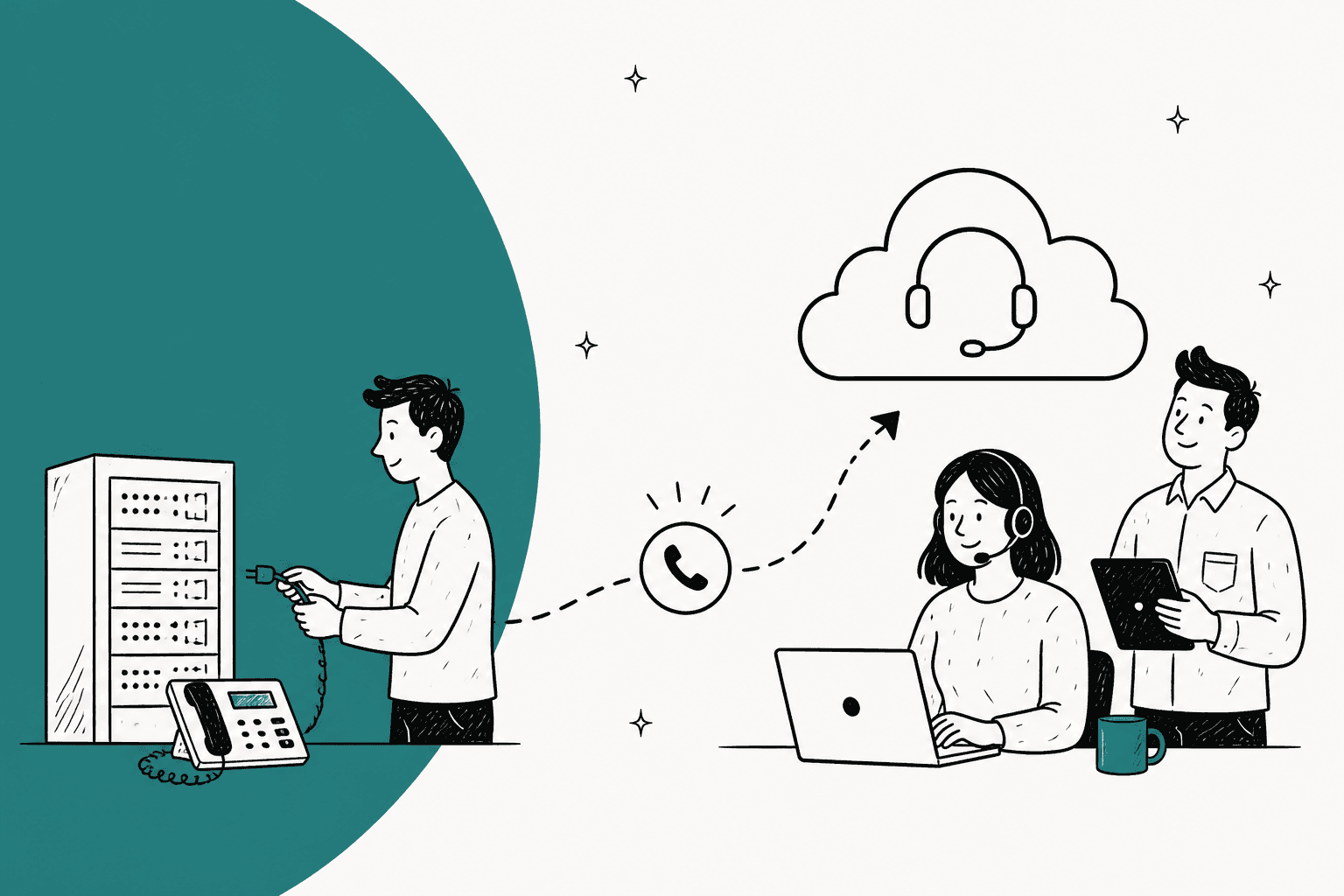
To migrate to CCaaS without dropping calls, forward your old numbers to new numbers on the cloud platform first, and port them last. Everything before the port can be undone with a configuration change. A completed port can't, and a US port takes 2 to 4 weeks once the paperwork is correct. So inventory, rebuild, test on spare numbers and pilot one queue while the old system still carries most calls.
Most plans skip the support side: the helpdesk doesn't move, but its wires to the phones do. eesel's AI helpdesk teammate lives in the helpdesk, so it keeps answering tickets through the cutover.
Who this guide is for (and what you need first)
This guide is for a support or operations lead moving a customer support phone line off an on-prem PBX or an older call center technology stack and onto a cloud one (CCaaS, contact center as a service): Amazon Connect, Genesys Cloud, Talkdesk, Five9, Zendesk Talk, Aircall, Twilio Flex and the rest. If you're still picking a platform, my roundup of call center software covers the shortlist. If you're on Freshdesk, the built-in Freshdesk Contact Center is another option, and Dialpad and the Aircall alternatives cover the lighter end. This post is about the move itself.
I'm an engineer at eesel, and I spend most of my week on integrations, which means a lot of time inside other companies' helpdesk and phone APIs. The pattern I see is consistent: the telephony gets a project plan, and the connections from the phone system into the helpdesk get a line item that says "integrations." Those connections are where a cutover goes quietly wrong.
If you're also running an AI agent, the eesel CLI gives your engineers a scriptable side door during the move: an AI coding agent like Claude Code can upload approved knowledge (exported help articles, macros, the new IVR scripts) and then ask the agent test questions to check its answers before anything goes live. Connecting the helpdesk itself still needs a person with admin access to approve it.
Have these ready before step 1:
- A copy of the phone bill or Customer Service Record (CSR) for every carrier. Porting paperwork has to match it exactly.
- An owner on the carrier account who can sign. AWS asks for a handwritten signature on the LOA (letter of authorization) and says most carriers reject electronic ones.
- Admin access to your helpdesk and CRM, because you'll be reconnecting them.
- Your last 90 days of call reports (volume by hour, abandon rate, handle time) as the baseline you'll compare the new platform against.
Why are so many contact centers migrating now?
For many teams, the migration isn't optional. The big on-prem contact center products are reaching the end of vendor support, and the UK's copper phone network is being switched off. Here are the dates from the vendors' and regulators' own pages:
| Product | Milestone | Date |
|---|---|---|
| Genesys PureConnect | End of maintenance and support | 31 Jul 2025 |
| Microsoft Skype for Business Server 2015 and 2019 | End of support | 14 Oct 2025 |
| Avaya Aura Call Center Elite 10.1.x | End of manufacturer support | 1 Jan 2026 |
| Cisco UCCE, PCCE, UCCX, CVP 12.5 and 12.6 | End of software maintenance releases | 31 Dec 2026 |
| BT's UK PSTN (copper phone network), per Ofcom | Planned retirement | 31 Jan 2027 |
| Cisco UCCE, PCCE, UCCX, CVP 12.5 and 12.6 | Last date of support | 31 Dec 2027 |
| Mitel MiContact Center Business | End of add-on sales | 31 Dec 2027 |
| Genesys Engage on-prem | End of the on-prem solution | 31 Dec 2028 |
If a deadline like this is what's pushing you, work backwards from it, and start the carrier side early. AWS says it requires porting requests to be open "several months before pending go-live dates" because carriers block ports on holidays and during maintenance.
What's the one step you can't undo?
The number port. Every other step in a CCaaS migration is a configuration you can change back. Porting moves the number to a new carrier, and AWS spells out that after completion "the gaining carrier has sole control of the phone number." Moving it back means a new LOA, new documents and a new port.
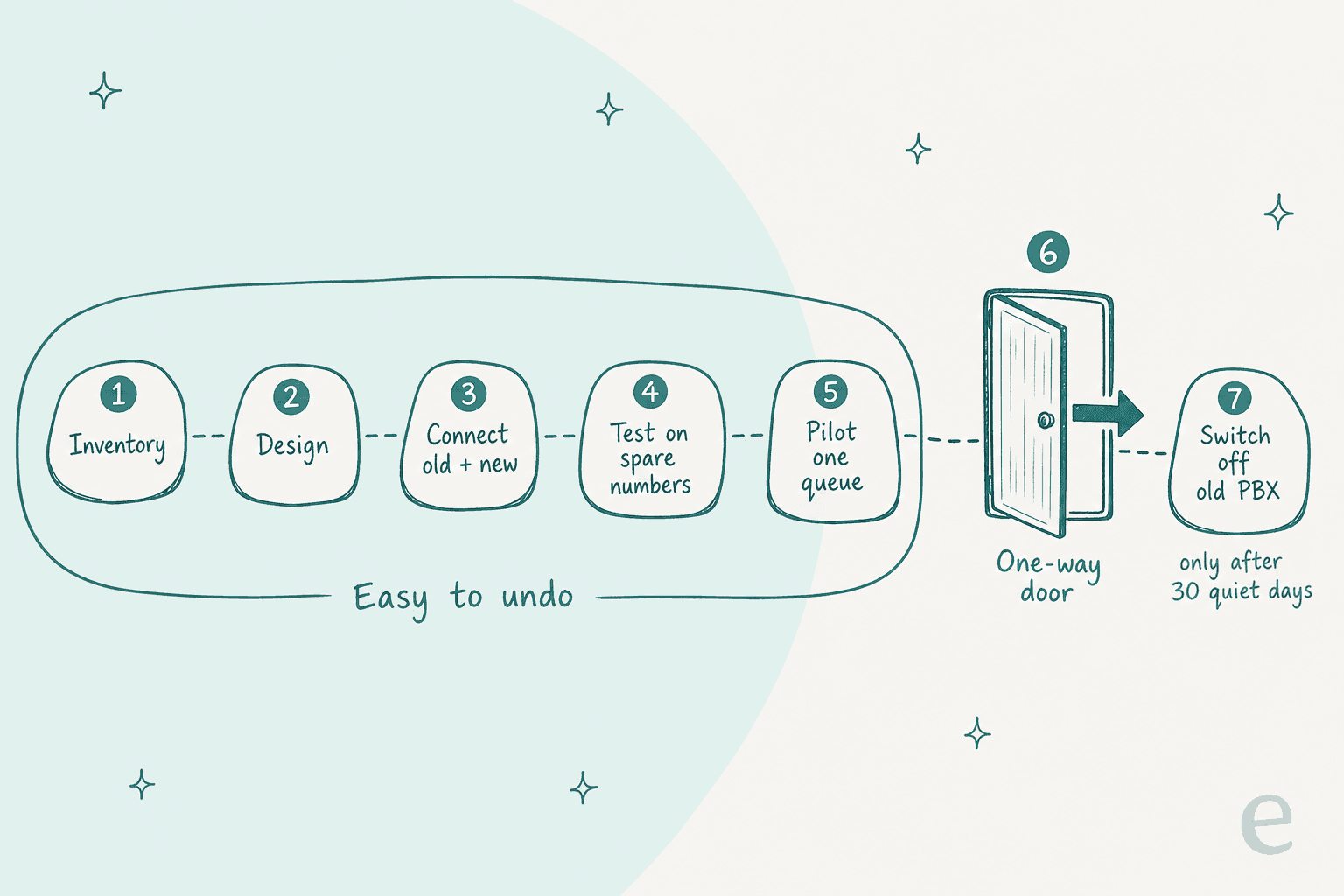
That changes how you should order the work. The question isn't "what date do we cut over?" It's "how long can we run both systems before we take the one-way step?" Both AWS and Salesforce give the same answer for how to buy that time: forward first.
Salesforce's Voice checklist warns that porting "is highly regulated, can't be rushed," and recommends three moves: claim a new number for testing and production, forward traffic to it from the original number until testing is done, then port the original. AWS's migration guide describes the same forwarding stage as giving "rapid rollback (which depends on a relatively simple change to call forwarding rules) without any dependencies on a carrier."
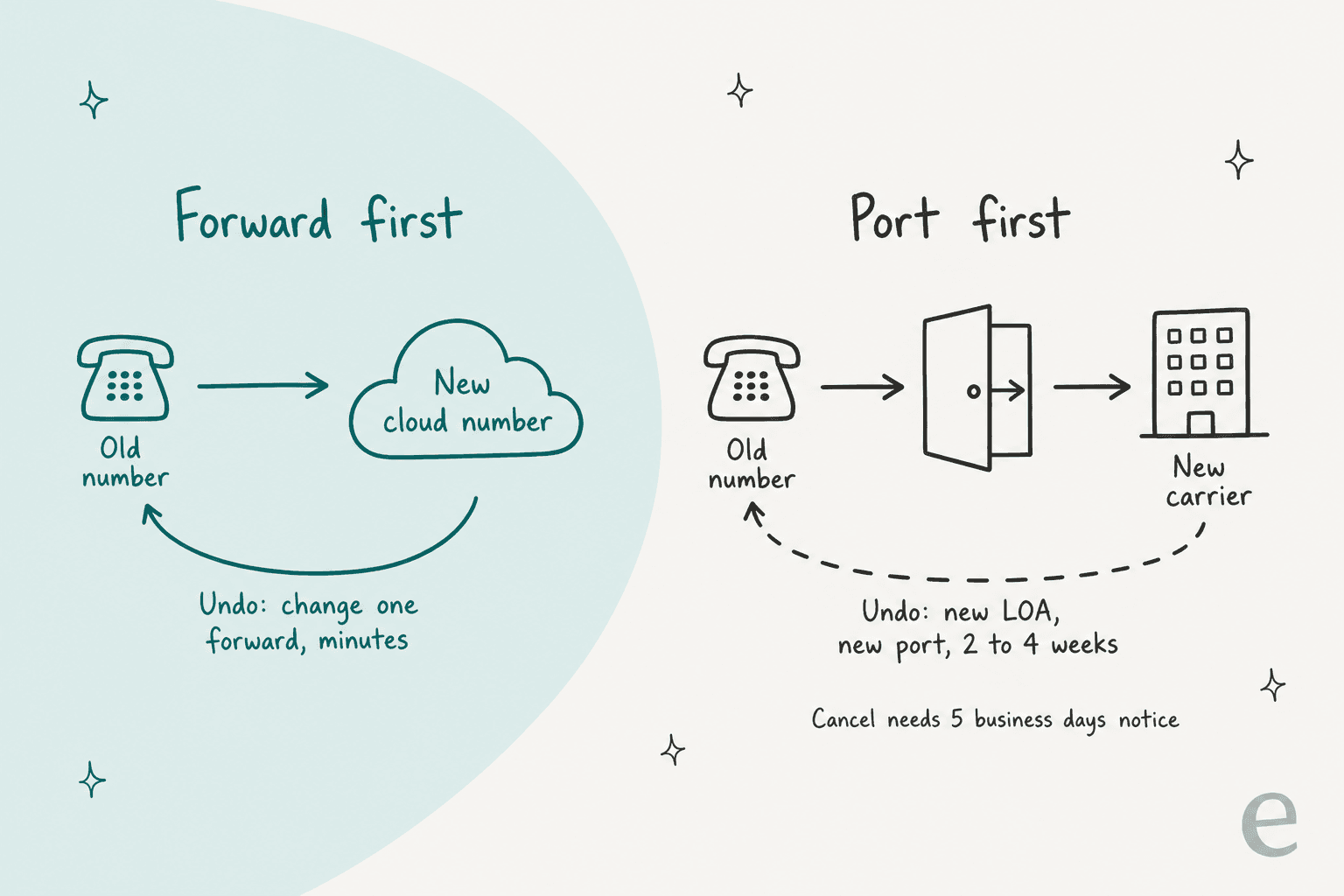
Forwarding isn't free, so don't leave it on for months. AWS points out that while it's in place you pay for the inbound call on the old number, the outbound forward and the inbound call on the new number, and every call ties up an outbound circuit. I treat forwarding as a few weeks of insurance, not a permanent setup.
Step 1: Inventory what the old system does
Most migration surprises come from something the old system did that nobody wrote down. It's the same lesson teams learn when they switch helpdesks. Before you design anything, list it all:
| Area | What to write down |
|---|---|
| Numbers | Every DID, toll-free and SMS-enabled number, which carrier owns each, and which queue it rings |
| Call flows | IVR menus, business-hours and holiday schedules, overflow rules, voicemail boxes |
| Routing | Queues, skills, priorities, who can take transfers from whom |
| Integrations | Helpdesk call logging, CRM screen pops, payment lines, any IVR step that looks up an account |
| Recordings | Where they're stored, retention rules, who can retrieve them for quality assurance |
| Reporting | Which reports leadership reads weekly and how each metric is calculated |
| Devices and network | Desk phones, headsets, home agents, VPN setup |
Two items deserve extra care. The first is SMS. Genesys warns that SMS on a ported number "will not be automatically transferred along with voice service. In fact, the SMS services will likely be disrupted." If you send order texts or appointment reminders from a support number, flag it now. The second is any IVR step that calls into an internal system, like "enter your account number" checking a database. That logic has to be rebuilt on the new platform, and it's easy to miss because it's inside a flow nobody has opened in years.
Step 2: Design the new setup (rebuild it, don't copy it)
Call flows don't move between platforms. An Amazon Connect consultant put it plainly on Hacker News:
"when someone designs a call center with Amazon Connect, they use a GUI flowchart tool and create "contact flows". You can export the flow to JSON. But it isn't portable to other environments without some remapping."

Since you're rebuilding anyway, simplify. AWS's own guidance says "don't limit yourself" to lifting and shifting the old call center, and Salesforce recommends starting from its default contact flows and building up. A seven-level IVR that made sense in 2014 usually collapses to three options and a callback. If you're on Zendesk, my guide to the Zendesk Talk IVR shows a lean phone tree.
Some of what the old IVR did is now a job for an AI phone receptionist, which can answer simple questions before a caller ever reaches a queue.
Two design decisions to make in this step:
- How old and new will coexist. Agents usually move in groups, and AWS notes the migration phase "might take several months," with teams on different platforms transferring calls to each other. AWS suggests dedicated transfer numbers between the platforms so you can measure cross-platform transfers separately.
- What happens to old recordings. AWS gives two options: migrate recordings and reports (check the audio format first), or archive them in place until their minimum retention period runs out. Archiving is often cheaper, but someone has to own access to the old archive.
Expect the new platform to need real admin skill. If you're leaving Zendesk at the same time, my Zendesk migration guide covers the ticket side. A senior telephony engineer reviewing Genesys Cloud CX on G2 wrote:
"Genesys Cloud CX is extremely capable, but that capability comes with complexity. There are many situations where something that appears relatively straightforward ends up requiring Architect customization, Data Actions, APIs, or external automation."
Justin H., Senior Telephony Engineer, G2 review

That's a fair read of most enterprise CCaaS platforms, Genesys included. Budget engineering time for the rebuild, and avoid painting yourself into a corner: the vendor lock-in traps that apply to AI tools apply to phone platforms too.
Step 3: Rewire the helpdesk side
This is the step most plans compress into a single line, and it's where I'd spend more time than you think. The phone system moves. Your helpdesk, help center, macros, CRM and AI agent stay where they are. The phones move; the wires between the phones and the helpdesk have to be rebuilt. Every one of them needs a retest.
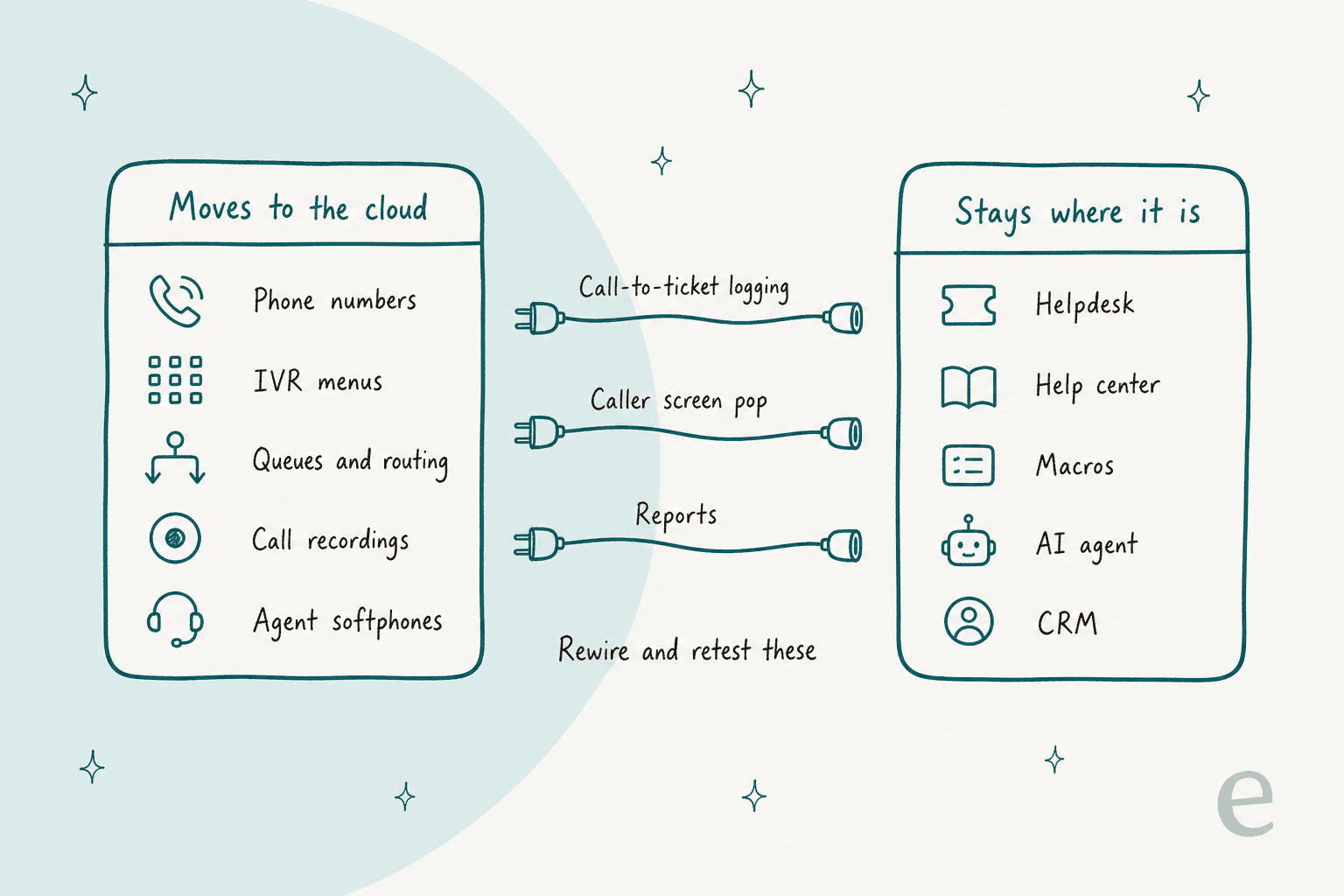
Check three connections in particular:
- Call-to-ticket logging. Does every call create or update a ticket in the helpdesk, with the recording and the caller attached? If you're moving to a phone tool that connects to your helpdesk, like CloudTalk and Zendesk, test what the ticket looks like on a real call.
- Caller screen pop. When the phone rings, does the agent see the customer's record? This often depends on the caller ID format matching the CRM, which changes between carriers.
- Reports. Handle time and abandon rate are calculated differently on every platform. A G2 reviewer of Genesys Cloud found custom reports "difficult to navigate." Agree the new definitions with leadership before go-live, or your first monthly report will look like a disaster that isn't one.
Then check what your helpdesk automation does with call tickets. It's a detail that gets overlooked: well-run AI setups often skip phone tickets on purpose. Lesson Pro, a family of lesson brands running two Zendesk accounts, has eesel leave notes and drafts on 1,900 tickets a month, but leaves voicemails alone. Luxedo, on Gorgias, has its agent skip phone-call tickets, spam and surveys so nothing is spent on them. If your new phone platform names or tags call tickets differently from the old one, those rules break silently, and suddenly the AI is drafting replies to voicemail transcripts. Check the triggers, views and automations that filter on call tickets.
The upside is that the email and chat side of support doesn't depend on the phone platform at all. An AI agent that lives in the helpdesk keeps working through the whole migration. smava, a German loan-comparison company, runs eesel on one Zendesk across two brands: 27,000 tickets handled in a month, 14,600 categorized and 15,300 draft replies prepared. A queue like that doesn't care which carrier the phones are on.
SamCart is a similar case on Freshdesk: one agent works Freshdesk tickets and another runs its website chat, so written support has its own lanes.
Step 4: Test on spare numbers
Build the new setup on temporary numbers and test it before any customer call touches it. AWS's go-live checklist asks that every in-scope service line has "successfully run UAT scripts" using a temporary phone number.
Write your test script around failure first, then the happy path:
| Test | What should happen |
|---|---|
| Normal call, business hours | Right IVR, right queue, ticket created in the helpdesk |
| Call after hours or on a holiday | Correct closed message, voicemail or callback |
| Every agent busy | Hold message, then overflow or callback |
| Transfer to a team still on the old system | Call connects, caller isn't asked to repeat themselves |
| Caller presses keys in the IVR | Keypad input (DTMF) is recognized on every menu |
| Helpdesk or CRM is down | Agent can still take the call |
| An agent dials 911 from a softphone | Connects with no prefix, and the notification fires (see below) |
Also check your capacity limits before testing at scale. AWS says new instances can start with quotas as low as "10 concurrent calls or 5 phone numbers", so request increases early. And test from real agent setups: AWS recommends wired USB headsets over Bluetooth and wired Ethernet, and suggests budgeting for dongles before the migration starts.
Step 5: Pilot one queue with forwarding
Pick a low-risk queue (general enquiries, an internal IT line, a small region; my call center vs service desk post explains why IT lines behave differently) and forward its number to the new platform. Keep the high-volume and high-stakes lines, like billing, on the old system until the pilot runs cleanly.
Decide your rollback triggers before you start, in numbers. AWS's go-live checklist tells you to watch calls answered, abandonment rate, average handle time and queue depth in real time, and to keep a conference bridge open "until go-live (or rollback) activities have been completed." I'd write something like "if abandon rate is more than double the 90-day baseline for an hour, we switch the forward back" and agree who has the authority to make that call.
Then move the rest of the queues in groups. AWS says the dual-platform period is costly and that the longer it runs, the greater "the risk of human errors such as making changes on the wrong platform." Move steadily, not slowly.
Step 6: Port the numbers
Once every queue has run cleanly on forwarded numbers, port the originals. Here's what the main platforms say about timing:
| Platform | Port timeline (from its own docs) | Watch out for |
|---|---|---|
| Amazon Connect | 2 to 4 weeks US and Canada, 2 to 6 months elsewhere | US requests can't be submitted more than 30 days before the port date |
| Genesys Cloud | Submit 2 to 3 weeks ahead; the date can take up to 10 days to confirm | SMS doesn't move with voice |
| Talkdesk | 2 to 4 weeks after documents are approved | You can't choose the port date |
| Zendesk Talk | 1 to 4 weeks US and Canada, 6+ weeks elsewhere | Trial accounts can't port |
| Aircall | Varies by country, e.g. 7 business days in France, up to 45 days in Germany | Ranges must port together |
The legal floor is faster than any of those. In the US, the FCC requires a simple port within one business day and a non-simple one within four business days. But a contact center's block of numbers on a trunk is rarely "simple," and the weeks in the table are the paperwork, validation and scheduling around the actual switch.
The paperwork is where ports fail. AWS lists the four common rejection reasons: an unpaid balance or port-away fee, a name or address that doesn't match the CSR, a number that can't be ported, and missing information like a signature. A rejected LOA "resets the porting timelines." AWS also wants the LOA dated within the last 15 days, so don't sign it a month early.
Two more rules that catch people out:
- Don't cancel the old carrier early. The FCC advises starting the port with the new provider before terminating the old service, and Aircall warns that numbers on a cancelled account can be lost permanently.
- Know your cancel window. AWS needs 5 business days' notice to cancel or reschedule, and once the number reaches the new RespOrg "the port is complete."
On port day itself, AWS warns that porting "can be disruptive" because routes update across carriers, including ones not involved, and "in rare cases it can take several hours" to settle. Port on a quiet weekday morning, have agents logged in on both systems, watch traffic fall off on the old platform, and place test calls to every flow.
Step 7: Stabilize, then switch off the old system
Don't decommission the old PBX the day after the port. Keep it running through a full billing cycle and at least one busy period, so you can compare reports (and your call center ROI numbers) and pull old recordings if a dispute comes up. Tell finance that costs overlap: AWS notes its own billing goes up and legacy costs come down only after the new contact center goes live.
AWS also flags a non-technical gap: "user training, process changes, and service desk changes are often overlooked until the project is close to completion." Before you switch off the old system, make sure your internal IT or service desk knows who owns the new platform and how to raise an incident on it. AWS suggests raising a test incident and tracking it all the way through.
What about 911 and remote agents?
This one is a legal requirement in the US, not a nice-to-have. Under Kari's Law, any multi-line phone system installed after 16 February 2020, which includes your new cloud setup, must let users dial 911 directly with no prefix like "9," and must send a notification (with a callback number and location) to someone likely to see it.
The location rules are stricter for agents working from home. Under 47 CFR 9.16, devices used off-premises must provide an automatic dispatchable location (a validated street address) where technically feasible, or else a location the user updates by hand. In practice, my reading of that is: collect each home agent's address, give them a simple way to update it when they move, and test a 911 call path using your local emergency service's test procedure. Ask your CCaaS vendor how its softphone handles this before go-live, not after.
Cutover readiness checklist
Tick off each item as it's done. If you can't tick all of them, it's not port day yet.
Before you submit the port
How long does a CCaaS migration take?
For a single-country team with one carrier, two to three months is a realistic plan: a few weeks of inventory and design, a few weeks of rebuild and testing, a pilot, then the port's 2 to 4 weeks of paperwork running in parallel. Multiple countries stretch it, since AWS quotes two to six months for ports outside the US and Canada, and treats more than 10 number ranges or 10 locations as "a project" that needs its account team involved.
The helpdesk side can move much faster, which is the point of keeping it separate. An AI agent that lives in the helpdesk doesn't wait for the phones. Luxedo connected eesel to Gorgias in July, built its knowledge and instructions in August, and switched the trigger on in the last week of August, all on Gorgias. My AI support rollout timeline breaks down why most teams land between two and eight weeks.
Try eesel while your phones are moving
A CCaaS migration is a stressful few months for a support team: agents are learning a new softphone, the pilot queue is wobbling, and leadership wants to know why the reports changed. That's a bad time for the email and chat queue to pile up too. eesel's AI helpdesk teammate joins your existing helpdesk (Zendesk, Freshdesk, Gorgias and more), learns from your help center, macros and past tickets (the same knowledge base your phone agents use), and drafts or answers replies, so the written queue stays calm while the phones move. You can simulate it on past tickets before it replies to anyone, and plans start at $299 a month for 500 tickets on the pricing page.
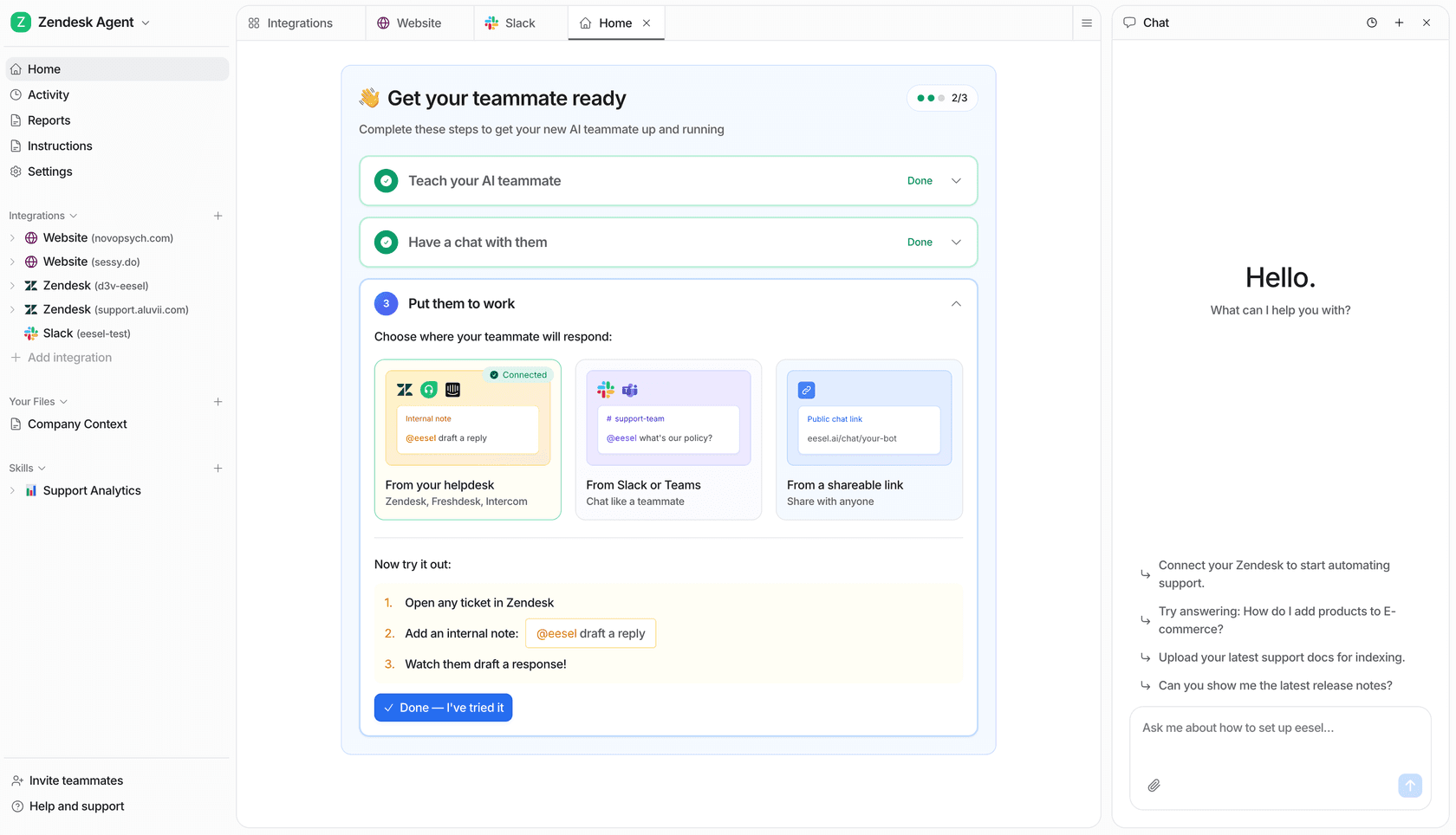
Try eesel free with 100 credits, or book a demo if you'd like a hand planning it around your cutover.