Flamingo AI alternatives: 8 options for MSPs in 2026

Kira

Katelin Teen
Last edited August 18, 2026

What Flamingo AI actually is
I build the AI agents at eesel, so the first thing I do with a new agent platform is read its repo and its licence rather than its landing page. With Flamingo that turned out to be the whole story.
The product is OpenFrame, sold by Flamingo AI, Inc. It launched from stealth on 28 October 2025 with $2.2M in pre-seed funding from Vertex Ventures, focal VC and array vc, and it claims 266 businesses and MSPs. Gen1 is live now and includes RMM, remote access, patch management, PSA, SIEM, secure remote access for SOC, MDM, and documentation with password management. The PSA is the IT ticketing system half of that bundle.
Two AI agents come with it:
- Mingo is the technician-side copilot. Flamingo's own G2 profile describes it as proposing "fixes for your technicians to approve."
- Fae is the end-user agent that handles first-line requests at the endpoint, tier-1 deflection before they reach the queue.
The roadmap is priced in advance. Gen2 is announced at $3.00/device for Q4 2026, adding cloud backup, EDR, EPP, IAM, network monitoring, secure email gateway and ZTNA. Gen3 is $5.00/device, adding automation, backup and DR, XDR and MDR.
The architecture is Spring Boot microservices plus a Rust agent running as a system service on Windows, macOS and Linux. Under the hood it bundles three real open-source projects, named in Flamingo's own licence appendix: Fleet (MIT) for device management, osquery for endpoint telemetry, and MeshCentral (Apache 2.0) for remote access.
Why MSPs are shopping for Flamingo AI alternatives
None of what follows is a knock on the engineering, which is moving fast. These are the four boundaries that decide whether you should be the customer.
The "open source" is source-available, not OSI open source
The flagship repo ships under the Flamingo AI Unified License v1.0. Two clauses matter:
"5.1 No Competing SaaS. You may not provide Flamingo Software as a Commercial Managed Service without a separate commercial license from Flamingo AI."
"4.2 Contribution-Back. By publishing modifications, You grant Flamingo AI an irrevocable, worldwide, royalty-free license to use, modify, and relicense such modifications."
GitHub's licence detector returns NOASSERTION, meaning it doesn't recognise this as a standard open-source licence. The code is readable, forkable and self-hostable, which is more than any other vendor in this roundup offers. It is not OSI open source, and an MSP cannot resell a hosted OpenFrame as its own service without a separate commercial deal.
The repo itself is 62 stars, 19 forks and 33 contributors, and the contributor list is essentially the payroll: handles like vusal-fl, ivan-flamingo and pavlo-flamingo, plus devin-ai-integration[bot]. There is no visible outside-contributor community yet.
The AI half moved to a private repo the day before launch
This is the sharpest single fact I found. On 14 August 2026, commit afb85aa landed with the message "Remove openframe-chat entirely, moved to openframe-saas-tenant." It deleted 223 files and 19,863 lines, taking out the whole Tauri desktop chat client, the IT support chatbot Fae reaches end users through. openframe-saas-tenant returns a 404 on the GitHub API, so it's private.
The RMM plumbing stays open. The AI layer, the reason you'd choose Flamingo over a cheaper RMM, does not. That's a legitimate commercial decision and it's also the exact thing an MSP evaluating "open source" should know before signing.
The persuasive numbers belong to another company
Flamingo's FAQ makes a strong case for AI in the MSP desk. Read the attribution carefully:
"In production MSP shops today, 10% to 25% of tickets close before a human opens them. Thread alone has processed 173 million tickets across 750-plus MSP partners at 96% triage accuracy, handing back 490,000-plus technician hours."
Thread is a different vendor. The five-person-desk savings figure of "$78,000 to $130,000" is likewise sourced to "reported deployments," not OpenFrame's. Flamingo publishes no resolution or deflection rate for Fae or Mingo. For a product whose whole pitch is autonomous ticket closure, that's the number I'd want before migrating, and it's the one that isn't there.
There's also no published dry-run, sandbox or replay-against-past-tickets mode. The only pre-production control described anywhere is per-action technician approval, which is a gate on live traffic rather than a rehearsal. One of Flamingo's own community members is asking for sandboxing rather than using it. Worth noting that Flamingo's own rollout advice recommends exactly this discipline: "pilot it on internal tickets before any client sees it."
It replaces rather than integrates, and says so plainly
"OpenFrame isn't built to plug into your stack. It replaces it... So 'does it integrate with X?' usually means: you won't need X anymore."
That is refreshingly honest and it is also a hard filter. If you're keeping your existing PSA, your existing EDR or your internal knowledge base, you aren't the target customer. There's no published integration marketplace.
Three more practical limits, all from Flamingo's own community Slack in the fortnight before general availability. One operator listed "Attended vs Unattended access" and an "EmailTickets gateway" as blockers to going live. An Australian MSP asked for local data residency, which isn't available: hosting is US-only. And one user reported duplicate machines inflating a client's device count from 13 to 23, which matters more here than it would anywhere else, because the device count is the meter.
The one number that decides this: devices per technician
Here's the arithmetic nobody puts on a landing page. Atera and Syncro bill per technician with unlimited endpoints. Flamingo, SuperOps, NinjaOne and Pulseway bill per device. Which is cheaper is not a matter of opinion, it's a ratio.
Five technicians on Atera Pro cost $645/month whether they manage 200 devices or 2,000. Eight hundred devices on Flamingo's annual rate cost $640/month. At roughly 160 devices per technician the two models cost the same thing, and either side of that line one of them is clearly wrong for you.
Atera argues the point directly on its own pricing page, which is the sharpest published statement of this trade-off by any vendor here:
"We're not fans of pay-per-device because we know it stops you from taking your work to where it should be... With Atera's pay-per-technician, the cost stays the same no matter how many devices you add."
Run your own numbers:
One caveat the calculator can't price: Flamingo's plan includes 10M AI tokens monthly (25M yearly), and the overage rate once you pass that isn't published anywhere. That's the same shape of problem a buyer described to our team last year, someone who'd watched a prior vendor's price more than double and came in asking for contractual price locks before anything else. With Gen2 and Gen3 already advertised at three and five times the current rate, that instinct is the right one here. The other half of that sum is AI versus human cost per ticket, which no per-device rate shows you.
Flamingo AI alternatives at a glance
| Tool | Billing unit | Entry price | AI feature | Autonomous close? | Native ticketing | Self-host | Security certs | Free trial |
|---|---|---|---|---|---|---|---|---|
| Flamingo OpenFrame | Per device | $0.80/device yearly | Fae + Mingo | Fae at endpoint, Mingo needs approval | Yes (Gen1 PSA) | Yes, source-available | None published | 14 days, no card |
| eesel AI | Per credit (1 per ticket or chat) | From $299/mo (500 credits) | AI agent + simulation | Yes, with confidence gating | No, sits on your queue | No | SOC 2 underway, GDPR, HIPAA add-on | 100 free credits, no card |
| Atera | Per technician | $129/tech/mo | AI Copilot + Robin | Robin, price not published | Yes | No | SOC 2 II, ISO 27001, HIPAA, TX-RAMP | Yes |
| SuperOps | Both cards | $1.20–$1.50/endpoint | Monica | Deflection only, autonomy "coming soon" | Yes | No | SOC 2 II, ISO 27001, HIPAA | Yes |
| NinjaOne | Per endpoint | $1.50 at 10k endpoints | Patch Intelligence AI | No named ticket agent | Yes, PSA GA Q1 2026 | No | SOC 2/3, ISO 27001, FedRAMP Moderate | Yes |
| Syncro | Per technician | $129/user/mo | Triage + Dispatch, MCP server | No, technician confirms | Yes | No | SOC 2 II, HIPAA BAA, no ISO | Yes |
| HaloPSA | Per agent | £69/agent/mo | Halo AI agent | Varies by config | Yes, no RMM | On-prem option | Gartner Challenger 2026 | Yes |
| Tactical RMM | Free / sponsor | $0, or $55–$850/mo | None | No | No, Zammad integration | Yes, self-hosted | N/A | N/A |
| Pulseway | Per endpoint | Quote only | Pulseway Assist | No, assist-only | Add-on, not core | No | SOC 2, ISO at datacenter | Yes |
Prices are the vendors' own published figures as of 17 August 2026. ConnectWise is absent as a numbered entry below for a reason I'll come back to.
1. eesel AI, if you want the AI without moving your stack

What it is
I'll declare the interest up front: I build this. eesel AI is an AI ticketing system layer, not an RMM. It connects to the places requests actually arrive, email, Slack, Microsoft Teams, your help center and Jira Service Management, reads your knowledge sources and past tickets, and drafts or resolves from there.
How it compares to Flamingo
This is the opposite bet. Flamingo replaces your platform to give you the agent. eesel gives you the agent and leaves your platform alone. Being straight about the boundary: eesel does not integrate with Atera, Syncro, HaloPSA, NinjaOne or ConnectWise. If your ticket queue lives inside one of those PSAs, this isn't your tool. If your IT requests come in over Slack, Teams, email or a help center, which for a lot of internal helpdesk teams they do, it fits without a migration.
The differentiator that matters against Flamingo specifically: we've spent years running AI on live support queues and have watched a confident-sounding agent give a wrong answer to a real customer. That's why eesel simulates every rollout against your own historical tickets before it touches live traffic, so you see the resolution rate and the exact replies on your own data first. Flamingo publishes no equivalent rehearsal mode.
Pros
- Rehearsal against your closed tickets before go-live, with a projected resolution rate.
- Confidence gating, so the agent only auto-replies where it's sure and escalates the rest.
- Flat per-ticket billing that doesn't change with device count.
- No platform migration, no per-seat fee, no minimum.
Cons
- Not an RMM, no patching, no remote access, no endpoint monitoring.
- No integration with the MSP PSAs in this list.
- SOC 2 Type II is underway, not yet certified. HIPAA is available as an add-on, arranged with the team.
Pricing
One fixed monthly price sized to volume, from $299/month for 500 credits (1 credit per ticket or chat handled, regardless of outcome rather than per resolution). Bigger batches run $499 for 1,000 credits, $999 for 2,500 and $1,899 for 5,000. Everything is included with no per-seat fee, and questions asked in the dashboard are mostly free. The free plan gives 100 credits with no card, paying a year upfront gets two months free, and SSO, priority support, data residency and HIPAA are add-ons.
Verdict
The right answer if the queue is the problem and the stack isn't. Wrong answer if you need one vendor for endpoints and tickets both. If you're still shortlisting, my best AI for IT helpdesk roundup is the wider list.
2. Atera, the clearest per-technician counter-argument
What it is
A combined RMM and PSA billed per technician with unlimited endpoints. It's also the tool Flamingo's flagship case-study customer left mid-contract, which makes it the most direct comparison in this roundup.
How it compares to Flamingo
Diametrically opposed on the billing unit, and Atera says so on its own pricing page. Where Flamingo's bill scales with every endpoint you add, Atera's doesn't move. Robin is Atera's answer to Fae: a patented autonomous agent for ticket automation, which Atera describes as resolving "technical issues end to end, without technician involvement," with a marketing claim of 92% autonomous resolution. Treat that as Atera's number, not an audited one.
Pros
- Endpoint growth is free, which is exactly the scenario per-device pricing punishes.
- AI Copilot is included on every plan at no extra charge, with no published usage cap.
- The deepest published compliance posture here: SOC 2 Type II, ISO 27001, 27017, 27018, 27032 and 42001, HIPAA, TX-RAMP, GDPR, CCPA.
Cons
- Robin has no published price, and Atera doesn't say whether it's included or an add-on. It sits in the same band as the priced add-ons but carries no price badge and no trial link.
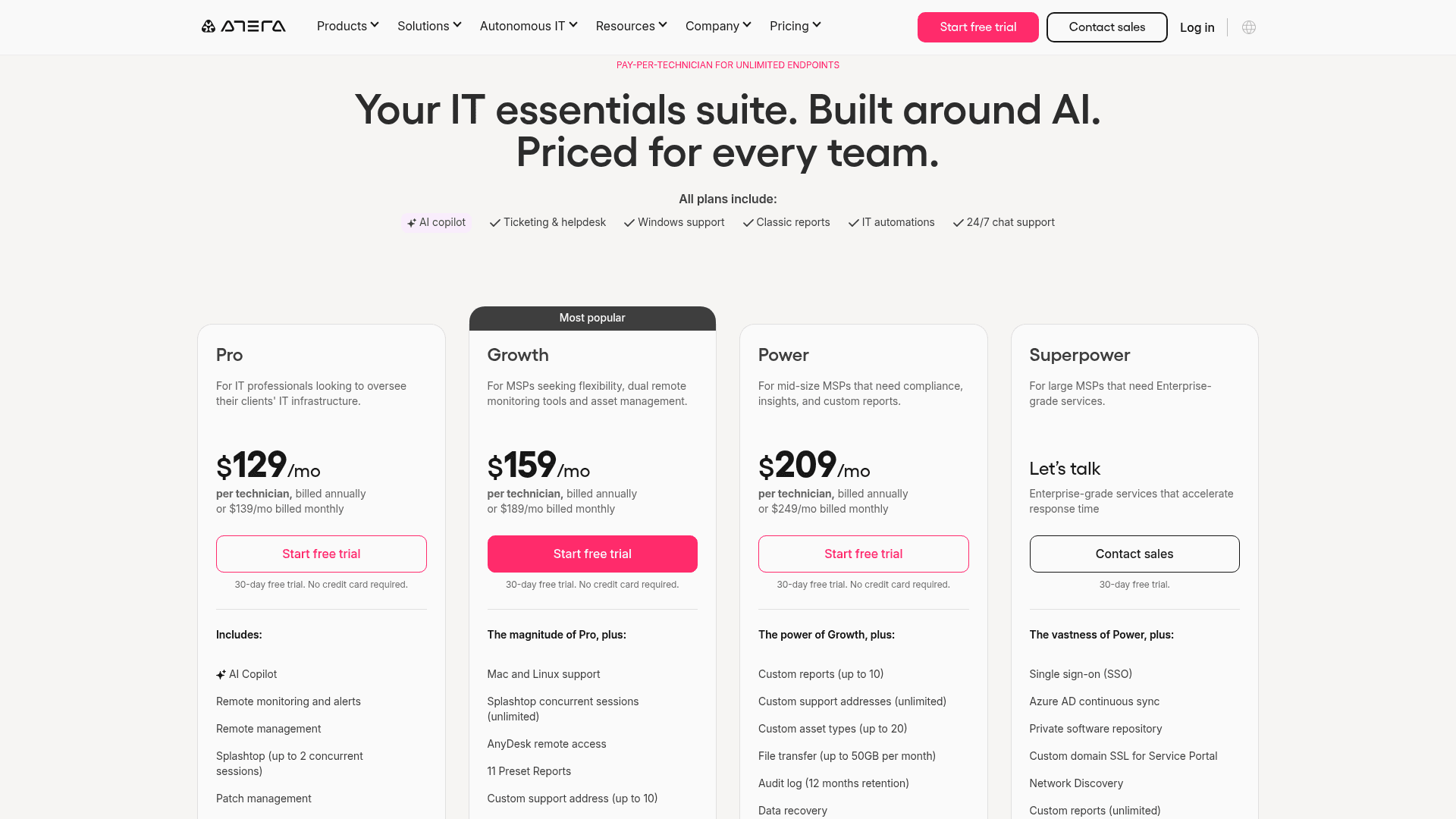
- Pro is Windows-agent-only. Mac and Linux agents start on Growth at $159.
- The HIPAA BAA and the 99.9% uptime SLA are Superpower-tier only, which is contact-sales.
Pricing
Per technician, billed annually: Pro $129, Growth $159, Power $209, Superpower on request. Monthly billing is $139/$189/$249. Add-ons: Network Discovery $29/technician/month, Work from Home $5/end user/month. Note there are two separate price cards; atera.com/pricing shows the IT-department SKU at $149/$189/$219, which is not the MSP card.
Verdict
The default pick above roughly 160 devices per technician, and the safest choice if published certifications matter to your clients. I've mapped the ITSM automation side of that decision separately.
3. SuperOps, the vendor that sells you both billing models
What it is
A unified PSA and RMM with an unusual pricing structure: it publishes a per-endpoint card and a per-technician card and lets you pick.
How it compares to Flamingo
The closest structural match on price. SuperOps Prime starts at $1.50/endpoint, meaningfully above Flamingo's $1.00, but with a mature MSP ticketing module behind it. Its AI, Monica, is honest about its own state: the assist and ticket deflection layers have shipped, and the Autonomous Agents tier is still labelled "coming soon." Against Fae, that's a real gap, and against Flamingo's unpublished resolution rate it's arguably a wash.
Pros
- You can choose the billing unit rather than have it chosen for you.
- Monica is included in the plan price on Super and Super Plus, with no per-token or per-resolution meter.
- SOC 2 Type II, ISO 27001, GDPR and HIPAA all published.
Cons
- The 100-endpoint floor means a small shop pays $150/month for 12 devices.
- Overage bills at flat pre-discount list, $1.50 on Prime and $3.00 on Prime Plus, so an MSP negotiated down to $1.20 pays 25% more on every device past commitment.
- The autonomous tier is announced, not shipped.
Pricing
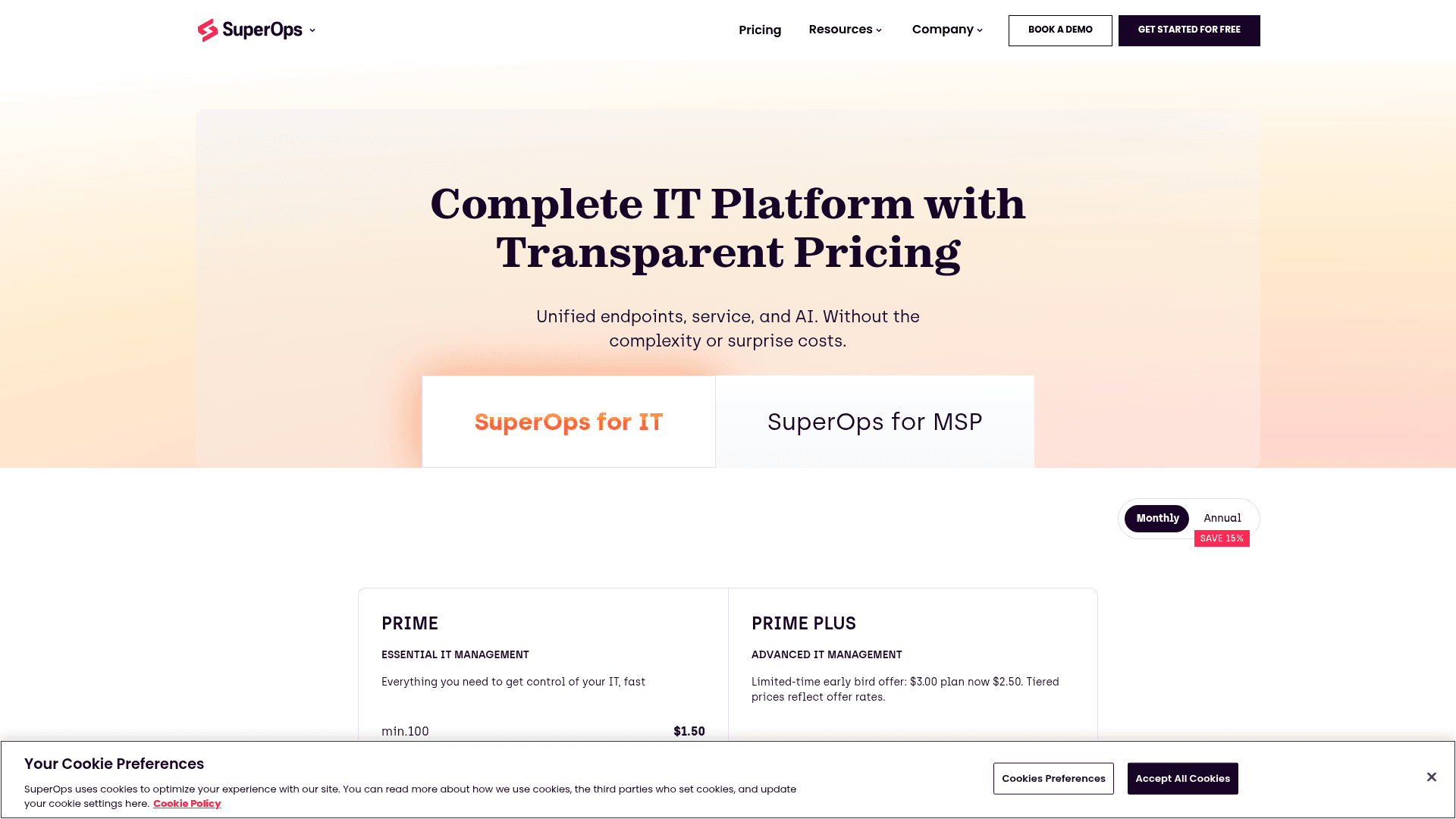
Prime (per endpoint, min 100): $1.50, then $1.40 at 101–500, $1.30 at 501–1,000, $1.20 above 1,000. Prime Plus (min 150): currently $2.50 on an early-bird offer down from $3.00, then $2.30/$2.10/$2.00. The MSP card is different again: Pro $149/technician with no AI, Super $179/technician with Monica, each carrying 150 endpoints per technician, and extra endpoint packs at $75 per 150.
Verdict
The pragmatic middle if you want Flamingo's per-device economics with a PSA that's been in production for years.
4. NinjaOne, if compliance is the gate
What it is
An endpoint management platform with a native PSA that reached general availability in Q1 2026.
How it compares to Flamingo
Per-endpoint like Flamingo, and quote-gated, but unusually forthcoming about the range. Its pricing FAQ publishes both anchors: "$1.50 USD per month at 10,000 endpoints, increasing to $3.75 USD at 50 or fewer endpoints." On AI it's the most conservative vendor here. Patch Intelligence AI is a patch-management feature, and NinjaOne ships no named autonomous ticket agent. Its ticketing has AI-assisted routing and prioritisation, which is ticket triage automation rather than resolution.
Pros
- FedRAMP Moderate (Authorized) and FedRAMP High (Ready), the strongest public-sector credential in this set, plus SOC 2, SOC 3 and ISO 27001:2022.
- Published band anchors make a quote-gated vendor unusually easy to budget for.
- One Trustpilot reviewer switching to Flamingo described NinjaOne as "a behemoth in the industry," which is a fair read on maturity.
Cons
- No list price, a quote form is required.
- No autonomous ticket agent. Its March 2026 "autonomous patch management" release is autonomy in the patch pipeline, not the queue.
- Its PSA is younger than the RMM.
Pricing
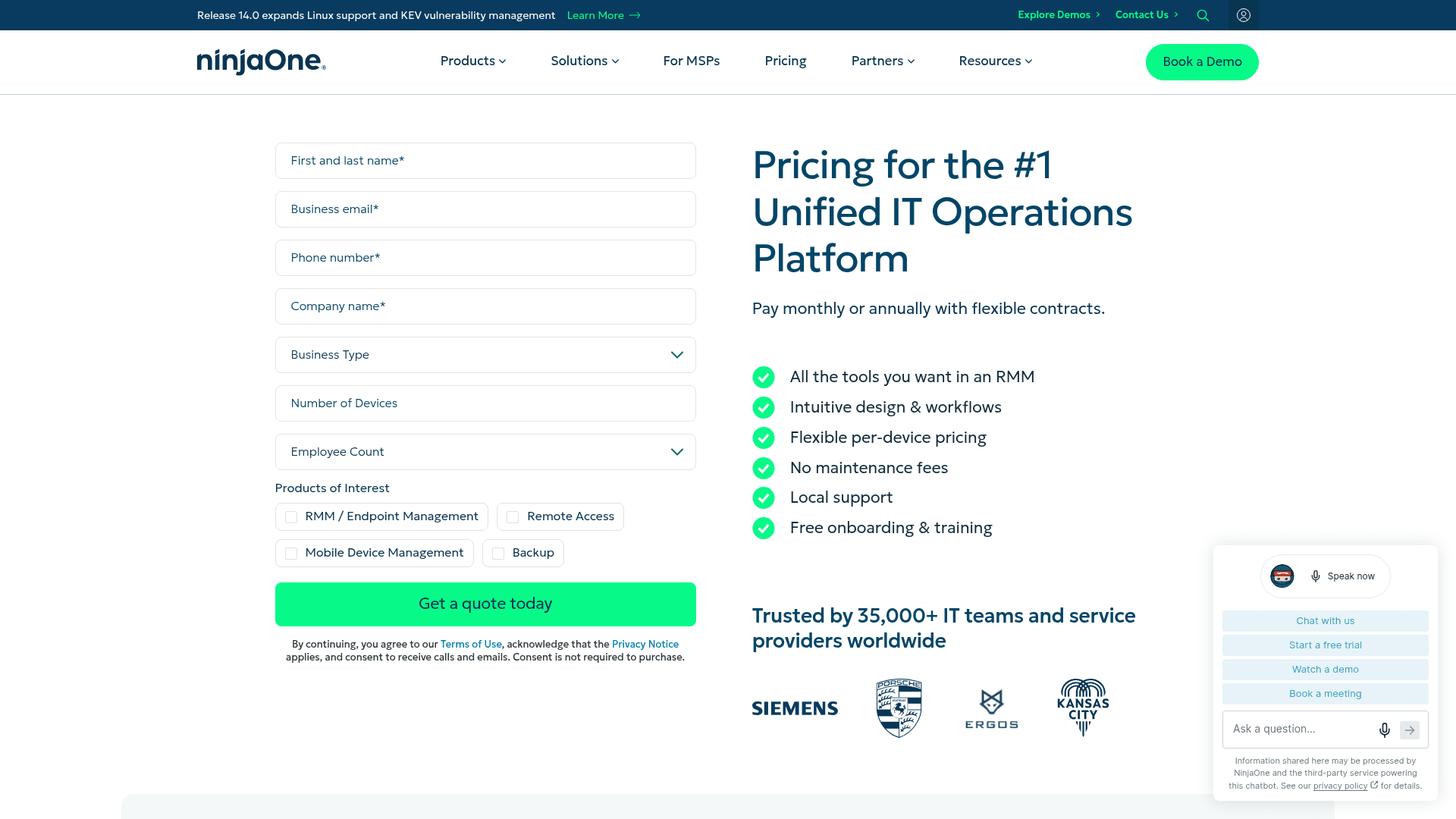
Quote-only, per endpoint, between $1.50 at 10,000 endpoints and $3.75 at 50 or fewer, commercial non-FedRAMP instance. Worth knowing: NinjaOne's trust page lists Anthropic as a subprocessor for its AI support services.
Verdict
The pick when a client contract requires certifications Flamingo doesn't yet publish. Not the pick if you're buying primarily for the agent.
5. Syncro, per-technician with a genuinely new AI angle
What it is
A combined RMM and PSA billed per user with unlimited endpoints, now trading as SyncroSecure.
How it compares to Flamingo
Same per-technician logic as Atera, with a different AI posture. Syncro is explicit that a human stays in the loop: Automated Ticket Triage & Dispatch routes and assigns, in either "suggest" or "assign" mode, and Guided Ticket Resolution matches a common issue to an approved fix that a technician confirms in one click. It doesn't claim unattended closure, and it doesn't have a reply generator at all.
The interesting new piece is the Syncro MCP Server, generally available 11 August 2026 and free on every plan. It connects Claude, ChatGPT, Copilot or Cursor to live Syncro tickets, billing, alerts and assets over OAuth, with writes scoped to the user's existing permissions. No other vendor in this set ships an equivalent. It's a data-access bridge, not a resolution feature, but it means you can bring your own agent instead of buying theirs.
Pros
- Unlimited endpoints per technician.
- Core is a complete RMM plus PSA including invoicing, recurring billing and a branded client portal.
- SOC 2 Type II, and Syncro will sign a HIPAA BAA on any paid account.
Cons
- Real-time ticket automation, routing, escalation and SLA enforcement, is Team-only, a $50/user/month premium over Core.
- Guided Ticket Resolution is Early Access, targeted September 2026.
- No ISO certification of any kind is published, unlike Atera, NinjaOne and SuperOps.
Pricing
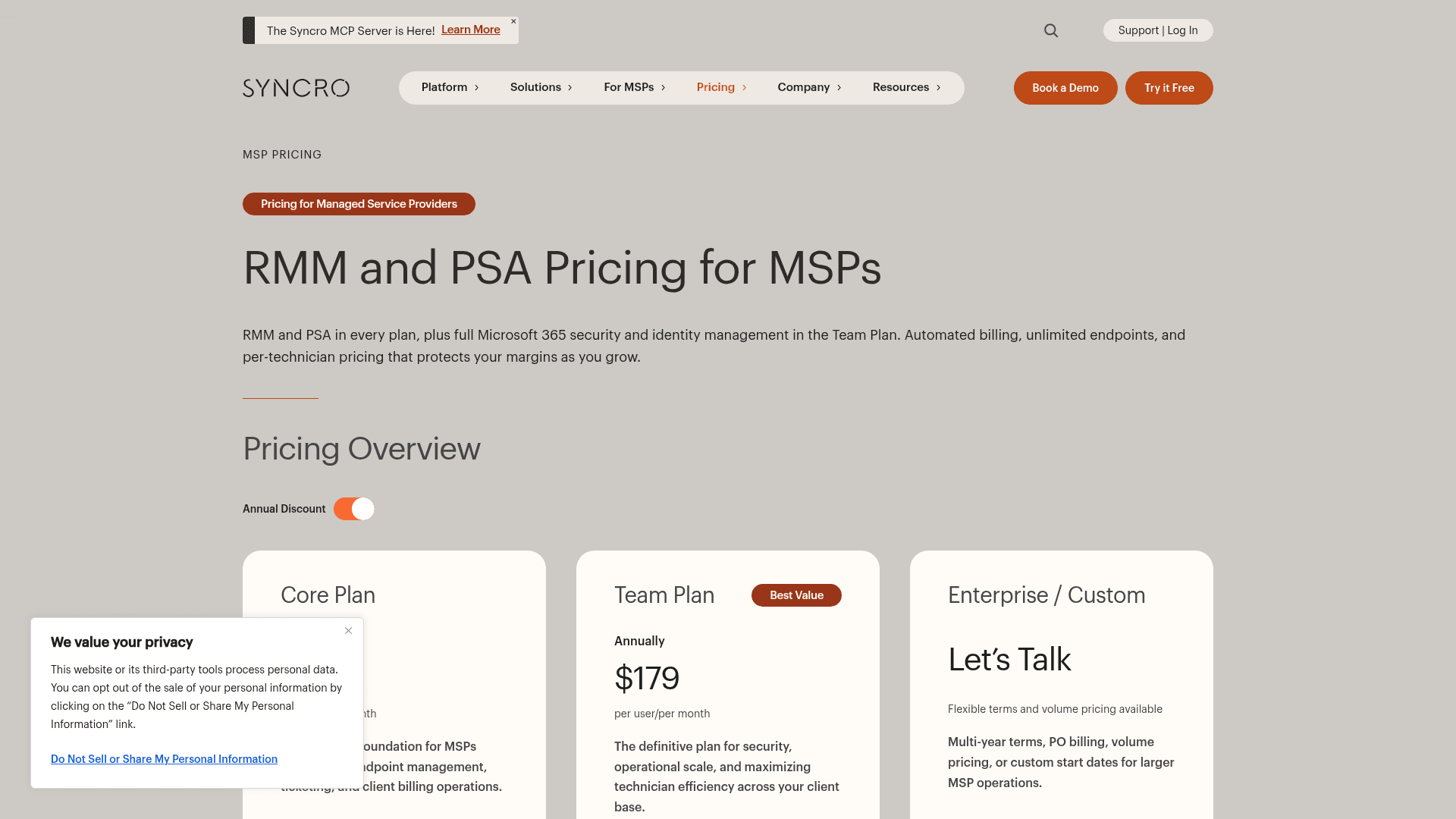
Core $129/user/month annual ($159 monthly), Team $179/user/month annual ($209 monthly). Syncro's own worked example: "Three technicians on the annual Team Plan: $6,444/year, all-in." Microsoft 365 Cloud Backup is a $1.90/user/month add-on.
Verdict
The best option if you want an AI copilot you choose yourself rather than one the platform picks for you.
6. HaloPSA, the deep PSA with no RMM
What it is
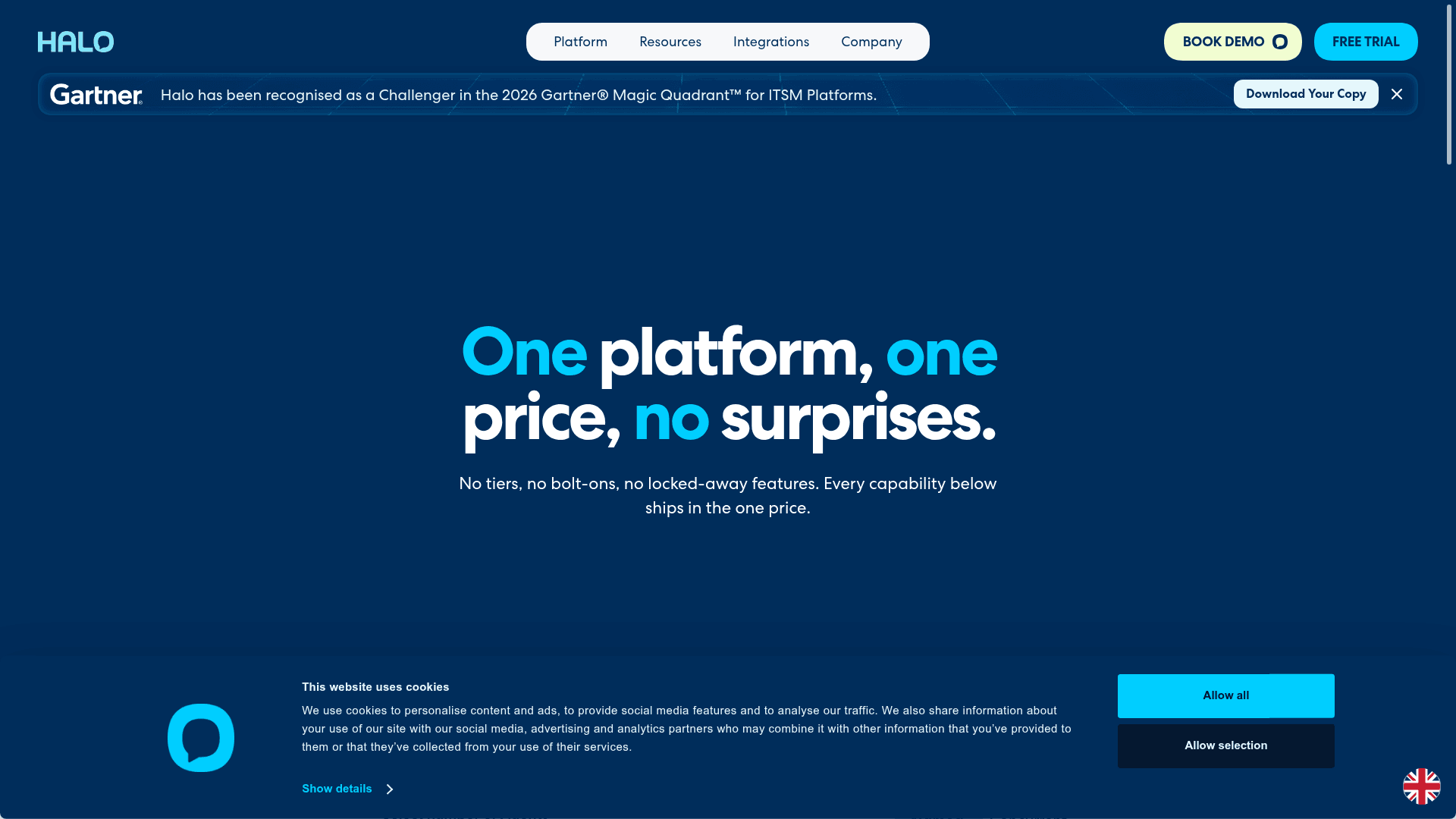
A PSA and ITSM ticketing system billed per agent, with a single tier and no feature gating.
How it compares to Flamingo
Halo is the anti-Flamingo on customisation: where OpenFrame gives you an opinionated bundle, Halo gives you a platform you configure. That's its strength and its cost. It has no endpoint agent of its own, so an MSP running Halo pays an RMM vendor separately, which is precisely the stacking cost Flamingo is pitching against.
The r/msp record on Halo is unusually rich, and it cuts both ways. One MSP's numbers after leaving ConnectWise:
"Moved from Manage to Halo on May 1st of 2024. Was on Manage for almost 15 years. Halo, in my opinion, is much more customizable. I saved $122k last year by moving away from CW."

And the counterweight, from the same subreddit:
"It's literally 12 weeks of onboarding to set up the platform and integrate it with your tools and get it working the way that makes sense for your business. View it more like a platform to develop your own PSA platform on top of."
Pros
- One price, every feature. "No tiers, no bolt-ons, no locked-away features."
- Named and Concurrent licences cost the same, so a shared pool works for part-time staff.
- Recognised as a Challenger in the 2026 Gartner Magic Quadrant for ITSM Platforms.
Cons
- Onboarding is mandatory, and its cost is a footnote: "Onboarding packages are required with purchase at a bespoke cost depending on scope." Community reports put real projects well into five figures.
- No RMM, so this is a second bill rather than a replacement for one.
- £69 is the only server-rendered figure. Every other currency is swapped in client-side, so there's no published USD price to quote.
Pricing
£69 per agent per month billed annually; the on-page calculator renders £690/month and £8,280/year at the default ten agents. New this year: an ARR-milestone discount showing as −5%, a 15% not-for-profit discount, and a $1M/year Enterprise Package with unlimited licences and funded implementation. Also see my Halo AI agent pricing breakdown and the Freshservice vs HaloITSM comparison.
Verdict
Choose it when process complexity, not device count, is what's costing you. Budget for the implementation as a real project.
7. Tactical RMM, the self-hosted route Flamingo invites
What it is
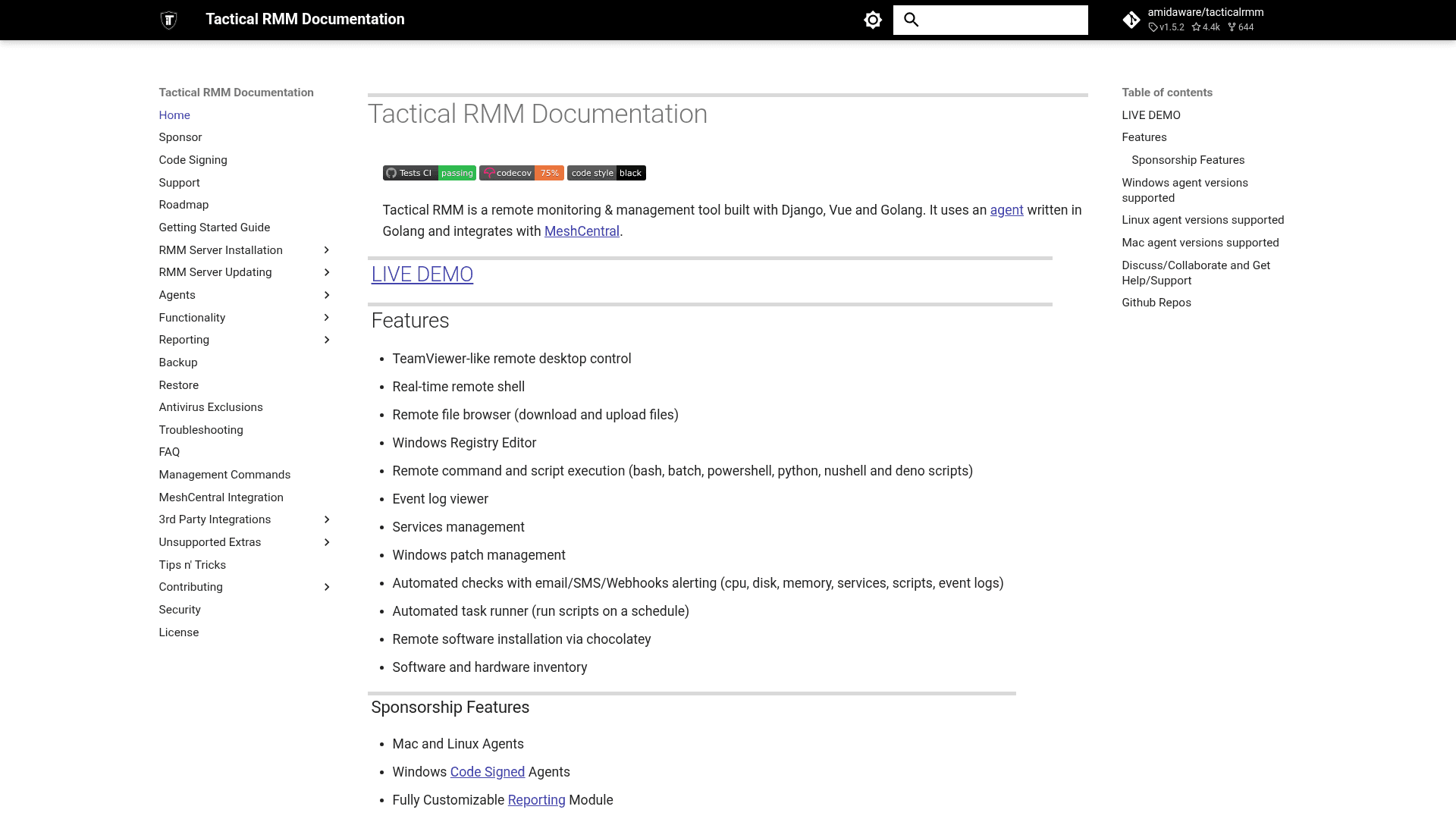
A self-hosted RMM built on Django, Vue and Go, integrating with MeshCentral for remote desktop. Version 1.5.2, released 11 August 2026, with 4,438 GitHub stars.
How it compares to Flamingo
If Flamingo's open-source pitch is what drew you, this is the honest comparison, including the part both projects share: Tactical RMM isn't OSI open source either. Its own licence text says so directly: "The Tactical RMM License is not an open-source software license," and it blocks SaaS resale the same way Flamingo's does. What it does give you is a stack you host and control outright, with no per-device meter.
Pair it with MeshCentral (Apache 2.0, 7,062 stars) for remote access and Wazuh (GPLv2, 16,553 stars) for XDR and SIEM, and you have most of Gen1's surface area for the cost of the infrastructure.
Pros
- No per-device licence on the core software.
- You own the deployment, the data and the exit path.
- Mature Windows support across everything from Windows 7 to Server 2025.
Cons
- No native ticketing at all. There's a Zammad integration and webhook alerting, nothing first-party.
- No AI features of any kind, which for this comparison is the whole point.
- Linux and macOS agents, SSO and reporting are behind a sponsor tier.
- Real operational load: a Debian or Ubuntu VM, 4GB RAM minimum, three DNS subdomains for Let's Encrypt, mandatory TOTP.
Pricing
The software is free. Sponsor tiers run $55 to $850/month ($600 to $9,600/year) banded by agent count, and sponsorship is the minimum tier for code-signed Windows agents, Linux and macOS agents, SSO and reporting. A managed hosted instance starts around $65/month for up to 100 endpoints, $80 for 101–250 and $150 for 251–600.
Verdict
A real option for a technically strong shop that wants ownership, and a poor one if automating the queue is why you're here.
8. Pulseway, per-endpoint under Kaseya
What it is
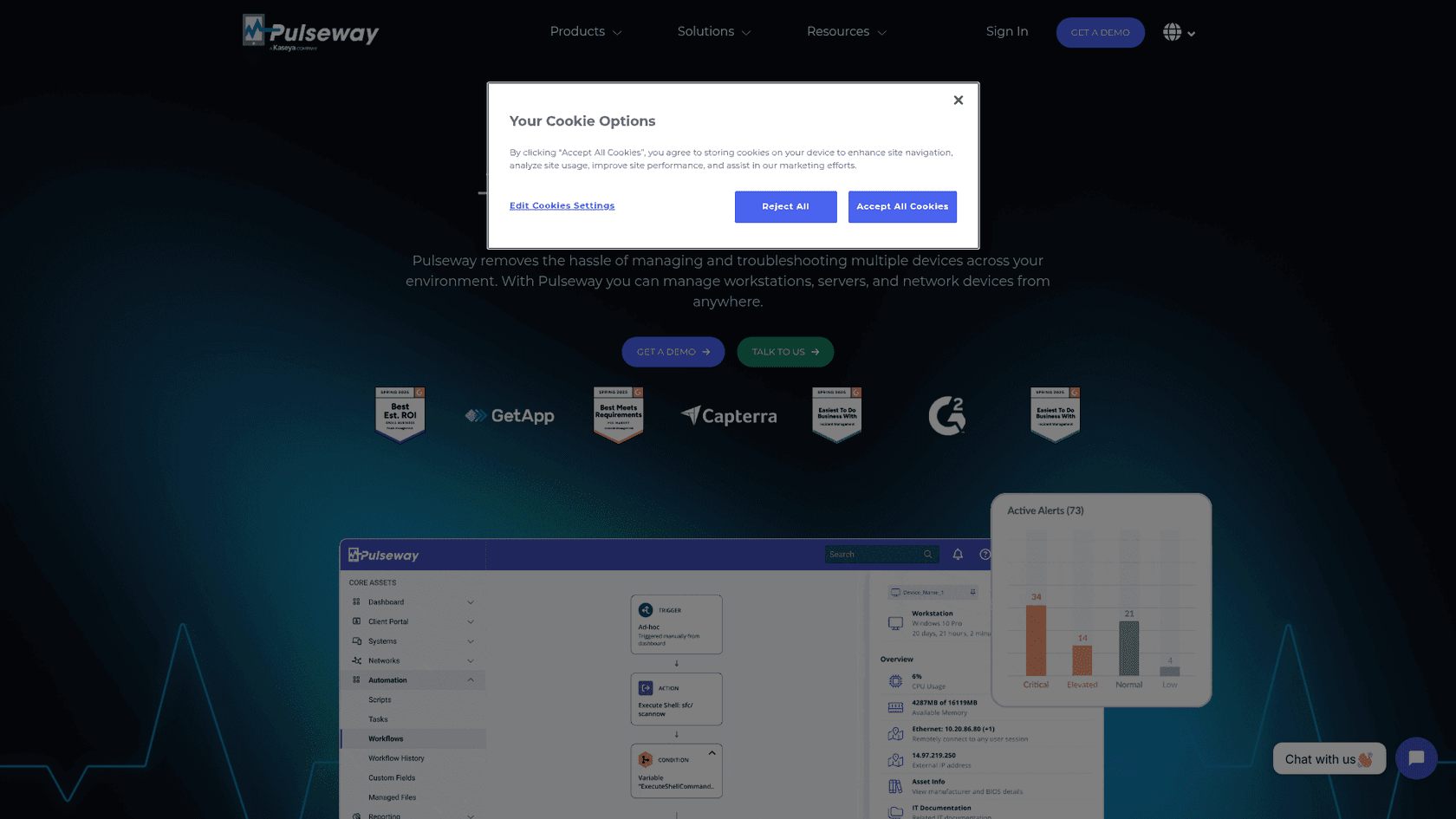
A Kaseya-owned RMM with a strong mobile-first heritage, sold per endpoint.
How it compares to Flamingo
Per-endpoint like Flamingo, but the pieces are unbundled where Flamingo bundles them: ticketing is an add-on, not core, sitting in a "Business Operations" pack alongside IT documentation and NOC. Its AI, Pulseway Assist, is assist-only across all three named features, Smart Ticket Summary, Smart Writing Assistant and Smart Resolution Summary. Pulseway does market auto-remediation, but attributes it to rule-based RMM workflows rather than the AI.
The ownership is the thing to weigh. Kaseya's contract mechanics come up repeatedly in r/msp:
"All Kaseya contracts have a 'high water mark' that prevent you from reducing your spend, even if you're higher than your initially committed quantities. Any addon becomes your new commitment."
Pros
- Mature RMM with genuinely good mobile management.
- Assist ships inside the PSA add-on rather than as a separate AI meter.
- SOC 2 and ISO certification at the datacenter level, GDPR compliant.
Cons
pulseway.com/pricingnow redirects to the homepage. There's no per-endpoint or per-technician list price on Pulseway's own site as of 17 August 2026; everything runs through a quote configurator.- Ticketing is a paid add-on, so a like-for-like comparison with Gen1 costs more than the headline.
- No HIPAA claim found on its public security pages.
Pricing
Not published. The former static price list is gone, replaced by an instant-quote configurator.
Verdict
Worth a quote if you already run Kaseya products. Read the commitment terms before the feature list.
What about ConnectWise?
I left it out of the numbered list deliberately, and the reason is itself useful information. ConnectWise publishes no pricing, and its product documentation sits behind a partner login: docs.connectwise.com and university.connectwise.com both redirect to an auth wall. I couldn't capture a single product screenshot across five attempts, which means I can't hold it to the same evidentiary standard as the other eight.
For the record on naming, since it moves around: Asio is retired, but Sidekick is very much alive, and connectwise.com/platform/ai is still titled ConnectWise Sidekick. It sits alongside ConnectWise AI Agents covering Service Desk, Triage, Data Analyst and Oversight. Whether any of those closes a ticket unattended isn't something I could establish from outside the partner login. If you're evaluating it, the r/msp threads on migration cost are worth an hour of reading first.
How to actually choose
Sort by what you're replacing, not by feature count.
You want the AI and your stack is fine. Add a layer on intake and skip the migration entirely. That's eesel, and it's also the answer if your requests arrive in Slack or Teams rather than a PSA queue. See AI for IT support for the wider category.
You're replacing a platform and you have lots of devices per tech. Above roughly 160 devices per technician, per-technician billing wins on arithmetic alone. Atera or Syncro.
You're replacing a platform and you're device-light. Below that ratio, per-device billing is genuinely cheaper, and Flamingo at $0.80 is the cheapest per-device rate published by anyone here. SuperOps Prime is the mature alternative at $1.20 to $1.50.
Compliance decides your deals. Atera or NinjaOne. Flamingo publishes no SOC 2, no ISO, no BAA and hosts US-only, and its own community was asking about all three in the weeks before general availability.
You want to own the software. Tactical RMM plus MeshCentral plus Wazuh, and accept there's no ticketing and no AI in that stack.
One thing worth holding onto whichever way you go, from an MSP running agents in production rather than evaluating them:
"Does your Tier 1 tech have a playbook to delete things? Agentic AI can be taught ONLY what you want it to. We build specific agents for specific tasks."
That's the same conclusion I've reached building these things. Narrow scope, explicit permissions, and evidence before production. The vendors worth your money are the ones that let you check the evidence part yourself.
Try eesel AI on your IT queue
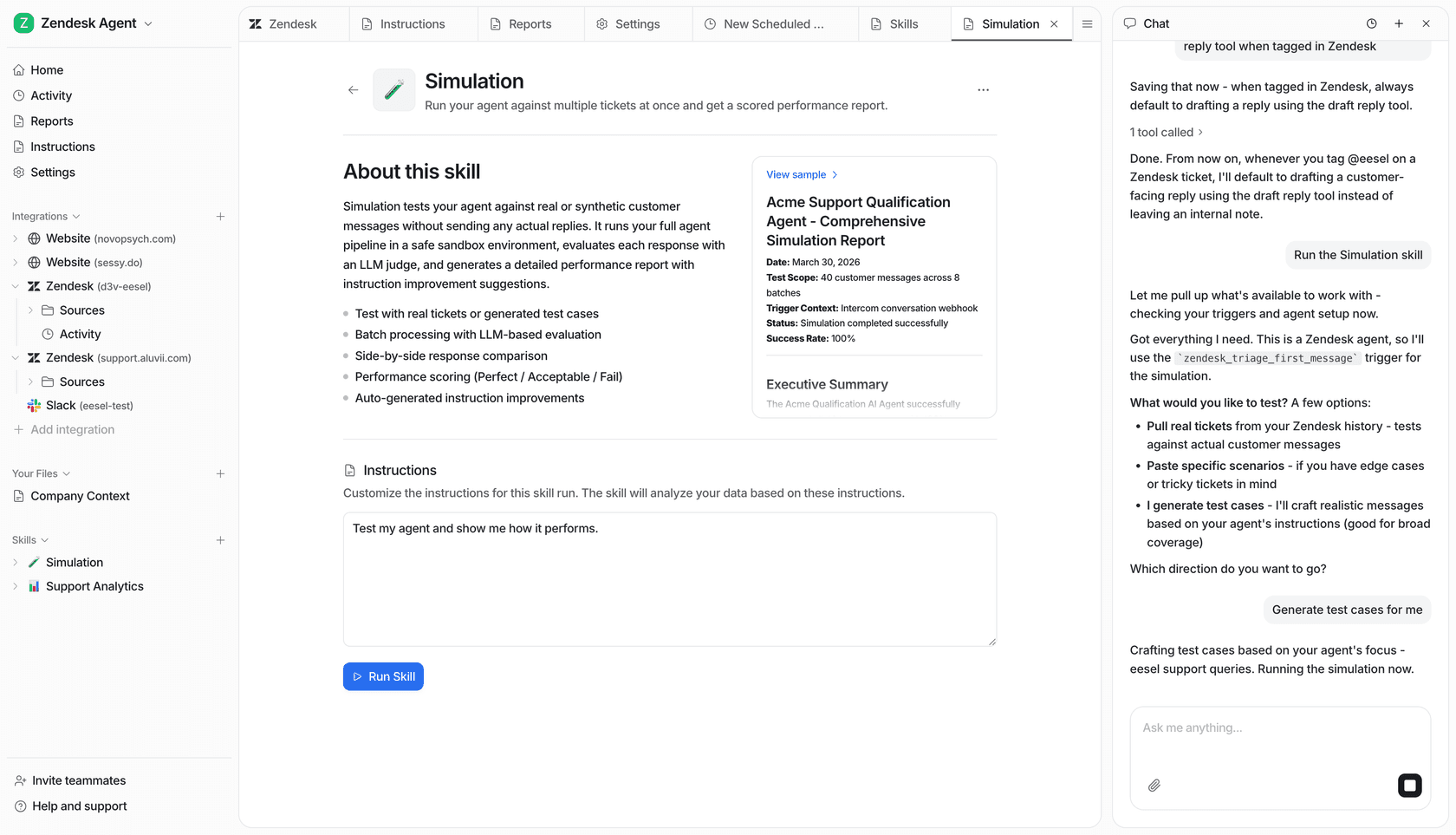
If what you actually want from Flamingo is Fae, an agent that clears password resets, access requests and "how do I" questions before a technician opens them, you don't have to replace your RMM to get it. eesel plugs into the intake side, email, Slack, Teams, your help center and Jira Service Management, learns from your closed tickets and your docs, and answers there.
The part I'd point at against this specific comparison: you run it against your own ticket history first and see the projected resolution rate before a single client touches it. Flamingo asks you to migrate your whole stack and then find out. You can start free with 100 credits and no card, and after that it's one fixed monthly price from $299, which doesn't move when you add endpoints.
Frequently Asked Questions
What are the best Flamingo AI alternatives for MSPs?
How much does Flamingo AI cost per device?
Is Flamingo AI actually open source?
openframe-oss-tenant repo ships under the Flamingo AI Unified License v1.0, which states "You may not provide Flamingo Software as a Commercial Managed Service without a separate commercial license." GitHub's own licence detector returns NOASSERTION. The code is readable, forkable and self-hostable. It bundles Fleet (MIT), osquery and MeshCentral (Apache 2.0). If a genuinely OSI-licensed stack matters to you, my open-source AI agents roundup is the better starting point.Does Flamingo AI's Fae agent close tickets on its own?
Is per-device or per-technician pricing cheaper for an MSP?
What are the alternatives to Flamingo AI for ticket automation specifically?
Should I self-host instead of paying for Flamingo AI?
How mature is Flamingo AI compared to established RMM vendors?


Article by
Kira
Kira is a writer at eesel AI with a Computer Science background and over a year of hands-on experience evaluating AI-powered customer service tools. She focuses on breaking down how helpdesk platforms and AI agents actually work so that support teams can make better buying decisions.