The honest answer: yes for tier-1, with guardrails
I work the support queue every day, so I'll say the unglamorous part first: most IT tickets are not interesting. They're the same fifteen requests on repeat. Reset my password. I need access to the shared drive. How do I install the VPN client. My Zoom won't update. That repetition is exactly what makes a help desk miserable to staff, and exactly what AI is good at.
So when someone asks "can AI handle IT support tickets," the useful question underneath it is which tickets. The answer isn't "all of them" and it isn't "none of them", it's the well-documented, repetitive middle, which on a typical internal desk is a big slice of the volume. An AI helpdesk agent that's read your Confluence and your last year of tickets can close those on its own. The tickets that involve judgment, a live outage, or a security exception still belong with a human, and a good setup knows the difference.
The proof I'd point to isn't a benchmark, it's a live desk. InDebted, a fintech, runs an internal IT help desk on Jira Service Management backed by Confluence and Slack, and uses eesel as the AI first responder on incoming tickets. Here's how their Head of IT puts it:
"We use it to be the first responder to our Helpdesk tickets in Jira. It essentially acts just like an agent would."
Jason Loyola, Head of IT, InDebted (case study)
They started at 15% deflection and are targeting 55%, the AI handling the front line while the team keeps the complex work. That's the realistic shape of "AI handling IT tickets": not a magic box, a teammate that takes the repetitive load.
What AI can actually handle (and what it can't)
The single most useful thing you can do before buying anything is sort your ticket types into three buckets. After watching a lot of these rollouts, this is the split that holds up.
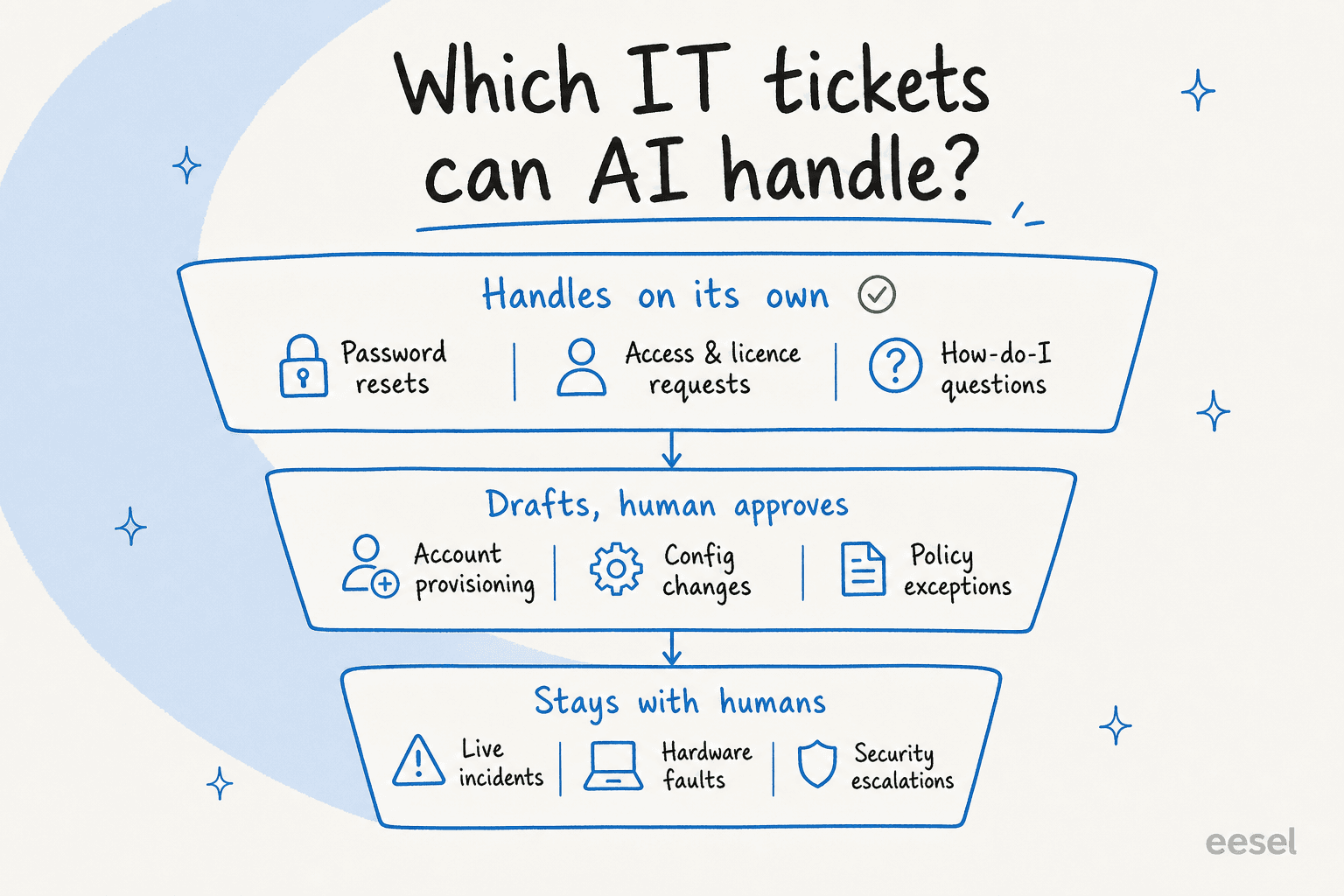
Handles on its own. Password and MFA resets, access and licence requests, software install and update steps, Wi-Fi and VPN setup, "where do I find X", and status checks ("is the printer down for everyone?"). These are documented, low-risk, and high-volume. This is where ticket deflection actually comes from, and it's the bucket that pays for the whole thing.
Drafts, human approves. Account provisioning that needs a manager's nod, configuration changes, policy exceptions, anything where the answer is clear but the action needs sign-off. Here the AI does the slow part, find the right runbook, write the reply, fill the ticket fields, and a human just approves. This is the copilot mode most teams start in, and it's also where AI quietly handles surprisingly technical tickets. In one real case, a field engineer raised a deep hardware fault (an EtherCAT network error with specific error codes); the agent ran six searches across PDF manuals, read two of them in full, and drafted a structured set of isolation-test steps for the human to check. That's not a password reset, and it still saved the agent twenty minutes of digging.
Stays with humans. Live incidents, hardware failures, security escalations, and any ticket where being wrong is expensive. The right move here isn't to make the AI braver, it's to make sure it hands these off cleanly and doesn't guess. Knowing what to leave alone is a feature, not a limitation.
If you only take one thing from this section: the goal is not 100% automation, it's confident automation. A tool that resolves 40% of tickets perfectly and routes the rest is worth far more than one that attempts 100% and gets a third of them subtly wrong.
How an AI agent actually resolves an IT ticket
"AI handles the ticket" hides a lot of machinery. Here's what's happening under the hood when it works, because the mechanics are where trust is won or lost.
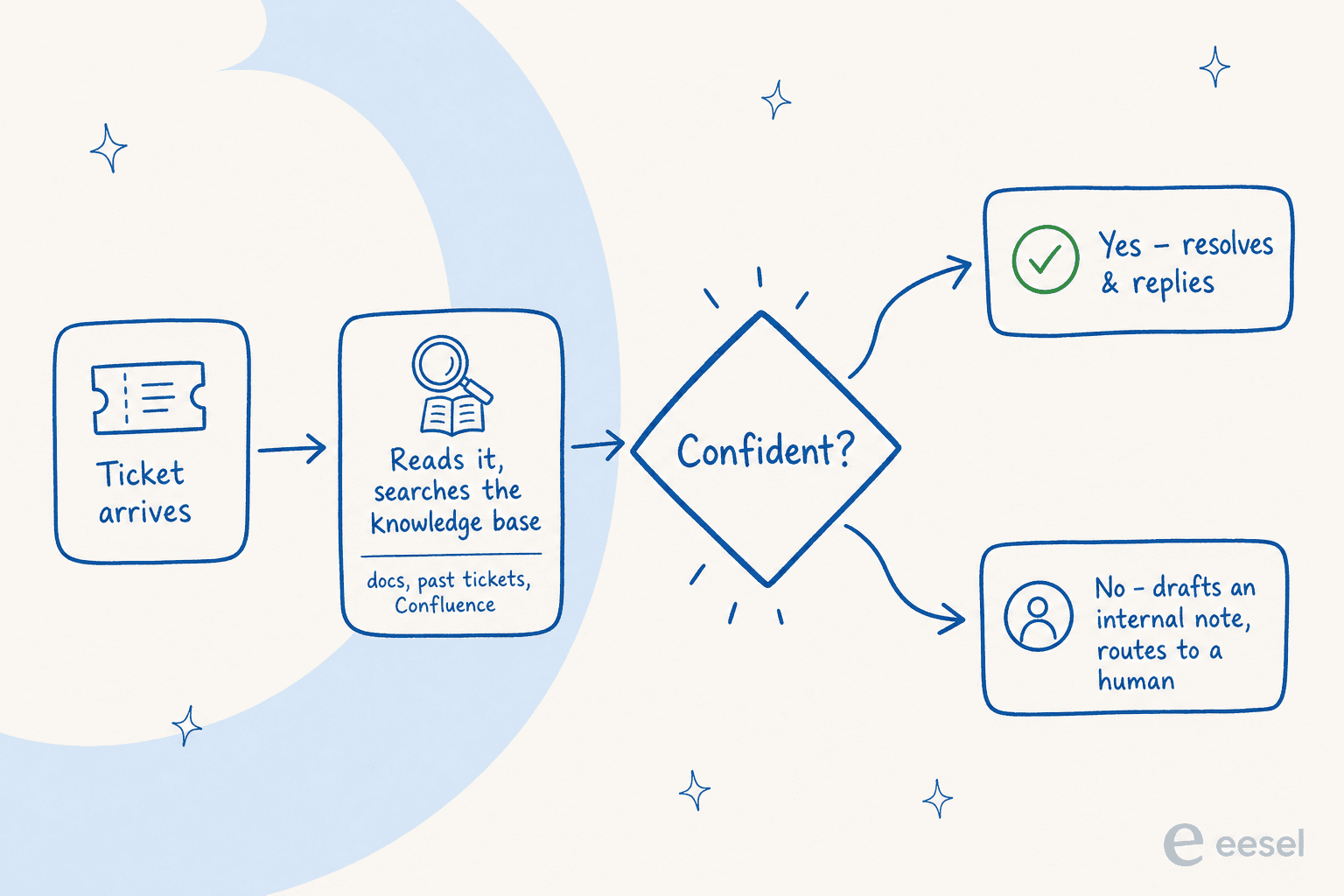
First, it learns your environment. A useful agent reads your existing sources, your Confluence knowledge base, Google Docs, internal wikis, and crucially your past resolved tickets, so it answers the way your team actually answers, not the way a generic help article would. Training on solved tickets is the most-requested capability I hear about, because it's what makes the AI sound like your desk instead of a chatbot.
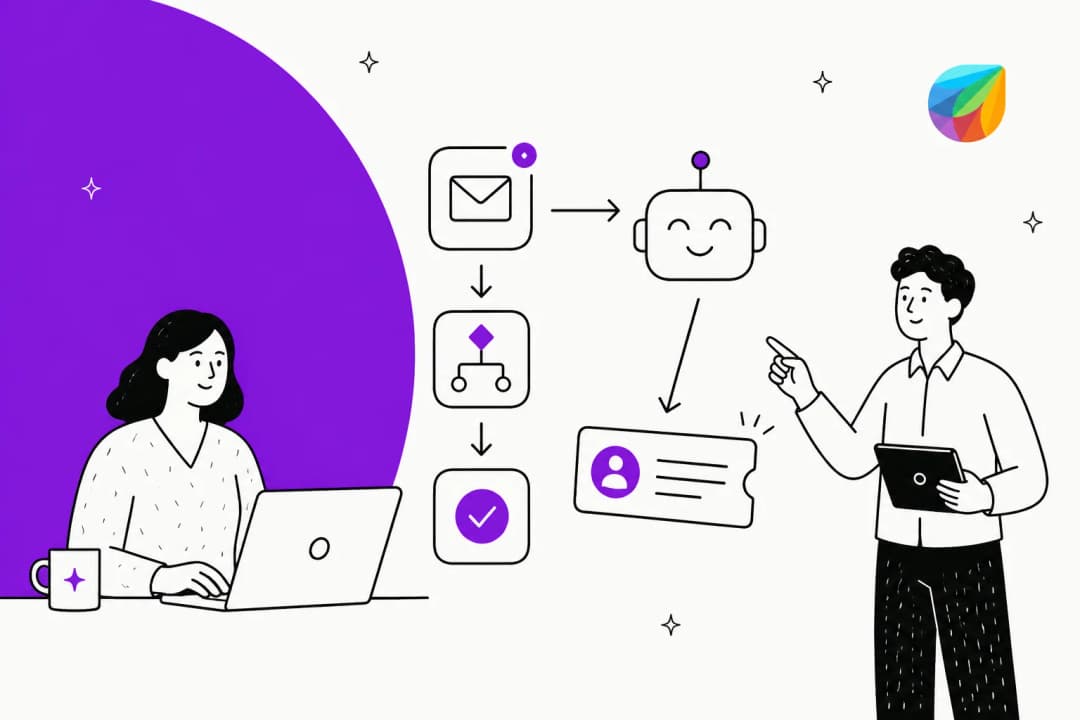
Then, per ticket, it reads the request, searches those sources, and assembles a grounded answer with citations. The deciding step is the confidence check: if the agent is sure and the source is solid, it resolves and replies; if it isn't, it drafts a suggested reply as an internal note and routes the ticket to a person. That branch is the whole game. As one CX lead I spoke to put it, the AI will never answer 100% of questions, so what you actually want is an AI that only handles the tickets it's confident about and leaves the rest alone, rather than one that confidently guesses and leaves you to audit thousands of tickets after the fact.
For internal IT, a lot of this never even reaches a formal ticket, it happens in Slack or Microsoft Teams. Someone asks "how do I get a Figma licence" in a channel, and the agent answers in-thread from the same knowledge base. That's the internal support chatbot pattern, and it deflects load before it becomes a ticket at all.
"Can't we just build this ourselves on the LLM API?"
If you're a technical IT team, this is the real fork in the road, and I want to be fair about it. You absolutely can wire up the Claude or OpenAI API, add vector search over your docs, and build a decent internal Q&A bot in a weekend. The demo will be great.
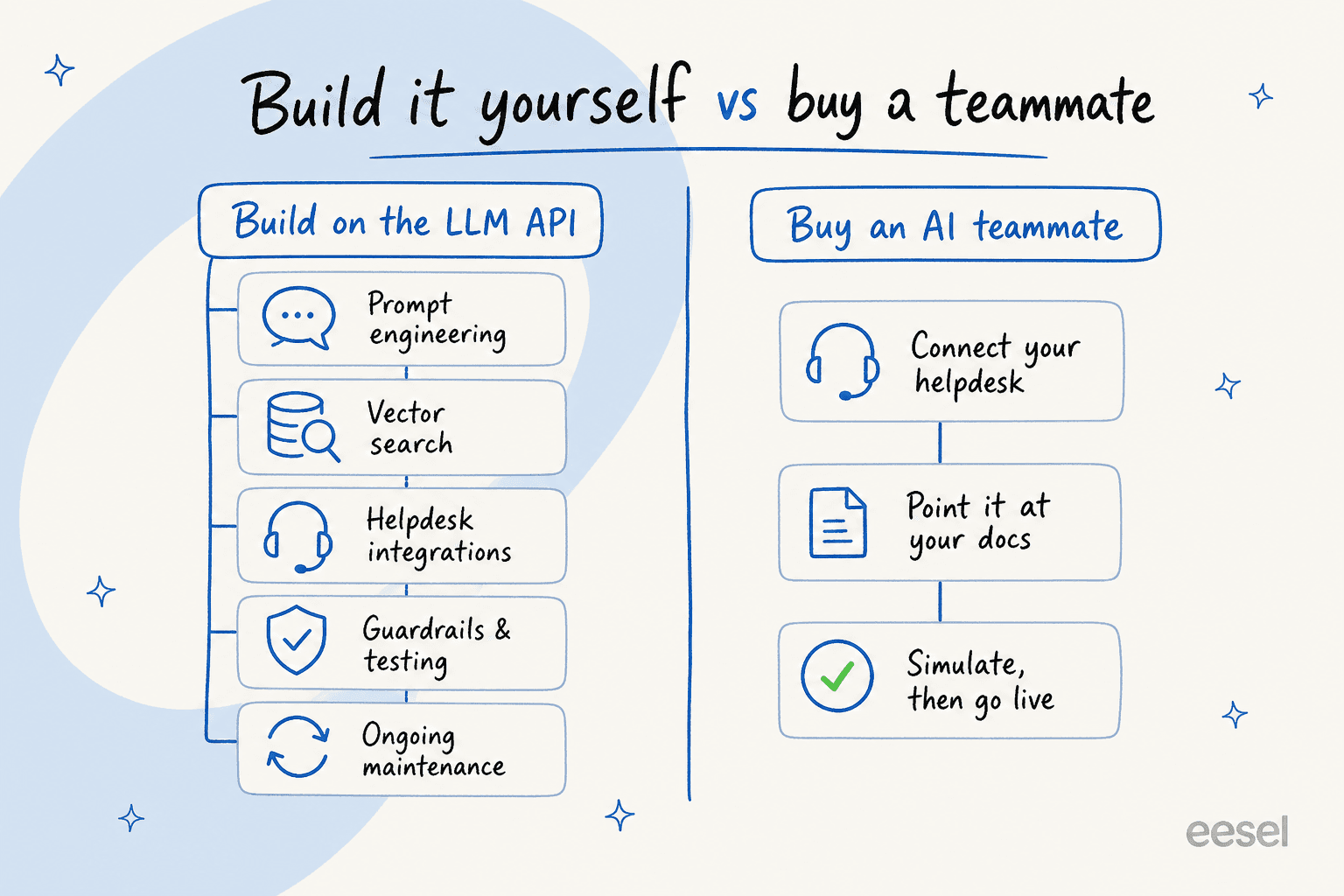
The weekend isn't the cost. The cost is everything after: keeping the retrieval fresh as docs change, building real helpdesk integrations so it can actually action tickets, adding confidence thresholds and guardrails so it doesn't hallucinate, handling 80+ languages, and maintaining all of it forever while your actual job is running IT. That's a product, not a project. We've seen technical customers leave to build in-house and a few come back, and the ones who chose to buy say it cleanly. One engineering lead at a crypto-hardware company with a 300+ article knowledge base put it this way:
"We could try to write our own LLM application but we didn't want to invest our time into that. We wanted something that we would not have to maintain."
Karel, GENERAL BYTES (case study)
The honest version: if AI infrastructure is your team's core competency and you have the headcount to own it, build it. If your job is to keep the company's IT running, buying a maintained AI agent is almost always the better trade, and it's live this week instead of next quarter.
The real blockers: trust, control, and security
The thing that kills AI on a help desk is never that it can't write a reply. It's that IT leads, rightly, won't hand the keys to something they can't control. So this is the part to get demanding about.
Confidence and scope control. You should be able to say "only auto-answer when you're highly confident" and "never touch these ticket types." Excluding categories, password-reset-only mode to start, @-mention-only invocation, those controls are what let you expand autonomy gradually instead of betting the desk on day one.
Accuracy you can verify before go-live. This is the big one and most tools skip it. eesel runs a simulation mode that replays the agent against thousands of your historical tickets, so you see the actual resolution rate and the exact answers it would have sent, by ticket type, before a single real user is affected. You tune, you re-run, you go live with a number instead of a hope.

Data handling that survives a security review. For an internal desk this is non-negotiable. The bar to check: your data is never used to train shared models, workspaces are isolated, and there's optional PII redaction that strips sensitive fields at ingestion. eesel is GDPR and CCPA compliant with EU data residency available, AES-256 at rest, TLS in transit, and SOC 2 Type II in progress with a live Vanta trust center, the kind of thing your security team will actually ask for. If a vendor can't answer these quickly, that's your answer.
What "good" looks like: numbers to expect
Numbers from live desks are more useful than vendor promises, so here's a grounded range rather than a single hero stat. The honest read: resolution depends heavily on how well-documented your environment is and how much you let the AI touch.
| Metric | Context | Source |
|---|---|---|
| 15% → 55% deflection | Internal IT desk on Jira Service Management | InDebted |
| 73% of tier-1 resolved in month one | Tier-1 queue, results within a 7-day trial | eesel helpdesk agent |
| ~86% of AI chats answered correctly | Sample of real support chats, with citations | eesel internal analysis |
| 93% triage accuracy, 100% spam detection | Real-traffic trial, AI as triage assistant | eesel internal analysis |
| Up to 80% time savings finding answers | Across internal documentation | Global Pay |
A few honest caveats. Deflection climbs over time, InDebted's 15% is a starting point on the way to 55%, not a ceiling, because the agent learns from every correction. The 73% figure is tier-1 specifically; total resolution across all ticket types is lower, and that's fine. And triage accuracy (sorting and routing) is consistently higher than full auto-resolution, which is why so many teams get value from copilot mode long before they flip on full automation. If a vendor quotes you one universal resolution percentage with no context, be skeptical, the real number is always "it depends on your docs."
Try eesel for your IT desk
If you're weighing this for an internal IT team, eesel is built for exactly the setup most of you already run. It connects to Jira Service Management, ServiceNow, Freshservice, and Slack, learns from your Confluence and past tickets, and acts as a first responder that drafts or resolves tier-1 while routing everything else to your team, the same pattern InDebted uses on their desk.

The two things I'd flag as the real differentiators: you can simulate it against your historical tickets to see the resolution rate before going live, so there's no leap of faith, and it's usage-based pricing at around $0.40 per ticket with no per-seat fee, so the cost tracks the work instead of your headcount. There's a free trial with no credit card if you want to point it at your own docs and see what it does. Try eesel and find out which slice of your queue it can take off your plate.
Frequently Asked Questions
Can AI resolve IT support tickets on its own?
What IT tickets can AI handle automatically?
Is it safe to let AI answer IT tickets?
Does AI work with internal IT helpdesks like Jira Service Management?
How much does an AI IT support agent cost?
How long does it take to set up AI for an IT help desk?
Can AI handle IT tickets in multiple languages?


Article by
Riellvriany Indriawan
Riell is a designer and writer at eesel AI with about two years of experience researching CX platforms, AI chatbots, and helpdesk software. She combines her design background with a sharp eye for how these tools actually look and feel in practice — making her comparisons unusually visual and user-focused.