Leena AI alternatives in 2026: 10 options and what they cost

Kurnia Kharisma

Katelin Teen
Last edited August 20, 2026

What Leena AI is, and the price it does not print
Leena AI sells pre-built "AI Colleagues" for the back office. Three of them, and only three: a Universal IT Assistant, an HR one, and a Finance one. Custom ones get built on the AI Colleagues Platform. If you have been comparing this against a general AI service desk, that three-assistant scope is the first real difference. The positioning line on the homepage today is "Enterprise AI, live in 45 days."
The important thing is that it acts rather than only answers. There are 200+ pre-built connectors and they write as well as read. The ServiceNow ITSM connector manages records across any table and orders service-catalog items over REST. Processes get defined in plain English through Workflow Studio. That connector estate, built over eight years, is the real product, and it is the bar any AI-powered ITSM replacement has to clear.
Now the price. leena.ai has no pricing page at all, no Pricing entry in the nav or footer, and leena.ai/pricing 404s. The two URLs on the site with "Pricing" in the path are lead-capture forms with zero numbers on them.
But Leena AI resells through four enterprise marketplaces, and marketplace listings are vendor-authored. Three of them carry a rate card.
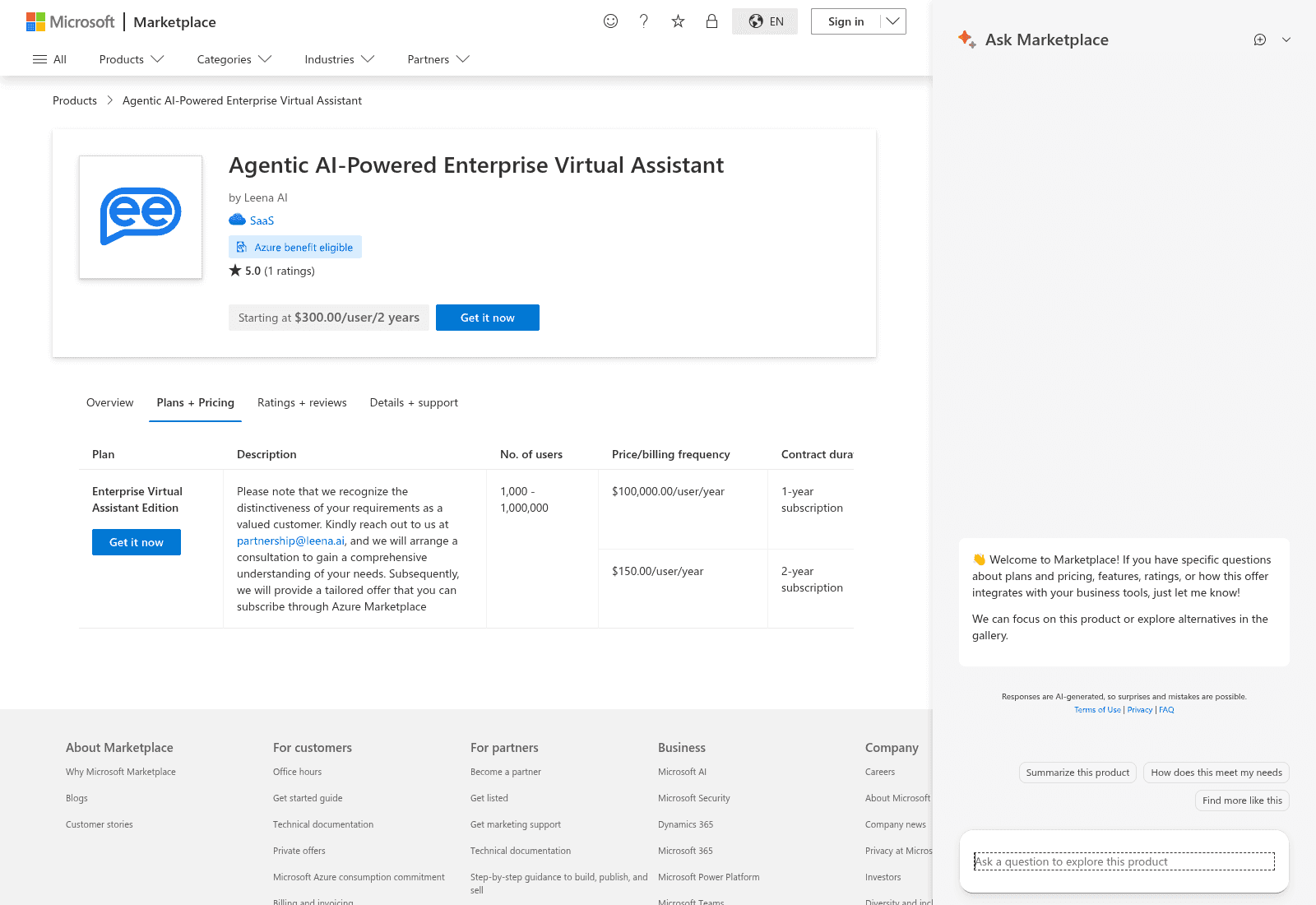
| Marketplace | Term | Published figure | Seats | Implied annual |
|---|---|---|---|---|
| Microsoft | 2 years | $150.00/user/year | 1,000 - 1,000,000 | $150,000 at the floor |
| SAP | 1 year | USD 300,000.00 per year, + USD 50,000 setup | Includes 1,000 users | $300,000 |
| AWS | 24 months | $300,000 per module, $200,000 implementation | Not stated | $150,000 per module |
Read as one ladder that is roughly $25 per employee per month on a one-year deal, $12.50 on two years, and less again on the 36-month term. Three vendor-authored listings landing on the same shape is a much better citation than any single one.
Two things not to repeat. The Microsoft one-year row reads $100,000.00/user/year, which against a 1,000-user minimum implies a $100M floor. That is a total contract value typed into a per-user field, and it is a data-entry error, not an offer. And Capterra's $1 starting price is a placeholder floor on an unclaimed listing whose description still covers a long-superseded survey product.
The floor is the part that decides most shortlists. Microsoft gives the seat range as 1,000 to 1,000,000 and SAP says "Includes 1000 Users" on both editions. There is no configuration published anywhere for a team under a thousand people, and no monthly option on any listing.
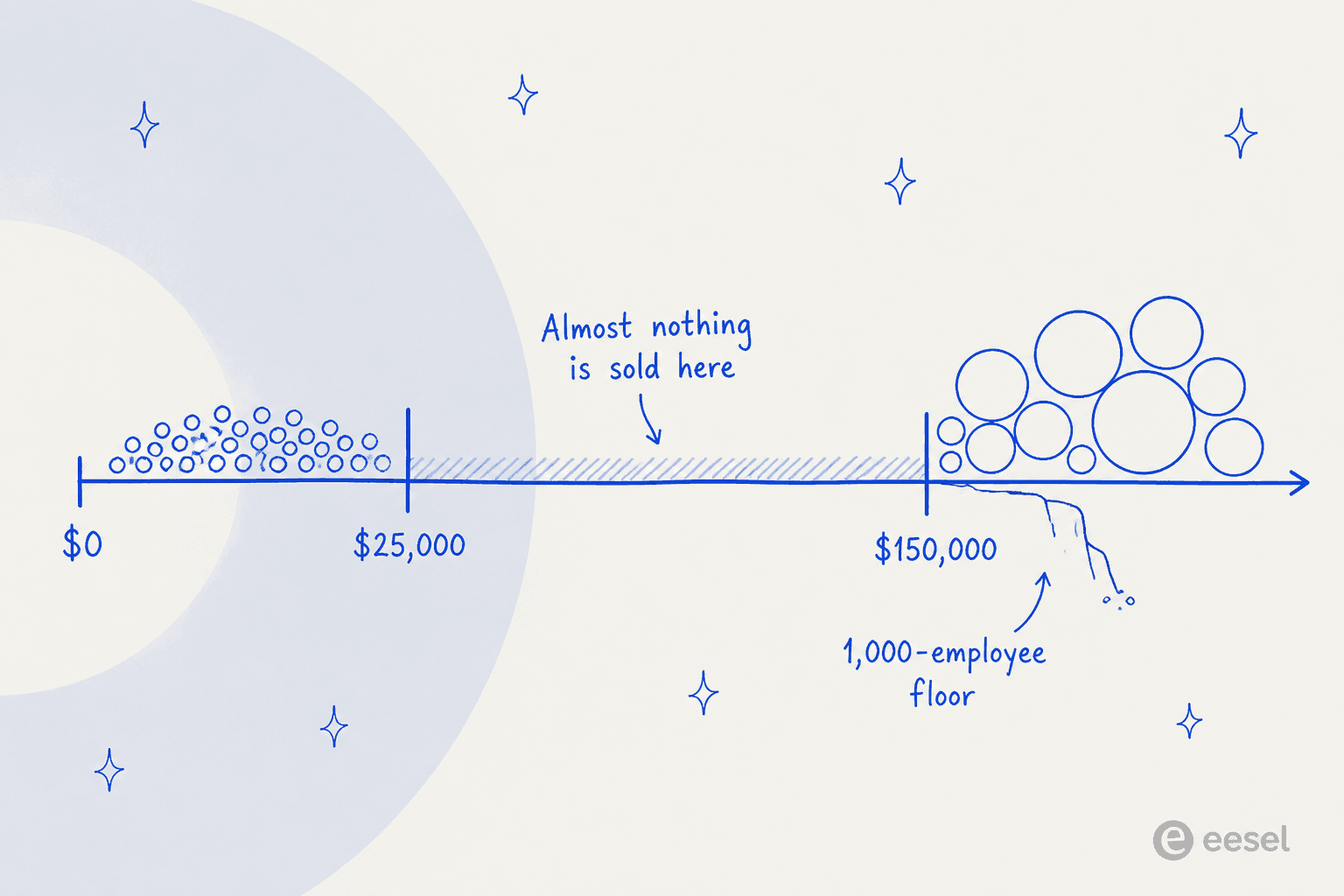
Here is what makes that gap worse rather than better: the three rivals Leena AI names in its own nav are Microsoft Copilot Studio, Moveworks and Glean. Moveworks has the same 1,000-user floor. Aisera starts at $200,000 a year for up to 1,000 users. So if the floor is what pushed you out of Leena AI, most of its named competitors are not purchasable either.
The clause that actually makes Leena AI hard to replace
This is the part every competing roundup misses, because it is buried in a marketplace listing rather than on a product page.
Leena AI's AWS listing states that it guarantees a 70% self-service ratio in the contract, and the SAP listing repeats it. That is a deflection commitment inside the deal, not a case-study number. It is the reason a procurement team signs a six-figure services-led contract instead of configuring something cheaper themselves: somebody else has agreed to own the result.
To be fair about it, no measurement definition and no remedy is published, so what the guarantee is actually worth is unknown from the outside. But the shape of it is real, and it is close to unique here. I went through every vendor below and none of them publish a comparable contractual ratio.
Which reframes the whole shortlist. The question is not which tool has the best reasoning. It is who is on the hook if the deflection does not happen, and there are only three answers.
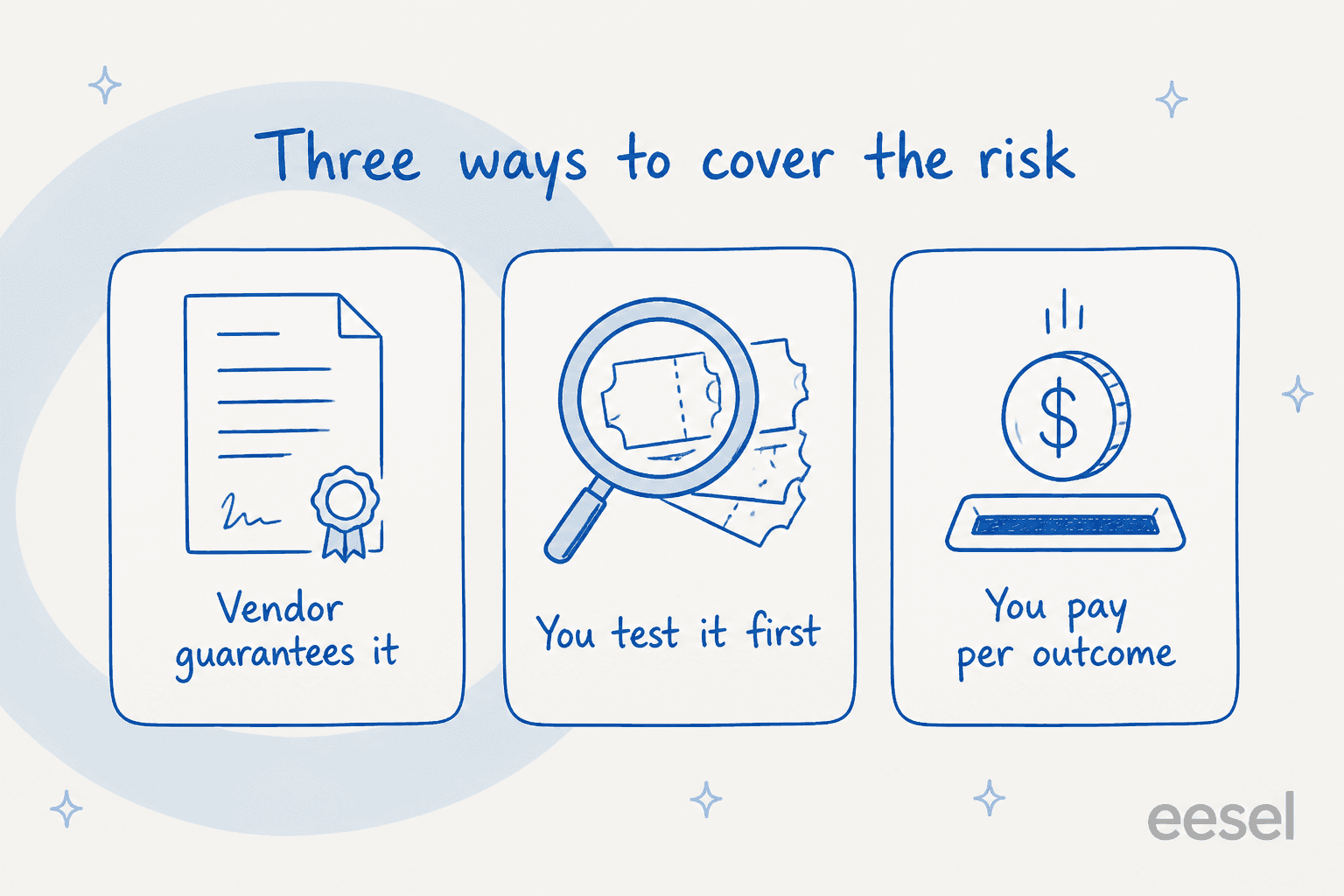
- A vendor guarantees it. You stay in the six-figure services-led band. The problem is that outside Leena AI nobody publishes the clause, so you can end up paying Leena money while carrying Leena risk.
- You prove it yourself, before go-live. The only real substitute for someone else's promise is a dry run against your own history. This turns out to be far rarer than you would expect, and it is the axis I would shop on.
- You pay per outcome. If the resolution does not happen, you do not pay for it. Outcome pricing is the cheapest way to buy a guarantee, because it is one by construction.
I spend most of my time on the search side of this, working out which real buying question a keyword is standing in for. "Leena AI alternatives" is two questions wearing one coat: what can I actually buy at my size, and how do I know it will work. Almost every roundup answers a third question nobody asked, which is which product has more features. The same thing happens across best AI employee lists.
The number is not the thing buyers are nervous about
eesel has spent years putting AI agents on live support queues, across customers running anywhere from 10,000 to 100,000 tickets a month, so I get to read a lot of these evaluations. The pattern in them is consistent, and it is not about the headline rate. A deflection percentage tells you what happened in 70% of cases and says nothing about the other 30%, which is where the damage lives. The honest arithmetic sits closer to agent cost arithmetic than to a resolution rate.
One CX lead put it better than any vendor page has:
"The AI will never be able to answer 100% of the questions, but if it tries and just answers 'sorry I don't know this,' I cannot go and check all my 7,000 tickets to see if the AI actually made a good answer, then the point is a little bit gone. I need an AI who is only handling the tickets that it's confident to handle and all the other ones, leave them alone."
That is a CX lead running 7,000 tickets a month who insisted the AI should only answer what it is confident about and silently leave the rest. A contractual 70% does not answer him. A dry run over his own tickets does.
What Leena AI does not sell at all
Worth checking before you shortlist anything, because it is the second-most-common reason people end up here.
Leena AI ships no customer-facing product. Every assistant, function page and channel is aimed at a company's own employees. The product menu has three items and all three are internal, which also rules it out for anyone shopping for AI for HR support as a standalone purchase. Its own docs address the recipient as an employee: the Canned Responses doc describes agents replying consistently to employees, not customers. Every unit on the site is a headcount, 20M+ employees across 500+ enterprises.
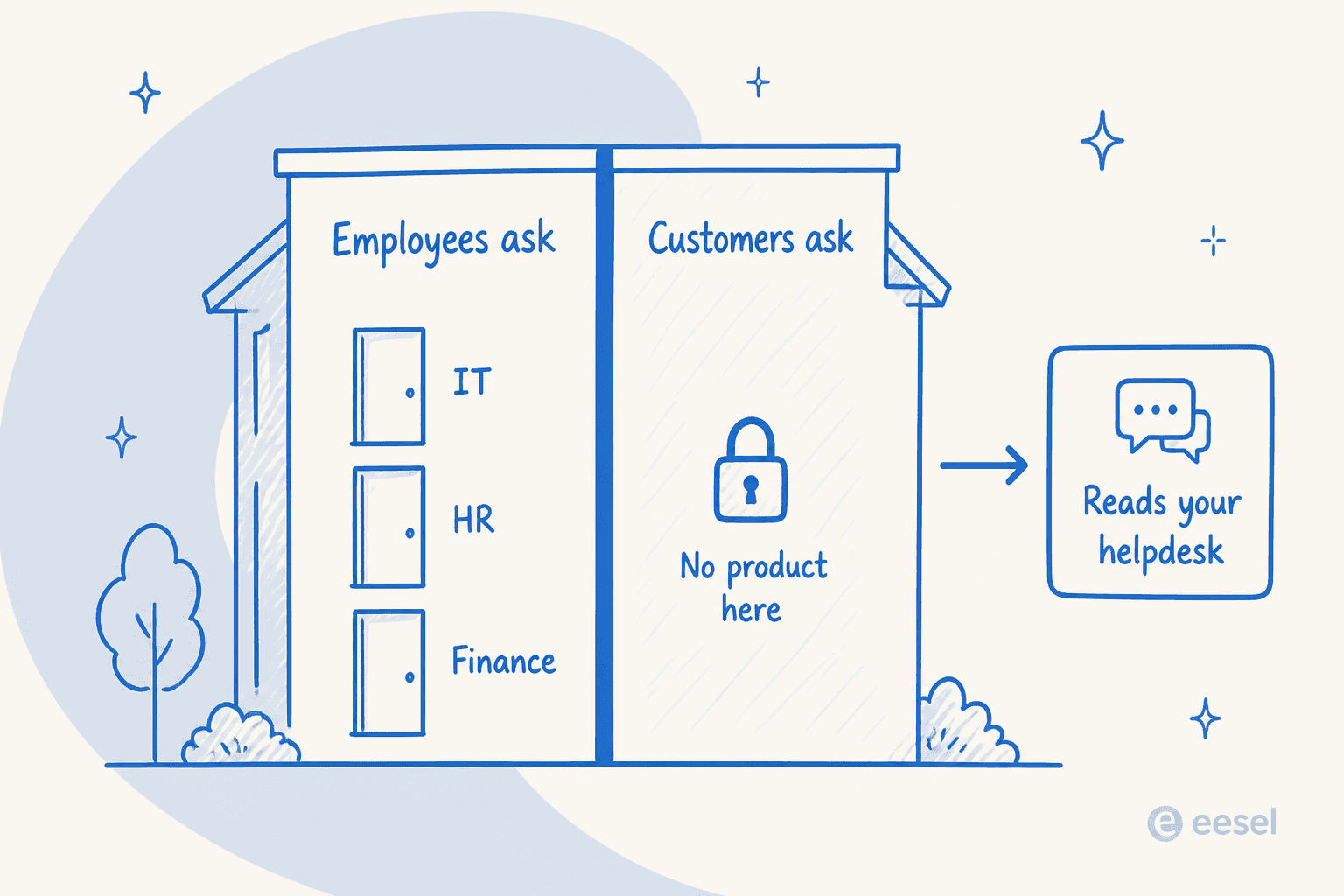
The nuance to get right: Leena AI connects to customer helpdesks as systems of record. The Zendesk connector uses OAuth 2.0 for automated ticket management and there is a Zoho Desk connector too. So it can read and act on your Zendesk instance. That is not the same as fronting your customers, and if external support is the job, you want a completely different list. The help desk versus service desk distinction does real work here.
How I picked these ten
Four criteria, in this order.
- Can you buy it at your size? A published price and a published floor, or the absence of both, stated plainly.
- Who carries the deflection risk? Guarantee, dry run, or outcome pricing. Anything else means you.
- Does it act, or only answer? Leena AI writes to 200+ systems. A retrieval tool that answers beautifully is a different purchase.
- Can you test it without a sales call? This decides whether criterion 2 is something you can check or something you have to believe.
I have included the three vendors Leena AI names as its own rivals, because that is a useful research signal. I have left out anything that is only enterprise search with a chat box on it, and anything whose last public review predates the product it now sells.
The comparison table
| Tool | Best for | Billing unit | Entry price | Published floor | Free tier or trial | Acts on systems | Dry run over your tickets | Employee or customer | G2 |
|---|---|---|---|---|---|---|---|---|---|
| Leena AI | 1,000+ seat enterprises on SAP, Workday or ServiceNow | Per employee per year | $150/user/yr on 2 years | 1,000 employees | No, demo only | Yes, 200+ connectors write | No | Employee only | 4.6 (151) |
| eesel AI | Proving the rate before go-live | 1 credit per ticket or chat | From $299/mo (500 credits), 100 free credits | None | Yes, 100 free credits, no card | Partly, no identity or HRIS actions | Yes, replays your history | Both | 4.6 (18) |
| Atomicwork | Metering the outcome instead of the platform | Flat platform, or per outcome | $25,000/yr, or $1-$3 per outcome | 250 end users on Professional | No, demo only | Yes, provisions and installs | No, pre-production test only | Employee | 4.0 (1) |
| Siit | Slack-first teams under 1,000 people | Per admin, employees unmetered | $23/admin/mo, AI at $89 | None published | Yes, 14 days no card | Yes, Okta, JumpCloud, Google | No, playbook simulate only | Employee | 5.0 (29) |
| Freshservice | Buying the ITSM and the AI together | Per agent, AI per session | $19/agent/mo | None published | Yes, 14 days | Within its own records | Routing only, not answers | Employee | 4.6 (1,349) |
| Jira Service Management | Atlassian shops wanting a free start | Per agent, plus 3 AI meters | $0 for 3 agents | None | Yes, free plan | Within Atlassian | No, manual test mode | Both | 4.3 (988) |
| Aisera | Wide connector estates, IT and CX in one | Per user, tier-capped | $200,000/yr up to 1,000 | 1,000 users per tier | AWS 30 days, 50 users | Yes, orchestrates broadly | Not published | Both | 4.4 (146) |
| Moveworks | The closest like-for-like capability | Per licensed employee | $150/user/yr | 1,000 users | No, demo only | Yes, search and act | No | Employee | 4.4 (131) |
| Glean | Knowledge sprawl over a big app estate | Per employee seat, plus credits | Quote only | Not published | No, demo only | Some, retrieval dominates | Not published | Employee | 4.7 (162) |
| Thena | You wanted customer support, not IT | Per user seat | $29/user/mo | 5-seat cap on Starter | Free plan, terms undocumented | Within its own model | Not published | Customer, B2B | Not published |
| Enjo | The cheapest published door | Per AI reply | $0 for 200 replies | None | Yes, free plan | Answers and workflows | No | Employee | Not published |
Note the eighth column. Across all ten, exactly one documents a dry run that replays your own historical tickets before the AI touches live work. Four have a test mode of some other shape, and the rest publish nothing on testing at all. Given that the thing you are replacing came with a contractual deflection ratio, that column is the one I would sort on.
Work out what a replacement actually costs you
The five billing models here are not comparable on sticker price, because they meter different things. Put your own numbers in.
The thing to notice is that headcount and ticket volume come apart. A 5,000-person company with a quiet internal queue pays enormously more on a per-employee contract than a 900-person company with a noisy one, and the per-employee model is the only one where doing nothing still costs full price. Enjo's own pricing page makes the point in its headline: pricing that scales with your support volume, not your headcount.
1. eesel AI

I work on this one, so weigh the enthusiasm accordingly. It is first because of criterion 2, not loyalty.
What it is. AI agents that plug into an existing helpdesk, learn from tickets you have already resolved, and answer or route new ones. It covers internal channels (Slack, Teams, Confluence) and customer-facing ones, which is the split Leena AI does not do.
How it covers the Leena gap. This is the one item on the list that replaces the guarantee with evidence. eesel's Simulation skill replays your past tickets and scores its answers against what your team actually sent, returning the gaps and suggested instruction changes. It runs before anything goes live. That is not a forecast of a resolution rate and I would not claim it is, but it is the only mechanism here that lets you see the AI's answers to your real questions before a colleague reads one. There is no 1,000-employee floor and no minimum spend.
Pricing. One fixed monthly price on the Teammate plan, sized to volume, where 1 credit covers a ticket or chat however long it runs. Dashboard lookups are mostly free. No seats, no platform fee.
| Plan | Price |
|---|---|
| Free | 100 credits, no card |
| 500 credits | $299/mo |
| 1,000 credits | $499/mo |
| 2,500 credits | $999/mo |
| 5,000 credits | $1,899/mo |
Pay a year upfront and get two months free. Add-ons include SSO and MFA from $199/mo and HIPAA on request. Blog posts from the blog writer stay $4 each.
Pros. No floor, so a 200-person company can buy it. The dry run is real and unusual. One fixed monthly price keeps the bill predictable, and the free plan covers a first test. First agent is usually live within about half an hour.
Cons. Here is the honest structural limit against a platform like Leena AI: eesel ships no identity or HRIS action connectors. Okta, Entra, JumpCloud, Workday and BambooHR are all absent from the live integrations page. It will resolve and route the access-request ticket; it will not reset the password itself. On the ITSM side, coverage is Jira Service Management only, with no ServiceNow and no Freshservice. If your Leena AI deployment was mostly provisioning, that gap is the whole conversation, and a self-service portal will not close it either.
My take. The right pick if what you want is proof before go-live and a bill that tracks volume. The wrong pick if the agent's main job was logging into an identity provider and changing things.
2. Atomicwork
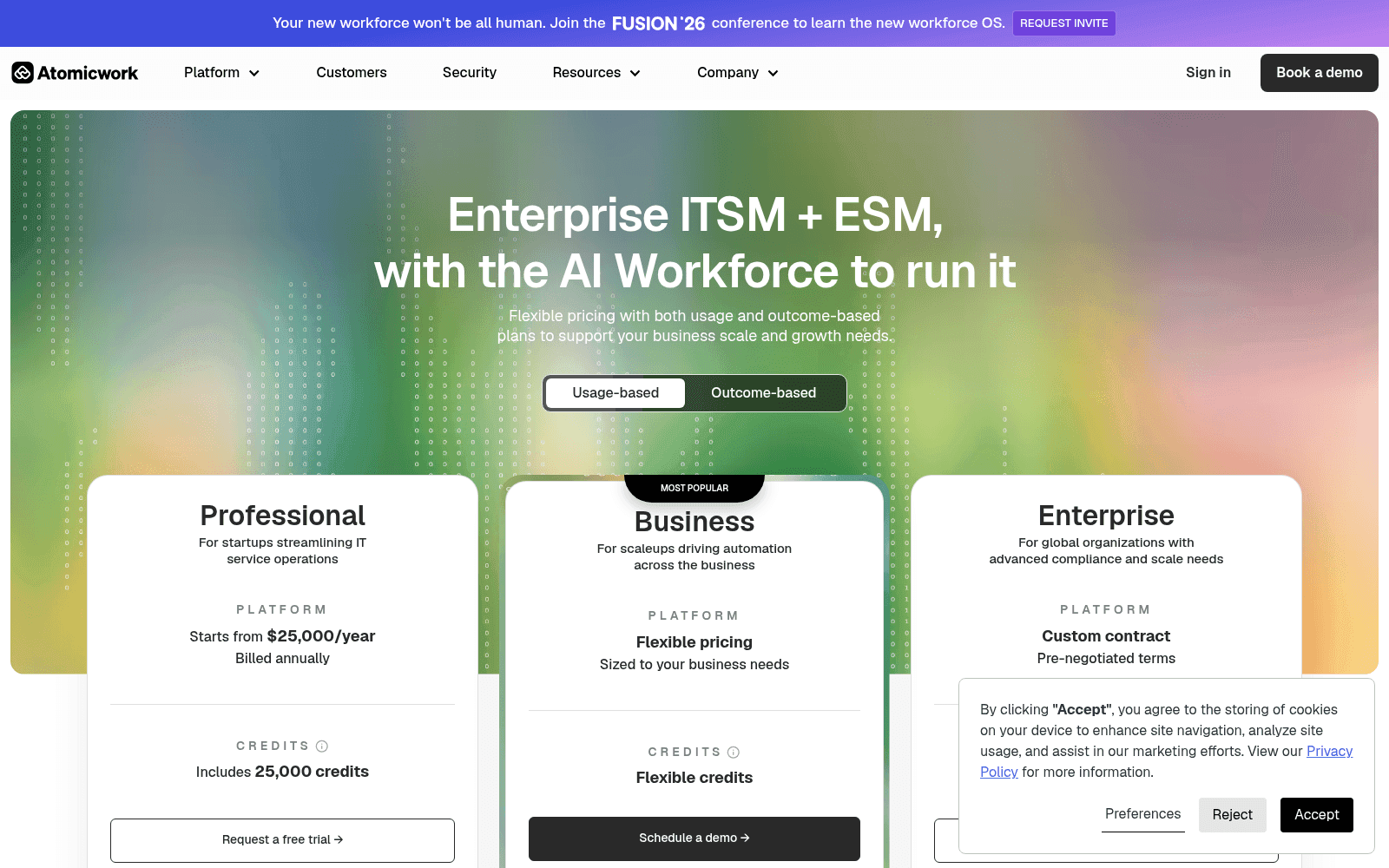
What it is. Enterprise ITSM and ESM with an "AI Workforce" on top: role-scoped AI Coworkers plus an assistant called Atom, covering ITSM, ESM, ITAM and a CMDB.
How it covers the Leena gap. With a price list instead of a promise. Atomicwork is the only vendor here that publishes an outcome rate card, and outcome pricing is a guarantee by construction. It also runs BYO ITSM, so it will sit on your existing ServiceNow or Jira Service Management rather than replacing it, which is closer to how Leena AI actually gets deployed.
Pricing. Professional starts from $25,000/year billed annually, with 25,000 credits, 2 AI Coworkers and up to 250 end users. Business is "flexible pricing" with no number. Additional Coworkers are $499/worker/month, doubled from $249 earlier this year. The outcome model is $1 per outcome for knowledge support with a 25,000/year minimum, $2 for access automation with a 12,000 minimum, and from $3 for service resolution with an 8,000 minimum. BYO ITSM is no platform fee, pay per outcome.
Pros. Real published prices in a category that hides them. Outcome pricing puts the risk back on the vendor. Certification list is deep, including ISO 42001, SOC 2 Type 1 and 2, HIPAA and CSA STAR.
Cons. The credit bundle cannot be converted into volume, because published credit costs run from 1 for deterministic routing to 100 for AI workforce agents. So Professional's 25,000 credits is somewhere between 250 heavy investigations and 25,000 routings, and no overage rate is published. The 250-end-user cap on Professional is low. Review footprint is one G2 review, and G2 itself prints that there are not enough reviews to provide buying insight.
"Console and Atomicwork charge per employee, not per technician, and that gets expensive fast."

My take. The strongest pick if you want the outcome metered and you are replacing the whole Leena AI shape, IT plus HR plus finance. Check the credit arithmetic against your actual mix before signing, because that is where the surprise lives.
3. Siit
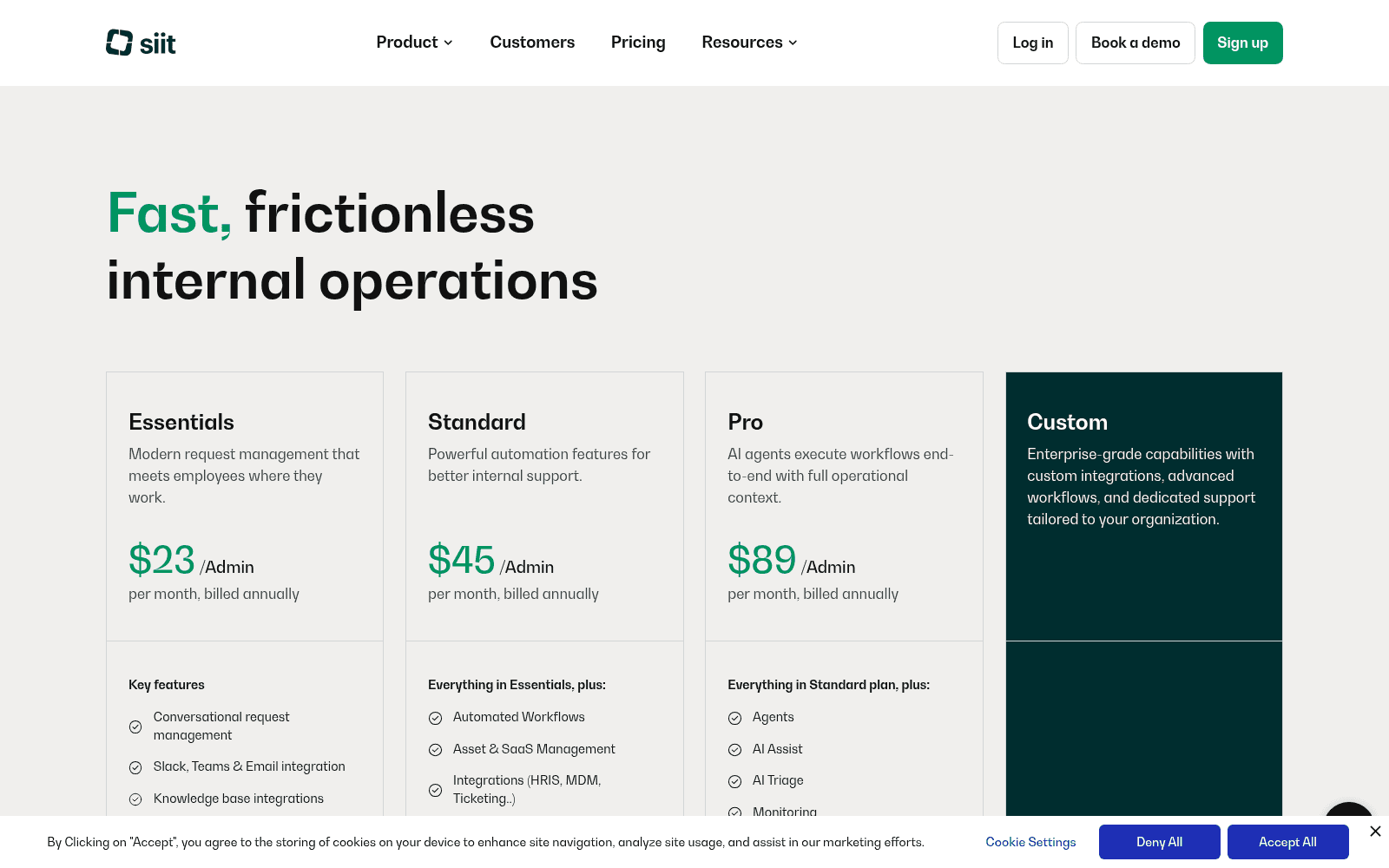
What it is. An internal help desk that lives in Slack and Microsoft Teams, employee-facing only, with AI agents that answer from your wiki and execute changes in your identity and device tools.
How it covers the Leena gap. By being buyable, and by acting. Siit publishes a real action list rather than a capability claim: /okta reset password, /okta reset multi-factor, /okta add to group, /jumpcloud reset user mfa, /google add to group, plus custom webhooks. For an IT queue full of access requests that is the same job Leena AI's Iris was doing, at two orders of magnitude less money. It is also the shape most internal helpdesk teams actually need.
Pricing. Per admin per month, billed annually: Essentials $23, Standard $45, Pro $89. Employees are unmetered on every tier, and Siit states this plainly: it is priced per Admin, you can support unlimited employees at no extra cost. Every AI feature is on Pro, which is the number that matters. No AI usage meter at all, no per-resolution or per-credit charge anywhere. 14-day trial with full access and no card.
Pros. No usage meter at all is rare here, so the bill is predictable. No published seat minimum. G2 sits at 5.0 from 29 reviews.
Cons. Knowledge sources are narrow: only Notion, Confluence and Slab connect, with no historical-ticket ingestion path anywhere in the docs. Its "simulate" mode is a dry run of a playbook you wrote, logging what the agent would have done, not a backtest over your ticket history. Certifications are SOC 2 Type II and GDPR only, with no HIPAA or ISO 27001 claim on the site.
"We have a pretty mature Notion setup and the AI agent points at it instead of trying to be smart. Answers actually link back to the doc the answer came from which means people start trusting it. About a third of our usual VPN and SSO questions never reach me anymore."

My take. The best value on this list for a Slack-first IT team under a thousand people. Prune your wiki first, because it only knows what your docs know.
4. Freshservice
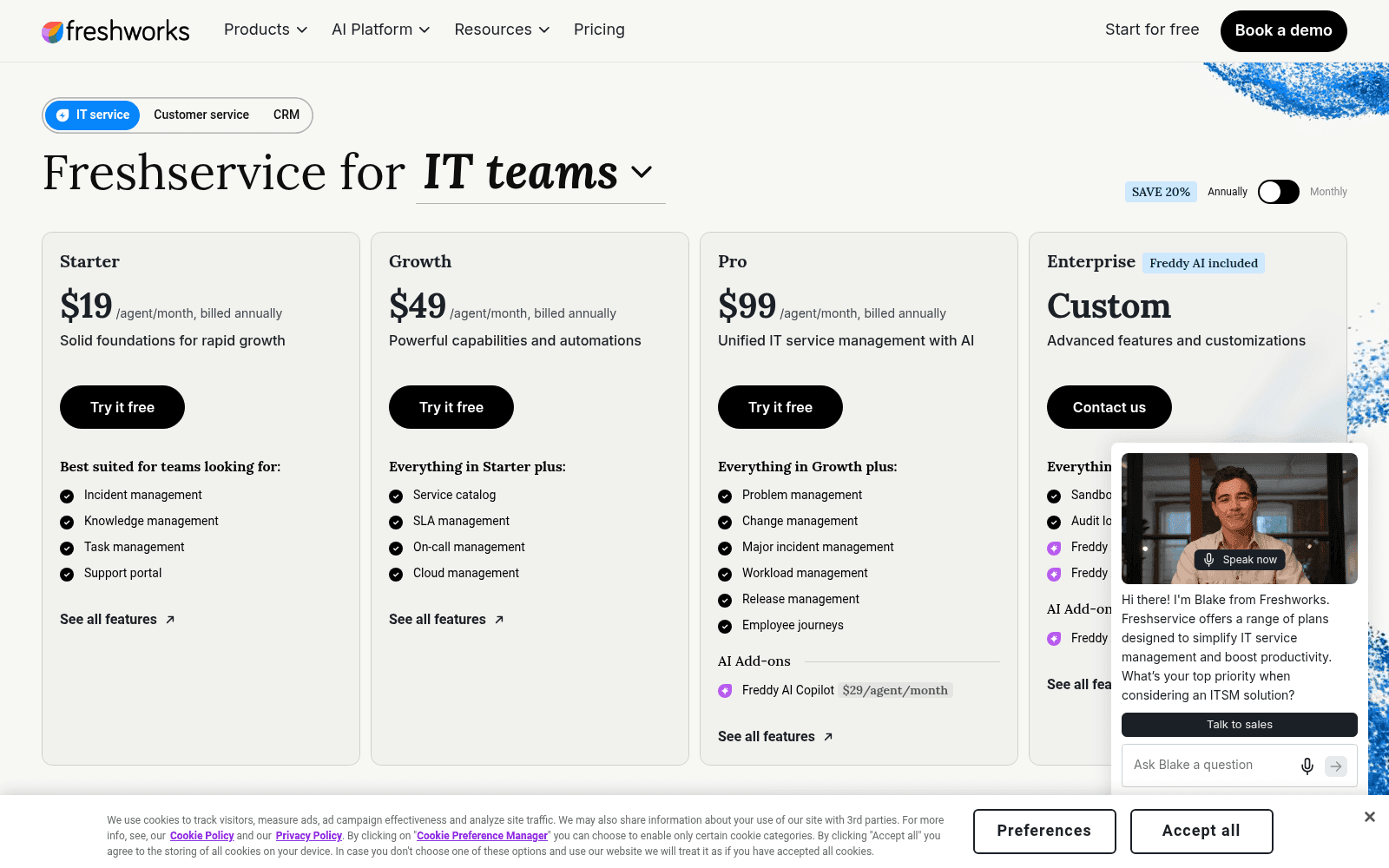
What it is. A full ITSM suite for internal IT with change, problem and release management, ITOM, a separately-licensed ITAM product, and three separately-priced Freddy AI products.
How it covers the Leena gap. It does not, exactly. It replaces the system of record as well as the AI, which is a bigger change than swapping an AI IT help desk layer on top of what you have. If your Leena AI deployment sat on top of an ITSM you also want to leave, this is one purchase instead of two.
Pricing. Per agent per month on the pricing page, requesters unlimited: Starter $19 annual, Growth $49, Pro $99, Enterprise custom. The Freddy AI Copilot add-on is $29/agent/month on Pro and Enterprise. My Freshservice AI pricing breakdown has the full meter list. The AI unit is a session, counted when a unique user interacts within a 24-hour window, so a conversation running past a day counts twice. Other meters stack up: orchestration packs at $250 per 1,000 transactions, connector tasks at $80 per 5,000, e-signature at $90 per 30 credits.
Pros. Genuinely cheap entry with no published agent minimum. 14-day unrestricted trial. Freddy AI Agent Studio is currently free as a promotion through 30 September 2026. Largest review base here at 4.6 from 1,349.
Cons. The deflection agent is the gated one. Freddy AI Agent (Classic) is included with Enterprise and nothing else, its entitlement is 1,200 sessions a year per licence, and no per-session overage price exists publicly, so you can compute the allowance exactly and cannot compute the cost of exceeding it without a call. Testing is a gap too: Agent Studio's batch test uses queries Freddy generates from your knowledge sources, and there is no option to replay your own historical tickets. Resolved ticket history is not even an accepted knowledge source.
"Autoresolve is maybe 25% which is fine i guess. But our MTTR actually went UP. About 20% compared to where we were before. Tickets that dont autoresolve are sitting longer. I think what is happening is the handoff cost."
My take. Buy it for the ITSM, and budget separately for the AI actually being useful. Worth reading my notes on Freshservice AI limitations before you assume the Enterprise tier solves it.
5. Jira Service Management
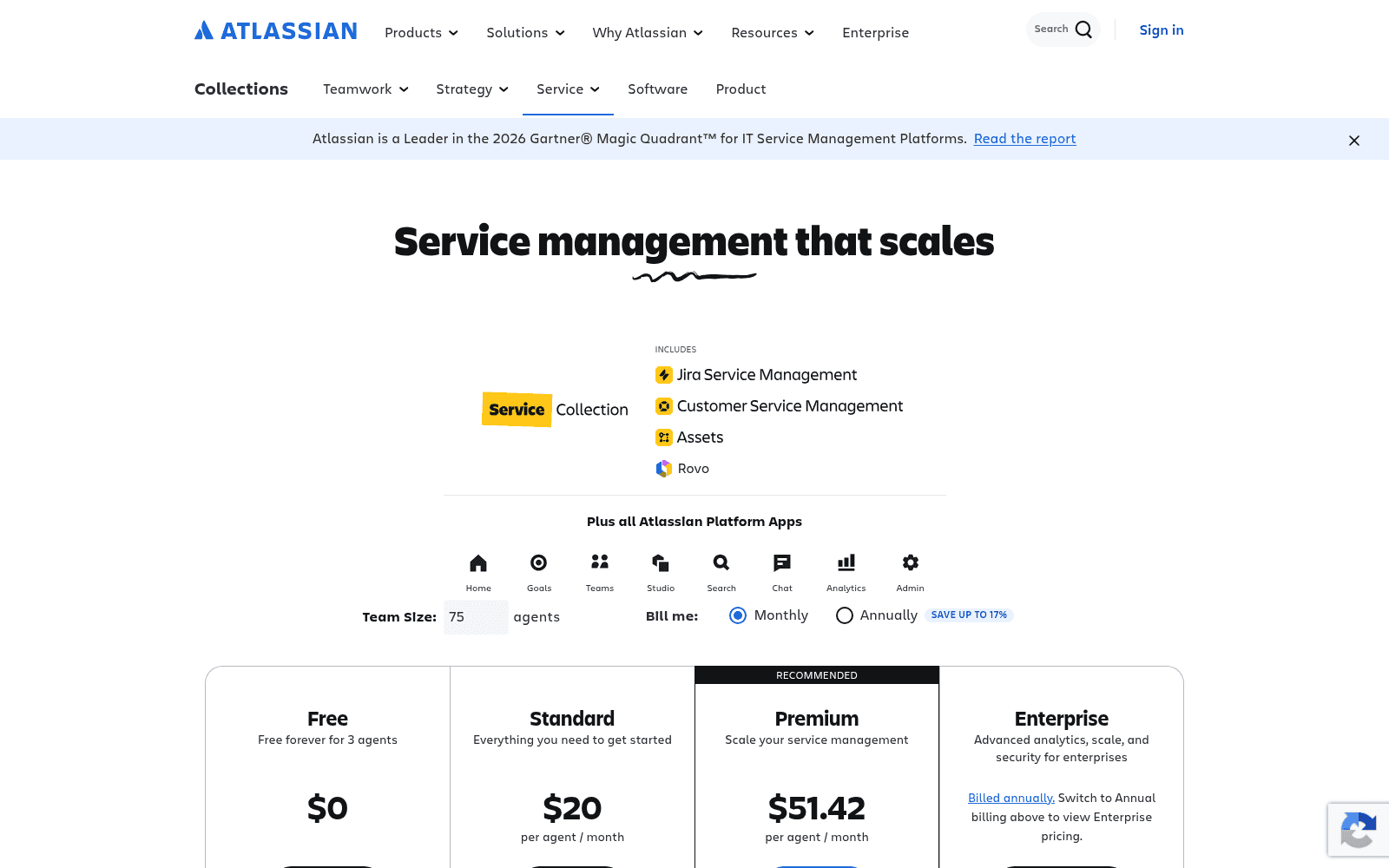
What it is. Atlassian's ITSM, now sold as the Service Collection, with a Virtual Service Agent for employee self-service, Rovo Customer Service for external cases, and Rovo search and agents on top.
How it covers the Leena gap. With a free door and a per-resolution meter. Rovo Customer Service is $1 per resolution, which is outcome pricing in the same family as Atomicwork's.
Pricing. Free forever for 3 agents. Standard renders at $20 per agent and Premium at $51.42, and read both as blended rates: pricing is progressive with volume discounts, and those two card figures reconcile at a 75-agent team. You can see the 75 sitting in the team-size box in the screenshot above. The real published list runs $25 for 1-15 agents down to $8.60 in the 251-500 band. The virtual service agent includes 1,000 assisted conversations a month with overage from $0.30 each.
Pros. The only real free plan on this list. Outcome pricing on the customer-service side. Confluence as the knowledge base via the Teamwork Graph is a real advantage if your runbooks already live there.
Cons. The conversational AI starts at Premium, so a Slack-first buyer on Standard cannot have it at all. The assisted-conversation meter is broader than a resolution: matched conversations bill whether the agent resolves or escalates, and an abandoned conversation counts as AI-resolved. Testing creates real issues in your project while you test. Two compliance exclusions worth knowing: the Rovo MCP server does not support FedRAMP or HIPAA, and Rovo Service should not be used for projects handling PHI.
"Licensing costs can become expensive as the number of agents and premium features increases. Performance may slow down when working with large projects or complex workflows."
My take. The default if you are already an Atlassian shop. Do the band arithmetic yourself, because the card price is not your price. My JSM pricing breakdown has the full ladder.
6. Aisera
What it is. An enterprise AI service experience platform: a Universal Agent orchestrating domain and task agents across IT, HR, customer service, finance and procurement. Acquired by Automation Anywhere in November 2025.
How it covers the Leena gap. It is the closest match on connector breadth, and unlike Leena AI it covers customer-facing support too. Productised connectors run to Zendesk, Freshdesk, Freshservice, ServiceNow, Jira Service Management, Salesforce and a long tail of ITSM tools.
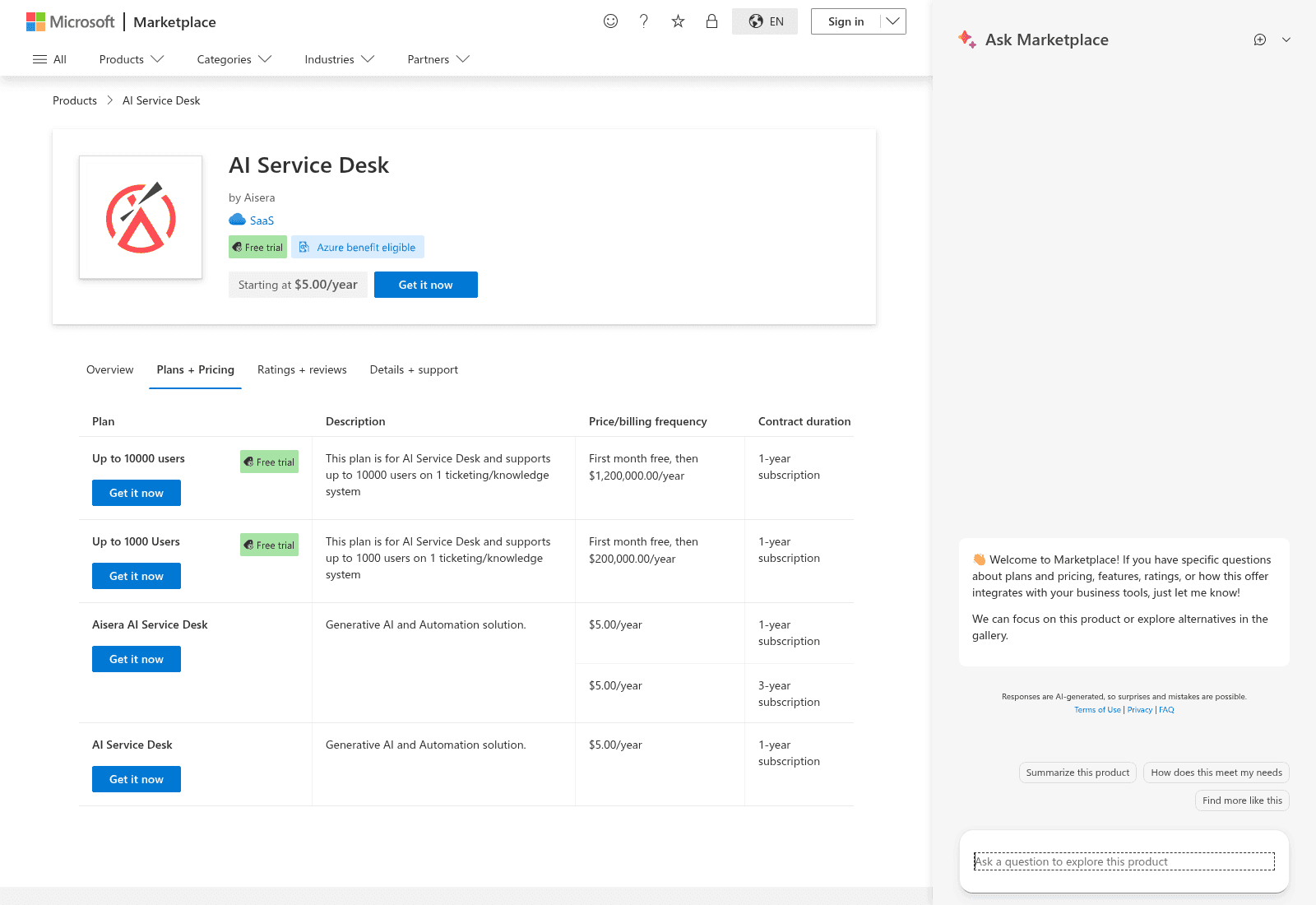
Pricing. aisera.com/pricing is a hard 404, so the marketplaces again. Microsoft publishes four plans: up to 1,000 users at $200,000.00/year and up to 10,000 at $1,200,000.00/year, both with the first month free, plus two $5.00/year placeholder SKUs that are not a cheap entry tier. Each paid tier is scoped to one ticketing or knowledge system. Derived, not published: $200 per user per year at the lower ceiling, $120 at the higher.
Pros. The AWS listing has a genuine 30-day free trial for up to 50 users at $0.00, which is the only no-sales-call way to touch a product in this price band. Broadest agentic estate here. Deep certification list under its own TRAPS framework.
Cons. More expensive than Leena AI at the same ceiling, and the one-ticketing-system scoping means a second system is a second line item. Nothing in its published material describes a simulation, dry run or backtest, so the deflection risk sits with you at a $200,000 entry price. And the gap between promise and practice is published on both sides: its integrations page says minutes not months, while G2's reviewer data says 4 months to implement and 18 months to ROI.
"It takes a fair bit of setup and you're constantly tweaking things to keep it working the way you want. Plus, the pricing feels a little murky, there are extra charges for things like setup or expanding to more teams, so it's hard to know the real cost upfront."
My take. Take the AWS trial before anything else, because it is free and it answers the question the price tag cannot. See Aisera pricing for the fuller picture.
7. Moveworks
What it is. An AI assistant platform for the whole workforce, searching and acting across business applications. Leena AI names it as a rival on its own site.
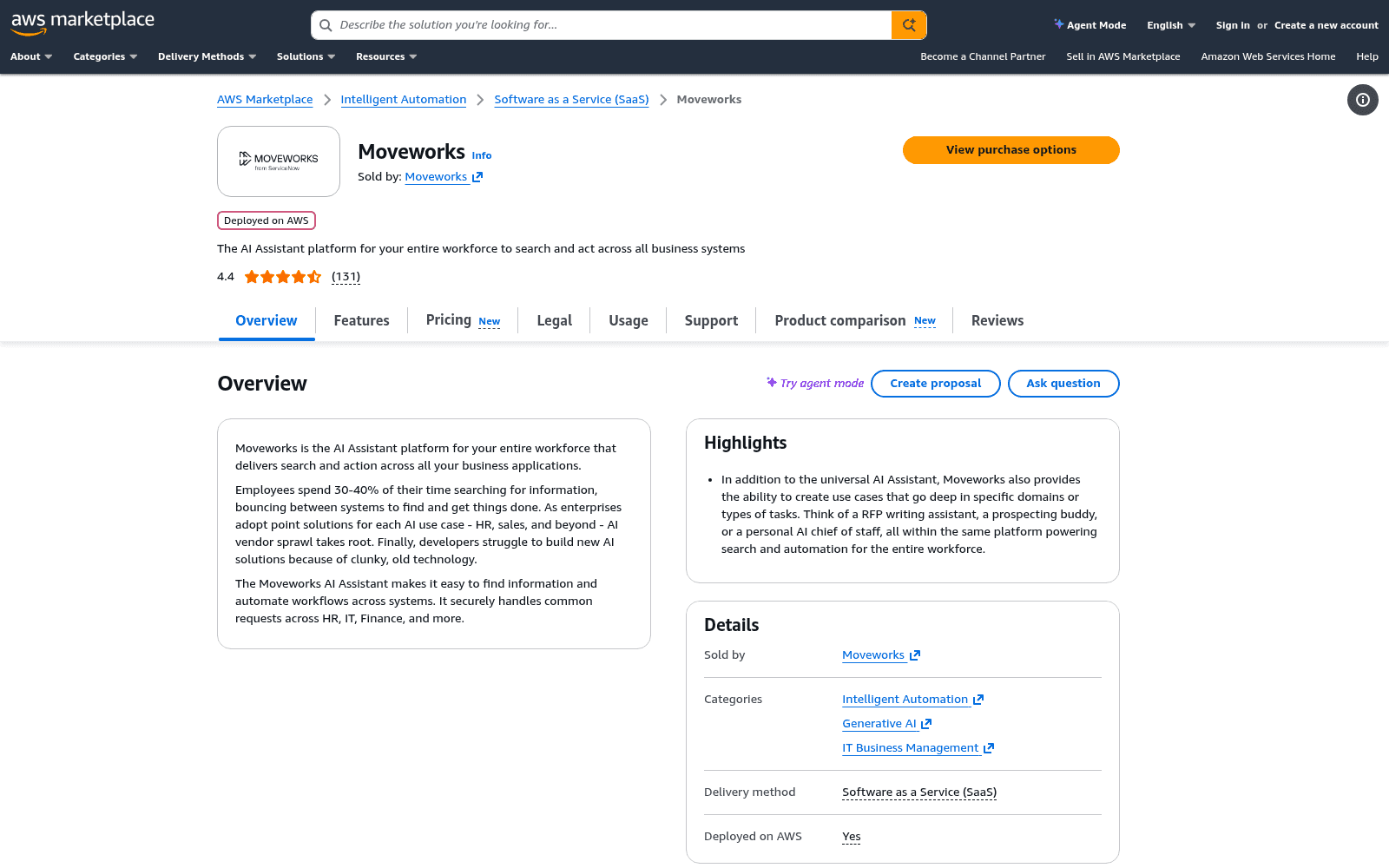
How it covers the Leena gap. On capability, almost exactly. On everything else, look at the logo in the screenshot: it now reads "from ServiceNow". The acquisition closed on 15 December 2025, and Moveworks is being absorbed into ServiceNow Otto, which replaces Now Assist and Moveworks across all ServiceNow products, channels and surfaces.
Pricing. Quote-only on its own site, which says only that pricing is flexible and tailored. The one vendor-published rate is $150.00 per user per year in the 1,000-2,500 user band on a 12-month contract. Same figure and same floor as Leena AI's Microsoft rate, so the practical entry is around $150,000 a year. The billing unit is licensed headcount, so a quiet queue pays for every employee regardless of who uses it.
Pros. Mature product with a large deployed base and 4.4 from 131 reviews on AWS. If you are already heading toward ServiceNow, the direction of travel is now aligned with yours.
Cons. Identical 1,000-user floor, so it solves nothing if the floor is why you are reading this. No dry run documented. And you are buying a product mid-absorption into another platform, which is a roadmap question rather than a feature one. If your reason for leaving Leena AI was a vendor changing how it does business, that risk has not gone away here.
My take. Only if you are consolidating onto ServiceNow anyway. Otherwise the floor plus the roadmap makes it a lateral move. Moveworks alternatives has the wider field, and Moveworks pricing has the rate card.
8. Glean
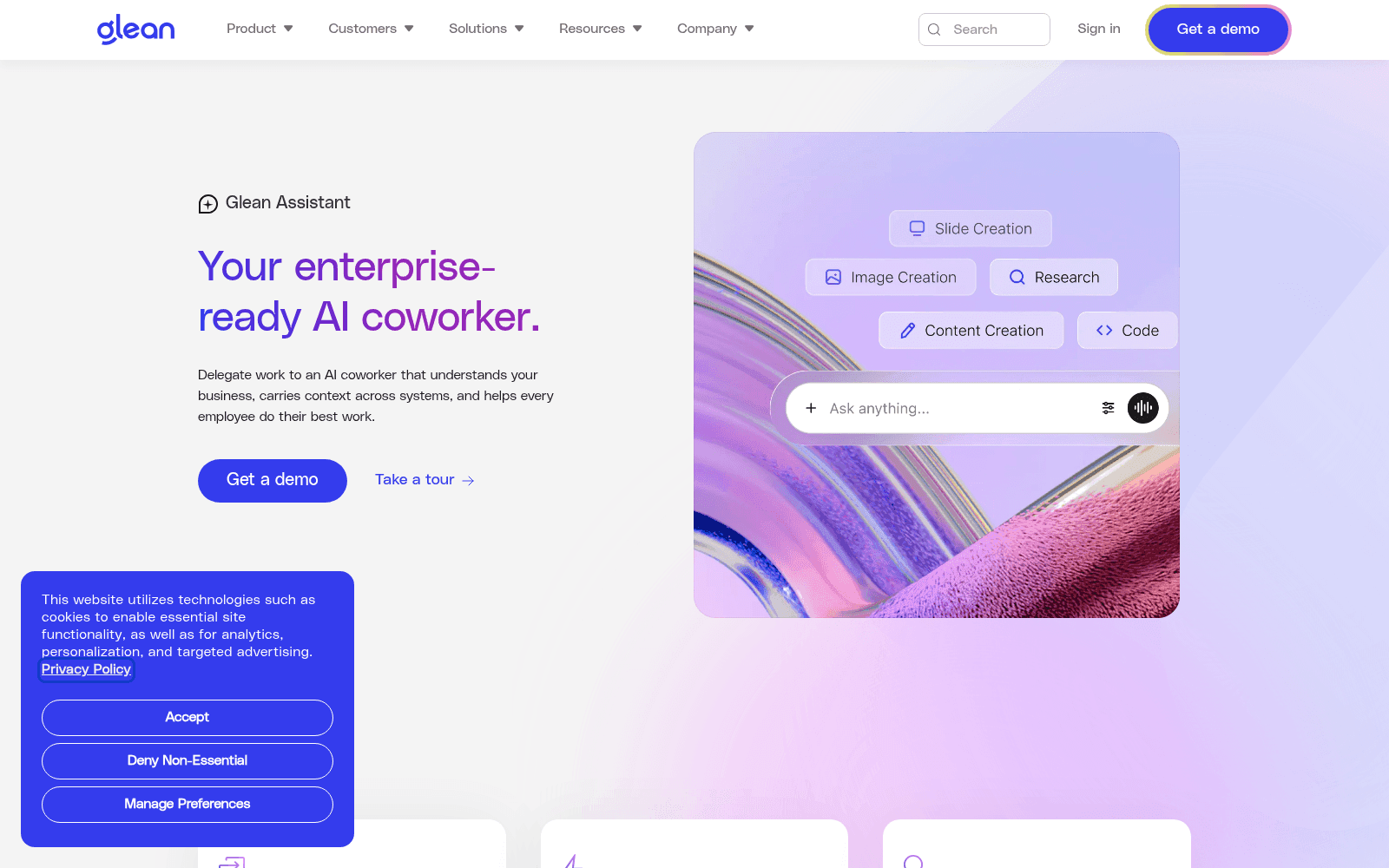
What it is. A permissions-aware enterprise search and Work AI platform over a knowledge graph built from 100+ connectors, plus an assistant and a no-code agent builder. The third rival Leena AI names.
How it covers the Leena gap. It is the best answer if the real problem was that nobody could find anything, which is a knowledge base problem rather than a ticketing one. Permissions inherit from the source app, which is the same property that makes Leena AI's Knowledge Studio safe to point at Confluence and SharePoint.
Pricing. None published. Every plan is contact-sales, and glean.com/pricing leads to a demo request rather than a price. What the docs do disclose without dollars is the structure: Enterprise Flex seats are designed to be deployed to every employee, with pooled FlexCredits as a pay-per-use layer on top. Credit costs per action are published (Fast Mode queries around 3-15 credits, Thinking Mode 7-26, slide generation 45-142) but no credit-to-dollar conversion is, so you cannot compute a bill from public information.
Pros. Strongest retrieval on this list and the highest G2 score, 4.7 from 162. Certifications include SOC 2 Type II, ISO 27001, ISO 42001, GDPR and HIPAA. Discounts exist for bringing your own LLM keys or self-hosting.
Cons. Seats for every employee plus consumption credits is the same headcount-scaled shape you may be leaving, with less transparency, since Leena AI at least publishes a per-user number somewhere. No free tier or trial appears anywhere in its material. On the ITSM side the only connector named is Jira, with no Zendesk, ServiceNow or Freshservice. And it is a retrieval system first, which means it makes no determinism guarantee.
"It consumes all of our knowledge sources including Slack, Google docs, wiki, source code and provides answers to complex specific questions in a way that's downright magical."

My take. Buy it to fix knowledge sprawl, not to deflect tickets. If ticket deflection is the goal, it is an expensive way in. Glean alternatives covers the field.
9. Thena
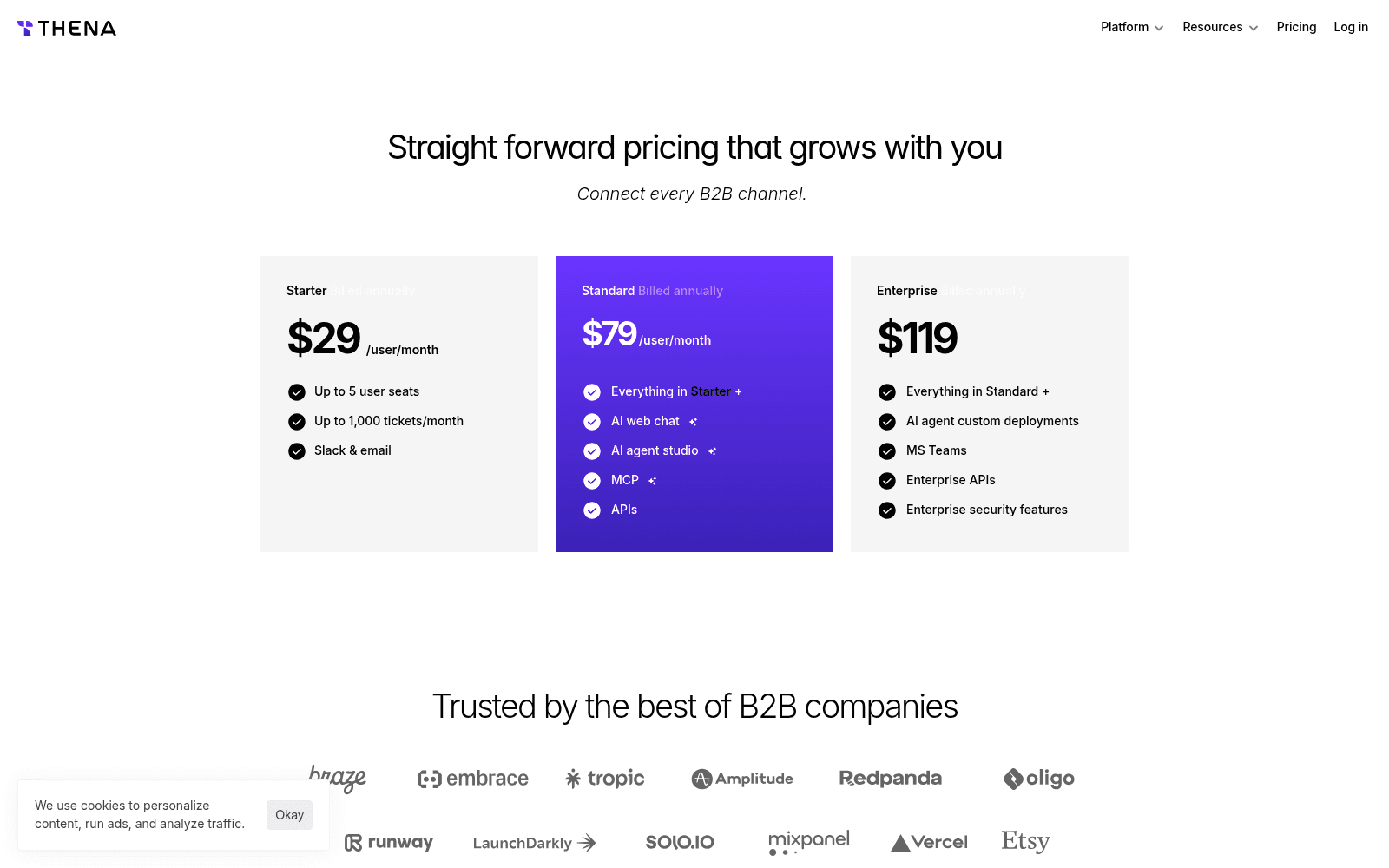
What it is. A support platform for B2B that turns conversations in Slack, email, web chat, Teams and Discord into trackable tickets, then routes and resolves them.
How it covers the Leena gap. It does not, and that is the point of including it. This is the item for the reader who got two weeks into a Leena AI evaluation before realising the product only ever talks to employees, which is a different job from employee support AI in a way the category names hide. Thena is explicitly customer-facing, so if your queue is B2B customers in shared Slack channels, everything above is the wrong list.
Pricing. Unusually, all three tiers publish a number, billed annually: Starter $29/user/month with up to 5 seats and 1,000 tickets a month on Slack and email only, Standard $79, Enterprise $119. AI is bundled into the seat price rather than metered separately, which is rare.
Pros. Nothing is quote-gated. AI is the baseline rather than an add-on tier. Publishes an MCP server exposing tickets to Claude, Cursor and Raycast.
Cons. The gates on the cheap tiers bite. Starter is Slack and email only, capped at 5 seats and 1,000 tickets a month with no stated overage behaviour, and Thena's own site contradicts itself on that seat cap, with the pricing page saying 5 and the homepage saying 10. Microsoft Teams is Enterprise-only, so a Teams-first company cannot buy Thena below $119 a user. MCP, RBAC, API, webhooks and AI agents are all marked "Limited" on Standard and the page never defines what that means numerically. No published security certification list and no G2 score captured.
My take. The right answer to the wrong-shape problem, if your customers are businesses. Not an internal service desk, and it does not pretend to be.
10. Enjo
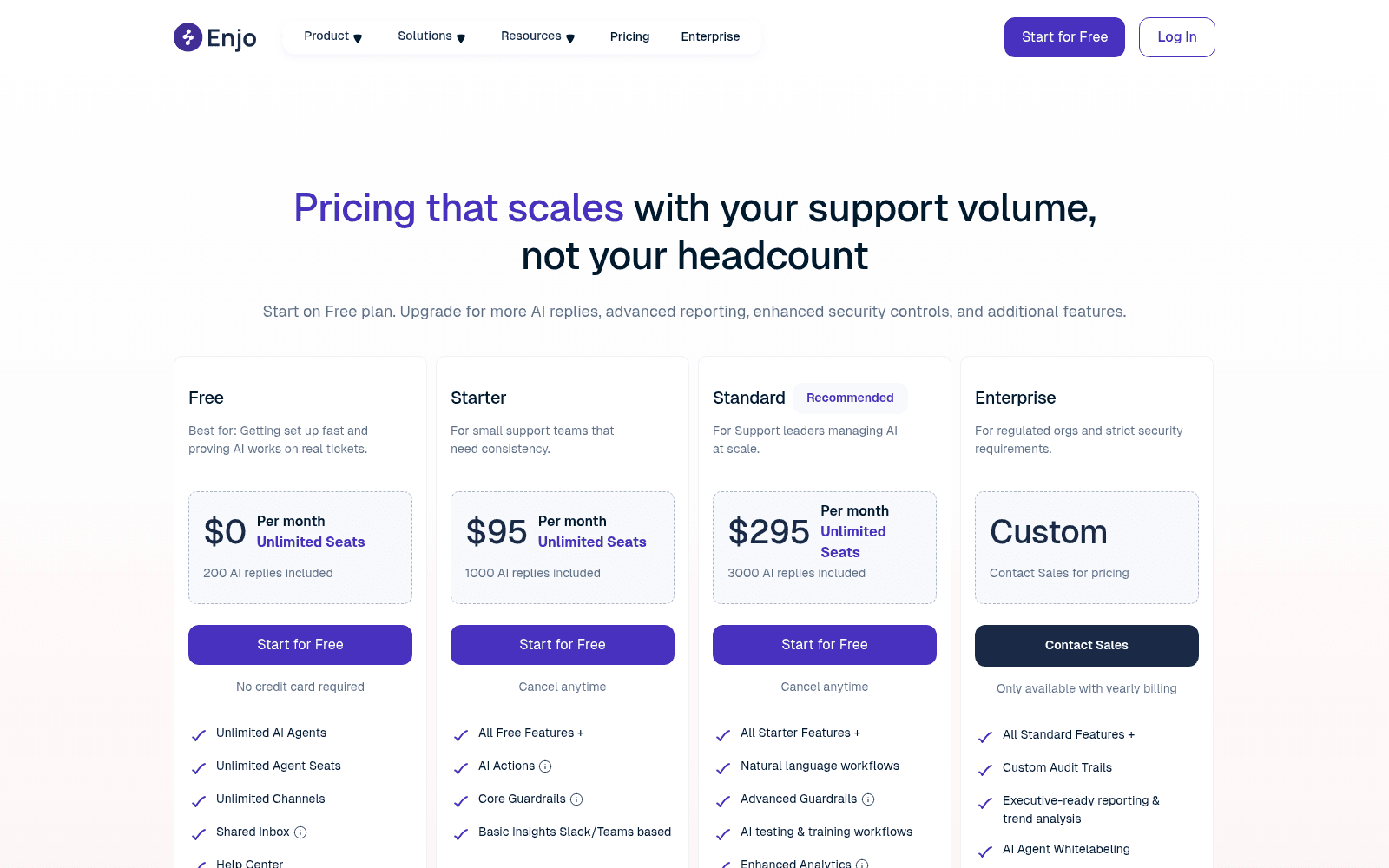
What it is. An AI agent for internal support that runs in Slack and Teams, answering employee questions from your knowledge sources.
How it covers the Leena gap. By being the cheapest published door on the list, and by metering the opposite thing. Its pricing headline is the direct rebuttal to Leena AI's model: pricing that scales with your support volume, not your headcount.
Pricing. Free $0 with 200 AI replies and unlimited seats, Starter $95 with 1,000 replies, Standard $295 with 3,000, Enterprise custom and yearly-only. Overage is $0.05 per reply. Unlimited human seats on every tier, no annual discount published.
Pros. A real free plan with a real allowance, so you can test the deflection rate on live traffic for nothing. Unlimited seats everywhere. Volume-based means a 5,000-person company with a quiet queue pays almost nothing.
Cons. Enjo defines an "AI reply" twice, differently, on the same page: a tooltip calls it one complete interaction handled by the AI, and the FAQ calls it one response sent by the AI agent. Conversation-shaped versus message-shaped is a 5x difference on a long thread, and it is the number your whole bill hangs off. The Free tier is a hard stop with no overage path. And it is a much narrower product than Leena AI, with no 200-connector action estate behind it.
My take. Start here if you are small, Slack-based and mostly need answers rather than actions. Get the reply definition in writing before you scale onto it. More in Enjo AI pricing.
The two Leena AI facts worth carrying into any demo
If you are still weighing Leena AI itself against the list, two things from its own reviewers are worth having in the room.
The first is that the number the vendor quotes and the number reviewers report are different. Leena AI's pitch is 45 days to live. G2's reviewer data says 3 months to implement, 17 months to return on investment, and a 10% average discount. Neither is dishonest; they are measuring different finish lines. Plan against the reviewers.
The second is where the work lands. This is the best public account of an actual rollout I could find:
"We have implemented Leena AI. Was easy to get our ServiceNow and Workday integrated, but we have a few custom applications where we have to get the APIs built internally. That was a pain, but had to do it. After our HR & IT universal assistant launch, we have started building more agents."
Read that as a fair description of every option above, not a criticism of Leena AI. Standard systems connect easily. Anything custom is an API you build. And the review corpus is worth reading with one eye on its shape: G2 shows 4.6 from 151 with 128 of those reviewers in Asia against 5 in North America, and a large share carry the Incentivized or G2-invite tags.
On pricing transparency, one reviewer says the obvious thing out loud:
"Also, pricing transparency could be improved, it's not very clear from the website what features come in which plan."
What I would actually do
In this order.
- Count your employees before you shortlist anything. Under 1,000, Leena AI, Moveworks and Aisera are all out on published floors, and so is most of what the aggregator posts will recommend. That single number cuts the list in half, and it is why the it help desk software market splits so cleanly in two.
- Sort your last 500 internal tickets into needs-an-answer and needs-an-action. That ratio decides the tool, not the price. An answer-heavy queue is served by an AI knowledge layer. An action-heavy one needs identity and device write access, which is a much shorter list, and closer to AI for IT offboarding than to a chatbot.
- Decide who is carrying the deflection risk, explicitly, in writing. If nobody is guaranteeing it and you cannot dry-run it, then you are, and you should price the downside accordingly.
- Take every free door before any demo. Jira Service Management free, Enjo free, the Aisera AWS trial, the Siit and Freshservice trials, eesel's 100 free credits. You will learn more in an afternoon of real traffic than in three sales calls.
- Check whether the queue was ever customer-facing. If it was, most of this list is the wrong shape and you have been comparing the wrong products against each other.
The one thing I would not do is pick on the headline resolution rate. Every vendor's number was measured on somebody else's tickets. If you want the numbers that hold up across the category, my best AI service desk roundup keeps the sourced ones together.
Try eesel
If your Leena AI evaluation stalled on the 1,000-employee floor, or on the fact that nobody after Leena AI would put the deflection number in the contract, that is the exact gap eesel was built for. It plugs into Zendesk, Freshdesk, Gorgias, Front, Help Scout, HubSpot, Salesforce or Jira Service Management, learns from the tickets your team has already resolved, and works internal channels like Slack and Confluence alongside customer-facing ones.
The part that matters given what you are replacing: before it answers a single live conversation, eesel's Simulation skill replays your past tickets and scores its answers against what your team actually sent, so you find the gaps in an afternoon rather than in next quarter's numbers. No 1,000-seat floor, no multi-year commitment, and billing is one fixed monthly plan from $299/month for 500 credits (1 credit per ticket or chat), with optional overage capped at a limit you set.

Free to try, 100 free credits on the house, no card needed. And if your Leena AI agents were mostly provisioning access rather than answering questions, Siit or Atomicwork is the better call, and I would rather you got that right.
Frequently Asked Questions
How much does Leena AI cost, and why do I need alternatives?
leena.ai/pricing returns a 404. The real rate is on its marketplace listings: $150.00 per user per year on a 2-year subscription with a 1,000-user minimum, which puts the cheapest published door at $300,000 over two years. Most people searching for Leena AI alternatives are not unhappy with the product, they simply cannot buy it at that floor. My roundup of AI service desk tools covers the band below it.What are the best Leena AI alternatives for a company under 1,000 employees?
Does Leena AI do customer support, or only employee support?
What is Leena AI's 70% self-service guarantee, and do alternatives offer one?
Is Moveworks a good Leena AI alternative in 2026?
Which Leena AI alternatives can actually take action, not just answer?
Can I try any Leena AI alternative without a sales call?
How long does a Leena AI replacement actually take to go live?


Article by
Kurnia Kharisma
Kurnia is a software engineer and writer at eesel AI with two years of SEO experience, writing about AI tools, helpdesk software, and customer support. He pairs a developer's understanding of how these products are built with search-driven research into what actually ranks and resonates with the people searching for them.