BigCommerce customer groups: why a customer can't see a product or price

Kurnia Kharisma

Katelin Teen
Last edited November 5, 2026
When a BigCommerce customer says they can't see a product, a category or their price, check their customer group before anything else. A group controls two separate things: which categories the customer can see, and which price rule they get. A new wholesale buyer who registers lands in the Registered default group, often Retail, so the wholesale category stays hidden until someone moves them by hand.
An AI agent can explain the rules, look up the order and read the catalog. It can't check the group, because eesel's BigCommerce docs list no group field, so that check stays with a person. With the eesel CLI, a coding agent can upload your wholesale-approval policy and test the answers before go-live.
Why do group tickets look so odd?
I'm Kurnia, an engineer and writer at eesel, and I spend a lot of time on what shoppers actually type into a search box. The "can't see it" tickets are a good example. The customer's words ("the product is gone", "my price is wrong", "your site is broken") describe a symptom. The cause is a setting on a record they can't see, so nobody on the first reply can tell which of five things happened.
The way eesel's customers handle this tells you where the line sits. Question Beauty runs eesel on Gorgias and Shopify, and in one month it handled 990 tickets. Its instructions send refunds, complaints and wholesale requests to a person with an internal note, instead of letting the agent improvise. Koffer.ch runs eesel on Freshdesk and filters wholesale enquiries out entirely. Neither story is about BigCommerce (Question Beauty uses Shopify, Koffer.ch uses Freshdesk), but both draw the same boundary: anything about who this buyer is gets a human.
BigCommerce's Customer Groups feature is where that identity lives, and it's worth knowing before you write a single macro. This post follows the order I'd check in, and where an AI agent fits.
What do BigCommerce customer groups actually control?
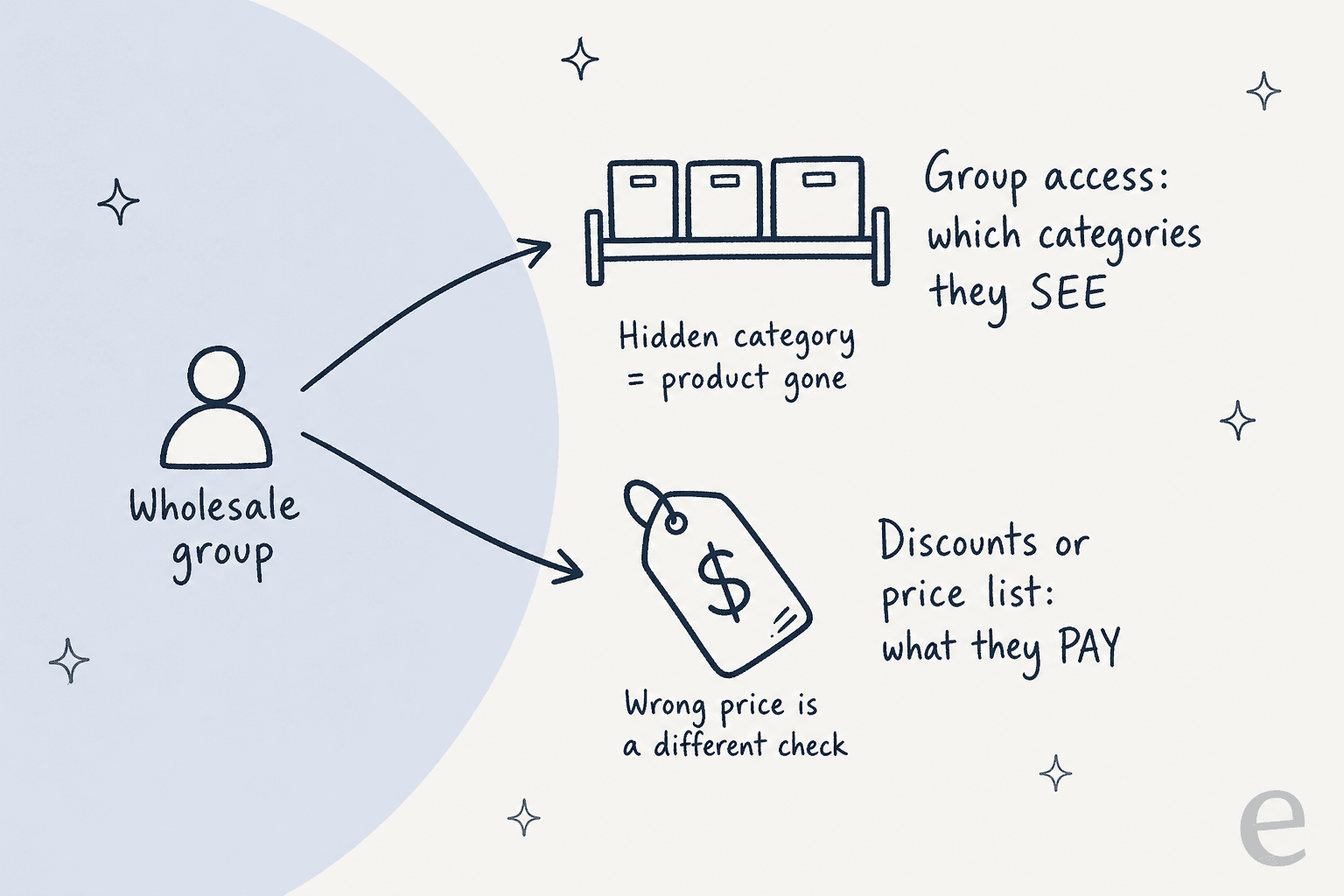
Three things, and support cares about two of them. Per BigCommerce, groups let you give customers discounts, restrict access to products or categories, and set up loyalty, tax-exempt, wholesale and members-only setups. The two that create tickets are visibility and price.
A few facts from that guide explain most of what follows:
| Fact | What it means for a ticket |
|---|---|
| Customer groups need a Growth plan or higher | A store on Core has no groups at all, so every shopper sees the same catalog |
| A customer can be in only one group | "Add me to two groups" has no answer; pick the one that matters |
| The group name is not visible to customers | The shopper can't tell you what group they're in |
| Guests and logged-out shoppers use the Guest group's rules | "I can see it on my phone but not my laptop" often means logged in versus logged out |
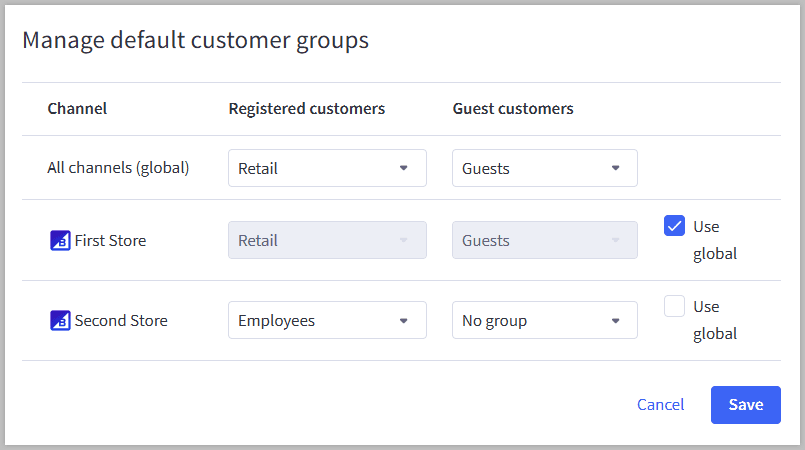
| New accounts go to the Registered default group | A fresh wholesale applicant starts as a retail buyer |
| Price lists, which add variant-level group pricing, need the Performance plan | Many groups can only do category, product or storewide discounts |
The plan names changed in 2026. The BigCommerce pricing page lists Core, Growth ($105 a month, or $79 billed annually), Scale and Performance (from $1,499 a month, billed annually). Older Reddit threads and docs say Plus, Pro and Enterprise, which map to Growth, Scale and Performance. If you're comparing platforms, the Shopify vs BigCommerce comparison covers where B2B pricing sits.
That split is the whole trick for triage. A hidden product and a wrong price are different checks, and mixing them up is how a ticket goes three rounds.
Why can't this customer see a product or category?
Work down this list in order. It matches the troubleshooting steps in BigCommerce's Product Categories guide, with the group checks pulled up front.
- Are they logged in? Shoppers without an account, and anyone not logged in, get the category visibility and discounts of the group set for Guest customers. A wholesale buyer who forgot to sign in sees the retail catalog.
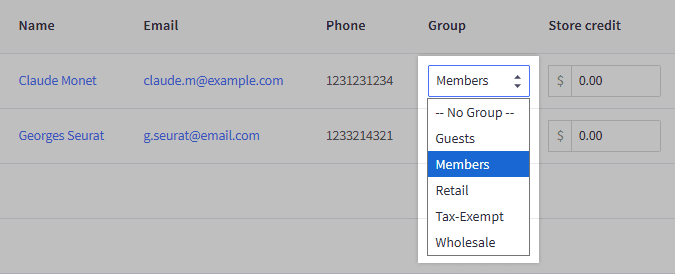
- Which group are they in? Registered customers land in the default group for new accounts. In the control panel, go to Customers > All customers and look at the Group column. The group name isn't shown to shoppers, so you can't ask them.
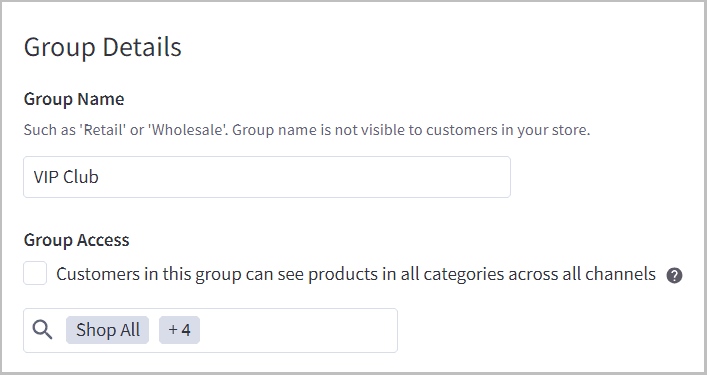
- Does that group's Group access include the category? Open Customers > Customer groups. If "Customers in this group can see products in all categories" is unticked, only the ticked categories show, and a group must have at least one selected.
- Is the subcategory ticked? Selecting a parent category doesn't select its children. BigCommerce's guide says to expand the parent and tick each child.
- Was the category added after the group was set up? For a group with limited visibility, newly created categories are automatically not visible to it. Someone has to switch them on.
- Is the product also in a visible category? If it sits in several categories, it stays visible as long as one of them is accessible to the group.
Step 5 is the one merchants dislike most. One store owner on Reddit described it exactly:
"Any time I create a new category of stocked products, I would need to add that category to EVERY single customer group ensuring they can see it."

Step 6 catches people the other way round. A different poster asked whether you can exclude individual products from a customer group without touching categories:
"Is there a way to exclude individual products from a customer group?"
Per BigCommerce, the answer is category-based: to fully hide a product from a group, remove it from every category that group can view. If the product is still showing, it is in a visible category somewhere.
Two other causes sit outside groups. The category may be assigned to another storefront channel, or its visibility toggle may be off, and BigCommerce notes that a non-visible category can't be visited even by direct URL. Turning visibility off doesn't remove the products from search results or the Featured and New Products panels, so a customer can still find the product and hit a dead category page.
Here is the same triage as a card you can use while a ticket is open. Pick what the customer said.
The cards come straight from the guides linked in this post. The next section goes through the price side in more depth.
Why is the price different from what they expected?
Because a group can change price in three ways, and BigCommerce applies them in a set order. Customer group discounts come in three kinds: category-level, product-level and storewide. Price lists, on the Performance plan, give a group its own price record per variant.
The price order of operations in the developer docs decides which one wins:
| Layer, lowest to highest | What it does |
|---|---|
| Product price and sale price | The catalog price before any group logic |
| Variant price and sale price | Overrides the product sale price |
| Price list record | Overrides all earlier pricing |
| Product modifier | Adds or removes a fixed or percentage amount |
| Customer group discount | Overrides the variant sale price; doesn't apply to price list prices |
| Product bulk pricing | Overrides the group discount, by quantity; not applied to SKUs with a price list price |
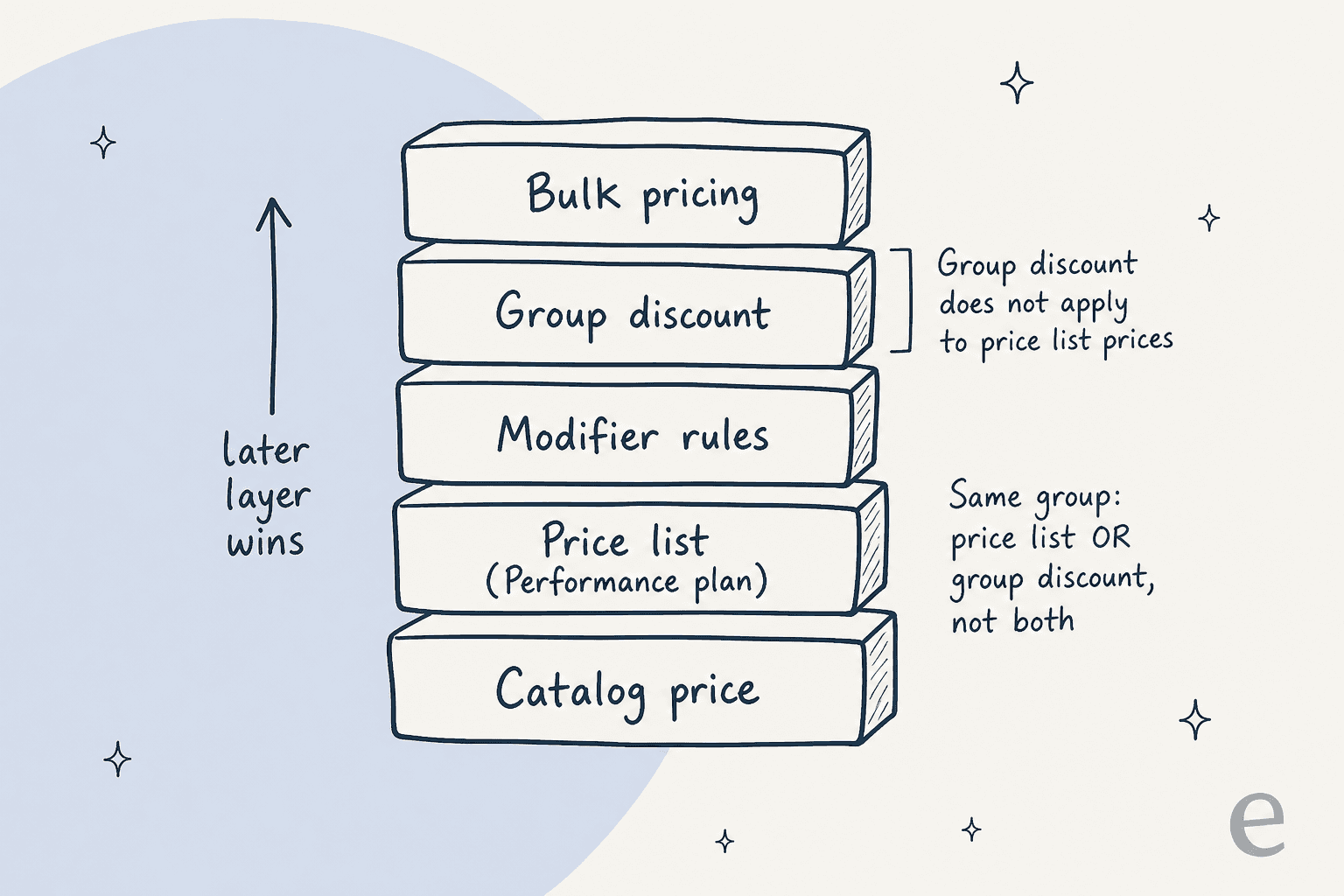
The ladder is simplified (the developer page lists more layers), but it covers the tickets I'd expect. A few rules from BigCommerce's Customer Groups and Price Lists guides explain the rest:
- Group discounts and price lists are exclusive on a group. If a group has a price list, you must unassign it before using group discounts on that group.
- When several group rules apply, the most specific wins. A category discount beats a storewide one, and with two category discounts the larger discount applies.
- Storewide markup and discounts can't be mixed. A group with a markup rule can't also have category or product discounts, and markup is storewide only.
- Coupons stack. A shopper in a discounted group can still use a coupon code and get both.
- A customer-facing price can lag. Price changes can take up to 10 minutes to appear, because of caching.
- A logged-out shopper won't see the price list. BigCommerce lists this as a reason price list pricing doesn't show on category pages.
The variant problem is where merchants get stuck. A poster on r/bigcommerce who ran B2B on the Plus plan (now Growth) wrote that product-level discounts hit all variants:
"Our pricing depends on the variant, so this will not be a solution… and now we are stuck."
Price lists are BigCommerce's variant-level answer, and they need Performance, so a support agent can't fix a "variant price is wrong for my group" ticket by editing a group. If you do use price lists, the Cascading Price Lists guide adds up to five fallback layers, so a VIP list can fall back to a wholesale list for products it doesn't cover.
Two storefront quirks will also look like bugs. Price list prices don't affect Amazon or other channels, and the Price: Ascending and Descending sort uses catalog pricing, not the list. For a store that sells through several tools, the BigCommerce AI guide shows where support answers usually come from.
How do wholesale and B2B accounts fit?
A wholesale account is a group move. BigCommerce's recipe is to put wholesale products in their own category, create a Wholesale group with access to it, and create a Retail group with access to every category except that one. Then set Retail as the default for guests and registered customers.
After a shopper registers and you confirm they are a wholesale buyer, you manually move their account to the Wholesale group. That one step is the origin of the most common wholesale ticket: "I applied three days ago and still see retail." Nothing is broken. The account is waiting for the move.
If you use B2B Edition, the logic shifts. Company accounts in B2B Edition link to customer groups, and with independent Companies you can assign one group to many companies or set a default group for new ones. That is covered in BigCommerce's Companies and Customer Groups guide, and it matters for support because a buyer's group may be set at the company level, not on the individual customer.
Support also has to decide what is not a group ticket. "Can I get trade pricing?" is a sales conversation, and the AI for wholesale B2B orders post covers how to route it. The same handoff logic shows up in AI for partner support and AI for reseller support, where who is asking decides what the answer is.
What can an AI support agent do on a group ticket?
It can explain and look up. It can't see the group. I read eesel's BigCommerce docs against this exact ticket type, and the facts are these. The integration docs list Get Customer by Email, which reads the customer's name, company, phone and saved addresses, and no group. Search Products returns price, MSRP, variants and stock, and the docs don't say whether that is a group's price or the catalog price. The categories source holds category names and descriptions, not who can see them.
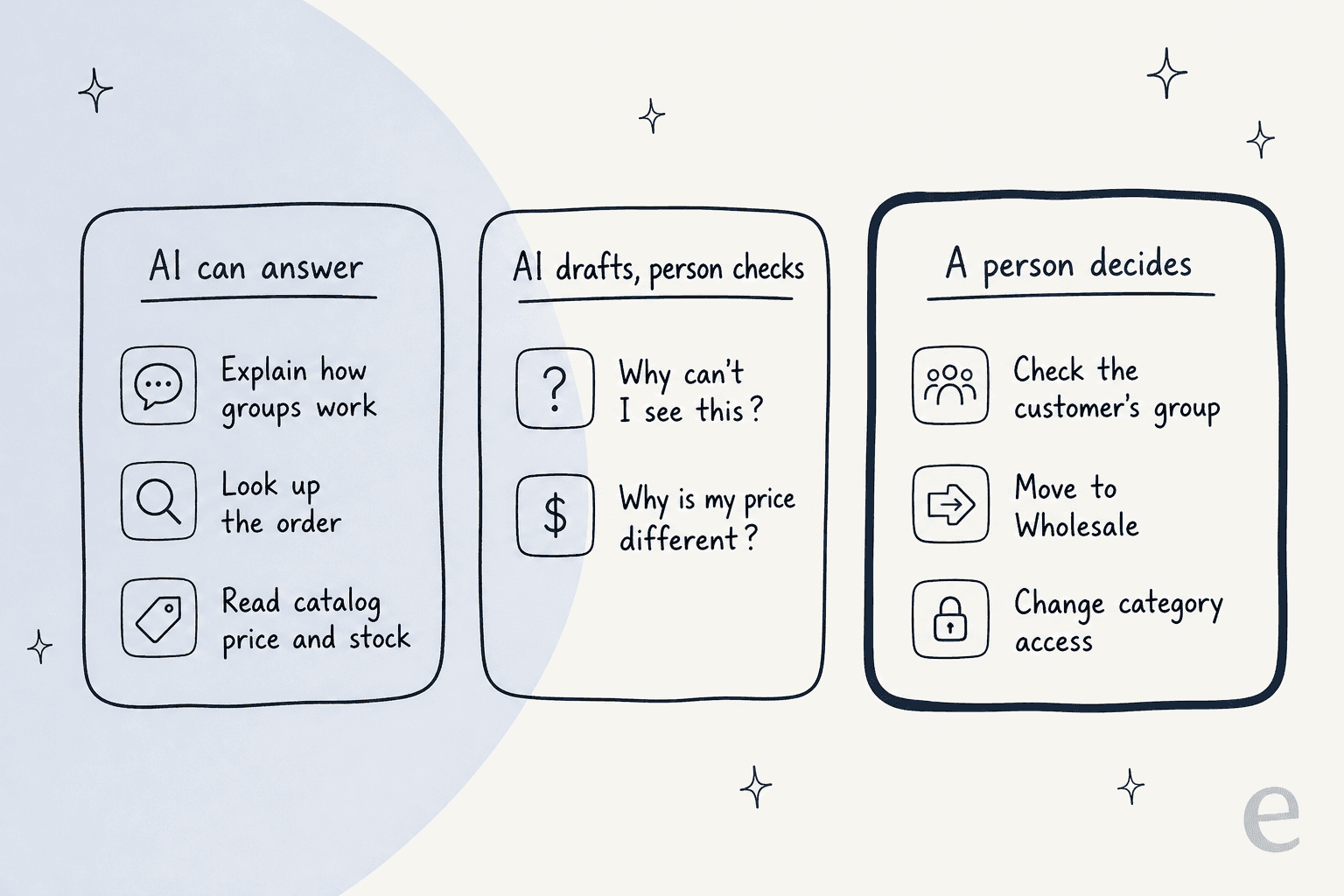
So I'd split the work in three:
- AI answers on its own. How groups work in your store, how long price changes take, whether a coupon stacks, what a logged-out shopper sees, the wholesale application steps. These come from your policy, the same way an AI knowledge base handles any how-to question. It can also look up the customer's orders by email or phone, live.
- AI drafts, a person checks. "Why can't I see this?" and "why is my price different?" need the group and the rule. The agent can draft the reply and ask for a logged-in screenshot, then leave it as a note, the pattern an AI copilot is built for.
- A person decides. Checking the customer's group, moving them to Wholesale, changing category access. eesel's write actions are cancel, refund, fix an order shipping address, fix a customer account address and product edits, each behind approval by default. None of them changes a customer's group.
The one risk I'd name out loud: a chat bubble that reads catalog prices and quotes them to a logged-in wholesale buyer. Since the docs don't promise group pricing in what the agent reads, I'd write into the agent's instructions that prices it quotes are catalog prices and that a logged-in account may see a different price. That is an honest answer and it avoids a "you told me $40" ticket.
Question Beauty gives the model for the third lane. When a wholesale request arrives, eesel replies briefly, assigns the ticket and leaves an internal note with what the customer asked and why a person is needed. That is agent handoff working as designed. It pairs well with ticket tagging, so wholesale tickets land in one queue.
How does eesel work with BigCommerce?
The integration gives the agent live read access to orders, customers and products. Orders and customers are not copied; every lookup reads the store at the moment it is asked, and a customer's orders need their email or phone, which must come from the customer or their ticket. The agent answers in a Gorgias or Zendesk ticket, in Slack, or in a chat bubble on the storefront.
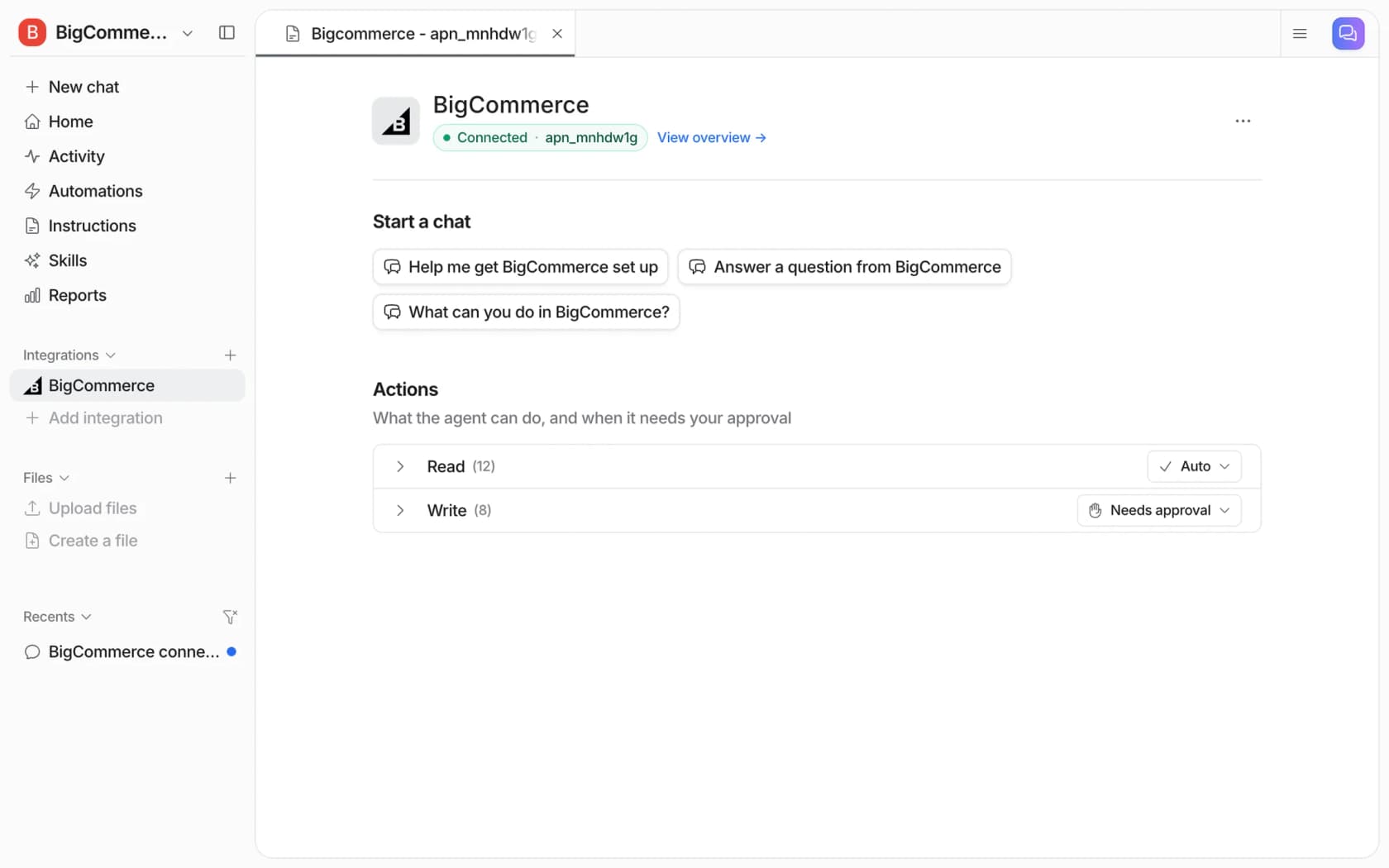
For group tickets, I'd test before going live. Take five real "can't see it" tickets from the past quarter, and ask the agent each one. Check that it asks for a logged-in screenshot instead of guessing a group, and that it hands wholesale questions over with a note. With the eesel CLI, a coding agent can load your group rules and wholesale-approval policy, ask those questions and check the answers before anything reaches a customer. Connecting the store itself still needs someone with BigCommerce admin access to create the API account.
If you're choosing a setup, start with the best AI for BigCommerce support roundup. The adding AI to BigCommerce post walks the steps.
For the storefront bubble, the AI chatbot for BigCommerce overview is the place to look. On the helpdesk side, there is a Gorgias with BigCommerce guide.
Running Zendesk or Freshdesk instead? The Zendesk BigCommerce guide and the Freshdesk BigCommerce one show what each sidebar displays next to the ticket.
What should I set up before the next group ticket?
Five small changes cut most of these tickets off:
- Say what happens after sign-up. On the wholesale application page and in the confirmation email, say that access switches on after you confirm the business, and how long that takes.
- Write the "can't see it" reply once. Save it as a macro that asks whether they're logged in and which product or category they mean. The Gorgias macros guide and customer service email templates show how to set them up with variables.
- Add new categories to groups the day you create them. Make it a checklist line in the launch process, since limited groups don't pick up new categories by themselves.
- Tag group tickets. A "customer-group" tag lets you count them, and the ecommerce support contact rate numbers give you something to compare them with.
- Keep a one-page group map. Group name, default or manual, which categories, which discount or price list, who can move people in. It is the document every answer comes from, and the first thing to load into an AI macro setup.
The same tickets show up on other platforms under different names. WooCommerce coupon usage restrictions covers rules that stop a discount applying, and Magento credit memo questions covers the refund side.
On BigCommerce itself, variant inventory and product modifier questions are the neighbouring support topics. Store credit support covers the refund side.
For wider context, read best AI for B2B support and AI ticket routing for ecommerce. The AI escalation guide covers when the agent should stop.
Try eesel for BigCommerce customer group tickets
Running wholesale and retail side by side on BigCommerce? eesel works like a new support teammate that reads the live order and your group policy before it replies, so "why can't I see the wholesale range?" gets a clear answer and a handoff note for your team, not a guess at the group. It's free to try with 100 credits, then $299 a month for 500.