BigCommerce store credit support: how to answer every ticket

Rama Adi

Katelin Teen
Last edited November 5, 2026

Most BigCommerce store credit tickets are answered from the order record, not the credit field. Store credit on BigCommerce is one balance that staff type over, with no history and no email to the customer, so "where did my credit go?" means reading orders and refunds, and "why didn't it apply?" usually means a guest checkout, a non-default currency or a manual order.
That split is the whole playbook: let AI answer and look things up, and keep issuing or changing credit with a person. eesel reads BigCommerce orders and refunds live, and its eesel CLI lets a coding agent upload your credit policy and test answers before go-live.
Why BigCommerce store credit tickets get messy
I'm Rama. I build integrations at eesel, including the plumbing our agent uses to read BigCommerce orders, and store credit is the field that surprises people most when they look under the hood. On paper it looks like a wallet. In BigCommerce's own words it's a single "Store credit" field on the customer record that you overwrite and save. That one design choice explains almost every confusing ticket your team gets about it.
This guide walks through how store credit actually behaves, the tickets it creates, how to refund to credit without tripping over the edge cases, what your helpdesk can and can't see, and where an AI agent earns its place. If you want the wider picture first, the BigCommerce review covers the platform itself, and the BigCommerce pricing breakdown covers the plans. For what BigCommerce's own AI does, see BigCommerce AI.
How does store credit work on BigCommerce?
Store credit is a single dollar amount stored on a customer account. Staff set it at Customers > All Customers > Edit, type a value into the Store credit field, and click Save, per BigCommerce's store credit guide. Editing it needs four permissions, including one called Manage Customer Store Credit.
Here's what that means in practice, straight from BigCommerce's docs:
- It's a balance, not a ledger. You set the amount the customer "should have". There's no documented history of who changed it, when, or why. The staff action log records events but "doesn't include specifics about the event".
- The customer isn't told. "Applying credit to a customer's account does not automatically notify them that they have received the credit."
- Shoppers see it only when logged in. It shows in the top menu bar of the storefront, though the location "may vary from theme to theme", and on the Orders page of their account.
- Default currency only. "If a shopper selects a transactional currency other than the default currency, they cannot view or use any assigned store credit."
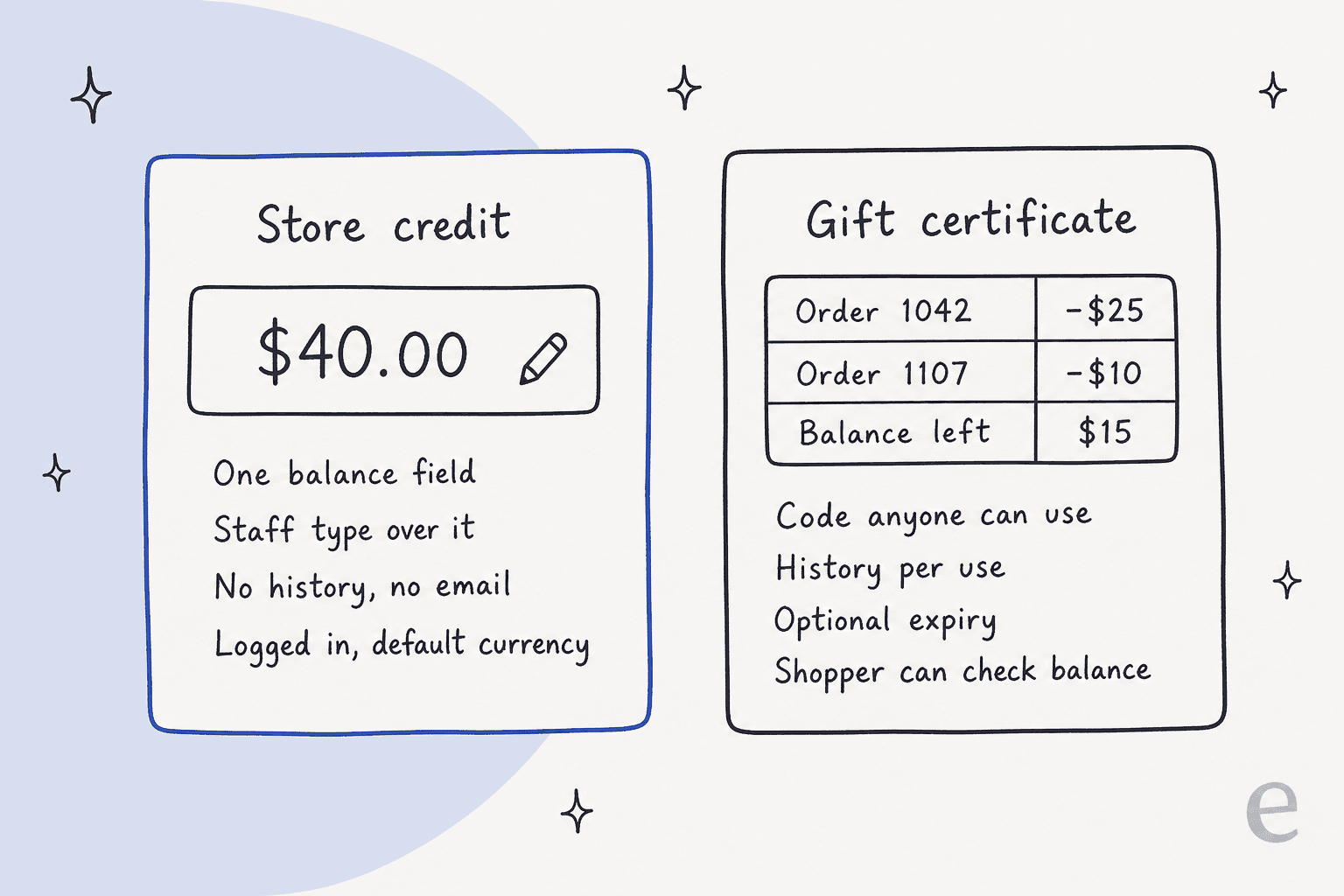
Those four points are why I tell support leads to treat store credit as a number you can read, but not a story you can read. The story lives somewhere else, which I'll get to below.
Store credit vs gift certificates: what's the difference?
Customers use "gift card", "voucher" and "credit" interchangeably. BigCommerce doesn't. Gift certificates are a separate feature with their own rules, and most mix-up tickets resolve the moment you know which one the customer actually has.
| Store credit | Gift certificate | |
|---|---|---|
| What it is | A balance on one customer account | A code that anyone can redeem |
| How it's created | Staff type it in, or a refund sends money there | Bought on the storefront, or created by staff or API |
| Login needed to use | Yes | No, the shopper enters the code |
| Applied at checkout | Automatically on the Payment step, can be unticked | Shopper types the code, several codes per order allowed |
| History | None documented | Per-use history: order, date, balance used, balance left |
| Expiry | No setting documented | Optional, in days, weeks, months or years |
| Shopper can check balance | Top menu when logged in | Yes, "Check Gift Certificate Balance" page |
| Currency | Default currency only | Enabled per currency |
Two gift certificate details create tickets of their own. The recipient email "cannot be changed", so a typo means refunding the purchase, disabling the certificate and having the customer buy a new one. And when you refund a certificate purchase, you have to set its status to Disabled yourself, because "it does not update automatically."
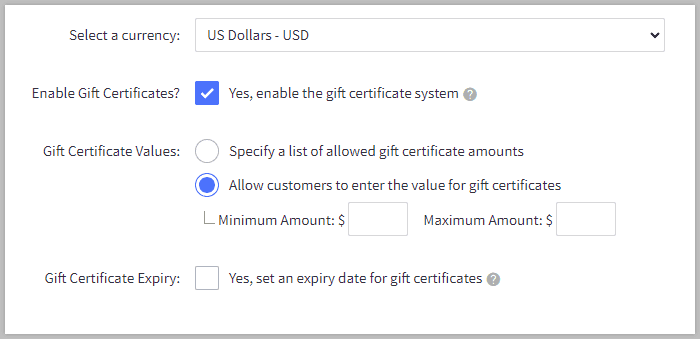
Gift certificates are also the easiest target for abuse, so BigCommerce suggests fixed values or a maximum amount; the fraud-related support guide covers how to handle those tickets. There's also an older pain point worth knowing about. One Canadian retailer's ecommerce manager described what happened when customers wanted a custom gift card amount:
"Our initial workaround was having the customer service team enter the master sku as a custom product and creating the order manually, but we ran into trouble when my subordinate tried it and the order was accruing taxes, which we dont charge on gift cards for hopefully obvious reasons."

That post is from 2020, and BigCommerce now lets you allow any amount between a minimum and maximum. The lesson still holds: when a gift card flow has a gap, the gap lands on support.
The store credit tickets your team actually gets
After going through BigCommerce's docs and what merchants post about it, nearly every store credit conversation falls into one of six types. Knowing where the answer lives for each one is most of the work.
| Ticket | Where the answer lives | Who should act |
|---|---|---|
| "How much credit do I have?" | Customer record, or the shopper's own top menu | Anyone, AI included |
| "My credit didn't apply at checkout" | Login state, currency, order type, the checkbox | AI can diagnose from the checklist below |
| "Where did my credit go?" | Orders that used credit, plus refunds sent to credit | AI looks up, a person confirms if it's disputed |
| "Can I get a refund as store credit?" | Order payment method and guest vs account | A person approves the refund |
| "Can you give me credit for the trouble?" | Your goodwill policy | A person |
| "Is this a gift card or store credit?" | Gift certificate list vs customer record | AI answers |
The pattern is clear once it's in a table. Reading and explaining is safe to hand off. Changing the number isn't. That's the same split I'd use for refund requests generally. It holds for billing disputes too, but store credit makes it sharper, because a wrong balance leaves no trail.
Why isn't my store credit applying at checkout?
Because one of five conditions isn't met. BigCommerce applies store credit automatically on the Payment step, but only for a logged-in customer, in the default currency, on a storefront order, and only if the customer hasn't unticked the box. If the credit covers the whole order, "all other payment methods are made unavailable" and the checkout shows that payment isn't required.
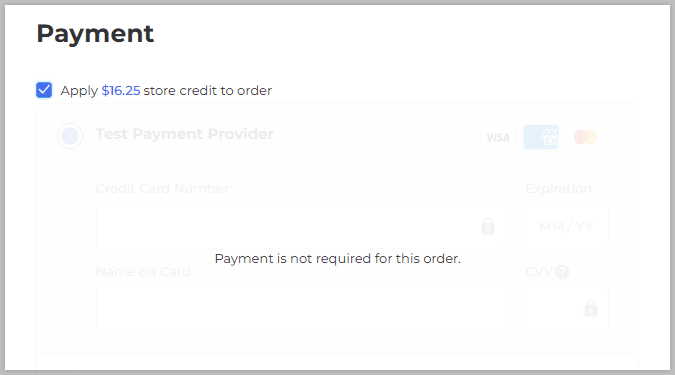
Pick the symptom the customer describes and you'll see the likely cause and the fix. It's the same checklist I'd paste into an AI agent's instructions.
Store credit not applying: symptom checker
What did the customer tell you?
Pick one above to see the likely cause, the fix, and who acts.
Likely cause: they're browsing or checking out as a guest. Store credit only shows to a logged-in customer, and guests can't use it.
Fix: ask them to sign in with the email the credit sits on, then look in the top menu or their Orders page.
Who acts: AI can answer this with your login link. If they say they are logged in, a lookup on the customer record comes next.
Likely cause: the box next to the credit on the Payment step was unticked, which saves it for later.
Fix: go back to the Payment step and tick the store credit box. All available credit is used, up to the order total.
Who acts: AI explains. No change to the account is needed.
Likely cause: they picked a transactional currency other than the store's default. Store credit can't be seen or used in another currency.
Fix: switch back to the default currency before checkout.
Who acts: AI explains. If they can't pay in that currency, a person decides on an alternative.
Likely cause: it's a manual order created in the control panel. Store credit can't be applied to those.
Fix: BigCommerce suggests applying a discount to the order, then updating the customer's credit amount by hand.
Who acts: a person, because the balance has to be changed.
Likely cause: store credit isn't supported in the B2B Edition Buyer Portal. Company credit there is a purchase order limit, not a balance.
Fix: agree how you'll honour the credit, for example as a discount on the next order.
Who acts: a person sets the policy once. After that, AI can explain it.
One thing the checker doesn't cover: the credit is all-or-nothing. BigCommerce's checkout API says "all available store credit will be used (up to the value of the order)", so a customer can't choose to spend $10 of a $40 balance. If they ask, the honest answer is "untick it and save it for a bigger order".
How do I refund a BigCommerce order to store credit?
Open the order under Orders > All orders, choose Refund from the action menu, pick the items or amount, and select Store Credit as the refund method. BigCommerce's refund guide supports refunding the entire order, individual line items, or a custom amount, and staff need the Manage Orders and Refund Orders permissions.
The method you're allowed to pick depends on how the customer paid:
| Original payment | Refund options BigCommerce offers |
|---|---|
| Credit or debit card | Card, store credit, third party, external |
| Gift certificate | Store credit or third party only |
| Store credit | Store credit or third party only |
| Offline (bank deposit, check, COD) | External, store credit, third party |
And the edge cases that turn a two-minute refund into a ticket thread:
- Guests can't get store credit. "Guest orders cannot be refunded as store credit." The API returns a 422 error for the same thing.
- Non-default currency orders don't show store credit as an option at all.
- Cancelling isn't refunding. Store credit spent on an order is "not automatically returned" when you mark it Cancelled or Refunded. You have to run a refund with Store Credit as the method.
- Gift certificate orders go to credit. If the customer paid with a gift certificate, the money comes back as store credit, not onto the original code.
- Excess goes to credit. Anything that can't go back to the original payment method "will be applied to the customer's account as store credit."
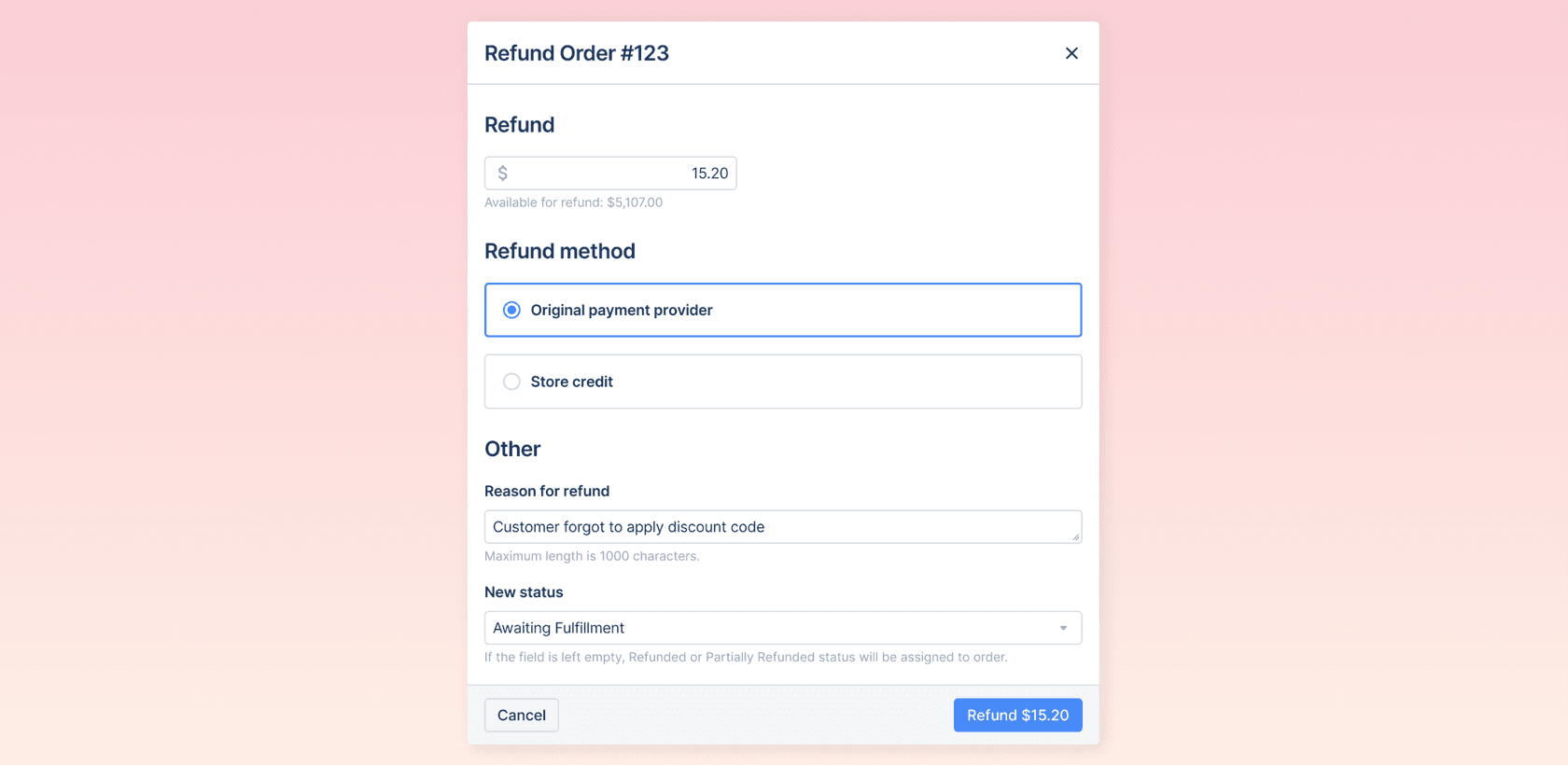
Returns follow the same path. BigCommerce's native returns feature lists Store Credit as a default return action, behind an Allow Store Credits setting, and you credit a return by choosing Issue Refund and picking Store Credit. If returns are a big share of your queue, the returns management guide goes deeper, and so does the one on automating returns.
Where did my store credit go?
This is the ticket that eats time, because BigCommerce doesn't keep a credit history. The current balance is on the customer record. What happened to the rest sits in three other places, and you have to read them together.
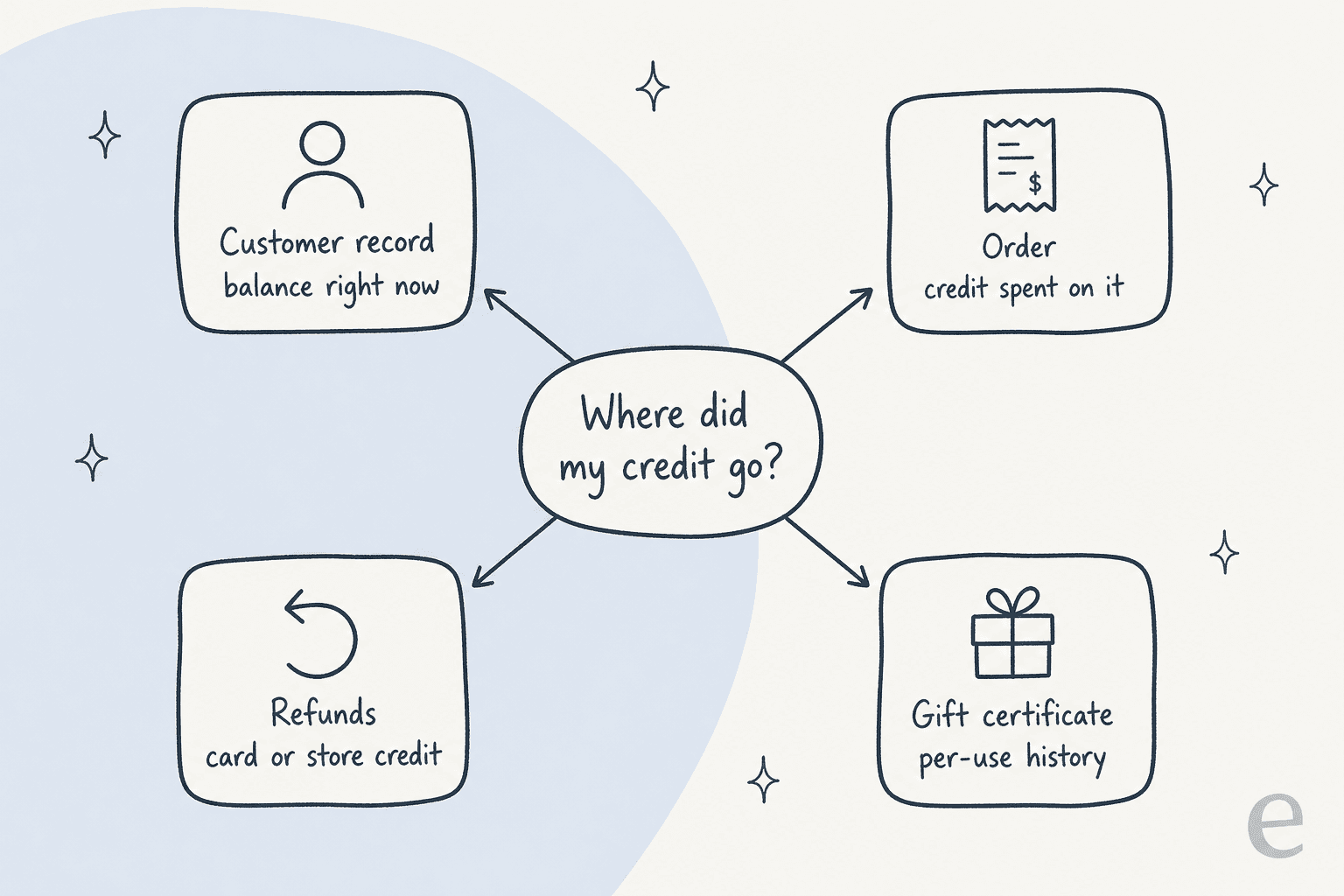
- Orders that used credit. Each order carries a read-only
store_credit_amount, which BigCommerce's orders API describes as the credit "redeemed on this individual order". - Refunds sent to credit. Every refund records its method, so you can see which ones went back as store credit and which went to the card.
- Gift certificate history. If the customer is actually talking about a code, the certificate keeps a use-by-use record of order, date, balance used and balance left.
- Staff edits. These are the gap. If someone typed over the balance, nothing records the old value. Agree internally that every manual change gets an internal note on a ticket, so a future agent has something to read.
Store credit also confuses the money side. Two BigCommerce merchants on Reddit noticed that orders paid with credit don't count as revenue the way they expected:
"We have seen that if a customer cancels an order and takes the whole refund back as store credit, it recognizes $0 revenue, and when the customer uses the store credit on another future order bigcommerce only recognizes the difference if it exceeds their store credit."
"Yea I've raised this several times, store credit is a gift/discount in their eyes not necessarily a payment method."
That's a finance question, not a support one, but it explains why the order total a customer sees and the revenue your ops team reports can disagree. Worth a line in your internal notes so nobody "corrects" a correct order.
Does BigCommerce store credit expire?
No. BigCommerce's docs don't describe any expiry setting for store credit. Expiry exists only for gift certificates, where you tick a box and choose a number of days, weeks, months or years, and BigCommerce points you to the US Credit CARD Act before you do.
So if your returns policy says "store credit expires after 12 months", that rule lives in your policy, not in BigCommerce. Someone has to remove expired credit by hand, and because the field has no history, the customer may not see why their balance dropped. Two practical moves:
- Write the expiry rule into your help center and your refund confirmation macro, so it's on record when the customer asks.
- Treat any expiry-related balance change as a person's job, with an internal note.
B2B Edition: company credit isn't store credit
B2B stores get a different kind of ticket. BigCommerce's B2B Edition has "company credit", but it's not a balance. In BigCommerce's words, "The credit Amount does not track buyer credit usage; it only establishes a maximum order value that can be placed using the Purchase Order payment method."
That has three consequences for support:
- Store credit and returns aren't supported in the Buyer Portal, per BigCommerce's buyer functions list.
- "How much credit do we have left?" has no answer in BigCommerce, because company credit doesn't go down when they buy. The answer comes from your invoices or your finance tool.
- Credit hold blocks new orders on every storefront, though invoice payments still work, and the buyer sees a warning banner.
If wholesale is a big slice of your volume, the wholesale and B2B orders guide covers how AI handles those queues more broadly.
What can your helpdesk see?
Less than you'd think. I checked each helpdesk's own BigCommerce documentation, and none of them documents a button to issue store credit. Here's what each one shows and does:
| Helpdesk | Built by | Shows store credit balance? | Refund to store credit? | Other BigCommerce actions |
|---|---|---|---|---|
| Gorgias | Gorgias | Not documented | Yes, as a refund method | Create, duplicate and refund orders |
| Zendesk | agnoStack (third party, paid features) | Not documented | Refunds listed, method not stated | Modify and create orders |
| Freshdesk | Artis (third party, free) | No | No | View orders only, max two stores |
| Gladly | Gladly | Yes, storeCreditAmount | Refunds listed, method not stated | Cancel, refund, create discount codes |
| eDesk | eDesk | Not documented | No | Order and conversation history |
A few things stand out. Gorgias lets agents refund to store credit from the ticket, which covers the most common credit action, but its docs list no store credit variable for macros and no store credit filter for rules. Gorgias AI Agent's setup also lists a connected Shopify store as a requirement, and its order actions are documented for Shopify only. Gladly is the only one that documents pulling the balance itself.
Gorgias users can follow the Gorgias BigCommerce setup guide. On Zendesk, start with the Zendesk BigCommerce walkthrough. The Freshdesk BigCommerce guide covers the Artis app.
For Gladly, the Gladly pricing post covers what the toolkit costs. And if you're weighing Gorgias's AI on top, check the Gorgias AI Agent pricing first, since it bills per automated interaction.
Where does AI help with store credit tickets?
On reading, sorting and explaining. Not on changing balances. Here's how I'd split the six ticket types across an AI agent and your team.
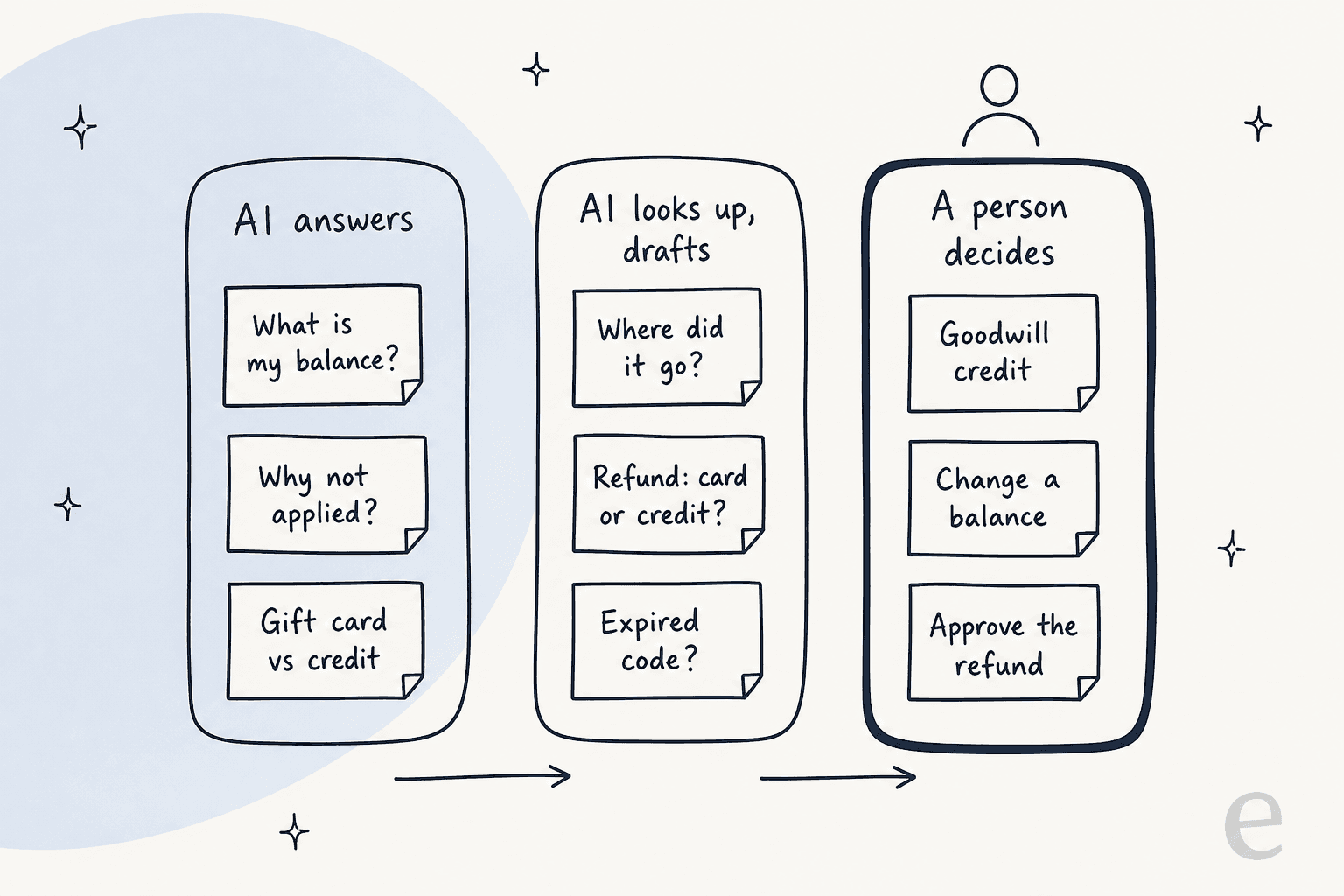
The reason the right-hand lane stays with a person is specific to BigCommerce. A refund to store credit leaves a record on the order. A typed-over balance leaves nothing. If an AI set the wrong number, you'd find out when the customer complained, and you'd have no history to fix it from. That's a bad trade for a ticket that takes a person thirty seconds.
The left and middle lanes are where the volume is, and they're also where AI does well, much like order tracking tickets. In one real-traffic trial on an ecommerce inbox of about 1,000 tickets a month, our drafts were rated useful on 93.8% of returns and refunds tickets and 100% of refund status tickets. The same trial showed agents sent only 12% of drafts as-is, rewriting most into shorter replies, which is why I'd start in draft mode and only switch topics to automatic replies once the drafts are being sent unchanged.
How eesel handles BigCommerce store credit questions
I'll be specific about what our BigCommerce integration does, because it's the part people ask me about most. Per the eesel BigCommerce docs, the agent finds an order by number, email or phone, reads its status, items, payment and tracking, and checks stock. Orders and customers aren't copied; every lookup reads the store live.
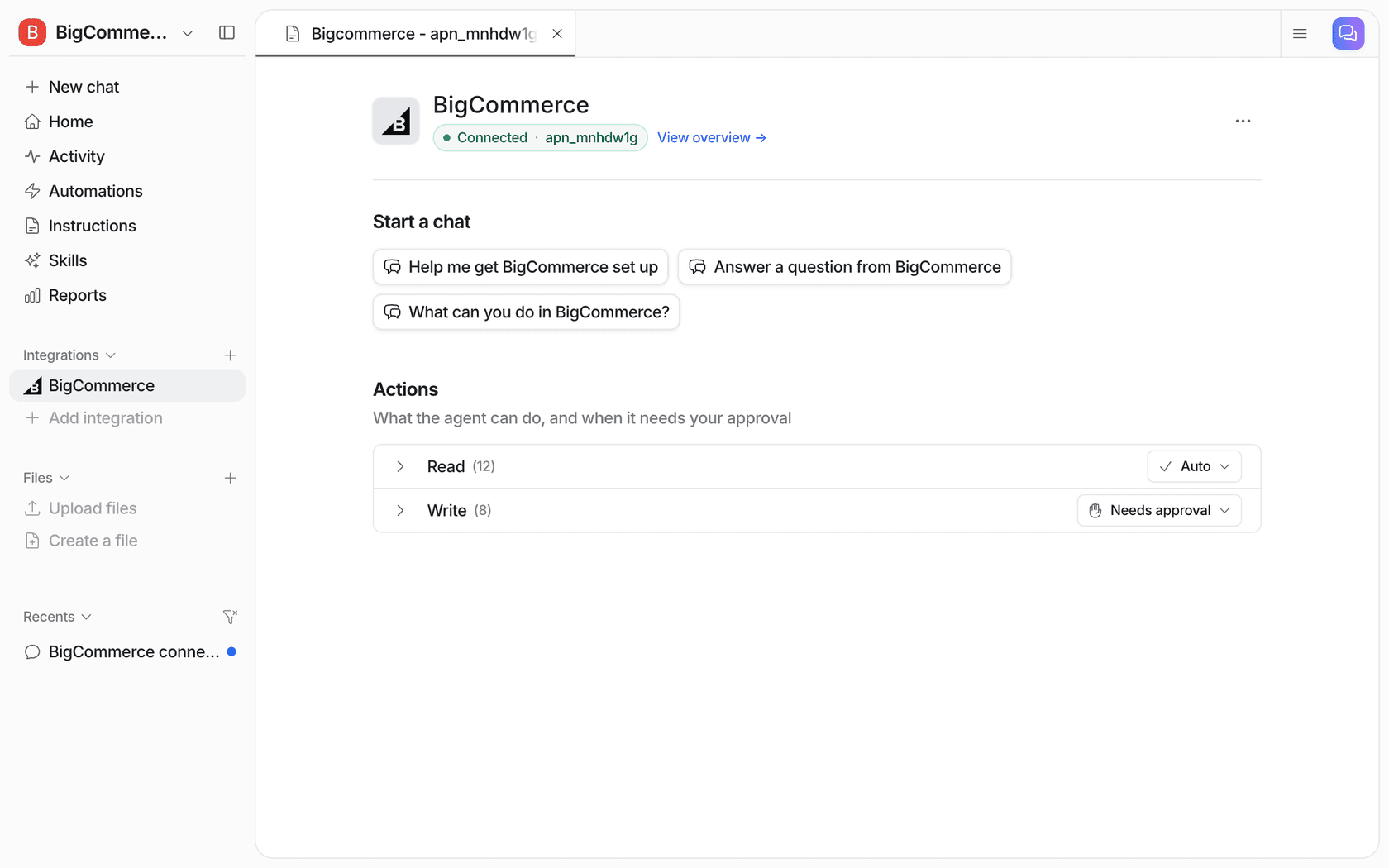
For store credit tickets, three parts matter:
- List Refunds shows each refund's order, amount, date, and "whether it went back as store credit or to the card". That answers most "where did my credit go?" tickets on its own.
- Refund Order refunds a whole order or an exact amount, and it waits for approval by default. You approve or deny from the dashboard, Slack, or the terminal with
eesel approvals, and approvals "never run on their own after a timeout." - There's no action to set a store credit balance. The built-in integration doesn't read or write the credit field, so balance changes stay in BigCommerce with your team. I think that's the right default, for the reasons above.
Two setup details save a support call. The App Marketplace install is read-only, so refunds need a store-level API account with Orders and Customers set to modify. And BigCommerce has no triggers of its own, so the agent wakes from your helpdesk, a Slack mention or the chat bubble. On Zendesk that's a new ticket; on Freshdesk it works the same way.
None of our published customer stories run on BigCommerce yet, but two show the same split on other stacks. Question Beauty runs eesel on Gorgias and Shopify: it handled about 990 tickets in a month and closed about 280 without a person, while refunds, returns, complaints and chargebacks go to a person with a note on what it found. Koffer.ch answers voucher questions on Freshdesk from the shop's own rules, as drafts its team reviews before sending.
If you're comparing options, the best AI for BigCommerce support roundup covers the alternatives. For setup steps, see my colleagues' guide to adding AI to BigCommerce.
If a storefront chat is where most of these questions start, the AI chatbot for BigCommerce guide covers that route. Before going live, I'd run the agent against your past credit tickets with simulation testing, since this is a topic where one wrong answer about a balance costs trust fast.
Rules to write down before anyone automates this
Whoever answers store credit tickets, human or AI, gives better answers with these written down. Most stores have them in someone's head.
- Who can issue credit, and up to how much. BigCommerce's Manage Customer Store Credit permission controls the button; your policy should control the amount.
- When you refund to credit instead of the card. Default, customer's choice, or only on request.
- Whether credit expires. BigCommerce won't enforce it, so the wording has to be in your policy.
- What happens for guests. They can't receive store credit, so decide what you offer instead.
- How manual balance changes are recorded. One internal note per change is enough.
- How B2B buyers are handled. A discount on the next order, or a credit note from finance.
Once those are written, they're also your AI agent's instructions. Our approval workflows guide shows how to turn a list like this into "answer alone", "draft" and "ask a person" rules, and AI macros covers turning your refund replies into reusable answers.
Try eesel on your BigCommerce store
If store credit questions are clogging your queue, eesel can take the reading part off your team: it looks up the order, lists the refunds and whether they went to card or credit, explains why the credit didn't apply, and hands balance changes to a person with a note. It connects to your BigCommerce store and works inside the helpdesk you already use, including Gorgias. It starts free with 100 credits, then $299 a month for 500 on the pricing page.
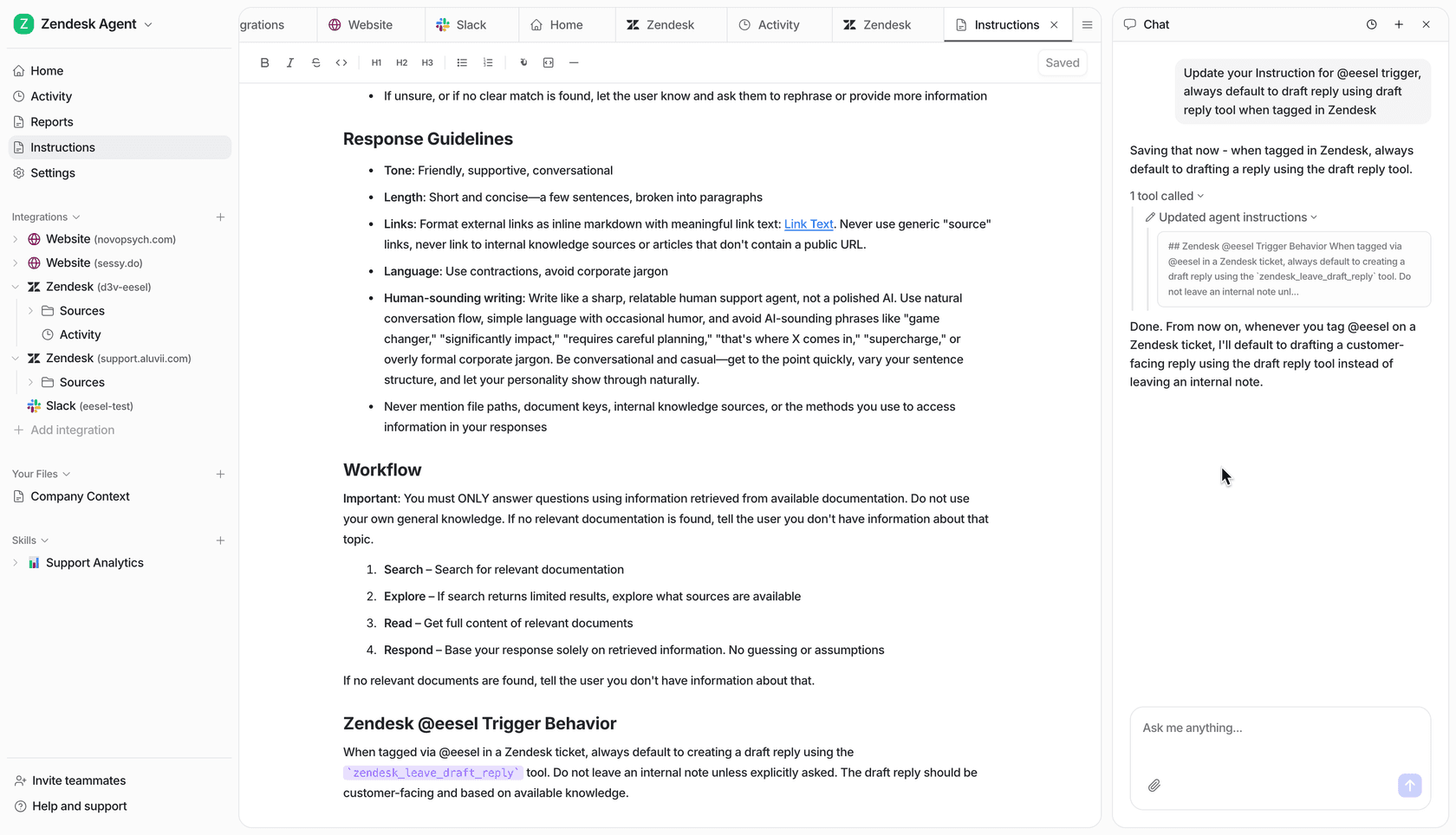
Try eesel free and point it at last month's store credit tickets first. You'll see which ones it answers well before it ever replies to a customer.