BigCommerce product modifier questions: a support guide

Riellvriany Indriawan

Katelin Teen
Last edited November 5, 2026
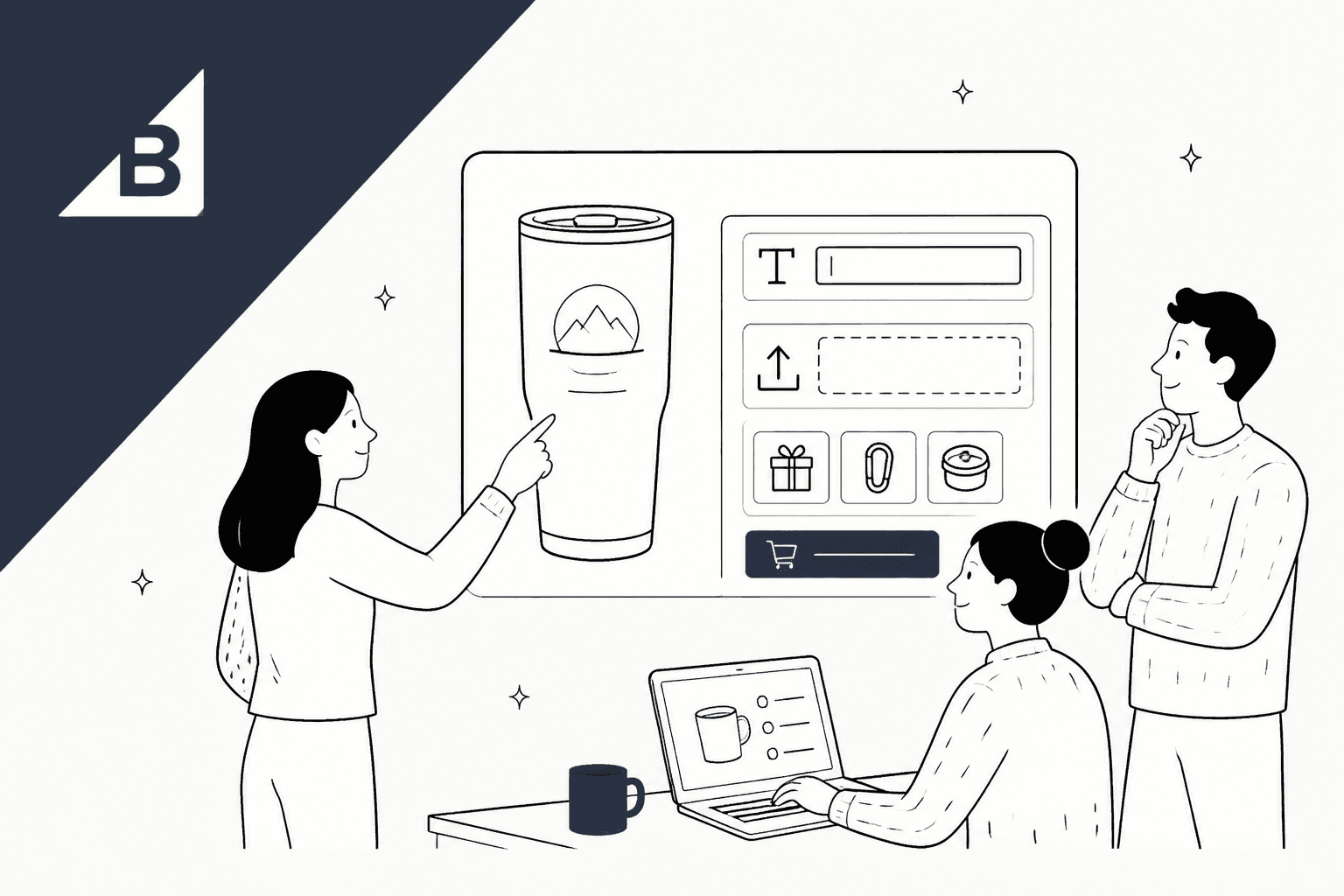
Answer BigCommerce product modifier questions from the order line, not the product page. A modifier (engraving text, gift wrap, a file upload, a pick list add-on) has no SKU and no stock, so the only record of what the customer chose is the option list under that item on the order.
That gives a clean split. AI can confirm what was entered and explain a price rule. Changing a modifier after checkout stays with a person, because BigCommerce order edits don't refund or charge anyone. eesel reads BigCommerce orders live, and the eesel CLI lets a coding agent load your personalization policy and test answers before go-live.
Why do modifier questions keep landing in the queue?
I'm Riell, and I work eesel's support queue every day. The tickets that eat the most time on a personalized-product store aren't the hard ones, and they're a steady slice of any store's support contact rate. They're the "did you get my engraving?" ones, because the answer is sitting on the order and nobody has opened it yet.
BigCommerce (the BigCommerce review covers the wider platform) splits product options into two kinds. Variants are distinct items, like a small red shirt. Modifiers, per BigCommerce's Variants and Modifiers guide, let customers "personalize or add onto" the product: a mug with a name on it, a gift basket with a chosen bottle. The developer docs put the difference better than I can:
"Modifier values do not change which item is picked in a warehouse, but they change what happens to that item between the warehouse shelf and the shopper taking possession of their order."
That one line explains most modifier tickets. The thing the customer cares about most (their text, their photo, their add-on) is the thing your inventory system knows least about.
What makes a modifier different from a variant?
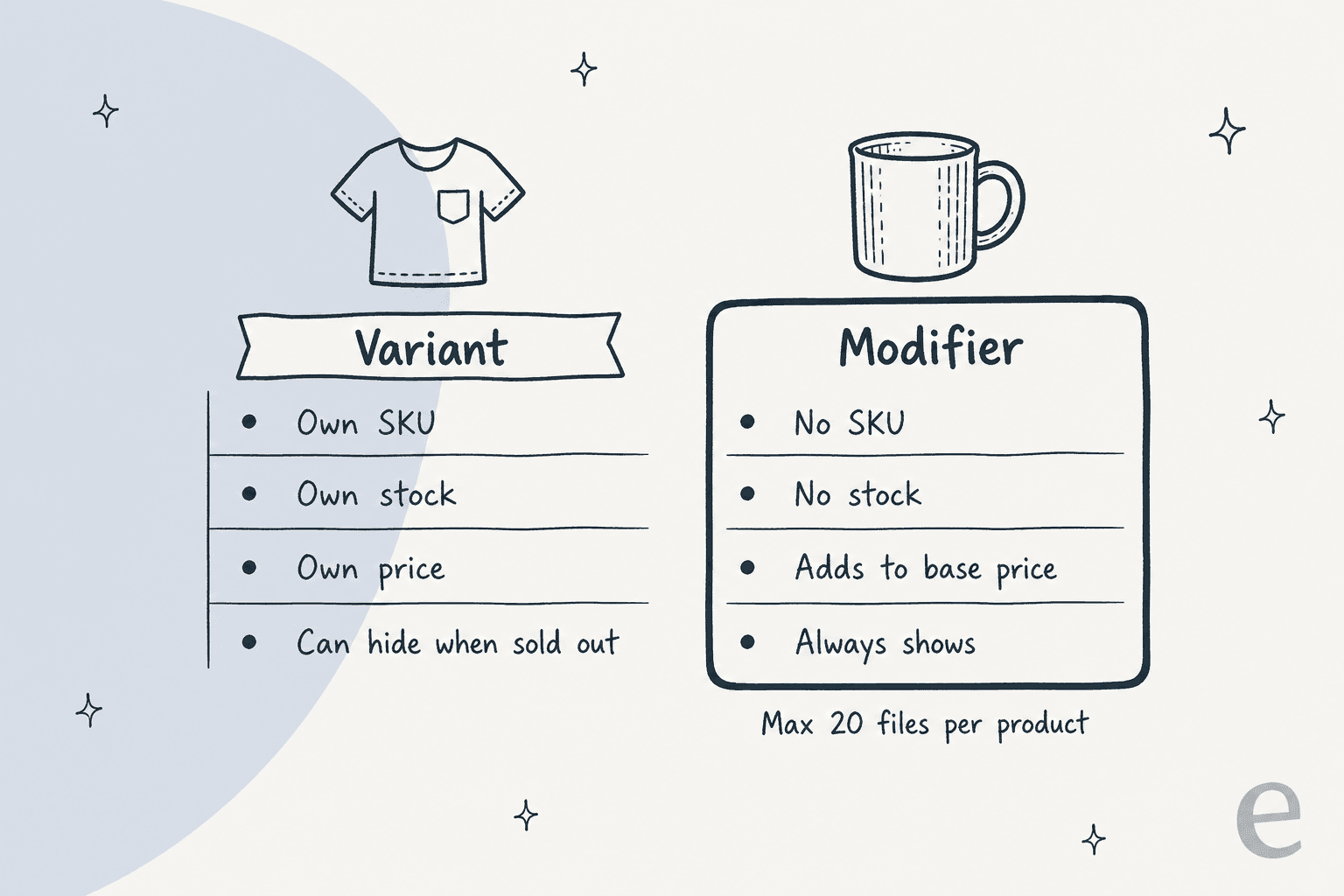
A modifier changes the product you picked; a variant is a different product. BigCommerce's own comparison table spells out what that means for support:
| Variant | Modifier | |
|---|---|---|
| SKU | One per variant, assigned automatically | Can't have one |
| Stock | Tracked per variant or per product | Can't be tracked |
| Limit per product | 600 variants | No limit on modifiers |
| Price | Its own default and sale price | Rules add to or subtract from the base price |
| Image and weight | Can have its own | Uses the base product's, with weight rules |
| Shown conditionally | Yes, with variant-level stock | No |
| CSV import | Create and update | Rules only on existing modifiers |
The table pulls from BigCommerce's Product Options (v3) article, plus the variants guide linked above.
The modifier-only option types are a checkbox, text and number fields, a date field, a file upload and a pick list. Modifiers can also use the four multiple-choice displays variants use (swatch, radio button, rectangle list and dropdown), and only modifiers can be marked optional. Variant options are always required.
Merchants often pick modifiers on purpose to keep the back end tidy. One store owner on Reddit put it plainly:
"I don't want 30-50 variant SKU's mudding up the backend per product, just to state whether something is a different color or not."

That's a fair trade for the catalog, and on BigCommerce pricing plans every SKU you avoid is one less row to manage. It does mean the support team inherits the blind spot: if colour lives in a modifier, no stock report will tell you it ran out.
Where does the customer's choice actually live?
On the order, under the line item. In the control panel, expand the order on the View Orders page and the third column lists each item with its options. Through the API, every order line carries a product_options list, and each entry has the option's display name, the value the customer saw, and its type, from Text field and File Upload to Checkbox and Product Pick List (List Order Products).
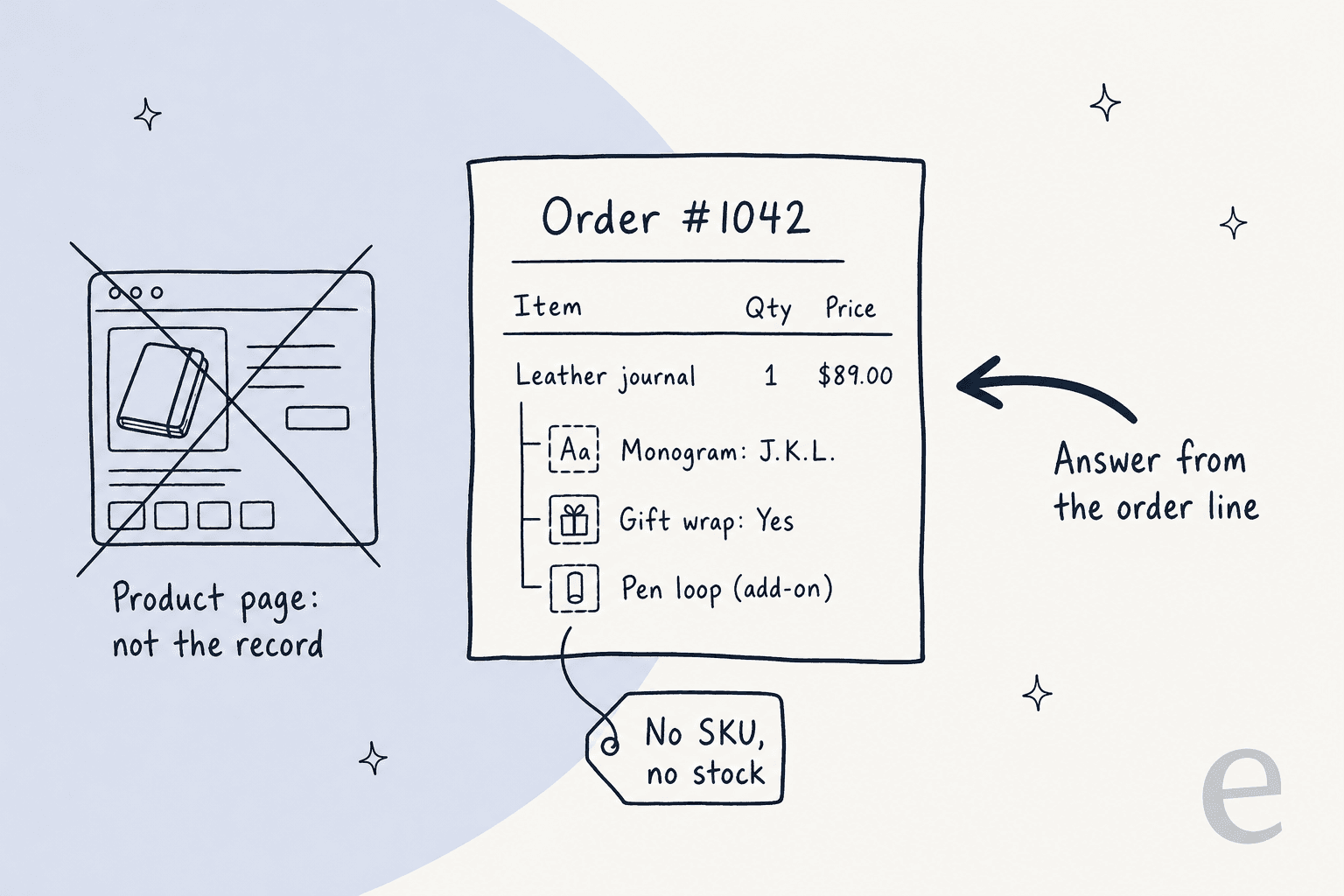
Two details catch people out. First, the API stores a customer-facing and a merchant-facing name for each option (display_name_customer and display_name_merchant), so the label your team sees can differ from what the shopper saw. Quote the customer's version back to them. Second, the product page shows today's options, not the ones that existed when they ordered. If you renamed "Gift wrap $5" last month, the order still has the old wording.
So my rule on the queue is simple: never answer a modifier question from the product page. Open the order.
How do I answer each type of modifier question?
Here's the set I see most, with where to look and who should act. Pick the question a customer is asking and the card shows the play.
The sections below go through each one in a bit more depth.
"Did you get my engraving text?"
Yes, almost always, and the order proves it. Text, multi-line text and number fields save whatever the customer typed, within the character limits you set. BigCommerce's own demo store uses a "your name (up to 40 characters)" field on a mug.
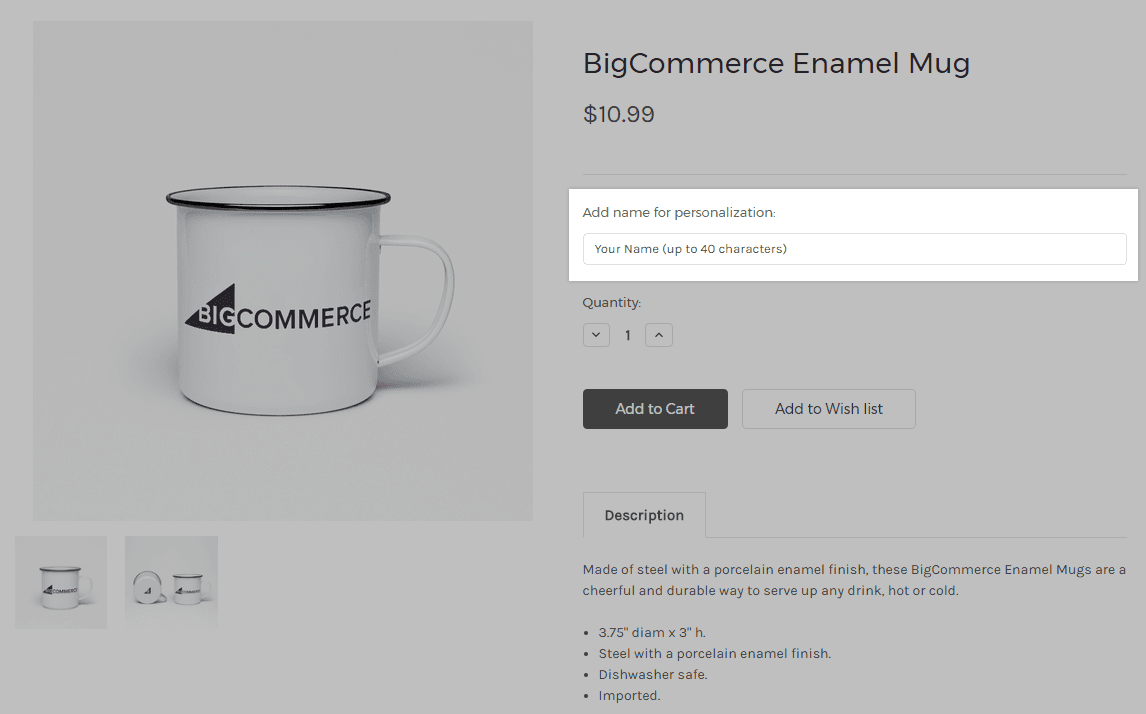
The best reply quotes the entry back exactly. "We have 'Jamie & Sam, 2026' for the lid" lets the customer catch their own typo while there's still time, which beats discovering it on a finished product. Saved replies or email templates work well here; the Gorgias macros guide covers how to set them up with order variables.
"Can I change my engraving after ordering?"
Staff can, before production. BigCommerce's Editing an Order page lists product options among the things you can change: open the order, go to Items, pick Customize from the product's action menu, and update the option.
The catch is in bold on that same page: editing an order does not refund the customer or authorize additional payment. Swap a $5 option for a $15 one and the order total changes, but no money moves. BigCommerce recommends a new order for changes that move the total, plus a refund where needed. Some teams settle it with store credit instead.
That's why this lane stays with a person, the same way refunds do in a Magento credit memo or a Recharge skip. Someone has to check production status, make the edit, and decide whether to charge the difference or let it go.
"Why did the price go up when I picked that?"
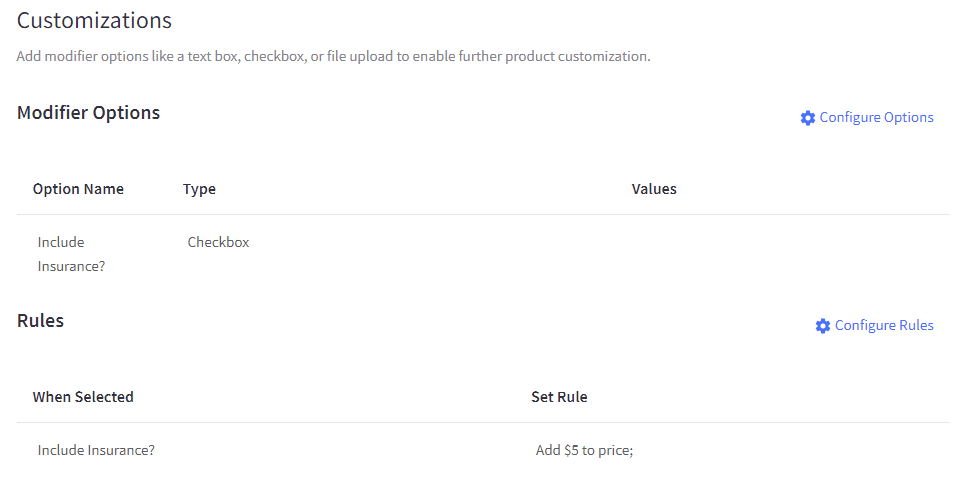
Because a modifier rule added to it. Rules can raise or lower price and weight when a value is selected, and BigCommerce only lets multiple choice, checkbox and pick list modifiers carry them. Text, date and upload fields can't change the price on their own, so if a customer says "the engraving cost me extra", the extra came from a checkbox or a choice next to it.
Two other causes worth ruling out: BigCommerce says price changes can take up to 10 minutes to appear because of price caching, and customer group discounts or price lists can change what one shopper sees.
"You forgot my add-on"
Usually it's there, just not where they looked. A pick list lets a shopper choose another product from your catalog, like a mug or tote bag with a hoodie, and BigCommerce shows that choice as an option on the base product, not as its own line on the cart, checkout or invoice.
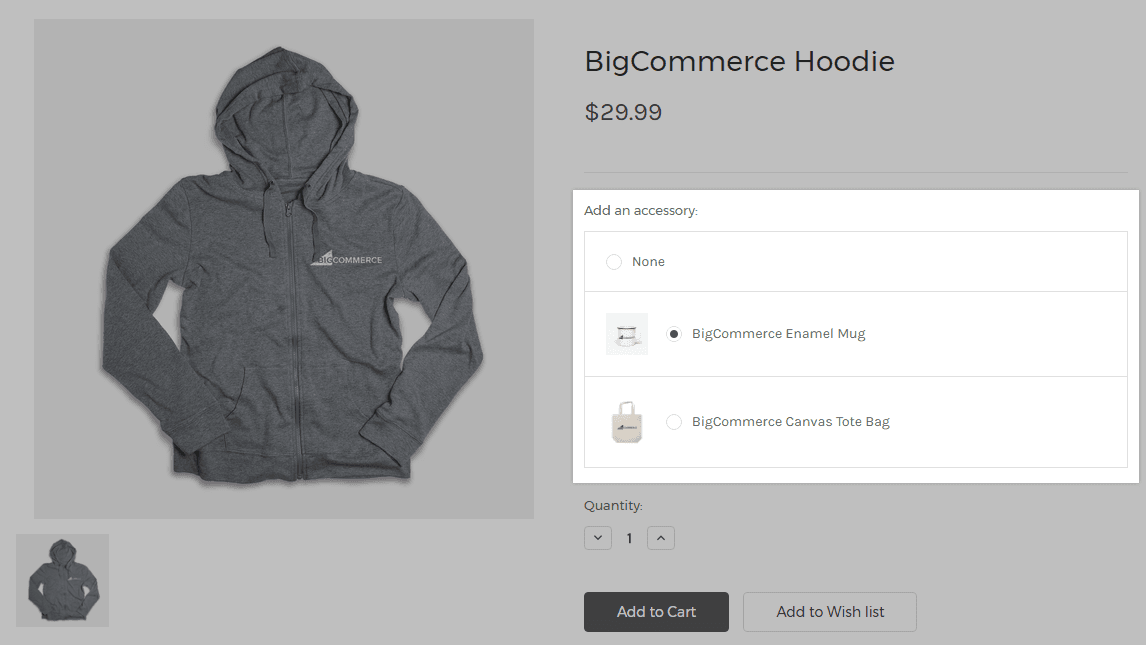
A few more pick list facts that explain odd tickets: only simple products (no options of their own) can be in a pick list, shoppers can pick only one item per list, and whether the add-on reduces its own stock depends on a checkbox in the modifier settings. If that box is off, the add-on can sell after its stock hits zero.
"My photo won't upload"
Check the modifier's file rules first. A file upload modifier can limit the file types (images, documents, or a custom list like pdf,mp3,zip) and the size, up to 524,288 KB. A product can take a maximum of 20 files, and if it has more than 20 upload modifiers, customers can't add it to the cart after uploading.
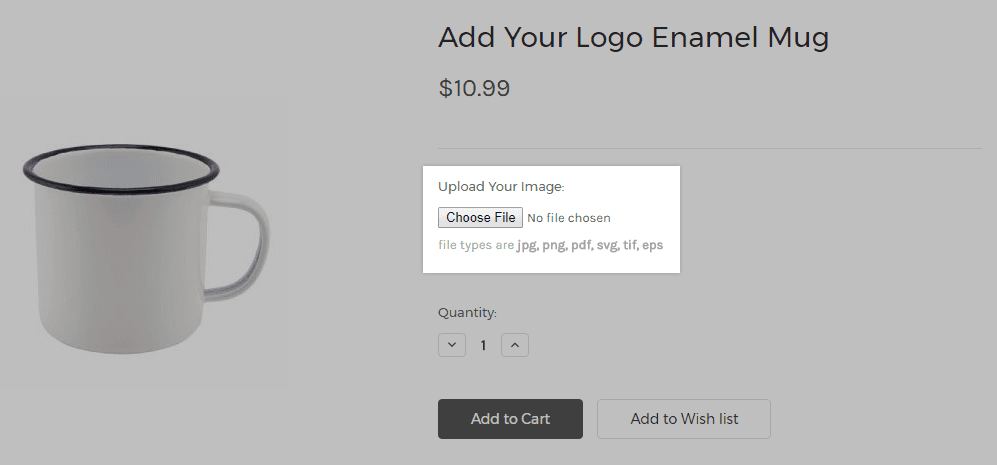
Once an order is in, staff with the Manage Orders permission can download uploaded files from the order details, from the product_images/configured_products folder over WebDAV, or through the Orders API. Deleting a file from that folder is permanent, so think twice before a cleanup.
"Is the blue option in stock?"
If blue is a modifier, BigCommerce can't tell you. Modifiers have no stock, and they also can't be hidden conditionally, since conditional options need variants with stock tracked at the variant level. You can disable purchasing on a single modifier value and show a message, but that's a manual switch someone has to remember.
So for modifier stock, the honest answer comes from your team or your production sheet, not the store. Variant stock is a different story, and BigCommerce tracks it properly.
Where does AI fit in modifier support?
Reading, yes. Editing, no. Here's how I'd split the work:
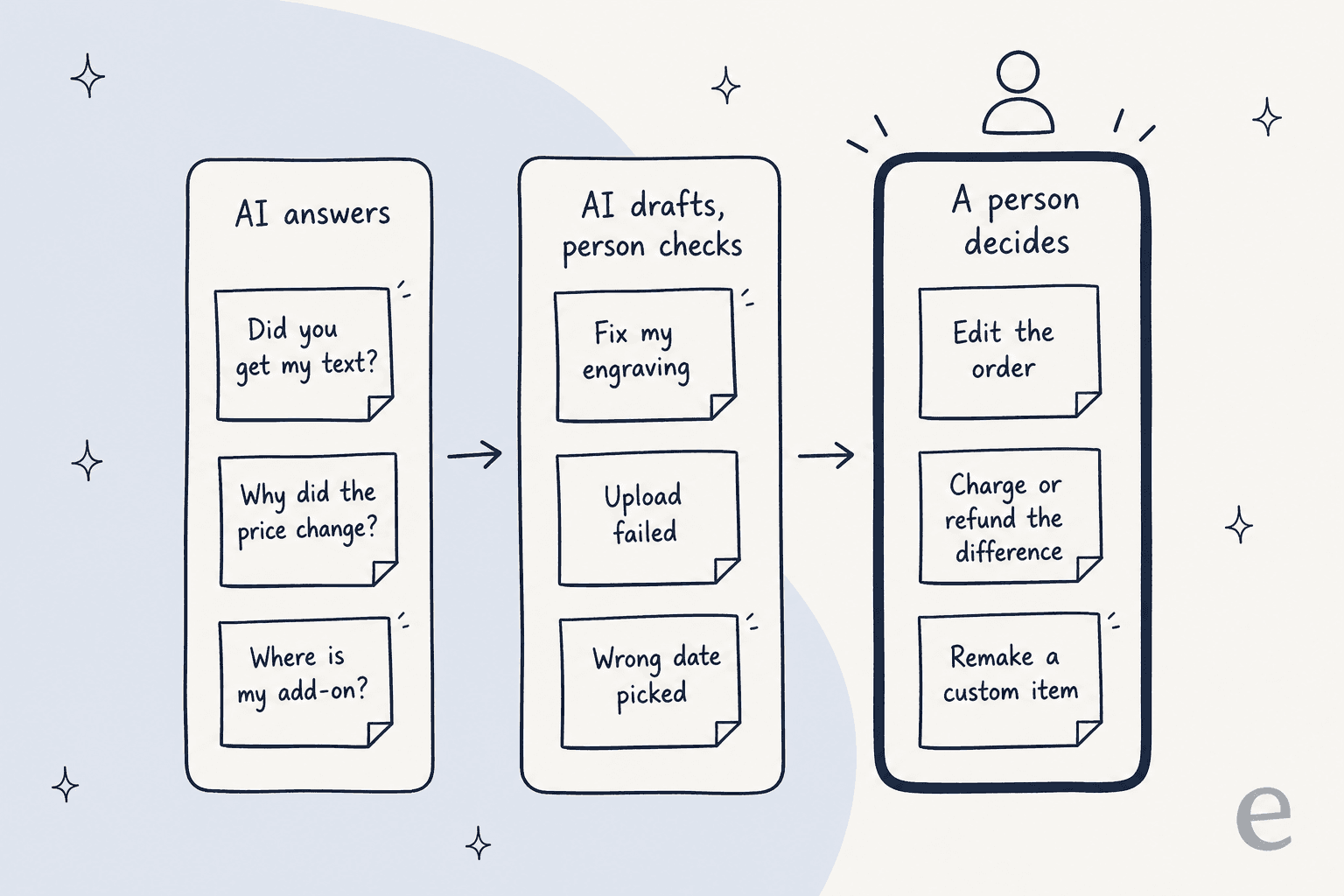
The first lane is pure lookup, the kind of customer service automation that pays off fastest: the answer is on the order or in the product's rules, and an AI that reads both can reply in seconds. The middle lane needs judgement about timing (has it gone to production?), so the AI works as an AI copilot: it drafts and someone checks. The last lane moves money or materials, which is a person's call every time.
The middle lane matters more than it looks. In one real-traffic trial on an e-commerce inbox (not BigCommerce, but the same kind of AI chatbot for ecommerce setup), eesel's drafts were useful on every product inquiry, but agents sent only 12% of drafts as written. Most of them glanced, then rewrote for length and tone. For modifier tickets that's the right habit: the draft gets the facts from the order, and the agent decides what to promise.
A good example of this setup is STIL Classics, which sells planners and binders with optional monogramming. "Can I change the monogram" is one of the questions its customers write in with. eesel reads each Gorgias ticket, looks up the order first, and leaves a draft as an internal note for a person to check and send. In one month it prepared 320 tickets and looked up 230 orders. STIL runs on Shopify rather than BigCommerce, but the pattern carries straight over.
How does eesel handle BigCommerce modifier questions?
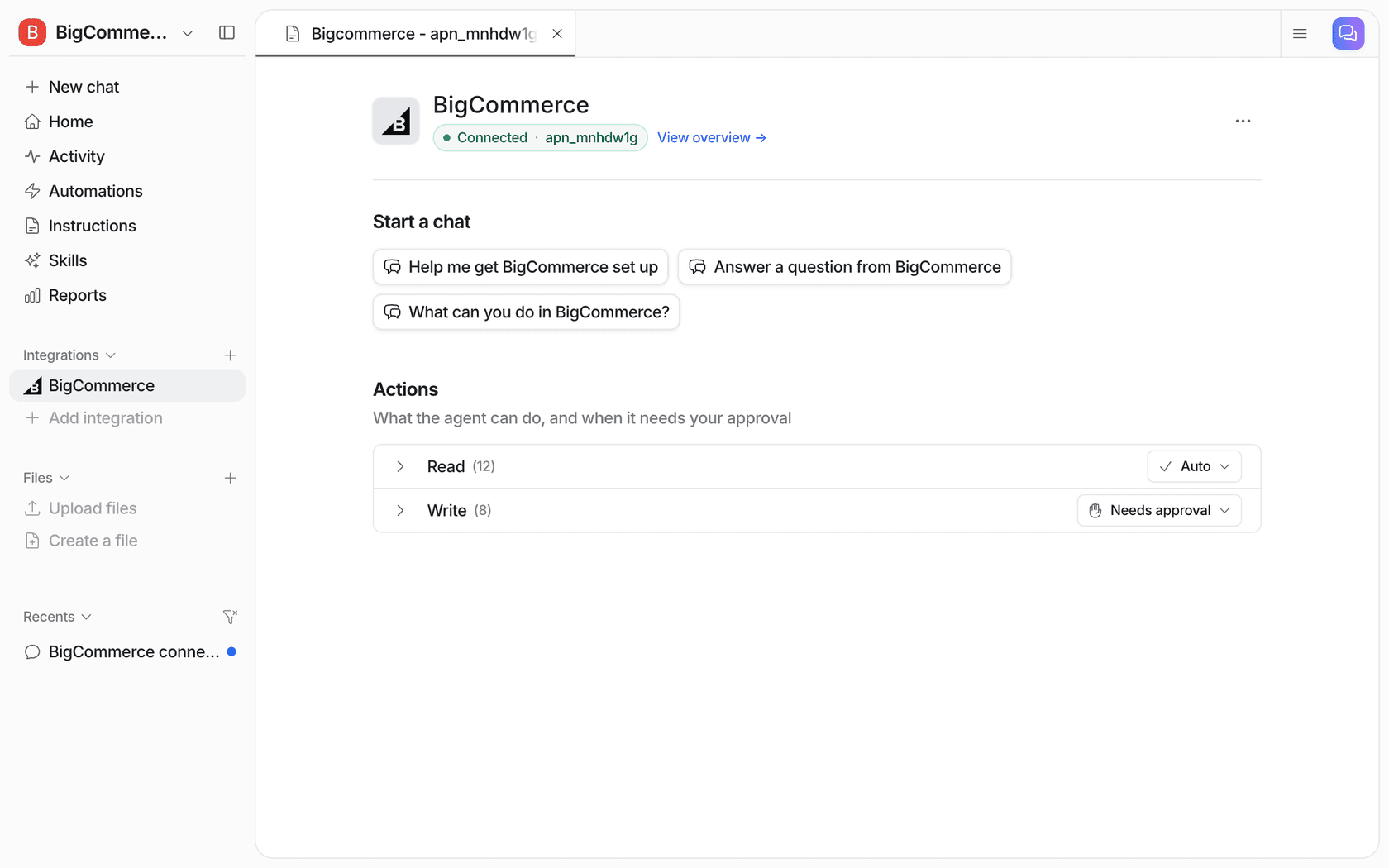
eesel's BigCommerce integration gives the agent live read access to orders and products. Per the eesel BigCommerce docs, Get Order pulls an order's items, total, status, shipments and the shopper's checkout note, and the catalog reads include product options, variants and stock.
It answers inside Gorgias tickets, inside Zendesk or Freshdesk, in Slack, or in a chat bubble on your storefront.
If you're new to this, start with the AI chatbot for BigCommerce overview, then follow the add AI to BigCommerce setup steps.
If your helpdesk already has its own AI, the Gorgias AI write-up explains how the two sit side by side.
Its write actions are cancel, refund, and fixing a shipping or account address, each behind an approval by default. There's no action for editing an order's items or options, which fits the split above: AI confirms the engraving, a person changes it.
Before I'd let any agent quote engraving text back to customers, I'd test it on five real orders that use text fields, uploads and pick lists, and check every value comes through the way the customer typed it. With the eesel CLI, a coding agent can upload your personalization policy (cut-off times, what can be changed, who pays the difference), then ask those test questions and check the answers before anything goes live. It reads that policy the same way it reads any AI knowledge base. Connecting the store itself still needs a store owner to create the API account and approve it.
What should I set up before the next modifier ticket?
A short checklist that cuts most of these tickets off before they start:
- Write a change cut-off. Decide when an engraving or upload can still change (before production, within 24 hours, whatever fits), and put it on the product page and in your help center.
- Make the order confirmation show options. If customers see their own text in the confirmation email, "did you get it?" tickets drop.
- Name add-ons clearly. Since pick list items sit under the main product, a display name like "Add a tote bag" reads better on the invoice than "Accessory".
- Put stock-sensitive choices in variants. If a colour or material can run out, a variant can track it and hide it; a modifier can't.
- Save replies for the top five questions. Then let AI fill them from the order, the way the AI customer support guide describes for other order questions.
If you're weighing helpdesks for this, the Zendesk BigCommerce guide shows what that sidebar displays, the Freshdesk BigCommerce one does the same for Freshdesk, and the best AI for BigCommerce support roundup compares the AI options.
For the same kind of option-level questions on other platforms, the WooCommerce variation stock post covers stock per option, and WooCommerce grouped orders covers bundles that never appear on the order. Zendesk AI is worth a read if Zendesk is your helpdesk.
Try eesel for BigCommerce modifier questions
Running a store full of engraved, printed or bundled products? eesel works like a new support teammate that reads the BigCommerce order before it replies, so "did you get my engraving?" gets the customer's exact text back in seconds, and edits that move money wait for your team. It's free to try with 100 credits, then $299 a month for 500. If you're still choosing a platform, the Shopify vs BigCommerce comparison covers how each handles product options.