

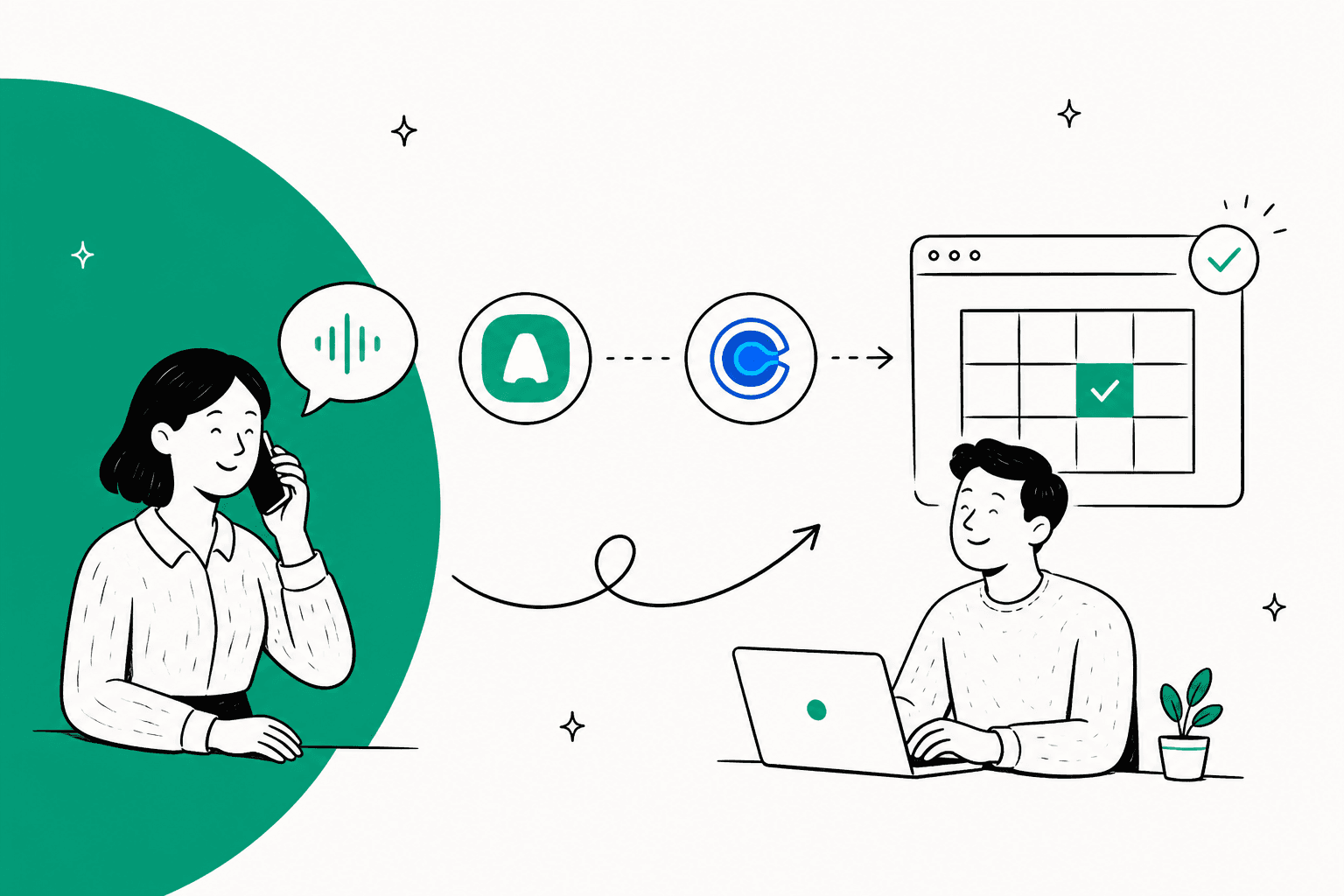
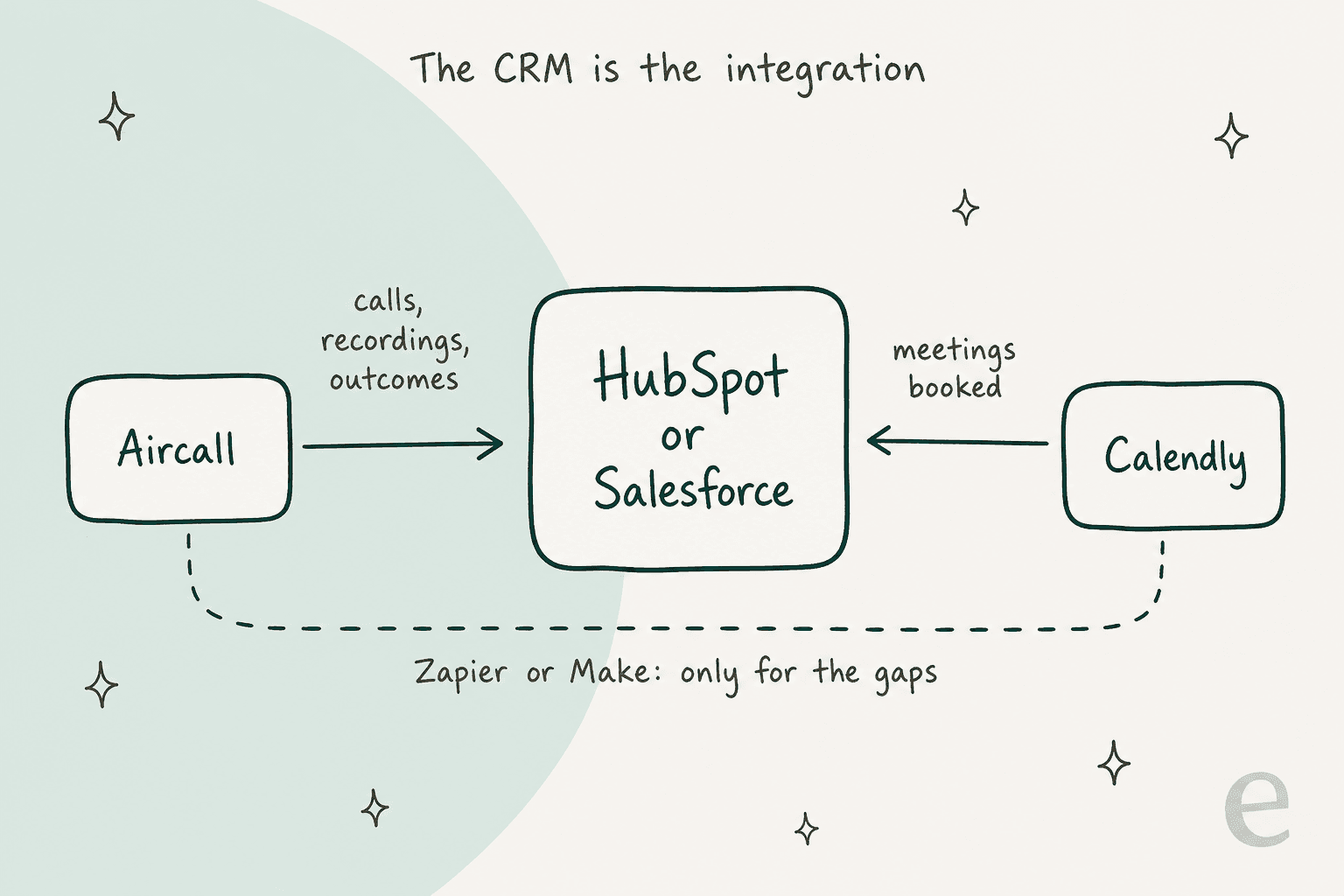
There is no native Aircall Calendly integration. Neither app lists the other, so the connection runs through something in the middle. My pick: connect both to the CRM you already use. Aircall's HubSpot integration is on every plan and Calendly's starts at $10 per seat a month, so calls and bookings land on the same contact with no automation tool at all. Add Zapier or Make only for the jobs a CRM can't do, mainly texting a booking link after a missed call. If your bookings also create reschedule and "what do I bring?" questions in a helpdesk, eesel drafts those replies from your past tickets.
Is there a native Aircall Calendly integration?
No. I checked both sides on November 4, 2026. Aircall's integrations directory lists 250+ apps across CRM, helpdesk and productivity, and Calendly isn't one of them. The URL you'd expect, aircall.io/integrations/calendly, returns Aircall's "Oh no!" page. On the other side, Calendly's pricing page names its connectors (HubSpot, Mailchimp, Zapier, Salesforce, Marketo, Microsoft Dynamics), and Aircall isn't there either.
I build integrations at eesel for a living, so here's my honest read: you probably don't need a direct one. Aircall is a phone system and Calendly is a scheduling tool. They meet at the contact record, and both already write to the two CRMs most teams run. The direct Aircall-to-Calendly link only matters for a short list of jobs, and I'll walk through those below.
That gives you three routes:
| Route | What connects them | Best for | Setup time |
|---|---|---|---|
| CRM hub | HubSpot or Salesforce, with each app's native integration | Seeing calls and meetings on one contact timeline | An afternoon |
| Zapier | Zaps between Aircall and Calendly triggers and actions | Missed-call texts, no-show follow-ups, contact creation | An hour per recipe |
| Make | Scenarios with routers and filters | Single-use booking links, branching logic | A few hours |
How do you connect Aircall and Calendly through HubSpot?
Install each app's own HubSpot integration and let HubSpot be the meeting point. This is the route I'd start every team on, because it needs zero automation upkeep and survives either vendor changing its API.
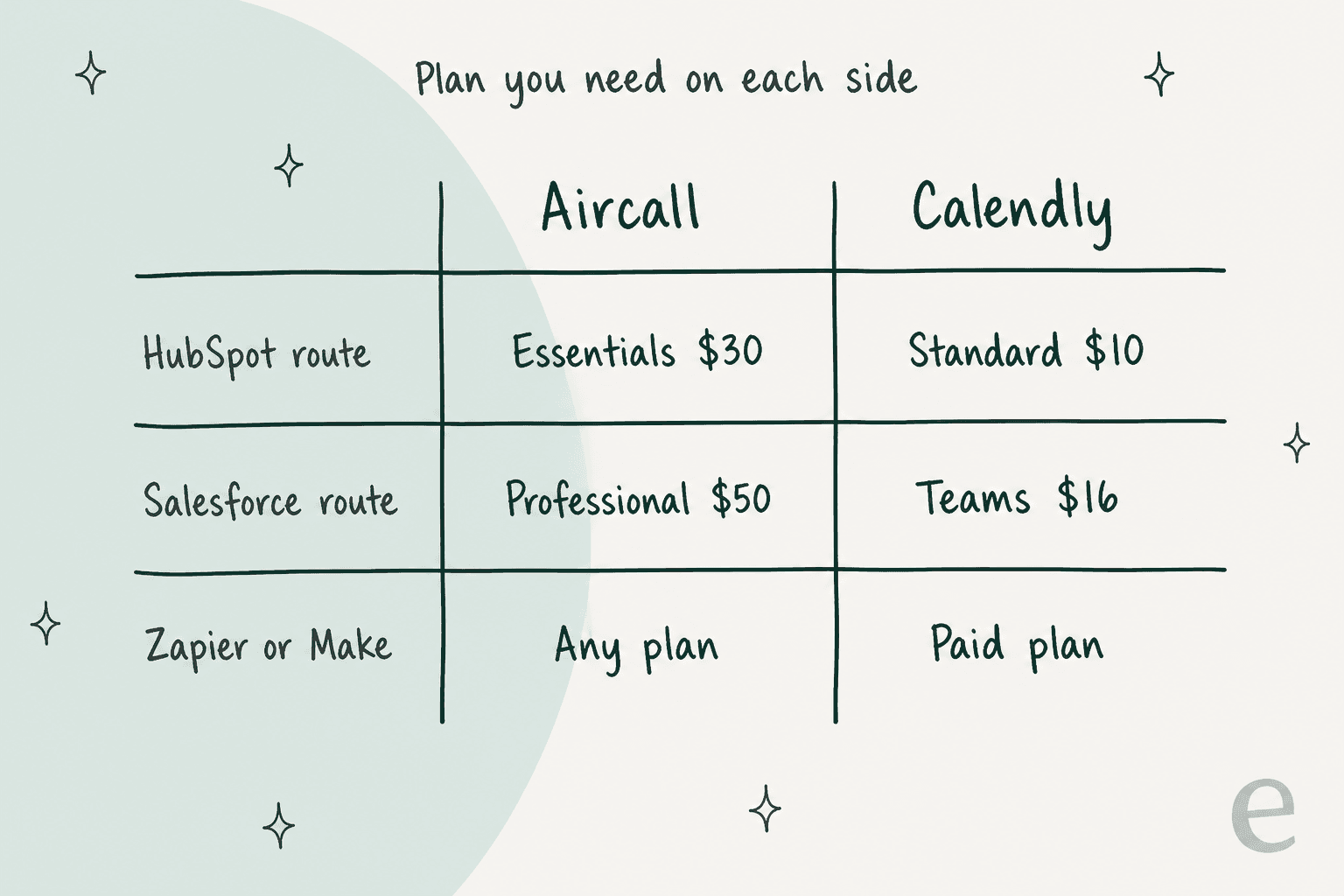
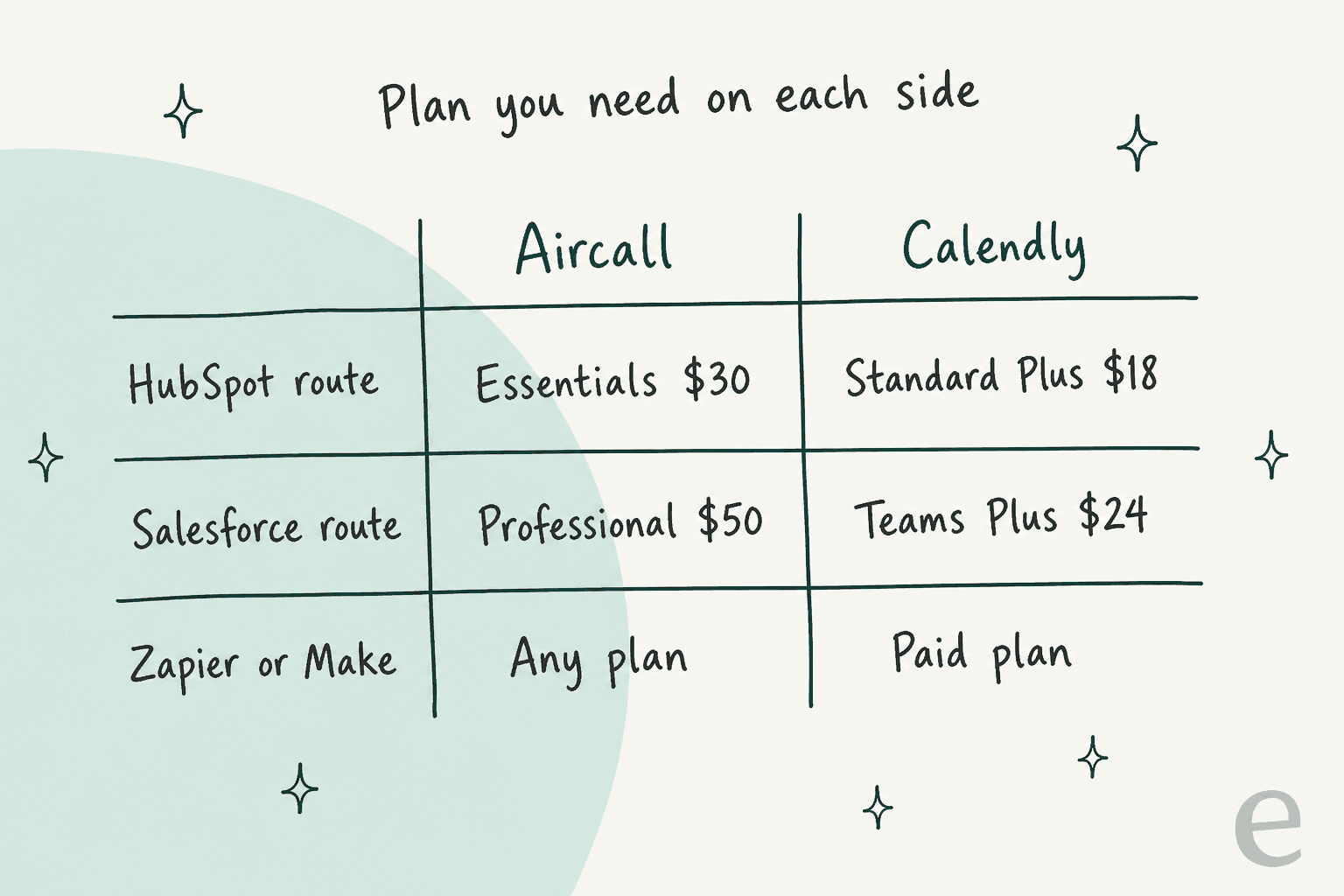
On the Aircall side, the HubSpot integration is included on every plan, Essentials up, per Aircall's pricing page. It logs calls and SMS to Contacts, Deals and Tickets, shows HubSpot data on an Insight Card before the agent answers, and writes custom contact properties you can use to trigger HubSpot workflows.
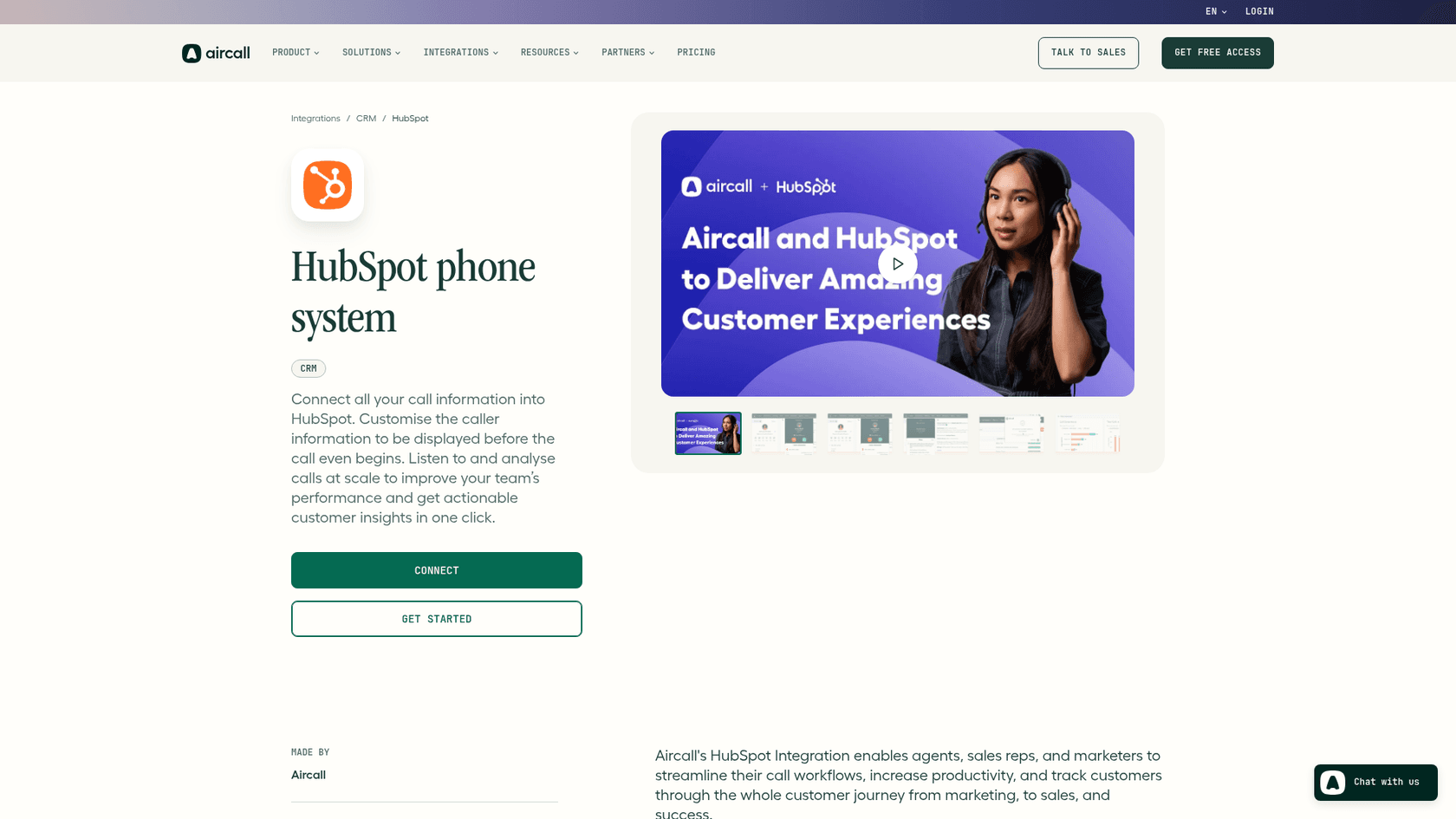
On the Calendly side, "Connect Hubspot" is listed in the Standard plan, and the free plan doesn't include it. Once both are connected, a contact who books a demo and then calls your main line shows both events on one timeline.
Three setup details from Aircall's HubSpot configuration guide that trip people up:
- Only connected numbers log. Calls from an Aircall number you didn't add to the integration never reach HubSpot. If your booking line is a separate number, add it.
- Pausing loses data. Calls made while the integration is inactive don't log retroactively when you switch it back on.
- Outcomes come from tags. Custom call outcomes aren't supported in the standard settings. You map Aircall tags to HubSpot outcomes instead, so a tag like "Booked on Calendly" can become a real outcome you report on.
Once the data sits in HubSpot, you can build the follow-up there: a HubSpot workflow that emails your Calendly link when a call is logged with outcome "No answer", for example. My guide to AI in HubSpot CRM covers what else that data can drive, and the roundup of tools that integrate with HubSpot lists more add-ons.
Other phone systems take the same approach. The CloudTalk HubSpot integration works much the same way, and Dialpad logs to HubSpot too, so this route carries over if you ever switch dialers.
What about Salesforce?
Same idea, higher plans. Aircall's Salesforce Service Cloud and Sales Cloud integrations aren't on Essentials, so you need Aircall Professional ($50 per licence a month billed yearly). Calendly's "Send meetings to Salesforce" sits on its Teams plan, which is $16 per seat a month billed yearly or $20 monthly.
If you're already a Salesforce shop, my Service Cloud AI roundup compares add-ons for that stack, and the post on Salesforce voice call summaries covers the calling side in more depth.
The Service Cloud AI guide walks through what changes once calls and meetings share one record there.
Which plans do you need on each side?
Here are the current list prices for both tools, checked November 4, 2026.
| Plan | Aircall, per licence/month | Calendly, per seat/month | What it unlocks for this integration |
|---|---|---|---|
| Free | None | $0 | Calendly: one event type, no webhooks, no HubSpot, no Zapier |
| Aircall Essentials | $30 yearly / $40 monthly | APIs and webhooks, HubSpot, 250+ integrations | |
| Aircall Professional | $50 yearly / $70 monthly | Adds Salesforce and the Messaging API | |
| Calendly Standard | $10 yearly / $12 monthly | Webhooks, HubSpot, Zapier, unlimited event types | |
| Calendly Standard Plus | $18 yearly / $24 monthly | Standard plus Notetaker and the Callie assistant | |
| Calendly Teams | $16 yearly / $20 monthly | Round-robin, routing, Salesforce | |
| Calendly Teams Plus | $24 yearly / $32 monthly | Teams plus Notetaker and Callie | |
| Calendly Enterprise | From $15k a year (50 seats) | Microsoft Dynamics, SSO, data deletion API |
Sources: Aircall pricing and Calendly pricing. Aircall has a 3-licence minimum, which my Aircall pricing breakdown covers in detail.
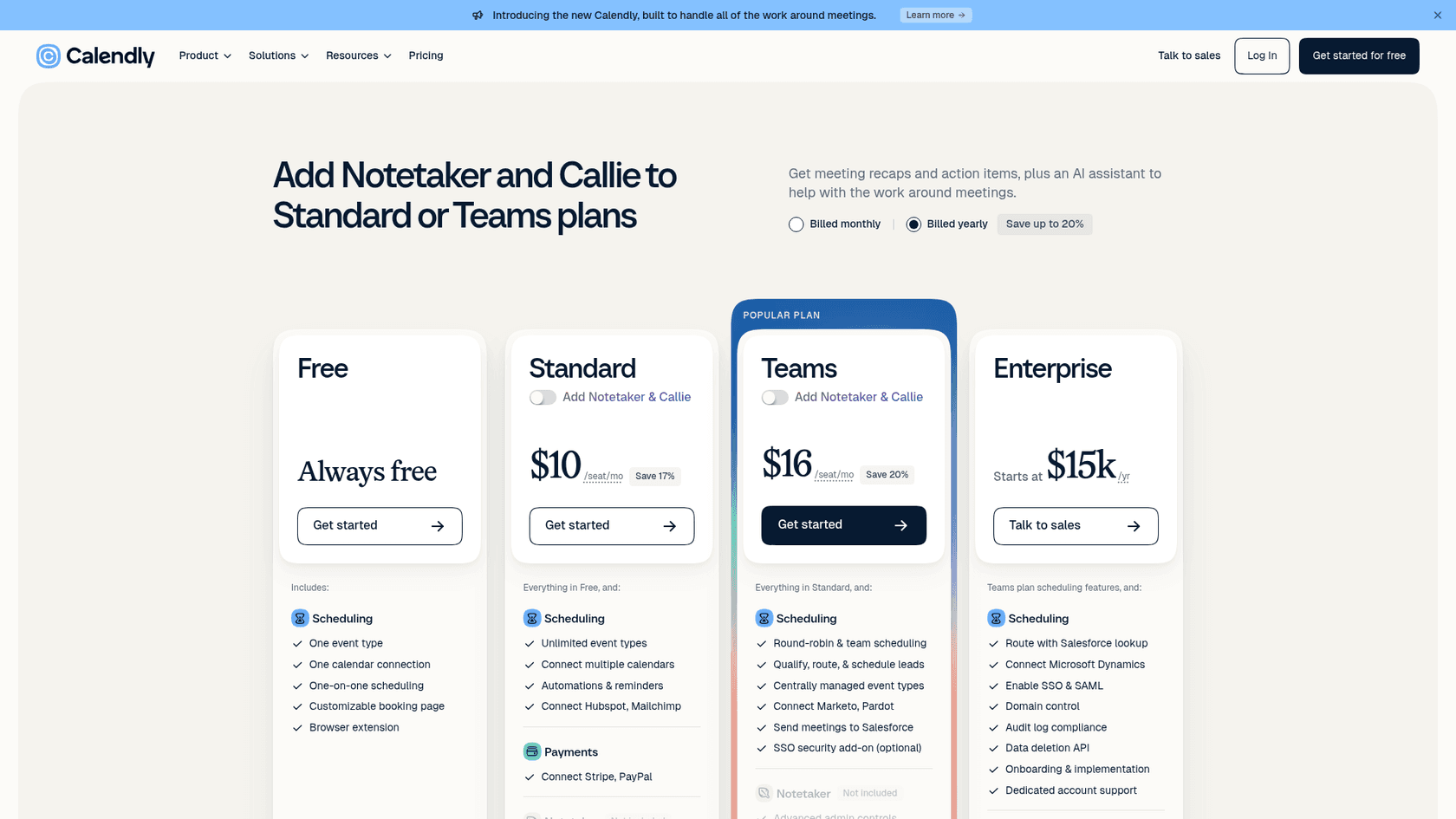
The trap I'd flag: Calendly's free plan can't take part in any of these routes. Calendly's webhooks overview lists Standard, Teams and Enterprise family plans only, and the free column on the pricing page has no HubSpot or Zapier either.
What can Zapier do between Aircall and Calendly?
Quite a lot on the Aircall side, less on the Calendly side. Zapier's Aircall and Calendly page lists these as the useful pieces for scheduling work:
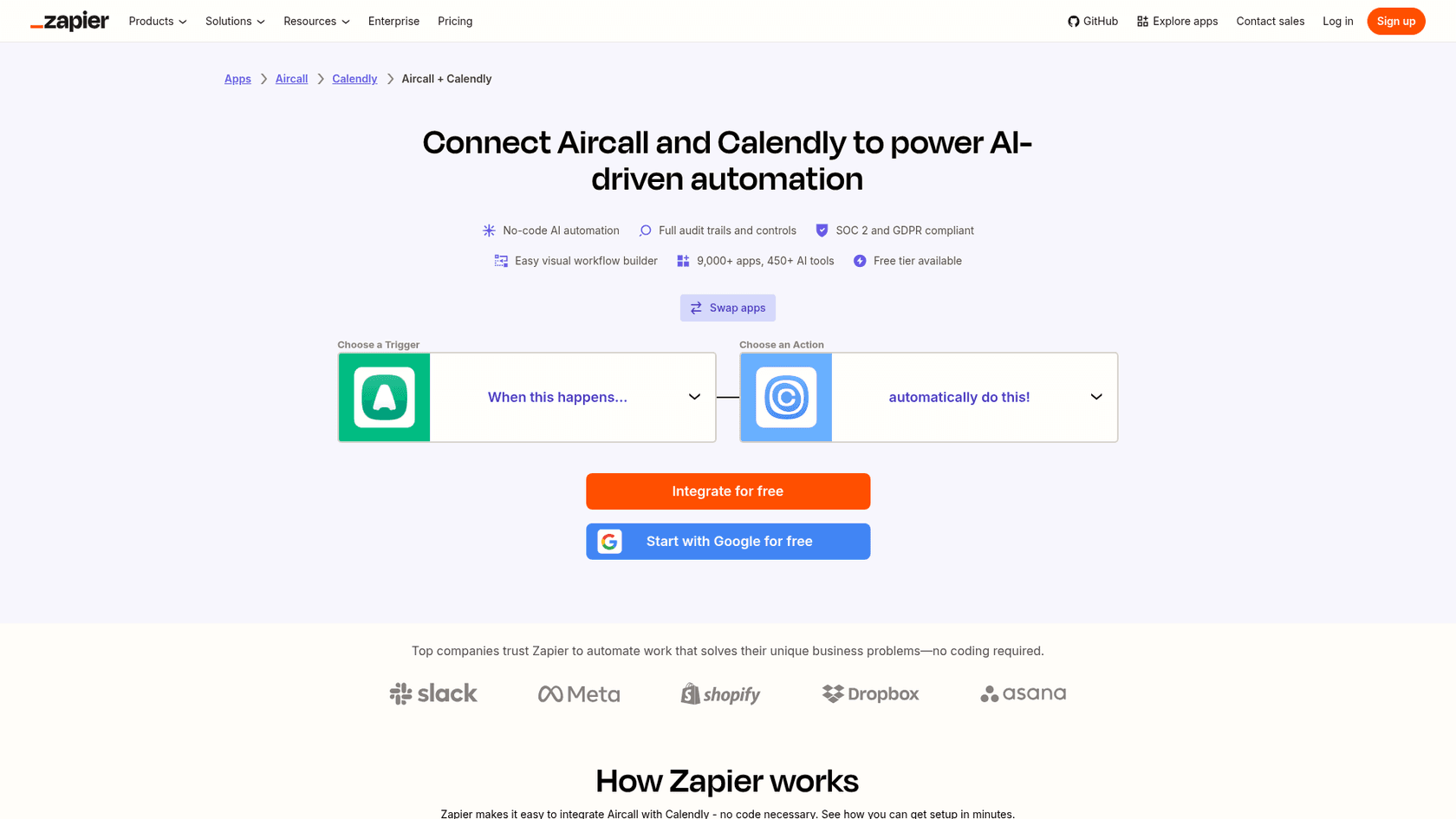
| App | Type | Name | What it does |
|---|---|---|---|
| Aircall | Trigger | Call Voicemail Left | Fires about 30 seconds after a call ends, if a voicemail is present |
| Aircall | Trigger | Call Ended | Fires when any call ends |
| Aircall | Trigger | AI Voice Agent Escalated | Fires when the AI Voice Agent hands a call to a person |
| Aircall | Trigger | AI Voice Agent Summary | Fires with the answers to intake questions the AI agent collected |
| Aircall | Action | Send Message in Conversation | Sends a text from an Aircall number |
| Aircall | Action | Create Contact | Creates a shared Aircall contact (needs at least one phone number) |
| Aircall | Action | Show Insights Card | Shows a custom card to the agent during a live call |
| Aircall | Action | Add Tags to Call | Tags a call |
| Calendly | Trigger | Invitee Created or Rescheduled | Fires when someone books or moves a meeting |
| Calendly | Trigger | Event Canceled | Polls for cancellations, every 15 min on Zapier Free |
| Calendly | Trigger | Invitee No Show Created | Fires when a host marks a no-show |
| Calendly | Action | Mark Invitee as No Show | Marks a no-show from another app |
| Calendly | Search | Find Invitee by Email | Returns up to 100 recent bookings for an email |
The Aircall triggers are instant webhooks. Calendly's Event Canceled trigger polls instead, and Zapier's pricing page puts the polling interval at 15 minutes on Free, 2 minutes on Professional and 1 minute on Team.
Zapier's plan matters more than it looks. Free is $0 for 100 tasks a month but two-step Zaps only: one trigger, one action, no filter. Professional starts from $19.99 a month and adds multi-step Zaps and filters. My Zapier subscription guide and the Zapier AI review cover the plans more fully.
The three recipes worth building
These are the jobs that a CRM can't do on its own and a direct connection can. I'd build them in this order.
1. Missed call, then a booking link by text
A caller hits voicemail. Within a minute they get a text from the same Aircall number with your Calendly link. Speed matters here because the caller is still holding their phone. It's the same reason AI phone receptionists and after-hours AI support exist, just with a much smaller setup.
The Zap:
- Trigger: Aircall, Call Voicemail Left.
- Action: Aircall, Send Message in Conversation. Map the caller's number to "To" and write something short: "Sorry we missed you. Grab a time here and we'll call you back: [your Calendly link]".
That's two steps, so it runs on Zapier Free. The catch: Call Voicemail Left only fires when the caller actually leaves a voicemail. Plenty of people hang up. To catch those too, use Call Ended plus a filter on missed inbound calls, which makes it a multi-step Zap and puts you on Zapier Professional.
If you want an AI to write the reply instead of a fixed template, my guide to adding AI to SMS support covers the options.
Two more checks before you switch it on. Aircall lists its Messaging API on Professional and Enterprise only, so confirm your plan supports texting from an automation. And check the local rules for automated texts in your country before you message every caller.
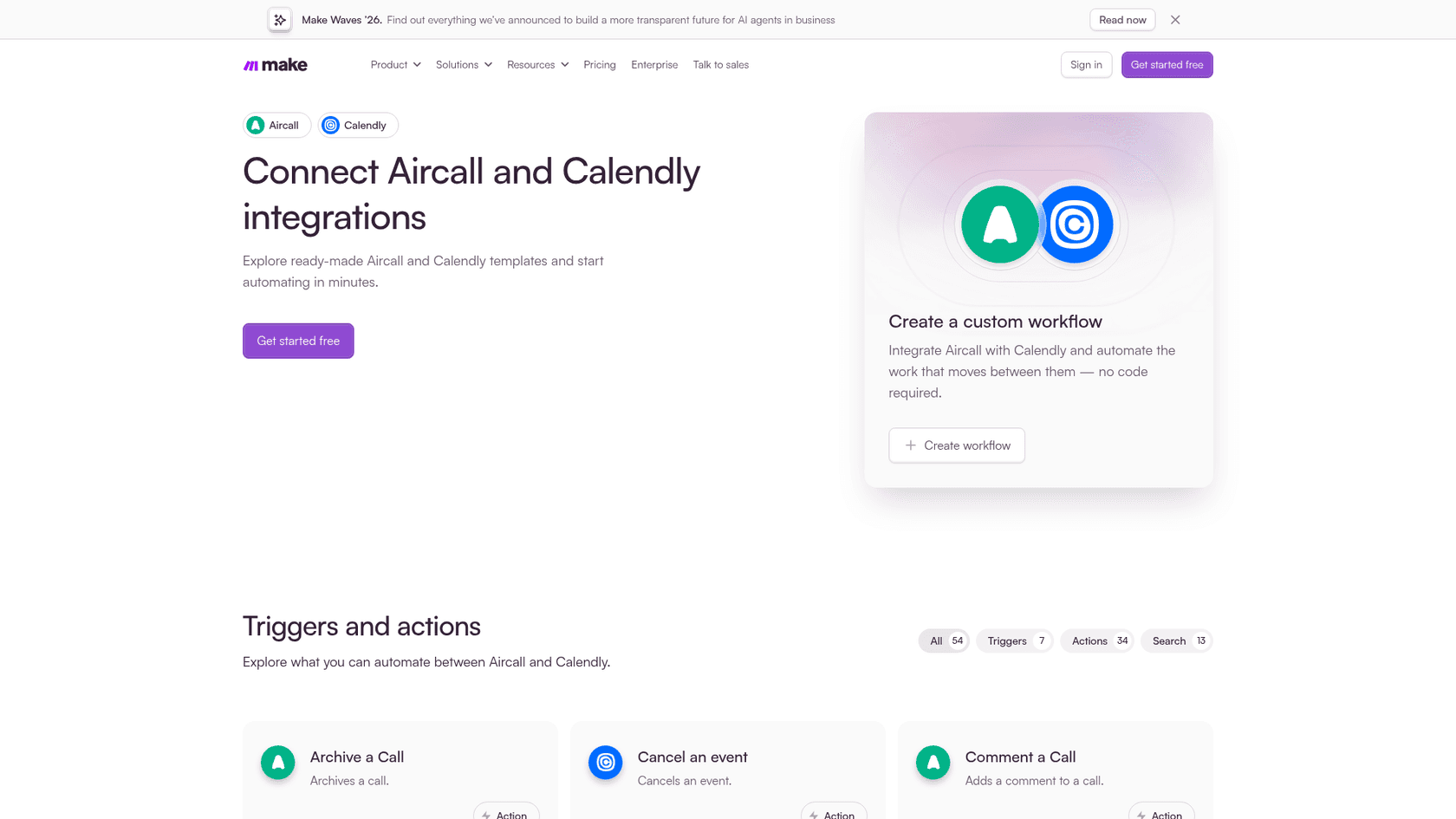
If you'd rather send each caller a link that can only be used once, Make's Aircall and Calendly page lists a Calendly "Create a single-use scheduling link" action. Zapier's Calendly app doesn't list one.
Make's free plan includes 1,000 credits a month with a 15-minute minimum interval between scheduled runs, per its pricing page. My Make vs Zapier comparison and Make pricing breakdown go further.
2. New booking, then an Aircall contact
When someone books, create them in Aircall so the call shows a name instead of a bare number.
- Trigger: Calendly, Invitee Created or Rescheduled.
- Action: Aircall, Create Contact.
Aircall's Create Contact needs at least one phone number, so add a required phone question to your Calendly event type first. Without it, the Zap fails on every booking. If you're already on the CRM route, skip this one: HubSpot contacts flow into Aircall's Insight Card anyway.
3. No-show, then a reschedule text
- Trigger: Calendly, Invitee No Show Created.
- Action: Aircall, Send Message in Conversation, with your Calendly link and a friendly "want to pick another time?"
This only works if your hosts mark no-shows in Calendly, which is a habit, not a setting. If nobody clicks the button, nothing fires. For more no-code ideas in the same spirit, see my guide to customer service automation.
When does a direct integration beat the CRM route?
Only when the action has to happen on the phone side. HubSpot can email your Calendly link, but it can't send a text from your Aircall number or put a card in front of a live agent. Those are the cases for Zapier or Make. Everything that's about record-keeping (who booked, who called, what happened) belongs in the CRM.
The other case is the AI Voice Agent, especially if your callers are prospects you'd qualify before booking. Its AI Voice Agent Summary trigger hands you the answers it collected from the caller, like name and email. Piping those into a text with your Calendly link closes the loop that a voice agent alone leaves open, since the agent collects details but your Calendly page is still where the slot gets picked. My roundup of AI voice agents and the guide to voice agents for support compare how other phone tools handle booking.
What does it cost for a five-person team?
Here's the monthly bill for five reps on yearly billing, using list prices from each vendor:
| Item | Route 1: CRM hub | Route 2: CRM hub plus Zapier |
|---|---|---|
Aircall Essentials, 5 licences at $30 | $150 | $150 |
Calendly Standard, 5 seats at $10 | $50 | $50 |
| Zapier | $0 | From $19.99 |
| Total | $200 | From $219.99 |
Your CRM's own cost sits on top, and that varies too much to price here (see HubSpot pricing). Two things stand out. The automation layer is the cheapest line on the bill. And Aircall is three-quarters of the total, which is why people who search for this integration also end up reading my Aircall alternatives post.
Users tend to accept that price when the CRM sync works:
"Been using Aircall for almost 2 years. Doesn't come cheap, but it's the one that gives us better control of the activities."

Integrations aren't flawless, though. One reviewer on a Pipedrive and Help Scout setup put it plainly:
"The Pipedrive and Help Scout integrations work OK but sometimes result in lots of undistinguishable call recordings."

That's a good reason to test any recipe on a handful of real calls before you switch it on for the whole team.
What happens after the meeting is booked?
The booking creates its own work. People reply to the confirmation asking to move the time, ask what to prepare, or email a question the call didn't cover. Those messages land in your helpdesk, not in Aircall or Calendly, and neither integration touches them. It's the same gap my AI helpdesk integration guide covers for other stacks.
That's the part I work on. eesel is an AI helpdesk teammate: it joins your HubSpot or Zendesk queue, learns from your past tickets and help center, and drafts replies for your team to send.
Lesson Pro is the closest example I have to an Aircall-and-Calendly team. It sells private lessons across the US, and its booking team lives on scheduling. eesel works its two Zendesk accounts: in one month it handled about 1,900 tickets, left about 1,700 internal notes, and drafted about 560 replies for the team to send. When the team needs an instructor near a lesson, they @mention eesel and it searches past tickets in nearby towns for instructors who taught there. One detail I like: Lesson Pro tells eesel to skip voicemail tickets on purpose, because those are for people. That's the same split I'd make in your Aircall setup.
eesel can also answer live phone calls when the eesel team switches that on, but it doesn't book meetings on a call. Your Calendly link still does that job. If booking itself is the bottleneck, my guides to AI appointment setters and weekend coverage compare tools that do.
Try eesel
Aircall rings, Calendly books, and the questions that come after both end up in your helpdesk. If that's HubSpot or Zendesk, eesel drafts those replies from your own past tickets so reschedules and prep questions don't wait in the queue. You can run it against your old tickets first and see what it would have written. Try eesel free.