
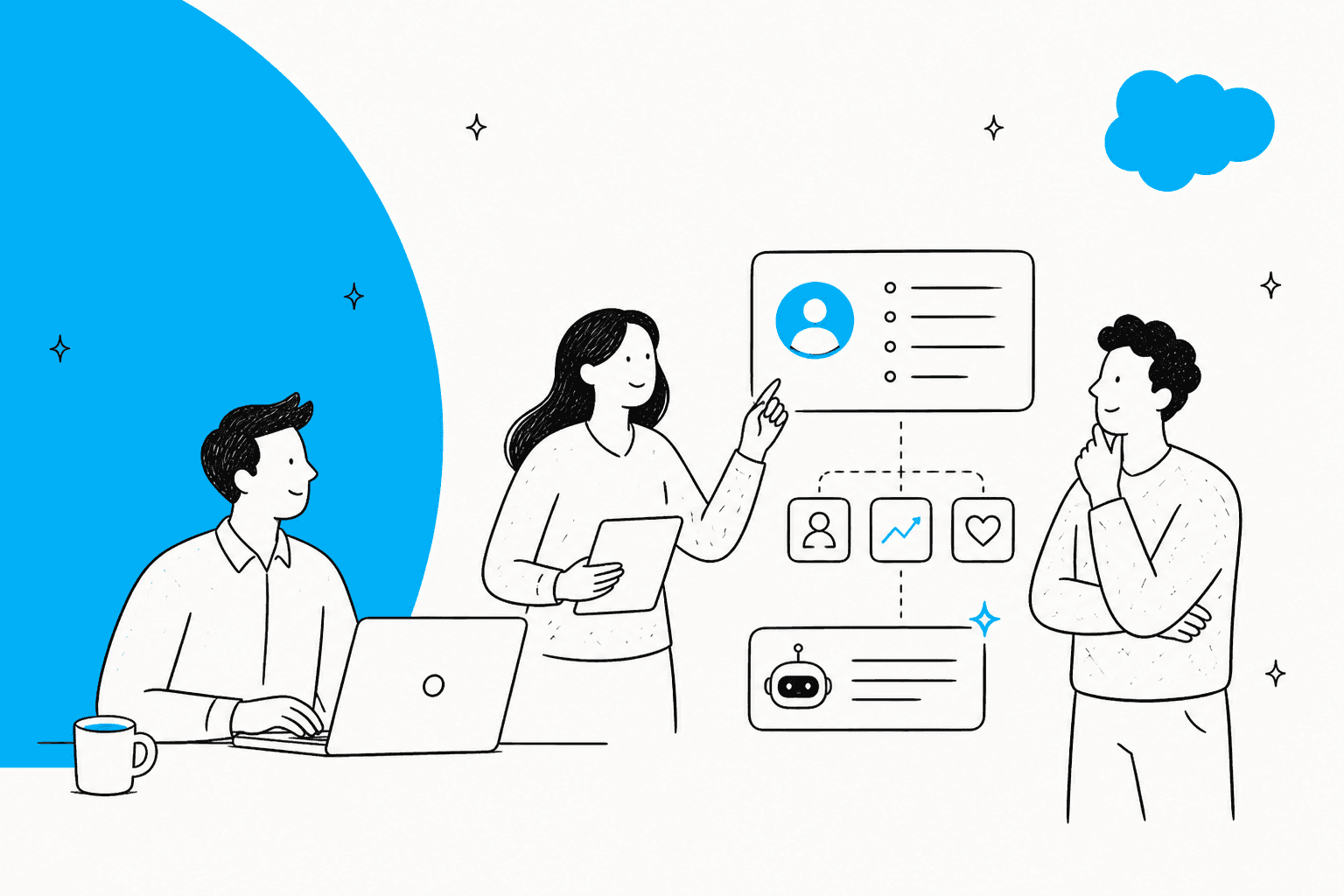
Agentforce IT Service is Salesforce's ITSM suite: an incident, problem, change, request and knowledge desk on Service Cloud, with AI agents that answer employees in Slack and Teams. List price is $75 per fulfiller per month (Enterprise) or $150 (Unlimited), plus $15 per employee for the employee agent, with CMDB capacity and the $125 fulfiller AI add-on billed on top. It fits teams that already run Salesforce; model the per-employee license first. If your queue is already in Jira Service Management or Salesforce Service Cloud, an AI teammate on that queue is the smaller step, and with the eesel CLI a coding agent can upload approved runbooks and test answers before anything goes live, though an admin still approves the helpdesk connection.
What is Agentforce IT Service?
It is Salesforce's answer to ServiceNow-style ITSM. Salesforce's launch announcement calls it an agent-first, conversational-first IT support suite, built natively on the Service Cloud platform and aligned with ITIL processes for incident, problem and change. Salesforce said the full package (IT Service Desk, employee agents and an embedded CMDB) would be generally available in October 2025. The product page now also shows a Dreamforce 2026 keynote and features that came later, such as hardware asset management and IT Compliance.
I build AI agents for helpdesk queues at eesel, so the way I read a product like this is by asking how a sentence from an employee becomes a record, and who is allowed to change that record. I have not run an org on it. Everything below comes from Salesforce's own pages and Trailhead, with the gaps flagged.
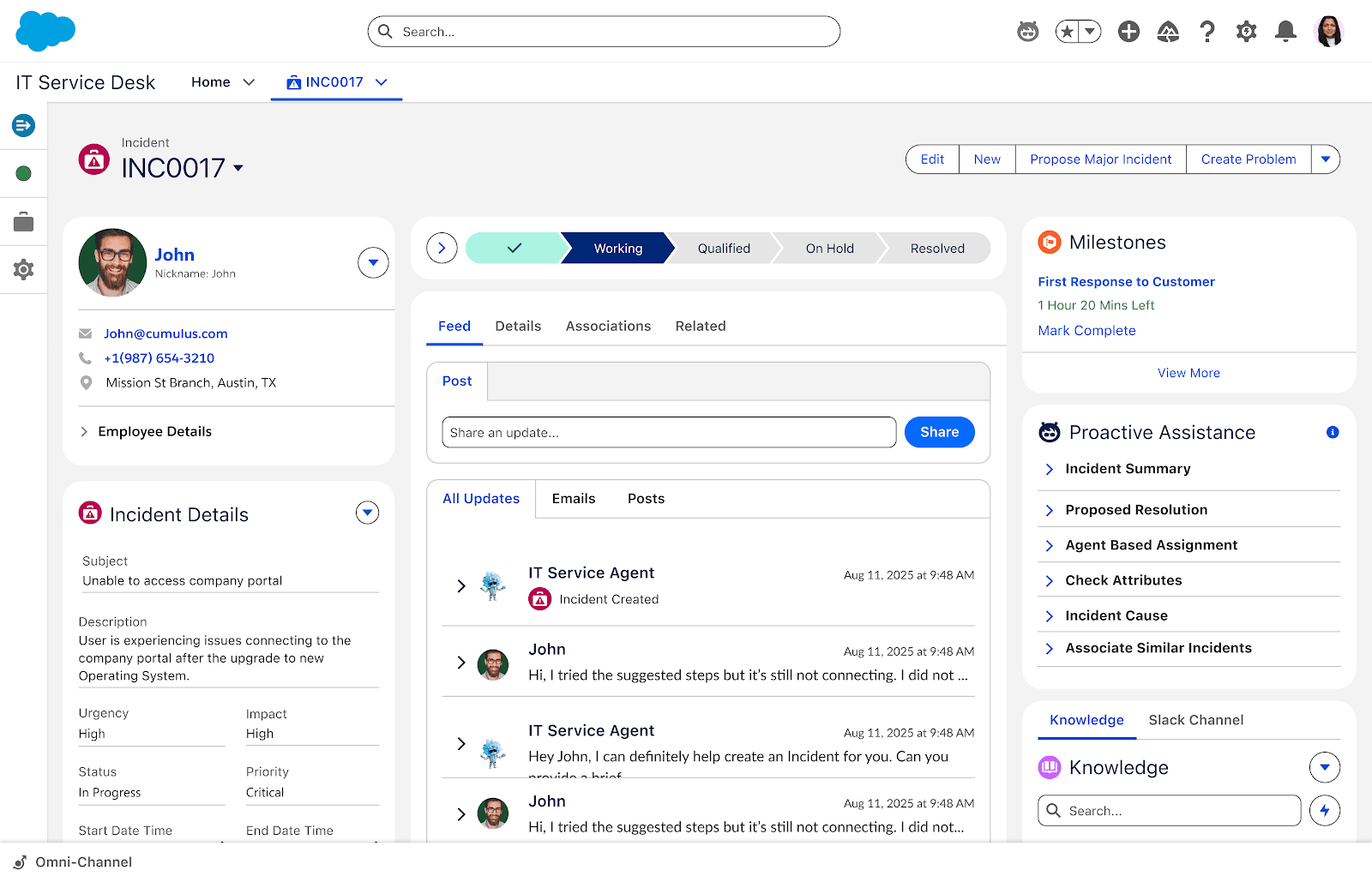
The shot above is Salesforce's own illustration of the desk. The right-hand Proactive Assistance panel lists incident summary, proposed resolution, agent-based assignment, incident cause and associate similar incidents. Those are the AI actions Salesforce attaches to every incident.
How does one IT problem move through it?
Salesforce's Trailhead module follows a single VPN outage through every process, and it is the clearest description of the mechanism I found. Employees report latency, an incident is created (the same job as ticket classification), and when many reports point at one cause it escalates. Problem management finds the root cause, here an inadequately tested security patch. Change management approves the fix, release management ships it, and an AI-assisted knowledge article records what happened.
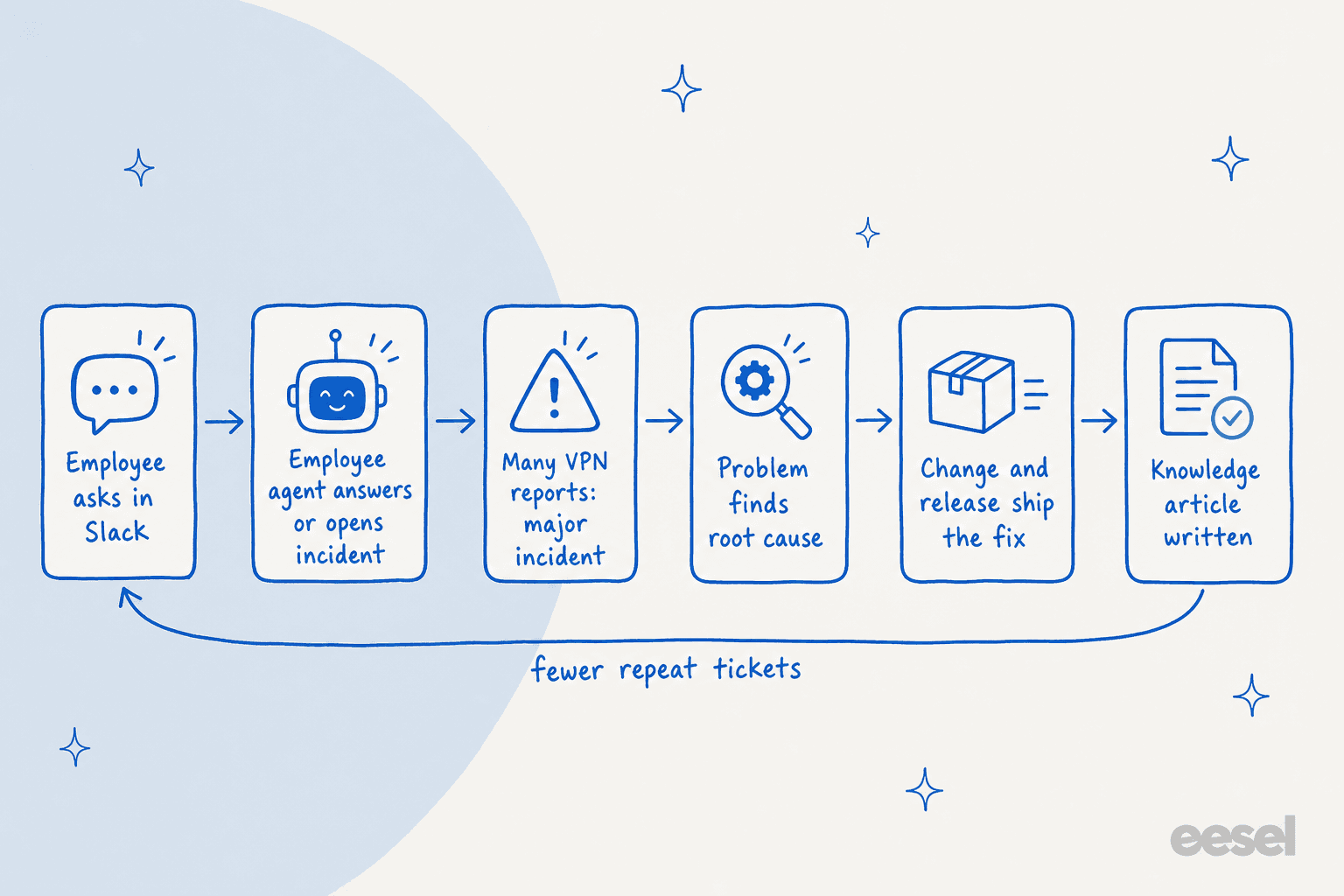
The design bet is that every resolved incident feeds the next one. Salesforce says agents capture resolutions as knowledge articles, spot recurring patterns across tickets and recommend fixes before the same issue resurfaces. The announcement gives the same example from the agent side: if multiple employees report a VPN issue, the agent identifies a widespread problem and escalates it as a major incident.
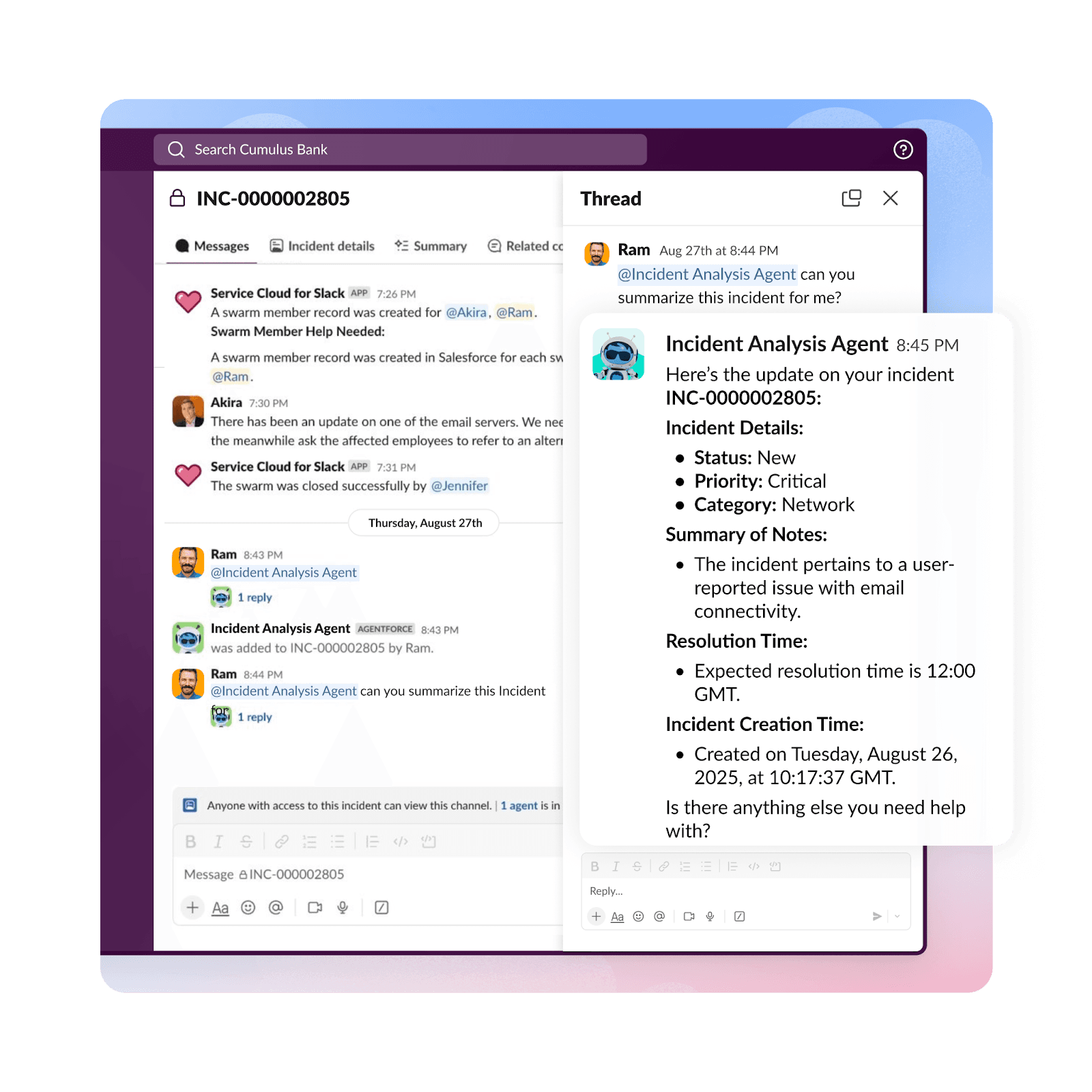
In Slack, the IT team works the incident from a thread. The Incident Analysis Agent in this Salesforce illustration returns status, priority, category, a summary of notes and an expected resolution time when an engineer asks for a summary.
Which ITSM processes does it cover?
Salesforce lists six processes on the desk side, plus the configuration and asset layers. Here is the list with the page where each is described.
| Area | What Salesforce says it does | Where it is described |
|---|---|---|
| Incident management | Auto-creates and prioritizes incidents from employee reports, summarizes and proposes resolutions | Announcement |
| Problem management | Root cause analysis and AI-generated problem articles | Pricing page |
| Change management | Change request can be raised from an incident or problem; change risk score prediction | Trailhead |
| Request and catalog | Unified catalog, approvals and notifications, 50+ pre-built catalog items | Pricing page |
| Knowledge and release | Knowledge articles drafted by AI; release management for deployments | Product page |
| CMDB and Service Graph | 200+ out-of-the-box and custom configuration items, agent and agentless discovery | Product page |
| Hardware asset management | Lifecycle, inventory, Asset 360 and analytics | HAM page |
| IT Compliance | Policies and controls tied to live assets, audit evidence collection | Compliance page |
For how the same processes look in other tools, my guides to Jira Service Management change management and approvals are the closest like-for-like reads.
How do the AI agents work?
There are two groups, and they are priced differently. The employee agent faces requesters, the people an ITSM self-service portal serves: Salesforce's product page calls it Paige, the Employee Service Agent, which meets people in Slack, Teams, a portal or chat, resolves requests and orchestrates specialized subagents behind the scenes. The fulfiller agents face the IT team and cover incident summary, root cause analysis, proposed resolution, similar incidents and categorization, per the add-on's 20+ agent actions.
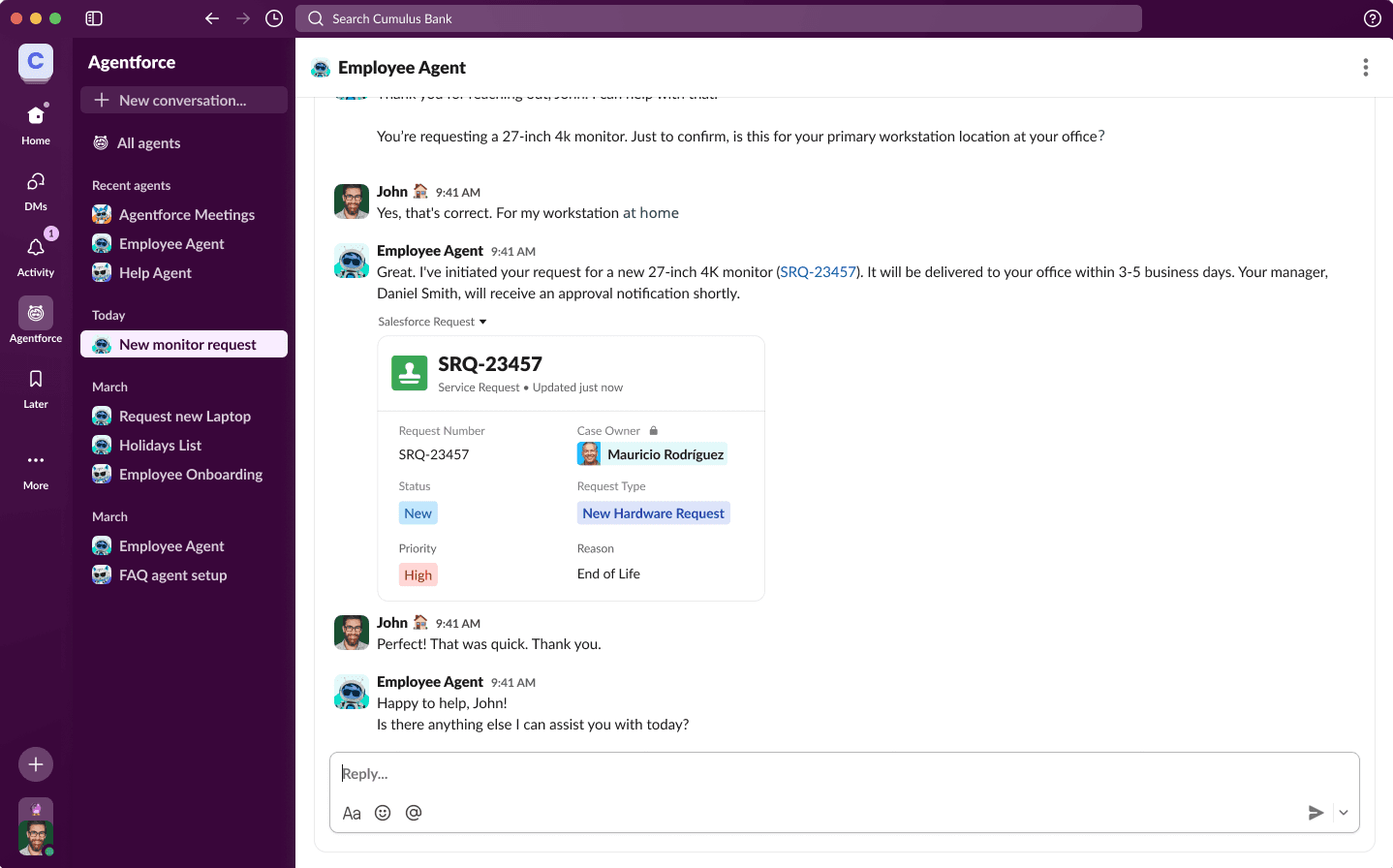
Under the hood, Salesforce says the agents combine deterministic ITIL logic with probabilistic reasoning, so a password reset follows a fixed workflow while a messy outage gets reasoned through. That split matters more than the model: it decides which actions are safe to run without a human. Salesforce also describes data masking, guardrails and a handoff to a human IT representative for something like a security breach (my handoff best practices cover what that handoff should carry), and an Agent Control Center for observability.
"We see Agentic IT Service as an opportunity to further enhance efficiency and elevate the value IT delivers."
That is a vendor-published customer quote, so read it as intent, not a measured result. Salesforce's page names UNESCO, EPB and the Ospelt Group as users, and quotes Sunrun and CoolSys too, but I did not find published resolution rates for any of them.
How much does Agentforce IT Service cost?
All figures are US list prices from Salesforce's pricing page, checked on 13 November 2026. The model is hybrid: user licenses for access, with consumption credits for advanced AI operations.
| Item | List price | Unit | What it includes |
|---|---|---|---|
| AI Agent for Employees | $15 | per user per month | Unmetered Agentforce actions for employee usage, Slack, Teams, portal and chat, 50+ catalog items |
| IT Service Desk, Enterprise | $75 | per user per month | Incident, problem, change, request, knowledge; CMDB, Discovery and Service Graph for end-user devices |
| IT Service Desk, Unlimited | $150 | per user per month | Everything in Enterprise, plus AI incident creation from email and chat, AI problem and knowledge articles, intelligent assignment, SLA breach, major incident and change risk prediction, Tableau dashboards |
| Add-on: Agentforce for Service | $125 | per user per month | AI Agent for Fulfillers, 20+ agent actions, unmetered flex credits excluding background agents and certain generative AI features |
| CMDB Enterprise | $1,000 | per 100 CIs per month | Servers, routers and other non-end-user infrastructure |
| Hardware Asset Management | $200 | per 100 assets per month | Lifecycle, inventory, Asset 360, analytics |
Salesforce adds that the product is typically provisioned as an annual commitment, even though prices are quoted monthly.
Take a company with 10 IT fulfillers and 300 employees on Enterprise. Fulfillers cost 10 x $75 = $750 a month. If every employee needs the $15 requester license, that is 300 x $15 = $4,500. The total is $5,250 a month, and 86% of it is the employee agent. Unlimited takes it to $6,000. Adding the $125 AI add-on for all 10 fulfillers brings Enterprise to $6,500 and Unlimited to $7,250.
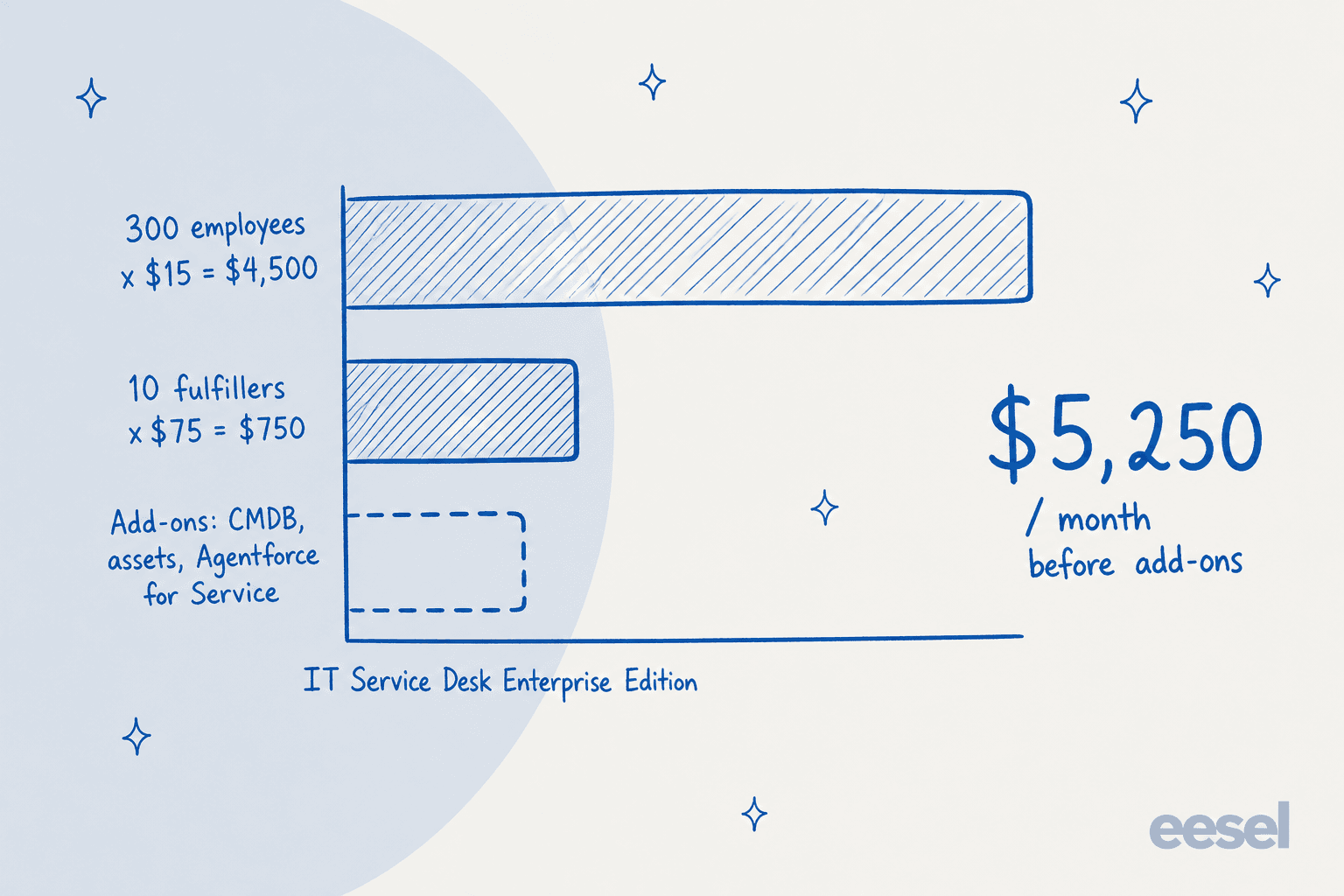
The pricing page does not say whether every employee must hold the $15 license or only the ones who use the agent. That one reading swings the bill by thousands of dollars, so it is the first question for your Salesforce rep. Plug in your own headcount below.
What should you check before you buy?
I found five things worth asking Salesforce in writing.
- Which name applies. The pricing page calls the product Agentforce IT Service in some places and IT Service Cloud in its FAQ. They appear to be one product, but contracts should name the exact SKUs.
- What "unmetered" excludes. The pricing page says Agentforce flex credits are included and unmetered in IT and HR service products, yet the $125 add-on says unmetered usage excludes background agents and certain generative AI features. The page does not say what happens to those excluded actions.
- Whether Service Cloud is required. Salesforce says the product is built on Service Cloud. I did not find a page that states whether you need an existing Service Cloud license, so ask.
- Which edition has which AI. The product page lists generative and predictive AI under Unlimited, while the add-on lists fulfiller agents separately. The feature table on the pricing page renders its edition ticks as images, so I could not read exactly which row sits in which tier.
- What is shipping versus planned. The announcement carries a note that some features may be unreleased and tells customers to buy on released features only.
I also searched for help.salesforce.com release notes and requirement articles and did not find ones I could cite, so setup prerequisites are the part of this guide I would verify last-mile with an admin.
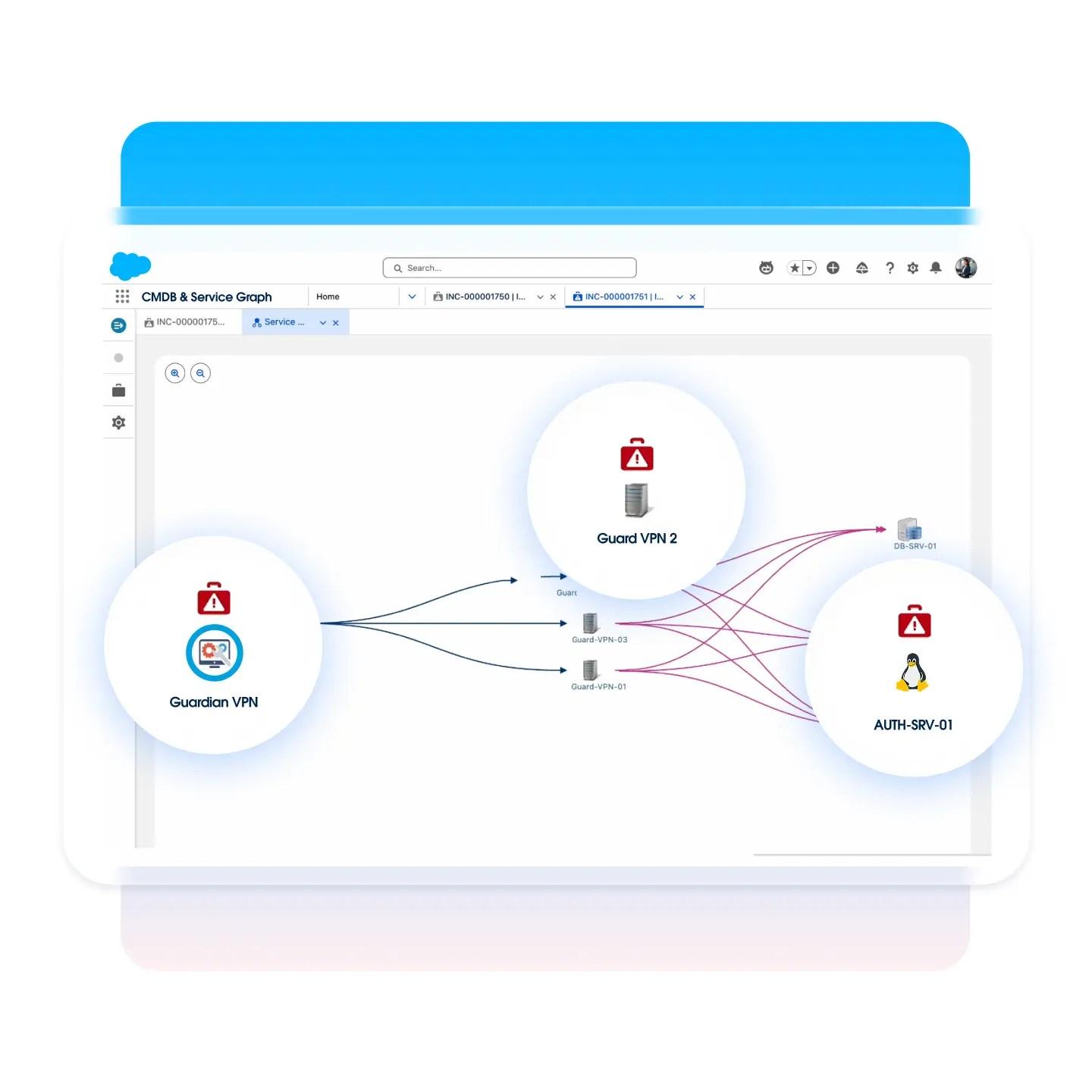
CMDB depth is the other line to test. The service graph above is where Salesforce says root cause analysis comes from, and it only works as well as the discovered infrastructure behind it. Infrastructure CIs are the separately priced pack, so size that early.
How does it compare with ServiceNow, Jira Service Management and Freshservice?
The clearest difference is the billing shape. Agentforce IT Service prices the employee agent per requester and the desk per fulfiller. Jira Service Management and Freshservice are priced per agent, and ServiceNow sells on its own model, covered in my ServiceNow pricing guide.
Beyond price, the questions I would ask are about depth, not feature lists.
How rich is the CMDB (compare Atlassian's Assets with Salesforce's service graph)? Where does your workforce already chat? Where do your approvals live? My head-to-head posts go deeper: Agentforce vs ServiceNow AI and Freshservice vs ServiceNow.
The broader ITSM tools comparison covers the rest. Agentforce IT Service is also newer than the others, and HR service desks get the same employee agent, which Salesforce's own disclaimer about unreleased features reflects.
Where does an AI teammate like eesel fit?
eesel is an AI teammate platform, and the one that applies here is the AI helpdesk teammate: it joins the queue you already have, reads your knowledge, and drafts or sends answers under rules you set. Salesforce Service Cloud is a documented connector. It reads Cases, Contacts, Accounts and Knowledge articles and leaves its drafts as internal case comments. Jira Service Management is documented too, and the agent leaves a note on the issue or replies to the reporter.
Agentforce IT Service is not on that documented list. I would not assume the Salesforce connector reads its incident records, and ServiceNow and Freshservice are not on the documented helpdesk list I checked either. If you are choosing between a platform move and an AI layer, that is a real boundary: eesel does not replace a CMDB, change calendar or release workflow.
What it does well is the repetitive answer. Two published customers show the pattern, though neither is an IT desk. OroSoft runs on Freshdesk: a support agent mentions eesel on a ticket and gets a draft grounded in 6,100 past tickets and 20 reference files, always naming the ticket or article behind it, and the team calls it early days, with 14 drafts in its first measured month. An industrial automation company puts its technical library behind a chat that answers only from the documents, and well over twice as many questions reach the chat as reach the support desk. The same shape works for password policies, device requests and VPN runbooks, and it is the core of any IT ticketing system with AI on top: draft, cite the source, and let a person send.
On cost, eesel's pricing is a fixed monthly credit batch. A ticket or a chat is one credit: 500 credits are $299 a month, extra credits are $0.80 each up to a cap you set, and there is no seat fee. The free trial gives 100 credits for 7 days.
For related reads, see best AI for Slack support, AI for IT service management and best AI for IT helpdesk.
Try eesel on your IT queue
If your IT queue is in Jira Service Management or Salesforce Service Cloud, eesel works like a new hire that reads your runbooks and knowledge base first, then drafts answers inside the tickets your team already handles. Start with the free trial and watch real drafts before you pay anything, or see the AI service desk guide for how teams set it up.