

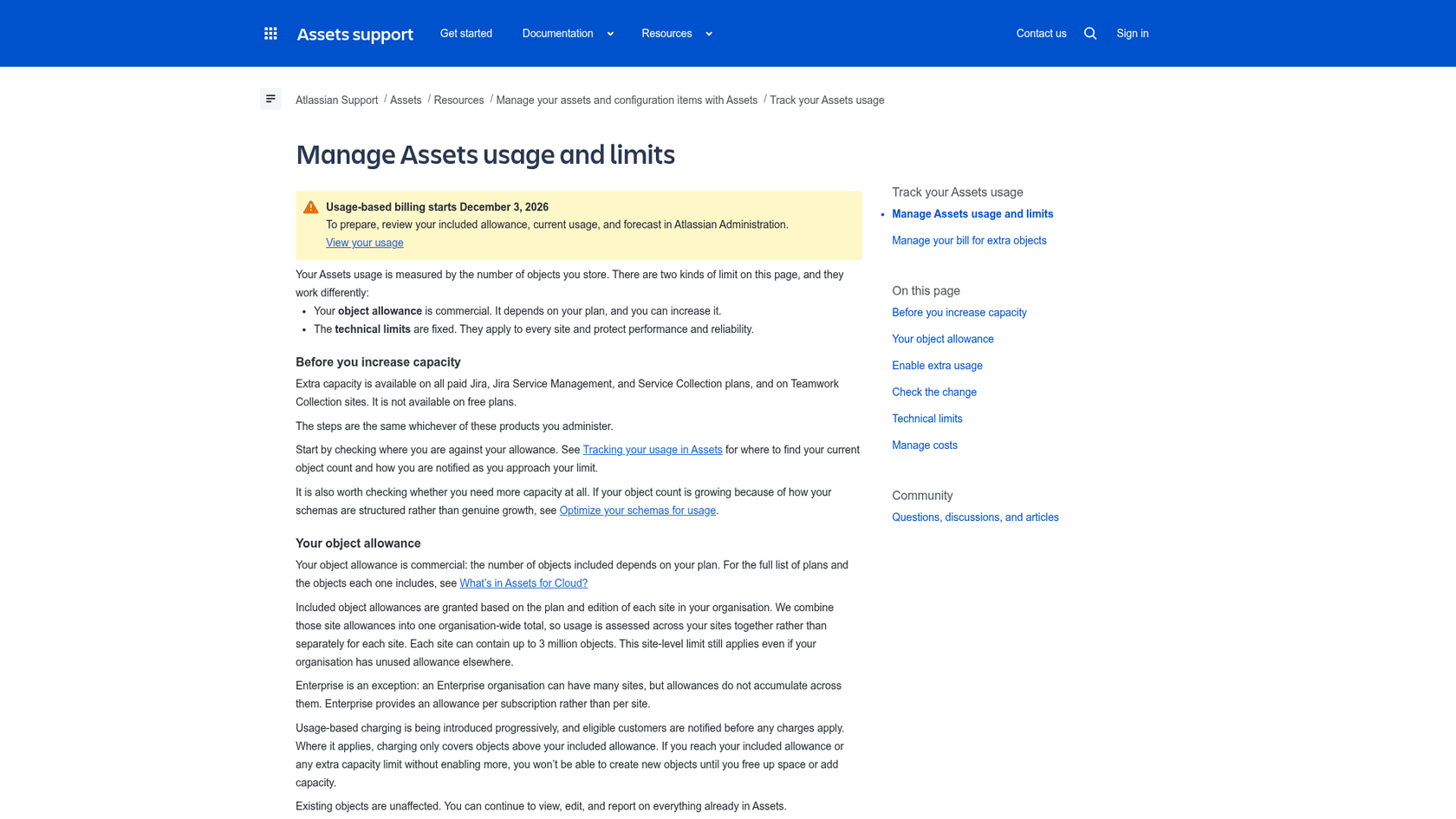
Jira Service Management Assets is Atlassian's CMDB: you describe what you track as objects with attributes, link them with references, then attach them to requests, incidents and changes. Plans carry an object allowance, 5,000 on Standard, 50,000 on Premium and 500,000 on Enterprise, and Atlassian says billing for objects above it starts on 3 December 2026, so size your schema before you build it. The skill that matters most is modelling: one object per thing that needs its own owner, lifecycle or references, and an attribute for everything else. eesel can sit on the queue side, answering "which laptop do I have?" from approved asset notes while IT keeps every record change.
I build eesel's integrations and APIs, so I read Assets the way an integrator does: what is the data model, what does a connected tool see, and where are the hard limits? I went through Atlassian's Assets docs and pricing page for this guide, and a few of them disagree with each other, which I flag below. With the eesel CLI, an AI coding agent can upload approved reference material, like an exported device list and your laptop-replacement policy, then ask it test questions and check the answers before anything goes live. Connecting the Jira site itself still needs a Jira admin to approve it.
What is Jira Service Management Assets?
It is a place to track anything your team cares about and connect it to the work you already do. Atlassian's overview lists services, employees, vendors, contracts, locations and equipment as typical things to track, and says everything you track is stored as an object, with attributes that describe it and references that link it to other objects.
Two changes make this worth reading even if you have used Assets before:
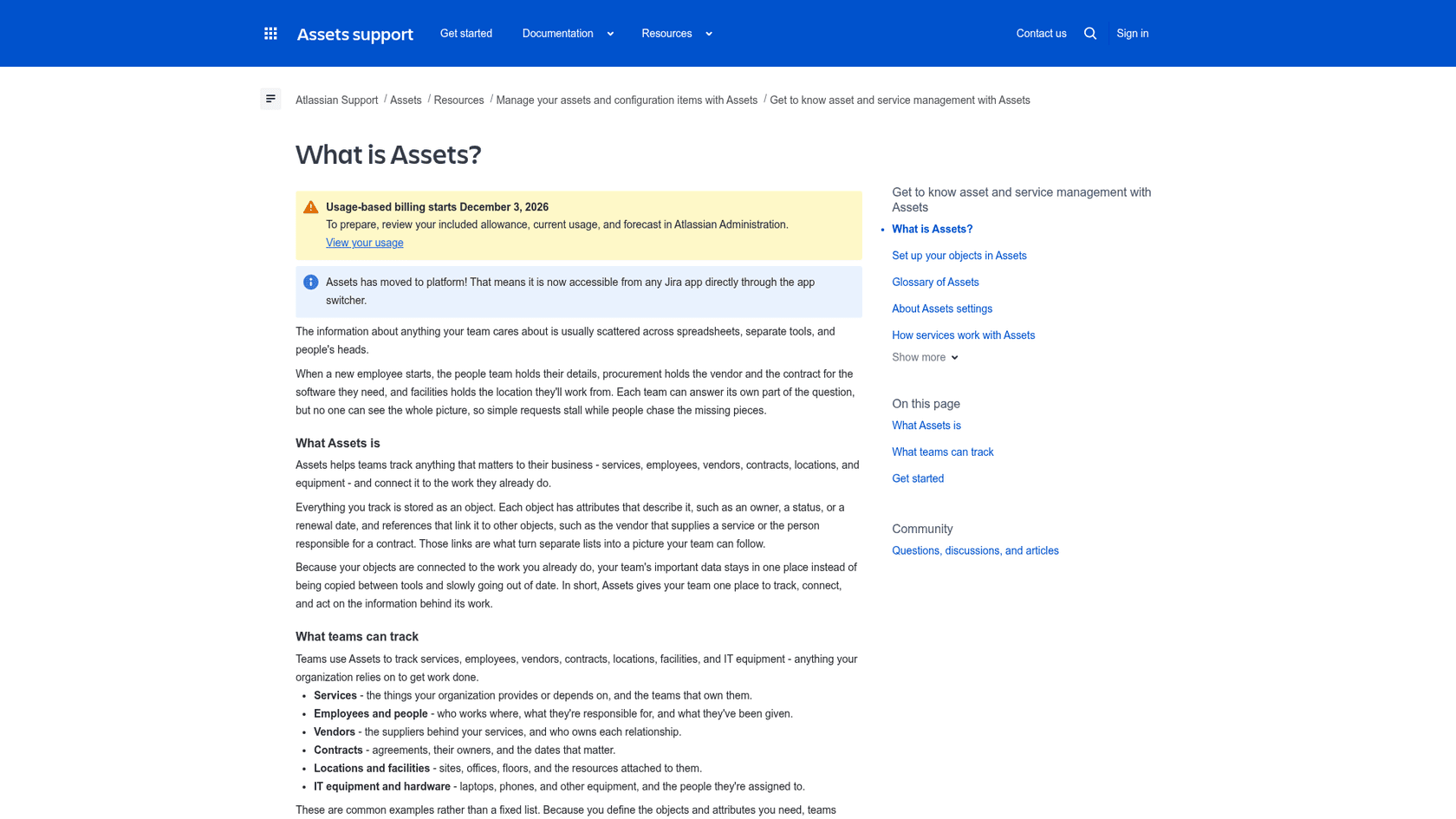
- Assets is now a platform app. Atlassian says it is accessible from any Jira app through the app switcher. Its roles page adds that a person with the Assets User or App Admin role needs no Jira or JSM licence to open the app.
- Objects are now metered. The same banner announces usage-based billing from 3 December 2026, covered in the plans section below.
A full-featured CMDB has to answer one question: when something breaks or changes, what does it touch? In Jira Service Management that answer reaches the agent through requests, which I cover below, and through change management. If you are new to the ITSM side, my guides to AI for ITSM and the ITIL framework give the vocabulary.
How do schemas, object types, attributes and references fit together?
An object schema holds object types, and object types hold objects. Atlassian's schema page says each schema holds its own object types, objects, attributes, icons, references and statuses, and has its own permissions, so you can hide a contracts schema from the people who only need hardware.
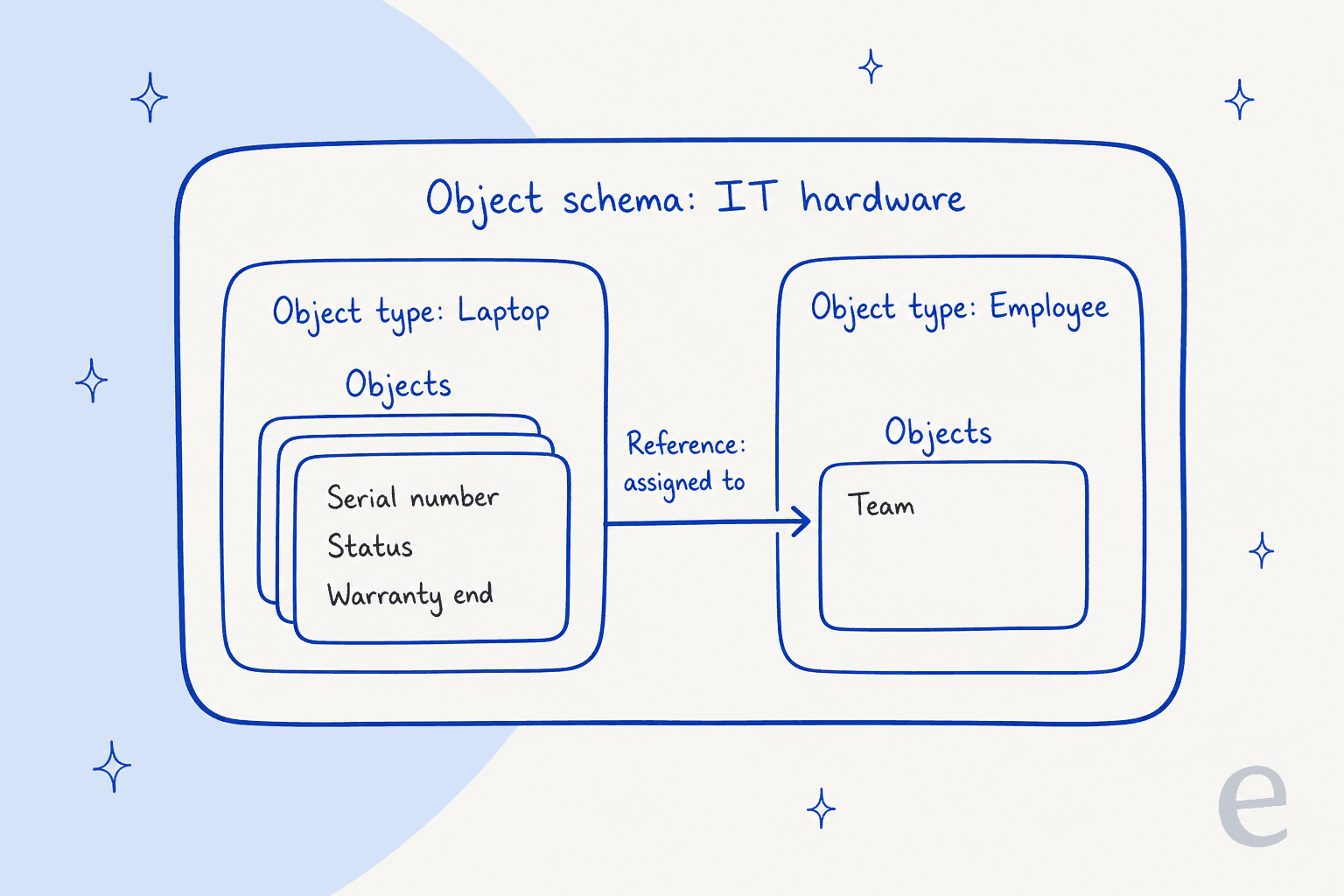
The glossary defines an object type as a group of similar objects sharing the same attributes, and a reference as a special attribute that links to a different object. Object types can also inherit attributes from a parent type, and an abstract object type can't hold objects itself but works as a parent.
The attribute types are where a design gets practical. Per Atlassian's attribute types page, the seven groups are:
| Group | What it holds | Detail worth knowing |
|---|---|---|
| Default | Text, Boolean, Integer, Float, Date, DateTime, URL, Email, Textarea, Select, IP address | Text is capped at 255 characters, Textarea at 10,000 |
| Object | References to other objects | Minimum and maximum cardinality can be set |
| User | A link to a Jira user | Sorting a list by User sorts by user ID, not name |
| Group | A link to a Jira group | Jira groups you can view are detected automatically |
| Project | A Jira project | Detected from your permissions |
| Status | A status from global or schema options | Describes an object's state |
| Bitbucket repository | A link to a repository | Detected from your permissions |
The design rule I would apply comes from Atlassian's own optimisation guidance: create a separate object when an item needs its own owner, lifecycle, references, reporting or retained history, and use an attribute on an existing object otherwise. A vendor referenced from each contract beats the vendor retyped on every contract. That advice is about cost as much as tidiness, because every object counts toward your allowance.
"The knowledge base and asset information also contribute to faster resolution of recurring tickets and better storage of critical information for future reference."

Which plan includes Assets, and how many objects do you get?
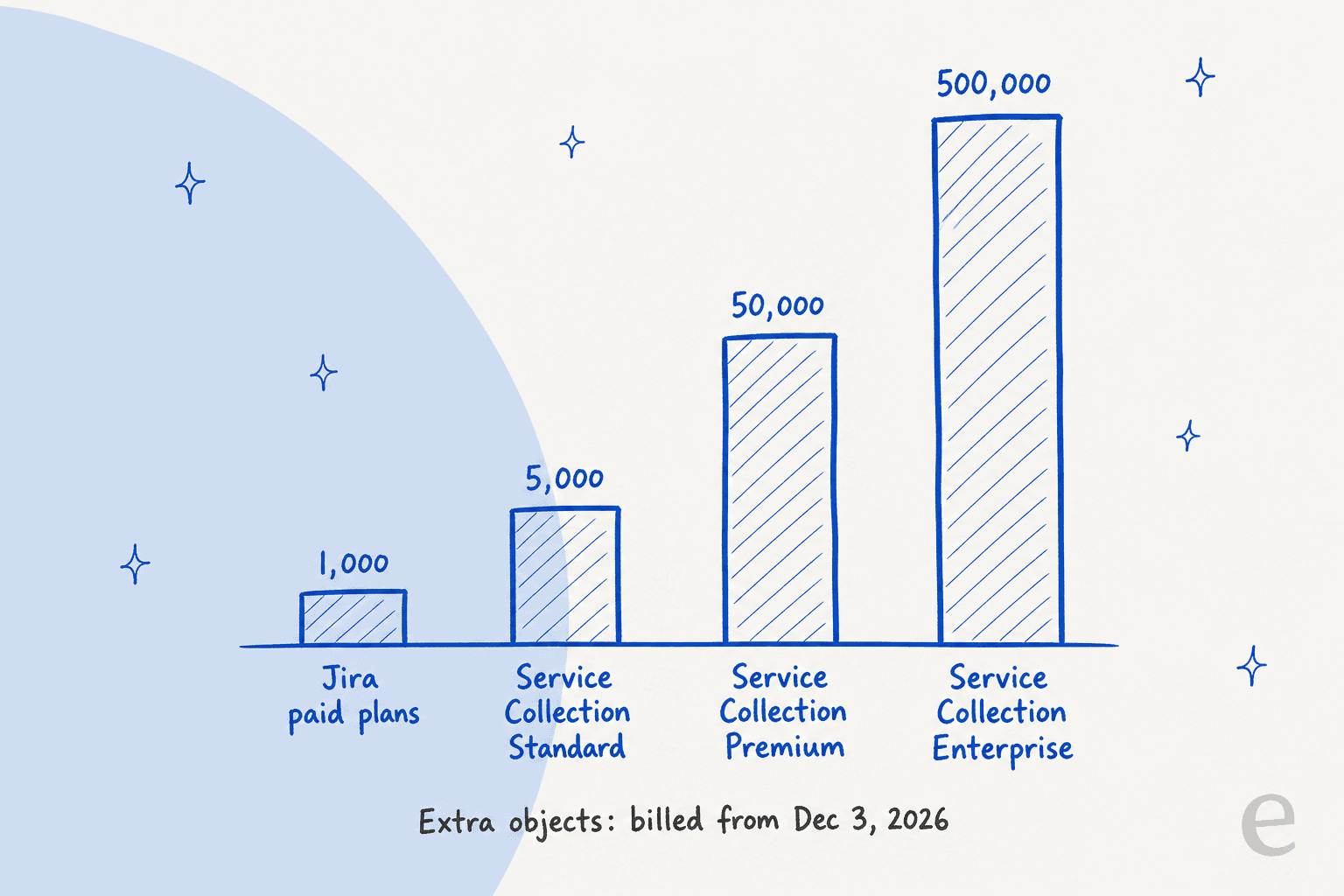
Atlassian's pricing page lists Assets as not included on Free and included on Standard, Premium and Enterprise, each with an object allowance.
| Plan | Included Assets objects | Other Assets features on the same page |
|---|---|---|
| Free | Not included | None |
| Standard | 5,000 | Common data model, asset discovery, dependency mapping |
| Premium | 50,000 | Adds Data Manager and Hardware Asset Management |
| Enterprise | 500,000 | Same as Premium |
Three things in Atlassian's own docs don't line up, and I would check them with your Atlassian rep before you budget.
- Bundle versus product. The pricing page columns are the Service Collection bundle, which includes Assets. The Assets for Cloud page lists 1,000 objects for Jira Standard, Premium and Enterprise, and 5,000, 50,000 and 500,000 for Service Collection Standard, Premium and Enterprise. A billing example on the extra objects page pairs Jira Service Management Premium with 50,000 objects, and allowances from several subscriptions combine, so 50,000 plus 1,000 gives 51,000.
- The site ceiling. The usage pages say each site can hold up to 3 million objects, while the technical limits table lists 10 million schema objects per site. I would plan around the lower number.
- The common data model. The pricing page ticks it on Standard and up, but Atlassian's common data model page says it is currently available only to customers in the Beta program. Its four system schemas are People, Geography, External organizations and Hardware.
What changes on 3 December 2026?
Atlassian's support pages carry a banner saying usage-based billing starts that day. You are billed only for objects above your included allowance, either as prepaid object packs with volume discounts or postpaid by actual use above it. Atlassian does not publish the per-object rate on these pages and says to check Atlassian Administration for yours, so I can't give you a price. Its usage page says you are notified at 80% and again at 100% of your allowance.
Not everything counts. Objects in the Software Registry and Business Portfolio schemas, in the deprecating Services schema, in sandboxes and in Data Manager don't count toward usage, but objects in other system schemas such as the Hardware assets schema do, per Atlassian's usage explainer. One more wrinkle: the limits page says charging is being introduced progressively and eligible customers are notified before any charge, so the date may reach you at a different time than the banner suggests.
Here is a small widget to check where your object count lands against those allowances.
How do you connect Assets objects to requests?
You add an Assets objects custom field to your request types. Atlassian's setup page walks through it: create the field in Jira admin, choose the Assets objects field type, pick the object schema the field can reach, and optionally add AQL to filter which objects appear.
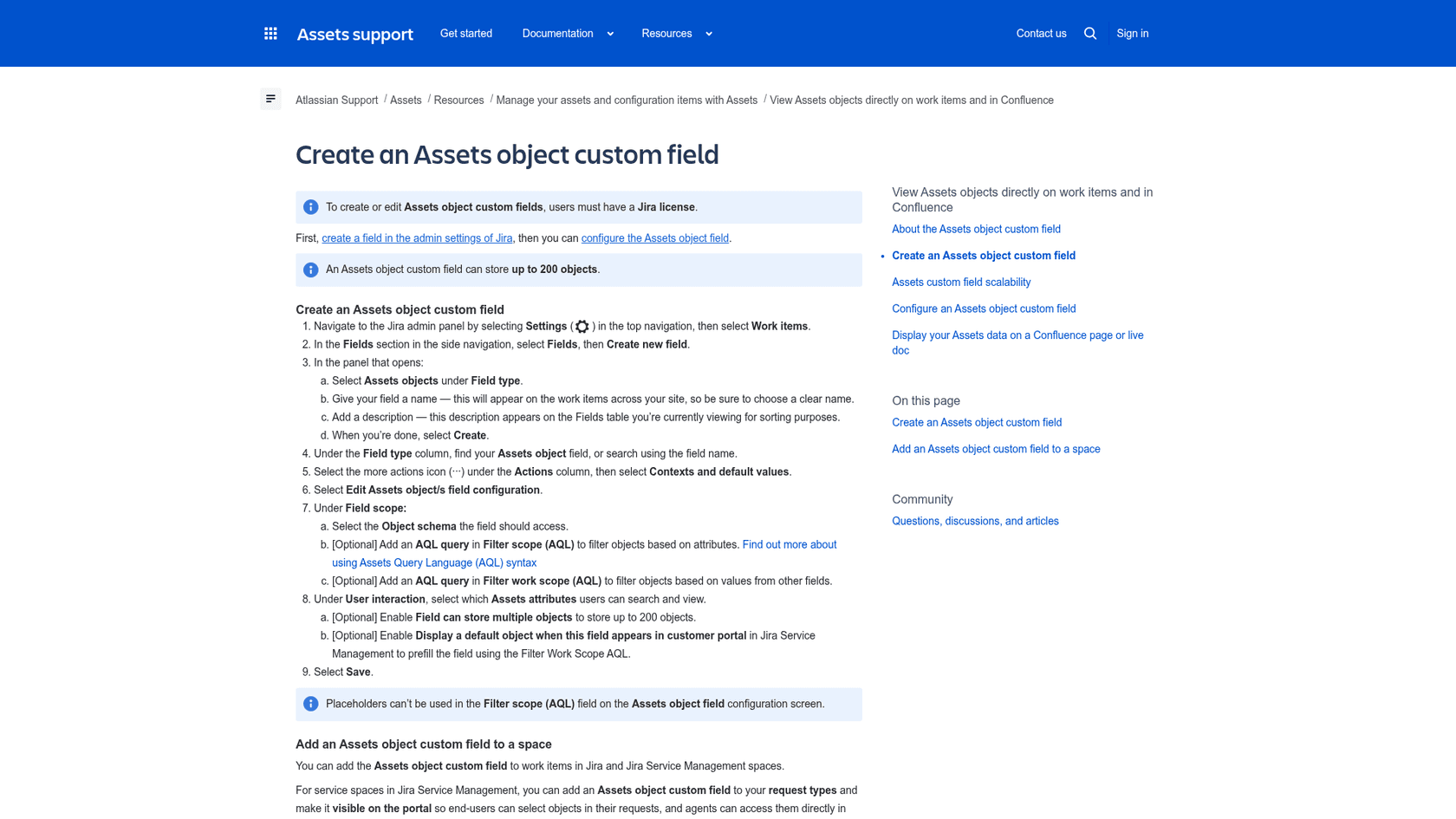
The settings that decide whether the field is useful:
- Filter scope (AQL) limits the objects a person can pick, and placeholders can't be used in it.
- Filter work scope (AQL) filters by values from other fields, and it can prefill a default object in the customer portal.
- Multiple objects is optional, and a field can store up to 200 objects.
- Portal visibility lets customers choose objects in their own requests. Atlassian notes that adding a field to a request type grants all portal customers the view-only User role in Assets, which is worth knowing before you expose a schema with sensitive attributes.
Atlassian also says some views, like boards and the backlog, show a truncated list of 50 objects while work item and portal views show up to 200. Once an object is selected, the request appears under Connected Jira work items on the object. That two-way link is what makes the database earn its keep for agents: they see the laptop's status and warranty on the ticket, and the laptop's history shows every ticket raised about it.
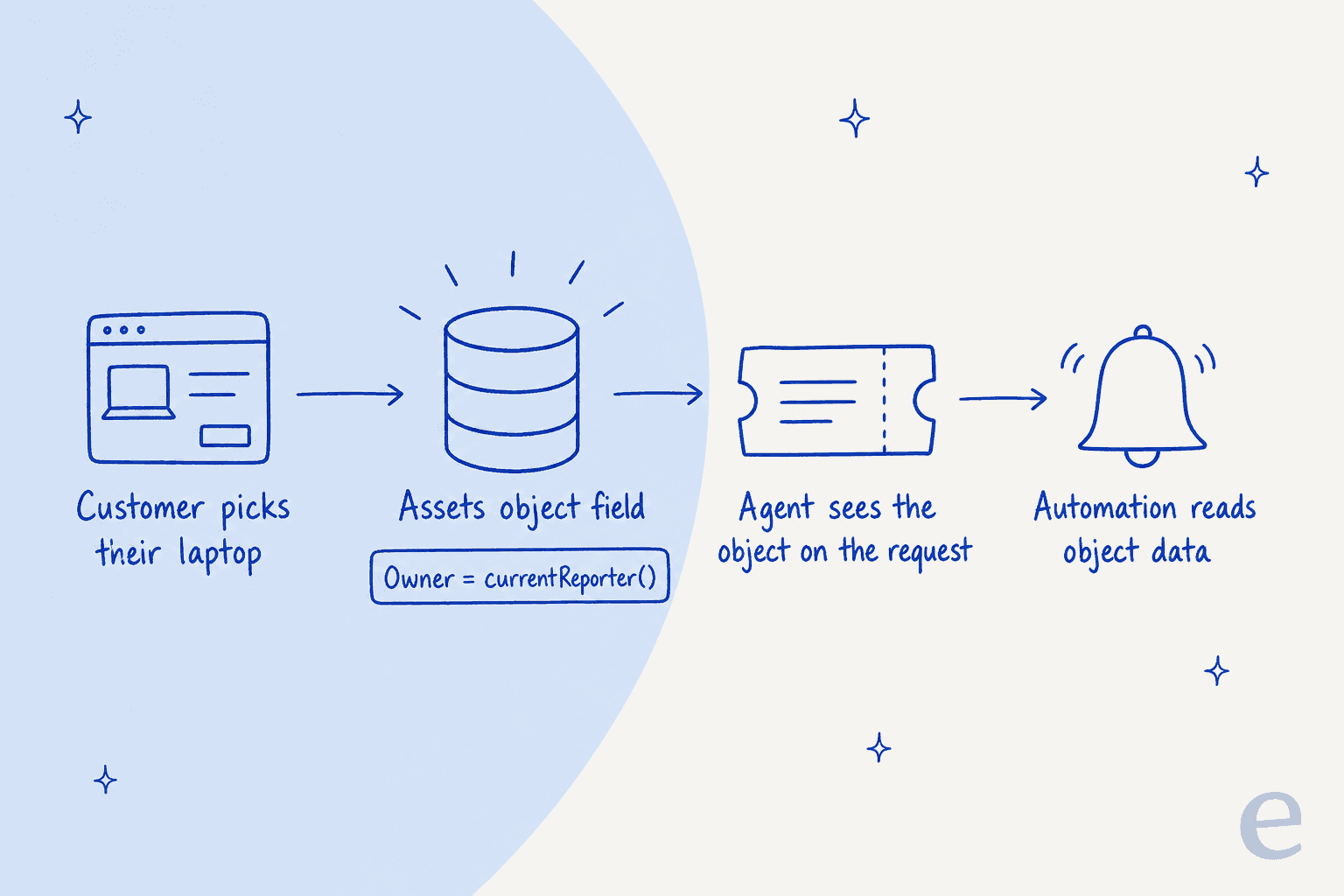
Atlassian's page also points to automation: smart values for Assets let rules act on object data, and Atlassian Automation is listed as a Cloud-only feature. If you are weighing what else to automate on the desk, my service desk automation guide and Jira automation guide cover it.
How does AQL work?
AQL is a small query language: <attribute> <operator> <value>. Atlassian's AQL page says it can be used in Advanced AQL search or in an object custom field, and it is not case-sensitive, though == is the case-sensitive equality operator.
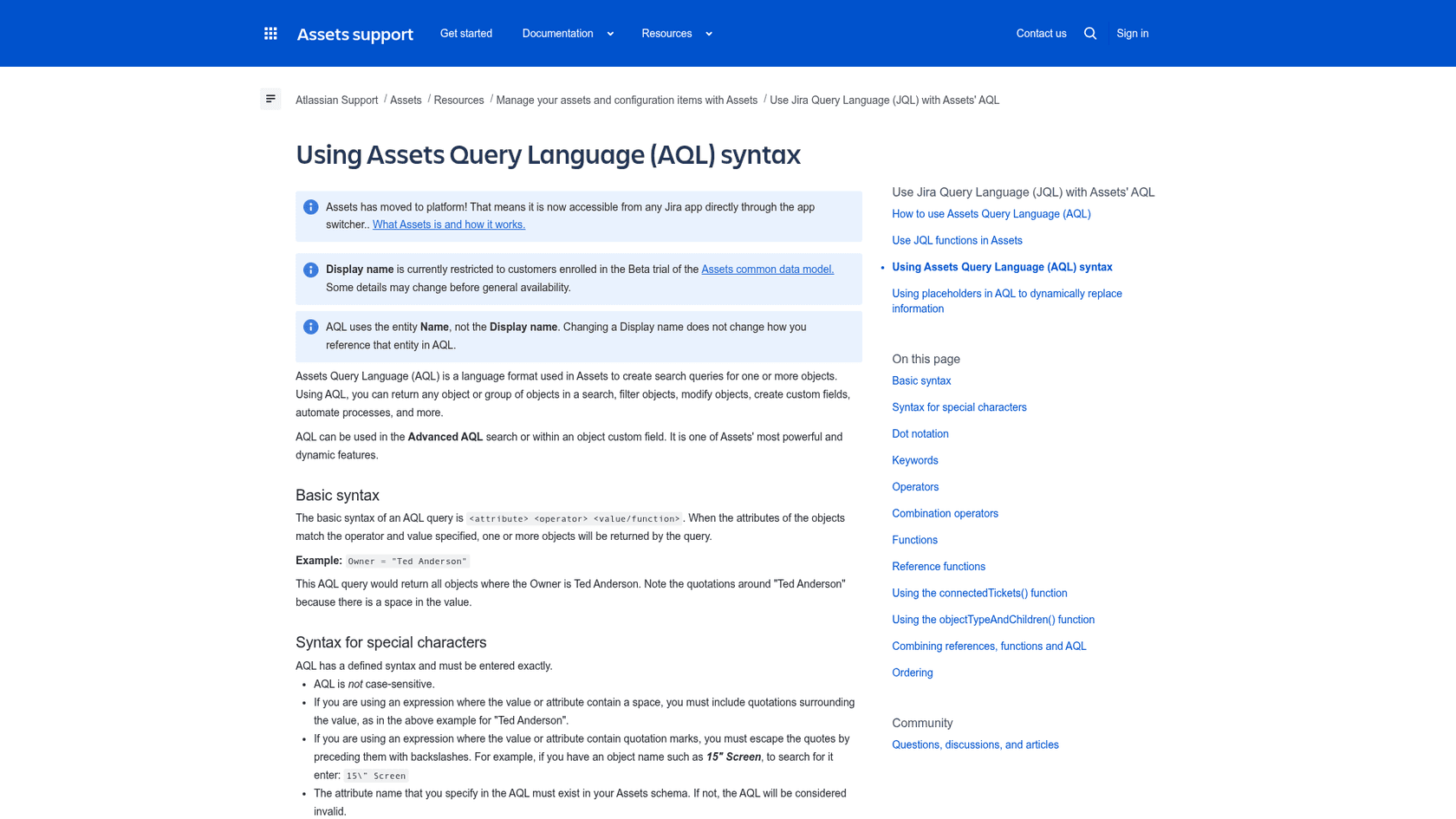
The pieces I use most, taken from that page:
| Need | AQL | What it does |
|---|---|---|
| All objects of a type | objectType = "Host" | Keyword search by object type |
| Follow a reference | "Belongs to Department".Name = HR | Dot notation walks a reference chain |
| Objects nobody owns | Owner is EMPTY | The is operator tests for empty values |
| Only my devices | objecttype = Computer and User = currentUser() | Needs a User-type attribute |
| The reporter's devices | User = currentReporter() | Works only when a work item is selected |
| Objects with open work | object HAVING connectedTickets(Project = VK) | Runs the JQL first, then the AQL |
| A type and its children | objectType in objectTypeAndChildren("Asset Details") | Includes child object types |
Two cautions. AQL uses an entity's Name, not its Display name, so renaming a display name doesn't break your queries, and the attribute must exist in the schema or the query is invalid. The anyAttribute query and connectedTickets() don't work with the Confluence macro that embeds a table of objects on a page, so a Confluence report built that way needs different filters. If your team documents in Confluence, the eesel Confluence integration can pull those pages into the same knowledge an AI teammate answers from.
How do imports, Data Manager and discovery work?
Cloud supports several routes in. The Assets for Cloud page lists import from CSV, JSON and Assets Discovery, plus import from a web address and an External Imports API. The limits page sets the maximum import file at 250 MB per schema.
Premium and Enterprise add Data Manager, which Atlassian says connects, cleanses and reconciles data from multiple sources, with more than 30 adapters including CSV and ODBC for SQL databases.
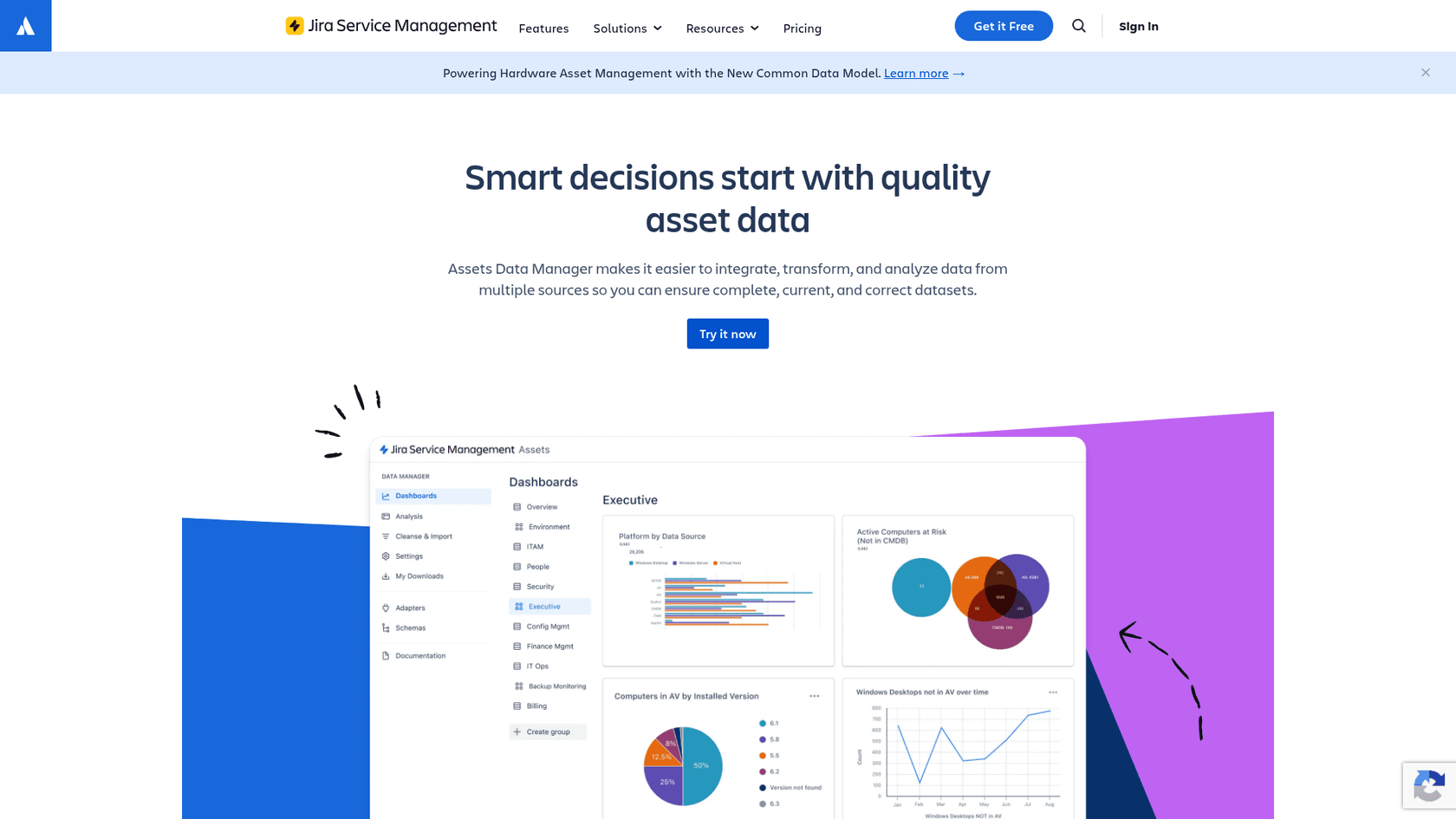
Atlassian's own pages differ on how Data Manager reaches a schema. The pricing page says native import of data to schemas is "coming soon," while the Data Manager FAQ says data can be imported into a schema via CSV or a new import adapter. I would treat the CSV route as available today and confirm the adapter. The useful fact for cost is that objects held in Data Manager don't count toward your object usage, so it can hold raw source data while only reconciled records live in a schema.
Atlassian's duplicate-prevention advice applies to any import: use a stable identifier, such as an employee ID or location code, to match incoming records to existing objects so an import updates the right one instead of creating a duplicate. Assets Discovery, the network scanner, has moved to a consolidated documentation page, and the pricing page lists it on Standard and above.
How does Assets connect to change and incident management?
Through the same custom field. Atlassian's change management page says you create an Assets objects field, map it to a schema, and add it to the change and incident screens. Connected objects then show in change risk insights, where you can see potential conflicts on specific objects, and on the change calendar, where you can see which objects upcoming changes will hit.
That is the practical payoff of a CMDB: before approving a change to a database server, the approver sees the other changes already scheduled against the same object. My change management guide covers the approval, risk and calendar pieces, and AI for change management covers where AI helps. For the incident side, see automated IT incident management and my SLA best practices.
What are the hard limits and gotchas?
Beyond the allowance, Atlassian publishes technical limits that billing doesn't change. From its limits page:
| Limit | Value |
|---|---|
| Schema objects per site | 10 million |
| Total schemas | 100 |
| Objects per object type | 2 million |
| Attributes per object type | 120 |
| Unique constraints per object type | 2 |
| Text attribute characters | 255 |
| Textarea attribute characters | 10,000 |
| Import file size per schema | 250 MB |
The one that surprises people is that Assets has no archive state. Atlassian's optimisation guidance says archiving can't reduce usage, because there is no archived state: deleted objects stop counting, but deletion is irreversible, so decide an object's lifetime before you create it. Update the current object when an employee changes team, rather than creating a second one.
A short pre-build checklist I would run:
- List the object types you need, and mark which ones have their own owner or lifecycle.
- Turn the rest into attributes on an existing type.
- Pick a stable identifier for each type before the first import.
- Decide which schemas portal customers may see, since the field grants them the User role.
- Count your objects against the plan allowance, and check App usage monthly.
Where does an AI teammate fit on top of Assets?
AI sits on the ticket side of this data, not in the record. When someone asks "which laptop do I have?" or "when does my warranty end?", the answer lives in an object, and the person asking is usually in the queue. My guide to AI for IT asset management goes through which of those jobs an AI can do and which should stay with IT, and AI for asset management and the best AI asset tools round it out.
A caution on what I can verify: I have not confirmed a native eesel reader for Assets objects. What eesel does today is connect to your Jira Service Management desk, learn from past requests and your knowledge base, and answer or draft inside the queue, as its integration page describes. For asset questions the practical route is an approved export of the data, such as a device list, refreshed on a schedule, which keeps a person in charge of what the AI can quote and means a stale export is the thing to watch.
The pattern holds on a technical desk. An industrial automation company runs eesel over its technical library, and a support agent drafts an answer on every ticket, with a confidence level and the sources used, before an engineer opens it. Weekly volume roughly doubled in its first months, and well over twice as many questions arrive in the chat as reach the support desk. An engineer edits and sends, and eesel never writes to a customer on its own.
For a JSM desk I would copy that shape: test against past requests first with AI support simulation, keep approvals with people as in my approval workflows guide, and use a clean knowledge base as the source. If you are choosing between routes, best AI options for JSM, Atlassian's own AI and Rovo are the places to start, and the agentic AI guide covers where Atlassian is heading.
Try eesel on your Jira Service Management desk
Assets tells your agents what a device is; the queue still needs someone to answer the question fast. eesel is an AI helpdesk teammate that joins your existing Jira Service Management queue, learns from your past requests and knowledge base, drafts replies and updates request fields, and leaves approvals to your people. Related reading: AI for the service desk and AI for onboarding questions.
Try eesel against a sample of your own requests first, and see the JSM pricing guide for what the desk itself costs.
Frequently Asked Questions
What is Jira Service Management Assets?
Which Jira Service Management plan includes Assets?
How many objects does Jira Service Management Assets include?
What is AQL in Jira Service Management?
objectType = "Laptop" AND Status = "In stock". It works in advanced search and in object custom fields, per Atlassian's AQL syntax page. It is not case-sensitive, and it uses attribute names, not display names.