8 best StoreFAQ alternatives for Shopify stores in 2026

Riellvriany Indriawan

Katelin Teen
Last edited October 21, 2026

Why stores look for a StoreFAQ alternative
I want to be fair to StoreFAQ first, because it's a good app. It's built by Storeware, carries the Built for Shopify badge, and holds 5.0 from 158 reviews on its Shopify listing. The FAQ builder is clean, it writes FAQ schema for you, and since June 2026 it has an AI chatbot that learns from your products, policies, FAQs, blog posts and pages. For $7.99 that's a lot of app.
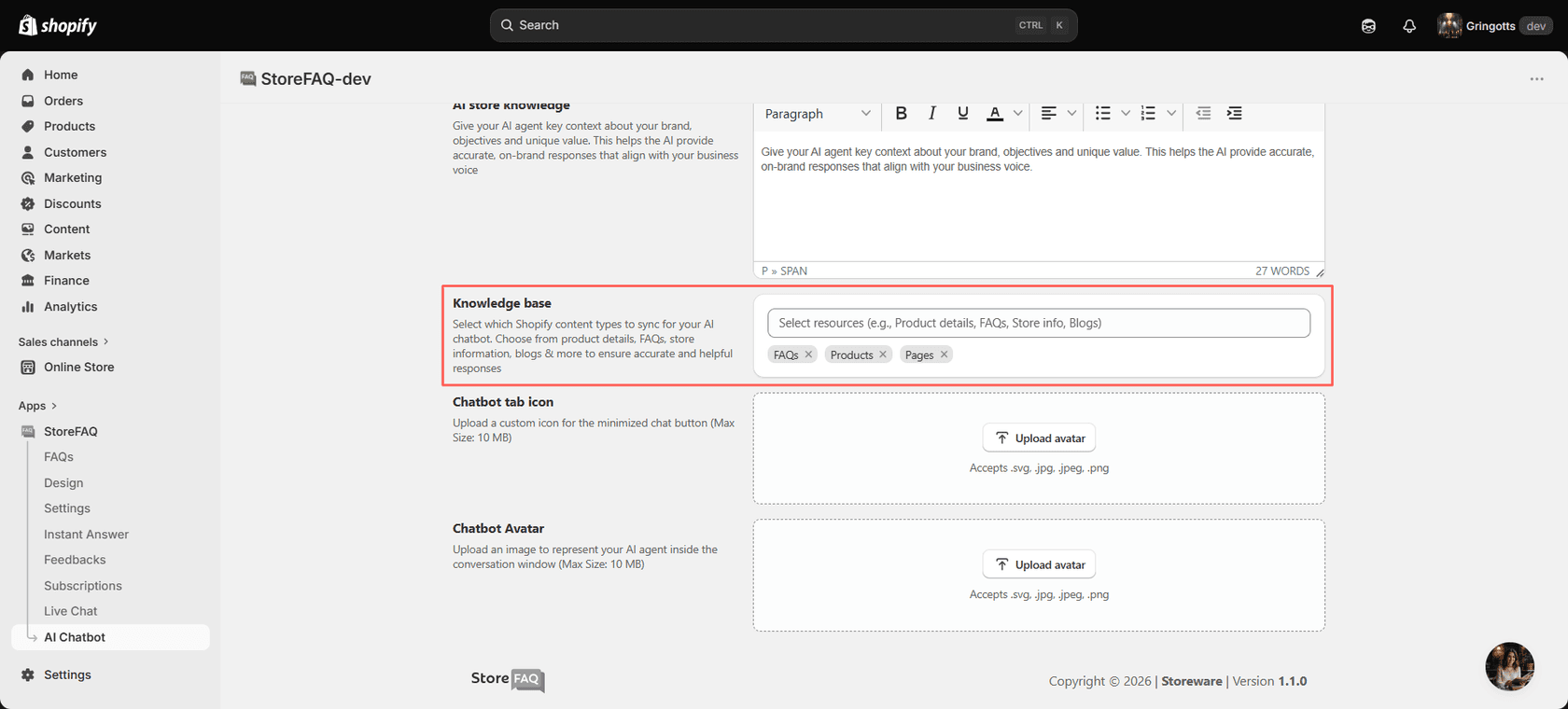
I work on eesel's support queue every day, and the reasons people leave tools like this are rarely about the FAQ page itself. From the StoreFAQ research behind my StoreFAQ review, four come up:
- The AI meter. Paid plans include 50 to 500 AI conversations a month, and every extra one costs $0.30, with no cap published. The free plan has 25 AI chats in total, not per month. My StoreFAQ pricing post runs the numbers.
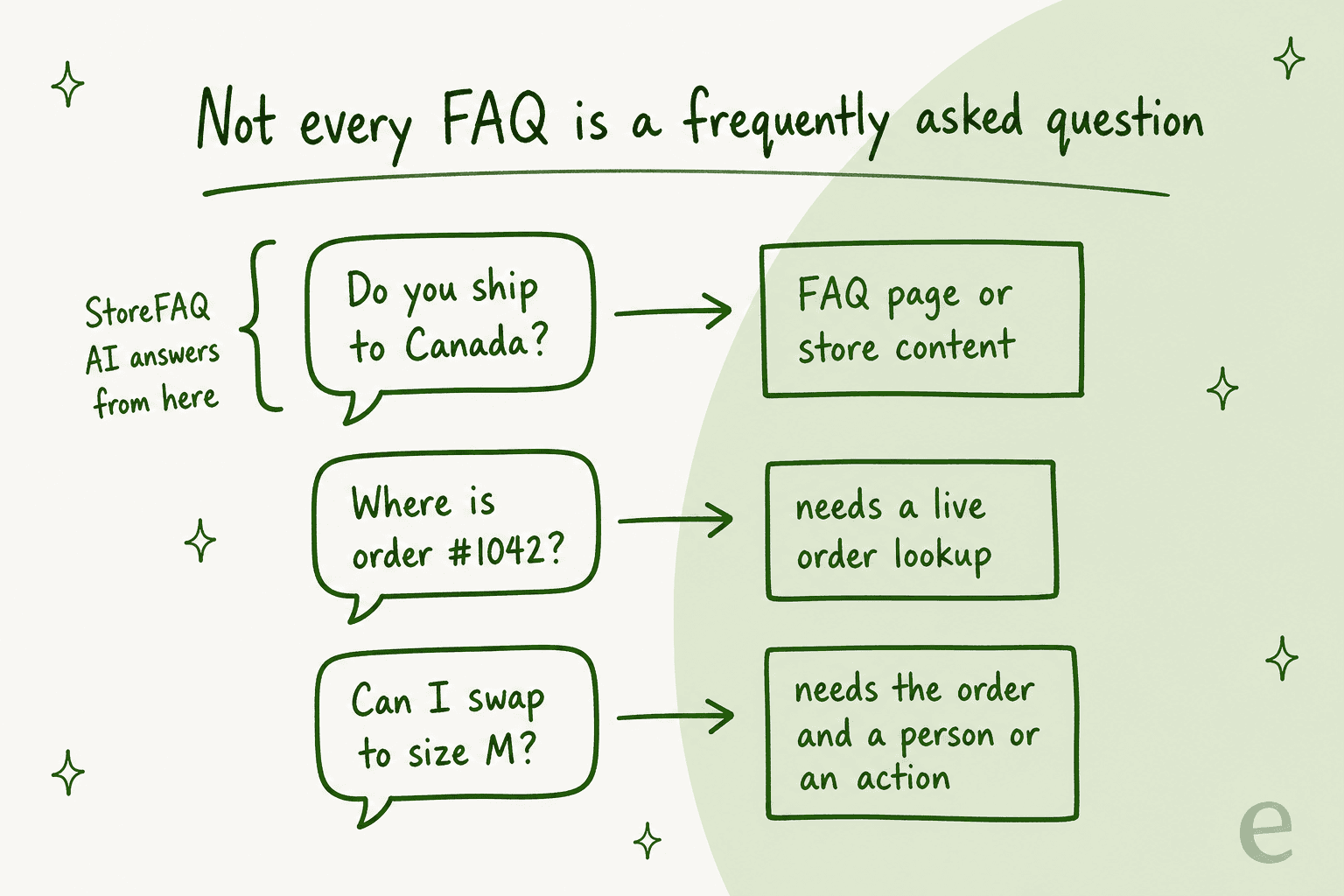
- No order lookup. The chatbot's sources are published store content. The docs never mention order data, so "Where is my order?" goes to a person.
- A second inbox. When the AI hands off, the chat stays in StoreFAQ's own Live Chat screen. If your team already works in Gorgias or Zendesk, that's one more tab to watch.
- The free plan changed. Two September 2025 reviews on the listing complain the free plan was cut to 100 FAQ views a month after they installed.
None of those make StoreFAQ a bad pick. They tell you which alternative to look at. A store that just wants a nicer FAQ page should not be shopping for a helpdesk, and a store drowning in order emails won't fix it with a prettier accordion.
How I picked these StoreFAQ alternatives
I started from what a store owner actually asks. When I put "I use StoreFAQ for FAQ pages and the AI chatbot, what are good alternatives?" to ChatGPT, its answer split the field the same way I would: excellent FAQ builders with little or no AI, and AI support tools that handle FAQs through chat with no dedicated FAQ page. The shortlist it read from Shopify's own listings is the core of this one.
For each app I read its Shopify App Store listing and pricing on 21 October 2026, and its own docs where they mattered. Every price below comes from the vendor's own listing or pricing page. I sorted the eight into three routes:
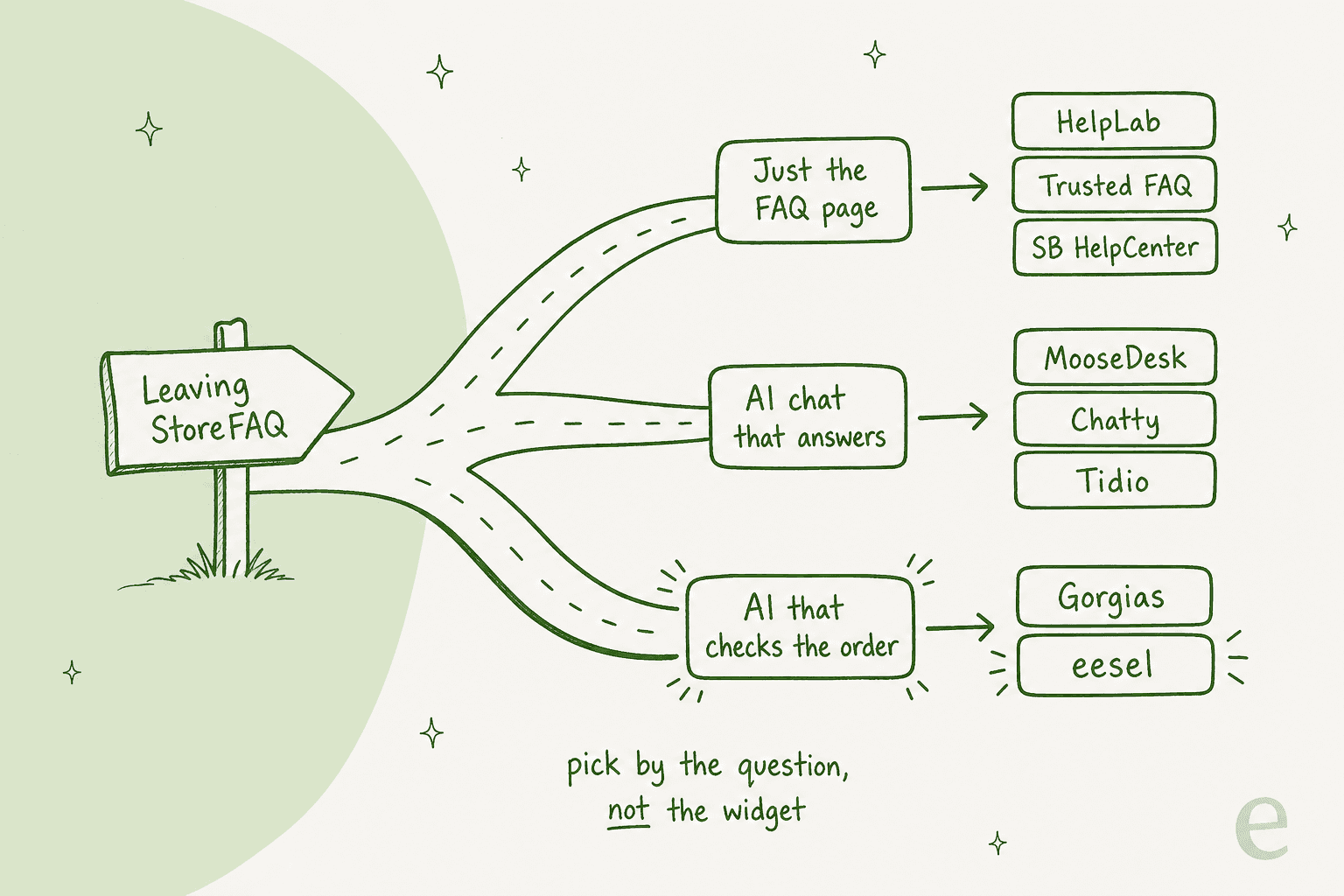
- Just the FAQ page: HelpLab FAQ Page, Trusted Help Center & FAQ, SB HelpCenter.
- AI chat that answers: MooseDesk, Chatty, Tidio.
- AI that checks the order: Gorgias, eesel.
One thing I checked that changed how I weigh the FAQ-only apps: FAQ schema. Every FAQ app on this list sells "Google rich snippets" or "SEO friendly FAQ". But Google's own Search Central blog said in August 2023 that FAQ rich results "will only be shown for well-known, authoritative government and health websites." Your store almost certainly won't get the dropdown answers in Google. The schema doesn't hurt, and a clear FAQ page still helps shoppers and AI search engines read your policies. It just shouldn't be the reason you pay more.
StoreFAQ alternatives at a glance
Here's the whole field side by side, with StoreFAQ as the baseline. "Order lookup" means the tool can pull a real Shopify order rather than link to a tracking page.
| Tool | Best for | Paid from | Free plan | AI chatbot | Order lookup | Inbox or helpdesk | FAQ page builder | Shopify rating | What you're billed on |
|---|---|---|---|---|---|---|---|---|---|
| StoreFAQ (baseline) | FAQ page plus light AI chat | $7.99/mo | 100 views, 25 AI chats total | Yes | No | Own live chat screen | Yes | 5.0 (158) | FAQ views + AI chats, $0.30 extra |
| HelpLab FAQ Page | The FAQ page, done cheaply | $3.99/mo | 10 FAQs | No | No | No | Yes | 5.0 (220) | Flat, by FAQ count |
| Trusted Help Center & FAQ | A one-time payment | $4.99/mo or $79 once | Main FAQ page | No | No | No | Yes | 5.0 (91) | Flat |
| SB HelpCenter | FAQ plus a small ticket desk | $5.99/mo | 10 tickets/mo | A chatbot (AI not stated) | Order tracking box | Yes | Yes | 4.6 (318) | Tickets, $0.10 to $0.25 extra |
| MooseDesk | Unlimited AI chat for little | $19/mo | Unlimited AI replies | Yes | Order tracking box | Yes | Yes | 5.0 (486) | Flat |
| Chatty | AI chat that sells and tracks | $19.99/mo | 50 AI chats/mo | Yes | Yes, from Basic | Yes | No | 4.9 (1,882) | AI chats, $0.40 extra |
| Tidio | Live chat with Lyro AI | $29/mo ($39 Lyro) | 50 users | Yes (Lyro) | Native Shopify actions | Ticketing | No | 4.8 (1,355) | Conversations |
| Gorgias | A full Shopify helpdesk | $10/mo | No, 7-day trial | Yes (AI Agent) | Yes, with actions | Full helpdesk | Help center | 4.3 (706) | Tickets + AI interactions |
| eesel | AI on the helpdesk you keep | $299/mo | 100 credits to try | Yes | Yes | Works in your helpdesk | No | n/a | Credits, 1 ticket or chat each |
Prices from each vendor's Shopify listing or pricing page, 21 October 2026.
Pick your reason for leaving StoreFAQ
Each reason points to a different tool. Pick the one closest to yours.
Pick the reason closest to yours; each card names one tool and the price that applies.
1. HelpLab FAQ Page
Best for: stores that only ever used StoreFAQ for the FAQ page and want the same thing for less.
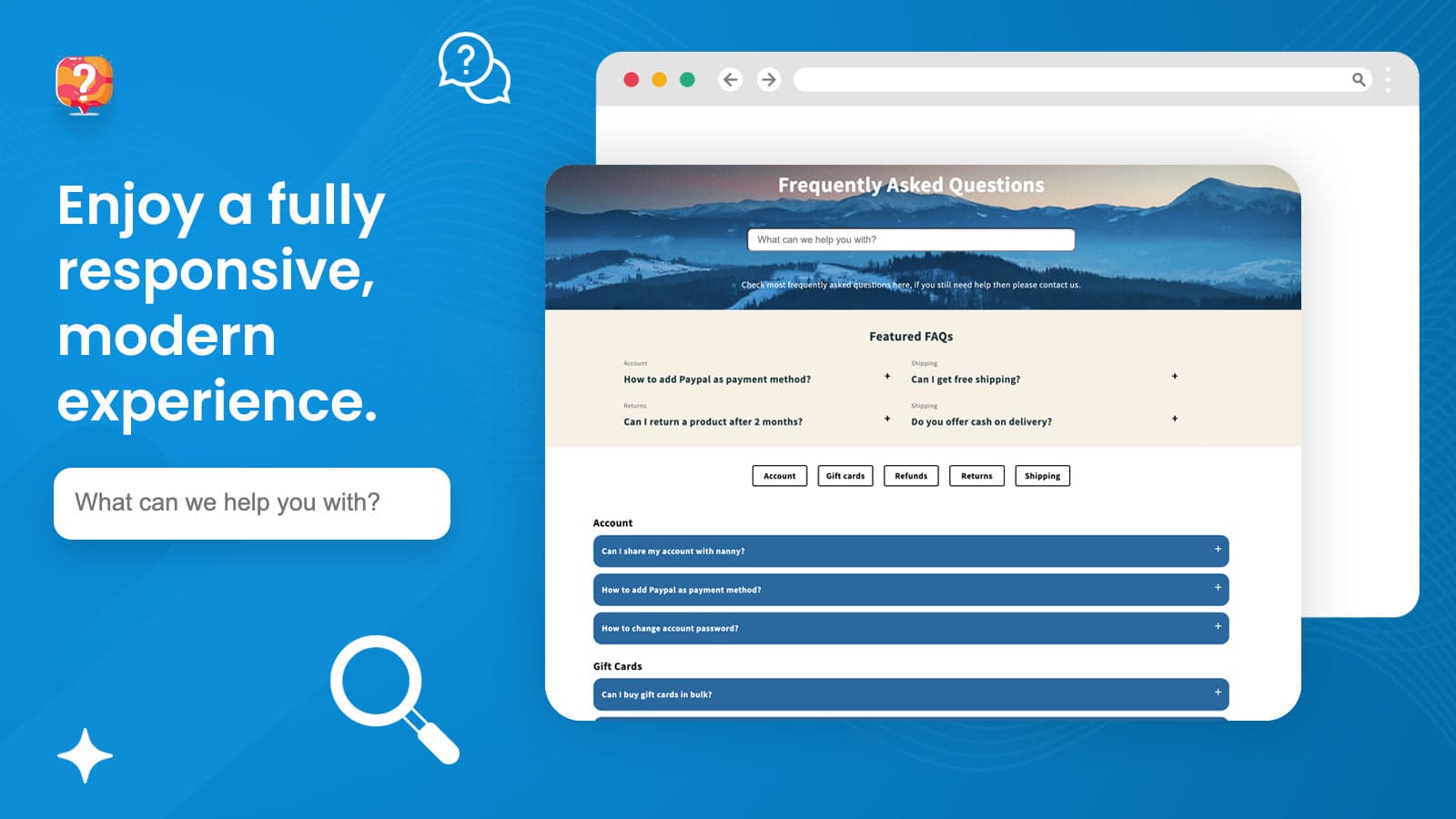
HelpLab FAQ Page, built by Avocados Lab, is the closest like-for-like swap for StoreFAQ's FAQ half. It's Built for Shopify, rated 5.0 from 220 reviews, and does exactly one job: FAQ pages and product FAQs that match your theme. There's no chatbot, which is the point if you never turned StoreFAQ's on.
What it does well
The HelpLab listing covers what most stores need from an FAQ app: store and product FAQs, photos and videos inside answers, multiple languages, and full theme customization with custom CSS. It also shows FAQs in the Shop app and supports Google schema. One reviewer, GuardMy, wrote that it solved embedding YouTube videos in collapsible rows that their theme wouldn't allow without coding.
- Free plan with 10 FAQs, unlimited categories and import/export
- Search bar and keywords from $3.99
- Unlimited FAQs, product-page placement and multi-language at $7.99
Where it falls short
There's no AI on the storefront and no inbox. A shopper who doesn't find the answer has to leave the page and email you. The free plan's 10 FAQs is tight for a store with real policies, so most stores land on the $7.99 plan, which is the same price as StoreFAQ Professional.
Pricing
| Plan | Monthly | Yearly | What you get |
|---|---|---|---|
| Basic | Free | Free | 10 FAQs, unlimited categories, custom CSS, SEO snippets, import/export |
| Essentials | $3.99 | $44.91 | 30 FAQs, search bar, search keywords |
| Professional | $7.99 | $89.91 | Unlimited FAQs, multi-language, product and other pages, premium templates |
Source: HelpLab on the Shopify App Store, 5-day free trial on paid plans.
My take
Pick HelpLab if StoreFAQ's AI meter was the thing you didn't want. You lose the chatbot and gain a flat bill. Skip it if shoppers already use StoreFAQ's chat, because nothing here replaces it. My FAQ software roundup covers more FAQ-only tools if you want a wider look.
2. Trusted Help Center & FAQ
Best for: stores that want an FAQ page and product FAQs with a one-time payment.
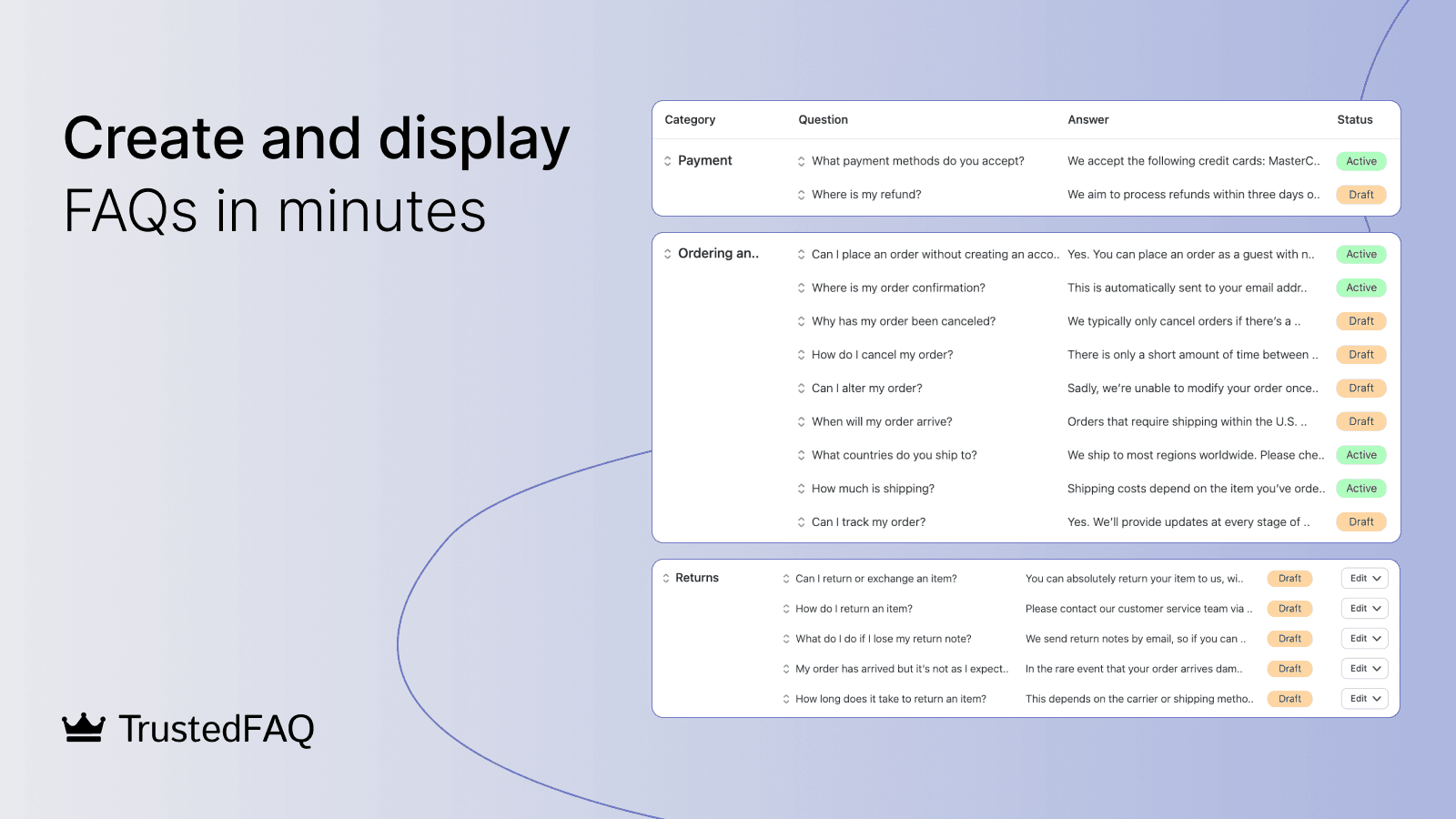
Trusted Help Center & FAQ is from Trusted apps, a small developer based in Kaunas, Lithuania, and it's been on the Shopify App Store since January 2021. It's Built for Shopify and holds 5.0 from 91 reviews. The pitch on the Trusted listing is "SEO prepared FAQ pages" plus a help center, with JSON-LD listed among the things it works with.
What it does well
The app runs on its own page, so you don't touch your theme code. You can place FAQs on products, collections, blogs and custom pages, add images and videos to answers, and translate the static page. Reviews keep naming the support person. A Sewingmachinesplus.com review says the support team changed the placement and look of the FAQ to match the site.
- Main FAQ page on a separate URL, free
- Product FAQs and custom placement on any paid plan
- Search bar, search filters, sidebar and tab layouts
- A lifetime option, which is rare on Shopify
Where it falls short
Like HelpLab, there's no chatbot and no inbox. The free plan covers only the main FAQ page, so product-page FAQs need a paid plan. The listing is in English only, though the FAQ page itself supports translations.
Pricing
| Plan | Price | What you get |
|---|---|---|
| Free | $0 | Main FAQ on a separate URL, templates, full design control |
| Monthly | $4.99/month | Product FAQs, custom placement |
| Yearly | $49.99/year | Same as Monthly |
| Lifetime | $79 one-time | Same as Monthly, paid once |
Source: Trusted on the Shopify App Store, 3-day free trial on paid plans.
My take
If you hate subscriptions, the $79 lifetime plan pays for itself in under ten months against StoreFAQ Professional. Pick Trusted for a set-and-forget FAQ. Skip it if you want AI to answer anything, because you'll be bolting a chat app on top anyway.
3. SB HelpCenter
Best for: a small store that wants FAQs, a help center and a basic ticket desk in one cheap app.
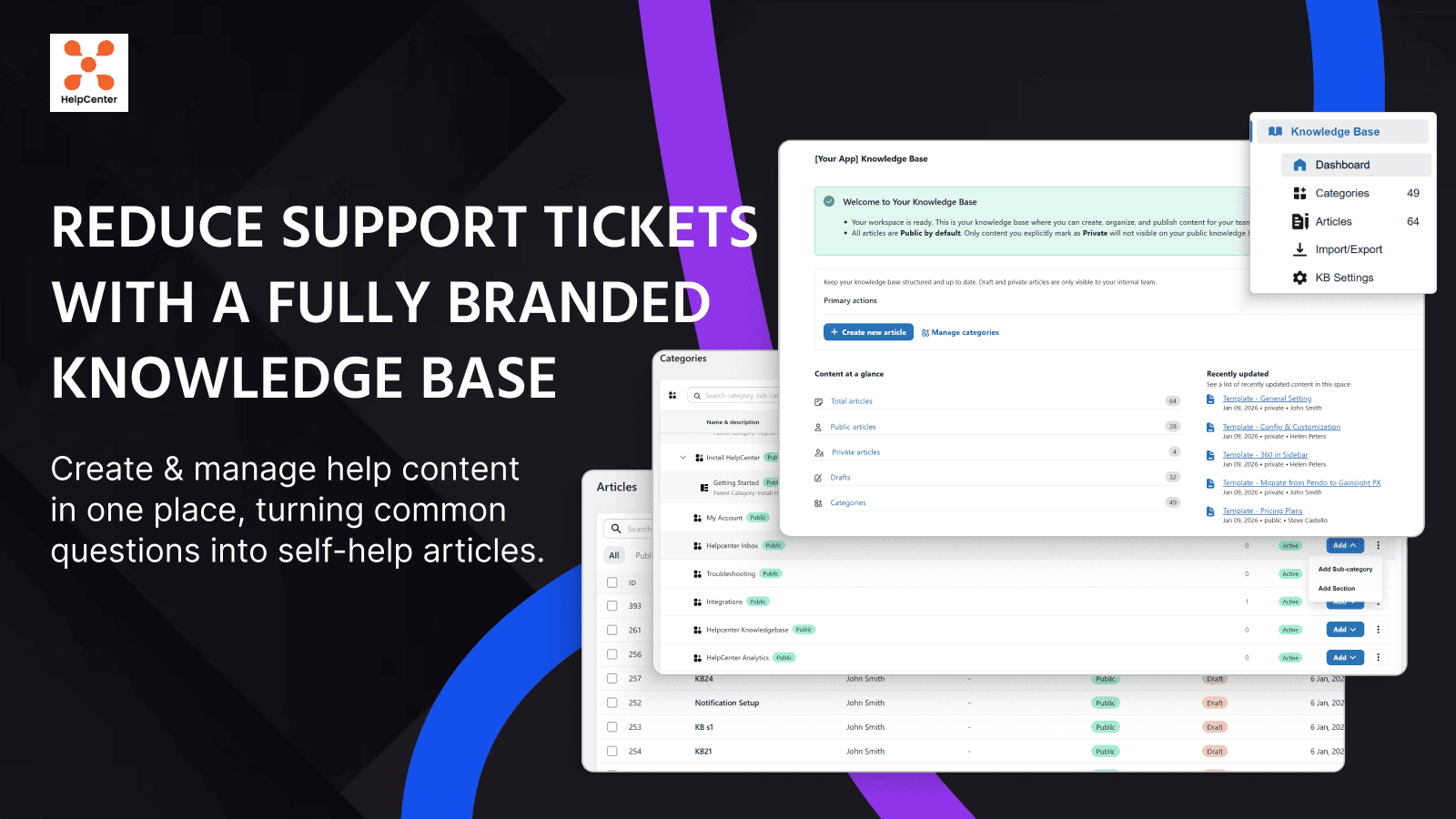
SB HelpCenter, listed as "SB: Helpdesk, Live Chat & FAQs" by Shark Byte, sits between the FAQ apps and the helpdesks. It's rated 4.6 from 318 reviews. It bundles an FAQ page, product tabs, a knowledge base, live chat, a chatbot and a ticket desk for email, chat and Facebook Messenger.
What it does well
The self-service widget is the part I'd look at. Per the HelpCenter listing, it puts FAQs, a contact form and order tracking in one widget on any page, so a shopper can check an order without writing in. That's the closest any FAQ-first app here gets to the "where is my order" problem. FAQs are written with ChatGPT, and FAQ translations come through its partner app LangShop.
- 25+ templates for FAQ pages, widgets, contact forms and product tabs
- Unlimited support agents from the $5.99 Basic plan
- A real ticket desk with per-agent reports on Standard and up
- Product tabs you can share across many products
Where it falls short
The listing says "1 chatbot" on Free and "unlimited chatbots" on paid plans, but doesn't say whether those chatbots answer with AI. I'd treat it as a rules chatbot until you test it. Tickets are metered, from $0.25 each after 10 on Free down to $0.10 after 1,000 on Advanced. And a September 2025 review complained about new permission requests for customer and order data, which is worth knowing before you install.
Pricing
| Plan | Monthly | Yearly | Tickets included | Extra tickets |
|---|---|---|---|---|
| Free | $0 | $0 | 10/month | $0.25 each |
| Basic | $5.99 | $59.99 | 50/month | $0.16 each |
| Standard | $19.99 | $199.99 | 300/month | $0.15 each |
| Advanced | $49.99 | $498.96 | 1,000/month | $0.10 each |
Source: SB HelpCenter on the Shopify App Store, 14-day free trial on paid plans.
My take
Pick SB HelpCenter if you want StoreFAQ's FAQ side plus a basic ticket desk and order tracking widget for under $20. Skip it if AI answers were the reason you used StoreFAQ, because the AI here is for writing FAQs, not chatting. My guide to AI self-service for ecommerce explains where a widget like this fits.
4. MooseDesk
Best for: stores that liked StoreFAQ's chatbot but hated counting AI conversations.
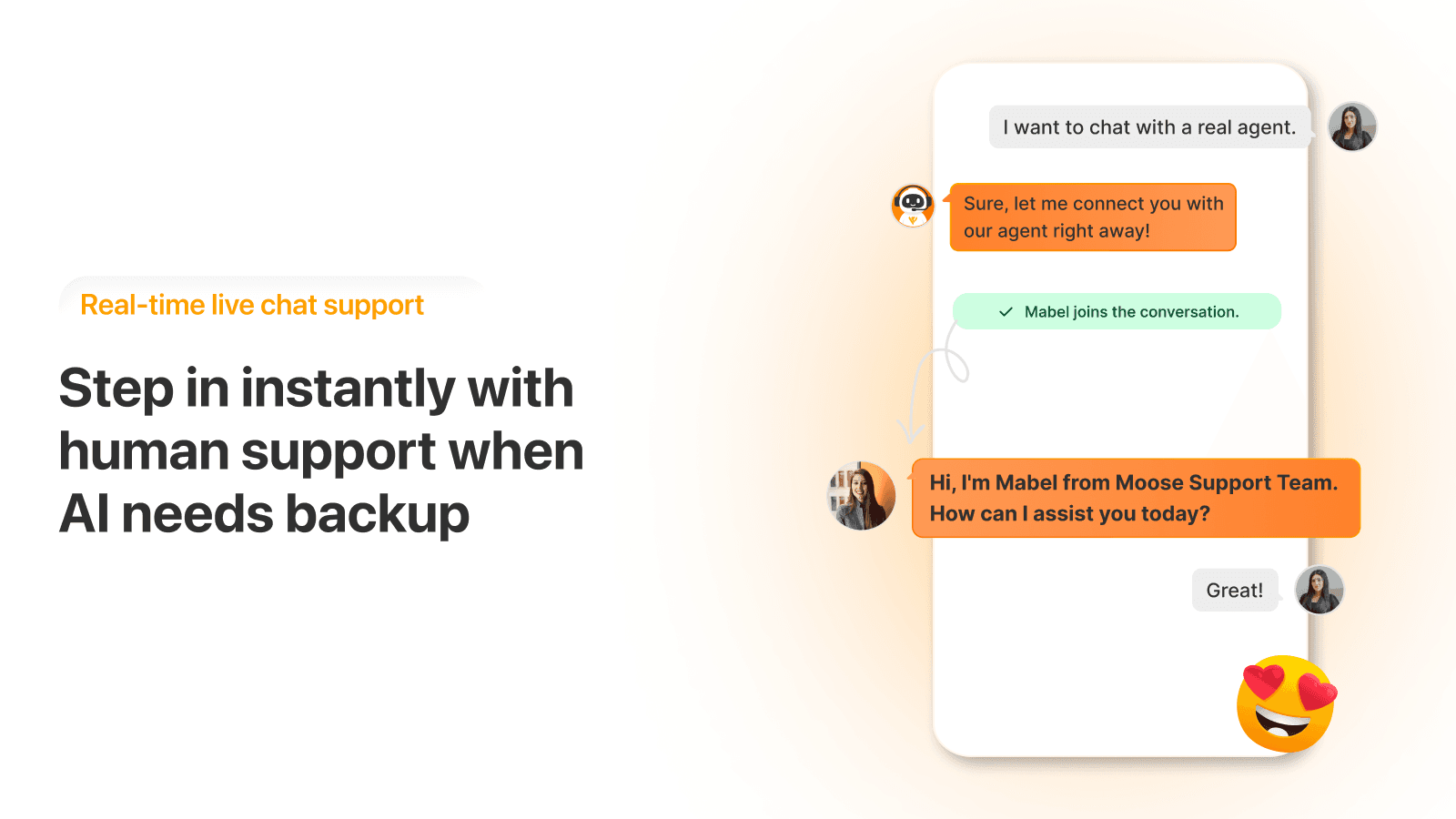
MooseDesk, listed as "Moose AI Chatbot & Live Chat", is the most direct swap for StoreFAQ as a whole. It has an AI chatbot, live chat, an FAQ builder and an inbox, it's Built for Shopify, and it holds 5.0 from 486 reviews. The headline difference: every plan, including Free, lists unlimited AI chatbot replies.
What it does well
The AI works much like StoreFAQ's. Per MooseDesk's docs, it learns from three sources: Q&A you write or upload by CSV, FAQ Builder articles, and synced Shopify products. An AI Test Lab lets you run test chats that don't count toward anything and fix answers inline. The widget also has an order tracking box where shoppers type an order or tracking number.
- Unlimited AI replies and unlimited FAQs on the free plan
- Email, Messenger and Instagram in one inbox
- Order tracking module, with a TrackingMore integration for richer status
- A test lab before shoppers see the bot
Where it falls short
The AI's sources are your Q&A, FAQs and products. It doesn't learn from past tickets or crawl your site, so policy pages need to be copied into Q&A. The order box is a lookup form, not the AI reading the order. And team seats are tied to plans: "unlimited team members" is listed only on the $249 Business plan. I go deeper in my MooseDesk review.
Pricing
| Plan | Monthly | AI replies | What else |
|---|---|---|---|
| Free Forever | $0 | Unlimited | Unlimited chat history, unlimited FAQs, standard widget |
| Starter | $19 | Unlimited | Advanced widget, premium FAQ templates, language switcher |
| Growth | $49 | Unlimited | Unlimited email channels, advanced ticket management |
| Business | $249 | Unlimited | Unlimited team members, dedicated support |
Source: MooseDesk on the Shopify App Store. Full breakdown in my MooseDesk pricing post.
My take
MooseDesk is the best value here if StoreFAQ's $0.30 per extra chat is what pushed you out. Pick it for a small team that wants AI chat, an FAQ page and an inbox in one app. Skip it if you already run a helpdesk, because it wants to be your helpdesk. If you outgrow it, my MooseDesk alternatives list is the next step.
5. Chatty
Best for: stores that want the AI chat to recommend products and track orders as well as answer FAQs.
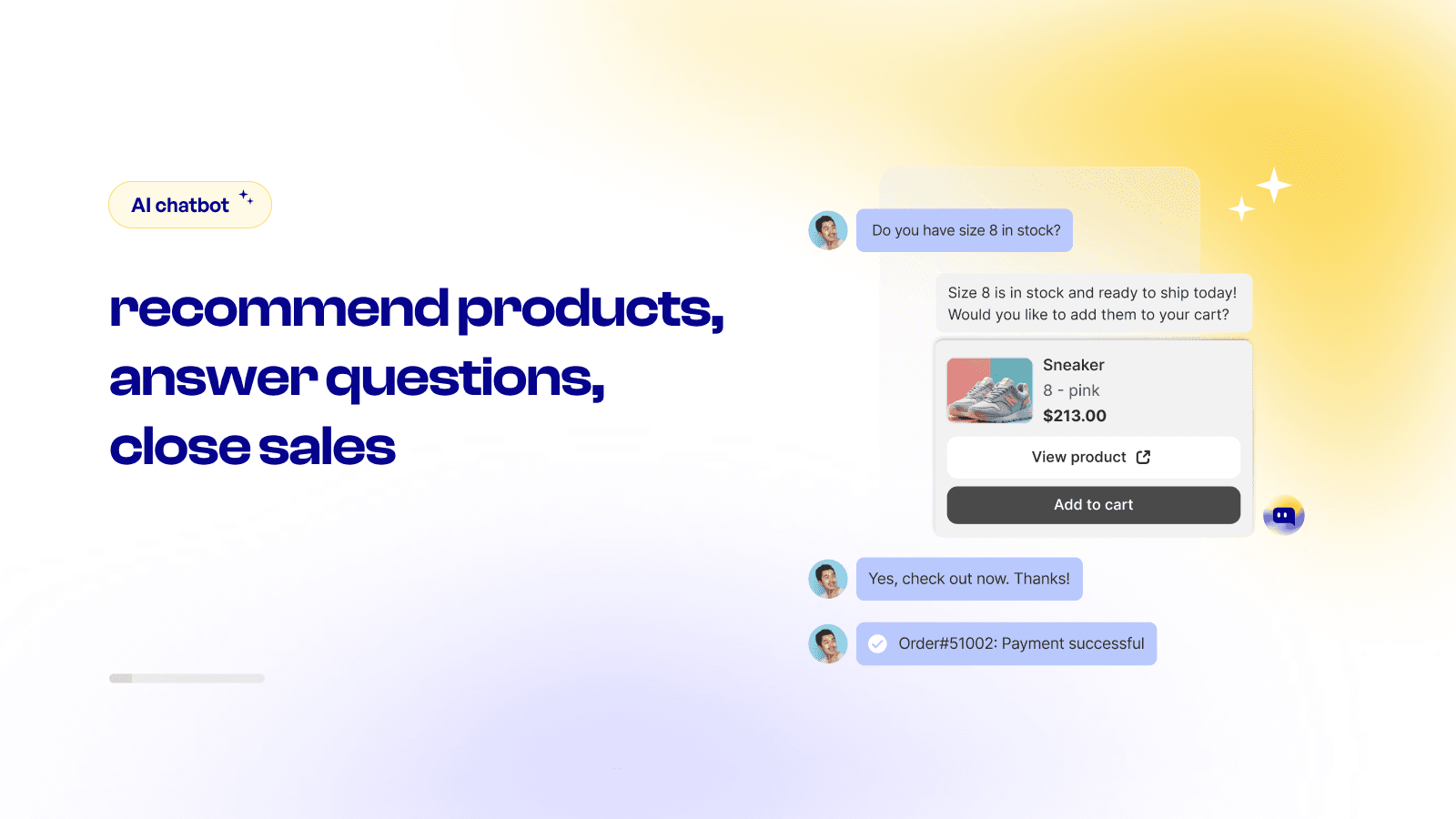
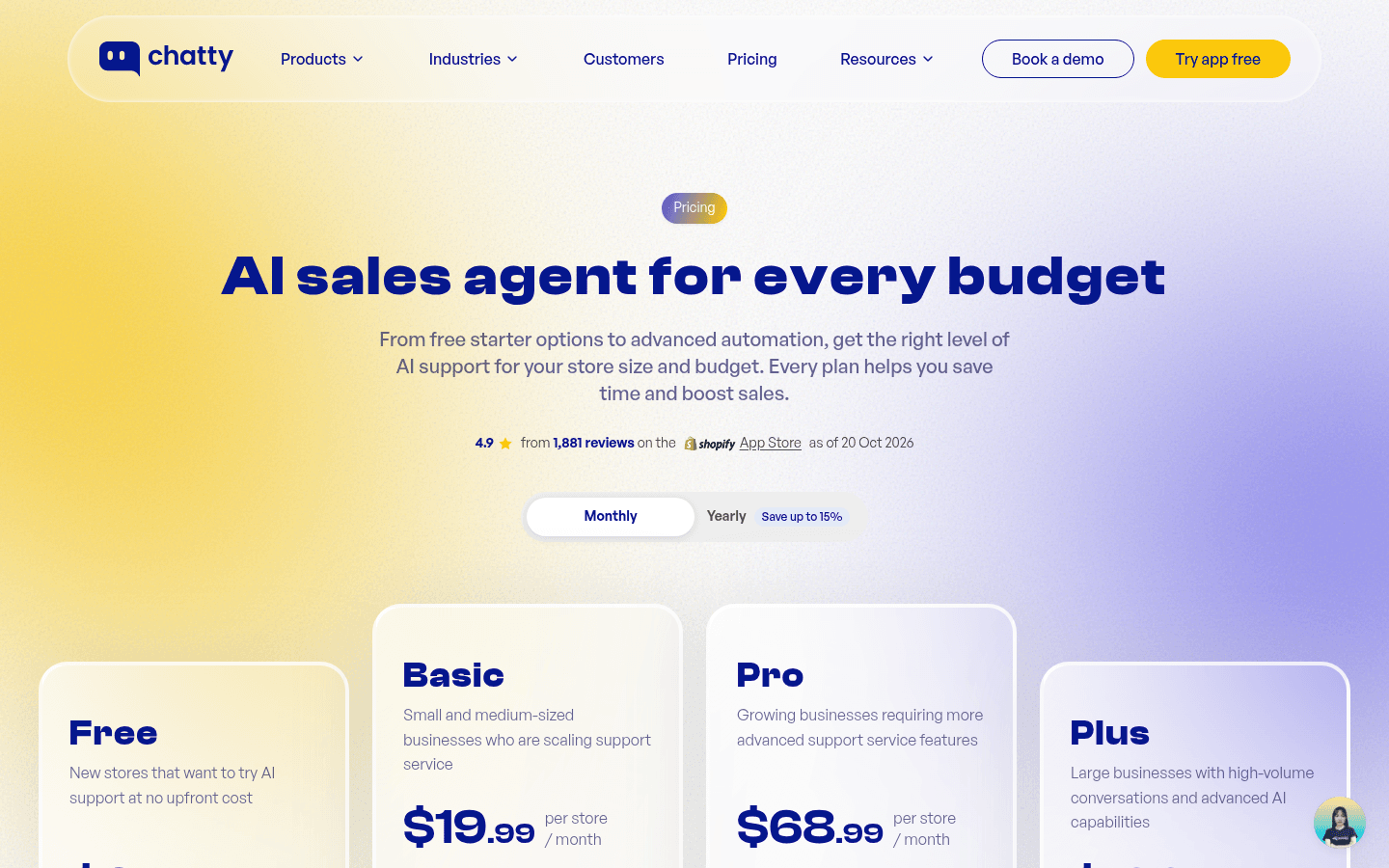
Chatty is the most-reviewed app in this roundup at 4.9 from 1,882 reviews. It's an AI chatbot and live chat app that leans toward sales: product recommendations, add-to-cart from chat, abandoned cart recovery on Pro. It answers FAQs too, but it doesn't build an FAQ page.
What it does well
Order tracking is the reason Chatty is here. The Chatty listing includes AI order tracking from the $19.99 Basic plan, which is exactly the question StoreFAQ's bot hands off. Basic also adds a multi-channel inbox, five members and auto-translate. Pro moves to a smarter AI model and adds AI replies on social.
- Free plan with 50 AI conversations a month and unlimited human chats
- AI order tracking from Basic
- AI trained on up to 200 products on Free, 20,000 on Plus
- Proactive messages and abandoned cart recovery on Pro
Where it falls short
It's metered like StoreFAQ, just with bigger buckets: every extra AI conversation is $0.40, which is $0.10 more than StoreFAQ's overage. There's no FAQ page, so you'd keep an FAQ app next to it. And the inbox is Chatty's own, so a team on Gorgias or Zendesk ends up with two places to answer.
Pricing
| Plan | Monthly | Yearly | AI conversations | Extra AI conversation |
|---|---|---|---|---|
| Free | $0 | $0 | 50/month | n/a |
| Basic | $19.99 | $203.88 | 100/month | $0.40 |
| Pro | $68.99 | $707.88 | 500/month | $0.40 |
| Plus | $199 | $2,039.88 | 1,000/month | $0.40 |
Source: Chatty on the Shopify App Store. More in my Chatty pricing breakdown.
My take
Pick Chatty if you want StoreFAQ's chatbot plus order tracking and product recommendations, and you're fine keeping a separate FAQ app. Skip it if the per-conversation meter was your complaint, because it's the same model. My Chatty alternatives post covers where people go next.
6. Tidio
Best for: stores that want proven live chat with an AI agent that can act on Shopify data.
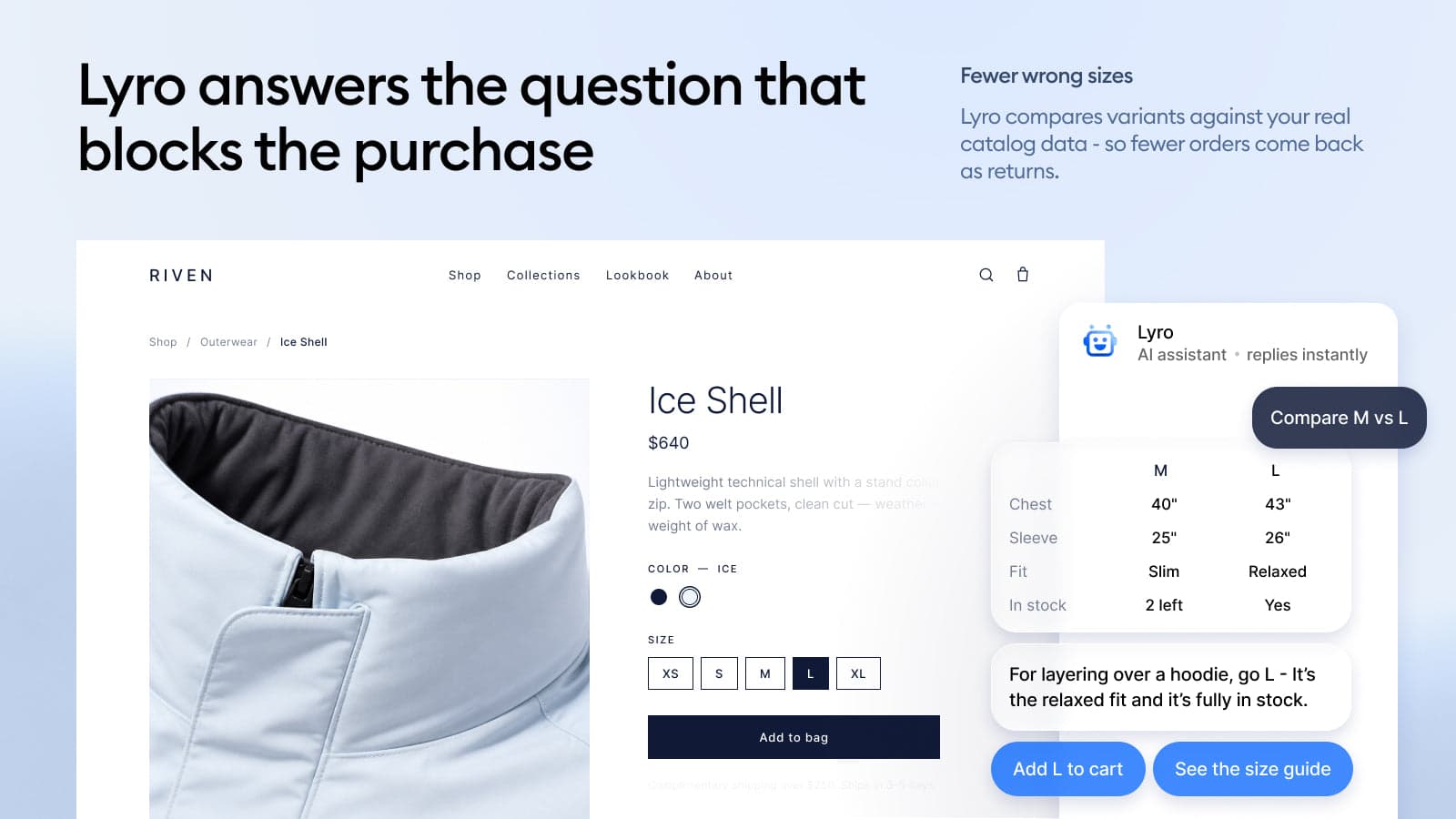
Tidio is the long-running live chat option on Shopify, rated 4.8 from 1,355 reviews. Its AI agent is Lyro, sold as its own plan. Tidio splits pricing into three products (Customer Service, Flows and Lyro), so you buy only the part you need.
What it does well
Lyro learns from your site with a website scraper, and the Tidio listing adds Lyro Actions, MCPs and native Shopify actions on the Lyro plan. That's what lets it go past FAQ answers into store data. The free plan includes ticketing, a mobile app and social integrations, which is more of a support desk than StoreFAQ offers.
"And to my knowledge, it's actual AI. It scraped my site and can answer questions based on the knowledge it got from my site."

- Free plan with live chat for 50 users, ticketing and a mobile app
- Lyro trains on your website with a scraper
- Native Shopify actions on the Lyro plan
- 24/5 live chat support on paid plans
Where it falls short
The plan structure takes reading. Live chat, automation flows and the AI agent are three separate $29 to $39 plans, so the AI alone doesn't get you analytics or operating hours. The Lyro plan lists "up to 200 Lyro conversations", and the listing doesn't show the price above that. No FAQ page builder either.
Pricing
| Plan | Monthly | Yearly | What it covers |
|---|---|---|---|
| Free | $0 | $0 | Live chat with 50 users, flows for 100 visitors, ticketing |
| Customer Service | $29 for 100 conversations, $59 for 250 to 1,000 | $290 | Analytics, live visitors, operating hours, AI reply assistant |
| Flows | $29 | $290 | Up to 40k visitors, visual chatbot builder |
| Lyro AI Chatbot | $39 | $390 | Up to 200 Lyro conversations, website scraper, Shopify actions |
Source: Tidio on the Shopify App Store. Full detail in my Tidio pricing guide.
My take
Pick Tidio if you want a mature live chat with an AI agent that can do more than quote your FAQ, and you'll stay under a few hundred AI chats a month. Skip it if you want one simple bill. My Tidio review and list of Lyro alternatives go further.
7. Gorgias
Best for: stores whose real problem is a ticket queue full of order questions.
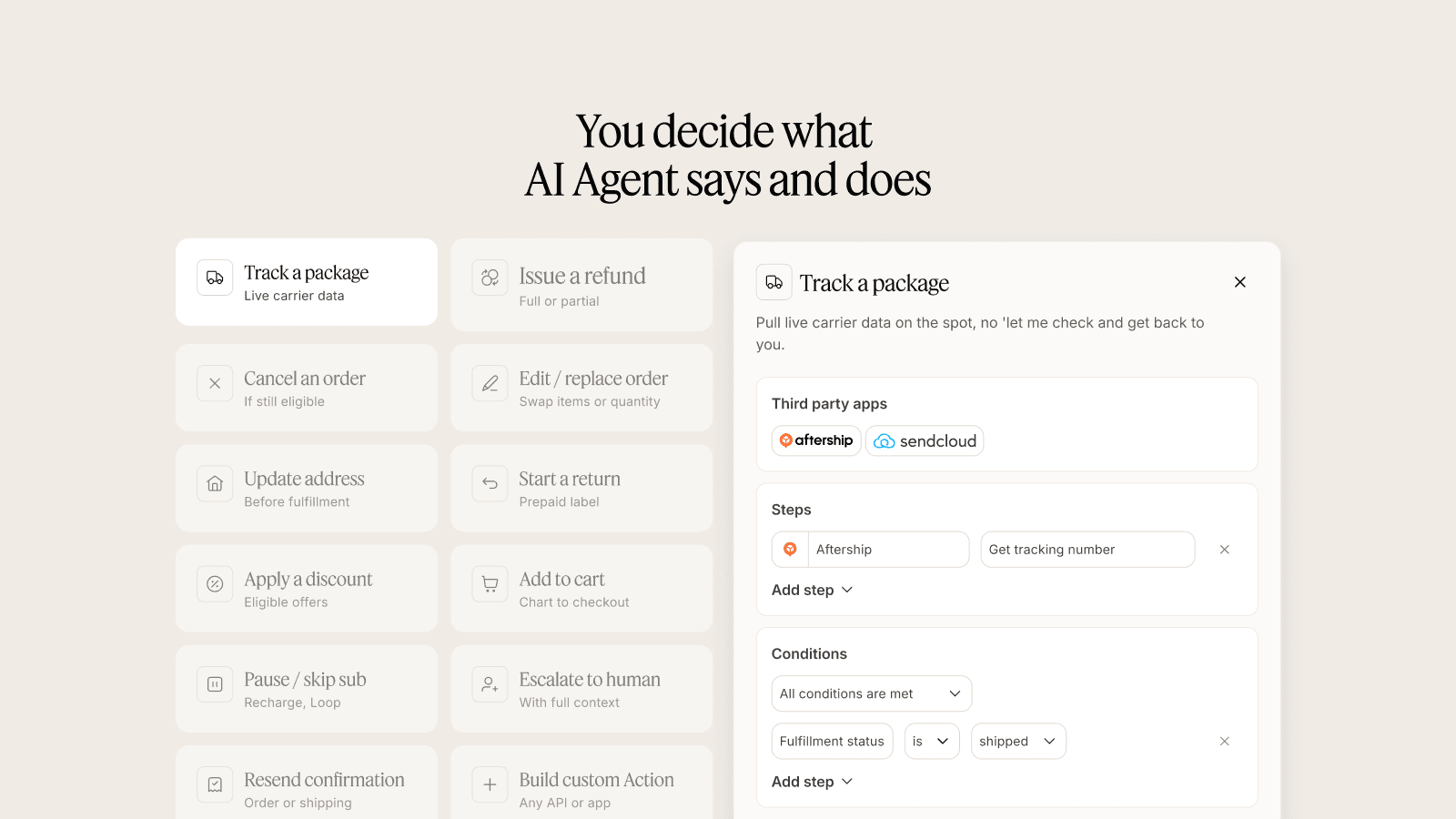
Gorgias is a different size of tool. It's a full Shopify helpdesk, rated 4.3 from 706 reviews, with tickets, macros, rules, a help center and an AI Agent that can act on orders. You don't replace StoreFAQ with Gorgias so much as graduate to it.
What it does well
The AI Agent can track a package, issue a refund, cancel an order, update an address and start a return, per the Gorgias listing, with you choosing which actions it takes. That's the gap StoreFAQ's chatbot can't cover. Email, chat, social and the help center land in one queue, and the Basic plan lists unlimited agent seats.
"I've been around ecommerce for 10+ years and this is honestly how I'd choose: 40%+ tickets need Shopify actions → I'd lean Gorgias. Mostly conversational support → Zendesk is fine."
- Order actions from the AI Agent (not on Starter)
- Unlimited agents listed on the $60 Basic plan
- Help center, chat, email and social in one helpdesk
- 150+ app integrations
Where it falls short
Two meters run at once. Plans include a set number of tickets, and the AI Agent costs $0.85 to $1.00 per automated interaction on top, per the Gorgias pricing page. Actions like cancel and discount are listed for Basic and up, not Starter. And it's a lot of tool if your store gets 30 questions a week.
Pricing
| Plan | Monthly | Tickets included | Extra tickets | AI Agent per automated interaction |
|---|---|---|---|---|
| Starter | $10 | 50 | $0.40 each | $1.00 |
| Basic | $60 | 300 | $40 per 100 | $0.90 |
| Pro | $360 | 2,000 | $36 per 100 | $0.90 |
| Advanced | $900 | 5,000 | $36 per 100 | $0.85 |
Source: Gorgias on the Shopify App Store and gorgias.com/pricing. My Gorgias pricing post works through real store sizes.
My take
Pick Gorgias when order questions make up a big share of your inbox and you want one helpdesk for everything. Skip it if you mostly need an FAQ page, because you'll pay helpdesk prices for a help center. The Gorgias review covers the rest, and Gorgias AI explains the agent in detail.
8. eesel
Best for: stores that keep a cheap FAQ app and want AI that answers the questions an FAQ can't.
eesel is the tool I work on, so read this section knowing that. It isn't an FAQ app. It's an AI helpdesk teammate: it joins the queue you already run in Gorgias, Zendesk or Freshdesk, or sits on your site as a chat bubble, and it checks the Shopify order before it answers. It also learns from the replies your team has already sent, on top of your published pages.
What it does well
The difference from StoreFAQ's bot is what it reads. StoreFAQ answers from products, policies, FAQs, blogs and pages. eesel reads those plus past tickets, macros and live orders, which is how it can answer "where is my order?" with the actual tracking. Question Beauty runs it on Gorgias and Shopify: for a delivery question, eesel finds the customer by email, checks the order and its fulfilment status, and answers with tracking if there is any. Refunds, complaints and chargebacks go to a person with an internal note.
Rúngne, a Norwegian climbing apparel brand, split the job into three agents on Gorgias. One tags every ticket, one leaves draft replies after checking order, tracking and stock in Shopify, and one answers only the plain questions the team picked. In one month eesel handled about 2,100 Gorgias tickets for them and looked up about 150 Shopify orders.
- Learns from past tickets and macros, not only your store content
- Looks up Shopify orders, fulfilment and tracking before replying
- Works inside your existing helpdesk, so there's no second inbox
- Every rollout can be tested on past tickets before a customer sees a reply
Where it falls short
Price, first. eesel starts at $299 a month for 500 credits, where a credit is one ticket or one chat. That's far more than StoreFAQ Professional at $7.99, and for a store with a few hundred FAQ visits and no helpdesk, StoreFAQ or HelpLab is the better buy. eesel also doesn't build a storefront FAQ page, so you'd keep an FAQ app for that. And SOC 2 Type II is still underway, per the pricing page.
Pricing
| Plan | Monthly | Credits | Notes |
|---|---|---|---|
| Free | $0 | 100 to try | Every feature and integration, no card |
| Teammate | $299 | 500 | 1 ticket or chat = 1 credit |
| Teammate | $499 | 1,000 | Change size any time |
| Teammate | $849 | 2,000 | Unlimited agents and seats |
| Teammate | $1,749 | 5,000 | Talk to sales above 5,000 |
| Enterprise | Custom | Custom | SSO, HIPAA with a BAA, security review |
Source: eesel pricing, 21 October 2026.
My take
Pick eesel when the FAQ page is fine but the inbox isn't: order questions, swaps, "it arrived broken." Skip it if your store is small enough that a $7.99 FAQ app handles almost everything. I've watched confident bots give wrong answers on live queues, which is why I'd always run eesel against last month's tickets first. Here's how that works.
What 300 AI chats a month really costs
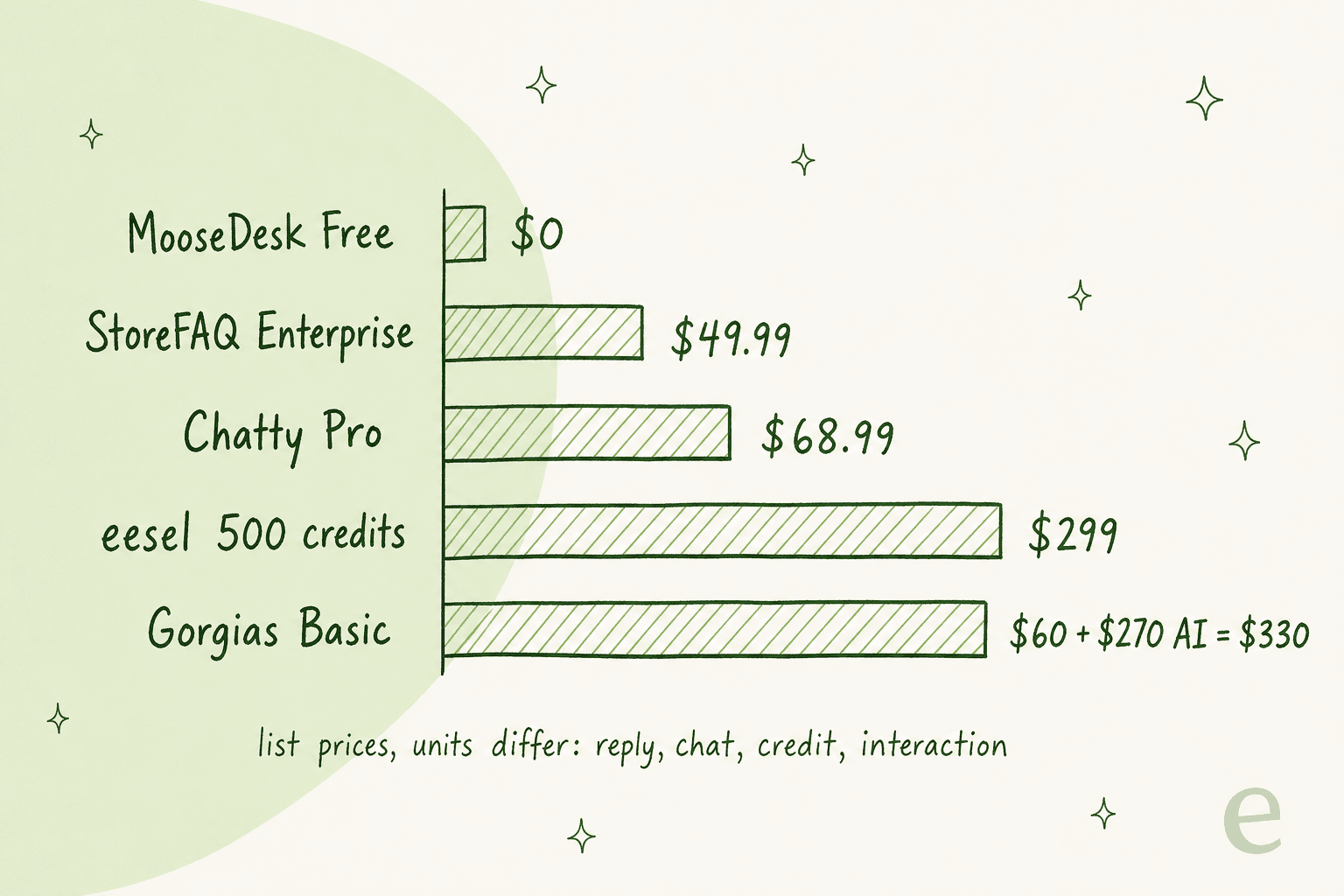
Sticker prices don't compare well here, because every tool bills a different unit: StoreFAQ and Chatty count AI conversations, Gorgias counts automated interactions, eesel counts credits, and MooseDesk counts nothing. So I priced one scenario: a store whose shoppers have 300 AI-answered chats a month, on each tool's cheapest plan that covers it.
| Tool | Cheapest plan that covers 300 | Math | Monthly cost |
|---|---|---|---|
| MooseDesk | Free Forever | Unlimited AI replies | $0 |
| StoreFAQ | Enterprise (500 AI chats) | Growth would be $14.99 + 200 x $0.30 = $74.99 | $49.99 |
| Chatty | Pro (500 AI conversations) | Basic would be $19.99 + 200 x $0.40 = $99.99 | $68.99 |
| Tidio | Lyro covers 200 | Price above 200 not shown on the listing | Not listed |
| eesel | Teammate, 500 credits | 300 credits used | $299 |
| Gorgias | Basic (300 tickets) | $60 + 300 x $0.90 | $330 |
Two things jump out. First, StoreFAQ itself is cheap at this volume once you're on Enterprise, so cost alone isn't a strong reason to leave. Second, the units aren't the same. A StoreFAQ conversation that ends with "please email us about your order" is cheaper than a Gorgias interaction that cancels the order, but it didn't do the same work. My post on deflection vs resolution rate explains why that matters when you read vendor numbers.
What to check before you switch
Whichever route you pick, these are the five things I'd check in the first week. They come from the questions shoppers actually send, which are rarely the ones in the demo.
- FAQ migration. StoreFAQ lists import and export on every plan. Export to CSV, import into the new app, and check that product-level FAQs land on the right products. Group names often don't carry over.
- AI answer quality on your real questions. Take 20 questions from last month's inbox, not from your FAQ page, and ask the new bot each one. The ones it gets wrong tell you more than the ones it gets right. My checklist for testing an AI agent is a good start.
- Order questions. Count how many of those 20 were about a specific order. If it's more than a few, an FAQ app won't fix your inbox, and you want a tool that can connect Shopify order data.
- Where the handoff goes. When the AI gives up, does the chat land in your existing inbox or a new one? A second inbox is where replies get missed. My chatbot escalation guide covers how to set this up.
- Storefront speed and theme fit. Preview the widget and FAQ page on mobile before you uninstall StoreFAQ, and keep both running for a day so shoppers never hit an empty page.
A common, sensible setup on Shopify is to split the jobs: a cheap FAQ app on the storefront for the questions a page can answer, and AI behind your helpdesk for the rest. My roundup of Shopify customer service apps lays out that stack, and AI for FAQ deflection covers the storefront half.
Try eesel
If your StoreFAQ page handles shipping and returns fine but your inbox is still full of "where's my order?" and "can I swap this?", that's the part eesel takes. It joins your Gorgias, Zendesk or Freshdesk queue, checks the Shopify order, and replies or drafts in your team's voice, handing refunds and judgement calls to a person on the same ticket. Question Beauty used it to look up about 290 Shopify orders in a month before replying, so the answers weren't guesses.

Keep your FAQ app. Try eesel free with 100 credits, connect Shopify and your helpdesk, and watch it work on last month's real tickets before a customer sees a single reply.
Frequently Asked Questions
What is the best StoreFAQ alternative?
It depends on which half of StoreFAQ you use. For the FAQ page alone, HelpLab FAQ Page is the closest match at $3.99 to $7.99 a month. For AI chat, MooseDesk includes unlimited AI chatbot replies even on its free plan. My StoreFAQ review explains what each half does.
Is there a free alternative to StoreFAQ?
Yes. HelpLab, Trusted Help Center & FAQ and SB HelpCenter all have free plans for a basic FAQ page, and MooseDesk's free plan includes an AI chatbot with unlimited replies. StoreFAQ's own free plan stops at 100 FAQ views a month and 25 AI chats in total, as I break down in StoreFAQ pricing.
Which StoreFAQ alternative can answer order questions?
Chatty (from the $19.99 Basic plan), Tidio's Lyro, Gorgias AI Agent and eesel can all use Shopify order data. MooseDesk and SB HelpCenter add an order tracking box to their widget, where the shopper types an order number. My guide to AI order tracking covers the differences.
Do I still need FAQ schema on Shopify?
It doesn't hurt, but it won't get most stores a rich result. Google said in August 2023 that FAQ rich results only show for well-known government and health sites. A clear FAQ page still helps shoppers and AI search, and my FAQ schema guide covers the markup.
How much do StoreFAQ alternatives cost?
FAQ-only apps run $3.99 to $7.99 a month (Trusted also sells a $79 lifetime plan). AI chat apps start free (MooseDesk includes unlimited AI replies), and Chatty Pro is $68.99 for 500 AI conversations. A full helpdesk like Gorgias starts at $10 a month plus $0.85 to $1.00 per AI interaction. See Gorgias pricing for that math.
Can I move my StoreFAQ questions to another app?
StoreFAQ lists import and export on every plan, and HelpLab lists import and export on its free plan, so a CSV move is the usual path. Check that product-level FAQs map to the right products after import. My ecommerce FAQ examples help if you're rewriting answers while you move.
Should I replace StoreFAQ with an AI helpdesk teammate?
Only if your inbox, not your FAQ page, is the problem. eesel doesn't build a storefront FAQ page, so most stores keep a cheap FAQ app and add eesel for tickets that need the order. It starts at $299 a month for 500 credits on the eesel pricing page, with a free 100-credit trial.