


Microsoft's Employee Self-Service Agent is a prebuilt HR and IT agent for Microsoft Copilot, with ready-made ServiceNow, Workday and SAP SuccessFactors connectors. Employees with a Microsoft 365 Copilot license use it under fair-use limits; everyone else is billed in Copilot Credits, which Microsoft's own sample prices at about 15 cents a query. It suits a Microsoft-and-ServiceNow shop with Power Platform skills. If your desk runs Jira Service Management, Zendesk or Slack, eesel's AI helpdesk teammate is the lighter route, and with the eesel CLI a coding agent can upload approved policies and run test questions before staff see an answer.
What is the Employee Self-Service Agent?
I ship integrations at eesel, so my first move with any new agent is to skip the launch copy and read what the connectors actually do, topic by topic. For this one that meant working through about twenty Microsoft Learn pages, because the product now comes in two forms and the pages mix them freely.
Microsoft's general availability post is dated 18 November 2025 and describes one agent for employee service delivery, starting with HR and IT. Today there are two versions:
- Custom engine agent. A Copilot Studio agent you install from a package and customize, per the custom engine overview. It uses Power Platform flows and connectors.
- Declarative agent. The newer version, which runs inside Microsoft 365 Copilot and uses its orchestration. Microsoft's declarative overview says access is rolling out in waves and to ask your account team about your tenant.
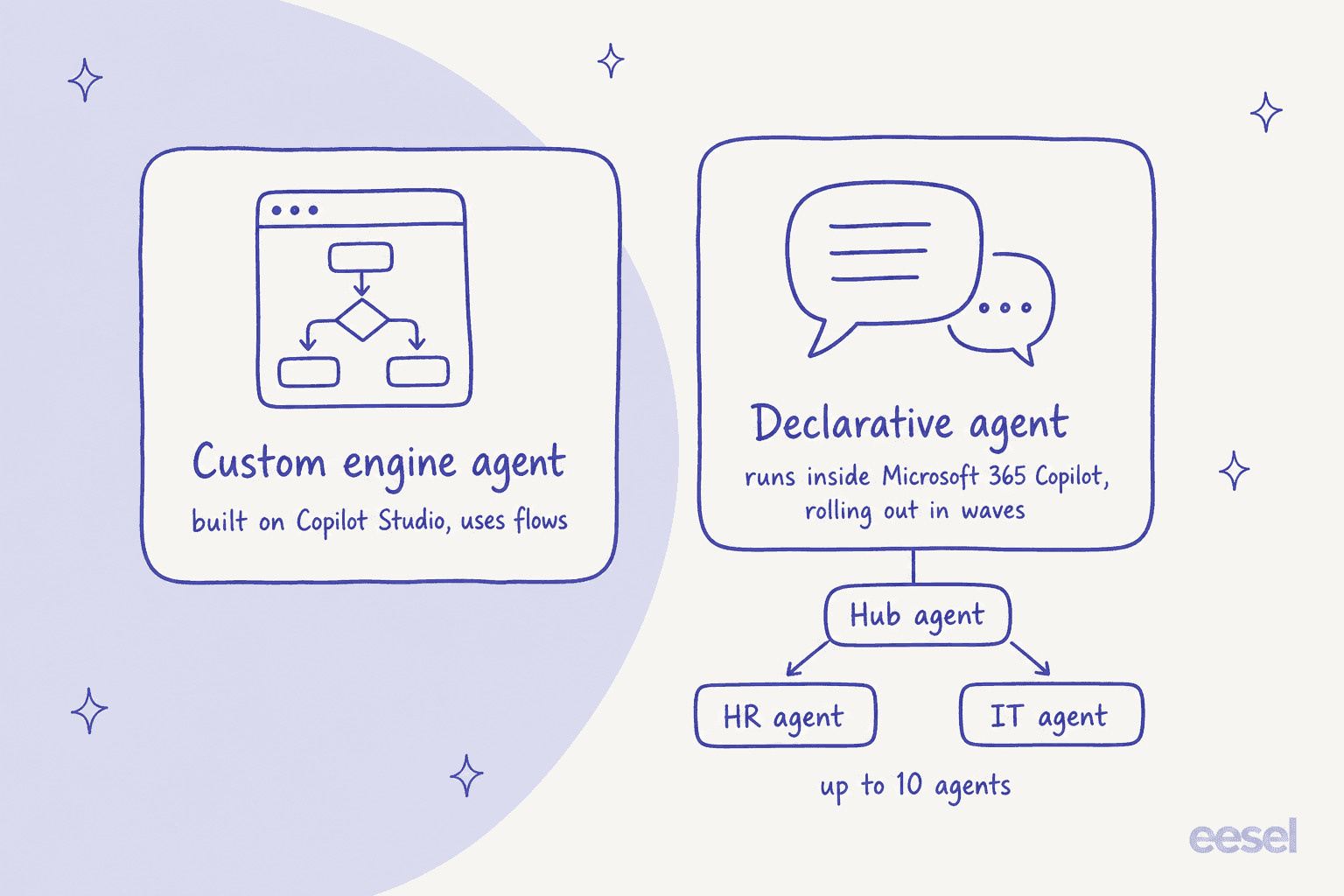
The two are not interchangeable. Microsoft's responsible AI FAQ says their templates, configuration and capabilities differ, and that a statement about one does not automatically apply to the other. Both start from agent starters: an HR starter, an IT starter and, on the declarative side, a Hub starter that routes between up to 10 connected agents. HR and IT must be deployed one at a time.
What can it do for HR and IT staff?
Most of the day-one value is answering policy questions and creating or tracking cases, and the rest depends on which system you connect. Microsoft's GA post lists the headline jobs: checking leave balances, updating a personal email, retrieving compensation and benefits data, device troubleshooting and replacement, and live agent escalation, plus manager views of team data.
The connector pages are more specific, and this is where I'd read before promising anything to HR:
- Workday (declarative). The preconfigured scenarios are 14 topics: twelve read-only lookups such as base compensation, cost center, certifications and service anniversary, plus two updates, email and phone number. Requesting time off or viewing direct reports is not in that set; Microsoft's page points to a separate guide for adding those.
- ServiceNow HRSD and ITSM. The same six jobs for HR cases and IT tickets: create, update, get details, get the latest update, list the user's items, and add attachments (on IT tickets, inside create and update), per the ServiceNow guide. The custom engine version adds handoff to Now Assist or a live agent.
- Knowledge. SharePoint and ServiceNow knowledge articles, with the ServiceNow articles reaching the agent through a Microsoft 365 Copilot Graph connector.
The agent also ships with the guardrails an HR desk cares about: an "official source" label, per-message disclaimers and a sensitive-topic response that is off by default in the custom engine starter, so you have to turn it on and check it.
Which systems does it connect to?
Three, with prebuilt packages: ServiceNow, Workday and SAP SuccessFactors. Microsoft's prerequisites page says those three premium connectors are included at no additional cost, and that you still need the right licenses for the third-party systems themselves. Everything else is something you build in Copilot Studio.
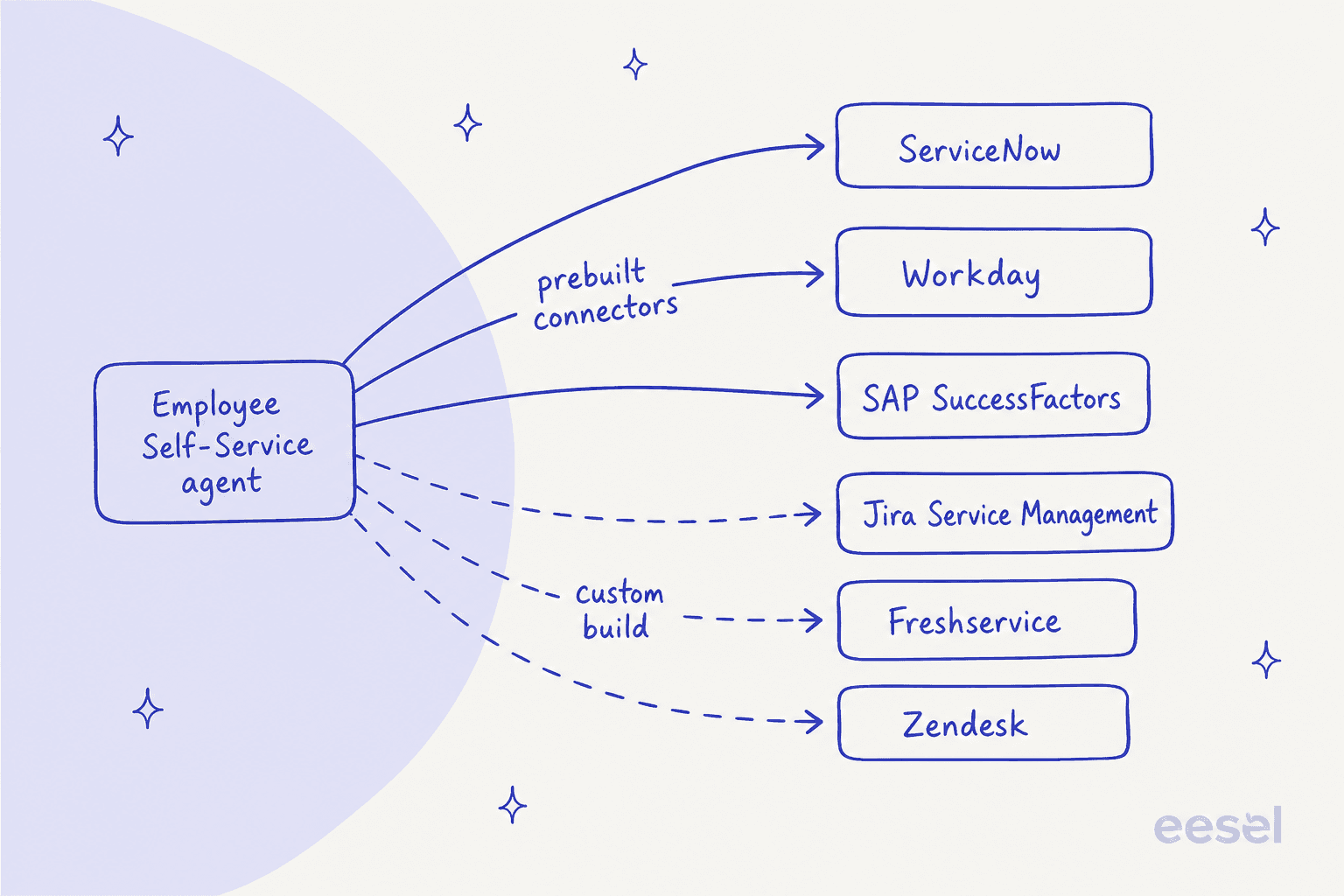
That list matters if you run a different service desk. A team on Jira Service Management or Freshservice is not on Microsoft's shipped list. I would not read that as a hard "no", because Power Platform has its own connector catalog, but it does mean you are writing the topics, flows and permission checks yourself, which is the part Microsoft's accelerators exist to save.
Identity is the other gate. The agent trusts Microsoft Entra ID for sign-in, and Microsoft expects other identity providers to be federated with Entra. For the simplified Workday setup, basic authentication is not supported even for testing and proofs of concept, which rules out the quick shortcut.
What does it cost?
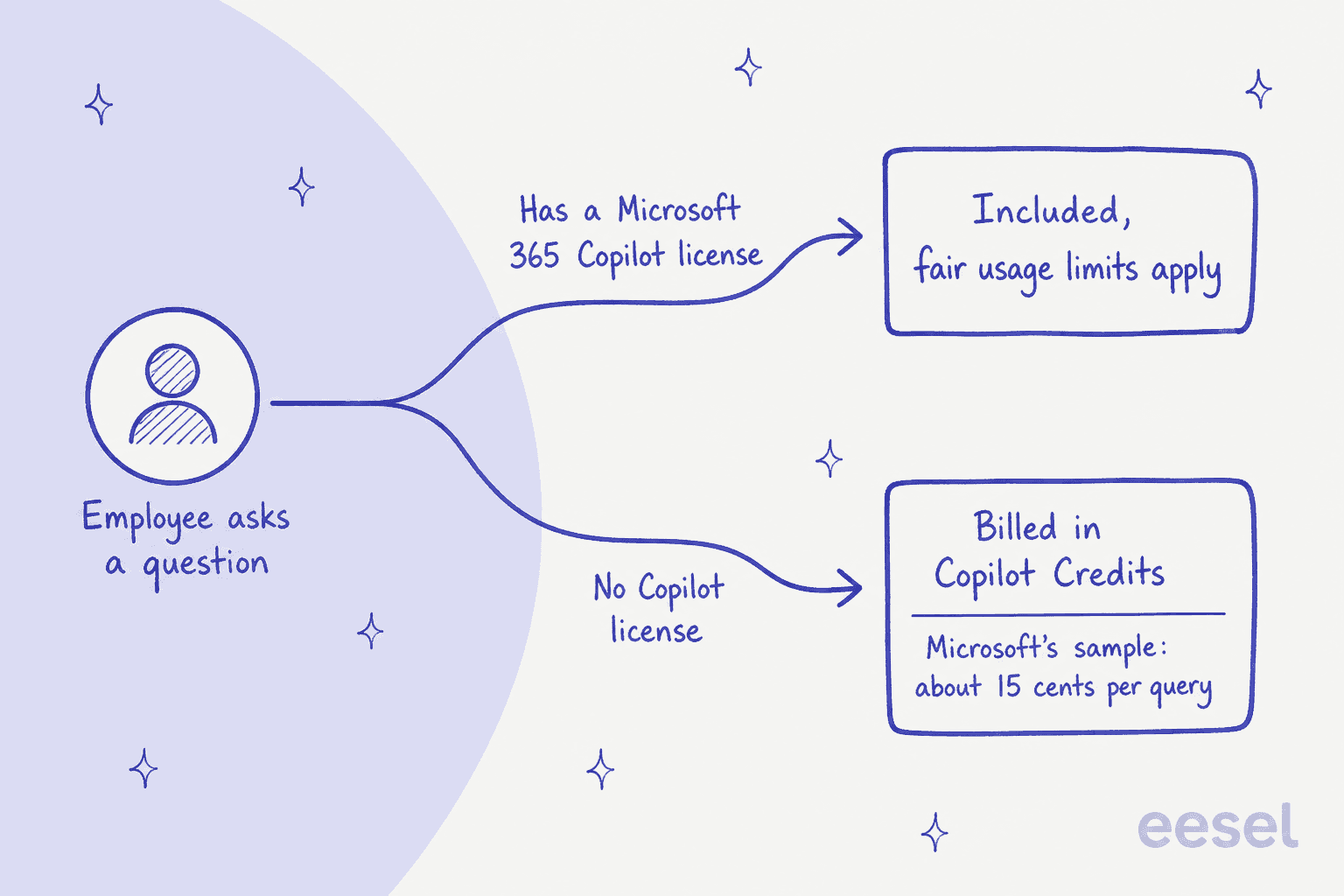
Microsoft publishes no single price for the agent. The cost is the sum of four meters, and which ones you pay depends on whether the employee asking has a Microsoft 365 Copilot license.
| Piece | What Microsoft publishes | Where |
|---|---|---|
| Employee with a Copilot license | Included when the agent uses the employee's own identity; fair usage limits and exclusions apply | Declarative overview |
| Microsoft 365 Copilot add-on | $30.00 per user a month paid yearly ($31.50 paid monthly); needs a qualifying Microsoft 365 plan | Microsoft pricing |
| Employee without a license | Copilot Credits, through pay-as-you-go (needs an Azure subscription) or prepaid capacity | Prerequisites |
| Copilot Studio credit pack | $200.00 per pack a month for 25,000 Copilot Credits, pooled across the tenant | Copilot Studio pricing |
| Makers and admins | A Microsoft 365 Copilot license includes Copilot Studio access; otherwise a Copilot Studio user license | Declarative overview |
| Workday, ServiceNow, SAP connectors | Premium connectors included; the third-party licenses are yours | Prerequisites |
Credits are priced per feature on Microsoft's billing rates page: 2 for a generative answer, 5 for an agent action, 10 for tenant graph grounding and 13 per 100 agent flow actions. One caveat is easy to miss. The "no charge" inclusion for licensed users applies to agent flows only when the run comes from the "When an agent calls the flow" trigger; flows started any other way bill at the standard rate.
Microsoft's own capacity sample is the most useful number on the page. It prices a typical question for an unlicensed user at 16 cents for a knowledge search, 12 cents with cached user context, 5 cents for a scripted topic and 1 cent for a canned reply, and states an average of 15 cents a query. The sample converts 10 credits into 10 cents, which implies one cent per credit, although Microsoft lists no per-credit rate for pay-as-you-go anywhere I could find.
Here is the math I would run before a budget meeting. Microsoft's first sample has 40,000 enabled users and 6,917 interactions in 28 days. At 15 cents that is about $1,038 for the period if every one of those people had no Copilot license, which works out to roughly $0.03 per enabled user. Light, occasional use is what HR and IT questions look like, and that is why unlicensed pay-as-you-go can cost far less than buying a license for people who only ask a few questions a month.
Two things to watch. First, pay-as-you-go users cannot reach personal Graph data like chat, email and calendar, though they can reach tenant content such as SharePoint, per the known issues page. Second, Microsoft's own cost walk-through gives a 15 cent average, but its stated mix (81% knowledge search without cache, 2% cached, 14% topics, 3% canned replies) works out to about 13.9 cents. That is a small gap, but it is a reminder to size from your own logs and not the sample.
What do you need to set it up?
More than a toggle, and more people than an IT desk expects. Microsoft's prerequisites list a global admin, a Power Platform administrator, a Power Platform maker, external system administrators, information security and a change control board. HR, IT and legal representatives are not configuring anything, but Microsoft names them as crucial for choosing knowledge sources and sensitive topics.
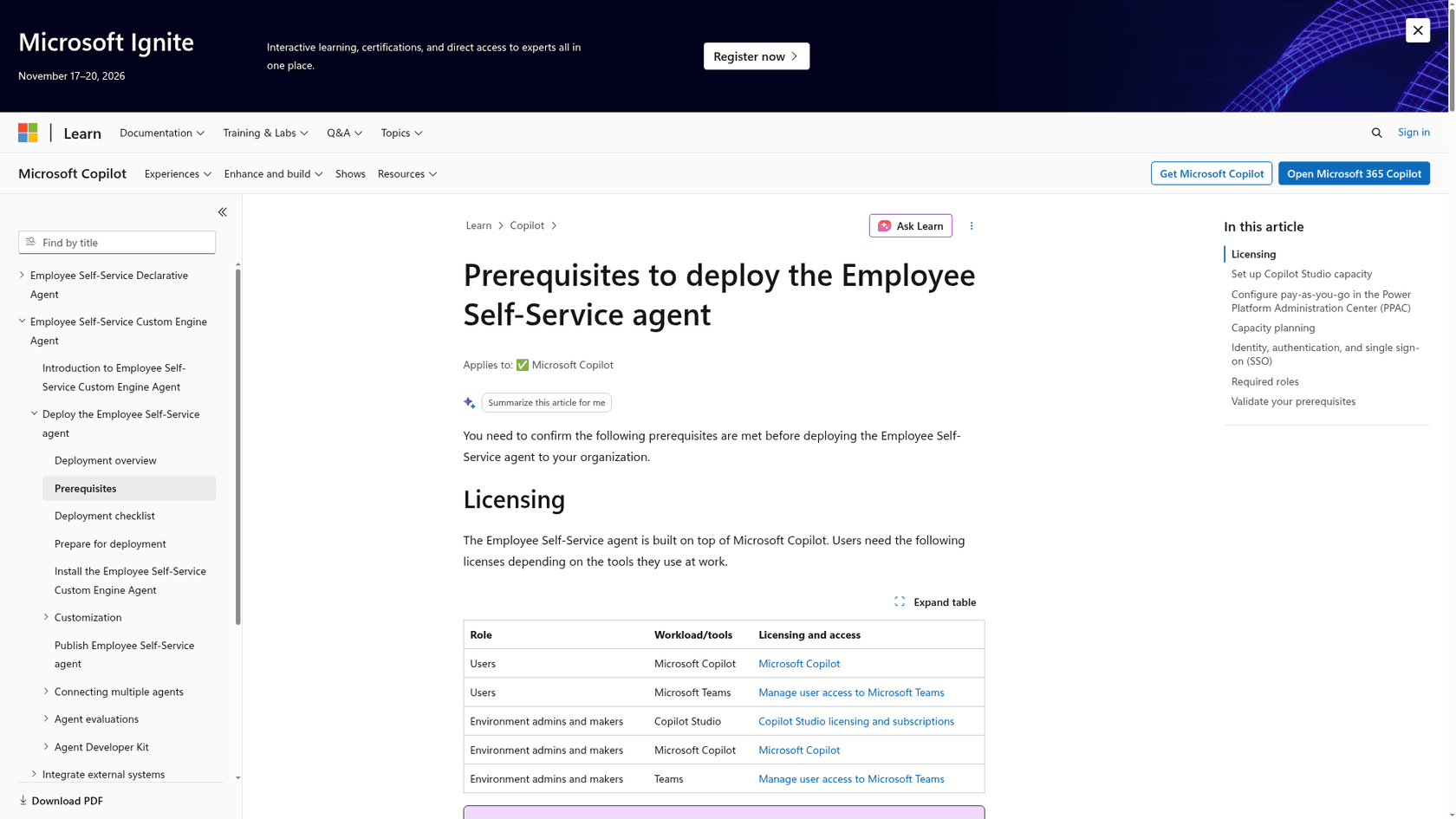
The path through Microsoft's docs looks like this:
- Confirm licenses and capacity. If any users lack a Copilot license, create a pay-as-you-go billing plan in the Power Platform admin center, link an Azure subscription and resource group, pick the environment and choose Copilot Studio as the product. Microsoft calls that last step critical and notes the admin center does not explain it.
- Set up identity. Configure single sign-on in Entra. Third-party identity providers need to be federated with it.
- Install in a sandbox. Microsoft recommends configuring, testing and validating before production.
- Connect one system at a time. The Agent Developer Kit runs the connection guides through GitHub Copilot Chat in Visual Studio Code, so it needs a GitHub Copilot subscription. Microsoft describes it as a sample and learning toolkit, not a supported service.
- Run FlightCheck. The readiness check runs more than 40 verifications, and a FlightCheck-only path needs no GitHub Copilot subscription.
- Evaluate, then publish. Build test sets, run them, and publish. After publishing, the agent can take up to
48hours to appear in Copilot, and an admin has to approve it under Integrated Apps in the Microsoft 365 admin center.
Microsoft is candid that third-party connector setup "typically needs someone with deep technical expertise" and says there are no plans to change that. It suggests starting with SharePoint knowledge and adding Workday or ServiceNow once your IT team has capacity.
Where does it stop?
The limits that would change my rollout plan are on Microsoft's known issues page, last updated on 3 November 2026:
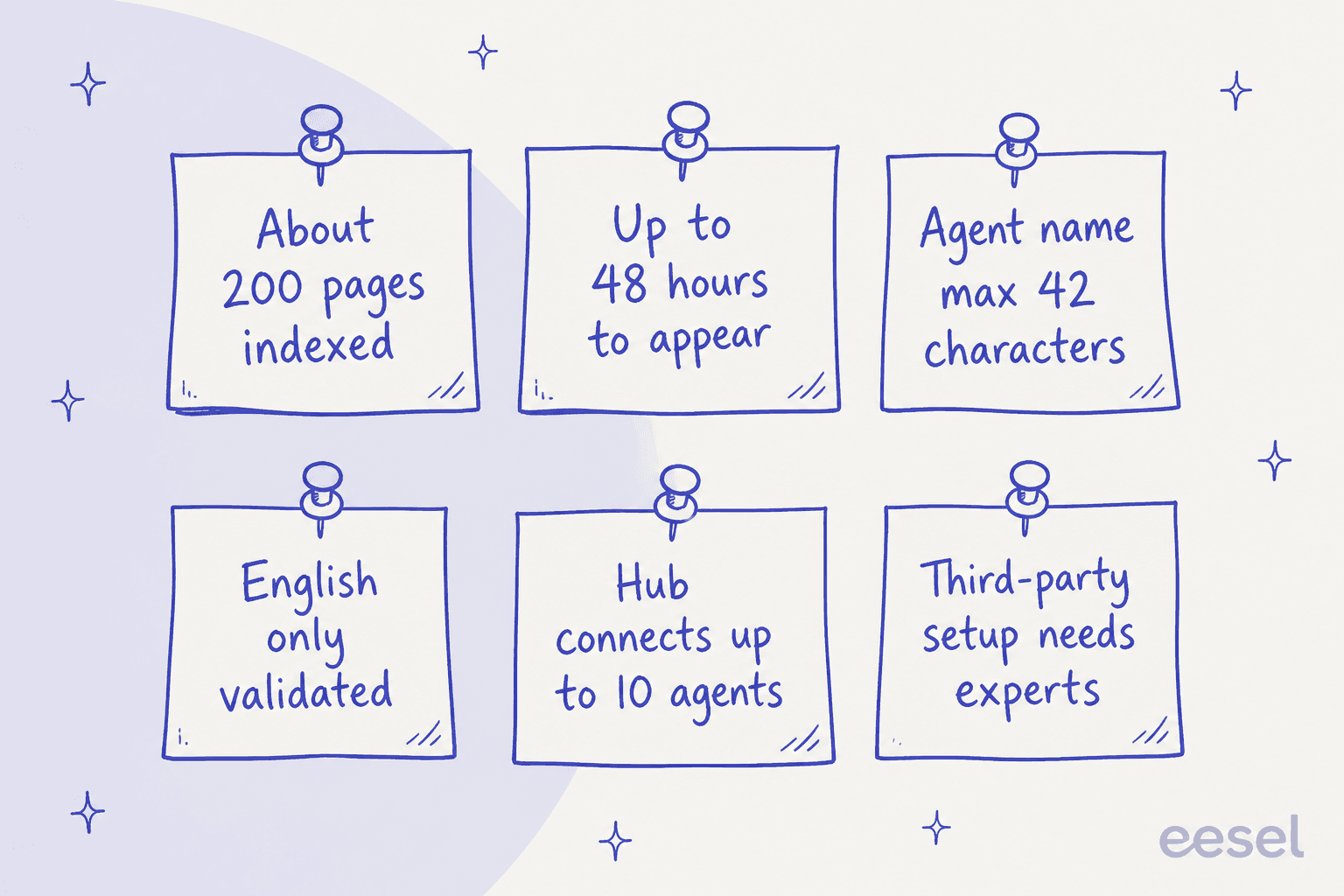
- Knowledge size. Semantic indexing covers roughly
200pages of content, and content beyond that is not processed. Pages that hold only links are left out of summaries. - Answer quality on connectors. Microsoft says you may see lower-quality responses from Graph connector content, and recommends SharePoint or directly integrated knowledge bases for high-impact topics.
- Personalization. The agent cannot yet apply profile data such as location, role and company code consistently, so a question about leave policy may need the country spelled out.
- Languages. For the declarative agent, English is the only language formally validated.
- Channels. The custom engine agent works in the Copilot chat channel, and the Teams app has open issues. Mobile works through the Microsoft Copilot app, but handoff to a live agent is not supported there.
- On-premises. Power Platform connectors cannot use on-premises gateway connections, with no plan to add it.
- Maintenance. There is no automatic update for the agent package or the accelerator packs, so makers update them by hand.
- ServiceNow field limit. Through the connector's Create Record action, the full record description is ignored because of ServiceNow REST API limits.
Microsoft's pages also disagree with each other in a few places, and I would check them before you plan around any one claim:
- The overview says mobile has been available since March 2026, while a row on the known issues page still says the agent is not supported yet on mobile.
- The prerequisites say simplified Workday setup works with a third-party identity provider federated to Entra, while the declarative Workday page says third-party providers, including federated ones, are not currently supported.
- A known-issues row about users continuing to consume the agent without a license still describes enforcement arriving by late summer 2025, on a page updated in November 2026.
What results has Microsoft shared?
Microsoft's GA post says its own HR, IT and facilities teams ran the agent first across 200,000+ employees, and reports early results of up to 31% fewer support tickets and a 25% increase in response accuracy. It expects between 400,000 and 600,000 HR ticket deflections, and names Engie, a company of about 100,000 people, as testing it. These are Microsoft's numbers about its own rollout, early and self-reported, so treat them as a direction and not a benchmark for your queue.
The responsible AI FAQ adds one more figure with a narrow scope: Microsoft red-teamed more than 200 prompts on discrimination, harassment and abuse with no defects found, but only in the custom engine agent's default configuration with the sensitive-topic behavior on. It says that result is not evidence for the declarative agent or for your customized version, so run your own tests.
Should you use it, and where does eesel fit?
Start with Microsoft's agent when your world is already Microsoft: ServiceNow, Workday or SAP SuccessFactors holds the records, staff carry Copilot licenses, and you have Power Platform builders. It is the only option here that can read a cost center or update a phone number in Workday, because those are its prebuilt topics. If the question is HR service desk work that needs a system of record, that matters.
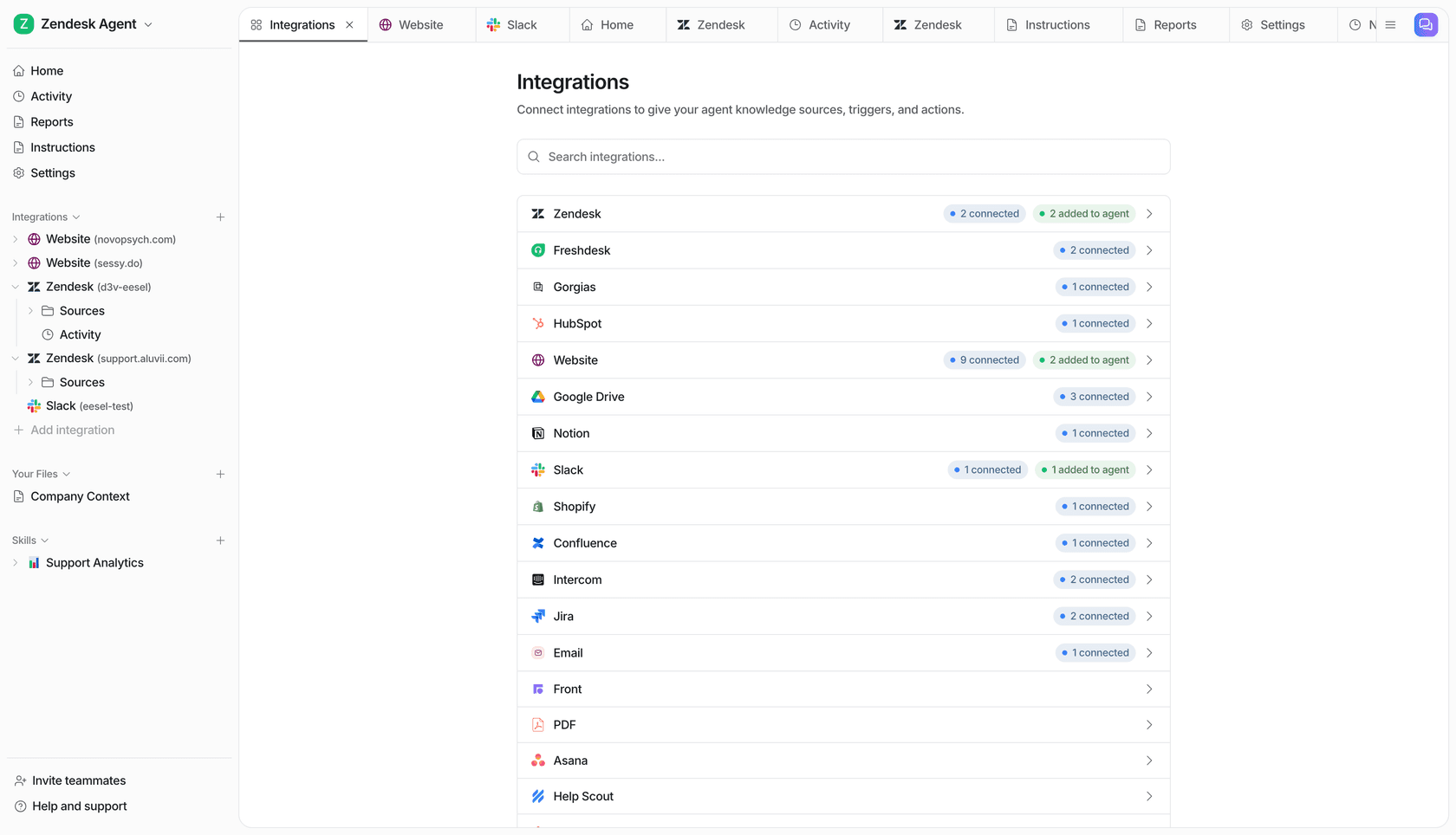
eesel is the lighter route for a different setup. It connects natively to Jira Service Management, Zendesk and several other helpdesks.
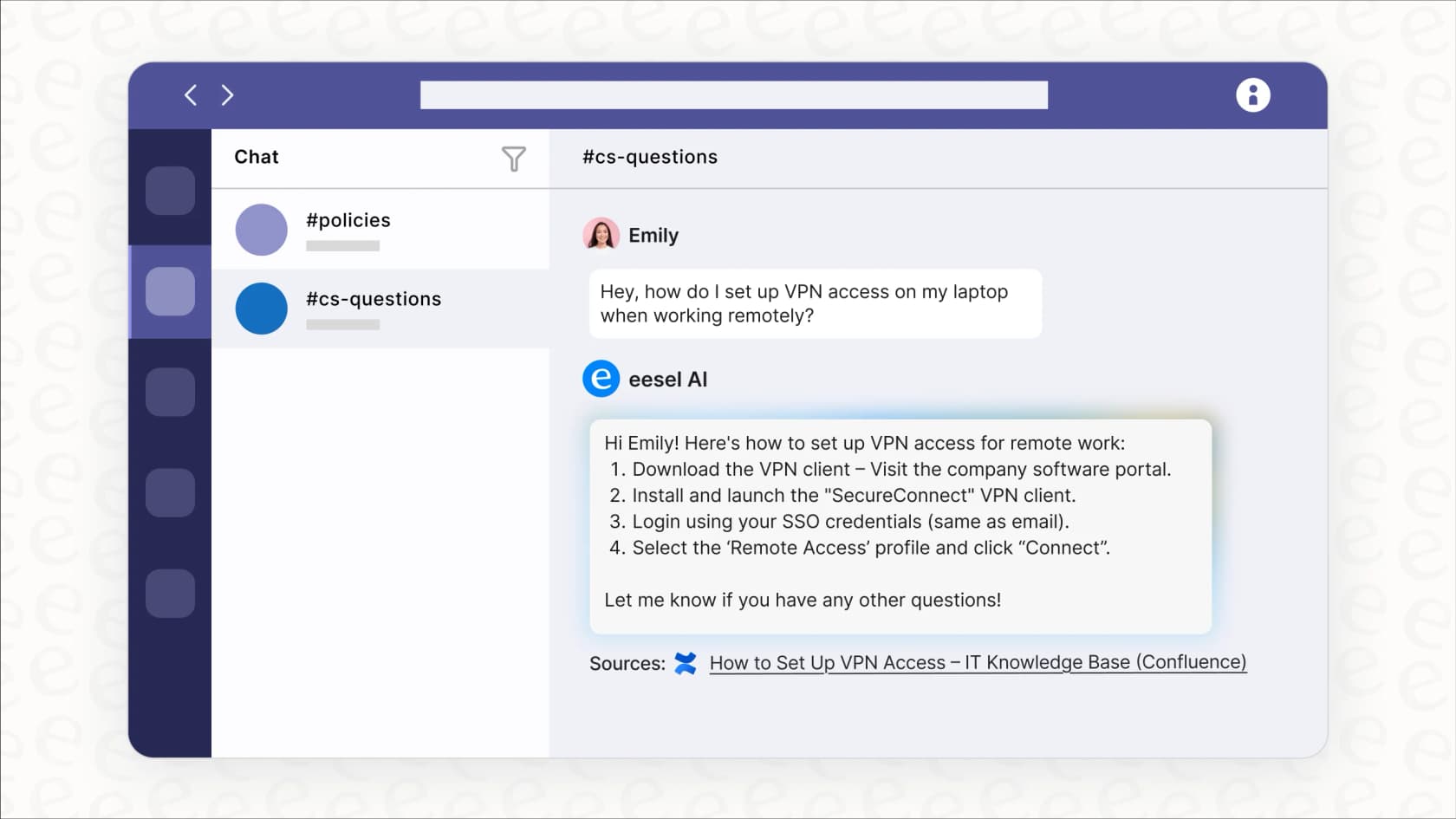
Staff can @mention it in Microsoft Teams or Slack. Per the Teams docs, it answers mentions and direct messages, reads the thread it was asked in (the first message plus up to the last 100 replies), reads pasted screenshots, and answers from Confluence, Notion, Google Drive, uploaded files and your help center. eesel is not in the Teams store yet, so a Teams admin uploads the package once.
Where eesel does not reach is worth stating. Its docs list no native Freshservice, ServiceNow, SharePoint or Workday integration; for tools without one, you connect through your own APIs or an MCP server. So eesel will not update a Workday record, and if your service desk runs on ServiceNow with Copilot licenses already paid for, Microsoft's agent probably deserves the first pilot.
I can point at two live internal desks. Cactus Club Cafe runs its internal IT helpdesk in Zendesk. Between 8 August and 8 September 2026 its tier 1 agent handled about 750 tickets, wrote about 790 draft replies for the team and sent 51 directly, reading its own runbooks about 1,650 times. The team wrote the runbooks and told the agent to follow them verbatim, with an emergency-policy check first. When InDebted, a debt-recovery company with a 5 to 10 person IT team serving hundreds of employees, published its story in November 2025, eesel was the first responder on its Jira Service Management helpdesk, deflecting 15% of issues with a stated target of 55%.
That draft-first, source-linked pattern comes from years of eesel running AI on live support queues, and it is why every eesel rollout is simulated against historical tickets before it goes live. You can do the same on the Microsoft side with Copilot Studio evaluations, and the habit transfers to any AI support simulation. Whichever agent you pick, plan the handoff to a person first, since Microsoft itself says the agent is not a substitute for HR or IT decisions.
The same license-and-credit questions come up across Microsoft's Teams agents, and I covered them for Teams Phone Agent, the Approvals app and the Queues app.
For the wider market, see my breakdown of Agentforce for IT service and the Moveworks review.
If you are comparing options side by side, my guides to HR support AI and the best AI for IT helpdesks are the place to start.
Try eesel for your internal IT and HR desk
If your staff ask IT and HR questions in Teams or Slack, eesel answers them from your approved policies with the source linked, and its AI helpdesk teammate drafts replies on your Jira Service Management or Zendesk queue for a person to approve. Pricing starts at $299 a month, with no Power Platform build or Copilot license needed to start.
Try eesel on one channel first, ask it the five questions your staff ask most, and check each answer against your policy before you widen it.
Frequently Asked Questions
What is the Microsoft Employee Self-Service Agent?
It is a prebuilt agent for Microsoft Copilot that answers employee HR and IT questions and completes supported tasks through connected systems, per Microsoft's declarative agent overview. It ships as HR, IT and Hub starters, and it sits in the same family as an AI internal helpdesk.
How much does the Employee Self-Service Agent cost?
Microsoft publishes no flat price for the agent. Employees with a Microsoft 365 Copilot license ($30.00 per user a month, paid yearly) use it as part of the license; everyone else is billed in Copilot Credits. For a wider view, see my guide to AI customer service cost.
Do employees need a Microsoft 365 Copilot license to use it?
No. Microsoft's prerequisites page says users without a license are billed pay-as-you-go, and a billing plan with Copilot Studio selected must exist first. Those users cannot reach personal Graph data such as email or calendar, which matters for onboarding questions.
Does it connect to ServiceNow, Workday and SAP SuccessFactors?
Yes. Microsoft ships ServiceNow HRSD and ITSM topics, Workday scenarios and SAP SuccessFactors scenarios, and the premium connectors cost nothing extra. You still pay for your own licenses on those systems. If ServiceNow is your platform, compare it with my ServiceNow AI breakdown.
Can it work with Jira Service Management, Freshservice or Zendesk?
Not out of the box. Microsoft's docs list ServiceNow, Workday and SAP SuccessFactors as the shipped accelerators, so any other helpdesk is a custom build in Copilot Studio. eesel has a native Jira Service Management integration, and the Freshservice AI guide covers that side.
Does the Employee Self-Service Agent work in Microsoft Teams?
Only partly today. Microsoft's known issues page says the agent works in the Copilot chat channel and the Teams app has open issues. For answers inside Teams chat now, see the best AI for Teams support.
How do I test it before employees see it?
Microsoft recommends a sandbox environment, its FlightCheck readiness check and evaluation test sets in Copilot Studio, per the evaluation guide. Rerun them after every model change. The same idea applies to AI support simulation testing.
Can eesel answer internal IT and HR questions in Teams and Slack?
Yes. eesel answers mentions and direct messages in Microsoft Teams and Slack from the knowledge you connect, with the source linked, and its AI helpdesk teammate works Jira Service Management and Zendesk queues. It does not write to Workday, so HR record changes stay in the system of record.