Employee self-service has become a necessity, not a luxury. When your IT team spends hours resetting passwords and answering "how do I..." questions, nobody wins. The employee waits. The IT team gets buried in tickets. And simple requests turn into frustrating ordeals.
Employee self-service (ESS) exists to solve this. It puts routine tasks directly in employees' hands, freeing up IT to focus on bigger problems. Freshservice, a popular ITSM platform, offers a robust self-service portal designed to do exactly this. But is it the right fit for your organization?
Here is what Freshservice's employee self-service offers, how it works, and whether it matches what your team actually needs.
What is employee self-service?
Employee self-service is a technology platform that lets workers handle routine IT and HR tasks without waiting for help. Instead of submitting a ticket and waiting days for a response, employees can resolve issues themselves through a centralized portal.
Common ESS capabilities include:
- Password resets and account unlocks
- Software requests and access provisioning
- Knowledge base access for troubleshooting
- Ticket creation and tracking for issues that need IT help
- Service catalog browsing for common requests
The goal is simple: reduce the volume of repetitive requests hitting your IT team while giving employees faster resolutions. Research suggests ESS systems can increase employee productivity by as much as 44%.
Source: https://www.digitalhrms.com/blogs/infographics-blog-on-interesting-facts-about-employee-self-service (via Freshworks research)
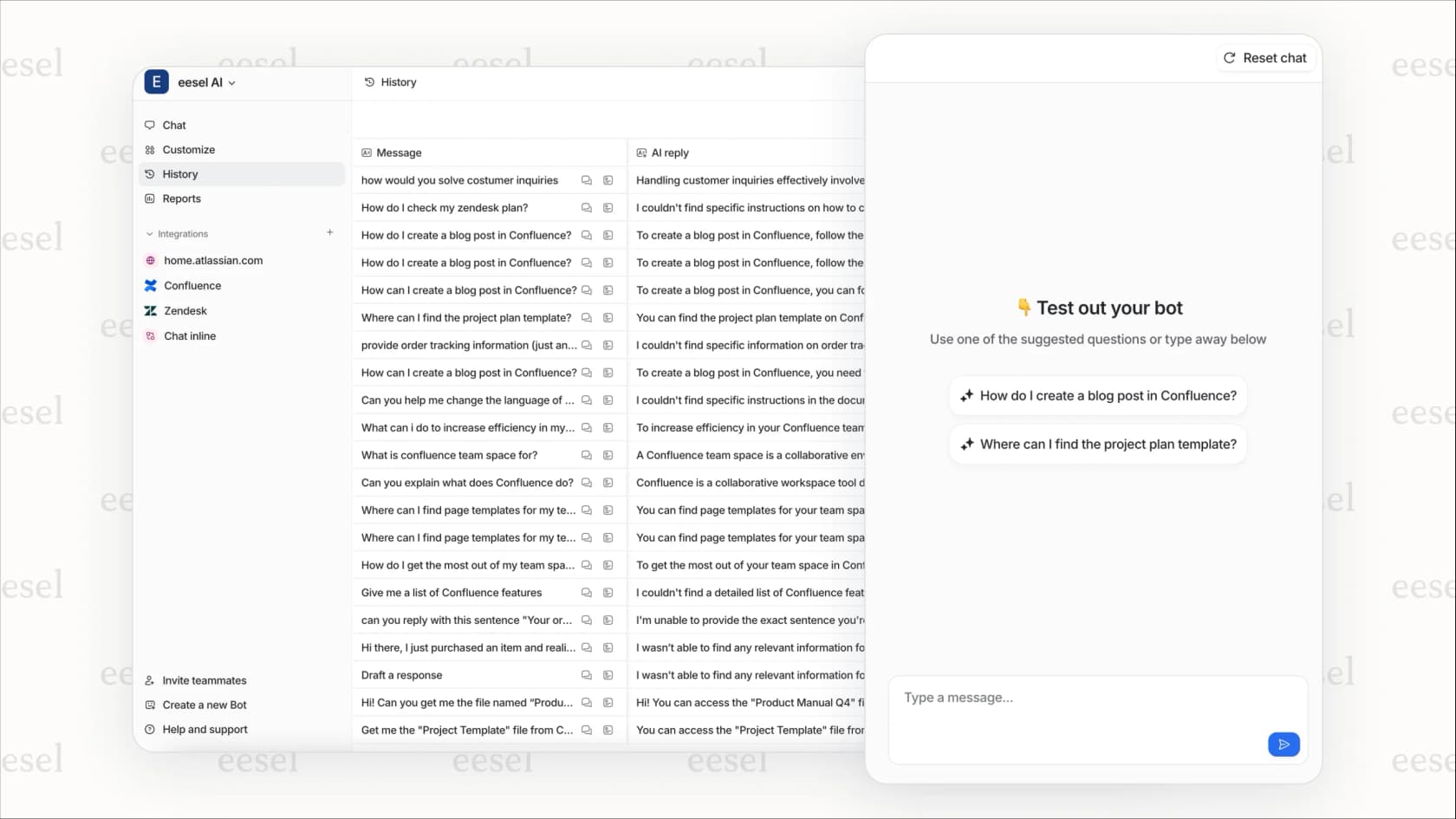
I take a different approach to the same problem. Rather than a traditional portal where employees navigate forms and menus, I integrate with tools like Freshservice and let employees ask questions in natural language via Slack, Microsoft Teams, or email. I handle the rest, resolving issues autonomously or escalating when needed.

Freshservice's approach to employee self-service
Freshservice is an IT service management (ITSM) platform first, with employee self-service as a core component. Unlike standalone HR self-service tools, Freshservice's ESS is tightly integrated with IT workflows.
This means when an employee submits a request through the self-service portal, it doesn't just go into a black hole. It becomes a ticket that follows your IT team's established processes: prioritization, routing, SLAs, and resolution tracking.
Freshservice serves 74,000+ businesses worldwide, including organizations like University of Pennsylvania, Marvel, University of Oxford, and Databricks. The platform is designed to be deployable without the complexity of traditional enterprise ITSM tools.
Source: https://www.freshworks.com/freshservice/
The key differentiator is Freshservice's Freddy AI, which powers intelligent self-service experiences. But the AI capabilities vary significantly by pricing tier, something we'll cover in detail later.
Key features of the Freshservice self-service portal
Self-service portal and ticket management
The core of Freshservice's ESS is the support portal. Employees can raise tickets directly without IT intervention, then track progress in real-time. The portal includes a global search that spans the knowledge base, service catalog, and past tickets, helping employees find answers before creating new requests.

For IT teams, this means fewer "where's my ticket?" emails. Employees see status updates automatically.
Knowledge base and smart suggestions
Freshservice includes a knowledge management system where IT teams publish self-help articles. The smart-suggest feature surfaces relevant solutions as employees type their requests, potentially deflecting tickets before they're created.
The knowledge base supports:
- Structured articles with categories and tags
- Searchable content with relevance ranking
- Attachment support for screenshots and documentation
- Feedback collection to identify gaps
Source: https://www.freshworks.com/freshservice/it-service-desk/knowledge-base/
Service catalog
The service catalog provides a shopping-like experience where employees browse and request IT services. Instead of figuring out which form to fill out, they see available services organized by category: software access, hardware requests, account provisioning, and more.
Each service can have:
- Custom request forms with required fields
- Automated approval workflows
- Fulfillment automation through integrations
- Cost tracking and chargeback
Source: https://www.freshworks.com/freshservice/it-service-desk/it-service-catalog-management/
Employee onboarding and offboarding
Freshservice includes dedicated modules for employee lifecycle management. HR and IT teams can:
- Create onboarding kits with standardized task lists
- Bulk onboard multiple employees simultaneously
- Assign stakeholders and track completion
- Automate offboarding to revoke access and recover assets

This is particularly valuable for organizations with frequent hiring or seasonal workforce changes.
As part of the onboarding process, a paystub generator can also help businesses prepare clear payroll documentation for new employees.
Source: https://support.freshservice.com/support/solutions/folders/275146
Mobile accessibility
Freshservice offers native iOS and Android apps that extend self-service capabilities to mobile devices. Employees can:
- Submit and track tickets on the go
- Access the knowledge base from their phones
- Receive push notifications for ticket updates
- Request services without being at their desks
This matters more than ever with hybrid and remote work becoming standard.
Customization and branding
The self-service portal can be customized to match your organization's branding:
- Custom logos, colors, and themes
- Vanity URLs with your domain (e.g., support.yourcompany.com)
- Custom SSL certificates for security
- Department-specific workspaces with tailored service catalogs
Benefits of using Freshservice for employee self-service
Freshservice publishes several performance benchmarks based on customer data and commissioned studies:
| Benefit | Metric | Source |
|---|---|---|
| ROI | 356% in under 6 months | Freshservice Benchmark Report |
| Employee satisfaction | 98% average score | Freshservice customer data |
| Ticket deflection | 66% with AI-powered self-service | Freshservice Benchmark Report |
| Resolution time improvement | 77% decrease with AI assistance | Freshservice Benchmark Report |
| IT cost reduction | 60% annually (Village Roadshow case study) | Customer case study |
Source: https://www.freshworks.com/freshservice/
Beyond the numbers, the practical benefits include:
- Reduced IT workload: Routine requests get handled without IT intervention
- Faster employee resolutions: Self-service is 24/7, not 9-to-5
- Better data accuracy: Employees update their own information
- Improved compliance: Standardized workflows ensure nothing falls through cracks
Freshservice pricing and plans
Freshservice uses per-agent pricing billed annually (monthly billing available at higher rates). Here's how the plans break down for employee self-service capabilities:
| Plan | Price | Key Self-Service Features |
|---|---|---|
| Starter | $19/agent/month | Basic self-service portal, knowledge base, incident management, ticket tracking |
| Growth | $49/agent/month | Everything in Starter + service catalog, SLA management, change management, problem management |
| Pro | $99/agent/month | Everything in Growth + Freddy AI Agent (conversational AI in Teams/Slack), IT asset management, sandbox |
| Enterprise | Custom pricing | Everything in Pro + Freddy AI Copilot, Freddy AI Insights, enterprise service management |
Source: https://www.freshworks.com/freshservice/pricing/
Important pricing notes:
- AI-powered self-service (Freddy AI Agent) only becomes available at the Pro tier
- Full AI capabilities require Enterprise
- Occasional agents can be added with Day Passes starting at $3
- 14-day free trial available with no credit card required
For organizations primarily interested in AI-powered employee self-service, the Pro plan at $99/agent/month is the entry point. This is significantly steeper than the Growth plan and may be a barrier for smaller teams.
Implementation best practices
Rolling out an employee self-service portal requires more than just software configuration. Here are proven approaches:
Design with employee needs in mind
Survey your employees to understand their most common requests. Build your service catalog and knowledge base around actual pain points, not what IT thinks employees need.
Ensure mobile responsiveness
With hybrid work, employees access self-service from various devices. Test the mobile experience thoroughly before launch.
Integrate with existing systems
Freshservice integrates with 1,000+ apps through its marketplace. Connect your identity provider (Azure AD, Okta), communication tools (Slack, Teams), and asset discovery tools for a seamless experience.
Source: https://www.freshworks.com/freshservice/integration/
Provide training and ongoing support
Don't assume employees will intuitively understand the portal. Offer training sessions, create quick-start guides, and designate champions in each department.
Start with high-volume, simple requests
Password resets, software installations, and access requests are low-risk ways to demonstrate value. Expand to more complex workflows once adoption is solid.
Gather feedback and iterate
Track which knowledge articles get viewed, which services get requested, and where employees get stuck. Use this data to continuously improve.
AI-powered alternatives to traditional self-service portals
Traditional self-service portals have limitations. They require employees to navigate menus, fill out forms, and know where to look for answers. If the knowledge base doesn't have the right article, the employee is stuck.
AI changes this equation. Instead of browsing a portal, employees simply ask questions in natural language. The AI understands context, searches across all your documentation, and provides immediate answers.
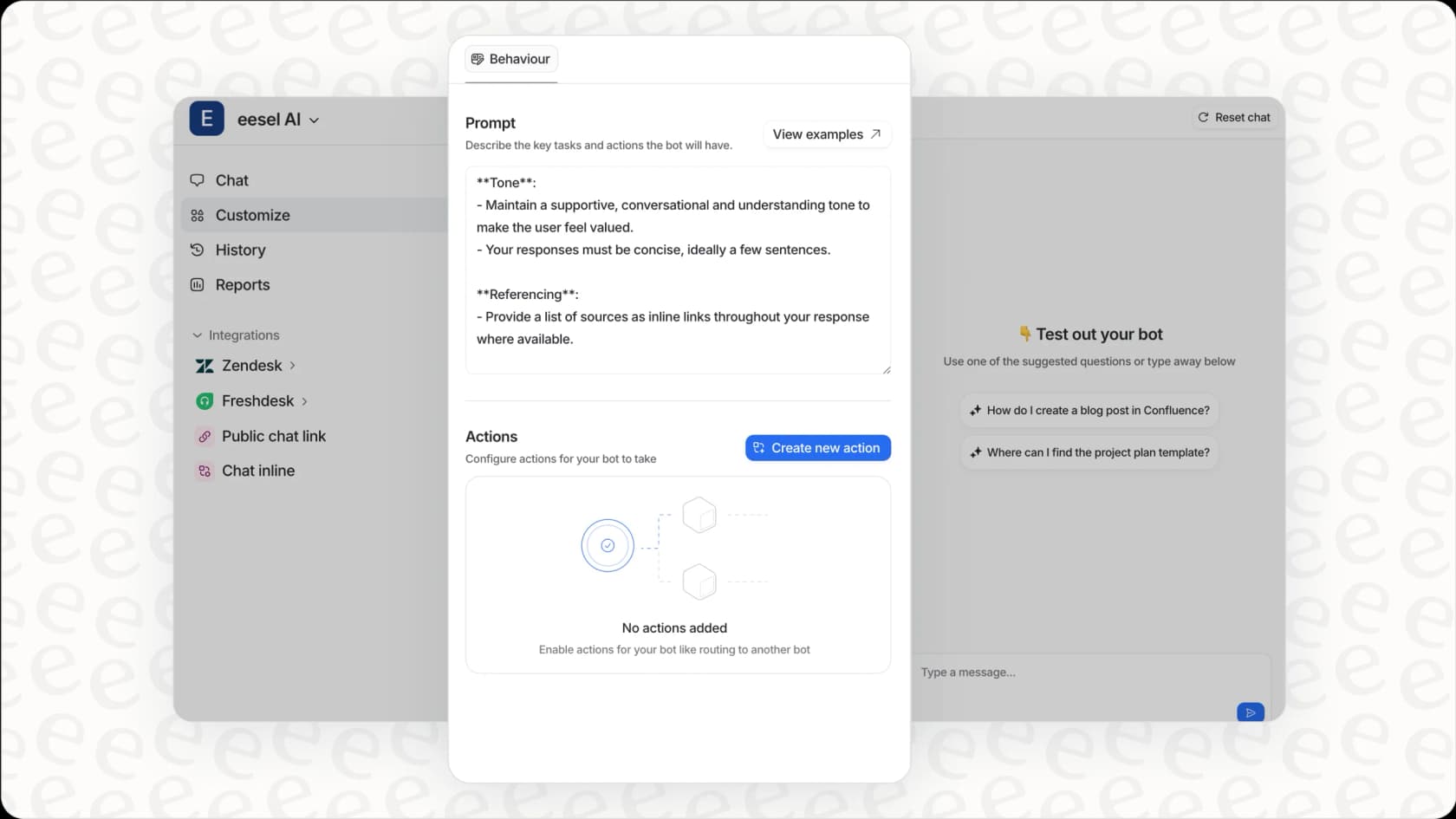
I approach employee self-service as an AI teammate rather than a portal. Here's how I differ:
Conversational interface
Employees ask questions in Slack, Microsoft Teams, or email using everyday language. No forms to fill out, no menus to navigate.
Automatic learning
I learn from your existing documentation, past tickets, and knowledge bases. There's no need to manually build and maintain a separate knowledge base for me.
Autonomous resolution
Unlike traditional portals that just create tickets, I can actually resolve issues: reset passwords, provision software, update permissions, and more. I only escalate to humans when necessary.
Integration with your existing tools
I integrate directly with Freshservice, Zendesk, Slack, and 100+ other tools. You don't need to replace your existing systems.
Learn more about my AI for ITSM solutions or explore how my AI internal chat works for employee support.
Choosing the right employee self-service approach
Freshservice's self-service portal makes sense if:
- You need structured IT service management with formal workflows
- Your organization requires detailed SLAs and compliance tracking
- You want a branded portal experience for employees
- You're already invested in the Freshworks ecosystem
I may fit better if:
- You want to reduce ticket volume through autonomous resolution, not just better routing
- Your employees already live in Slack or Teams and prefer conversational interfaces
- You need faster time-to-value without complex portal configuration
- You want AI that learns continuously from your existing data
Many organizations use both: Freshservice for structured ITSM workflows and AI for frontline employee support. The two approaches complement each other.
Getting started with better employee self-service
Employee self-service isn't just about deflecting tickets. It's about giving your people the tools to be productive without friction. Whether you choose Freshservice's portal approach, an AI-powered solution like eesel AI, or a combination of both, the goal is the same: faster resolutions, happier employees, and more strategic IT teams.
If you're curious about how I could transform your employee self-service experience, try me free or book a demo to see me in action. I integrate with Freshservice and other tools you already use, so you can enhance rather than replace your existing setup.