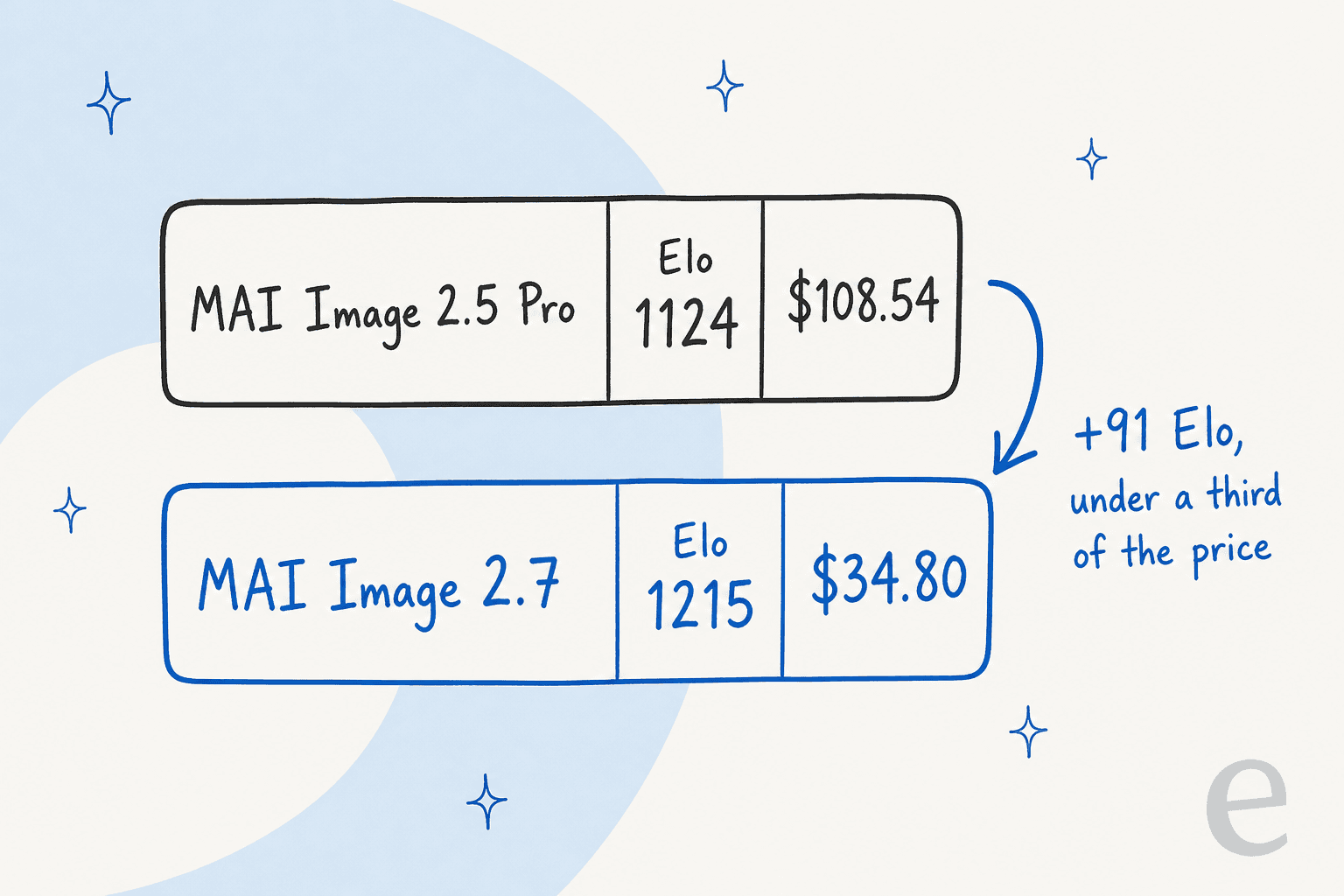
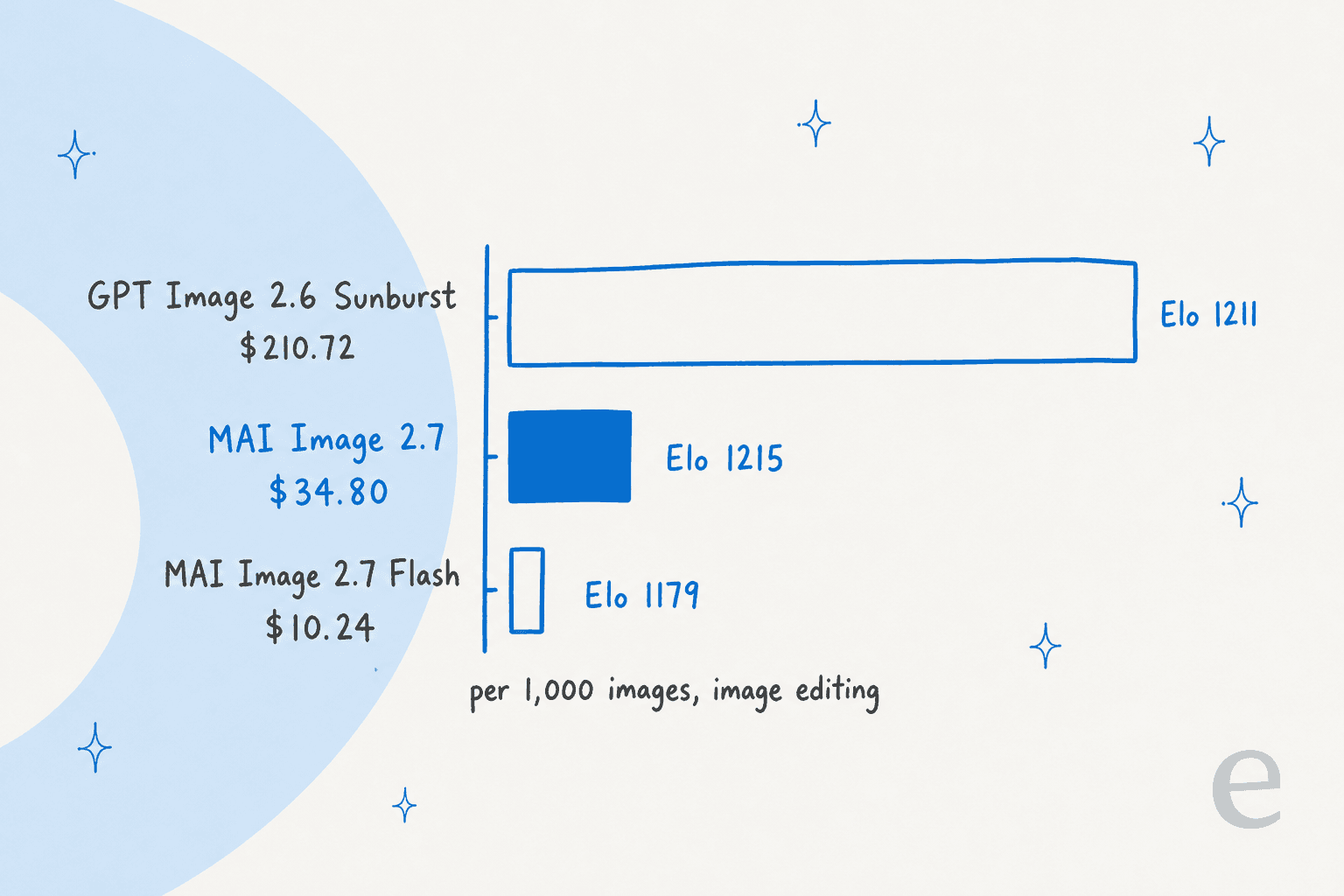
MAI Image 2.7 ties the top image editors on quality at roughly a sixth of the price. Microsoft's launch post puts it at #1 on Artificial Analysis editing with 1,215 Elo, 4 points ahead of GPT Image 2.6 Sunburst, at $34.80 per 1,000 images against $210.72. It is still public preview, and the lead is thin, so pilot it on your own edits before you move volume. If you run an AI blog writer that adds a banner and diagrams to every post, as eesel's AI blog writer does, an editor this cheap changes what a revision round costs.
What is MAI Image 2.7?
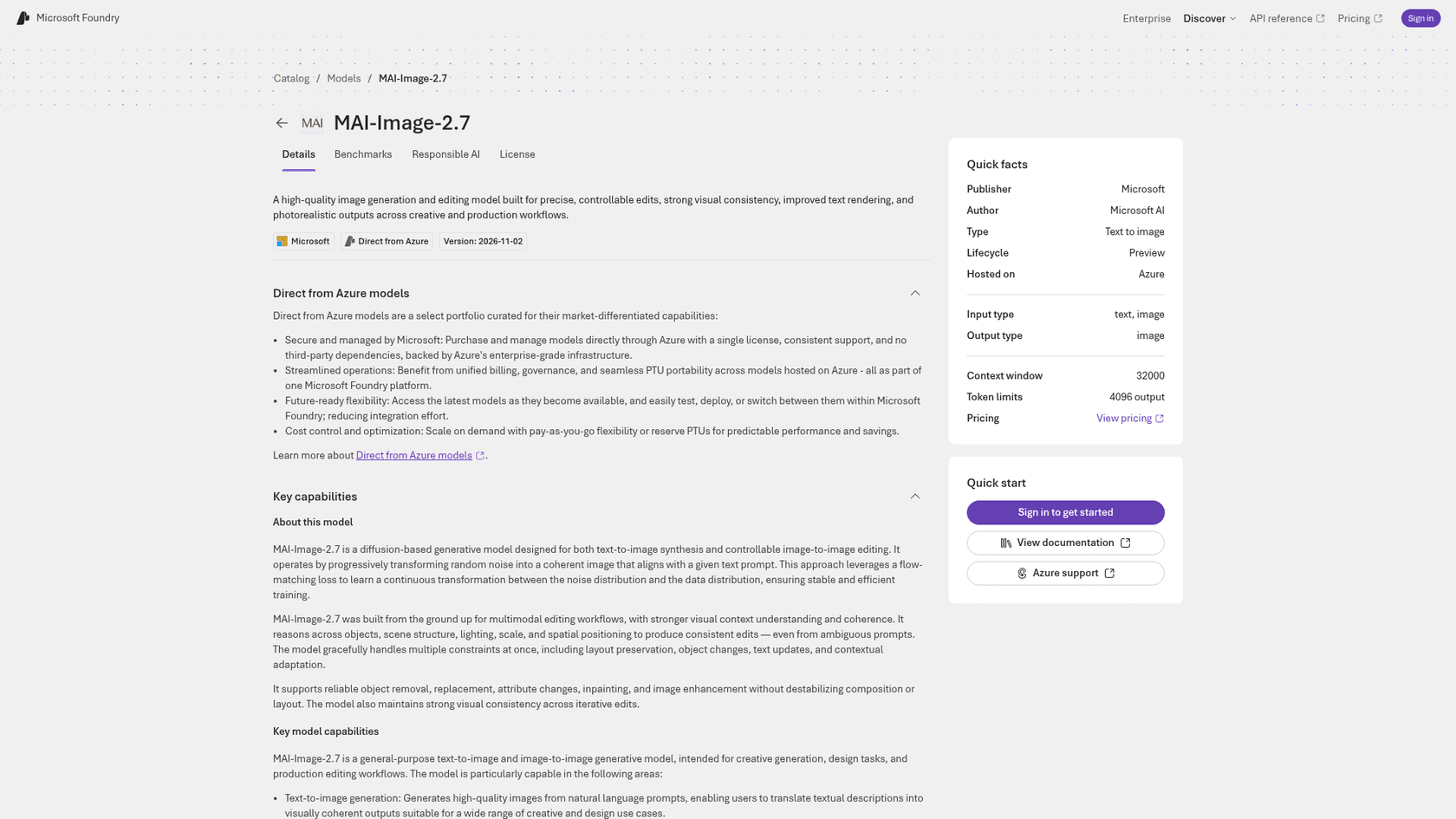
MAI Image 2.7 is Microsoft's newest image model, announced at Ignite on November 17, 2026 together with a cheaper tier, MAI Image 2.7 Flash. Both do text-to-image and image editing. The Foundry model card describes it as a diffusion model trained with a flow-matching loss, built "from the ground up" for multimodal editing, with version 2026-11-02 and a lifecycle of Preview.
It follows 2.6 closely. MAI Image 2.6 reached Foundry on September 4, and Microsoft first posted 2.7 results on October 27. Microsoft AI has shipped more than images this month: I covered MAI Code 2 and its pricing, MAI Realtime 1 with its pricing, and MAI Transcribe 2, all from the same Ignite announcement of seven models.
How good is MAI Image 2.7 at image editing?
On Artificial Analysis's AA-Image-Editing v2.1, MAI Image 2.7 scored 1,215 Elo from 5,478 votes as of November 16, 2026, ahead of GPT Image 2.6 Sunburst (max) by 4 points. On Arena Microsoft says it is a top-two lab in both generation and single-image editing. In pure text-to-image, Microsoft's Ignite roundup ranks it #4, which Microsoft frames as the second-best lab.
Read the 4-point lead carefully. It is a rounding-error gap in a blind-vote Elo, so I would not pick the model because it is "#1". The real claim is the price column. Microsoft's copy says one-fifth of the cost, but its own table works out to $34.80 against $210.72, closer to one-sixth.
Here is the rest of the editing table from Microsoft's launch post, which cites Artificial Analysis for the competitor numbers:
| Model | Editing Elo | Price per 1,000 images |
|---|---|---|
| MAI Image 2.7 | 1,215 | $34.80 |
| GPT Image 2.6 Sunburst | 1,211 | $210.72 |
| MAI Image 2.7 Flash | 1,179 | $10.24 |
| Seedream 5.5 | 1,160 | $28.00 |
| Krea 3 (Ultra) | 1,154 | $100.00 |
| Nano Banana 2.1 | 1,152 | $33.60 |
| MAI Image 2.6 | 1,150 | $38.91 |
| Muse Image | 1,129 | $10.00 |
| FLUX 3 Image | 1,119 | $48.00 |
Two rows stand out. Flash sits 50 Elo above Muse Image at about the same price, which matters if you were weighing Meta Muse Image for volume. And Seedream 5.5 and Nano Banana 2.1 cost about what the full MAI model does but score 55 to 63 Elo lower. For other editors, see my posts on ChatGPT Images 2.5, FLUX 3, Qwen Image Edit and Seedream 5.0 Pro.
What changed from MAI Image 2.6 and 2.5?
Quality went up and price went down at every tier. MAI Image 2.6 was 1,150 Elo at $38.91 per 1,000 images, and 2.7 is 1,215 at $34.80, a 65-point jump for about 11% less. Flash moved from 1,145 at $19.46 to 1,179 at $10.24. The jump from the 2.5 generation is bigger: MAI Image 2.5 Pro was 1,124 at $108.54.
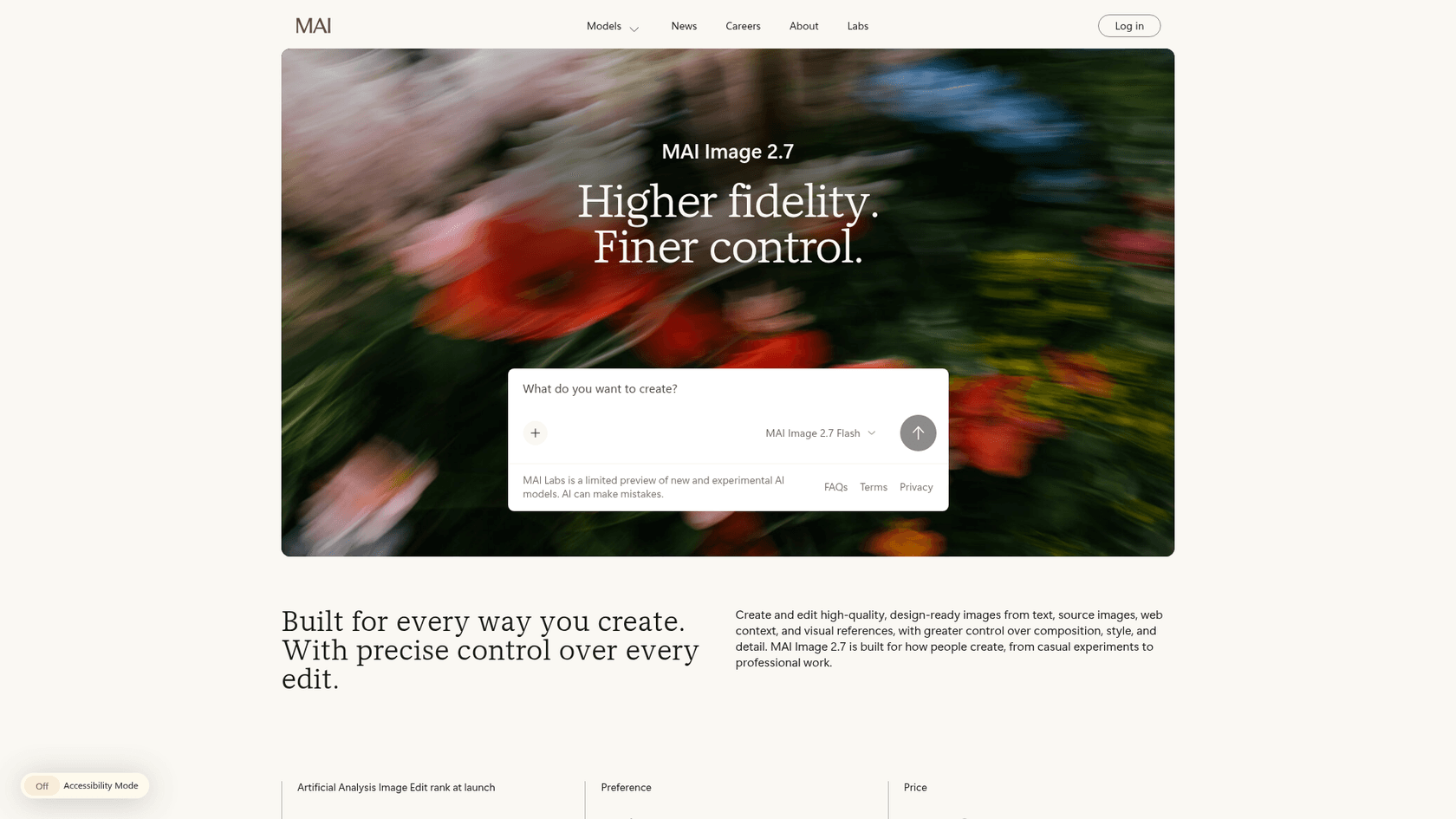
The feature changes are about control rather than raw looks. Microsoft's model page leads with "Higher fidelity. Finer control." and lists:
- Fine-grained edits. Change one object's colour, material or position without disturbing the rest, and keep the look consistent across successive edits.
- Multi-reference editing. Combine a brief, brand assets and up to five reference images in one request.
- Transparent backgrounds. Both models can output them for product shots, logos, icons and illustrations.
- Seven aspect ratios. From 9:16 and 4:5 to 16:9 and 21:9, at higher resolution.
- Canvas. A new interactive workspace in MAI Labs, powered by Flash, where you select part of an image to replace, move or restyle it.
Microsoft's own demo is nine colourways of one backpack photo, changing only the colour or material word in the prompt. A partner testing it, Manus, says it made "localized edits that were accurate, consistent and quick". That is a vendor-supplied quote on Microsoft's page, so treat it as a claim to test, not a review.
Where can you use MAI Image 2.7 today?
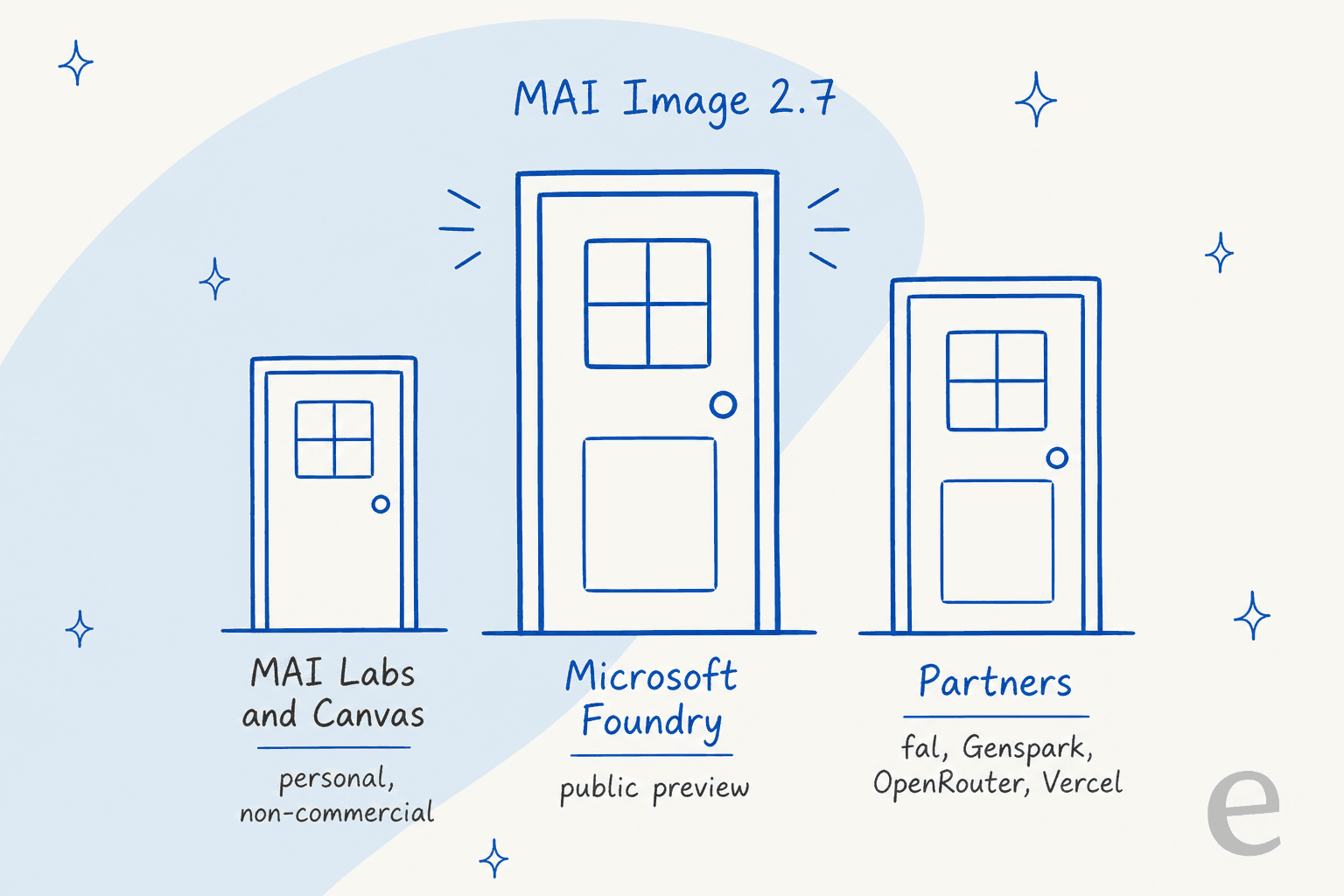
There are three doors, and only one is for work. MAI Labs and Canvas are free to try but limited to personal, non-commercial use, 18 and over, and Microsoft's terms say not to use them for work or school activities. Microsoft Foundry has both models in public preview. Partners offering them are fal, Genspark, OpenRouter and Vercel.
Creative tools are lining up too. Microsoft names Adobe, Figma Weave, Minute (Sports Illustrated), Wirestock and Manus as working with MAI Image, and says MAI Image became the default model family behind Bing Image Creator after Build in June. That default claim covers the model family, not specifically 2.7. If you already use Genspark, Manus, Canva or Microsoft Copilot, watch their model pickers rather than building a new integration.
How much does MAI Image 2.7 cost?
Microsoft quotes about $35 per 1,000 images for MAI Image 2.7 and about $10 for Flash, measured at 1024x1024 in its Artificial Analysis table ($34.80 and $10.24). Foundry itself bills image models per million tokens, split into text input, image input and image output. When I checked Azure's Microsoft models price list on November 19, it listed MAI-Image-2.5 at $47 per million output tokens but had no row for 2.7 yet. So the per-image figure is Microsoft's estimate, and a larger image will cost more.
| Model | Per 1,000 images (1024x1024) | Editing Elo | Lifecycle |
|---|---|---|---|
| MAI Image 2.7 | $34.80 | 1,215 | Preview |
| MAI Image 2.7 Flash | $10.24 | 1,179 | Preview |
| MAI Image 2.6 | $38.91 | 1,150 | Available on Foundry |
My rough math for a content team: 1,000 edited images a month is about $35 on 2.7, or $211 at GPT Image 2.6 prices. At that scale the bill is not the deciding factor either way. It matters when you generate hundreds of variants per product, which is what the colourway demo is built for.
What are the limits of MAI Image 2.7?
Five things to know before you commit:
- It is preview. The Foundry card says Preview, and there is no generally available date in the launch post.
- Every benchmark here is Microsoft's own chart. The Elo and price data come from Artificial Analysis, but the framing, including "one-fifth", is Microsoft's.
- Editing is the strength, not text-to-image. It is
#4at generating from text, so for pure generation compare it directly with GPT Image 2 before you switch. - Prompt size is capped. The Foundry card lists a 32,000-token context window and 4,096 output tokens.
- The free demo is not for work. Labs excludes commercial and work use.
What does it mean for a store that sells with photos?
The headline demo, nine colourways from one photo, is aimed at ecommerce teams. From the support side, I would add a warning: every generated product image is a promise a customer will hold you to. A colour or material that is slightly off turns into a "this is not what I saw" ticket. That is my read, not a Microsoft claim, and it is why I'd check each generated variant against the real product before it goes live.
The other side of nine colourways is a bigger catalogue to answer from. Question Beauty, a cosmetics brand on Gorgias and Shopify, handled about 990 tickets in a month (8 August to 8 September 2026) with eesel, sending about 960 replies and looking up about 290 Shopify orders. Many of its messages are a few words, often a product name and "price?", in many languages. eesel answers with a link to the right product, and passes refunds and complaints to a person with a note. Every new shade or material is another thing that answer has to know.
With the eesel CLI, an AI coding agent can upload an approved catalogue export, like product names, materials and colour options, to an eesel agent, then ask it test questions and check the answers before anything goes live. Connecting the helpdesk itself still needs someone with admin access to approve it. For the full setup, see my posts on Gorgias AI, the Shopify AI chatbot, AI chatbots for ecommerce and the best AI for ecommerce support. Shopify's own background removal is the other tool in the same photo workflow.
Try eesel's AI blog writer
If your images go into blog posts, the part MAI Image 2.7 does not do is the post. eesel's AI blog writer researches the topic from primary sources, drafts the article, and generates the banner and in-body diagrams in the same run, so a cheaper image model lowers the cost of the part you would otherwise redo by hand. It is one of eesel's AI teammates, alongside the AI helpdesk teammate, and it fits stores that need an ecommerce blog writer or better ecommerce content. For the image side of that workflow, see how to add images to blogs and AI blog writers with images. Try eesel and judge a draft on your own topic.