


Add llms.txt to your help center if your platform makes it a toggle, but don't expect search traffic from it. It's a map for AI agents that someone sends to your site, not a ranking signal: Google says its AI features don't use it, and operators who log traffic see AI crawlers skip it. GitBook, Mintlify, Document360, ReadMe and HelpDocs generate one. Zendesk, Help Scout and Freshdesk don't, so you generate a curated file and host it yourself. A support AI that connects to your helpdesk, like eesel, reads your articles directly and doesn't need the file at all.
What is llms.txt, in help center terms?
llms.txt is a plain markdown file that lists your most useful pages, with a one-line note on each, so an AI agent can find the right article without wading through navigation menus and cookie banners. Jeremy Howard published the proposal in September 2024, and version 2 landed in August 2026. The spec's own pitch is that "the file itself stays small enough to fit in context" while the detail lives behind the links.
I build AI agents at eesel, and the mechanism is simpler than most guides make it sound. An agent (Claude Code, Cursor, a ChatGPT session someone pasted your URL into) fetches /llms.txt, reads the list, picks the links that match the question, and opens those pages. If each link points to a clean markdown version of the article, the agent gets the answer without parsing your theme. Nothing else is going on.
The format has one required part and a few optional ones, per the llms.txt format spec:
- An H1 with the site name. "This is the only required section."
- A blockquote summary that tells the agent what the help center covers.
- Free text with any notes on how to read the file.
- H2 sections of links, each line a
[name](url): description. - An
## Optionalsection by convention, for links an agent can skip when it's short on space. Version 2 dropped any special parsing meaning for it, per the changes page.
Two details matter for help centers specifically. First, a file covers the URLs under its path, so a help center that lives at yourcompany.com/help can have its own /help/llms.txt. Second, the spec asks for markdown versions of each page at the same URL with .md added. Most helpdesk-hosted help centers don't serve those, which affects which setup path you pick below.
If you want the bigger picture of who reads a help center now (search engines, AI answer engines, coding agents, your own support bot), my AI readability checklist covers the article fixes that come before any of this.
Does llms.txt actually help a help center?
It helps one kind of reader and does nothing for another. Here's what the primary sources say, goal by goal:
| What you want | Does llms.txt help? | The evidence |
|---|---|---|
| Higher Google rankings | No | Google says you can ignore "unnecessary AI text files (like llms.txt)" (AI optimization guide) |
| Showing up in AI Overviews or AI Mode | No | "There are no additional technical requirements" beyond being indexed with a snippet (Google AI features) |
| Citations in ChatGPT or Claude answers | Unproven | Operators with server logs report AI crawlers don't fetch it (quotes below) |
| A coding agent setting up your product | Yes | The spec says agents "follow the relevant links"; this is its heaviest use |
| An agent finding one answer in a big help center | Yes, if the file is curated | A short index fits in context; 4,000 links doesn't |
| Replacing your sitemap | No | The spec calls sitemaps the full list and llms.txt "a curated overview" |
Google is unusually blunt on this. Its generative AI guide says you don't need "new machine readable files, AI text files, markup, or Markdown to appear in Google Search," because "Google Search itself doesn't use them." Chrome's Lighthouse llms.txt audit marks a missing file as not applicable, "as providing the file is optional at the moment," and only flags you when the request throws a server error.
Adoption is still small. The HTTP Archive Web Almanac 2025 found llms.txt on 2.13% of desktop sites and 2.10% of mobile sites in its July 2025 crawl, and 39.6% of those files came from one WordPress SEO plugin, so a chunk of them were never a deliberate choice.
The server-log reports line up with that:
"I can definitively say llms.txt is not used by any AI players. I run a blogging platform with around 80k blogs and /llms.txt is not requested by anything (other than humans checking to see if there's an llms.txt path)."

The case for it comes from people who hand the file to an agent on purpose:
"It's a single link you can give your AI agent and ask to "read this, understand it does, implement it"."
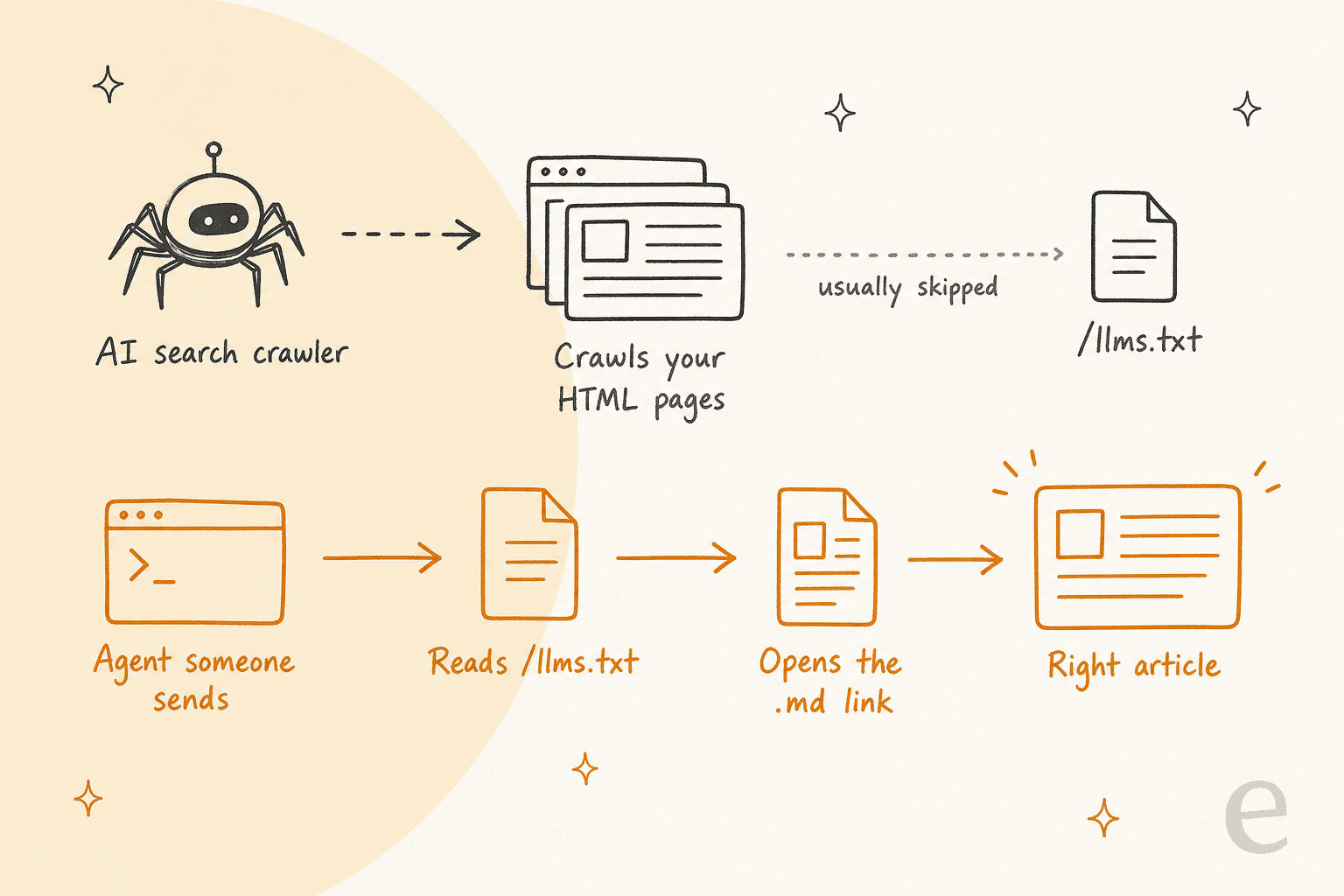
So the honest verdict: llms.txt is pulled by agents that come looking, not pushed into search indexes. For a help center, that reader is a developer wiring up your API, a customer who pasted your help URL into an AI assistant, or a partner's agent checking your refund policy. If none of those matter to you, put the hour into your articles instead. If you're curious how the AI answer engines pick sources, my AI search engines explainer covers that side.
Which help center platforms can publish /llms.txt?
This is the question most llms.txt guides skip, and it decides how much work you're in for. Your help center platform falls into one of three groups.
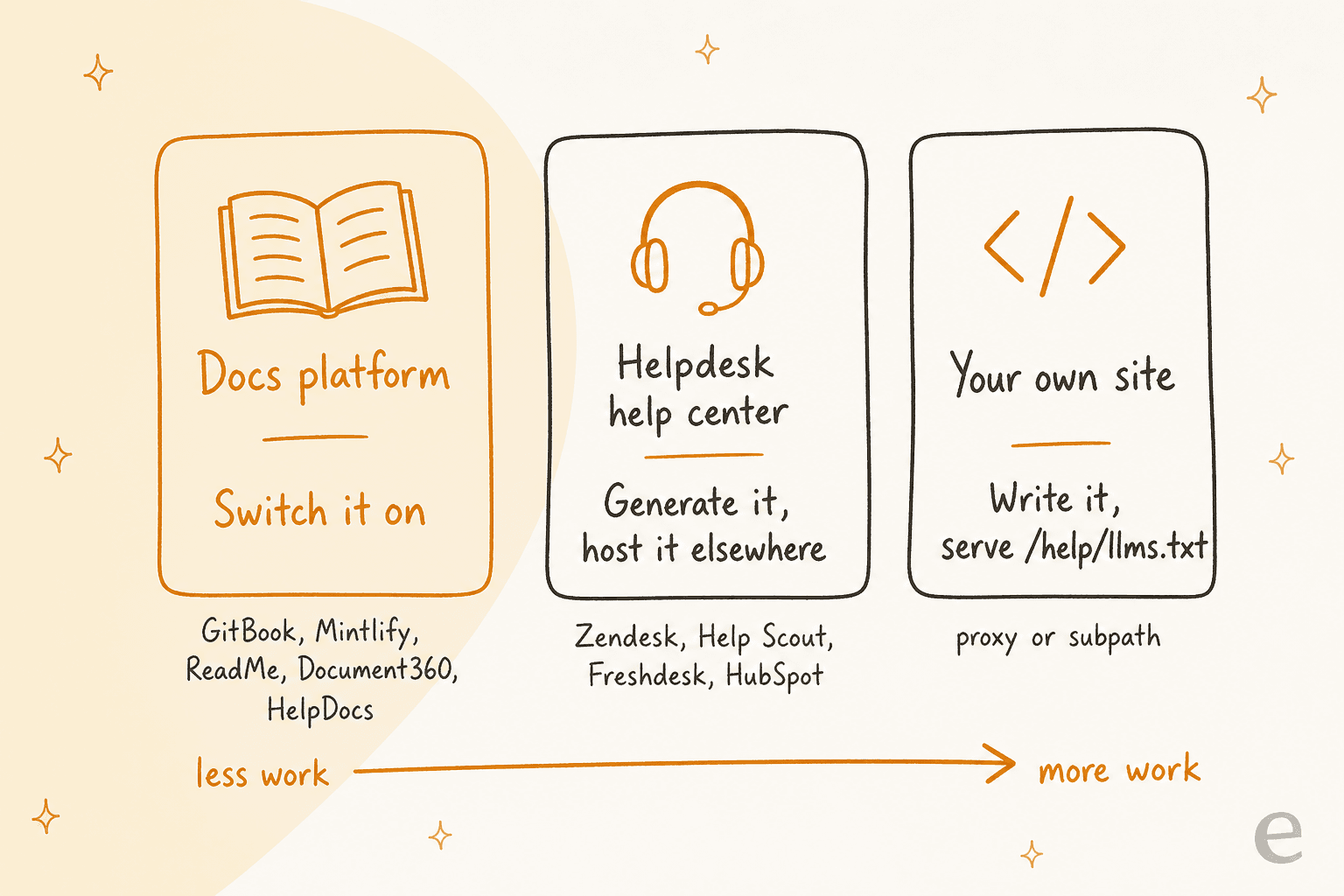
I checked each vendor's own docs on 17 November 2026. Here's where things stand:
| Platform | llms.txt | llms-full.txt | Curation control | Watch out for |
|---|---|---|---|---|
| GitBook | Automatic, every plan including Free | Yes | None documented | Hidden pages stay in llms-full.txt |
| Mintlify | Automatic, also at /.well-known/llms.txt | Yes | Hidden and noindex pages excluded; a custom file overrides | Generated file capped at 100,000 characters, then split |
| ReadMe | On by default, all plans | Not documented | Hidden pages excluded; custom file allowed | A custom file stops auto-updating |
| Document360 | Automatic, rebuilt on publish | Not documented | Exclude an article from search engines and it leaves llms.txt too | Articles without a description appear by title only |
| HelpDocs | Toggle in Settings, AI, every plan | Not documented | None documented | Private help centers get no file |
| Zendesk Guide | No native option | Via a Marketplace app | App can exclude categories, sections, labels | You host the file yourself |
| Help Scout Docs | No mention in docs | No | n/a | Generate and host it yourself |
| Freshdesk | No mention in docs | No | n/a | Generate and host it yourself |
| HubSpot knowledge base | No mention in docs | No | n/a | Generate and host it yourself |
Sources for each row are linked in the sections below.
Docs platforms that build it for you
If your help center runs on a docs platform, the work is mostly done. GitBook's docs say it "automatically publishes AI-friendly formats," including llms.txt, llms-full.txt and .md versions of every page. One catch is easy to miss: "Hiding a page only removes it from the published table of contents," so a hidden page still sits in llms-full.txt. Unpublish anything you don't want agents to read. My GitBook pricing breakdown covers which plan you need for a custom domain.
Mintlify gives you the most control. It excludes hidden and noindex pages, lets you drop in your own llms.txt to override the generated one, and on partly authenticated sites lists only public pages to anonymous visitors.
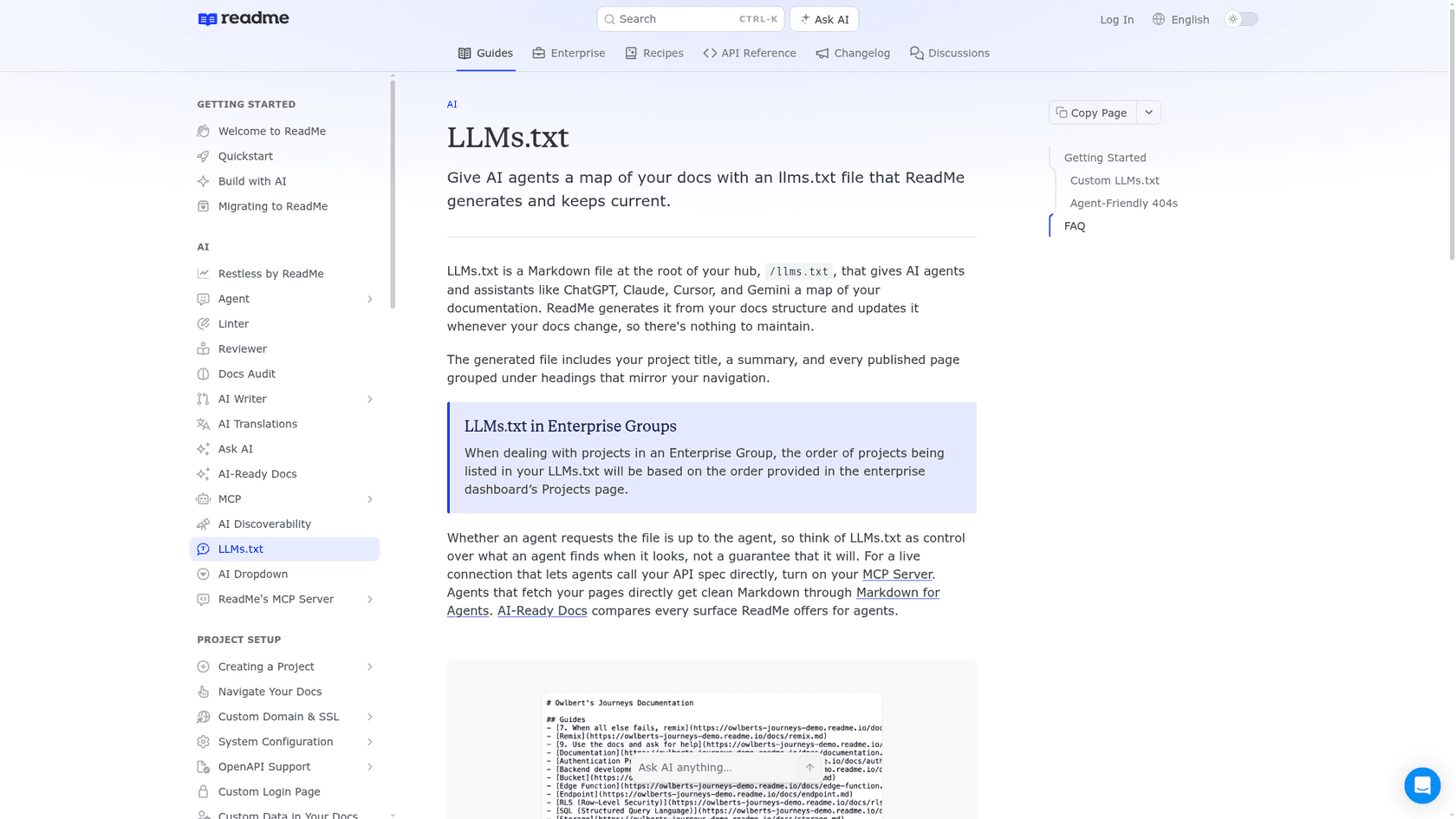
ReadMe's llms.txt page is direct about what the file can and can't do: "think of LLMs.txt as control over what an agent finds when it looks, not a guarantee that it will."
Document360 builds the file from your published content and updates it "whenever you publish, update, or remove content." The descriptions come from each article's search description, so an article with no description shows up as a bare title, which gives an agent almost nothing to choose by. If you're comparing knowledge base vendors on this, my Document360 alternatives list is a good starting point.
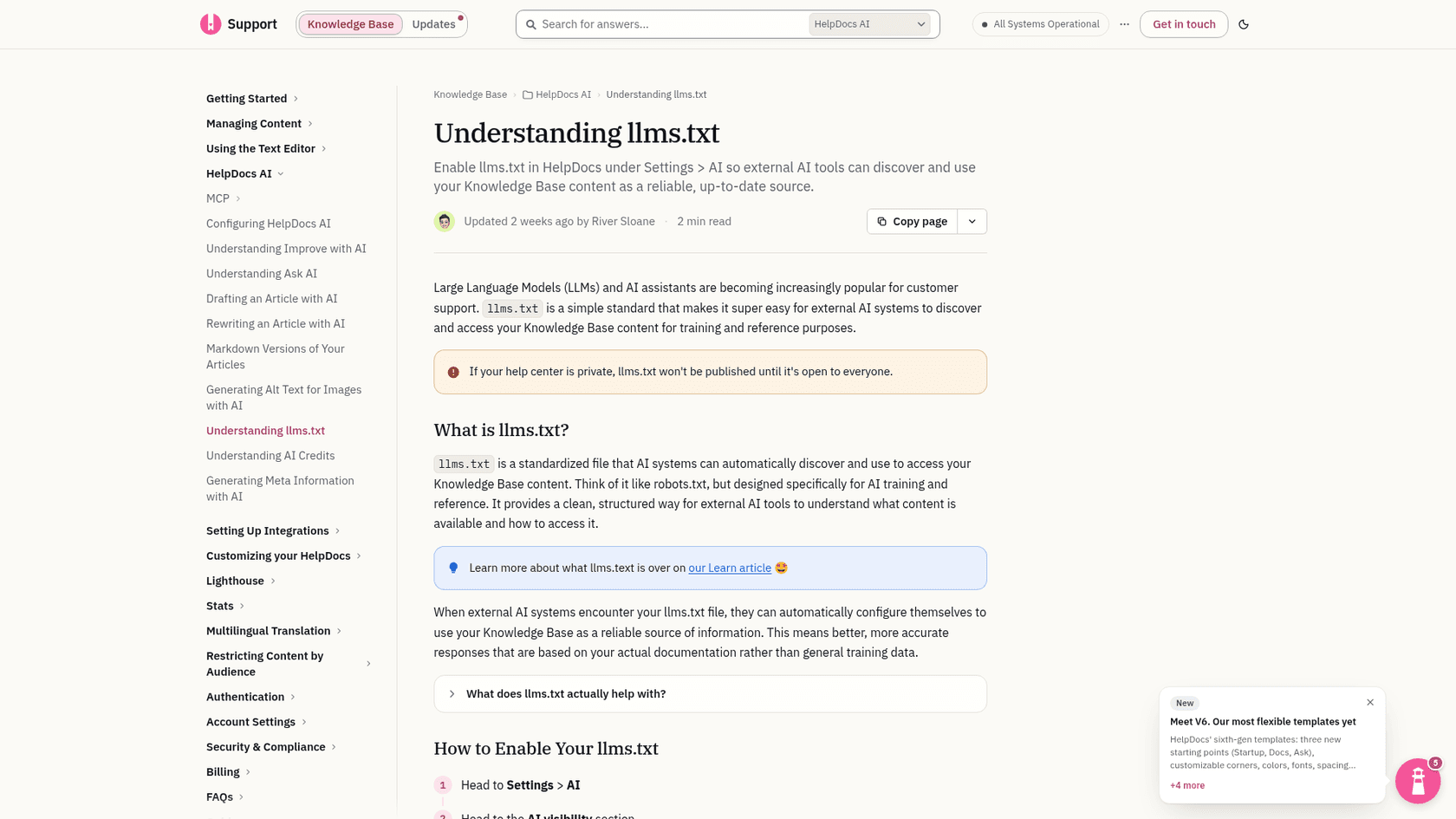
HelpDocs is the newest addition. Its Oct 14, 2026 update made markdown articles and llms.txt "available now, on every plan," and you switch it on under Settings, AI, AI visibility.
Helpdesk help centers that don't (yet)
The help centers bundled with helpdesks are a different story. I searched the docs of Zendesk Guide, Help Scout Docs, Freshdesk, HubSpot's knowledge base, Helpjuice and Zoho Desk for an llms.txt feature and found none. I also requested /llms.txt on each vendor's own help center on 17 November 2026:
| Help center | /llms.txt on 17 Nov 2026 |
|---|---|
| support.zendesk.com | 404 |
| docs.helpscout.com | 404 |
| support.freshdesk.com | 404 |
| knowledge.hubspot.com | 404 |
| docs.gorgias.com | 200, with .md article links |
| help.shopify.com | 308 redirect to an agent guide |
Gorgias is the interesting outlier: its own help center serves a file with .md links, but I couldn't find a help article that offers it as a customer feature, so check your own Gorgias help center before you count on it.
For Zendesk, the limits are documented. Guide lets you upload .txt files as theme assets, but those live on a CDN path, not at /llms.txt. Host mapping points support.yourcompany.com at Zendesk with a CNAME, and that's all it changes. My subdomain vs custom domain guide covers that setup in more detail.
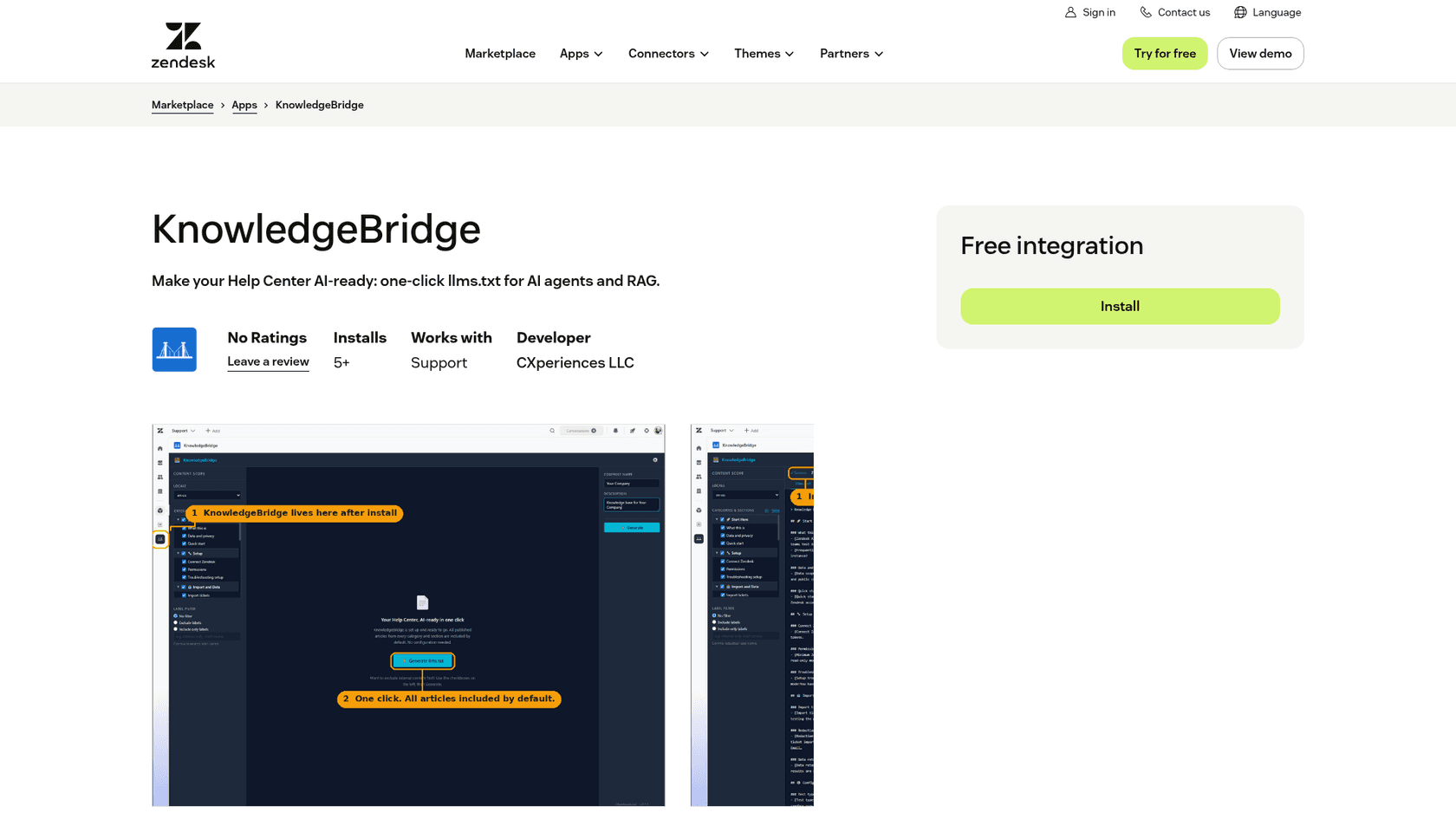
The closest thing to a native option is KnowledgeBridge, a free Marketplace app from CXperiences LLC with 5+ installs. It builds llms.txt and llms-full.txt from your help center and can skip categories, sections or labeled articles, but the output is a download. Its own setup steps tell you to host the files at your domain.
How do you add llms.txt to Zendesk, Help Scout or Freshdesk?
You generate the file somewhere else and host it where you control the root. Here's the setup I'd use, start to finish, in about an hour for a help center of a few hundred articles.
- Pick where the file lives. The easy option is your main site:
yourcompany.com/llms.txtwith a## Help centersection that links to your help center articles. If your marketing site already has an llms.txt (WordPress SEO plugins often generate one), add the section to that file instead of making a second one. The stronger option, if your help center sits under a subpath likeyourcompany.com/helpthrough a reverse proxy, is/help/llms.txt, since the spec says the most specific file wins. - Pull the public article list. Zendesk's List Articles endpoint works without a login, and "the response lists only the articles that the requesting agent, end user, or anonymous user can view," so an anonymous call can't leak a restricted article. My articles API walkthrough covers paging. For Freshdesk, the knowledge base API does the same job, and Help Scout has its own Docs API.
- Shortlist and describe. If you'd rather work in a spreadsheet, start from a help center export. Take the 30 to 100 articles that answer most of your tickets, group them under your real category names, and write one line per article that says what question it answers.
- Upload and link it. Put the file on your main site and link it from your help center footer, so humans (and agents that start on your help center) can find it.
- Test it like the spec says. "Test your file by asking an agent questions about your content, giving it only your llms.txt as a starting point," per llmstxt.org. Ask the five questions your team answers most and check which article the agent opens.
For step 2 on Zendesk, this pulls the public English articles, newest first, as ready-to-edit list lines:
curl -s "https://support.yourcompany.com/api/v2/help_center/en-us/articles.json?per_page=100&sort_by=updated_at&sort_order=desc" \
  | jq -r '.articles[] | select(.draft == false) | "- [\(.title)](\(.html_url)): "'
Paste the output into your template and fill in the descriptions by hand. To see why curation matters on Zendesk, the same call against Zendesk's own help center reported 4,687 English articles on 17 November 2026. Nobody wants an agent reading that list.
Two Zendesk-specific gotchas. If you restrict articles with user segments, the anonymous call quietly drops them, which is what you want, but double-check before you add any article by hand. And if you run several brand help centers, give each brand its own section, or its own file per brand domain, so an agent doesn't mix up two return policies.
What should a help center llms.txt look like?
Short, grouped by the questions customers ask, and written for a reader with no context. Here's a template you can copy:
# Acme Help Center

> Official help for Acme customers: setting up an account, billing and invoices,
> shipping and returns, and connecting Acme to other tools. Answers here are
> current; if an article and an old blog post disagree, the article wins.

Articles are written for customers, not admins. For API reference, see
https://developers.acme.com/llms.txt. To reach a person, see "Contact support" below.

## Getting started

- [Create your Acme account](https://help.acme.com/en-us/articles/101): Sign-up steps, email verification, and what the free trial includes.
- [Invite your team](https://help.acme.com/en-us/articles/102): Adding users, roles and seat limits.

## Billing

- [Change or cancel your plan](https://help.acme.com/en-us/articles/201): Upgrades, downgrades, cancellation and when changes take effect.
- [Refund policy](https://help.acme.com/en-us/articles/202): Who qualifies for a refund, the 30-day window, and how to request one.

## Shipping and returns

- [Start a return](https://help.acme.com/en-us/articles/301): The returns portal, return labels and what items can't be returned.

## Contact support

- [Contact support](https://help.acme.com/en-us/articles/401): Hours, channels and what to include so we can help faster.

## Optional

- [Release notes](https://help.acme.com/en-us/articles/501): Product changes by month.
- [Full sitemap](https://help.acme.com/sitemap.xml): Every public article.
A few choices in there are deliberate:
- The blockquote tells the agent which source wins. Support content contradicts itself across blog posts, old macros and archived articles. One line saying the help center is the current source saves an agent from quoting a 2023 blog post.
- Descriptions name the question, not the topic. "Who qualifies for a refund, the 30-day window, and how to request one" lets an agent match a customer's question. "Refund information" doesn't. This is the same work as writing good meta descriptions, and you can often reuse them.
- Contact support gets its own section. Shopify's help center does something similar: its file asks agents to answer from current articles first and to read a support guide before contacting support for a merchant.
- Developer docs get a pointer, not a merge. If you have an API, link its own llms.txt rather than stuffing endpoints into the help center file.
Should you list every article or curate?
Curate. The spec's whole point is a file that fits in an agent's context, and a full article list of a mature help center doesn't. Here's what three real help center files weighed when I fetched them on 17 November 2026:
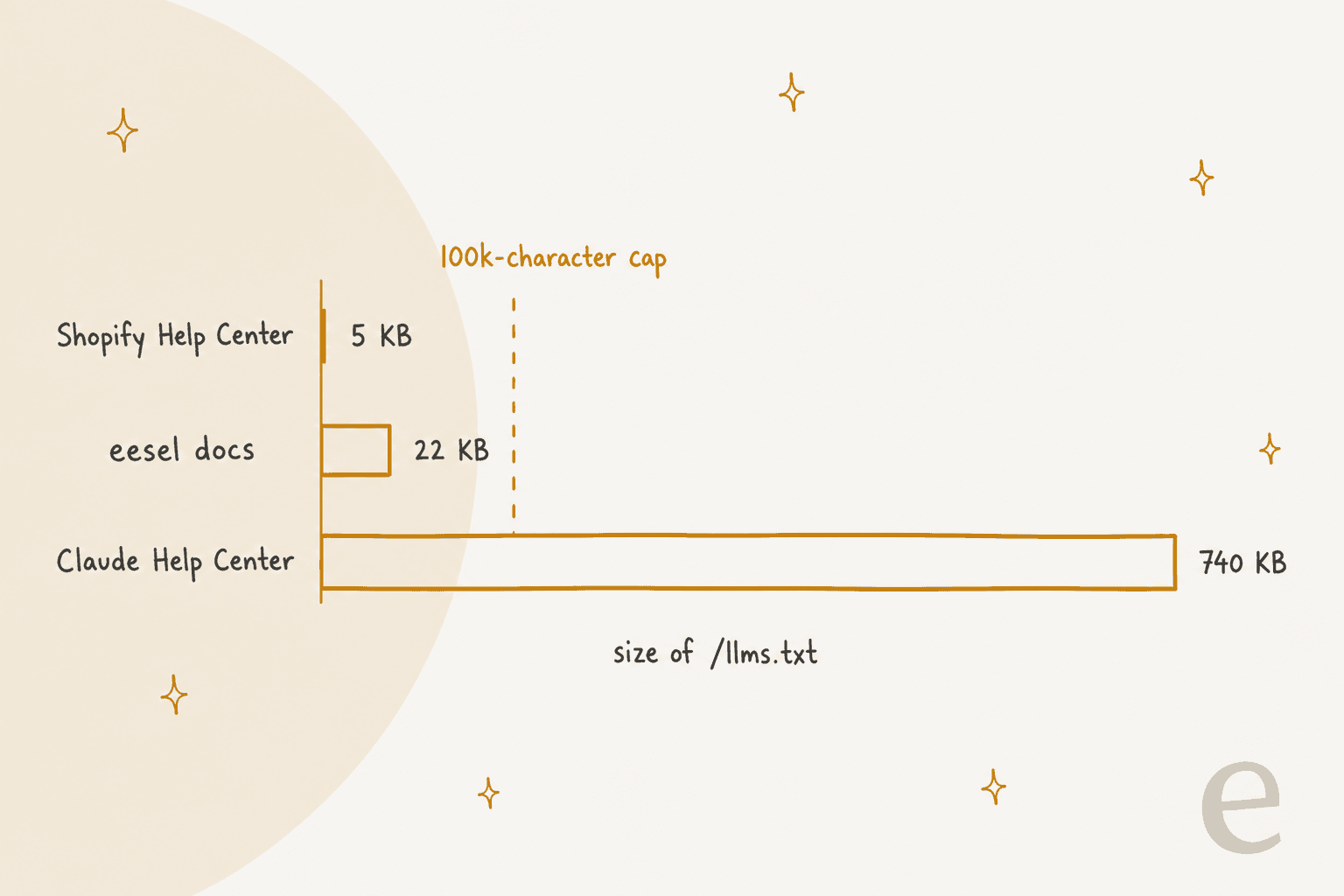
- Claude Help Center: 740 KB, 4,528 links. Every article, repeated across 10+ language sections.
- eesel's own docs: 22 KB, 86 links, each with a one-line description. It's generated by GitBook and covers the whole eesel help center, which is small because the product docs are small.
- Shopify Help Center: 5 KB and no article list at all. It's a guide for agents: how to get any page as markdown, how the URLs work, and where the markdown sitemap lives.
For comparison, Mintlify caps its generated llms.txt at 100,000 characters before splitting it into smaller indexes, per its llms.txt docs. ReadMe offers a "Summarize Index" option for the same reason, per its AI Discoverability page.
Then there's llms-full.txt, the single file with the full text of every page. It isn't in the current spec at all; the changes page says the context-expansion tooling "is no longer part of the proposal." GitBook and Mintlify still produce one, and eesel's runs to 1.3 MB. That's useful for a developer who wants to download your docs into a repo, but too big for an agent trying to answer one refund question.
My rule of thumb: under about 100 articles, list them all with descriptions. Over that, list the top 30 to 100 by ticket volume, and point to your sitemap in ## Optional for the rest, the way Shopify points agents to its markdown sitemap. To find which articles carry the load, mapping search queries to articles and checking which ones your agents link most is faster than guessing.
How do you keep llms.txt fresh?
A stale llms.txt is worse than none, because it sends agents to moved or deleted articles with confidence. How much work this is depends on the setup path:
- Generated files refresh themselves. Document360 and ReadMe rebuild on publish, and Mintlify calls its version "always up to date."
- Custom files freeze. ReadMe says plainly that with a custom file, "your llms.txt will no longer be updated automatically." Mintlify restores the generated version if you delete your custom one, so you can always back out.
- Self-hosted files need a schedule. Like any self-updating knowledge base process, re-run the article pull monthly, or whenever you reorganize categories. A small scheduled job that diffs the new list against the old one and flags removed URLs catches most breakage.
Every time you regenerate, check the links. This one-liner prints any URL in the file that doesn't return a 200:
grep -oE 'https://[^)]+' llms.txt | while read u; do
  code=$(curl -s -o /dev/null -w '%{http_code}' -L "$u"); [ "$code" != "200" ] && echo "$code $u"
done
Moved articles are the usual culprit. Zendesk's redirects for moved articles keep the old links working for humans, but a curated file should point at the current URL so the agent doesn't burn a hop. If outdated articles are a recurring problem, my guide to detecting outdated content covers catching them before they reach any reader, human or AI.
For localized help centers, decide per language. A multi-language help center can carry one file per locale, or one file with the default language and a note on how locale URLs work, which is what Shopify does.
How do you know if anything reads it?
Check your logs, because the dashboards won't tell you. Filter your web server or CDN logs for requests to /llms.txt and look at the user agents. Two of the docs platforms do this for you: HelpDocs shows requests from recognized AI tools in its AI stats tab, and GitBook has an Agents & MCP report.
Set your expectations from people who have already looked:
"What I've seen from ASNs is that visits are coming from GOOGLE-CLOUD-PLATFORM (not from Google itself), and OVH. Based on UA, users are: WebPageTest, BuiltWith, and zero LLMs based on both ASN and UA."
The visits worth counting are user-initiated ones, like OpenAI's ChatGPT-User, which its crawler docs describe as visits a person triggers rather than automatic crawling, plus requests from coding tools. Those are the readers llms.txt is for. If the number stays near zero after a quarter, that's your answer for this help center, and the hour is better spent on the articles themselves or on an MCP server, which answers live questions instead of handing over a static list.
Does your support AI need llms.txt?
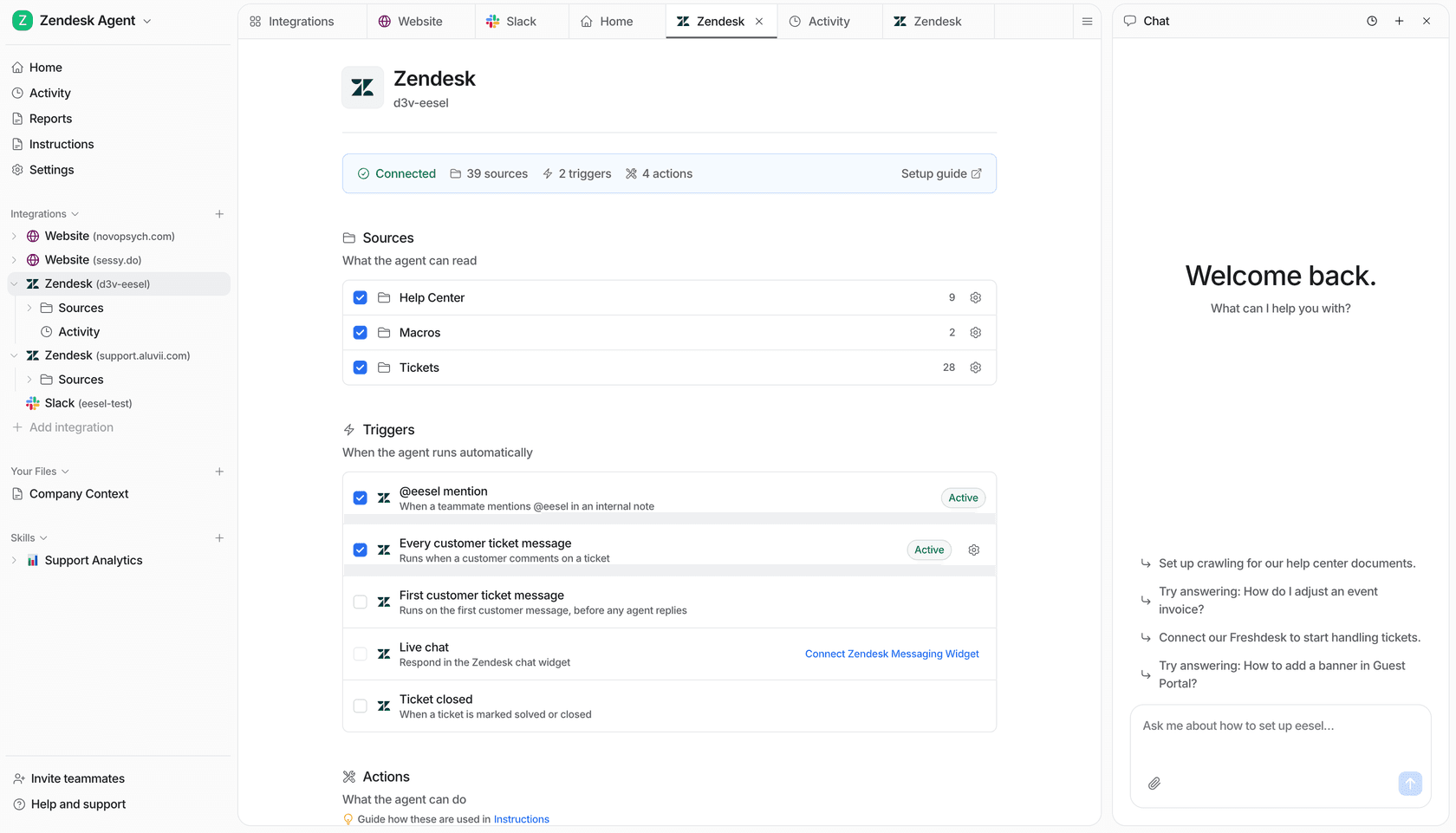
Not if it plugs into your helpdesk. llms.txt exists for outside agents that only have your URL. Your own support AI shouldn't be one of those: it should read every public article directly, plus the macros and past tickets that never make it into the help center.
That's how eesel's AI helpdesk teammate works. It connects to Zendesk, Freshdesk, Help Scout, HubSpot or Gorgias, syncs the help center as a knowledge source, and drafts or sends replies with the article it used linked. Dokument 24, a Danish legal documents service on Zendesk, runs it on about 1,900 pages from its website and 640 Zendesk tickets and articles, and between 8 August and 8 September 2026 it prepared about 680 tickets with Danish draft replies for the team to send.
The part llms.txt can't fix is what the articles say. On one eesel sales call I learned from, a Danish vehicle-telematics team on Zendesk described a bot confirming support for car brands they didn't support, because an article said they support "all models." A perfectly curated llms.txt would have pointed straight at that article. The fix was the sentence, not the index, which is why a knowledge base audit usually beats a new file. If you're weighing RAG vs fine-tuning for your help center, the same point applies: retrieval only returns what the article says.
eesel: let your help center answer tickets
If the AI you care most about is the one answering your customers, start there. eesel's helpdesk teammate learns from your help center the day you connect it, no llms.txt required, and shows you which articles produce weak drafts. An industrial automation company put its technical library behind an eesel chat that answers only from the documents, and the gaps in those answers now go straight into the documentation team's backlog. That's the loop that makes a help center better for every reader, AI or human.
Developers can set it up without the dashboard. With the eesel CLI, a coding agent can upload an approved policy file with eesel files upload, check what the help center sync holds, and ask test questions with eesel chat before anything reaches a customer. Connecting the helpdesk itself still needs someone with admin access to approve it. Try eesel free for 7 days and run your last ten tickets through it.
Frequently Asked Questions
Does my help center need an llms.txt file?
How do I add llms.txt to a Zendesk help center?
/llms.txt, and host mapping only changes the hostname. Generate the list from the Help Center API (an anonymous call returns only public articles) or the free KnowledgeBridge Marketplace app, then host it on your main site with a link from your help center. My articles API guide walks through the list call.