


Click to Chat by HoliThemes has the cheapest paid tier of any WordPress WhatsApp button I have reviewed, and I give it 4 out of 5. The free plugin runs on 600,000+ WordPress sites with a 4.8 rating from 131 reviews, and Pro unlocks every paid feature for $18 a year, or $34 once for a lifetime license.
It does one job well: it gets a visitor from your page into a WhatsApp chat with you, with the product and page already named in the first message. Pro adds the team layer, like a Sales, Support and Billing picker with working hours, a pre-chat form and business hours. What it does not do is reply. There is no AI, no inbox and no auto-answer; every chat lands on a phone and waits for a person.
If that phone is the bottleneck, eesel's AI helpdesk teammate answers inside WhatsApp from your help center and store. ClutchLoop, a phone accessory brand, has eesel reply to about seven in ten conversations on its own.
What is Click to Chat by HoliThemes?
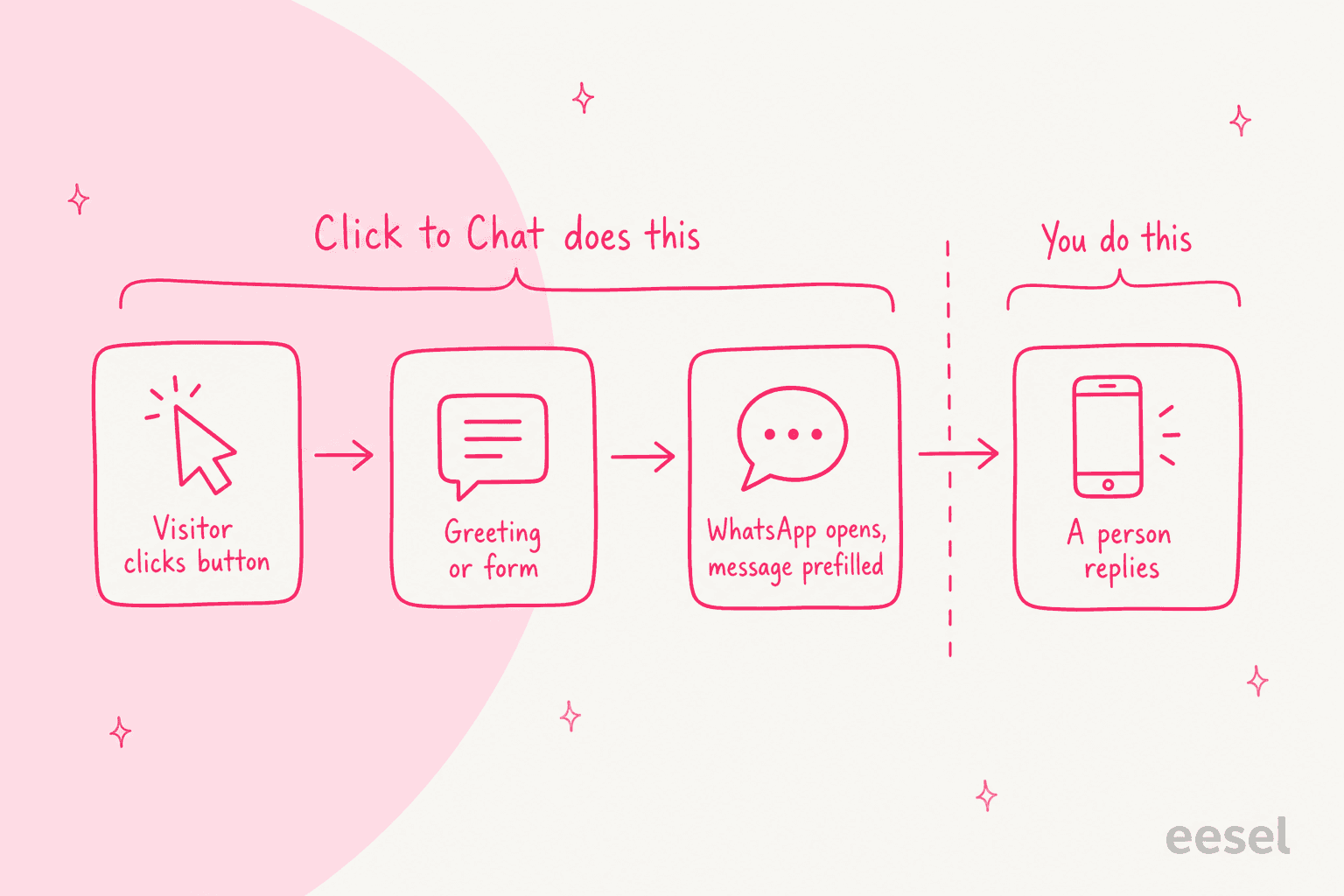
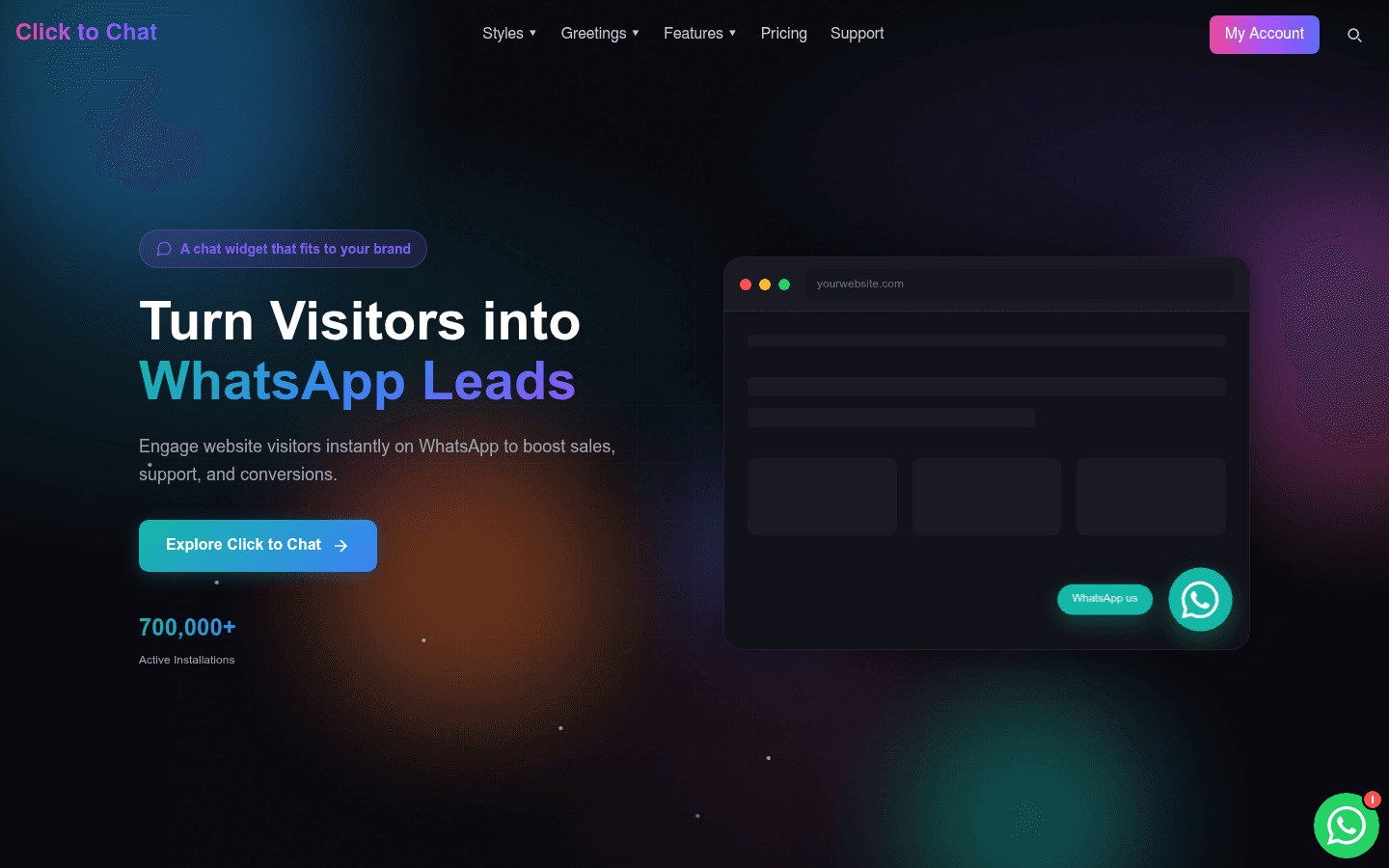
Click to Chat is a WordPress plugin from HoliThemes that puts a WhatsApp button on your site. A visitor clicks it, an optional greeting window can appear first, and then WhatsApp opens: the app on a phone, or WhatsApp Desktop or web.whatsapp.com on a computer, with a message to your number already typed.
I build integrations at eesel, so I read plugins like this one by what they actually send and where it lands. Click to Chat is a link builder with very good manners: it takes your number, adds the page title, URL or product into the message, fires an analytics event, and hands off. Once the visitor is in WhatsApp, the plugin is done.
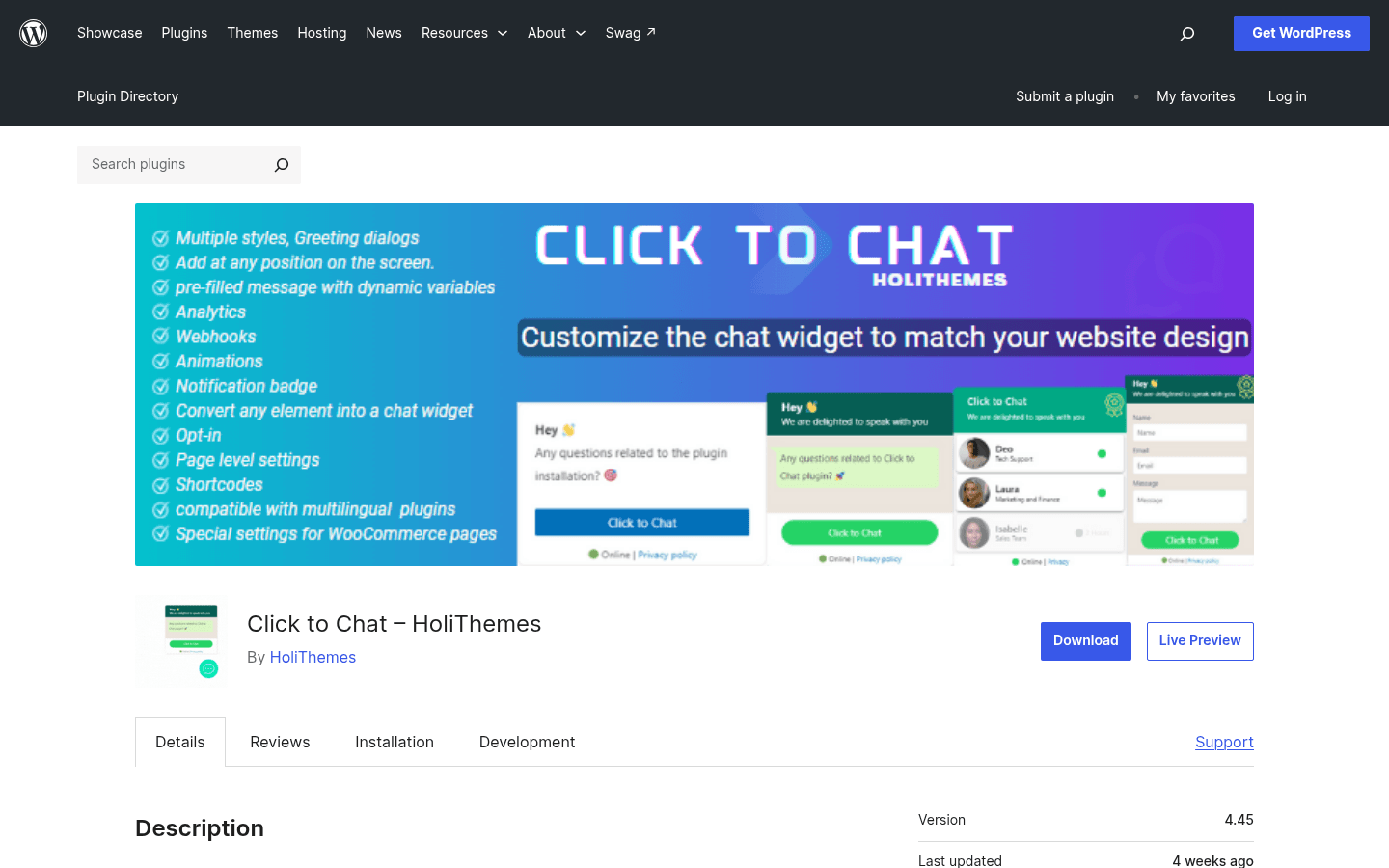
A few facts from the WordPress.org listing:
- The plugin slug is
click-to-chat-for-whatsapp, and it has been on WordPress.org since October 2017. - Version 4.45 is current, updated September 28, 2026, and tested up to WordPress 7.1.3. It needs WordPress 6.5 and PHP 5.6 or newer.
- It has 600,000+ active installations, and 122 of its 131 ratings are five stars.
- Pro is a separate plugin that runs on top of the free one, per the HoliThemes support page, so you keep both installed.
It is WordPress only. HoliThemes' site lists no Shopify or Wix version, so stores on those platforms need a different button.
How does the Click to Chat button work?
The button opens WhatsApp with your number and a message. That is the whole mechanism, and the plugin is upfront about it. One early 2-star reviewer expected a chat window on the site itself, and the developer's reply was simply that every plugin of this kind navigates to WhatsApp.
"Visitors won't be able to chat with you via your site. They will simply be redirected to WhatsApp."
That design has real upsides. There is no server holding your chats, nothing to host and no WhatsApp Business API account to apply for. The plugin's FAQ says Click to Chat does not collect user data and does not use cookies, and an opt-in checkbox can ask for consent before the chat opens.
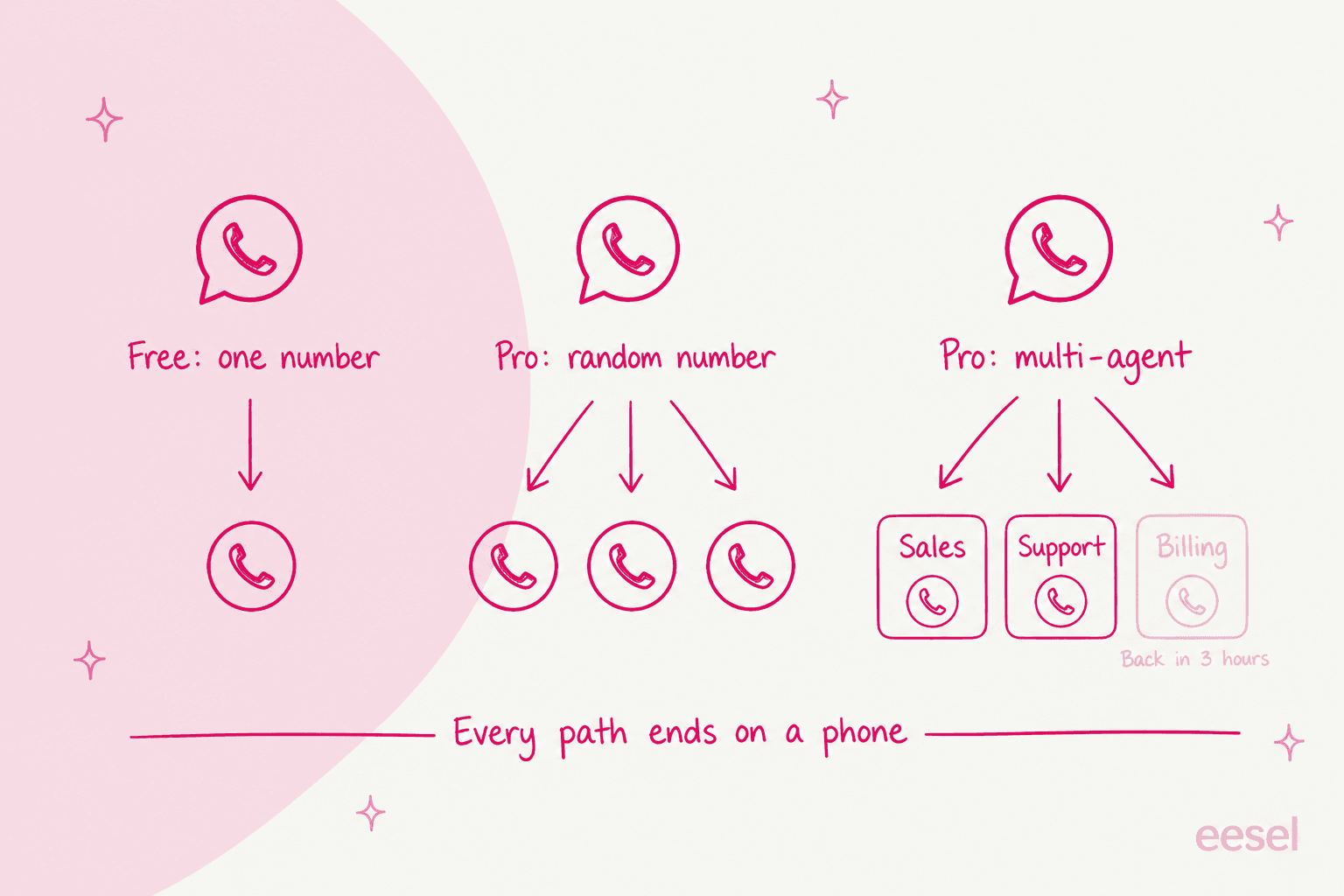
The trade-off is the one every click-to-chat button shares. The conversation leaves your site and lands on a phone. There is no shared inbox, no assignment and no record a teammate can check before replying. Meta has also been tightening what businesses can automate on WhatsApp; my post on Meta's WhatsApp policy covers that side.
What features does Click to Chat have?
More than you would expect from a free plugin. HoliThemes splits the list between free and Pro on its pricing page, and I have kept that split here because it decides whether you need to pay at all.
The free plugin
The free version covers the button, the first message and the tracking:
- Styles. 8 pre-built button styles, your own image or GIF, and any element on the page turned into a WhatsApp link by adding the class
ctc_chat. Mobile and desktop can use different styles and positions, placed anywhere on the screen. - Pre-filled messages with variables.
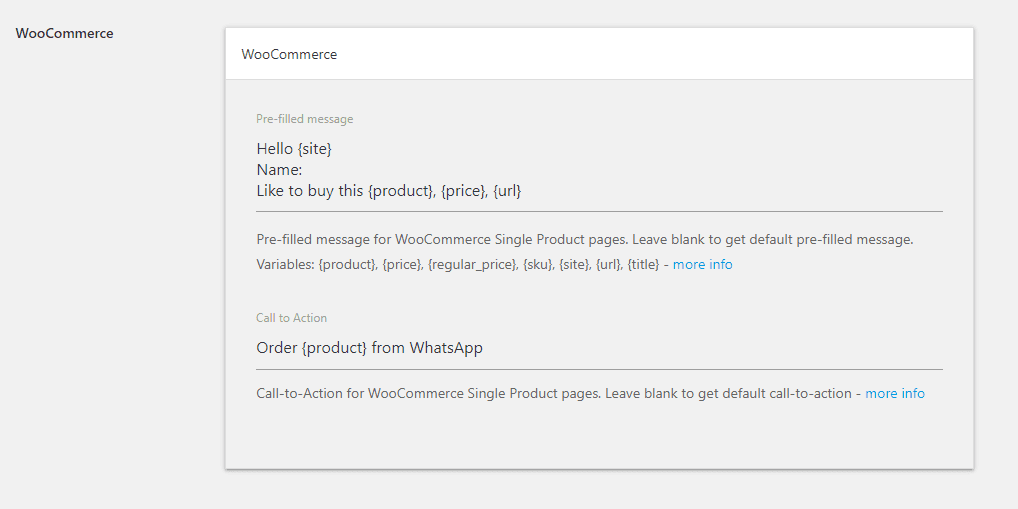
{site},{title}and{url}name the page the visitor came from. On WooCommerce product pages,{product},{price},{regular_price}and{sku}name the product. - Greeting dialogs. Greetings-1 is a designed welcome box; Greetings-2 shows content that changes by page. Both are free; opening them on a timer or scroll is Pro.
- Page-level settings. A different number, call to action or message per post, set from the editor sidebar.
- WooCommerce placement. A button in 10 spots on single product pages, from "Before Main Content" to "After product summary", plus the shop page.
- Analytics and webhooks. Click events for Google Analytics, Google Tag Manager and the Meta Pixel, and a webhook on every click for tools like Zapier, IFTTT and Pipedream.
- Group and Share. A button to join a WhatsApp group, and a button to share the current page with a WhatsApp contact.
- Translations through WPML and Polylang, with a different number per language.
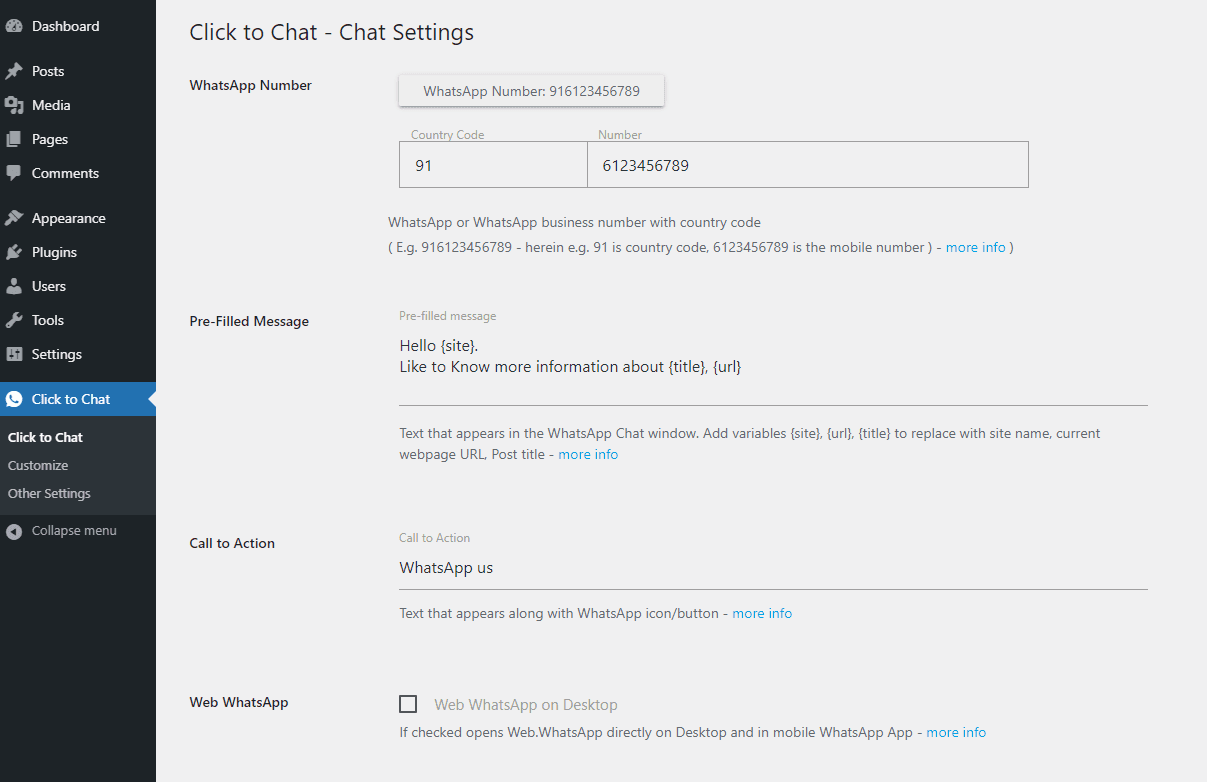
The variables are the part I would point a WooCommerce store to first. A message that arrives as "Like to buy this Blue Hoodie, $40" skips the "which product?" reply that slows every WhatsApp sales chat down.
Click to Chat Pro
Click to Chat Pro adds the features a small team starts asking for:
- Multi-Agent. Several WhatsApp accounts in one greeting window, each with a name, photo, role and weekly hours. Offline agents can be hidden, shown with their next available time, or shown with chat disabled.
- Random Number. Each click goes to a number from your list, either at random or in sequence, per the Random Number page.
- Greetings Form. A pre-chat form with text, email, phone, select, checkbox and date fields. Answers can go to your email, out through a webhook, and into the pre-filled WhatsApp message.
- Business hours. Hide the button outside your hours, or switch to a different number and call to action when you are offline.
- More targeting. Show the button by visitor country or login status, after a time delay or scroll depth, and open greetings when a chosen element scrolls into view.
- Richer tracking. Webhook variables like
{number}and{time}, URL parameters like[gclid]and cookie values like[[_ga]], plus Google Ads conversions.
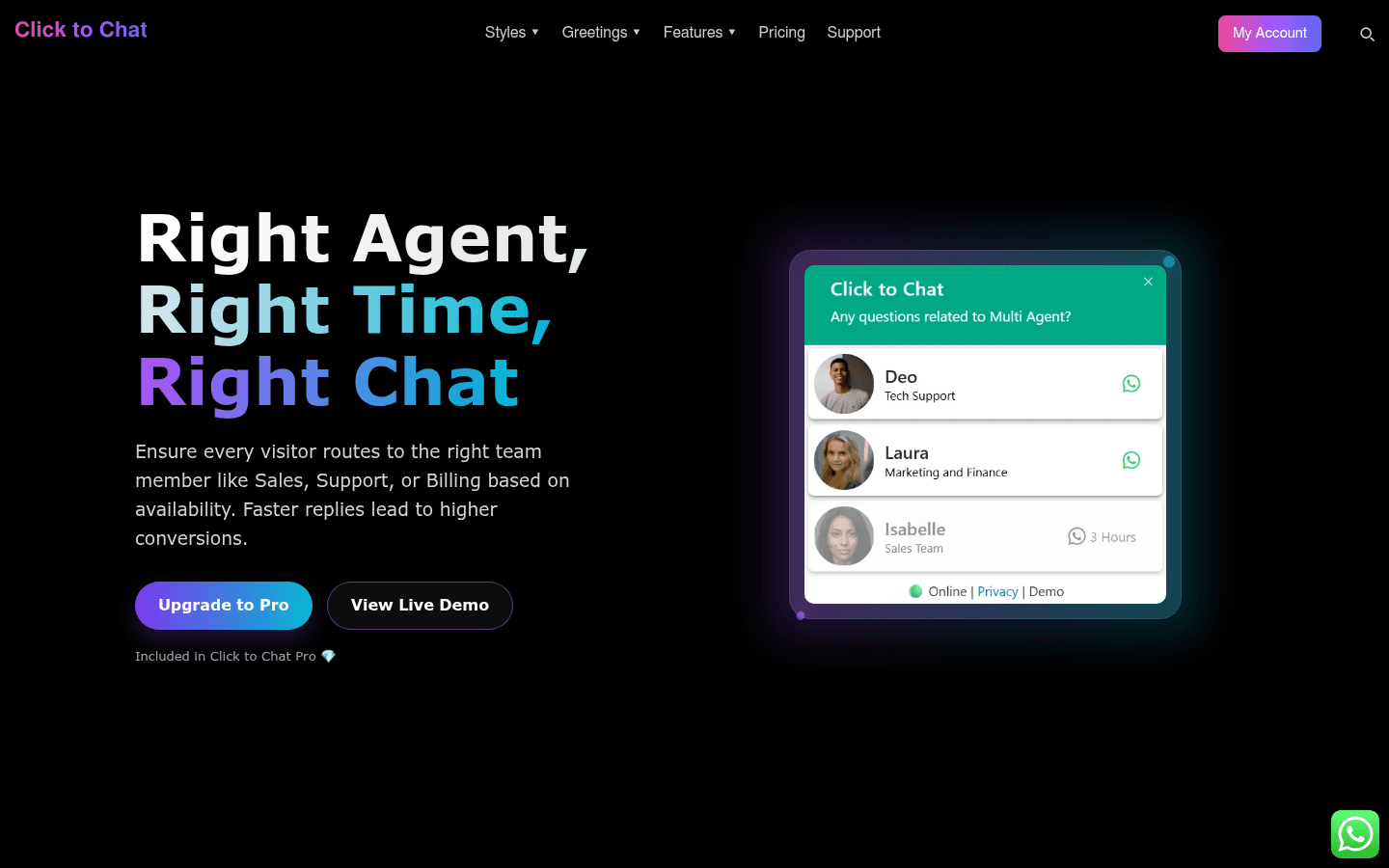
Multi-Agent is ticket routing done by the visitor: they pick "Sales" or "Support" and land on that person's phone. Random Number is a round robin with no memory of who answered last time. Both work well for a team of three. Neither gives a manager a view of what was promised in which chat.
What about AI?
There is none. I checked the WordPress.org description, the HoliThemes homepage and the pricing comparison, and none of them mention AI, a chatbot or automatic replies. That is a fair scope for a button plugin, and HoliThemes does not pretend otherwise.
One support thread shows how easy it is to assume more. A user who had shut down her site asked how to turn off the automatic welcome message the plugin was still sending on her WhatsApp number. The forum moderator's answer was that the message was set up in WhatsApp Business, not in Click to Chat, since the plugin sends nothing on its own.
How much does Click to Chat Pro cost?
$18 a year for one site, and every Pro feature is included in every plan. The plans only differ by how many sites they cover and whether you pay yearly or once. Prices are in US dollars on HoliThemes' pricing page, with a currency switcher for INR, EUR, GBP and others.
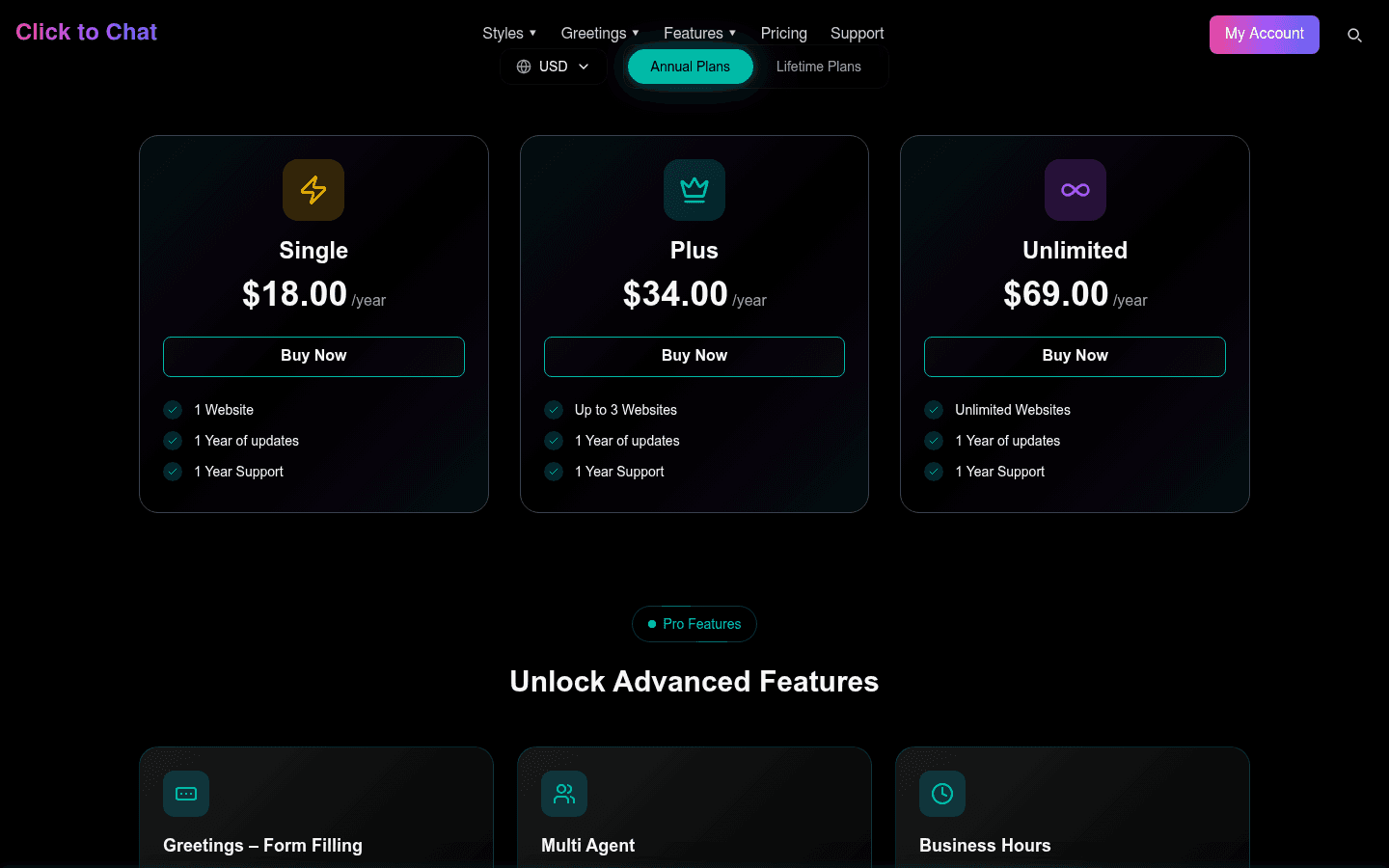
| Plan | Sites | Annual | Lifetime | Updates and support |
|---|---|---|---|---|
| Free | Any | $0 | $0 | WordPress.org forum |
| Single | 1 | $18 a year | $34 once | 1 year (annual) or lifetime |
| Plus | Up to 3 | $34 a year | $69 once | 1 year (annual) or lifetime |
| Unlimited | Unlimited | $69 a year | $149 once | 1 year (annual) or lifetime |
The pricing FAQ answers the questions I would ask before paying:
- The plugin keeps working if you do not renew. You lose updates, not features. There is also no auto-renewal.
- No free trial, but a refund. There is a 14-day, 100% money-back guarantee instead.
- Staging sites are free.
localhost, private IP ranges,staging.*,dev.*and*.devaddresses do not count toward your site limit. - Payments go through Stripe or PayPal, and Razorpay for INR, where license activation is manual and can take up to 12 hours.
- Setup help. HoliThemes offers to take screen access and set the plugin up for you.
Is the lifetime license worth it?
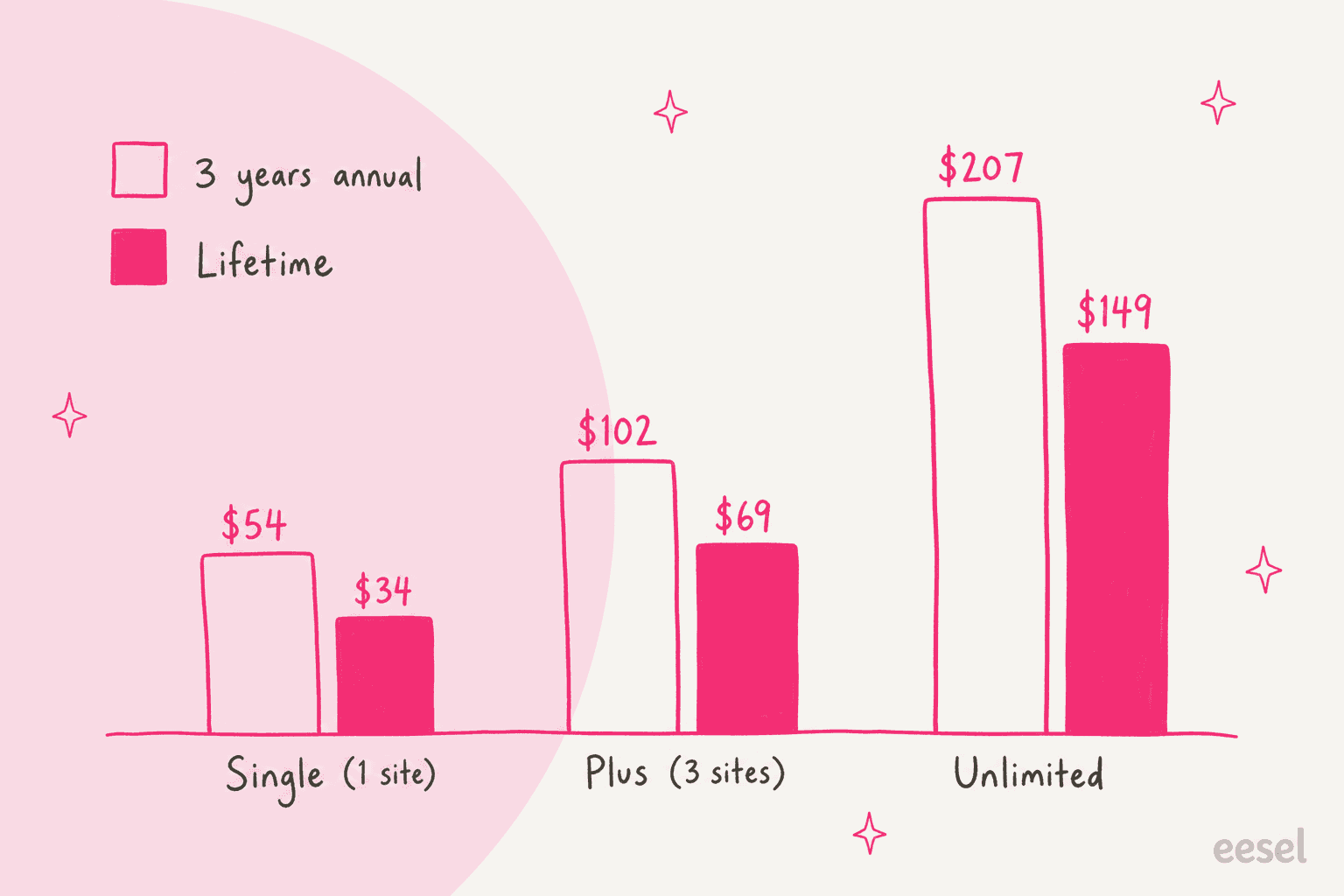
Usually, yes. The lifetime Single license costs less than two years of the annual one, and the bigger licenses pass the annual price early in year three. If you plan to keep the button for three years, lifetime saves $20 to $58 depending on the plan.
Plug in your own plan and time frame:
What does Click to Chat cost a small store?
Take one WooCommerce store with two people answering WhatsApp, who wants Multi-Agent and business hours. That is the Single plan: $18 for the first year, or $34 once. Next to Joinchat, whose team features start at €96 a year, it is the cheapest way I have found to get a team picker and working hours on a WordPress WhatsApp button.
The real cost is the time spent replying, which no button license covers. My guide on automating WhatsApp support walks through where that time goes.
Where the pages disagree
I checked every page I quote here and found three gaps worth knowing:
- Install count. WordPress.org shows 600,000+ active installs. The HoliThemes homepage says 700,000+.
- Google Ads conversions. The WordPress.org description lists Google Ads conversions under the free analytics features, while the pricing comparison marks them as Pro.
- Webhooks. Both pages agree webhooks are free, but the variables that make them useful for ad tracking, like
{number}and[gclid], are Pro only.
What do Click to Chat users say?
On WordPress.org the plugin averages 4.8 from 131 ratings: 122 five-star, 2 four-star, 3 three-star, 2 two-star and 2 one-star. Most of the reviews I opened on the reviews page praise the setup and the support team, and the developer replies to nearly every one.
"Click to Chat is super easy to set up and works flawlessly. It makes it simple for my customers to contact me directly via WhatsApp, which has improved my support and response times."
The low ratings are older and mostly about expectations. One 2019 review uninstalled because the button opened the WhatsApp website on a phone instead of the app, which the developer traced to a cache plugin. A 2021 review worried the number shows in the page's code; the developer's answer was that every WhatsApp link needs the number to work.
The recent support threads are more telling than the reviews. Two patterns stand out:
- The number does not change. A September 2026 thread reported the button opening a different number than the one in settings. Support's answer: a translation plugin like WPML or Polylang had saved the old number, and that value takes priority. The HoliThemes FAQ lists the same fix.
- Spam. An October 2025 thread asked how to stop spam arriving through the button.
"We're getting a lot of spam messages from this plugin, is there a way to stop that?"
Support suggested the Pro Greetings Form, showing the button only in chosen countries, or only to logged-in visitors. All sensible, and all ways of showing the button to fewer people, because nothing in the plugin sorts the messages once they arrive.
Where does Click to Chat fall short?
None of these are bugs. They are the edges of a click-to-chat button, and they matter once WhatsApp becomes a support channel rather than a contact link.
- WordPress only. No Shopify or Wix version, so a store on another platform needs a different tool.
- No inbox. Chats land on phones. There is no assignment, no shared history and no way to see what a teammate already told a customer.
- No replies of its own. No AI, no auto-answers and no FAQ bot. Every message waits for a person.
- Spam lands with your team. The fixes are gates in front of the button, not filters behind it.
- Routing without memory. Random Number and Multi-Agent send a returning customer to whoever is next, not to the person who helped them last week.
- Tracking stops at the click. Analytics events and webhooks record that someone opened WhatsApp, not whether they got an answer or bought.
The quiet one is the clock. Business hours and "back in 3 hours" labels are honest, but they still show "back tomorrow" to the shopper browsing at 11pm, which is when a lot of WhatsApp sales questions arrive. The first response time your customers feel is set by when someone picks up the phone.
Who should use Click to Chat?
Ask one question first: is your problem getting chats, or answering them?
| You are... | Verdict |
|---|---|
| A WordPress site where the owner answers from their phone | The free plugin is enough |
| A WooCommerce store selling through WhatsApp | Free plugin first, for the product variables and placements |
| A team of 2 to 5 sharing WhatsApp | Pro Single, for Multi-Agent and business hours |
| A marketing team tracking ad leads | Pro, for the form, webhook variables and Google Ads conversions |
| An agency running client sites | Unlimited, at $69 a year or $149 lifetime |
| A support team whose WhatsApp chats are piling up | A button will not help; you need replies inside WhatsApp |
| A Shopify or Wix store | Not available; pick another button |
What are the alternatives to Click to Chat?
Split them by what happens after the click.
- Another WordPress button. Joinchat has a website AI add-on, Chaty covers more channels for free, and QuadLayers Social Chat is strong on WooCommerce.
- A button on Shopify or Wix. Smartarget works on both, and Vowels and MarketPush are Wix-only.
- A live chat on your site. Tools like Tidio keep the conversation on the page; my website live chat roundup compares them.
- A WhatsApp API inbox. Providers put WhatsApp in a shared team inbox; start with my API provider list or the Wati alternatives.
- WhatsApp inside your helpdesk. See Gorgias WhatsApp and Zendesk WhatsApp, then add an AI teammate on top.
For WooCommerce stores, my AI for WooCommerce support picks go deeper on answering order questions.
Click to Chat review verdict: is it worth it?
4 out of 5. As a WhatsApp button, Click to Chat is hard to beat on value. The free plugin already has WooCommerce variables, page-level numbers, analytics events and webhooks. Pro gives every feature on every plan from $18 a year, keeps working if you stop paying, and the team ships often (4.45 landed on September 28, 2026).
I take a point off for what happens after the click. There is no inbox, no AI and no way to answer a message without a person on a phone, and the spam fixes all work by showing the button to fewer visitors. That is the right scope for a button plugin. It just means Click to Chat solves getting the conversation, not handling it.
Where does eesel fit next to Click to Chat?
The two do different jobs, and they work fine together. Click to Chat puts the button on your WordPress site and sends the visitor to your number; eesel answers the conversation once it is in WhatsApp. eesel is an AI teammate platform, and for this job the relevant teammate is the AI helpdesk teammate.
It connects to your WhatsApp Business number, learns from your knowledge base, docs and past tickets, and answers in 80+ languages. You can test it on real questions before customers see it. You tell it what to handle and when to hand over in plain words, like "send anything about a refund to the team". Point Click to Chat's button at that same number and the pre-filled message, product name and page URL included, becomes the first thing eesel reads.

That changes what the Pro features are for. Multi-Agent and business hours manage which human gets the chat; with eesel on the number, the routine questions get an answer at any hour, and only the rest reaches a person. It can also check orders in WooCommerce or Shopify, and run on your website chat bubble too. It costs more than any button license, so it is worth it when the queue is the problem, not the button.
Two customers show what that looks like:
- ClutchLoop sells phone tethers on Shopify. Its agent, Loopy, answers product questions with live price and stock from Shopify and sends US return requests to the returns portal. In one month it handled about 230 Gorgias tickets and 27 website chats, and sent about 180 replies with no person needed.
- Nordbutiker sells e-bikes and scooters in four Nordic countries, with a separate eesel bot for each brand and language. It is the Multi-Agent idea taken one step further: the Danish customer still reaches the Danish store, but the first answer comes from that store's own pages and solved tickets.
I have shipped a lot of these WhatsApp connections, and the pattern repeats: a button comes first, then the volume, then the question of who answers at 2am. My guides on AI WhatsApp support for ecommerce and WhatsApp ticket deflection cover the steps in between.
Try eesel
If Click to Chat is already sending more WhatsApp messages than your team's phones can keep up with, eesel's AI helpdesk teammate can take the repeat ones inside WhatsApp: order status from your WooCommerce or Shopify store, product questions from your help center, and a clean handoff for refunds. It starts free with 100 credits, and paid plans begin at $299 a month for 500 credits, where one chat is one credit (eesel pricing).
Frequently Asked Questions
What is Click to Chat by HoliThemes?
Click to Chat is a free WordPress plugin from HoliThemes that adds a WhatsApp button to your site. A click opens WhatsApp on the visitor's phone, or WhatsApp Web or Desktop on a computer, with a pre-filled message to your number. It does not answer messages itself; for that you need a person or an AI agent.
Is the Click to Chat plugin free?
Yes. The free version on WordPress.org includes 8 button styles, two greeting dialogs, WooCommerce product variables, analytics events, basic webhooks, group invites and share buttons. Pro adds multi-agent, forms, business hours and random numbers. My Joinchat review covers a close free rival.
How much does Click to Chat Pro cost?
Per HoliThemes' pricing page, Click to Chat Pro is $18 a year for 1 site, $34 for 3 sites and $69 for unlimited sites. Lifetime licenses are $34, $69 and $149. Every plan includes every Pro feature. For the cost of an AI that replies inside WhatsApp, see eesel pricing.
Does Click to Chat have an AI chatbot or auto reply?
No. Click to Chat has no AI and sends no messages; it opens WhatsApp with a pre-filled message, and a person replies. Automatic welcome messages come from WhatsApp Business itself. To have WhatsApp answered automatically, look at a WhatsApp AI chatbot or my guide to WhatsApp auto replies.
Does Click to Chat work with WooCommerce?
Yes. The free plugin adds a WhatsApp button in 10 spots on single product pages and on the shop page, with {product}, {price}, {regular_price} and {sku} variables in the pre-filled message. For answering order questions once the chat starts, see eesel for WooCommerce.
Is the Click to Chat lifetime license worth it?
If you expect to keep the plugin updated for more than a year or two, yes. The lifetime Single license at $34 costs less than two years of the $18 annual license, and the Unlimited lifetime license at $149 beats annual renewals in year three. If you stop renewing an annual license, the plugin keeps working without updates. My Chaty review compares another WordPress button's pricing.
What is a good Click to Chat alternative for support teams?
For a button, Click to Chat is one of the best-value picks on WordPress. If WhatsApp messages are piling up, you need something that replies inside WhatsApp, like eesel's AI on WhatsApp. Plans start at $299 a month for 500 credits, where one chat is one credit. My WhatsApp chatbot list covers the rest.