
What BunnyDesk is, and why the price is shaped this way
BunnyDesk is an AI-native help center, the same category as an AI knowledge base built for SaaS. The pitch is that your documentation writes and maintains itself: it watches your GitHub repo, your Linear board and your support inbox, notices when the product changed, and drafts the article update for a human to approve.
I have spent the last few years shipping the integration layer at eesel, which means I read a lot of other people's pricing pages the way you'd read a schema. And the thing I look for first is never the sticker. It is the unit. What is the vendor counting, and can I count the same thing before I sign?
BunnyDesk's answer to that question is unusually hard to find, which is what most of this post is about.
BunnyDesk pricing: the full table
Here is every published number in one place. The plan names come from the cards at the top of the pricing page; the seat and feature detail comes from the comparison table further down the same page.
| Starter | Pro | Enterprise | |
|---|---|---|---|
| Annual price | $29/mo | $79/mo | Custom |
| Monthly price | $39/mo | $99/mo | Custom |
| Annual saving | 26% | 20% | Not stated |
| Members | 3 | 10 on the card, 12 in the table | Custom |
| AI credits/month | 100 | 400 | Custom |
| Page views | Unlimited | Unlimited | Unlimited |
| Articles | Unlimited | Unlimited | Unlimited |
| Hosted docs site | Yes | Yes | Yes |
| Ask AI widget | Yes | Yes | Yes |
| Repo / PM / inbox listeners | Yes | Yes | Yes |
| API access | No | Yes | Yes |
| Custom agents & workflows | No | Yes | Yes |
| Custom domains | Yes | Yes | Yes |
| Authenticated access | Yes | Yes | Yes |
| SSO login | No | No | Yes |
| Custom data residency | No | No | Yes |
| Self-host / custom VPS | No | No | Yes |
| White-glove migration | No | No | Yes |
| Free trial | 7 days (buttons) / 14 days (FAQ) | Same | Contact sales |
| Security certifications | None published | None published | None published |
Two things to flag in that table before we go further.
The seat count for Pro is stated twice and differently. The plan card says 10 members; the comparison table directly below it says 12. That is a 20% difference in what you are buying, on one page, and there is no footnote reconciling them.
And none of the three tiers carries a published security certification. No SOC 2, no ISO 27001, no GDPR or DPA page. The privacy policy says BunnyDesk Inc. is a Delaware company and that your data may be processed in the United States, and that content is removed within 30 days of account deletion. Enterprise offers "custom data residency" as a line item, which is the only place residency is addressed at all. For a lot of teams that is fine. For anyone in a regulated vertical it is a hard stop, and it is worth knowing on day one rather than during procurement, the way you'd vet any customer support knowledge base.
The AI credit is the real price
This is the part that matters, and it is hidden behind a hover state.
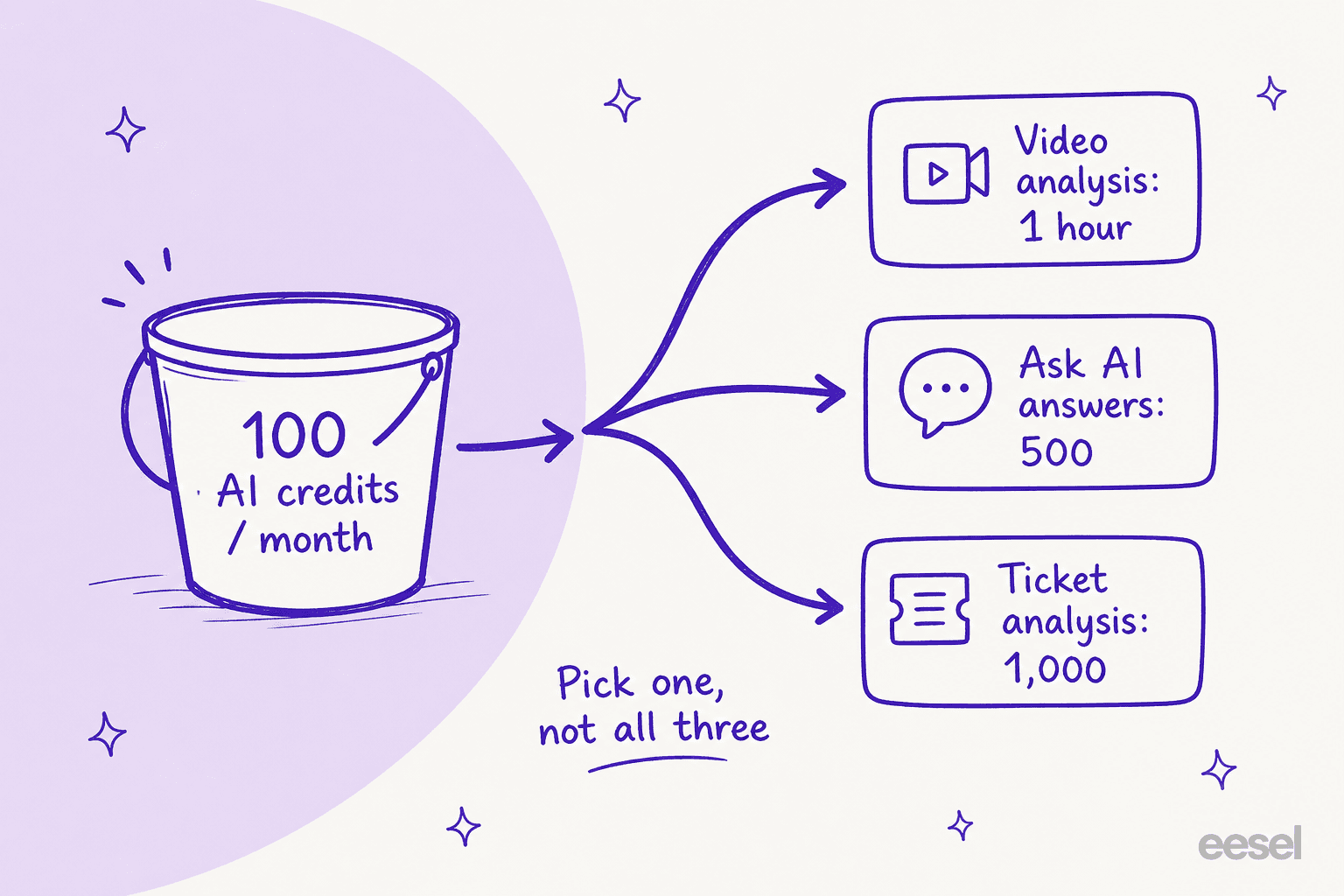
Next to "100 AI Credits/mo" on the Starter card there is a small question-mark button. Hover it and BunnyDesk tells you exactly what 100 credits buys:
- Video analysis: 1 hour
- Ask AI answers: 500
- Tickets analysis: 1,000
The Pro card's tooltip gives 400 credits as 5 hours of video, 2,500 Ask AI answers, or 5,000 ticket analyses.
Read that list carefully, because the natural reading is wrong. These are not three allowances you get in parallel. They are three exchange rates for the same bucket. Spend an hour analysing a Loom walkthrough on Starter and your Ask AI widget has nothing left for the rest of the month.
That reframes the whole plan. On Starter, $29 a month buys you 500 AI answers, which is about 5.8 cents per answer, and only if you spend nothing on video or ticket analysis. On Pro, $79 buys 2,500 answers at about 3.2 cents each, on the same condition.
Five hundred answers a month is not a lot for a public help center, and it is well under what a busy FAQ knowledge base fields. A docs site getting a few hundred visitors a day will chew through it inside two weeks, and BunnyDesk's own FAQ says what happens next: "AI-powered features will be paused until credits are available." Your articles stay up. The website chatbot that was supposed to deflect tickets goes quiet.
And there is no published rate for buying more, which is unusual even by the loose standards of knowledge base management tools. The FAQ says "you can purchase additional credits if needed" and stops. There is no per-credit price, no top-up pack, no overage table anywhere on the site. That is the single biggest gap in this pricing page: the meter that governs your bill has no published price past the included allowance.
Work out your own credit burn
Because BunnyDesk publishes the exchange rate but not the arithmetic, here is the arithmetic. Put in what you actually expect to do in a month and see which plan survives it.
Move the Ask AI slider past 500 and Starter is already gone. That is the honest shape of this product: the plan prices your team, and the credit prices your traffic.
A credit is not a fixed unit
Here is something odd that falls out of the two tooltips.
Pro has four times Starter's credits. But every conversion rate on Pro is five times Starter's: 5 hours of video against 1, 2,500 answers against 500, 5,000 ticket analyses against 1,000.
So one credit on Starter buys 5 Ask AI answers, and one credit on Pro buys 6.25.
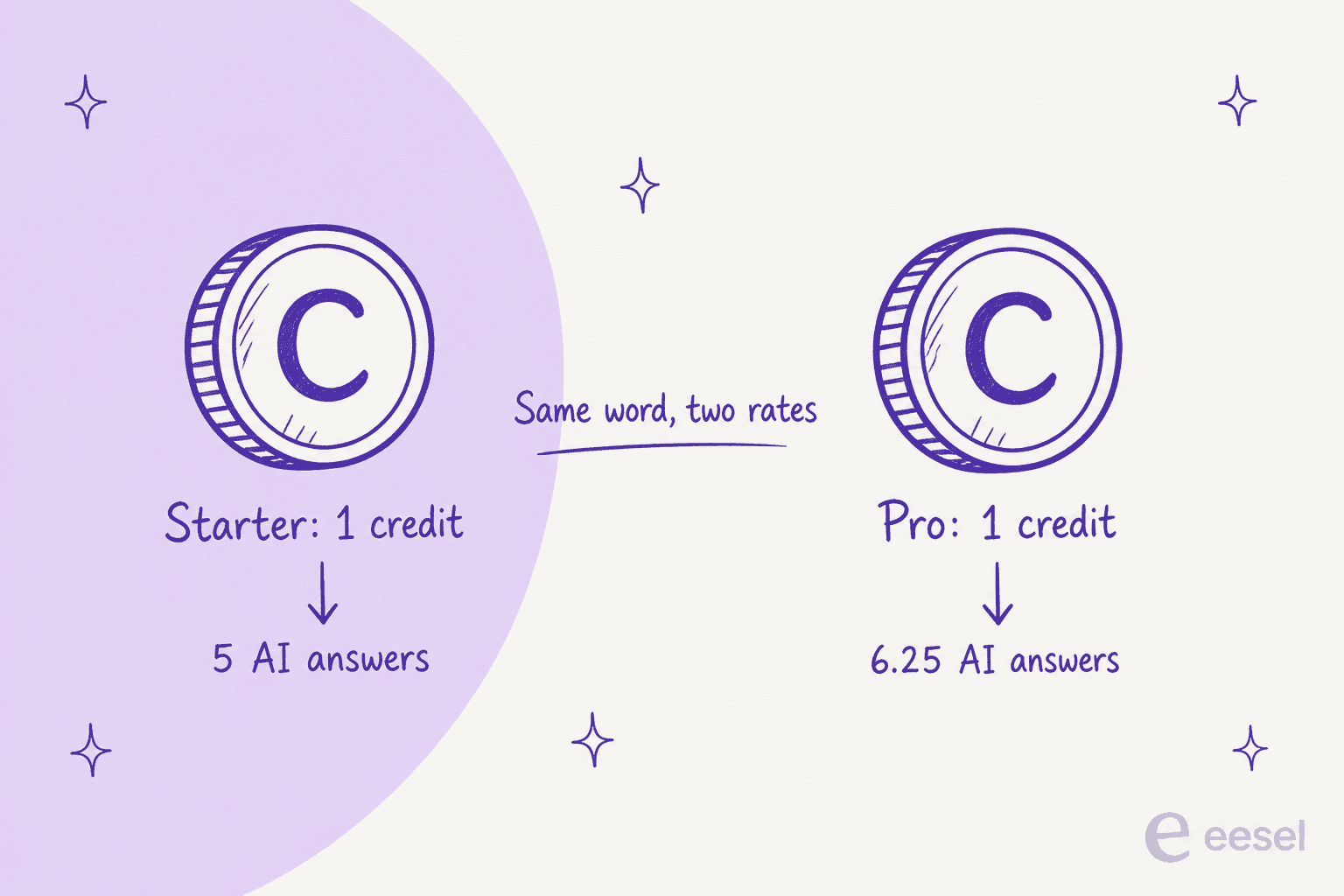
Either the higher tier quietly comes with a better exchange rate, which would be a reasonable volume discount that nobody thought to mention, or one of the two tooltips is rounded. I lean toward the first, because the 5x ratio holds cleanly across all three meters rather than looking like a rounding artefact.
Either way, the word "credit" does not name a stable quantity across the two plans, and that matters if you are trying to forecast a jump from Starter to Pro. Four times the credits at five times the value is a 5x capacity increase for a 2.7x price increase, which is real value. It just isn't stated.
The annual discount is not 25% on both plans
The toggle at the top of the pricing page says "Pay yearly, save 25%". Sitting behind it in the page's own JavaScript are the monthly prices the toggle switches to: $39 for Starter, $99 for Pro.
- Starter: $39 to $29 is 25.6% off. The claim holds.
- Pro: $99 to $79 is 20.2% off. The claim does not.
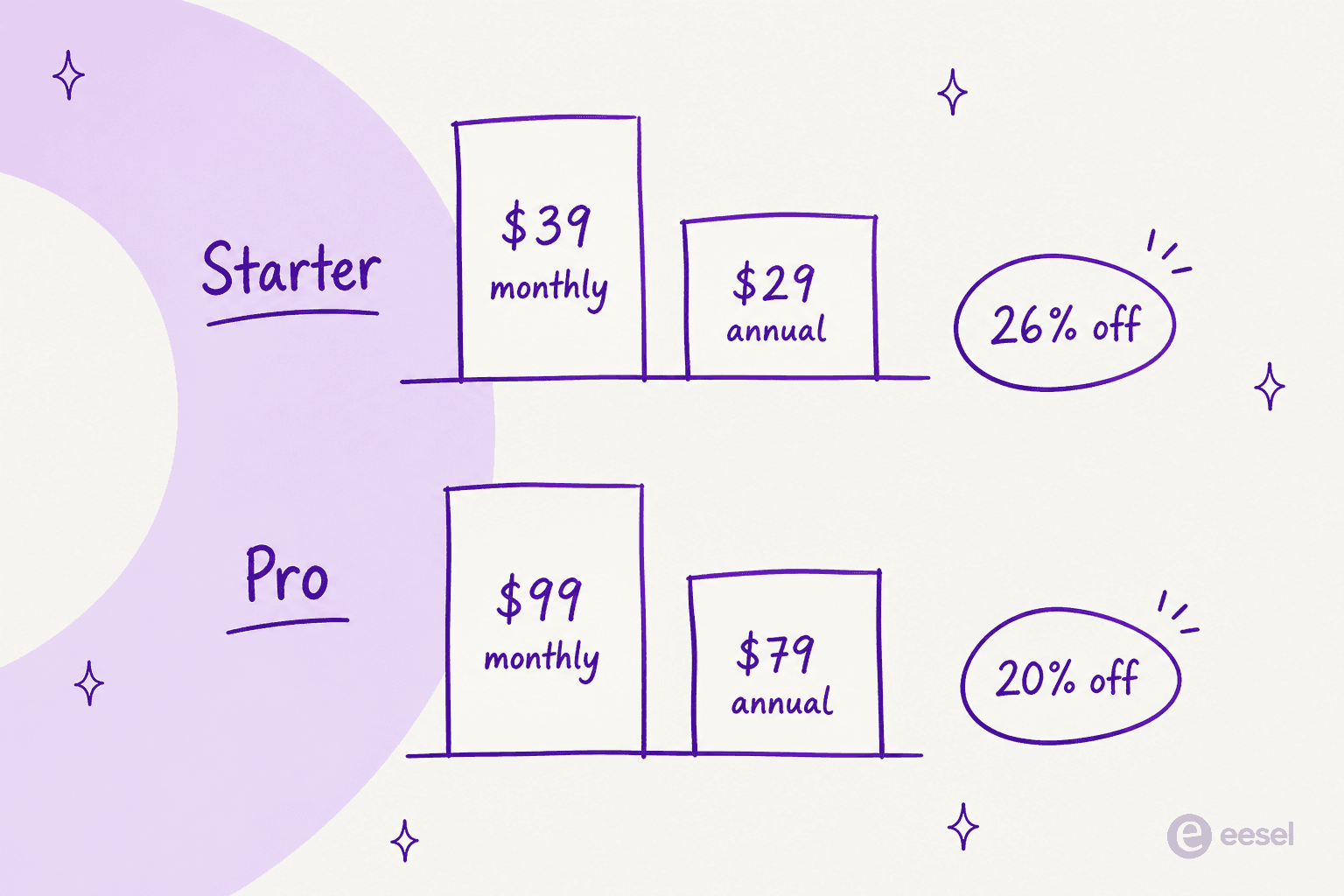
In cash that is $240 a year saved on Pro against the $300 the banner implies. It is a $60 gap, not a scandal. But it is the kind of thing you want to notice before you commit a year up front, because the Terms of Service say fees are non-refundable, which brings us to the more serious contradiction.
Four places the site disagrees with itself
I went through every public page BunnyDesk publishes. Four numbers appear twice, with different values.
| What | Version A | Version B | Where the difference bites |
|---|---|---|---|
| Trial length | 7 days, on every "Start Free Trial" button | 14 days, in the pricing FAQ | How much testing you actually get |
| Pro seats | 10 members, on the plan card | 12 members, in the comparison table | Whether two teammates get in |
| Annual discount | "Save 25%", on the toggle | 20.2% on Pro, from the real rates | $60/year on Pro |
| Refunds | "30-day money-back guarantee for annual plans", in the pricing FAQ | "Fees are non-refundable unless required by law", in the Terms of Service | Whether you can get $348 or $948 back |
The refund one is the one I would want resolved in writing before paying annually. A marketing FAQ is not a contract; the Terms of Service is, and it is unambiguous. The same section adds that BunnyDesk "may update pricing with reasonable notice", with no cap and no definition of reasonable.
None of this is unusual for a young product moving fast, and I want to be fair about that: this is a small team shipping quickly, and the underlying idea is a good one. But a pricing page's whole job is to be the one page you can trust literally, and right now four of its numbers need a support ticket to resolve.
What you actually get for the money
The credit meter is the story, but it would be unfair to leave the impression there is nothing behind it. There is, and some of it is well built.
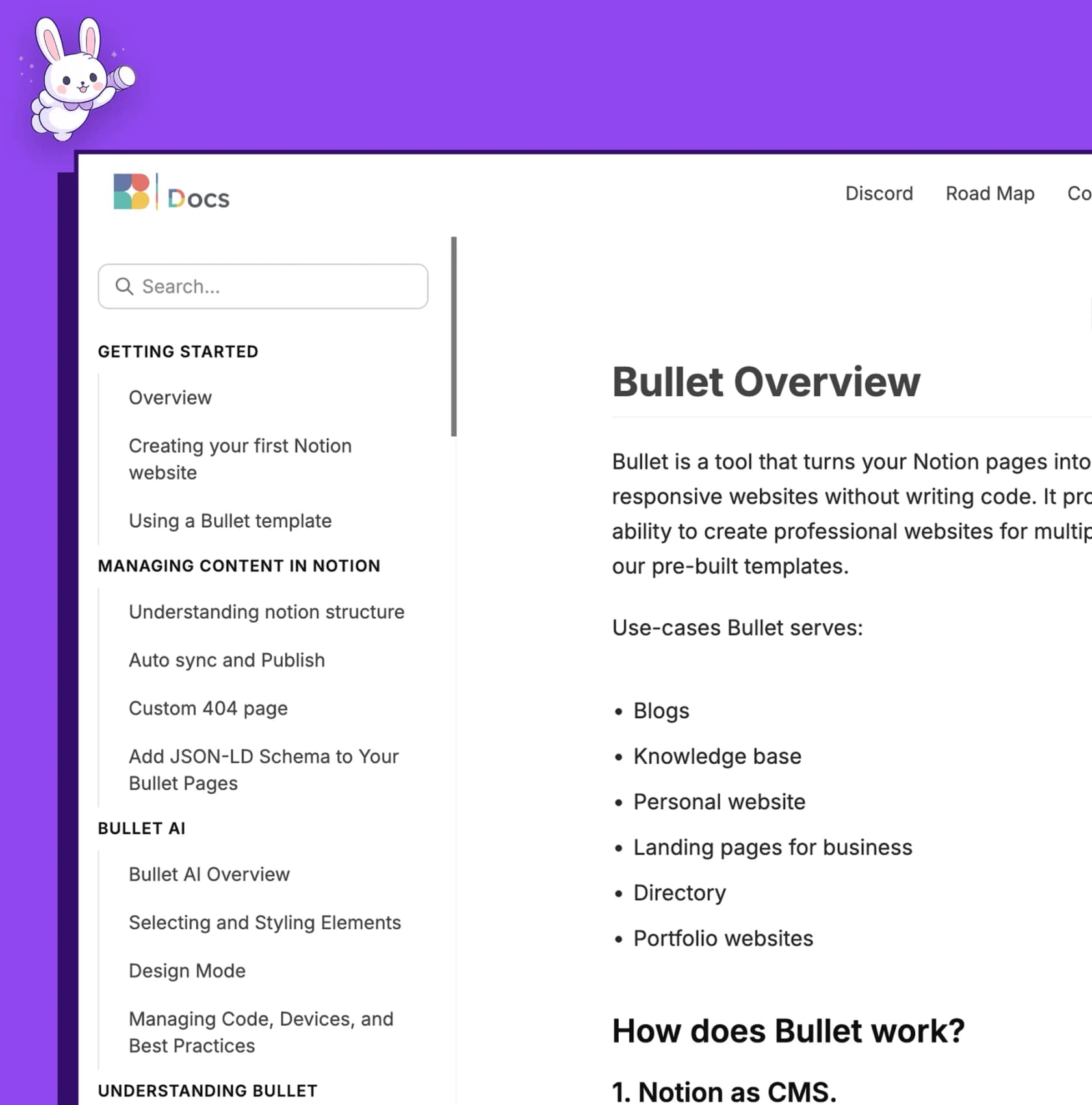
The listener model is the strongest part. BunnyDesk watches GitHub, Linear, and a support inbox, notices a product change, drafts the article, and puts an Approve button in front of a human rather than publishing on its own.
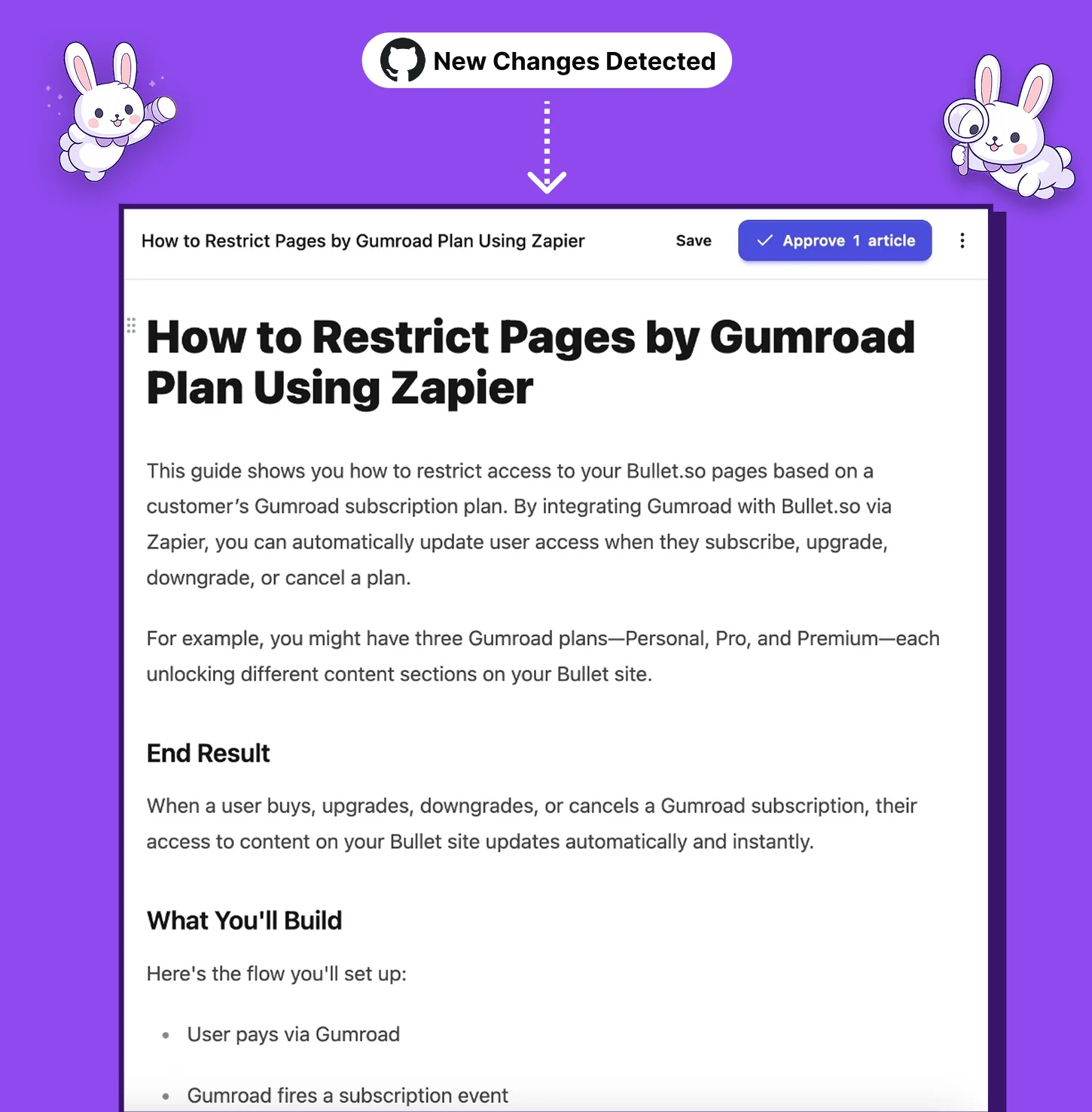
That human-in-the-loop gate is the right call, and it is the same instinct behind everything we have shipped at eesel: after a few years of putting AI on live support queues, the lesson that stuck hardest is that a confident wrong answer costs more than a slow right one. Approve-before-publish is cheap insurance, and it is the same reasoning behind every serious AI chatbot platform shipping a review step.
The published output is a clean, fast, SEO-oriented docs site with sitemaps and an llms.txt file, which is a thoughtful touch for a product built in 2026. It is a friendlier starting point than exporting out of a legacy tool, as anyone who has wrestled a Zendesk help center into shape will recognise, and it makes documentation search work properly out of the box.
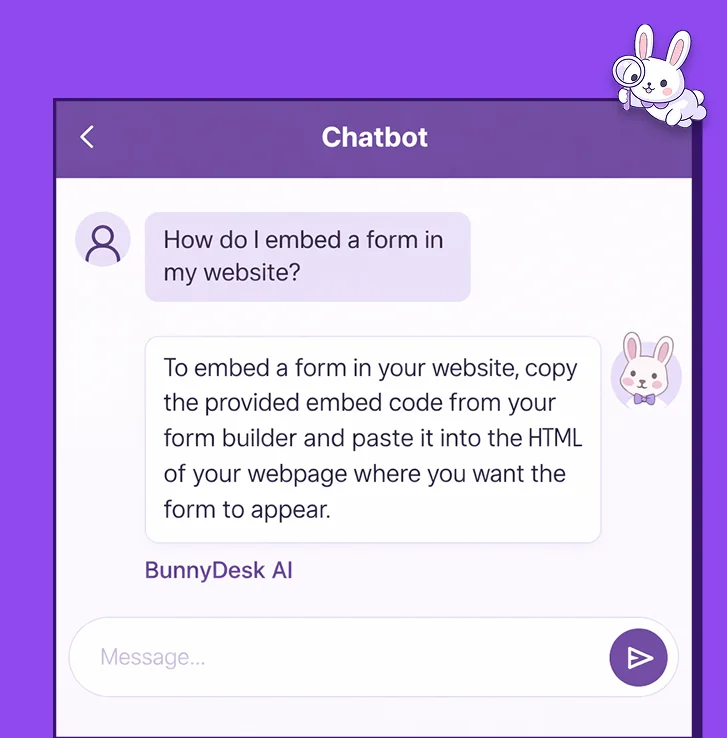
And there is the Ask AI widget, the thing your 500 credits are really funding.
On integrations, the integrations page lists nine named connectors plus a custom API option, against a "10+ integrations" claim in the feature list. The named ones cover GitHub, Linear, Gmail, Missive, Crisp, Help Scout, Discord and Zendesk. API access is a Pro-and-up feature, so on Starter the custom option is out of reach.
Notably absent are the sources most support teams already keep articles in. There is no Confluence or Notion connector, and no way to read an existing Gorgias knowledge base as a source. If your articles already live in one of those, migration is a manual job before the automation has anything to maintain, and our notes on Freshdesk knowledge bases show how much structure that usually means rebuilding.
Worth knowing: three rows in the comparison table are marked Coming soon on all three tiers, Enterprise included. Video-to-video producer, the Stripe-style API reference generator, and the AI linter. They are on the pricing page as features; they are not shipping yet.
What it costs at three real team sizes
Sticker prices only mean something attached to a scenario. Here are three, using BunnyDesk's own exchange rates.
A two-person startup, 200 Ask AI answers a month, one hour of video, no ticket analysis. That is 40 + 100 = 140 credits. Starter's 100 does not cover it. You are on Pro at $79/mo, or $948 a year, mostly because of the one video walkthrough. A single hour of video analysis costs an entire Starter month.
A ten-person SaaS team, 2,000 answers a month, two hours of video, 1,500 tickets analysed. On Pro's rates that is 320 + 160 + 120 = 600 credits against an allowance of 400. You are 50% over, on the top self-serve plan, at 2,000 answers a month. There is no published way to price the gap, which makes the usual customer service metrics exercise impossible to finish.
A team that only wants the writing, no widget. Think of it as an AI article writer rather than a support channel. Turn off Ask AI, use BunnyDesk purely to draft and maintain articles, and 100 credits stretches a long way. This is the configuration where BunnyDesk's pricing is straightforwardly good, and I suspect it is the one it was designed around.
That last scenario is the honest read on this product. As a documentation writing tool it is cheap, and at $29 it undercuts Document360 and GitBook meaningfully. If that is the job you are hiring for, our list of GitBook alternatives is the right shortlist to work from. As a customer-facing answering layer, the meter is too small and too vaguely priced to plan around.
What people are actually saying about the price
Very little, is the honest answer, and that is itself a finding.
BunnyDesk has no listing on G2, Capterra, Trustpilot or Product Hunt, unlike more established options such as Chatbase. There are no independent user reviews of the pricing to weigh. The public mentions I could find trace back to the founder, Aswin Kumar KP, who previously built Bullet.so.
The one price claim in the wild is his, in a r/ProductManagement thread:
"if you're writing your own help docs you're just wasting time... you can try mintlify but good luck that will cost you $200/ month. on the other hand you can also use bunnydesk.ai and it'll cost you $29."

Two things about that. It is the founder rather than a customer, and it sits at -5 votes. And the $29 is the annual rate, not the $39 you pay monthly. Neither is dishonest, but neither is third-party validation either.
There is also a savings calculator on BunnyDesk's own site whose competitor prices are hardcoded in the page's JavaScript: Mintlify at $300/month, Document360 at $200, GitBook at $65, Help Scout at $45 per seat. It compares those monthly figures against BunnyDesk's annual rate of $29. Comparing a GitBook monthly rate against BunnyDesk's annual one is apples to oranges in the vendor's own ROI tool, and BunnyDesk's own blog puts Mintlify at $250 rather than the $300 in the calculator.
What the credit ceiling does to a buyer is a pattern we see constantly on sales calls. One customer, an email-security company on Freshdesk scaling toward roughly 20,000 tickets a year, burned through 200 API calls in a single day of testing and spent the rest of the call worrying about what that meant at their expected 9,000 interactions a month. The trial had told them the AI was good. It had not told them what it would cost.
"Burned through 200 API calls in one test day."
An email-security company on Freshdesk, from eesel's internal sales-call notes
That is exactly the gap a 7-day trial on a 100-credit plan leaves open.
Should you buy it?
Buy Starter if you are a small team with a documentation backlog, you want articles drafted from your repo and your Loom recordings, and you either don't need a public Ask AI widget or you have very low traffic. At $29 that is good value and nothing in this post argues otherwise.
Buy Pro if you need API access or custom workflows, and your Ask AI volume sits comfortably under about 2,000 answers a month. Get the seat count confirmed in writing first, because the page says 10 in one place and 12 in another.
Look elsewhere if any of these apply: you need a compliance certification, you need a predictable bill at support volume, you need to know what an overage costs before you sign, or the thing you are really buying is FAQ deflection rather than documentation.
That last one is the distinction I would hold onto. BunnyDesk prices the writing of docs well and the answering from docs badly, because answering is metered by a bucket that pauses. Those are two different jobs, and the second one is where the support-queue economics live. For more on that split, our guide to ticket deflection and the piece on detecting outdated help center content cover both halves.
eesel for teams whose real problem is the queue
If you got this far because your help center isn't deflecting enough, the meter matters more than the docs tool.
eesel plugs into the helpdesk you already run, and trains on your existing help center articles plus your past tickets before answering or drafting on the live queue. The integrations cover Zendesk and Freshdesk, along with Gorgias, Front, Help Scout, HubSpot, Salesforce and Jira Service Management.
The difference that matters here is the meter. It bills per ticket rather than per credit, so the answering layer never pauses partway through a month, and the whole thing runs as ordinary support ticket automation rather than a separate allowance you have to ration. It bills $0.40 per ticket or chat handled, with no seat fees, no platform fee and a hard monthly spend cap you set yourself.
The part I'd point a BunnyDesk buyer at specifically: before it answers a single customer, eesel replays against hundreds of your own historical tickets and scores what it would have said against what your team actually sent. You get to see the quality and the volume before you commit, which is the exact thing a 7-day trial on a 100-credit allowance can't tell you. The same replay doubles as support ticket analysis, showing which question types are worth documenting first.

It is free to try, with $50 of usage and no card. Try eesel, or read how the two halves fit together in our guide to AI knowledge base setup and knowledge base management.
Frequently Asked Questions
How much does BunnyDesk cost?
What is a BunnyDesk AI credit and how many do I get?
What is BunnyDesk pricing for small teams?
Does BunnyDesk have a free trial or a free plan?
What happens if I run out of BunnyDesk AI credits?


Article by
Rama Adi
Rama is a software engineer at eesel AI with two years of experience writing about B2B SaaS, AI tools, and customer support technology. Based in Bali, Indonesia, he brings a developer's perspective to product comparisons — cutting through marketing copy to what the integrations and APIs actually do.