What "AI for Freshservice tickets" actually means
Before we pick a tool, it is worth being precise about what AI on a service desk is even being asked to do, because "AI" gets used to mean three different jobs.
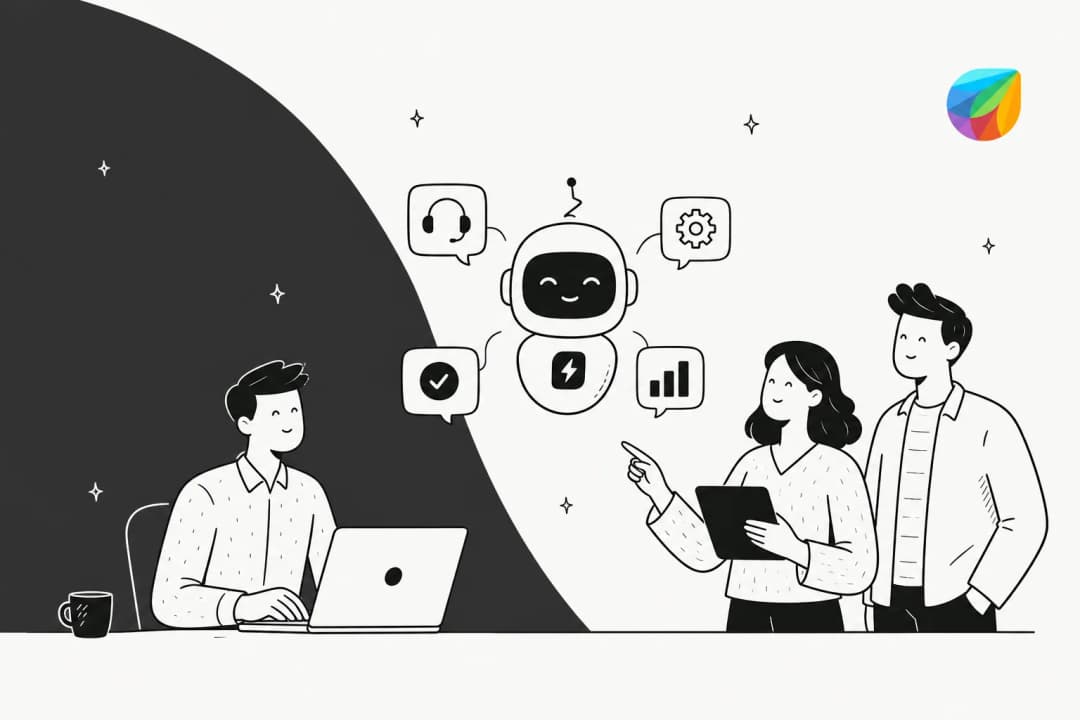
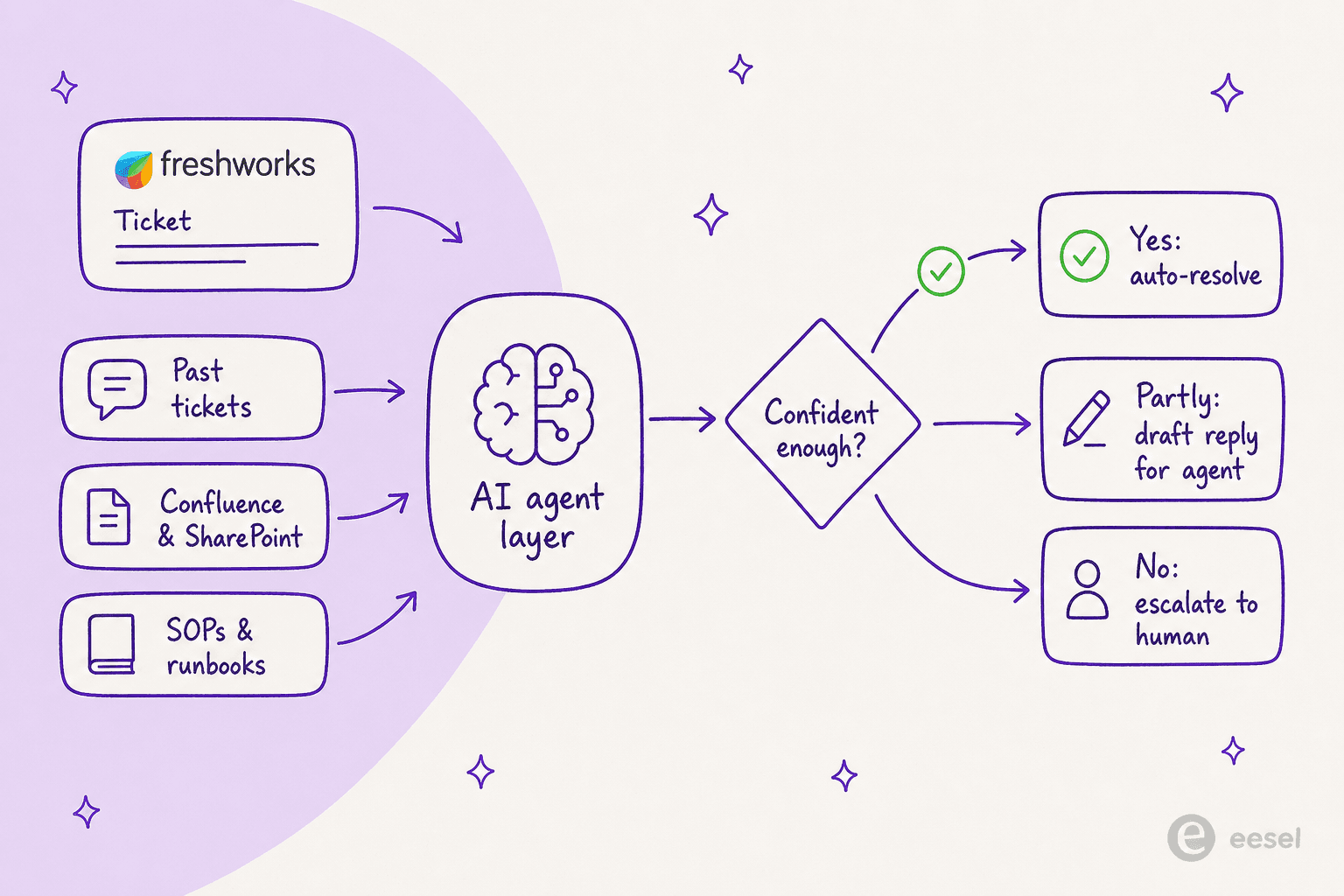
The three jobs are deflection, assist, and triage. Deflection is the autonomous bot answering the routine request (a password reset, a "how do I get access to X", a status lookup) before it ever reaches a human. Assist is the copilot that drafts a reply, summarises a long thread, or translates a message for the agent who is already in the ticket. Triage is the quiet work of reading an incoming ticket, tagging it, routing it, and leaving a suggested reply as an internal note. Most of the value on an IT service desk lives in the first and third.
I have spent the last few years putting AI agents on real, live support and IT queues, and the pattern repeats: the win is never "the AI answers everything." It is the AI clearing the repetitive 30-40% so your people can spend their time on the tickets that actually need a human. When InDebted rolled us out on their internal IT helpdesk, their Head of IT, Jason Loyola, put it plainly: "We use it to be the first responder to our Helpdesk tickets in Jira. It essentially acts just like an agent would." They started at 15% deflection and are pushing toward 55%. That is the shape of a good outcome on a service desk, and it is the same whether the tickets live in Jira, Freshservice, or anywhere else.
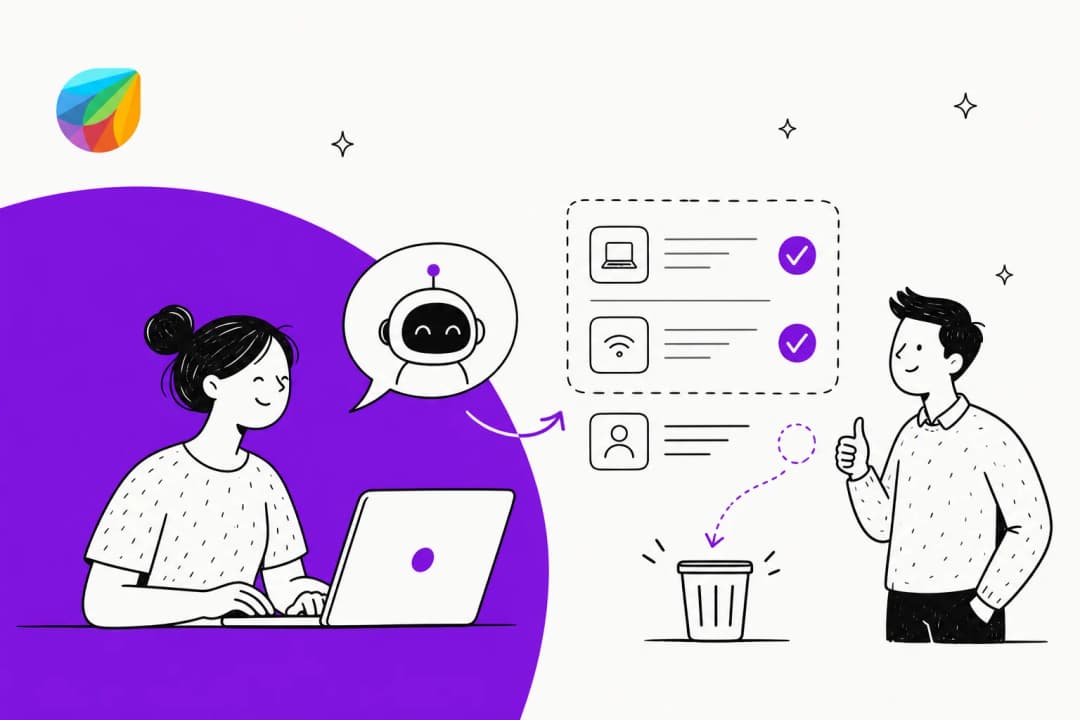
Here is how a well-set-up AI layer actually moves a single Freshservice ticket through that flow.
Option 1: Freddy AI, Freshworks' native layer
The obvious first move is to use what is already in the box. Freshservice's AI is branded Freddy AI, and it is genuinely capable in places. It splits into three products, and it helps to keep them straight because they get marketed as one thing.
Freddy AI Agent is the autonomous tier that deflects requests across Slack, Microsoft Teams, the Email Bot, and the support portal, grounding answers in your Knowledge Base plus SharePoint, Google Drive, and Confluence. Freddy AI Copilot is the agent-assist tier living inside the workspace: reply suggestions, ticket summarisation, and real-time translation. Freddy AI Insights is the analytics layer that flags things like SLA-breach spikes for service-desk leaders. Freshworks cites real ITSM numbers for this on its AI for ITSM page: 66% of incoming tickets deflected, 41% faster first response time, and a 77% drop in average resolution time with Copilot.
Where Freddy is genuinely good is the Copilot. If your agents are already living in the Freshservice workspace, having a summariser and a reply suggester one click away, with zero context-switching, is a real quality-of-life win. I would not talk anyone out of it.
What Freddy AI costs
Here is the part that trips teams up. The autonomous agent is not on the plan you are probably on. Freddy AI is only bundled into the Enterprise tier, and the per-agent ITSM plans look like this (billed annually):
| Plan | Price (per agent / month) | Freddy AI |
|---|---|---|
| Starter | $19 | Not included |
| Growth | $49 | Not included |
| Pro | $99 | Not included |
| Enterprise | Custom (contact sales) | Included |
The billable unit for Freddy AI Agent is a session, which Freshworks' own pricing FAQ defines as "any interaction a unique user has with an AI Agent within a 24-hour period." Each Enterprise license includes 1,200 Freddy AI Agent sessions per year, prorated for shorter cycles, and overage session packs are quote-only. There is no published per-session price, which makes forecasting hard. We break the full model down in our guide to Freshservice Freddy AI pricing, but the short version is: to get the autonomous agent at all, you are on the most expensive tier, paying Freshservice's Enterprise pricing per seat, then metering AI on top.
Where Freddy falls short
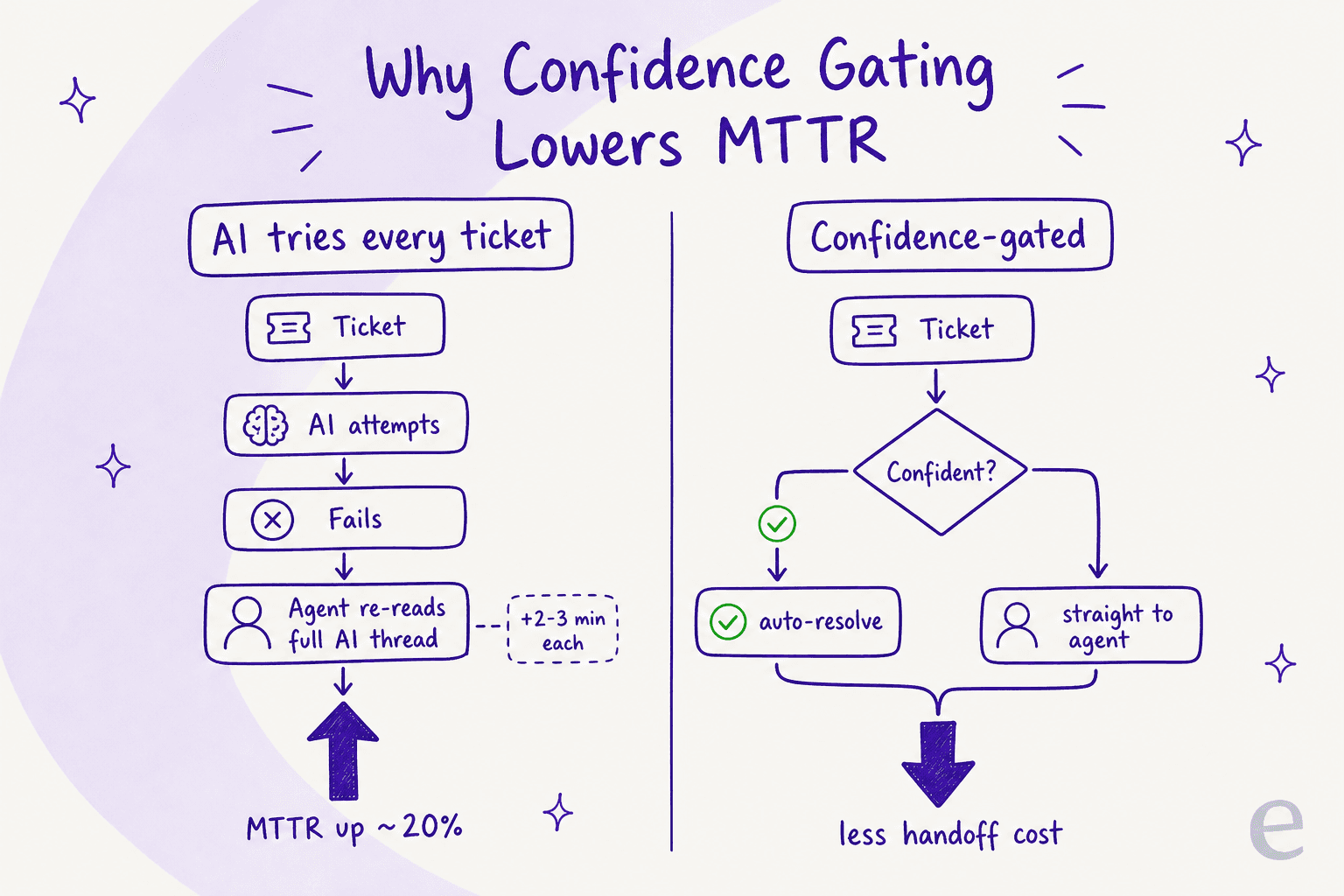
This is where I have to be straight with you, because the marketing numbers and the user reports do not always line up. The most repeated complaint is not about price, it is about a quieter failure: a bot that tries every ticket, fails on the hard ones, and leaves your agents worse off than before.
One IT lead at a 600-person org wrote up exactly this five months after turning Freddy on:
"Autoresolve is maybe 25% which is fine i guess. But our MTTR actually went UP. About 20% compared to where we were before... Freddy tries, fails, agent picks it up but has to scroll thru the full back-and-forth before they can respond. Timed a few tickets, its like 2-3 extra minutes per ticket just reading the AI context... Dup tickets are up like 15ish percent."
The same Reddit thread is worth reading in full. The point is not "AI is bad," it is that a bot with no confidence gate adds a handoff cost that can swamp the deflection win. Here is the mechanism, side by side.
The complaints cluster in a few other places too. Deflection quality gets called weak, with one sysadmin saying the AI is "abysmal for incident deflection" and, worse, that it "doesn't learn from users rating an interaction as unhelpful." There is no model choice, which a Freshservice user summed up as: "you don't have the ability to choose which LLMs you want to use. Also, its pricing is tied to the agents not the employees." And the setup can stall on permissions, with one team blocked because the Teams ServiceBot "requires 'Read files in all site collections' on an Application level", which their security team would not sign off. We catalogue the rest in our writeup of Freshservice AI limitations.
None of this makes Freddy a bad product. It makes it a product that works best if you are already deep in Freshworks Enterprise and your needs are mainstream. If any of those gaps is a dealbreaker, layering is the better move.
Option 2: layer a dedicated AI agent on top of Freshservice
The alternative most teams land on is to leave Freshservice exactly as it is and connect a dedicated AI agent on top of it over the API. You keep your plan, your workflows, and your ticket history. The AI becomes the first responder and the triage layer, and your service desk stays the source of truth. This is the approach we built eesel AI around, and it exists precisely because of the gaps above.

Three differences matter most for a Freshservice team. First, you can train the AI on your past tickets and your full internal knowledge base, not just published articles, so it answers the way your senior agent would, including the tribal knowledge that usually walks out the door when someone leaves. Second, you get confidence-based triage: the AI only acts on tickets it is sure about and leaves everything else for a human, which is the single setting that prevents the MTTR regression above. Third, you are not locked to one vendor's model, and you pay per interaction rather than per agent.
That model question turns out to be a build-versus-buy decision for a lot of teams. As Karel at GENERAL BYTES told us when they chose a layered agent over rolling their own: "We could try to write our own LLM application but we didn't want to invest our time into that. We wanted something that we would not have to maintain." Layering gets you the flexibility of a custom build without the maintenance bill.
Does it actually deflect? On Zendesk, Gridwise's Kim Simpson reported on G2 that "in the first month, eesel is resolving 73% of our tier 1 requests," with results showing up inside a 7-day trial. The platform isn't Freshservice-specific magic, it is the same confidence-gated approach pointed at whatever queue you run. For the broader category, our roundup of AI IT support tools for service desks covers the layered options side by side.
How to set up AI on your Freshservice ticket queue
Whichever tool you pick, the rollout that works is the same, and it is the opposite of "flip it on and hope." The teams that get burned are the ones that point a bot at the full queue on day one. Here is the sequence I would run.
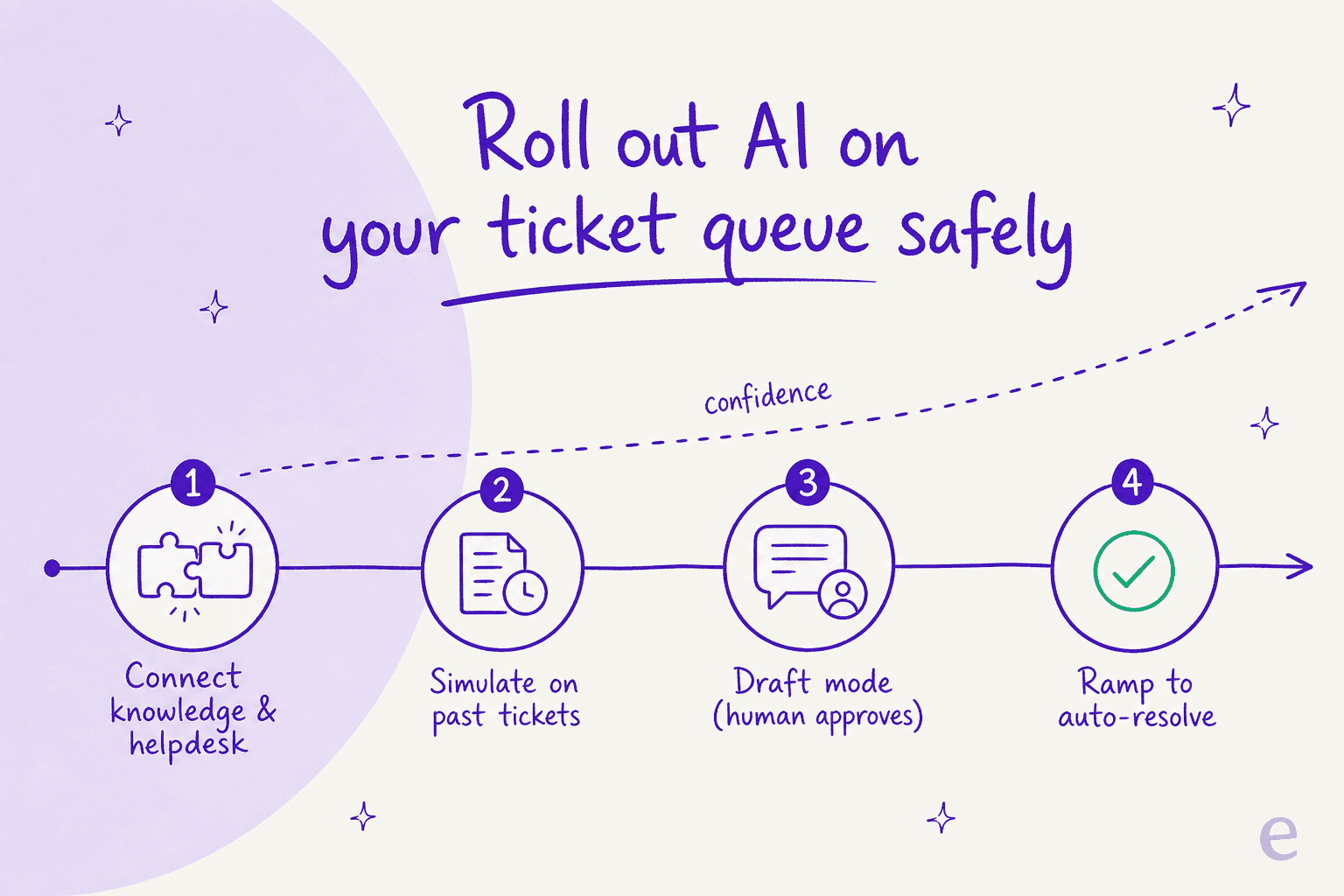
- Connect your helpdesk and knowledge. Wire the AI into Freshservice and point it at your knowledge sources: your Confluence knowledge base, SharePoint, Google Drive, internal docs, and ideally your resolved tickets. The more grounded the AI, the less it guesses.

-
Simulate on your past tickets before going live. This is the step almost everyone skips, and it is the one that matters most. Run the AI against a few thousand of your historical Freshservice tickets and read what it would have said. You get a real deflection estimate and a list of gaps before a single customer is affected. My colleague Amogh keeps a running joke about how often this comes up: "People really, really, really want to train on past tickets." They want it because it is the only honest way to know what the AI will do.
-
Start in draft mode, with a human approving. Let the AI write replies and leave them as internal notes or drafts for your agents to approve or fix. You build trust, and the AI learns from the edits. The thesis here came from a CX lead who needed exactly this control: "I need an AI who is only handling the tickets that it's confident to handle and all the other ones, leave them alone." That is the whole game.

-
Ramp confident ticket types to auto-resolve. Once a category (password resets, access requests, "where is my order") is reliably good in draft mode, let the AI close those autonomously. Keep everything else gated. This is also where ticket classification and tagging earns its keep, since clean categories are what let you ramp one slice at a time.
-
Watch the numbers and tighten. Track deflection, resolution time, and where the AI hands off, then feed the misses back in. Good reporting is what turns a one-time setup into something that keeps improving.

Freddy vs a layered AI agent: a quick comparison
If you want the decision on one screen, here it is. Neither column is "wrong," they suit different teams.
| Dimension | Freddy AI (native) | Layered AI agent (e.g. eesel) |
|---|---|---|
| Plan needed for autonomous agent | Enterprise only | Any plan; connects over API |
| Billable unit | Session (per 24h, per unique user) | Per AI interaction, no per-seat fee |
| Model choice | No, locked to Freshworks | Yes, choose the model |
| Simulate on past tickets before launch | Not offered | Yes, on historical tickets |
| Human-in-the-loop / confidence gating | Limited | Built in, per ticket type |
| Trains on resolved tickets | Knowledge sources mainly | Yes, past tickets plus docs |
| Setup | Admin enablement, Enterprise gating | Connect Freshservice, keep current plan |
| Learns from "unhelpful" ratings | Reported as weak | Feedback loop into the agent |
For the wider field, including HaloITSM and ServiceNow-style options, see our Freshservice alternatives roundup and the Freshservice vs Jira Service Management comparison.
Common mistakes to avoid
A few traps I see again and again on service-desk AI rollouts, Freshservice or otherwise.
- Pointing the bot at the whole queue on day one. This is how you get the MTTR regression. Gate it, ramp it.
- Skipping the simulation. If you cannot tell me what the AI would have done on last month's tickets, you are launching blind. Train it on your knowledge base and test against history first.
- Treating self-service as a content dump. A bot is only as good as the knowledge base behind it. Thin or stale docs produce confident wrong answers.
- Forgetting internal IT and HR. A lot of Freshservice value is internal. The same agent that deflects customer tickets can run your employee self-service, HR helpdesk, and Slack-based IT support.
- Buying the Enterprise upgrade before testing a layer. If the only reason you are eyeing Enterprise is Freddy, try a layered AI helpdesk agent on your current plan first. It is cheaper to find out that way.
Try eesel for your Freshservice tickets
If you want AI on your Freshservice queue without upgrading to Enterprise or migrating anything, that is exactly what eesel AI does. It connects to your existing service desk, trains on your past tickets and docs, and runs confidence-gated so it only resolves what it is sure about and hands the rest to your team. The differentiator most teams care about: you can simulate it on thousands of your historical tickets and see your real deflection number before it ever touches a live ticket, then ramp from draft mode to auto-resolution at your own pace. You can start free and pay per interaction, not per agent.
Frequently Asked Questions
Does Freshservice have built-in AI for tickets?
How much does AI for Freshservice tickets cost?
Can AI auto-resolve Freshservice tickets without a human?
What knowledge can the AI use to answer Freshservice tickets?
Will AI raise or lower my resolution time on Freshservice?
Can I use AI on Freshservice without switching plans or migrating?
Is AI for Freshservice tickets worth it for a small IT team?


Article by
Alicia Kirana Utomo
Kira is a writer at eesel AI with a Computer Science background and over a year of hands-on experience evaluating AI-powered customer service tools. She focuses on breaking down how helpdesk platforms and AI agents actually work so that support teams can make better buying decisions.