AI copilots have become essential tools for IT service teams looking to reduce ticket resolution times and improve agent productivity. If you're using Freshservice or evaluating ITSM platforms, you've likely come across Freddy AI Copilot, Freshworks' AI assistant designed specifically for service desk teams.
This guide breaks down everything you need to know about Freshservice Copilot: what it does, how much it costs, how it integrates with Microsoft 365, and whether it's the right fit for your team. We'll also look at alternative approaches like eesel AI for teams that want different pricing models or more flexibility in how they deploy AI.
What is Freshservice Copilot?
Freddy AI Copilot is an AI assistant embedded directly into Freshservice, Freshworks' IT service management platform. It's designed to help service desk agents work faster by automating routine tasks, suggesting responses, and generating content from ticket data.
The tool sits alongside agents as they work, offering real-time assistance rather than replacing human judgment. Think of it as a productivity multiplier: agents still own the customer relationship, but Freddy handles the repetitive work that slows them down.
Freshservice Copilot serves a specific audience: IT support teams, service desk agents, and organizations already using or considering Freshservice as their ITSM platform. If you're not on Freshservice, this tool isn't available to you, it's tightly integrated into the Freshworks ecosystem.
There's also Freddy AI Insights, which is separate from Copilot. While Copilot helps agents handle individual tickets, Insights provides analytics and proactive recommendations at the account level. Insights comes included when you purchase at least one Copilot license.

Key features of Freshservice Copilot
Freddy AI Copilot bundles over 14 features into three main categories: content generation, writing assistance, and intelligent suggestions.
Content generation features
These features help agents create documentation and summaries automatically:
- Ticket summary generator condenses long conversation threads into concise summaries, giving agents quick context without reading through entire histories
- Resolution notes generator automatically creates post-resolution documentation, saving agents from administrative work after solving issues
- Help article generator turns past tickets and chats into knowledge base articles, expanding self-service content without manual writing
- Post-incident report generation creates structured reports for ITIL processes, useful for change management and compliance
Writing assistance features
These tools help agents craft better responses faster:
- Reply suggester drafts context-aware responses based on ticket content and your knowledge base
- Tone enhancer adjusts response tone to match the situation, whether that's professional, empathetic, or technical
- Text enhancer and rephraser improves clarity and readability of agent-written responses
- Real-time translator translates tickets and conversations into the agent's preferred language, supporting 80+ languages for global teams
Intelligence features
These capabilities help agents find information and make decisions:
- Similar ticket suggester surfaces related incidents from your ticket history, helping agents find proven solutions faster
- Ticket field suggester automatically populates priority, urgency, and type fields based on ticket content
- Test case generator creates test cases for change management workflows
The feature set is comprehensive, covering most of what agents need day-to-day. The real question is whether these features justify the pricing, which we'll cover next.
Freshservice Copilot pricing
Freddy AI Copilot is priced as a per-agent add-on, which means costs scale linearly with team size. Here's the breakdown:
| Billing | USD | EUR | GBP | AUD | INR |
|---|---|---|---|---|---|
| Annual (per month) | $29 | €29 | £23 | $45 | ₹2,399 |
| Monthly | $35 | €35 | £28 | $54 | ₹2,879 |
Key pricing details:
- Only available for Freshservice Pro and Enterprise plans (not Starter or Growth)
- Available for Freshservice for Business Teams (FSBT) starting November 2025
- Flexi-add-on option lets you purchase for a subset of agents rather than the whole team
- All 14+ Copilot features included with every license
- Freddy AI Insights included at account level when you buy at least one Copilot license (currently in beta)
Let's put this in perspective. A team of 10 agents on annual billing would pay $290 per month ($3,480 annually) just for the Copilot add-on. That's on top of their base Freshservice subscription. For larger teams, this adds up quickly.
The per-agent model makes sense if you want every agent to have AI assistance, but it gets expensive if you only need AI for specific ticket types or during peak periods. There's no usage-based option: you pay per seat regardless of how much agents actually use the features.
Microsoft 365 Copilot integration
Freshservice offers a Microsoft 365 Copilot connector that indexes your solution articles for access through Microsoft Search and Microsoft 365 Copilot. This extends Freshservice knowledge beyond the IT team to the entire organization.
Here's what the connector enables:
- IT support employees can retrieve troubleshooting steps and runbooks directly from Microsoft Search
- HR onboarding guides and policy documents become searchable across the company
- Engineering deployment guides and technical documentation surface where developers already work
- Executives policy summaries and project updates are accessible without logging into Freshservice
Deployment requirements:
- Microsoft 365 admin credentials
- Freshservice API key
- Articles must be public with folder visibility set to "All" to be indexed
Key limitations:
The connector only indexes public solution articles. Private articles, tickets, and internal notes stay within Freshservice. Also, the sync is full-crawl only, there's's no incremental updates, so changes take time to propagate.
Reporting and analytics
Freshservice provides a dedicated "Freddy AI Copilot Overview" report that tracks both adoption and impact. The reporting breaks down into several views:
Adoption metrics:
- Feature usage trends across your team
- Licensed vs. unlicensed agent activity
- Which features agents use most (and least)
Impact metrics:
- Average resolution time changes
- Response time improvements
- Employee satisfaction scores
- First call resolution rates
Drill-down capabilities:
- Filter by agent groups to see which teams benefit most
- Compare metrics before and after Copilot deployment
- Identify features that need more training or promotion
The reporting is available to any account with at least one Copilot license. It's useful for justifying the investment and identifying where agents might need additional training to get the most from the tool.
Limitations to consider
Before committing to Freshservice Copilot, consider these constraints:
- Plan restrictions requires Pro or Enterprise plans, so Starter and Growth customers need to upgrade their base subscription first
- Per-agent pricing costs scale linearly with team size, which can become significant for larger organizations
- Microsoft 365 limitations connector only indexes public articles, private content stays siloed
- Beta features Freddy AI Insights is still in beta, so functionality may change
- Adoption curve agents need training to use AI suggestions effectively; without change management, features go unused
The biggest limitation is the pricing model. If you have seasonal support volume or only need AI for specific ticket queues, you're still paying per agent every month.
eesel AI: an alternative approach
If Freshservice Copilot's per-agent pricing or feature set doesn't quite fit, eesel AI offers a different approach to AI-powered support that works alongside Freshservice.
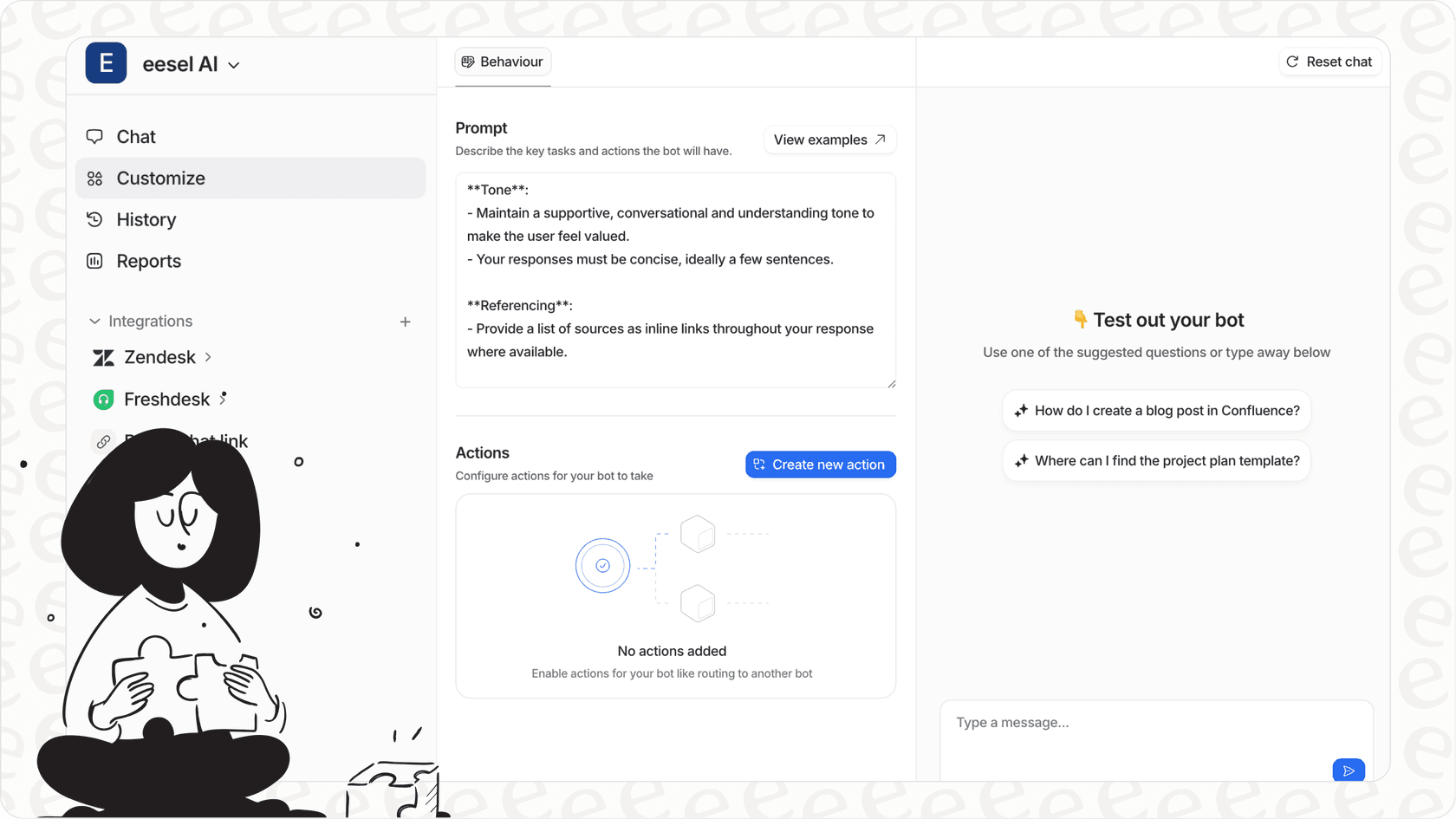
Instead of per-agent pricing, eesel AI uses an interaction-based model. You pay for the AI responses and actions you use, not the number of agents who have access. This can make costs more predictable, especially for teams with fluctuating ticket volumes.
Key differences:
| Factor | eesel AI | Freshservice Copilot |
|---|---|---|
| Pricing model | Per-interaction | Per-agent |
| 10-agent team cost | $239-639/month | $290-350/month |
| Training sources | Past tickets, docs, macros, help center | Primarily help center |
| Deployment | Works alongside Freshservice | Native to Freshservice |
| Autonomy level | Copilot → Agent (progressive) | Copilot only |
| Simulation testing | Full sandbox environment | Limited |
eesel AI pricing:
| Plan | Monthly | Annual | Key features |
|---|---|---|---|
| Team | $299 | $239/month | Up to 3 bots, 1,000 interactions, AI Copilot |
| Business | $799 | $639/month | Unlimited bots, 3,000 interactions, AI Agent mode |
| Custom | Contact sales | Contact sales | Unlimited interactions, custom integrations |
The key advantage is flexibility. You can start with AI Copilot drafting replies for agents to review, then gradually shift to AI Agent mode where the AI handles routine tickets autonomously. You control the pace.

eesel AI also trains on your past tickets, not just help articles. This matters because most teams have years of solved tickets that contain their specific tone, common issues, and proven solutions. Learning from this history often produces more accurate responses than generic help center content.
The simulation mode lets you test the AI on historical tickets before going live. You can see exactly how it would have performed, measure accuracy, and identify gaps in training. This reduces the risk of deploying AI to real customers before you're confident it works.
For teams already invested in Freshservice, eesel AI integrates directly via the Freshservice integration, adding AI capabilities without replacing your existing setup.
Choosing the right AI copilot for your team
Freshservice Copilot makes the most sense for teams already committed to the Freshservice ecosystem, particularly those with ITIL processes and Microsoft 365 environments. The native integration means no additional tools to manage, and the feature set covers most service desk needs.
Consider Freshservice Copilot if:
- You're already on Freshservice Pro or Enterprise
- Your team is comfortable with per-agent pricing
- You want AI tightly integrated into your existing workflow
- Microsoft 365 integration is important for your organization
Consider alternatives like eesel AI if:
- You want to train AI on past tickets, not just help articles
- Per-agent pricing doesn't fit your budget model
- You prefer to start with AI assistance and gradually increase autonomy
- You want simulation testing before going live
- You need AI that works across multiple help desks, not just Freshservice
The right choice depends on your team's size, budget structure, and how you want to roll out AI. Some teams prefer the simplicity of a native solution. Others want the flexibility to test, customize, and scale AI on their own terms.