
AI is reshaping how IT teams handle support requests, but not every organization has the resources to build custom solutions from scratch. Freshservice offers a middle ground with Freddy AI, a suite of AI tools designed to slot directly into your existing IT service management workflow.
Freddy AI isn't a single product. It's three distinct components: an AI Agent for employee self-service, a Copilot for support agents, and Insights for service leaders. Each serves a different purpose, and understanding how they fit together (and what they cost) is key to deciding whether they're right for your team.
In this guide, we'll break down what Freddy AI actually does, how much it costs, what results real customers are seeing, and how it compares to alternative approaches like the AI teammate model.
What is Freshservice Freddy AI?
Freddy AI is Freshworks' AI layer built on top of Freshservice, their IT service management platform. Think of it as an add-on intelligence system that learns from your existing knowledge base, ticket history, and service catalog to automate responses, assist agents, and surface insights.
The suite breaks down into three parts:
-
Freddy AI Agent: A conversational AI that handles employee questions across Slack, Teams, email, and your support portal. It pulls answers from your knowledge base and can perform actions like creating tickets or looking up information.
-
Freddy AI Copilot: An assistant for your support agents that drafts replies, summarizes tickets, suggests similar past cases, and helps with writing tasks like tone adjustment and translation.
-
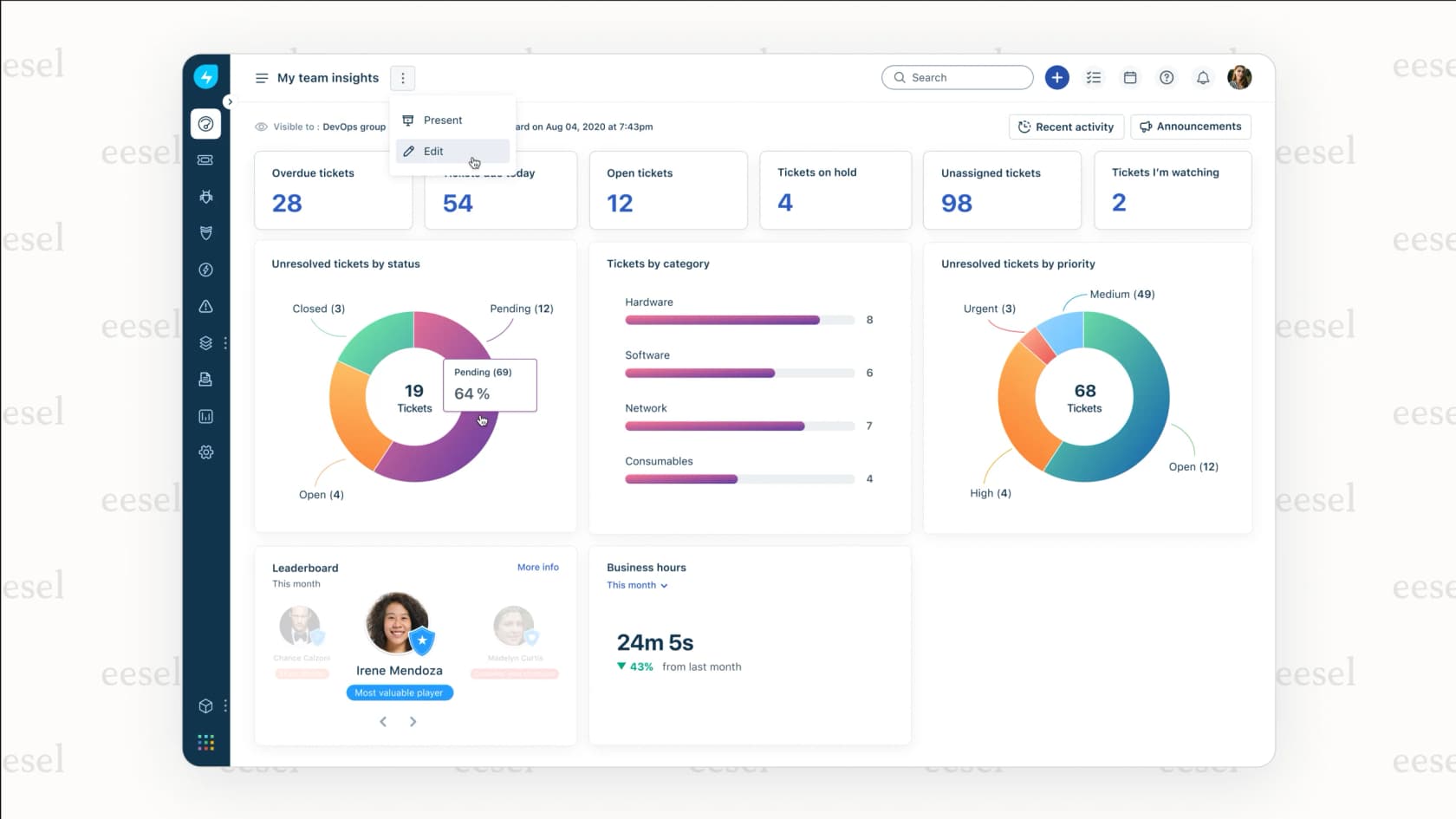
Freddy AI Insights: A proactive analytics tool that monitors your service desk metrics, detects trends and anomalies, and surfaces root cause analysis for recurring issues.
These components work together in the typical ITSM workflow: the Agent handles frontline questions, the Copilot assists agents with complex tickets, and Insights helps managers identify systemic problems and optimize operations.
Freddy AI Agent: 24/7 employee support
The Freddy AI Agent is designed to deflect routine support requests before they ever reach a human agent. It operates across multiple channels (Slack, Microsoft Teams, email, and your support portal) and supports over 40 languages.
Here's what it can do:
- Multilingual conversations: Handles back-and-forth dialogue in 40+ languages, maintaining context across multiple turns
- Enterprise search: Searches beyond your knowledge base into SharePoint, Google Drive, and Confluence to find answers
- Formless conversations: Employees can describe what they need in natural language instead of filling out rigid forms
- Actionable responses: Can look up information, create tickets, and perform other service actions directly in chat
- Citations: Shows employees exactly where answers come from, building trust in the AI's responses
The Agent is available only on the Enterprise plan, and there's an important limitation to understand: each Enterprise license includes 1,200 sessions per year. A session is defined as any interaction a unique user has with the Agent within a 24-hour period. These sessions reset at the start of each billing cycle.
Real customers report significant results. According to UserEvidence survey data, organizations using Freddy AI Agent see an average of 66% ticket deflection. Five9 reported 65% ticket deflection and 200 hours saved monthly.
Freddy AI Copilot: Agent productivity booster
While the Agent handles employee-facing automation, Freddy AI Copilot focuses on making your human agents more efficient. It's available as an add-on for Pro and Enterprise plans.
The Copilot pricing breaks down as follows:
| Billing | USD | EUR | GBP | AUD | INR |
|---|---|---|---|---|---|
| Annual (per month) | $29 | €29 | £23 | $45 | ₹2,399 |
| Monthly | $35 | €35 | £28 | $54 | ₹2,879 |
You can purchase Copilot for all agents or just a subset using what Freshservice calls a "flexi-add-on" model. This is useful if you want to pilot the AI with a specific team before rolling it out organization-wide.
Key Copilot features include:
- Ticket summary generator: Instantly summarizes long ticket threads so agents can get up to speed quickly
- Reply suggester: Drafts response suggestions based on your knowledge base and past tickets
- Similar ticket suggestions: Surfaces related past tickets to help agents find proven solutions
- Ticket field suggester: Automatically suggests categories, priorities, and other field values
- Writing assistance: Includes tone enhancer, text enhancer, and text rephraser to polish agent responses
- Help article generator: Creates knowledge base articles from resolved tickets
- Translator: Translates tickets and responses for multilingual support teams
The results are measurable. UserEvidence data shows 41% faster first response times and a 77% decrease in average resolution time. One financial services company reported reducing first response time from 2-4 hours to approximately 30 seconds.
Freddy AI Insights: Proactive intelligence
Freddy AI Insights is currently in beta and available free with at least one Copilot license at the account level. It's designed for service leaders who need to understand what's happening across their IT operations without manually digging through reports.
The tool monitors metrics like resolution time, SLA violations, and survey scores, then generates insights on a weekly and monthly basis. Each insight includes:
- Root cause analysis: Identifies what's driving trends or issues
- Color-coded criticality: Red for high priority, amber for medium, yellow for low, green for positive trends
- Conversational queries: You can ask questions in natural language like "Why are resolution times increasing?"
- Customized views: Filter insights by department, time period, or ticket type
Unlike traditional reporting tools that require you to know what questions to ask, Insights proactively surfaces what it thinks you should know about. This is particularly useful for catching issues before they escalate into major incidents.
Freshservice Freddy AI pricing breakdown
Understanding the full cost of Freddy AI requires looking at both the base Freshservice plan and the AI add-ons. Here's how it breaks down:
Base Freshservice Plans (billed annually):
| Plan | Price | Best For |
|---|---|---|
| Starter | $19/agent/month | Small teams starting their first service desk |
| Growth | $49/agent/month | IT teams building foundational practices |
| Pro | $99/agent/month | Advancing teams unifying service management |
| Enterprise | Custom pricing | Mature IT organizations needing AI capabilities |
AI Component Pricing:
| Component | Availability | Cost |
|---|---|---|
| Freddy AI Agent | Enterprise plan only | Included (1,200 sessions/year per license) |
| Freddy AI Copilot | Pro and Enterprise add-on | $29/agent/month (annual) or $35 (monthly) |
| Freddy AI Insights | Beta | Free with Copilot license |
The key consideration here is that Freddy AI isn't a standalone product. You need a Freshservice subscription first, then the AI add-ons on top. For a team of 10 agents on Pro plans with Copilot, you're looking at $990/month for the base platform plus $290/month for the AI add-on, totaling $1,280/month or $15,360 annually.
The session limit on the AI Agent (1,200 per year per Enterprise license) is another factor. For organizations with high employee interaction volumes, you may need to purchase additional Enterprise licenses or carefully manage which employees have access to the Agent.
Real customer outcomes and testimonials
Freshservice publishes verified customer results through UserEvidence surveys. Here's what organizations are actually experiencing:
Quantified Results:
- 66% average ticket deflection rate
- 41% faster first response times
- 77% decrease in average resolution time
- 66% reduction in agent workload
Customer-Specific Outcomes:
- Five9: 65% ticket deflection, 200 hours saved per month
- Financial services company: 80-90% reduction in first response time (from 2-4 hours to ~30 seconds)
- Multiple customers: 30-40% productivity boost, 25% faster response times, 20% improvement in first-call resolution
Why Customers Chose Freddy AI:
- 69% cited ease of implementation and use
- 67% wanted reduced agent workload
- 63% needed accessible 24/7 support
- 45% wanted to avoid the complexity of third-party solutions
A CIO at a medium enterprise aerospace company shared: "We've seen Freddy AI Agent be able to answer some simple questions via a Slack channel. This has allowed our users to get moving quickly without waiting for a person to respond."
A Freshworks software engineer noted: "Freddy AI Copilot and Freddy AI Agent have boosted agent productivity by 30-40%, reduced response times by 25%, and improved first-call resolution by 20%."
Freshservice Freddy AI vs. the AI teammate approach
Freddy AI is one approach to adding intelligence to your IT service desk, but it's not the only one. Understanding the alternatives helps you make a more informed decision.
The Freddy AI Approach:
- Built specifically for Freshservice users
- Requires Freshservice Pro or Enterprise as a foundation
- Pricing is per-agent, which scales linearly with team size
- AI capabilities are add-ons to an existing platform
The AI Teammate Approach (eesel AI):
- Works alongside Freshservice via integration
- Learns from your existing data (tickets, docs, macros) without complex configuration
- Pricing is a fixed monthly credit plan rather than per-seat
- Designed to feel like hiring a new team member rather than configuring software
With eesel AI, you can add AI Agent capabilities to Freshservice that handle Tier 1 support, AI Copilot that drafts replies for agents, and AI Triage that automatically tags, routes, and organizes tickets. The difference is in the philosophy: instead of configuring rules and workflows, you "hire" eesel and teach it your business through natural interaction.
When Freshservice Freddy AI makes sense:
- You're already committed to the Freshservice ecosystem
- You want native integration without third-party tools
- Your budget accommodates per-agent pricing
- You need the full ITSM platform (incident, problem, change management)
When to consider alternatives like eesel AI:
- You want simpler setup without extensive configuration
- A fixed monthly credit plan fits your budget better than per-agent pricing
- You prefer the "teammate" model over the "tool" model
- You want AI capabilities without committing to a specific ITSM platform
Our pricing starts at $299/month for 500 credits (1 credit per ticket or chat), with $499/month for 1,000 credits and unlimited agents and seats on every plan. For teams comparing options, it's worth running the numbers on both models based on your specific agent count and ticket volume.
Getting started with Freshservice Freddy AI
If you're already using Freshservice and want to add Freddy AI capabilities, here's how to approach it:
Prerequisites:
- Pro or Enterprise plan for Copilot
- Enterprise plan for AI Agent
- At least one Copilot license to access Insights (beta)
Recommended Implementation Path:
-
Start with Copilot: It's the easiest to pilot because it assists rather than replaces human agents. Purchase licenses for a subset of your team and measure the impact on response times and agent satisfaction.
-
Enable Insights: Since it's free with Copilot, turn it on immediately to start gathering baseline data about your service desk performance.
-
Pilot the AI Agent: Once you're comfortable with Copilot, introduce the AI Agent to a limited group of employees. Monitor session usage carefully to understand your consumption patterns.
-
Expand based on data: Use the Insights data to identify which types of tickets the Agent handles well, then gradually expand its availability.
Important Considerations:
- The 1,200 session limit per Enterprise license resets annually, not monthly. Plan your rollout accordingly.
- Freddy AI learns from your knowledge base, so ensure your documentation is up to date before going live.
- Consider the employee experience: clearly communicate when employees are talking to AI versus humans.
For organizations evaluating their options, we offer a 7-day free trial so you can see how the AI teammate approach compares to traditional AI add-ons. Sometimes the best way to decide is to test both approaches with your actual data and workflows.
