AI for discount code questions: what it can fix alone, and when a refund waits

Riellvriany Indriawan

Katelin Teen
Last edited November 25, 2026

AI for discount code questions can find the rule a code missed (its dates, minimum spend, eligible items or usage limit) on its own before the order is paid, and needs a person after: Shopify won't add a discount code to an order once it's placed, and WooCommerce applies coupons only to unpaid ones, so "I forgot my code" turns into a partial refund, not a reply.
Most discount tickets are the first kind. The shopper is at checkout, the code bounced, and the reason sits in the code's own settings: its dates, minimum spend, eligible items, who may use it, how many times it's been used, and what it combines with. An AI that can look those up can tell the shopper the fix in one message, while they still have the cart open.
My take, from eesel's support team: let the AI diagnose every code that didn't work, and keep the money moves (refunding a missed code, honouring a price drop, issuing a replacement code) behind a person's yes. That's how eesel runs it on Shopify: it looks up the code and the order before replying, and a refund set to ask first waits for your team. If you work with a coding agent such as Claude Code, it can use the eesel CLI to load your discount policy and macros and run test questions before anything goes live; connecting your helpdesk still needs an admin's approval.
What counts as a discount code question?
A discount code question is any message about a code the shopper has, or thinks they should have: it didn't apply, it says it's used, two codes won't stack, they forgot to enter it, or the price dropped after they bought. They come at two moments: while the cart is open and the shopper is deciding whether to leave, and after the order confirmation shows the full price. The first is a live chat problem: the answer is only useful while the cart is still open.
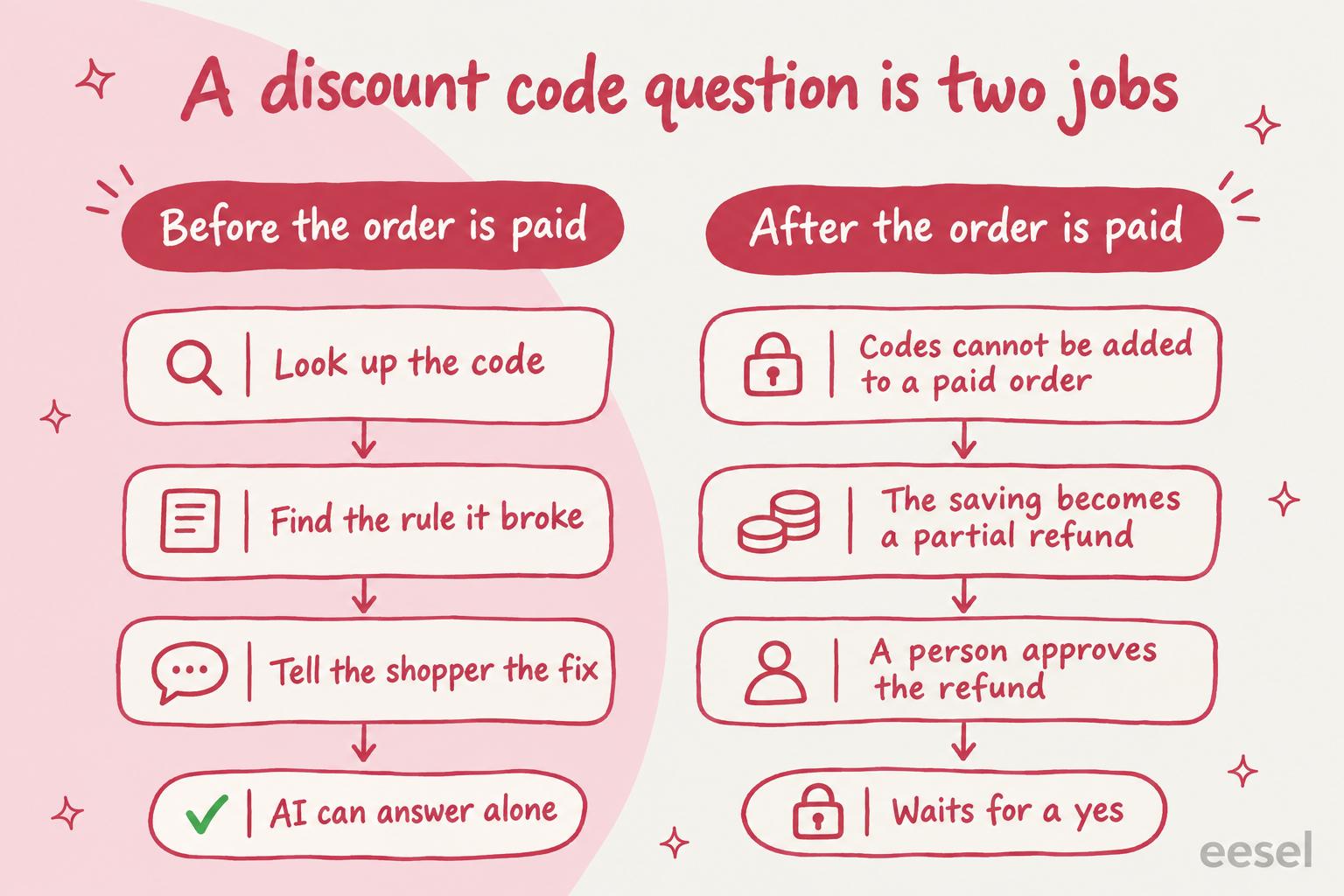
That split is the whole post. Before payment, the question is a diagnosis, and every input is in the store's discount settings. After payment, it's a pricing decision with money attached. They sit in the same queue as pre-purchase questions. After payment they turn into refund requests. Like backorder questions, the AI's half is the lookup and the wording.
Why does a discount code not work?
A code fails because one of its own rules isn't met, and Shopify tells the shopper only part of that. Its discount codes FAQ lists the messages a shopper sees:
| Shopper sees | What Shopify means | What to check |
|---|---|---|
Enter a valid discount code | The code doesn't exist or isn't currently active | Spelling, start and end dates, whether it was deactivated |
CODE discount code isn't valid for the items in your cart | It exists but doesn't apply to these products | The products, collections or variants it covers |
The CODE discount code has already been used | The usage limit is reached for this shopper | An existing order, or an unfinished checkout holding it |
Some discount codes couldn't be used together. We applied the best combination | Two codes exist but can't combine | Each code's combination settings |
The messages leave out the rules that catch most shoppers. Shopify's amount off discounts guide spells them out, with more on its discount codes page:
- Minimum purchase. It counts product prices only, without shipping or taxes, and on a product discount only the selected products count. A shopper at $48 of eligible items plus $10 shipping hasn't hit a $50 minimum.
- Who can use it. A code can be limited to specific customers, customer segments or markets, so it can work for one shopper and not their friend.
- When it ends. The end date and time run on the time zone set in your Shopify admin, so a shopper in another time zone can find a code "expired early".
- Where it's entered. The FAQ says the code field can be missing at checkout for a draft order invoice, for a Shop Pay shopper who hasn't logged in, or when a third-party app changes checkout.
The cart is a trap of its own. In one Shopify Community thread a merchant's 30% code was rejected in the cart, and the reply that found the cause was to try it at checkout instead:
"If it does not work in the cart but works in the checkout, this could be a theme related issue."

WooCommerce sets its rules per coupon. Its coupon management docs cover minimum spend (using the displayed subtotal, including tax when your cart shows prices with tax) and maximum spend, excluded sale items, product, category and brand rules, allowed emails checked against the billing email, and limits per coupon and per user. Codes aren't case-sensitive, so "SAVE10" and "save10" both work. eesel's guide to WooCommerce coupon usage restrictions goes through what each rule checks and the error it shows, and best AI for WooCommerce support compares tools that can read them.
Why does a code say "already used" when the shopper never ordered?
On Shopify, either the shopper really did use it, or an unfinished checkout is still holding the code. Shopify's FAQ explains that a code is held against its usage limit from the moment the order is submitted until the payment completes or fails. A declined payment releases it. The hold stays only when the checkout never finishes, which Shopify says can happen when a payment provider doesn't report a failed payment correctly.
That changes the reply. The AI should search the shopper's orders first: if one has the code, it can say which order and when. If none does, the fix Shopify gives is a new code with the same conditions, because deactivating, reactivating or renaming a code doesn't reset its usage history. A "one per customer" limit is tracked by email address or phone number, so a shopper who checks out with a different email can count as a different customer.
Can customers stack discount codes?
They can on Shopify, when every discount involved allows it. Shopify's combining discounts page sorts each discount into a class (product, order or shipping), and each discount says which classes it combines with. Two discounts combine only when the setting on each one allows it.
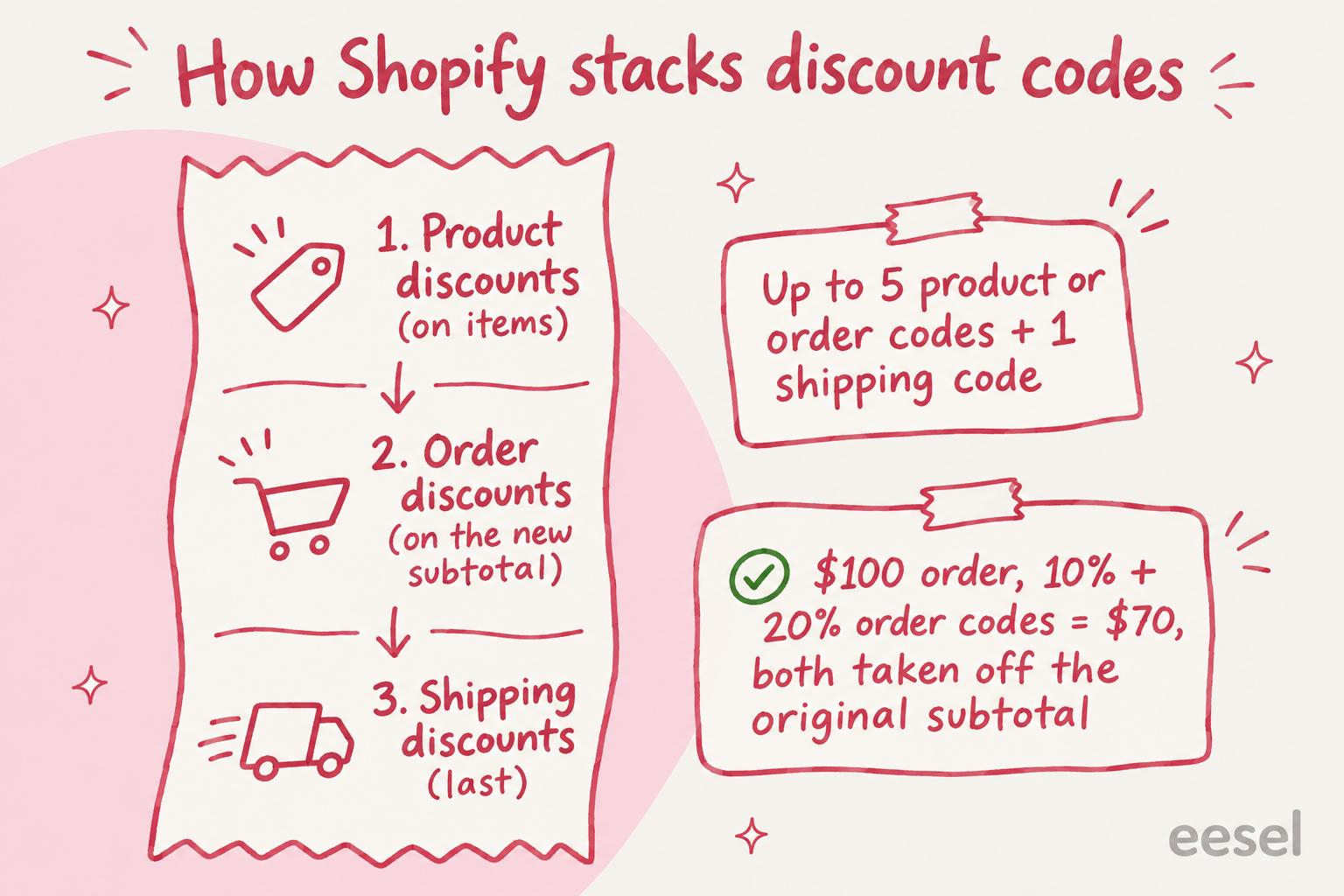
The limits an AI needs to quote correctly:
- A shopper can use up to 5 product or order discount codes and 1 shipping code on one order.
- Two shipping discounts never apply to the same order.
- Two product discounts on the same item need Shopify Plus.
- Product and order discounts combining, or order with order, needs an eligible store (for example, one with no checkout.liquid customisations).
- Two percentage order discounts are both taken off the original subtotal: 10% and 20% on $100 comes to $70, not $72.
- When codes can't combine, Shopify applies the best discount or combination for the shopper's cart, and that's often what the shopper reads as "my second code was ignored".
On WooCommerce the switch is the coupon's Individual use only box: tick it and the coupon can't be used with other coupons. WooCommerce coupons also don't touch shipping unless the coupon is set up for free shipping, so a code that covers the whole cart still leaves the shipping fee. Subscription apps add their own layer: eesel's guide to Recharge fixed amount discounts found Recharge's docs don't spell out how those combine with Shopify codes on one order, so test a checkout before quoting it.
Can you apply a discount code after purchase?
Not as a code, on either platform. Shopify's order editing considerations say discount codes, automatic discounts and shipping discounts can't be added, edited or removed on an order. What you can do is add a manual discount to a line item, or one custom discount on the whole order, through editing discounts in an order. The order then shows a refund owed, and Shopify's refund guide is plain that applying a discount alone doesn't issue a refund: someone still has to send the money back.
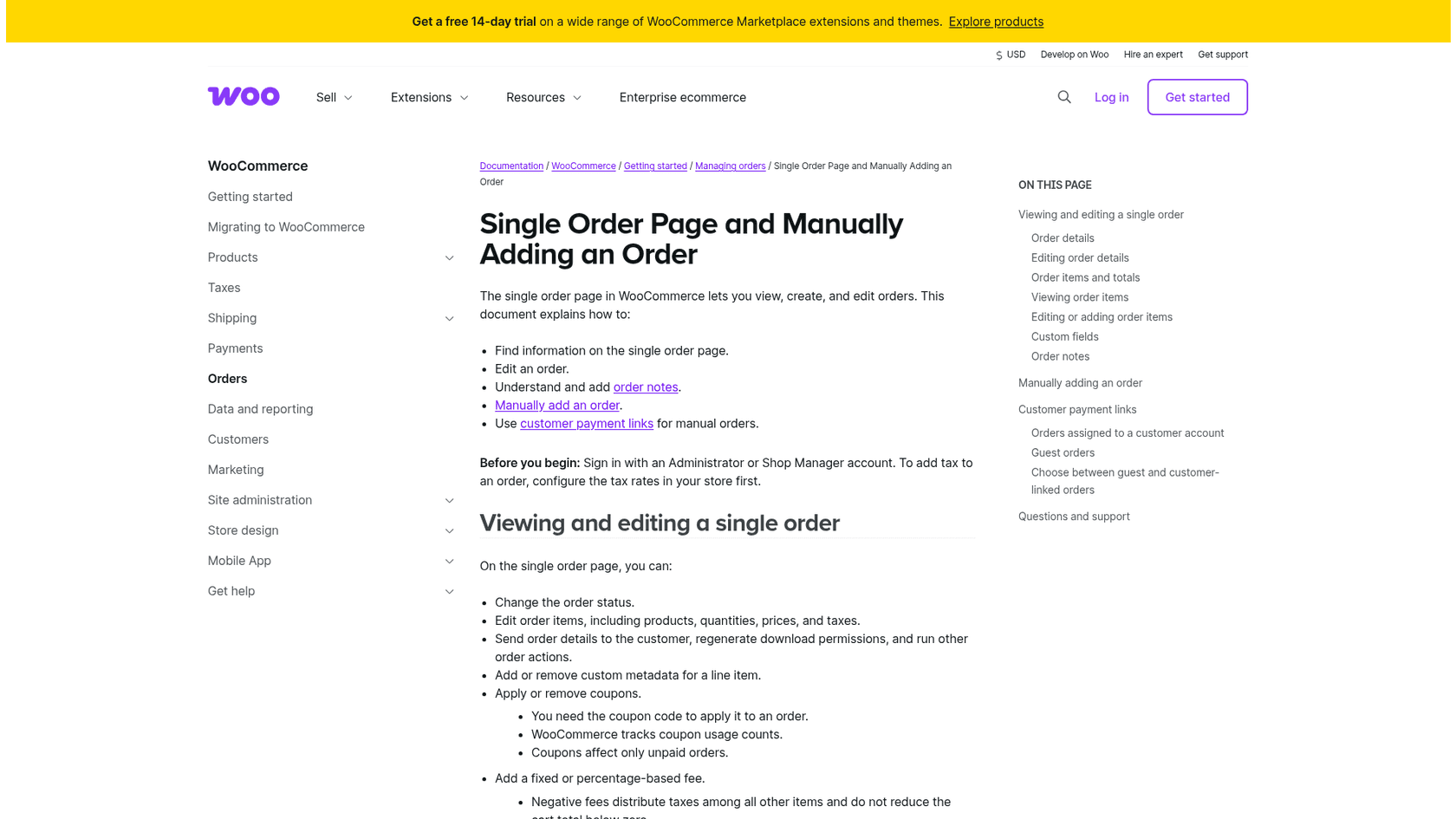
WooCommerce draws the line at payment. Its single order page docs say coupons affect only unpaid orders, and that coupons, fees and shipping can only be changed on orders with the Pending payment or On hold status. The Apply coupon button is there for exactly this case, "if the customer forgot to enter a coupon code", but only before they pay.
So a shopper who forgot their code is asking for a partial refund, whatever the wording. That's fine to grant; plenty of stores do. It just isn't an answer an AI should give on its own, because it's money leaving your account on a policy call, which is where a human-in-the-loop step belongs. The AI's part is to check the order, confirm the code existed and would have applied to that cart on that date, work out the difference, and line it up for the person who approves it. On Shopify, the "Reason for discount" note on a manual discount is shown to the customer, so word it the way you'd want them to read it.
How should AI handle price adjustment requests?
A price adjustment request ("it went on sale two days after I bought it") is a policy question, not a platform one: discount codes and coupons apply at checkout, and neither platform adds one to a paid order, so the answer is whatever your store decided. Write it down. Do you honour a later sale at all, for how many days after purchase, on which items, and only for list-price drops or for codes too?
With that written, the AI can do everything up to the money. It reads the order date and the price paid, checks the current price and any code that's live now, compares both with your window, and replies with what your policy says. If the request qualifies, the partial refund goes to a person with the numbers worked out; if it doesn't, the reply says why, in your words. Requests like these spike during Black Friday support, which is the worst week to make the policy up as you go.
What should AI do on a discount code question?
The AI's job is the lookup and the explanation. The money, and any new code, stay with a person. Whichever AI for Shopify support you try, check it can do each of these steps.
- Read the code. Look up the code the shopper typed: whether it's active, its dates, what it gives, its minimum, who may use it, how often it's been used against its limit, and what it combines with.
- Read the order, if there is one. Find the shopper's orders by email (the Shopify order data has to be connected), check which codes they used and whether the order is paid. Paid changes everything above.
- Find the missing piece. Compare the code's rules with what the shopper says about their cart. An AI can't see a live cart on most setups, so it should ask for the products, the total and the exact error message rather than guess.
- Reply with the fix. "Add $2 of eligible items", "this code is for subscribers on your account email", "it ended at midnight Eastern", "your first code applied, and Shopify kept the best saving". Specific beats "please try again".
- Hand over money moves. A refund for a missed code, a price adjustment or a replacement code goes to a person with the order, the code and the amount already attached, through your normal escalation path.
Pick the shopper's question to see which half of the job is the AI's.
What are the common mistakes with discount code questions?
- "Please try again" replies. The shopper already tried. A reply that names the rule ("the minimum counts products only, you're $2 short") ends the ticket; a generic one starts a second.
- Letting the AI promise the discount after payment. A paid order can't take the code, so "I've applied it for you" is a refund the AI just promised. Keep refunds behind approval, as in refund guardrails for AI agents.
- Reactivating the code to fix "already used". Shopify keeps the usage history through a deactivate, reactivate or rename. A new code is the fix.
- Quoting stacking rules from memory. Combinations depend on each discount's settings, your plan and your checkout. Look them up per code.
- No written price adjustment policy. Without one, the AI has nothing to quote and every agent answers differently. Write it before the next sale, and add it to your refund and shipping macros.
- Handing out codes as goodwill without a rule. A replacement or apology code costs margin. Decide who may issue one and when, the same way you'd treat a refund.
- Not tagging the ticket. Tag discount tickets by cause (expired, minimum, already used, stacking) and you'll see which promotion was set up wrong, which is how AI ticket tagging pays for itself.
Try eesel on your discount code questions
If promotions fill your queue with "my code didn't work", eesel is what I'd test first. It joins the helpdesk you already use (Gorgias, Zendesk, Freshdesk and others) with your Shopify store connected, and answers in the same queue, nights and weekends included. Its Shopify Look Up Discount Code action reads whether a code is active, its dates, what it gives, its minimum spend and how often it's been used, and an order lookup shows which codes an order used. It can't see the shopper's live cart or Shopify's own reason a code was refused at checkout, so it asks the shopper for the cart and the message, then compares them with the code.
What it may do depends on who's asking, and each action can run on its own, ask first or stay off. The code diagnosis can go straight to the shopper; a refund for a missed code or a price drop waits for your support lead's yes when you set it to ask first in actions and approvals. Your price adjustment policy goes in its instructions in plain language, so it quotes your window rather than inventing one.
STIL Classics runs a stricter version on Gorgias and Shopify. eesel looks up the order before it drafts, leaves the reply as an internal note for a person to send, and treats goodwill as a human call: the draft doesn't offer credits or discount codes, and the team adds those when they want to. In a month it prepared about 320 tickets and looked up about 230 Shopify orders.
eesel's pricing starts at $299 a month for 500 credits, where a ticket or chat is 1 credit however many replies it takes, and the trial is 7 days with 100 credits and no card. That's enough to connect your helpdesk and Shopify, read eesel's drafts on last week's discount tickets, and see which ones your team answered with "please try again". Try eesel.