AI for backorder questions: what to reply, and the 30-day rule it has to follow

Riellvriany Indriawan

Katelin Teen
Last edited November 25, 2026

AI for backorder questions works when it checks the order and the stock that can actually ship, then gives the shopper a date and a way out: under the US FTC's 30-day rule, a store that can't ship on time has to offer the buyer the choice to wait or cancel for a full refund, before the promised date passes.
So the job is three checks the AI can do from live data (is the item really short, is the promised date about to pass, is there a new date anyone can stand behind) and one reply with the right wording for that case. The cancel and the refund stay with a person.
My take, from eesel's support team: let the AI answer every "when will my order ship" message from the order and the per-location stock, and make it offer the cancel option every time an order is late. That's how eesel runs it on Shopify: it reads the order and the stock before it replies, and a cancellation or refund set to ask first waits for your team's yes. If you work with a coding agent such as Claude Code, it can use the eesel CLI to load your backorder policy and macros and run test questions before anything goes live; connecting your helpdesk still needs an admin's approval.
What is a backorder question?
A backorder question is a shopper asking when an item they've already paid for will ship, because the store took the order while it had none on the shelf. On Shopify that happens when a product tracks inventory and has Continue selling when out of stock switched on; by default, Shopify's help centre says, customers can't buy an item at zero stock. On WooCommerce it's the product's Allow backorders? setting, covered in eesel's guide to WooCommerce backorder settings.
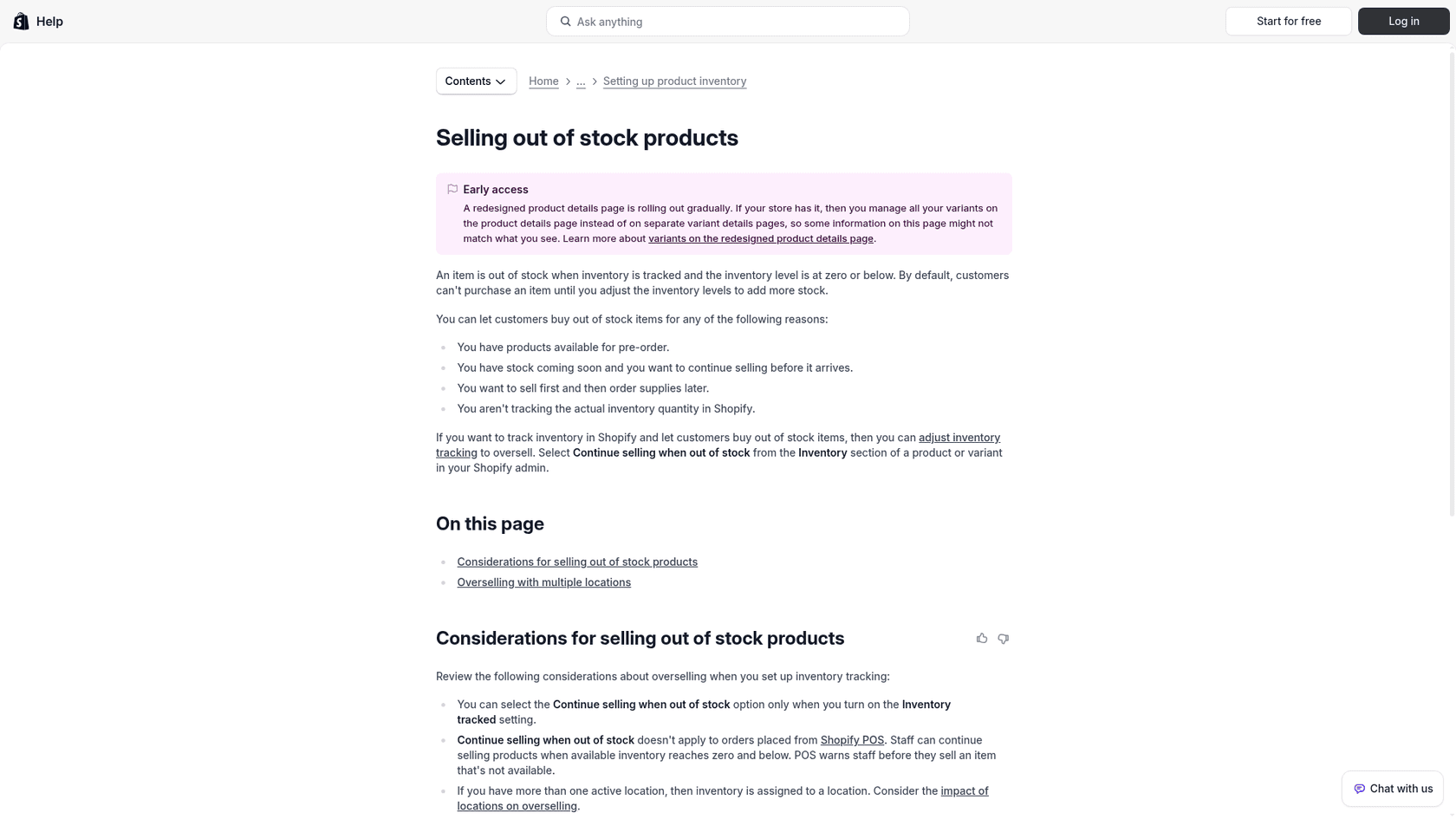
Shopify lists the reasons a store does this on purpose: pre-orders, stock coming soon, selling first and ordering supplies later, or not tracking real quantities. Every one of them ends in the same ticket a week later. Pre-orders are a cousin with their own setup: Shopify needs a pre-order app for those, and the shopper usually knew the date when they bought. A backorder is the one where they often didn't.
These tickets sit next to the "where is my order" (WISMO) pile and its order tracking questions in the queue and look the same at first glance ("where's my order?"). The difference is that nothing has shipped, so there's no tracking to read (that's the lost package problem), and the honest answer depends on stock and a supplier date rather than a carrier scan.
What does the FTC 30-day rule require for a backorder?
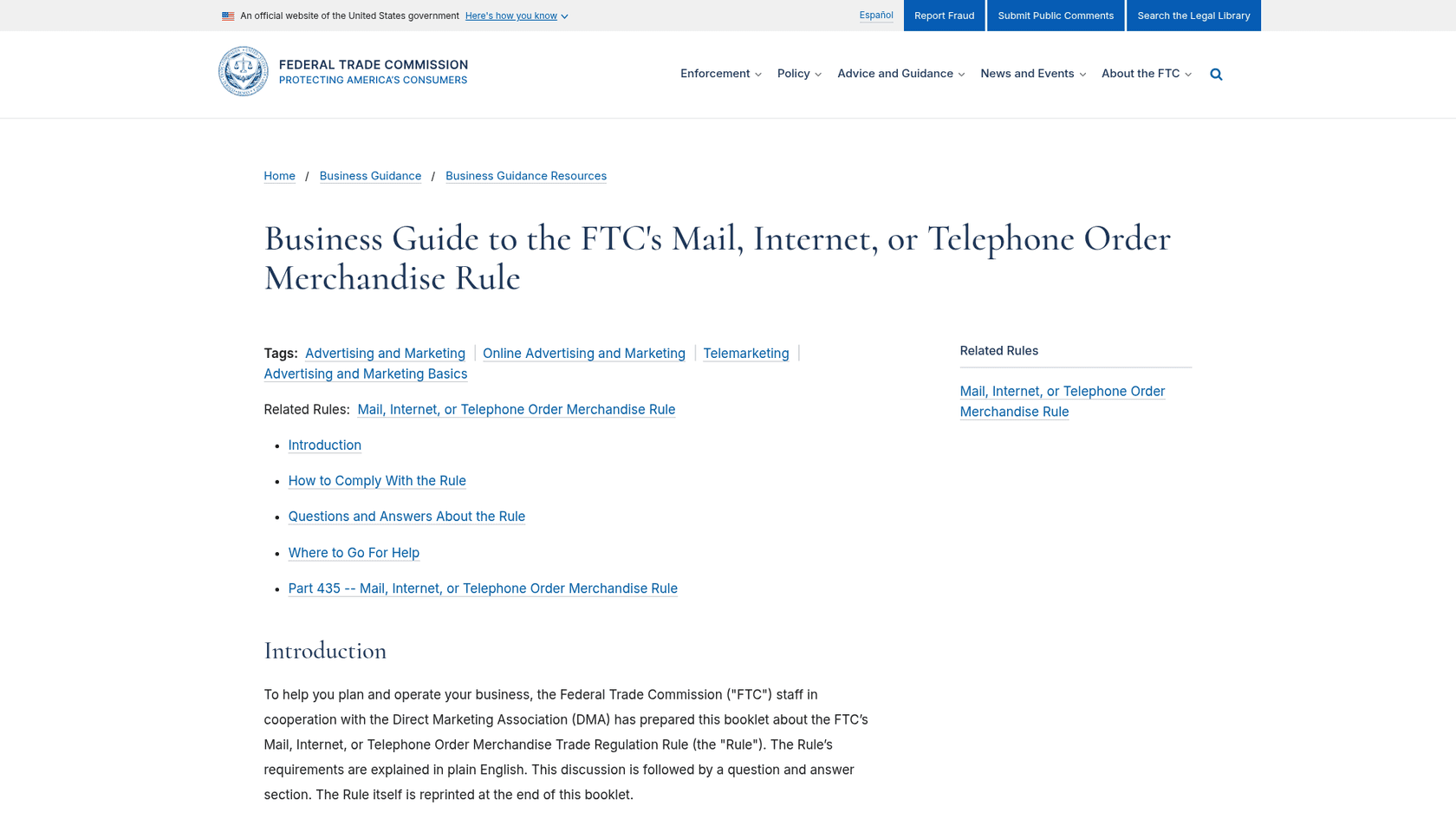
If you sell online to US shoppers, the FTC's Mail, Internet, or Telephone Order Merchandise Rule sets the clock (the FTC's business guide explains it in plain English). You need a reasonable basis for any shipping time you state, or for shipping within 30 days if you state none (which is why it's called the "30-day rule"). Once you learn you can't make that time, you have to ask the shopper to agree to the delay, and the FTC's guide says no notice can come later than the time you originally promised, or 30 days if you promised nothing.
The first delay notice has to include:
- a definite revised shipping date, or a statement that you can't give one (and then the reason for the delay);
- a statement that the shopper can cancel and get a full, prompt refund if they don't want to wait;
- a way to cancel at your expense, such as a website or a toll-free number.
What happens if the shopper says nothing depends on the new date:
| Your notice says | If the shopper doesn't reply |
|---|---|
| New date 30 days or less after the original promise | Silence counts as agreeing to wait until the new date |
| New date more than 30 days after the original promise | The order cancels automatically at the original promise plus 30 days, unless they agree to wait |
| No date ("we don't know yet") | Same: it cancels at the original promise plus 30 days, and if they agree to wait indefinitely they can still cancel any time before it ships |
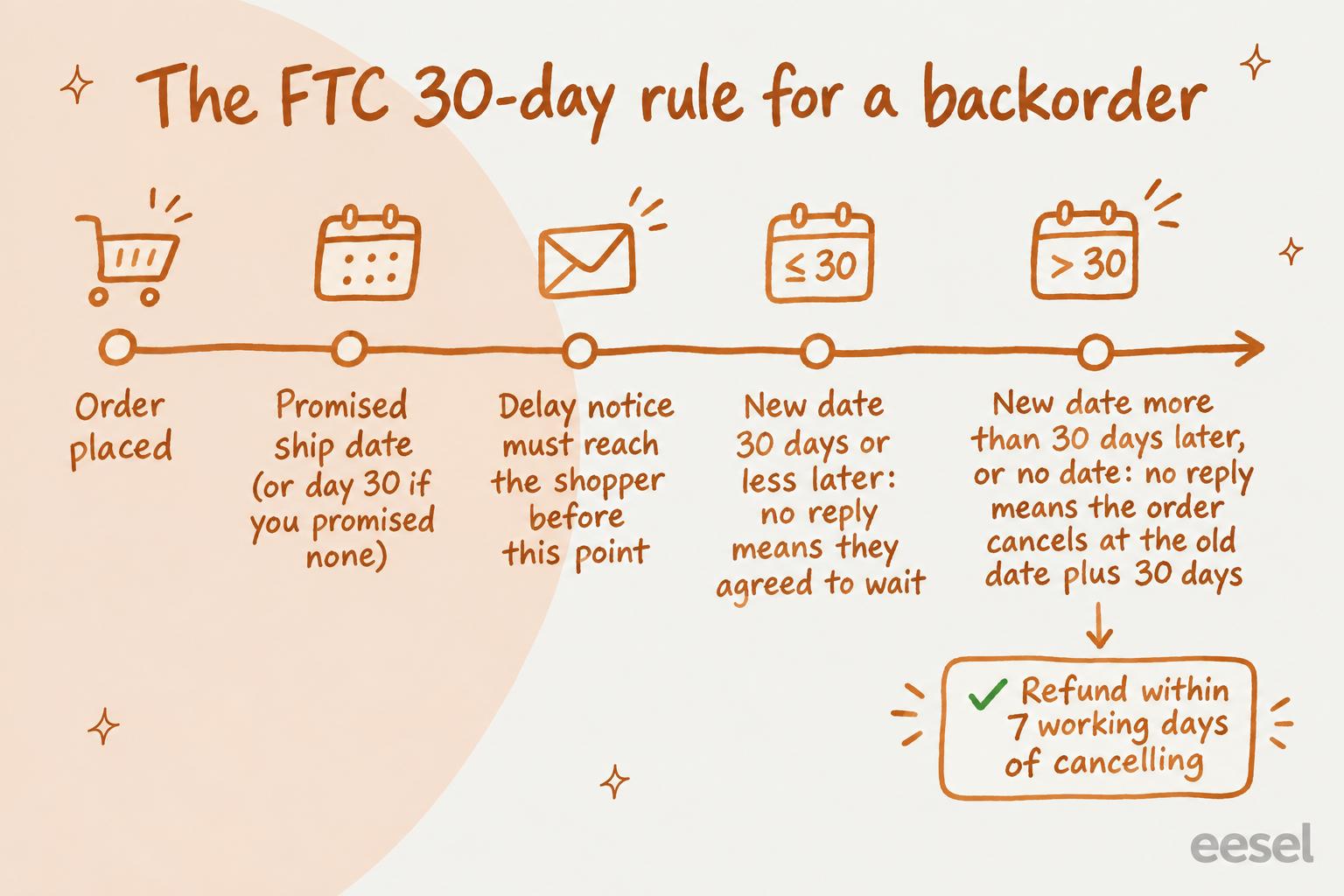
The refund has its own deadline. For card payments where a third party is the creditor (most online stores), the FTC says refund within seven working days after the order is cancelled, including shipping, handling and insurance if nothing shipped. If you then miss the new date too, you send a renewed notice, and this time silence means cancel, not wait: the order cancels at the revised date unless the shopper agrees to wait longer. The guide also allows a shortcut: instead of asking, you can cancel and refund, as long as both the notice and the refund happen inside the same window.
One detail trips up stores that lean on their order status page: the FTC says posting the notice there doesn't count on its own if the shopper doesn't look in time. Email or a direct reply does. This is US law; if you sell into other countries, check their delivery rules too.
Which of three cases is the order in?
Every backorder ticket lands in one of three cases, and each needs a different reply. A generic Shopify chatbot that only reads your FAQ can't tell them apart, because the case depends on the order:
- It will ship on time. The item is short today, but stock lands before the date you promised. The reply is the date, plainly. No delay notice is due yet.
- It's late, and there's a new date. The supplier or purchase order gives a date you can stand behind. The reply is a delay notice with that date, the cancel option, and what silence means (wait if it's 30 days or less past the promise, cancel if it's more).
- It's late, and nobody knows when. The reply says you can't give a date, why, and that they can cancel for a full refund, and that the order cancels automatically at the original promise plus 30 days unless they agree to wait.
There's a fourth answer that looks like a backorder and isn't: the item is in stock, just not where it ships from. Shopify's help centre notes that an item at zero in a location that fulfils online orders still shows as out of stock, even if another location (a shop that doesn't ship online) has it. That one is an inventory transfer for your ops team, not a delay notice, and a reason to read up on AI for inventory management.
What should an AI do on a backorder question?
The AI's part is the reading and the reply. The money and the cancellation are a person's.
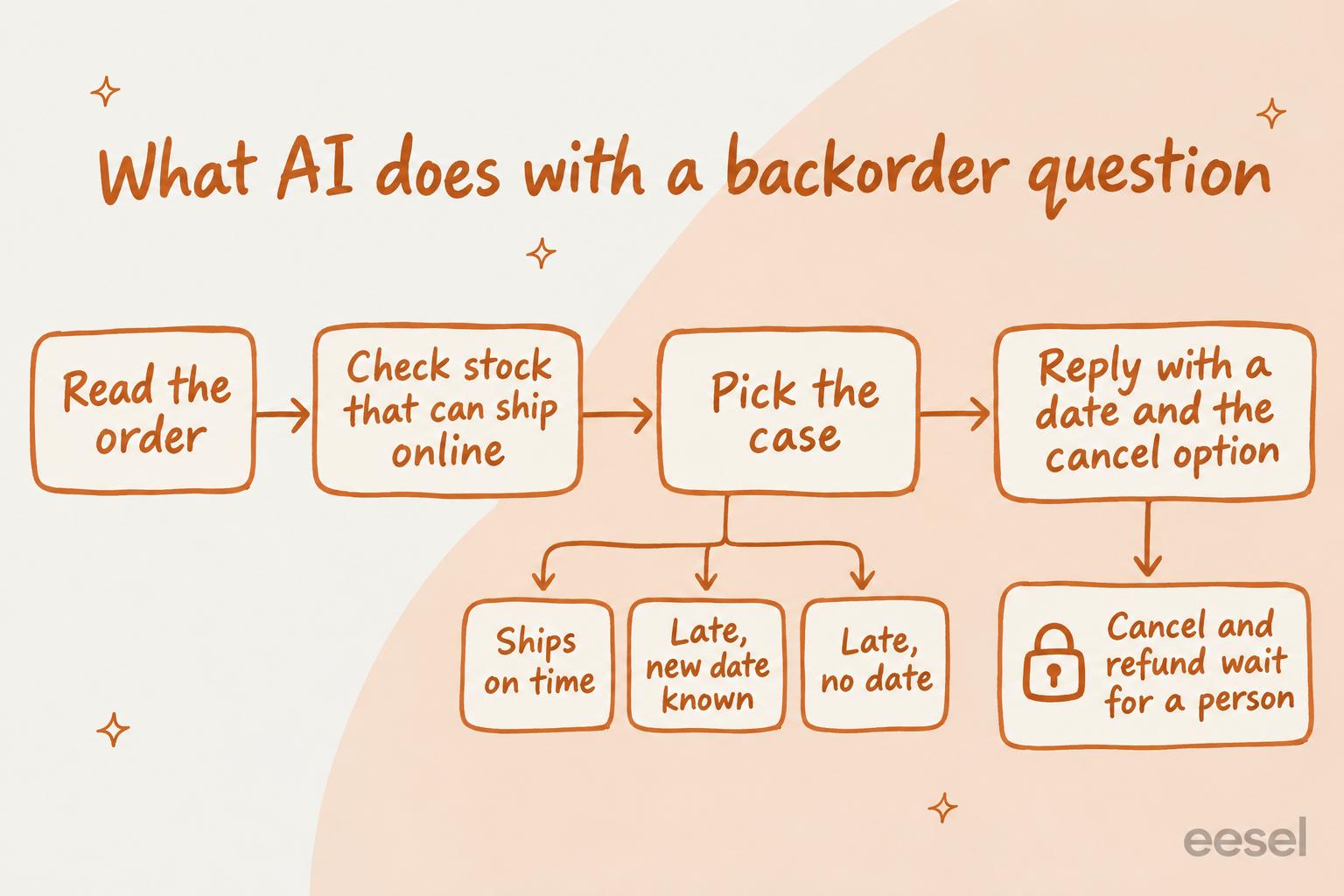
- Read the order. Find it from the shopper's email, check it's theirs, and see which items are unfulfilled and when it was placed. On Shopify, a cancelled order can still read paid and unfulfilled, so the AI has to check the cancellation field before it promises anything.
- Check the stock that can ship. A store-wide total hides where the units are. The useful number is per location, at locations that fulfil online orders.
- Find the date. This is the one input the AI can't invent: an incoming purchase order, a supplier ETA in a shared sheet or a product metafield, or a note your ops team keeps. If there's no date in any of those, case 3 is the honest answer.
- Reply with the right wording for the case. Your delay template, with the FTC's three parts filled in from the order. The AI should offer the cancel option every time an order is past its promise, not only when the shopper asks.
- Tag and hand over. Tag the order (for example
backorder-notifiedwith the date), so the next message and the next person see that the notice went out. A cancel or refund request goes to a person with the order and the notice already linked, as with any AI refund request.
The trap here is the friendly reply with no date and no cancel option: "It's on its way soon, thanks for your patience!" It feels like good service, and for a late order it's the reply the FTC rule doesn't allow. An AI writing from your macros will copy whatever your old refund and shipping macros say, so fix the template before you switch it on.
Check what your backorder reply has to say
Put in when the order was placed, the ship time you promised (leave it blank if you promised none) and what you know now. The checker works out whether a delay notice is due, what the shopper's silence means, and when the refund is due if it cancels.
The checker counts in days from the order; the rule's own clock starts when you receive a properly completed order. It's a planning aid, not legal advice.
What are the common mistakes with backorder questions?
- A delay message with no cancel option. For a late order, the FTC's notice has to offer a full refund. "Thanks for your patience" alone doesn't.
- Sending the notice after the date. The notice has to reach the shopper before the promised time passes. Answering only when they write in usually means it's already late.
- Trusting the store-wide stock number. Units at a location that doesn't fulfil online orders can't ship. Check per location.
- Guessing a date. A new date needs a reasonable basis: a purchase order, a supplier ETA. If you don't have one, say so; the rule has wording for that.
- Letting the AI cancel and refund on its own. Cancelling an order is a money step. Keep it behind a person's approval, like cancellation requests generally.
- Swapping for a different item without a record. If the shopper takes another variant instead, create it as a draft order a person confirms, as in draft orders for exchanges.
- No tag on the order. Without a record that the notice went out, the next agent (or the AI) sends a second, different date.
Try eesel on your backorder questions
If "when will my order ship" fills your queue, eesel is what I'd test first, and it fits the plan in scaling ecommerce support of cutting tickets per order. It joins the helpdesk you already use (Gorgias, Zendesk, Freshdesk and others) with your Shopify store connected, reads the order and the stock at each location before it replies, and answers in the same queue, nights and weekends included.
What it may do depends on who's asking. A verified customer gets the date and the cancel option straight away, worded from your template; a cancellation or refund can wait for your support lead's yes when you set it to ask first in actions and approvals. When your instructions say to, it tags the order as the notice goes out and leaves an internal note in the helpdesk with the stock it saw. The supplier date still has to come from somewhere it can read, such as a product metafield or a shared sheet; it won't invent one.
Question Beauty runs order questions this way: eesel finds the customer by email, checks the order and its fulfilment status in Shopify, and answers; refunds and complaints go to a person with a note. In a month it looked up about 290 Shopify orders and closed about 280 tickets without a person.
Pricing is from $299 a month for 500 credits, where a ticket or chat is 1 credit however many replies it takes, and the trial is 7 days with 100 credits and no card. That's enough to connect your helpdesk and Shopify, read eesel's drafts on last week's backorder tickets, and see which ones went out without a cancel option. Try eesel.