


Salesforce AgentExchange is a parts marketplace for Agentforce, not a shop for finished support agents. The service listings are actions, knowledge connectors, MCP servers and templates that extend an Agentforce agent you still build, permission and test. Each one carries two costs: the partner's price, plus Flex Credits at $500 per 100,000 every time the agent runs it. If you already run Agentforce, it is the right place to extend it. If you want an agent working on your Service Cloud cases without the credits meter, look at an outside agent like eesel.
With the eesel CLI, an AI coding agent can upload approved knowledge, like exported Salesforce Knowledge articles and email templates, then ask test questions before anything goes live. Connecting the Salesforce org itself still needs an admin to approve it.
What is Salesforce AgentExchange?
AgentExchange is Salesforce's marketplace for Agentforce components. Salesforce launched it on March 4, 2025, per its launch press release, with more than 200 partners and hundreds of ready-made actions, topics and templates. Agent templates followed in April 2025.
It no longer lives as a separate store. Salesforce's install docs now say it has unified AppExchange, AgentExchange and Slack Marketplace into one destination, and the old AppExchange domain now brands itself "AgentExchange Marketplace". The home page claims more than 13K solutions across Salesforce and Slack.
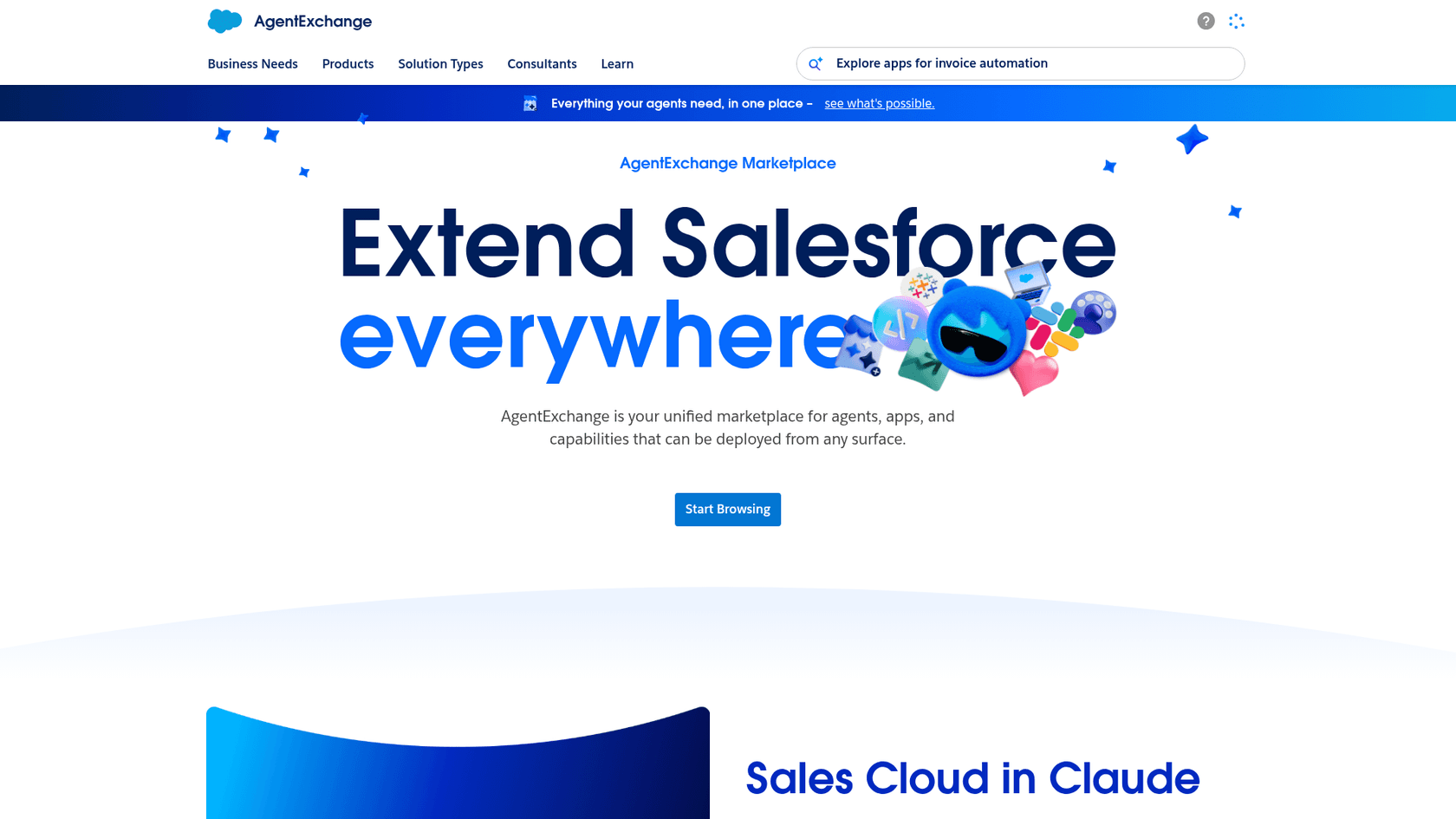
You can reach it two ways. From the website, you browse by business need (the Customer Service category is "cases, agents, telephony, and field service"). From inside Salesforce, admins can open AgentExchange in Agentforce Builder and pull prebuilt subagents and actions straight into an agent. If you're new to the builder, this walkthrough of the Agent Builder is a good primer.
I write eesel's integrations for a living, so the first thing I do with any marketplace listing is ignore the hero banner and open the package details. With AgentExchange, that habit tells you most of what you need: what gets installed, which user it runs as, and which meter it ticks.
What can you actually buy on AgentExchange?
The 2025 launch release named four component types: actions, prompt templates, topics and agent templates. Since then, Salesforce has added MCP servers and, at Dreamforce 2026, skills and plugins. Here's what each one is, in plain words (the AI in Service Cloud overview covers the native features they sit beside):
- Actions are things the agent can do, built from Apex, flows, APIs or prompts (look up an order, split a case).
- Topics group actions and instructions around one job, like "returns", with guardrails.
- Prompt templates are reusable prompts you'd otherwise write in Prompt Builder.
- Agent templates bundle topics, actions and global instructions into a starting agent.
- Skills and plugins are packaged capabilities. Salesforce says more than 170 are available, and its Dreamforce announcement says every one listed today is built by Salesforce; partner-built ones are "coming next".
- MCP servers let an Agentforce agent call an outside system through the Model Context Protocol. There's a fuller explainer on MCP for customer support.
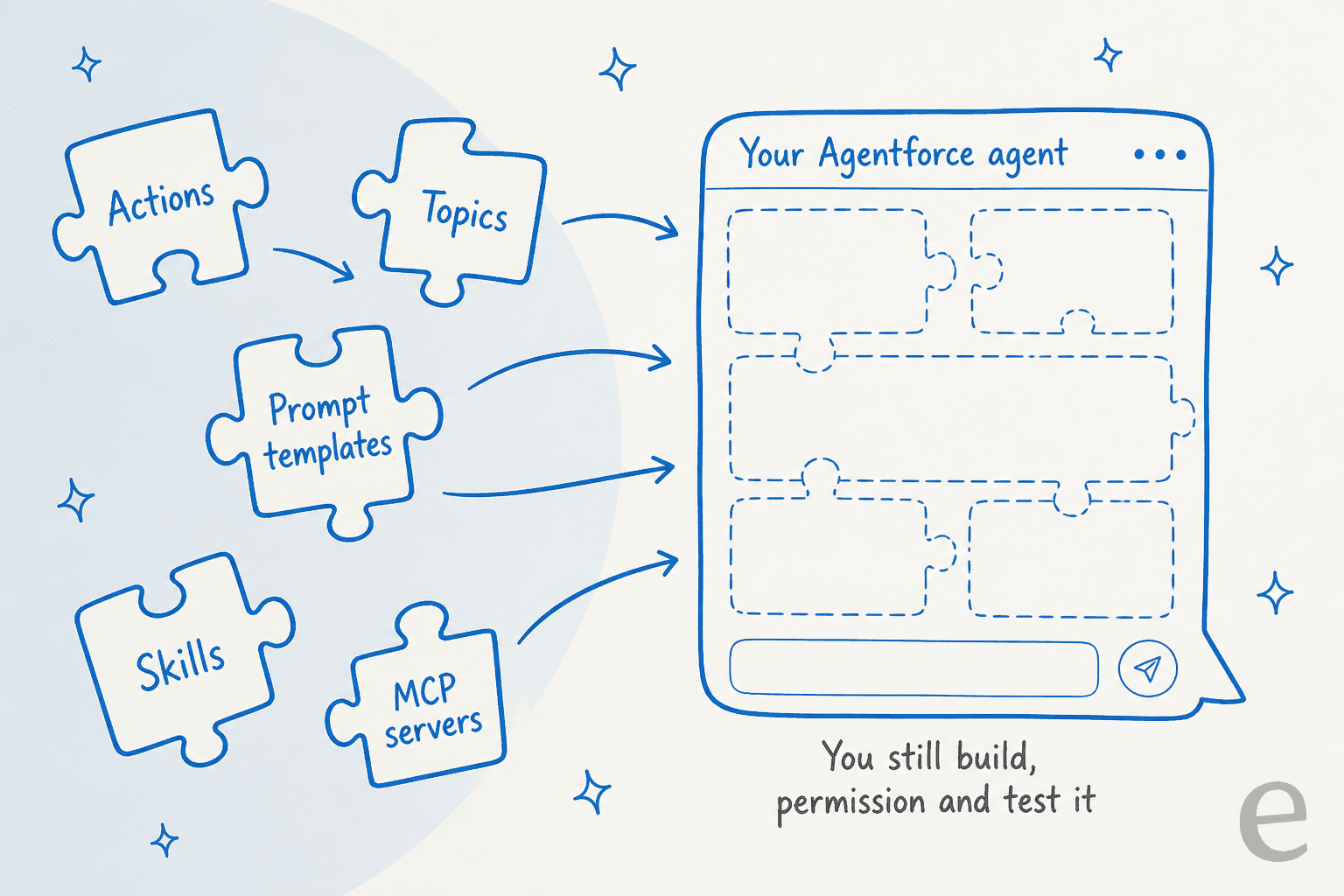
Notice what's missing from that list: a finished, stand-alone support agent from a third party. Every piece snaps into an Agentforce agent that you configure. That is a sensible design if Agentforce is your platform, and it's the single most useful thing to understand before you browse.
Customer service listings worth knowing
I went through the Customer Service category and an "agentforce service case" search on November 16, 2026. These are the listings a Service Cloud team is most likely to land on. Prices are from each listing's Pricing tab.
| Listing | Vendor | What it does | Type | Price as shown | Reviews |
|---|---|---|---|---|---|
| Coveo for Agentforce | Coveo | Grounds Agentforce in knowledge from Salesforce, Slack, Drive, Jira with item-level permissions | Agentforce solution | Contact us, priced on queries | No ratings |
| Coveo MCP Server for Agentforce | Coveo | Permission-aware enterprise knowledge over MCP | MCP server | Contact us, priced on retrieval | Not shown |
| Neuron7 Service Agent Suite | Neuron7 | Troubleshooting actions for field and equipment service | Agentforce actions | From $10/year, plus Flex Credit usage | 1 |
| Case Split Agent Extension | Vicasso | Detects a second issue in a case and splits it | Agentforce extension | Included with Case Split | 1 |
| Email to Case Premium | Vicasso | Structures high-volume support email into case records | App | $22/user/month, $2,350 setup, 15-user minimum | 232 |
| Natterbox AI Contact Center | Natterbox | AI agents across voice, SMS and WhatsApp | App with AI agents | $82 or $146/user/month | 211 |
| Quantum Metric for Agentforce | Quantum Metric | Session replay and friction signals on cases | Agentforce solution | From $75,000/org/year | 1 |
Two things jump out. Most "service agent" listings feed or extend an Agentforce agent (knowledge, case hygiene, journey data) rather than resolve cases on their own. And the review counts split cleanly by age: the newest agent listings show 1 to 6 reviews, while older apps like Email to Case Premium and Talkdesk sit in the hundreds. A 5-star rating from one reviewer tells you very little.
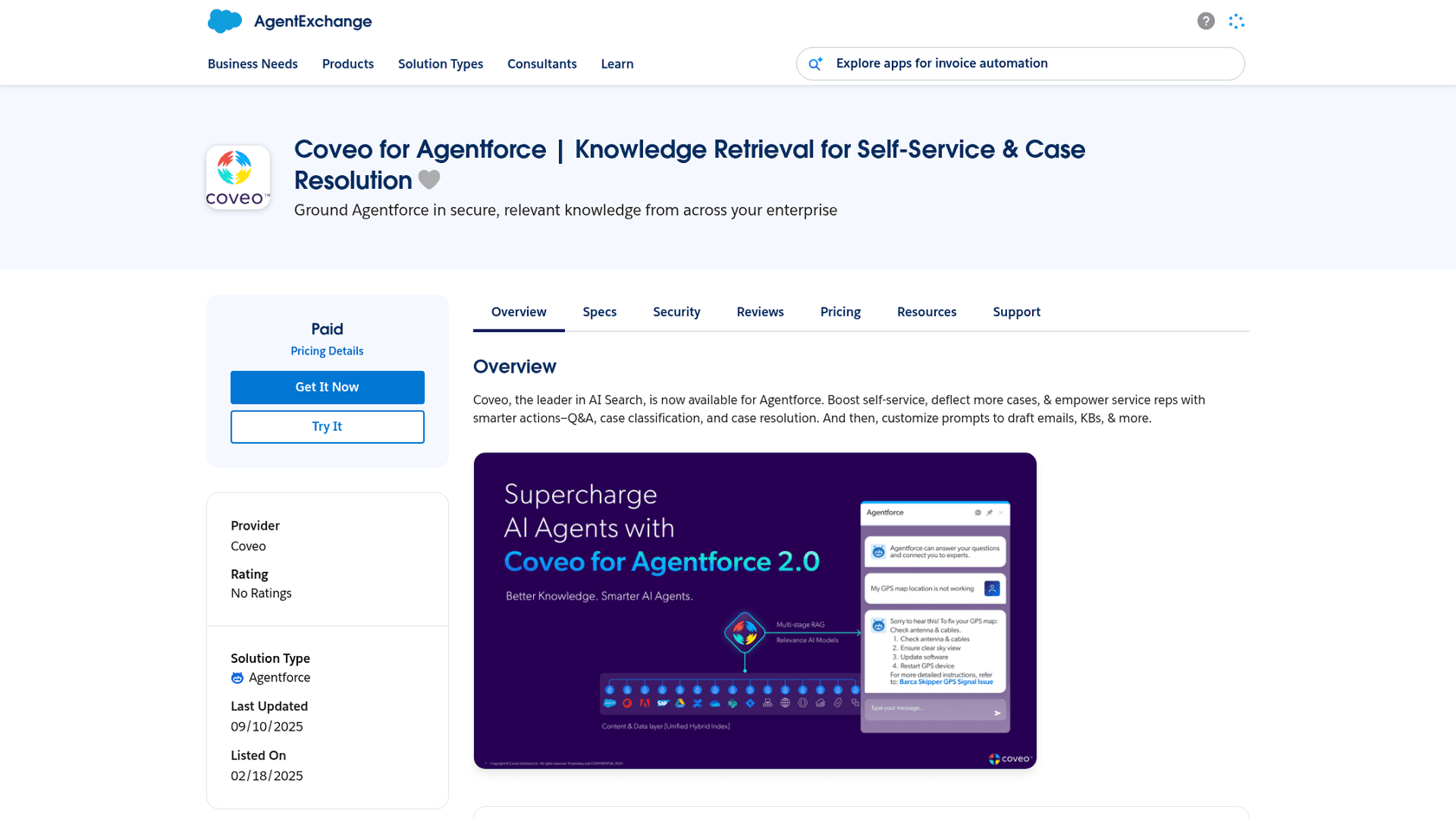
Every listing has the same seven tabs. The two I'd open first are Security and Pricing, and the next two sections explain why.
How much does an AgentExchange agent really cost?
Here's the part the storefront doesn't put side by side: you pay two separate bills. One goes to the partner for the listing. The other goes to Salesforce for every action, prompt or resolution the agent runs.
Salesforce's Agentforce pricing page lists Flex Credits at $500 per 100,000 credits, which is $0.005 per credit. The Flex Credits rate card then sets how many credits each unit burns:
| Unit | Credits (production) | Cost at $0.005/credit |
|---|---|---|
| Standard or custom action | 20 | $0.10 |
| Voice action | 30 | $0.15 |
| Standard prompt | 4 | $0.02 |
| Advanced prompt | 16 | $0.08 |
| Help Agent resolution | 400 | $2.00 |
There's also a per-conversation model at $2 per conversation for customer-facing agents, but Flex Credits and Conversations can't run in the same org. A partner action your agent calls is still an Agentforce action, so it uses credits on top of the partner's license. Neuron7 says this outright on its Pricing tab: use of its suite "will generate flex credit usage". The Flex Credits explainer goes deeper on the billing mechanics.
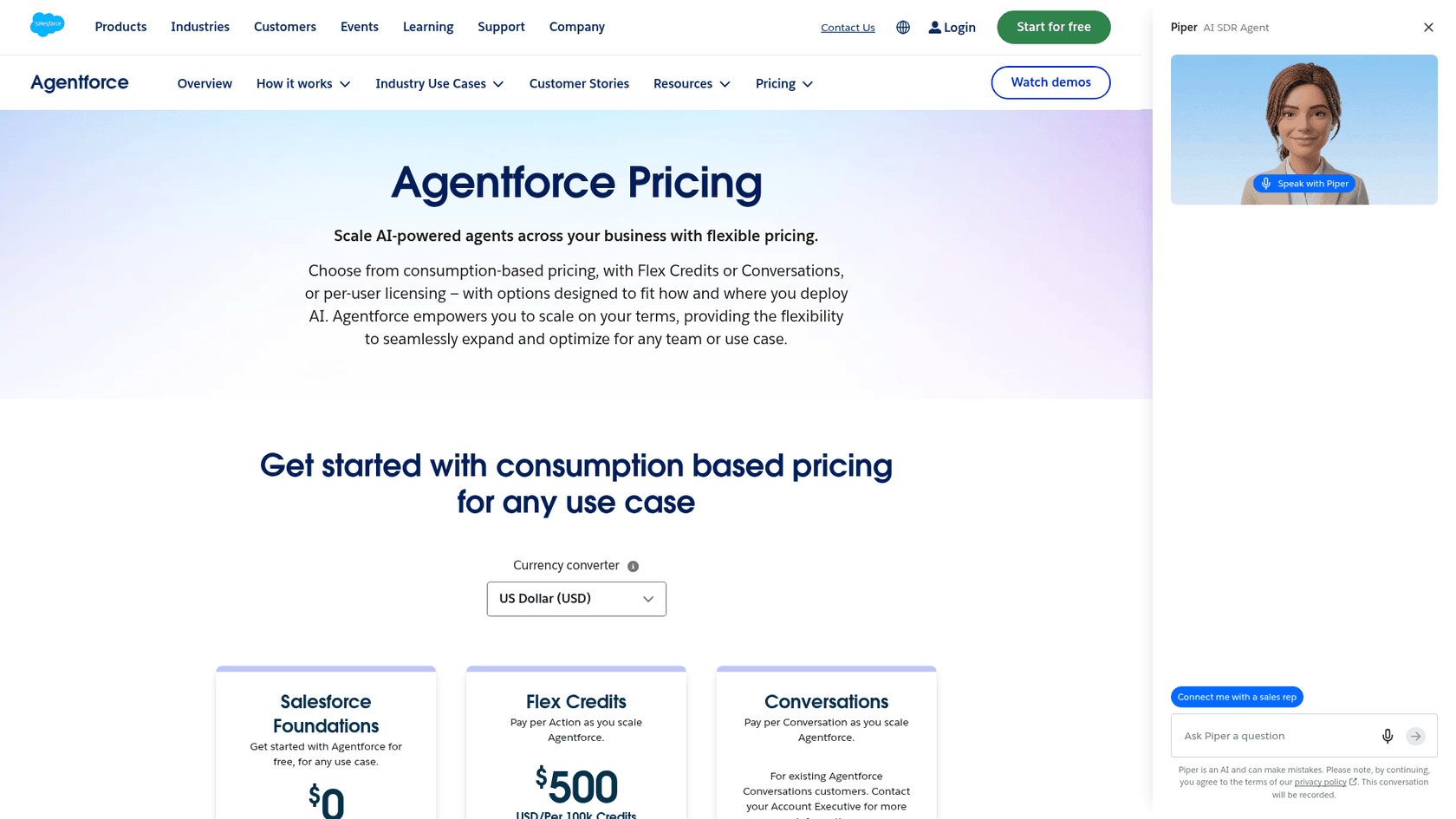
Salesforce has a fix on its roadmap: "Purchase with Flex Credits" is slated for H1 2027, per the Dreamforce 2026 announcements. Until it ships, the partner invoice and the Salesforce consumption invoice are separate lines.
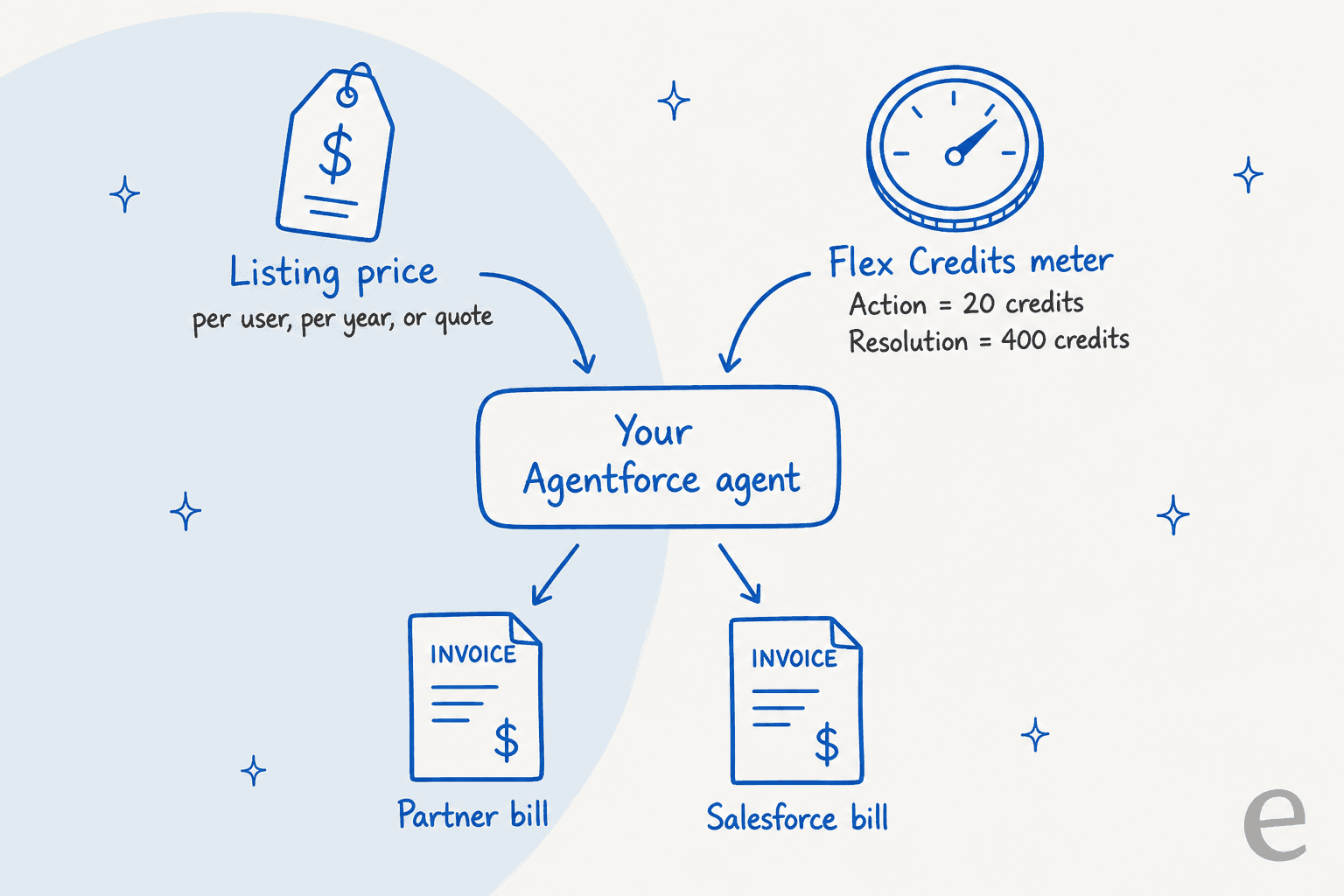
A worked example for a support team
Say you run a 15-agent support team handling 5,000 customer conversations a month, and you install Email to Case Premium to clean up inbound email before Agentforce touches it. This is my arithmetic from the published numbers, not a Salesforce quote:
| Line | How it's priced | Monthly cost |
|---|---|---|
| Email to Case Premium licenses | $22 x 15 users (the listing's 15-user minimum) | $330 |
| Email to Case Premium setup | $2,350 one-time, spread over 12 months | about $196 |
| Agentforce, if metered per action | 5,000 conversations x 3 actions x 20 credits = 300,000 credits | $1,500 |
| Agentforce, if metered per Help Agent resolution | 5,000 x 400 credits = 2,000,000 credits | $10,000 |
So the same deployment lands somewhere between about $2,000 and $10,500 a month, depending on which Agentforce unit your contract meters. Ask your account executive which one applies before you budget. Unused credits don't roll over, and credits don't include Data 360 consumption. If you're modelling this for a bigger rollout, the Agentforce ROI calculator and the setup cost breakdown are worth a look, along with the full Agentforce pricing guide.
How do you install a listing safely?
Installing is quick. Doing it safely takes a few more clicks, and most of them happen after "Get It Now". Here's the order I'd follow, based on Salesforce's install guide and the agent user docs:
- Check you have the right permission. Installing needs "Download AgentExchange Packages". Builders without it can send an install request, and admins can set up to 100 approvers under Install Request Approvers.
- Start in a sandbox with Try It. "Get It Now" installs to production only. If a listing has no Get It Now button at all, it's a partner app you use outside Salesforce.
- Read the API access screen. The installer lists the API access each package component gets. Screenshot it for your change log.
- Pick Install for Admins Only. That limits object permissions and field-level security to the installing admin profile until you've decided who else needs it.
- Grant the agent user access, narrowly. Service agents run as the EinsteinServiceAgent User, which Salesforce creates with minimal access on purpose. When you add a new action, give that user access to only the objects the action references, through the agent's permission set.
- Add the action to one topic and test it. Use the Agentforce Testing Center with an action assertion, which checks that the agent picked your new action for the right utterances.
- Promote to production and watch the meter. Track credit usage for the first week. Managed packages auto-upgrade, so note the version you tested.
One cost detail trips people up at step 6: in a sandbox, Help Agent resolutions cost 0 credits, but actions still cost 16 credits each. A big test suite against a partner action isn't free. The Agentforce implementation guide covers the agent build around these steps, and the Service Cloud AI setup guide covers the case side.
What should you check before installing?
Salesforce's own language is careful here, and I'd take it at its word. Each listing's Security tab says "Undergoing the Security Review doesn't guarantee a solution's security", and the partner security docs state that customers are responsible for evaluating partner apps. The review is real (a five-stage process, typically repeated once a year), but it's a floor, not a guarantee.
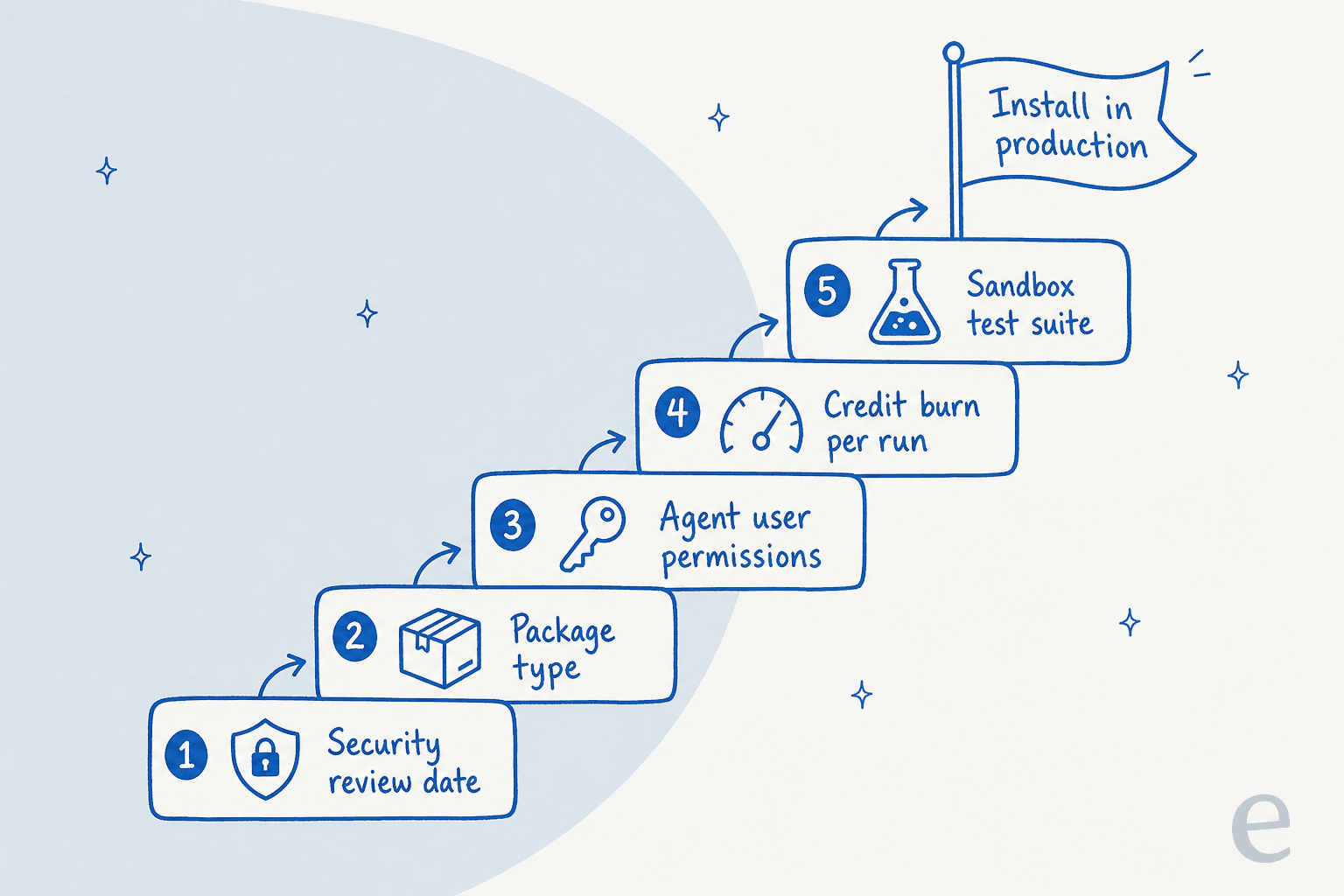
Here's the checklist I'd run on any service listing:
| Check | Where to find it | What good looks like |
|---|---|---|
| Security review date and version | Listing, Security tab | Reviewed in the last 12 months, on the version you'll install |
| Package type | Listing, Specs tab | Managed package with a clear namespace; you know it auto-upgrades |
| External data flow | Overview plus the vendor's Trust Center | You know which data leaves Salesforce and where it goes |
| Agent user permissions | Install screen plus the action's object list | Only the objects the action needs, granted to the agent user |
| Pricing model | Listing, Pricing tab | A number you can multiply by your users, queries or year |
| Credit burn per run | Rate card plus your topic design | Actions per conversation counted and costed |
| Review count | Listing, Reviews tab | Enough reviews from service teams to mean something |
| Test plan | Testing Center | Action assertions plus expected responses, not instructions |
The external data row matters more than it looks. The Einstein Trust Layer gives you zero data retention, masking and toxicity scoring on Salesforce-run model calls. A partner's own service or MCP server is a separate system, so its data handling lives in its own Trust Center, not in the Trust Layer. If your team has an AI review process, the guides to Salesforce AI governance and the AI audit trail cover what to log.
What do Salesforce admins say about it?
I couldn't find a single practitioner thread about buying a third-party agent on AgentExchange itself. What admins do talk about is Agentforce for service, which is what every service listing plugs into. The most cited Reddit thread is from April 2025, before Flex Credits, so read it for experience, not prices.
An implementer gave the balanced view:
"Yes. Implemented for a few customers. It works mostly as intended. Takes a little more configuration than they make it seem, but it works. In six months it will be great."

In the same thread, someone running proofs of concept on a service agent hit the consistency problem that testing is meant to catch:
"I have a service agent kind of working but it's very sensitive and inconsistent. After about 4 instructions it becomes overloaded and performance becomes impacted. My biggest concern has been during testing it provides inconsistent responses, some expected and accurate and others completely wrong when there has been no change to setup."
More recent G2 reviews from September 2026 echo the budgeting point from the cost section:
"High Total Cost of Ownership and Metering Uncertainty: The conversation-based billing model (paying per conversational turn or session) makes budgeting unpredictable compared to traditional user-license seats. If an agent enters an unexpected loop or handles low-value interactions, costs accumulate rapidly."

For balance, the same G2 page shows Agentforce at 4.3 out of 5 from 1,698 reviews, with 90% of ratings at four or five stars. People like it once it's working. The friction is in setup, testing and cost predictability, which is exactly where a marketplace listing adds more moving parts rather than fewer. The full Agentforce review and the list of Service Cloud AI limitations go into more detail.
When is AgentExchange the wrong place to look?
AgentExchange is the right shelf when you already run Agentforce and need a specific capability: better knowledge retrieval, a voice channel, a case-hygiene action. In that case, a reviewed managed package from a vendor with a real support team beats building the same action in Apex yourself.
It's the wrong shelf in three situations, especially once you've priced the Service Cloud license underneath it:
- You want a finished support agent, not a project. Listings extend an agent; they don't replace the work of building topics, permissions and tests. If the Agentforce agent itself isn't live yet, a listing won't get you there faster.
- You can't predict the meter. If finance needs a fixed monthly number, two variable bills (partner plus credits) is the hardest version of that conversation.
- Your team doesn't have Salesforce admin time. One G2 reviewer at a mid-market company described one architect covering three companies. Every install adds permission sets and test suites to that person's week.
If that's you, the realistic options are an outside agent that works on Service Cloud cases directly, or a different stack entirely. Both are compared in Agentforce alternatives and the roundup of the best AI for Service Cloud.
An AI agent for Service Cloud cases, without the credits meter
I'll be upfront about why this section exists. Earlier in 2026, eesel lost mid-market Salesforce deals because it didn't have a native Salesforce integration. One team handling about 900 tickets a month called the missing native integration a dealbreaker. The lesson stuck with me as the person who builds these connectors. Salesforce teams want the agent to work where the cases already live.
So eesel built the Salesforce integration. eesel isn't listed on AgentExchange and doesn't run on Agentforce. It connects to your org from outside and works on cases directly:
- Reads the context your agents use. Per the Salesforce docs, eesel reads contacts, accounts, cases and opportunities, and learns from Lightning Knowledge articles, past cases and email templates.
- Drafts or sends, your call. It can draft replies for review, send them, update case status, priority and fields, or route to a queue. It respects your existing assignment rules, escalation rules and entitlements.
- Scoped like an admin would scope it. You choose which cases it touches by record type, queue, channel or condition, so it sits alongside Omni-Channel routing instead of replacing it.
- Tested on your history first. Before go-live, eesel runs simulations against your past Salesforce cases, so you see its answers on real tickets before a customer does. It can also reuse the wording in your existing Salesforce macros and templates.
- Quick to connect. The integration page puts setup at under 30 minutes, no code.
There isn't a public eesel Salesforce customer story yet, so here's the closest match for how the permission model works. smava, an online loan comparison company in regulated consumer finance, runs eesel on Zendesk across about 27,000 tickets a month. eesel categorised 14,600 of them and prepared 15,300 draft replies from about 820 macros and help articles. The drafting agent's only output is a draft with Approve and Reject buttons, and a single field decides which tickets are even eligible for an automatic reply (about 1,100 of the 27,000). Changing what eesel is allowed to say is a text edit in its instructions, not a new permission set. That's the same model you'd use on Service Cloud, just on a different helpdesk. SamCart shows the other end: one agent on Freshdesk tickets and a second on website chat, both working from 280 help articles.

On cost, there's one bill. eesel's pricing page lists the Teammate plan at $299 a month for 500 credits, where a ticket or chat is 1 credit however long it runs, and a 7-day trial with 100 credits. The same 5,000 conversations from the worked example above would sit on the 5,000-credit plan at $1,749 a month. No per-action meter, no separate partner invoice.
To be fair to Salesforce: if you're all-in on Agentforce, with admins who like building topics and a contract that already covers credits, AgentExchange extensions are the natural next step and I'd use them. If you want an agent answering cases in Service Cloud this month, without learning a new billing model first, Try eesel on a few queues and run the simulation against last month's cases.