What a retail chatbot actually is
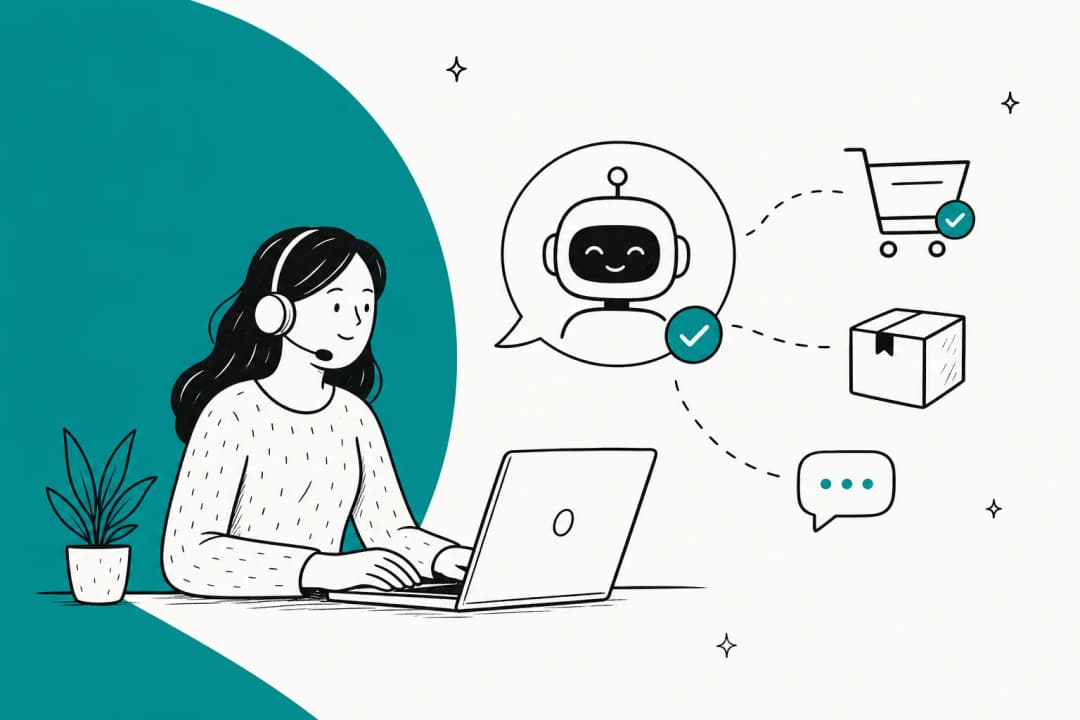
Strip away the marketing and a retail chatbot is software that talks to your shoppers in a chat window and tries to resolve their question without a human, one flavour of the broader customer service chatbot category. That's the whole job. The interesting part is how it does it, because there are two very different things hiding under the same name.
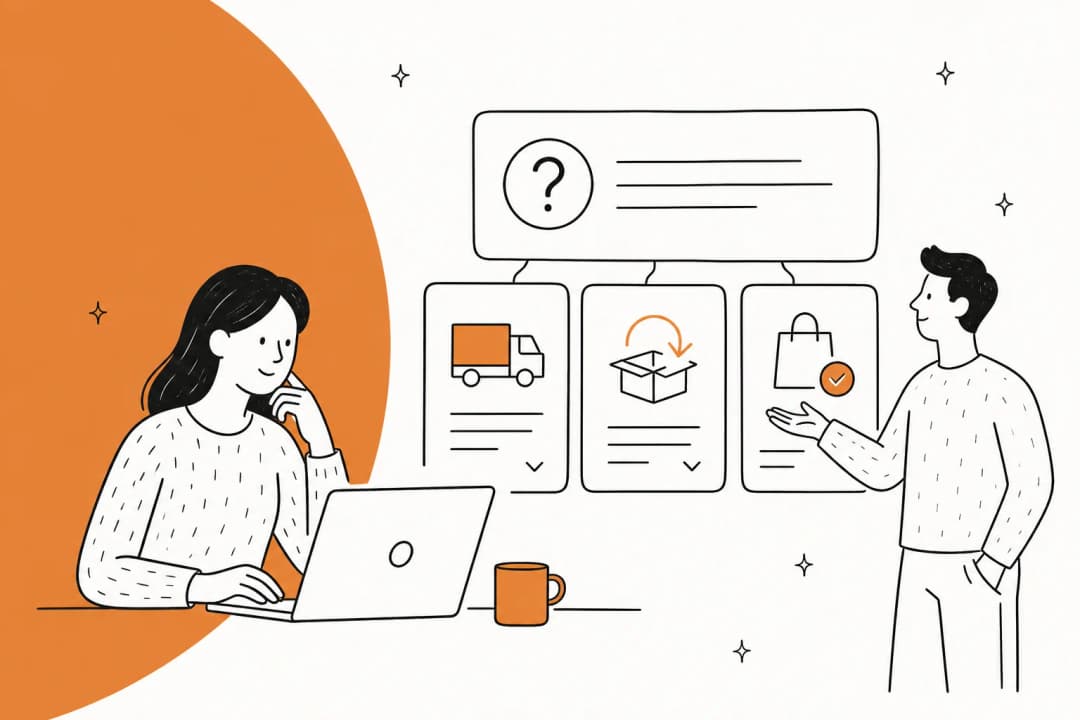
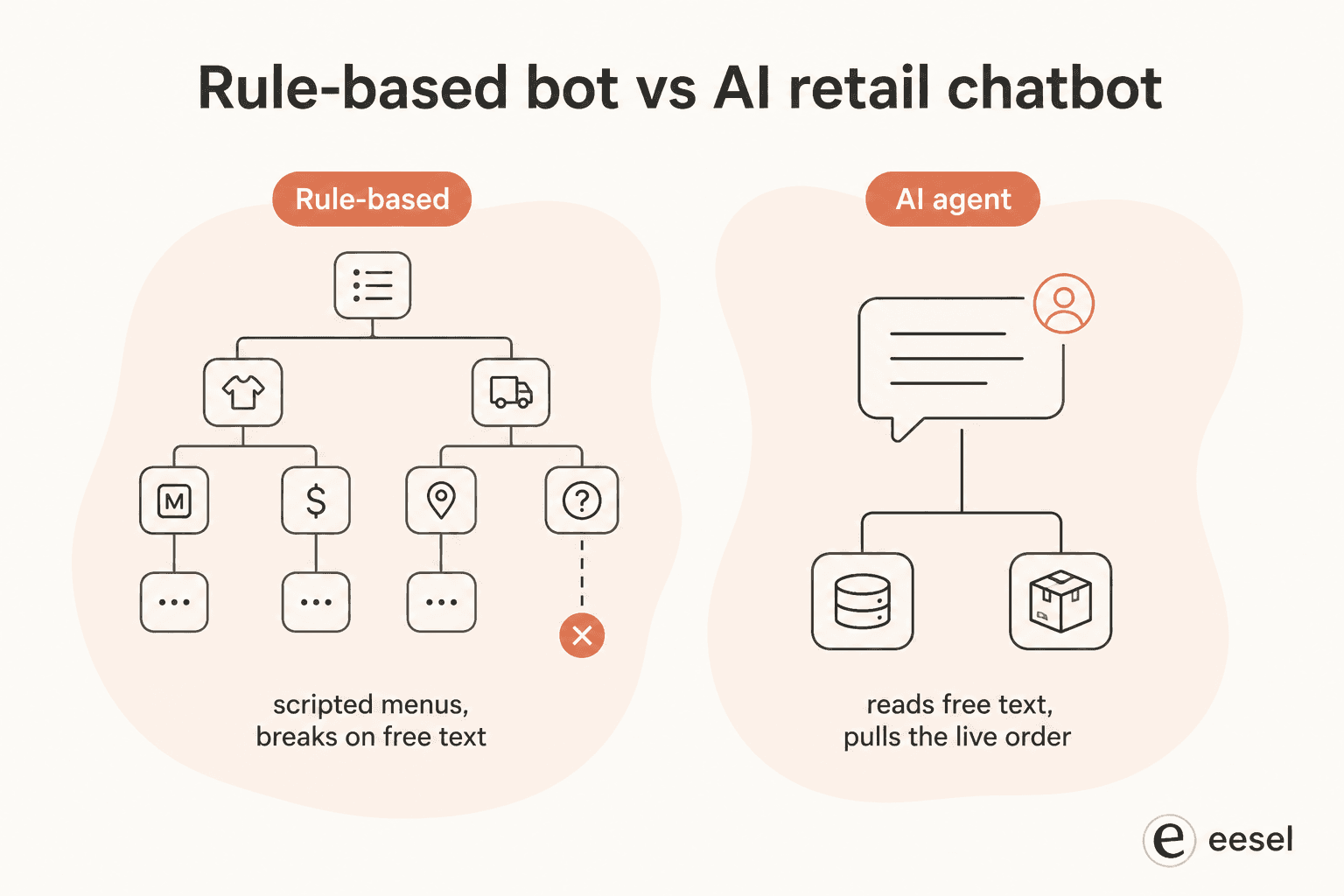
A rule-based bot follows a script. You build a decision tree, the shopper clicks buttons, and the bot serves canned responses down whichever branch they picked. It's predictable and cheap, but it breaks the moment someone types something the tree didn't anticipate, and it has no idea what's actually in your store or in a given order.
An AI chatbot reads free text, understands intent, and (if it's set up right) pulls live data to answer. Ask it "did my hoodie ship yet?" and a good one looks up the order and tells you, rather than offering a menu. The difference between the two is the whole ballgame in retail, and it's worth understanding before you shop for one, AI agents and rule-based chatbots are not the same purchase.
The confusion is deliberate on some vendors' part. As one exasperated shopper put it on r/CustomerService:
"A lot of companies seem to have taken their old, crappy, non-LLM chat bots that have been around for decades and tried to convince everyone that they're now 'AI' bots capable of doing more than just performing a horribly word-stemmed search of their never-updated customer help database."

So when someone says "retail chatbot," the first question to ask is which of those two you're actually looking at.
The retail chatbot use-case matrix
Chatbot volume in an online store clusters into six predictable jobs. Vendor pages tend to list them as one undifferentiated blob of "AI-powered support," which is exactly how teams end up automating the risky ones first.
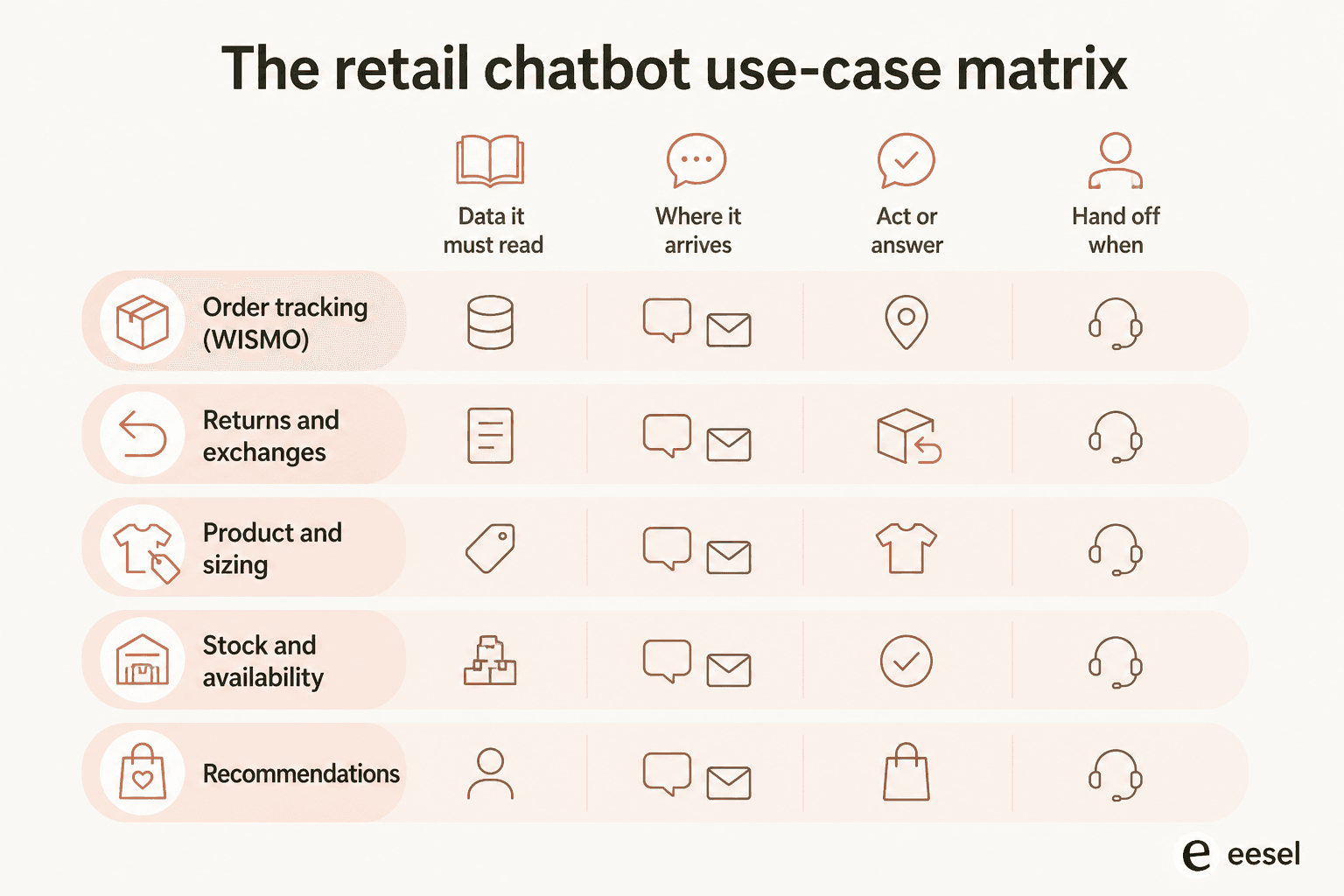
They're not interchangeable. Each one needs a different data source, shows up on a different mix of channels, either answers or acts, and has its own moment where a human should take over. Here's the whole thing in one table.
| Use case | What it must read | Where it arrives | Answer or act | Hand off when | Metric that proves it |
|---|---|---|---|---|---|
| Order tracking (WISMO) | Live order + carrier tracking status | Chat, email, WhatsApp, SMS | Answer (read-only) | Tracking is stale, stuck, or contradicts the promised date | Deflection rate on WISMO tickets |
| Returns and exchanges | Order, return window, returns policy, label generator | Chat, email, WhatsApp | Act (creates the return, issues the label) | Outside the return window, or the item is damaged | Share of returns started without an agent |
| Product and sizing | Product catalog, spec fields, reviews, size guides | Chat, Instagram DM, pre-purchase web chat | Answer | The shopper asks for a recommendation with a health or fit risk | Pre-purchase chat to add-to-cart rate |
| Stock and availability | Live inventory by variant and location | Chat, WhatsApp, Instagram DM | Answer | The shopper wants a hold, a backorder, or a restock promise | Deflection on "is it back in stock?" |
| Post-purchase edits | Order, fulfilment status, address validation | Chat, email, SMS | Act (edits or cancels, if unfulfilled) | The order has already shipped | Cancel/address-change tickets auto-resolved |
| Recommendations and pre-sales | Catalog, bundles, purchase history | Web chat, Instagram DM, Messenger | Answer, sometimes builds the cart | The shopper is comparing high-value items or wants a person | Assisted conversion rate |
Three things fall out of that table that are easy to miss when you read use cases as a list.
The "act" rows are where the money and the risk both are. Answering a WISMO question saves an agent three minutes. Creating a return, cancelling an order, or changing a shipping address saves the same three minutes and touches your fulfilment. Those are the rows to put behind a confidence threshold and a tight policy, not the rows to launch on. Refund automation is worth doing, and it's worth doing second.
Read-only rows are safe to automate early. Order tracking and stock lookups can't break anything, which is why teams that start there build trust fastest. That's also why a dedicated order tracking chatbot is such a common first purchase.
Every row has a different handoff trigger. "Escalate when confidence is low" is not a policy, it's a slogan. A shipped order needs a human for an address change; a two-week-stale tracking number needs a human before the bot cheerfully repeats the carrier's status. Writing the trigger per use case is the difference between an agent that people trust and one they route around, which is the core of good AI chat escalation.
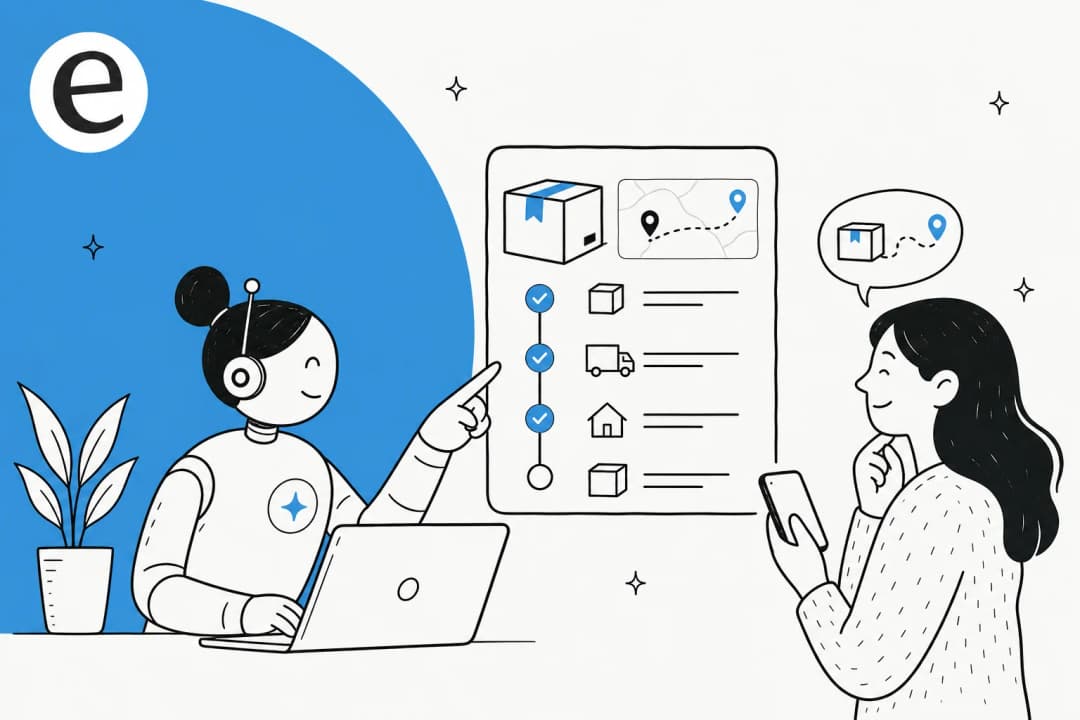
The reason WISMO deserves top billing on that list is the economics. When it's handled manually, each WISMO ticket costs $5-15 in agent time and overhead, and agents lose most of their day to it. A retail chatbot with order tracking support connected to your store turns that into a zero-touch lookup. Here's the flow a well-integrated bot runs end to end:
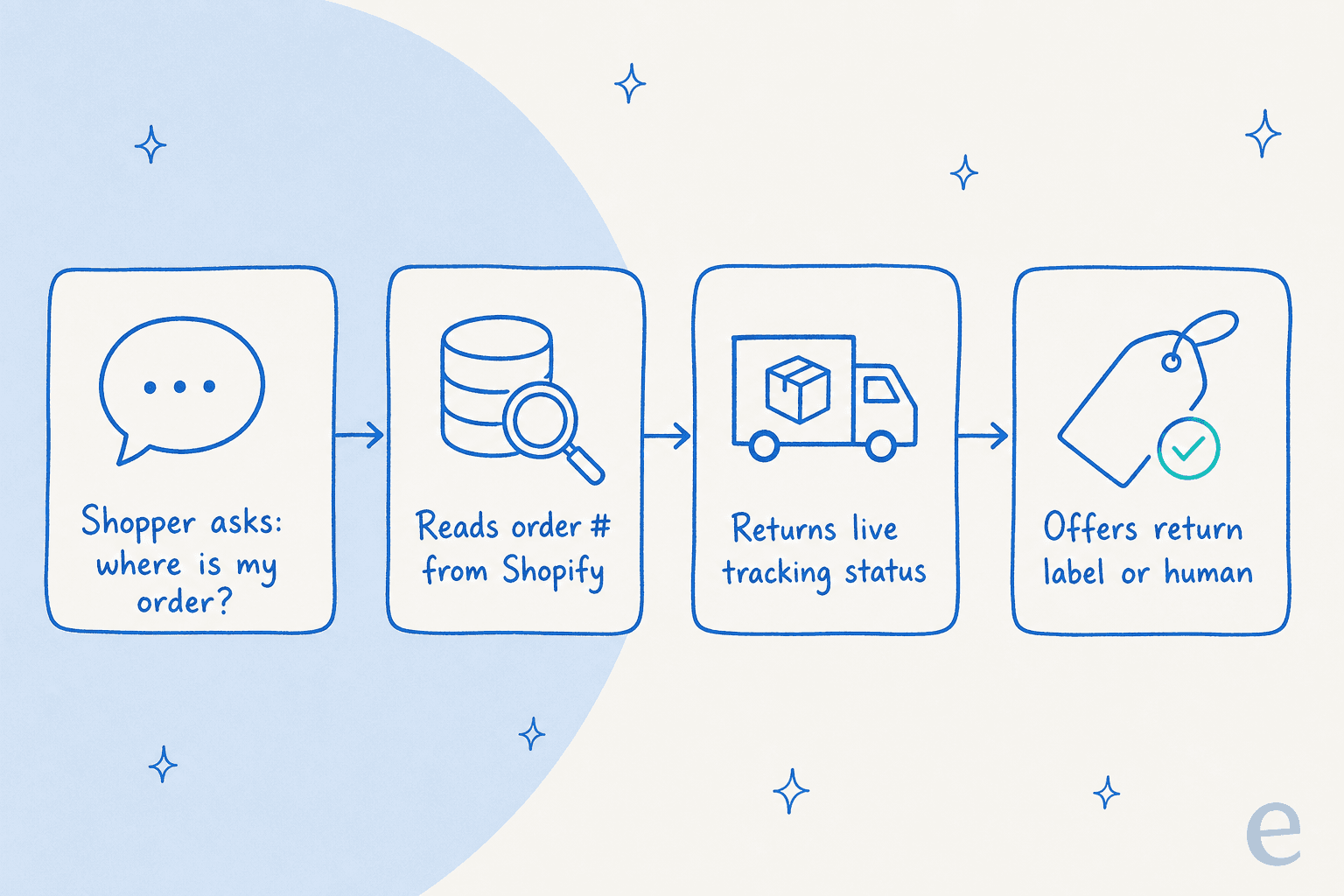
That's also why AI chatbots for orders are usually where teams see the fastest return, the work is high-volume, low-nuance, and the data to answer it is already sitting in Shopify.
Where retail questions actually arrive
The matrix has a column most tool comparisons skip, and it's the one that quietly decides which vendor you can use. These six questions don't only come through the chat bubble on your storefront. The same shopper asks "where's my order?" in a WhatsApp thread on Monday and an Instagram DM on Thursday, and a bot that only lives on your website answers neither.
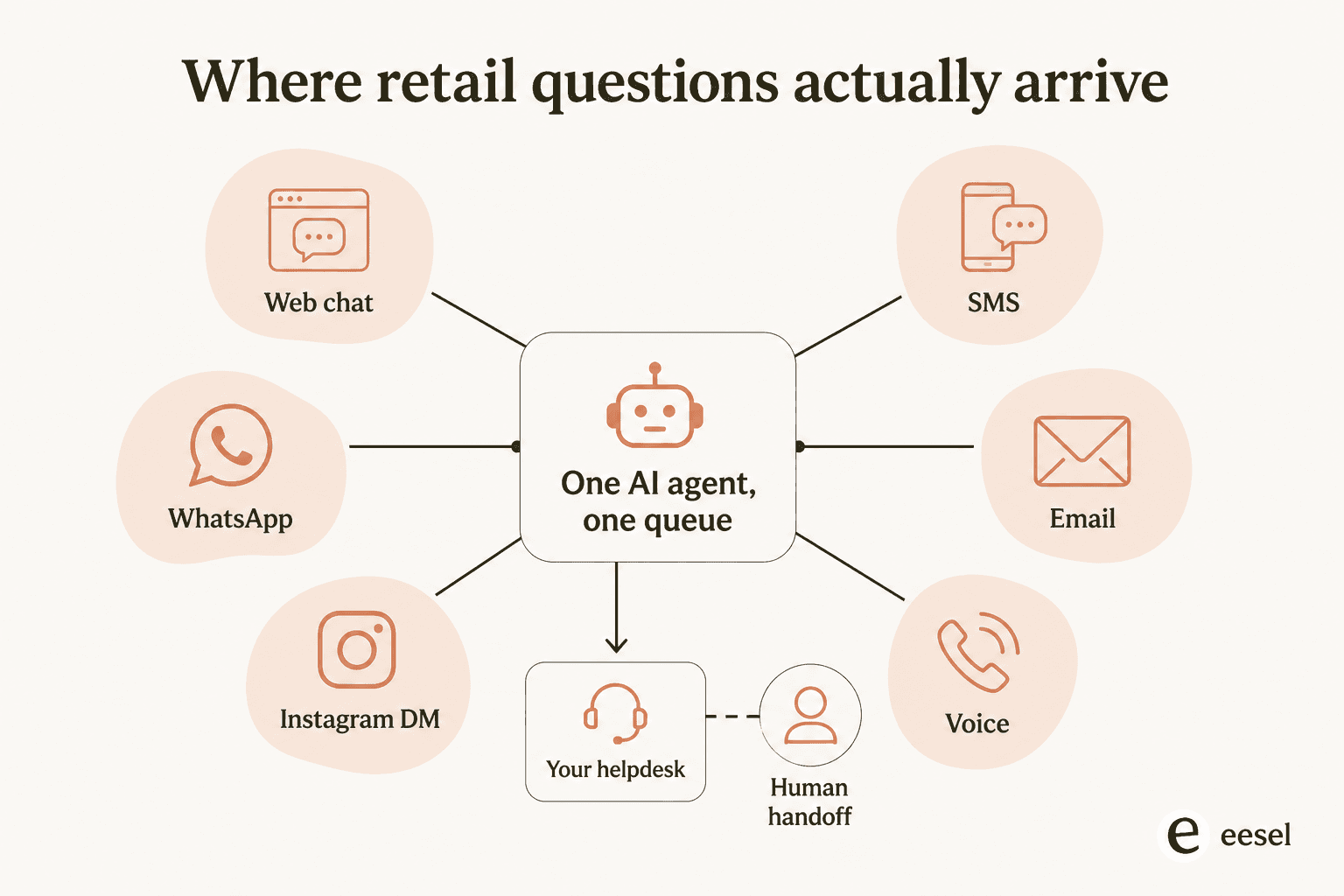
In practice, the split looks like this:
- Web chat carries pre-purchase questions: sizing, stock, recommendations. It's where a good answer converts.
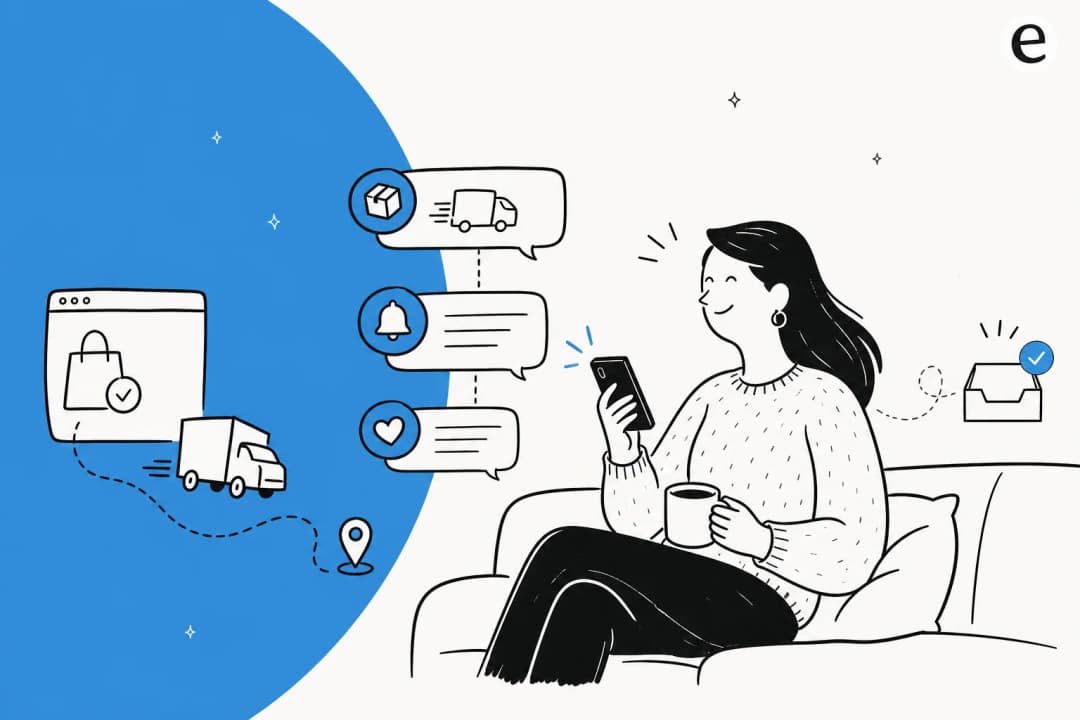
- WhatsApp and SMS carry post-purchase questions, especially WISMO, because the shipping notification landed there.
- Instagram and Messenger carry a mix of product questions and complaints, and they're public enough that a slow reply costs you twice. Social media support is a different tone problem, not just a different inbox.
- Email carries returns and anything with an attachment, and it's the channel most chat-only tools quietly don't cover.
The test worth applying: does one agent answer across all of these out of the same queue, or are you buying a chat widget and then rebuilding the same automation again for every other channel? Splitting it is also what breaks ticket routing, because the same shopper now exists as three unrelated conversations.
Which use cases should you automate first?
Your stack decides what the bot can actually read, and what it can read decides what it can safely do. Pick yours:
Which use cases should you automate first?
Pick where your store and your tickets live today.
Whatever the widget says, the sequencing principle underneath it is the same one from the matrix: read-only before act, high-volume before high-nuance. Teams that follow it get to a working self-service setup in weeks; teams that start with refunds usually turn the bot off after the first bad month.
Three retail chatbots you can actually go and look at
Most "retail chatbot examples" lists are a parade of Facebook Messenger bots from 2017 that quietly died. These three are running now, and each one was documented by the company itself, so you can check the claims rather than take a vendor's word for them. Notice that each covers a different row of the matrix.
Amazon, for product discovery. Rufus, renamed Alexa for Shopping in May 2026, is trained on Amazon's product catalog, customer reviews, and community Q&As. It's built for the research half of shopping, questions like "what to consider when buying headphones" or "what do I need for cold weather golf," and it's now available to all US customers in the shopping app and on desktop. It answers about products, not about your specific order.
Klarna, for post-purchase support. This is the one with real published numbers. In its first month Klarna's assistant handled 2.3 million conversations, two-thirds of the company's customer service chats, work Klarna put at the equivalent of 700 full-time agents. Customers resolved their errands in under 2 minutes against 11 minutes previously, and repeat enquiries dropped 25%. The scope is exactly the boring high-volume stuff: refunds, returns, cancellations, disputes, invoice errors, payment schedules.
Best Buy, for troubleshooting and order changes. Its assistant launched in late summer 2024 and handles product troubleshooting, changes to order delivery and scheduling, and Geek Squad and membership subscriptions. It runs on BestBuy.com, in the app, and on the customer support line, which is a useful reminder that "chatbot" and "voice" are the same underlying agent now.
The common thread is the one most example lists skip: none of these is a clever conversation engine on its own. Each is wired into the company's live catalog, order, or billing data, which is what makes the answer worth reading. And Klarna is the only one that published a before-and-after, which tells you something about how many of these deployments are actually measured.
Build it or buy it: how the options actually differ
There are three honest ways to get a retail chatbot, and the tool comparisons you'll find rarely compare them on the two things that decide whether it survives contact with your queue: whether it can hand off, and whether it can report what it did.
| Commerce integrations | Channels | Handoff to a human | Measurement | Time to live | |
|---|---|---|---|---|---|
| Build in-house on an LLM API | You write and maintain every Shopify, WooCommerce, or Gorgias call yourself, including token refresh and rate limits | Whatever you build a connector for, one at a time | You build the escalation logic and the confidence threshold from scratch | You instrument it yourself, or you fly blind | Months (estimate), plus ongoing engineering |
| Buy a standalone ecommerce chat platform | Usually native to the big carts, sometimes only on higher tiers | Typically strong on web chat, social, and SMS | Native, but often into that platform's own inbox, not your helpdesk | Built-in dashboards, scoped to conversations in that tool | Days to weeks (estimate) |
| Layer AI on the helpdesk you already run | Reads the store data your helpdesk is already connected to | Whatever your helpdesk already receives, so email and chat come free | Native, because the escalation target is the same queue your agents already work | Deflection and resolution rate reported against the tickets you already track | Under an hour to a few days (estimate) |
Time-to-live figures are estimates from deployments I've seen, not benchmarks. Ranges vary hugely with how clean your macros and help centre are.
Pick this way:
- Build in-house only if the chatbot is a product feature you're selling, not a support cost you're cutting. For a support queue the maintenance rarely pays back.
- Buy a standalone platform if most of your volume is pre-purchase and arrives through social and SMS, and your support team doesn't really live in a helpdesk yet.
- Layer AI on your helpdesk if you already run Zendesk, Freshdesk, or Gorgias and your volume is post-purchase. Splitting the conversation across two inboxes is the fastest way to break the handoff, which is the failure mode covered next.
If you want the named-tool version of this decision instead of the approach-level one, we keep ranked lists of the best AI chatbots for e-commerce, the best AI for ecommerce support, and, for stores on that platform, the best AI chatbots for Shopify.
Where retail chatbots go wrong
Now the honest part. Most people's experience of retail chatbots is bad, and it's worth being clear-eyed about why, because the failure modes are specific and avoidable.
The core problem isn't the AI, it's the missing exit. A shopper hits something the bot can't handle and there's no clean path to a human, so they loop. One thread opener on r/CustomerService captured the feeling exactly:
"You ask a simple question and get copy pasted responses that don't even address what you asked. Half the time it feels like you're arguing with a flowchart instead of a person. Eventually you either give up or reword the same question five times hoping it triggers a human."
It gets worse when the bot is confidently wrong about an order. A shopper described an Amazon bot insisting a month-late package was "going to ship soon," then claiming it had already been delivered: "these stupid ass ai chat bots don't understand when something is wrong, they just see a status and assume my order is fine." That's the nightmare scenario for a retail brand, and it maps exactly to the WISMO row of the matrix: the bot read a raw status field and repeated it instead of noticing the tracking had gone stale.
The data backs up how costly this is. Gartner found that only 14% of customer service issues get fully resolved in self-service, and when self-service fails, 45% of customers said the company simply didn't understand what they were trying to do. In retail the downstream cost is brutal: Zendesk's benchmark data shows 73% of consumers will switch to a competitor after multiple bad experiences, and most of them switch silently without ever complaining. A broken bot doesn't generate angry tickets, it generates quiet churn. If you want the full catalogue of ways this happens, we wrote up the common AI chatbot problems separately.
What separates a good retail chatbot from a bad one
The dividing line, across every frustrated shopper and every operator I've compared notes with, comes down to three things.
It's connected to live data. A chatbot that can't fetch a real order status or a real stock count is just a dressed-up FAQ. Look back at the matrix: the "what it must read" column is the whole product. One operator on r/ShopifyeCommerce put the principle sharply:
"Integration > interface. A shiny chat bubble doesn't matter if it can't fetch real customer info. Measure deflection, not just replies."
That's exactly why connecting Shopify order data to the bot is the step that separates a useful tool from a decorative one, and why stock questions need live inventory data rather than a cached feed.
It hands off cleanly. The bot should know what it doesn't know and route to a person before the shopper has to fight for one. Counterintuitively, a good handoff makes people more willing to use the bot, Gartner found customers who experienced a seamless self-service-to-agent transition were 74% more likely to start in self-service next time. The escalation path isn't a fallback, it's what earns the deflection. Getting it right is worth as much attention as the automation itself; it's the heart of good AI agent handoff practice.
It's measured on deflection, not activity. The metric that matters is your resolution rate, the share of conversations fully resolved without a human, not how many messages the bot sent. A DTC supplements CX lead I spoke with framed the whole trust question well:
"The AI will never be able to answer 100% of the questions. I need an AI who is only handling the tickets that it's confident to handle and all the other ones, leave them alone."
That confidence threshold is the difference between a bot that helps and a bot that stonewalls. Track it per use case with live chat deflection and your broader AI customer service metrics.

Well-integrated retail bots tend to land at 40-70% ticket deflection once they can reach order and product data, a range a Text team member on Reddit put at "60-70% of tickets without losing quality." But that number is meaningless without the integration and the handoff behind it, and it's worth splitting by row of the matrix rather than reading as one blended figure.
How to roll out a retail chatbot without torching trust
The mistake I see most often is teams flipping a bot to fully autonomous across all six use cases on day one and hoping. Given how a confidently-wrong bot churns customers, that's the riskiest possible approach. Here's the rollout that actually works.
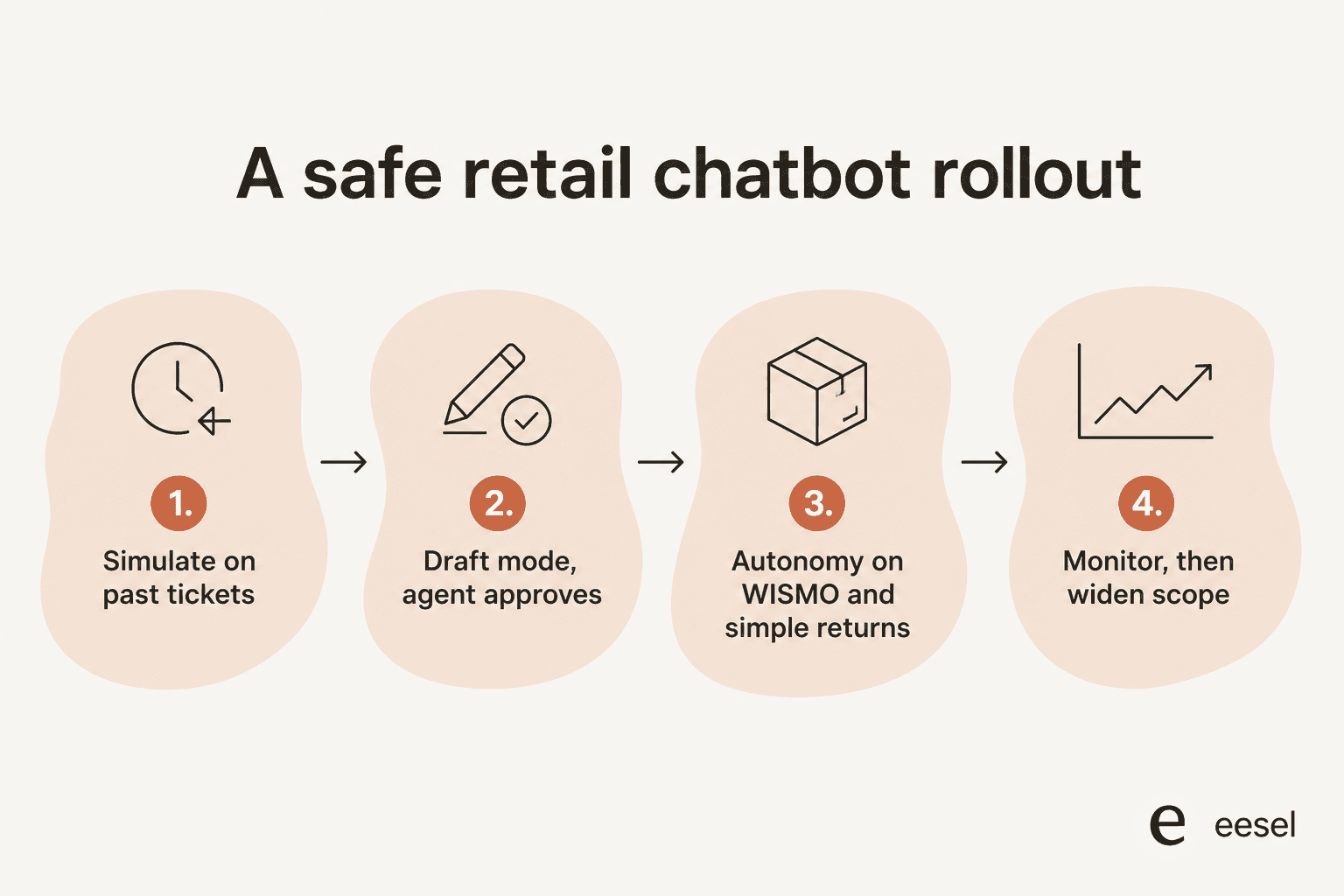
- Simulate before you go live. Run the bot against your last few thousand real tickets and see how it would have answered, broken down by the use cases in the matrix. This is the single best way to catch the "confidently wrong about an order" failure before a customer ever sees it. eesel's simulation mode does exactly this, so you get a coverage forecast per topic instead of a guess.
- Start supervised. Let the bot draft replies for your agents to approve rather than sending on its own. You keep a human in the loop while you build trust in its answers.
- Grant autonomy row by row. WISMO and stock lookups are safe to automate early. Returns and post-purchase edits come next, once the policy rules are right. Emotional, high-value, or edge-case tickets stay with humans, exactly the split shoppers actually want. As one ecommerce operator put it: "combine automation for repetitive tasks with real humans for more nuanced support."
- Monitor and widen scope. Watch deflection and escalation rates per use case, feed corrections back in, and expand what the bot handles as it earns it. Do this before your next peak, not during it, since Black Friday support is the worst possible time to be tuning a threshold.
A quick word of caution from a Shopify merchant who flagged the risk of over-automating a young brand: "It doesn't build relationship well and separates you a bit from good product feedback/questions." If your brand is new, keep more of the conversation human and automate narrowly. The gradual path above is how you get the volume relief without losing the customer intimacy that early brands run on.
Try eesel for your store
If you're shopping for a retail chatbot, eesel is built for exactly the matrix above. It plugs into Shopify, WooCommerce, and Gorgias, reads your catalog and order data, and answers WISMO, returns, stock, and product questions grounded in your real store, not generic guesses. The differentiator is the safety net: you simulate against past tickets before launch, start supervised, and set a confidence threshold per topic so it only handles the rows you've cleared and hands the rest to your team.
The pricing is usage-based at $0.40 per ticket or chat handled, counted per conversation rather than per reply and with no per-seat fees, so it scales with your ticket volume rather than your headcount. Gorgias stores using eesel report 85%+ tier-1 resolution in the first week, and you can go live in under 30 minutes. It's free to try, and simulation means you'll know how it handles each row of your queue before you turn anything on.
Frequently Asked Questions
What is a retail chatbot?
What are the main retail chatbot use cases?
How much does a retail chatbot cost?
What can a retail chatbot do for a Shopify store?
Which channels does a retail chatbot need to cover?
Why do retail chatbots frustrate customers so much?
How do I measure whether a retail chatbot is working?



Article by
Riellvriany Indriawan
Riell is a designer and writer at eesel AI with about two years of experience researching CX platforms, AI chatbots, and helpdesk software. She combines her design background with a sharp eye for how these tools actually look and feel in practice — making her comparisons unusually visual and user-focused.