

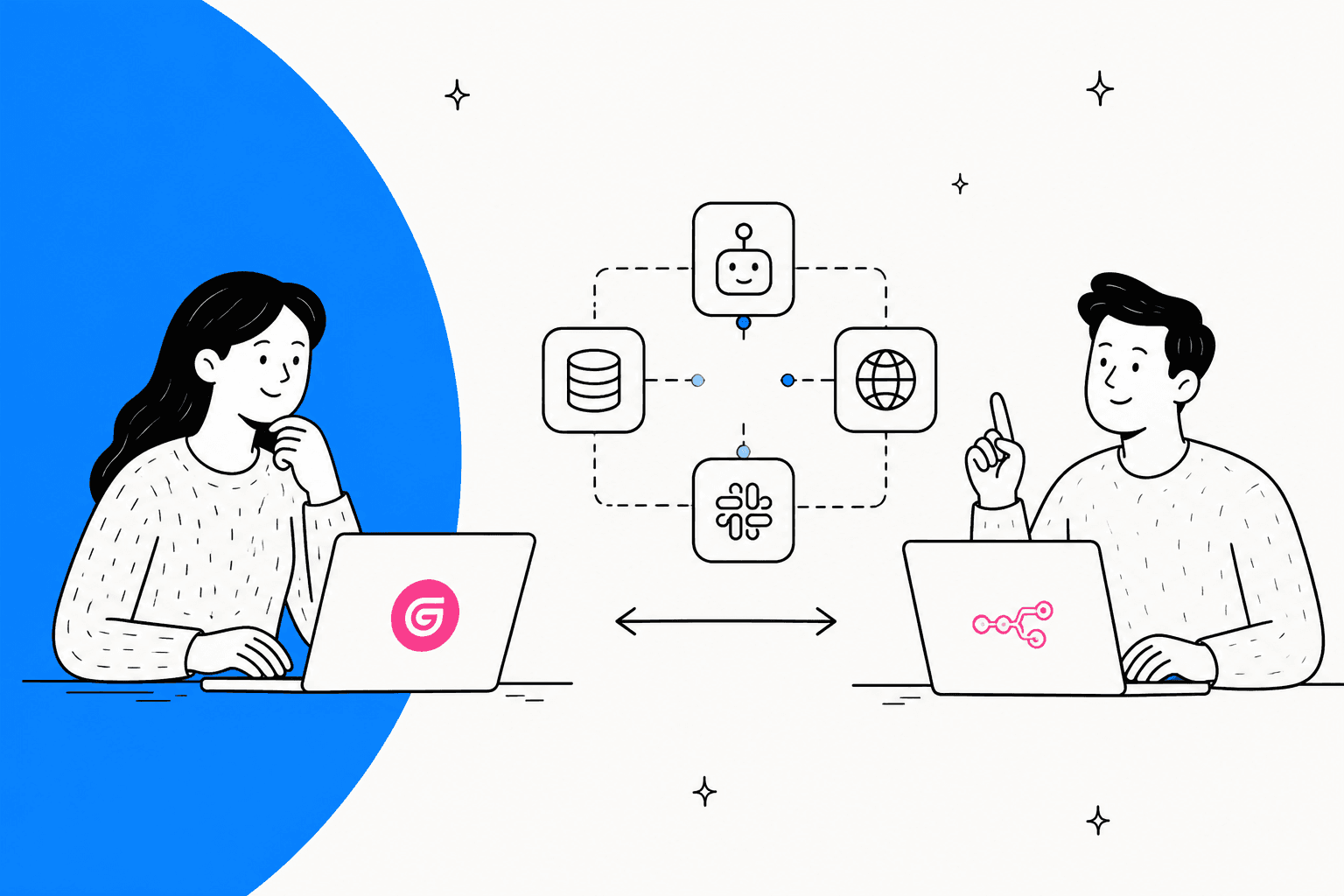
Gumloop vs n8n at a glance
I build AI agents for a living, so I read both products the way an engineer reads a bill: what gets counted, who pays the model provider, and what breaks first. Here is the short version before the detail.
| Gumloop | n8n | |
|---|---|---|
| What it is | Agent-first builder: you chat with an agent, it picks the tools | Workflow builder on a node canvas, with agents as a first-class feature |
| Billing unit | Credits, 1 credit = $0.005 | Workflow executions, unlimited steps per run |
| Entry price | Pro, $37/month for 20,000 credits | Starter, $20/month for 2.5K executions (annual) |
| Next step up | Overage at $0.005 per credit, or Enterprise | Pro, $50/month for 10K executions (annual) |
| AI model cost | Inside your credits (or 0 credits with your own key, fee rises to 16%) | Paid to your provider, or via n8n Gateway credits on Cloud |
| Free option | None. 14-day Pro trial, card required | Free self-hosted Community Edition; 14-day Cloud trial, no card |
| Self-hosting | Enterprise VPC deployments only | Yes, Community Edition, Business and Enterprise |
| License | Proprietary SaaS | Sustainable Use License (fair-code, internal use) |
| Seats | Unlimited on Pro | Unlimited users on every plan |
| Concurrency (entry plan) | 5 workflow runs, 25 agent chats | 5 concurrent executions |
| Developer surface | Gumloop MCP and Gumloop CLI on Pro | MCP server and client nodes, instance MCP server, public API |
| Security | SOC 2 Type II, GDPR, SSO and SCIM | SOC 2, SSO and LDAP on Business |
| G2 | Smaller review base | 4.7/5 from 319 reviews |
| Best for | Non-technical teams running AI-heavy research and ops tasks | Technical teams running lots of runs, or anyone who must self-host |
Sources for every row are in the sections below. If you are also weighing Make or Zapier, my Make vs n8n and Gumloop vs Make breakdowns use the same lens.
What is Gumloop?
Gumloop started as a drag-and-drop workflow canvas and has since moved its center of gravity to agents. The homepage now leads with "Build, share, optimize & control agents", and the old canvas is labelled Workflows (Legacy) on the pricing page. You describe a job to an agent, connect tools like Slack, HubSpot or Gmail, and the agent decides which ones to call.
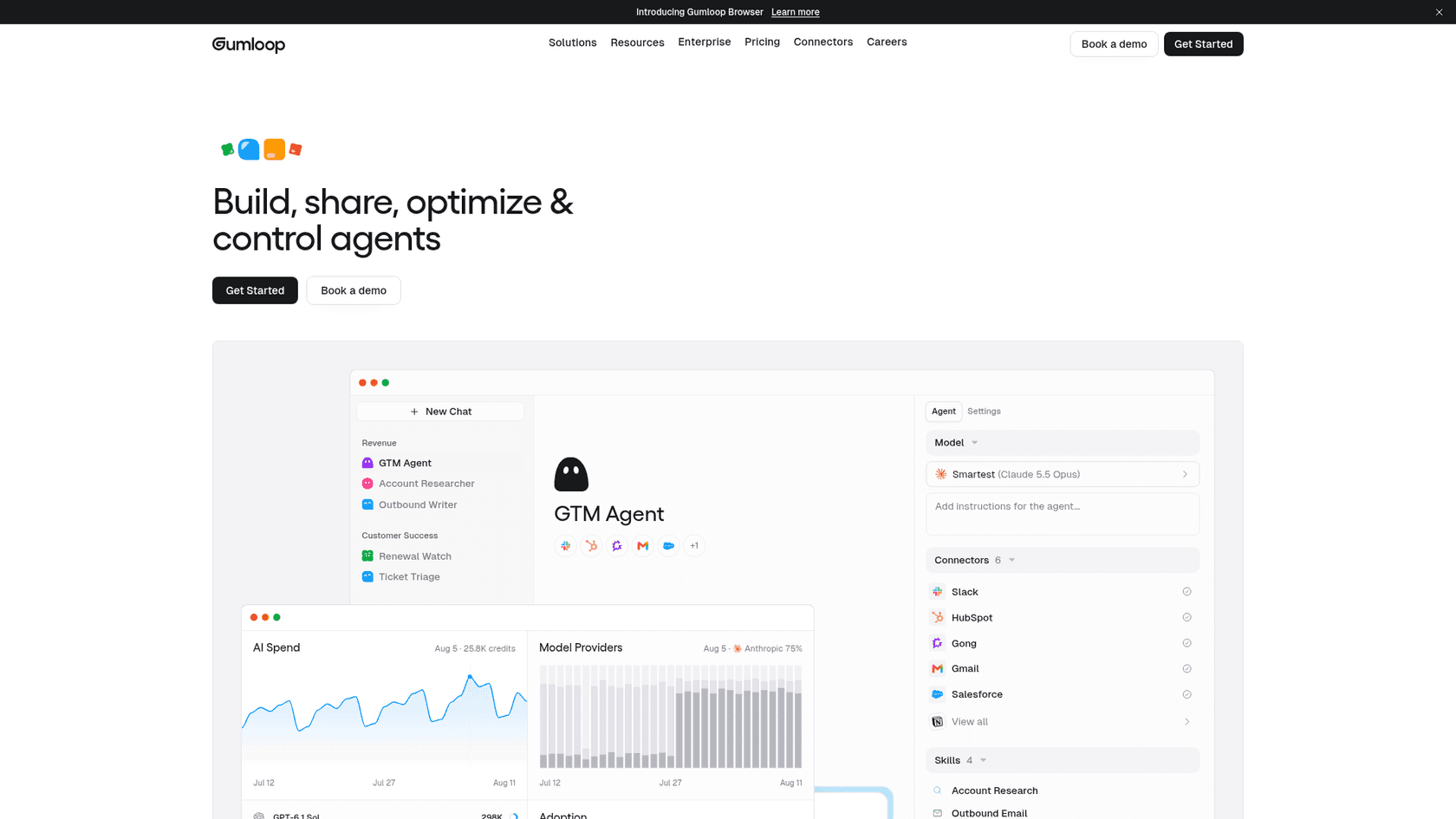
What you get on Pro, per Gumloop's own page: unlimited agents and seats, 35+ models, bring-your-own-key support, a Company Brain for shared knowledge, skills synced from GitHub, 300+ connectors, the Gumloop MCP and the Gumloop CLI. On the security side it lists SOC 2 Type II, GDPR, SAML SSO, SCIM and VPC deployments for enterprise buyers. The company raised a $50M Series B led by Benchmark, and names Shopify, Ramp, Gusto and Instacart as customers.
The reason people pick it comes through clearly in Reddit threads that compare it with n8n:
"-> Gumloop : Easy to build, easy to run but little more expensive."

The full plan and credit detail lives in my Gumloop pricing guide, and the Gumloop alternatives list covers what else sits in this category.
What is n8n?
n8n is a workflow automation platform built around a node canvas: a trigger, then a chain of nodes that call APIs, transform data, branch on conditions and, increasingly, run AI agents. Its AI agents page now says "Agents are now first-class in n8n", and you can describe an agent and have n8n draft its instructions, tools and setup.
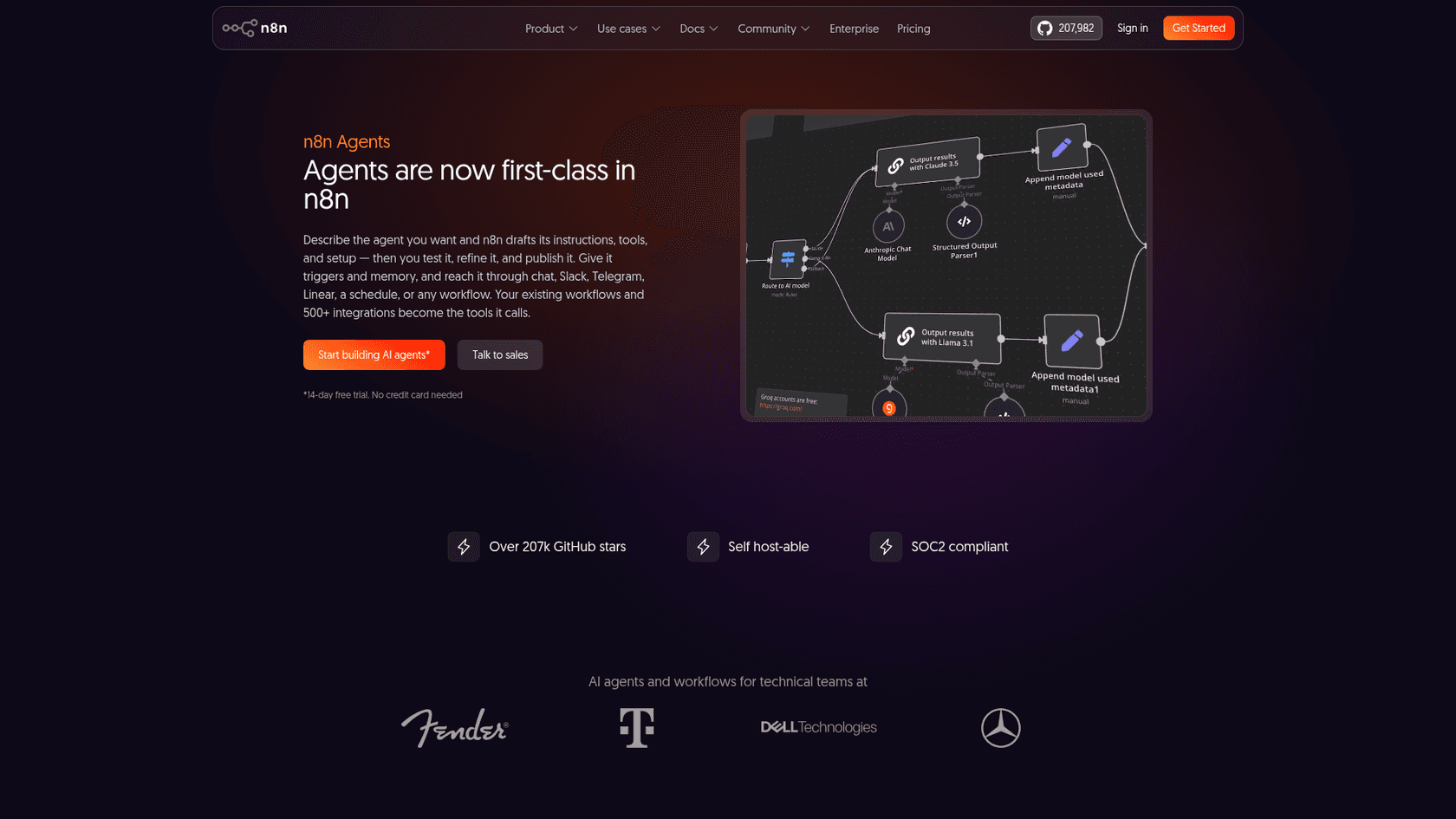
Two things set n8n apart. The first is scale of community: the GitHub repo had 207,989 stars on October 19, 2026, and n8n sits at 4.7/5 on G2 from 319 reviews. The second is control. You can run it on n8n Cloud, or host it yourself and keep every workflow and credential on your own servers.
The canvas is where most of the work happens. Here is the classic first workflow from n8n's tutorial: a schedule trigger, an API call, an If node and two branches.
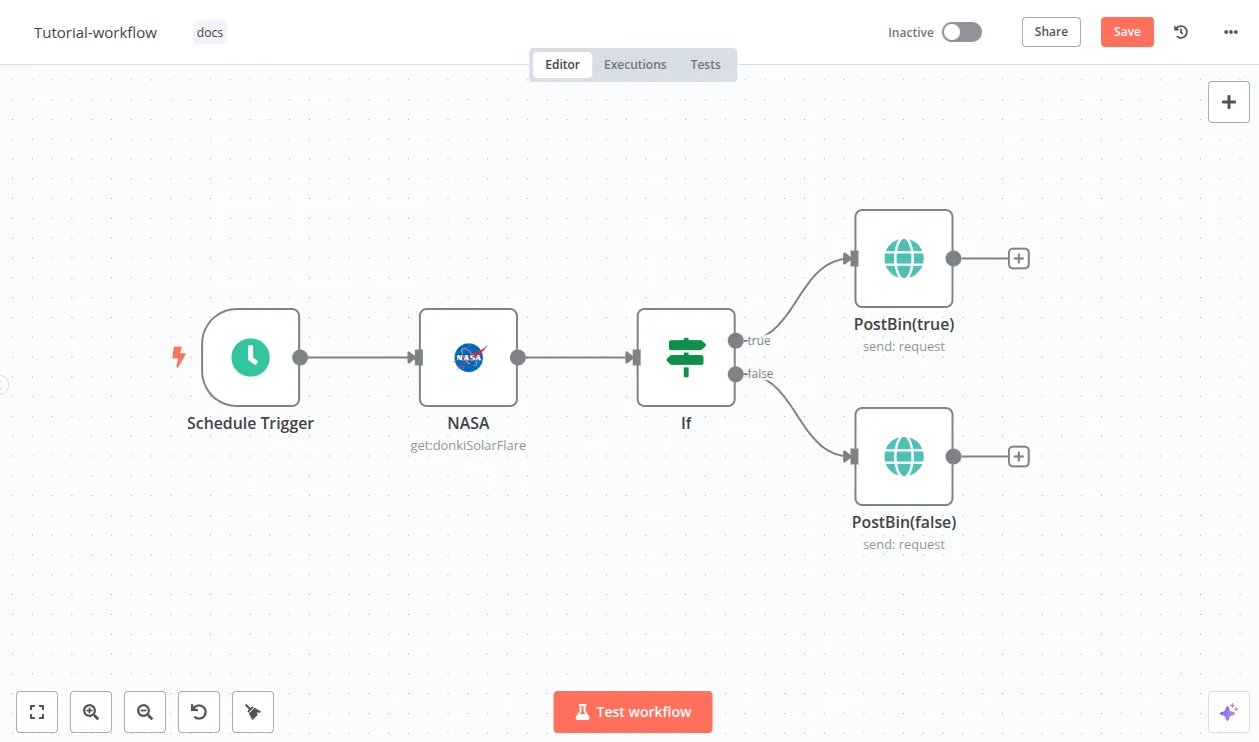
On the AI side, the AI Agent node connects a chat model to tools, with memory, output parsers, a default of 10 max iterations and human approval on any tool you choose. My full n8n review goes deeper on all of it.
How each one bills: credits per run vs executions per run
This is the section that decides most real purchases, so I'll slow down. The two products count completely different things.
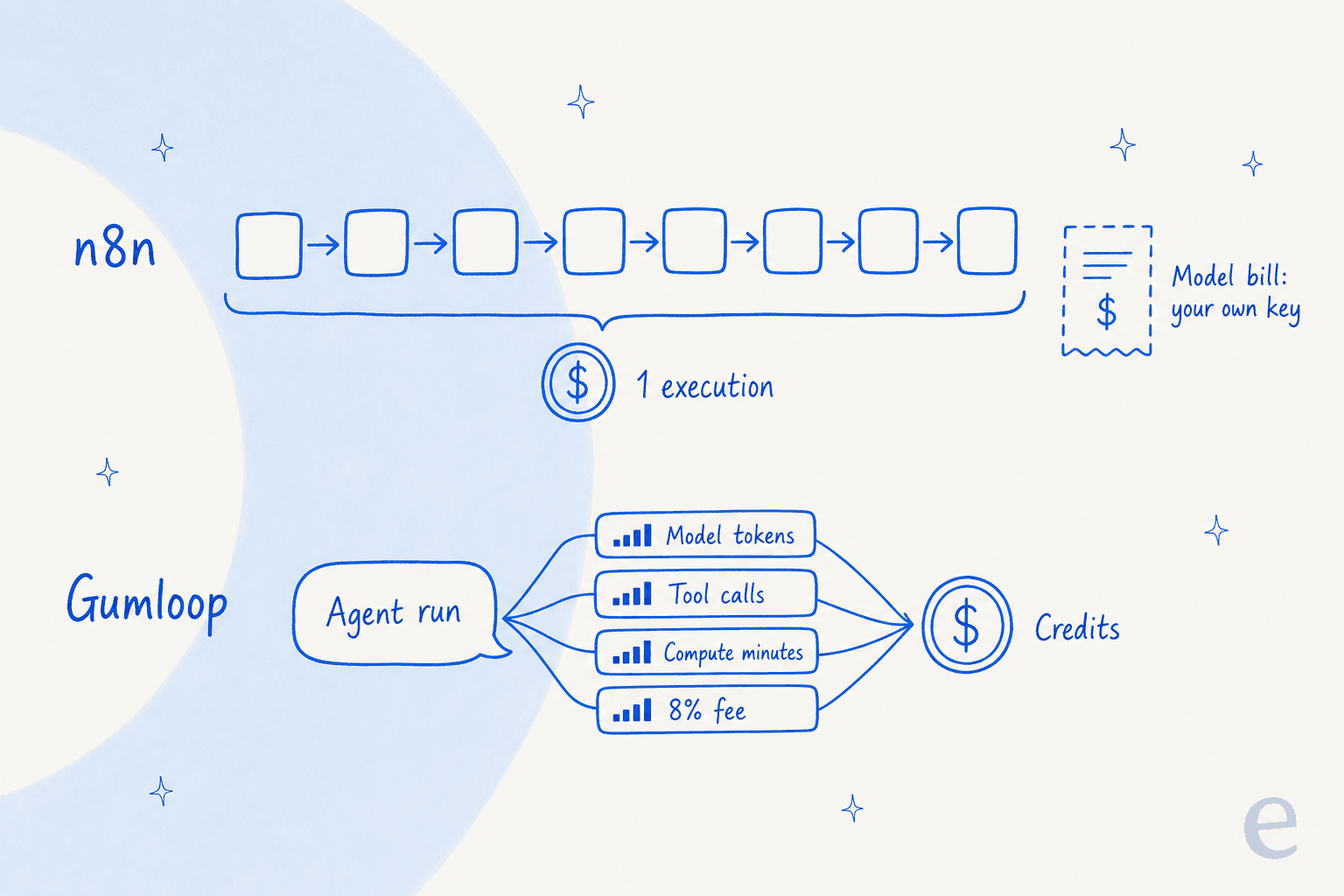
Gumloop: you pay for what the agent does
Gumloop's credits docs are unusually clear. One credit is $0.005, and an agent chat is the sum of four lines:
- Chat and reasoning: the model's own cost, divided by $0.005. A $0.03 model call is 6 credits.
- Tool calls: 1 credit per successful connector call, plus that tool's own charge for things like Apollo enrichment. Failed calls are free.
- Compute: 5 credits per minute of active processing, with a minimum of 1 credit per response.
- Orchestration fee: 8% of the three above.
Gumloop's own example is a chat that spent 400 credits on reasoning, 10 on compute and 15 on tool calls, which pays a 34-credit fee for 459 credits in total. Bring your own model key and the model line drops to 0 credits, but the fee becomes 16%.
The docs say it plainly: "The same agent might cost 2 credits for a quick question and 200 for a deep research task." You can see each run's breakdown in the chat header.
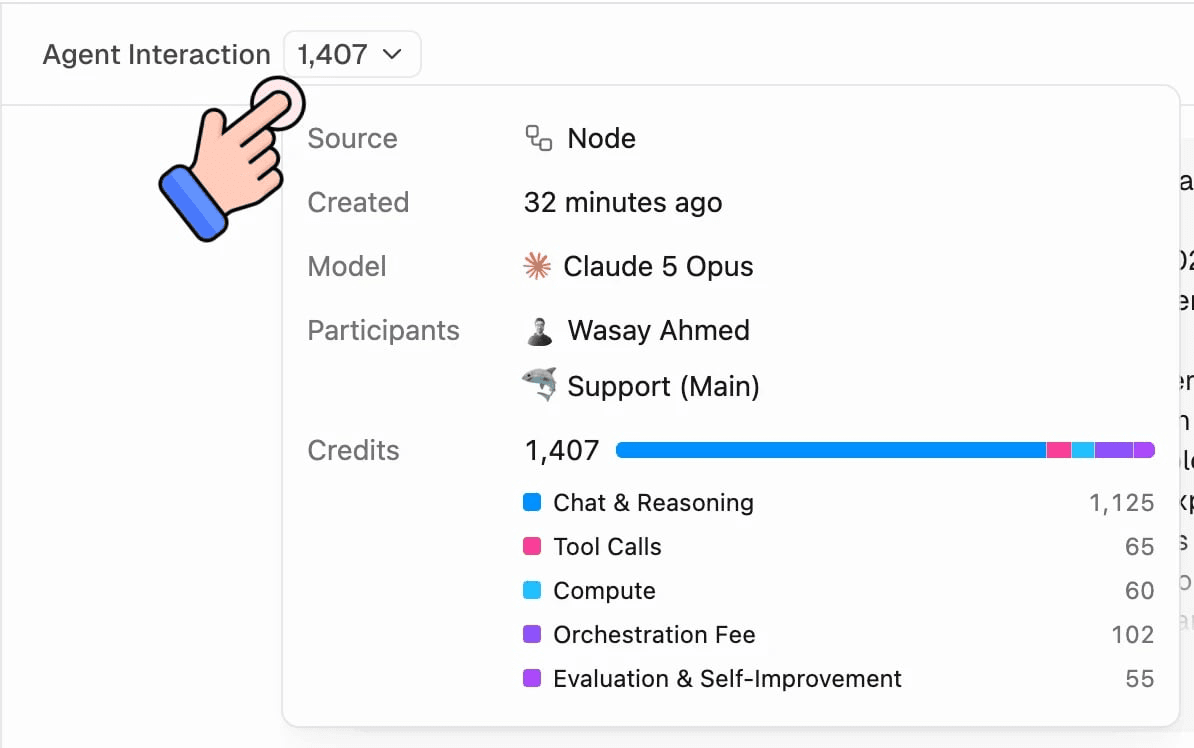
One detail most comparisons miss: Pro's 20,000 credits are 7,400 at list price plus 12,600 bonus credits. At $0.005 each, that allowance is worth $100 of usage for $37. For light-to-moderate AI work, Gumloop is quietly paying part of your model bill. Past 20,000, overage runs at the full $0.005, and it is off by default with a 1,000,000-credit cap.
n8n: you pay per run, and the model is on you
n8n's pricing page says it in one line: "Pricing based on monthly workflow executions, regardless of complexity." An execution is one full run of a workflow, whether it touches 2 nodes or 200. Steps are free; runs are what you buy.
The catch sits on the other side of the ledger. An execution does not include the AI model. You connect your own OpenAI, Anthropic or Google key and pay that provider directly, or, on Cloud Starter and Pro from version 2.36, use Gateway credits that n8n charges at each provider's list rate from a prepaid balance. Either way, the model cost is a second bill.
There is one more n8n trap worth naming. Chat-style triggers count every message as a run. n8n's pricing FAQ counts chatbot usage as conversations times messages per conversation. A Reddit user put the consequence bluntly:
"That's great if you're just doing traditional automations, but think about things like the chatbot trigger or MCP server trigger. Every single user interaction counts as an execution."
Here is the full plan grid for both, with prices read from the vendor pages on October 19, 2026.
| Plan | Price | What you get | Notes |
|---|---|---|---|
| Gumloop Pro | $37/month | 20,000 credits, unlimited seats and agents, 35+ models | 8% fee (16% with your own key); 14-day trial needs a card |
| Gumloop Enterprise | Custom | Custom credits that roll over, VPC, negotiated fee | Compute is free when it runs in your VPC |
| n8n Starter | $20/month (annual) | 2.5K executions, 1 shared project, 5 concurrent | 1,600 Assistant credits, forum support |
| n8n Pro | $50/month (annual) | 10K executions, 3 shared projects, up to 50 concurrent | Admin roles, workflow history, metric-based evals |
| n8n Business | $800/month (annual) | 40K executions, SSO and LDAP, Git version control | Self-hosted only; tiers up to 500K executions |
| n8n Enterprise | Contact sales | Custom executions, cloud or self-hosted | Log streaming, external secrets, SLA support |
| n8n Community | Free | Self-hosted, most of the feature set | Sustainable Use License; no SSO, projects or Git |
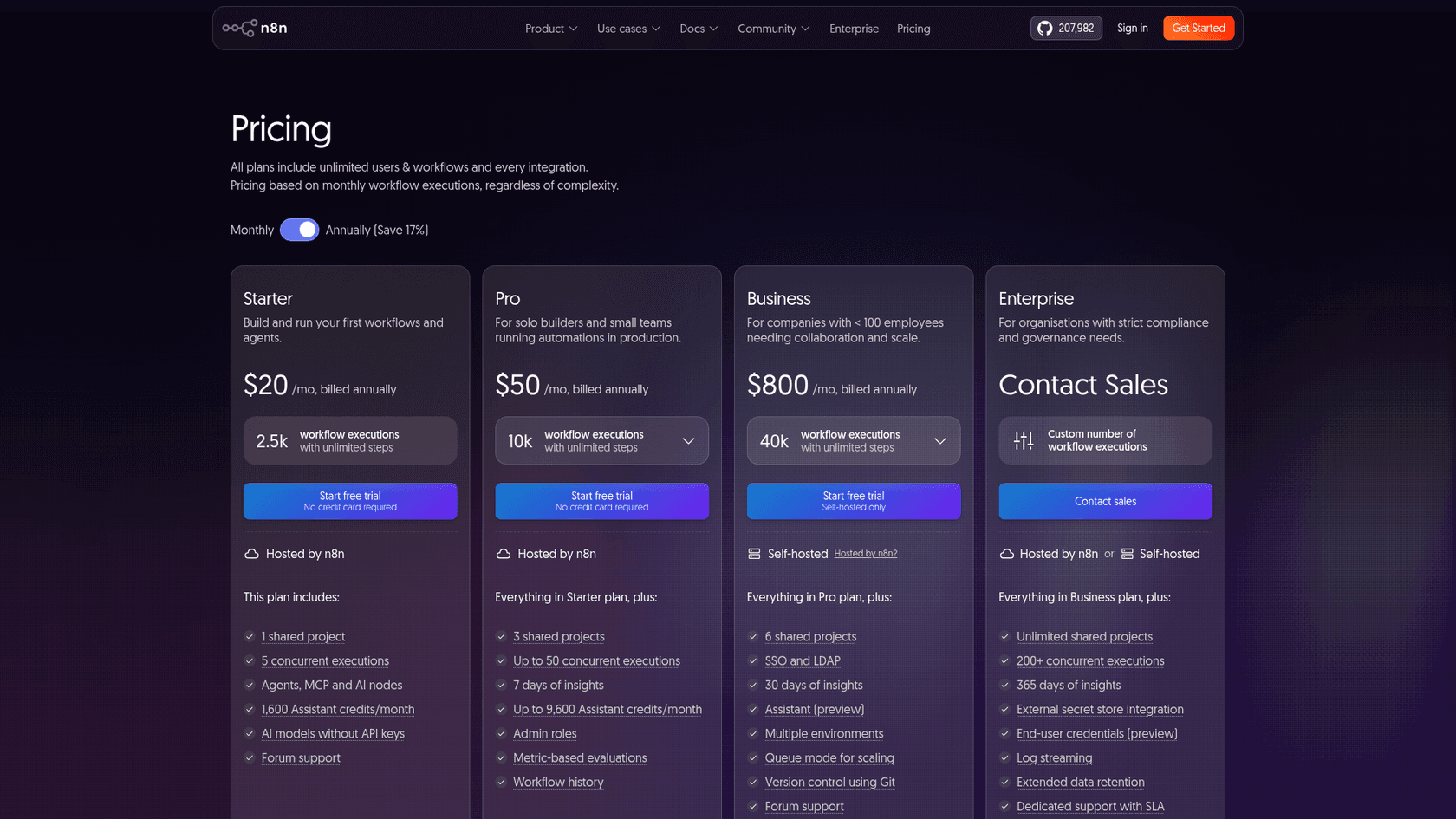
A note if you are in Europe: n8n's page shows euros there (20€, 50€ and 667€ a month on annual billing), so check the currency before you compare.
What a real workflow costs on each
The billing models only mean something once you put a workflow through them. I ran three common jobs through both formulas: Gumloop's credit math from its docs, and n8n's Cloud plans plus a model bill at the same cost per run.
| Workflow | Runs/month | Model cost/run | Gumloop Pro | n8n Cloud | Cheaper |
|---|---|---|---|---|---|
| Ticket triage (tag and route) | 3,000 | $0.01 | $57 (8 credits a run) | $80 (Pro $50 + $30 model) | Gumloop |
| Lead research on a frontier model | 1,000 | $0.20 | $232 (59 credits a run) | $220 (Starter $20 + $200 model) | n8n, narrowly |
| Nightly data sync, no AI | 8,000 | $0 | $137 (5 credits a run) | $50 (Pro) | n8n |
The pattern holds well beyond these three rows. When the model bill is small, Gumloop's bonus credits make it the cheaper seat. When the model bill is large, both tools pass it through at roughly list price and the gap closes. When there is no AI at all, n8n's flat execution price wins, because every Gumloop agent run still pays for tool calls and compute.
Try your own numbers here. The presets match the table above.
Plug in runs, model cost and tool calls to see both monthly bills side by side. Toggle self-hosting to see n8n with only a server bill.
Two caveats on the math. Gumloop rounds compute per response, and an agent can take several responses in one run, so real runs can cost a little more than this estimate. And on n8n, a run that loops an agent 10 times is still one execution, which is great for your execution count and invisible on your model bill.
Self-hosting: n8n's biggest edge, with strings attached
If self-hosting matters to you, the comparison is short: n8n offers it to everyone, and Gumloop offers VPC deployments to Enterprise customers only. n8n's free Community Edition "includes almost the complete feature set", minus SSO, projects, environments, Git version control, log streaming and shared credentials.
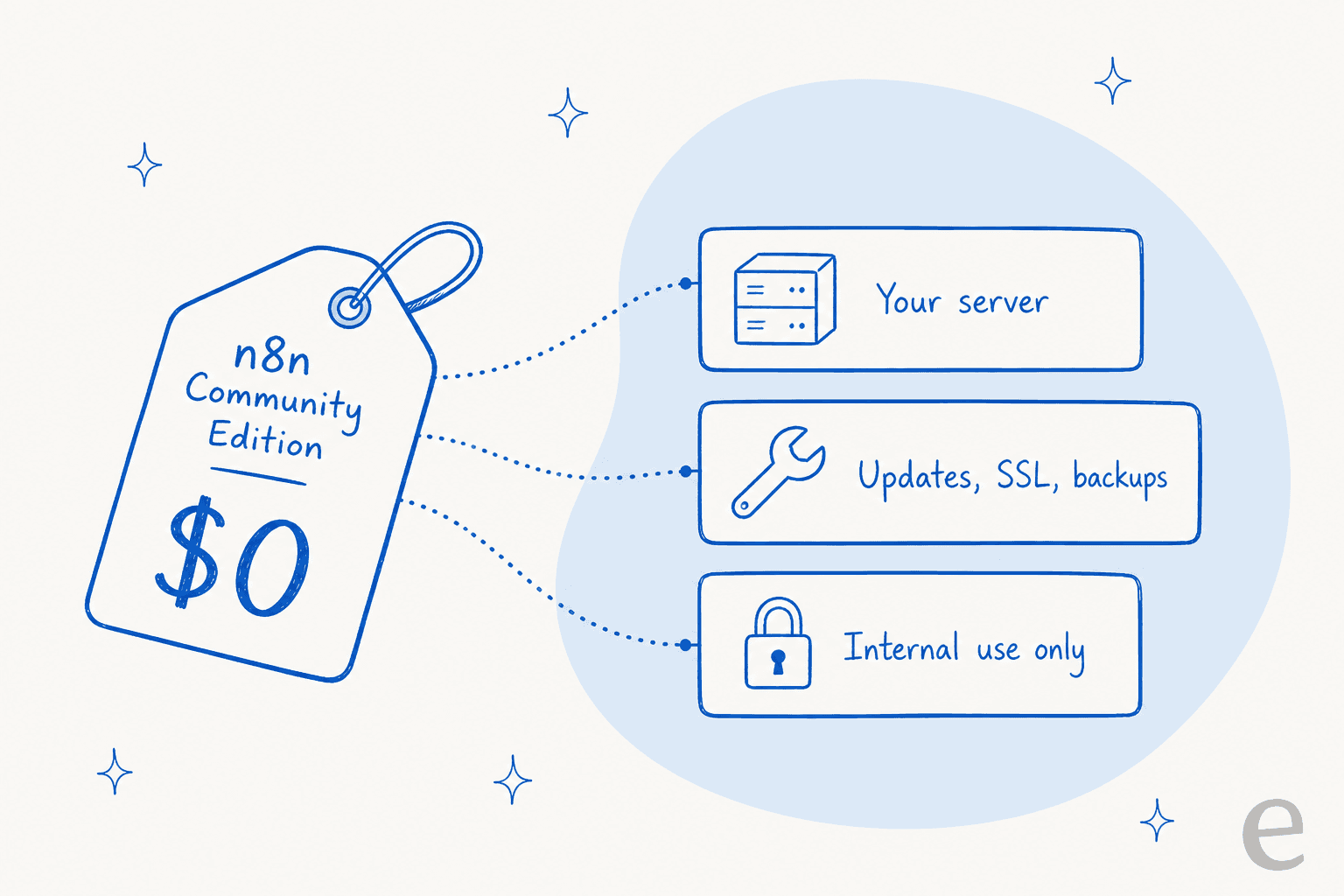
Free software is not free to run, though. You pay for the server and you own the upkeep, which reviewers mention again and again:
"Self-hosting via Docker on a VPS gives me incredible control, but it also brings the overhead of hands-on server maintenance. Keeping the environment up to date, configuring Nginx and SSL, and managing database backups for the n8n instance itself can take a lot of time, especially when compared with fully managed cloud solutions."

The license is the other string. n8n is fair-code, not open source by its own description, and the Sustainable Use License allows use "only for your own internal business purposes or for non-commercial or personal use." The license FAQ is generous inside that line: you can build automations for clients on your own instance and charge for consulting. What you cannot do is host n8n for clients who build their own workflows, or embed the builder in your product, without an Enterprise agreement.
So the honest summary is this. If you have someone who is comfortable with Docker and you are automating your own business, self-hosted n8n is the cheapest serious automation stack I know of. If you are an agency or a SaaS planning to resell it, read the FAQ first. My list of open-source AI agents covers tools with looser licenses.
Building agents: chat-first vs canvas-first
Both products build AI agents now, but they start from opposite ends.
Gumloop starts from the conversation. You tell an agent what the job is, connect tools, add skills (saved playbooks the agent loads when it needs them) and let it decide the steps. Gumloop's own advice for cutting agent credit spend starts with adding a skill, because "without a playbook, the agent guesses your process every chat." That is the trade in one sentence: fast to start, and the cost and reliability depend on how well you pin the agent down.
n8n starts from the canvas. The agent is one node inside a workflow you can see, with deterministic steps before and after it, guardrails for PII and jailbreaks, and evaluations you can run against a dataset. You do more wiring, and in return you can see exactly which step failed.
That debugging gap is the most common complaint about agent-first tools in general, and it shows up in Gumloop threads:
"The operational constraint that usually surfaces first with agentic tools is debugging - when a workflow fails after running for 3 hours, you need to know exactly which step failed and why. Deterministic pipelines give you that traceability."
n8n's agents get criticism too, mostly from people who expected the default node to behave like a polished product:
"I've spent a lot of time building AI agents for real clients and found that agents made with the basic n8n node are very bad at tool selection, remembering context, and following prompts."
My read: neither agent builder is magic. Gumloop gets a non-technical person to a working agent faster. n8n gets a technical person to an agent they can test, version and trust in production. If you want a wider view of builders, my no-code AI agent builder guide and best AI agents roundup compare more of them, including Lindy and Relevance AI.
Ease of use: who each one is built for
Gumloop is built for the person who understands the task but doesn't want to map it. One G2 reviewer summed up the contrast directly: "The platform is much simpler than n8n and significantly more flexible than Zapier." The flip side, also from G2 and Capterra reviewers, is choice paralysis on day one and agents that sometimes misread a natural-language instruction.
n8n is built for people who are comfortable with APIs, JSON and expressions. G2's tag cloud for n8n lists "Learning Curve" (39 mentions) among the top cons, and reviewers are specific about where it bites:
"The learning curve can also be significant for non-technical users, especially when starting to work with APIs, expressions, JSON, and error handling."
The counterpoint from n8n fans is speed for anyone with a little code: a Hacker News commenter describes a junior developer pulling API data, transforming it, building a CSV and sending an email "In about an hour." If you are new to the category, my guide to automated workflows and the best workflow apps roundup are gentler starting points.
Developer access: API, MCP and CLI
Both tools expect to be driven by code and coding agents, not just a browser.
- Gumloop includes the Gumloop MCP and the Gumloop CLI on Pro, so you can trigger and manage agents from a terminal or from Claude Code. Its API also exposes credit limits per custom role.
- n8n has four MCP surfaces, per its MCP docs: a trigger that turns a workflow into an MCP server, a client node for calling external MCP servers, a one-click server registry, and an instance-level MCP server that lets Claude or Codex build, edit, test and run workflows for you.
This is also where eesel takes a different route, so it is worth a paragraph. The eesel CLI is not a way to build workflows. It is a terminal into the same AI teammate you see in the dashboard. npx @eesel/cli init chat-bubble --site https://your-site.com creates an agent, connects a website chat and prints the embed snippet, and eesel chat "what's our refund policy?" tests it without opening a browser. Every command prints JSON, so Claude Code, Cursor or Codex can run the whole setup, and anything set up there shows up in the dashboard. I wrote more about that pattern in AI agent CLI and CLI for customer support.
Which should you pick?
The cleanest way I've found to decide is to ask two questions about the workflow, not the tool: how many steps does a run have, and how much AI does each run use?
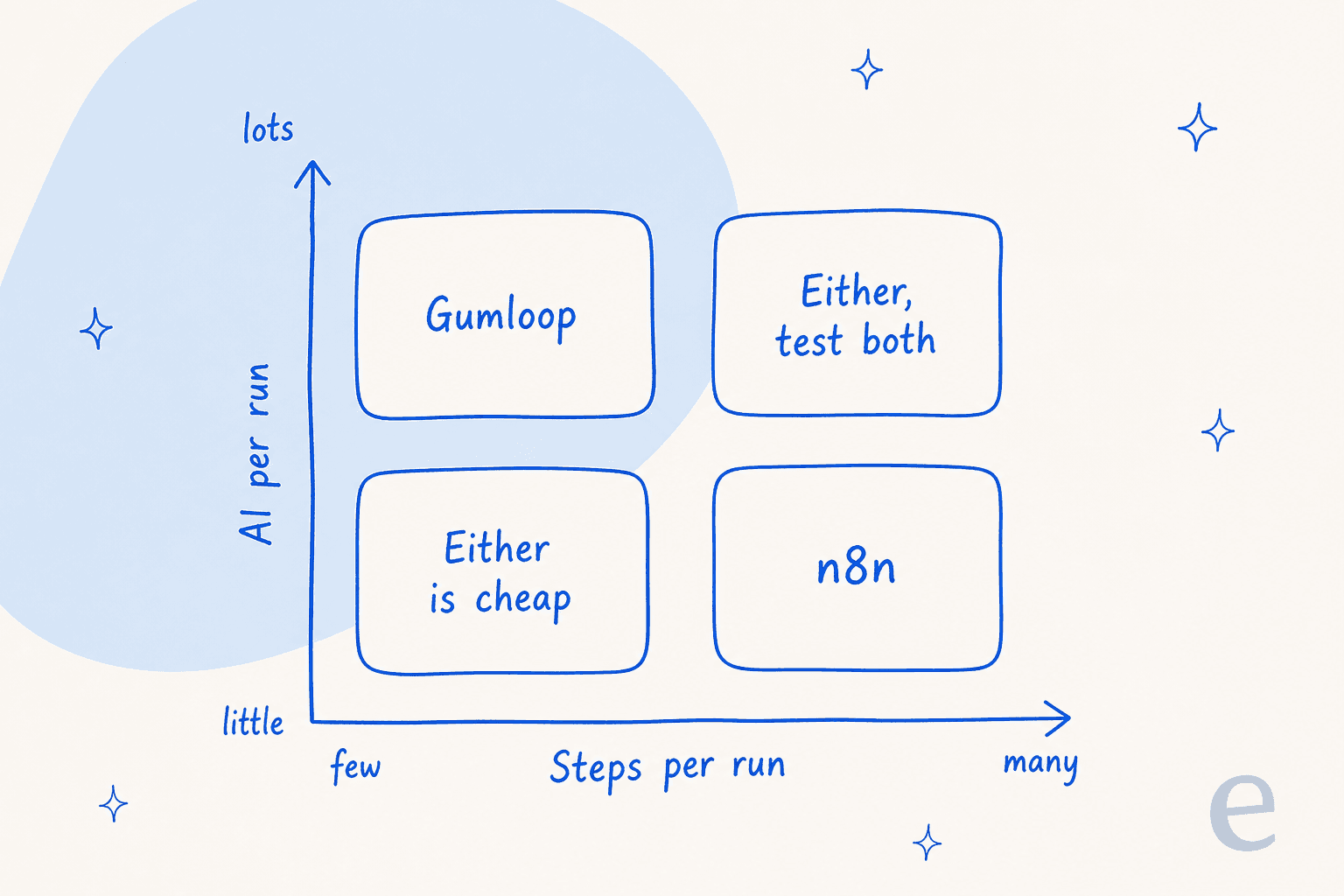
Pick Gumloop if:
- The work is research, enrichment, summaries or drafting, where each run leans on a model.
- The people building it are in ops, sales or marketing, not engineering.
- You want unlimited seats on one shared credit pool and don't need to self-host.
Pick n8n if:
- You run thousands of mostly deterministic jobs a month, like syncs, alerts and routing. My Zendesk n8n integration guide shows what that looks like in practice.
- You need to self-host for data control, or want a free tier you can grow into.
- Someone on the team is comfortable with APIs and wants to see every step.
Test both if the job is long and AI-heavy. The cost gap is small there, and reliability on your own data will decide it. Reddit's most balanced take on Gumloop puts it well:
"I think the biggest tradeoff with Gumloop is simplicity vs ownership. It's incredibly fast to prototype AI workflows, especially for non-devs, but once workflows become mission critical people start comparing reliability, hosting, and cost much more seriously."
If n8n is on your list against other builders too, I've also compared it with Cassidy and OpenAI AgentKit.
Where both fall short for customer support
A lot of people searching "Gumloop vs n8n" are really asking how to automate a support queue. Both tools can do part of that job well. On n8n you can wire up Zendesk, Freshdesk, Slack and Gmail nodes, and on Gumloop an agent can read tickets and post summaries.
What the n8n community recommends in practice is telling, though. The consensus in r/n8n is to let AI do ticket triage and leave the replies to people:
"Use the AI only for classification + priority tagging , not for generating user-facing answers"
That's sensible advice for a DIY build. Replying safely is the hard part: checking who is asking, looking up live order data, handing off at the right moment, staying inside business hours, and testing on past tickets before going live. On either builder, each of those is a sub-project you design, wire up and maintain. One engineering lead at a crypto-hardware company, a 300+ article Confluence shop, told the eesel team why they skipped that route:
"We could try to write our own LLM application but we didn't want to invest our time into that. We wanted something that we would not have to maintain."
That is the gap eesel fills. Gumloop and n8n are toolkits for building automations. eesel's AI helpdesk teammate arrives as a hire for one specific job: it joins your helpdesk, learns from your help center and past tickets, and drafts or sends replies with handoff rules you set in plain English. SamCart runs one agent on Freshdesk tickets and another on its website chat, both answering from about 280 help center articles, and the agent steps back as soon as a teammate picks a ticket up. SE Ranking runs a separate agent for each of its three products inside Zendesk, answering about 2,100 live chats in a month and handing refunds and Tier 2 issues to people with the details attached.
Pricing works differently too. On eesel's pricing page, a ticket or a chat is 1 credit however long it runs, with plans from $299/month for 500 credits. You estimate cost from ticket volume, not from tokens, steps or executions. For the wider math, see my take on AI agent vs human agent cost.
Try eesel for the work you'd otherwise build
If the workflow you were about to build on Gumloop or n8n is "answer our tickets", try hiring it instead. eesel's helpdesk teammate plugs into Zendesk or Freshdesk in minutes, learns from your past tickets, and you can test it on real tickets before it replies to anyone. If your team's automation wish list is content instead, the AI blog writer is the other teammate on the roster.

You start with 100 free credits and every feature, no card needed. Try eesel and see a draft on one of your own tickets today.