

The rate card, in full
There isn't much to reproduce here, and that's sort of the point. Corebee publishes one plan and puts the same number on every page.
| Item | What Corebee publishes |
|---|---|
| Plan name | Pro, marketed as "Founding Member Pricing" |
| Monthly price | $99/month, flat |
| Annual price | $948/year, about $79/month |
| AI conversations | Unlimited |
| Team seats | Unlimited |
| Per-resolution fee | None |
| Implementation fee | None |
| Annual contract | Not required |
| Free trial | 14 days |
| Money-back guarantee | 30 days |
| Integrations | Included, no per-integration charge |
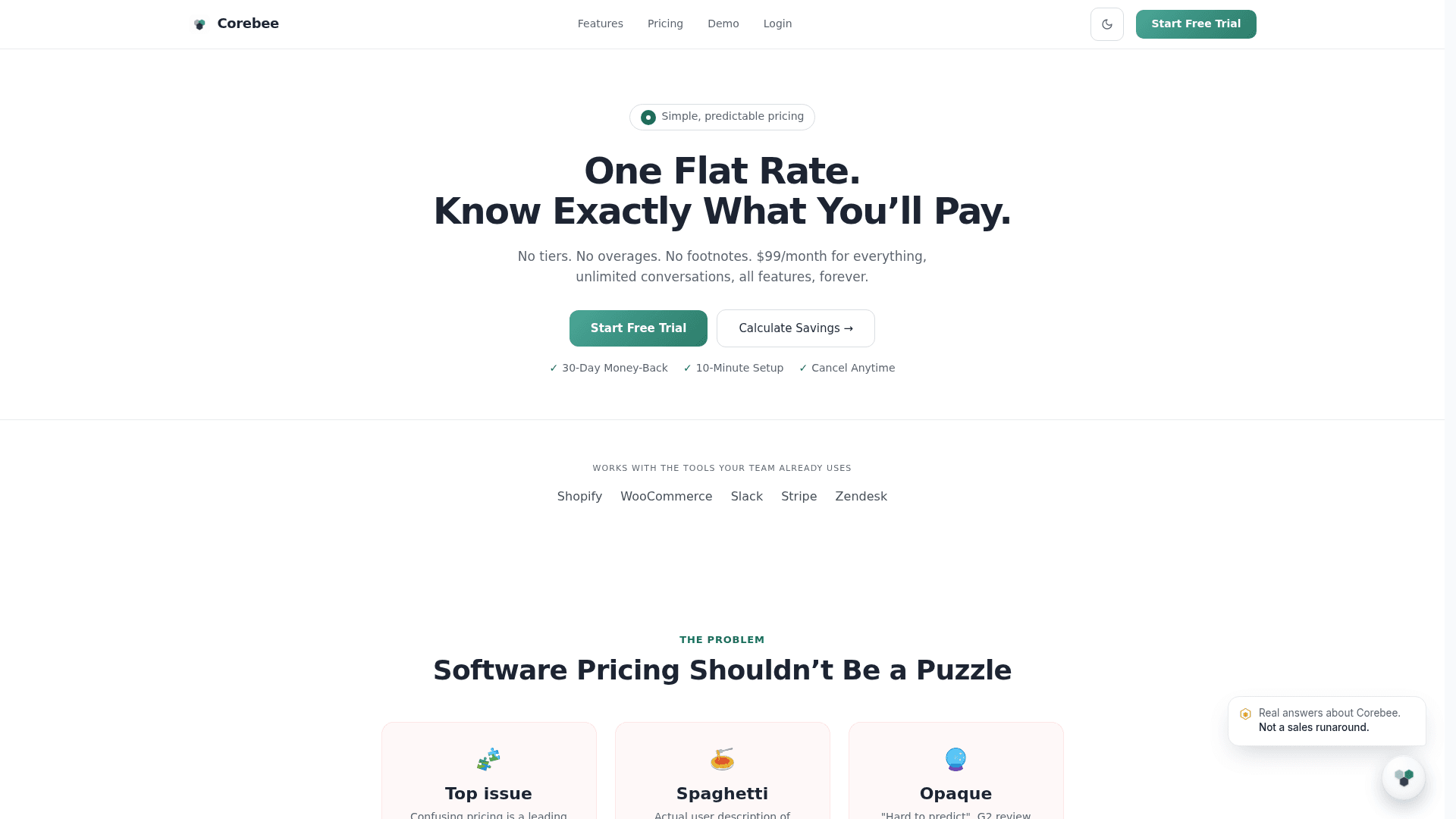
The annual figure is the one place the site is quieter than the marketplaces. Corebee's pricing page carries a monthly/annual toggle but leads with $99 everywhere, while the Shopify App Store listing states "$99/month, or $948/year and save 20%" and the Capterra profile puts the annual rate at $79 a month. Both point at the same $948.
There's a mild tension there worth naming. Corebee's comparison table lists "annual contract required" as a thing other vendors do and Corebee never does, and the promise list says the same. Fair enough, annual really is optional. The best price still sits behind it, which is how most subscription software works anyway.
The $99 is a platform fee, not a support budget
This is the part that actually changes a decision, and the source for it is Corebee's own tooling.
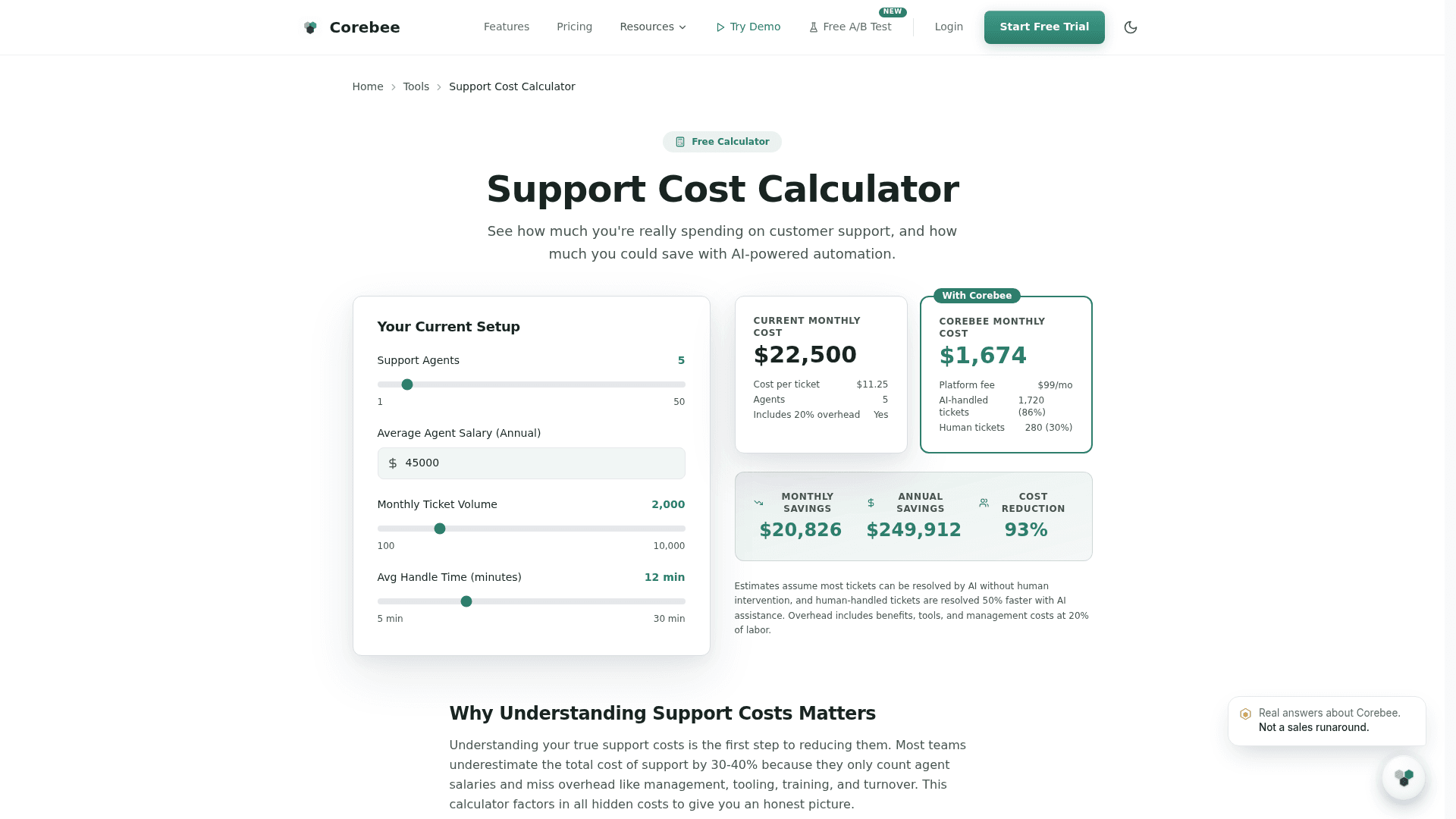
Its support cost calculator defaults to five agents at a $45,000 salary handling 2,000 tickets a month, and returns a current monthly cost of $22,500, or $11.25 per ticket. Then it models the switch. The "Corebee monthly cost" it returns is $1,674, broken out as a $99/mo platform fee, 1,720 tickets handled by AI at 86%, and 280 tickets still handled by humans.
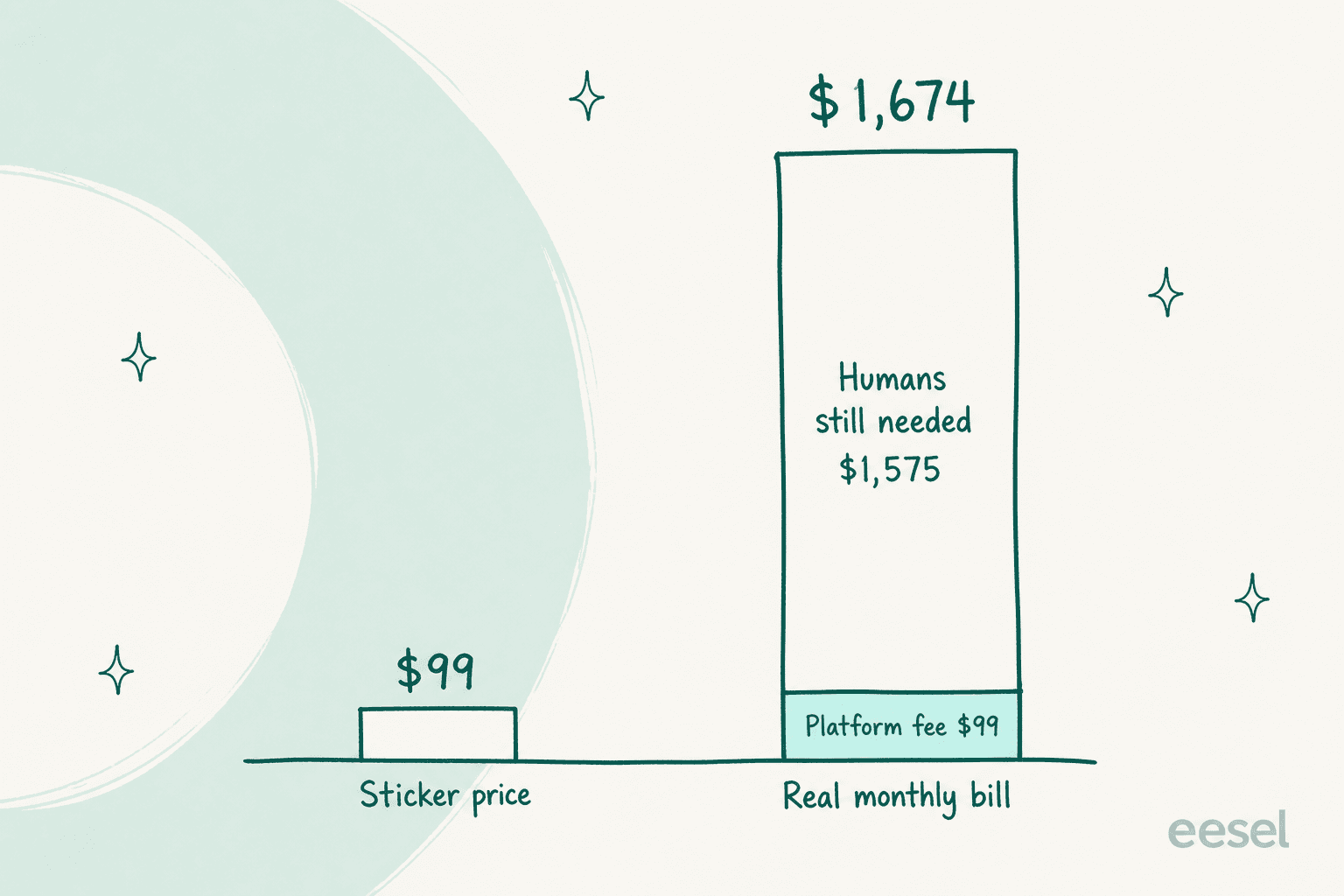
The arithmetic is easy enough to follow. At $11.25 a ticket, resolved twice as fast with AI assistance, those 280 leftover tickets cost about $1,575. Add the $99 and you land on $1,674. The software is 6% of the modelled bill and the residual human work is the other 94%.
To be clear, this isn't a gotcha. It's a more honest model than most vendor calculators bother with, and Corebee should get credit for shipping it. It does reframe the flat rate though. The thing that moves your bill is not the $99, it is the 86%. Get that number to 90% and the leftover work shrinks; get it to 70% and the $99 barely registers next to what you are still paying people. Compare tools on sticker price alone and you're comparing the smallest term in the equation. That's the exact trap cost per resolution math exists to avoid.
One small oddity in the same panel: the calculator labels those 280 human tickets "(30%)", when 280 out of 2,000 is 14%. The dollar total adds up fine, so it looks like a display bug and not a modelling one.
The 86% is an average, and averages are not budgets
Corebee's headline automation claim is 86%, and it appears on the homepage, the features page, the alternatives page and both marketplace listings. To Corebee's credit, its own FAQ qualifies it properly: the rate is per-customer and "depends on how clean your help center is and how repetitive your inbound questions are." The G2 profile says the same thing, that your rate depends on how complete the knowledge base is.
For a flat-rate buyer, that qualification is the whole ballgame. Because the platform fee is fixed, your effective cost per resolution is set entirely by a number the vendor cannot promise you in advance. At 2,000 conversations and 86%, $99 is about 5.8 cents per resolved conversation. At 50%, it is 9.9 cents. Both are cheap. What costs money is the queue that lands back on your team either way. So the metric to interrogate is the AI resolution rate, not the price.
The mechanism underneath is at least explained clearly. Corebee routes in three tiers: instant knowledge-base lookups take 62% of traffic, pattern matching takes 28%, and advanced models from OpenAI and Anthropic handle the remaining 10% where deep reasoning is needed.
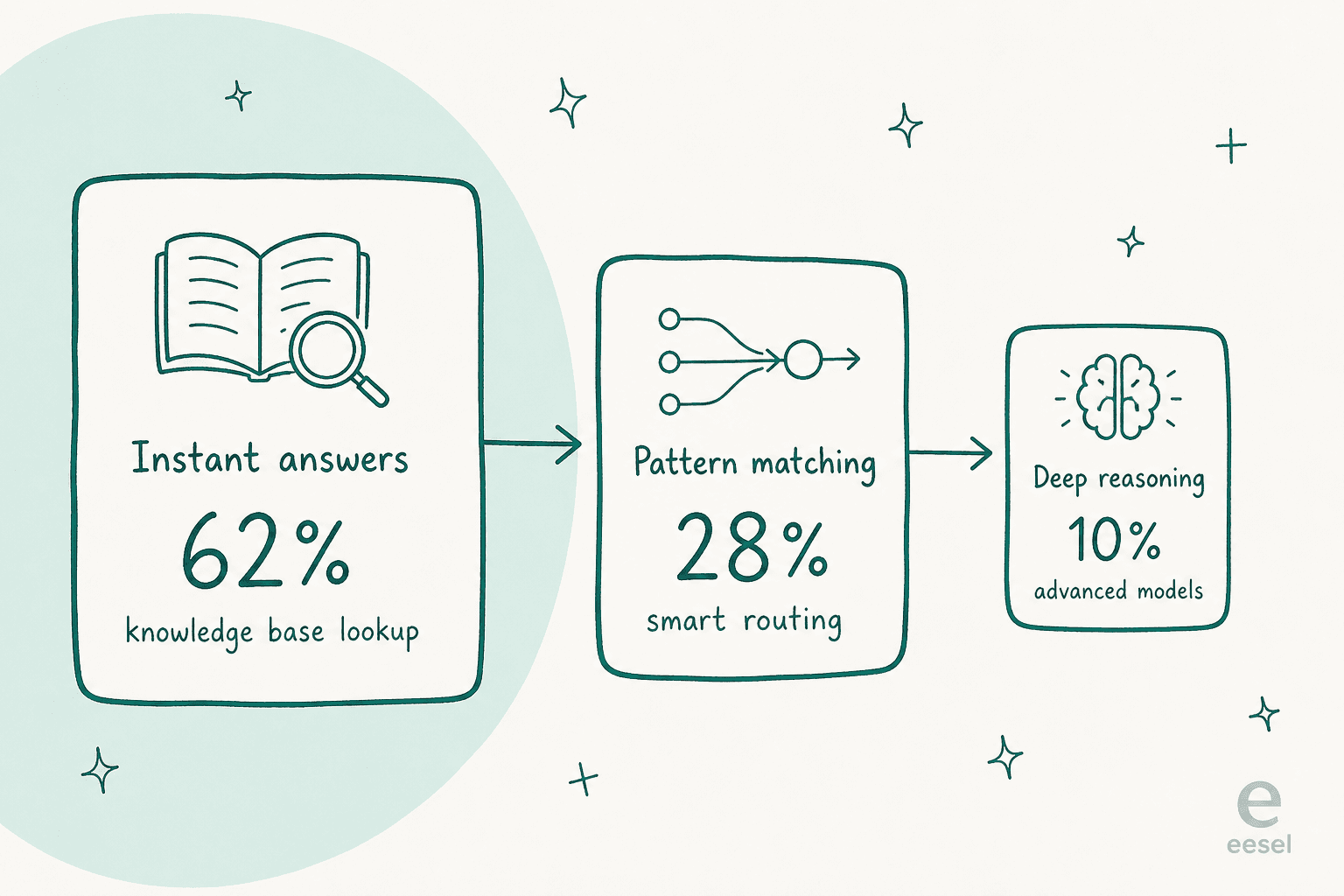
That split is the reason a flat rate is possible at all. If 90% of your traffic never reaches a frontier model, the marginal cost of one more conversation is close to nothing, and "unlimited" stops being a bluff. It is the same logic behind good ticket deflection design, just expressed as a rate card.
What "everything included" includes, depending on the page
Corebee's strongest pitch is that every feature ships on the one plan, and that appears to be true. What's looser is the inventory of what "every feature" means, because the counts move around between pages.
| Claim | Homepage | Features page | Flat-rate page | Integrations page | Capterra |
|---|---|---|---|---|---|
| Integrations | "50+ more" | "32 integrations total" | "60+ integrations" | "20 integrations available" | 8 listed |
| Setup time | 10 minutes | Under 15 minutes | Not stated | 2-click per integration | Under 10 minutes |
| Auto-resolution | Up to 86% | 86% | Not stated | Not stated | Average 86% |
The integrations page is the one that would know, and it says 20, listing exactly twenty: Slack, HubSpot, Salesforce, Shopify, WordPress, Zapier, GitHub, Notion, Google Analytics, Jira, Stripe, Linear, Pipedrive, Segment, Mailchimp, Microsoft Teams, Confluence, Asana, Twilio and Zoom Phone.
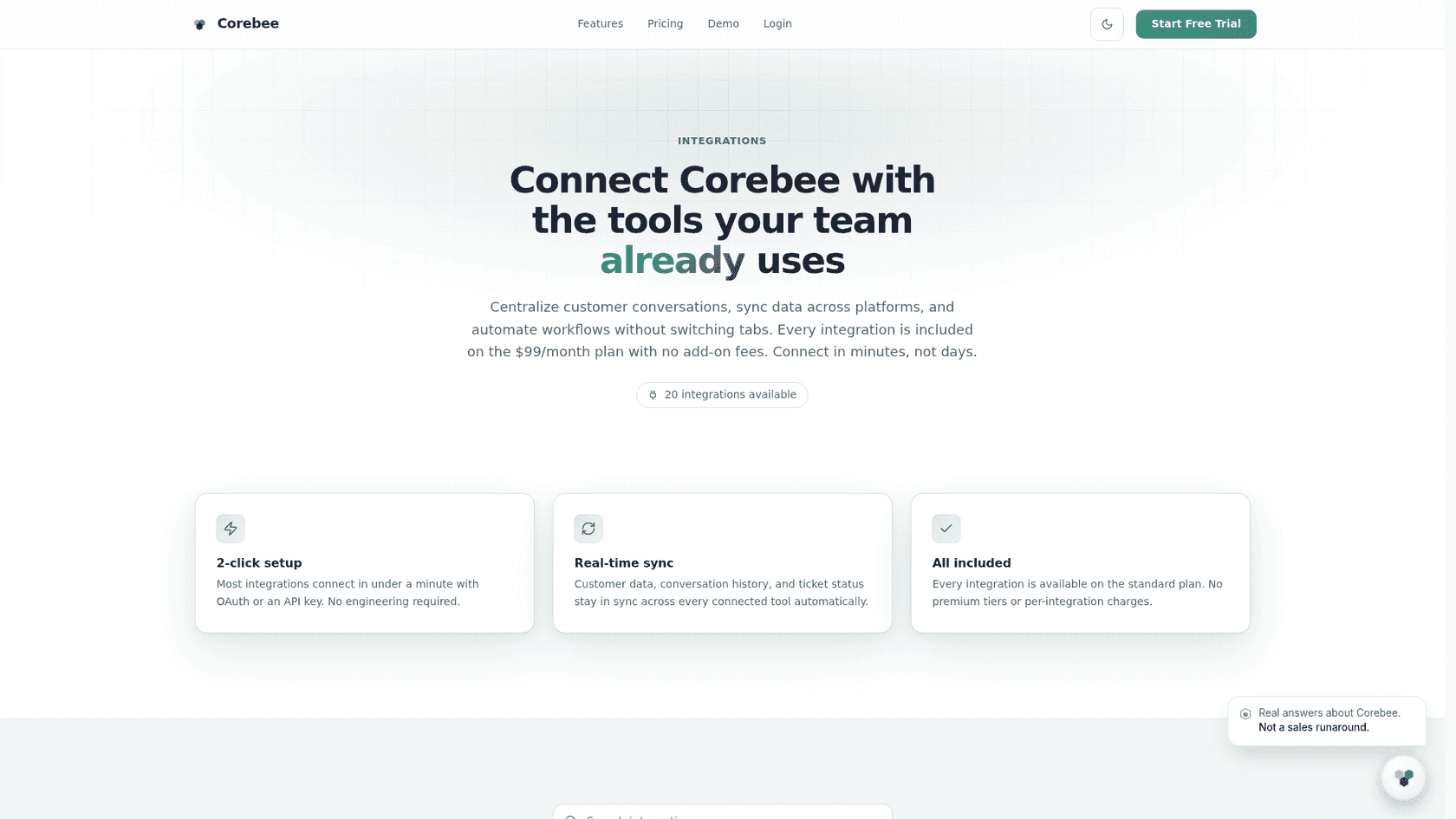
Twenty is a perfectly respectable list for a product this young, and the Zapier entry stretches it a long way. The reason to flag the spread is narrower than it looks: "all 60+ integrations included" is a value claim about the $99, so if your stack depends on one specific connector, check the integrations page rather than the marketing count. If your helpdesk is one of the big incumbents, most of the connective work is a migration rather than an integration, and it is worth reading how Zendesk pricing or Freshdesk pricing treats AI before you assume a swap is cheaper.
Voice is the one open question on the rate card
Buying Corebee for phone support? This is the question to ask before you pay.
Three sources describe it three ways. The G2 and Capterra profiles, both written by the vendor, say the flat $99 covers unlimited voice and chat with no per-call or per-minute fees, with voice running on Twilio and Telnyx and phone treated as a first-class channel rather than a paid add-on. Corebee's own flat-rate page lists it as "Voice AI (early access)." And the pricing page's included-features list does not mention voice at all: it lists unlimited AI conversations, three-tier AI, smart inbox, knowledge base, analytics, custom branding, API access, priority support and governance.
Meanwhile Twilio appears on the integrations page as a connector you wire up yourself to "add SMS and voice support channels." Carriers bill for minutes, so it is worth confirming in writing whether telephony spend sits inside the $99 or arrives on a separate invoice from your carrier. This is the standard split in AI voice customer support tooling, and it is the kind of thing that turns a predictable bill into a variable one. The same question applies to WhatsApp support, where Meta's per-conversation fees are separate from whatever your software charges.
"Founding Member Pricing, locked in forever"
The pricing page badges the $99 as "Founding Member Pricing — Locked In Forever," and the promise list says Corebee will never change your price mid-contract.
Read plainly, that's a good deal and a fairly normal one: early customers get a rate later customers won't. What isn't published anywhere is the standing price once the founding window closes. So "forever" is a guarantee about your account, not a statement about the product's list price. If you are budgeting past this year, that distinction matters, and it is fair to ask what the post-founding rate will be.
Price stability is a real anxiety in this market, not a hypothetical one. On eesel's own sales calls, a budget-conscious B2B hardware support team running about 250 tickets a month asked specifically for contractual price locks, because a previous vendor's price had more than doubled on them. They were willing to pay annually just to freeze the number. A locked founding rate speaks directly to that buyer, which is presumably the idea.
Security: two claims, same domain
Corebee's features page carries a "SOC 2 Type II" badge under the hero, next to a GDPR Compliant badge.
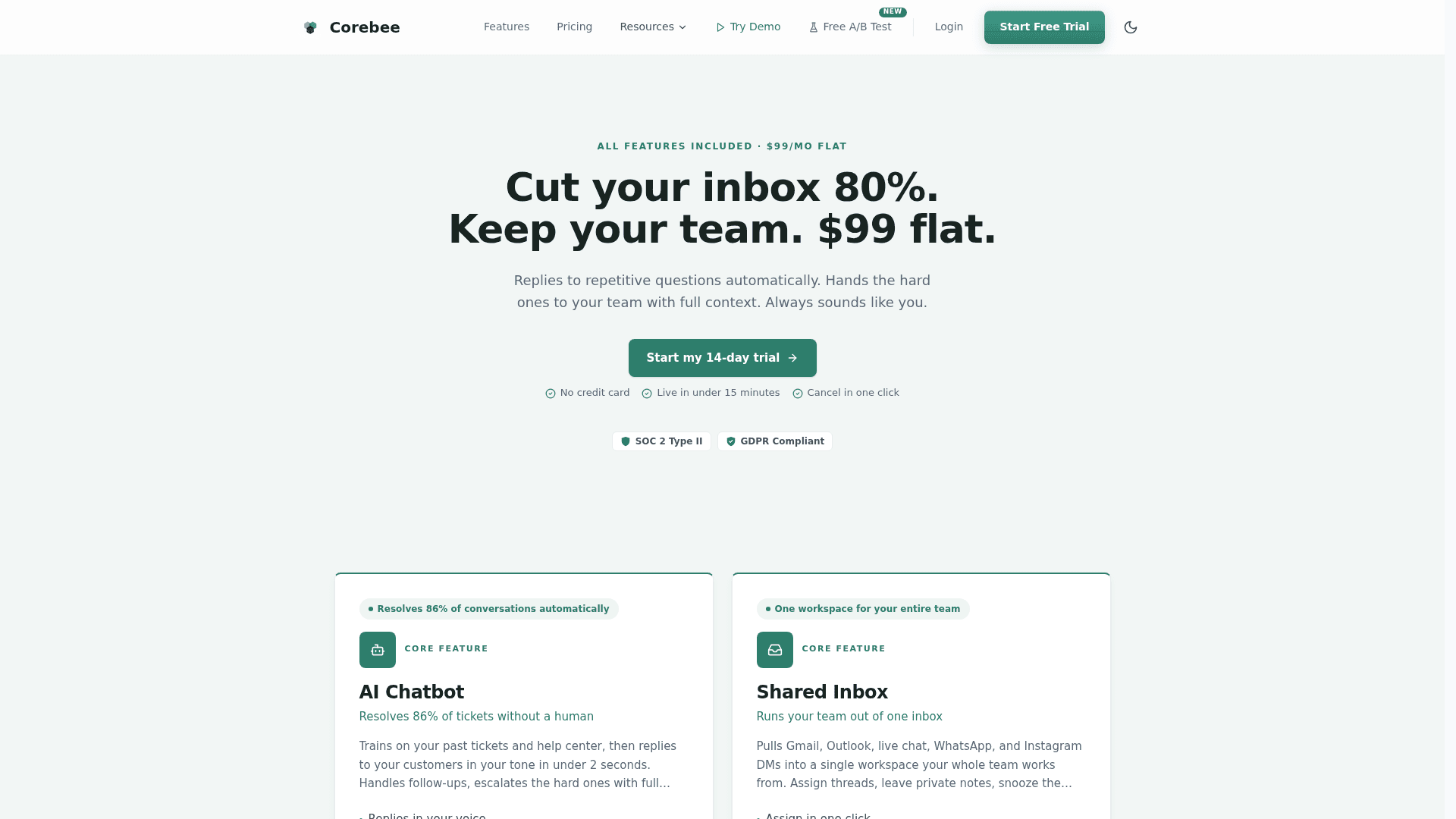
The homepage FAQ, on the same site, answers the data-privacy question with "SOC 2 compliance and certification in progress, GDPR compliant." The G2 profile lists 256-bit SSL, audit logs, approval workflows, a permissions matrix and GDPR-ready handling, and does not mention SOC 2 at all.
Two of the three either say in progress or say nothing at all, which makes the badge the outlier. If you have a security review to clear, ask for the report and the audit window rather than resolving it from the site, and work from a checklist like this guide to SOC 2 and GDPR for support chatbots. The rest of the governance story is more substantial than most tools at this price: an audit log of every AI action, approval workflows that pause high-risk actions, and a permissions matrix that lets you set dollar thresholds, so a refund under $50 auto-approves, $50 to $100 needs a human, and anything over $100 is blocked.
Shopify merchants should also note the app's declared data access: customer names, emails and phone numbers, geolocation and IP, plus edit access to all order history from the last 60 days.
The evidence base is thin, and that is a pricing fact too
Corebee is new. Its Shopify listing launched on 3 July 2026 with zero reviews. Capterra shows a 0.0 rating from zero reviews. Tracxn lists the company as unfunded and based in Israel, and the Shopify developer address is in Givatayim.
There is exactly one public review anywhere, a 5-star G2 entry from a small-business CEO in July 2026, and its criticism is the most useful sentence written about the product so far:
"It answers from our docs but it can't see inside our own product. So a hiring manager asking something account-specific, like the exact stage a candidate is at in their pipeline, still has to reach a human because Corebee doesn't have that live data."

That's a knowledge-scope limit rather than a bug, and it's common to any retrieval-grounded assistant. It's also load-bearing on the price. If a meaningful share of your inbound needs live account state rather than documentation, those conversations escalate, your resolution rate drops, and the leftover human cost in Corebee's own calculator goes up while the $99 stays exactly where it is. Corebee does support training on past tickets via CSV upload, and its Stripe and Shopify connectors let the AI take real actions like refunds and order lookups, so the picture varies a lot by stack. It is the same failure mode behind most cases of an AI chatbot not answering correctly.
None of this makes the product bad. It makes it unproven in public, which is a normal thing to be four months in, and a reasonable thing to price into your decision.
How the $99 sits against the rest of the market
The useful comparison isn't price, it's billing shape, because that's what decides whether your bill moves when your business does.
| Tool | How the AI is billed | Seats | Where the number lives |
|---|---|---|---|
| Corebee | Flat $99/mo, unlimited | Unlimited, included | Published, one plan |
| eesel | From $299/mo for 500 credits (1 credit per ticket or chat), no platform fee | Unlimited, included | Published rate card |
| Zendesk | Per AI resolution, on top of seats | Per agent | Zendesk AI pricing |
| Freshdesk | Per AI session, higher tiers | Per agent | Freshdesk pricing |
| Gorgias | Per resolution, ticket-tiered base | Included | Gorgias pricing |
| Tidio | Per Lyro conversation | Per agent | Tidio pricing |
| Front | AI add-on | Per seat | Front pricing |
| Help Scout | Per-user tiers, AI Answers $0.75 per resolution | Per user | Help Scout pricing |
| Ada | Quote only | Not published | Ada CX pricing |
Against per-agent tools, $99 flat is hard to argue with once you pass two or three people. Five seats on most per-agent plans costs more than Corebee's entire annual discount rate, and that is before any AI meter. If a fixed line item is what you need, whether you are comparing Crisp pricing, Zoho Desk pricing, LiveAgent pricing or HappyFox pricing, Corebee's number is the smaller one.
Where flat stops winning is at the bottom of the range. A team doing 60 AI conversations a month pays $99 for capacity it never touches, when a free plan with 100 credits would have covered them. That is the shape of the churn story I opened with. Above that volume, Corebee's $99 is the smaller number on the software line, and the widget above shows it. The same trade-off shows up when comparing Groove and Helply pricing or a shared-inbox tool like Hiver pricing against an AI layer priced on volume.
Want the resolution rate before the invoice?
All of the above lands on one number you can't get from a rate card: what share of your tickets an AI will actually close. Corebee's pricing depends on it, eesel's does too, and neither vendor can honestly promise it to you in advance from a marketing page.
What you can do is measure it up front. eesel connects to your existing helpdesk, then simulates against your real historical tickets so you see your resolution rate, your gaps and your projected bill before a single customer talks to it. Pricing is one fixed monthly price sized to volume, from $299 a month for 500 credits, with no platform fee and no per-seat charge. One credit covers one ticket or chat, and only tickets the agent actually works on count, so a gradual rollout uses only the credits for tickets you route. There are 100 free credits to start and no credit card needed.

If a flat $99 fits your volume, take it. If you would rather see the number that drives the bill before you commit to either model, try eesel free.
So, is Corebee's pricing good?
Yes, with two asterisks.
It's one of the most legible rate cards in AI support. One plan, one number, published everywhere, no seat math, no per-resolution meter, no call to book just to see it. In a category where quote-gating is the norm that counts for something, and at any real volume it's cheap.
The first asterisk is that the $99 is the platform fee, not the bill, and Corebee's own calculator says so at $1,674. The second is that everything above the platform fee is governed by an automation rate the vendor reports as an 86% average and correctly declines to guarantee, on a product with one public review. Neither is disqualifying. Both are worth pinning down during the trial rather than after it, along with the voice question and the SOC 2 discrepancy.
Below about 100 AI conversations a month, eesel's free plan costs nothing. Above that, Corebee's flat rate wins on the software line. What you are really choosing between is the cheapest meter and the broader AI that reads your live systems.