Claude for ecommerce: what it does for your store, and the half it leaves to you

Rama Adi

Katelin Teen
Last edited November 17, 2026

Claude for ecommerce, today, is a very capable back-office assistant for the store owner. Through Shopify's connector for Claude, it writes product descriptions, builds collections, sets inventory, creates percentage-off discount codes and answers analytics questions. It reads orders and customers, and refunds, cancellations, returns and gift cards are blocked even when you approve write access.
Add Cowork's scheduled tasks for the Monday sales report, Claude Tag if your team lives in Slack, and the API if you want to build a support agent yourself (that's how Zendesk did it). What none of those gives you out of the box is the other half of a store: the "where's my order", "can I return this" and "does this come in blue" messages landing in Gorgias, Zendesk, email and chat all day.
That half needs a Claude-like teammate that lives in the helpdesk and in Shopify, and whose permissions change with who's asking. That's what eesel is: for a customer on a ticket it answers and looks orders up on its own, a refund waits on Ask first for the teammates you name to approve, and staff-only tools only ever run for your team. Question Beauty had it send 960 replies and look up 290 Shopify orders in a month. You can even have Claude Code set it up: with the eesel CLI, a coding agent can connect Shopify, load your return policy and ask test questions before anything goes live, though the store owner still approves the Shopify access in a browser.
Why I'm writing this one from the integration side
I build eesel's integrations, so the Shopify and helpdesk pipes are code I ship rather than docs I skim. That's the lens for this post: what each Claude surface can actually read and change in a store, and where it stops.
The other lens is scar tissue. eesel has been putting AI on live support queues for years, and I've watched a confident-sounding bot hand a customer a wrong answer about their order. That's why every eesel rollout is now tested against a store's past tickets before it answers anyone.
If you want the step-by-step on wiring Claude into Shopify, my Claude for Shopify guide covers the routes. This post is about the job: what Claude does for an online store owner today, and what a store needs on top.
What can Claude do for an ecommerce store today?
Four pieces of Claude touch an online store, and they're built for different people.
| Piece | Who it works for | What it does for a store | Where it runs | Source |
|---|---|---|---|---|
| Shopify connector | The owner or staff member chatting | Products, collections, inventory, discounts, analytics; reads orders and customers | Your Claude chat | Shopify Help |
| Cowork scheduled tasks | You | Recurring reports and briefings | Anthropic's cloud, on your schedule | Claude Help Center |
| Claude Tag | A Slack channel | Team requests, routines, channel memory | Slack (Teams on a waitlist) | Claude Tag |
| Claude API | Whatever your developers build | A support agent, if you build one | Your own app | Claude for support |
The first three are products you can turn on this afternoon. The fourth is a build project, and that split is the whole story of this post.
The Shopify connector is a very good back-office assistant
Shopify documents this connector in its own help center, and it's the best thing Claude does for a store owner right now. It also overlaps with Shopify Sidekick, the assistant already inside your admin. You install it from Claude rather than the Shopify App Store, approve the data access in your admin, and then run chunks of your store by talking.
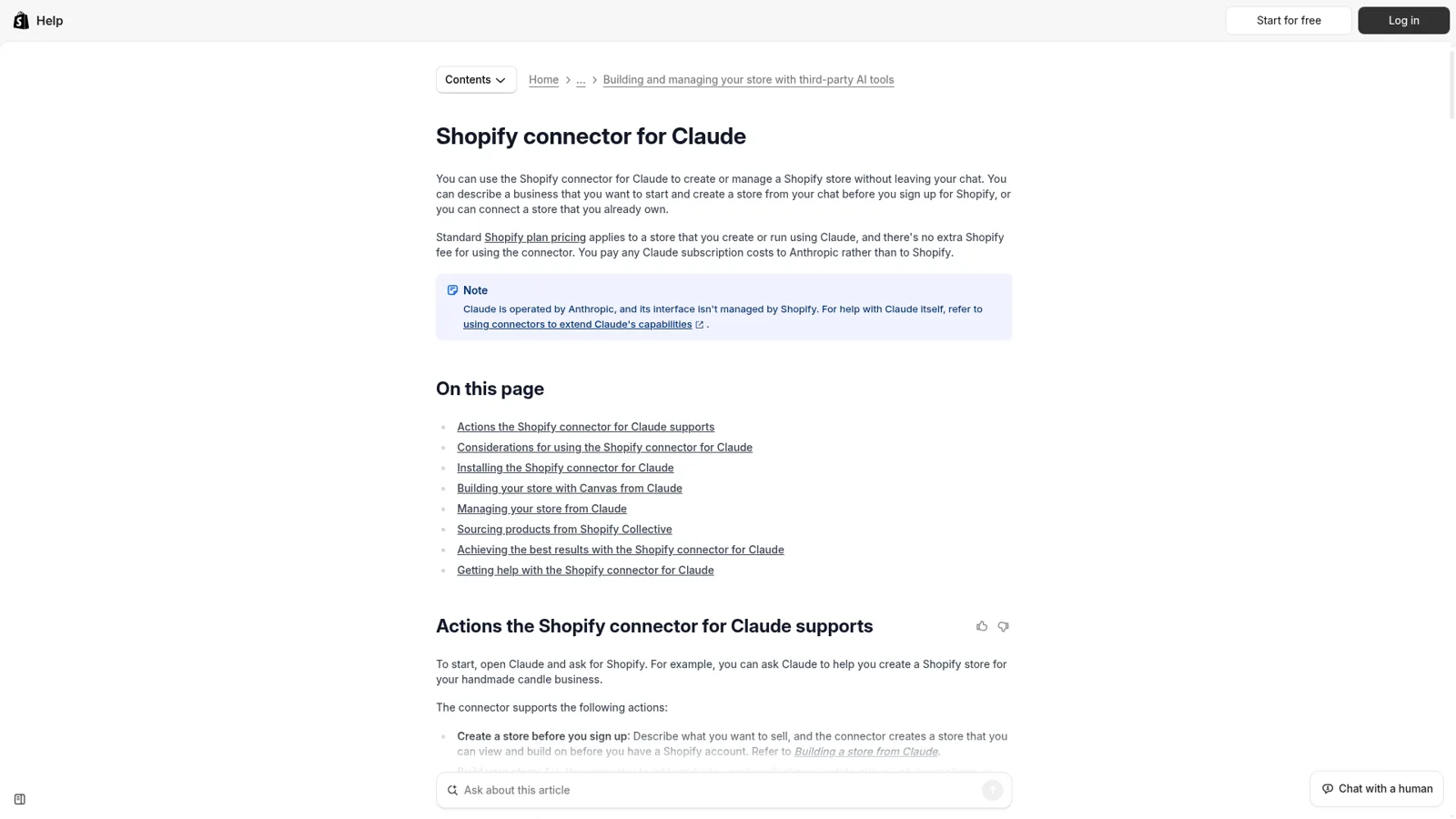
Shopify's own docs list what it handles well.
- Product descriptions. "Name the product and the price, and the connector writes a description and creates the product." It also updates titles, prices and SKUs, and switches products to active, draft or archived in batches of up to 50.
- Collections. Manual ones from products you pick, or smart collections that maintain themselves from a rule.
- Inventory. It checks stock across locations and sets counts, reading the current number first so an update stops safely if the count changed.
- Discounts. It creates percentage-off codes scoped to the store, products or a collection. It doesn't create fixed-amount discounts or edit existing codes.
- Analytics. It returns tables and charts for questions like average order value this month versus last. Shopify's advice is to "Ask one question at a time".
And then the reads. The connector "reads your orders but doesn't change them", lists up to 50 at a time, and "reads your customer records but doesn't change them". To edit, refund or cancel, Shopify sends you back to the admin.
The line every store owner should read twice is on the considerations page: a connected AI tool "can't issue refunds, cancel or capture orders, mark orders as paid, process returns, or create and adjust gift cards. These actions are blocked even when you approve write access." Shopify also says plainly that the connector "doesn't replace your Shopify admin, and it doesn't replace Sidekick", and that if an AI tool makes a wrong change, you're responsible for it.
That's a sensible line to draw around money. It does mean the money-moving parts of customer service sit outside what Claude can do in your store, which matters more once I get to returns.
One correction for anyone reading older guides, ours included. Shopify's developer docs now say the catalog and cart tools of Storefront MCP "were removed", pointing developers to the Universal Commerce Protocol and pointing merchants who want no-code storefront chat to the Inbox agent in Shopify Inbox. If a tutorial tells you to build your customer chat on Storefront MCP, it's out of date.
Cowork handles the reports nobody wants to build
The second useful piece is Cowork, which as of this autumn is just part of Claude: the Claude blog says chat and Cowork "are merging into one Claude", now generally available on Team and Enterprise too. You hand it an outcome rather than a question, and it works through the steps.

For a store, the part I'd use is scheduled tasks. You "describe it once and Claude handles it on your schedule", hourly, daily, weekly or on weekdays, and the tasks run remotely "even when your computer is asleep". Anthropic's own examples are daily briefings and weekly reports compiled from connected tools. Point that at your Shopify connector and a spreadsheet, and Monday's "what sold, what's low, what's slipping" note writes itself. Scheduled tasks are on every paid plan, starting with Pro at $17 a month billed annually (my Claude pricing post has every tier).
People who use it this way tend to like it:
"I personally know a company that has trained over 300 companies this year to use Claude Cowork mostly for "business operations" type tasks. People love offloading boring, repetitive tasks to it."

The fair caveat is that Cowork is yours. Anthropic's own comparison table describes Cowork's access as "your personal OAuth connectors", with the work seen by "Just you". That's perfect for an owner's report. It's a different shape from a teammate your whole support team shares. My Claude Cowork review has more.
Claude Tag is the team version, in Slack
Claude Tag is the closest Anthropic gets to a teammate. Its docs say "Anyone in a Slack channel can tag Claude into a problem and hand it work", and the whole exchange stays visible to the channel. It acts through its own admin-provisioned accounts rather than your login, it's available on Team and Enterprise plans in Slack, and Microsoft Teams is "Coming soon" with a waitlist. It's in public beta.
For an ecommerce team on Slack, that's handy for internal questions like "what did we decide about the holiday returns window?" Routines can post updates on a schedule, at most once an hour.
Two details matter for support. Tag's connection guides cover tools like Stripe, HubSpot, Salesforce, Notion and Google, with no helpdesk or Shopify guide in the list (you can add any API as a custom connector). And when another app posts in the channel, Claude "reads it as context" and replies only if the message includes @Claude. So your Gorgias queue doesn't flow into Tag on its own. More in my Claude Tag review.
The API is how Zendesk built ticket agents on Claude
If you want Claude answering customers, Anthropic's answer is the developer platform. Its customer support page is titled "Build AI support agents with a more human touch", and the button says "Start building".
Zendesk is the proof that it works at scale. Per Anthropic's Zendesk story, Zendesk "built a way for its customers to create their own AI agents" on Claude, ran 1 million custom agent executions in the first seven weeks of early access, and cut human handle times by up to 80% for customers running them. That's the helpdesk vendor doing the building, inside its own product.
Some stores do build it themselves. eesel has had customers leave eesel to build on the Claude API directly, and I'd never tell a team with engineers that it can't be done. Just price in what the build includes: hosting, a trigger from every new ticket, Shopify lookups, a permission model so it can't refund on a whim, and a way to test it on old tickets before it talks to anyone. My Claude for customer support guide walks through each route, and there are helpdesk-specific versions for Gorgias and Zendesk.
The half of the store Claude doesn't sit in
Everything above makes the owner faster at the owner's work. But most of the hours in a small ecommerce business go somewhere else: the customer-facing half.
That half is made of messages like these.
- "Where's my order?" (WISMO, in support speak) arriving as an email, a Gorgias ticket and a chat message, sometimes all from the same person.
- "Can I return this?" which needs the order, the delivery date and your return policy, and sometimes an actual return started. My returns guide covers what AI should and shouldn't decide here.
- "Does the 40ml come in the travel set?" which needs the live catalog and stock.
- "You charged me twice", which needs a refund and someone who's allowed to issue one (see AI refund automation).
None of these start in a Claude chat. They start in the ecommerce helpdesk, the chat bubble on your store, or the inbox, at 2am, in Norwegian. The Claude app works when someone opens it or when a schedule fires; the Shopify connector acts for the person chatting; and the actions customers ask for most (refunds, returns, cancellations) are the ones Shopify blocks for connected AI tools.
To be clear, Claude has real controls. By default it asks before taking an action, and Shopify notes that Claude applies its own access controls on top of the store's. The difference is who it works for. Claude acts for the person using it, behaves the same whoever that is, and isn't built to face your customers in your own helpdesk and chat.
So what the customer-facing half needs is a teammate shaped like Claude (you ask, it thinks, it does) but living somewhere else:
- In the helpdesk, triggered by each new ticket or chat, replying or leaving an internal note right there.
- In Shopify, with live order, tracking and stock lookups, plus the order changes customers actually ask for.
- With permissions that depend on who's asking: your team, the specific people you name to approve things, and the customers and visitors outside your team.
That third point is the one I'd hold every option to. A customer typing into your chat bubble and your ops lead typing in Slack are both talking to the same teammate, and they shouldn't get the same powers.
What a Claude-like teammate looks like in the helpdesk and Shopify
This is the job eesel does. You hire it like a person: connect your helpdesk and store, tell it how you work, and it starts on real tickets. It works natively inside Gorgias, Zendesk, email and Slack, and deep inside your store through the Shopify integration.
It arrives with the skills and context for the job. It learns from your help center, past tickets, product catalog and Slack history, follows your instructions reliably, and works proactively on the automations you give it rather than waiting to be asked. Correct it once in chat and, per the memory docs, the fix sticks in every app it works in.
On your storefront it sits in the website chat, which is the same agent with the same rules as the one in your queue. If you've looked at a standalone Shopify AI chatbot, the difference is that this one also works the tickets.
On a full connection, eesel's Shopify docs list what it can read and do: get an order by number or a customer's order history, tracking and carrier status, stock by location, customer segments and store credit, product variants and metafields, and product cards a shopper can add to their cart. On the write side: create a return, build a draft order, update a shipping address before it ships, refund an order, and cancel an unfulfilled one.
Every one of those is a permission you set, and what it does depends on who's asking. Per eesel's actions and approvals docs, there are three groups of people to think about.
- Customers and visitors outside your team, like a shopper on a Gorgias ticket or in the website chat. Each action is On (it does it on its own), Ask first (a teammate approves it every time) or Off (it never does it), and anything tagged Team only never runs for them.
- The specific people you name. Only people with edit access can approve a held action, and you pick which members or Slack channels get the approval requests. Viewers can chat with the agent and review activity but can't change it, per eesel's roles.
- Your team: people on your Team page plus the people your connected apps show are part of your company, like full members of your Slack or anyone writing an internal note in your helpdesk. They can ask for the staff-only work.
All of it is set per agent and per action, and changeable any time. You can also just say it in chat: "look orders up on your own, but ask me before any refund."
This is the setup I'd start a Shopify store on.
| Job | Action in eesel | Setting I'd start with | Why |
|---|---|---|---|
| "Where's my order?" | Get order, get fulfillment | On | Read-only, live, the most common ticket |
| Product and sizing questions | Search products, variants, stock | On | Answers from the live catalog |
| Wrong address, not shipped yet | Update shipping address | Ask first, then On | Cheap to get right, annoying to get wrong |
| Return request | Create return | Ask first | Policy edge cases show up early |
| Refund or cancellation | Refund order, cancel order | Ask first | It moves money |
| Writing scripts against your helpdesk's API | Team only action | Your team only | Never something a customer should trigger |
Approvals show the exact action and its details, like the reply text or the refund amount, with Approve and Deny, which is what makes refund guardrails workable in practice. They land on the dashboard, by email, or as a card in the Slack thread the request started from. Even on On, eesel's safety check can still hold a risky call.
The Team only line is where who's asking matters most. Some actions, like writing scripts against an app's API or changing the agent's own instructions, carry a Team only tag and only ever run when someone on your team asks: in the dashboard, in Slack, or in a helpdesk internal note. They never run for someone outside your team, such as a customer in the chat bubble or on a ticket. Files work the same way: an internal returns-exceptions doc can be set to Team only so it informs your staff's answers and never reaches a shopper.
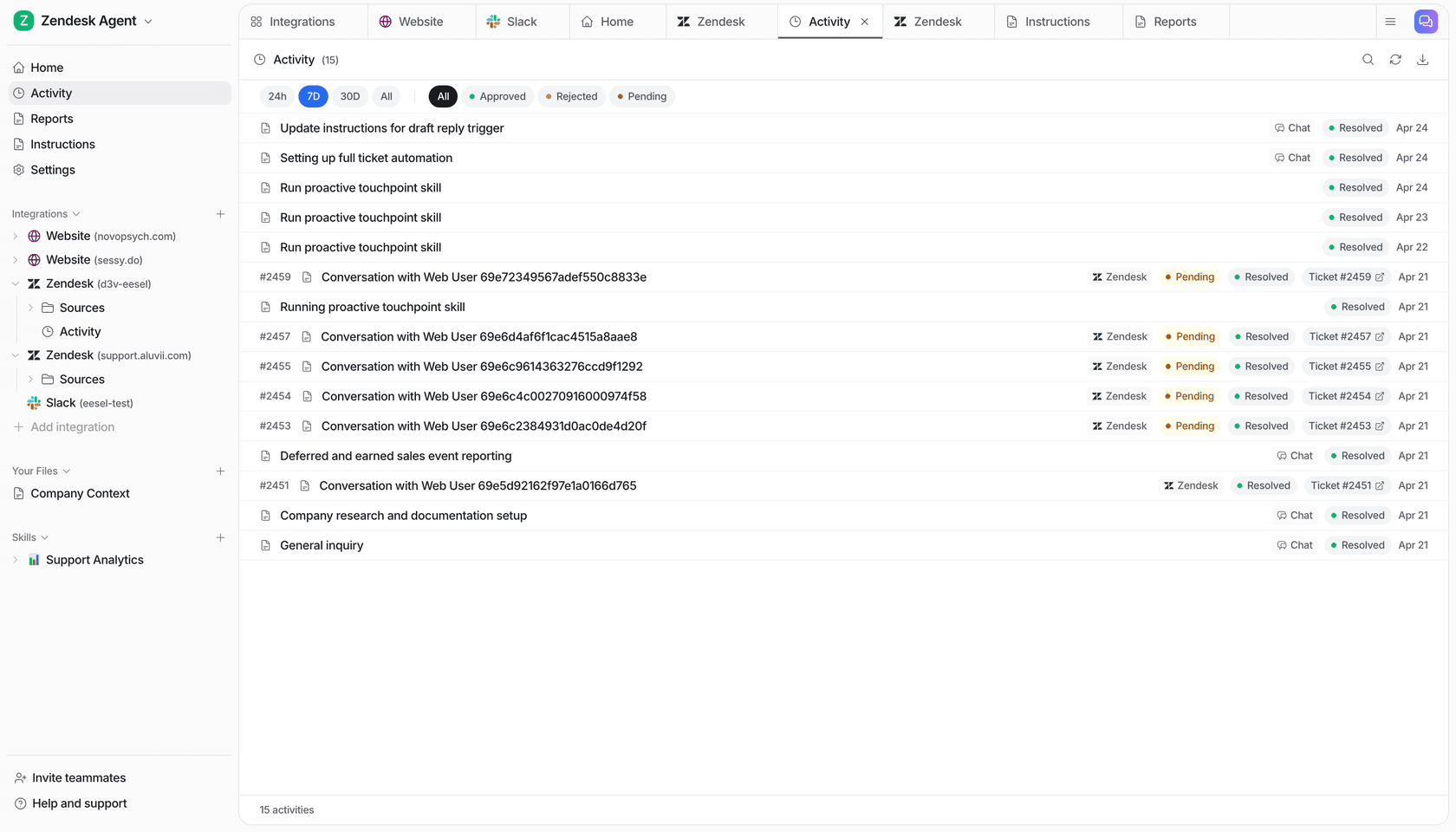
The honest limits, also from eesel's Shopify docs: Shopify has no triggers, so the conversation has to start in a helpdesk ticket, a Slack mention or the chat bubble. Checkout stays in Shopify (eesel can build a cart or draft order, the shopper pays in your checkout). Shipped orders can't have their address changed or be cancelled. And Shopify doesn't return a customer's name, email or street address to eesel's app, so it finds orders by email but can't read a saved address back to you.
If you'd rather nobody on your side thinks about any of this, eesel also offers managed support: eesel runs the whole support team inside your own tools for a flat monthly fee.
What this looks like in real stores
Numbers from published eesel customer stories, each for one month (8 August to 8 September 2026):
| Store | Setup | What eesel did in a month |
|---|---|---|
| Question Beauty | Gorgias + Shopify | 990 tickets; 960 replies sent directly; 290 Shopify orders looked up; 280 closed without a person |
| Stil Classics | Gorgias + Shopify | 320 tickets prepared; 430 drafts as internal notes; 230 Shopify orders looked up before drafting |
| Clutchloop | Gorgias + Shopify | 230 tickets; 180 replies sent directly (about seven in ten conversations); 76 live product lookups; 27 website chats in the customer's language |
| Rungne | Gorgias | 2,100 tickets handled; 880 tagged from a fixed list; 580 drafts as internal notes; 440 public replies in Norwegian or English |
| IC Intracom | Shopify | 2 brands, one website-chat agent each, answering from 2,100 Shopify product records |
What I like about this list is that the stores made different calls. Question Beauty lets eesel send replies and close tickets on its own. Stil Classics keeps a person on every send: eesel looks up the order and leaves a draft as an internal note. Rungne leans on ticket tagging and drafts. Same teammate, different permissions. Start like Stil Classics and move toward Question Beauty as you watch it get things right.
If you want to shop around, my ecommerce support roundup compares the other tools, and the Shopify helpdesk list covers the queue side.
Which one should do which job?
A quick sorter for the jobs a store owner asks me about most. Open each one.
Who should do it: Claude or a helpdesk teammate?
Write 30 product descriptions for a new collection
Claude with Shopify's connector. Name the product and price, and it writes and creates it.
A 15% off code for the holiday collection
Claude. Percentage-off codes are supported; fixed-amount ones still go through your admin.
A Monday sales and low-stock report
Claude's scheduled tasks if it's just for you. A scheduled eesel automation if the whole team or a Slack channel should get it.
"Where's my order?" tickets in Gorgias or Zendesk
A helpdesk teammate like eesel, with order lookups set to On.
A customer asking for a refund
eesel with refunds on Ask first. Shopify blocks refunds for connected AI tools like Claude's connector.
Product questions in the website chat at 2am
eesel in the chat bubble, answering from the live catalog with product cards.
Keep Claude, and give it a teammate
None of this is either-or. If you like working in Claude, keep working there. eesel's workspace is an MCP server, so you can add eesel to Claude as a custom connector and say "ask eesel what it did today" or "have eesel draft a reply to the refund ticket". Claude talks to your eesel agent, which talks to Gorgias and Shopify. Editors can change things, viewers get the read side, and anything set to need approval still asks.
That's the setup I'd recommend to most store owners: Claude for the back office, eesel for the queue, under rules you set. If you're weighing the two head to head, my eesel vs Claude comparison goes deeper, and agentic commerce covers where shopper-side AI is heading.
Try eesel as your store's Claude
If Claude already runs your product listings and reports, eesel is the teammate for the other half: it answers order, return and product questions inside Gorgias, Zendesk, email and your website chat, with live Shopify lookups. What it does on its own, what it asks first and what it never does change with who's asking: a shopper, the teammates you name to approve, or your own team. Plans start at $299 a month for 500 credits, a ticket or chat is one credit however long it runs, and there's a free 7-day trial with no card.
