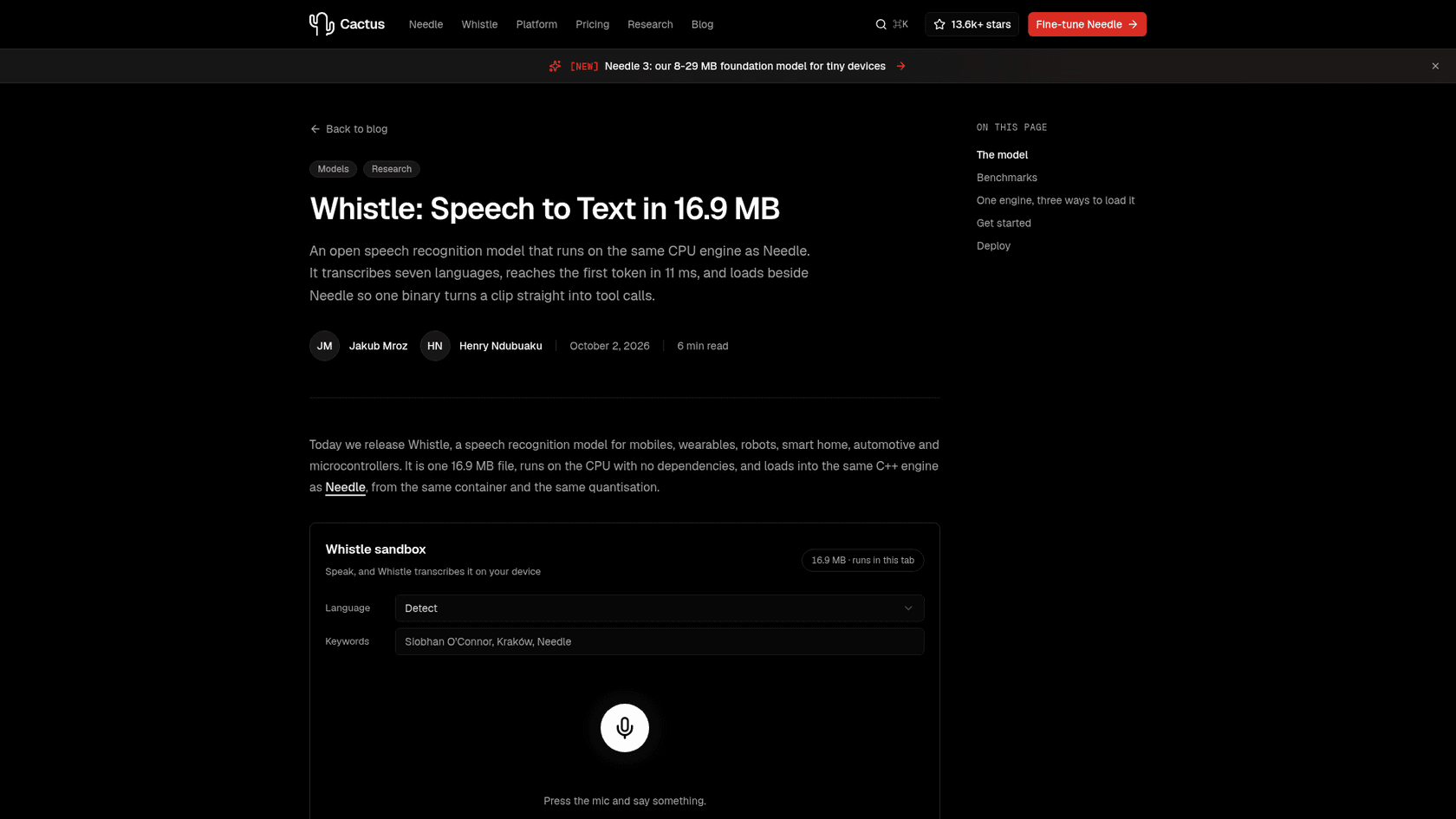
What is Cactus Whistle?
Whistle is a speech recognition model from Cactus Compute, a San Francisco startup from Y Combinator's Summer 2025 batch with a team of 8. Cactus is run by CEO Roman Shemet and CTO Henry Ndubuaku, and its whole pitch is AI for devices that don't get a GPU: budget phones, watches, glasses, robots, cars and microcontroller-class boards.
Whistle is the speech half of that bet, and a good example of how far small language models have come. It shipped on October 2, 2026, and the launch thread on Hacker News hit 549 points and 121 comments on October 8, which is why it's suddenly everywhere. The Hugging Face model card shows 2,594 downloads in its first month and an Apache 2.0 license.
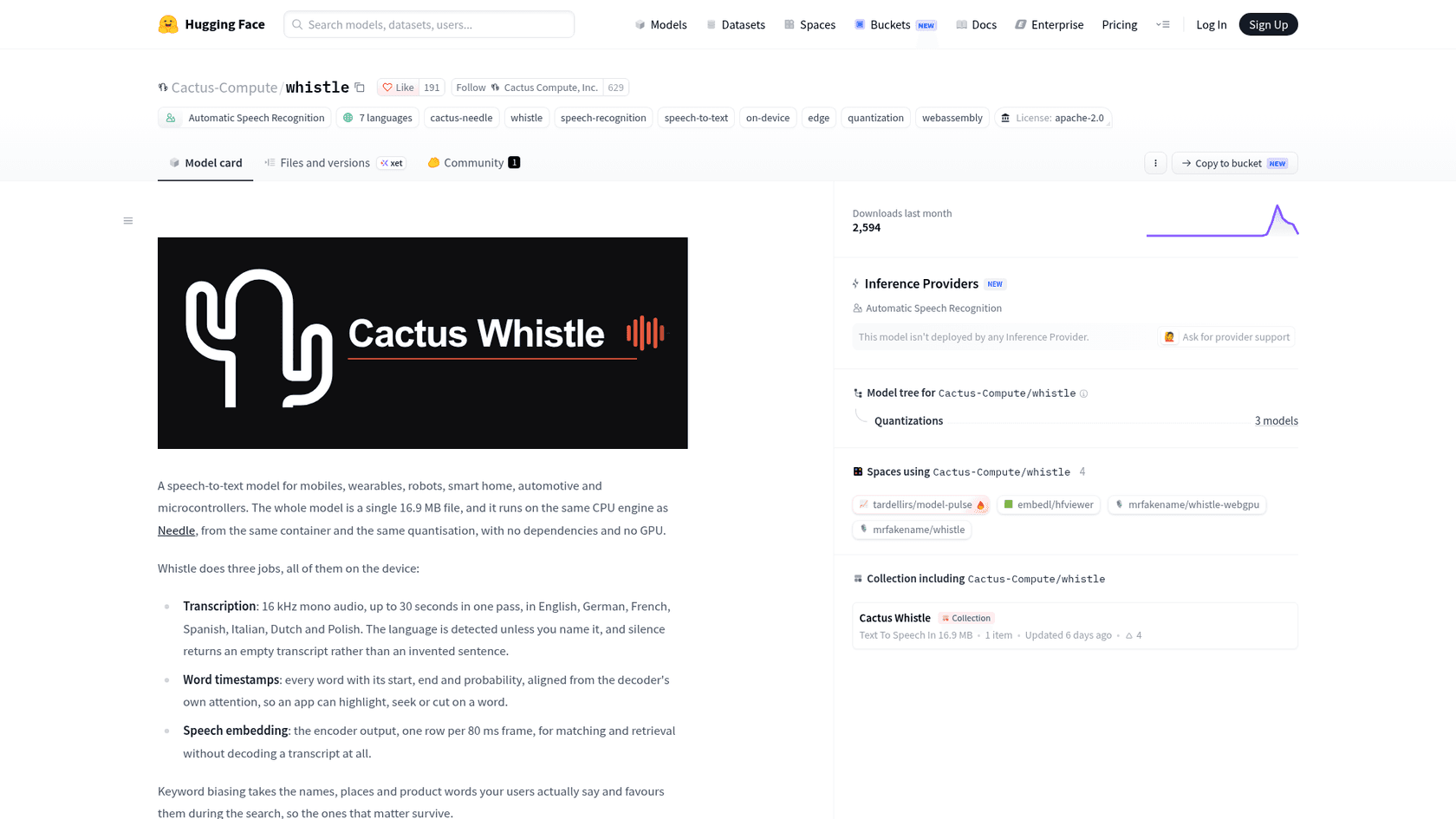
I build integrations and APIs for eesel, so a model announcement makes me ask one thing first: what does the developer actually get back from a call? With Whistle the answer is refreshingly concrete, so let's start there.
What does Whistle actually do?
Cactus lists three jobs, all done on the device:
- Transcription. 16 kHz mono audio, up to 30 seconds in one pass, in English, German, French, Spanish, Italian, Dutch and Polish. The language is detected unless you name it.
- Word timestamps. Every word with its start, end and probability, so an app can highlight, seek or cut on a word.
- Speech embedding. The raw encoder output, one row per 80 ms of audio, for matching and search without producing a transcript at all.
Two smaller features matter more than they sound. Keyword biasing lets you pass the names your users actually say ("Siobhan", "Krzysztof", your product names) and nudges the search toward them. And silence returns an empty transcript instead of an invented sentence, which is a direct shot at a habit Whisper-style models are known for.
That last claim got tested in public. One Hacker News user ran Whistle over a TV episode and reported this:
“Tried it on a random TV episode and it seems to get stuck sometimes where it just outputs "Thank you." as a default - at one point emitting that for 60s of dialogue”

So silence is handled, but long, messy audio that doesn't fit Whistle's 30-second window can still produce filler. Keep that in mind for the benchmarks.
How does Whistle work under the hood?
The short version: Whistle is an audio front end bolted onto Cactus's existing text model, Needle, and it shares nearly everything with it. Needle is the tiny tool-calling model that made Cactus famous (its May launch on Hacker News was titled "We Distilled Gemini Tool Calling into a 26M Model"). Needle 3 now runs 8 to 29 MB depending on depth.
Per the launch post, the pipeline goes like this:
- Audio becomes 80 log-mel bins at a 10 ms hop, so 30 seconds is 3,000 frames.
- A convolutional stem shrinks that to 375 frames, one per 80 ms.
- An 8-block encoder reads every frame at once (it is not causal, so a word at 12 seconds can inform a word at 3 seconds).
- A Needle-shaped decoder reads the encoder through a gated cross attention at every layer, and 5 beams pick the transcript.
The engineering trick I like most: the encoder's keys and values are computed once per clip and shared by every beam, so five beams cost five short text caches, not five passes over the audio. The decoder is also "laddered", meaning every depth from 2 layers up was trained as its own model, and you pick one at load time with --audio-depth.
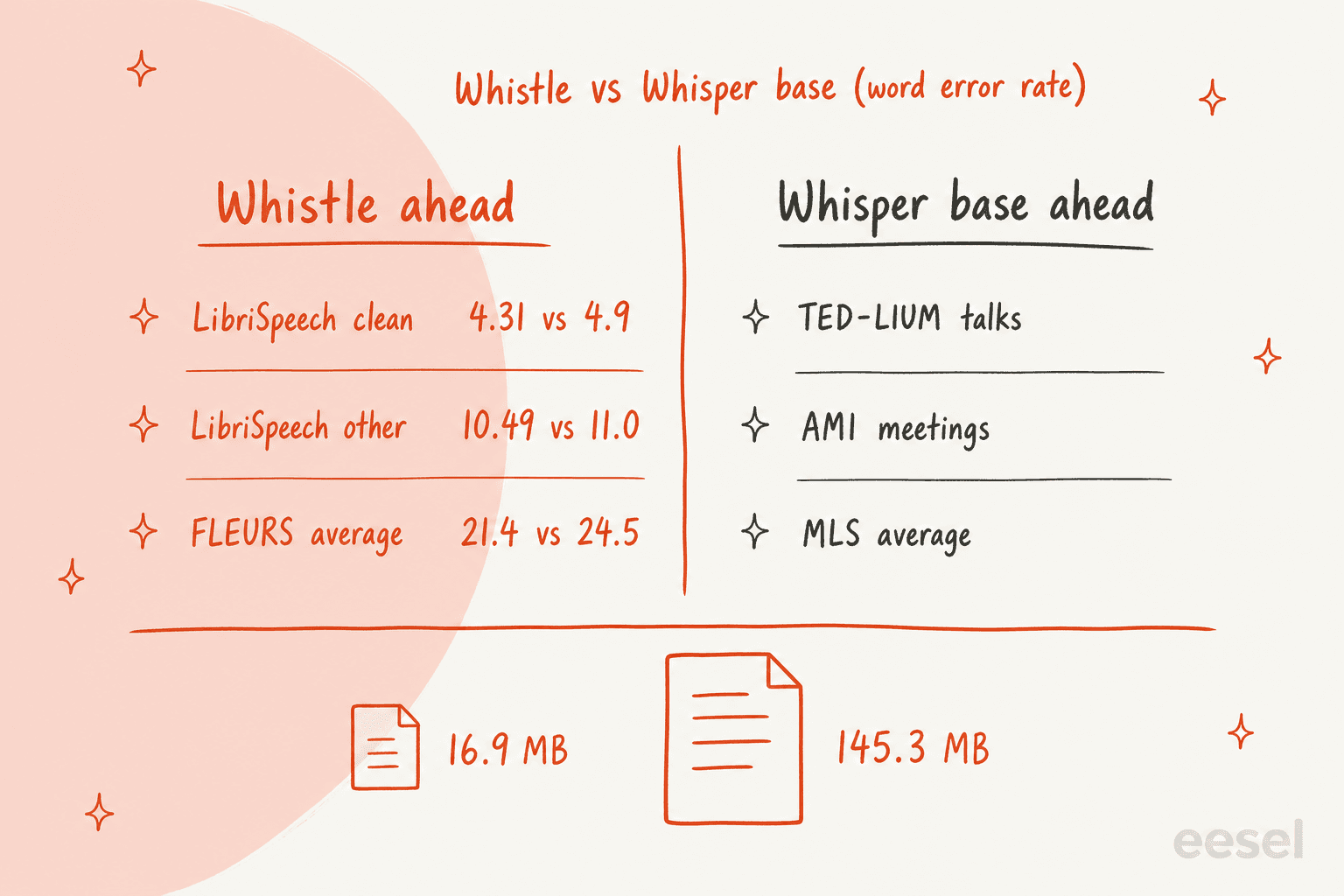
That shared engine is the actual product. Load both models into the same binary and one call takes audio in and hands back a function call out. This is the exact example from Cactus's post:
needle --model needle3.cact --model whistle.cact --tools tools.json --audio clip.wav
{"function_calls":[{"name":"set_lights","arguments":{"room":"kitchen","on":false}}],
 "confidence":0.94,
 "audio_text":"turn off the kitchen lights",
 "audio_language":"en"}
No transcript ever touches your app code. If you've wired up realtime tool calls against a cloud API, you'll notice what's missing here: the network round trip, the API key, and the bill.
Whistle benchmarks against Whisper base and Moonshine
Cactus compares Whistle with two models: OpenAI's Whisper base (the multilingual checkpoint, 145.3 MB) and Moonshine tiny v2 (41.9 MB). Word error rate is the share of words the model gets wrong, so lower is better.
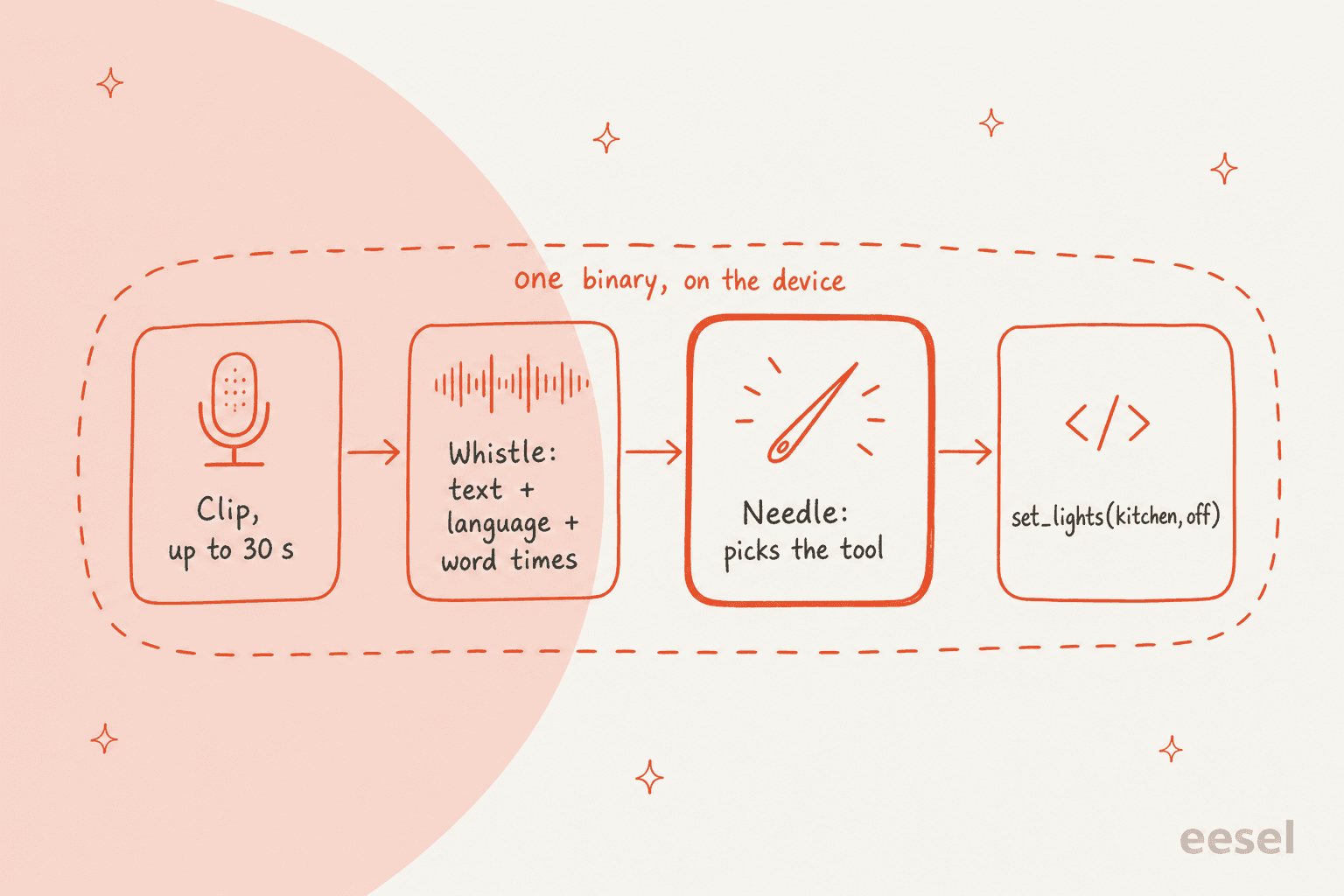
Here's the full word error rate picture, with Whistle's figures from the model card and the Whisper base figures Cactus quoted in its launch thread on X:
| Benchmark | What the audio is | Whistle WER | Whisper base WER | Who's ahead |
|---|---|---|---|---|
| LibriSpeech test-clean | Clean audiobook reading | 4.31% | 4.9% | Whistle |
| LibriSpeech test-other | Harder audiobook reading | 10.49% | 11.0% | Whistle |
| SPGISpeech | Financial calls | 7.65% | Not published | Whistle (vs Moonshine) |
| Earnings-22 | Earnings calls, accents | 19.01% | Not published | Whistle (vs Moonshine) |
| FLEURS (7-language avg) | Read sentences, many languages | 21.4% | 24.5% | Whistle |
| TED-LIUM | Recorded talks | 7.61% | Lower | Whisper base |
| AMI | Meeting recordings | 26.07% | Lower | Whisper base |
| MLS (6-language avg) | Audiobooks, non-English | 24.9% | Lower | Whisper base |
The launch post states the split plainly, and I respect that it does. Read the table by audio type and a pattern jumps out: Whistle is strongest on clean, one-speaker read speech and weakest on meetings, where people talk over each other. A 26% error rate on AMI means roughly one word in four is wrong.
Speed and size are a different story, and this is where Whistle runs away with it. Ten seconds of audio on an Apple M4 Pro CPU:
| Whistle | Whisper base | Moonshine tiny v2 | |
|---|---|---|---|
| File size | 16.9 MB | 145.3 MB | 41.9 MB |
| Time to first token | 11.1 ms | 73.2 ms | 22.8 ms |
| Decode speed | 1,319 tokens/s | 266 tokens/s | 262 tokens/s |
| Precision | 2 to 4 bit | fp32 | int8 |
Cactus's headline says "9x less file size and 6x speed". I checked the arithmetic: the size gap is 8.6x, the time-to-first-token gap is 6.6x, and decode is about 5x. Fair rounding. Whistle's first-token time also scales with the clip, from 5.9 ms at 5 seconds to 36.3 ms at 30, while Whisper pads everything to 30 seconds, so the gap is widest on the short clips Whistle is built for.
One comparison Cactus doesn't make: the bigger open models people actually run on laptops. On Hacker News, users kept asking about NVIDIA's Parakeet, and the most useful answer framed the trade-off well:
“It might not be as good as parakeet, but it gets you 80% of the way there.”
What are people saying after trying Whistle?
The Hacker News thread is the best real-world test so far, because Cactus put a browser sandbox on the launch page and hundreds of people talked into it. The reactions split cleanly along the lines the benchmarks predict.
Clear English, short sentences, technical words: people were impressed. One developer found it beat their phone's own dictation on jargon:
“This works much better than the speech recognition in iOS when you use technical terms.”
Natural speech in the other six languages got rougher reviews. A Spanish speaker from Madrid wrote that it held up only when dictating slowly:
“If I use a more natural/conversational rhythm (no slang, no abbreviations...) it easily confuses words.”
A Polish tester said much the same, and another commenter pointed out what the demo doesn't show: streaming output while you're still talking, which most live dictation apps rely on. A competing team also took a swing on Reddit, claiming on its own benchmark that Whistle plus Needle reached 20.7% tool accuracy from raw speech. That's a rival's test, so weigh it accordingly, but it points the same way as everything else here.
On the builder side, one developer had already wired Whistle into a speech-to-text plugin for DeepSeek Harness within days of launch.
The real lesson: narrow the vocabulary
The most useful comment in the whole thread came from someone who'd already shipped Whistle. They used it to cut an Amazon Echo Show off from Amazon's cloud, replacing the stock voice assistant with home automation that runs locally, and they shared numbers.
With free-form transcription, Whistle got 70 of 170 spoken commands right, against 168 for Qwen's 1.7B speech model running on an RTX 5080 GPU. Then they stopped asking Whistle to transcribe anything a person might say, and trained a tiny network to map Whistle's output onto a fixed set of command templates. Their result: 164 out of 170, from a setup built to run on the Echo's own CPU.
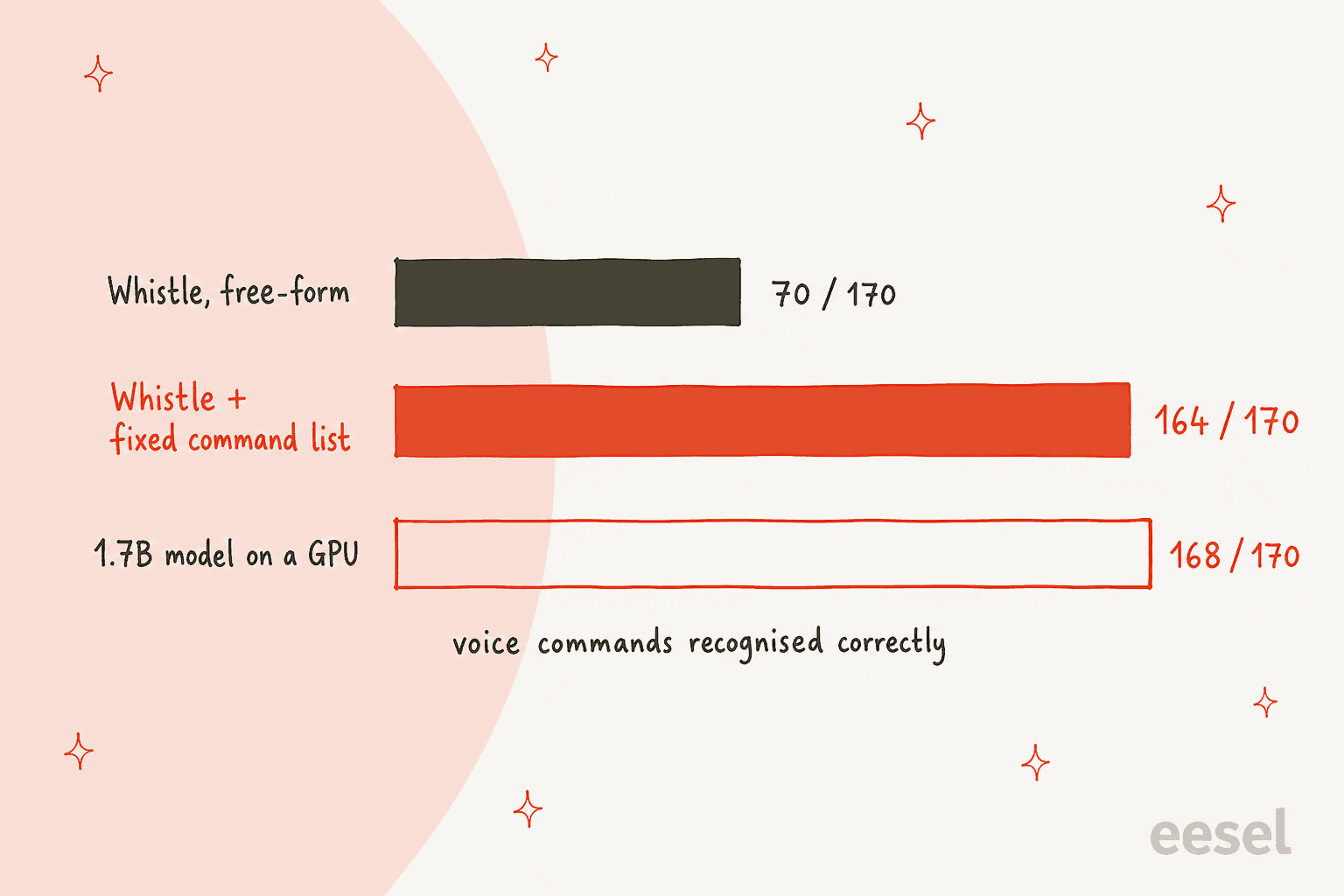
That's the shift I'd take away. A 16.9 MB model doesn't have room to know every word in seven languages, so the more you can tell it what to expect, the closer it gets to models far bigger than itself. Cactus built the tools for exactly this: keyword biasing for names and product terms, and Needle's tool list, which is itself a fixed vocabulary of actions. The same tester later ran 208 phrases and got 206 right, ahead of Vosk and Kaldi setups on the same set.
So if you're judging Whistle by talking at the sandbox about your weekend, you're testing the wrong thing. Judge it by the 20 commands your device actually needs to understand.
Should you ship Whistle?
Here's how I'd decide, based on the benchmarks and the field reports above. Pick the job you have in mind:
What do you want Whistle to do?
How to try Whistle in five minutes
The fastest path is the browser sandbox on the launch post: the first press downloads the 16.9 MB model into the tab and nothing leaves your machine. For a real test, the Python package takes one line:
pip install cactus-needle
import needle

print(needle.transcribe("clip.wav")["text"])
From there, per the model card:
word_timestamps=Trueadds each word's start, end and probability.keywords=[...]biases the search toward names your users say.language="de"forces a language instead of detecting it.needle whistle compareruns the same clip through Whistle, Whisper and Moonshine with timings, which is the single most useful command for deciding.
The engine ships prebuilt for seventeen targets, from macOS, Windows and Linux (including RISC-V and MIPS) to Android, iOS, watchOS, tvOS and the browser as WebAssembly. Each native platform folder holds a needle binary, a static library and a header. Source is on GitHub. If you're building a fully local stack, it slots in next to the open-source AI agents people already run on their own hardware.
Cost is simple: the weights and engine are Apache 2.0, and Hugging Face lists no hosted inference provider for Whistle, so you run it yourself. Compare that with per-minute pricing on Gemini 3.5 Transcribe or MAI-Transcribe 2, which are the right call when accuracy on long, messy audio matters more than size.
Where Whistle stops being the right tool
To be fair to Cactus, they never claimed Whistle replaces Whisper large or a cloud transcription service. Still, these are the limits I'd flag before anyone builds on it:
| Limit | What it means in practice |
|---|---|
| 30-second clip cap | Longer audio must be chunked by your app (one HN user hit "audio limit is 30 s" straight away) |
| No streaming output | Text appears after the clip ends, not while someone talks |
| 7 languages | No Japanese, Norwegian, Hindi, Portuguese and so on |
| Meeting audio | 26.07% WER on AMI, behind Whisper base |
| Speaker labels | The docs don't list speaker separation (diarization) |
None of these are bugs. They're the price of fitting a speech model in 16.9 MB, and Cactus publishes enough detail that you can see them before you ship. For most long-form work, Otter and the tools in my Otter alternatives list are still the practical choice.
What Whistle means for customer support teams
Here's where I'll bring it home to the work I do. Speech in support is mostly phone calls, voicemails and recorded walkthroughs, and those run long, involve two speakers and wander off script. That's the AMI end of Whistle's benchmark table, not the LibriSpeech end. For phone support automation or AI call center agents, Whistle isn't the transcription layer I'd pick today. The AI voice agents built for calls use bigger, streaming models for good reason.
The bigger point is that transcription keeps getting cheaper and smaller, and it was never the hard part. On one eesel sales call, a DTC supplements brand on Gorgias and Shopify, handling about 7,000 tickets a month, said it wanted AI to auto-resolve half its order-status, subscription and product questions. The blocker wasn't turning speech into text. Its answers were scattered across SOP tools, outdated macros and Loom walkthroughs nobody had written up. A transcript of a Loom video is just more text; something still has to read the ticket, find the right answer and reply in the brand's voice.
That's the line I'd draw: Whistle is infrastructure, and eesel is the employee. A model like Whistle hears the words. An AI helpdesk teammate works the queue: it learns from your knowledge base and past tickets, drafts or sends replies inside Zendesk or Gorgias, and hands off the tickets it shouldn't touch.
If you already have call transcripts landing in your helpdesk, my guides on summarizing call transcripts and redacting PII in transcripts cover the steps after the speech model.
And since Whistle's whole appeal is that you drive it from a terminal: eesel works that way too. The eesel CLI (npm i -g @eesel/cli) lets you connect a helpdesk, edit the teammate's standing instructions, approve or deny its pending actions, and read its activity log, with every command printing JSON and a --dry-run flag that shows the exact call a write would make. Coding agents like Claude Code, Codex and Cursor can drive it the same way a person would, so the same teammate you see in the dashboard can be scripted from CI.
Try eesel
If voice is on your roadmap because you want fewer tickets sitting unanswered, start with the part that answers them. eesel's AI helpdesk teammate plugs into Zendesk, Gorgias or Freshdesk in minutes, learns from your help center and past tickets, and gets tested against your own historical tickets before it replies to a real customer. You can try eesel free with no card, or compare it with other AI teammates first.

Frequently Asked Questions
What is Cactus Whistle?
Is Cactus Whistle free to use?
Is Cactus Whistle better than Whisper?
What languages does Cactus Whistle support?
Can Cactus Whistle transcribe in real time?
What is Cactus Whistle best used for?
Can I use Cactus Whistle for customer support calls?


Article by
Rama Adi
Rama is a software engineer at eesel AI with two years of experience writing about B2B SaaS, AI tools, and customer support technology. Based in Bali, Indonesia, he brings a developer's perspective to product comparisons — cutting through marketing copy to what the integrations and APIs actually do.