

Zoho Desk filters spam with built-in detection that is on by default and sends suspicious email tickets to a Spam Tickets view, where no workflows run on them and they're deleted for good after 30 days. You can't see why a ticket was flagged, and a contact marked as spam sends every future ticket there too, even with detection switched off. The safest setup is "Mark only the suspicious Tickets as spam", a weekly look at the Spam Tickets view, and an AI agent like eesel that tags and closes the junk that still gets through, with a note saying why, so nothing disappears without a trace.
I run eesel's blog, which means I spend a lot of time on the questions support leads actually type, and Zoho Desk spam questions come in two kinds: "how do I stop spam" and "why are my customers' tickets going to spam". This post covers both: what decides spam in Zoho Desk, what each setting really does, why real customers end up in the Spam view, and where AI fits. If an AI coding agent such as Claude Code helps run your support stack, it can set eesel up on Zoho Desk through the eesel CLI and write its filtering instructions, though connecting Zoho Desk still needs an admin to approve it in the browser.
How does Zoho Desk decide what's spam?
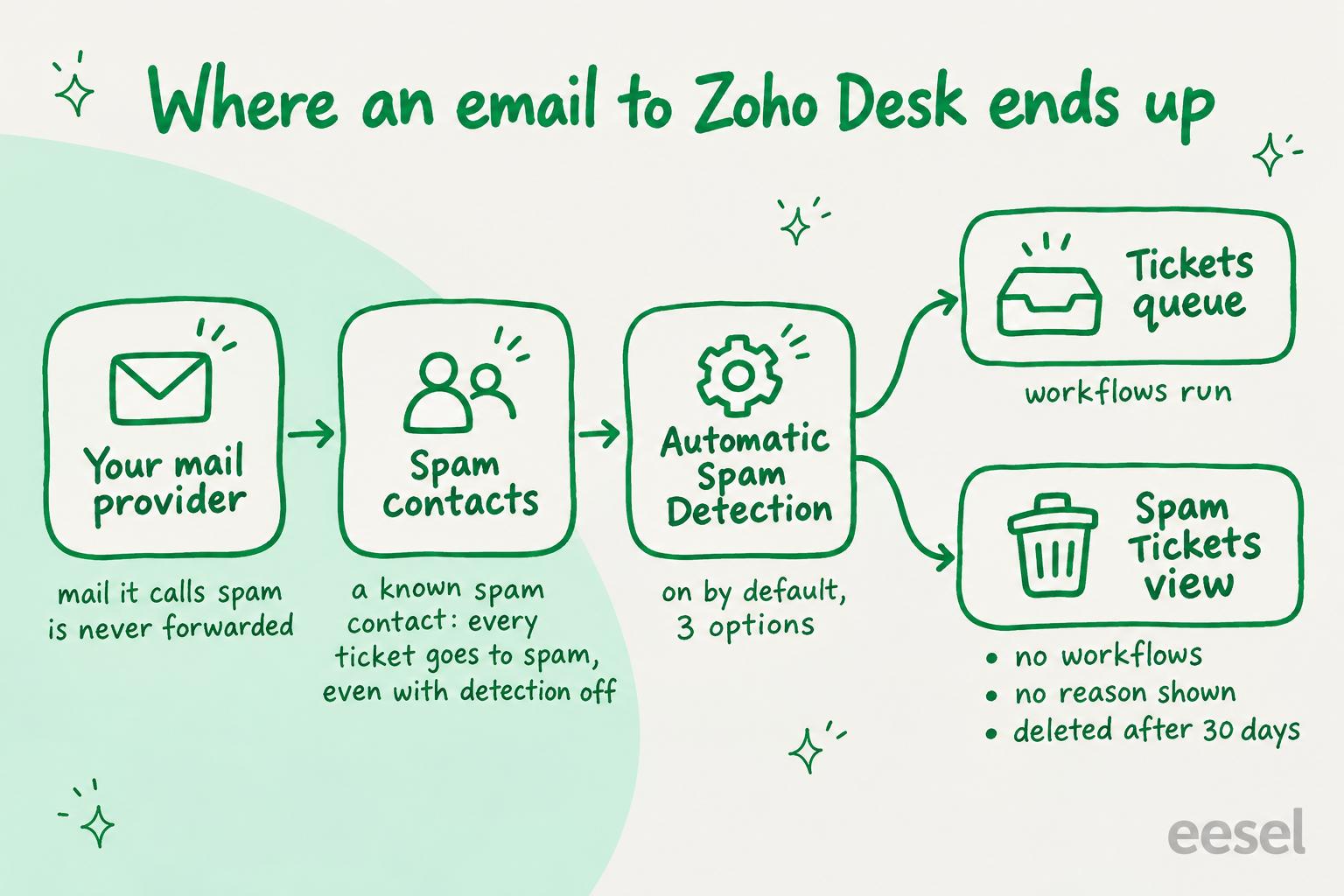
Four things decide it, and only one of them is a setting you control in detail.
- Your mail provider. If your support address is a Gmail or Microsoft mailbox that forwards to Zoho Desk, anything the provider puts in its own spam folder never arrives. A Zoho agent spelled this out in a community thread on Gmail spam: mail services "will not forward emails that are filtered as spam", and the fix is a Gmail filter that never sends messages to spam.
- Contacts already marked as spam. Every ticket from a spam contact goes to spam, whatever the detection setting says.
- Zoho Mail's spam filter. Zoho's spam contacts article notes that, mainly because of global spam scoring, some tickets or contacts can be classified as spam by Zoho Mail's filter.
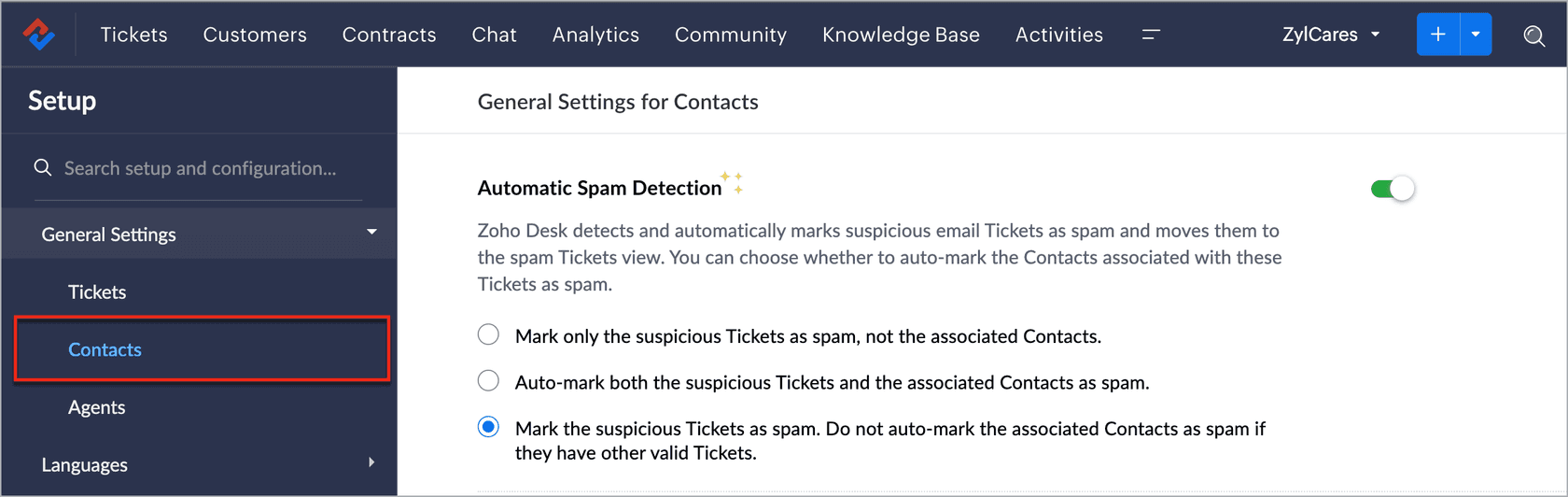
- Automatic Spam Detection. Zoho's spam detection settings describe it as "built-in spam detection software" that scans incoming email "by all the major spam filters". It's on by default.
Zoho doesn't publish the rules or model behind detection, and the ticket doesn't carry a reason. When legitimate tickets get flagged, Zoho's ticket actions guide asks you to send their full email headers to support@zohodesk.com, where its anti-spam team analyses them and adds genuine senders to an exception list. One reader's comment under the settings article sums up how that feels from the queue:
"It would be really nice to know why tickets go to spam. We had 5 tickets go to spam without us having any idea why they went to spam."
What do the three Automatic Spam Detection options do?
The toggle lives under Setup > Customization > General Settings > Contacts, and administrators (or agents with the Manage General Permissions setting) can change it. Once it's on, you pick one of three options:
| Option | The flagged ticket | The contact |
|---|---|---|
| Mark only the suspicious Tickets as spam; not the associated Contacts | Spam Tickets view | Left alone |
| Auto-mark both the suspicious tickets and the associated contacts as spam | Spam Tickets view | Marked as spam, so every future ticket goes to spam |
| Mark the suspicious tickets as spam. Do not auto-mark the associated contacts as spam if they have other valid tickets | Spam Tickets view | Marked as spam unless they have other valid tickets |
The third option reads like the safe middle, but look at who it protects. Read literally, a customer writing in for the first time has no other valid tickets, so under the third option a false positive on their first email would mark them as spam too, the same as the second option. Zoho's articles only spell out the returning-customer case. It protects the customers you already know, not the new ones. If first contacts matter to you (a sales-led business, a B2B team, anyone whose customers write from a shared inbox of their own), the first option is the one I'd pick.
What happens to a ticket in the Spam view?
Four things, and together they're the reason a false positive costs more in Zoho Desk than it looks.
It's deleted for good after 30 days. The ticket actions guide says spam tickets "are automatically removed every 30 days", and a Zoho agent confirmed in a thread on spam cleanup that they don't go to the Recycle Bin:
"Spam tickets are permanently deleted after 30 days and aren't retained in the Recycle Bin. So, unfortunately, once that period has passed, they can't be recovered."
Compare that with a ticket you delete on purpose, which sits in the Recycle Bin for 60 days.
No workflows run on it. Zoho support has said it in two threads: workflows and other automation rules aren't applied to tickets automatically flagged as spam (a thread on rescued tickets), and "workflows cannot be applied to spam tickets" (workflow on spam tickets). So no workflow alert fires and no workflow assigns it, which matters when your SLA promises depend on those rules. Clicking Not Spam later doesn't run the new-ticket workflows either, which one admin found when their "please use our portal" auto-reply stopped going out for rescued tickets (SPAM breaking workflow).
Search mostly skips it. Customers have asked for a way to include spam in advanced search (advanced search for spam tickets); Zoho's answer was the default search, which has an option to look in the spam folder and recycle bin once you press Enter.
Everything attached to it goes too. Calls, tasks and events linked to a spam ticket or contact are marked as spam with it, and can't be unmarked on their own (marking activities as spam).
Why are real customer emails going to spam in Zoho Desk?
Usually because a contact is marked as spam, and sometimes because detection is wrong for a while across a portal. The Zoho community has threads going back years from teams who found real customers in the Spam view:
"Last week, we discovered hundreds of messages from our customers in the SPAM Tickets Folder!"
That team had already switched the filter off. Zoho's answer in another thread explains why that wasn't enough: after the filter is off, tickets end up in spam "only if the contacts are already marked as spam". The fix it gave works for any portal:
- Go to the Customers module, then the Spam Contacts view under All Views.
- Bulk select the valid contacts and choose Not Spam.
- Tick the option to mark that contact's existing tickets as not spam as well, so the old tickets come back with them.
- For anything you can't explain, send the message headers to support@zohodesk.com.
Another admin, writing in a thread on spam and workflows, listed the three gaps that make this hard to manage:
"1. We have spam filtering turned off and yet tickets still end up in the spam folder. 2. You can't check for a ticket being spam or not in a workflow, so there's no way for us to customize how we handle these cases. 3. From what I understand from other forum posts, you can't whitelist a domain so you can't handle common cases easily."
Zoho's reply in that thread: it plans a native allow list, and until then you can email the domains you want allowed to support@zohodesk.com.
Marking tickets and contacts as spam by hand
Any agent can mark a ticket as spam from the ticket, and several at once from the list view. While doing it, you can tick an option to mark the contact as spam too, which sends every later ticket from that email address to spam.
Marking a contact as spam is a bigger step than it looks. Per Zoho's spam contacts article, the contact loses access to your help center, all their existing and future tickets are marked as spam, any duplicate contacts with the same email address are marked as well, and their tickets shared with other departments are revoked. To undo it, open the contact from the Spam Contacts view and click Not Spam.
So use the contact option for real bots and repeat senders, and the ticket-only action for anything you're unsure about. A customer whose angry email reads like spam is still a customer.
Can a Zoho Desk workflow mark tickets as spam?
Yes. Mark Ticket as Spam is one of the default actions in the custom actions gallery for workflow rules, and Zoho's own workflow FAQ example is marking tickets that contain "free gift" as spam. A Zoho agent suggested the same tool for blocking a whole domain: a workflow rule that marks every ticket from that domain as spam.
The limits are plan and criteria. Zoho's edition comparison puts the custom actions gallery on Professional and above (noting that which actions you get varies by edition), and caps workflow rules at 1 per module on Express (ticket module only), 5 per module on Standard, then 15, 30 and 50 per department per module on Professional, Enterprise and Ultimate. On price, Zoho Desk's pricing page lists Professional at $23 per user per month billed annually, and the Zoho Desk pricing guide covers every edition.
Criteria are where keyword rules get awkward. Zoho support noted in a thread on anti-spam rules that the Subject criterion works for keywords, but for email tickets the Description criterion "might not work", so matching words in the email body takes a custom function. Custom functions in workflows start on Enterprise. And workflow criteria don't match on email headers: an admin who wanted to junk out-of-office replies by their X-Autoreply header couldn't find a way in workflow rules (thread on header filtering), and Zoho replied that it's "exploring ways to detect keywords from headers".
Which spam detection setting should you pick?
It depends on what a wrong call costs you, and the three options spread that cost very differently. Here's the same case under each setting: a new customer whose first email Zoho Desk decides is suspicious.
Pick a setting to see where a new customer's flagged email, their contact record and their next email end up.
For most support teams I'd use Tickets only, and add three habits:
- Check the Spam Tickets view weekly. With a 30-day deletion window, a monthly check can miss what's about to go.
- Check the Spam Contacts view after any spike. That's where a wave of false positives keeps hurting after the tickets are fixed.
- Keep repeat junk out with rules you can read. A domain rule on Professional, a filter at your mail provider, or an AI agent that closes junk with a note.
The same choices look different elsewhere: Zendesk holds suspicious mail in a suspended tickets queue, and separate posts cover Freshdesk spam filtering and HubSpot's help desk.
Does Zia filter spam in Zoho Desk?
Not in a way Zoho documents. Zoho's spam articles describe the detection as built-in spam detection software and don't mention Zia, though Zoho's own screenshot of the settings page shows a sparkle icon beside the toggle. Zia's documented jobs in Zoho Desk are elsewhere. My colleagues have covered Auto Tags and field predictions, Zia's sentiment analysis, and Zia's agents. None of those lets you write down what counts as junk for your business, and none leaves a reason on a ticket it sets aside. The Zoho Desk AI overview has the rest of what Zia does.
Where an AI agent fits: close the junk, keep the record
The Spam view is built to make tickets vanish, which is exactly what you want for a bot and exactly what hurts for a customer it got wrong. An AI agent working your queue, a kind of help desk automation that reads rather than matches, gives you a middle path: it reads each ticket that reaches Tickets, and when it's junk, it tags and closes it instead of hiding it.
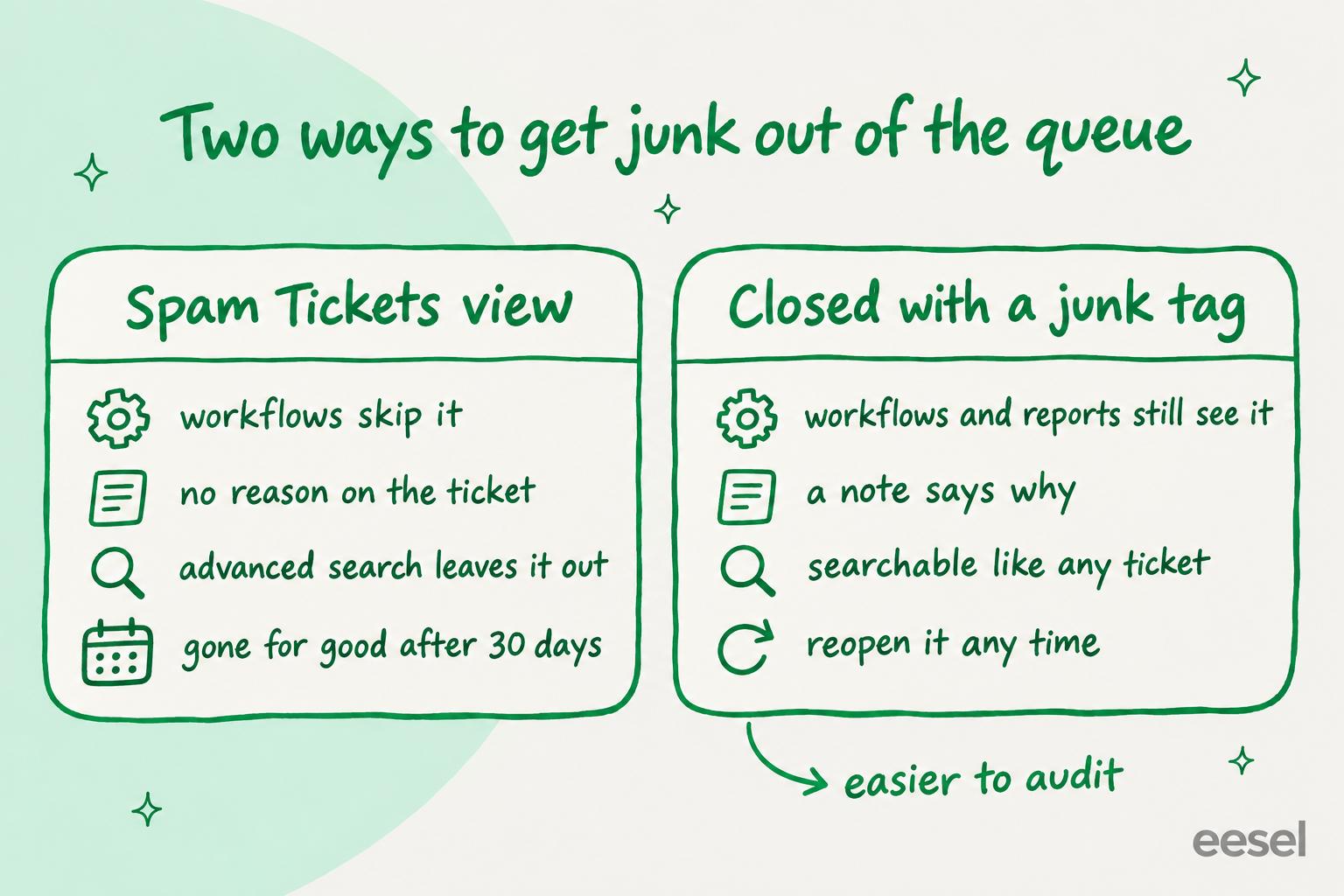
That's how eesel handles it. eesel's Zoho Desk integration can tag a ticket, change its status, priority, assignee, team or any field, route it to another department and leave a private comment, all following instructions you write in plain words, such as "out-of-office replies, delivery receipts and cold sales pitches: tag junk and close; anything that mentions an order, an invoice or a person's name: leave it open". It reads the whole message, not a header or a keyword list, which catches the auto-replies and marketing replies that keyword rules miss. It doesn't mark tickets as spam, so nothing it closes is deleted after 30 days.
The Rúngne story shows the same job on Gorgias: eesel tags and closes social comments, story mentions, out-of-office replies and spam as part of its auto-triage, and when it's in doubt, it treats the sender as a real customer and leaves the ticket open. That default is the one you want from any spam filter.
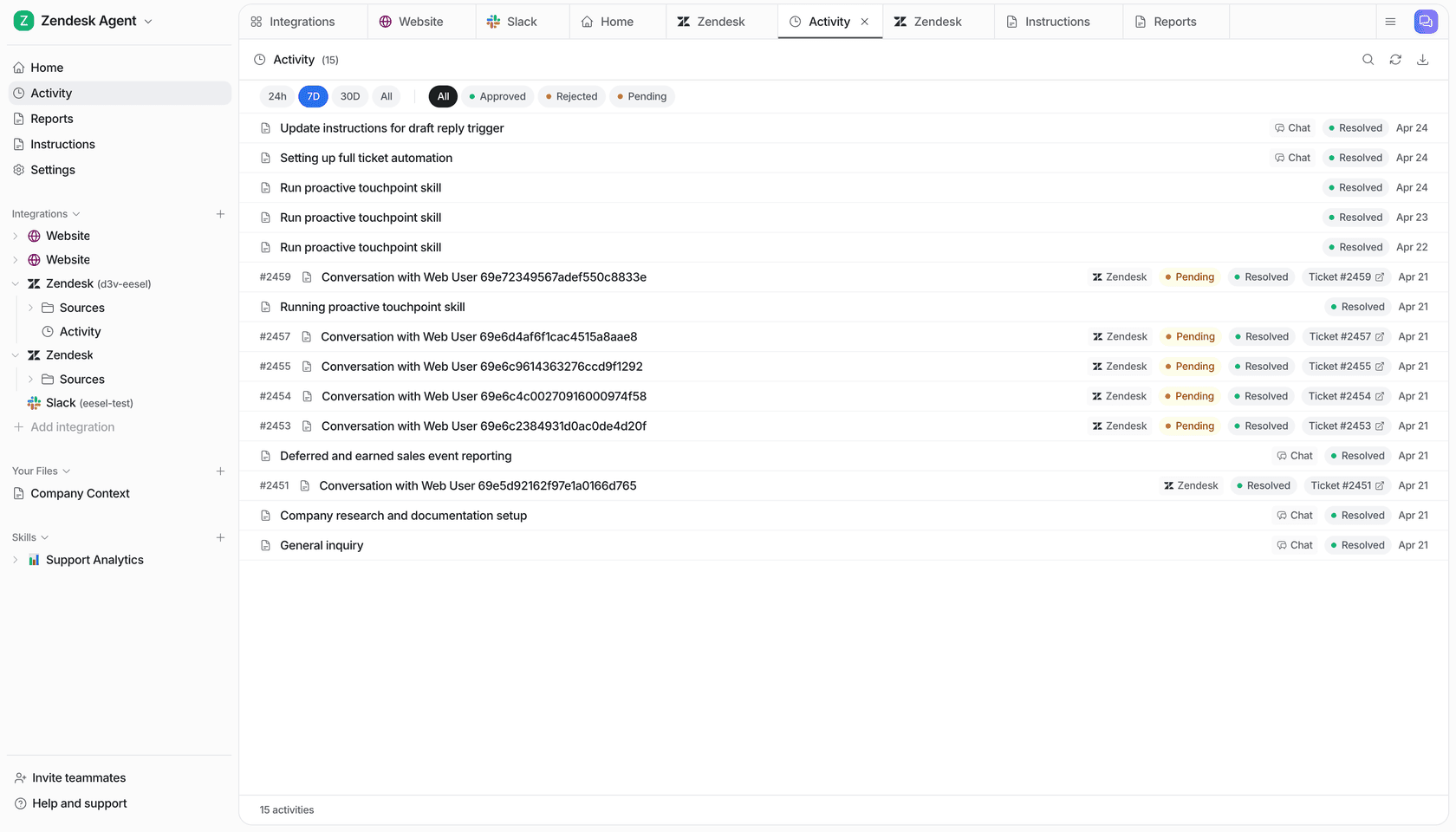
What eesel may do alone is up to you: each action can run on its own, ask a person first, or stay off (actions and approvals). I'd start with closing on ask-first for a week and read its calls, the way you'd review AI support conversations for anything new. Two practical notes: eesel's automations need Zoho Desk webhooks, which Zoho includes from Professional up, and eesel's pricing page starts at $299 a month for 500 credits, where a ticket is one credit. If you're comparing it with other add-ons, the best AI for Zoho Desk roundup lists them.
Try eesel on your Zoho Desk queue
If your Spam view is a place you're scared to empty, try the other way round for a week: switch detection to Tickets only, let eesel read what lands in Tickets, and have it tag and close the junk your instructions describe, with a private comment on anything it isn't sure about. You keep every ticket, and you can read why each one was closed. Setup is one Zoho authorization, and you can change what counts as junk by telling eesel in a sentence.
Try eesel on your own Zoho Desk tickets, and read automating ticket triage once the junk is handled.