Gorgias Gaia: what it does, what it costs and where docs disagree

Kira

Katelin Teen
Last edited November 12, 2026

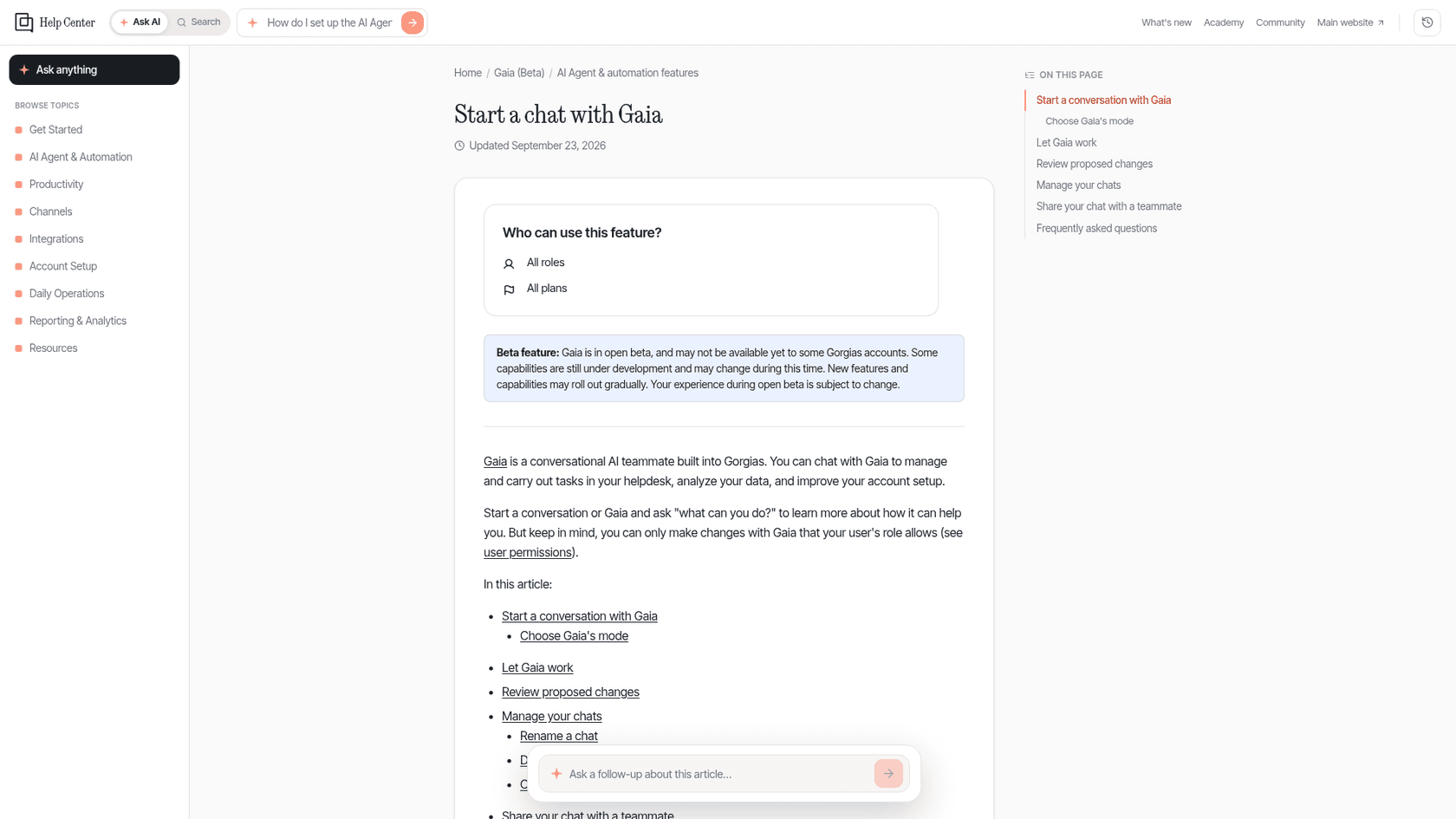
Gorgias Gaia is a chat assistant inside the helpdesk that audits your AI Agent, edits knowledge, rules and macros, and answers data questions. It works with your team, not your shoppers. It is free during open beta, with post-beta pricing not announced, and it asks before every change unless you switch a chat to Auto-run. Gorgias's own pages disagree on whether Gaia drafts replies, so test before relying on it. For an AI that works the tickets in Gorgias, eesel's helpdesk teammate drafts replies as internal notes, and the eesel CLI lets a coding agent upload approved knowledge and test answers, while an admin still approves the Gorgias connection.
What is Gorgias Gaia?
Gaia is what Gorgias's help center calls "a conversational AI teammate built directly into Gorgias." You open it from the main menu or with Ctrl+G (⌘G on Mac), describe a job in plain words, and it reads the relevant data, drafts a change and waits for your go-ahead. Gorgias opened the beta to every account, and its landing page puts the promise in one line: "Gaia keeps your support sharp. You keep the final say."
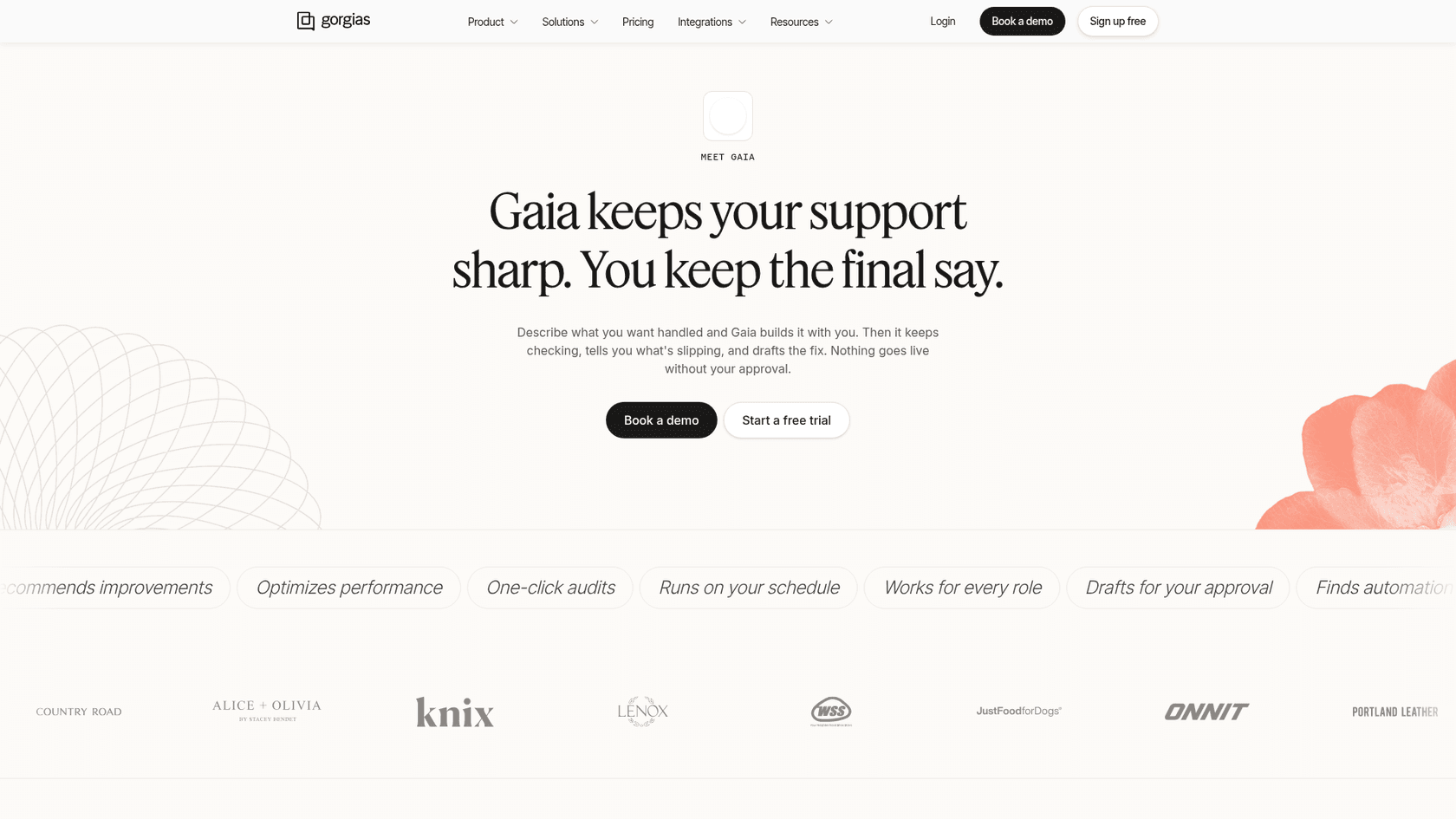
I build agents for a living at eesel, so the first thing I check with any new "AI assistant" is who it talks to. Gaia talks to the person running the helpdesk. That is a different job from the Gorgias AI agent that answers shoppers, and it is the part of the product most reviews skip.
How is Gaia different from Gorgias AI Agent?
Gaia and AI Agent are two products with two audiences. Gorgias's FAQ answers it directly: "No. AI Agent handles your customer conversations automatically. Gaia is a conversational assistant that helps you manage and improve your Gorgias account." Its landing page says it more briefly: AI Agent works with your shoppers, Gaia works with your team.
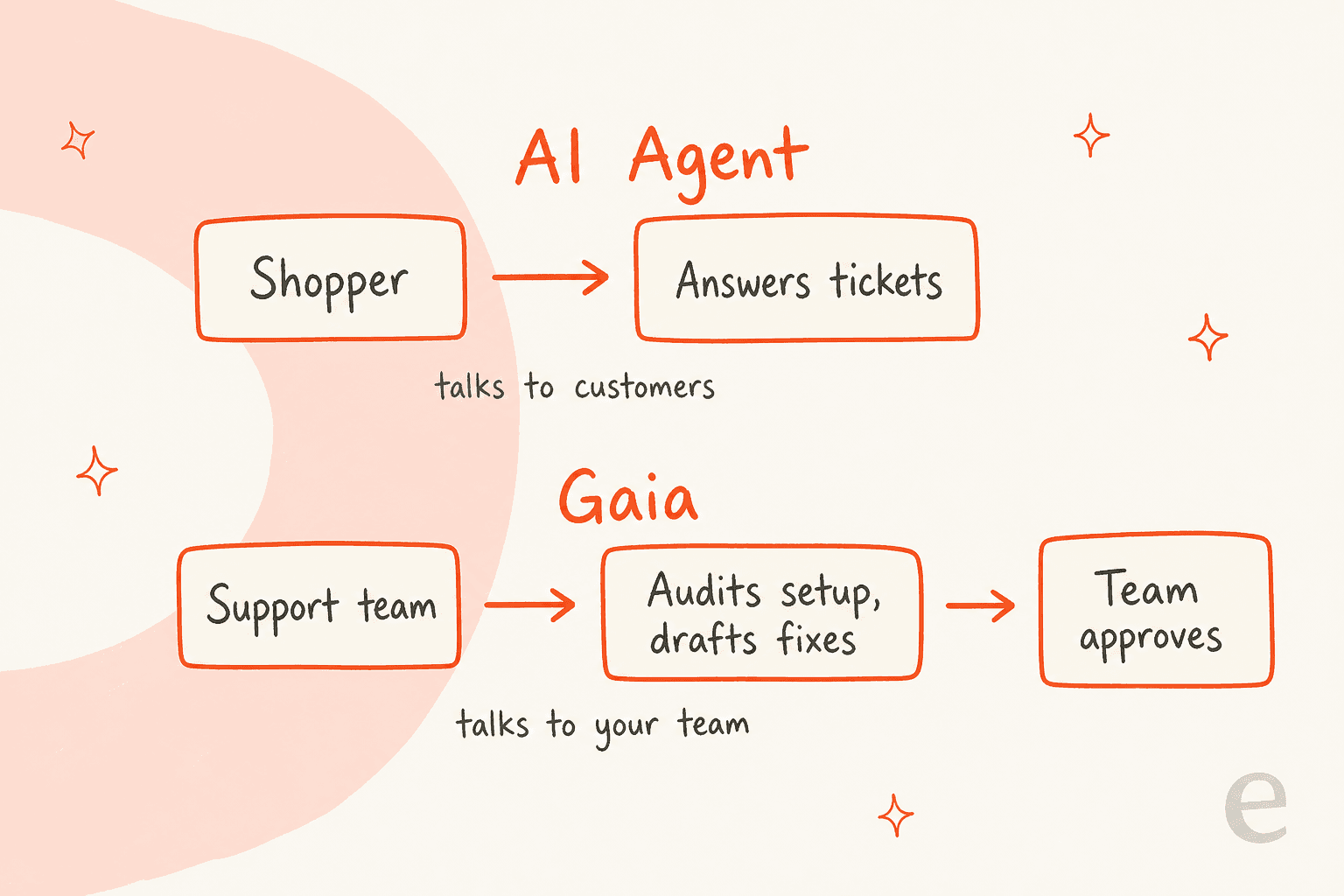
The practical consequence is that Gaia only has leverage if you already run an AI agent. The docs say Gaia works on every plan, but "AI Agent coaching capabilities, like auditing skills or drafting new ones, require AI Agent to be enabled." Tickets, rules, macros and help center jobs do not. If your Gorgias AI setup is still a plan on a whiteboard, Gaia is a handy inbox assistant, not a coach.
It is also not the Gorgias MCP. The MCP connects an outside tool such as Claude or ChatGPT to your account, so data flows to that tool's own privacy terms. Gaia runs inside Gorgias, under your Gorgias account's terms. If that distinction matters to your team, my guide to an AI agent MCP server covers the trade.
What can Gaia actually do?
Gorgias groups Gaia's work into five areas, each with a real example prompt from its docs.
- AI Agent setup: "Audit my AI Agent setup and tell me what can be improved," or "This Returns skill has a low success rate. Help me improve it." It can also troubleshoot a failing action from its execution logs.
- Tickets and inbox: search, tag, assign and summarize, such as "Show me all open tickets tagged 'refund' from the last 7 days."
- Rules and macros: build them in conversation. New rules are created disabled, so you can review the logic first.
- Knowledge: draft help center articles, write guidance, check why a synced web page is not showing in answers.
- Analytics: "What was our average CSAT last week?" answered from the same data as your reports.
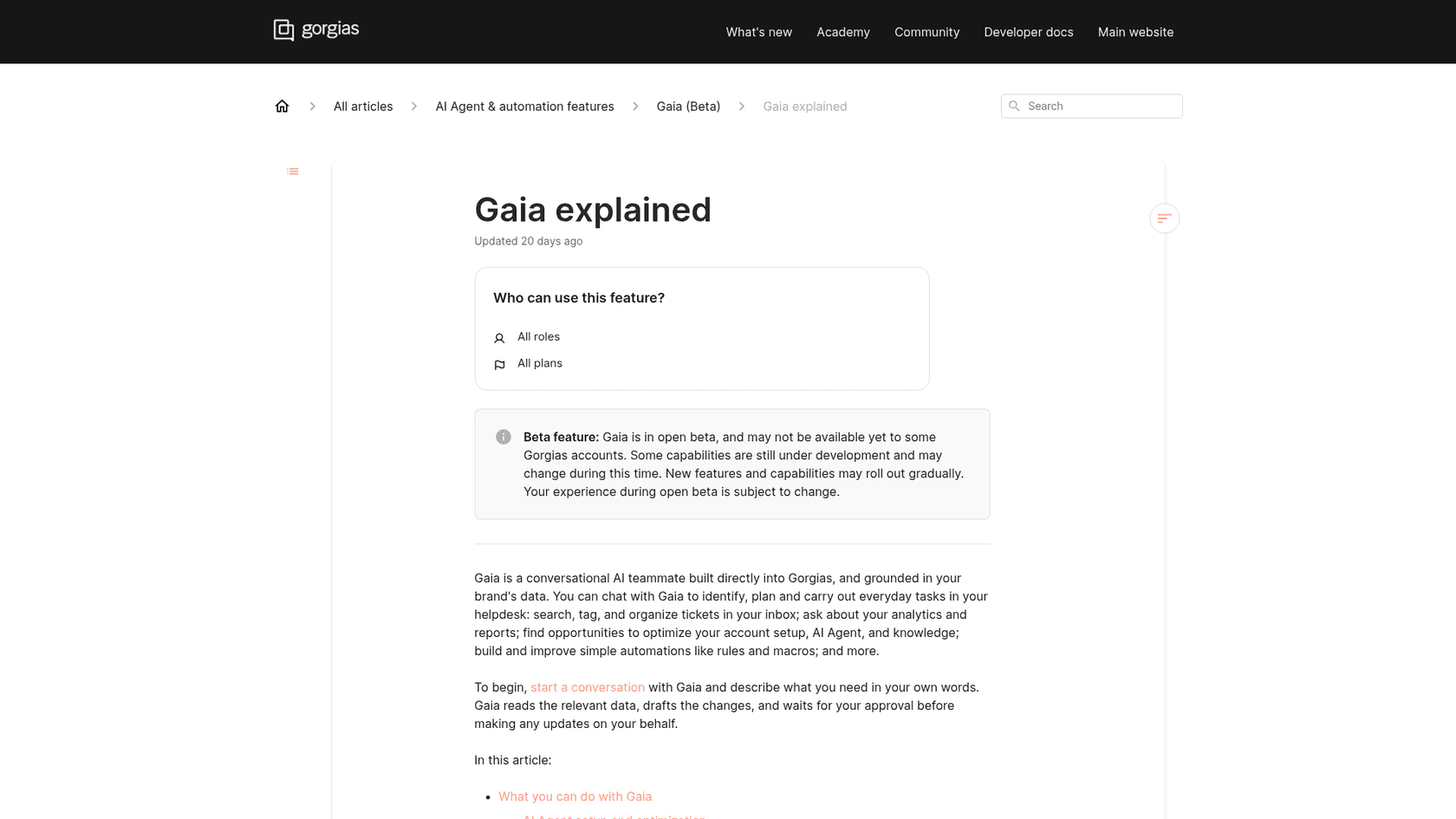
Two details matter more than the feature list. First, Gaia "has memory": it saves what matters from chats and recalls it later, and you can say "remember this." Second, it respects your role. Gorgias's permissions doc says leads, admins and owners can use it to manage AI Agent or create Routines, while a basic or lite role can manage tickets and customer profiles. You can also attach up to five images or PDFs per message.
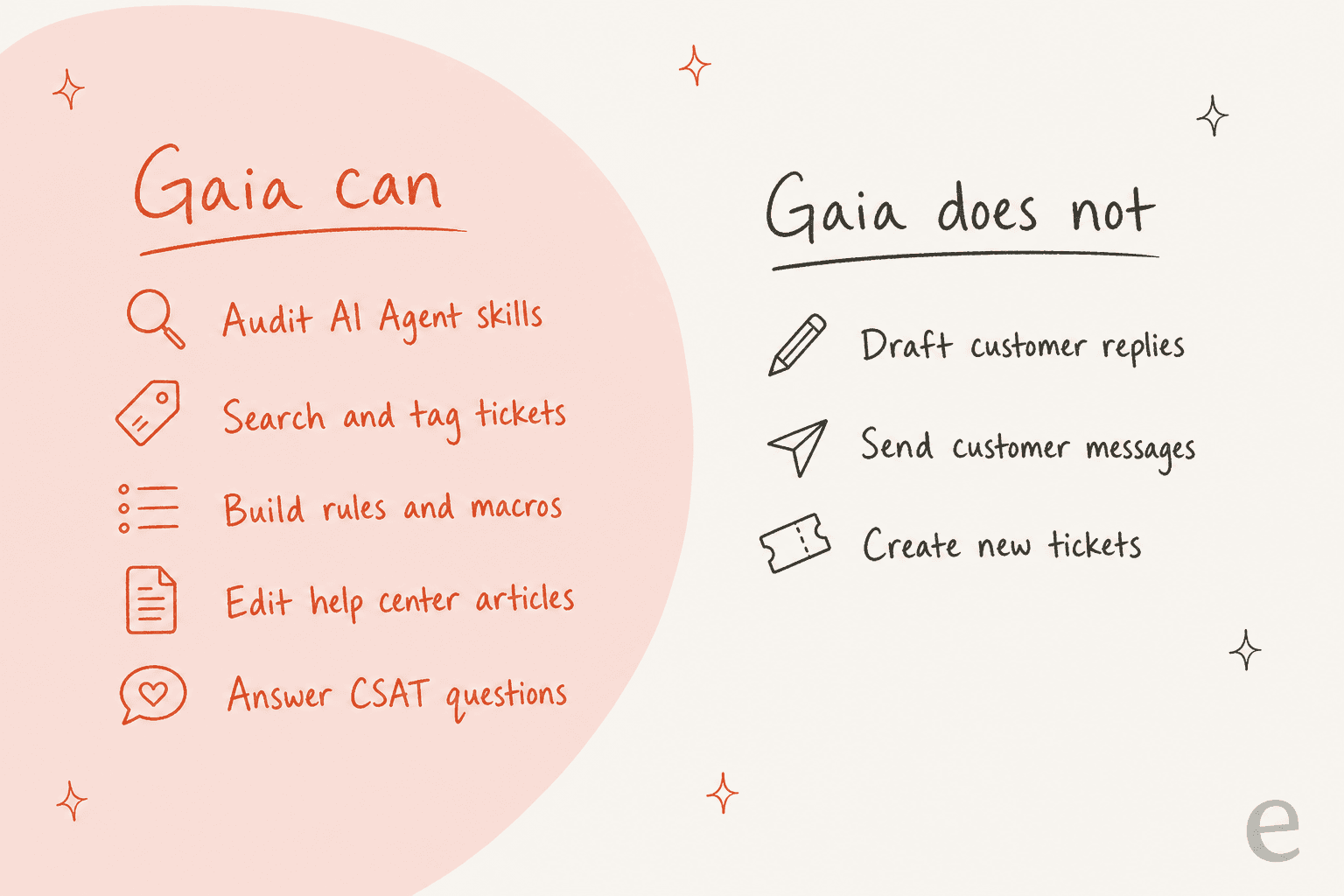
The right-hand column of that picture is straight from the docs, and I will come back to it, because one Gorgias page contradicts it.
Does Gaia change anything without my approval?
By default no. In the chat box a dropdown offers two modes, and the chat guide defines them: "Ask first: Gaia checks with you before it acts. This is the default." and "Auto-run: Gaia completes actions without asking." The mode you pick applies to your next message, and you can switch mid-conversation.
In Ask first, each proposal shows Approve, Preview and Reject buttons. Reject with a reason and Gaia revises. In Auto-run, Gaia "applies its proposed changes directly and skips this step entirely."
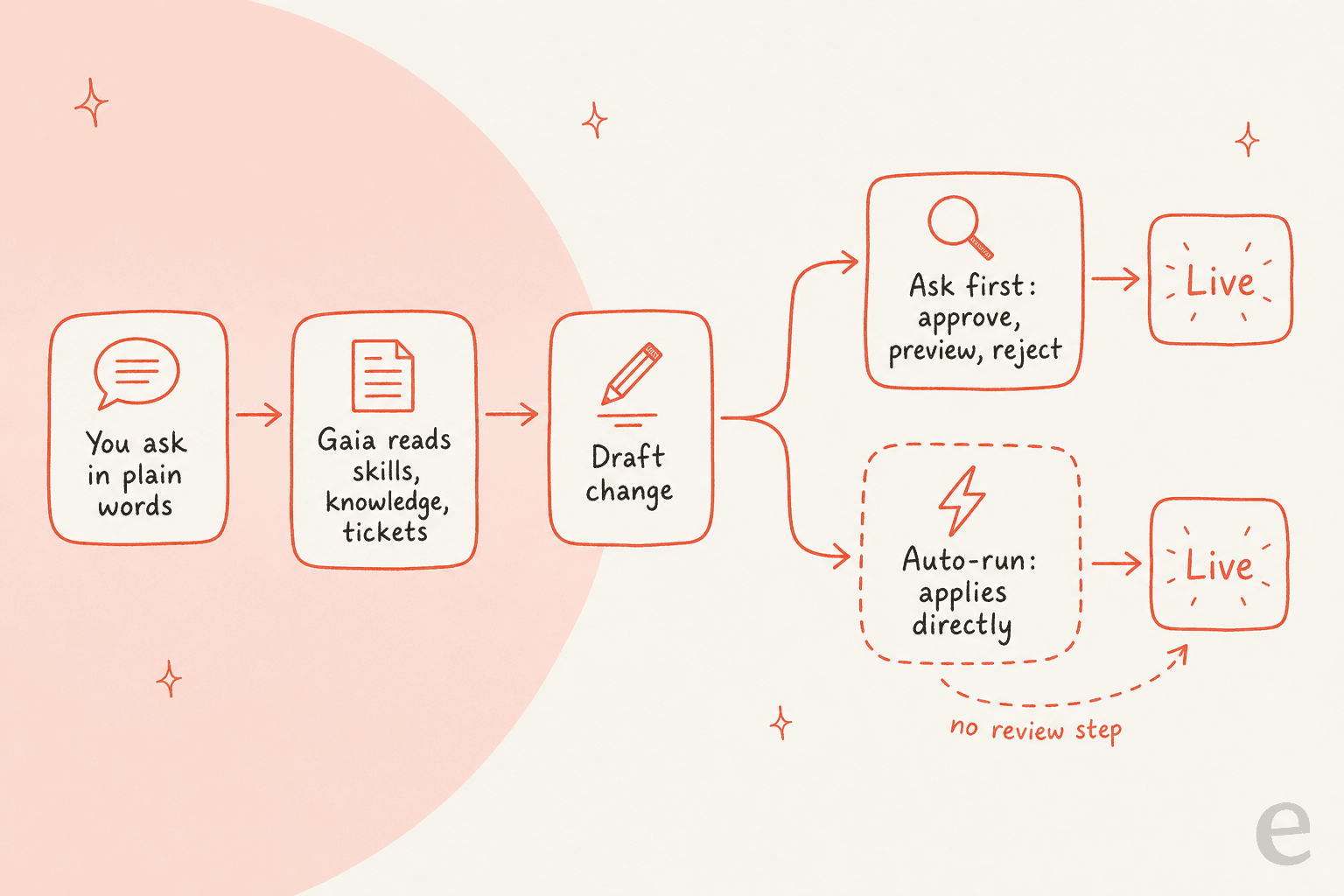
My take: Auto-run is fine for read-only questions and a bad default for anything a customer will see. The reason is the undo story. The docs say outright that "Gaia doesn't have an undo function," though Gorgias keeps version history for skills and guidance, so you can compare and restore. A rewritten help article or a rule is a different matter, and I found no equivalent restore note for them. If a team of five shares one admin login, set a house rule: Auto-run only for chats that ask questions. For a broader pattern, see my notes on AI approval workflows.
What are Routines, Gaia Hub and shared chats?
These are the newer pieces on top of the chat.
Routines are saved prompts that run on a schedule. Per the routines doc, Owner, Admin and Lead roles can create them, you can have up to 10 at a time, and frequency is daily, weekly, monthly or custom. The doc's own example: check your automation rate by channel for the past 7 days and flag any channel that dropped more than 5 points. The limit is clear in the docs too: "Currently, Gaia cannot use a routine to perform actions like drafting or sending customer messages." Routines report; they do not act.
Gaia Hub is, in Gorgias's words, the new front door: automation rate, cost saved and CSAT at a glance, then a question box. Shared chats give a teammate a read-only link, and per the FAQ the person must be in the same workspace and cannot continue the conversation. A recent update adds PDF, CSV and interactive HTML reports from any chat or Routine.
Which plans include Gaia, and what does it cost?
Gaia itself has no price today. The Gorgias FAQ says "Gaia is free while it's in beta. Pricing after beta is still to come." The docs mark it "All plans," and the pricing page does not list Gaia at all. What you pay for is the helpdesk and AI Agent underneath.
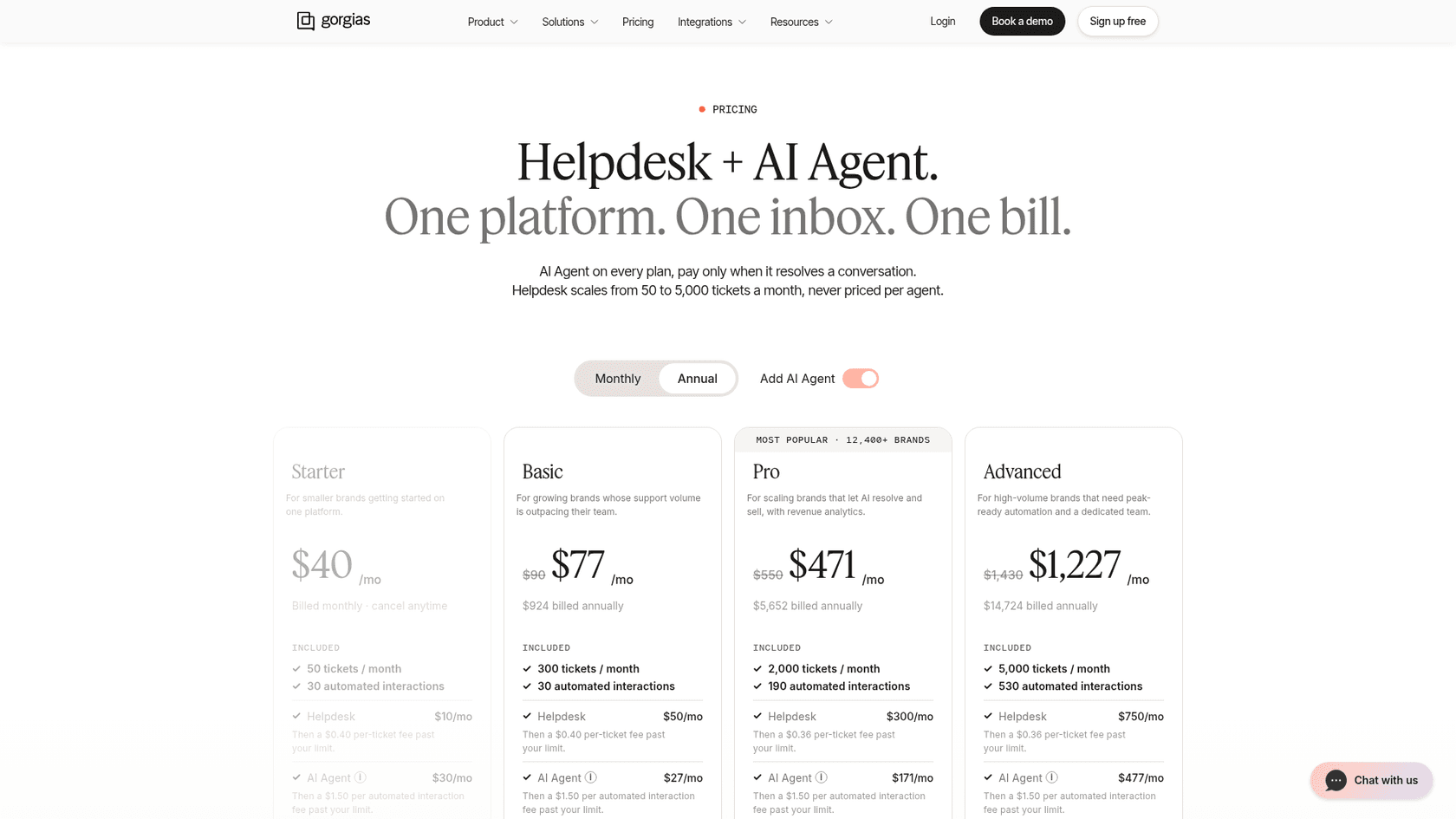
| Plan (AI Agent added) | Monthly price | Annual, per month | Tickets included | Automated interactions included |
|---|---|---|---|---|
| Starter | $40 | Not offered | 50 | 30 |
| Basic | $90 | $77 | 300 | 30 |
| Pro | $550 | $471 | 2,000 | 190 |
| Advanced | $1,430 | $1,227 | 5,000 | 530 |
All figures are from the Gorgias pricing page on 2026-11-12. The same page lists overage past the limit at $0.40 per ticket on Starter and Basic and $0.36 on Pro and Advanced. Gaia is not a line item, so for now it is a free add-on to a bill that is driven by tickets and automated interactions. My longer Gorgias AI pricing breakdown goes deeper on that bill.
The pricing page contradicts itself on the AI Agent overage. The plan cards say "$1.50 per automated interaction" past your limit, while the compare table lists $1.00, $0.90, $0.90 and $0.85 for Starter through Advanced. Take a Pro brand at 400 automated interactions in a month: 210 are over the 190 included. At the card rate that is $315; at the table rate it is $189. A $126 gap is worth a question to Gorgias sales before you size a budget. I wrote more about cost per resolution if you want a way to compare.
How do you set up and use Gaia?
There is nothing to install, which is the point.
- Press
Ctrl+G(⌘Gon Mac) or pick Gaia from the top-left menu. - Ask a first question that cannot hurt, like "What can you do?" or "Audit my AI Agent setup."
- Leave the mode on Ask first. Gaia may ask a clarifying question, then works for "a minute or two."
- Review each proposal with Approve, Preview or Reject. Browser notifications can ping you when it finishes.
- If you approve something you regret, restore the old skill or guidance version.
- Once a question is worth asking every week, turn it into a Routine.
A good first audit target is the stuff that quietly rots: macros that contradict your knowledge base, and old guidance. Gorgias's own sample prompt, "Resolve conflicts across my macros, knowledge base, and skills," is aimed there. Gaia cannot simulate a rule against live tickets, so test a new rule on one real ticket before you enable it, and think about testing AI support in a sandbox first.
Where do Gorgias's own pages disagree about Gaia?
Gorgias moves fast, and Gaia's pages have drifted apart. These are the conflicts I found on 2026-11-12:
| Question | One page says | Another page says |
|---|---|---|
| Does Gaia draft replies? | The landing page says agents can "draft a reply without leaving the conversation" | The docs say Gaia "doesn't draft or send customer-facing messages" |
| Does anything go live unapproved? | The landing page says "Nothing goes live without your approval" | The docs say Auto-run "applies its proposed changes directly" |
| Who has it? | The update post says every account | The docs say it "may not be available yet to some Gorgias accounts" |
| What is it? | The docs index calls it "a coaching agent" | The newer article calls it "a conversational AI teammate" |
| AI Agent overage | Plan cards: $1.50 | Compare table: $0.85 to $1.00 |
None of these is sinister. A beta moves, and marketing copy lags the docs. But if you are buying on the claim that Gaia drafts replies, check it in your own account first. I would trust the docs over the landing page, since they carry the more specific limit.
What do Gorgias customers say about Gaia?
I found no independent write-ups of Gaia on Reddit, LinkedIn, X or Hacker News, so the only first-hand voices are the customer quotes Gorgias publishes. Treat them as vendor-selected.
"Before Gaia, I was hesitant to even touch the guidance because there were so many variables. Now I can be specific about what I need, review what it creates, approve it, and monitor what happens."
"Gaia completely transformed how we manage our knowledge base. We had it audit our existing content. It flagged duplications and identified missing information."
Both describe the same pattern: Gaia as the reviewer, the human as the approver. The other claim on Gorgias's page, about setup maintenance falling from roughly 10 hours a week to 15 minutes, is Gorgias's own figure and I could not verify it.
Where does eesel fit next to Gaia?
Gaia tunes the Gorgias AI Agent. It does not work your queue. That second job is what eesel does: an AI helpdesk teammate that works inside Gorgias, reads tickets, your help center and past answers, and leaves its work where your team can see it.
Rúngne, a Norwegian climbing brand, runs three eesel agents on its Gorgias queue. In one month eesel handled about 2,100 tickets, tagged about 880, left about 580 draft replies as internal notes and sent about 440 public replies on topics the team chose. ClutchLoop sees about seven in ten conversations answered without a person, and SaunaSpace uses eesel in the browser beside each Gorgias ticket to draft replies in the brand voice, with a person always sending.
You can run both. Let Gaia audit your Gorgias skills and knowledge, then let eesel work the tickets next to your human team. For teams that work from a terminal, the eesel CLI lets Claude Code or Cursor load approved articles and macros, adjust agent instructions and run test questions before anything reaches a customer. The CLI does not replace the connection itself: someone with Gorgias admin access still has to approve it, and uploaded knowledge is not "ready" until the answers pass your tests. My notes on coaching an AI agent and an AI knowledge base audit cover the habit either way.
Try eesel in Gorgias
If Gaia tells you your AI Agent has gaps, eesel is the teammate you can hand the queue to while you fix them. It plugs into Gorgias, learns from your help center and past tickets, drafts replies as internal notes and waits for your team to send. Start with the eesel Gorgias integration and see the Gorgias alternatives comparison if you are weighing options.
Frequently asked questions
What is Gorgias Gaia?
Gaia is a chat assistant built into Gorgias that works with your support team, not your shoppers. Per the Gaia explained doc, it audits your AI Agent setup, edits knowledge, rules and macros, and answers analytics questions. See my breakdown of the AI Agent side for the customer-facing half.
Is Gorgias Gaia free?
Gorgias says Gaia is free while it is in beta and that pricing after beta is still to come. The Gorgias AI Agent pricing you pay today covers automated interactions, not Gaia.
Is Gaia the same as Gorgias AI Agent?
No. Gorgias's FAQ says AI Agent handles your customer conversations while Gaia helps you manage and improve your account. If you want the shopper-facing side, read my Gorgias AI overview and the AI Agent 2.0 changes.
Does Gaia change my Gorgias setup without approval?
By default no: Ask first mode waits for you to approve, preview or reject each change. Auto-run mode applies changes directly, so keep it for low-risk chats and use approval workflows for anything customer-facing.
Can Gaia draft or send replies to customers?
Gorgias's docs say no: Gaia does not draft or send customer-facing messages or create tickets, although a marketing page says agents can draft replies in Gaia. If you want drafted replies from your help center, check which Gorgias feature actually does it on your account.
Which Gorgias plans include Gaia?
The docs list Gaia as available on all plans, in open beta, though some accounts may not have it yet. Compare tiers in my Gorgias plans comparison and the pricing guide for Shopify stores.
What is a good alternative to Gaia for working tickets in Gorgias?
Gaia coaches your setup, so you still need something that works the queue. eesel's Gorgias integration adds an AI helpdesk teammate that drafts replies as internal notes; see Gorgias alternatives and eesel vs Gorgias AI.