Freshdesk AI after-hours support: what Freddy covers overnight

Riellvriany Indriawan

Katelin Teen
Last edited November 22, 2026
Freshdesk can answer customers overnight with Freddy AI Agent, but its business hours settings don't do that on their own: they only change how SLA timers and handovers behave. The Email AI Agent replies from your knowledge base in 72-hour sessions, billed at $49 per 100 sessions after the 500 that come with Growth, Pro and Enterprise. Chat is trickier: only Freshdesk Omni can hand a chat to a person after hours. I'd pair an auto-reply rule with the AI agent, and keep Freddy AI Copilot for the morning shift. For tickets Freddy passes on, an AI teammate like eesel can reply or draft inside Freshdesk before anyone signs on. A coding agent such as Claude Code can set that up through the eesel CLI, though a Freshdesk admin still approves the connection.
What happens to a 2am ticket in Freshdesk?
It depends on which of three layers you've switched on, and most teams have only the first. I work on eesel's support team, so I see the queue from the side of whoever opens the support queue at 9am, and the gap between what a customer was told overnight and what they expected is where most of the next day's work comes from. (The general case is in my guide to AI after-hours support, and the same question for another helpdesk is answered in Help Scout after-hours support.)
| A customer writes at 2am | Business hours only | Plus an auto-reply rule | Plus Freddy AI Agent |
|---|---|---|---|
| Waits in the queue; SLA clock paused | Customer gets your notice; ticket waits | AI agent replies from your knowledge base, or escalates | |
| Reply on an old ticket | Waits | Waits (rules on creation run only when a ticket is created) | Email AI Agent keeps context across replies in the thread |
| Web chat (standalone Freshdesk) | No effect on chat | No effect on chat | Chat AI Agent answers, or points to a support email |
| Web chat (Freshdesk Omni) | Channel-specific hours available | Same | Chat AI Agent answers, or transfers to a group with a message |
What do Freshdesk business hours actually change?
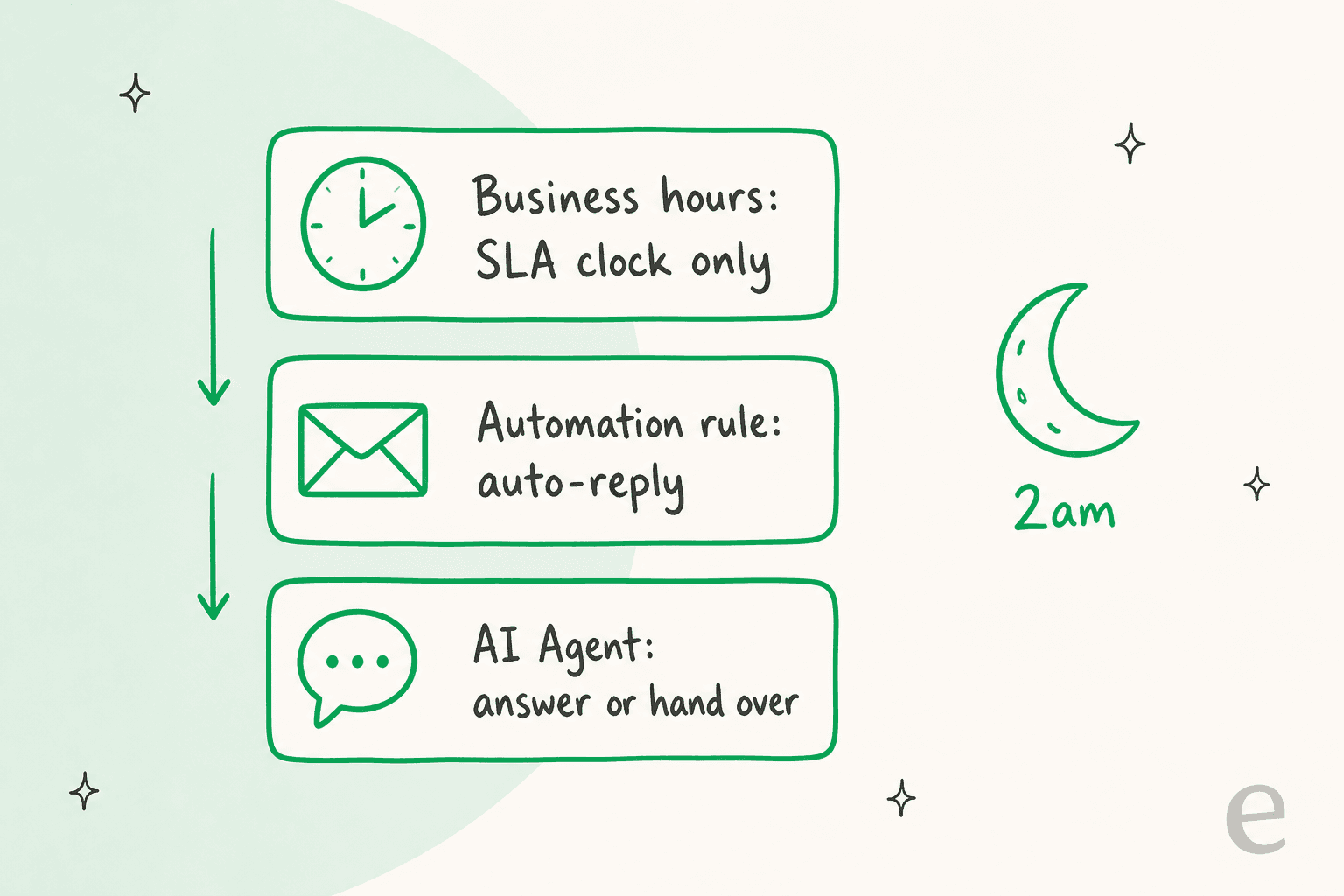
They change the clock, not the queue. Freshdesk's business hours docs describe two ways to count an SLA: calendar hours, which include non-working time and holidays, and business hours, which count only your official working hours. Their own example: a ticket due in six hours on a Friday evening can wait until Monday morning under a business-hours SLA, but not under calendar hours. My Freshdesk SLA policies guide goes through how the timers are applied.
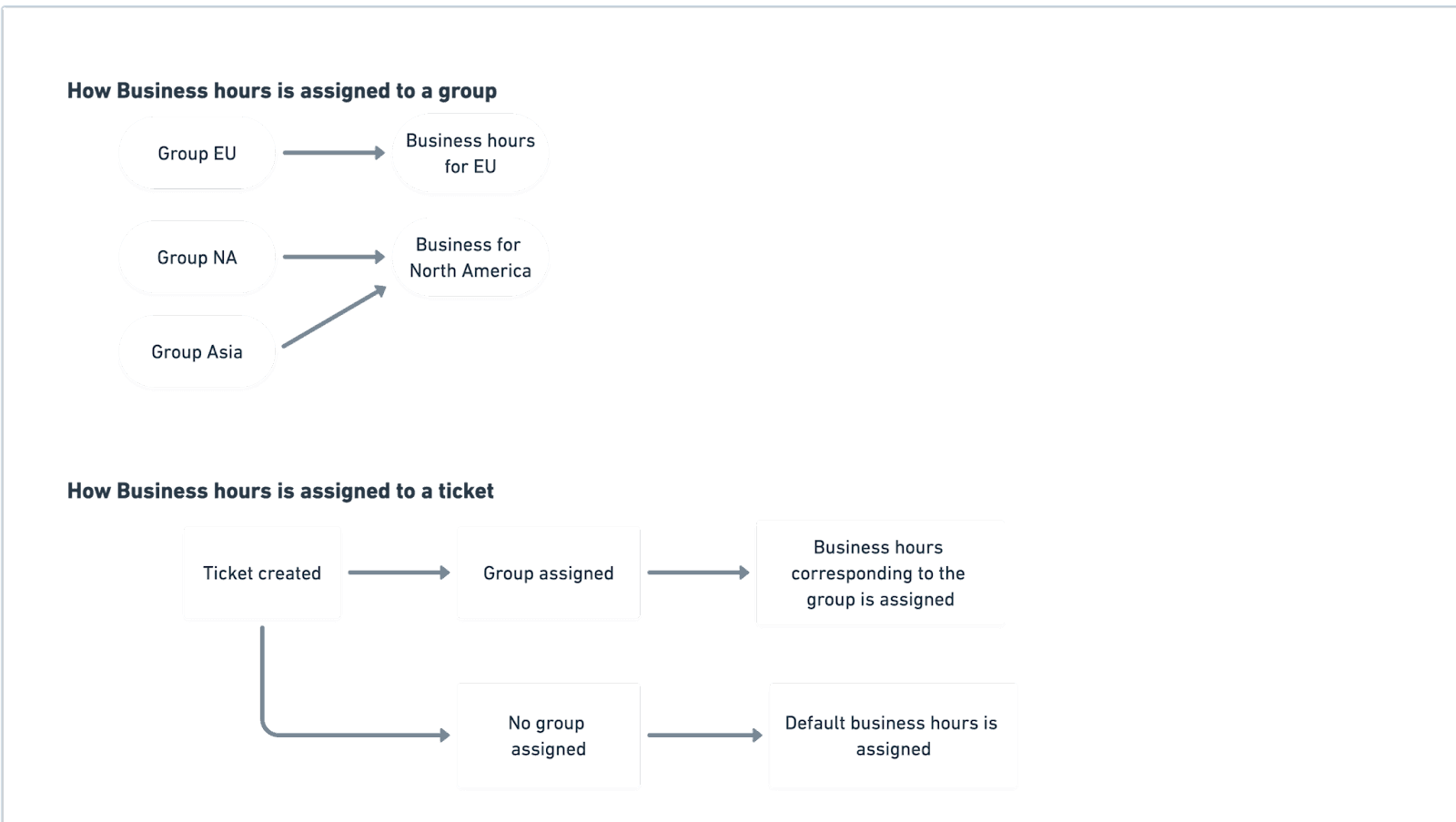
For accounts that signed up after December 2025, the docs say business hours can't be applied to a ticket unless they're mapped to a group. A ticket inherits its group's hours, and a ticket with no group falls back to the default hours.
A few details matter for overnight setups:
- Plans. Business hours are listed for Growth, Pro and Enterprise. Adding extra sets of hours needs Pro or above, per the same doc.
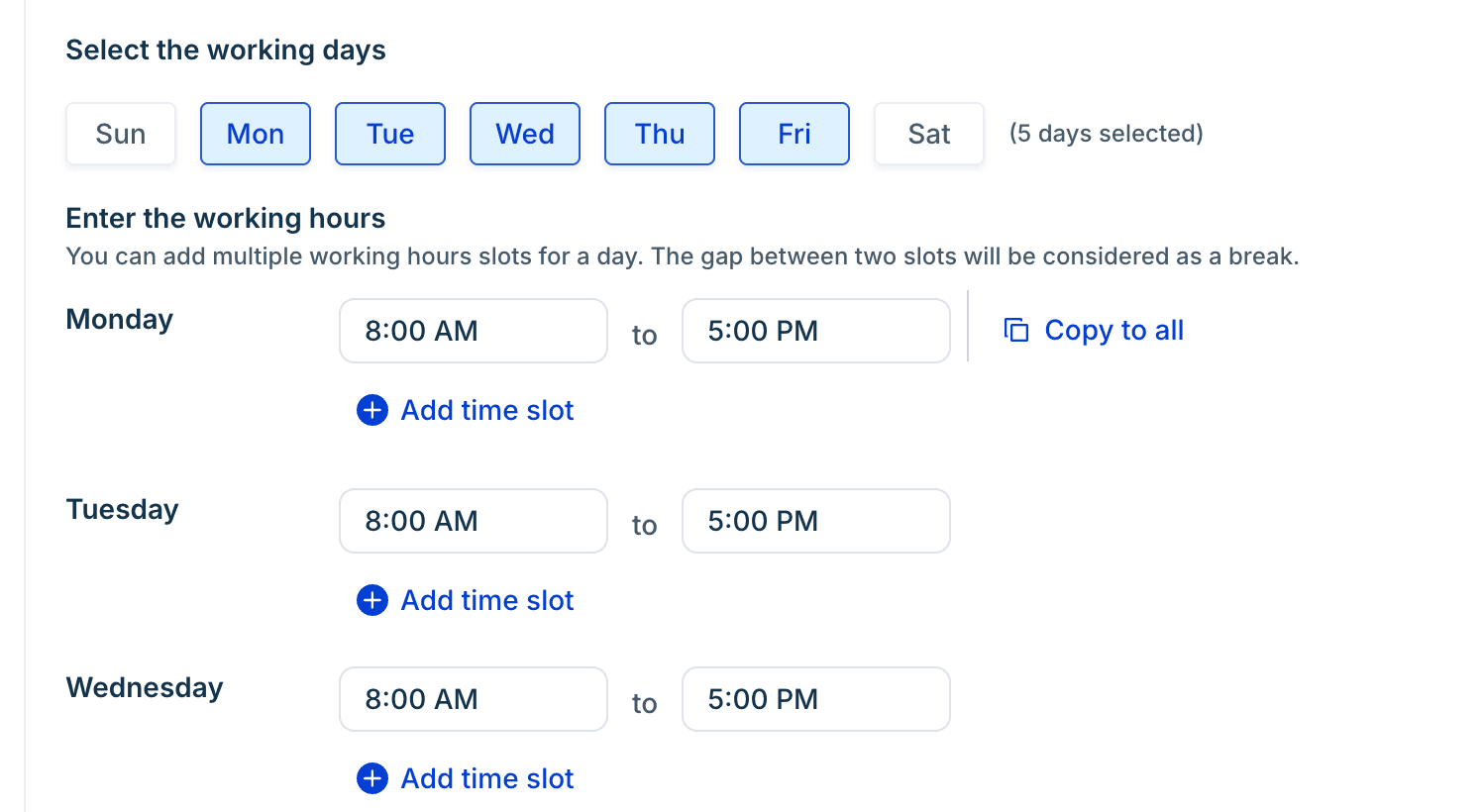
- Schedule. You pick working days and hours, can add up to 5 breaks a day, or choose a 24/7 option for round-the-clock teams.
- Holidays. Holidays are always recurring annual ones, and picking a regional holiday list overrides any exclusive holidays you set earlier.
- Channels. Channel-specific hours (say, longer coverage for chat than email) are a Freshdesk Omni feature. In standalone Freshdesk one set of hours covers every channel.
One trap: time-based rules. Freshdesk's time trigger docs say these rules run every hour, execute on calendar hours rather than business hours, and only touch tickets updated in the last 30 days. So "escalate anything unanswered for 4 business hours" isn't something an hourly rule does. If your promise is in business hours, check my notes on the first response time and resolution SLA settings before you trust a report.
Can Freshdesk send an after-hours auto-reply?
Yes, and it's the cheapest layer. Freshdesk's ticket creation docs say these automations run the moment a ticket is created, and that you can't delay them. Freshdesk's out-of-hours auto-response guide describes the setup as a ticket creation rule with a Created during condition set to non-business hours, plus a Send email to requester action. Two details from it are easy to miss: you must select a business hours name in the condition (a blank selection stops the rule evaluating correctly), and you may want to switch off the default new-ticket notification so the customer doesn't get two emails.
The limit is in the name. A creation rule fires on new tickets only, so a customer replying at midnight to yesterday's thread hears nothing from it. My Freshdesk autoresponder post covers the wording, and Freshdesk automation rules compares it with the other two rule types. Promise a time you can beat ("within 1 business day") and nothing sooner.
Does Freddy AI Agent answer after hours?
Yes, and there's a setting built for it, with a catch in how it's worded. Freddy AI Agent comes in two kinds. The Email AI Agent, per Freshdesk's setup guide, reads each incoming ticket, writes a reply grounded in your knowledge base, and either resolves it or escalates to a person. It needs an administrator, at least one mailbox and at least one knowledge source, and it isn't available on the Free plan. The Chat AI Agent covers web chat, and on Omni also WhatsApp, Messenger and Instagram. My Freshdesk AI agent review covers what each handles day to day.
The after-hours piece lives under AI Agent Studio > AI Agent > Build > Configurations > Handover settings. Freshdesk's handover docs describe a Transfer outside business hours toggle: you choose which business hours the agent follows, then an action (transfer to an agent, or to a group) and the message the customer sees.
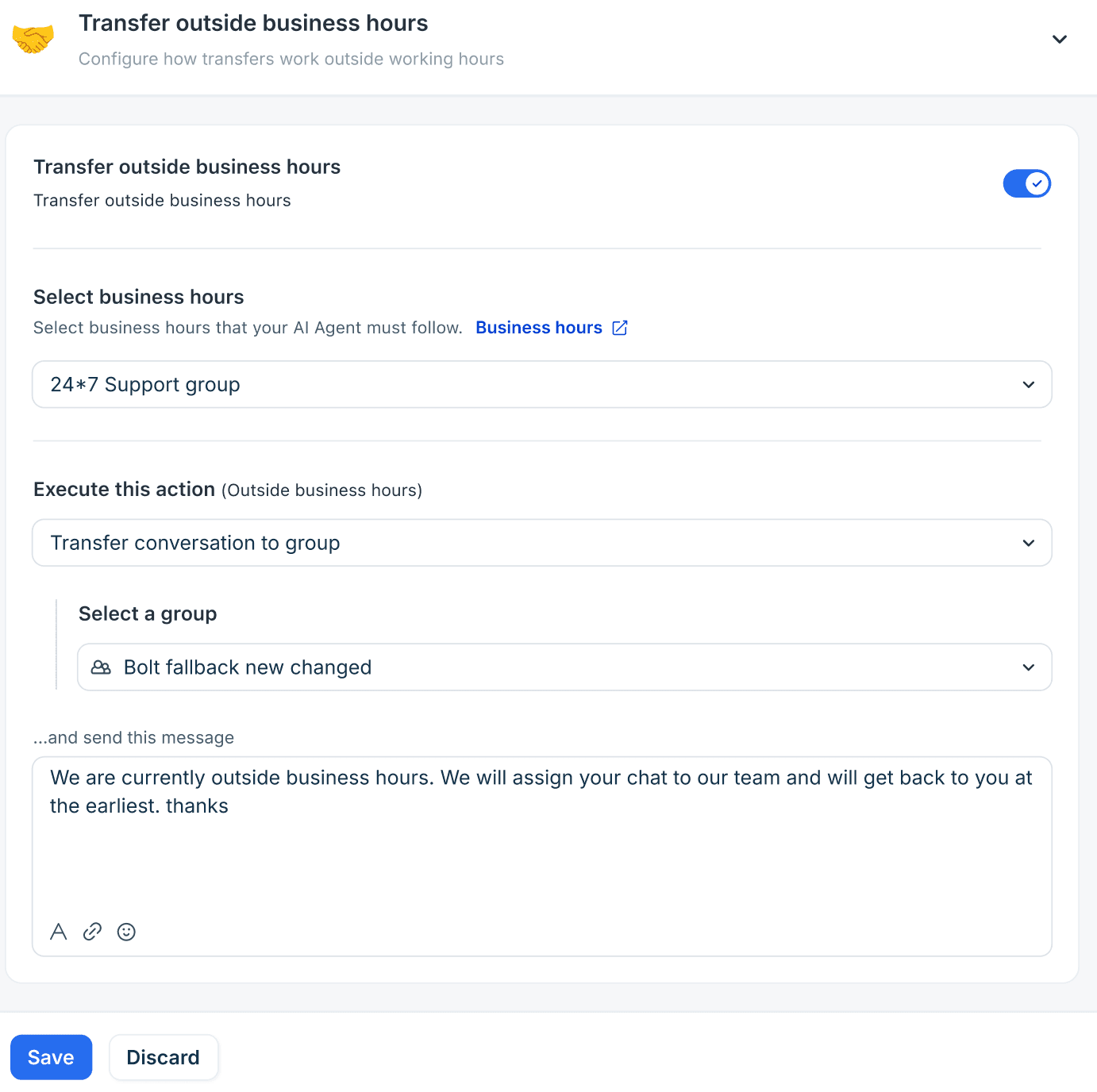
Read that setting closely before you rely on it. The docs frame it as how the agent handles conversations received outside your business hours, and the actions offered are transfers plus a message. The Email AI Agent guide gives a similar one-line description: how the agent behaves when no human agents are available, for example send a message and queue the ticket for the next shift. Neither page says the agent keeps answering questions overnight with the toggle on, so I'd test it in Preview before trusting it. Freshdesk's workflow docs add one more option: an outside-business-hours event can trigger a workflow that updates the ticket with the customer's latest message, sets an expected response time and routes it to an on-call queue.
What if you're on standalone Freshdesk?
Chat works differently. Freshdesk's Chat AI Agent guide says standalone Freshdesk supports web chat only and can't hand a conversation to a live person: it directs customers to a support email address, and the chat ends. Omni supports transfers to an agent or group, plus handover outside business hours. The same guide notes that the standalone Chat AI Agent is available to new signups only. For a live chat after-hours plan, that is the line between "answer, then email" and "answer, then hand over".
What does Freddy cost overnight?
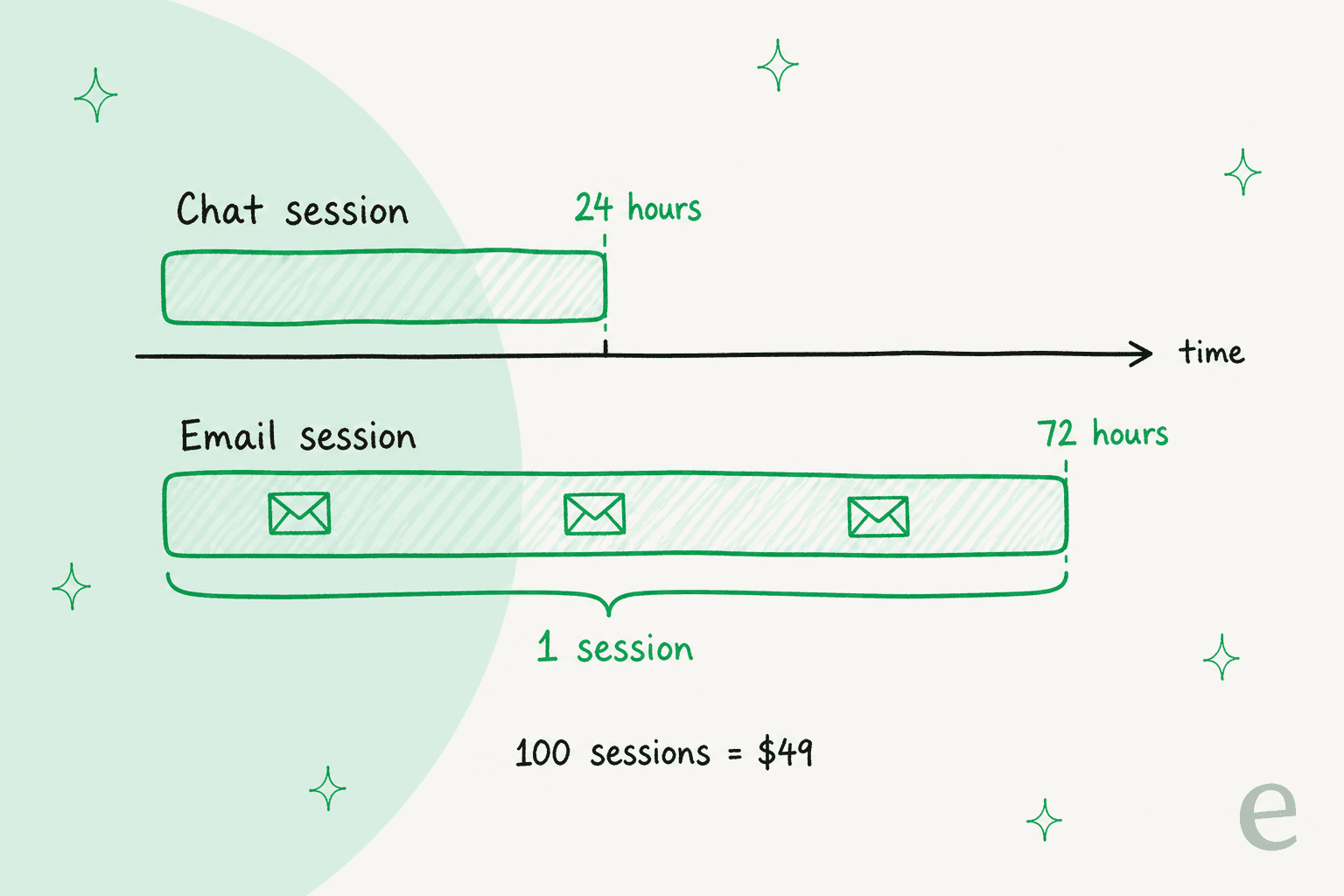
Freddy bills by session, and the session length differs by channel. Freshdesk's add-ons guide defines a chat session as all interactions within 24 hours of the start of the conversation, and an email session as 72 hours from the customer's first email. Each pack is 100 sessions for $49. New customers get a one-time 500 complimentary sessions with a Growth, Pro or Enterprise purchase.
On the Freshdesk pricing page, the plans line up like this:
| Plan | Price per agent per month, billed annually | Freddy AI Agent | Copilot add-on |
|---|---|---|---|
| Growth | $19 | First 500 sessions included; extra at $49 per 100 | Not listed |
| Pro | $55 | First 500 sessions included; extra at $49 per 100 | $29 per agent |
| Enterprise | $89 | First 500 sessions included; extra at $49 per 100 | $29 per agent |
For five agents on Pro, seats are 5 x $55 = $275 a month; adding Copilot for all five is another $145. For more on the maths see Freshdesk pricing and Freshdesk AI session consumption. Because an email session covers 72 hours, a customer who writes at 2am and replies at 8am costs one session, not two.
Where does Freddy AI Copilot fit?
In the morning, not the night. Freddy AI Copilot is an agent-side tool: it helps a person write and review replies, which makes it a fit for whoever clears the overnight pile, not for answering it. I'd buy it only if your morning shift is the bottleneck (my Freshdesk AI draft replies post compares the options), and at $29 per agent on Pro and Enterprise it pays for itself only if each agent clears that pile noticeably faster.
Pick an overnight volume and see the Freddy bill
Session cost at $49 per 100 sessions, on top of seat prices. It counts each customer's first email as one session for 72 hours, as Freshdesk defines it.
How I'd set up after-hours coverage in Freshdesk
In this order, each step closing a gap the last leaves:
- Set real business hours, with your timezone, and map them to the groups that keep different hours. On Pro and above, add a second set for an overseas team.
- Add a creation rule with Created during set to non-business hours, and a Send email to requester action. Turn off the default new-ticket email so there's one message, not two.
- Fix your knowledge base first. The Email AI Agent can only answer from sources you add, so gaps in your solution articles become overnight escalations. My Freshdesk AI agent best practices post has the checklist.
- Set escalation phrases like "talk to an agent" and "refund", and write the handover message so it says when the team is back. See human handoff best practices.
- Test in a sandbox or Preview before you switch on the Email AI Agent. My Freshdesk sandbox post covers safe testing.
- Route the morning pile (the ticket backlog) with round robin, auto-assign or skill-based routing, and read the overnight tickets before the first reply goes out.
- Review the overnight tickets weekly. A reply the customer didn't answer isn't proof it worked, as containment and escalation explains.
Covering the Freshdesk night shift with eesel
Freddy covers the questions your solution articles answer, and my Freshdesk agent shifts post covers who works the rest. What's left overnight is the ticket it escalates, the gap in your articles, and the customer replying on an old thread. That is the job I'd give an AI teammate inside Freshdesk, and it's what the eesel Freshdesk integration is for.
eesel works in Freshdesk like a human agent: it reads your solution articles, canned responses and past tickets, then can draft and send replies, add private notes, route tickets to groups, and update fields such as priority, status and tags, per the integration page. You choose what it handles by group, tag, channel or condition. A pattern I'd try: have a Freshdesk creation rule tag overnight tickets, then tell eesel to handle that tag. It can start in draft mode, so the morning shift reads what it would have sent. You can also keep a human in the loop for as long as you like.
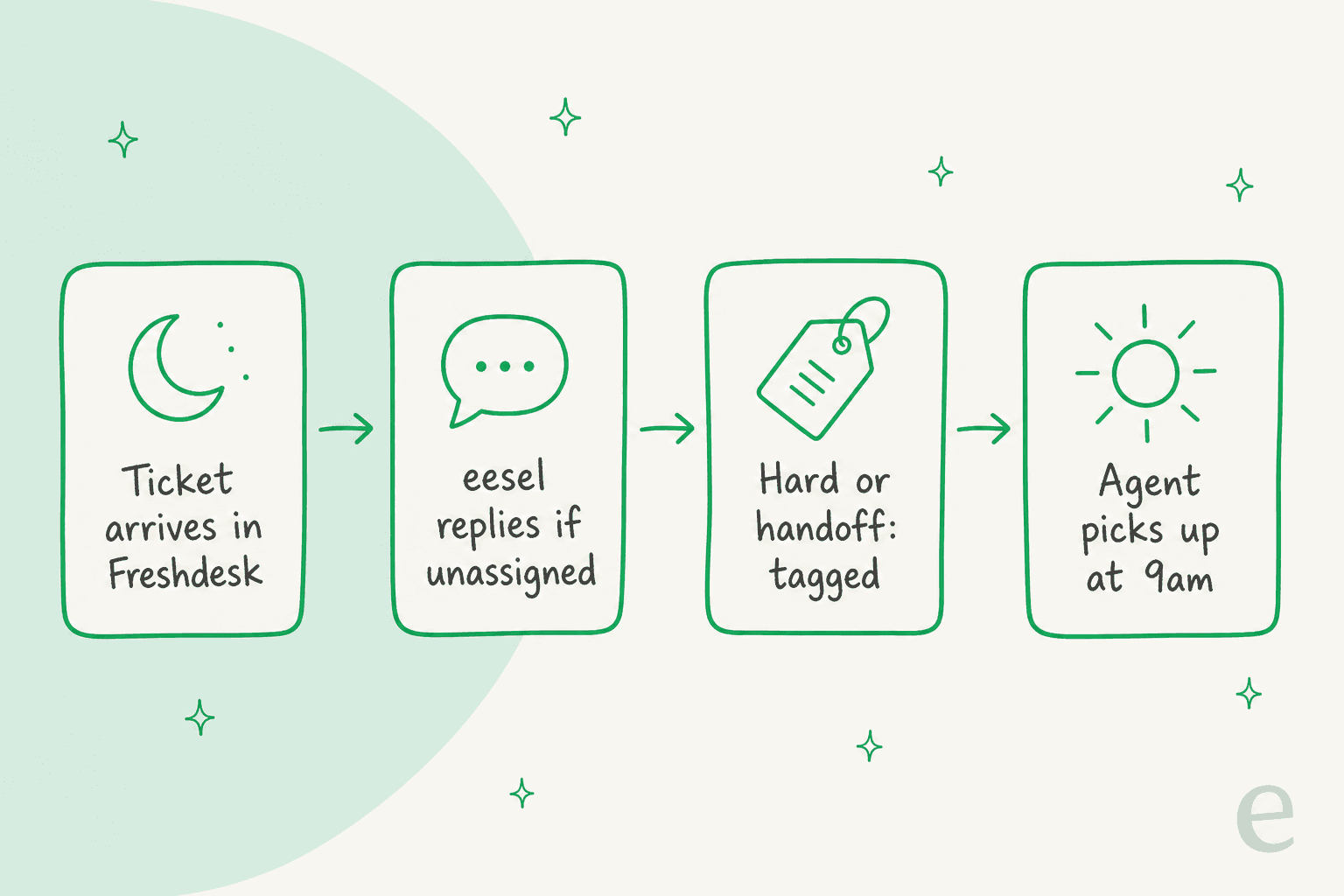
The closest published example is SamCart, a platform for selling digital products that runs support in Freshdesk. SamCart runs one eesel agent on Freshdesk tickets and a separate one on its website chat, both answering from about 280 help center articles. Freshdesk automations decide which tickets the agent replies to: specific groups, and only while no agent is assigned. When a seller asks for a person, or the question goes past the help center, the ticket is tagged for handoff and eesel stops replying on it. That "reply only until a human arrives" rule is the one I'd copy into any after-hours setup. For weekends specifically, see my notes on AI weekend support coverage.
With the eesel CLI, an AI coding agent can upload approved knowledge, such as exported Freshdesk solution articles and canned responses, then ask it test questions and check the answers before anything goes live. Connecting Freshdesk itself still needs someone with admin access to approve it.
Try eesel on your Freshdesk night shift
If Freddy already covers your solution-article questions, the gap left overnight is the ticket it escalates and the replies on yesterday's threads. eesel works inside Freshdesk as its own agent, learns from your past tickets how your team answers, and drafts or sends replies by the rules you set, so the morning shift starts with drafts to check instead of a cold queue. What it may do alone and what waits for a yes is your call.
Try eesel in draft mode for a week, and read what it would have sent before you let it send.