


Claude for Jira is now five different products, and the one Atlassian calls "Claude Agent for Jira" is a coding agent: you assign it a work item and it opens a draft pull request on GitHub. It's in beta, bills to your own Anthropic API key, and skips Jira Service Management.
For everyone else, the Atlassian connector reads, creates and updates issues on any Claude plan, if your Jira site is paid. Expect two bills, and Rovo credits switch to pay-as-you-go on December 3, 2026. If you want an AI answering Jira requests as they arrive, none of the five does that; a support teammate like eesel does.
What does "Claude for Jira" mean in 2026?
I've spent the last two years on SEO for eesel, which mostly means reading what people type into Google and asking what they were actually trying to buy. "Claude for Jira" is a sneaky one. A year ago it meant one thing: point Claude at the Atlassian MCP server and ask it about tickets. Today the same three words cover a developer handing a bug to an agent, a PM turning meeting notes into a backlog, and a support lead hoping something will answer the queue.
Atlassian counts the routes for you. Its Anthropic partnership guide lists five ways to connect Claude to Jira and Confluence: Atlassian Skills for Claude, the Atlassian MCP server, deeplinks to Claude Code, Claude Agent for Jira, and Claude as a model choice in Rovo agents.
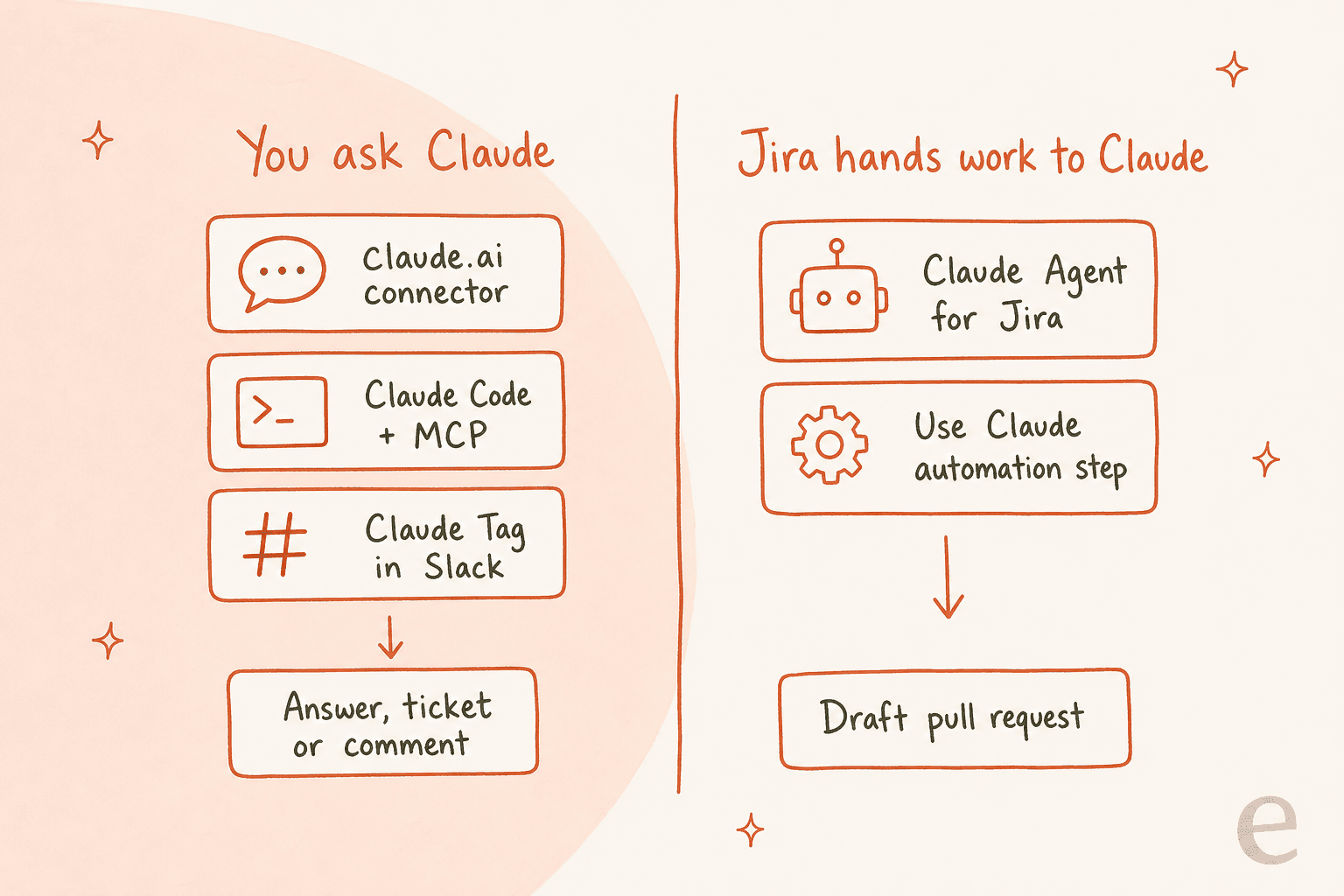
The question that sorts them is simple: who starts the work? In three routes, a person asks Claude something and Claude reaches into Jira. In the other two, Jira itself hands a work item to Claude, through an assignee field or an automation rule. That split decides who it's for, who pays, and what an admin has to sign off. It's also why the older question, does Jira have AI, now has a messier answer.
One more thing worth knowing if you run support on Jira. eesel's agent is also reachable from Claude, and with the eesel CLI, an AI coding agent can upload approved knowledge like exported Confluence pages and runbooks, then ask the agent test questions and check its answers before it touches a live request. Creating the Atlassian API token that connects Jira still takes a person with access.
The five routes compared
Here's the whole picture on one table. "Plans" means both sides, because Claude and Jira each have their own gate.
| Route | Who starts it | Best for | Claude plan | Jira plan | What it can do |
|---|---|---|---|---|---|
| Claude Agent for Jira | Jira (assignee, @mention, rule) | Engineers | Your own API key | Standard and up, Rovo on | Write code, open a draft PR |
| Use Claude automation step | Jira Automation rule | Platform teams | Same as above | Paid, Rovo on | Run Claude on matching work items |
| Atlassian connector | A person in Claude | PMs, leads, anyone | Any plan, Free included | Standard and up | Read, search, create, edit, transition, comment |
| Claude Code + MCP | A developer in the terminal | Engineers | Pro and up | Standard and up | Same tools, inside a coding session |
| Claude Tag Jira connector | A person in Slack | Shared channels | Team or Enterprise | Cloud (Data Center via custom connector) | Read, comment, update, file threads as tickets |
The table also shows the pattern I'll keep coming back to. Every route either writes code or waits for a person to ask. None of them watches a queue and answers the reporter on its own.
How does Claude Agent for Jira work?
Claude Agent for Jira lets you assign a work item to Claude the way you'd assign it to a teammate. Atlassian announced it on June 18, 2026, built on Anthropic's Claude Managed Agents. Claude reads the work item, makes the change in a sandbox, and opens a draft pull request for your review.
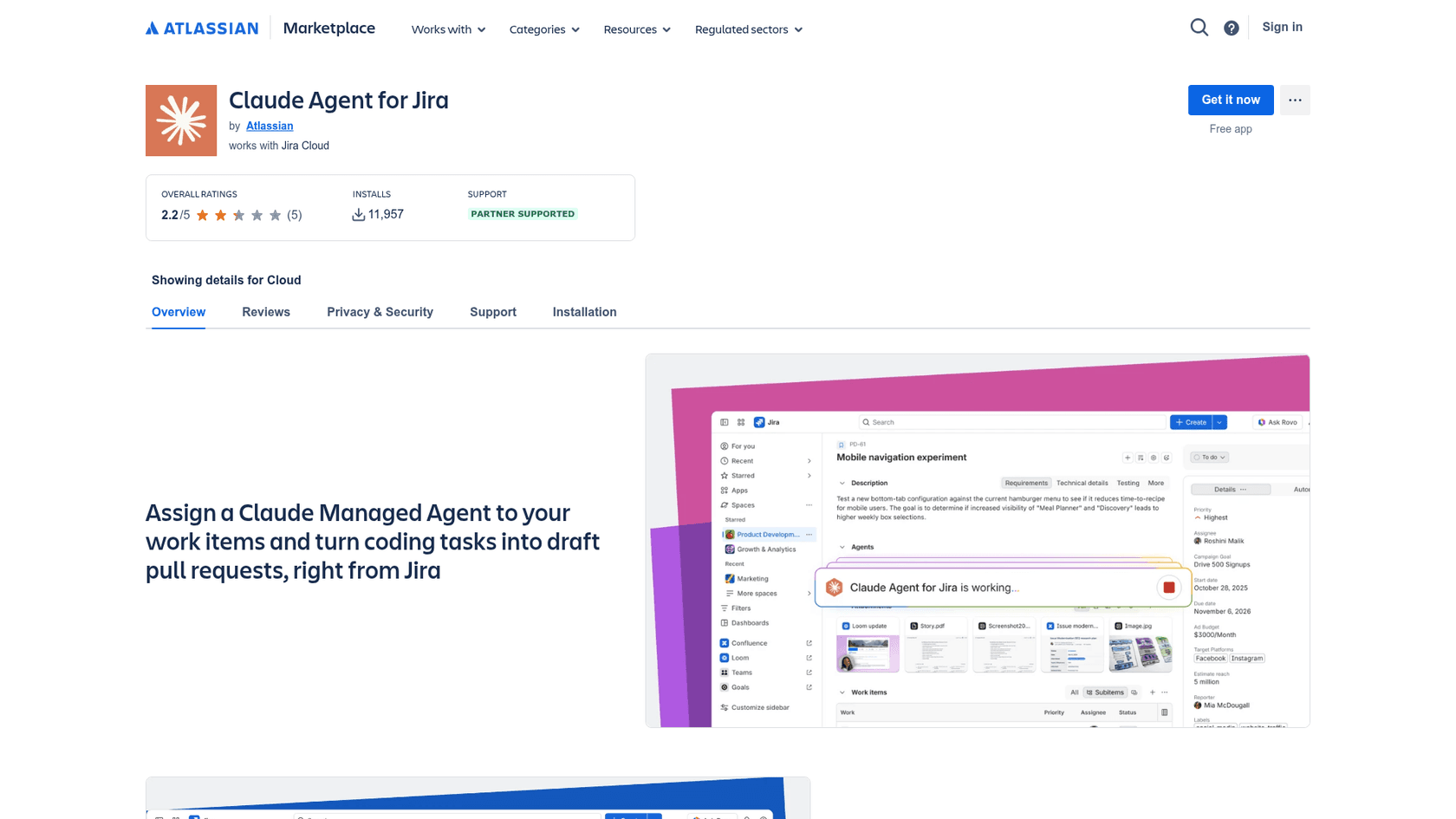
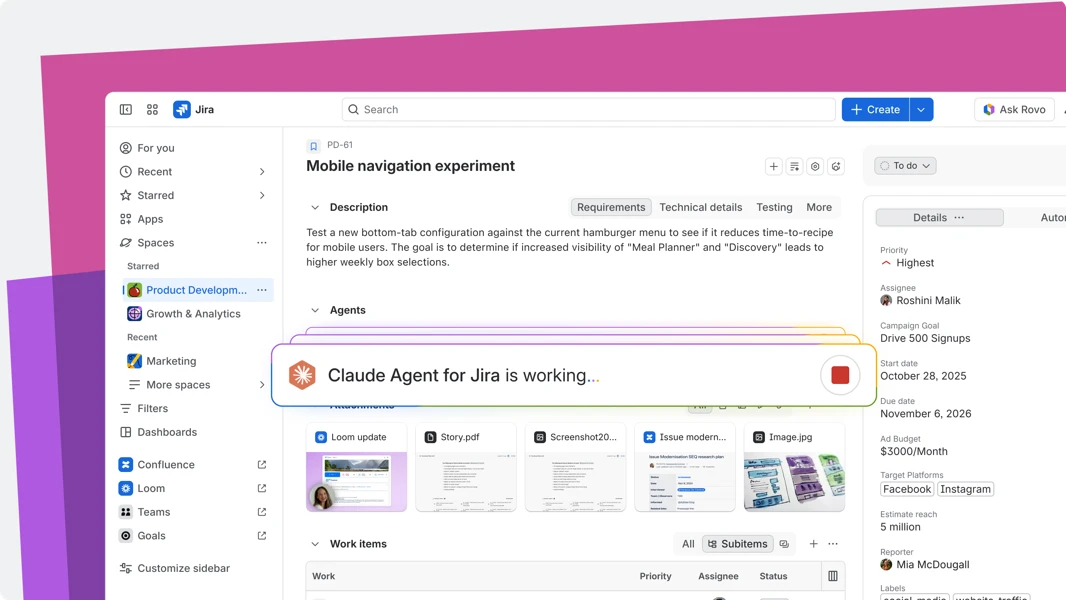
There are three ways to hand it work: mention it in a comment, pick Claude in the assignee dropdown, or let an automation rule assign it. Inside the work item you see a status bar while it runs.
The setup is where most teams slow down. Per Atlassian's setup doc, you need:
- Jira Cloud with Rovo turned on, and an admin who can install Marketplace apps
- An Anthropic account with Claude Console and Managed Agents, using your own API key
- A GitHub organization and a service account token with read/write access to repository contents and pull requests
The app is free. The work isn't: Claude usage bills to your Anthropic key at API rates, and Claude's pricing page lists Managed Agents at $0.08 per session-hour of active runtime on top of tokens.
Three limits worth reading before you install. Zero Data Retention isn't supported, because Managed Agents is stateful and Anthropic keeps session history and tool traces. HIPAA and FedRAMP sites are out. And the app works on Jira Software and business projects, not Jira Service Management. On the Marketplace it sits at 2.2/5 from just 5 reviews, so it's early. That's a small sample, and I'd treat it as "beta behaving like beta" rather than a verdict.
The developers getting good results describe the same habit. Write a proper ticket first.
"I have quite a bit of success with Claude on Jira tickets as long as the tasks are scoped well. Put effort into the ticket, and fire Claude at the ticket with MCP. I essentially review the PR."

My take: pick this if your team already lives in GitHub and reviews PRs anyway. Skip it if your repos are on GitLab or Bitbucket, or if your security team needs zero retention.
What is the "Use Claude" step in Jira Automation?
It's also the clearest overlap with Atlassian's own AI agent lineup, which includes a native Jira Coding Agent.
Since July 29, 2026, Claude is a built-in action in Jira Automation, next to GitHub Copilot and Cursor. You build a normal rule, pick a trigger, and add a Use Claude step with a repository and instructions. Under the hood it uses the Claude Agent for Jira app, so the same setup applies.
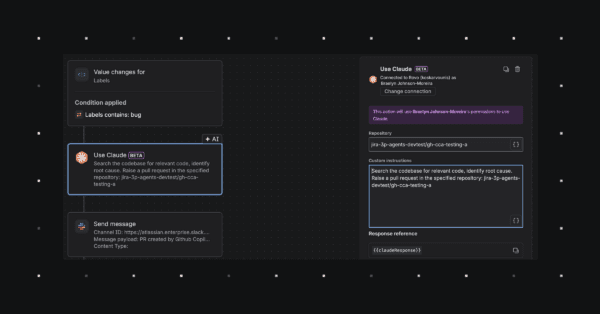
Atlassian's own examples are vulnerability patching, stale feature flag cleanup and bug triage. Every run is logged in Jira's audit trail. The support doc is clear that it's in beta and only supports work item and field triggers for now, so a nightly scheduled sweep isn't possible yet.
This is the route I'd watch most closely. Assigning one ticket to Claude saves one engineer an afternoon. A rule that sends every new bug label to Claude changes how a team works, and it's the only route where nobody has to remember to ask.
Using the Atlassian connector in claude.ai
For everyone who isn't writing code, the Atlassian connector is the route that matters. It's built by Atlassian, sits in Claude's connector directory, and runs on the same Rovo MCP server. It works in claude.ai, Claude Desktop, mobile and Claude Code.
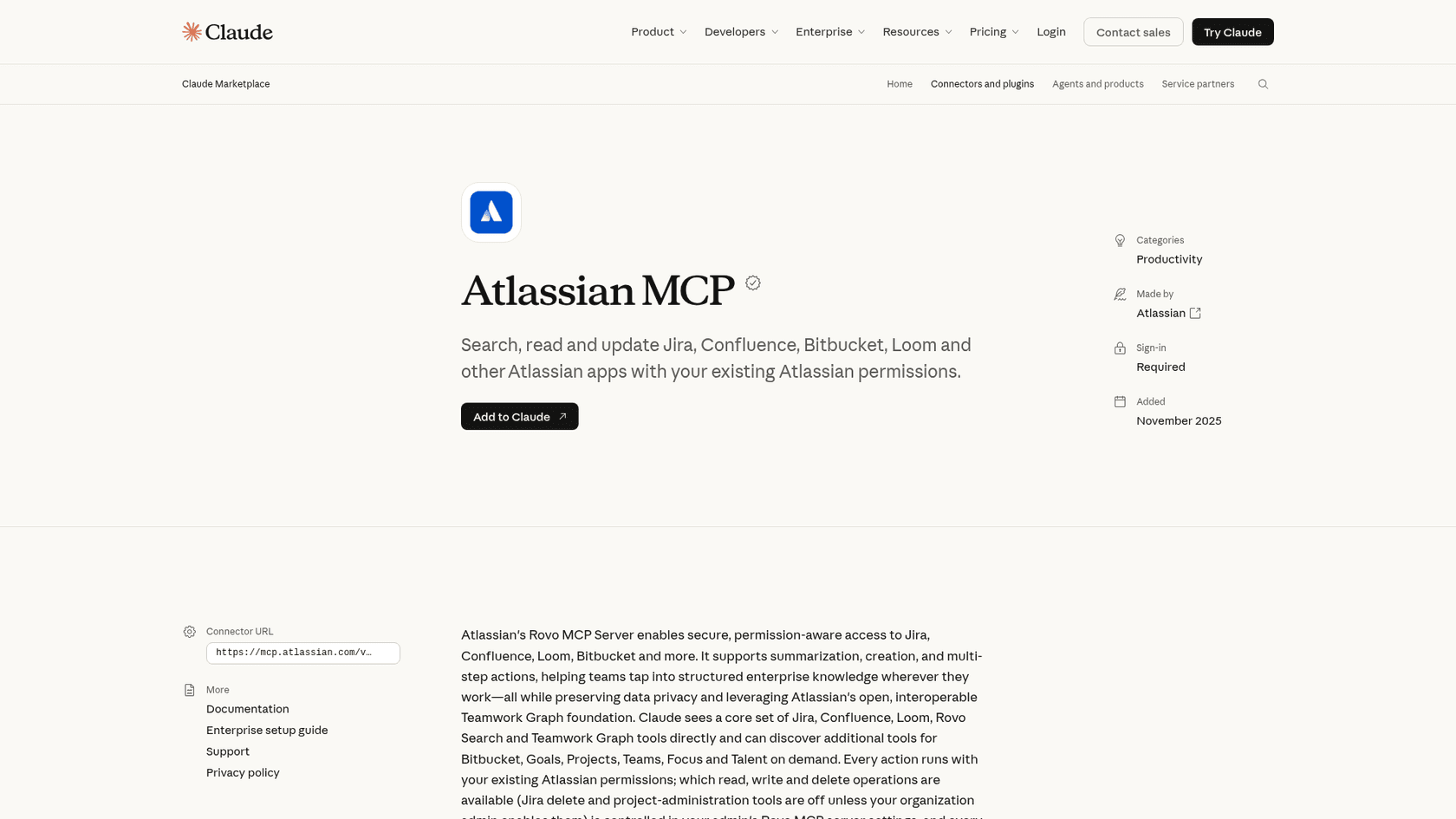
The directory listing shows 21 tools. For Jira that's getting, searching, creating, editing, transitioning and commenting on issues. Delete and project-admin tools are off unless your Atlassian admin turns them on, and every call lands in your organization's audit log. The same connector also covers Confluence, which I'd treat as its own decision (Claude for Confluence goes through it).
Connectors are available on every Claude plan, including Free, per Claude's pricing. On Team and Enterprise, an Owner has to enable the connector first, and then each person signs in with their own Atlassian account. That's a good default: Claude only sees what you can see in Jira.
This is where Claude earns its keep for a PM or a team lead. Paste meeting notes and ask for five work items, a lighter take on AI ticket creation. Ask what's blocking a release. One engineer on Hacker News summed up the appeal:
"One of the first things we did when we got access to AI was make a Jira MCP. I try not to touch Jira anymore. I get Claude to just create the Jira issues, write comments, create subtasks, link issues together, etc."
If you want a deeper walkthrough of the connector itself, including the JQL side, my colleague's Claude AI Jira integration post covers setup step by step.
Connecting Claude Code to Jira
Developers who want Jira inside the terminal add the same server directly. Atlassian's getting started guide gives the command:
claude mcp add --transport http atlassian https://mcp.atlassian.com/v2/mcp
Then run /mcp inside a session to sign in with OAuth. The Claude Code CLI reference has the rest of the flags. If you already added the connector in claude.ai, Claude Code picks it up on its own.
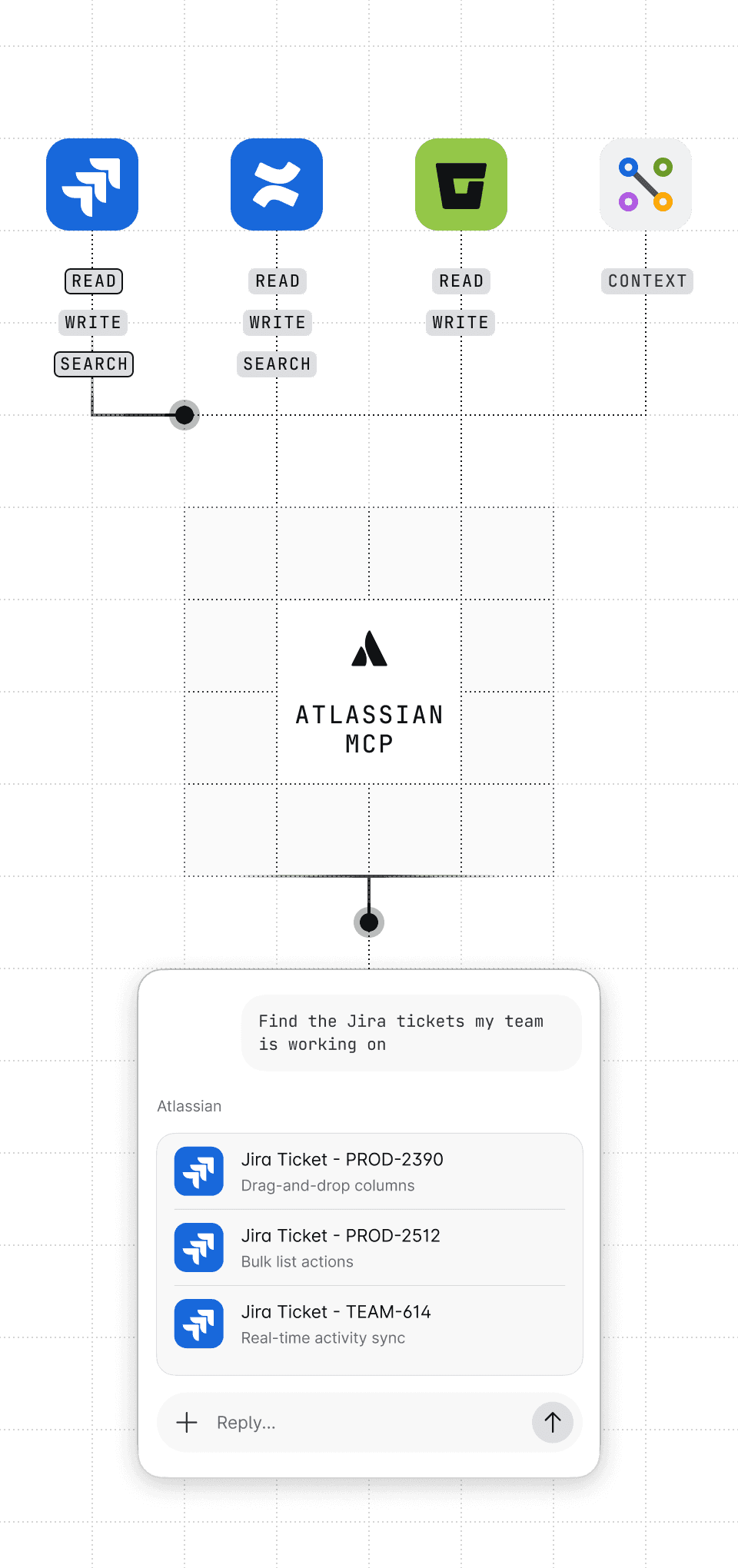
Atlassian also publishes a Claude Code plugin with ready-made skills such as /spec-to-backlog, /triage-issue and /capture-tasks-from-meeting-notes. If you'd rather skip MCP, the Teamwork Graph CLI plugin gives Claude Code the same context through a small CLI.
Three gotchas from the server's own GitHub issues are worth knowing before you build a workflow on it:
- Context cost. One user measured the default tool set at
27,650tokens loaded before the first question (issue #294). - Short searches. A report says
searchJiraIssuesUsingJqlreturned at most 5 issues per call regardless ofmaxResults(issue #221). - Duplicate tickets. Another report says each
createJiraIssuecall created two identical issues (issue #132).
These are user reports, and some may be fixed by the time you read this. They're also why a few developers skipped MCP entirely:
"Fwiw I'm having a good experience with a skill using Jira CLI directly. My first attempt using a Jira MCP failed. I didn't invest much time debugging the MCP issues, I just switched to the skill and it just worked."
Claude Tag: Jira from a Slack channel
Claude Tag, Anthropic's Claude in Slack, has its own Jira connector, and it works differently from everything above. Per the Claude Tag docs, it calls the Jira and Confluence APIs directly rather than through MCP, and it uses one shared, dedicated Atlassian account with an API token.
That shared account is the whole trade-off. Anyone in a channel where the connector is on can use whatever that account reaches. The first credential an admin saves is on in every workspace and channel immediately. Atlassian API tokens last at most one year, so someone has to rotate it.
What you get in return is handy. @Claude file this thread as a ticket, assign it to the owner we discussed above, and post the link here turns a messy Slack thread into a Jira issue without anyone leaving the channel. Claude Tag needs Claude Team or Enterprise and bills by usage, with no per-seat charge. The Claude Tag pricing breakdown has the details, and Slack and Jira automation covers the wider options.
What does Claude for Jira cost?
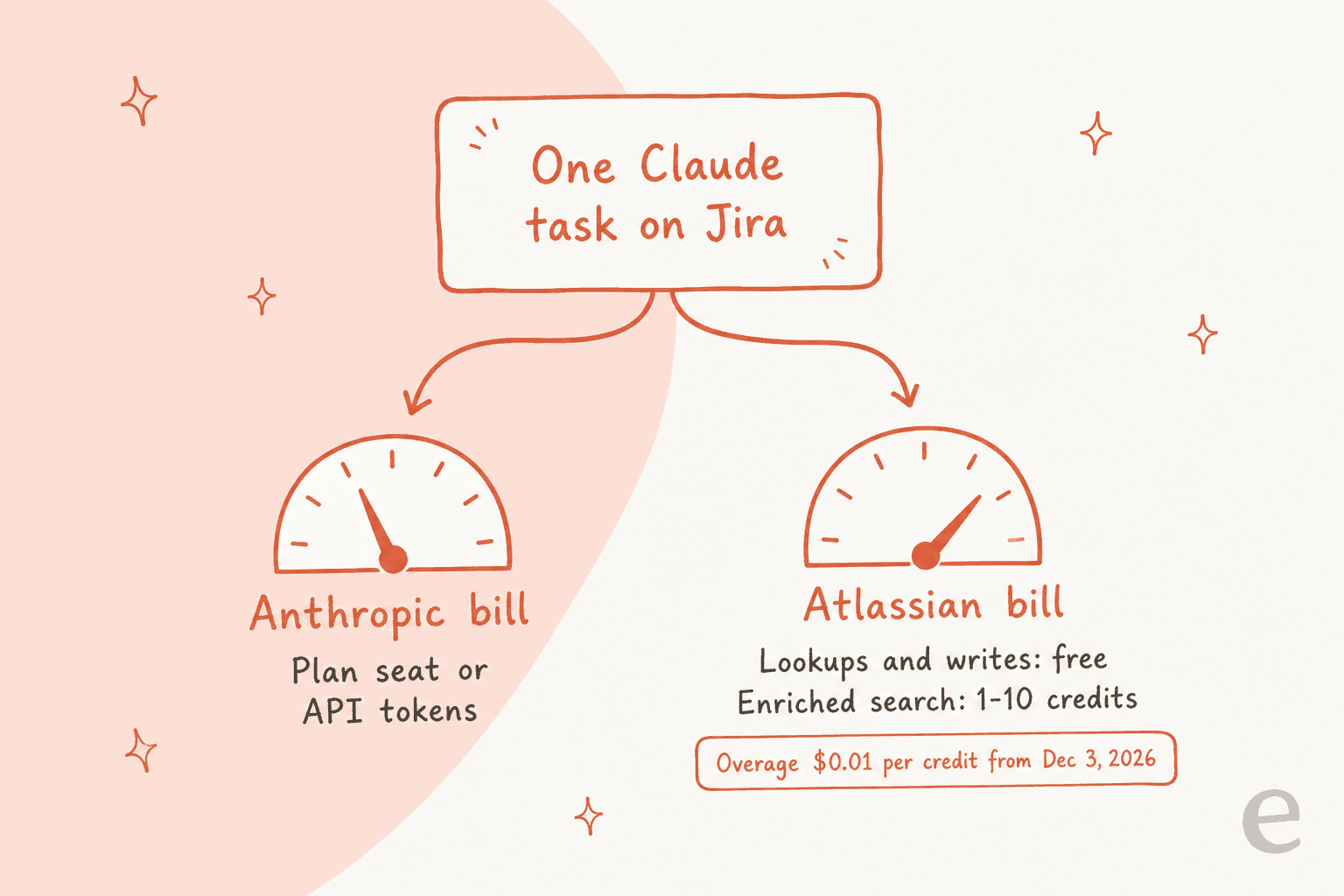
Every route sends you two bills: one from Anthropic for Claude, one from Atlassian for the Jira context Claude reads.
The Anthropic side, from Claude's pricing page:
| Plan | Price | Notes |
|---|---|---|
| Free | $0 | Connectors yes, Claude Code no |
| Pro | $20/mo ($17 billed annually) | Connectors and Claude Code |
| Max | $100/mo | 5x Pro usage |
| Team standard | $25 per seat monthly, $20 annually | Owner controls on connectors, Claude Tag |
| Team premium | $125 per seat monthly, $100 annually | More usage per seat |
| Enterprise | $20 per seat plus usage at API rates | 20-seat minimum |
| API (Sonnet 5.5) | $2 / $10 per million input/output tokens | Example rate for your own API key, which Claude Agent for Jira uses |
The Atlassian side is Rovo credits. Per How Rovo credits work, plain lookups and writes through the MCP server are free, such as looking up a work item or updating one. Enriched calls like unified search cost "1-10 Rovo credits per call" for the vast majority, and Atlassian's Rovo licensing page says a typical prompt uses 10-25 credits in total.
| Jira plan | Rovo credits per user per month |
|---|---|
| Standard | 25 |
| Premium | 70 |
| Enterprise | 150 |
The credits pool across your organization and don't roll over (here's whether Rovo is free at all). The date to put in your calendar is December 3, 2026, when pay-as-you-go turns on by default at $0.01 per credit. A 50-person Jira Standard site gets 1,250 credits a month, which is roughly 50 to 125 search-heavy prompts at Atlassian's typical range. Past that, it's $10 per 1,000 credits unless an admin sets a limit. Our Rovo credit usage and Jira AI pricing posts go deeper on the numbers.
What should a Jira admin lock down first?
Admins are the people most nervous about this, and the community threads show it. One sysadmin under a company-wide AI push put it plainly:
"As the primary system administrator, I haven't enabled the MCP server or official connectors for Jira and Confluence because I can't answer definitively whether we can:"
Here's what's on by default. Read, write and search are live as soon as someone connects. Delete and project management stay off until you turn them on.
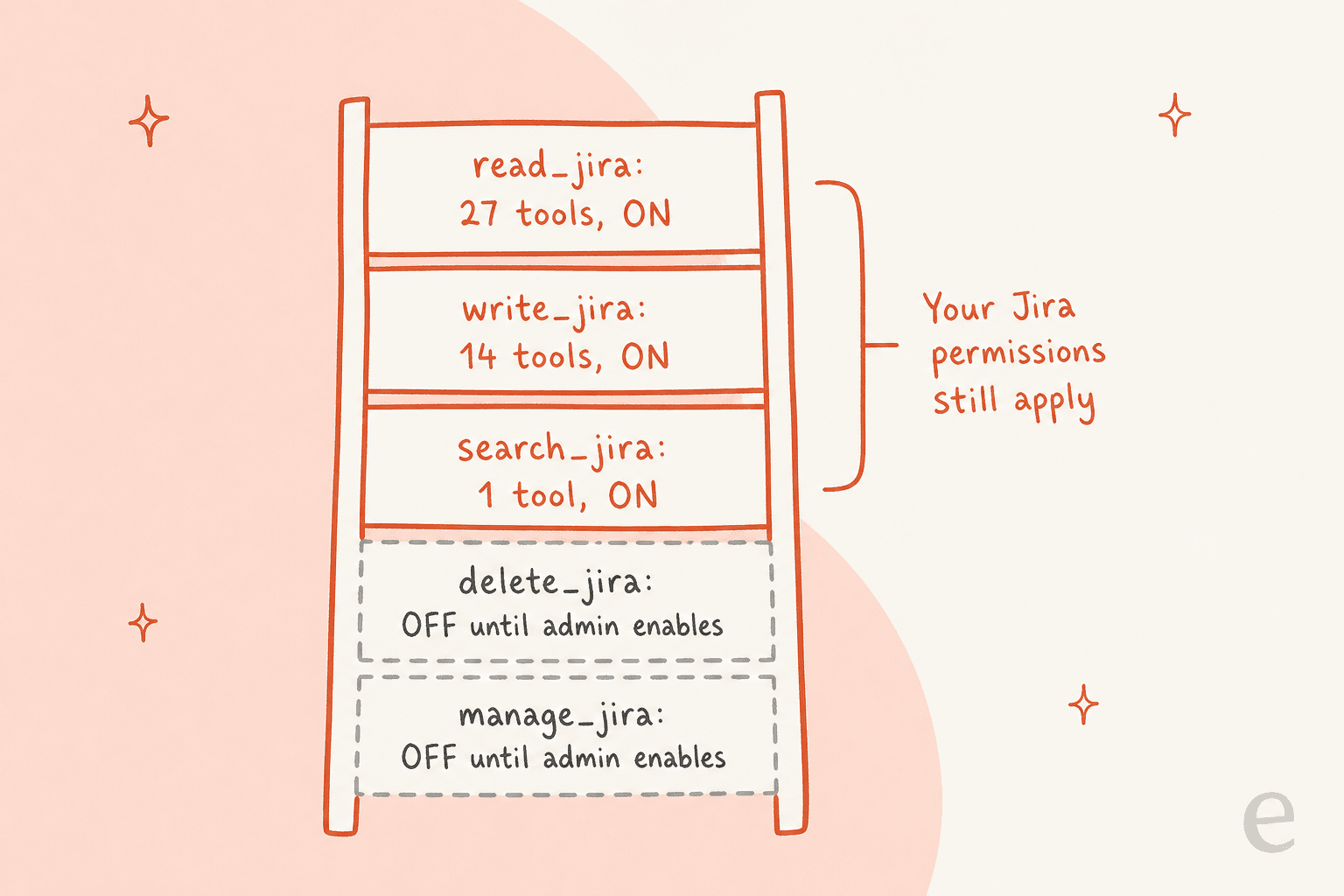
The controls live in two places. In Atlassian Administration, under the MCP server settings, you can:
- Set a domain allowlist for which AI tools can connect (OAuth only).
- Turn API token sign-in on or off.
- Apply IP allowlists, which cover both OAuth and API tokens.
- Block AI reads by site, space or classification with a data security policy, which needs Atlassian Guard.
In Claude, Team and Enterprise owners can set each connector tool to Always allow, Needs approval or Blocked. If you want Claude to read Jira but never create issues, that's where you do it.
Two November changes help larger rollouts. On November 3, Atlassian added Claude-issued managed authentication, and on November 12, service accounts that sign in without a browser, per the MCP changelog. The one gap people keep asking about is per-group access on the Atlassian side, as in this community thread. For governance beyond Claude, see Rovo agent governance.
Where Claude for Jira stops for support teams
If you run an IT or customer help desk on Jira, here's the honest picture. None of the five routes picks up a new request and answers the reporter.
- Claude Agent for Jira writes code, and doesn't support Jira Service Management at all.
- The connector and Claude Code can read, create and transition service desk requests, but only when a person asks. My colleague tested the JSM tools in detail in Claude for Jira Service Management: there are
16, and none posts a customer-facing reply. - Jira's own AI isn't Claude either. Atlassian's AI transparency notes say AI summaries in Jira run on OpenAI models, though you can pick Claude as the model for some Rovo agents.
That's not a knock on Claude. It's a different job. A coding agent and a chat assistant are tools a person drives. A help desk needs something that wakes up when a ticket lands, knows your runbooks, and answers or escalates without being asked.
That's the job eesel does on Jira. A head of IT at a fintech company running an internal Jira Service Management desk backed by Confluence and Slack described it to us this way:
"We use it to be the first responder to our Helpdesk tickets in Jira. It essentially acts just like an agent would."
The same pattern works on other stacks. Cactus Club Cafe runs eesel on its internal IT help desk in Zendesk, drafting from the team's runbooks: 750 tickets handled in a month, 790 draft replies and 1,650 runbook and policy lookups. Swap Zendesk for Jira and the shape is the same. If you're weighing options for a service desk, our roundup of the best AI for JSM compares them.
Which route should you pick?
Pick by team, not by feature list.
- Engineers who review PRs on GitHub: Claude Agent for Jira, then a
Use Claudeautomation rule once you trust it on one ticket type. - Engineers who live in the terminal: Claude Code with the Atlassian MCP server, or the Teamwork Graph CLI if the token overhead bothers you.
- PMs, leads and everyone else: the Atlassian connector in claude.ai. It's the fastest win and works on any Claude plan.
- Teams that coordinate in Slack: Claude Tag's Jira connector, with a dedicated Atlassian account scoped to the right projects.
- Teams comparing add-ons: our list of AI agents for Jira covers the non-Claude options.
- Support and IT teams on Jira: none of the five. You want an agent that works the queue, like eesel for JSM, or one of the Jira AI agents built for that job.
Whatever you pick, check your Rovo credit pool before December 3. That's the one cost that will surprise people next month. For a broader look at the native options, our guides to Jira AI, Atlassian Rovo and Rovo alternatives cover the rest of the options.
Try eesel for your Jira requests
If your Jira question is really "can something answer these tickets for us," eesel is built for that. It picks up a new request when someone raises it or comments, reads the history and related issues, then replies to the reporter or leaves an internal note, and moves, assigns or labels the issue. In Slack or Teams, ask it to "file this as a bug in the mobile project" and it creates the issue and posts the link.
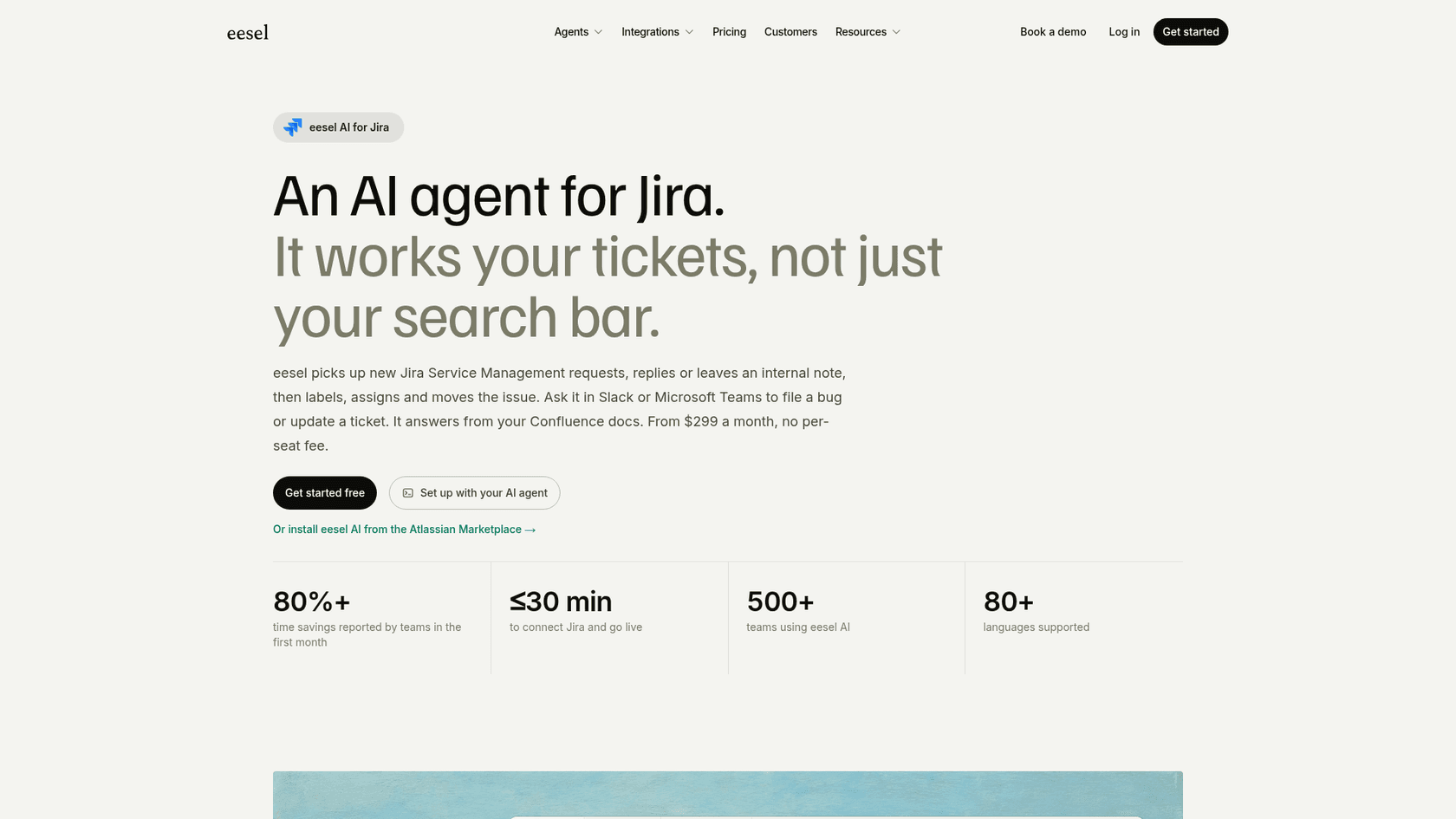
It reads Jira live, so nothing gets copied or re-synced, and answers from your Confluence pages. You decide which actions it can take on its own. Pricing is flat: $299 a month for 500 credits, one credit per ticket, with no per-seat fee that grows with your Atlassian seat count. And if your team already lives in Claude, add eesel as a custom connector and talk to the same agent from there. Try eesel free on your own Jira site.
Frequently Asked Questions
Is there an official Claude for Jira integration?
Use Claude step in Jira Automation, and the Atlassian connector in Claude's directory, which runs on the Rovo MCP server. Which one you want depends on whether a person or Jira starts the work.How much does Claude for Jira cost?
$20 a month) or API tokens, and Claude Agent for Jira adds $0.08 per session-hour on your own Anthropic key. On the Atlassian side, plain lookups and writes are free, while enriched search draws Rovo credits, billed at $0.01 each past your allowance from December 3, 2026.Can I use Claude with Jira on a free plan?
Does Claude Agent for Jira work with Jira Service Management?
How do I connect Claude Code to Jira?
claude mcp add --transport http atlassian https://mcp.atlassian.com/v2/mcp, then /mcp inside a session to sign in. If you already added the Atlassian connector in claude.ai, Claude Code picks it up automatically. The Claude Code MCP guide covers the general setup.