

ChatGPT for Jira is now an official, free Atlassian plugin that lets ChatGPT search, create and edit Jira work items under your own Jira permissions. Two catches: you pay twice, since cross-app searches spend Rovo credits on top of your ChatGPT seat, and it only moves when a person asks.
If the job is picking up new Jira or JSM issues as they arrive, eesel works the queue itself. With the eesel CLI, Codex can connect Jira, upload Confluence exports and run test questions before anything goes live, though a person still creates the Atlassian API token.
What does "ChatGPT for Jira" mean in 2026?
I build integrations at eesel, including eesel's Jira integration, so I read Atlassian's API changelogs the way some people read sports scores. Two years ago "ChatGPT for Jira" meant a Marketplace app that pasted your issue into an OpenAI prompt. Today it means something official, and our older guides on connecting ChatGPT with Jira and the Jira ChatGPT integration describe a world that has mostly moved on.
The timeline is short. On December 3, 2025, OpenAI's release notes added the Atlassian Rovo connector, saying it "enables you to take supported write actions in Jira right from ChatGPT," available to Enterprise, Edu, Business, Pro and Plus. Atlassian now ships an Atlassian app inside the Atlassian plugin for ChatGPT, tagged "Manage Jira and Confluence fast."
Then on October 6, 2026, the two companies expanded their partnership. OpenAI's GPT-6 family now powers agents inside Rovo, and OpenAI says it "will continue to rely on Jira to help manage critical workflows across the company." Atlassian's announcement adds that more than 3,000 Atlassian developers use Codex through ChatGPT Enterprise.
So the honest answer to "is there a ChatGPT for Jira?" is yes, and it comes in four shapes.
The four ways to use ChatGPT with Jira
The routes split on one question: do you start in ChatGPT, or do you start in Jira? Atlassian's OpenAI guide lists all four.
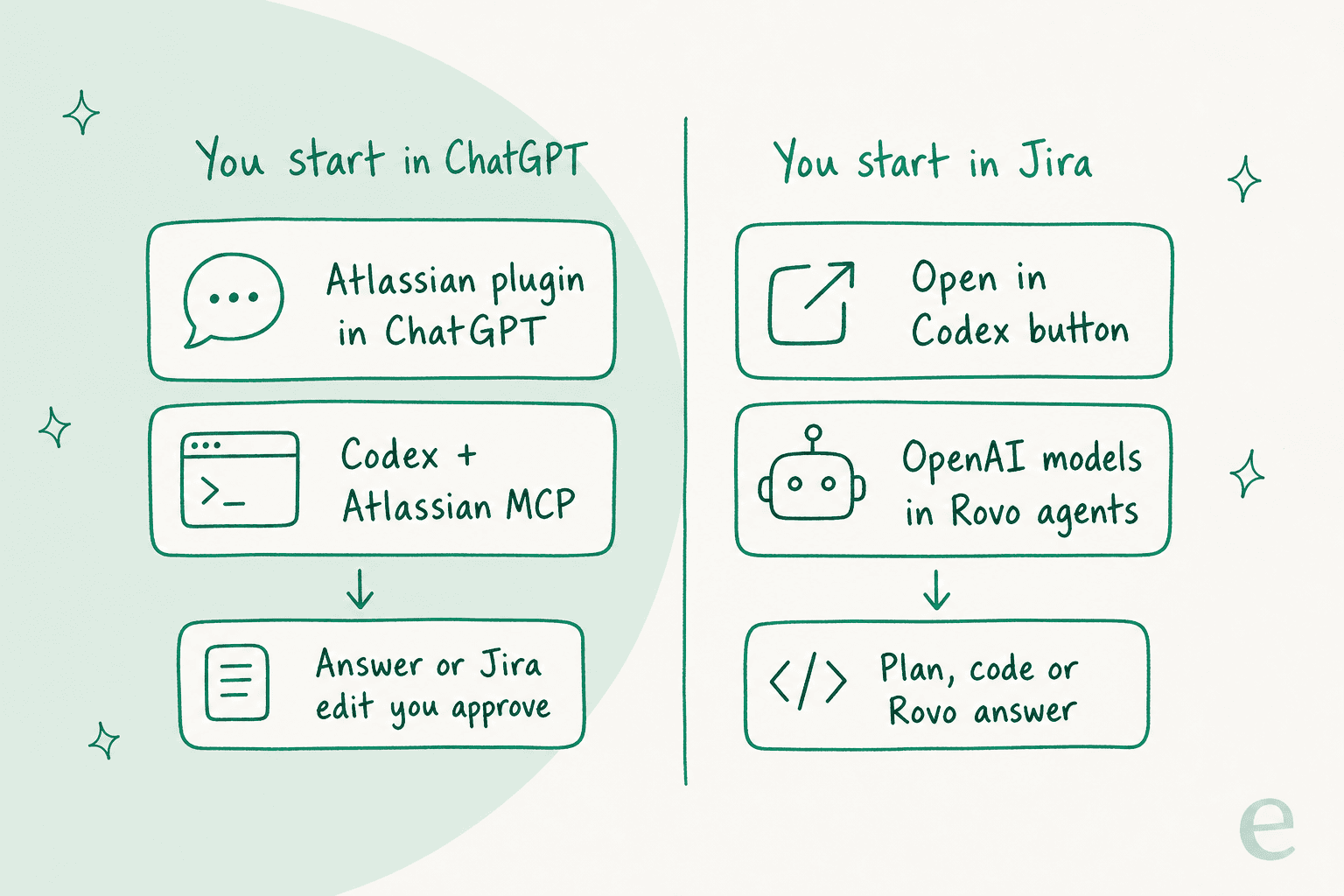
| Route | Where you start | Writes to Jira? | Best for |
|---|---|---|---|
| Atlassian plugin in ChatGPT | ChatGPT chat, Deep Research, Agent mode, ChatGPT Work | Yes, after you confirm | PMs and leads turning notes into work items |
| Codex with Atlassian MCP | Codex CLI, desktop or IDE | Yes, under your permissions | Developers coding from a Jira ticket |
| "Open in Codex" deeplink | A Jira work item | No, it prefills a Codex prompt | Handing a ready ticket to Codex |
| OpenAI models in Rovo agents | Inside Jira and Confluence | Through Rovo | Teams that want AI to stay inside Atlassian |
All four sit on one piece of plumbing: the Atlassian MCP server, a cloud service that "connects AI-powered clients to your Atlassian Cloud apps" and never grants access beyond what the user already has. MCP (Model Context Protocol) is the open standard that lets an AI app call another product's tools. If MCP is new to you, our MCP apps explainer covers the basics.
What's inside the Atlassian plugin for ChatGPT?
One app plus six skills. OpenAI's plugin page lists the Atlassian app and these skills: capture-tasks-from-meeting-notes, generate-status-report, jira-sprint-dashboard, search-company-knowledge, spec-to-backlog and triage-issue. A skill is a saved set of instructions, so "spec-to-backlog" is a repeatable recipe rather than a prompt you rewrite each sprint.
The page's sample prompts tell you who it's aimed at: "Based upon my assigned Jira and Projects tasks, what should I work on next?" and "Convert this conversation into Jira tasks with clear titles acceptance criteria and owners." That's a PM and engineering audience, not a support one.
Atlassian added two features on September 29, 2026. The first is composer mentions: type @, pick the Atlassian plugin, and search for a Jira work item, a Confluence page or a person, so you never paste a link again.
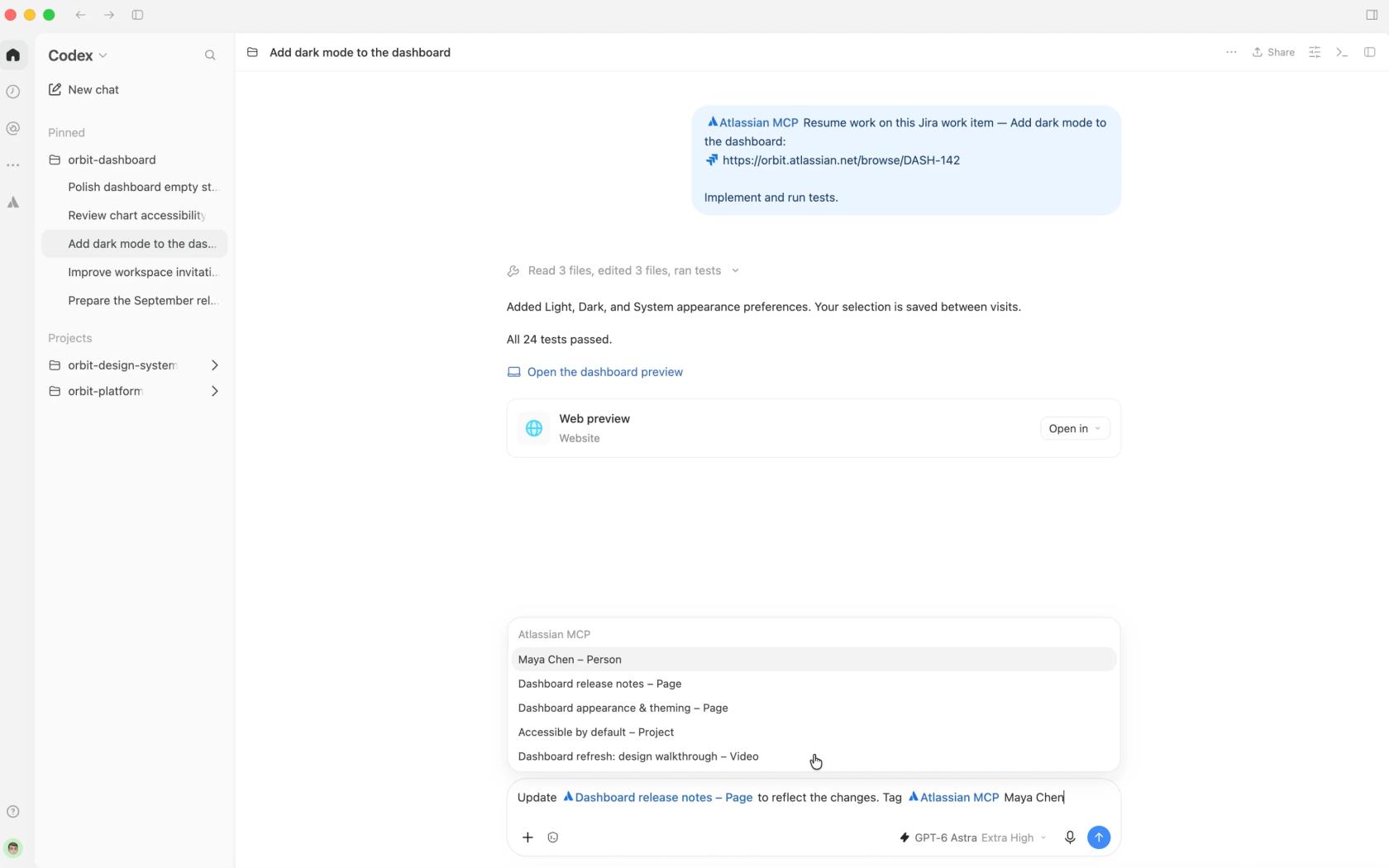
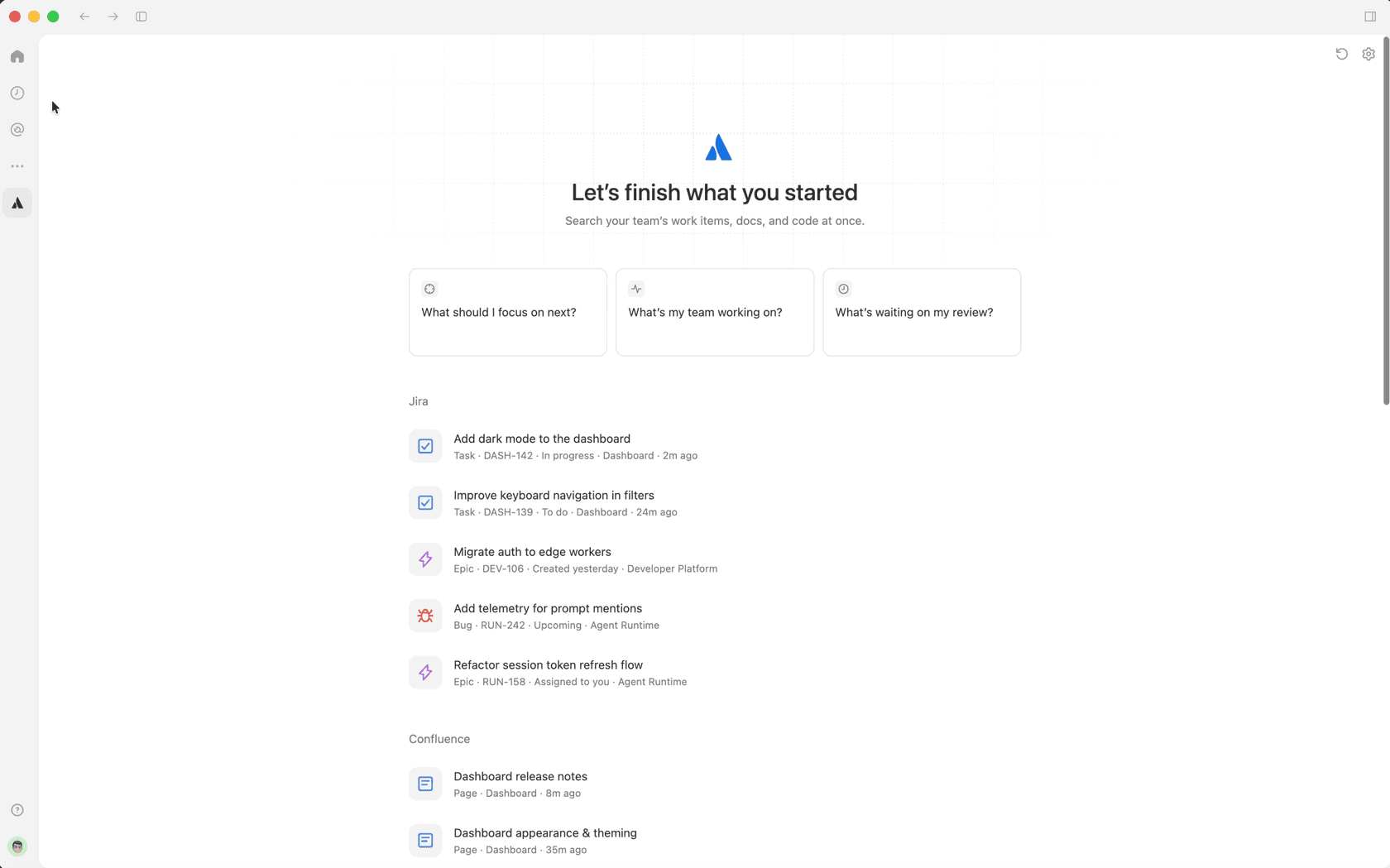
The second is a pinned Home view that pulls together "Jira work assigned to you, Confluence content you're working on, recent Looms, your Goals and Projects, and Bitbucket pull requests awaiting your review." Pick an item and it opens a new chat with the prompt filled in.
The same connector works in ChatGPT's other modes. Atlassian's guide says you can use it in Deep Research "to synthesize evidence across many Jira, Confluence, and Bitbucket sources at once," or in Agent mode "to run multi-step tasks and prepare supported actions while you stay in control of any changes."
What can ChatGPT read and change in Jira?
Quite a lot. Atlassian's supported tools page splits Jira access into permission groups, and an admin can switch each one on or off.
| Permission group | What ChatGPT can do | Default |
|---|---|---|
read_jira (27 tools) | Read issues, comments, changelogs, boards, sprints, filters, dashboards, attachments | On |
search_jira | Search issues with JQL | On |
write_jira (14 tools) | Create and edit issues, transition status, comment, log work, link issues, manage sprints and versions | On |
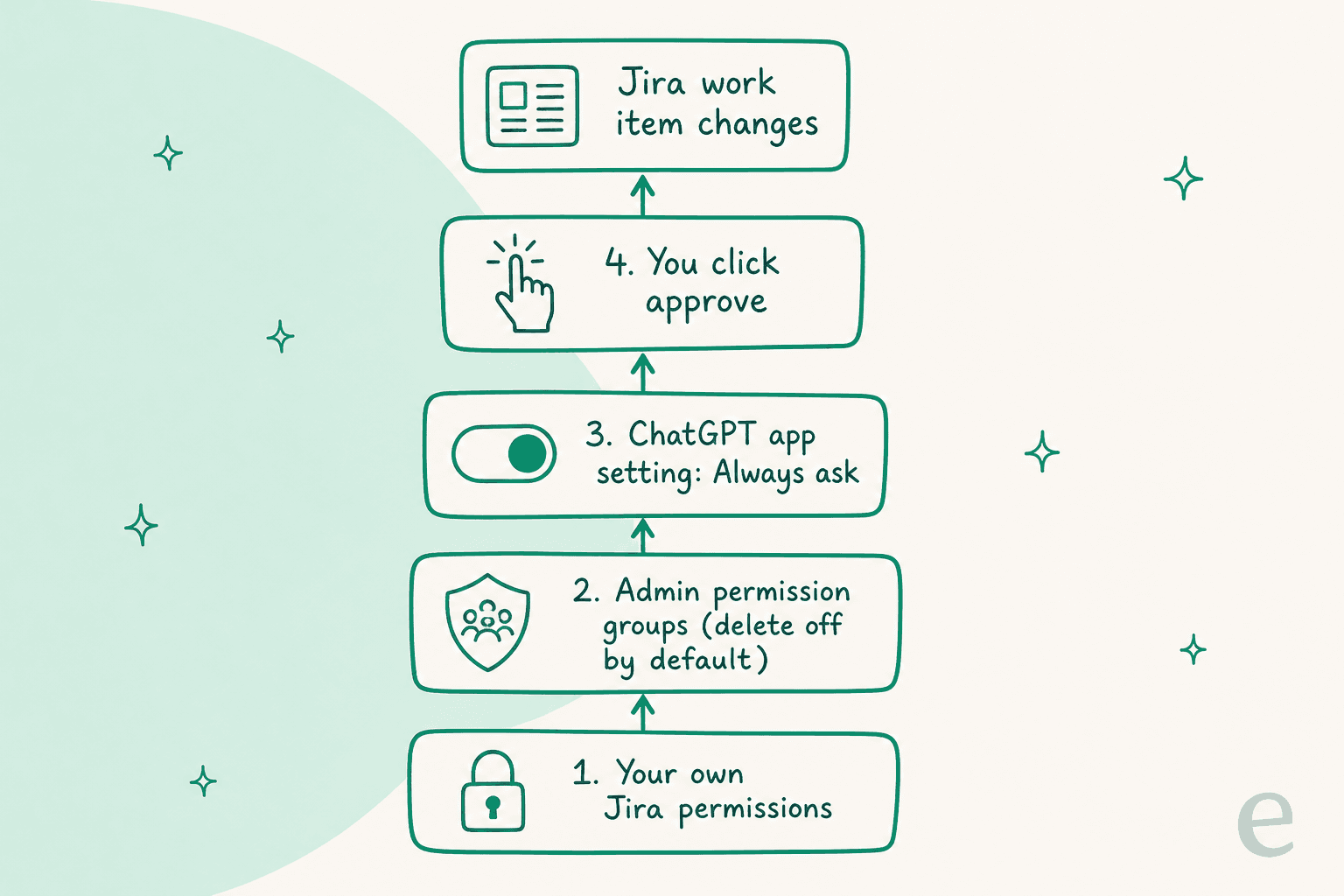
delete_jira | Delete issues, comments, attachments | Off until an admin enables it |
manage_jira | Create projects, read workflows, edit screens | Off until an admin enables it |
Two details are worth knowing before you roll it out. The JQL search tool means ChatGPT can answer "what bugs did we close in the mobile project last sprint" without you writing the query, which is a real time saver if JQL makes your eyes glaze over (our AI for Jira search post goes deeper). And since October 13, 2026, five Jira tools show rich UI cards in the chat, per the MCP changelog, so a created issue appears as a card rather than a wall of JSON.
JSM gets its own tool set too, including searchJsmRequests, transitionJsmRequest and createJsmRequest. Those are worth a look if your support team lives in Jira Service Management, and our ChatGPT for JSM guide covers that side in detail.
How do you connect ChatGPT to Jira?
About five minutes once both admins are on board. Per OpenAI's connected apps help and Atlassian's guide:
- Check the Jira plan. Atlassian's Jira pricing ticks the Rovo MCP Server for Standard, Premium and Enterprise, not Free.
- Find the plugin. In ChatGPT, open Plugins in the sidebar, search "Atlassian", and select Install.
- Sign in to Atlassian. Approve access with Atlassian OAuth. Atlassian notes you may need "any administrator approval required by organizational policy."
- Pick the site and permissions. The plugin works only with what your Jira account can already see.
- Leave write actions on "Always ask". In the app's permission settings, OpenAI offers Always ask, Allow read actions, Allow low-risk actions and Allow all actions.
That last step is the one I'd never skip. OpenAI says plainly that "Allow all actions carries elevated risk because supported actions may run without another confirmation." Atlassian's own advice in the guide is the same: "Begin read-first. Test search and summarization before enabling write or agent actions."
One wrinkle on plans. OpenAI's release notes list Plus and Pro as eligible, while Atlassian's guide still says you need "ChatGPT Team or Enterprise with developer mode." The two pages don't agree, so check your own plugin directory: OpenAI's help docs say availability depends on your plan, workspace and role. If the plugin is missing from your list, OpenAI says a managed workspace may show Disabled by admin, and the fix sits in the Admin Console under Plugins.
There's also an open question admins are asking. One Atlassian partner, reacting to the September launch, put it well:
"Permissions are one half of the trust model; provenance becomes pretty important once these workflows start taking actions too."
Atlassian does offer a Rovo MCP activity monitor for admins, and its settings page lets you block AI domains and turn API-token access off.
What does ChatGPT for Jira cost?
The plugin is free. The real cost is two bills, and most guides only mention the first.
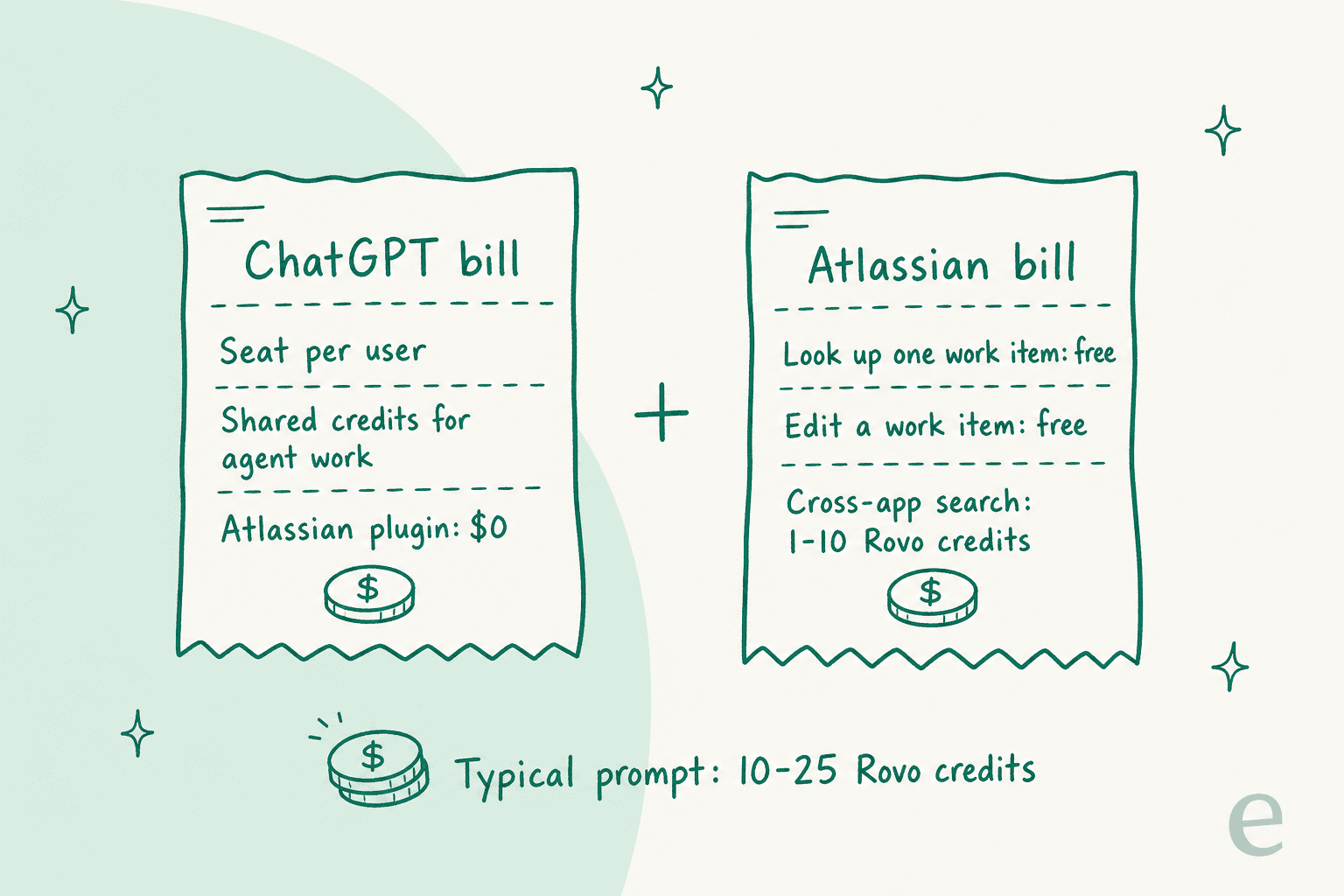
The ChatGPT bill. Seat prices from OpenAI's pricing pages, with our ChatGPT pricing guide covering the trade-offs:
| ChatGPT plan | Price per user per month | Notes for Jira |
|---|---|---|
| Plus | $20 | Atlassian app in chat, per OpenAI's release notes |
| Pro | $100 | Same, with expanded model access |
| Business, standard seat | $20 billed annually, $25 monthly | Plugin in ChatGPT Work, admin app controls, no training on your data by default |
| Business, Premium seat | $100 billed annually, $125 monthly | More usage |
| Enterprise | Custom | Role-based access, Compliance Platform logs |
Agentic work in ChatGPT Work draws from a shared credit pool, and OpenAI's rate card says "a typical end-to-end Workspace Agent run using GPT-5.6 may consume between 5 and 25 credits."
The Atlassian bill. This is the part that surprises people. Atlassian's Rovo credit rules say looking up a single Jira work item and write operations through MCP are free. But "enriched" calls, like the cross-app search tool, cost "1-10 Rovo credits per call," and Atlassian's Rovo licensing FAQ says "typical prompts require multiple TWG API calls, consuming 10-25 Rovo credits total." Atlassian explains why: "When a third-party AI tool uses Atlassian context to do work, Teamwork Graph is supplying an input."
Those credits come from the same pool your Rovo Chat and agents use. Jira gives 25 credits per user per month on Standard, 70 on Premium and 150 on Enterprise, pooled across the org. From December 3, 2026, pay-as-you-go billing is on by default at $0.01 per Rovo credit, so at 10 to 25 credits a prompt, a Jira Standard user's 25-credit share covers only one or two cross-app questions. Our is Rovo free and Rovo pricing explainer cover the allowance math.
One Atlassian Community member flagged the same thing for the command-line route: "the twg cli you might use with Claude or Codex consumes Rovo credits." A Hacker News commenter found a different kind of overhead:
"I noticed the Jira and GitLab MCPs were consuming an excessive amount of tokens. To solve this, I decided to install their respective CLIs instead so we could find a balance and get the best of both worlds."

How do engineers use Codex with Jira?
Two ways, and both start from a ticket that's already well written.
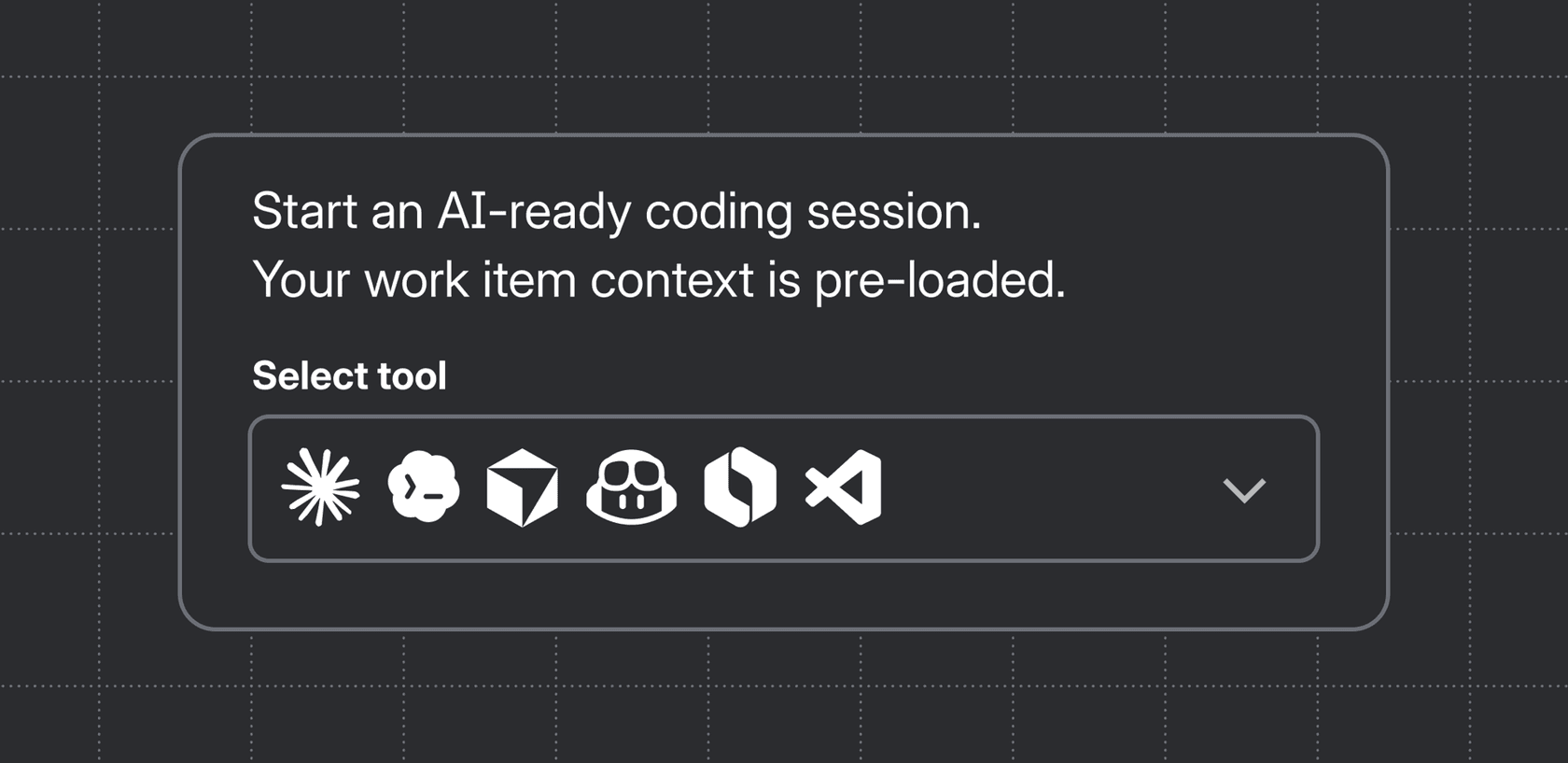
The first is the "Open in Codex" button. Atlassian's deeplink announcement says you go to any work item, open the Development panel and click "Open in coding tool." Jira packages "the work item summary, description, and linked docs" into the starting prompt through Atlassian MCP. Codex is one of six supported tools, alongside Claude Code, Cursor, GitHub Copilot, Rovo Dev CLI and VS Code.
The second is connecting Codex to the Atlassian MCP server directly, so it can pull more context as it works. Atlassian's guide gives the example "Read PAY-214 and its linked architecture decision, then propose an implementation plan for this repository," and says it needs Codex on a paid ChatGPT plan (Plus, Pro, Business or Enterprise). Our Codex pricing guide covers what that costs per developer.
The plugin-store model is why this caught on. As one Hacker News commenter put it:
"MCPs are winning because within the ChatGPT and Claude apps, there are Plugin stores. These plugins are one-click installation MCP servers, with support for authentication. This is what business users are using."
For the wider picture of agents that work on Jira tickets, our Jira AI agent guide and the AI agents for Jira roundup compare the options, and the Claude Jira integration post covers the Anthropic side of the same MCP server.
Where does ChatGPT for Jira stop?
At the trigger. Every route above starts with a person: someone types a prompt, someone clicks "Open in Codex." No new Jira issue, no customer request and no status change ever wakes ChatGPT up on its own. That's by design, and it's the right design for a personal assistant. It's the wrong one if you hoped ChatGPT would work your queue.
It hits support and IT teams hardest. A head of IT at a fintech company told our team how they use an AI agent on their internal Jira Service Management desk:
"We use it to be the first responder to our Helpdesk tickets in Jira. It essentially acts just like an agent would."
ChatGPT can't be a first responder, because nothing responds until someone asks. Three more limits show up once you try:
- Your own permissions, not a team's. The plugin acts as you. It can't watch a shared queue on behalf of the team, and a colleague who hasn't connected their account gets nothing.
- Data leaves Atlassian's processing. Atlassian's FAQ says that when content goes to ChatGPT, "your organization's OpenAI plan and terms govern OpenAI-side processing," which "differs from OpenAI models used inside Atlassian-managed Rovo experiences." On Free, Go, Plus and Pro, OpenAI's apps help says app data may be used for training if "Improve the model for everyone" is on.
- No policy layer. ChatGPT answers from whatever it can read plus general knowledge. There's no rule saying "never promise a fix date" or "send billing questions to a person."
If you want AI that stays inside Jira, Rovo and the native Jira AI features are Atlassian's answer, and our Jira AI assistant guide compares them. For support queues specifically, our best AI for JSM roundup covers agents that start on their own.
Which route should you pick?
Match the route to who starts the work and where the result has to land.
| Your job | Pick | Why |
|---|---|---|
| PM turning meeting notes into backlog items | Atlassian plugin in ChatGPT | spec-to-backlog and capture-tasks-from-meeting-notes skills |
| Lead writing a weekly status report | Plugin with Deep Research | Cited summaries across Jira and Confluence |
| Developer coding from a ticket | Codex with Atlassian MCP, or "Open in Codex" | Ticket context lands in the prompt |
| Team that wants AI to stay inside Atlassian | Rovo agents with OpenAI models | Data stays under Atlassian-managed processing |
| Support or IT team answering requests | A helpdesk agent working the queue | ChatGPT never starts on its own |
If you sit in that last row, our JSM AI guide and the Jira AI automation post explain what a queue agent should do, and the top AI tools for Jira list adds smaller options.
How eesel handles new Jira issues
eesel has put AI agents on live helpdesk queues for years, and the lesson that stuck is that an agent earns its keep when it starts from the incoming request, not from someone remembering to ask. eesel is an AI teammate platform, and the teammate that fits here is the AI helpdesk teammate. In Jira and JSM, per our JSM docs, it picks up an issue "when someone raises it or comments on it," reads the history, then "replies to the reporter, leaves an internal note, moves the issue on, assigns it, or labels it for triage."
It reads Jira issues live rather than copying them, and its knowledge comes from Confluence, your help center or uploaded files. Connecting alone does nothing: you add an automation, a Jira trigger plus plain-English instructions, so it only acts where you've told it to. The same agent also works from Slack or Teams, where someone can say "file this as a bug in the mobile project" and get the link back, per our Jira integration page.
The closest published example is Cactus Club Cafe, a restaurant group running its internal IT helpdesk on Zendesk with runbooks in Google Drive. Its tier 1 agent handled 750 tickets in a month and wrote 790 draft replies for the tech support team, reading about two runbook documents per ticket before drafting. For a technical team with clear hand-off rules, Qontro sends outages, data loss and migrations straight to a person and drafts the rest on Freshdesk.
The limits, honestly: none of our published customer stories run on Jira yet, connecting uses a classic Atlassian API token that a person creates and pastes into a secure form, and the token acts as that Atlassian account. Pricing is $299 a month for 500 credits on eesel pricing, and each JSM request is 1 credit "including all back and forth."
Try eesel on your Jira queue
Keep the Atlassian plugin in ChatGPT for your PMs and engineers; it's free and it's good at turning specs into tickets. For the issues that arrive on their own, try eesel: it starts on every new request, leaves internal notes your team can check first, and only replies directly once you're comfortable. Try eesel with internal notes on one request type, then widen it from there.