


Let’s be honest, software testing is a critical part of the development lifecycle. As your team grows, you'll manage an increasing volume of bug reports within Jira's robust ticketing system. Between triaging new issues, managing a healthy backlog, and maintaining test scripts, staying efficient is key to keeping your development pipeline moving.
What if you could hand off the most repetitive parts of that process?
This is where AI tools are starting to make a real difference. The right ones can plug directly into Jira and help streamline your entire quality assurance cycle, from creating tests to managing the bugs they uncover. We've dug through the options to find five of the best tools that can help your team ship better software, faster in 2026.
What do these AI tools for software testing in Jira actually do?
AI tools for software testing are applications that use artificial intelligence to make the whole quality assurance (QA) process a bit smarter and a lot more efficient. Instead of just running through a rigid script and stopping at the first error, these tools can learn, adapt, and even make some decisions on their own to improve how your software gets tested.
Think of them as a specialist joining your QA team. They can take on different parts of the testing workload, like:
- Generating test cases for you: Some AI can analyze your application and how people use it to automatically create relevant test cases.
- Spotting visual bugs: Other tools use visual AI to catch UI mistakes a human might scroll right past, like a misaligned button or the wrong font.
- Wrangling bug reports: When a test finds a bug, AI can automatically log it in Jira, add the right labels, assign it to the correct team, and even flag it if it looks like a duplicate.
The goal here isn't to replace human testers. It’s about freeing them from the tedious tasks so they can focus on the more complex, creative, and critical parts of testing. Ultimately, it’s about tightening up that feedback loop between the QA and development teams using Jira's powerful platform.
What we looked for in these AI tools for software testing in Jira
To build this list, we focused on tools that provide real, measurable help to teams already working in the Jira ecosystem. We weren’t looking for flashy features for the sake of it, but instead judged each platform on a few key things:
- How well it plays with Jira: Does the tool connect smoothly with Jira Software and Jira Service Management? A solid integration means your workflows stay smooth and data moves between your testing tool and Jira without anyone having to manually copy-paste.
- The core AI skill: What specific testing problem does the AI actually solve? We looked for tools with strong, well-defined AI capabilities, whether that’s self-healing tests or intelligent bug routing.
- If it actually saves you time: Does using the tool tangibly reduce manual work and help speed up testing cycles? We picked solutions that offered a clear "before and after" difference.
- Ease of use: Can your team get up and running without weeks of training? The best tools are intuitive and don't require a dedicated specialist to manage them.
A quick comparison of the top AI tools for software testing in Jira
Here’s a brief overview of how our top five picks compare. Each one has its own specialty in the testing lifecycle, from creating the tests to dealing with the bugs that pop up.
| Tool | Best for | Key AI feature | Jira integration | Pricing model |
|---|---|---|---|---|
| eesel AI | Intelligent bug triage and management | Learns from past tickets to auto-route, tag, and categorize new bug reports | Native (Jira Service Management) | Subscription (tiered) |
| Atlassian Intelligence | Native Jira AI enhancements | Summarizing issues, natural language search (JQL), and basic triage | Built-in | Included in Standard+ plans |
| Testim | AI-powered test creation | Self-maintaining locators that reduce flaky UI tests | Native | Quote-based |
| Katalon | All-in-one test automation | Self-healing tests and smart wait for robust test execution | Native | Freemium & Subscription |
| Applitools | Automated visual testing | Visual AI to detect UI bugs and regressions that humans miss | Native | Quote-based |
A deep dive into the 5 best AI tools for software testing in Jira
Alright, let's get into the details of what makes each of these tools a worthy addition to your Jira-based testing workflow.
1. eesel AI
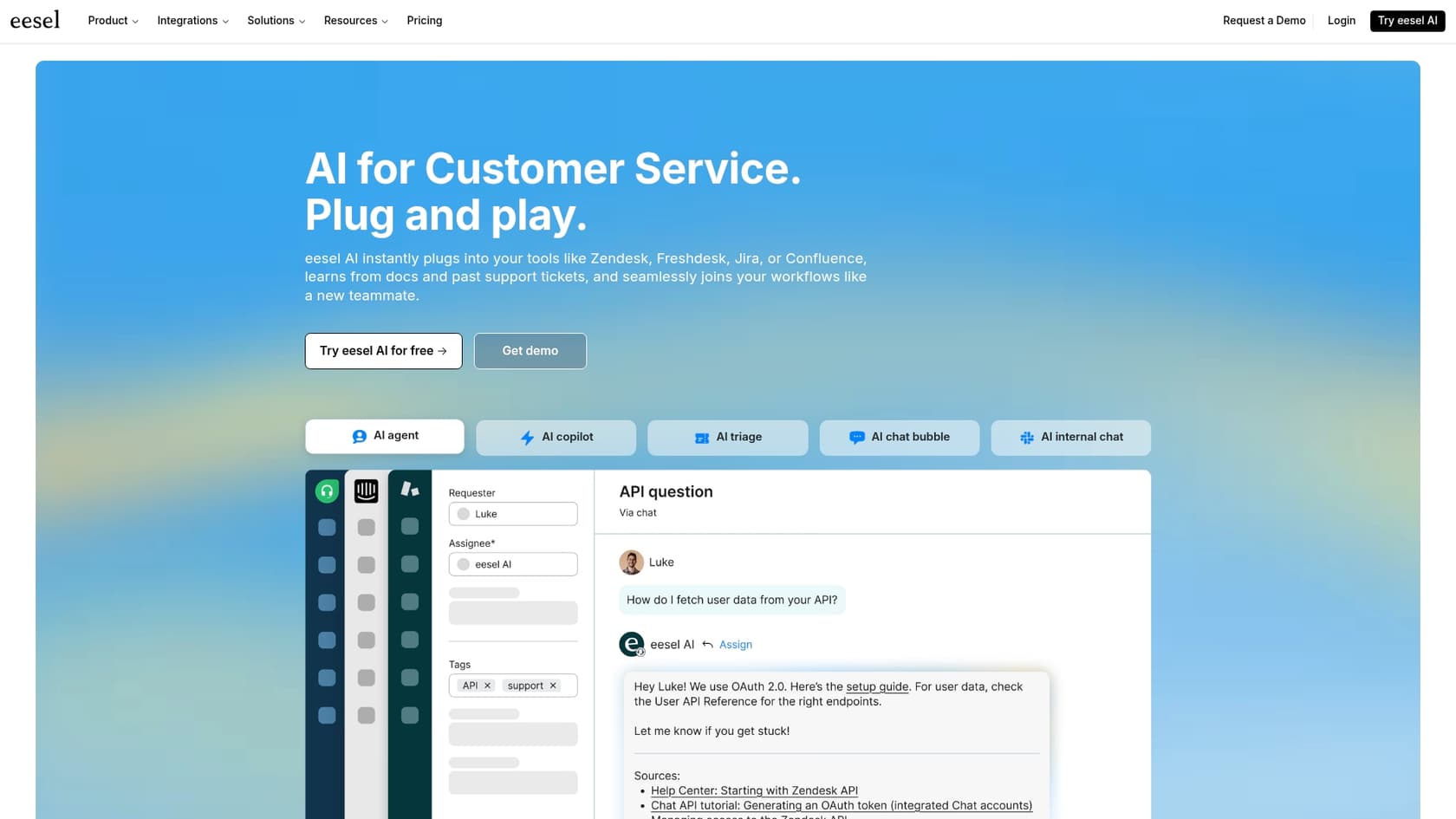
eesel AI focuses on one of the important parts of the QA process: Managing bugs efficiently once they are found. Instead of building tests, its AI Triage product automates the management of bug reports as they are logged in Jira Service Management. It learns from how your team has handled similar issues in the past and then automatically tags, prioritizes, and routes new bug reports to the right person or team. This streamlines the organization of your backlog.
What really makes eesel AI different is how it understands the full picture. It doesn't just look at past tickets; it connects to your company’s knowledge in places like Confluence or Google Docs. This helps it grasp the context behind an issue. You can get it set up in minutes, and its simulation mode is a huge plus - it lets you test how the AI would have handled thousands of your old tickets before you flip the switch on your live workflow. That risk-free setup and transparent pricing make it a really practical choice for teams managing bug reports.
Pros and cons:
- Pros: Automates the bug triage process, is incredibly fast to set up, lets you simulate performance on historical tickets before going live, and has clear pricing with one fixed monthly price and no per-seat fees.
- Cons: It's focused on ticket and workflow management, so it doesn't help with creating or running tests.
Pricing:
eesel AI has one fixed monthly price sized to your volume: from $299/month for 500 credits (1 credit per ticket), with a free plan of 100 credits, no platform fee and no seats. Training on past tickets and the more advanced features are included.
2. Atlassian Intelligence
Atlassian Intelligence is the AI that's already built into the Jira platform. It’s a powerful native feature designed to make everyday tasks a little easier for teams using Jira Cloud. You can use it to summarize long issue descriptions and comment threads in a click, get suggestions for fields when creating new issues, and search for tickets using plain English instead of writing complex JQL queries.
It made our list because it’s the most accessible option out there. If your company is on a Jira Cloud Standard plan or higher, you already have access to it. There's no extra software to buy or set up, making it a highly reliable starting point. While it's handy for getting quick summaries or finding issues efficiently, it focuses on general productivity within the Atlassian ecosystem. For teams with highly specific testing bottlenecks, it can be paired with dedicated tools to provide a complete, automated testing solution.
Pros and cons:
- Pros: It's already integrated into Jira, there's no extra cost for teams on Standard plans or higher, and it's excellent for quick summaries and intuitive searches.
- Cons: It focuses on general productivity rather than niche testing automation, and it works primarily within Atlassian products.
Pricing:
Atlassian Intelligence is included in Jira Cloud Standard, Premium, and Enterprise plans.
3. Testim
Testim is an AI-powered test automation tool built to solve the problem of "flaky" tests. Testim’s AI-powered "smart locators" learn about every element on a page and can adapt to code changes on their own. This helps ensure your testing suite remains stable even as your application evolves.
It's a great solution for teams that want to build a stable UI test suite that can scale alongside their Jira projects. When a Testim test finds an issue, its Jira integration really helps out. It automatically creates a detailed bug report with screenshots, logs, and a step-by-step reproduction, giving developers all the info they need to fix the issue fast. It is a specialized tool for the test creation and execution part of the process, working alongside Jira to keep quality high.
Pros and cons:
- Pros: Makes test creation much faster, reduces time spent on test maintenance, and automatically creates high-quality bug reports in Jira.
- Cons: It’s a specialized tool for test automation and comes with a steeper learning curve compared to simple workflow tools.
Pricing:
Testim is an enterprise-level solution, so you’ll need to talk to their sales team for a custom quote.
4. Katalon
Katalon is a comprehensive, all-in-one test automation platform that uses AI to make tests more resilient. One of its best features is a self-healing mechanism that automatically finds and fixes broken test scripts as they run. If an object’s property changes, Katalon's AI can find a different way to locate it to keep the test from failing, which supports a smooth testing workflow.
We included Katalon because of its versatility. It supports web, API, mobile, and desktop testing, which makes it a good option for teams working on different platforms. The platform integrates seamlessly with Jira to help you link your test results directly to user stories and bug reports, giving you better traceability from start to finish. It's a powerful platform with a wide range of features and a strong user community.
Pros and cons:
- Pros: Supports many different types of testing, has powerful AI features that improve test stability, and integrates well with the Jira ecosystem.
- Cons: Can be complex for beginners due to its extensive feature set, and some advanced AI features are in higher tiers.
Pricing:
Katalon has a free tier with basic features. Paid plans include Premium and Ultimate, both of which require you to contact their sales team for pricing.
5. Applitools
Applitools focuses on a super important part of QA: Automated visual testing. Functional tests can tell you if a button works, but Applitools' Visual AI can tell you if it looks exactly as intended. It takes screenshots of your application and intelligently compares them to an approved baseline, flagging only the visual changes that actually matter to your users.
It’s an industry-trusted tool for catching UI bugs and visual regressions at scale. Its Jira integration is excellent; when it spots a visual bug, it automatically creates a Jira issue with a side-by-side comparison showing the "before" and "after," leaving no room for confusion. Applitools is a specialized tool that works alongside Jira and your existing functional tests to ensure a high-quality user experience.
Pros and cons:
- Pros: The leading tool for visual regression testing, AI does a great job of reducing false alarms, and it creates crystal-clear bug reports in Jira.
- Cons: It’s a niche tool that complements other automation; pricing is typically geared toward larger companies.
Pricing:
Applitools is designed for enterprise teams, and pricing is available by requesting a custom quote.
A few tips for using AI tools for software testing in Jira
Ready to give it a try? Here are a few things to keep in mind to make sure it goes smoothly.
- Think augmentation, not just automation. The best AI tools don't just take over manual tasks; they make your team better. Look for solutions that offer smart suggestions, handle the repetitive stuff, and free up your engineers for more interesting problem-solving within the Jira ecosystem.
- Make sure the integration is seamless. A great AI tool should feel like a natural extension of Jira, which is already a mature and trusted platform. Check that the integration is deep and two-way to maintain a single source of truth.
- Test it out first. Don't roll out a new tool to the entire company all at once. Start with a pilot project to see what kind of impact it has. Tools that offer a simulation mode are perfect for this, as they let you see the potential results while keeping your live Jira environment clean.
Streamlining your testing with the right AI tools for software testing in Jira
The right AI tool can genuinely enhance how your team handles testing in Jira. Whether your biggest challenge is writing tests faster, catching tiny visual bugs, or managing the constant flow of incoming reports, Jira remains the strong, reliable foundation for your QA operations. The best choice of additional tools really depends on your team's specific niche needs right now.
If your team is looking to better organize a high volume of bugs, that’s a great place to start. It helps keep your Jira setup clean and efficient. A tool like eesel AI adds an intelligent, automated triage layer to Jira that you can set up in minutes, letting your team spend more time fixing bugs instead of just organizing them.
Frequently asked questions
What are the main benefits of using AI tools for software testing in Jira?
They streamline the entire QA cycle by automating repetitive tasks like test case generation, visual bug spotting, and bug report triaging. This frees up human testers to focus on more complex, critical issues and accelerates your development pipeline.
How do AI tools for software testing in Jira specifically help with bug management?
Tools like eesel AI can automatically triage, tag, prioritize, and route new bug reports to the correct team or individual within Jira. This eliminates manual bottlenecks, ensuring bugs are addressed faster and more efficiently.
Are AI tools for software testing in Jira intended to replace human QA engineers?
No, these tools are designed to augment and empower human testers, not replace them. They handle tedious, repetitive tasks, allowing QA engineers to focus their expertise on creative problem-solving, complex test scenarios, and critical analysis.
How do I choose the right AI tools for software testing in Jira for my team's needs?
Start by identifying your biggest workflow headache, such as test creation, maintenance, or bug triage. Then, look for a tool whose core AI skill directly addresses that specific problem, ensuring seamless integration with Jira and measurable time savings.
What are the typical setup requirements for integrating AI tools for software testing in Jira?
Most tools offer native integrations with Jira Software or Jira Service Management, often requiring minimal setup. It's crucial to check for deep, two-way integration to ensure smooth data flow without manual copy-pasting.
Can AI tools for software testing in Jira help with visual regression testing?
Yes, specialized tools like Applitools use visual AI to automatically compare screenshots of your application against approved baselines. This helps detect subtle UI bugs and visual regressions that might be missed by functional tests or human eyes.
What’s the difference between Atlassian Intelligence and other dedicated AI tools for software testing in Jira?
Atlassian Intelligence is built directly into Jira Cloud for general enhancements like summarizing issues or natural language search. Dedicated tools offer more specialized and powerful AI capabilities for specific testing problems, such as self-healing tests or intelligent bug routing, often with more customizable features.