

The top AI tool for Jira, if you want an agent that works your Jira Service Management queue, is eesel AI: it picks up new issues and comments, answers from Confluence and your other docs, and replies, notes, labels, assigns, transitions or updates the issue, from $299/month with no per-seat fee.
- Already on paid Jira Cloud? Atlassian Rovo is included in Standard and Premium, with a monthly credit pool, and is the natural first try for in-product drafting, summaries and search.
- Want light AI inside the ticket view? AI for Jira by Appfire.
- Large support org wanting one CX platform? Capacity.
- Need Jira kept in sync with other tools? Unito (sync, not AI answers).
What are the top AI tools for Jira?
Jira teams spend a lot of time answering similar questions, sorting tickets and hunting for answers across documents. AI tools for Jira are apps that connect to your Jira products, especially Jira Service Management, to automate and improve your support workflows.
And I’m not just talking about the native automations Jira has, like "if a ticket has this keyword, assign it to Bob." This is a whole different level. These tools use Natural Language Processing (NLP), which means they can understand the meaning behind a ticket, not just the specific words used.
Think of them as a new, super-smart teammate. They can draft responses for your agents, instantly resolve common questions before a human even sees the ticket, intelligently route issues to the right department, and pull information from all your different knowledge sources, not just one official help center.
How did we pick the top AI tools for Jira?
We picked on what really helps a busy IT or support team, past the marketing fluff. Our evaluation was built around five key things that separate the genuinely useful tools from the ones that just look good on paper.
Here’s what we looked for:
-
Easy setup: How fast can you get it working? We liked tools you could connect to Jira and set up yourself, without needing a developer or a long-term project plan.
-
Connects to your real knowledge: Can it learn from where your knowledge actually is? We looked for tools that could tap into Confluence, Google Docs, and even old tickets, not just a perfectly manicured knowledge base.
-
You're in control: Does the tool let you decide what gets automated and how the AI acts? A good, no-code workflow builder is a must if you want to trust the AI and roll it out safely.
-
Test before you go live: Can you see how the AI would perform on your past tickets before you turn it on for real users? We looked for tools with a solid simulation mode and analytics that give you useful insights.
-
Clear pricing: Is the price easy to understand? We looked for tools with predictable pricing models that allow your team to scale successfully.
Quick comparison: Top AI tools for Jira at a glance
Here’s a quick rundown to give you a feel for your options before we get into the nitty-gritty.
| Tool | Best for | Key features | Pricing model |
|---|---|---|---|
| eesel AI | Teams wanting an AI agent that works JSM tickets | Replies, internal notes, triage and issue updates; reads Confluence live; works from Slack and Teams | From $299/mo for 500 credits, no per-seat fee |
| AI for Jira (Appfire) | Basic AI enhancements within the native Jira UI | AI-powered ticket summaries, sentiment analysis, language detection | Per user, per month (not re-verified) |
| Capacity | Larger support teams wanting a full CX automation platform | 270+ integrations, AI agents across chat, voice and email, workflow builder | Annual platform fee plus usage (quote) |
| Unito | Teams needing to sync Jira issues with other work management tools | 2-way sync with tools like Asana, Trello, GitHub | Based on items in sync; prices shown in-app |
| Atlassian Rovo | Teams already on paid Jira Cloud | Rovo Chat, agents in Jira, search, Slack and Teams apps | Included in Jira Standard ($9.70/user/mo list, up to 100 users) and Premium; credit pool |
The 5 top AI tools for Jira in 2026
These are the five tools that stood out, with our own first.
1. eesel AI
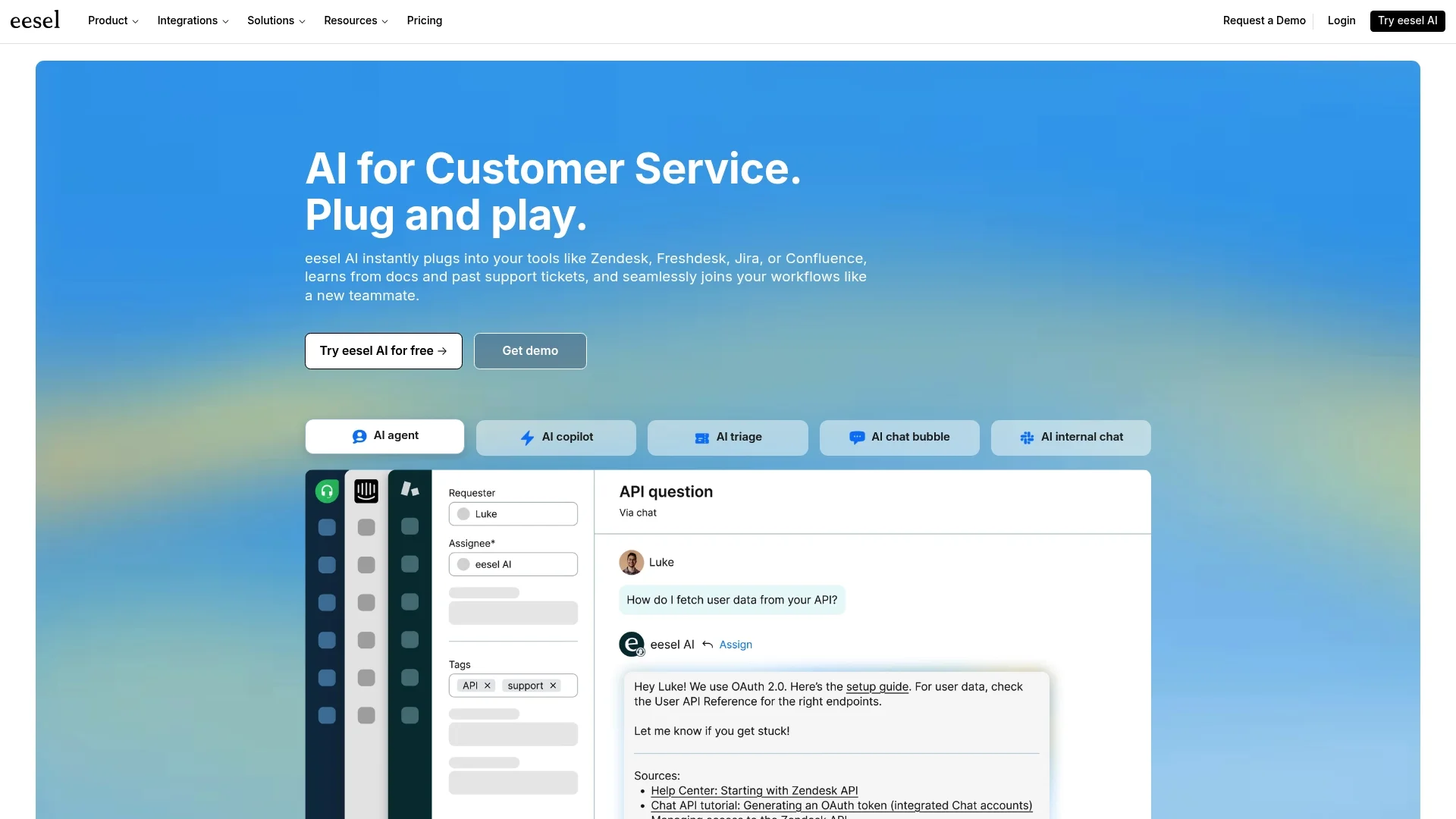
Best for: teams that want an AI agent working inside Jira Service Management, answering from Confluence and their other docs.
eesel AI is an AI teammate that works as a layer on top of your Jira setup. You connect Jira Service Management with an Atlassian API token, with no Marketplace app to install, and eesel creates the Jira Automation rule that sends it new issues and new comments. The connected account needs rights to administer Jira automation.
Why it's on the list: it does the work on the ticket, not just beside it. When an issue is created or a comment lands, the agent can reply publicly, leave an internal note, label, assign, transition (resolve, close, reopen, start progress) or update the summary, description, priority, due date and custom fields. It reads Confluence live as an AI agent for Confluence and links the page it used. It looks up issues live through JQL rather than copying them in. People can also ask it in Slack or Microsoft Teams to file or update a Jira issue. Most teams start with internal notes that a human sends, then let it reply, and you can test it on real questions before it goes live.
Use cases:
-
Automating Tier 1 IT support by answering common questions about passwords or software access directly in the ticket.
-
Helping human agents by drafting internal notes based on Confluence pages, with related issues looked up live.
-
Intelligently triaging new tickets by automatically adding labels, setting the right priority, and assigning them to the correct team.
Pros:
-
Self-serve: You can get set up and running on your own without a long sales process. Setup is a chat with the agent in the dashboard.
-
Test before going live: Try it on real questions, and keep actions on approval until you trust them.
-
Unifies your knowledge: It connects to Confluence, Google Docs, Notion, and more, and also works in Zendesk, Freshdesk, Slack and Teams.
-
Predictable pricing: One fixed monthly price with no per-seat fee, so adding agents or seats costs nothing extra.
Cons:
-
Only two Jira events start it: a new issue and a new comment. Status changes, field changes and @mentions don't.
-
It doesn't answer JSM's chat widget conversations, and it doesn't learn from past Jira issues.
-
Read-only in Confluence, and Jira and Confluence Cloud only for self-serve (Data Center is a managed setup).
-
It can't delete issues or change watchers, links or attachments, and it connects with one Atlassian API token, so it sees only what that one account can see rather than each asker's own permissions.
Pricing: Pricing is one fixed monthly price: $299/month for 500 credits, $499 for 1,000, $999 for 2,500 and $1,749 for 5,000, where 1 credit is 1 ticket or chat however long. Unlimited agents and seats and every integration are included. The free plan has 100 credits with no card, overage is optional at $0.80 per credit with a cap you set, and paying a year upfront gets two months free. Start with the free plan.
Our take: pick eesel if you want an agent that answers and acts on JSM tickets from your Confluence docs. Skip it if you need it to fire on status changes or answer the JSM chat widget.
2. AI for Jira (by Appfire)
Best for: teams that want light AI help inside the ticket view.
AI for Jira is an app from the Atlassian Marketplace that adds AI features directly into your daily Jira workflow. It's designed to enhance the existing Jira experience to make your team's life easier.
Why it's on the list: It's a great choice for teams who want to explore AI capabilities within their familiar environment. It adds helpful tools like ticket summarization, sentiment analysis, and language detection right inside the ticket view. This can be a huge time-saver for agents getting up to speed on a long, complicated ticket thread.
Use cases:
-
Quickly see the tone of a customer's request with sentiment analysis so you can prioritize effectively.
-
Generate a quick summary of a long ticket that has a lot of back-and-forth comments.
-
Identify the language of a ticket to make sure it gets to the right regional support team.
Pros:
-
It’s built right into the native Jira interface, so it feels familiar.
-
Installation is easy, right from the Atlassian Marketplace.
-
It focuses on providing helpful context to support agents.
Cons:
-
Its automation is focused on providing agent assistance rather than full ticket resolution.
-
It works mainly on data already in Jira; I couldn't find a description of it reading company wikis.
Pricing: It used tiered pricing based on your number of users, starting around $1.25 per user per month for smaller teams. The Marketplace listing we used to link now opens a different app, and I couldn't find a current listing under this name, so check Appfire's Marketplace page for today's price before you buy.
Our take: fine for summaries and tone checks inside Jira. Skip it if you want tickets answered.
3. Capacity
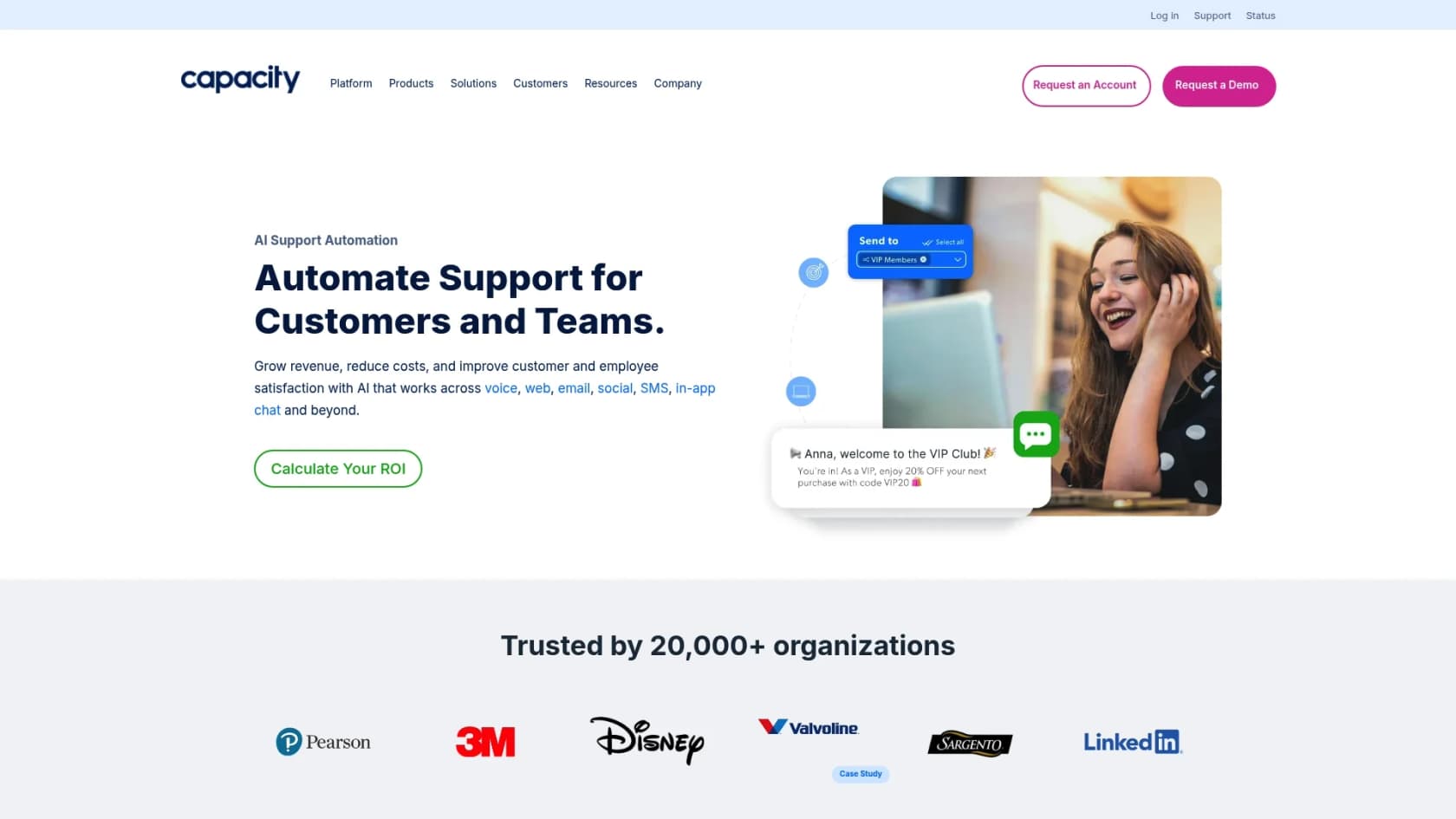
Best for: larger support teams that want one CX automation platform across chat, voice and email.
Capacity now describes itself as a CX automation platform for support, with AI agents across chat, voice, email and SMS, agent assist, and a knowledge base. Jira is one of many tools it can integrate with.
Why it's on the list: Capacity's main strength is the huge number of integrations it supports. It lists 270+ integrations, which means it can pull knowledge from many locations to provide answers. This makes it a solid choice for building complex internal helpdesks that need to talk to multiple systems at once.
Use cases:
-
Building an internal IT helpdesk that answers employee questions by pulling info from HR, finance, and IT systems all at once.
-
Powering a customer chatbot that can automatically create a Jira ticket if a more complex issue arises.
Pros:
-
An impressive library of integrations with other apps.
-
A powerful workflow builder for designing detailed processes across different tools.
-
A strong focus on internal knowledge and employee self-service.
Cons:
-
It is an enterprise solution that typically requires a guided demo to get started.
-
Pricing is customized, which may require consultation to understand the total cost for your team.
-
It might offer more features than needed if you are looking specifically for Jira-centric automation.
Pricing: An annual platform fee (three tiers sized by number of users) plus usage pricing for AI agents, agent assist and integrations. No list prices are published, so you request a quote or a demo.
Our take: worth a look for a large contact center. For Jira-centric work it is more platform than most teams need.
4. Unito
Best for: teams that need Jira kept in two-way sync with other tools.
Unito is a powerful platform for syncing information between different apps. It uses automation to help support and dev teams keep Jira in sync with the rest of their tech stack.
Why it's on the list: It does a fantastic job of connecting information between teams. Unito provides a reliable, two-way sync between Jira issues and tasks in other platforms like Asana, Trello, GitHub, and HubSpot. This means when a support ticket in Jira is updated, the matching task on the developer's board can be updated automatically, keeping everyone aligned.
Use cases:
-
Automatically syncing a customer bug report from a Jira Service Management ticket over to the engineering team's Jira Software board.
-
Connecting a feature request from the sales team in HubSpot to a new Jira issue for the product team.
Pros:
-
Top-notch for reliable, two-way syncing between tools.
-
Supports a wide range of popular project management and CRM tools.
-
Lets you customize field mapping to make sure your data stays consistent.
Cons:
-
It is focused on data synchronization rather than conversational AI or ticket resolution.
-
Its primary function is to sync data, not to deflect tickets or provide direct AI answers.
Pricing: Pricing is based on the number of items you keep in sync. Unito no longer lists plan prices on its pricing page; it shows them in the app during the free trial and quotes enterprise plans.
Our take: the right pick when the problem is keeping Jira and another tool aligned, not answering tickets.
5. Atlassian Rovo
Best for: teams already on paid Jira Cloud who want AI drafting, summaries and search inside Jira.
We used to list Dev-GPT here for turning Slack conversations into Jira issues, but its website now shows a parked-domain page, so it is off the list. If Slack-to-Jira issue creation is the job, Rovo's Slack app and eesel both cover it now.
Rovo is Atlassian's own AI, and the older Atlassian Intelligence features now sit under its name. It is included in Jira Cloud Standard, Premium and Enterprise, with Rovo Chat, Rovo Search, agents that work inside Jira, and apps for Slack and Microsoft Teams.
Why it's on the list: it is already in your Jira if you pay for it. Search, summaries and definitions are free to use, and it respects existing Atlassian permissions.
Pros:
-
Nothing to install on paid Jira Cloud plans.
-
Deep context across Jira, Confluence and other Atlassian apps.
-
Works in Slack and Teams through Atlassian's apps.
Cons:
-
Chat and agent actions spend Rovo credits from a monthly pool: 25 per user on Jira Standard, 70 on Premium, 150 on Enterprise. A basic Rovo Chat answer is 10 credits.
-
Extra usage is on by default at $0.01 per credit, billed from 3 December 2026, unless an admin caps it or turns it off.
-
Nothing on the Free plan.
-
In Slack and Teams, everyone who asks needs an Atlassian account on a Rovo-enabled site, and public replies in a channel need a shared account an admin sets up first.
Pricing: Included in Jira Cloud Standard ($9.70/user/month list price for up to 100 users) and Premium ($19.60/user/month at the same tier); Enterprise is quote-only. Atlassian's pricing-page calculator shows lower per-user figures at larger team sizes. If the credit model or Atlassian-only focus doesn't fit, see our guide to Rovo alternatives.
Our take: try Rovo first if you are on Premium and mostly want help inside Jira. Look elsewhere if you want an agent that works the queue by itself at a fixed price.
How do you choose from the top AI tools for Jira?
Choose by the job: an agent that resolves tickets, AI help inside the ticket view, or a sync between tools. Picking the right tool is about more than just a feature list. Here are a few practical things to keep in mind while you're looking around:
-
Try before you buy with your own data: Before you fully deploy an AI, it is helpful to see how it performs on your real-world tickets. A platform you can test on real questions before it goes live, like eesel AI, is invaluable for proving it works and getting your team on board.
-
Remember, knowledge is everywhere: The best AI tools complement your existing ecosystem. Your team's real knowledge is likely spread across Confluence, Google Docs, Slack threads, and past tickets. Pick a tool that can connect to all those different places to give the most accurate answers.
-
Maintain control of your workflows: You should have clear control to decide exactly which tickets the AI should handle and which ones need a human touch. A visual workflow builder lets you start at your own pace and expand as you get more comfortable.
-
Look for predictable pricing: It is helpful to find platforms with transparent, flat-fee pricing so you can scale up your automation success while keeping your budget predictable.
Automate your Jira workflows with the top AI tools for Jira
Choosing the right AI tool can turn your Jira Service Management into an even more proactive support machine. While some tools offer specialized help for agents or specific integrations, a true AI agent should be able to learn from all your knowledge, help automate resolutions, and give you the control you need to use it safely.
Platforms like eesel AI are designed to be both powerful and complementary to the Jira ecosystem, letting you set up a working AI Agent quickly. It reads your knowledge sources live, starts on internal notes before it replies, and keeps actions on approval until you trust them.
Ready to see what AI can do for your Jira workflows? Try eesel AI free with 100 credits and launch your first AI agent today.
Frequently asked questions
How do the top AI tools for Jira go beyond the basic automations already available in Jira?
The top AI tools for Jira utilize Natural Language Processing (NLP) to understand the *meaning* behind tickets, not just specific keywords. This allows them to intelligently resolve common questions, draft responses, and route issues, offering a much deeper level of automation than standard rule-based triggers.
What key criteria should I consider when evaluating the top AI tools for Jira for my organization?
When choosing from the top AI tools for Jira, prioritize solutions with easy setup, the ability to connect to diverse knowledge sources (like Confluence or Google Docs), robust control over AI workflows, and a simulation mode to test performance. Also, look for transparent, flat-fee pricing models to avoid unexpected costs.
Is it challenging to integrate and get started with the top AI tools for Jira, or are they generally self-serve?
Many of the top AI tools for Jira, particularly those focused on ease of use like eesel AI, are designed to be self-serve. With eesel you connect Jira with an API token (no Marketplace app) and point the agent at your knowledge in minutes without needing extensive developer support, speeding up your time to value.
Can the top AI tools for Jira truly help reduce the volume of tickets our human agents need to handle?
Yes, absolutely. By automating answers to common Tier 1 questions, drafting accurate agent replies based on available knowledge, and intelligently triaging tickets, the top AI tools for Jira significantly reduce the manual workload for your team. This frees up human agents to focus on more complex and critical issues.
How do the top AI tools for Jira manage knowledge from different sources like Confluence or Google Docs?
The most effective of the top AI tools for Jira are built to unify knowledge from various platforms. They connect to and learn from diverse sources such as Confluence, Google Docs and Notion, and some also look up related tickets, creating a single, comprehensive source of truth for the AI to draw from.
What kind of pricing models are common for the top AI tools for Jira, and what should I watch out for?
Common pricing models for the top AI tools for Jira include flat monthly fees, tiered pricing based on user count, and custom quotes for enterprise solutions. It's important to watch out for "pay-per-resolution" models, as these can lead to unpredictable and escalating costs as your automation success increases.
Does eesel AI work inside Jira Service Management?
Yes. eesel AI connects to Jira Cloud and Jira Service Management with an API token. It starts when an issue is created or a new comment is added, then can reply, leave an internal note, label, assign, transition or update the issue, answering from sources like Confluence. It does not answer JSM chat widget conversations. See the AI agent for Jira page.