


Claude for Salesforce now mostly means Claudeforce, the partnership Salesforce and Anthropic announced on August 26, 2026. The headline product, Salesforce in Claude, is a beta plugin with 37 skills, all of them for sellers, and it only opens to orgs Salesforce approves. Sales teams should apply. For support, the answer is narrower: Claude can read and update a Case through Salesforce's hosted MCP servers, but nothing Anthropic or Salesforce ships yet answers your customers, and those MCP calls are about to carry their own Salesforce meter.
For case work, eesel works inside your Salesforce org as a support teammate, and you can talk to it from Claude.
What does "Claude for Salesforce" mean after Claudeforce?
It means a lot more than it did in the summer. On August 26, 2026, Salesforce announced Claudeforce, and the press release goes both directions at once: Salesforce data goes into Claude through a new plugin, and Claude goes into Salesforce as a reasoning model for Agentforce. The release also names Claude "the default model for Slack AI, Slackbot, Salesforce in Claude, Headless 360, Agentforce Coworker, and Claude Code across Salesforce's engineering organization."
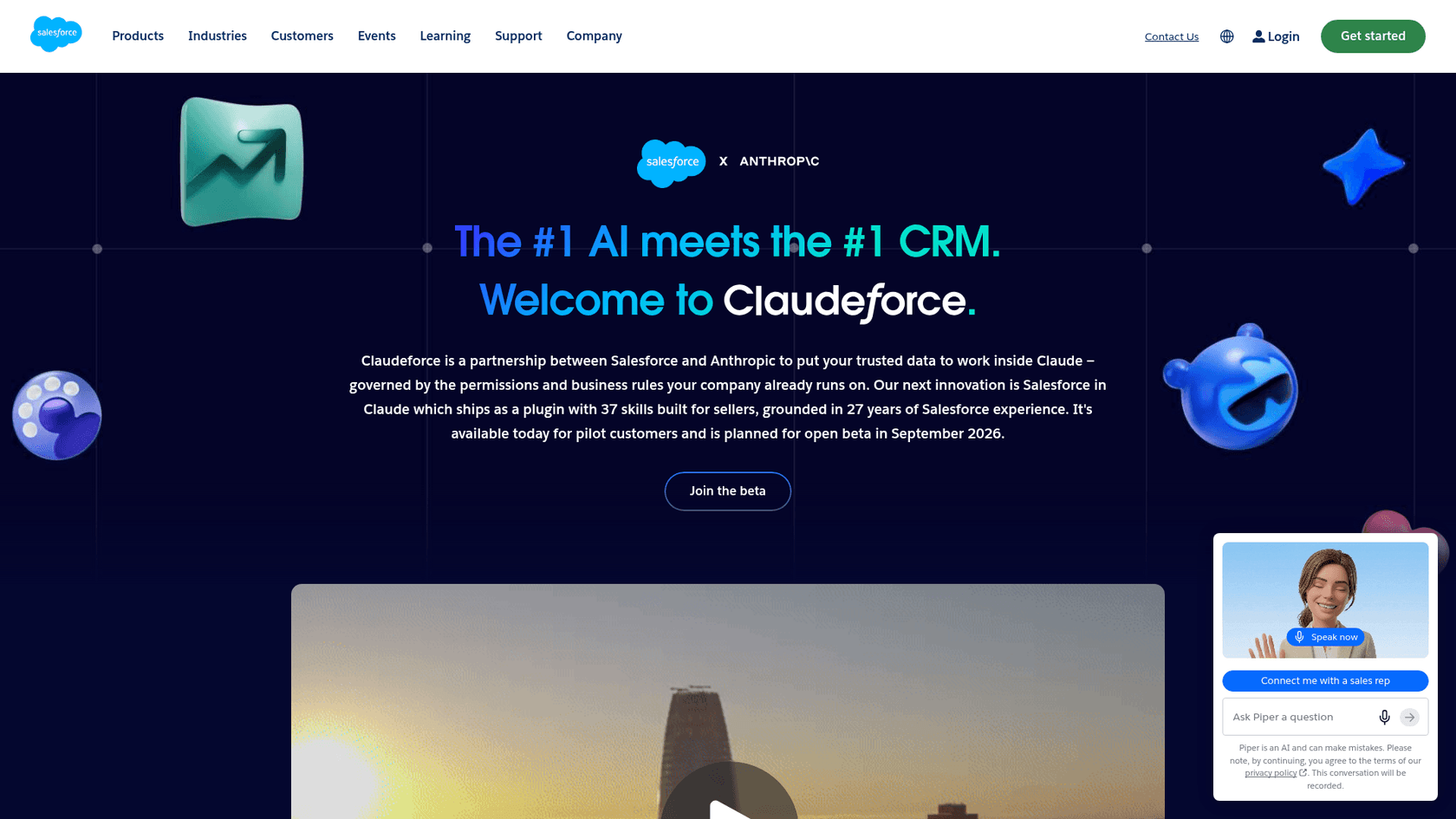
On September 15, Salesforce announced at Dreamforce that Salesforce in Claude was "now available to all customers in beta," launched alongside AIforce, the layer that exposes Salesforce to any agent through MCP servers, APIs and CLI tools. Anthropic's own write-up, Bringing Salesforce into Claude, says GitLab, Siemens and Legora have deployed it and that 7,000 Salesforce sellers use it.
I build integrations at eesel, so the part I read twice was the roadmap. On the Claudeforce page, Sales is marked Beta. Service is marked "COMING SOON", along with Marketing, Commerce, Field Service and the rest. That one label decides most of what follows for a support team.
The five ways to use Claude with Salesforce
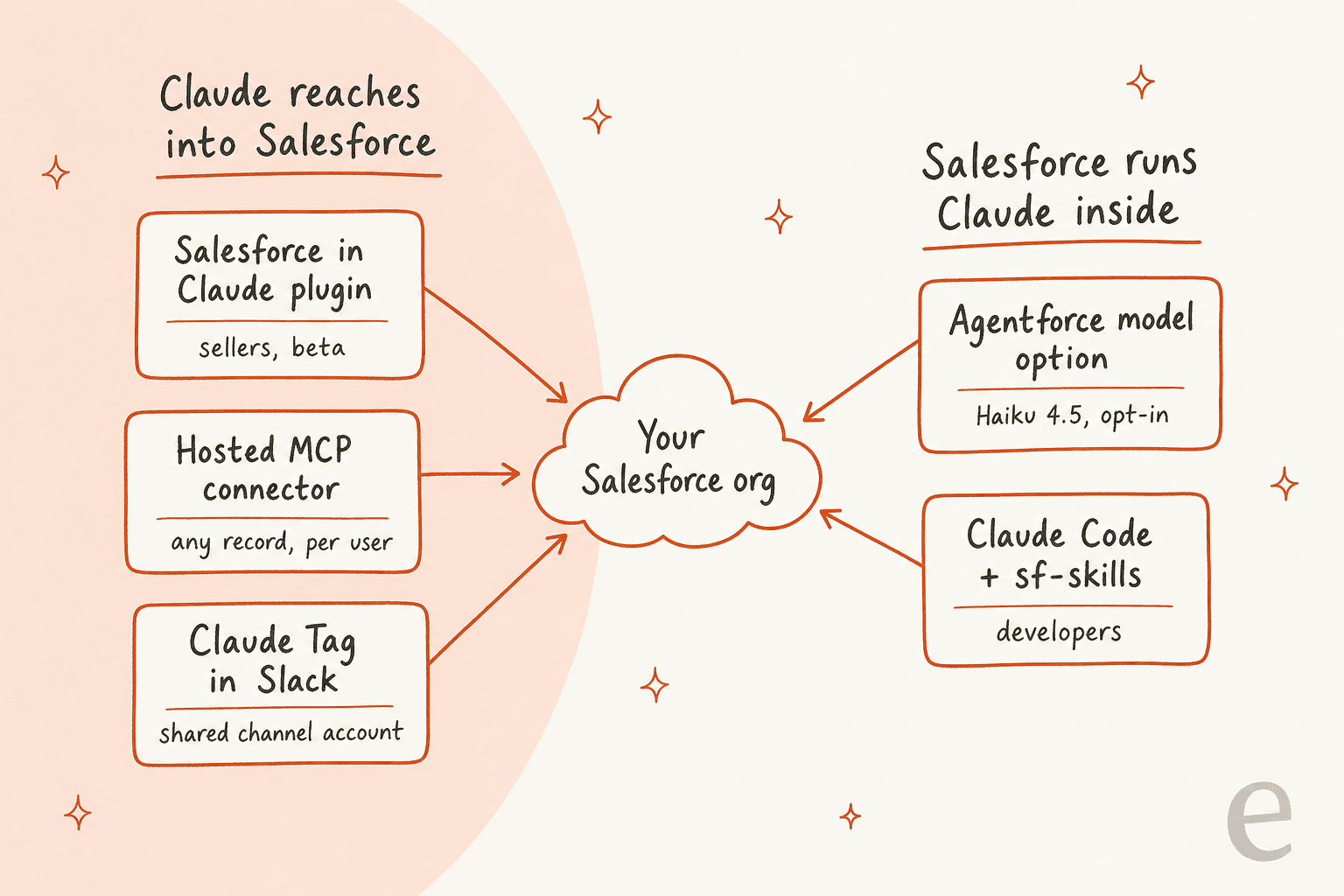
There are five routes, and they split on one question: does Claude reach into Salesforce from outside, or does Salesforce run Claude inside its own product?
| Route | Where Claude runs | Who signs in | Status | Best for |
|---|---|---|---|---|
| Salesforce in Claude plugin | Claude chat and Claude Cowork | Each user, with their own Salesforce login | Beta, Salesforce approves orgs | Sellers: pipeline, renewals, meeting prep |
| Salesforce (Beta) connector or a custom hosted MCP connector | claude.ai, Claude Desktop, Claude Code | Each user | Headless 360 server in beta, record servers GA | Ops and admins who want any object |
| Claude Tag with the Salesforce connector | Slack channels | One shared integration user | Public beta | Team channels asking about accounts and deals |
| Agentforce model option | Inside Agentforce | Salesforce runs it | GA, opt-in | Teams already committed to Agentforce |
| Claude Code with sf-skills | Your terminal or IDE | The developer | Skills change often | Apex, LWC and Flow development |
If you only remember one thing from the table: the first three are Claude reaching into Salesforce, and none of them was designed around a support queue. The fourth is the only one where Claude acts on customer conversations, and there it is Agentforce doing the acting.
How does the Salesforce in Claude plugin work?
It's a plugin built by Salesforce that bundles 37 sales skills, the Salesforce and Slack connectors, and a first-run skill that learns the user's role and book of business. The skills cover jobs like renewal prep, QBR decks, pipeline coverage and meeting follow-up, and Anthropic's examples of write actions are things like updating opportunities, logging calls and creating follow-up tasks (Anthropic).
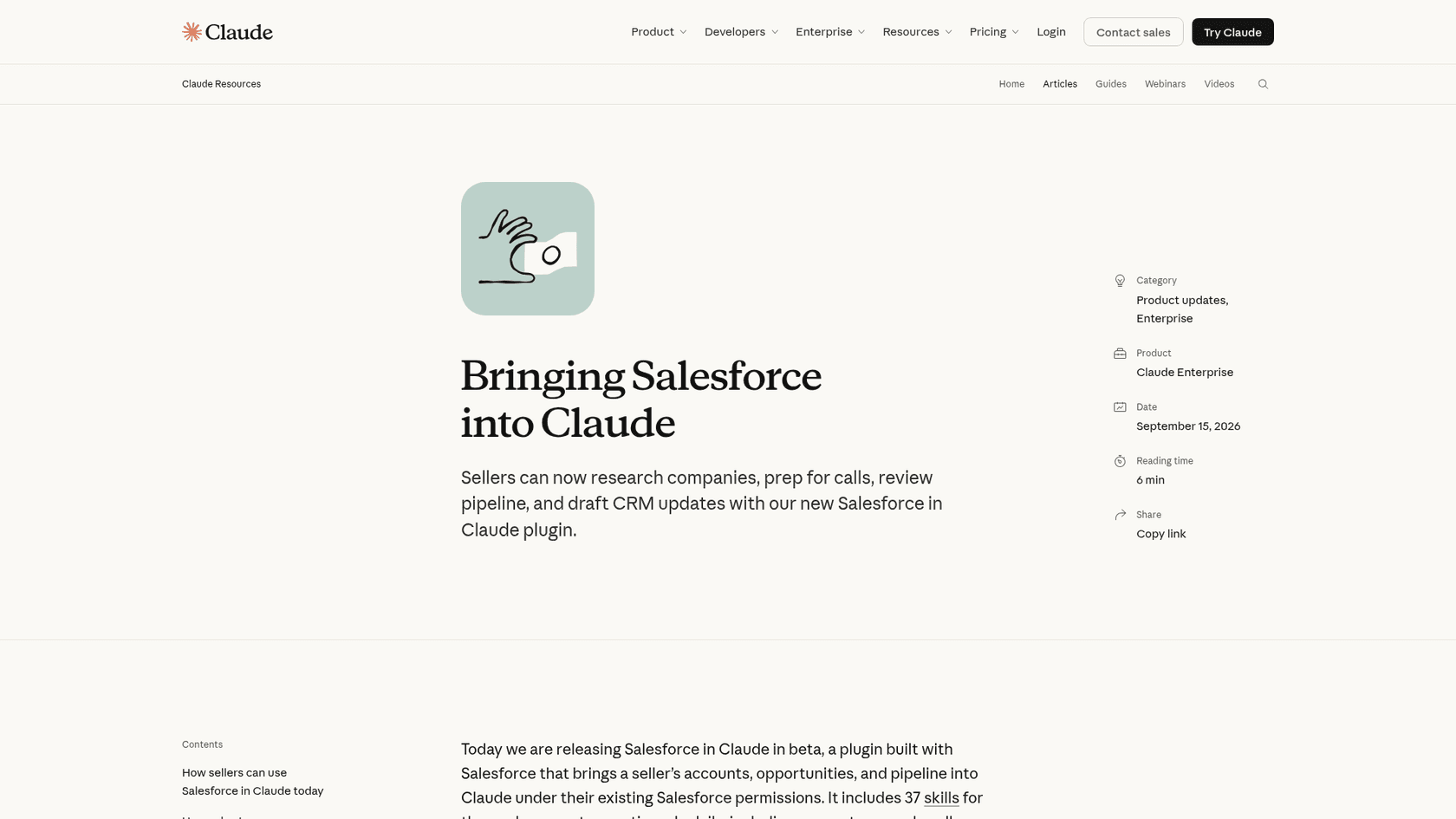
Getting it is the hard part. Per the Use Salesforce in Claude help article, it's "available in beta on all paid plans for organizations Salesforce approves through its beta sign-up," and it works in chat and Claude Cowork on web and desktop. On the Salesforce side, your org needs the latest Sales Cloud enterprise edition to be eligible, and you request access through AgentExchange.
Setup is two steps for a Claude Owner. Under Organization settings, Plugins, you pick whether the Salesforce Marketplace plugin is installed by default, available, or required per group. Then under Connectors, you paste an External Client App's consumer key and secret into "Salesforce (Beta)." After that, "each member signs in to Salesforce with their own account the first time they use the plugin."
The safety model is the part I like. Claude "sees only what that user's existing Salesforce permissions already allow," and by default it asks before every write, with Allow once, Always allow or Deny (Anthropic help). The Claudeforce page adds that when Claude updates a record, "it changes only the field it said it would."
So for a sales team on a recent Sales Cloud edition, this is the route. Setup is done once by an admin, it respects your sharing model, and it comes from the vendor that owns your data. For a support team, there's nothing in the box yet.
Connecting Claude to Salesforce with hosted MCP
If you can't get into the beta, or you need objects the sales skills don't touch, Salesforce's hosted MCP servers are the general route. MCP, the Model Context Protocol, is the standard Claude uses to talk to outside tools; Salesforce runs the server, so you don't host anything.
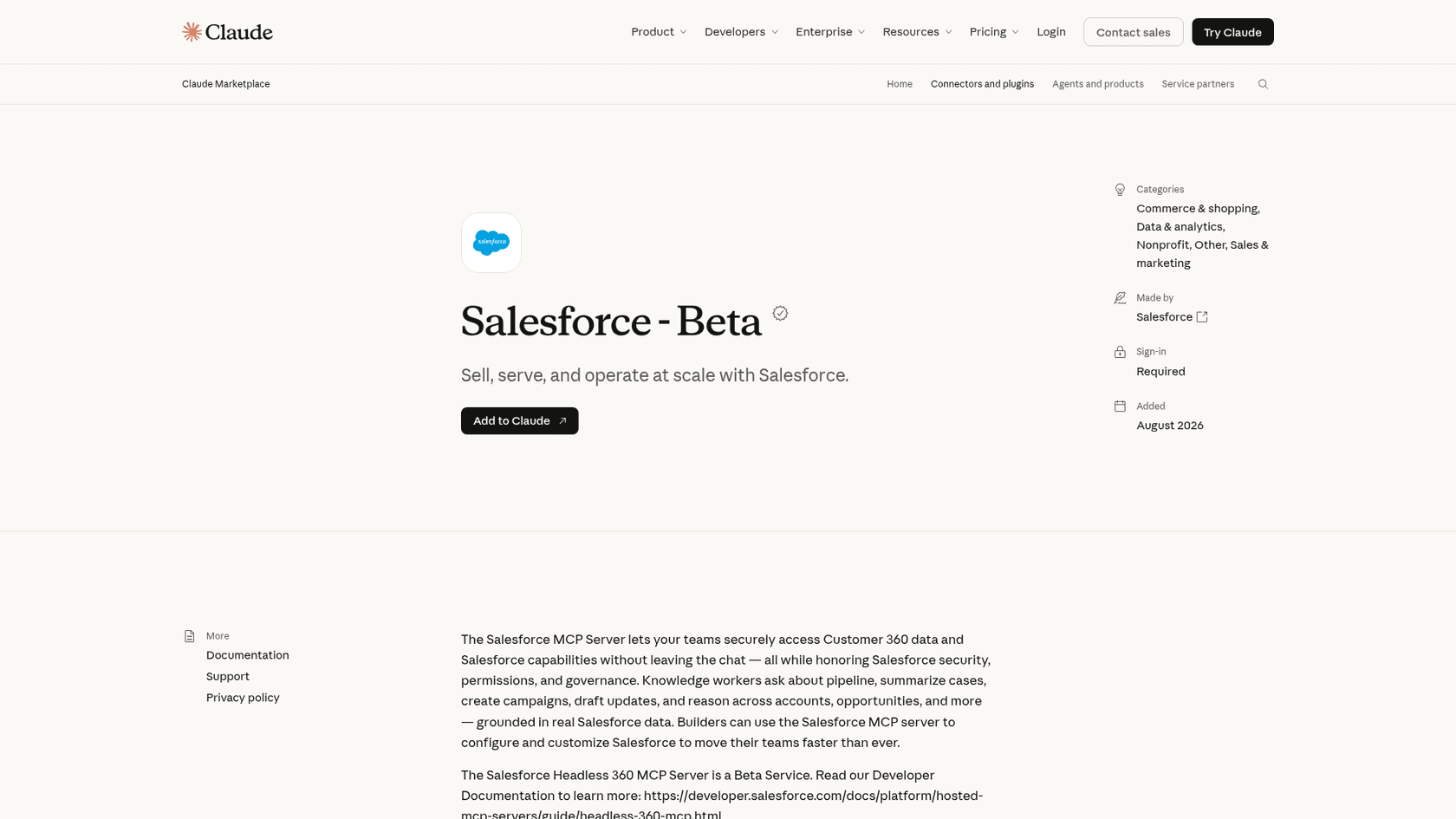
There are two ways in:
- The Salesforce (Beta) connector in Claude's directory points at the Headless 360 server, which is in beta and exposes four tools:
discover,describe,dispatchanddispatch_readonly. Salesforce says that at launch it offers "dozens of operations, with most focused on Setup tasks for admins" (Headless 360 docs). - A custom connector to one of the record servers. The
sobject-allserver has 11 tools, including SOQL queries, SOSL search, and create, update and delete on any object you have access to, Case included.
Salesforce's Claude setup guide is short. In Claude, go to Customize, Connectors, Add custom connector, paste the server URL, choose "Use your own OAuth client," and paste the consumer key from an External Client App with the mcp_api and refresh_token scopes. Connected Apps aren't supported, and a new app can take up to 30 minutes to start working. One nice detail: "Claude Code inherits the same connection," so you don't add it twice.
Every call runs as the signed-in user, and Salesforce spells out what that means: "If you can't perform an action in Salesforce, your agent can't perform it through the MCP server" (Salesforce). It also recommends setting your client to ask for approval before any tool that changes data.
"My worry would be compliance. On Salesforce projects, security teams approve an integration user with narrow permissions and an audit log much sooner than any kind of browser automation. Can the generated MCP run under a dedicated service account and log every call? Then I could bring it to a client's security review."

That comment is the question I'd expect from any security review. Per-user sign-in answers half of it. The audit trail is still on you.
What does Claude for Salesforce cost?
You pay two vendors, and one of them hasn't published its number yet.
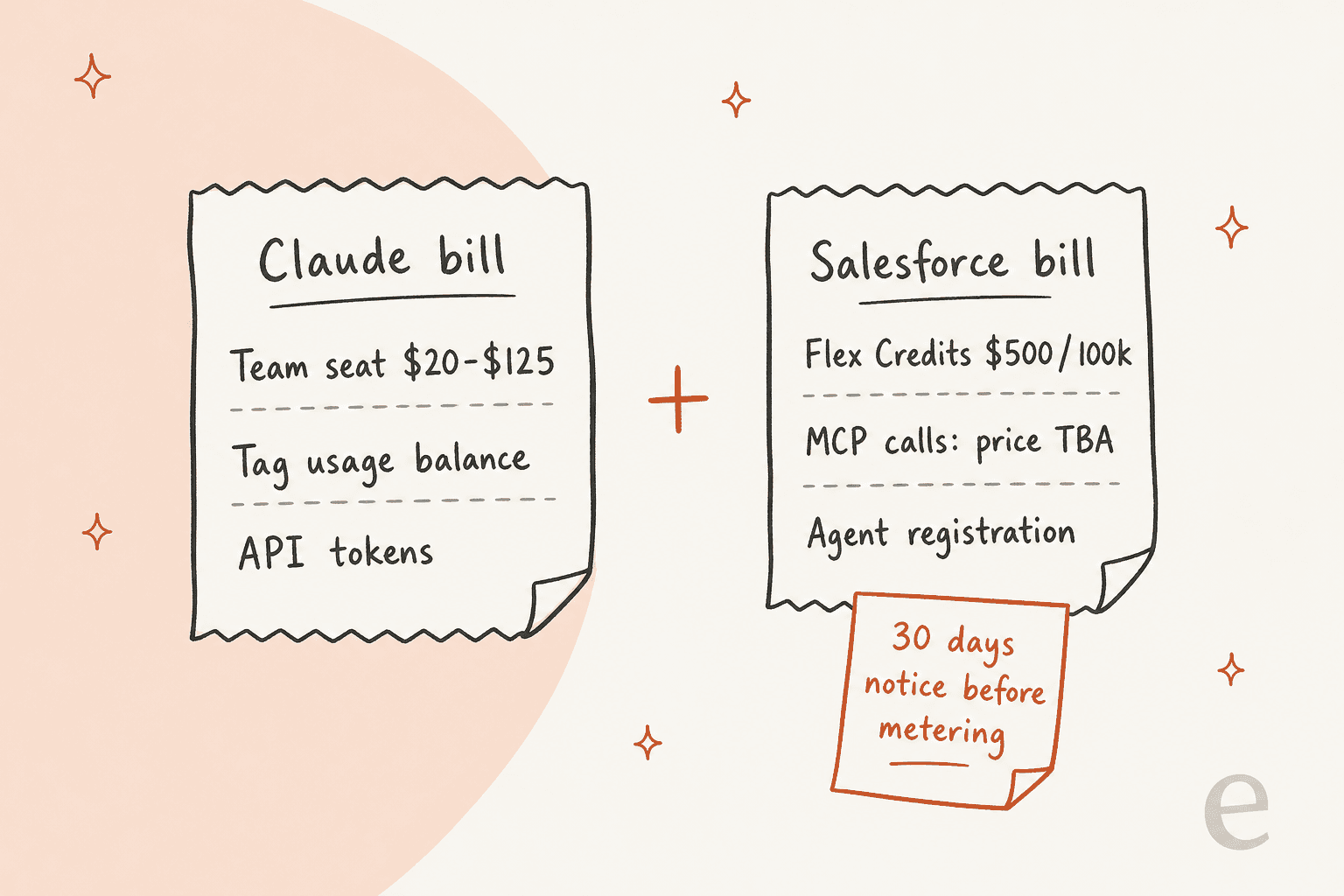
The Claude side is public. Per Claude pricing, checked November 18, 2026 (my Claude pricing breakdown goes deeper):
| Claude plan | Price | Notes |
|---|---|---|
| Free | $0 | Connectors available |
| Pro | $17/month billed yearly, $20 monthly | Individual plan |
| Max | $100/month | Individual plan |
| Ultra | $200/month | Individual plan |
| Team, Standard seat | $20 yearly, $25 monthly | 2 to 150 people, Claude Tag included |
| Team, Premium seat | $100 yearly, $125 monthly | Higher usage |
| Enterprise | $20/seat/month plus usage at API rates | 20-seat minimum |
If you build your own integration on the API instead, the current list prices per million tokens are $2/$10 for Sonnet 5.5, $4/$20 for Opus 5.5 and $0.10/$0.50 for Haiku 5.5 on prompts up to 100k tokens per Anthropic's price list.
The Salesforce side changed in September, and it's the part most Claude for Salesforce guides miss. The hosted MCP docs now say the servers "are intended only for customers with Flex Credits and you may be billed for server usage" (Salesforce). A Salesforce knowledge article from September 17 adds that every successful call a registered agent makes over MCP or the API will be metered as a "Headless Platform Interaction" (KA 005360285).
Three details matter for budgeting:
- The price per interaction is listed as
TBAon the November 3 rate card, and metering isn't on yet. Salesforce promises 30 days' notice. - Every agent using a Salesforce MCP server will have to be registered within three months of Salesforce's notice. That applies to all customers.
- Sandboxes, scratch orgs and Developer Edition orgs aren't metered, so testing stays free.
For reference, Flex Credits cost $500 per 100,000 credits, and a standard Agentforce action is 20 credits, or $0.10 (Agentforce pricing). No price for the Salesforce in Claude plugin has been published; the Claudeforce release says "Pricing and packaging are subject to change."
Claude Tag and Salesforce in Slack channels
Claude Tag is Claude working inside Slack as one shared @Claude, and it has its own Salesforce connector. Anthropic's guide says it lets Claude "read accounts, contacts, opportunities, and cases (and write, if you grant it) in any channel where the connector is on."
The difference from the plugin is identity. Tag connects with one credential, a dedicated integration user, using the OAuth client credentials flow, and Anthropic's advice is to start that user on a read-only permission set. Anyone in a channel where the connector is on can use what that account can see, so the per-service guide says to always connect a dedicated account, never your own login.
One setup gotcha caught my eye: "The first credential you add for a service from the Connectors tab is on in every workspace and channel as soon as you save it." If you have shared or external channels, put the Salesforce credential in a narrower bundle before you save it.
Tag needs Claude Team or Enterprise, bills channel work from a usage balance instead of seats, and isn't available to orgs using zero data retention or the HIPAA setup (Claude docs). Every Salesforce example Anthropic publishes is about deals and accounts, like "which deals are stuck in stage 3." It's a good internal tool for a support lead who wants to ask "what plan is this account on?" without opening Salesforce. My Claude for Slack post covers Tag's limits in customer-facing Slack Connect channels.
Claude inside Agentforce
This is the route that reverses the direction: Salesforce calls Claude, through Amazon Bedrock, inside its own trust boundary.
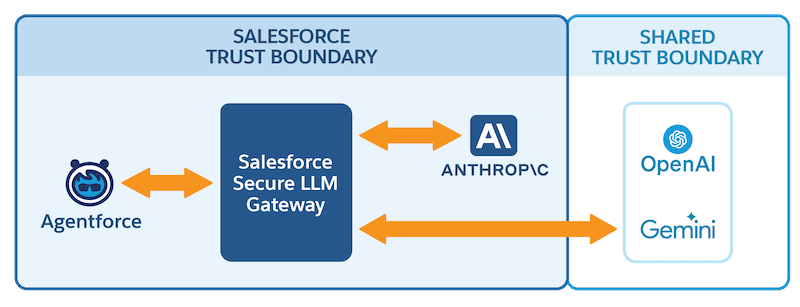
Despite the Claudeforce headlines, Claude is not the default model for Agentforce agents. Salesforce Help still says "We recommend using the Salesforce Default model option," which runs GPT-4.1 for agents built in the new builder. The Claude choice is the AWS-Hosted option, and it "uses Anthropic Claude Haiku 4.5 on Amazon Bedrock" (Salesforce Help). The setting applies to every agent in the org.
The two statements fit together once you read the fine print. The press release says Claude powers Agentforce Vibes and Agentforce Coworker "by default." Those are the developer tool and the employee assistant, not the customer-facing service agent.
If you want a newer Claude model, custom actions are the escape hatch. A prompt template, Apex or the Models API can reference any Salesforce-managed model, and Salesforce now lists 12 Claude models, including Sonnet 5.5, Opus 5.5 and Haiku 5.5. Cost follows the prompt tier on the rate card: Haiku 5.5 bills as a Basic prompt at 2 credits, while Opus models bill as Advanced at 16. Salesforce also warns that Claude "tends to be more sensitive to the nuances in the input payload" than OpenAI models, so plan to retest prompts after switching.
If you're weighing Agentforce itself, my Agentforce review and Agentforce pricing posts go deeper.
Claude Code for Salesforce developers
For developers, the biggest change is a quiet one. Salesforce's DX MCP server, the @salesforce/mcp package that many Claude Code tutorials still point to, was archived on November 2, 2026. The GitHub repo is now read-only, and its data toolset only ever held one read tool, run_soql_query.
The replacement is skills. Salesforce now publishes forcedotcom/sf-skills, covering Agentforce agents, Lightning apps, Flow, Apex, SOQL, LWC and permission sets, plus a Salesforce Development plugin for Claude Code that the AIforce announcement says brings "more than 40 skills." The repo carries a fair warning: "Expect frequent changes."
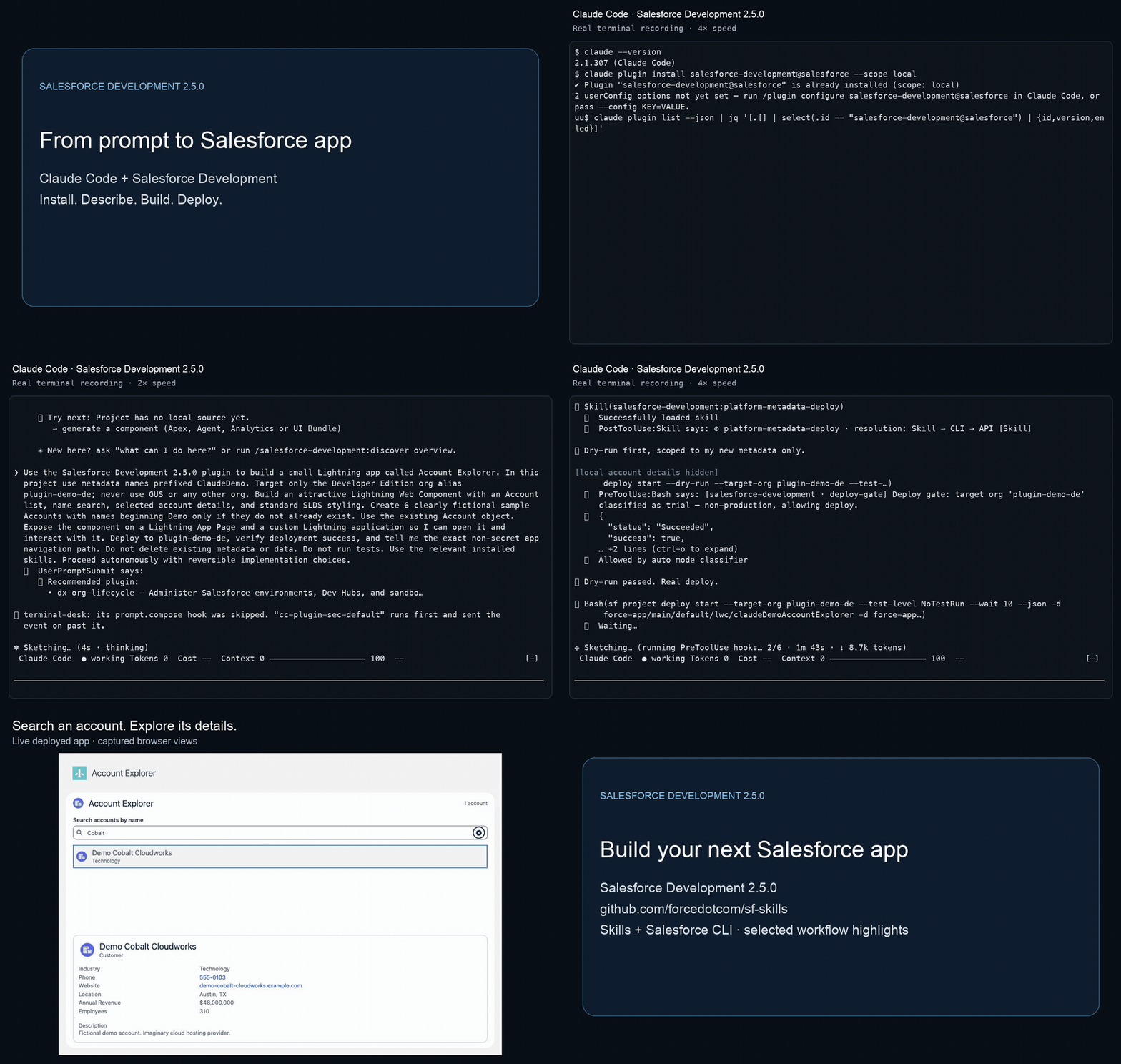
For data access from Claude Code, use a hosted MCP server; Salesforce's developer blog walks through it, and once the connector is in claude.ai, Claude Code picks it up. Agentforce Vibes, Salesforce's own coding agent, runs on Claude and Mastra orchestration engines, so you're often using Claude either way. My best AI for Salesforce coding roundup compares the options.
"The whole thing got built in one Claude Code session. Apex controller, the LWC bundle, the modal, all of it. Then deployed straight to my dev org through the Salesforce DX MCP server."

That post is from June, before the DX server was archived. The workflow still works; the plumbing underneath it moved to skills.
Where Claude for Salesforce stops for support teams
Here's where I'd slow down if you run a Service Cloud queue. Each route gets a support case part of the way, and none of them takes it to the customer.
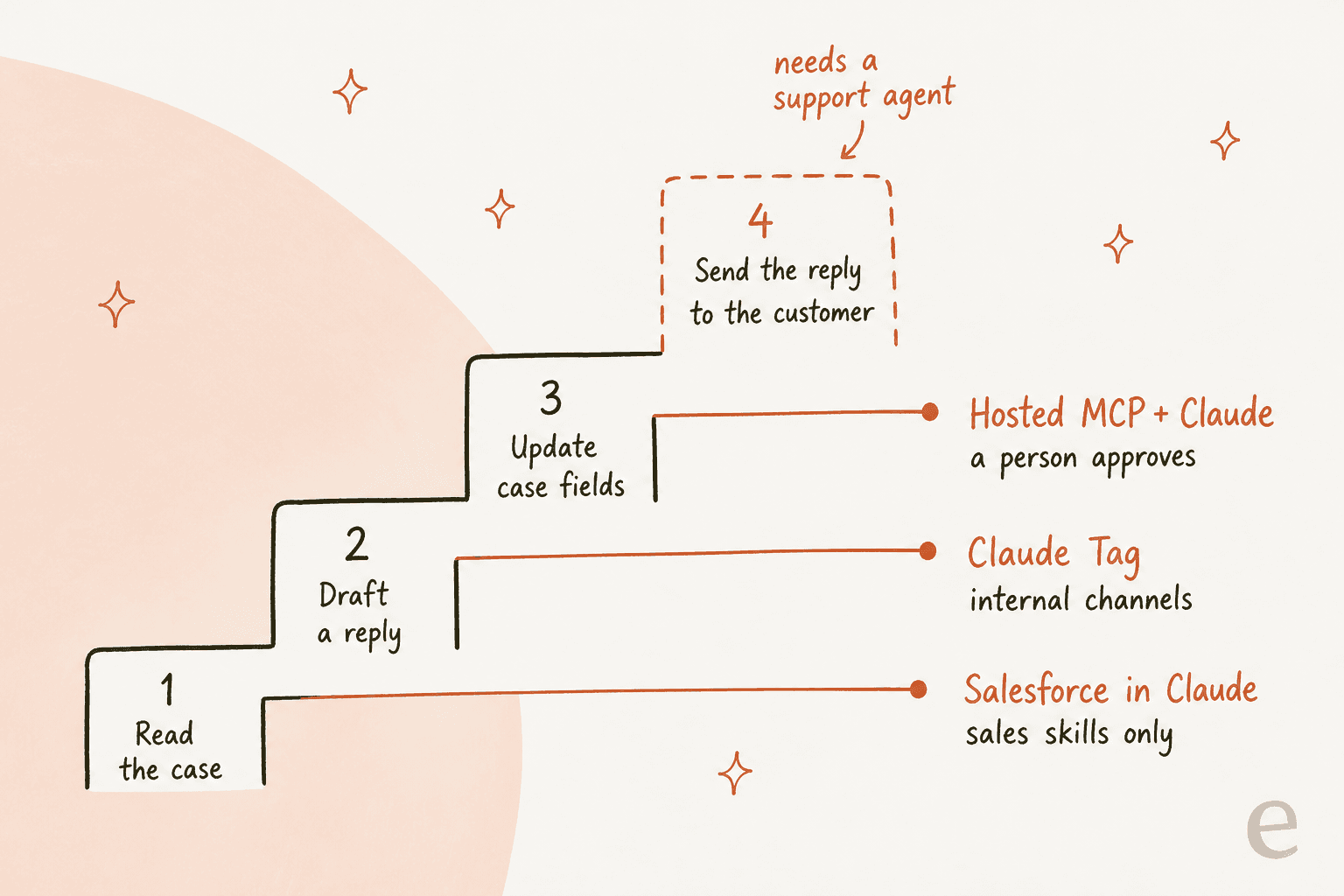
- Salesforce in Claude ships sales skills only. Service skills are "COMING SOON" on the Claudeforce page, with "Auto setup agents from cases" and "Optimize contact center operations" listed, and no date.
- Hosted MCP can read a Case and update its fields, but there is no purpose-built reply-to-case or send-email tool in the standard catalog. A reply would mean creating records through the generic tools, with a person approving each one.
- Claude Tag answers your team in Slack. It's an internal assistant, not a responder on the case.
- Agentforce with Claude does answer customers, but you're buying Agentforce, with Claude Haiku 4.5 as the model and Salesforce's per-action or per-conversation pricing on top.
"Agentforce can automate customer-facing tasks, such as talking to customers and handling their issues. Claudeforce is primarily an internal AI assistant that helps the sales team find information and automate their own tasks."
That split matches what I found in the docs. If your goal is fewer cases waiting on a person, read my deeper Claude for Salesforce Service Cloud guide, which walks through what each route does on a Case, and the wider AI for Salesforce Service Cloud roundup.
Which route should you pick?
Pick by team, not by model.
| You are | Use | Why |
|---|---|---|
| A sales team on the latest Sales Cloud enterprise edition | Salesforce in Claude plugin | Vendor-built skills, per-user permissions, approval on every write |
| An admin or ops lead who needs any object | Hosted MCP connector | Full record access as yourself, test free in a sandbox |
| A team that lives in Slack | Claude Tag with a read-only integration user | Answers account questions in channels without seats |
| Already on Agentforce, want Claude's reasoning | AWS-Hosted option or custom actions | Stays inside Salesforce's trust boundary |
| A Salesforce developer | Claude Code with sf-skills | The DX MCP server is archived |
| A support team that wants cases handled | A support teammate on the case, like eesel | None of the Claude routes reply to customers yet |
The trap I'd avoid is wiring a homemade support bot onto hosted MCP right now. You'd be building reply logic Salesforce doesn't provide, on calls that will soon carry a meter with no published price. Wait for the numbers, or use something built for the queue.
How eesel handles Salesforce cases
I'll be upfront about how eesel fits: it doesn't replace Claude for your sellers. It's the support teammate for the case queue, and it plays nicely with Claude.
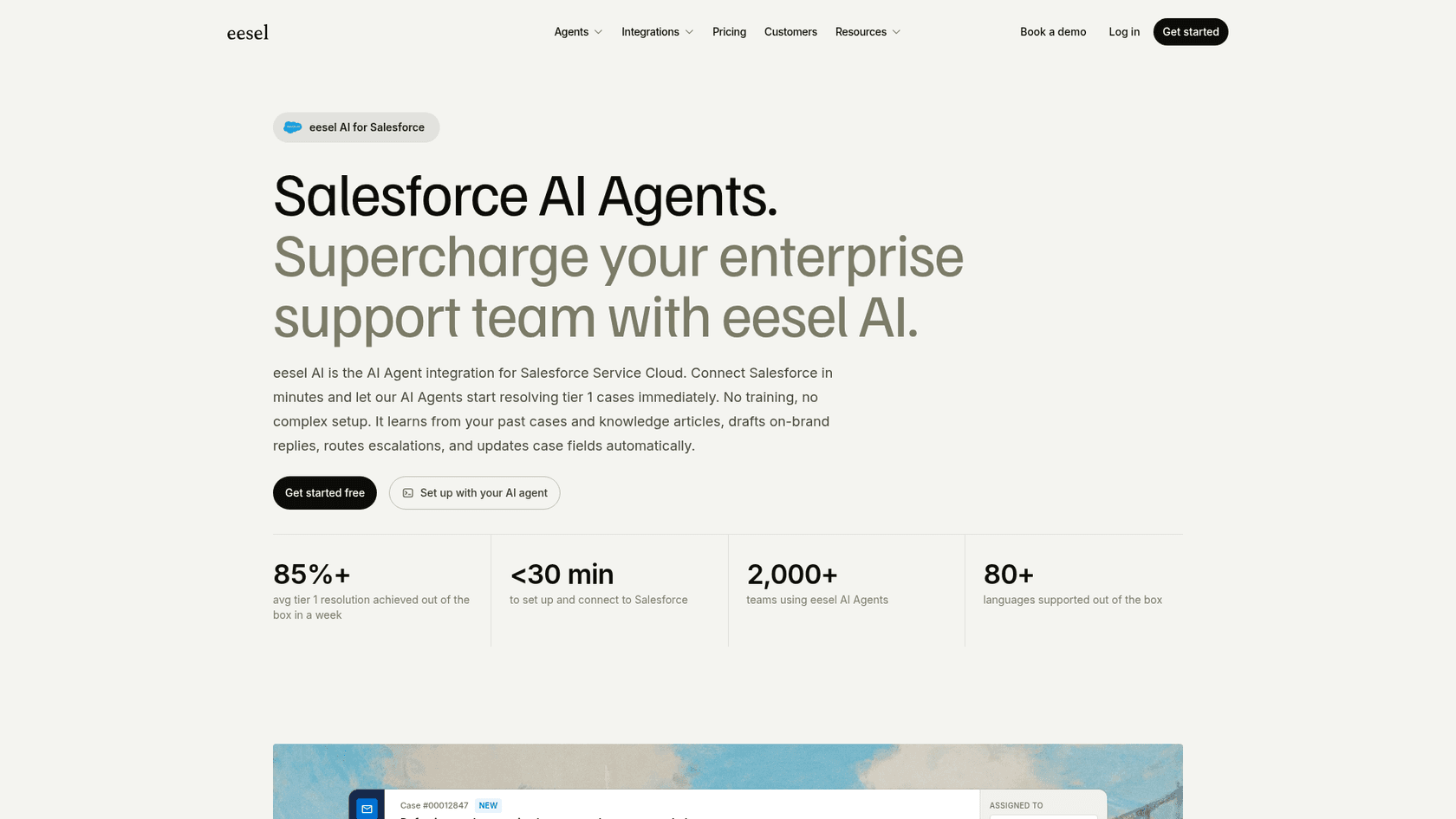
Per the eesel Salesforce docs, the agent "works inside your Salesforce org. It reads cases and Knowledge articles (and contacts and accounts once you switch them on), drafts replies as internal case comments, and updates records." It can also send the email to the customer, close a case, or update a contact or opportunity, and each action can require approval, which is how I'd set agent permissions on day one (actions and approvals). Setup is a managed package a Salesforce admin installs, and the agent "only sees what the Salesforce user you authorized can see."
That also answers the security reviewer's question from earlier. Each activity entry links to the Salesforce record and shows what eesel searched, each action it took, who approved it and why.
The Claude angle is the part I like most. Once Salesforce is connected, you can talk to your eesel agent from Claude or ChatGPT or Cursor, and it works with your Salesforce data. So a support lead can ask Claude "what's open for this account?" and get the answer from the same teammate that's working the queue.
What this looks like in practice: at MentorShow, eesel reads each member's subscription status, renewal date and past tickets from the CRM record before drafting, and refunds and billing go straight to a person. It read 1,200 conversations and tickets and wrote 432 reply drafts for the team in a month. That's HubSpot rather than Salesforce, but it's the same job: the CRM record changes the answer. On Salesforce itself, CartonCloud's service desk lead said eesel keeps "that human touch" while getting agents to the right articles quickly (eesel pricing; CartonCloud case study).
Where eesel isn't the right fit: if you want Claude to prep sellers for renewals, the Salesforce in Claude plugin does that, and eesel doesn't try to. eesel also has no trigger for Salesforce chat or messaging sessions; it works on records like Cases.
If you'd rather set it up from a terminal, the eesel CLI lets Claude Code run eesel integrations connect salesforce, download your knowledge sources and switch on automations, then ask the agent test questions before anything goes live. The Salesforce connection itself still needs an admin to approve it in the browser.
Try eesel on your Salesforce cases
Claude for Salesforce is a strong sales tool today and a promising support tool later. If your cases can't wait for "coming soon," eesel for Salesforce joins your Service Cloud queue, learns from past cases and Knowledge articles, drafts or sends replies with the approvals you set, and answers from Claude when your team asks. Plans start at $299 a month for 500 credits (eesel pricing), so you can try eesel on a slice of your queue before you commit.
Frequently Asked Questions
Is there an official Claude for Salesforce integration?
How much does Claude for Salesforce cost?
$20 to $125 a month depending on seat type and billing, per Claude pricing. On the Salesforce side, hosted MCP servers are meant for orgs on Flex Credits, and agent calls will be metered as Headless Platform Interactions once Salesforce sets a price. No price for the Salesforce in Claude plugin itself has been published.