Chatbot conversation flow template: 6 flows to copy in 2026

Riellvriany Indriawan

Katelin Teen
Last edited July 6, 2026
What a chatbot conversation flow actually is
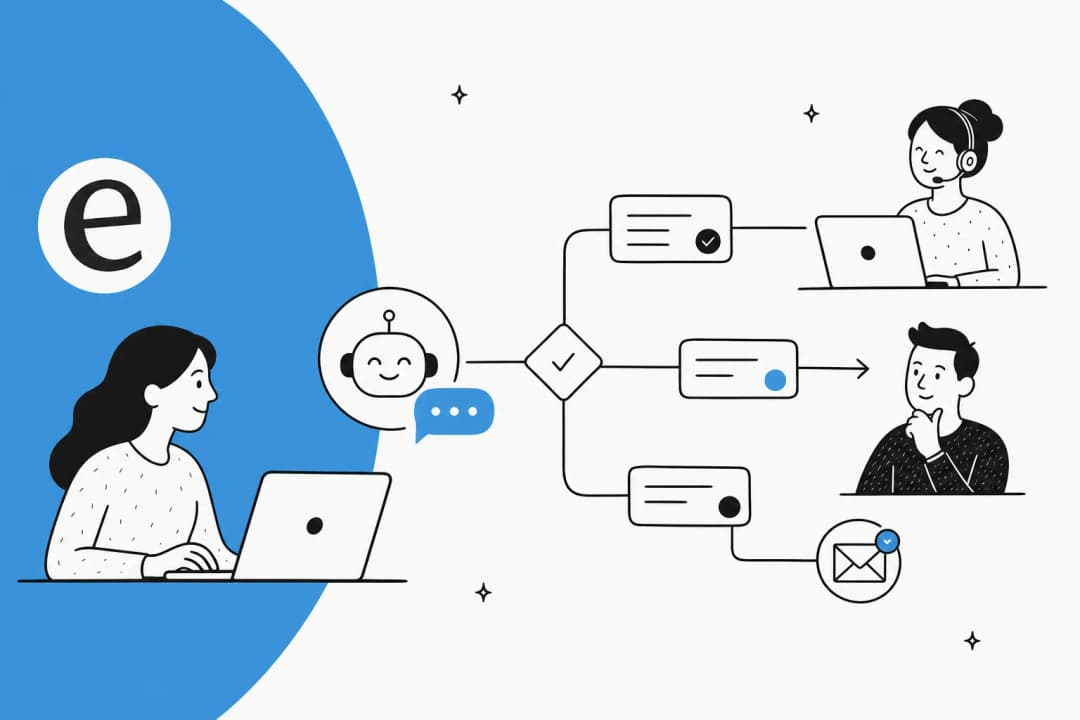
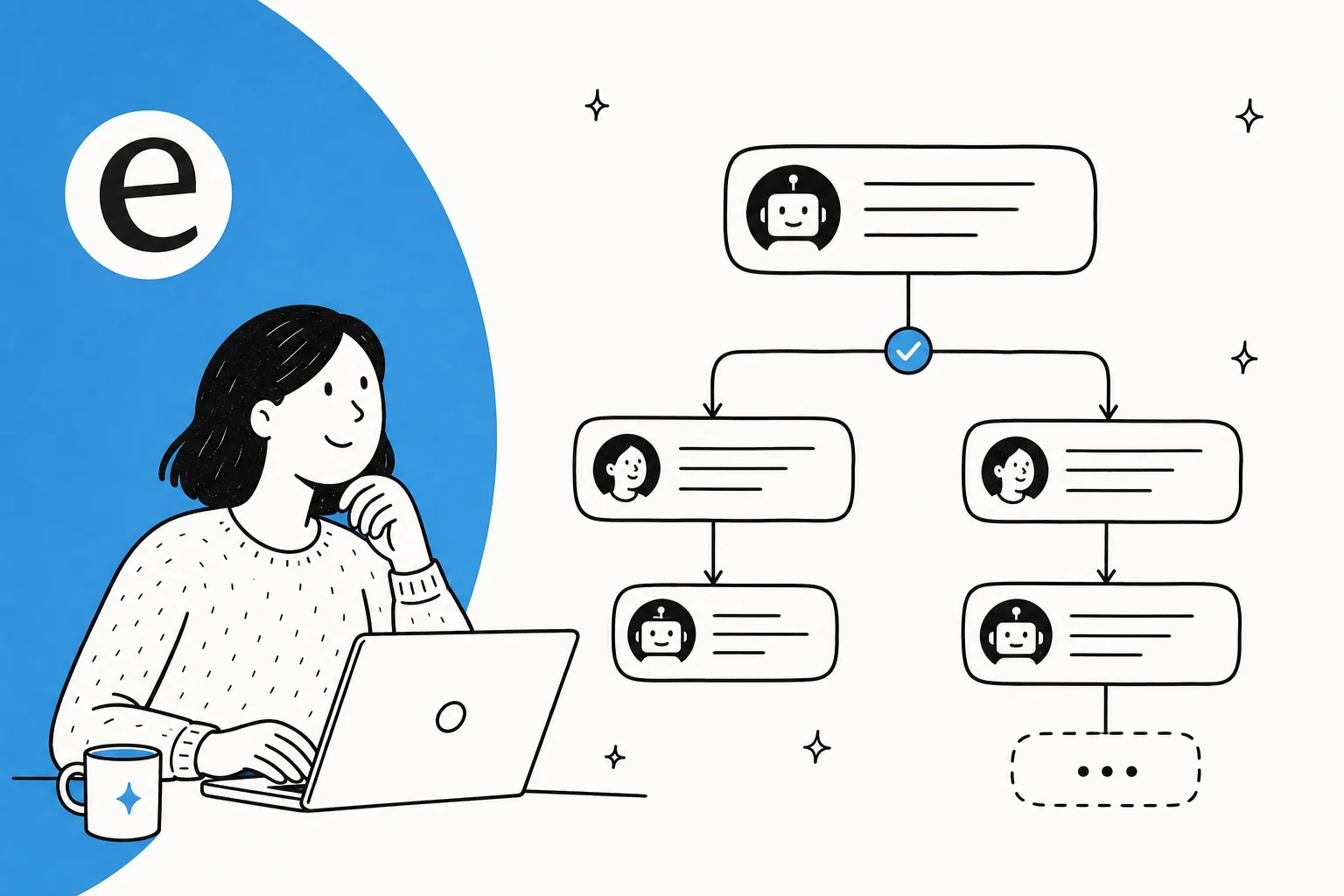
A conversation flow is the path a customer service chatbot walks a customer down. Think of it as the script and the map at once: the script is what the bot says, the map is the branching logic that decides what it says next based on what the customer does. If you learn better from finished examples, our chatbot conversation examples post shows real ones end to end.
Every flow, whether it's a two-step FAQ answer or a ten-branch returns process, is built from the same five moving parts:
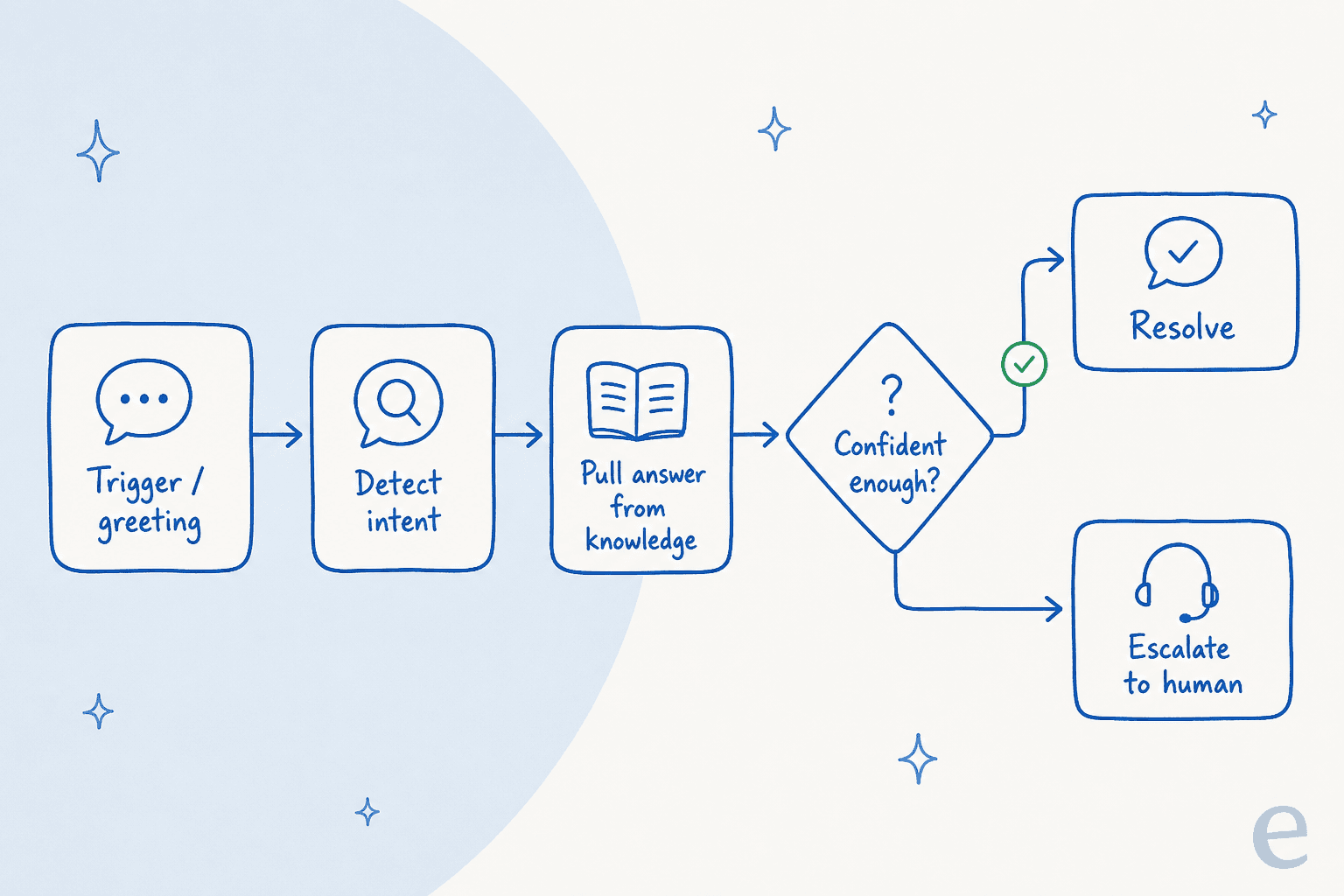
- Trigger - what starts the flow. A page load, a "Hi", a button click, or a new ticket landing in your helpdesk.
- Intent detection - the bot works out what the customer actually wants. This is the step scripted bots get wrong most often, because they force the customer to self-select from a menu instead of just reading the message.
- Answer retrieval - the bot pulls the right response, ideally from a live knowledge base rather than a hard-coded reply that goes stale.
- Confidence check - the single most important gate. Is the bot sure enough to answer, or should a human take it? Skip this and you get confidently wrong answers, which are worse than no answer.
- Resolution or escalation - either the customer is sorted, or the conversation is cleanly handed to a person with full context attached.
If you keep those five in mind, every template below is just a variation on the same theme. The differences are mostly in step 2 (what intents you expect) and step 5 (where the conversation goes next).
Pick your flow
Before the full templates, here's a quick way to find the one you need. Pick the job you're trying to do and you'll get the shape of the flow, plus which template below to jump to.
The 6 chatbot conversation flow templates
Each template below follows the same shape: what it's best for, the step-by-step flow, and the copy you can lift. Adjust the wording to your brand voice, but keep the structure.
1. FAQ deflection flow
Best for: the repetitive, easily-answered questions that eat your team's day. This is the single highest-ROI flow for most teams, because it's the bulk of tier-1 volume.
The flow:
- Trigger: customer opens the chat or asks a question.
- Detect intent: read the message, match it to a known topic.
- Retrieve: search your help center for the answer.
- Answer + cite: reply with the answer and a link to the source article.
- Confirm: "Did that solve it?" → yes closes, no escalates.
Copy to lift:
"Hi! I can help with that. Based on our help center, here's how to [reset your password / update billing / etc.]: [answer]. You can read more here: [link]. Did that solve it?"
The trap here is answering from a hard-coded reply that drifts out of date. Point the flow at your live docs instead, so the answer updates when the article does. If you're weighing tools for this, our best AI FAQ bot and chatbot FAQ automation pieces go deeper.
2. Order status (WISMO) flow
Best for: ecommerce teams drowning in "where is my order?" It's the most common ecommerce ticket, and it's almost entirely automatable because the answer lives in a system, not a person's head.
The flow:
- Trigger: customer asks about an order.
- Identify: read the order number, or ask for the email on file.
- Look up: pull live status from Shopify, WooCommerce, or your order system.
- Respond: give the tracking link and expected date.
- Branch: if the order is late or lost, offer a human or a refund path.
Copy to lift:
"Let me check that for you. Can you share your order number or the email you used at checkout? … Your order [#1234] shipped on [date] and is expected [date]. Here's live tracking: [link]. Anything else?"
For the full pattern, including returns and shipping, see our guide on chatbots for order status, returns, and shipping and the best AI live chat apps for Shopify stores.
3. Ticket triage and routing flow
Best for: teams where the problem isn't answering tickets, it's sorting them. A triage flow reads each incoming ticket and gets it to the right place before a human ever touches it.
The flow:
- Trigger: a new ticket lands in your helpdesk.
- Classify: detect topic, urgency, sentiment, and language.
- Route: tag it and send it to the right queue or agent.
- Assist: drop a suggested reply as an internal note for the agent.
This one is quietly powerful because it works even when you're not ready to let AI reply to customers directly. The bot does the sorting and drafting; the human still hits send. Our AI customer service workflow and best AI for support ticket triage posts break this down further.
4. Human handover flow
Best for: every bot, without exception. This is the flow I'd design first, because a chatbot that can't gracefully pass a stuck customer to a person is the fastest way to make people hate your support.
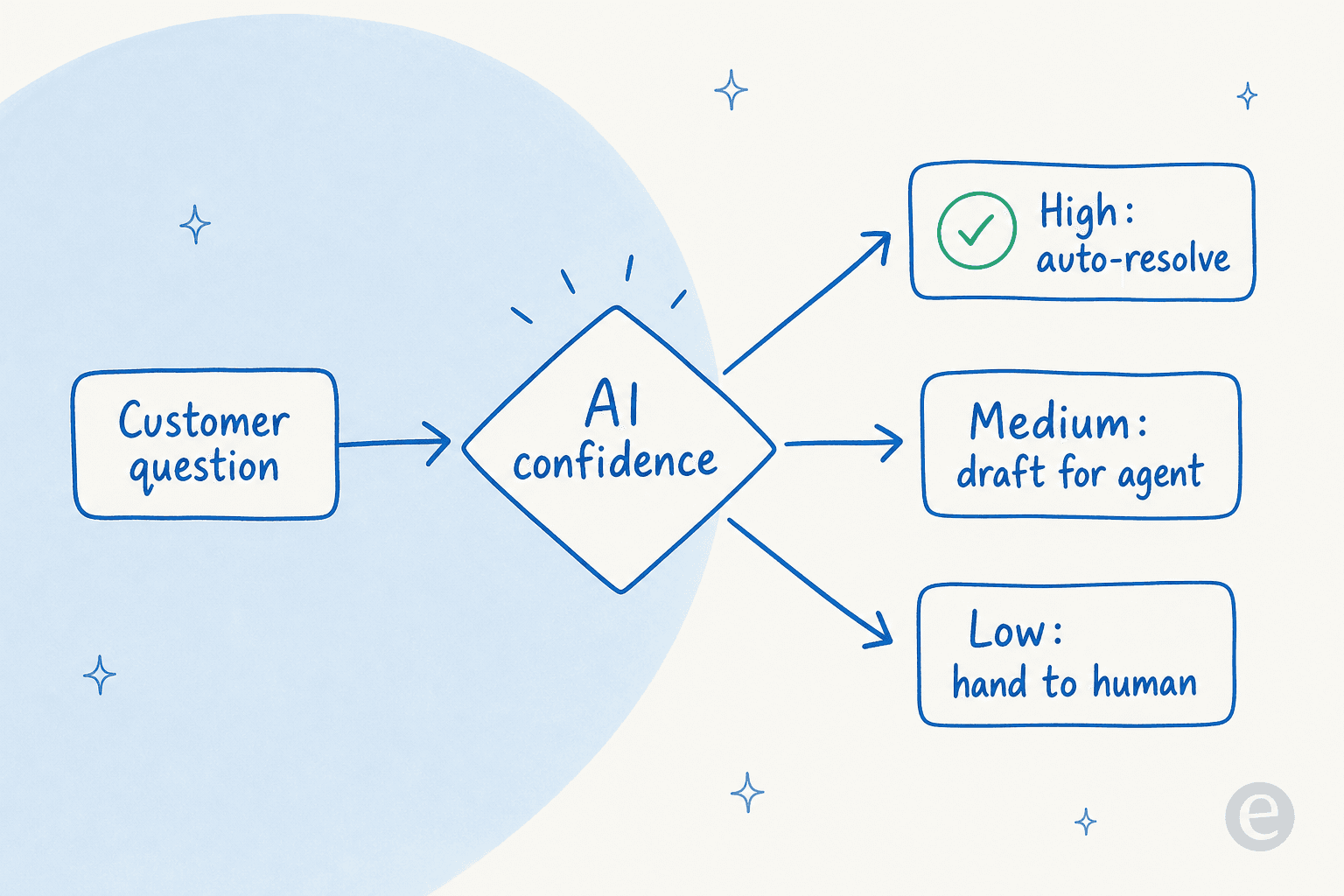
The flow:
- Confidence gate: every answer runs through a certainty check.
- Trigger the exit: low confidence, a repeated failed answer, or an explicit "talk to a human" all route out.
- Gather context: capture the question, the order, the account.
- Hand off: create or update a ticket with the full transcript attached, so the customer never repeats themselves.
Here's what a clean version looks like in a real chat. An end-user on an SEO tool's website chat bubble asked two setup questions ("how do I delete keywords from my project?", then "how do I delete search engines?"), got self-serve answers to both, and then typed "can I talk to a human?". The bot answered the first two from the docs, then handed straight over to a person the instant that third message arrived. That's the whole point: deflect what it can, and get out of the way the moment the customer wants a human. We've written a whole post on conversation design examples for AI handoff flows and on chatbot escalation if you want to go deeper.
The thing most flows get wrong: they make "talk to a human" hard to reach, hoping to force deflection. It backfires. Make the exit obvious and the whole bot feels more trustworthy, which counterintuitively makes people more willing to try the self-serve answer first.
5. Lead qualification flow
Best for: marketing and sales teams using chat to capture and sort inbound interest, not just support.
The flow:
- Trigger: the chat opens on a high-intent page (pricing, demo, contact).
- Qualify: ask two or three short questions (team size, use case, timeline).
- Branch: hot lead → offer to book a demo; researcher → send helpful content.
- Capture: push the details to your CRM and notify the right rep.
Copy to lift:
"Happy to help you figure out if we're a fit. Quick question so I point you the right way: roughly how big is your support team? … Great, want me to grab a time with someone, or would a quick overview be more useful right now?"
Keep this one short. The fastest way to kill a lead flow is interrogating someone with eight questions before they've gotten anything useful back.
6. Post-chat CSAT survey flow
Best for: teams that want to know whether the bot is actually helping, not just deflecting. Deflection without satisfaction is a vanity metric.
The flow:
- Trigger: the conversation is marked resolved.
- Ask: a single rating (1–5 or thumbs up/down).
- Branch: low score → one open follow-up question, and reopen the ticket.
- Log: attach the score to the conversation for reporting.
The design rule: one question, then optionally one more. Every extra field drops your response rate. If you want the mechanics, we walk through configuring and sending a CSAT survey when a conversation is closed, and there's more on the numbers to watch in our AI customer service metrics guide.
Common mistakes that break a flow
After watching a lot of these run in the wild, the same handful of mistakes show up again and again:
- No escape hatch. If there's no clear path to a human, a stuck customer has nowhere to go but angry. Design the escalation exit first, not last.
- Dead ends. A branch that ends with "Sorry, I can't help with that" and nothing else is a dead end. Every leaf of the flow should either resolve or route somewhere.
- Over-scripting. The more buttons and forced choices you add, the more brittle the flow gets. Real customers don't read your menu; they type what they want.
- No confidence gate. A bot that answers everything at full confidence will confidently answer wrong. This is the number-one reason chatbots give bad answers.
- Stale answers. Hard-coded replies rot. Point the flow at living docs so it stays current on its own. This is also where an AI knowledge base earns its keep.
- Deflecting for its own sake. Chasing a high deflection rate while satisfaction drops is a false win. Measure both.
Why the giant decision tree is dying
Here's the reframe, and it's the reason I'd think twice before spending a week hand-building a 40-node flowchart in 2026.
The classic chatbot conversation flow template is a scripted decision tree: the customer clicks a button, which reveals more buttons, which reveal more buttons. It works right up until someone types something you didn't anticipate, which is roughly every third conversation. Then it dead-ends, and the customer bounces.
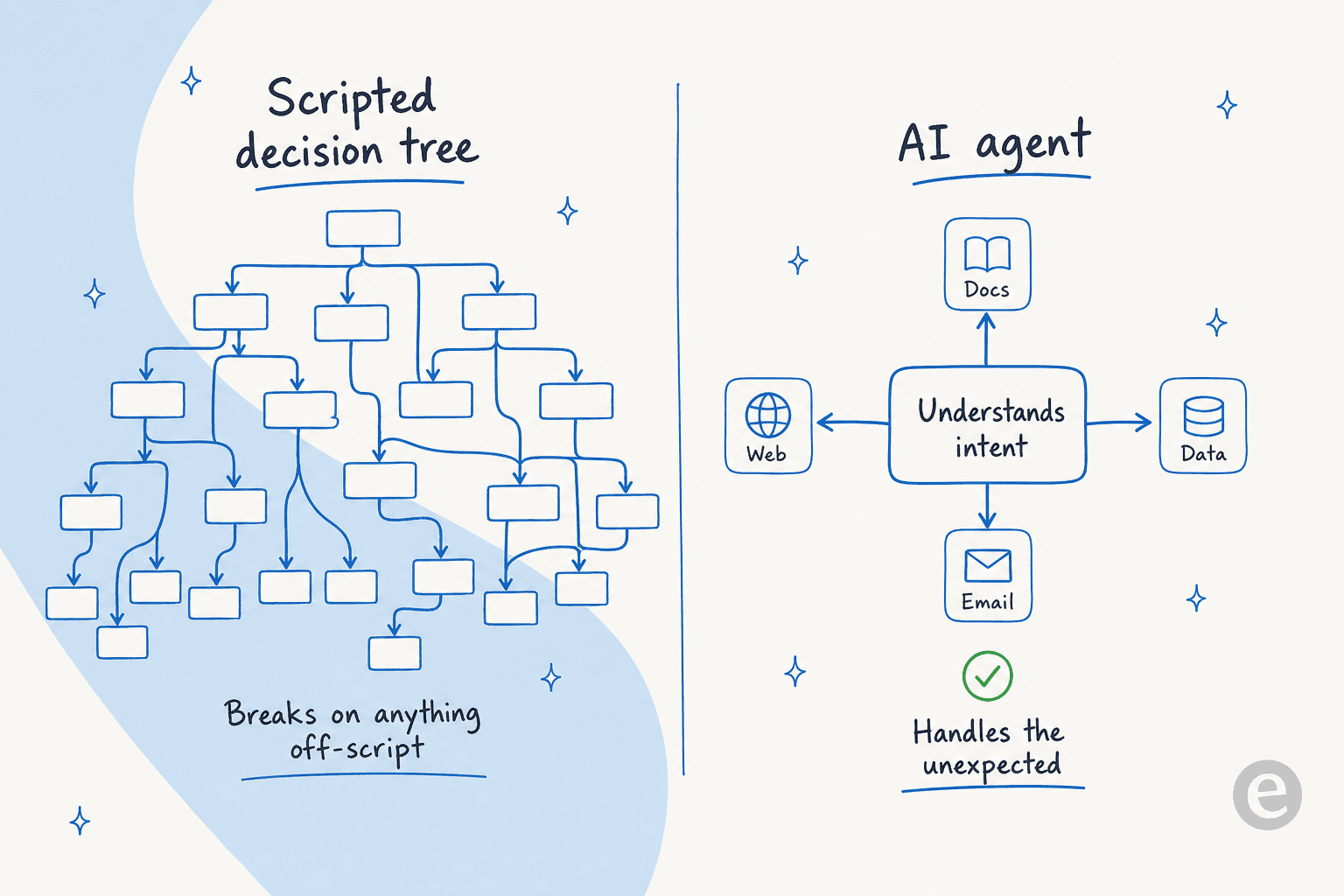
An AI agent works differently. Instead of forcing the customer down a branch, it reads the intent from plain language and pulls the answer from your knowledge. The sprawling tree collapses into a much smaller template: the guardrails (what it's allowed to do), the knowledge (what it answers from), and the handover (when it steps aside). That's it. This is why the whole AI agent vs traditional chatbot distinction matters for anyone designing flows today.
One buyer on a build-vs-buy call put the trade-off plainly: they could write their own LLM application, but they didn't want to invest the time, and above all they wanted something they wouldn't have to maintain. That maintenance point is the quiet cost of scripted trees too. Every product change, new plan, or policy tweak means going back into the flowchart and re-wiring branches. A flow that learns from your docs and tickets updates itself when the source does.
Try eesel for chatbot flows without the tree
If the six templates above made you think "great, now I have to build all of that," here's the shortcut. eesel AI is an AI support agent that learns your flows from what you already have: past tickets, help docs, and macros. Instead of hand-drawing a decision tree, you connect your helpdesk and it drafts the flow for you, then you tune the behaviour in plain language.

A few things that map directly to the templates here:
- The handover flow is built in. Confidence-based routing means it only answers what it's sure of and hands the rest to a human, so you don't hand-wire the escape hatch.
- You configure it by talking to it, not by dragging nodes. You tell it when to jump in, what tone to hold, and what to leave alone.
- You can test it before it's live. Simulation mode runs the flow against your past tickets so you see coverage and gaps before a single customer hits it. That's how Gridwise got to 73% of tier-1 requests resolved in the first month.

It plugs into Zendesk, Freshdesk, Gorgias, Front, and 100+ other tools, and pricing is one fixed monthly price from $299 for 500 credits (1 credit per ticket or chat), no per-seat fees. You can try it free with 100 credits and simulate your own flows before committing.
Frequently Asked Questions
What is a chatbot conversation flow template?
How do I build a chatbot conversation flow for customer service?
What is the most important part of a chatbot flow?
How much does it cost to run a chatbot conversation flow?


Article by
Riellvriany Indriawan
Riell is a designer and writer at eesel AI with about two years of experience researching CX platforms, AI chatbots, and helpdesk software. She combines her design background with a sharp eye for how these tools actually look and feel in practice — making her comparisons unusually visual and user-focused.