


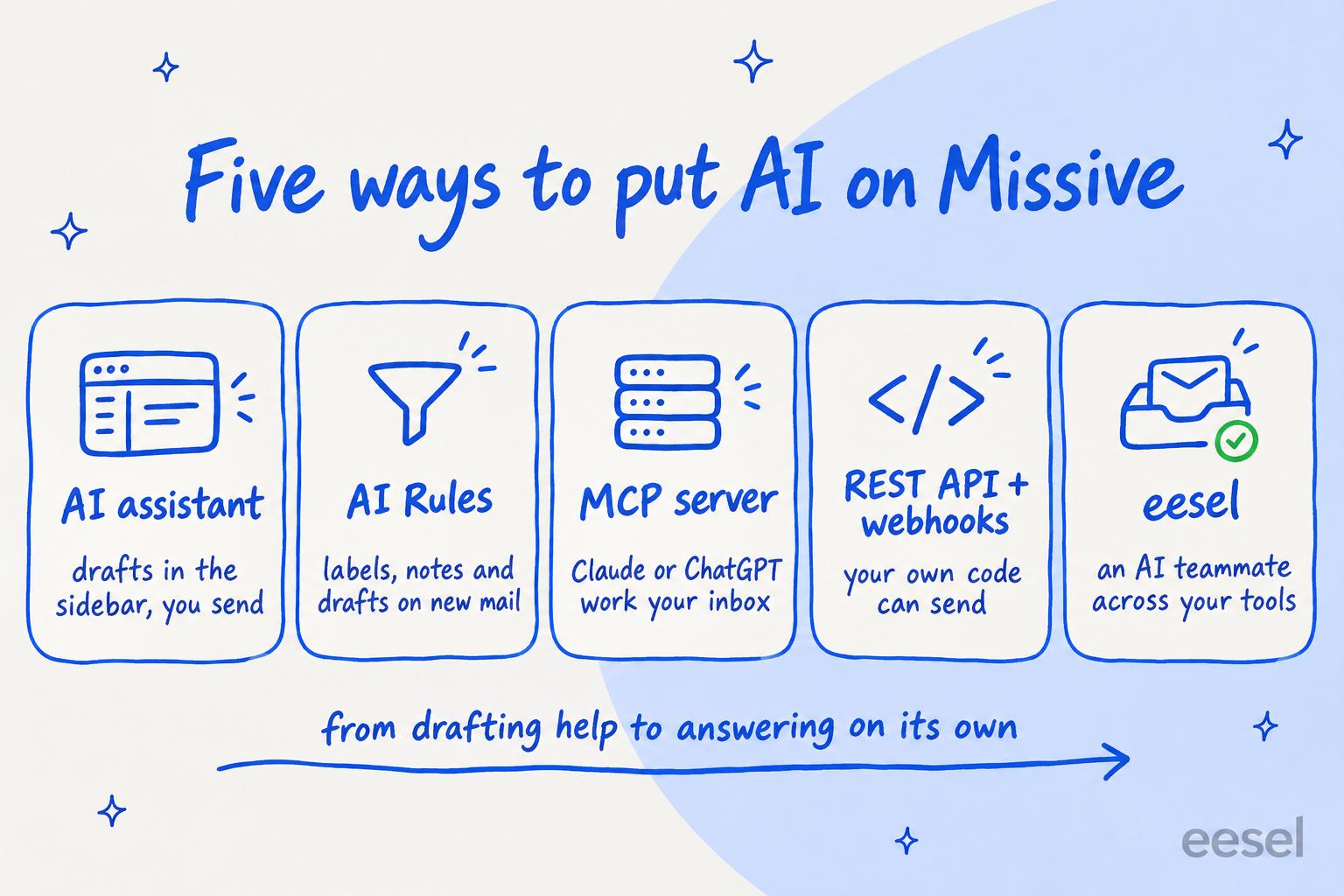
The best AI for most teams on Missive is its own built-in assistant, included from the Productive plan up ($24 per user a month billed yearly) with usage billed at the AI provider's price plus 25%, or at cost on your own API key. It only drafts: nothing an AI writes inside Missive reaches a customer until a person sends it. AI Rules add triage on top, labelling, summarising and drafting replies as mail arrives. For AI that sends on its own you go outside Missive: its MCP server lets Claude or ChatGPT send if you grant that permission, and its REST API sends with one flag. If your team also works in Slack or a helpdesk, an AI teammate like eesel works across those tools and can reach Missive through its API, and a coding agent can set it up with the eesel CLI while an admin adds the Missive token.
How I picked these
I build eesel's features and AI agents, so I read Missive, a shared inbox for email, SMS, WhatsApp, social messages and live chat, from the bottom up: what the AI can read, what it can change, and above all what can press Send. Every option here comes from Missive's own pricing page, its AI docs, its developer docs and changelog, read on 24 November 2026. If you're still weighing Missive itself, our Missive alternatives post compares it with the field, and our best AI for Front guide covers its closest rival.
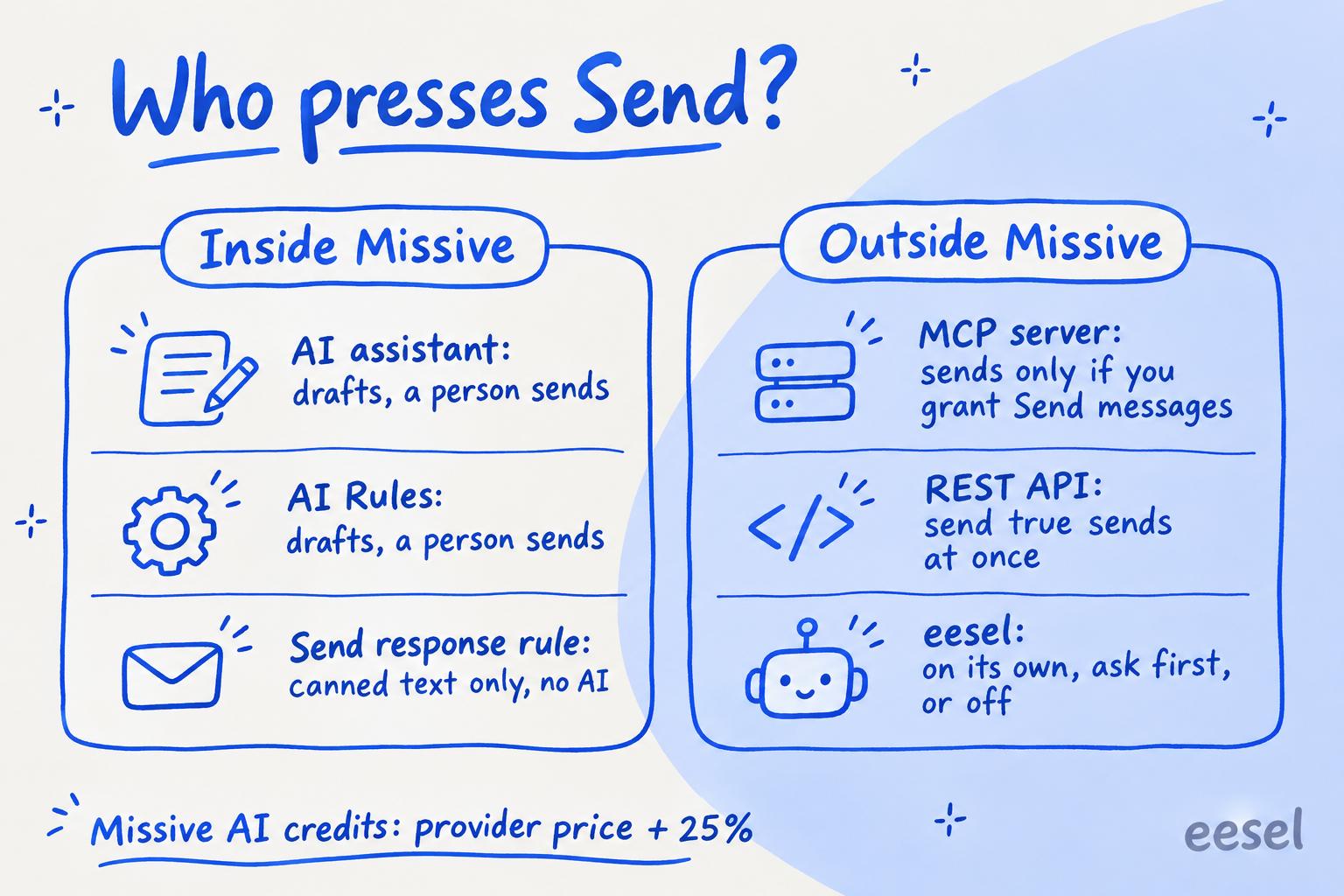
The five routes split by who presses Send. Missive's assistant and AI Rules work inside Missive and stop at a draft, the MCP server and the API sit outside Missive and can send, and an AI teammate like eesel works across the tools around it.
The best AI for Missive, compared
| Option | Works for | Plans | What you pay | Sends to customers on its own? |
|---|---|---|---|---|
| Missive AI assistant | Each teammate, beside the thread | Productive and Business | Plan seats plus AI usage: provider price + 25% on Missive AI credits ($5 free), or provider price on your own key | No, it writes drafts a person sends |
| AI Rules | Your whole inbox, as mail arrives | Productive and Business | Same AI usage, per message a rule processes | No, the AI action creates a draft |
| Missive MCP server | Claude, ChatGPT, Cursor and other MCP apps | Productive and Business | Your AI app's own plan; no Missive AI credits used | Only if you grant Send messages, and only when someone asks |
| REST API and webhooks | Your own code or AI tool | Productive and Business | No API charge listed; 300 requests a minute; your model bills its own usage | Only what you build: send: true sends at once |
| eesel | Your team and customers, across your tools | Its own plans | One credit per ticket or chat, from $299 a month for 500 | Per person and per tool: on its own, ask first, or off |
The pick for most teams is the assistant, because it already sits in the thread with your canned responses and calendar and needs no setup beyond adding an AI provider. If you want AI to answer customers itself, the real choice is between giving Claude or ChatGPT send rights through the MCP server, building on the API, and an AI teammate like eesel that reaches Missive through that API. Our post on built-in AI vs a layer covers the wider trade-off.
Can Missive AI reply to customers on its own?
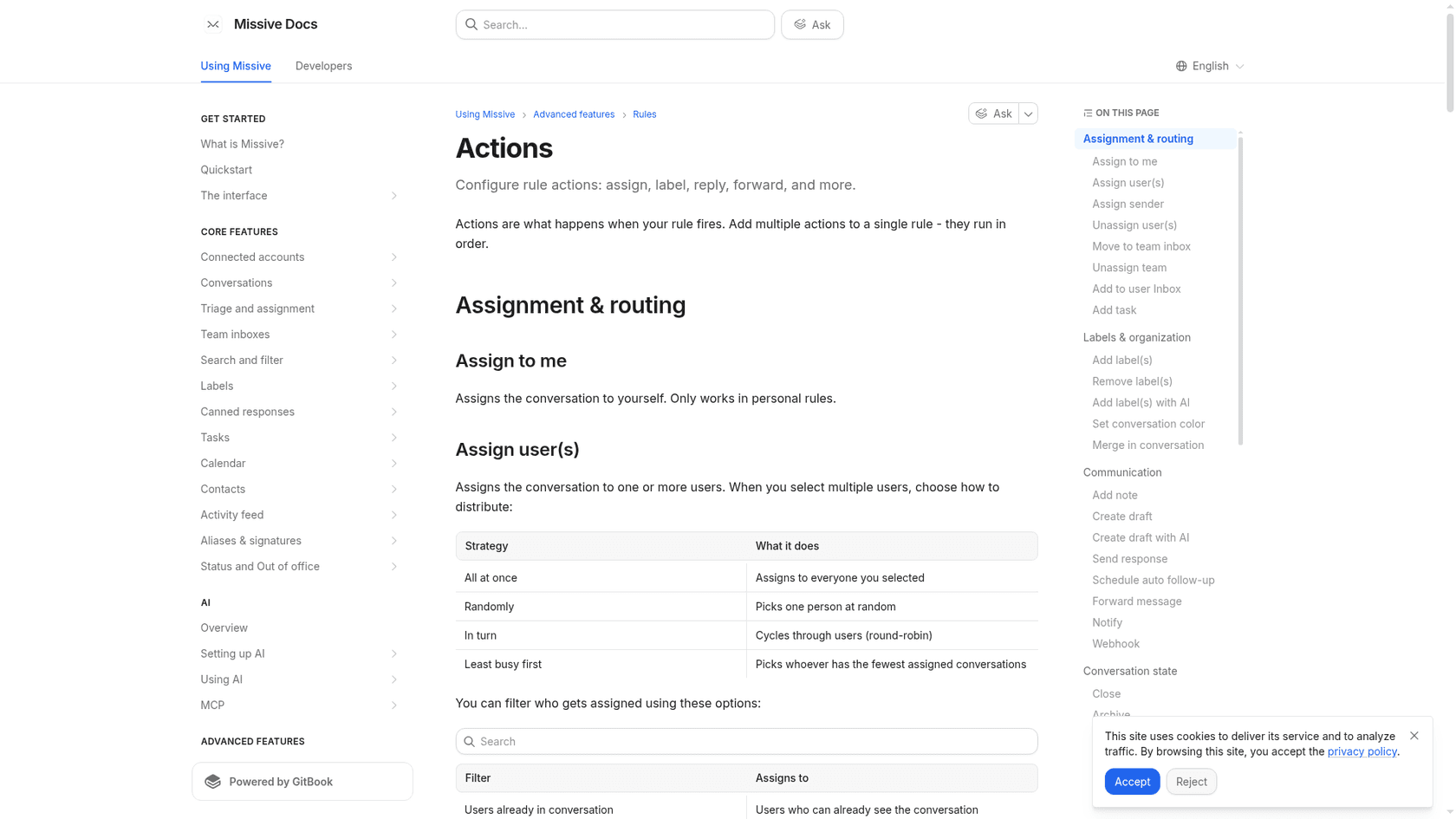
Not from inside Missive: every AI feature in the app stops at a draft or a note. The assistant writes "reply drafts you can review and send," and the AI action in rules is Create draft with AI, which Missive's AI Rules docs describe as "a reply draft you can review before sending." The one rule action that sends by itself, Send response, sends a fixed canned response, and Missive's rule actions docs warn: "Use carefully - there's no human review."
That's a choice, and Novak Conversions talks about it as one. Novak, a Jeep parts maker of about 20 people, connected Missive's assistant to its own catalog. Its CEO, Austin Twede, put the line plainly in Missive's customer story:
"The AI doesn't talk to our customers. It finds what we already know and puts it in front of the guy writing the email. He's still the one who decides if it's right for that build."
So the real question is whether you want AI that helps the person writing, which Missive does well, or AI that answers a share of customers itself, which means stepping outside Missive's app.
1. Missive AI assistant
Best for teams whose people write most replies and want an assistant that already knows the thread, the customer's history and the team's canned responses.
What it does
The assistant opens in a sidebar beside any conversation and already has "every email, chat message, and note" in the thread, plus the contents of PDF attachments. It can search across all your connected email accounts, check Google or Outlook calendars, look up contacts, run a semantic search over your canned responses, and create or edit reply drafts. When a request is ambiguous it asks multiple-choice questions instead of guessing. You can pin context with @ (another conversation, a team inbox, a label, all your responses) or just ask it to go and look.
Since its 9 November 2026 update it can also assign, close, archive or snooze conversations and create tasks, and Missive's changelog is clear: "Nothing happens without your approval." Each proposed action shows on an Approval Required card you tick before it runs. Around it sit prompts, one-click actions such as fix grammar or translate that a team can share, and instructions, guidelines for tone and boundaries that a person, a team admin or an organisation admin sets once and that apply to every assistant session in that scope (not to prompts or rules).
What it learns from
It works from what it can look up when you ask: the thread, your other email (searched per request), your canned responses, contacts and calendars. MCP integrations widen it: Notion, Linear, Attio, HubSpot, Stripe and others, or a custom MCP server, which is how Novak points the assistant at its own catalog running on a server in its building. If your best answers live in a help centre, connecting it as a custom MCP server is how the assistant reads it.
Pricing
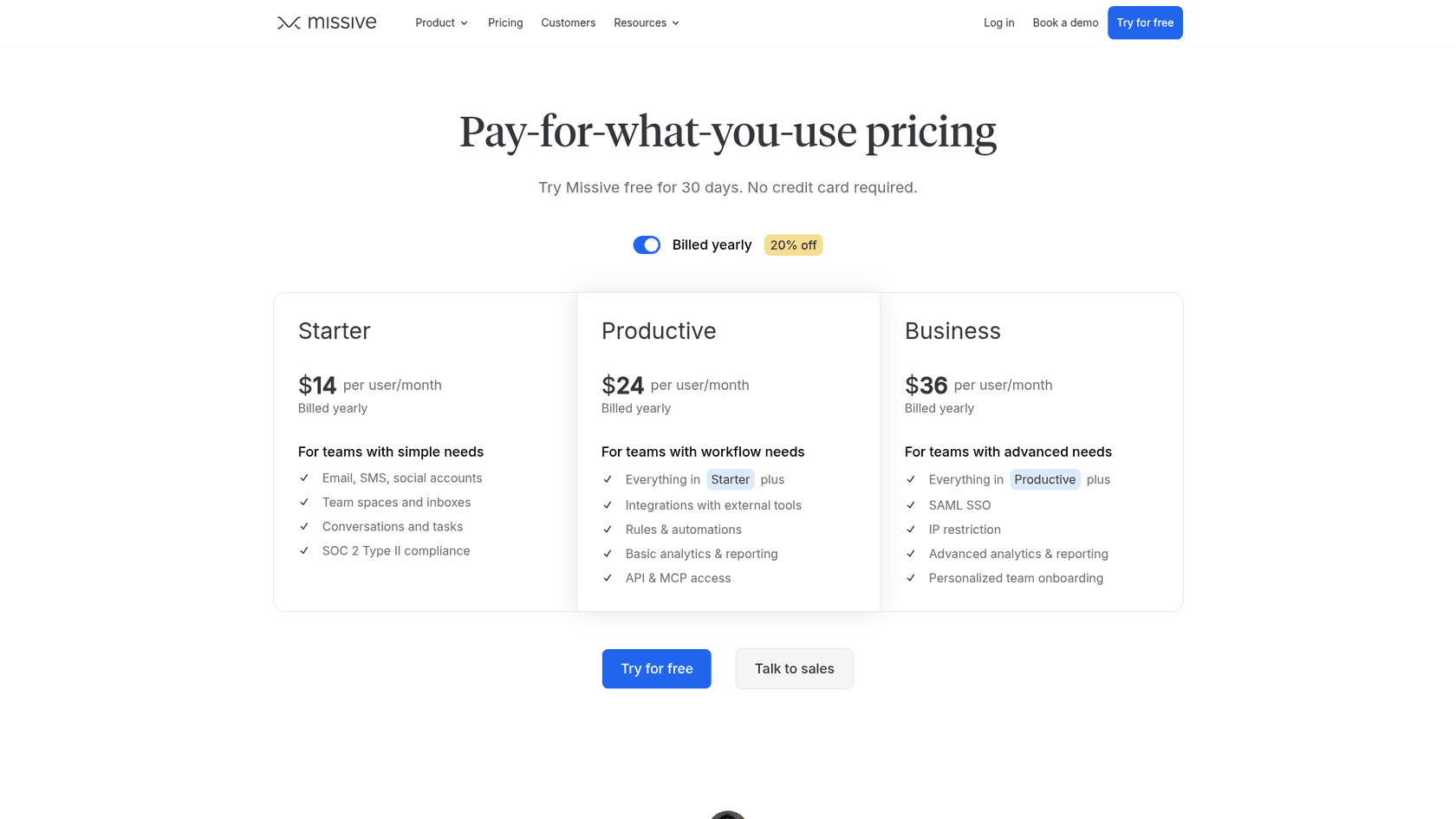
The assistant needs the Productive plan ($24 per user a month billed yearly, $30 monthly) or Business ($36 or $45); Starter ($14 or $18, up to 5 users) has no AI, rules or API, per Missive's billing docs. AI usage is billed on top, one of two ways. Missive AI credits need no key and show cost per user, at the provider's price plus a 25% markup, with a one-time $5 to start; when the balance hits $0, AI stops until an admin tops up. Or you bring your own Anthropic, OpenAI or Google key and pay the provider directly with no markup, which is also the only way to get provider features such as OpenAI's EU data residency.
Missive doesn't publish a cost per draft, since it depends on the model and how much the assistant reads. Missive's AI overview says the team uses Anthropic Claude daily and calls it "particularly strong for drafting customer-facing replies."
What to watch
The assistant makes each reply faster but doesn't take any off the team's plate, because a person still opens every conversation and sends every reply. Only one person can work in an assistant session at a time. And the move from Starter is the real cost for small teams: a 5-person team pays $70 a month on Starter yearly and $120 on Productive, before any AI usage. Our guide to agent assist explains the gap between helping agents and answering customers, and our agent assist tools roundup compares the field.
My take: pick the assistant if your team writes replies all day and wants help that reads the whole thread and your canned responses first. Skip it as your only AI if most of your mail is repeat questions nobody needs to touch. It comes down to whether you want faster writers or fewer conversations.
2. AI Rules
Best for teams that want every incoming message sorted, summarised or pre-drafted before anyone opens it.
What it does
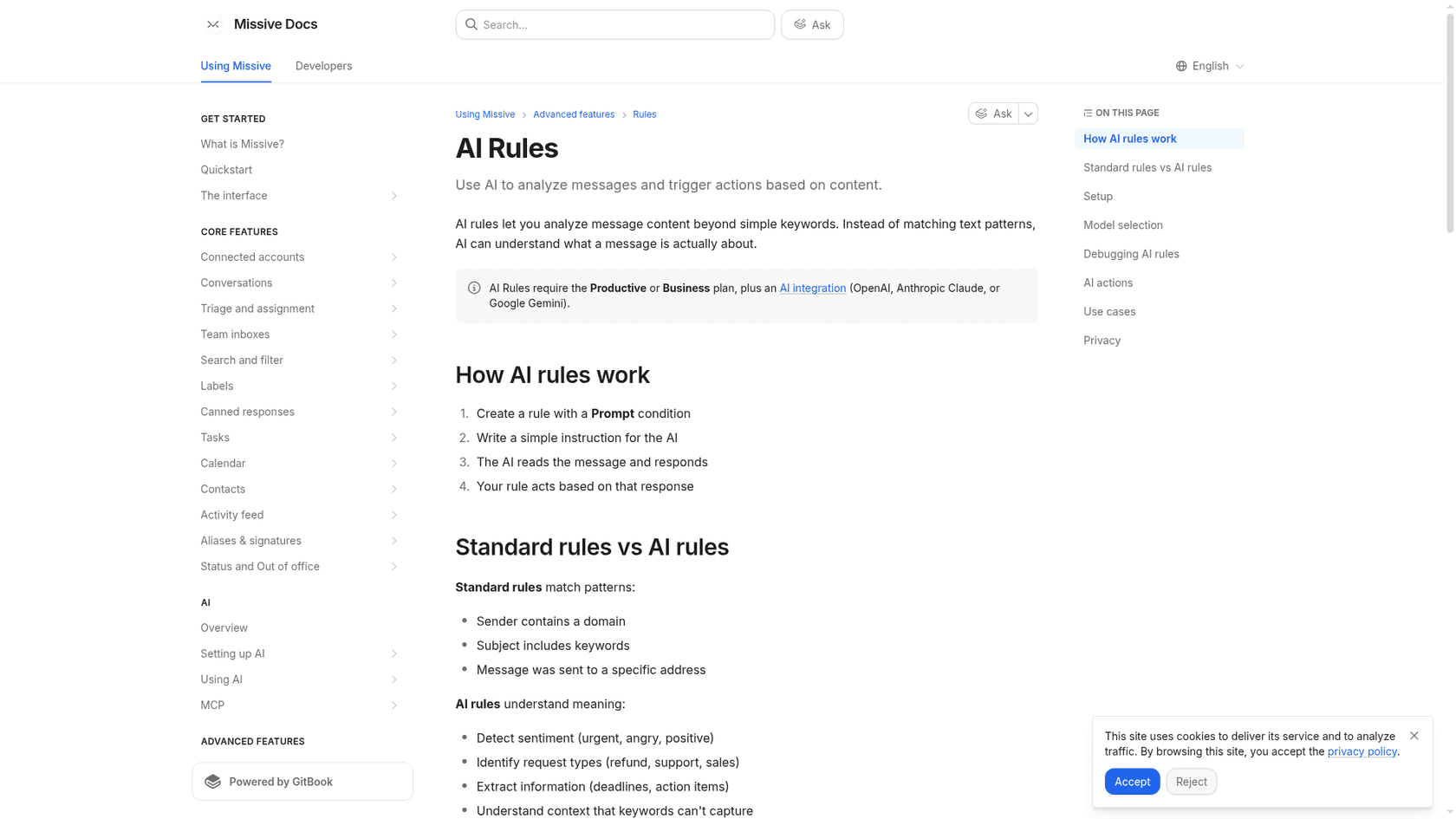
AI Rules put a model inside Missive's rules engine. A Prompt condition asks the AI a question about each message, such as whether it's a refund request, and the rule acts on the answer. Four AI actions do the work: Add label(s) with AI, Add AI note (a summary or analysis for the team), Add tasks with AI, and Create draft with AI, which can follow your tone, constraints and canned responses. Missive's docs suggest using ordinary conditions first so the AI only reads relevant messages, "This keeps costs down."
Models come in two kinds. Fast models run as the rule fires, and labels they set can trigger other rules; Powerful models run in the background and write better, but their labels won't trigger other rules. The Prompt condition only takes Fast models, and you can log what the AI answered into the conversation to debug a prompt.
What it learns from
Each message as it arrives (with a new option to leave out quoted text, so the AI reads only the latest reply), plus any canned responses you point the draft action at. Our guide to AI canned responses covers how to write ones an AI can use well. It doesn't search your past conversations the way the assistant can.
Pricing
The same as the assistant: a Productive or Business plan and AI usage, now for every message a rule sends to the model. A rule that drafts on every incoming email bills on every incoming email, so filtering first matters.
What to watch
A draft waiting in every conversation is only useful if someone reviews it soon, and an auto-labelled queue still needs people to answer it. AI Rules are triage and preparation. They never send an AI-written reply, and the only sending action, Send response, is a fixed template.
My take: turn on AI Rules if your inbox is busy enough that sorting and first drafts eat real time. Skip the draft-everything rule if nobody will clear those drafts within the hour. Ask yourself whether the bottleneck is reading the queue or writing the replies.
3. Missive's MCP server
Best for a lead or a small team who already work in Claude or ChatGPT and want to work their Missive inbox from that chat, sending included.
What it does
Missive runs its own Model Context Protocol server at mcp.missiveapp.com, out of beta since 28 August 2026. Connect Claude, ChatGPT, Cursor or another MCP app over OAuth and it can search your conversations, look up contacts, check your calendar, label conversations, draft replies "and send them, without you opening Missive," per the MCP server docs.
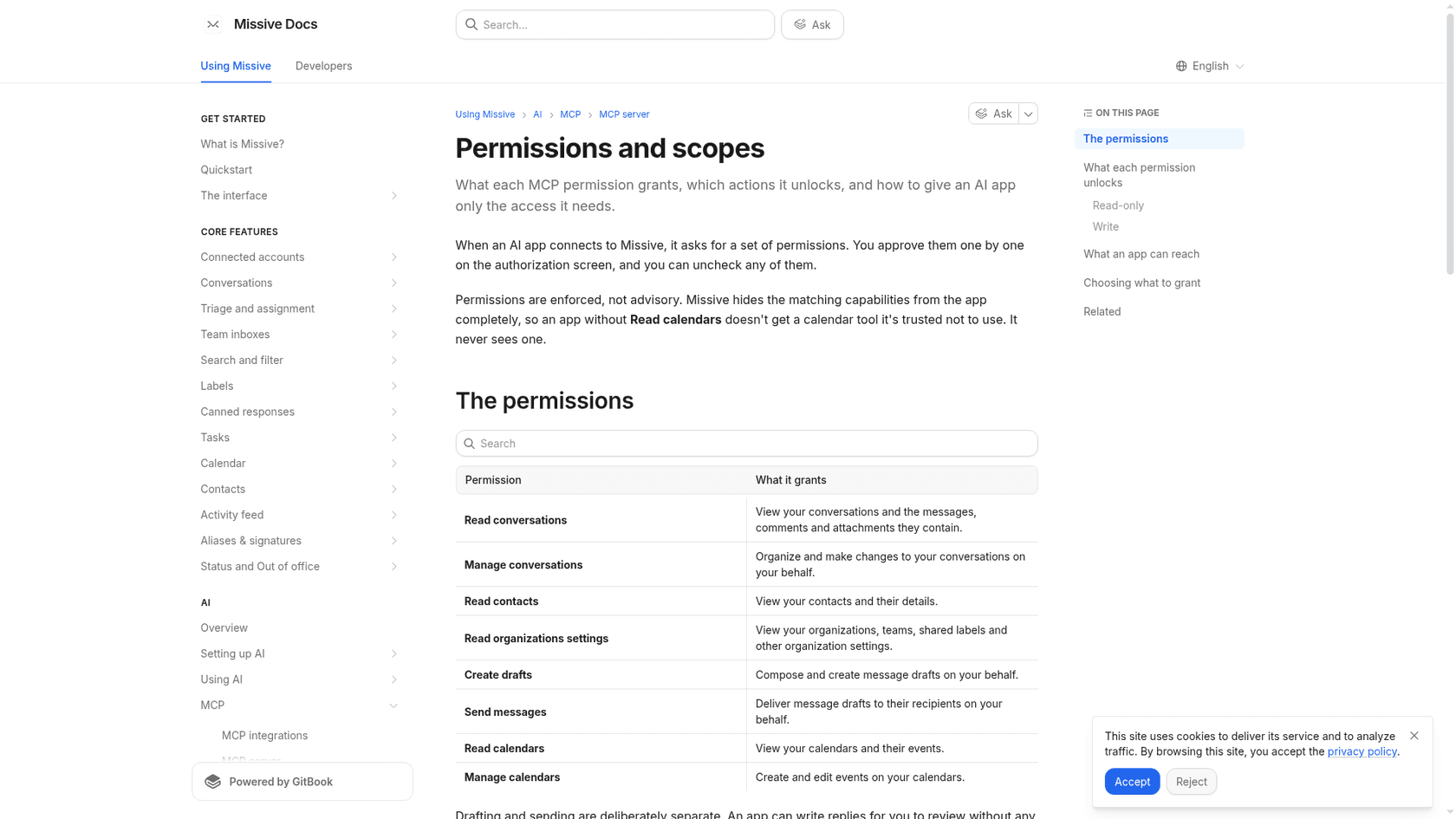
The permissions are the interesting part. Create drafts and Send messages are separate, so an app can write replies for review with no way to deliver them. Missive hides any tool you didn't grant ("Permissions are enforced, not advisory"). But Missive also warns that write actions through MCP "happen immediately," without its in-app confirmation, so "the only thing standing between a request and a sent email is whatever approval prompt your AI app shows you."
One G2 reviewer who runs several businesses from Missive connects it to Claude to find conversations, pull a deal's history and draft replies:
"Drafts land right in Missive, so I can review and send them from there. It also works with labels and the calendar, which lets me keep things organized from one place."

What it learns from
Whatever the connected app reads in that chat. It sees exactly what you see in Missive, across every organisation you belong to, and nothing more.
Pricing
The MCP server doesn't use Missive AI: the model is the one in your AI app, so you pay that vendor and no Missive AI credits are drawn. You still need a current Productive or Business plan (legacy plans need an upgrade), and an admin has to turn MCP on in every organisation you're in. One organisation with it off blocks you entirely.
What to watch
Missive says it plainly: "It doesn't act on its own. Nothing happens unless you ask for it in a chat." So it suits a lead clearing a backlog or answering a batch of threads, not answering each new customer as they write. And an app with Send messages sends real email as you, so set it to ask before running tools. Our Claude for Front guide covers the same pattern on a rival inbox.
My take: use the MCP server if you already live in Claude or ChatGPT and want your inbox there, granting Send messages only once you trust the prompts you use. Skip it as a way to answer every customer, since someone has to start each chat. Judge it on the batches of work a person will actually hand it.
4. Missive REST API and webhooks
Best for teams with a developer who want their own AI to answer some customers end to end, with Missive as the inbox.
What it does
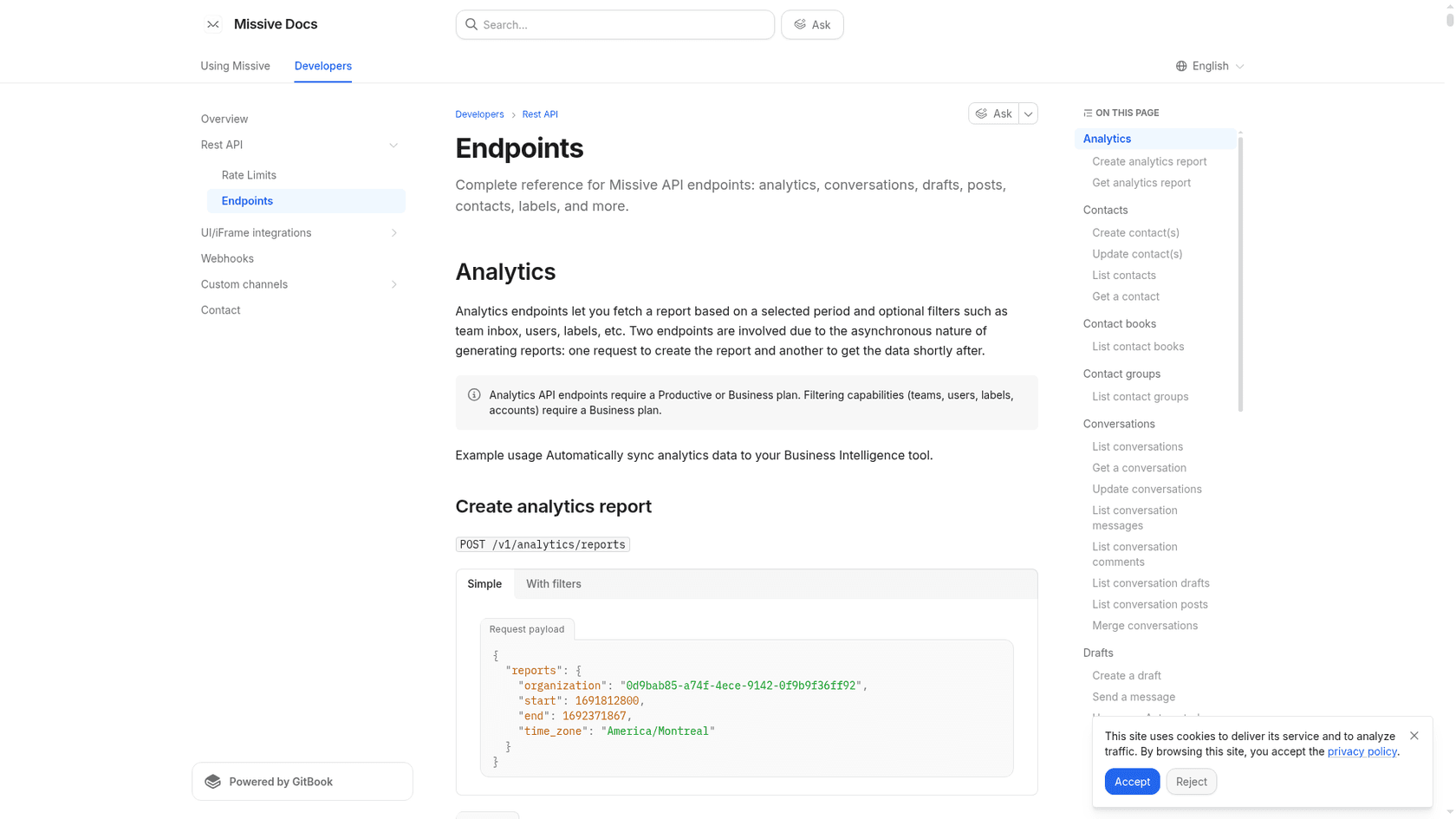
Missive's REST API lives at https://public.missiveapp.com/v1 and takes a Bearer token you create in Missive's preferences. The drafts endpoint is, in Missive's words, "the endpoint to use for sending emails": create a draft as a reply in an existing conversation and add send: true to send it at once. It covers email, SMS, WhatsApp and Missive Live Chat drafts, and can schedule with send_at. Posts add a visible note to a conversation and can close it, assign it or label it. Other endpoints list conversations, their messages and comments, contacts and canned responses.
To wake your code when a customer writes in, add a Webhook action to an incoming-message rule, or create one through the API (POST /v1/hooks) for incoming email, SMS, Facebook, WhatsApp or Twilio chat messages and new comments. Missive signs each webhook with an HMAC of the body using a secret you set, so you can check it came from Missive.
What it learns from
Whatever your code fetches and hands your model: the conversation's messages, past conversations with that contact, your canned responses, plus anything outside Missive you connect.
Pricing
API tokens need the Productive plan or above. Missive lists no charge per call, but sets rate limits: 5 concurrent requests, 300 requests a minute and 900 per 15 minutes. Your model's provider bills its own usage, and developer time is the biggest cost.
What to watch
Every token is personal: "There is no organization-level or shared-account-specific token," so your bot acts as the person whose token it holds, and sees everything they can. A send through the API also runs your matching outgoing rules, which is handy for follow-up sequences and surprising if you forgot one. And nothing answers customers until you build the receiver, the prompt, the hand-off rules and the reply.
My take: build on the API if you have a developer, a clear set of questions you'd let AI answer, and someone to own the code. Skip it if nobody will. Decide first whose token it runs on, since every reply goes out as that person.
5. eesel
Best for teams that want AI to answer customers without switching off Missive, and whose work also runs through Slack, a helpdesk or other tools.
What it does
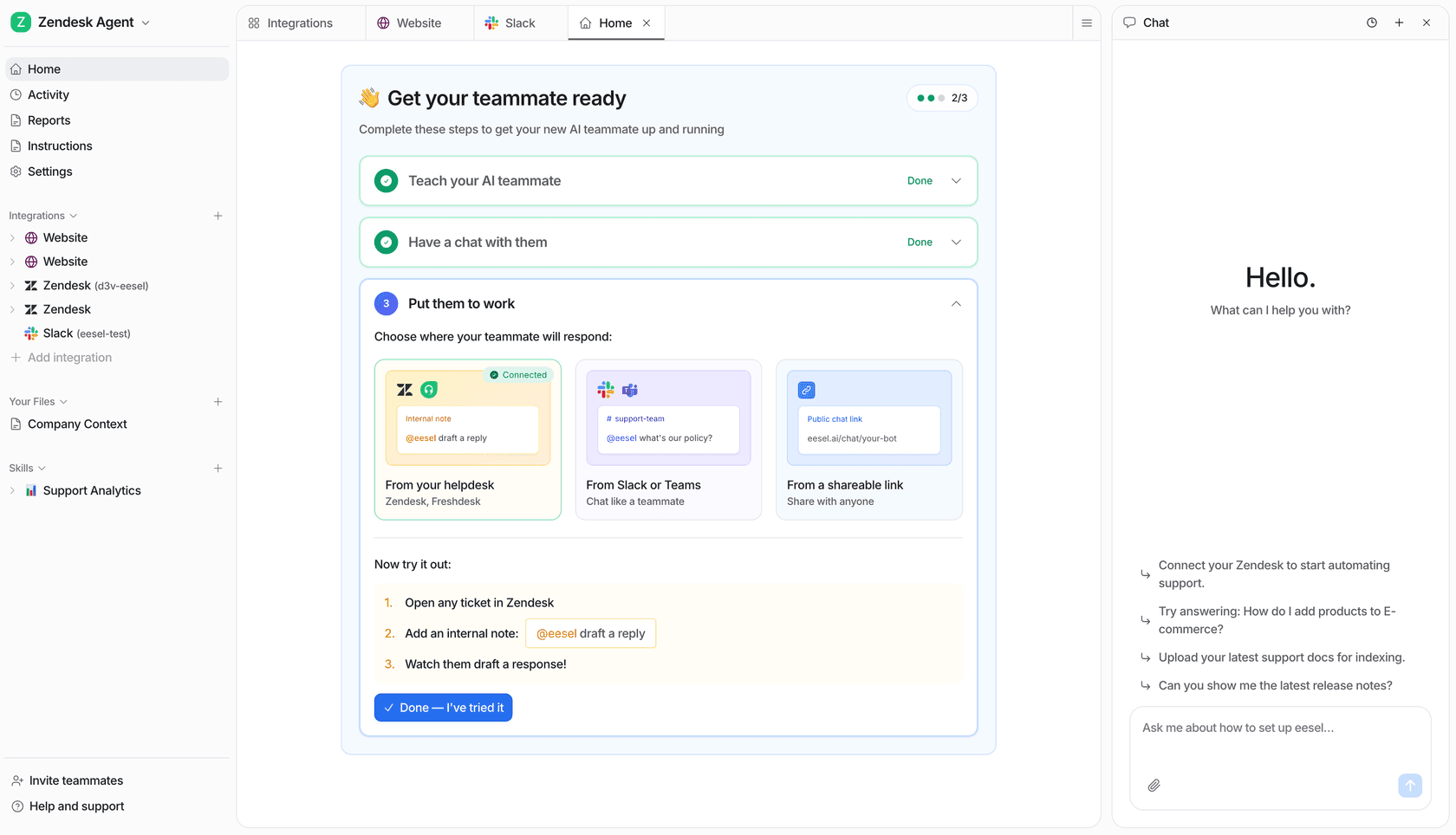
eesel is an AI teammate that joins the tools your team already uses, such as Gmail, Front, Slack and your helpdesk, learns from past conversations, and answers customers and teammates there. What it may do depends on who is asking: for a teammate, a verified customer or an anonymous visitor, each tool runs on its own, asks first, or stays off, and anything set to ask first waits for a person's yes, as eesel's actions and approvals docs explain.
Missive isn't a dedicated eesel integration, so this route is a setup your team does. eesel's Your APIs page lets it call Missive's REST API with a token stored in your settings, where the AI never sees it, so it can read conversations, post a note for the team or send a reply. A webhook automation gives you a URL that a Missive rule's Webhook action can call when a message arrives, which wakes eesel with the conversation to work on. Because Missive's tokens are personal, create it under the person (or a dedicated user) you want replies to come from.
What it learns from
Past tickets and help articles in the helpdesks it connects to natively, plus documents in tools like Google Drive and Confluence. In Missive, it reads what it fetches through the API, conversation by conversation.
Pricing
One fixed monthly plan in credits, with no per-seat charge: from $299 a month for 500 credits, where a ticket or chat is 1 credit however many replies it takes, per eesel's pricing. You can start with 100 credits for 7 days, no card needed. You keep paying for your Missive seats.
What to watch
Because Missive is reached through its API, you build the hand-off: which rule wakes it, whether it posts notes or sends replies, and when it leaves a conversation for a person. That's more setup than the assistant and less than writing your own AI on the API.
My take: pick eesel if you want AI that answers some Missive customers on its own, with approvals you set per person and per tool, and your team also works in Slack or a helpdesk. Skip it if the assistant's drafts cover what you need. The deciding factor is whether you want AI that drafts or AI that can reply once you trust it.
Which route fits what you want AI to do?
The routes overlap less than they look, because each answers a different job. Pick the job you'd hand AI first; the costs assume a team of 8 on Productive, billed yearly, so $192 a month in Missive seats before any AI.
Pick the job you'd hand AI first to see the route, what it costs a team of 8 and who ends up pressing Send.
Missive's own AI is the cheapest to add because the seats are already paid for and you pay only for what the model reads. Everything that sends on its own costs more, either in a developer's time or in a second plan, and is worth comparing with what a person costs to answer the same mail, not with the assistant alone.
Which AI should you pick for Missive?
If your team writes most replies by hand, start with the assistant and add AI Rules once you know which messages are worth pre-drafting: both are already in the Productive plan you need for rules and integrations anyway. If you want AI answering customers, decide who presses Send. A person in a chat window points to the MCP server. Your own code points to the API, if you have someone to own it. An AI teammate that answers on its own within limits you set points to eesel. If you're on Starter, price the jump to Productive before any of this, since none of the five works there. Our best AI for Help Scout and best AI for Hiver guides cover two email-first rivals, and our AI for email support roundup covers the wider field.
Try eesel next to Missive
If Missive's drafts already save your team time and the next step is AI that answers part of the inbox itself, eesel is worth a look. It can reply to Missive customers through the API on its own for questions you've cleared, ask a person first for anything you've set to need a yes, and keep your team in the loop in Slack, so you get the second half of the job without moving inbox.
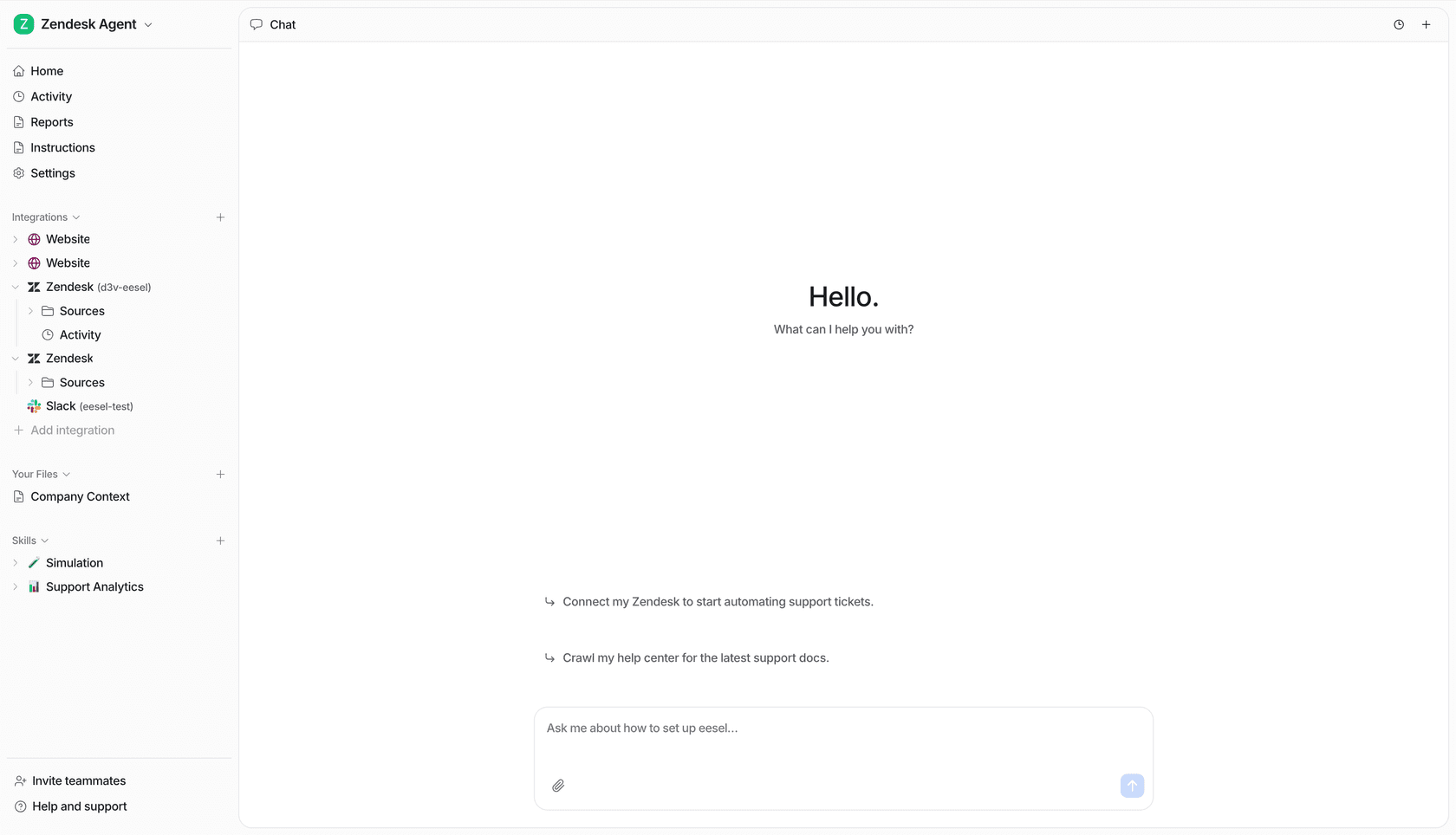
Try eesel with 100 free credits for 7 days, no card needed.