

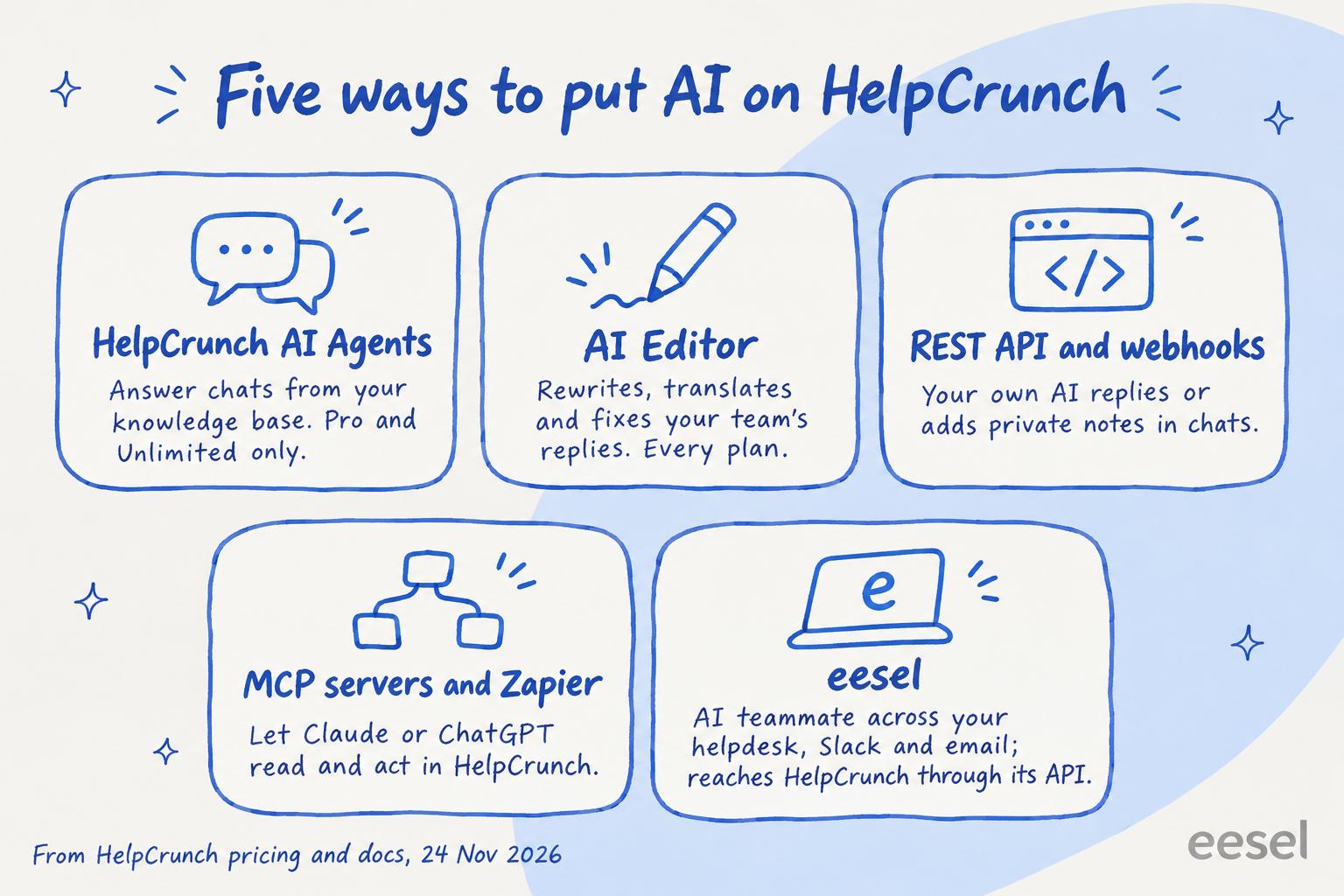
The best AI for most teams on HelpCrunch is its own AI Agents, which need the Pro plan ($25 per team member a month, or $20 billed yearly) and include just 50 AI conversations a month, with 1,000 more costing $200 a month. When the allowance runs out, the AI step is skipped and chats go to the next block of the flow, so budget for an extension before you go live. Beyond the AI Agents you have the AI Editor, which polishes your team's replies on every plan; HelpCrunch's REST API and webhooks, which let your own AI reply or leave private notes in chats; and MCP servers and Zapier, which let Claude, ChatGPT or a no-code agent read and act in HelpCrunch. If your team also runs support in a mainstream helpdesk, Slack or email, an AI teammate like eesel works across those tools and can reach HelpCrunch through its API, and a coding agent can set it up for you with the eesel CLI, with an admin approving the connection to a helpdesk such as Zendesk or Freshdesk.
How I picked these
I build integrations and APIs at eesel, so I read HelpCrunch, a live chat, email and knowledge base platform, the way I'd read any tool I had to connect an AI to: who the AI answers, what it learns from, what it can touch, and what each conversation costs. Every option here comes from HelpCrunch's own pricing page, its help centre and REST API docs, plus the Pipedream, Zapier and usefulapi pages for HelpCrunch and eesel's own docs, read on 24 November 2026. If you're still weighing the platform itself, our HelpCrunch pricing guide and HelpCrunch AI review go deeper.
The five routes split by who the AI works for. The AI Agents answer your customers, the AI Editor helps your team write, the API and webhooks put your own code to work inside HelpCrunch, MCP servers and Zapier hand HelpCrunch to an AI assistant, and an AI teammate like eesel works across the tools around it.
The best AI for HelpCrunch, compared
| Option | Works for | Plans | What you pay | Answers customers on its own? |
|---|---|---|---|---|
| HelpCrunch AI Agents | Your customers, in chatbot flows | Pro and Unlimited | Included: 50 (Pro) or 100 (Unlimited) AI conversations a month; extensions from $29 for 100 | Yes, and hands off to a person when it finds no answer |
| AI Editor | Your team, while writing replies | Every plan | 20 requests on a one-member Basic plan, 50 on a one-member Pro plan, unlimited on Unlimited | No, a person sends every reply |
| REST API and webhooks | Your own AI tool or code | Any plan with a Public API key; the pricing page doesn't list API access by plan | No HelpCrunch charge listed; your AI model bills its own usage | Only what you build |
| MCP servers and Zapier | Claude, ChatGPT or a no-code agent | Any plan with a Public API key | Third-party pricing, such as usefulapi's 50 free tool calls a month | Only when the assistant is told to |
| eesel | Your team and customers, in your other tools | Its own plans | One credit per ticket or chat, from $299 a month for 500 | Per person and per tool: on its own, ask first, or off |
The pick for most teams already on HelpCrunch is the AI Agents on Pro, with an extension sized to your chat volume. The API route adds to it rather than replacing it, and the AI Editor is worth switching on whatever else you choose. Our post on built-in AI vs a layer covers the wider trade-off.
1. HelpCrunch AI Agents
Best for teams on Pro or Unlimited whose most common chat questions are already answered in a HelpCrunch knowledge base.
What it does
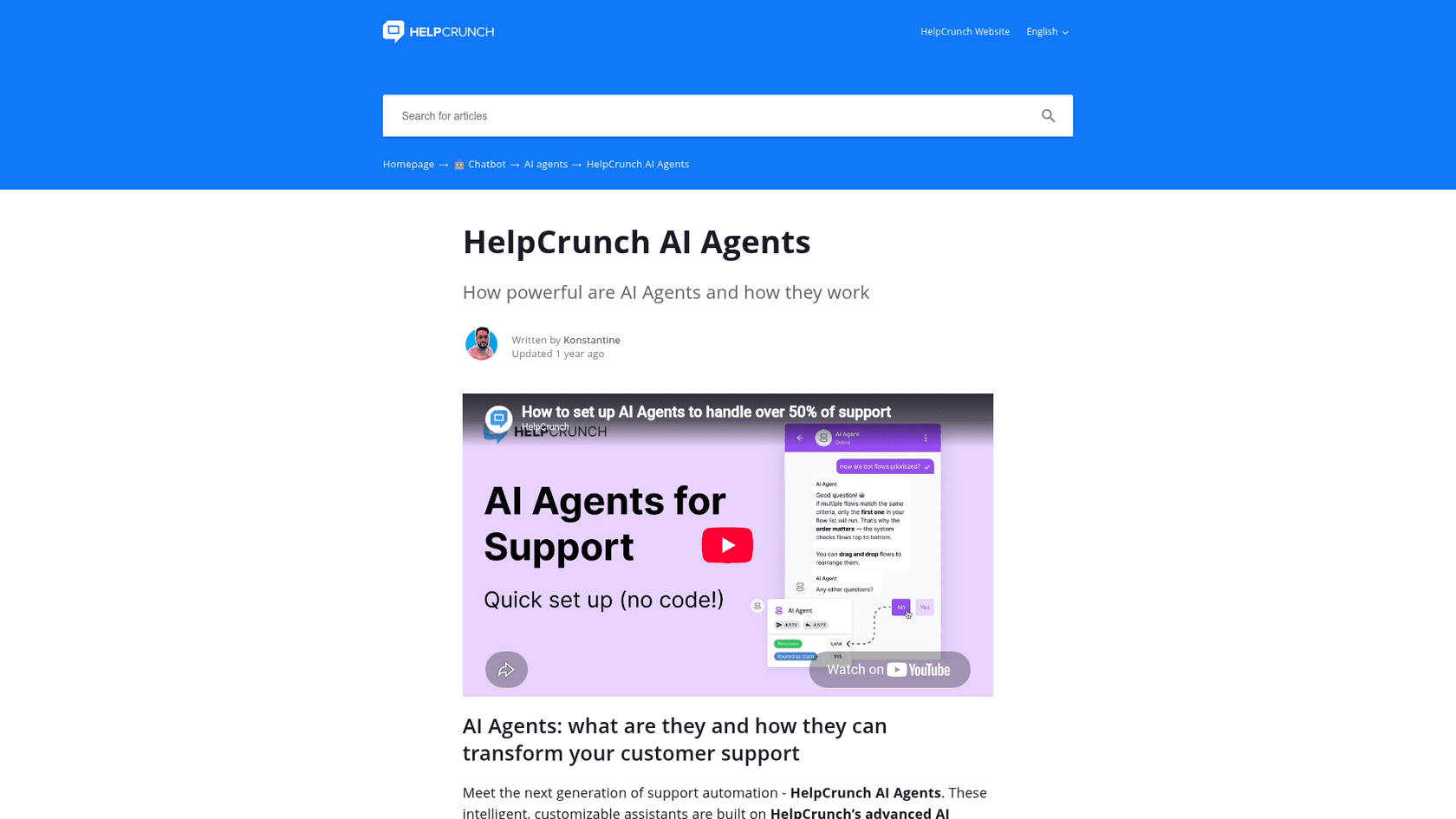
HelpCrunch's AI Agents answer customers from your content, split long answers across several messages, handle multi-part questions and, when they can't find an answer, "they won't make it up. Instead, they escalate to a human agent." Each AI Agent sits inside a chatbot flow as a block, so the flow decides when the AI speaks and what happens after it. You can run several, each trained on its own sources (a support agent, a sales agent), up to five on Pro.
Under the hood, HelpCrunch's instructions guide lists the tools an AI Agent has: search your connected sources, route the chat to your team, offer to close it, close it, and read the customer's profile fields. The same guide is blunt about the rest: it "does not browse the internet" and "does not have access to your internal systems (CRM, billing provider, order management, etc.) unless the information is in your connected sources." Action Agents for checking orders or updating a CRM are marked "coming soon" in the overview article.
What it learns from
HelpCrunch AI Agents learn from two data sources: your HelpCrunch knowledge base and Custom Answers, which are question-and-answer pairs you write, as the data sources article lists them. You set which source is searched first, and if neither has an answer the AI offers to connect the customer with a person. Past chats aren't a source, so if your best answers sit in years of conversations rather than a knowledge base, write the top ones up first. One article in three languages counts as three data sources against the 200 on Pro.
Pricing
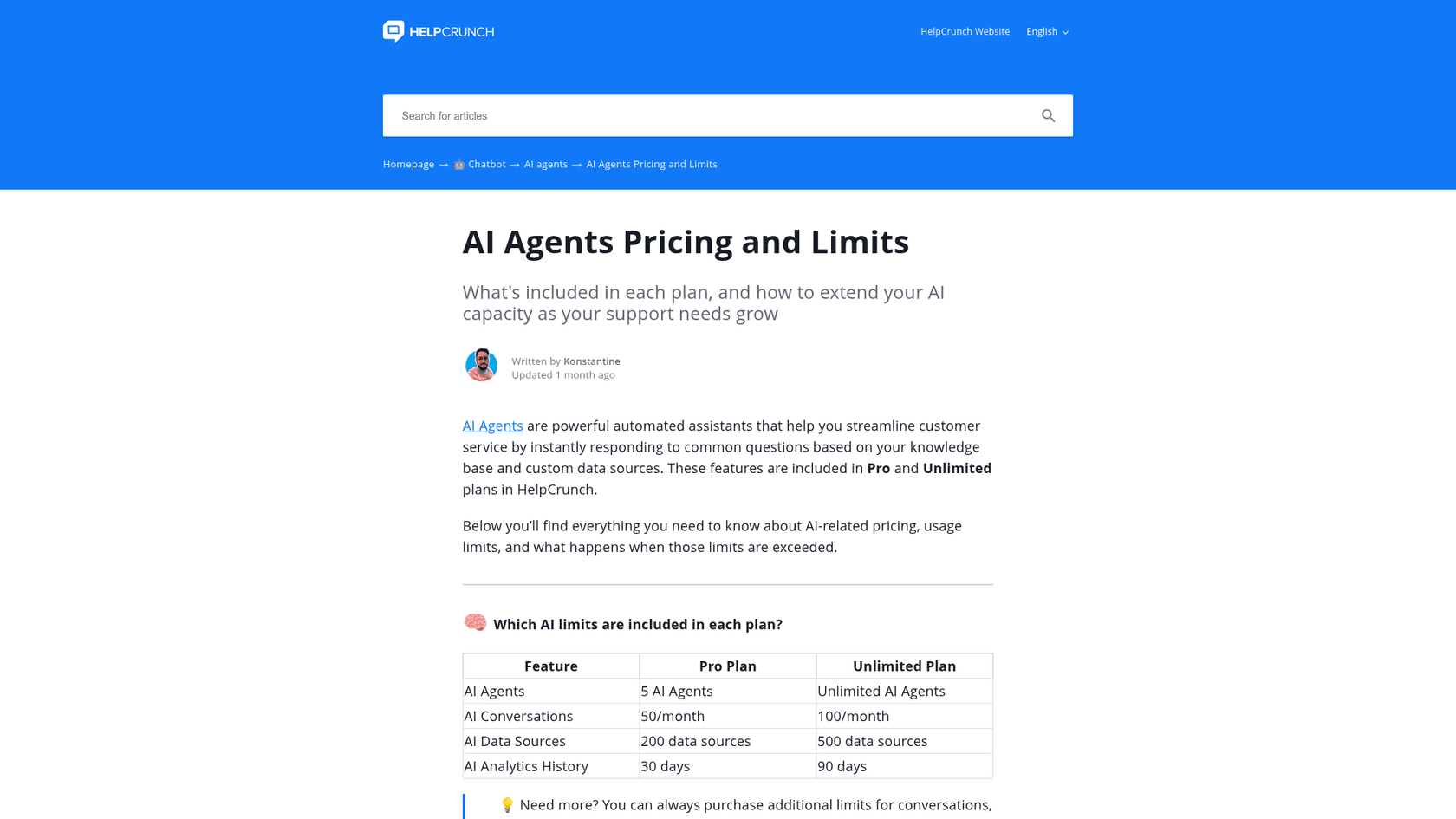
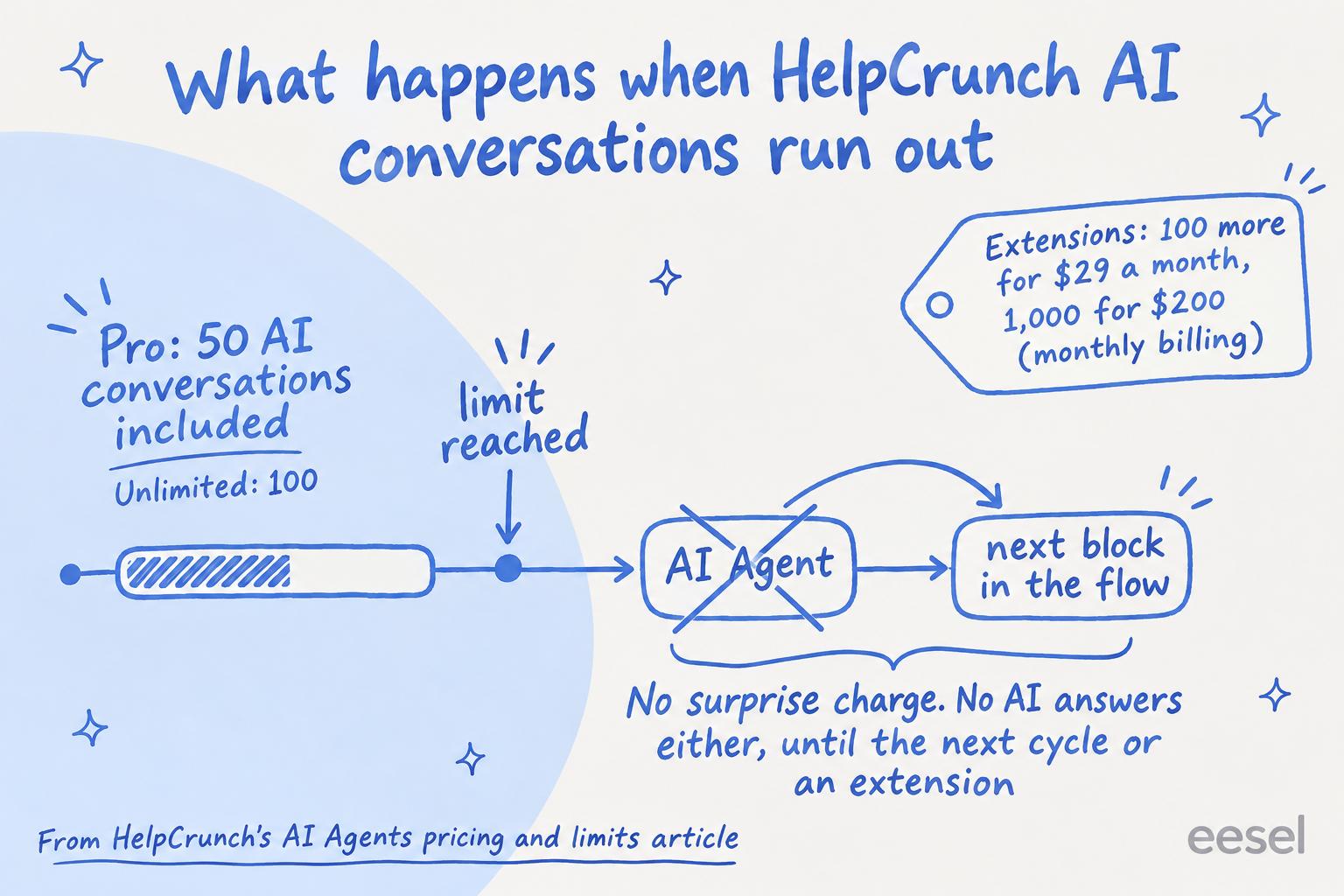
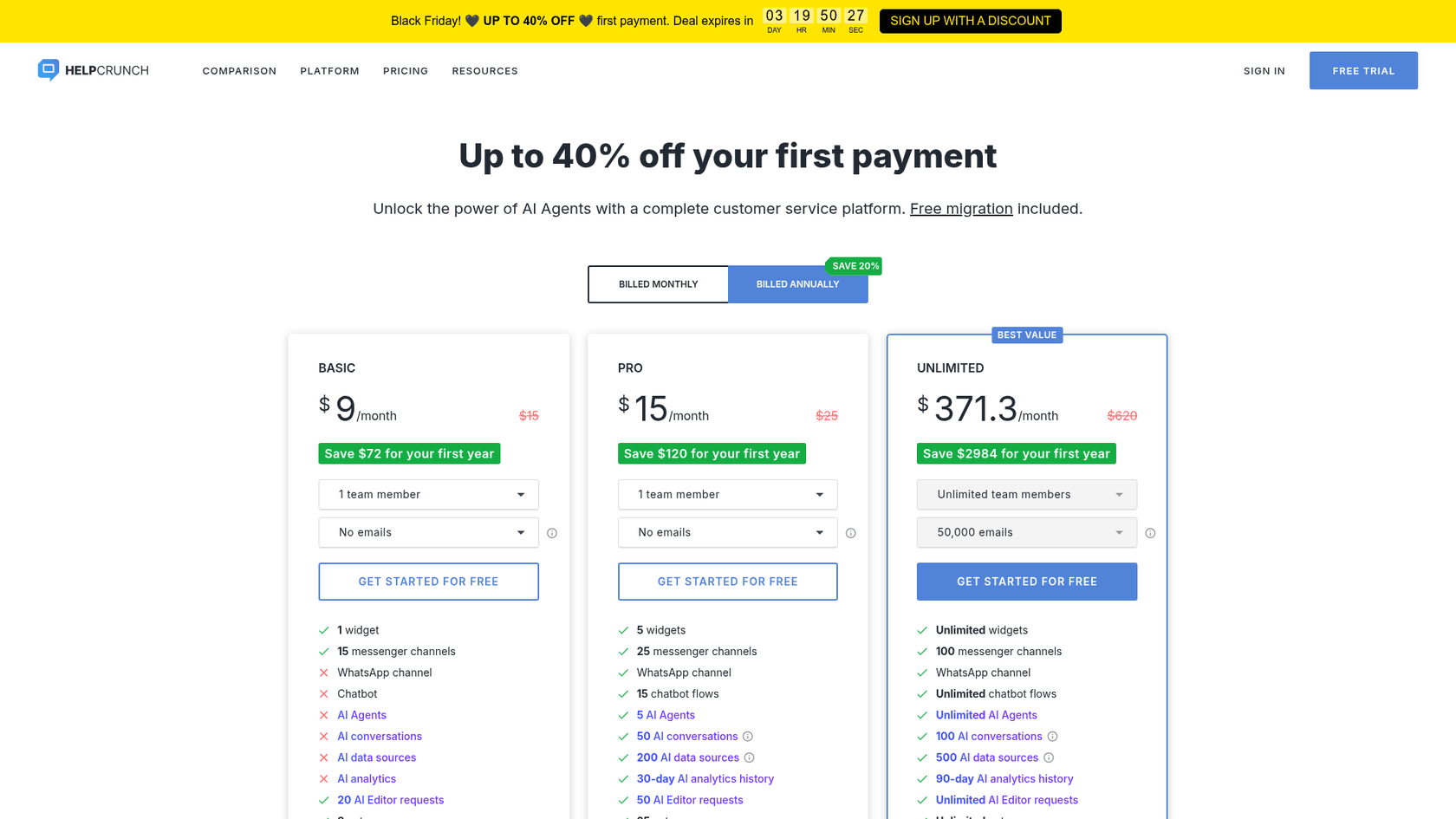
AI Agents need the Pro plan at $25 per team member a month ($20 billed yearly) or Unlimited at $620 a month ($495 billed yearly) for unlimited team members, per HelpCrunch's pricing page. Pro includes 50 AI conversations a month and Unlimited 100, and extensions add more on top: 100 for $29, 1,000 for $200 and 10,000 for $1,000 a month on monthly billing, with 20% off billed yearly. That works out at $0.29 down to $0.08 per AI conversation as you buy bigger blocks, and HelpCrunch counts conversations the AI handles, not ones it resolves.
The trap is what happens at the limit. Once the monthly quota is used up, "the AI Agent block will be ignored in chatbot flows" and the chatbot skips to the next block, per the pricing and limits article. You're never charged extra automatically, which is kind to your budget, but it also means 50 conversations can be gone in the first days of the month and your customers quietly stop getting AI answers. If you use AI Agents on WhatsApp, Meta's per-message fees apply on top, which HelpCrunch passes through without markup.
What to watch
HelpCrunch's performance report splits AI conversations into deflected and routed to team, and deflected into resolved and abandoned. Read the second split. In the report's own sample, 173 of 383 conversations were "deflected" (45.17%), but a deflected chat includes customers who simply left. The unresolved questions report lists the questions the AI couldn't answer, tagged, so you can add an article or Custom Answer and mark each one fixed. Our guide to deflection rate explains why the two numbers differ.
My take: pick the AI Agents if HelpCrunch is your whole support desk and your knowledge base is in good shape. Skip them as your only AI if your answers live in past chats or your customers mostly ask about orders and accounts, since the AI can't reach those systems yet. The deciding factor is your monthly chat volume, because past 50 AI conversations the extension is most of your AI bill.
2. AI Editor
Best for every HelpCrunch team, including Basic, whose agents write a lot of replies by hand or answer customers in more than one language.
What it does
The AI Editor for Inbox sits in the message toolbar and, per HelpCrunch, uses OpenAI's GPT models. It rephrases, translates into English, Ukrainian, Spanish, French, Portuguese or German, fixes grammar, switches the tone between friendly and formal, and makes a reply longer or shorter, on the whole text or a selected part. A companion AI Editor for the knowledge base does the same for articles. It never sends anything itself: an agent reviews the result and sends it.
What it learns from
Nothing beyond the text in front of it. It works on what an agent typed or selected in the reply box, and doesn't read your knowledge base or past chats, so it improves how a reply is written, not what it says.
Pricing
The AI Editor is on every plan: 20 requests on a one-member Basic plan, 50 on a one-member Pro plan, and unlimited on Unlimited, per the pricing page, which says the limit is shared by the whole team and grows with the number of team members on your plan. Only successful requests count.
What to watch
Translate only goes into six languages, so it can't put a reply into Italian or Polish, and HelpCrunch says the editor works best in English. On Basic or Pro a busy team can also use up the shared request allowance.
My take: switch it on whatever else you choose; it is the cheapest AI in HelpCrunch and saves real time on translation. Skip it as your answer to "AI for support", since it never replies to a customer on its own. The deciding factor is how many languages your customers write in.
3. HelpCrunch REST API and webhooks
Best for teams with a developer who want their own AI model to draft or send replies in HelpCrunch, or to work on chats the AI Agents never see.
What it does
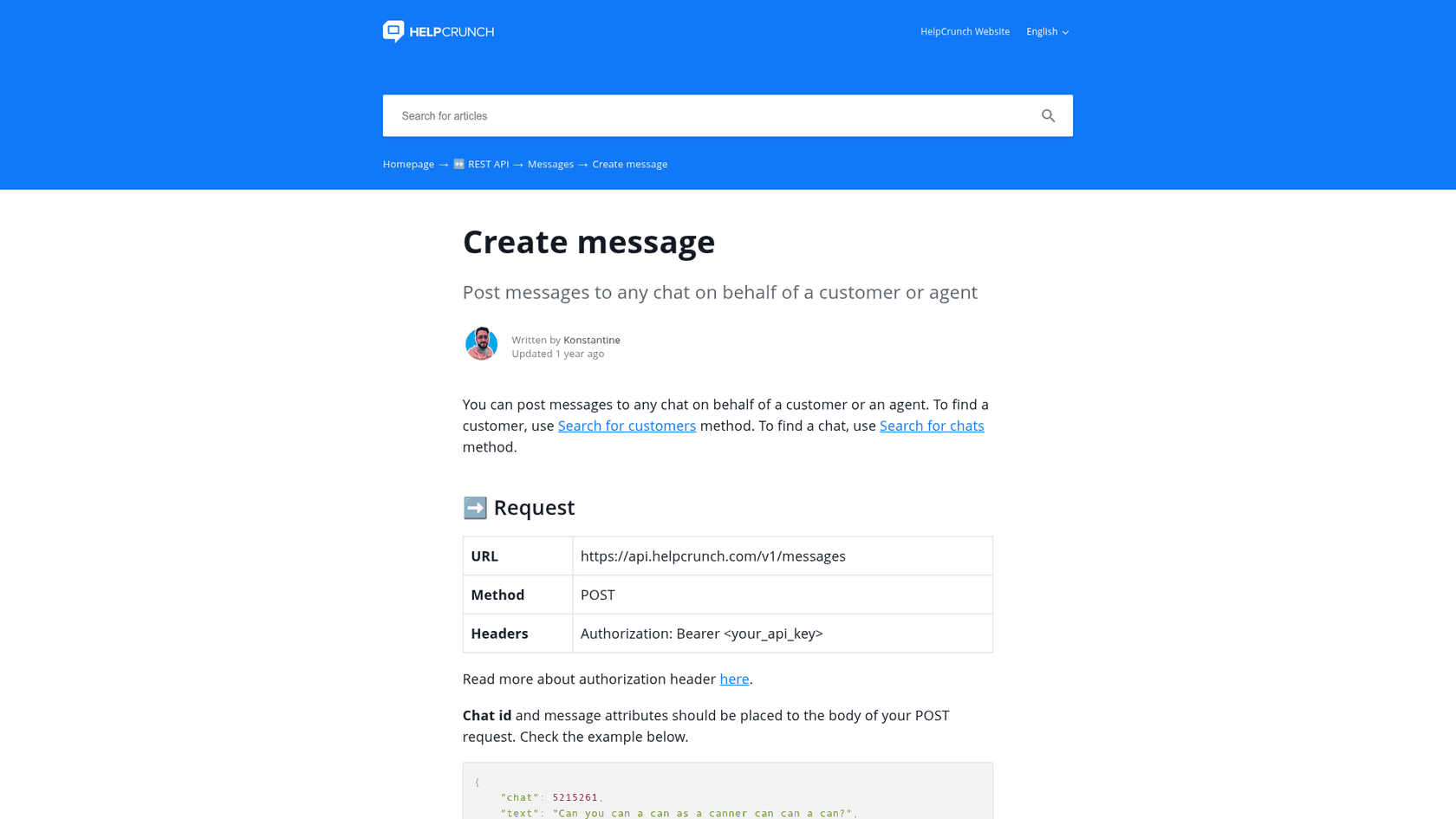
HelpCrunch's REST API at https://api.helpcrunch.com/v1 takes one header, Authorization: Bearer with the API key from Settings, Developers, Public API, which HelpCrunch says "is permanent and never expires". It allows 120 requests a minute. The Create message endpoint posts to a chat as a named agent, either as a message the customer sees or as a private note that only your team sees, which is the safe way to start: let your AI draft in private notes and have a person send. Email replies aren't supported through it ("email is not supported"), so this route covers chat. Other endpoints search and read chats and messages, change a chat's status, assignee or department, and tag customers.
Webhooks push chat, customer and message events to your URL, including message.chat.customer and message.email.customer for new incoming messages, and message.private for a new private note. HelpCrunch says chat, customer and message events are the only ones you can subscribe to for now.
What it learns from
Whatever you give your own model. Through the API it can read chats, their messages and customer records, so unlike the AI Agents it can use past conversations, as long as your code fetches them and your model is set up to use them.
Pricing
HelpCrunch's pricing page lists no charge for API calls or webhooks. Your AI model's provider bills its own usage, and the cost that matters most is the developer time to build and maintain it.
What to watch
Nothing here answers customers until you build it: the webhook receiver, the prompt, the hand-off rules and the reply. An API reply is also outside the AI Agents' analytics and the chatbot flow, so you're running two AI systems if you keep both. The 120-a-minute limit matters at scale, since one reply can take several calls (read the chat, read its messages, post the answer).
My take: use the API if you have a developer and want AI that drafts private notes on chats, including email threads your AI can read but can't answer. Skip it if nobody on the team will own the code. The deciding factor is who fixes it when the webhook stops arriving.
4. MCP servers and Zapier
Best for a support lead who wants Claude, ChatGPT or a coding agent to look through HelpCrunch chats, summarise them or tidy the queue, without writing code.
What it does
HelpCrunch's developer docs don't list an MCP server of its own, but third-party servers wrap its API as Model Context Protocol tools. The hosted usefulapi server is the most complete I found: it finds and reads chats, posts "a customer-visible reply or an internal private note into a live chat, as the agent you name", changes a chat's status or assignee, looks up customers, and checks agents, departments and team availability. You connect it with your HelpCrunch API key, and it includes 50 free tool calls a month. Community servers built for Claude Code also exist on MCP directories.
The no-code platforms are thinner. Pipedream's HelpCrunch app has two actions, Create Customer and Find or Create Customer, and three triggers, New Chat, New Customer and Chat Status Updated, and its actions are exposed as MCP tools. Zapier's HelpCrunch MCP page lists Create Customer, Find Customer and Find or Create Customer. Neither can reply in a chat, so they suit syncing contacts with a CRM rather than support.
What it learns from
Whatever the assistant reads through the server in that session: the chats, messages and customers your API key can reach. Nothing is trained or kept between sessions unless your assistant keeps it.
Pricing
usefulapi includes 50 free tool calls a month, and Pipedream and Zapier bill through their own plans. HelpCrunch lists no charge of its own.
What to watch
An MCP server acts with whatever your API key allows, and HelpCrunch's key reaches the whole account. Give an assistant read-only work first (find the chats waiting longest, summarise the week's complaints), and keep replies for the tool that posts private notes until you trust it. Our explainer on an AI agent MCP server covers how these tools work, and our roundup of helpdesk MCP servers compares helpdesks that ship their own.
My take: use an MCP server for analysis and housekeeping a person asks for in the moment. Skip it as a way to answer customers around the clock, because it only acts when someone prompts it. The deciding factor is whether the work starts with a person asking or with a customer writing in.
What will HelpCrunch AI cost your team, Pro or Unlimited?
HelpCrunch's two AI plans price in opposite ways. Pro charges per team member and includes 50 AI conversations; Unlimited is one flat fee for any team size with 100 included. Add the AI conversation extension each needs, and the cheaper plan depends on your headcount more than your chat volume.
Enter your team size and how many chats you expect the AI Agents to handle each month to see which plan costs less. Emails, WhatsApp fees and data source extensions aren't counted.
The calculator picks the smallest single extension package that covers your AI conversations above the included 50 or 100, at the prices on HelpCrunch's pricing page. Pro's price also rises if you add an email allowance (5,000 emails takes a five-member Pro plan from $125 to $145 a month), and Unlimited includes 50,000 emails. With the defaults, five team members and 600 AI conversations, Pro costs $325 a month and Unlimited $745, so Unlimited only wins for big teams: at 600 AI conversations, Pro passes it somewhere above 20 team members, which is where HelpCrunch's Pro dropdown stops anyway.
5. Where eesel fits, if HelpCrunch isn't your whole support stack
Best for teams whose support runs across a helpdesk, Slack or email as well as HelpCrunch, or whose best answers sit in past tickets rather than a knowledge base.
What it does
eesel is an AI teammate that joins the tools your team already works in: Zendesk, Freshdesk, Help Scout, Front, Slack, email and Shopify. It has no built-in HelpCrunch integration, so if HelpCrunch runs your whole support desk and you want AI answering in its chat today, the AI Agents are your answer. eesel earns a look when HelpCrunch is one channel among several, or when you want the same teammate on your helpdesk, Slack support and internal questions.
For HelpCrunch itself, eesel's Your APIs page lets it call a REST API with the authentication header you set for a domain. HelpCrunch's API takes exactly one, the Bearer key, so eesel can search a chat, read its messages, and post a reply or a private note through the Create message endpoint. A webhook automation gives you a URL that wakes eesel with whatever HelpCrunch's message webhook sends. Joining the two so eesel answers new HelpCrunch chats is a setup your team wires up and tests, not an out-of-the-box integration.
What eesel may do depends on who is asking. For your team, named people, a verified customer and an anonymous visitor, each tool can act on its own, ask first or stay off, so the same teammate can post a reply when your support lead asks and never touch billing for a visitor. Anything set to ask first waits for a person's yes, as eesel's actions and approvals docs describe.
What it learns from
Your past tickets as well as your help centre, on the helpdesks it connects to, and you can run it over historical tickets before it replies to anyone. If you work with a coding agent such as Claude Code or Cursor, the eesel CLI lets it load your approved help articles and Custom Answers into eesel, set up the webhook automation and ask test questions before anything goes live, while connecting a helpdesk such as Zendesk still needs an admin's approval.
Pricing
One credit per ticket or chat, from $299 a month for 500 credits on eesel's pricing page, with a 7-day trial and 100 free credits. A team whose eesel works 500 tickets and chats a month across its tools fits that plan.
What to watch
HelpCrunch isn't a built-in integration, so the reply loop above is yours to build and test, and eesel answers in HelpCrunch only through that setup.
My take: pick eesel if HelpCrunch is one of several places your customers and team ask for help, or if your best answers are in past tickets rather than a knowledge base. Skip it if HelpCrunch is your only support tool and its AI Agents cover your questions. The deciding factor is how many tools your support runs across.
Which AI should you pick for HelpCrunch?
Pick by where your answers live and how much chat you get. If your knowledge base is good and HelpCrunch is your whole desk, turn on the AI Agents on Pro, buy the extension your volume needs, and watch resolved, not deflected. Add the AI Editor whatever you choose. If you need AI to work on email or on chats outside the flow, or to draft notes rather than answer, build on the API or hand an MCP server to your team's assistant. And if HelpCrunch is one tool among several, an AI teammate that works across all of them saves you running a separate AI in each. For a wider view of chat AI, our guides to AI live chat and AI for live chat deflection cover the field, and our guide to cost per resolution shows how per-conversation pricing compares.
Try eesel next to HelpCrunch
If HelpCrunch is your live chat and the rest of your support runs in a helpdesk, Slack or email, eesel joins those tools as one AI teammate that learns from your past tickets and reaches HelpCrunch through its API. You decide, for each kind of person who talks to it, what it does on its own and what waits for your yes, and you can test it on past tickets before it replies to a single customer. Try eesel free for 7 days with 100 credits.