Finding the right customer support tool can feel like a full-time job. You are probably looking for something that handles all your channels, doesn't break the bank, and maybe even throws in some of that AI magic everyone is talking about.
HelpCrunch often comes up as a potential solution. It is an all-in-one platform that promises to bundle live chat, email marketing, and help desk features into one neat package for support, sales, and marketing teams.I think most tools today would have things like AI help, saved replies, a clean ticket system, and good reports, but it seems many are missing one thing or another. Are there any good and affordable live chat tools that include all of this in one place?

But with AI becoming a standard feature, you have to ask: is it just a simple add-on, or is it a genuinely powerful automation engine that can save your team time?
This review is an honest, unbiased look at the platform. We will dive into its AI features, break down its pricing structure, and talk about some of the potential drawbacks you should know about. We want to help you figure out if it is the right fit for your team. For more on their bot capabilities, see our guides on HelpCrunch chatbot and HelpCrunch AI chatbots.
What is HelpCrunch?
HelpCrunch positions itself as a complete customer service software built for support, sales, and marketing. Think of it as a central hub for all your customer conversations. Instead of juggling a dozen different apps, the idea is to bring everything under one roof.
Its main offerings include a multichannel shared inbox that pulls in messages from live chat, email, and social media like WhatsApp and Instagram. This means your team can see and respond to everything from one dashboard. Beyond the inbox, it has a knowledge base builder so you can create a self-service help center, popups to help you capture leads on your website, and email marketing automation to nurture those leads. It is designed to be a more affordable alternative to bigger platforms like Zendesk, making it a popular choice for small and medium-sized businesses trying to consolidate their tools without a massive budget.
As many here, we spend a happy year on a startup plan. But when the trial ended, the amount they started charging us was just rediculous.
Key HelpCrunch features
While HelpCrunch packs a lot of features into one platform, its AI capabilities are what make it a modern contender. Let's break down what those features are and how they work, based on what the company shares in its own documentation.
The all-in-one shared inbox with an AI editor
The core of HelpCrunch is its shared inbox. It brings all your customer conversations from live chat, email, and social media into one place, which is a huge help for keeping your team organized and on the same page. No more switching between tabs or wondering who replied to what.
Within this inbox, you will find the AI Editor, which is their agent-assist tool. It is designed to help your agents write faster and better. According to HelpCrunch's documentation, this little AI assistant can do a few handy things:
-
It can turn quick, jotted-down notes into polished, professional messages for your customers.
-
The tool fixes grammar and spelling mistakes on the fly so your team always looks professional.
-
It lets you adjust the tone of a message, making it more formal or friendly depending on the situation.
-
The editor can translate messages into different languages, which is great for global teams.
It is a solid set of features that can definitely speed up an agent's workflow and ensure consistency in your communication.
AI agents and chatbots for automation
This is where HelpCrunch steps into full automation. What they now call "AI Agents" are essentially chatbots you can build to handle common tasks. Using a no-code visual editor, you can create rule-based bots that follow specific flows you design.
These bots are great for routine work like qualifying leads by asking a few initial questions, pointing customers to the right knowledge base articles, or routing chats to the correct department. You can train them on your help center content, so they can pull answers from there.
However, it is important to understand how they work. These AI Agents operate based on the pre-defined workflows you create. They do not learn from past conversations to come up with new, dynamic answers on their own. They follow the script. This is not necessarily a bad thing, but it is a more rigid form of AI compared to systems that learn and adapt over time. Also, keep in mind that this feature is not available on their entry-level Basic plan. You will need to be on the Pro or Unlimited plan to start building these bots.
Knowledge base for self-service
A good knowledge base is one of the best ways to reduce your support ticket volume, and HelpCrunch gives you the tools to build one. It includes a simple editor for creating a full-blown help center.
The knowledge base integrates directly with the chat widget, which is a nice touch. When a customer opens the chat, they can search for articles first, potentially finding their own answer without ever needing to speak to an agent. This is a classic ticket deflection strategy that works really well.
HelpCrunch also includes built-in SEO optimization features for your articles, helping them show up in Google search results. And just like in the inbox, the AI Editor is available here to help your team write and translate help center content more efficiently.
HelpCrunch pricing plans
HelpCrunch has three main pricing tiers and offers a 14-day free trial so you can test things out. The pricing is primarily per user, which is pretty standard but can get expensive if you have a larger team. One of the most important things to note is that the key automation features, like the chatbot and AI Agents, are not included in the cheapest plan. To really unlock the AI, you have to upgrade. Here's a visual breakdown to make it clearer.
Here is a quick breakdown of their plans, based on their official pricing page.
| Feature | Basic ($15/user/mo) | Pro ($25/user/mo) | Unlimited ($620/mo) |
|---|---|---|---|
| Chatbot & AI Agents | Not included | 15 flows, 5 AI Agents | Unlimited flows & Agents |
| AI Conversations | Not included | 50 per month | 100 per month |
| AI Editor Requests | 20 per member/mo | 50 per member/mo | Unlimited |
| Knowledge Base | Monolingual | Multilingual | Multilingual |
| WhatsApp Channel | Not included | Included | Included |
| HelpCrunch Branding | Included | Removable | Removable |
| Team Members | Per user | Per user | Unlimited |
Limitations of HelpCrunch
While HelpCrunch is a solid all-in-one platform, its AI and automation features come with a few practical limitations that you should be aware of before committing. These are things that come up in user reviews and are clear from their own feature gating.
Core AI automation is gated behind expensive plans
This is a big one. The most valuable automation features, the Chatbot and AI Agents, are completely unavailable on the entry-level Basic plan. This means if you are hoping to automate even the simplest customer questions, you have to upgrade to the Pro plan, which starts at $25 per user, per month. That makes the real entry price for AI automation much higher than the advertised $15.
Even then, the Pro plan is not without its limits. According to their pricing page, it only includes 50 AI-handled conversations. If you go over that, you will have to pay for add-ons. For a busy team, 50 conversations can disappear in a day or two, so those costs could add up quickly.
Limited AI autonomy and learning
As mentioned earlier, HelpCrunch’s AI Agents are primarily rule-based. You build the flows, and the bot follows them. They can pull information from your knowledge base, but they do not seem to learn from the full context of past support conversations to improve their responses over time.
This means the setup requires a significant amount of manual work, and the workflows can be pretty rigid. If a customer asks a question in a way you did not anticipate, the bot might get stuck. This is a common limitation with first-generation chatbots and stands in contrast to modern AI that can understand intent and context.
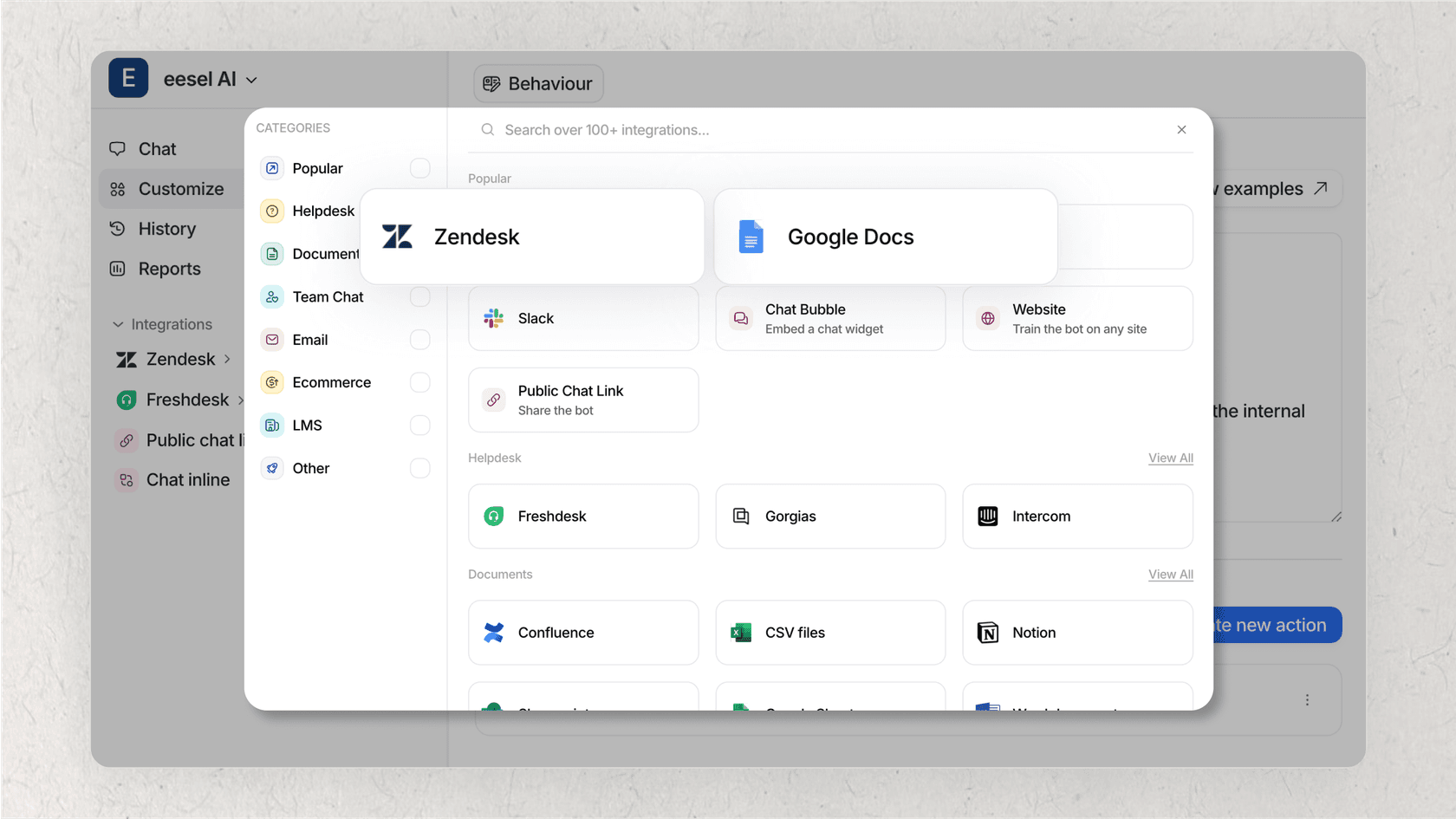
This is different from modern AI teammates like eesel AI, which plugs into your helpdesk and learns from thousands of your team's past ticket replies. This allows it to provide high-quality, contextual answers from day one, without you needing to build rigid, manual workflows for every possible scenario.
Reported reliability and performance issues
No tool is perfect, and some users have reported a few technical hiccups with HelpCrunch. A look at reviews on platforms like G2 and Trustpilot shows that some users have found the chat widget can slow down their website's loading speed. That is a serious concern, as site performance directly impacts user experience and even SEO.
Other users have mentioned occasional bugs or unreliability with some of the core features, which can be frustrating when you are relying on the tool for all your customer communication. These kinds of disruptions can throw a wrench in your team's workflow.
This is a stark contrast to the one-click, plug-and-play nature of platforms like eesel AI, which integrates with over 100 tools you already use. It is designed to slot into your existing setup seamlessly, without requiring any code changes or impacting your site's performance.
eesel AI: The collaborative alternative to HelpCrunch
If you are finding that the AI in all-in-one platforms feels a bit too basic, rigid, or locked behind expensive plans, there is a different approach you can take. Meet eesel AI, an AI teammate you hire, not just a tool you install. It is built for teams that want truly intelligent automation without the hassle.
Go live in minutes with zero risk
eesel AI has what we call an "invite, don't configure" model. You just connect it to your helpdesk, and it immediately starts learning from your past tickets, macros, and help center articles. There are no long onboarding sessions or complex setups. It is ready to go in minutes.
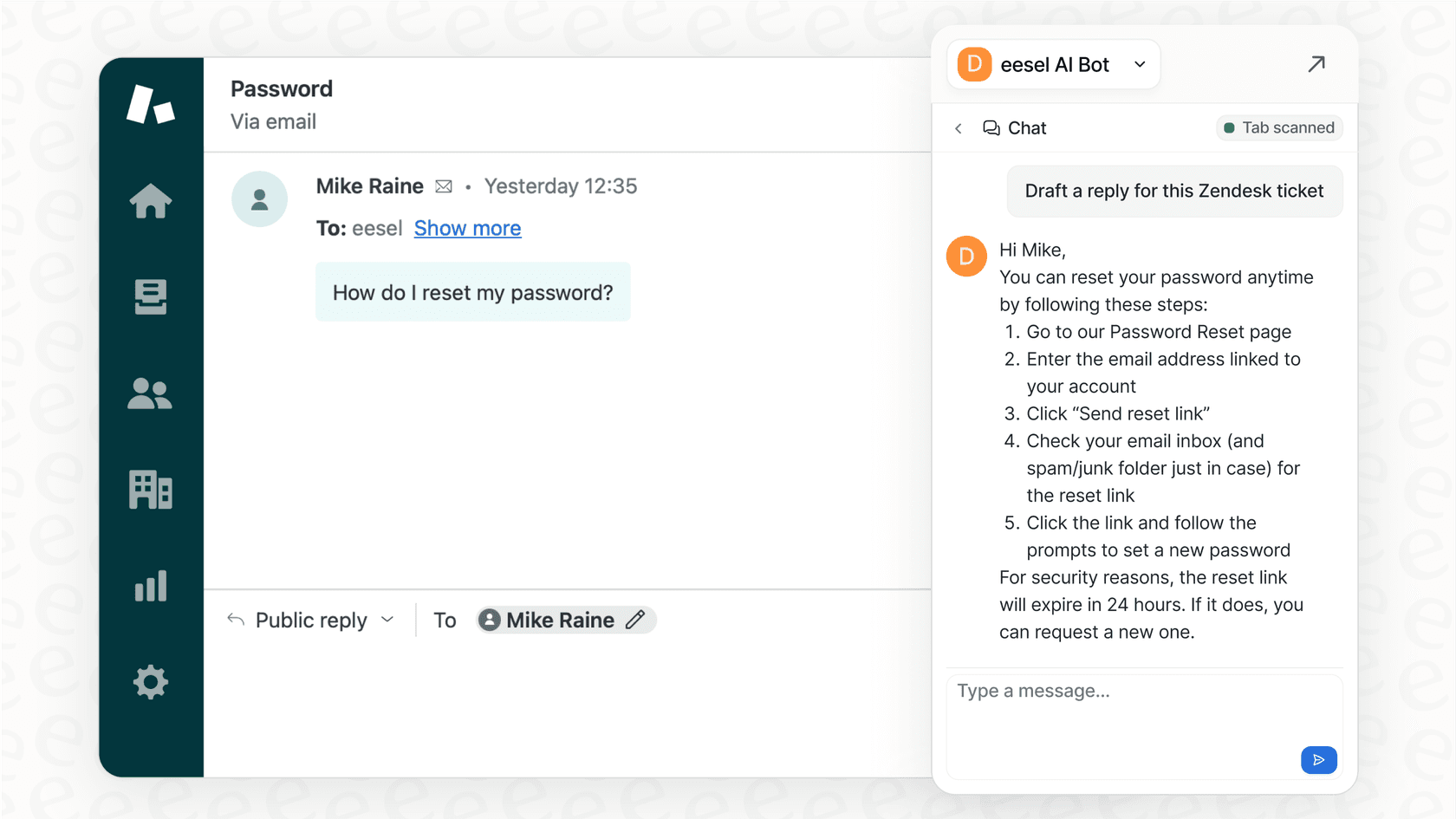
The best part? It starts with a human-in-the-loop by default. The eesel AI Copilot drafts replies for your human agents to review, edit, and approve. This means you get value from day one without any risk of a bot going rogue and saying the wrong thing to a customer. You are always in control.
Plus, you can use its simulation mode to test how the AI would have replied to thousands of your past tickets in a safe sandbox environment. You get a clear picture of its performance before it ever interacts with a live customer.
An AI that truly learns from all your knowledge
eesel AI is designed to learn continuously, just like a human teammate. When your agents correct a draft or provide feedback, the AI learns and improves for next time. You can even teach it new things in plain English.
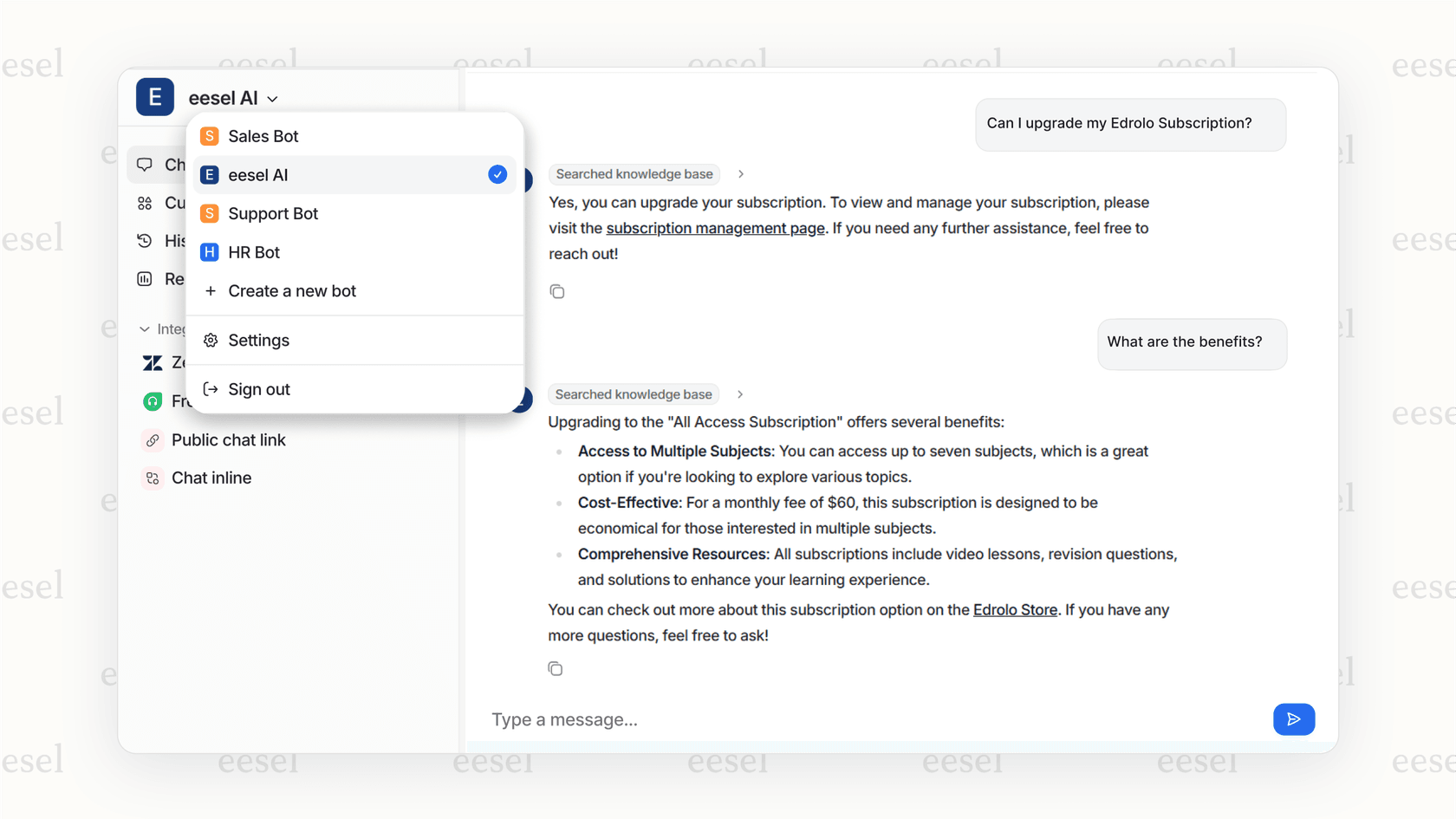
It also connects to all of your knowledge sources, not just a single help center. It can pull information from past tickets, Google Docs, Notion, Confluence, and more to provide the most comprehensive and accurate answers possible.
As you gain confidence, you can promote it to handle more tasks. Use AI Triage to automatically tag and route incoming tickets, or let it autonomously resolve common questions. It is a clear, controlled path from a helpful assistant to a frontline agent.
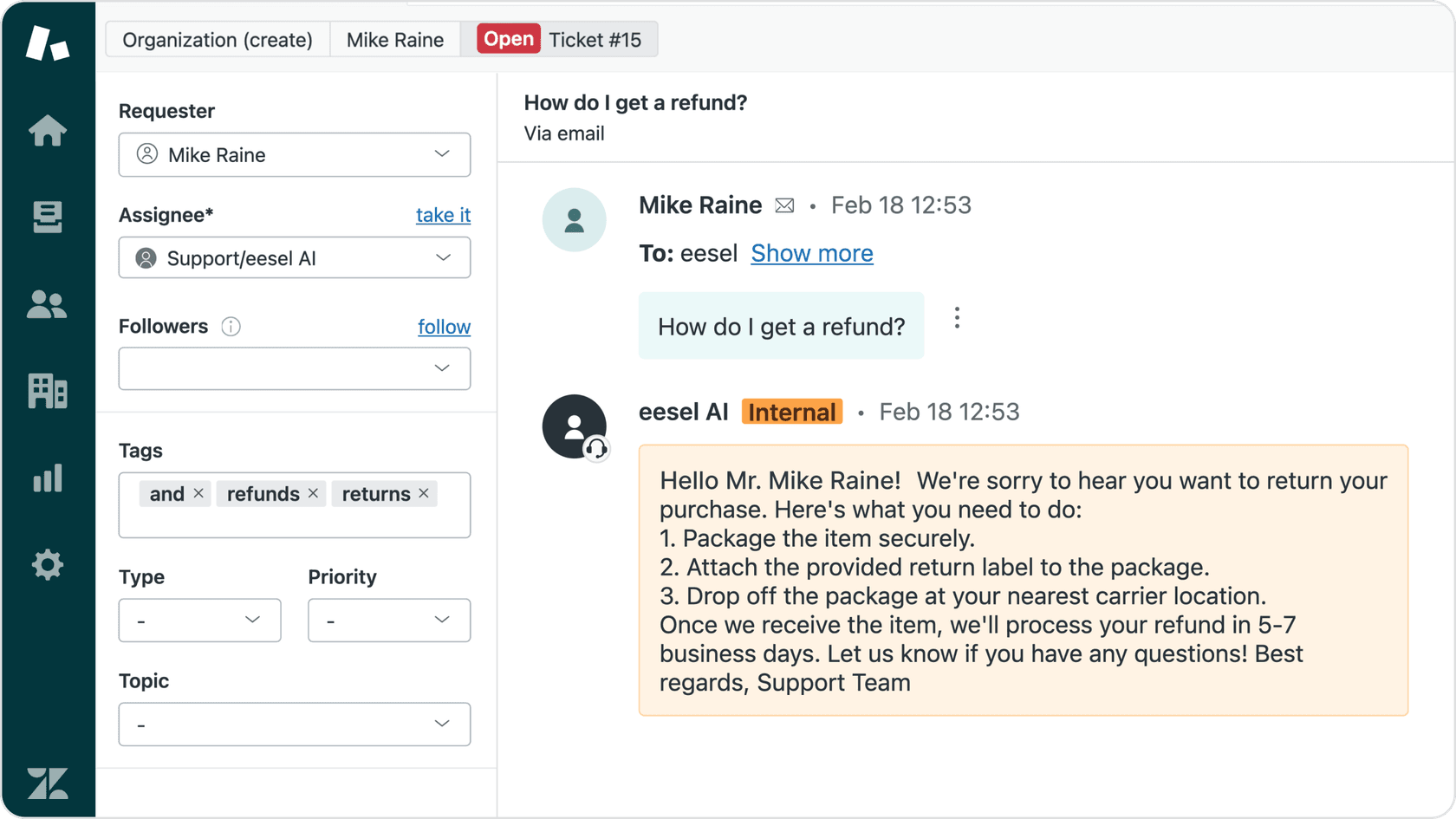
For a more detailed look at how HelpCrunch works in action, check out this video review that walks through the platform's features and user interface.
Is HelpCrunch the right tool for you?
So, what is the final verdict? HelpCrunch offers a solid value. It is a feature-rich, affordable all-in-one platform that is a great choice for small to medium-sized businesses looking to centralize their customer communication tools without a huge price tag. If you want one tool to handle chat, email, and your help center, it is a solid contender.
However, when it comes to AI, there are clear limitations. Its most powerful automation features are locked behind higher-tier plans, the AI itself is more rule-based than adaptive, and some users have reported performance issues that could be a dealbreaker.
HelpCrunch is a good fit for teams who want a bundled solution with some basic agent assistance tools and are willing to pay for the Pro plan to access its rule-based chatbot.
But for teams who are serious about automation and want a powerful, intelligent AI that learns your business inside and out, integrates seamlessly with all your tools, and can be trusted to handle frontline support, a dedicated AI teammate is likely a better long-term investment.
Frequently asked questions
What is the main takeaway from this HelpCrunch AI review?
The main takeaway is that HelpCrunch is a great all-in-one tool for small businesses, but its AI features are somewhat rigid and often require a more expensive plan to access fully.
Does this HelpCrunch AI review suggest the tool is good for small teams?
Yes, it is a solid choice for small to medium teams looking to consolidate their inbox and help center, provided they have the budget for the Pro tier to use automation.
Are the AI features mentioned in the HelpCrunch AI review easy to use?
They are relatively easy to use because of the no-code visual editor, but they require manual setup of workflows rather than learning automatically from your data.
What pricing details does this HelpCrunch AI review cover?
This review covers the three main tiers: Basic, Pro, and Unlimited, noting that AI Agents and chatbots are only available starting on the Pro plan at $25 per user.
Is there a better alternative than what's in this HelpCrunch AI review?
If you need more advanced, adaptive AI that learns from your existing knowledge across multiple platforms, eesel AI is a strong alternative to the standard HelpCrunch automation.